Specs are compiled from manufacturer listings and verified buyer reviews and can change over time — please confirm the key details on the product page before buying.
You bought a big screen for the conference room and half the room still cannot read the spreadsheet on it. That is the real problem with meeting room display panels — most are built for signage, not for people standing at the glass with a stylus, and the touch layer or the brightness is where it shows. The panels below hold up under a full meeting day: screens that track 20 fingers at once, run apps natively, and cast a laptop without hunting for a dongle.
This guide is built by comparing the manufacturers’ published specifications and the patterns across verified customer reviews, so you get each pick’s real strengths and trade-offs instead of marketing spin.
What separates a good board from a frustrating one is not the inches — it is the touch response, the built-in computer, and whether your team’s apps run without a workaround. This breakdown covers every spec that matters for meeting room display panels so you can match the right board to your room.
Top Picks
How To Choose The Best Meeting Room Display Panels
Start with the room, not the spec sheet. A 55-inch board suits a huddle room where people sit within arm’s reach of the glass. An 86-inch board belongs in a boardroom where the back row is several feet away and still needs to read the small print on a quarterly deck.
Touch response and touch points
Touch response time is measured in milliseconds (ms) — the delay between your stylus landing and the line appearing. A 6ms response feels like ink on paper; anything slower starts to feel like writing through mud. Touch points are how many fingers the panel can track at once, so a 20-point board lets a group work on the same problem without one person’s hand blocking another’s.
The computer inside the panel
Most of these boards ship with an Android computer built in — the operating system that runs your apps, paired with RAM (short-term working memory) and storage (where files and apps live). An 8GB RAM and 128GB storage configuration handles multitasking and video calls without stutter. An OPS slot is a bay for adding a separate computer module later if you want a different system running inside the same glass.
Brightness and glare
Brightness is printed in nits or candela per square meter — how much light the panel throws. A brighter panel wins in a room with windows, while an anti-glare coating cuts reflections from overhead lights. Contrast ratio — the gap between the brightest white and darkest black — decides whether text looks crisp or washed out during a presentation.
Side-by-Side Comparison
| Model | Best For | Screen Size | Resolution | Touch Points | Amazon |
|---|---|---|---|---|---|
| COOLHOOD 65″ Smart Board★ Best Overall | All-round office workhorse | 65 in | 3840 x 2160 | 20-point | Amazon |
| Pluss 55 Inch AI Smart BoardTouch Leader | Small rooms with heavy casting | 55 in | 3840 x 2160 | 60-point | Amazon |
| KEINONE 55″ Smart BoardClassroom Ready | Wheeled classroom use | 55 in | 3840 x 2160 | 20-point | Amazon |
| Samsung QB65R | Signage plus conferencing | 65 in | 3840 x 2160 | — | Amazon |
| JAV 65 Inch Smart Board Pro | Hybrid meetings with camera | 65 in | 3840 x 2160 | — | Amazon |
| Shiarffe X5 75 Inch | Daily K-12 classroom duty | 75 in | 3840 x 2160 | 20-point | Amazon |
| QIXZOCV 75″ Smart Board | Split-screen comparison work | 75 in | 3840 x 2160 | 20-point | Amazon |
| NewBoard 65E | Google Workspace teams | 65 in | 3840 x 2160 | 50-point | Amazon |
| JASZDOT 86″ Smart Board | Large rooms, front ports | 86 in | 3840 x 2160 | 20-point | Amazon |
| YCKJNB 86″ Smart Board | Big-room video conferencing | 86 in | 3840 x 2160 | 20-point | Amazon |
| Samsung Flip 2 WM85R | Flipchart-style brainstorming | 85 in | 3840 x 2160 | 4-point | Amazon |
| Samsung Pro 85″ WMB | Multi-source SmartView setups | 85 in | 3840 x 2160 | 20-point | Amazon |
| Vibe S1 55 Inch | Huddle rooms on Chrome apps | 55 in | 4K UHD | 10-point | Amazon |
Detailed Reviews
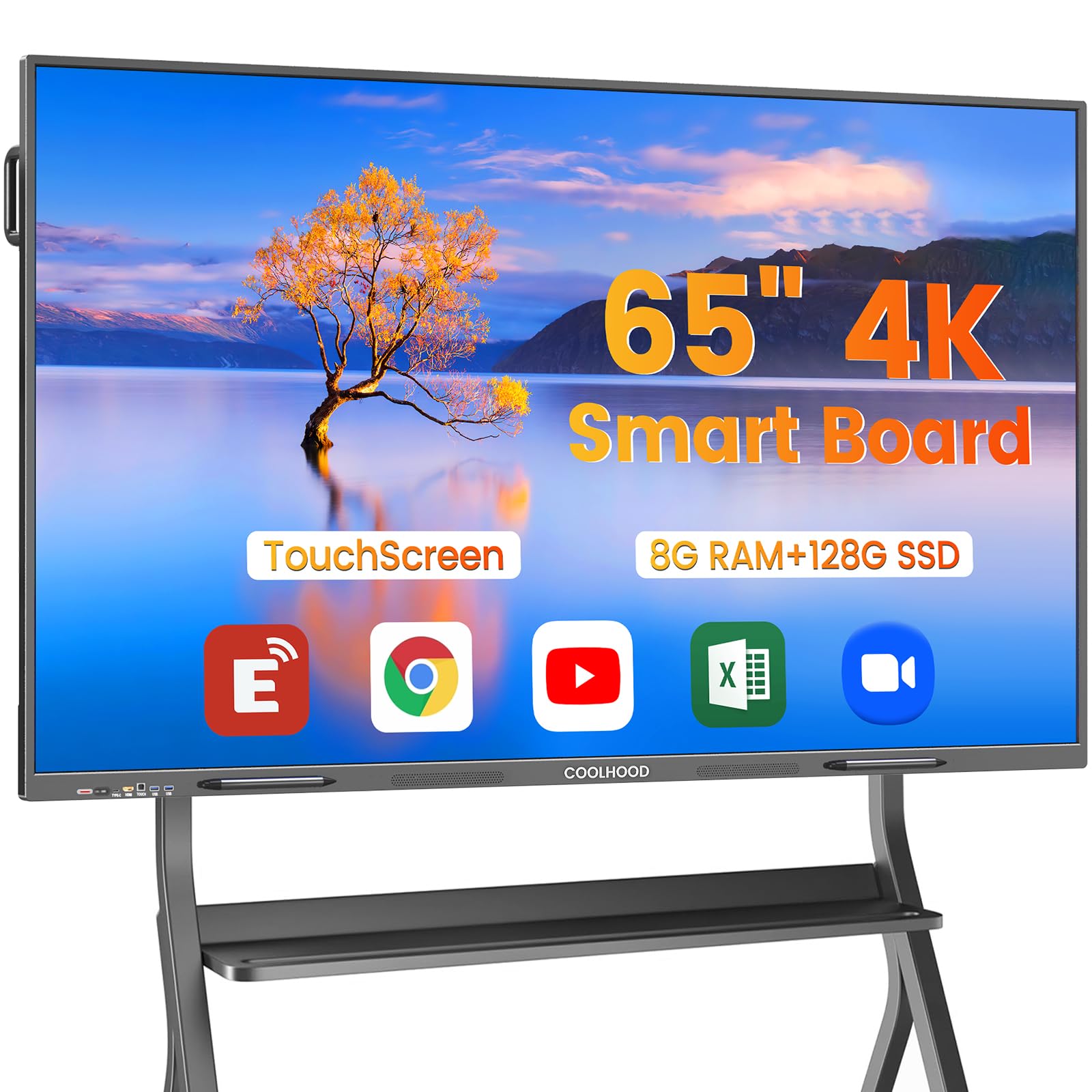
1. COOLHOOD 65″ Smart Board
Our pick — 4.5+★ from 800+ verified ratings; the strongest balance of quality and price.
The 65-inch board that writes as fast as your hand moves and installs on a wall in an afternoon.
This is the pick to beat because it gets the two things that decide a meeting room panel right. The touch layer answers in 6ms with ±1mm precision — fast enough that a signature looks like your signature, and accurate enough that a small annotation lands where you aimed it. Then there is the computer inside: an octa-core processor split 4 A73 + 4 A53 cores (four performance cores for heavy apps, four efficiency cores for background tasks), paired with Android 13 and 128GB of storage. Open a deck, a browser tab, and a video call at once and it keeps moving.
The 65-inch screen runs at 3840 x 2160 — true 4K UHD — with a 2000:1 contrast ratio and a 16:9 shape that matches every slide template your team already owns. Contrast ratio is the gap between bright white and deep black, so 2000:1 keeps spreadsheet text and whiteboard ink clearly separated instead of muddy. It is a 4K UHD, IPS, LCD panel, and IPS is the type that keeps colors steady when someone steps off to the side of the screen.
What wins people over is the software layer. Scan a QR code and the notes you just wrote are on everyone’s phone, no cable pass-around. Smart voting and a built-in timer let you run a decision in the room instead of scheduling another call. Zoom, Google Meet, Microsoft Teams, and Webex all run natively, and the open app ecosystem lets you download whatever your business needs. One practical note: the wall mount is in the box, but the rolling stand ships separately, so plan your mounting before the delivery truck arrives.
The honest trade-off sits in reliability. Some units arrive that simply will not boot, so buy from a seller with a clear return path — that is a fit issue for a first-time setup, not a reason to rule the panel out. Across 800+ ratings it holds 4.5+ stars, with buyers repeatedly citing build quality.
What earns it the top spot
- 6ms touch response with ±1mm precision for genuinely natural writing
- Octal-core Android 13 with 128GB storage handles multitasking without stutter
- QR-code file sharing puts meeting notes on every phone instantly
- Runs Zoom, Teams, Meet, and Webex with no extra hardware
What to plan around
- The rolling stand is sold separately — the box includes the wall mount only
- A small number of units arrive dead, so buy where returns are simple
Reach for this if: you want one 65-inch panel that writes, presents, and conference-calls without add-on boxes.
Look elsewhere if: you need a mobile board on wheels from the start — you will have to order the stand separately.
2. Pluss 55 Inch AI Smart Board
Sixty touch points on a 55-inch glass — more simultaneous hands than any other board here.
If your meetings involve a crowd at the glass, this is the number that matters. The infrared touch layer (a grid of light beams that registers a finger the moment it breaks the beam) supports up to 60 touch points. Compare that to the 20 points on the classroom board reviewed below — a 3.0x gap — and you can see why a full table of people can all annotate at once without anyone’s input getting dropped. Pen recognition works down to a 2.8mm and an 8mm tip, so both fine styluses and a fingertip register properly.
The display is a native 3840 × 2160 4K UHD panel with 4K UI support and 10.7 billion display colors, which keeps gradients smooth on charts and video. A 178° viewing angle means the people at the far end of the table see the same picture as the person standing at the board. The contrast ratio is 1200:1 — lower than the 4000:1 on the Samsung QB65R, so blacks in a dark room look lighter, but for a lit conference room with slides and documents that gap rarely shows.
An OPS slot (a bay for adding a separate computer module, sold separately) sits ready if you later want more computing muscle inside the same glass. The built-in Android system runs standalone without one. A 48MP camera and microphone are built in for calls, and the box includes a remote, USB-C cable, USB A-B cable, HDMI cable, and two stylus pens. The black aluminum frame mounts to the wall.
Best fit for: a huddle room or small training space where several people share the glass and screen casting happens constantly.
The catch: with a 55-inch panel, anyone past the middle of a long table is looking at a small picture — this is a close-quarters board.
The short version: 60-point touch at a 55-inch size makes group annotation genuinely practical.
Only pass if: your room seats more than six or seven people and needs a bigger picture.
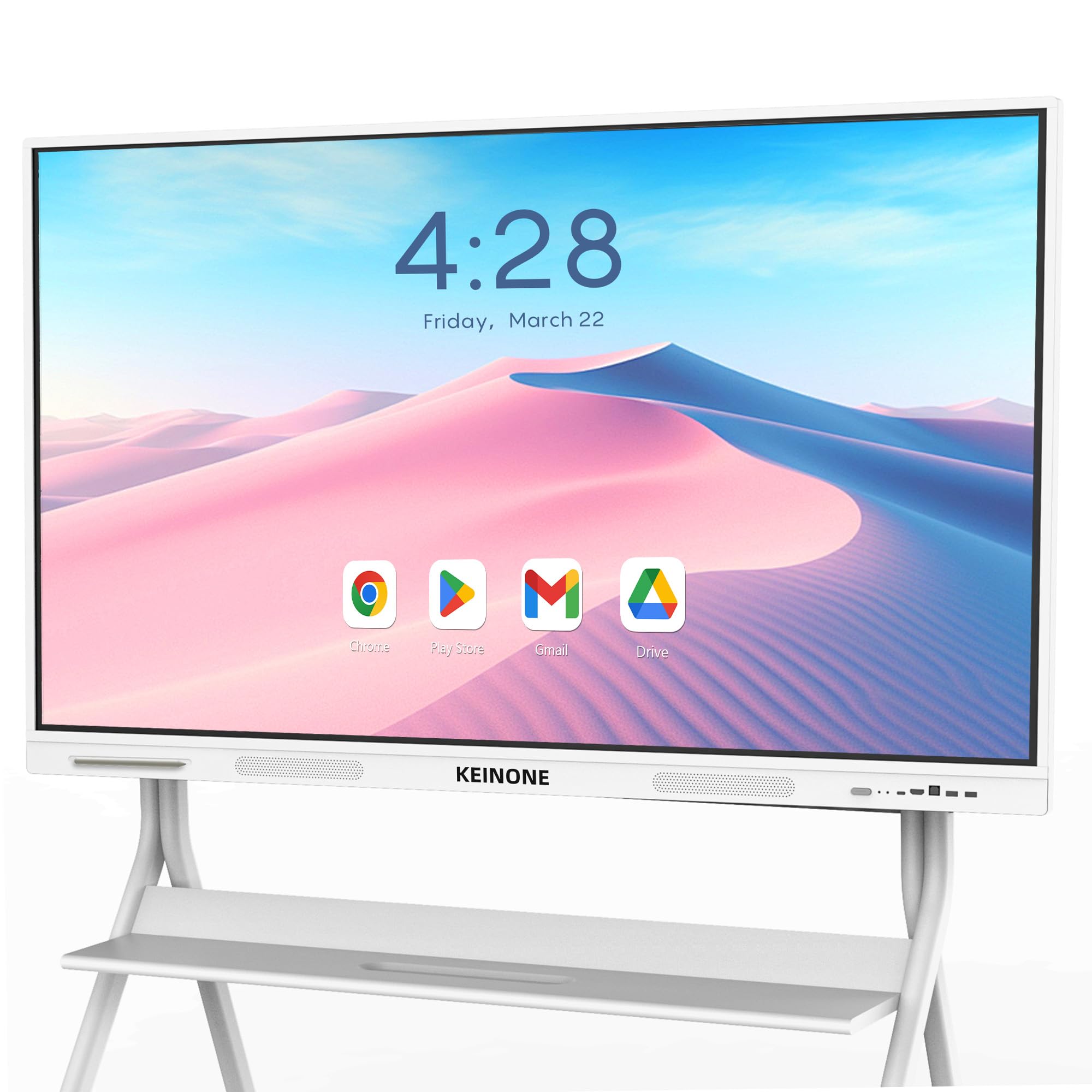
3. KEINONE 55″ Interactive Smart Board
A wheeled 55-inch board with Google certification and 128GB of room for apps.
Built-in educational tools are the reason this one earns its place. Text recognition, a variety of brushes, and the KEINONE whiteboard software come preloaded, so a teacher can turn a photo of a worksheet into editable text without leaving the display. Google EDLA certification matters here: that label means Google has authorized the device to run the full Play Store and Google apps, not a stripped-down side-load workaround.
The touch layer handles 20 points with 6ms latency — the same responsiveness as the COOLHOOD board above, so writing stays tight on a fast signature or a quick diagram. Connectivity runs through AirPlay, WiFi, Type C, and HDMI, which covers an iPhone, a MacBook, a Windows laptop, and a wired HDMI source in the same session. A 3000:1 contrast ratio keeps text and graphics clearly separated during a lesson, and the 3840 x 2160 resolution holds up close.
Performance is the strength people notice. The board runs multiple apps and presentations without lag, and the display itself stays sharp and clear. This one ships configured for rolling use, so it can follow the lesson between rooms.
Where it shines: a certified Android 14 board on wheels that moves between classrooms without a reinstall.
Worth knowing: 55 inches is a small stage for a full classroom — it suits small groups and front-of-room work.
Pick it for: a teaching space that needs Google apps and a screen that rolls where the lesson goes.
Think twice if: you need the back row of a large lecture hall to read it comfortably.
4. Samsung QB65R 65 Inch 4K UHD Commercial Display

A commercial panel built to run signage in the lobby and a WebEx call in the boardroom.
The contrast ratio here is the standout figure: 4000:1 against the 1200:1 on the Pluss board — a 3.3x gap — which is why white text on a dark background stays crisp instead of turning gray. That is a signage problem first and a meeting problem second, but it shows in a boardroom deck with dark slides. The 65-inch screen delivers 4K UHD with dynamic Crystal Color, and intelligent UHD upscaling sharpens standard-definition content so older recordings do not look soft.
This one is a different animal from the interactive boards above and below: it is a commercial signage display, so there is no multi-touch whiteboard layer. What it does have is Cisco WebEx room kit compatibility for conferencing, plus built-in Wi-Fi and Bluetooth for controlling and sharing content from a tablet or phone. Brightness runs at 350 cd/m² — a working level for a controlled indoor room, less punchy in direct sunlight.
The system-on-chip (a small computer built into the panel) and embedded media player make it an all-in-one signage solution. You load and schedule content without an external PC. Slim design and clean cable management make it easy to mount flush to a wall.
The real use case: a reception screen, a hallway display, or a boardroom where the panel shows content and calls but nobody writes on it.
Check this first: if your team needs to annotate and whiteboard by hand, you want a touch panel, not this display.
Settle on this: when the display mostly shows content rather than inviting people to write on it.
Not the one for: hands-on brainstorming sessions — there is no touch whiteboard here.
5. JAV 65 Inch Smart Board Pro
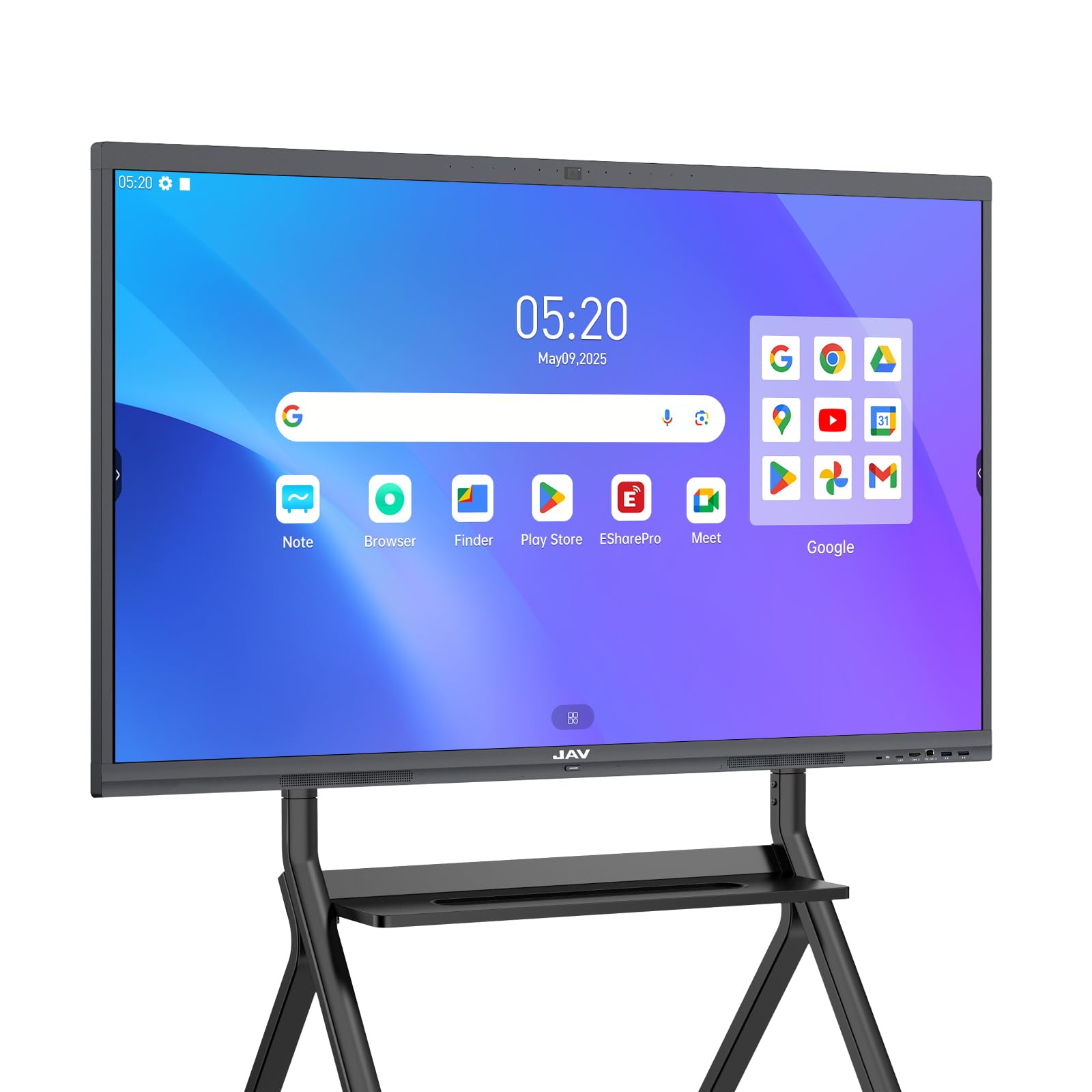
The 65-inch board with a 48MP camera built in, so the remote team sees more than a webcam angle.
Where this one beats the COOLHOOD board above is screen size — 65 inches versus 55 — an 18% larger diagonal that buys real estate for a split of the deck and the video call. The anti-glare tempered glass (a treated surface that scatters reflections rather than bouncing them) keeps the picture readable in a bright room with windows. It runs Android 14.0 with 8GB RAM and 128GB storage, the same working-memory and storage pairing that keeps a board fluent across several apps.
Connectivity is the aspect that carries this pick. Mac, Windows, iOS, and Android all mirror to it, and QR-code wireless file sharing moves documents across without a cable. Google EDLA certification means the board runs authorized Google apps, and on the security side there is a screen lock and USB password protection for when a room is shared. That last detail matters in a multi-tenant office where the board is not always yours.
The built-in 48MP camera gives remote participants a clear view of the room instead of a laptop webcam angle. It pairs with the usual conferencing apps, so a remote participant is not stuck listening to a disembodied voice. Mounting hardware, a 3m power cord, and a stylus come in the box.
The case for it: a big 65-inch panel with the camera and certification already inside, ready for hybrid work.
The honest limit: some buyers question whether the price delivers the value, so weigh it against what you actually need in the room.
This one suits: teams that run hybrid meetings and want the camera integrated, not bolted on.
Skip the upgrade if: your meetings are all in-person and a plain touch board covers your needs.
6. Shiarffe X5 Smart Board 75 Inch
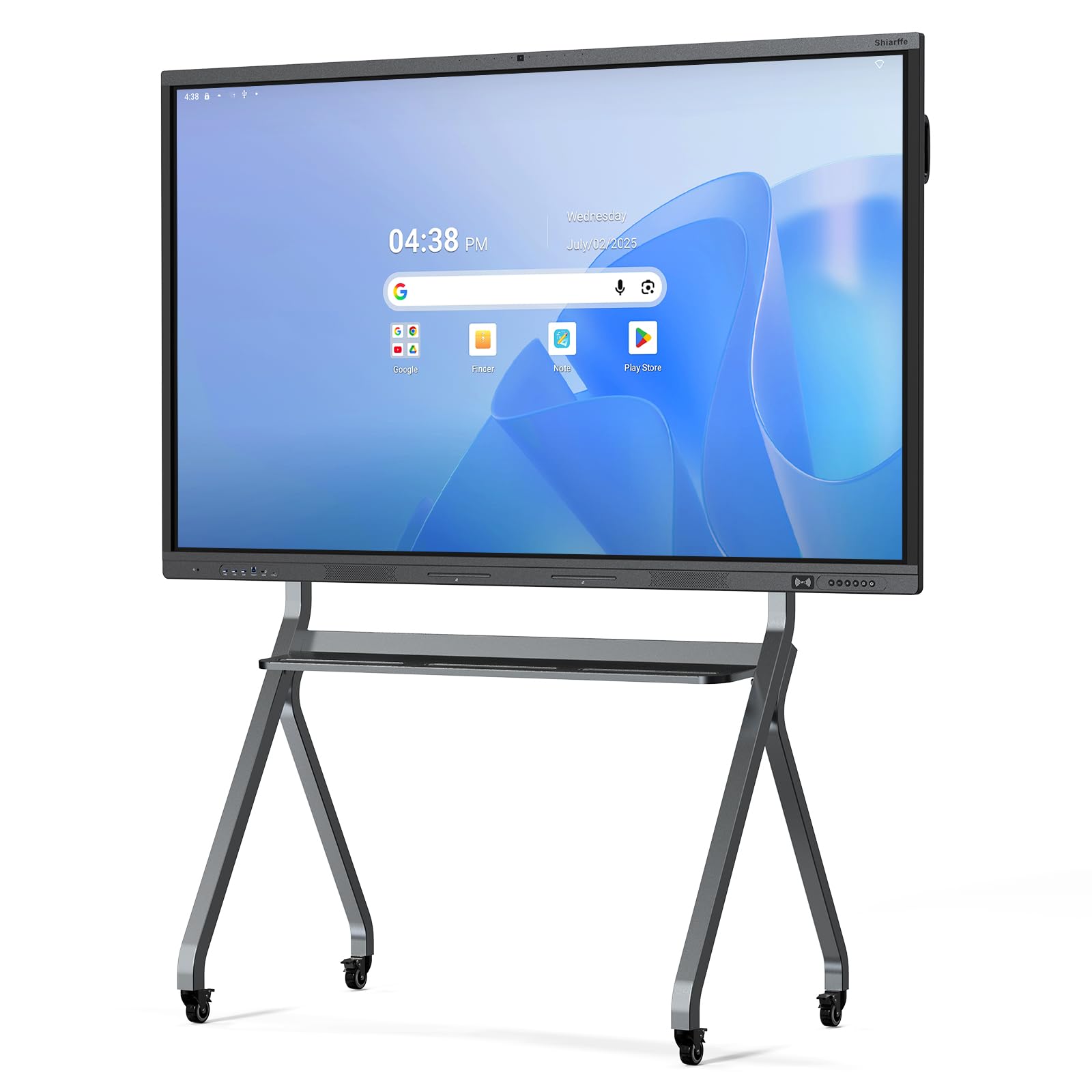
A 75-inch board with an industrial touchscreen and an aluminum frame built for constant use.
The reinforced chassis and industrial-grade touchscreen are the point of this one. It is designed for daily K-12 duty — constant multi-student interaction, less downtime, fewer repairs over the years. The 4K anti-glare IPS screen (IPS keeps colors steady from the side) supports up to 20-point multi-touch and adjusts brightness automatically, so a room that shifts from morning sun to drawn blinds stays readable without anyone fiddling with a menu.
Google EDLA certification lands with zero software subscriptions and automatic updates — the board keeps itself current and secure on its own schedule. No subscription is needed for the app layer, unlike boards that charge for it. At 75 inches, the same as the QIXZOCV below, it gives a room enough stage for a lesson plan without going to the 86-inch class.
Inside sits 8GB RAM + 128GB storage with a built-in 48MP camera, microphones, and speakers. Wired setup runs through HDMI for plug-and-play, or you mirror screens from laptops, tablets, and phones wirelessly. Ports cover HDMI, USB, Type-C, and LAN, and the box includes a wall-mount bracket, remote, two styluses, and an NFC card.
Built to survive: an aluminum frame and industrial touch layer aimed at a full day of student hands.
Worth knowing: wall-mount hardware is included, but the mobile cart is a separate purchase if you plan to move it.
Decide on this: for a school room that gets hammered all day and needs a 75-inch stage.
Look further if: you need wheels from the start — the cart is separate.
7. QIXZOCV 75″ Smart Board for Business
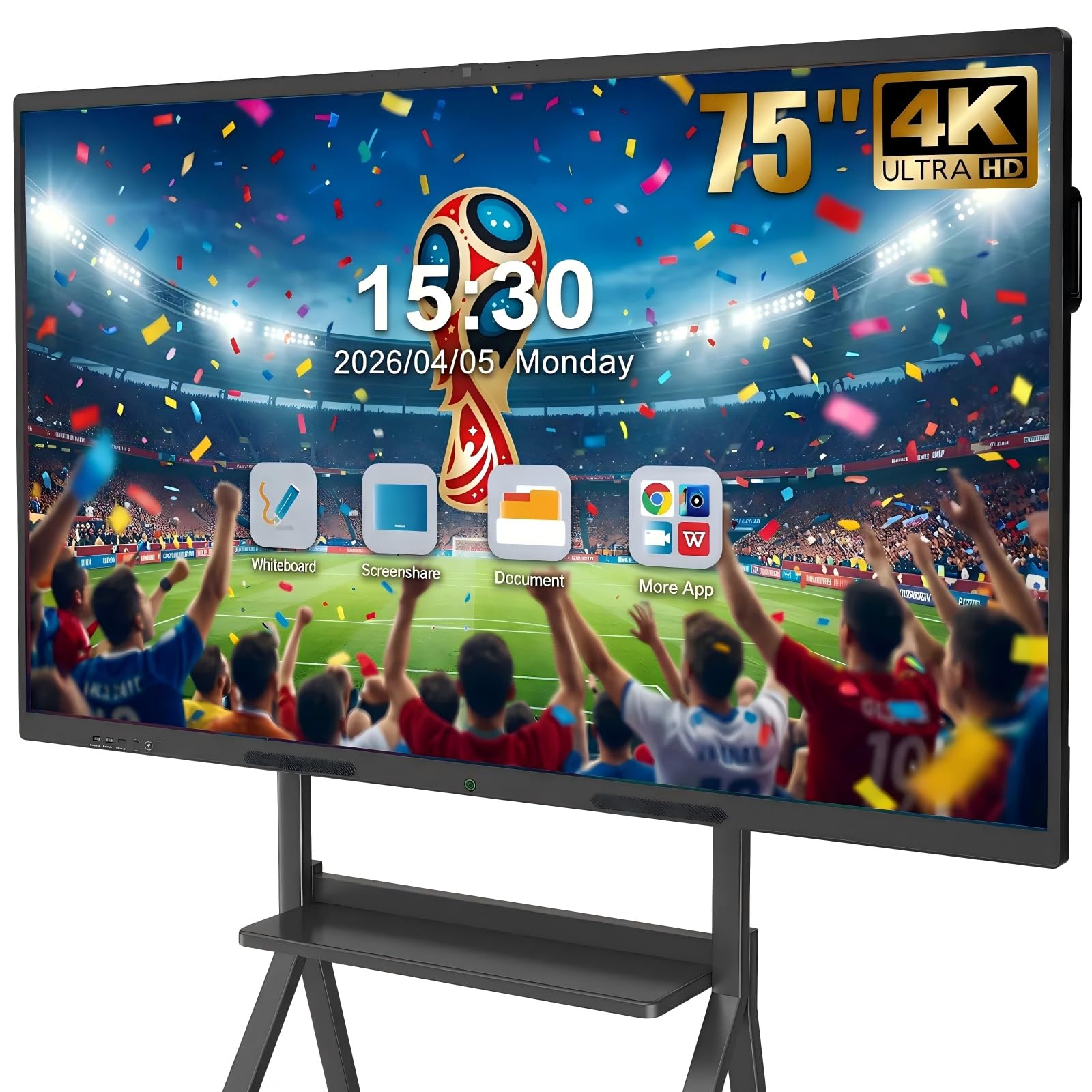
Four sources on one 75-inch 4K screen — built for comparing work, not just showing it.
The split-screen function is what separates this board from the ones that only mirror one laptop at a time. It displays content from up to 4 different sources simultaneously, so you can put student work beside a rubric beside a live dashboard. The 20-point infrared touch layer lets several people write and draw at once, and it pairs with the usual casting routes — Miracast and AirPlay wirelessly, or HDMI and USB-C for a stable wire.
The conferencing hardware is a step up from a single built-in webcam. A 13MP auto-focus camera, an 8-array microphone, and dual 20W speakers turn the room into a call suite without extra boxes on the table. Android 14 runs the software, backed by 8GB RAM and 128GB storage, and the open Play Store ecosystem lets you load what you use, from Khan Academy to Microsoft 365.
Cloud storage via WiFi links to Google Drive and OneDrive for archiving sessions. The metal frame mounts to the wall or a floor stand, and the box includes the wall bracket and accessories. With a display this large, keep the room’s seating within a realistic arc — a 75-inch picture carries well across a mid-size boardroom but invites squinting from a back wall.
Its strength: 4-source split-screen turns one board into a comparison wall for meetings and lessons.
Its cost to plan: a 75-inch panel runs 123 pounds on the wall mount, so arrange two people and proper anchors for installation.
Choose this when: you compare multiple data sources side by side and want video conferencing built in.
Consider the smaller boards if: your room is tight — 75 inches needs wall space and a solid mount.
8. NewBoard 65E 65 Inch 4K Smart Board
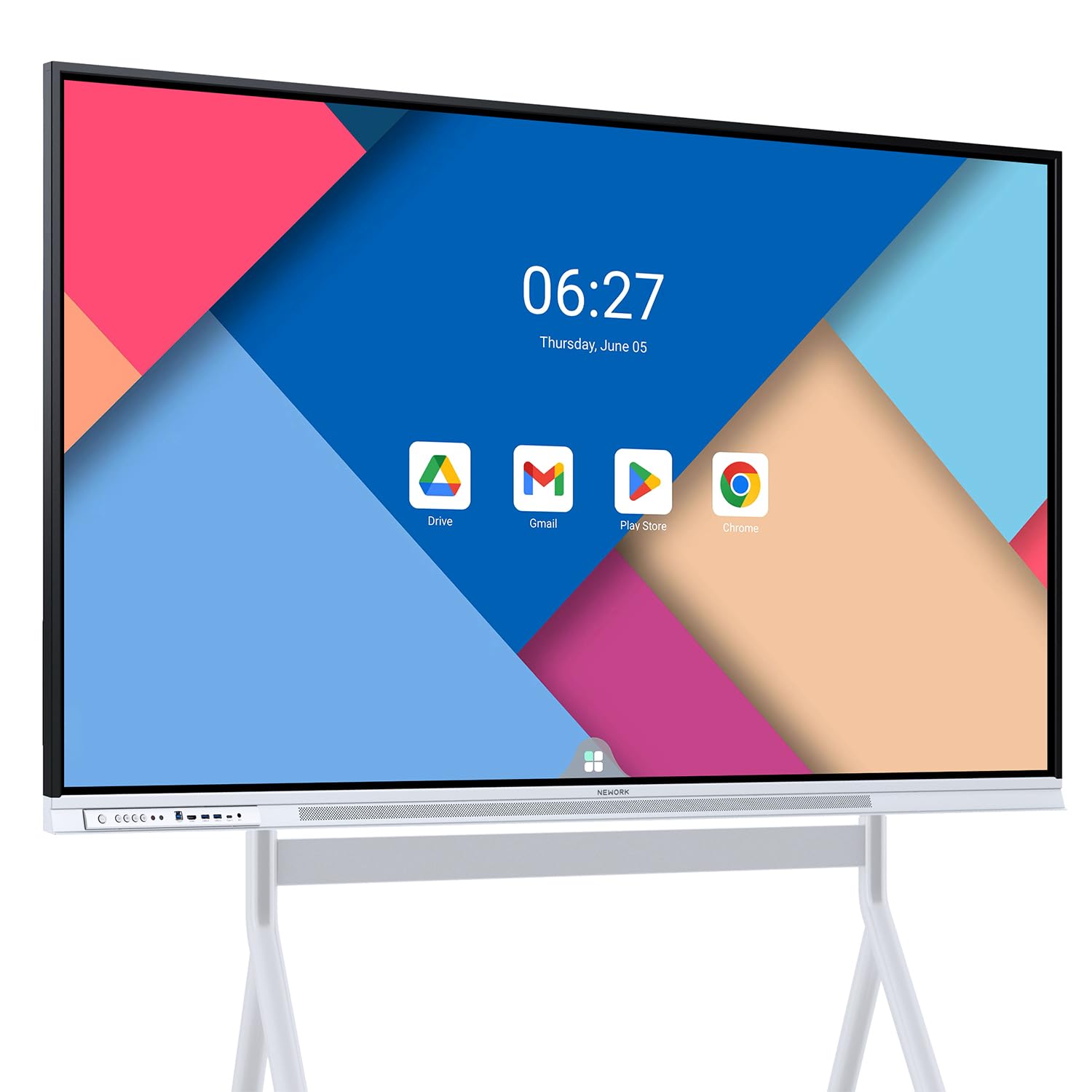
A 50-point touch screen that lets 10 people write at once with 450 nits of brightness behind it.
Two numbers set this board apart from the pack. The first is 50-point multi-touch — enough for up to 10 users writing simultaneously — well ahead of the 20-point standard on most boards here, and behind the 60-point Pluss. The second is 450 nits, the brightest panel on this list (against the Samsung QB65R at 350 cd/m²), which means a room with sun-facing windows does not wash the picture out.
Google EDLA certification gives full access to the Play Store, Google Workspace, and the Google Education Suite, with enterprise-grade privacy protection and regular OTA (over-the-air, i.e. automatic) updates. It runs Android 14 with 8GB RAM and 64GB ROM, so the working memory handles multitasking while the storage is a bit tighter than the 128GB boards above — worth checking if you plan to store large media locally.
The 65-inch UHD display offers a 178° wide viewing angle and an 85% NTSC color gamut, which means accurate color for charts and video. A VA panel type (a display technology with deep blacks and good contrast) pairs with a 3000:1 contrast ratio. Wireless screen sharing supports up to 16 devices at once, ideal for a hybrid workspace where several laptops want airtime.
Standout spec: 50-point touch and 450 nits make this the brightest and most hand-tolerant 65-inch board here.
Check before buying: 64GB storage is half the capacity of several rivals, so plan on cloud storage for big files.
Best match for: Google Workspace teams in a bright room who want everyone’s hands on the glass.
Less ideal if: you keep recordings and large media on-device — the 64GB fills fast.
9. JASZDOT 86″ Smart Board
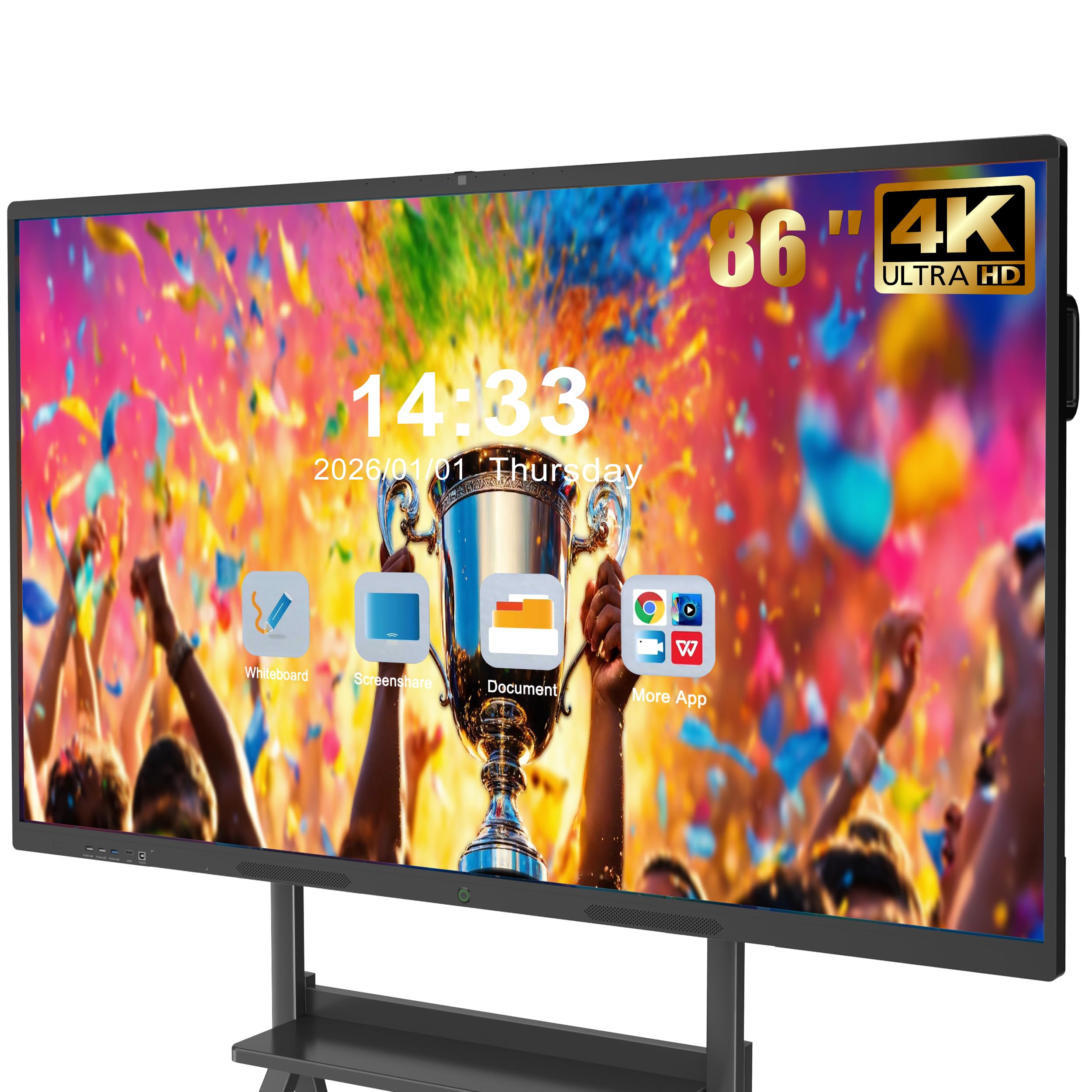
An 86-inch board with connections on three sides so nobody has to reach behind it.
The port layout is the reason to pick this one over the other 86-inch board below. Front connections give you two USB ports, an HDMI, and a TOUCH input — plug a flash drive in mid-meeting without crawling behind the screen. The rear adds TOUCH, two USBs, a TF card slot, HDMI, RS232, and a headphone jack, while the bottom carries LAN IN and OUT, HDMI, VGA, VGA IN, MIC IN, AV IN, AV OUT, coaxial, and DisplayPort. That is a legacy-friendly spread that handles older training-room gear alongside modern laptops.
Android 14 with 8GB RAM and 128GB storage runs the apps and whiteboard software. The true 4K UHD touchscreen delivers over 400 nits of brightness with flicker-free, eye-care technology — a feature aimed at long stretches of use. The 20-point infrared touch layer answers in 6ms with ±1mm precision, matching the COOLHOOD board above for responsiveness, with smart handwriting recognition and one-touch color switching.
At 86 inches, this is a room-scale board — one that lets a large conference or training hall read from the back rows. A screen-casting box, stylus, wall mount, remote, and a 60-inch power cord come in the box.
What it solves: front-facing ports mean no interruption when switching devices in a live session.
The physical reality: 86 inches is a serious wall installation — line up help and solid anchors before delivery day.
Go with this for: a training center or big room where connectivity changes often and people sit far back.
Too much board if: your space is a small huddle room — a 65-inch class fits better.
10. YCKJNB 86″ Smart Board
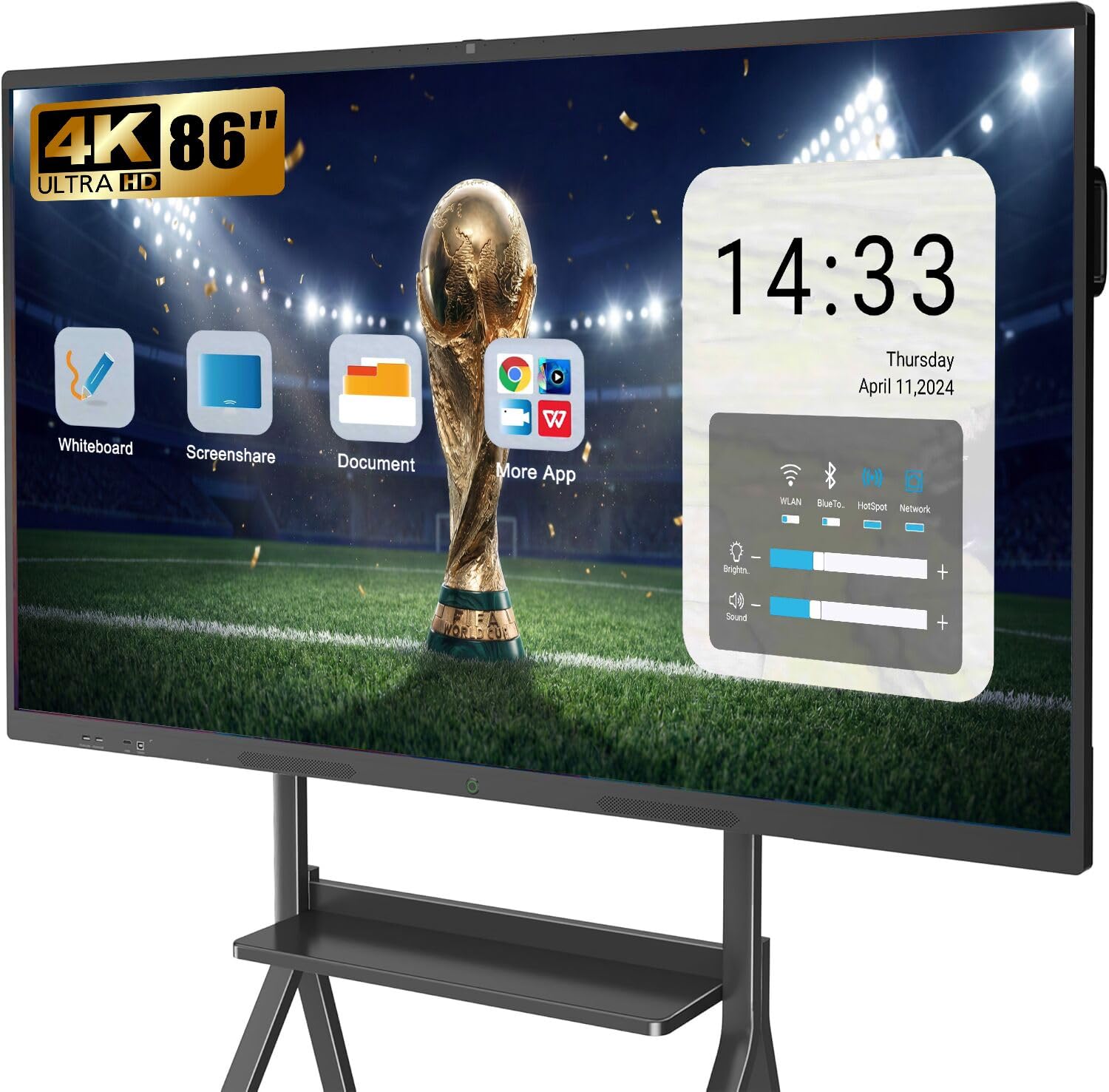
Big-room conferencing with a 13MP camera, eight microphones, and twin 20W speakers inside.
This is the board to buy when the room is large and the meeting is hybrid. The microphone array — eight mics arranged to pick up voices across a table — pairs with dual 20W speakers so the remote side hears and gets heard without a separate conference phone. A 13MP camera frames the room in high definition.
The 86-inch 4K UHD touch screen runs a stable infrared 20-point multi-touch layer with sensitive, precise response. Annotating on top of an image or a document is a matter of picking up a stylus. The open app ecosystem (Android, with Bluetooth, Wi-Fi, USB, Ethernet, and HDMI on board) lets you install whatever the team relies on.
Meeting functionality extends to wireless projection from up to 4 users, with reverse touch control — the ability to control the source device from the board itself. Third-party video conferences are supported, and a wall-mount bracket is included. A mobile stand is available separately if you want to roll it between rooms. Of the two 86-inch panels here, this one leans harder into the video-conferencing side.
Where it leads: the built-in camera, mic array, and speakers make a complete conference solution without extra kit.
Pick your mount: the box includes a wall bracket; the mobile stand is a separate purchase.
Make this your pick if: you need one 86-inch board to carry both the presentation and the video call.
Different path if: your meetings are presentation-only and you do not need the camera and mic hardware.
11. Samsung Flip 2 WM85R 85 Inch

A digital flipchart that mimics the old easel — walk up with a pen and start writing.
The familiar passive-pen feel is the appeal. Anyone who has used a flipchart can pick up the stylus and write without learning software, on an 85-inch 4K UHD display. Content sharing runs through NFC, screen mirroring, or HDMI, so a phone tap or a cable gets your work onto the big screen.
Four people can write at the same time — the same up-to-four-writers limit as the Samsung Pro below, which suits a team standing around a whiteboard rather than a full classroom at the glass. The 4000:1 contrast ratio keeps ink and text well separated, and a built-in speaker handles audio for whatever you are watching. FreeSync is on board for smoother motion on video.
This is a different tool from the Android boards here — less of an app computer, more of a collaborative canvas. Its build quality and reliability get mixed reports, so weigh how much of your meeting is writing versus running full software.
The draw: a natural writing surface on a big 85-inch screen, built to feel like the flipchart it replaces.
Check the app side: if you need a full app computer, an Android board fits better than this canvas-first display.
Right for: teams that brainstorm by hand and want a modern flipchart on the wall.
Look elsewhere if: you mostly run software and video calls — the app depth here is limited.
12. Samsung Pro 85″ WMB Interactive Display

It pairs with up to 50 devices and shows six screens at once — a meeting-room switchboard.
SmartView is the headline feature. Wirelessly connect up to 50 devices and view up to six screens at once, so you can flip between a presentation, a live dashboard, and a reference doc without unplugging anything. Universal pairing pulls content from Apple, Google, and other devices you already own — a phone or tablet casts straight to the 85-inch panel.
The touch layer supports up to 20 touchpoints, so a full table can contribute at once. Writing works with either the stylus or a fingertip, and embedded customizable templates give a blank canvas some starting structure. It is a 4K UHD touchscreen at 85 inches, with a 4000:1 contrast ratio that keeps dark slides and light documents distinct.
Connectivity covers USB, HDMI, Ethernet, and an OPS slot for adding a computing module, plus Bluetooth, USB Type-C, and a 3.5mm audio jack. Built-in speakers and a durable screen round out the hardware. It suits a room where several presenters rotate through the screen without swapping cables.
Where it pulls ahead: 50-device wireless pairing and six simultaneous screens is class-leading on this list for multi-source rooms.
Watch the install: at 91.63 kg this is a two-person, properly anchored wall job, not a lift-and-hang.
The pick for: a multi-presenter room where several laptops need to appear on screen without a cable swap.
Weigh the size: 85 inches and a heavy panel mean confirmed wall support before delivery.
13. Vibe S1 55 Inch All-in-One Smart Board

A 55-inch huddle-room board running Chromium OS with 250+ apps in its own store.
For smaller teams, the app library is the reason to look here. VibeOS on Chromium OS gives access to a Vibe App Store with 250+ apps, including Google Workspace and Microsoft 365. The 10-point infrared touch layer answers in under 8ms — close to the 6ms boards above,so writing stays smooth and natural on a 55-inch surface. An infinite canvas whiteboard lets you annotate any PDF or third-party app and save or share instantly with on-site and remote people.
Hardware runs on an Arm RK3588 chip with 8GB RAM and 128GB storage, and Wi-Fi 6 (the newer, faster wireless standard) plus Bluetooth 5.2 keep casting and peripherals steady. That pairing matters in a busy huddle room where several laptops compete for bandwidth. Split-screen mode lets you pull references from Chrome and YouTube while keeping your video call visible, so you present and watch the room at once.
The honest caveat is durability. Some units fail within the first year, so buy from a seller with a clear warranty path and register the board on arrival. Buyers cite its range of uses — homeschooling screen, meeting board, and presentation display — as its main draw.
Why it earns a slot: 250+ apps on Chromium OS with enterprise fleet management for IT.
The trade-off: a 55-inch picture suits huddle rooms and small teams, not a large boardroom.
Made for: small teams and huddle rooms that live inside Google or Microsoft cloud apps.
Think twice if: you need a board that survives years of heavy daily classroom use — check the support terms first.
Know the Specs
Multi-touch points and response time
Touch points count how many fingers or styluses the panel tracks at once — 20 points lets a group work together, while 50 or 60 points means a full table can annotate without dropping input. Response time in milliseconds measures the lag between your pen landing and the line appearing; a 6ms figure is what makes writing feel like ink on paper rather than a delayed cursor.
Resolution and brightness
Resolution is the pixel count, and 3840 x 2160 is true 4K UHD — the detail you need to read a spreadsheet from across the room. Brightness in nits or candela per square meter controls how the picture holds up against window light; a panel around 350 to 450 nits suits a controlled indoor room, and brighter panels cope better with sun.
Contrast ratio and panel type
Contrast ratio is the gap between the whitest white and blackest black — a higher figure keeps dark slides and white text crisp. Panel type decides how the screen looks from the side: IPS holds color steady when viewers move off-axis, while VA tends to deliver deeper blacks in a straight-on view.
Android version, RAM, and storage
The built-in Android system runs your apps, and RAM is the short-term memory for open apps while storage holds files and downloads. An 8GB RAM and 128GB storage board handles several apps and a video call at once; a 64GB storage tier fills faster if you keep recordings locally, so plan on cloud storage.
OPS slot and certifications
An OPS slot is a bay for adding a separate computer module inside the panel, useful if you later want more computing power in the same glass. Google EDLA certification means Google has authorized the device to run the full Play Store and Google apps natively, which matters for teams already working inside that ecosystem.
Connectivity and casting
Casting options decide how laptops and phones get on the screen — HDMI and USB-C give a stable wired link, while Miracast, AirPlay, and NFC handle wireless. Ports like front-facing USB and HDMI save you from reaching behind the panel in the middle of a meeting. Wi-Fi 6 and Bluetooth 5.2 keep wireless connections steadier in a busy room.
Common Questions
What size meeting room display panel do I need for my conference room?
Will a meeting room display panel work with my laptop and video call apps?
What does Google EDLA certification mean on a smart board?
Do I need to buy an OPS module for my smart board?
What is the difference between a commercial signage display and an interactive smart board?
How bright should a meeting room display panel be?
How many people can write on a smart board at the same time?
Can I mount a smart board on the wall myself, or do I need a stand?
Is a 4K smart board worth it over a 1080p projector for meetings?
How long does it take to set up a meeting room display panel?
The Bottom Line
The strongest meeting room display panel here is the COOLHOOD 65″ Smart Board — it pairs a 6ms, 20-point touch layer with an octa-core Android 13 computer and 128GB of storage, so it writes, presents, and calls without add-on boxes. That combination of 6ms touch, an octa-core Android 13 computer, and 128GB of storage is what puts it first. If a small room is the target, the Pluss 55 Inch AI Smart Board gives you 60 touch points for the most simultaneous hands on this list. For a large room where several laptops need to appear at once, the Samsung Pro 85″ WMB pairs up to 50 devices and shows up to six screens at once. Size the panel to your seating distance, confirm your apps run natively, and count how many people write at once.
How we choose
We do not accept paid placement. Every pick is matched to a real buyer and a real use-case; we do not hands-on test units.
Sources
Specifications: manufacturer listings and product documentation. Review insights: verified customer reviews, as of November 2026. Pricing: not shown on this page (it changes often); check the current price via the retailer link.
As an Amazon Associate, Tactical Gear Guy earns from qualifying purchases. This does not affect which products we feature.