Specs are compiled from manufacturer listings and verified buyer reviews and can change over time — please confirm the key details on the product page before buying.
You have a barn, a workshop, a gate camera or a second building that needs internet, and digging a cable trench across that distance is a non-starter. A long range wireless network bridge sends your network signal through the air from one point to another — but only if you pick the right band (the radio frequency it uses), the right antenna, and enough throughput (data speed) for what you actually do out there. Get those three wrong and you will spend a weekend on a ladder for a link that drops every time it rains.
This guide is built by comparing the manufacturers’ published specifications and the patterns across verified customer reviews, so you get each pick’s real strengths and trade-offs instead of marketing spin.
Most buyers get burned by the same thing: they trust the headline distance figure and ignore the line-of-sight requirement written underneath it. The picks below are split by what they actually deliver in the field, and this guide walks you through the long range wireless network bridge choices that hold up over real distance.
Top Picks


How To Choose The Best Long Range Wireless Network Bridge
A wireless bridge is a pair of radios that act like a invisible cable between two buildings. One unit transmits, the other receives, and both ends hand the connection back to your normal wired network through an Ethernet port. That is the whole job. Everything else is about how far it reaches, how fast it moves data, and whether it survives a winter on the side of a barn.
Line of sight matters more than the number on the box
Every long-range figure you read assumes a clear path between the two units. Trees, a roofline, or a steel shed in the way will cut the usable distance fast. Before you buy anything, walk outside and confirm you can actually see the mounting spot on the far building. If you cannot, no spec sheet will save the link.
The 5 GHz band gives you cleaner air and higher speed, but it punches through obstacles poorly. The 2.4 GHz band reaches a little further around obstructions at lower speed. For most farm, barn and outbuilding links, 5 GHz with a clear path is the better bet.
Match the wireless speed to the wired ports
A bridge with a 100 Mbps port will never push more than that, no matter how fast its radio claims to be. If you plan to run security cameras or move large files, look for gigabit ports alongside a fast 5 GHz radio. The port is the bottleneck people miss.
Weather sealing and power delivery are not optional
An IP65 rating means the housing is protected against dust and water spray, which is the minimum for anything mounted outdoors year-round. Passive PoE adapters are usually included and send power up the same cable as your data — so you only need one run to the pole. Check whether the injector itself is rated for outdoor use, because many are indoor-only.
Side-by-Side Comparison
| Model | Best For | Rated Range | Wireless Speed | Band | Amazon |
|---|---|---|---|---|---|
| Omada EAP211-Bridge KIT★ Best Overall | Plug-in building-to-building link | Up to 1km (0.6 mile) | 867 Mbps | 5 GHz | Amazon |
| ANJIELO SMART AH9066 BridgeBudget Camera Link | Camera links on a budget | 2600 ft | — | 2.4 GHz | Amazon |
| TP-Link CPE710Top Performer | Gigabit rural backhaul | Up to 30 km line of sight | 867 Mbps | 5 GHz | Amazon |
| Ueevii CPE453 | Fast pre-paired setup | Up to 3KM | 100 Mbps | 5.8 GHz | Amazon |
| NEWFAST B912 | Multi-mode flexibility | 3KM (1.9 miles) | 300 Mbps | 5.8 GHz | Amazon |
| BrosTrend 5KM Bridge | Dual gigabit ports at range | 5 kilometers | 867 Mbps | 5 GHz | Amazon |
| AdaLov CPE660 | Crowd-validated barn link | 3km (1.9 miles) | 300 Mbps | 5.8 GHz | Amazon |
| Omada EAP215-Bridge KIT | Gigabit speed over 5km | Up to 5km | 867 Mbps | 5 GHz | Amazon |
Detailed Reviews
1. Omada EAP211-Bridge KIT, Point to Point Wireless Bridge
Our pick — 4.5+★ from 300+ verified ratings; the strongest balance of quality and price.
The pair that arrives already talking to each other, so your ladder time stays short.
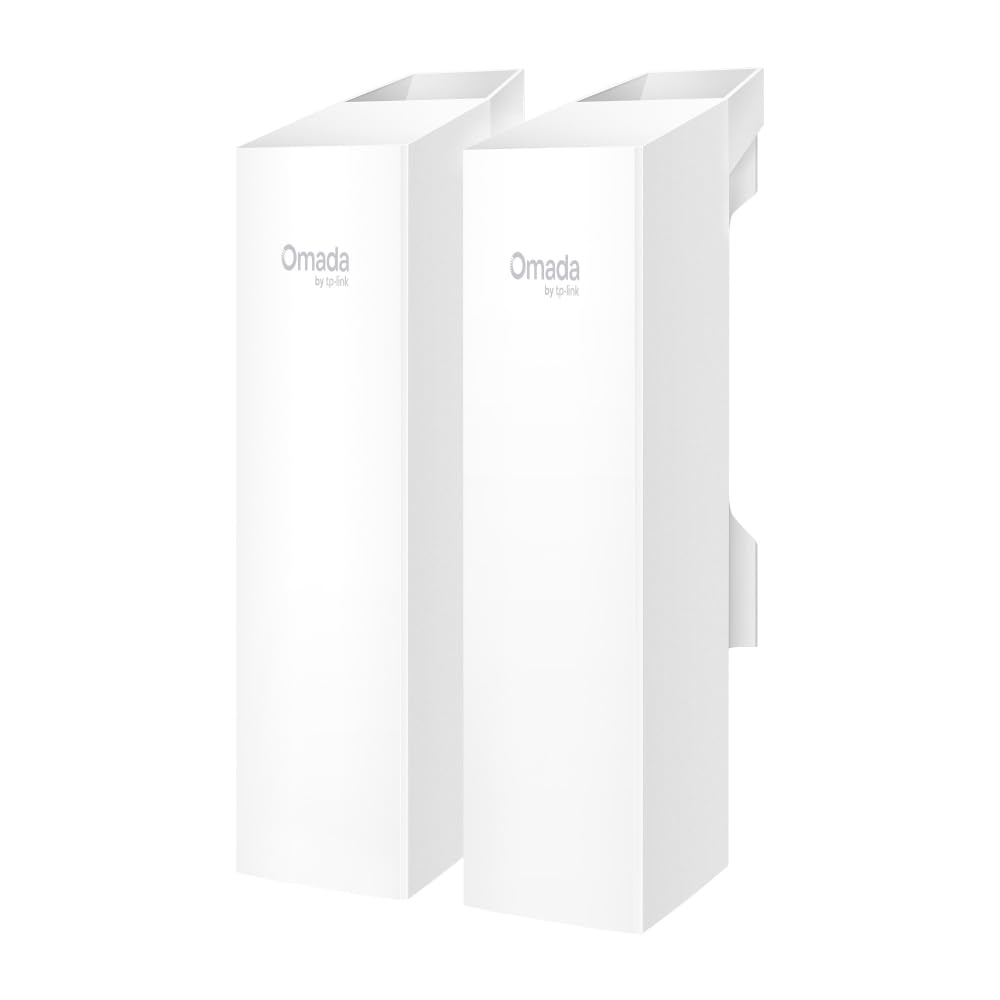
If you are bridging a house to a barn or a shop to a shed and you do not want to become a network engineer over the weekend, this is the kit that earns it. Two units ship pre-configured, so they auto-pair over 5 GHz and you are moving data instead of reading a manual. The 867 Mbps wireless data transfer rate is the headline number here, and it pairs with three gigabit ports on each end so your wired gear never chokes the link. Range is rated up to 0.6 mile (1km) — enough for most single-property links with a clear path between the buildings.
Speed is what wins people over. Owners routinely report 400-500 Mbps (megabits per second) across the link, with download and upload figures in the same ballpark. One buyer reports the kit “connects buildings 50 feet apart through walls and roof.” That is the point: even with walls and a roof in the way, this pair keeps a solid link because it has enough radio power to punch through. The management side is a genuine bonus too — this sits on TP-Link’s Omada cloud platform (a dashboard that manages your network gear), so if you already run Omada switches or access points, the bridge shows up in the same dashboard as everything else.
The catch is the distance ceiling. At 1km (kilometer) rated range, this is the shortest reach of the Omada kits here — the EAP215-Bridge KIT is rated up to 5km and the EAP115-Bridge KIT also stretches to 5km, so if your two buildings sit at opposite ends of a large property, look at those instead. This one is built for the close-to-mid link done simply, and it does that job with the highest owner satisfaction of the whole group at 4.5+ stars across 340+ ratings.
Where it wins
- Arrives pre-configured, so the two units pair themselves and you skip manual IP setup entirely.
- 867 Mbps on 5 GHz with three gigabit ports per unit — wired cameras and computers get full speed.
- Rated up to 0.6 mile (1km) with obstructions tolerated better than you would expect.
- Omada cloud management puts the bridge in the same dashboard as your other TP-Link gear.
What to go in knowing
- 1km is the shortest ceiling here — the other Omada kits reach 5km.
- Single-band 5 GHz only, so there is no 2.4 GHz fallback for heavy obstruction.
Pick this when: your two buildings sit within about a kilometer with a mostly clear path and you want the link working the same afternoon.
Look elsewhere when: the far building is genuinely out at the edge of a large property — the 5km Omada kits cover that ground.
2. ANJIELO SMART Wireless Bridge
A two-unit kit built for one job: getting a camera feed from a far corner back to your house.
This is the simplest kind of bridge: one unit sits at your camera, the other at your computer or router, and the pair carries the data with no long cable run. It runs on the 2.4 GHz band, which reaches around obstructions better than 5 GHz does — the trade is lower speed. Rated outdoor distance is 2600 feet, and the housing is IP65, meaning it is sealed against dust and water spray, with an operating temperature range of -4°F to 158°F. That temperature band covers a hard winter and a hot summer without you pulling the units off the pole.
Setup is the part owners talk about most, and the consensus is that it is genuinely plug-and-play. The honest picture on performance is more mixed: signal and range draw a split reaction, with strong results on clear paths and some connectivity trouble where the path is not clean. That is consistent with what 2.4 GHz does — it reaches further but fights more interference, so a cluttered site with lots of other wireless gear can produce a weaker link. Weigh that against the price point and this is a fair entry into a long-range bridge for a camera run.
What it is for: a single camera or a short building hop where a 5 GHz link is overkill and you want the cheapest working solution.
The honest trade: 2.4 GHz gives you reach but not speed, and a busy wireless environment nearby can drag the connection down.
Reach for it if: you need one camera feed moved across a yard or field and you are comfortable with a 2.4 GHz link.
Think twice if: you are moving files or streaming video between buildings — you want the higher throughput of a 5 GHz kit.
3. TP-Link CPE710, Long Range Gigabit Outdoor 5GHz AC867
A directional antenna with the reach to span a whole farm — if you have the sightline to use it.
The specification that defines this unit is the 23 dBi directional antenna — dBi is a measure of how tightly the antenna focuses its signal, and higher numbers mean a narrower, longer beam. That focus is why TP-Link rates this for up to 30 kilometers with line of sight. Combine it with 256 QAM (a modulation scheme that packs more data into each signal) and 80 MHz bandwidth, and you get up to 867 Mbps. The gigabit-capable design means the radio is not wasted on a slow port. If you are pushing a rural internet feed to a distant outbuilding, this is the pick built for that.
Reliability is what carries this unit with owners — it is the most-praised strength by a wide margin, and the reported real-world speeds back it up, with 250-350 Mbps over a rural connection, beating the 100 Mbps line it replaced. That gap matters: against the Ueevii CPE453, which tops out at a 100 Mbps data transfer rate, the CPE710’s 867 Mbps is a far wider pipe for the same kind of long link. The difference is speed headroom you can actually use.
Setup is where opinions split. Some find it straightforward; others find the configuration layers heavy going, which is fair for a device aimed at installers as much as homeowners. The IP65 enclosure, 15kV ESD (electrostatic discharge) protection and 6kV lightning protection make it a serious outdoor unit, though. Pair it with the Pharos Control software and you get centralized management if you run more than one.
The case for it: 23 dBi of directional gain plus 867 Mbps makes it the longest-reach, highest-throughput combination in this group for the money.
Where it asks more of you: the configuration interface is deeper than a pre-paired kit, so budget time for alignment and setup.
Best fit: a long rural span with a genuine clear sightline and someone willing to dial in the aim.
Not for: a quick weekend link where you want the units pairing themselves — a pre-configured kit saves you that work.
4. Ueevii CPE453 5.8GHz Dual 100Mbps WiFi Bridge

Ships pre-paired with a one-touch channel sync, so this link is live in minutes, not hours.
The CPE453 runs on the 5.8 GHz band with 16 dBi high-gain antennas, rated up to 2KM (about 0.6 mile) of coverage, and it arrives as a matched master/slave pair. That pre-pairing is the whole appeal — power both units up in the same room, hit the one-touch channel sync, and they link. No IP addressing, no web interface. Both units come with 24V PoE adapters, test cables and metal ties in the box, so you have what you need for a basic install. It is rated IP65 for outdoor mounting, which handles rain and dust as long as you place it sensibly.
Setup is what owners praise most by a clear margin, and the speed reports back it up — one buyer recorded 84 Mbps down and 14 Mbps up on a real link. Here is the thing to understand about that: the 100 Mbps data transfer rate is the hard ceiling. Against the TP-Link CPE710’s 867 Mbps, this bridge is a narrower pipe, and that gap shows up in real use. If your job is moving camera feeds and general internet traffic, 100 Mbps is plenty. If you plan to push large files between buildings, the ceiling will pinch. The 5.8 GHz band itself is an advantage though — it is quieter than 2.4 GHz, so you get better interference resistance on a cluttered site.
A note on mounting: you want a clean line of sight between the two units for the rated distance to hold, and a bracket mount is sold separately for the best signal. The box gives you metal ties, which work on a mast but give you less aiming precision than a proper bracket. For a shed, workshop or guest house link that just needs to work, this is a solid, fast-to-deploy choice.
The things to like
- Arrives pre-paired with master/slave roles set — one-touch channel sync gets you connected fast.
- 16 dBi antennas and 5.8 GHz band give clean, interference-resistant reach up to 2KM.
- Complete kit: two units, two 24V PoE adapters, two test cables, two metal ties, manual.
Limits worth knowing
- 100 Mbps throughput ceiling — well under the 867 Mbps the TP-Link CPE710 offers.
- Bracket mount is not included, and a clean sightline is required for rated range.
Ideal for: the buyer who wants a bridge working before lunch and only needs to move camera or browsing traffic.
Skip if: you need to shift big files between buildings — the 100 Mbps port will be your wall.
5. NEWFAST Bridge Point to Point Outdoor B912, 5.8G 3Km
Four operating modes and a 3KM reach, aimed at the buyer who wants options later.
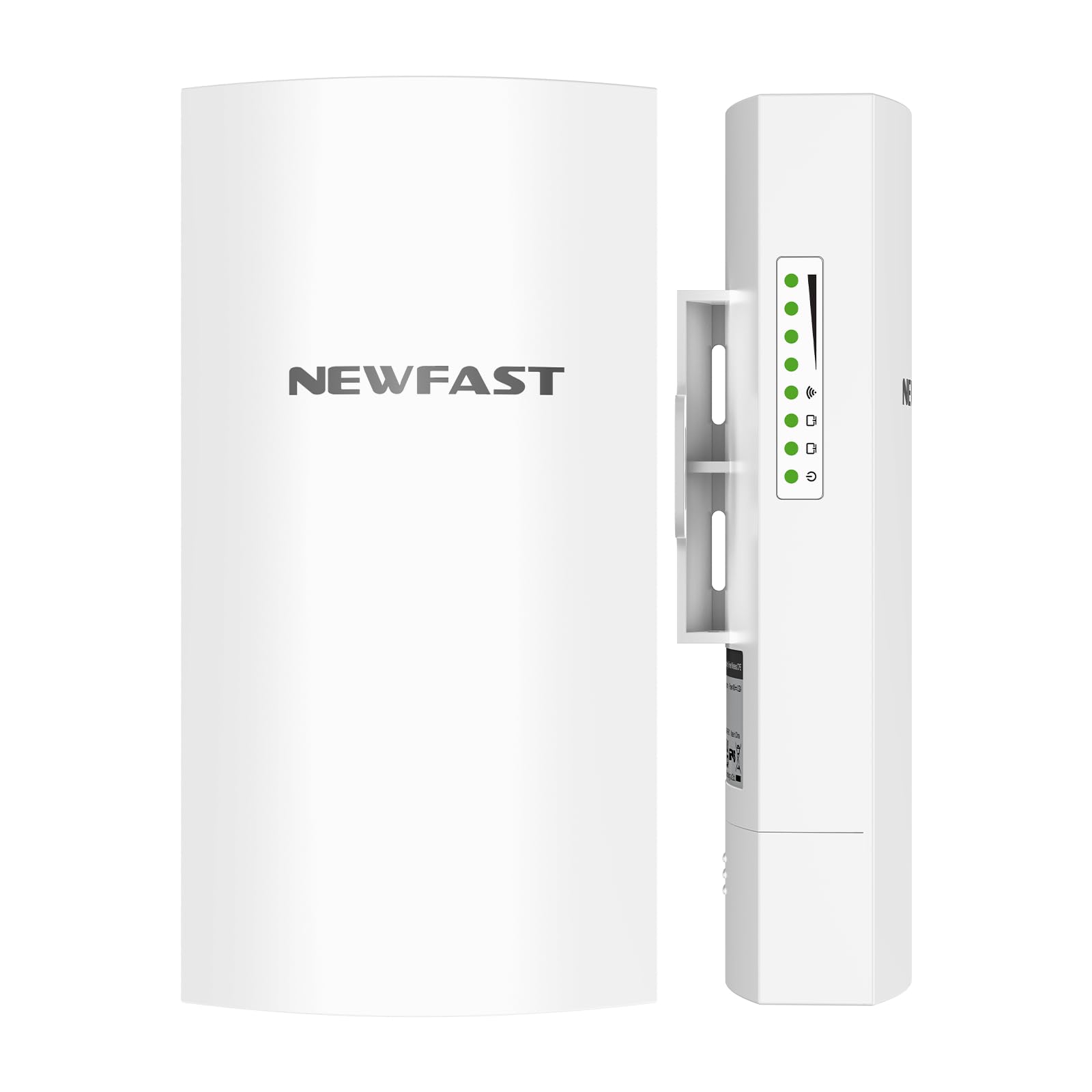
Most bridges do one thing. The B912 does four: point-to-point, point-to-multipoint, repeater and router modes, so the same pair can start as a simple building link and later become a hub for several remote cameras. It works on the 5.8 GHz band at up to 300 Mbps, rated for 3KM (1.9 miles) of reach with a clear path. Each unit weighs 5.44 ounces, so mounting on a mast is easy on the hardware. The included 48V PoE adapters mean one cable carries both data and power, and the dial button on each unit sets transmit or receive without touching a settings screen.
Setup here is auto-pairing: you assign the roles with the dial, power both units, and they link within minutes. The 3KM rating sits alongside the Ueevii CPE453’s 2KM and below the 5km Omada kits, so it is a middle-distance pick with more flexibility than a plain bridge. The IP65 housing (a weatherproof rating that keeps out dust and water jets) and lightning protection handle exposed weather. Because this is a newer listing on the market with a lighter track record, the honest read is that you are early-adopting flexibility rather than a proven workhorse — the spec sheet is strong, but the field history is thin compared with the long-standing TP-Link and Ueevii kits.
One feature worth calling out for security setups: SSID hiding, which keeps unauthorized devices from even seeing the network name. That will not replace real encryption, but on a rural link where you would rather not broadcast your presence, it is a sensible layer. If your plan may grow from two buildings to four or five, having the point-to-multipoint mode already built in saves you buying twice.
Why it stands out: four modes in one kit means the pair can grow with your network instead of being locked to a single link.
What to weigh: 300 Mbps and a thinner review base mean you are trusting the spec more than a long history of installs.
Choose it for: a mid-distance link you expect to expand into a multi-point network later.
Pass on it if: you want a battle-proven kit with years of installs behind it — the established units have that edge.
6. BrosTrend 5KM Wireless Bridge Point to Point Outdoor
867 Mbps and two gigabit LAN ports per unit, rated across five kilometers of clear path.
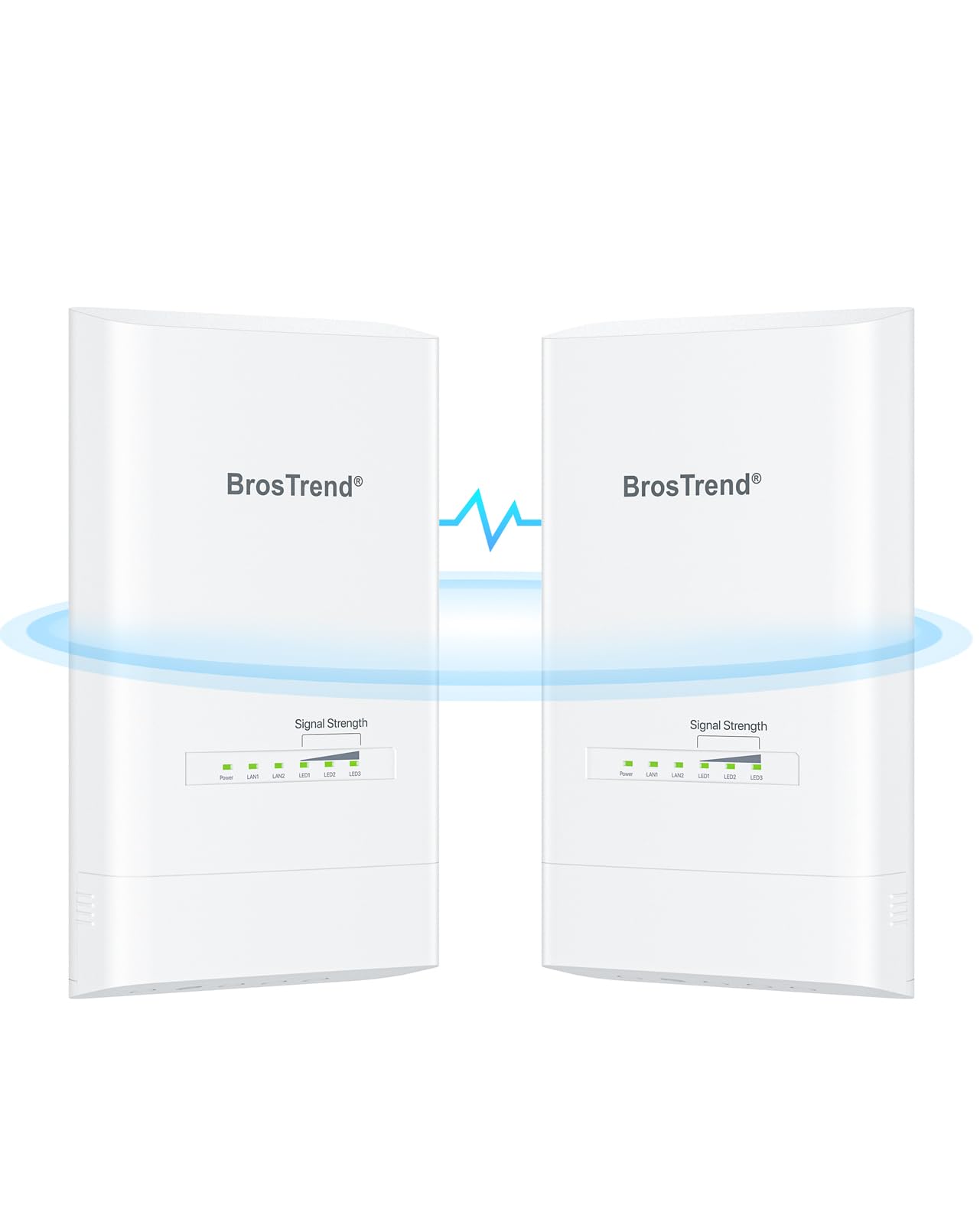
The BrosTrend bridge pairs a 867 Mbps 5 GHz radio with two 1000 Mbps LAN ports (wired network sockets) on each unit, which is the combination you want if you are feeding a small switch or multiple wired devices at either end. One unit is the transmitter, the other the receiver, and they come pre-paired so you power both up in the same room for automatic pairing in minutes. Rated reach is 5 kilometers with a clear line of sight, and it works with Starlink setups. Power comes from the included passive PoE injector (a box that sends power over the network cable), an 802.3af PoE switch, or a DC adapter, so you have options on how you run the cable.
Setup earns the most positive reaction of anything about this unit, with functionality and speed close behind — the pairing-in-the-same-room trick makes the initial link painless. The one external caution the maker spells out is worth repeating: the PoE injectors are intended for indoor use only, so for an outdoor run you want shielded, UV-resistant, waterproof Cat5e or better cable. A clean sightline is required too — trees, buildings and large steel structures block the signal. The IP65 housing and 6kV lightning protection handle the weather side.
Where it beats the Ueevii CPE453 is bandwidth: 867 Mbps here versus that unit’s 100 Mbps, so for serious data movement the BrosTrend leads. Where it trails the CPE453 is simplicity — the Ueevii’s one-touch sync is quicker than BrosTrend’s same-room pairing dance. The 4.0+ star rating with a modest review base reflects that it is a newer entry, not a knock on the hardware. If dual gigabit ports and 5km reach are what you need, this delivers both.
Where the value sits: two gigabit LAN ports per unit at 867 Mbps is a rare pairing that suits feeding a switch at either end.
The fine print: PoE injectors are indoor-only, so budget for proper shielded outdoor-rated cable on the pole run.
Pick it if: you need speed and multiple wired devices on both ends across a long span.
Look at the Ueevii if: you would rather have one-touch pairing and do not need more than 100 Mbps.
7. AdaLov CPE660 3KM Outdoor Wireless Bridge 5.8GHz

The barn-to-house bridge that keeps coming up as the one that just works.
AdaLov’s CPE660 runs 5.8 GHz at up to 300 Mbps with a built-in 14 dBi directional antenna, rated for 3KM (1.9 miles) of clear line of sight. It ships pre-programmed in WDS bridge mode, so you mount both units, plug in the included PoE adapters, aim them at each other and power on — no web interface required first. It supports point-to-point, point-to-multipoint, AP and client bridge modes, so it is not locked to one layout.
Ease of setup is far and away what wins people over here — it comes up repeatedly as the standout strength, with speed a strong second. Buyers report 100 Mbps download and 20 Mbps upload on real links, and the reception holds up for remote cameras at the far end of a property. Barn-to-house connections are the story that keeps repeating. The 5.8 GHz band and the 14 dBi focus give it a clean signal over open ground, and the IP65 housing takes the weather.
The mixed side is connectivity — some buyers hit pairing trouble where the path is not clean, and the instructions draw some criticism for being light on detail. Neither makes this a bad pick; it makes it one where a clear sightline and a patient first setup matter. With lifetime technical support in the box and a proven record on barn and farm links, this is the option that most people trying to solve the exact “get internet to my outbuilding” problem seem to land on.
Why it keeps getting picked
- Pre-programmed WDS mode plus included adjustable brackets make aiming and setup straightforward.
- 14 dBi directional antenna and 5.8 GHz band deliver solid reach up to 3KM with a clean path.
- Supports point-to-point, point-to-multipoint, AP and client bridge modes out of one kit.
Honest watch-outs
- Some pairing trouble where the sightline is not clear; instructions are thin on detail.
- 300 Mbps ceiling is below the 867 Mbps units, so heavy file moves will feel it.
Made for: the house-to-barn or house-to-outbuilding link where a proven result matters more than peak speed.
Look past it if: your path is heavily obstructed — the directional focus needs a reasonably clean shot.
8. Omada 5GHz AC867 Wireless Bridge

The long-reach kit that keeps gigabit ports, so the 5km ceiling does not cost you speed.
Here is the combination the EAP115 leaves on the table: 867 Mbps on 5 GHz together with three 1000M gigabit ports per unit, rated for up to 5km. That means the long reach does not force you down to a 100 Mbps wire. It ships pre-configured and auto-pairs, so getting the two talking is a matter of powering up and waiting. The IP65 enclosure and 6kV lightning protection handle all-weather mounting, and you can power it by PoE or DC adapters. For a distant building where you also need real throughput, this is the one that does not make you choose.
Reliability and performance are the strengths that hold up here — the link connects remote buildings solidly and keeps going. One buyer reports 600-650 Mbps at 500 feet, showing what the radio delivers at shorter range. Range is the honest mixed note: the advertised 5km is not achievable without a direct line of sight, and that holds true across every long-range bridge. Get the sightline and this kit delivers short-range speed and long-range reach from the same box.
The management layer matters if you run TP-Link gear already. This sits on the Omada cloud platform alongside your other Omada switches and access points, so one dashboard covers the whole site. Compared with the EAP211, you gain 4km of rated reach and 200 Mbps of wired port speed while keeping the same 867 Mbps radio. Compared with the EAP115, you swap its 10/100M ports for gigabit. Put the two together and this is the most complete of the Omada kits for a site that needs both distance and speed.
The standout combination: 867 Mbps radio and gigabit ports at 5km is the full package for a distant link that also moves data.
Keep in mind: the 5km figure depends entirely on a clear path, and obstructions will shorten it.
Get this one for: a far building where you need both the distance and the wired speed behind it.
Not the pick if: your buildings are close together — the EAP211 covers that at a shorter rated range for less.
Know the Specs
Line of Sight and Rated Range
Every distance figure on these bridges assumes you can see one unit from the other with nothing in the way. A clean path lets the signal carry the full rated distance; a tree, a roofline or a steel shed in the path cuts it sharply. That is why two bridges with the same rating can behave very differently on two properties. Confirm the sightline before you trust the number.
GHz Band: 5 GHz vs 2.4 GHz
GHz (gigahertz) is the frequency the radio uses. The 5 GHz band is cleaner and faster but reaches poorly through obstacles. The 2.4 GHz band reaches further around obstructions but carries less speed and picks up more interference from nearby wireless gear. For a bridge with a clear path between two buildings, 5 GHz is usually the better call.
dBi and Directional Gain
dBi is a measure of antenna gain — how tightly the antenna focuses its signal. A higher dBi number means a narrower, longer beam, which is what gets you distant links. The trade is that a narrow beam needs more careful aiming. A 23 dBi antenna will reach further than a 14 dBi one, but it rewards precise alignment.
Throughput and Port Speed
Mbps (megabits per second) is the data rate the radio moves. The port speed matters just as much — a 100 Mbps port caps the whole link at 100 Mbps no matter how fast the radio is. If you plan to move large files or run several cameras, pair a fast 5 GHz radio with gigabit ports so the wire is not your bottleneck.
PoE and IP65 Weatherproofing
PoE (Power over Ethernet) sends both power and data up one cable, so you only run a single line to each pole. IP65 is a dust and water-spray rating that suits year-round outdoor mounting. Check whether the PoE injector itself is indoor-only, because many are — the outdoor unit is sealed, but the power brick may need shelter.
Point-to-Point vs Point-to-Multipoint
Point-to-point links two locations with a matched pair. Point-to-multipoint lets one central unit feed several remote units, which is how you cover several cameras or outbuildings from one hub. If your network may grow, a kit with the multi-point mode already built in saves you replacing hardware later.
Common Questions
Do I really need a clear line of sight between the two bridge units?
Will a 5 GHz bridge work through a wall or a tree?
What is the difference between 100 Mbps and 867 Mbps on these bridges?
Can I power these outdoor bridges without running a separate power cable?
What does the IP65 rating actually mean for an outdoor bridge?
Can one central bridge feed several remote cameras or buildings?
Do these bridges work with Starlink for a rural property?
How precise does the antenna aiming need to be?
Can a wireless bridge replace a long Ethernet cable run to my outbuilding?
Does the bridge pair need a router at both ends?
The Bottom Line
For most buyers setting up a long range wireless network bridge, the Omada EAP211-Bridge KIT is the winner because it arrives pre-paired, moves 867 Mbps on 5 GHz, and covers up to 1km with the highest owner satisfaction of the group — 4.5+ stars across 340+ ratings. It is the least fuss for the most common house-to-outbuilding link. If your two buildings sit far apart and you still need real wired speed behind the link, the Omada EAP215-Bridge KIT keeps gigabit ports (1000 Mbps wired sockets) across a 5km rating. And for the barn-to-house job that just has to work with a clean sightline, the AdaLov CPE660 is the one the field keeps validating.
If a single camera feed at a budget-friendly price is the whole job, the ANJIELO SMART AH9066 covers it on the 2.4 GHz band (a longer-range, slower radio frequency). Want the fastest setup of the lot, with a 100 Mbps link live in minutes? The Ueevii CPE453 does exactly that. Every one of these picks is worth buying — the right choice simply depends on how far you need to reach, how much speed you need behind the link, and whether your path is genuinely clean.
How we choose
We do not accept paid placement. Every pick is matched to a real buyer and a real use-case; we do not hands-on test units.
Sources
Specifications: manufacturer listings and product documentation. Review insights: verified customer reviews, as of November 2026. Pricing: not shown on this page (it changes often); check the current price via the retailer link.
As an Amazon Associate, Tactical Gear Guy earns from qualifying purchases. This does not affect which products we feature.