Specs are compiled from manufacturer listings and verified buyer reviews and can change over time — please confirm the key details on the product page before buying.
You want a second screen you can actually carry, and the honest answer is that “lightweight” is doing a lot of quiet work in most listings. The picks below are the ones that genuinely fold into a backpack or a carry-on sleeve — and the ones that stay bright, readable and sturdy once you get there. The top overall pick carries 4.5+ stars from 900+ ratings, and each screen here wins on a different spec: carry weight, pixel density or panel quality.
This guide is built by comparing the manufacturers’ published specifications and the patterns across verified customer reviews, so you get each pick’s real strengths and trade-offs instead of marketing spin.
Weight, port thickness, brightness in nits and the single-cable question decide almost everything here. Read on and you will know which screen to buy for a red-eye flight, a hotel desk or a photo-editing session — the essentials behind every lightweight computer monitor worth owning.
Top Picks
How To Choose The Best Lightweight Computer Monitor
A portable monitor is a screen you throw in the same bag as your laptop. That single sentence rules out half the products on the shelf, because a lot of “portable” displays are neither thin enough to slide beside a laptop nor light enough to stop you noticing the bag on your shoulder. Before you compare panels, decide which of these four things you actually care about.
Start with carry weight, not screen size
Weight in pounds decides whether the screen leaves the house, because a display you resent carrying is a display that stays home. The lightest options here sit around 1.5 pounds, which is the kind of figure that disappears into a laptop bag. A larger 18.5-inch panel can still be travel-friendly at 2.49 lbs, but check how it fits before you commit. If the screen barely fits in the backpack you use for work, a slightly smaller panel will get used more often.
The single-cable question
USB-C does two jobs at once: it carries the video signal and delivers power, so you do not pack a second charger. That is the whole appeal of a one-cable setup. The catch is that your laptop has to support video over USB-C. Older laptops, game consoles and cameras often need a mini HDMI port instead, so look for a monitor that offers both before you assume you are covered.
Brightness and contrast decide where you can work
Brightness is measured in nits, and it is the reason one screen looks washed out in a sunlit cafe while another stays readable. Several picks here run 250 nits, while 300, 400 and higher figures appear further up the list. Contrast ratio is the gap between the darkest black and the brightest white — a higher ratio gives deeper blacks and crisper text edges. A 2000:1 panel looks noticeably more solid than a 1000:1 one for spreadsheets and dark-background code.
How the stand holds up
The kickstand is the part that fails first. Hinges that support a panel by friction alone take the full load on a hotel desk every night. Look for a built-in stand with a real hinge, a detachable stand, or a tripod socket if you plan to travel weekly. A brilliant panel on a flimsy hinge ends up propped against a coffee cup.
Side-by-Side Comparison
| Model | Best For | Screen Size | Resolution | Brightness | Amazon |
|---|---|---|---|---|---|
| ASUS ZenScreen MB16ACV★ Best Overall | Everyday travel second screen | 15.6 in | 1920 x 1080 | — | Amazon |
| ASUS ZenScreen MB169CKBest Value | Remote workers and digital nomads | 15.6 in | 1920 x 1080 | 300 nits | Amazon |
| ViewSonic VA1653Best for Tight Bags | Laptop-bag travel on a light budget | 15.6 in | 1920 x 1080 | 250 nits | Amazon |
| Acer PM191Q Ebmiuux | Bigger screen for desk-to-desk work | 18.5 in | 1920 x 1080 | — | Amazon |
| Lenovo L15 | Height-adjustable ergonomic setup | 15.6 in | 1920 x 1080 | 250 nits | Amazon |
| Dell Pro 14 Plus P1425 | Compact 16:10 office work | 14 in | 1920 x 1200 | 400 nits | Amazon |
| UPERFECT 22″ 2K QLED | Big color-accurate workspace | 22 in | 2560 x 1440 | 300 nits | Amazon |
| Lenovo ThinkVision M14t Gen2 | High-density 2.2K in a small frame | 14 in | 2240 x 1400 | 270 cd/m2 | Amazon |
| EHOMEWEI N1 | Smooth 120Hz QLED with detachable stand | 16 in | 2560 x 1600 | 400 cd/m2 | Amazon |
| UPERFECT 4K 24″ QLED | Large 4K detail for creative work | 23.8 in | 3840 x 2160 | 400 cd | Amazon |
| ViewSonic VX1655-4K-OLED | 4K OLED color for photo and video | 15.6 in | 3840 x 2160 | 400 | Amazon |
Detailed Reviews
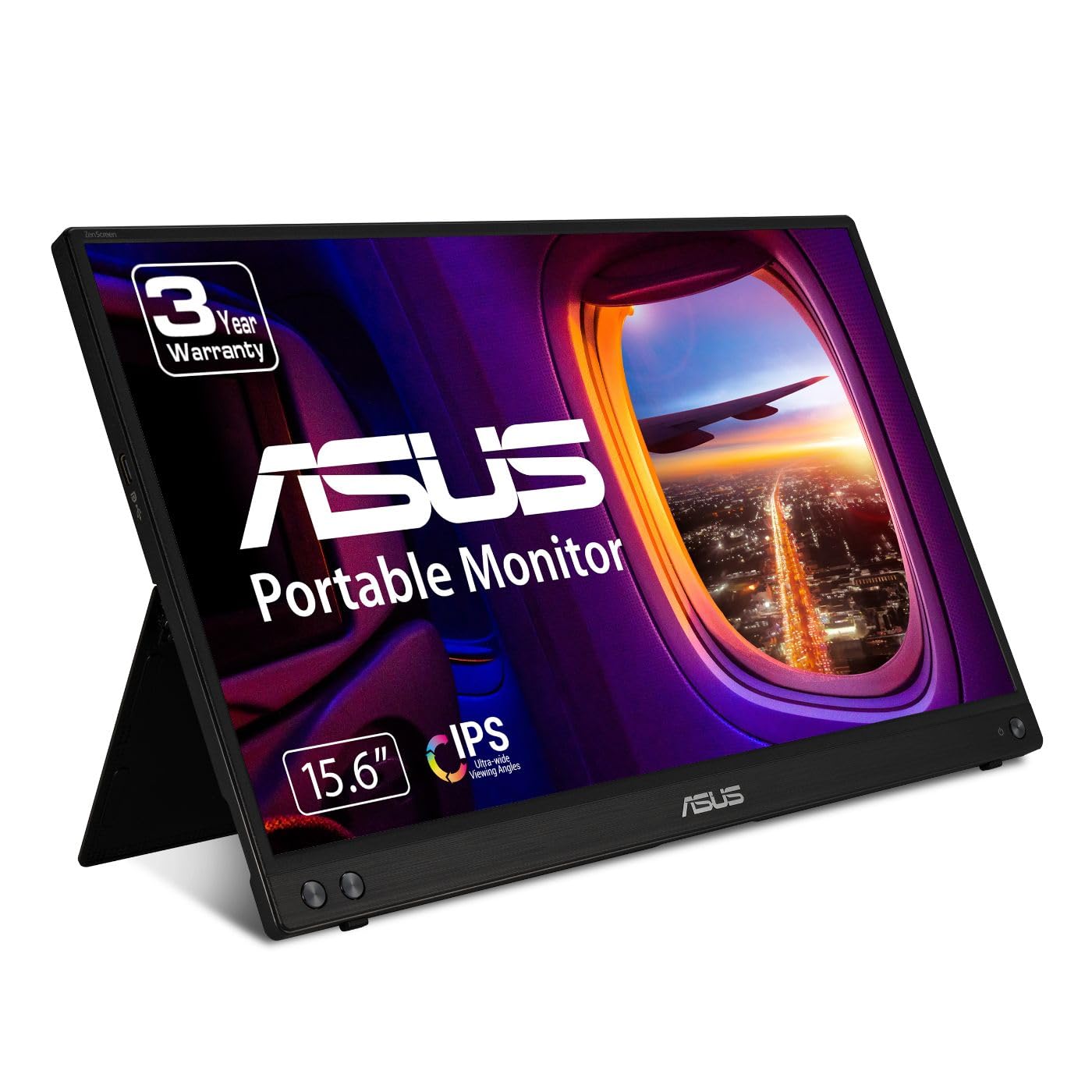
1. ASUS ZenScreen MB16ACV Portable Monitor
Our pick — 4.5+★ from 950+ verified ratings; the strongest balance of quality and price.
The travel screen owners keep recommending — one cable, no separate charger, 15.6 inches of anti-glare picture.
This is the pick to start with if you want a second screen that behaves like part of your laptop rather than a separate gadget. The 15.6-inch panel runs a 1920 x 1080 resolution on IPS technology, which is the panel type that keeps colors steady when you look at the screen from an angle instead of dead-on. In practice that means two people can watch a spreadsheet or a video call at a hotel desk without one of them staring at washed-out colors.
What wins people over is the picture and the simplicity of hooking it up. The anti-glare finish means window light does not turn the screen into a mirror, which matters when your office is a cafe table. Its hybrid-signal design carries power and video down the same cable, so there is no separate power brick to lose in a carry-on. The built-in kickstand flips to prop the screen in portrait or landscape, and the whole thing is backed by a three-year warranty with advanced replacement.
Here is the trade-off worth knowing before you buy. The stand is the weak point — it is the part most likely to fail on a screen this thin, and hinges that take a nightly load on a hotel desk deserve gentle handling. Set it up once at your desk rather than folding it in and out twice a day and it will serve you well. It also needs a USB-C or USB-A port that supports video, so check your laptop before you assume plug-and-play.
What makes it the top pick
- 1920 x 1080 Full HD on an IPS panel with an anti-glare finish
- One USB-C cable carries both power and video — no separate charger
- Kickstand props it in portrait or landscape for two ways to work
- Flicker-free and Low Blue Light certified for long sessions
- Three-year warranty with advanced replacement and repair service
Where it asks for care
- The kickstand hinge is the fragile part — fold it gently
- Occasional units stop working, so keep the warranty paperwork
- Needs a video-capable USB-C or USB-A port on your laptop
Reach for this if: you want one cable, no charger and a screen that just works on a business trip or a cafe table.
Think twice if: you plan to fold the kickstand open and shut every single day — treat the hinge as the delicate part.
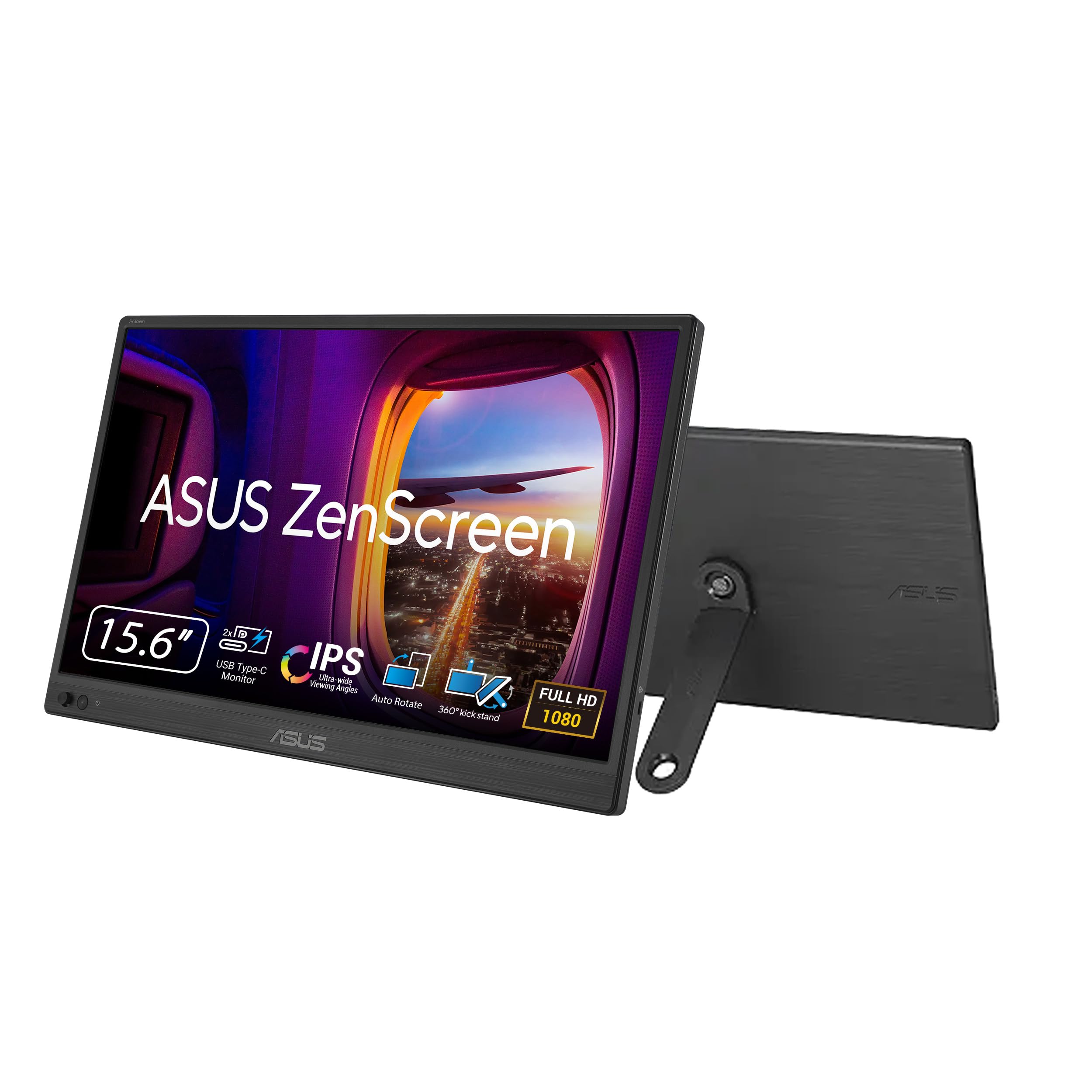
2. ASUS ZenScreen MB169CK 15.6 Inch 1080p Portable Monitor
A 0.78kg travel screen that flips itself to portrait the moment you turn it sideways.
For digital nomads and remote workers, the defining number is the 0.78kg weight — light enough to disappear into a standard backpack without adding heft to a day of walking between coworking spaces. It is also just 11.8mm thin, which is the sort of profile that slides into a laptop sleeve rather than forcing you to check a bag. The panel is 15.6 inches at 1920 x 1080 on IPS technology, with an anti-glare coat so a window behind you does not become the main event.
You get more flexibility than the MB16ACV above. A 360-degree kickstand lets you set any viewing angle, and a tripod socket lets you mount it instead of propping it. DisplayWidget software rotates the image automatically when you turn the screen to portrait, so you skip a menu dive every time you switch from a wide spreadsheet to a long document. Brightness is rated 300 nits (a measure of screen brightness), and the contrast ratio is 2000:1 (the difference between the darkest black and brightest white) — that is double the black depth of the ViewSonic VA1653’s 1000:1, so dark backgrounds look genuinely dark instead of grey.
The honest caveat is durability. This is a thin panel, and the reviews that mention damage describe a crack after a short drop — a screen this slim wants to travel in its case, not loose in a bag. Brightness draws mixed notes too, with some finding 300 nits adequate and others wanting more in direct sun. Keep it in a sleeve and out of a sunbeam and it does the job.
The flexibility win: a 360-degree kickstand plus a tripod socket plus auto-rotate software covers far more setups than a fixed-angle stand, for a screen you can carry all day at 0.78kg.
Carry it protected: it is built to be light, not to be dropped — a short fall can crack the panel, so treat the included case as essential.
Best fit: remote workers who switch between portrait and landscape all day and want the screen to follow automatically.
Skip if: you toss a monitor loose into a bag with no sleeve — this panel is too slim to survive that.
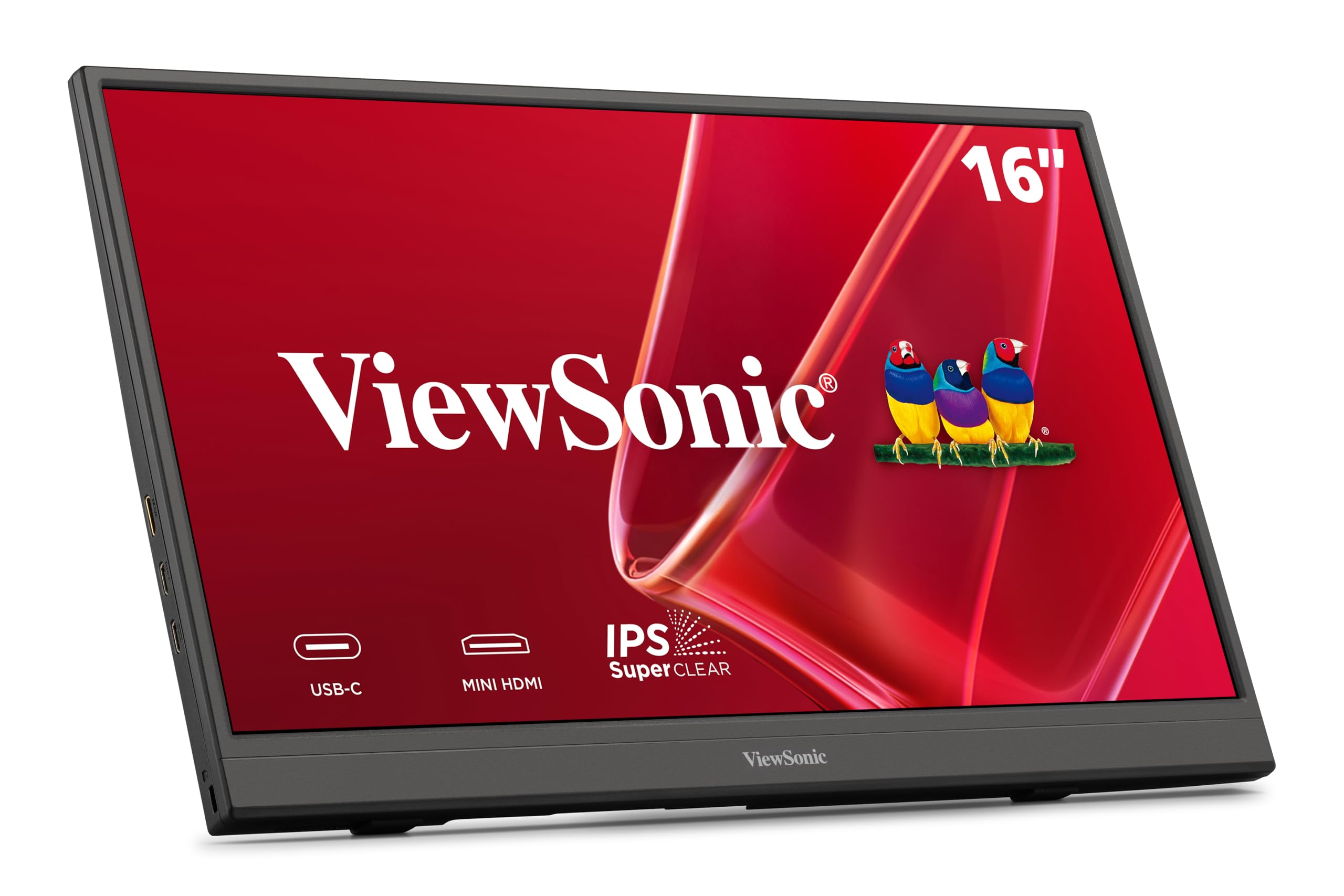
3. ViewSonic VA1653 Portable Monitor
A 1.5-pound, 0.7-inch-thin second screen that arrives with its own sleeve case.
If your bag is already full, this 1.5-pound, 0.7-inch panel is built for that problem. At 1.5 pounds and 0.7 inch thick, it slips into a laptop bag, backpack or carry-on, and ViewSonic throws in a sleeve case so the screen is protected on the flight rather than naked in your rucksack. That thickness comparison is real: the Acer PM191Q further down the list measures 0.54 inch, which is the thinner of the two.
The picture section is where this one holds its own. The 1920 x 1080 IPS panel keeps text sharp and colors consistent across wide 178-degree viewing angles, and the anti-glare finish cuts reflections from windows and overhead lights. Two built-in speakers cover video calls and streamed videos without headphones. The one USB-C cable carries power, video and sound from a compatible laptop, phone or tablet, and a mini HDMI port handles game consoles or older laptops that cannot send video over USB-C.
The recurring gripe is connectivity, and it is worth reading twice. Reports of the screen not connecting properly come up more than any other complaint, so buy this for a laptop that explicitly supports video over USB-C or plan to use the mini HDMI port. Once connected, the 1080p IPS picture is genuinely sharp; the friction is at the port, not the panel.
The travel case: 1.5 pounds with a sleeve case included is a complete travel kit in one box — nothing extra to buy before your first trip.
The port caveat: connectivity is the most-discussed weakness here, so confirm your laptop sends video over USB-C or keep a mini HDMI cable handy.
Made for: the traveler who wants a light screen with a protective sleeve and a laptop that already does video over USB-C.
Look elsewhere if: your laptop’s USB-C port is charge-only — you will need the mini HDMI route and should plan for it.
4. Acer PM191Q Portable Monitor

Eighteen inches of screen that still folds into a bag at 2.49 pounds and 0.54 inch thick.
Most portable panels top out at 15.6 inches, so this Acer is the pick for anyone who wants a genuinely larger canvas without giving up carry-ability. The 18.5-inch display runs 1920 x 1080 in a 16:9 shape, which is 2.9 inches more diagonal than the ASUS ZenScreen MB16ACV. That extra real estate matters for a spreadsheet with many columns or a presentation you are rehearsing from a hotel room.
The panel quality is the reason this one carries the highest rating in the group. The IPS screen supports Adaptive-Sync, so the refresh rate matches your graphics card and games or video play without tearing. The contrast ratio is 2000:1, double the black depth of the 1000:1 ViewSonic VA1653. One USB-C cable handles display, data and power for a laptop, phone or tablet, and an HDMI 1.4 port takes cameras and other devices that need it.
Size cuts both ways here. As portable as it is in tight spaces, this panel barely fits in some work backpacks — measure your bag before you order. If your typical trip involves a desk at each end, the bigger picture is worth the extra bulk. If you commute with a slim daypack, a 15.6-inch screen will travel easier.
Room to work: the largest diagonal in this list at 18.5 inches, with a 100Hz Adaptive-Sync refresh that keeps motion smooth — a genuine desk replacement rather than a compromise screen.
Bag check required: it barely fits in some work backpacks, so confirm your bag’s laptop sleeve is deep enough before you commit.
Go for it if: you move between desks and want near-monitor space in a bag-friendly frame.
Pass if: your daypack is slim — this panel is the widest thing in the article and it needs room.
5. Lenovo L15 Portable Monitor

The portable screen that sits at your eye level instead of propped on a hinge.
If you spend long hours on a second screen, the height-adjustable stand is the feature that changes your posture most. This one lets you raise or lower the 15.6-inch panel, which keeps your neck from dropping toward a hotel desk. The display is 1920 x 1080 on an IPS panel, and the screen brightness is 250 nits — adequate for most indoor desks, though not the brightest here. Lenovo rates the picture with flicker-free technology, which reduces the subtle on-off flicker that tires eyes over a full workday.
What buyers like most is the display and how easy it is to connect. Two USB-C ports give you flexibility on which side you plug in, and plug-and-play setup means you are working in seconds rather than reading a manual. The lightweight body travels easily, and the small physical footprint means you can add this screen to a cramped desk without shoving your laptop aside. At 250 nits, a bright window will push the picture toward the pale side — close the blind if you can.
The honest question is reliability. Some units stop working early, so treat this as a screen for a stationary desk setup rather than a panel that lives at the bottom of a rucksack. The built-in stand also gets mixed notes for stability, with some finding it sturdy and others calling the screen fragile. Keep it on a flat desk rather than in a daily rucksack and it does its job.
Posture-friendly: the height-adjustable stand is the rarest feature in this category, and it is the reason to pick this over a fixed-hinge kickstand.
A desk screen: mixed reports on reliability and stand stability suggest this belongs at a desk rather than in a daily travel bag.
Built for: long desk sessions where you want the screen at eye level and two USB-C ports to choose from.
Rethink if: you need a panel that shrugs off daily commuting — this one prefers to stay put.
6. Dell Pro 14 Plus Portable Monitor P1425 LED Monitor 14″

A 14-inch panel with the higher 1920 x 1200 resolution and 400 nits of brightness.
Small screens usually mean compromised detail, and this Dell takes the opposite route. The 14-inch panel runs 1920 x 1200 — more vertical pixels than a standard 1080p screen — in a 16:10 shape, which is the taller format that shows more of a document or a webpage before you scroll. That extra height is why this is the pick for writers, coders and anyone who lives in a PDF.
Brightness is the second reason it earns a premium spot. At 400 nits, it is rated brighter than the 250-nit Lenovo L15 and the 250-nit ViewSonic VA1653, so a bright office or a sunny window seat is less of a problem. The 1500:1 contrast ratio gives it deeper blacks than a 1000:1 panel. Connectivity runs over USB-C, so one cable carries the signal and the power together.
If you specifically want 16:10 and high brightness in the smallest, lightest body, that premium buys you a format you cannot get elsewhere on this list.
The compact premium: 1920 x 1200 in a 14-inch 16:10 frame, rated 400 nits, makes this the sharpest small screen here for documents and code.
The value question: you pay a premium for that format and brightness, so it only makes sense if small size and tall aspect are genuinely your priorities.
Worth it for: writers, coders and document-heavy work where 16:10 height and 400 nits beat raw screen size.
Not for: buyers who mainly want maximum inches for their money — larger panels further up the list cover that.
7. UPERFECT 22″ 2K Portable Monitor

Twenty-two inches of QLED at 2K, with a color range the smaller panels cannot touch.
A QLED panel is one that adds a quantum-dot layer to boost color — think richer reds and deeper greens than a standard IPS screen. Here that combined with a 2560 x 1440 resolution across 22 inches, so a complex chart or a photo edit has room to breathe and detail to spare. The 100% DCI-P3 color coverage is the figure designers notice first: it is a wide color standard used in film and print work, and full coverage means the screen can show the full range a professional file contains. The 2000:1 contrast ratio and 300 nits of brightness round out a picture that holds up in a lit room.
The carrying story is more surprising than the spec sheet suggests. Despite the size, UPERFECT calls it the slimmest 22-inch USB-C monitor at 0.2 inch thick, and the 180-degree adjustable stand is built in. There is also a VESA mount pattern on the back if you would rather hang it. Ports cover a mini HDMI and two USB-C 3.0 connections for laptops, phones and consoles. For full brightness, UPERFECT says to connect it to an external power source of at least 30W — a PD 30W charger ships in the box.
Weight is the catch. At 3.2kg, this is a desk screen you move between two fixed spots, not a panel you carry on a plane every week. It is also large enough that the angle of the stand matters for stability — UPERFECT’s own note advises keeping it at or slightly below eye level and avoiding steep downward tilts. Treat it as a portable desktop monitor and it delivers.
The color argument: 100% DCI-P3 coverage on a QLED panel at 2560 x 1440 gives designers and editors a color-accurate screen that still folds flat.
Weight reality: 3.2kg is a two-location screen, not a daily carry — plan to leave it set up.
Pick this for: design and media work where color range matters more than a few pounds saved.
Leave it if: you fly weekly — 3.2kg is a different class of portable.
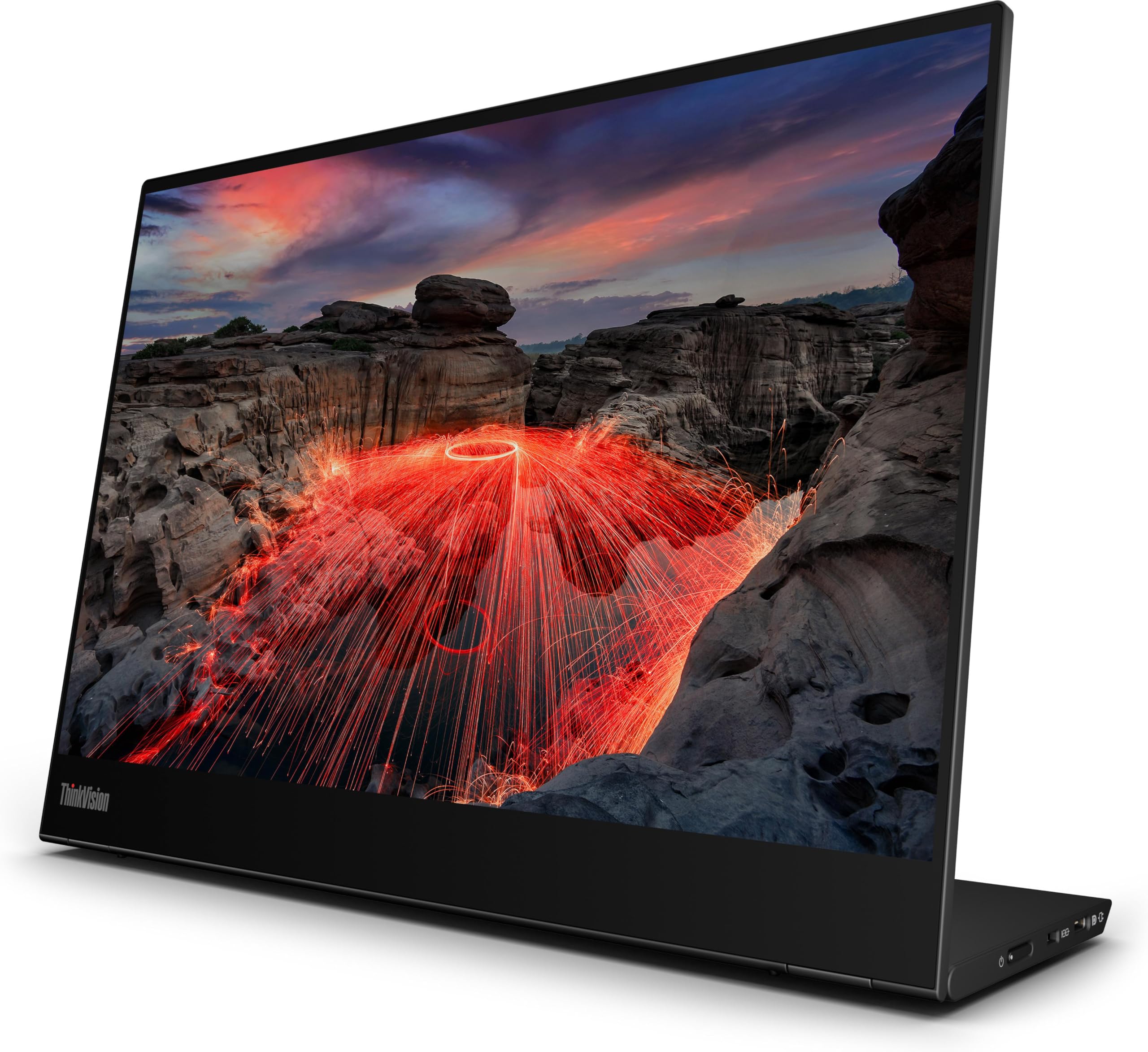
8. Lenovo ThinkVision M14t Gen2 Portable Monitor
Fourteen inches at 2240 x 1400 — pixel density that makes text look printed.
If you read a lot of text on a second screen, resolution density matters more than raw diagonal. This panel packs 2240 x 1400 into 14 inches in a 16:10 frame, which is the highest pixel count of any small screen here. Spreadsheet cells, code and long articles all render with sharper edges than a 1080p panel at the same size. The IPS technology keeps the colors steady from an angle, and brightness is rated 270 cd/m2, with a 1500:1 contrast ratio for solid blacks.
What reviewers like most is the build quality. It reads as a premium screen rather than a bare panel, and it is genuinely light enough to carry without thinking about it. The 16:10 shape is the taller format that shows more of a page, which is why it suits laptop workers who spend the day in documents and email. It is the sort of screen that pairs with a MacBook or a thin Windows laptop and looks deliberate rather than improvised.
The catch is in the spec list, not the panel. The listing says it works with a laptop that has an HDMI or VGA port (standard video connectors), and connectivity is listed as HDMI and VGA — so check your laptop matches before ordering. This is not the plug-in-and-go USB-C-only model some buyers expect from the ThinkVision name. Buy it for the 2240 x 1400 sharpness and the build, but confirm your laptop has HDMI or VGA first.
The density win: 2240 x 1400 across 14 inches is the most pixels per inch on this list, and text on it looks genuinely finished.
Check your ports: the connectivity is listed as HDMI and VGA, so verify your laptop matches before you order rather than assuming USB-C.
Choose it for: document-heavy work where crisp text and a premium build are worth paying for.
Look elsewhere if: you want a pure USB-C one-cable setup — confirm the port match first.
9. EHOMEWEI N1 Portable Monitor
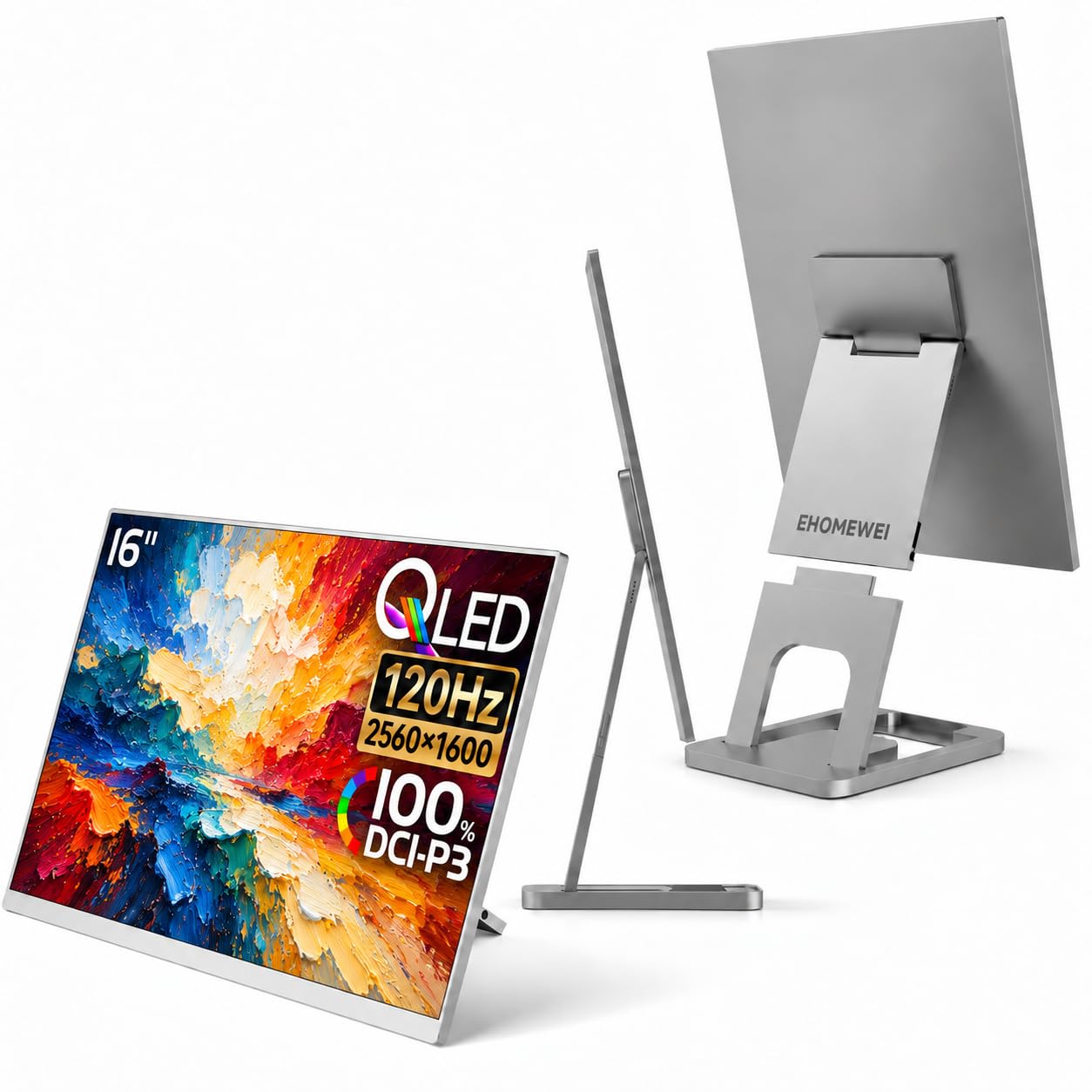
A 2.5K QLED panel at 120Hz, with a stand that comes clean off for travel.
Two numbers explain this screen. The first is 120Hz — a refresh rate measured in how many times per second the panel redraws, so scrolling and game motion look smooth instead of smeared. The second is 2560 x 1600 at 16:10, on a QLED panel with 100% DCI-P3 color coverage. Together they make this a screen for people who want their portable display to be as responsive as their main one. The anti-glare finish helps in a bright room, and brightness is rated 400 cd/m2.
The design idea is the detachable stand. Instead of a hinge built into the panel, this one clips on and off, so you can adjust viewing angle and height at the desk and then leave the stand behind when you travel. The screen body measures 0.28 inch thin — the slimmest panel in this whole group. EHOMEWEI also includes a carrying case, a screen protector and three cables, USB-C, Mini HDMI and USB-A, so most laptops and phones connect from the start. A dedicated app lets supported iPads with an M1 chip or later extend their workspace onto the panel.
The limits here are honesty about failure points, not ambition. This is a newer listing with a limited review history, so you are buying on the strength of the spec sheet and the included accessories rather than on years of owner history. There is also no stylus or touch support, so do not expect to draw on it. And the detachable stand is a deliberate two-part system — check it is seated properly before you put weight on the screen.
Smooth and sharp: a 120Hz refresh on a 2560 x 1600 QLED panel with 100% DCI-P3 is a combination no other pick here offers.
Newer to the market: a short review history means fewer long-term signals, and there is no touch or stylus support.
The one to grab if: smooth 120Hz motion and QLED color on the road are what you have been missing.
Hold off if: you want a long track record of owner experience before you commit.
10. UPERFECT 24″ 4K Portable Monitor
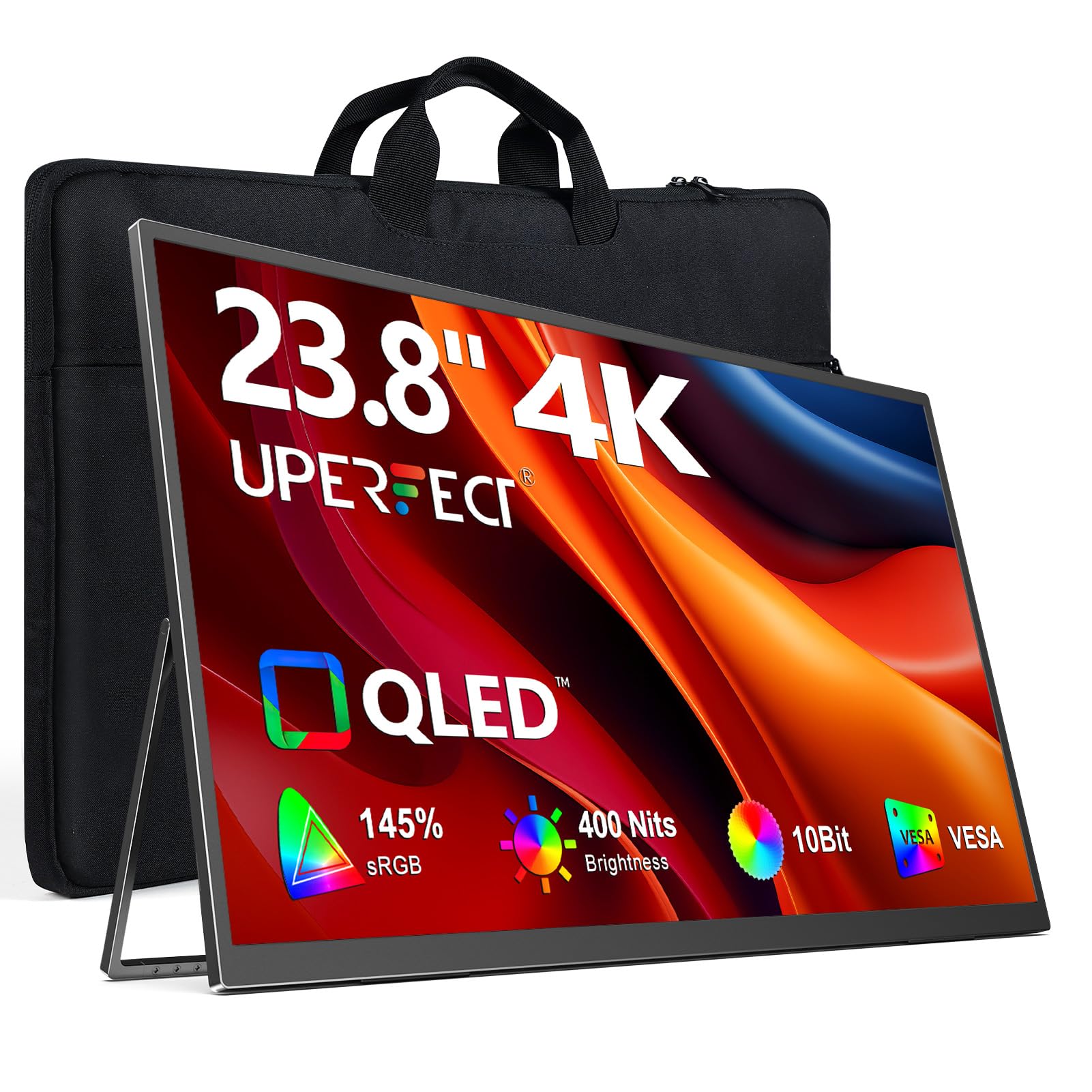
A 23.8-inch 4K QLED panel that turns a spare desk into an editing suite.
This is the pick where the raw resolution actually matters. The screen runs 3840 x 2160 — that is 4K UHD — on a 23.8-inch QLED panel, and UPERFECT points out it offers 18% more visible area than a standard 21.5-inch monitor. For photo retouching or video editing, that pixel count is what lets you see the whole frame and the fine detail at once. The QLED layer pushes 145% sRGB color volume, and the panel is rated 400 nits for brightness and a 2000:1 contrast ratio for depth.
Versatility is the second half of the pitch. There is a built-in 180-degree stand for angle adjustment, plus a VESA 75×75 mount pattern on the back if you prefer to hang it on a wall or a desk arm. One continuous USB-C power feed runs it at 300 nits, and it needs an external power supply to reach the full 400 nits — a detail worth knowing before you judge the brightness. Set it up once and it functions as a full-size second monitor rather than a travel gadget.
The honest note is reliability. Reports split between screens that work perfectly and a few that arrive unusable, so test yours thoroughly in the first days. The brightness is also lamped as needing external power to hit peak, so the plug-free version of this screen is dimmer than the spec implies. Buy it as a desk panel with VESA mounting and the 4K detail pays off.
The detail payoff: 3840 x 2160 on 23.8 inches with 145% sRGB is the largest, sharpest editing surface here.
Power-aware: peak brightness arrives only with external power, so plan the outlet into your desk setup.
Ideal for: photo and video editors who want a large 4K QLED surface that can be wall- or arm-mounted.
Not for: travelers — this is a desk monitor first and a portable screen second.
11. ViewSonic VX1655-4K-OLED Portable Monitor

A 4K OLED panel that folds into a backpack at 0.6 inch thick and 1.5 pounds.
OLED screens light each pixel individually rather than backlighting the whole panel, so black is genuinely black and contrast is effectively limitless. Here that produces a 100,000:1 contrast figure and a 1ms response time, which is why photo and video work looks so good on it. The 15.6-inch panel runs 3840 x 2160 with 100% DCI-P3 color coverage. For a traveling photographer, that combination means color-critical edits can happen on a hotel desk instead of waiting for the home studio.
Power is the standout feature. USB-C 60W two-way power (a single cable that can send or receive up to 60 watts) means the cable can run the monitor from your laptop, or charge your laptop or phone from a power bank or the included adapter — with video, data and charging all down one cable. The ports are built into the kickstand, so cables stay tucked away and the screen stands steady. Dual USB-C, a mini HDMI (a smaller video connector) and a headphone jack cover laptops, cameras and consoles, and two built-in speakers handle calls.
The trade-off on an OLED panel like this is brightness and power draw. The 400-nit figure draws mixed reports, with some finding the picture dims when it is not connected to power. Reach for the power bank on longer sessions and the panel looks its best. If pure picture quality is the priority, this is the most impressive panel in the article.
The OLED advantage: 100,000:1 contrast and a 1ms response on a 4K panel makes this the best picture here for creative work.
Feed it power: keep it connected to a power source for the brightest picture, and check your Mac settings if you run high-DPI mode.
For you if: photo, video and color-accurate work on the move is your reason for a second screen.
Second-guess it if: you want peak brightness in every situation — this panel prefers a power source.
Know the Specs
Brightness (Nits)
Nits measure how much light the screen puts out. A 250-nit panel is fine at an indoor desk with the blinds down, while 300 to 400 nits holds up better near windows and in bright offices. If you plan to work in cafes with big windows, look for the higher figures on this list — the Dell Pro 14 Plus and the two 400-nit panels above sit at the top of the range.
Contrast Ratio
Contrast ratio is the difference between the blackest black and the brightest white. A 1000:1 screen is standard, while a 2000:1 panel gives deeper blacks and crisper text edges. That gap is visible when you read code on a dark background or watch a film with night scenes.
Resolution and Aspect Ratio
Resolution is the pixel count, written as width x height. A 1920 x 1080 panel is standard Full HD, while 2560 x 1440 or 3840 x 2160 give finer detail. Aspect ratio is the shape — 16:9 is the wide standard, and 16:10 is the taller format that shows more of a document page before you scroll. Both appear on this list, and the taller shape is why the Dell and LenThinkVision panels read as document-focused.
USB-C Power Delivery
USB-C PD is a standard that lets one cable carry both the video signal and the electrical power the screen needs. On a monitor like the ViewSonic VX1655-4K-OLED, USB-C 60W two-way power even lets the screen charge your laptop or phone from a power bank. The catch is that your laptop’s USB-C port must support video output, not just charging — many older laptops only send video over mini HDMI.
Refresh Rate and Adaptive-Sync
Refresh rate is how many times per second the panel redraws, measured in hertz (Hz). A 60Hz screen is standard for documents, while 100Hz or 120Hz panels smooth out scrolling and game motion. Adaptive-Sync is the feature that matches that refresh rate to your graphics card so frames do not tear. The Acer PM191Q and the EHOMEWEI N1 both carry higher-refresh panels than the rest of the list.
Kickstand and Mount Options
A kickstand is the fold-out leg that holds the screen upright. Friction hinges on thin panels take the most wear, so a detachable stand, a height-adjustable stand or a VESA mount pattern (a standard screw-hole layout for arms and wall brackets) is a longevity advantage. Both UPERFECT panels here carry VESA support, and the EHOMEWEI N1 uses a stand that comes completely off for travel.
Common Questions
Will a portable monitor work with my laptop if it only has a USB-C charging port?
Does a lightweight computer monitor need its own power adapter?
How thin and light can a portable monitor actually get?
Is a 1080p portable monitor sharp enough for spreadsheets and code?
Can I use a portable monitor with an iPad or a game console?
What does 100% DCI-P3 color coverage mean for my work?
How long does a portable monitor typically last?
Do portable monitors have built-in speakers or do I need headphones?
Will an 18.5-inch or 22-inch portable monitor fit in a normal backpack?
Is an OLED portable monitor worth choosing over an IPS one?
The Bottom Line
For most buyers, the lightweight computer monitor that earns the top spot is the ASUS ZenScreen MB16ACV. It combines a 15.6-inch Full HD IPS panel (a screen type with wide viewing angles), a true one-cable USB-C setup and a three-year warranty in a body built for travel — and it is the crowd favourite at 4.5+ stars from 900+ ratings. If port flexibility is what you need most, grab the ASUS ZenScreen MB169CK with its 360-degree kickstand and auto-rotate software. And for color-critical creative work on the go, the ViewSonic VX1655-4K-OLED is the one to reach for, since its 4K OLED panel (a screen technology with per-pixel light) delivers 100,000:1 contrast and 100% DCI-P3 coverage (a wide color range standard) in a 1.5-pound frame.
How we choose
We do not accept paid placement. Every pick is matched to a real buyer and a real use-case; we do not hands-on test units.
Sources
Specifications: manufacturer listings and product documentation. Review insights: verified customer reviews, as of November 2026. Pricing: not shown on this page (it changes often); check the current price via the retailer link.
As an Amazon Associate, Tactical Gear Guy earns from qualifying purchases. This does not affect which products we feature.