Specs are compiled from manufacturer listings and verified buyer reviews and can change over time — please confirm the key details on the product page before buying.
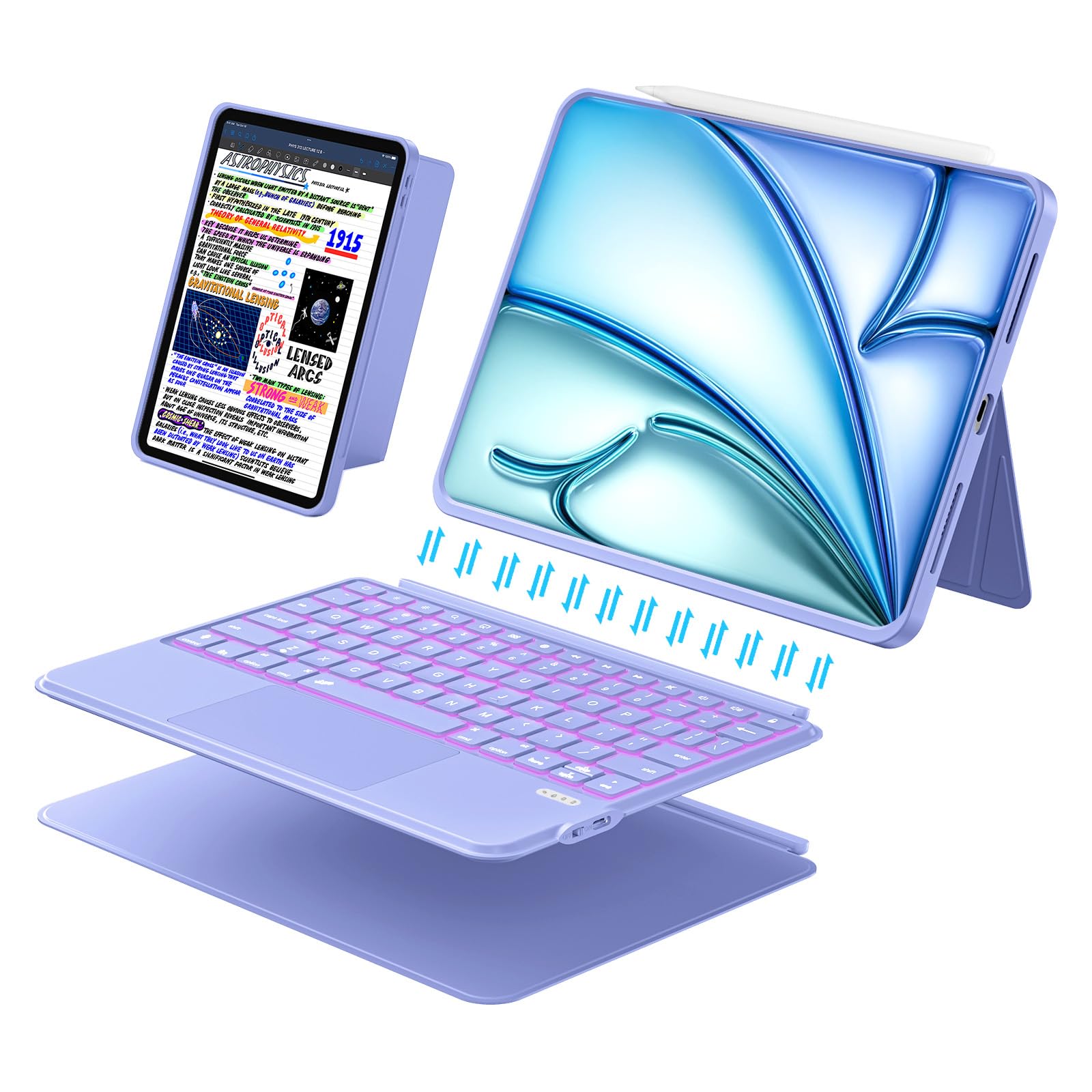
Most tablet keyboard covers fail the same way: the hinge gives up, the keys stop answering, or the magnet lets the whole thing slide. If you want a leather-wrapped iPad cover that actually types well, the DANCESOUL iPad Air 11 / Pro 11 case gets the most right. It holds 4.5+ stars across 500+ owners, and it packs a 78-key board, a large multi-touch trackpad (a touchpad that reads two-finger swipes and pinches) and a stand that tilts to 160° (nearly flat, so you can angle it for drawing or typing).
This guide is built by comparing the manufacturers’ published specifications and the patterns across verified customer reviews, so you get each pick’s real strengths and trade-offs instead of marketing spin.
Seven leather-look and leather-backed keyboard covers follow, each matched to the exact iPad model numbers it fits. That match is what separates a case that fits from one you have to return. This is the practical shortlist of the best leather ipad cover with keyboard.
Top Picks
How To Choose The Best Leather iPad Cover with Keyboard
Start with the number printed on the back of your iPad, not with the case photos. A leather keyboard cover is cut to a specific shell, so a case built for the 10.9-inch iPad 10th Gen will not wrap the 13-inch iPad Air. Get that number right and keyboard feel, stand angles and battery life become a fair comparison between cases that actually fit your tablet.
Match the case to your exact model number
Every pick below lists the Apple model codes it accepts, such as A2696, A2757, A2777 for the 10th Gen, or A3354, A3355, A3356 for the 11th Gen A16. The Belkin and runelk options go wider, covering iPad Air and Pro sizes instead of the base iPad. Read the list before you buy; a snug fit and a working sleep/wake magnet both depend on the shell matching your generation.
Decide if you want the keyboard to detach
A detachable magnetic keyboard lets you lift the tablet out and use it flat for drawing or reading, then snap it back for typing. The fixed designs keep the keyboard tied to the front cover and are simpler to live with if you almost always type. Detachable boards also mean the keyboard needs its own rechargeable battery over Bluetooth, which is where the model differences really start to show.
Look at the trackpad, not just the keys
A multi-touch trackpad turns the iPad into something closer to a laptop: tap, swipe, scroll and switch apps without reaching for the screen. Nillkin and DANCESOUL both build in a large precision trackpad, and DANCESOUL adds palm rejection so your wrist does not fire off clicks while you type. If you mainly write emails and edit documents, the trackpad is the feature you will notice every single day.
Weigh the leather feel against real protection
PU leather gives the smooth, wipe-clean surface most people picture when they say leather cover, and it is easy to clean. What sits underneath matters just as much: Magitype pairs the leather outside with a translucent hard shell, while Nillkin uses a thickened PC back panel and a TPU soft frame with reinforced corners. Pick the balance you want between a slim, elegant cover and a heavier, more armored one.
Side-by-Side Comparison
| Model | Best For | Fits | Keyboard / Trackpad | Stand / Lighting | Amazon |
|---|---|---|---|---|---|
| DANCESOUL iPad Air 11 / Pro 11 Case★ Best Overall | Typing-heavy all-rounder | iPad Air 11, Pro 11, Air 5/4, iPad 10.9–11″ | 78 keys, Bluetooth 5.3, large trackpad | 160° landscape and portrait, backlit | Amazon |
| DTTO iPad 11th / 10th Gen CaseBest Value | Paper-and-pencil commuters | iPad 11th (A16) and 10th Gen | Detachable Bluetooth, 10 m range, no trackpad | Two non-slip slots, 7-color backlight | Amazon |
| Magitype Magnetic Detachable Case | Laptop-style typing on a budget | iPad 10th Gen and 11th (A16) | Scissor keys, 1.2 mm travel, trackpad | 180° kickstand, white backlight | Amazon |
| Nillkin Protective iPad Case | Rough handling and travel | iPad 11th (A16) and 10th Gen | Wireless keyboard, multi-touch trackpad | 0–180° stand, slide camera cover | Amazon |
| Belkin Backlit Bluetooth Keyboard Case | Low-light desk work | iPad Air 10.9″ and Pro 11″ | Multimedia keys, click-anywhere trackpad | Cradle design, single-color backlight | Amazon |
| ZYNTHRALIX Multi-Magnetic Keyboard Case | Colour-matching everyday use | iPad 11th (A16) and 10th Gen | 64 keys, shortcut row, trackpad | Floating cantilever, 11-color backlight | Amazon |
| runelk iPad Air 13 / Pro 12.9 Case | Big-screen iPad owners | iPad Air 13 (M4/M3/M2), Pro 12.9 3rd–6th Gen | Full shortcut row, multi-touch trackpad | Floating cantilever, 3 brightness levels | Amazon |
Detailed Reviews
1. DANCESOUL iPad Air 11 inch Case with Keyboard
Our pick — 4.5+★ from 500+ verified ratings; the strongest balance of quality and price.
Seventy-eight keys, a full-size trackpad and a stand that swings to 160° — the typing setup first.
If you want to leave the laptop bag at home, this is the cover to start with. It carries a 78-key QWERTY board in the standard layout, with dedicated iPadOS shortcut keys so brightness, media and app switching sit one press away instead of buried in the screen. The keys talk to the tablet over Bluetooth 5.3, the newer low-energy version of Bluetooth, which keeps the connection steadier and drains less power between charges.
Build quality wins the most people over, and it is the most-discussed thing about this case overall. The magnetic detachable design (the keyboard snaps off and back on) lets you pull the keyboard off and use the tablet flat, then click it back for typing. Underneath sits a larger precise trackpad with full multi-touch gestures and smart palm rejection (it ignores your resting wrist), so you do not fire off accidental clicks mid-sentence. Tapping, swiping, scrolling and switching apps all work the way they do on a laptop, so spreadsheet editing and slide building on an iPad feel practical rather than tedious.
The stand does both portrait and landscape, tilting back to 160° in landscape, so you can stand it upright for a video call or lay it flatter for drawing. Skin-friendly PU leather wraps a full-edge shell that guards against drops and scratches and wipes clean with a cloth. Weighing 665 g, it is a full cover-and-keyboard combination rather than a featherweight sleeve, so treat it as a desk-and-commute tool, not a bare-tablet substitute.
The honest catch is the Bluetooth connection, which is the second most-discussed topic on this case and splits both ways — plenty of owners pair up smoothly while others hit dropouts. A small group also reports the shell separating inside the first month. Neither pattern is universal, and both are worth watching in the first weeks rather than assuming they will happen to you.
Where it earns its keep
- 78-key QWERTY layout with dedicated iPadOS shortcut keys
- Large multi-touch trackpad with smart palm rejection
- Backlit keys plus 160° landscape and portrait stand positions
- Bluetooth 5.3 for steady, low-drain pairing
- Skin-friendly PU leather shell with full-edge coverage
What to keep an eye on
- Bluetooth pairing is the recurring split — some dropouts reported
- At 665 g it adds real weight to the tablet
- A minority report the shell separating within 30 days
Reach for this if: you type daily and want the trackpad-and-shortcut-key experience closest to a laptop on an iPad Air 11, Pro 11 or 10.9–11 inch model.
Look elsewhere if: you want the lightest possible cover — 665 g is felt in a bag.
2. DTTO iPad (A16) 11th / 10th Gen Case with Keyboard
A brown leather-look folio with a pencil slot and a card pocket built for the commute.
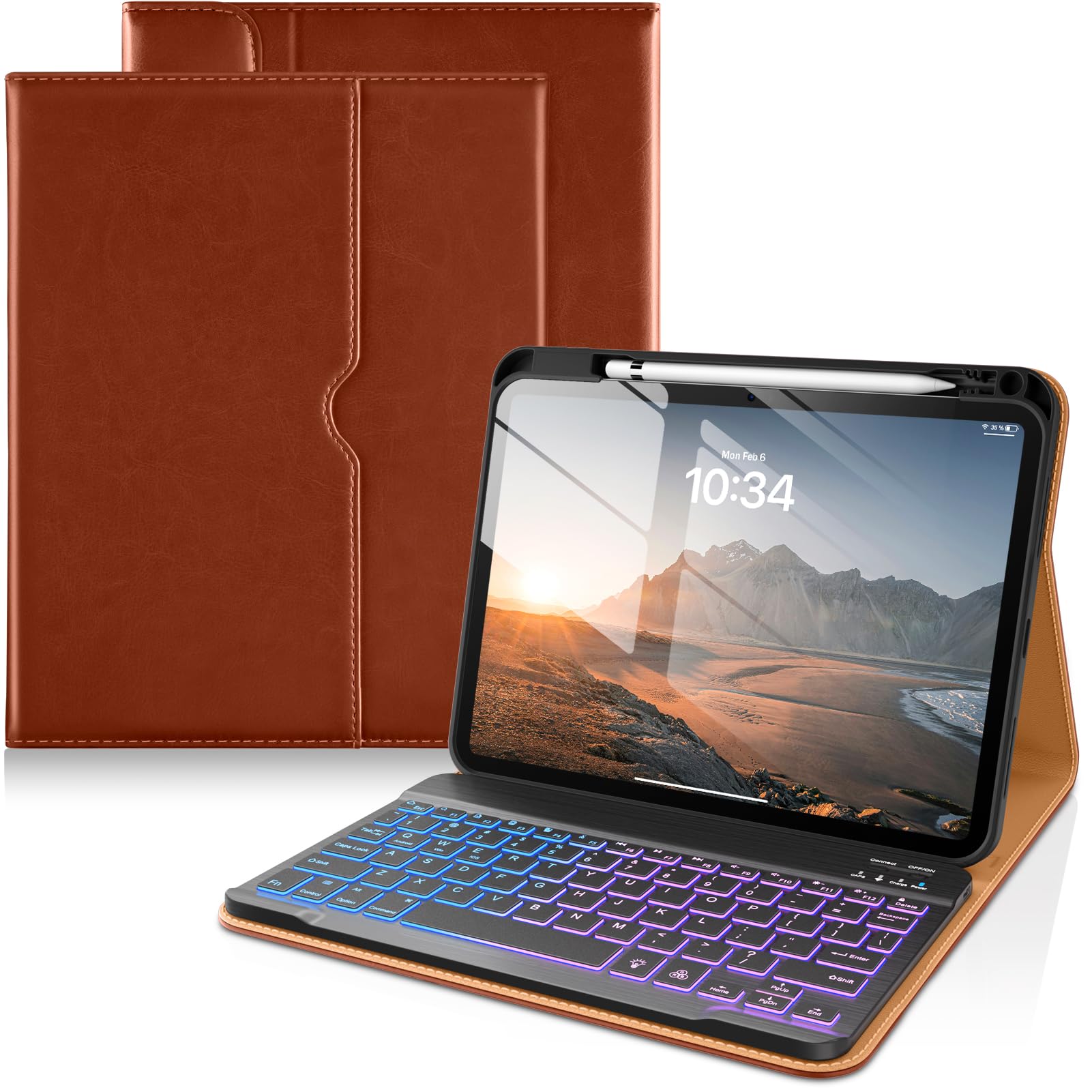
This one is aimed at students and note-takers who carry a stylus everywhere. A built-in pencil holder secures the Apple Pencil to the case, and a hole in the back of the holder lets you push the pencil out without taking the iPad out of the cover. A front document pocket takes business cards, bank cards, notes or bills, so the case doubles as a slim wallet for the day.
Typing comes from a detachable magnetic wireless keyboard that pairs over Bluetooth with a stated 10-meter operating distance — enough to have the tablet on a stand across a desk while you type on your lap. The keys are laser-etched and light up in 7 colors, so you can keep working in a dark room, and the mechanical scissor keys have a rebound feel built to keep the clatter down. Two non-slip slots let you shift the iPad forward or back for reading, viewing or writing angles.
What buyers like best is the overall build, with the looks running close behind and drawing nothing but praise in the listing’s own breakdown. The PU leather with neat stitching is what people picture in a brown folio, and stains on the outside wipe off with a cloth. Fit lands cleanly for the iPad 11th Gen A16 and 10th Gen, and the case is built for those models only — the codes A3354, A3355, A3356 and A2757, A2777, A2696 are the ones to check.
The mixed side is the keyboard itself: some owners find it excellent, others hit unresponsive keys or lag, and the magnets that hold the keyboard in place draw a split verdict too. Those reports are worth knowing, but this is still a well-liked folio with a pencil slot most competitors skip.
The everyday win: a pencil holder with a push-out hole and a front card pocket turn this from a plain keyboard cover into a carry-everything folio for class or the office.
The trade-off to weigh: the keyboard quality and magnet grip are the split topics — a few owners see lag or a loose keyboard fit, so test pairing and magnet hold in the first days.
Suits you if: you want a leather-look folio that protects your Apple Pencil and carries a card or two, on an iPad 11th or 10th Gen.
Think twice if: a clickable trackpad is a must — this board is keys only.
3. Magitype Case with Keyboard for iPad 10th & 11th Gen

Thirty-plus days of typing on one charge — the keyboard battery is the headline here.
A built-in 650mAh battery keeps the keyboard running for over 30 days per charge, according to the maker, so typing doesn’t drain your iPad’s battery. That is the practical difference for anyone who leaves the charger at home. The board itself uses low-profile scissor-switch keys with 1.2 mm of travel and 14 mm key spacing, which is the spacing and press depth that makes laptop-style typing feel natural rather than cramped.
A 14-key function row puts brightness, media controls and screenshots one tap away. You can also toggle the trackpad on or off fast with fn + shift + spacebar — handy when you want to type without a stray palm click. The trackpad is a large high-precision one that supports multi-touch gestures: swipe, tap, pinch and scroll, with a clickable feel, so spreadsheets and documents get pinpoint cursor control. White backlit keys (lit keys you can read in the dark) keep the board visible in low light.
A detachable magnetic keyboard and a 180° kickstand (it folds flat both ways) let you switch between laptop, tablet and any angle in between. A translucent PC hard shell (clear polycarbonate plastic) shows off the iPad’s own look, while a rugged PU leather exterior (polyurethane, a synthetic leather) guards against drops, bumps and scratches. At 9.96 by 7.8 by 0.74 inches, it sits a shade more open around the edges than the DANCESOUL’s 10.04 by 7.64 by 0.75 inches — the verified figures show a 1% more gap, so the two sit very close in overall footprint.
Where the verdict gets split is durability and the magnets: the kickstand piece is not as sturdy as the rest, and the hinge has been reported separating under minor use in some cases. A few owners also find the pencil magnet too weak to hold the stylus. The rest of the case is praised for build quality and for pairing up and reconnecting automatically to the iPad.
One feature that pays for itself: the 650mAh keyboard battery and over-30-day run time mean one less cable in your bag.
Honest weak spot: the kickstand and hinge are the most-reported soft spots — treat the back stand gently and the case should hold up for everyday desk work.
Made for you if: you want laptop-style scissor keys and a real trackpad on an iPad 10th Gen or 11th Gen A16, with a keyboard that sips power.
Better to skip if: you fold the stand away constantly — the kickstand is the piece to coddle.
4. Nillkin iPad A16 11th / 10th Gen Case with Keyboard

Built like an armored folio: thickened back panel, soft frame, sliding camera cover.
For anyone who throws the iPad in a bag and worries about knocks, this is the protective pick. A thickened PC back panel (a stiff polycarbonate shell) with a TPU soft frame handles heat dissipation, and the shockproof design is reinforced on all four corners. A patented sliding camera cover shields the lens and closes off the camera when you are not using it, which is a privacy touch you rarely see on a keyboard case.
Typing comes from a wireless keyboard with a full row of laptop-like iPadOS shortcuts, clear key feedback and a multi-touch precision trackpad that supports tap, swipe, scroll and app switching. Anti-misoperation technology disables the touchpad automatically while you type, so the cursor stays put and your palm does not fire off clicks mid-sentence. The two-piece design splits into a case with stand plus a separate keyboard, so you can leave the board at home and still keep the iPad protected in the tablet stand.
The 500mAh keyboard battery is rated for up to 100 hours of continuous typing without backlighting, and a Type-C port refills it in 2–3 hours. The stand sets from 0 to 180°, stable enough to draw or write on, and a built-in Apple Pencil holder uses magnetic attachment with wireless charging support — the Pencil itself is not included. Fit and protection earn the warmest feedback, with the protection feature drawing almost nothing but praise.
The reliability reports are the split topic: some owners have no issues at all, others find the keyboard only worked for a short while, and a few see a corner snap break. Worth knowing, but not universal — most owners describe a solid, heavy-duty case that does its job.
Built for hard knocks
- Thickened PC back panel with TPU soft frame and reinforced corners
- Patented sliding camera cover for the lens and privacy
- 500mAh keyboard battery, up to 100 hours without backlighting
- Multi-touch trackpad with anti-misoperation lockdown while typing
- Two-piece split: case stand plus separate keyboard
Points to weigh
- Reliability splits — a few report the keyboard stopping early
- A snap on one side can break for rough handlers
- No backlight mentioned, so this is a daylight typing board
This is your case if: protection leads your shopping list and you want the camera covered, with an iPad 11th Gen A16 or 10th Gen inside.
Not the one for you if: you type in the dark a lot — the keyboard here is not a backlit one.
5. Belkin Backlit Bluetooth Keyboard Case
A familiar brand name for iPad Air and Pro owners who want a Mac-style trackpad.
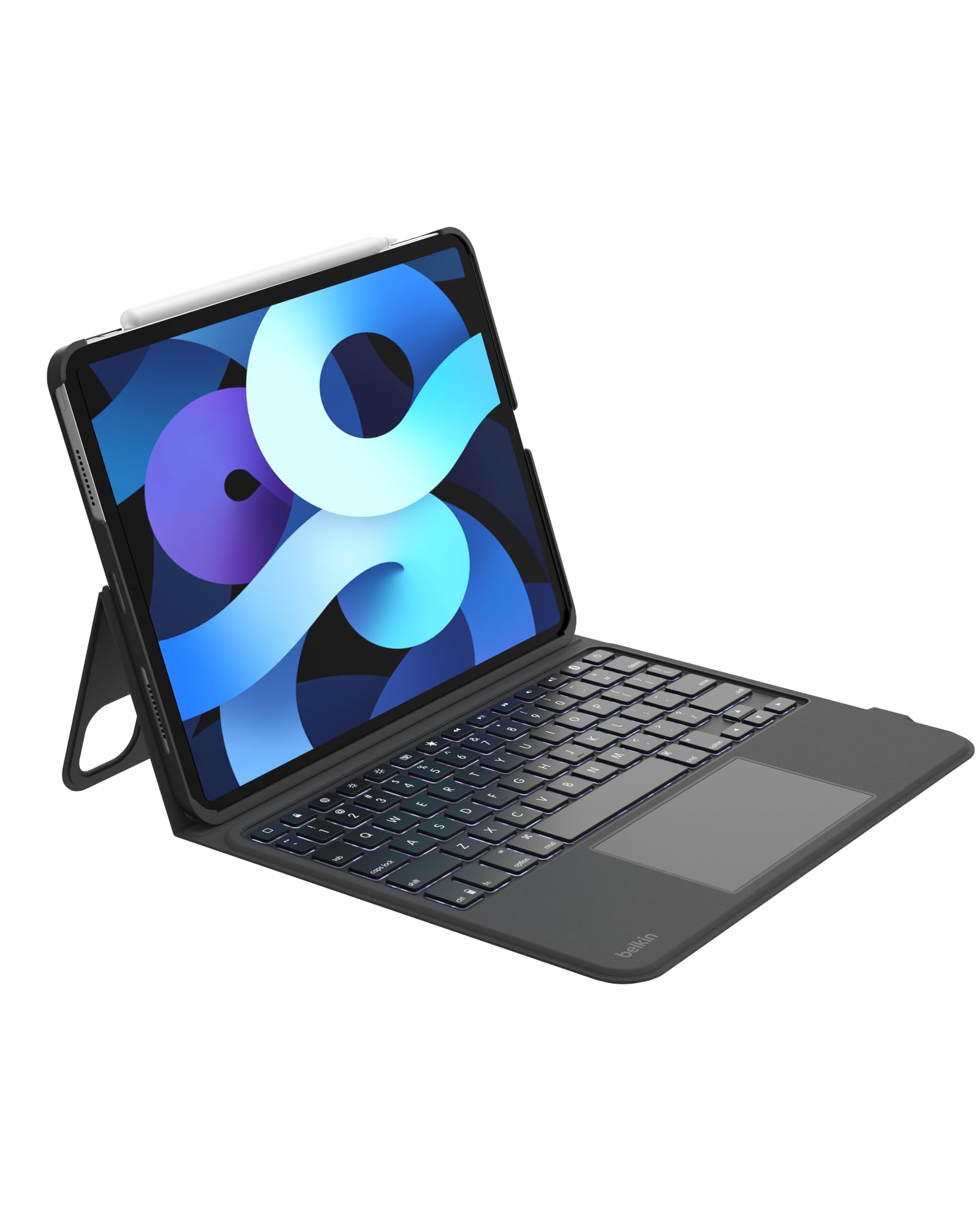
Belkin’s take keeps things simple: backlit keys so you can answer a late email without switching on a lamp, and a large click-anywhere trackpad that registers a press wherever you tap rather than on a hinged pad. Multi-gesture controls bring the same scrolling and navigation you know from a Mac onto the iPad, and multimedia keys reach brightness, volume and media right from the keyboard without going into Control Center.
The cradle design is the practical touch: it holds the Apple Pencil without blocking the iPad’s own magnetic storage, so the stylus stays put after you use it. A single backlight color keeps the board visible in darker spaces, and the leather enclosure gives it a clean, desk-worthy look for an iPad Air 10.9-inch or Pro 11-inch.
Where this pick needs honest framing is durability and the detachable shell — those are the split topics. The keyboard quality and functionality get a mixed read overall, with some owners finding it works great and others hitting Bluetooth that randomly stops. A handful wish it did not wear so fast. This is a lighter vote of confidence than the higher-rated picks in this list, so weigh the Belkin name against the thinner experience base before buying.
What it nails: the large click-anywhere trackpad and multimedia keys make Mac-style navigation on an iPad Air or Pro feel natural.
What gives pause: durability and the detachable shell are the recurring gripes, with some Bluetooth dropouts reported — check the connection early and treat the shell gently.
The pick for you when: you are on an iPad Air 10.9″ or Pro 11″ and care most about a wide click-anywhere trackpad and backlit keys.
Worth a second look elsewhere if: you want a firmer durability record — the higher-rated picks in this round carry more reassuring histories.
6. ZYNTHRALIX Keyboard Case for iPad 11th (A16) / 10th Gen
Eleven backlight colors and a stain-resistant leather shell — this one is for lookers.
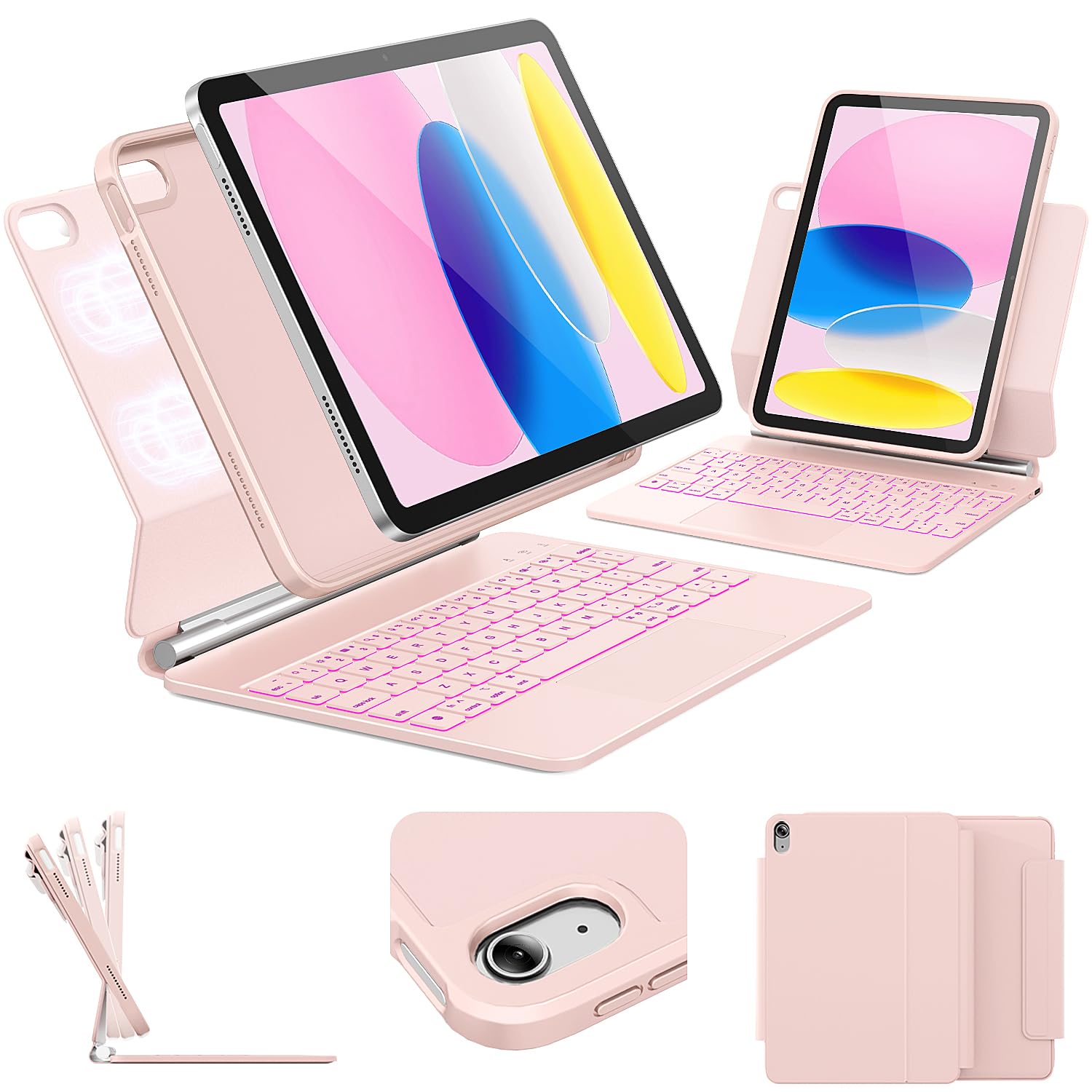
If you want your iPad cover to look like you chose it on purpose, the 11-color backlight with three brightness levels is the standout. The pink colorway and semi-silicone leather finish push that further: the surface repels daily spills, liquids and sauces and wipes clean without leaving marks, which the maker says makes it easier to clean than ordinary leather. A pencil buckle holds the stylus out of the way.
The floating cantilever stand attaches the case magnetically in both landscape and portrait, so you can move from landscape office work to portrait browsing or video calls without changing cases. The case can be detached to use the keyboard on its own, which is useful on a train tray or a lap. A responsive trackpad handles full multi-touch gestures for cursor control, and the 64-key layout with a dedicated shortcut row puts media, brightness and volume controls one press away.
The build quality is the unanimous positive here, with functionality and appearance close behind, and several owners note it looks great and comes in a range of colors. A 12-month warranty and lifetime support round out the package. Where this pick earns a note of caution is weight — at 2 pounds it is a heavy cover, and owners notice.
Look and clean-up: 11 backlight colors, three brightness levels and a stain-resistant semi-silicone leather shell make it the most color-forward pick in the round.
The weight you pay: 2 pounds is on the heavy side, and the magnetic hold and connectivity draw a split read — keep both in mind if you lug the iPad around all day.
Give this a go if: a colorful cover matters to you and you want a stain-resistant leather surface for an iPad 11th Gen A16 or 10th Gen.
One to pass on if: 2 pounds feels like too much for daily carry.
7. runelk Keyboard Case for iPad Air 13 and iPad Pro 12.9″

The only big-screen option here, cut for the 13-inch iPad Air and 12.9-inch Pro.
Big tablets need a case built to their size, and this is the one in this round that fits. It is designed for the iPad Air 13 across M4, M3 and M2 generations, plus the iPad Pro 12.9-inch 3rd through 6th Gen. The floating cantilever stand magnetically grabs the iPad and sets into place with one smooth motion, so a 13-inch tablet turns into a laptop-style setup in seconds.
The 750mAh battery (milliamp-hours, a measure of charge) is the number to note — it is the largest keyboard battery here. The maker rates the 750mAh keyboard for three months of daily work or two weeks of nightly typing per charge, recharged over USB-C. A backlight with three brightness levels keeps the keys visible, a full row of iPadOS shortcuts puts brightness, volume and music control one tap away, and the multi-touch trackpad handles the usual gestures for editing documents and building slides.
A keyboard base plus a synthetic vegan leather case make up the build, and that combination comes out sturdy enough for drops and knocks. Buyers praise the quality of the whole case above all else, with functionality and value trailing close behind. The fit for a 13-inch tablet is what makes this pick valuable to an owner that size, and no other case in this list serves that screen.
Two honest notes belong here. Battery life is split, with some owners finding it great and others reporting it stops charging within six months. Magnetic strength draws a split too, with some finding it holds the iPad firmly and others calling the magnet weak, and connectivity pairs cleanly for some while others hit pairing trouble. Watch both in the first weeks.
The case for it: a 750mAh keyboard battery and a floating cantilever stand give the 13-inch Air and 12.9-inch Pro a proper laptop-style dock, with a three-month work or two-week nightly charge claim.
The catch to know: battery life and the magnet are the recurring split topics — test charging and hold in the first weeks, and keep the USB-C cable handy.
Your match if: you own a 13-inch iPad Air or 12.9-inch iPad Pro and want a leather-style keyboard cover that actually fits that screen.
Might not be for you if: you are on a smaller iPad — this shell only covers the big models.
Know the Specs
Model numbers (A2696, A3354 and the rest)
Apple prints a model number on the back of every iPad, and a keyboard cover is cut to match it. So A3354, A3355 and A3356 mean the 11th Gen A16, while A2696, A2757 and A2777 mean the 10th Gen. A case built for one shell will not wrap the other, and the sleep/wake magnet (the magnet that turns the screen off when you close it) only lines up when it is right. Check that code first; it is the single fact that decides whether the rest of the cover works for you.
Keyboard battery in mAh
A keyboard over Bluetooth runs on its own battery, so the mAh figure tells you how often you will reach for a cable. A 650mAh keyboard is rated for over 30 days per charge, a 500mAh one for up to 100 hours without backlighting, and a 750mAh one for three months of daily work or two weeks of nightly typing. Larger numbers mean fewer charges, but a bigger battery usually means a slightly heavier keyboard base.
Trackpad and key travel
A multi-touch trackpad makes the iPad work like a laptop: tap, swipe, scroll, pinch and switch apps, with palm rejection so your wrist does not click while you type. Key travel is how far a key sinks when pressed — 1.2 mm is a short, quiet laptop-style press, and 14 mm key spacing keeps fingers from bunching up. If you type long documents, these two numbers shape how comfortable the board feels after an hour.
Stand angles and backlighting
A stand that adjusts from 0 to 180° lets you flatten the screen for drawing or prop it up for a call; a 160° limit still covers most desk work. Backlighting in a single color or across several colors keeps keys visible in a dark room. Neither number changes your typing speed, but both change how the cover feels at night or on a train — pick for where you actually work.
Common Questions
How do I know which leather iPad keyboard cover fits my tablet?
Does a magnetic keyboard detach so I can use the iPad flat?
Will the keyboard work if my iPad is in a different room?
How long does the keyboard battery last between charges?
Is a trackpad worth it over a plain keyboard row?
Can the case hold and charge my Apple Pencil?
Is PU or semi-silicone leather easy to keep clean?
What happens if the hinge or kickstand wears out?
Does the keyboard case also protect against drops?
Can I use the keyboard with my iPad in portrait mode?
The Bottom Line
The best leather ipad cover with keyboard for most people is the DANCESOUL iPad Air 11 / Pro 11 case. Its 78-key board, large multi-touch trackpad, 160° stand and Bluetooth 5.3 (the wireless standard that pairs it to your iPad) cover the widest range of iPad models in this round. If a pencil holder and a card pocket sound like your day, the DTTO folio handles it. And if you own a 13-inch iPad Air or 12.9-inch Pro, no other case here fits — the runelk is the only one cut for that screen, with the biggest 750mAh keyboard battery in the list. Buy the one whose model-number list matches your tablet, and the leather shell and keyboard will hold up for years of typing.
How we choose
We do not accept paid placement. Every pick is matched to a real buyer and a real use-case; we do not hands-on test units.
Sources
Specifications: manufacturer listings and product documentation. Review insights: verified customer reviews, as of November 2026. Pricing: not shown on this page (it changes often); check the current price via the retailer link.
As an Amazon Associate, Tactical Gear Guy earns from qualifying purchases. This does not affect which products we feature.