Specs are compiled from manufacturer listings and verified buyer reviews and can change over time — please confirm the key details on the product page before buying.
Buying a big Windows tablet is really about one question: do you want a tablet that runs full desktop programs, or a tablet that runs phone-style apps? Every pick below runs genuine Windows on a screen 12 inches or larger, so Word, Excel, and a desktop browser all behave the way you already expect. Quick answer first — the Microsoft Surface Pro (2024) is the strongest all-rounder because it pairs a 13-inch touchscreen with 14 hours of battery and 16GB of RAM, though a couple of cheaper 2-in-1s here beat it on price-to-screen.
This guide is built by comparing the manufacturers’ published specifications and the patterns across verified customer reviews, so you get each pick’s real strengths and trade-offs instead of marketing spin.
One note before you scroll: this shortlist groups tablets by size class, so a pick may sit an inch or so off the exact figure you searched — the nearest same-type size serves the same purpose. That keeps the list honest about what a large windows tablet actually is in the real world.
Each one is the nearest same-type size and serves the same purpose.
Top Picks

How To Choose The Best Large Windows Tablet
Most people buy one of these expecting a giant iPad and get confused when the screen locks or an app wants a keyboard. The fix is to shop like you are buying a small laptop that happens to have a touchscreen. Focus on three things: the processor family, the RAM and storage, and whether the keyboard is in the box.
Processor: does it run your desktop programs?
Shopping here is really shopping for a chip. An Intel Core Ultra or a Snapdragon X-series chip (Qualcomm’s laptop-class processor) handles full Windows software, video calls, and light editing without lag. An Intel N-series or Celeron-class chip is built for browsing, documents, and streaming only. If you plan to run several heavy programs at once, pay for the Core-class chip — the N-series will feel slow when tabs pile up.
RAM and storage: the numbers that decide your multitasking
RAM is short-term memory — the workspace your open apps sit in. At 12GB you can comfortably juggle email, a browser, and a spreadsheet; at 16GB you add a design app or video call without stutter. Storage in GB (SSD) is where files live, and 512GB covers years of documents, photos, and downloads for most buyers. A microSD slot on many models lets you add more room later.
Keyboard and kickstand: the hidden cost
On Surface Pro tablets the keyboard and pen are usually sold separately. That changes what you actually pay to make it a laptop replacement. A built-in kickstand (a fold-out stand on the back) is what lets the tablet stand up on a desk for typing or video, so check for one before you commit. Some 2-in-1 flip designs use a 360° hinge instead, which means no separate stand is needed.
Side-by-Side Comparison
| Model | Best For | Screen | RAM / Storage | Battery Life | Amazon |
|---|---|---|---|---|---|
| Microsoft Surface Pro (2024)★ Best Overall | All-round laptop replacement | 13″ Touchscreen | 16GB / 512GB | 14 hours | Amazon |
| 15.6″ 2-in-1 Laptop/Tablet, 360° FlipBiggest Screen | Biggest screen for the budget | 15.6″ FHD | 16GB / 512GB | 5 hours | Amazon |
| Jumper 12″ 2-in-1 TabletFeatherweight Pick | Featherweight carry | 12″ 2K (2000×1200) | 12GB / 512GB | 8 hours | Amazon |
| Fusion5 Helios 12 | Stylus in the box | 12″ 2K (2000×1200) | 12GB / 512GB | 4 hours | Amazon |
| CHUWI Hi10 Max | AI tasks and drawing | 12.96″ (2880×1920) | 12GB / 512GB | 37.12 Wh | Amazon |
| Dell Latitude 7320 Detachable (Renewed) | Business-grade build | 13″ (1920×1280) | 16GB / 512GB | — | Amazon |
| Lenovo Yoga 7i | Widest ports selection | 16″ (1920 x 1200) | — | — | Amazon |
| Microsoft Surface Pro (2026) | Longest battery life | 13″ (2880×1920) | 16GB / 512GB | 15.5 hours | Amazon |
Detailed Reviews
1. Microsoft Surface Pro 2-in-1 Laptop/Tablet (2024)
Our pick — 4.0+★ from 350+ verified ratings; the strongest balance of quality and price.
The 13-inch Windows tablet that genuinely lasts a working day off the charger.
The number buyers here care about most is 14 hours — that is the rated battery life on the Surface Pro (2024), so a full school or office day fits between charges. It runs on a Snapdragon X Plus chip (a 10-core processor with a dedicated AI engine), paired with 16GB of RAM and 512GB of storage. That combination means several browser tabs, Excel, and a video call can sit open together without the tablet wheezing.
Where this pick earns its first-place spot is endurance and portability together. The 13-inch touchscreen makes full-page documents and spreadsheets readable without pinching to zoom. The built-in kickstand lets it stand on a desk for a keyboard, and the whole thing is light enough to carry under one arm. It is also a Copilot+ PC, which is Microsoft’s label for machines with a local AI chip built in for on-device tasks.
The catch worth knowing before you buy is app compatibility. As a Snapdragon-class machine it can’t run every traditional desktop program the same way an Intel laptop does, so check the software you rely on first. The keyboard is also sold separately, which changes the real cost of turning it into a laptop. What wins people over is the speed — the tablet opens apps and switches windows briskly in day-to-day use.
Where it pulls ahead
- 14 hours of rated battery outlasts the 5 hours of the 15.6-inch flip model below
- Snapdragon X Plus (10-core) with 16GB RAM and 512GB storage keeps work apps responsive
- Built-in kickstand and 13-inch touchscreen make it a genuine laptop stand-in
- Face recognition sign-in and Bluetooth 5.4 round out the daily usability
Where to slow down
- Snapdragon chip means some older desktop apps won’t run as expected
- Detachable Surface Pro Flex Keyboard is sold separately
- Power users may find the cost hard to justify over a plain laptop
Reach for this if: you want one device for reading, note-taking, and light office work that survives a full day of travel.
Check your software first if: you depend on a specific older desktop program that needs an Intel chip.
2. 15.6″ 2-in-1 Laptop/Tablet, 360° Flip FHD Touchscreen
A 15.6-inch canvas that folds flat — the largest screen in this lineup.
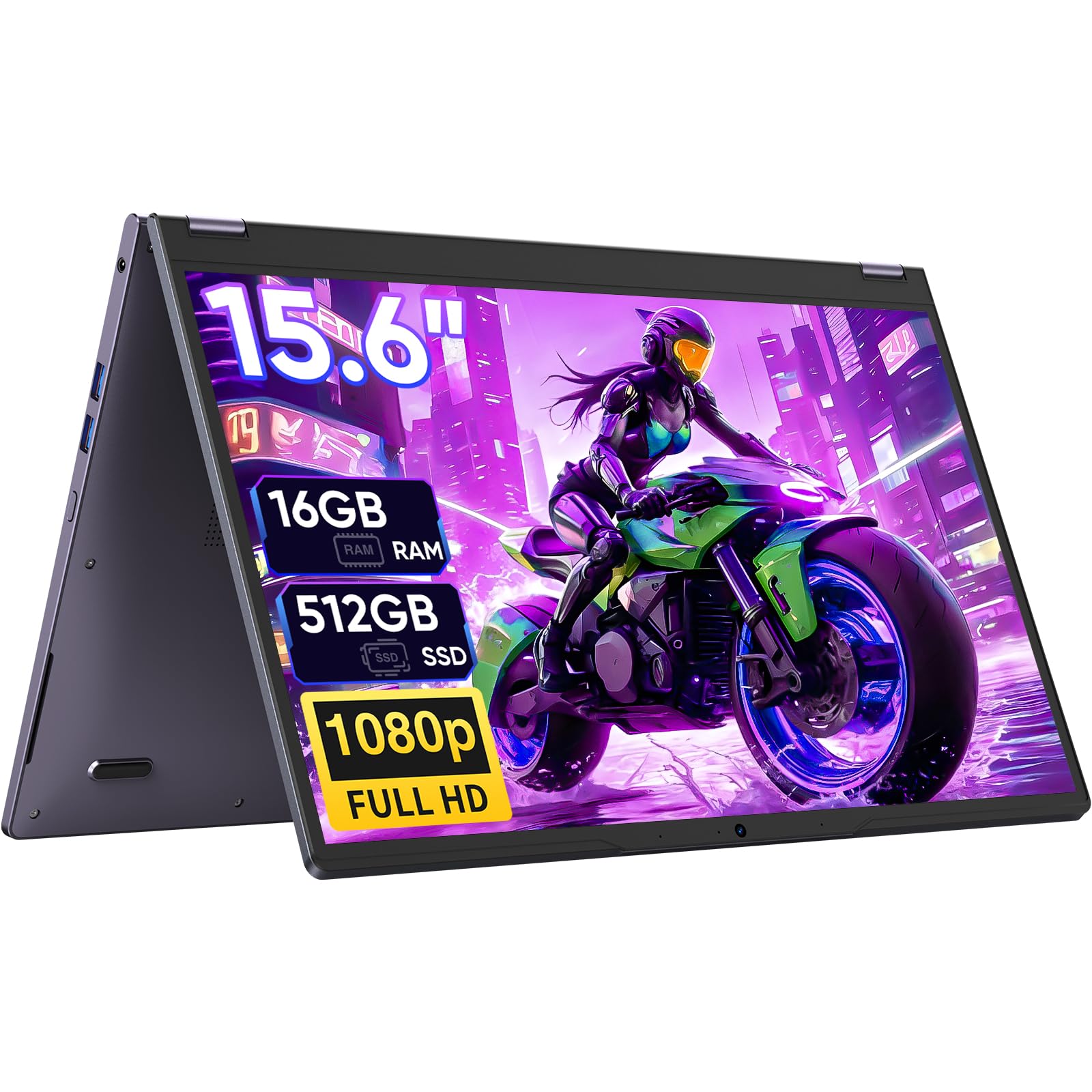
If you want the biggest glass here, this is it: a 15.6-inch Full HD touchscreen that beats the 13-inch Surface Pro on raw display area, side by side. That extra width makes split-screen work, sketching, and movie nights genuinely more comfortable. The 1920 x 1080 resolution keeps text crisp at a 60Hz refresh rate, which is smooth enough for scrolling and stylus work.
Internally you get an Intel m3-8100Y processor that boosts to 3.4GHz, plus 16GB of RAM and a 512GB SSD. Notice that RAM figure matches the Surface Pro (2024) but at a fraction of the cost — the 16GB is the reason you can keep a browser, notes, and a chart open at once. The 360° hinge flips it into laptop, tablet, tent, and stand modes, so it doubles as a writing desk and a video-viewing stand.
The trade-off is battery. The rated life is 5 hours — noticeably shorter than the 14 hours of the Surface Pro above, so this is a plug-in-between-classes machine rather than a all-day road warrior. Ports are generous (three USB 3.0, HDMI, Type-C, Wi-Fi 5, Bluetooth 5.0), and the Deep Purple shell is unmistakable in a study hall. It suits a student who wants a big touch surface for notes and design without paying Surface prices.
Screen-to-money read: the 15.6-inch FHD panel plus 16GB RAM and 512GB SSD is the value play in this group.
Reality check: 5 hours of rated battery means it wants to sit near a wall socket during a long day.
Suits you best if: the biggest possible touchscreen for note-taking and design tops your list, and you work near outlets.
Think twice if: you need all-day battery away from a charger.
3. Jumper 12″ 2K 2-in-1 Tablet with Keyboard
A 0.64 kg metal body that slips into a backpack without a second thought.
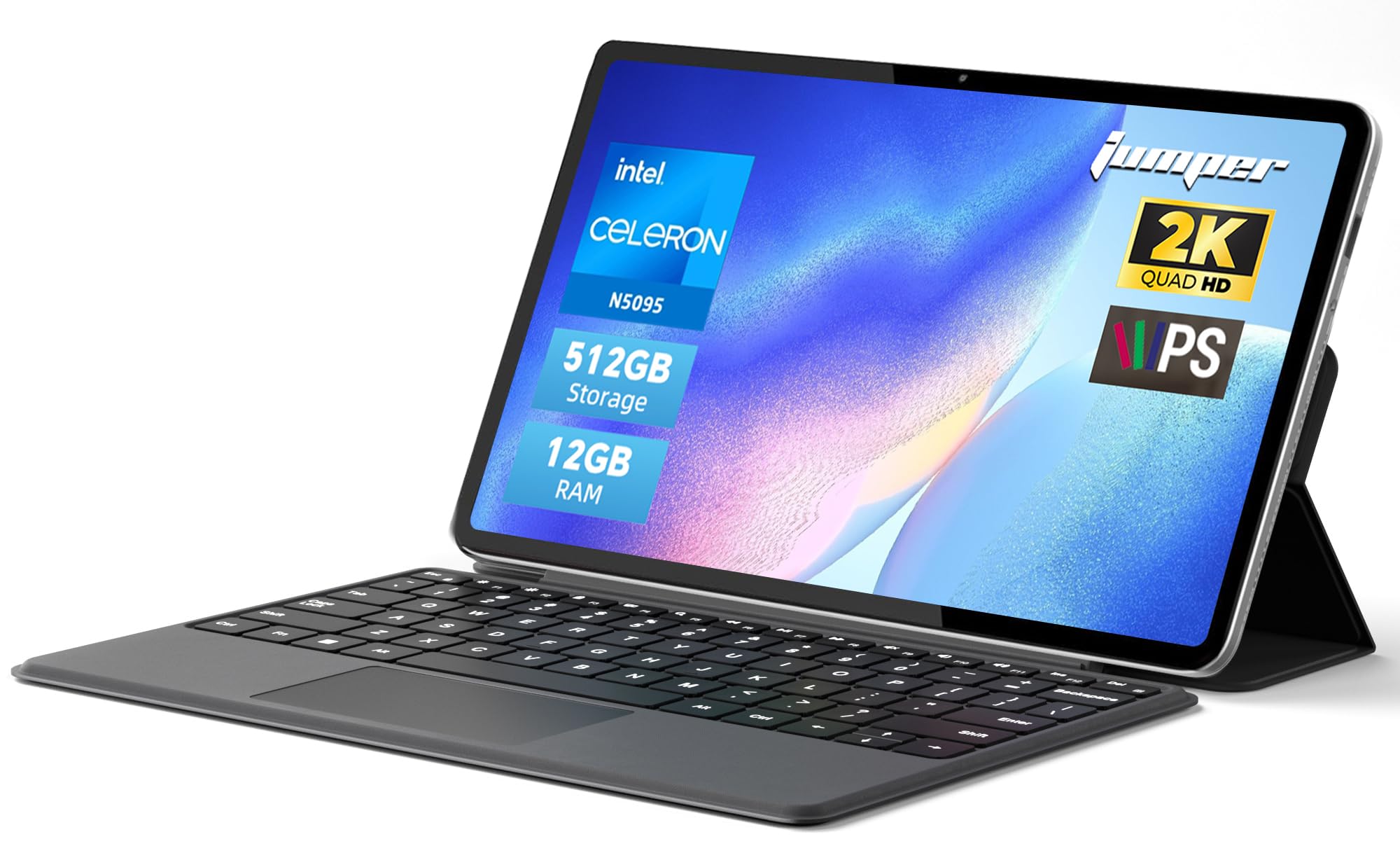
Weight is the headline here. At 0.64 kg in a metal chassis, this is the lightest tablet in the group — a 12-inch slate you can hold one-handed while walking between classes. The magnetic leather keyboard and multi-angle stand are both included, which is unusual: with the Surface Pro line you usually pay extra for a keyboard. A 12-inch 2000×1200 IPS touchscreen sits underneath, with anti-glare in-cell technology that keeps glare manageable in bright rooms.
Inside is an Intel N5095 processor (a 4-core chip built for everyday tasks), 12GB of RAM, and a 512GB SSD. That spec is modest compared to the Intel Core picks above, but it is enough for web browsing, document editing, and online classes. The 4300mAh battery is rated for up to 8 hours of video playback — meaningfully longer than the 15.6-inch flip model’s 5 hours, so it holds up on a lighter day out.
Buyers repeatedly mention how quickly it is ready from the start — Windows 11 setup runs without a hitch. Ports make it practical too: two full-function Type-C ports for charging, data, and video out, plus a 3.5mm jack, a microSD slot, and a built-in cooling fan. The honest limit is the N5095 chip — it is not built for heavy editing or dozens of open tabs. For notes, study, and streaming it is a comfortable carry.
Why it earns a spot: keyboard included, 0.64 kg body, and a crisp 2K panel make it the easiest of these to haul around.
Be realistic about: the N5095 chip handles office and web work, not demanding creative apps.
Pick it when: you want a light, keyboard-included 12-inch tablet for classes and reading.
Step up instead if: you plan to run design software or many heavy apps at once.
4. Fusion5 Helios 12″ 2K Windows 11 Tablet
A sketching tablet where the pen is already in the box.
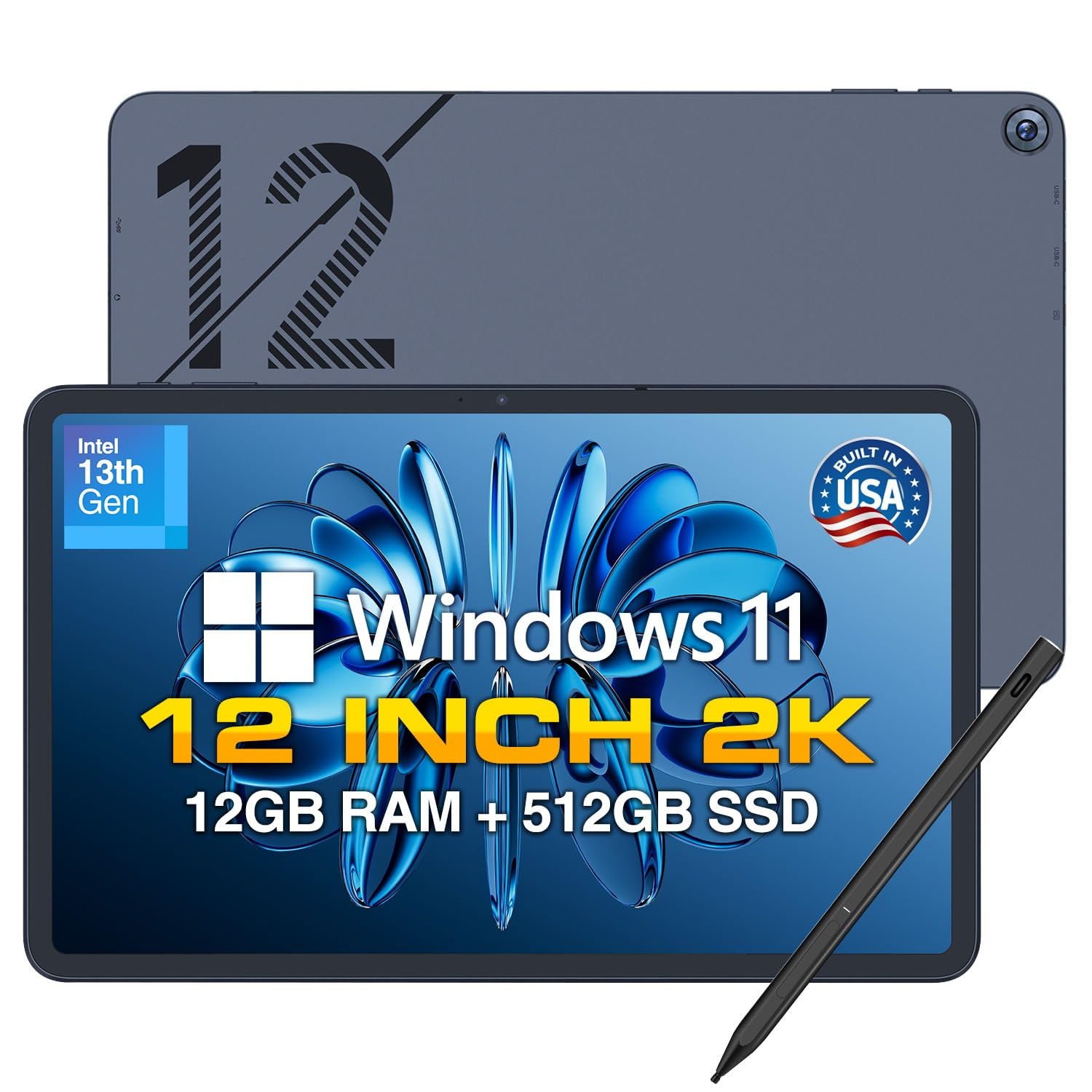
Most stylus-friendly tablets make you buy the pen separately. Not this one — the Fusion5 stylus pen is included, so you can start annotating documents and sketching without a second purchase. The 12-inch 2000×1200 display at a 16:10 aspect ratio gives you a slightly taller workspace than a 16:9 screen, which helps when reading documents or drawing vertically. An active built-in cooling fan keeps it from slowing down during longer multitasking sessions.
The core spec is an Intel N100 processor (a 13th-generation quad-core chip, codename Alder Lake), backed by 12GB of DDR5 RAM and a 512GB SSD. DDR5 is a newer, faster memory type than the RAM in most budget tablets, so app switching stays snappy. Charging is quick too: 36W USB-C Power Delivery over a 7.6V 4500mAh battery, plus two full-function USB-C ports, USB 3.0, Micro HDMI, and a headphone jack. The metal body is assembled in Florida, USA.
Here is the honest trade-off: rated battery life is 4 hours, the shortest in this lineup. That is a snag for anyone who sketches on the train for hours. Set against the stylus and DDR5 memory, though, the package makes sense for someone who mostly works at a desk. It runs Windows 11 Home straight away and comes with a microSD slot for extra storage later.
What tips the scale: the included stylus and DDR5 memory are rare at this tier, and the 12-inch 2K screen is sharp for sketching.
The honest snag: 4 hours of rated battery makes it a near-a-socket machine.
Best fit: artists and note-takers who want a pen bundled in and mostly work at a desk.
Walk past if: you need a tablet that runs all day untethered.
5. Microsoft Surface Pro 8 (Renewed, 13″, i5)
A 12.96-inch drafting display driven by an AI-ready Intel chip.
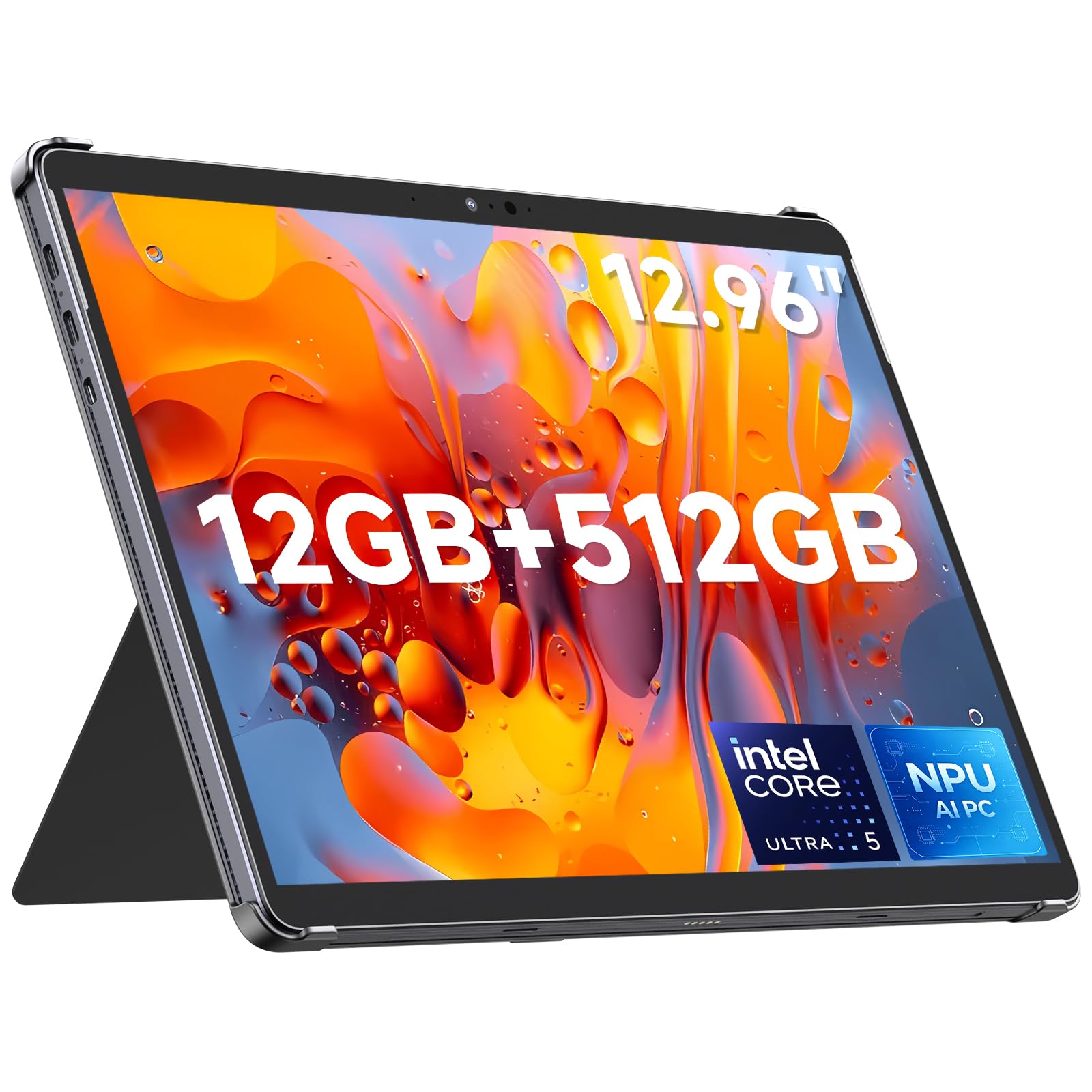
This is the drawing-first pick. The 12.96-inch full-laminated 2880×1920 IPS screen uses a 3:2 aspect ratio (taller than widescreen), which gives you more vertical room for handwritten notes and long documents. G+FF full lamination means the touch layer is bonded to the glass, so there is less gap between your stylus tip and the line appearing on screen. An Intel Core Ultra 5 125U with 12 cores and a boost of 4.3GHz runs the show, with a dedicated NPU (a chip tuned for on-device AI tasks) rated at 11 TOPS. Note the stylus is sold separately.
Memory and storage are generous: 12GB of LPDDR5 RAM running at 6400MT/s (a fast memory standard) and a 512GB SSD that can be upgraded to 1TB. Ports are unusually complete for a tablet — two full-function Type-C ports, USB-A 3.2 Gen1, Micro HDMI 1.4, and a 3.5mm jack, plus Wi-Fi 6 and Bluetooth 5.3. The battery is 37.12 watt-hours.
A protective kickstand case comes in the box, but the keyboard is sold separately. Keep an eye on activation: the Windows 11 license key is injected manually on rare occasions, so some units arrive needing a message to the seller for the key.
Why it draws attention: a 2880×1920 3:2 display plus a Core Ultra 5 chip make it the most capable canvas here for note-taking and design.
Sized catch: the stylus and keyboard are both extras, so the real cost adds up.
Built for you if: you sketch, annotate, or run light creative work and want a high-resolution 3:2 screen.
Not the one if: you need keyboard and pen bundled in the box.
6. Dell Latitude 7320 Detachable (Renewed)
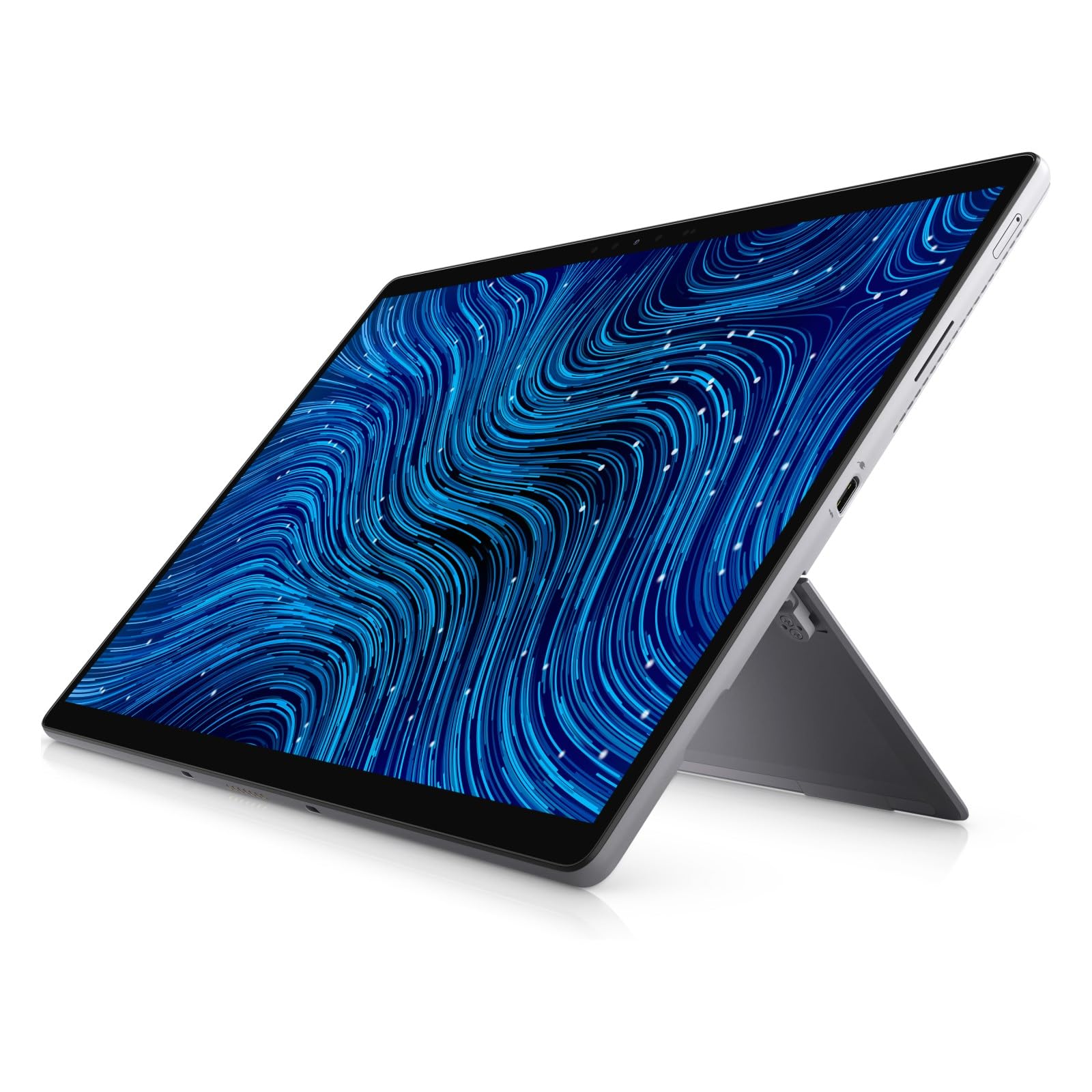
The rugged business tablet with a full-power i7 and 16GB of RAM.
Dell built this for the office. The 13-inch 1920×1280 FHD+ touchscreen hits a slightly taller-than-1080p resolution, and the internals are serious: an 11th Gen Intel Core i7-1180G7 processor with 4 cores boosting to 4.6GHz, 16GB of RAM, and a 512GB SSD. That processor speed tops the Surface Pro 8’s 4.2GHz, and the RAM doubles the Surface Pro 8’s 8GB — useful for business software running alongside many tabs. It comes with Windows 11 Pro, which adds management features a home version skips.
Users praise the build quality most — the magnesium chassis feels like it survives a bag thrown under a seat. Wi-Fi and Bluetooth are present, cameras include a rear shooter, and it supports external displays, keyboards, and mice over USB, Thunderbolt, Wi-Fi, or Bluetooth. Note the refurbished condition: buy from a seller with a clear warranty so any issue with the previous owner’s wear is covered.
Where it fits is a desk-bound professional who wants a detachable 2-in-1 with a powerful Intel chip and plenty of memory. The trade is weight and portability — a business machine this spec’d is not the featherweight the 0.64 kg Jumper is, and the 1920×1280 screen is not as pixel-dense as the 2880 x 1920 Surface panels.
The spec that matters: an i7-1180G7 at a 4.6GHz boost with 16GB RAM and 512GB SSD makes this the most power-per-inch pick for spreadsheets and multitasking.
Real-world qualifier: it is a renewed unit and heavier than the ultra-light picks, so it is a bag-and-desk device, not a pocket one.
Choose this if: you want a business-class detachable with a full i7 and Windows 11 Pro for office workloads.
Skip if: you prioritize a barely-there carry or brand-new condition.
7. Lenovo Yoga 7i 16″ 2K Touchscreen

A 16-inch 2K touchscreen with more ports than any other tablet here.
This is a tablet in name only once you open it — a 16-inch 1920 x 1200 IPS touchscreen gives you the widest canvas for split-screen work and reading full pages side by side. It flips on a 360° hinge through laptop, tablet, tent, and stand modes, and an automatic transition resizes apps when you change modes. Driving it is an Intel Core Ultra 7 155U (a 12-core processor) that reaches 4.8GHz with Turbo Boost, backed by 12MB of L3 cache for snappy app switching.
The port lineup is the real standout: two USB Type-A, two Type-C, one HDMI, a Micro SD reader, and a headphone/mic combo. That is more connection options than either Surface Pro here, so you can plug in a monitor, card, and accessories without a dongle. It also adds Wi-Fi 6E for lower latency on crowded networks and a fingerprint reader for sign-in. There is a full keyboard with a backlit layout and a built-in webcam.
If you need a big touch display and a keyboard that feels like a laptop rather than a detachable, this is the one. It is bigger and heavier than the 12-inch picks, so it is a bag-and-desk machine rather than a one-hand slate. For a student or worker who wants the most screen real estate with the most ports, the Yoga 7i delivers both.
What stands out
- 16-inch 1920 x 1200 IPS touchscreen is the largest canvas in the list
- Core Ultra 7 155U (12-core) hits 4.8GHz for responsive work
- More ports than any other pick — USB-A, USB-C, HDMI, Micro SD, and headphone
- Wi-Fi 6E and a fingerprint reader add modern convenience
What to weigh
- Larger and heavier than the 12-inch slates, so not a one-hand carry
- No tablet-sized portability you’d get from a Surface Pro
Right for: desk-and-bag workers who want maximum screen and ports in a 2-in-1.
Wrong for: anyone wanting a genuinely one-hand tablet.
8. Microsoft Surface Pro (2026) 13″ Copilot+ PC
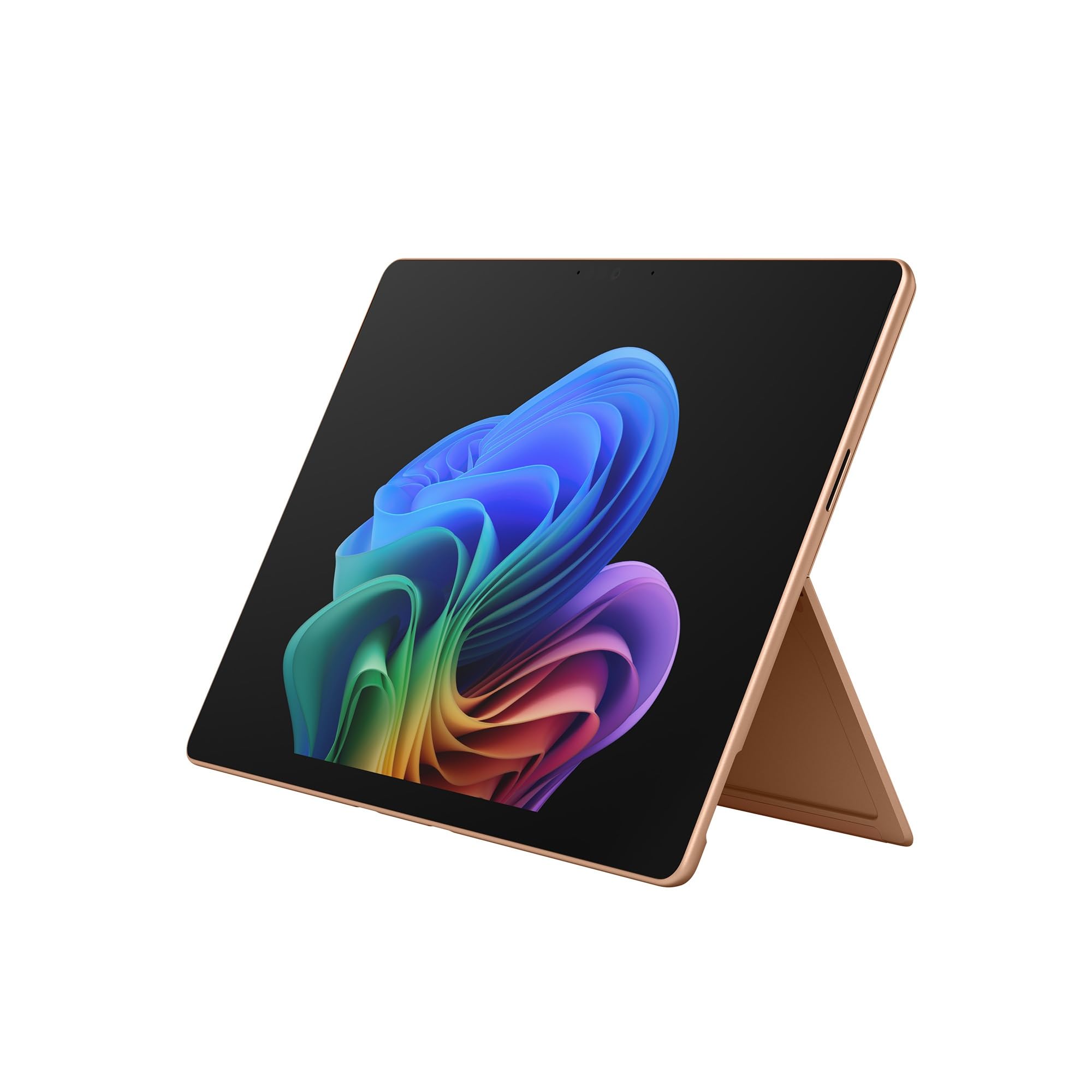
The endurance champion — up to 15.5 hours between charges.
This is the one to grab if battery life is your deciding factor. The Surface Pro (2026) is rated for up to 15.5 hours, beating the 14 hours of the 2024 model and miles clear of the 4-5 hour picks. A 13-inch PixelSense LCD touchscreen with HDR support handles work, school, and streaming, and it runs on a Qualcomm Snapdragon X2 Plus (10-core) processor with built-in AI acceleration for on-device tasks. You get 16GB of RAM and 512GB of SSD storage, plus two USB-C/USB4 ports for charging and fast data.
The design detail that matters is the 165-degree fluid kickstand that lets the tablet stand steadily at any angle for typing or video. Copilot is baked into Windows 11 for AI assistance, and it comes in Black, Platinum, or Dune with matching accessories. As a Copilot+ PC it handles on-device AI tasks, making it the most future-facing of the Microsoft line here.
The trade-off to know is the same one that applies to the 2024 Snapdragon model: some older desktop apps won’t run natively on the processor. The Flex Keyboard is an add-on, so budget for it if you type a lot. For a commuter, a student, or a field worker who lives away from outlets, though, the 15.5-hour rating means a morning charge carries you into the evening.
Why it leads on endurance: 15.5 hourly rating is the longest of any pick, so a single charge carries a full workday and some change.
Same familiar catch: Snapdragon chips can’t run every older Intel app, and the keyboard is sold separately.
The right call if: you are away from chargers all day and want the longest-running 13-inch Surface.
Check first if: your critical program needs an Intel processor.
Know the Specs
Processor family and cores
The processor (the chip that runs everything) decides whether your apps open quickly or stutter. Intel Core i5/i7 and Core Ultra chips with 4 or more cores handle full desktop programs and multitasking. Intel N-series chips like the N5095 or N100, or the m3-8100Y, are built for office work, browsing, and streaming. Snapdragon X-series chips are Qualcomm laptop-class processors that deliver long battery life, but can’t run every older desktop app natively — so check your software first. More cores and higher boost clock generally mean smoother multitasking.
RAM, storage, and screen resolution
RAM is the workspace for open apps. 12GB is fine for email, browser, and a document; 16GB is for keeping a design app or an extra browser window open. Storage in GB is where your files live — 512GB is the practical starting point for most buyers, while 128GB fills quickly. Screen resolution is the pixel count; a 2880 x 1920 panel shows finer text and sharper images than a 2000×1200 panel. The aspect ratio also matters: a 3:2 display gives more vertical room for documents and note-taking than a 16:9 widescreen.
Common Questions
Do these large Windows tablets come with a keyboard?
Can I run full desktop programs like Word and Excel on these?
How much battery life should I expect?
Is a Snapdragon tablet worse than an Intel one?
Do these tablets support a stylus?
What is the difference between 2K and 2880 x 1920 on a tablet?
Can I add external storage to these tablets?
Should I buy a renewed Surface Pro or a new budget tablet?
Will a 13-inch tablet work as my main laptop for school?
What does Copilot+ PC mean on these Microsoft tablets?
How much RAM do I need for a large Windows tablet?
The Bottom Line
For most people shopping for a large windows tablet, the Microsoft Surface Pro (2024) is the pick that balances screen, stamina, and power best — 13 inches of touchscreen, 16GB of RAM, and 14 hours of rated battery in a package you can carry under one arm. Its main caveat is the Snapdragon chip’s app compatibility and the separately sold keyboard. If a bigger screen and a lower entry point matter more, the 15.6-inch flip model gives you the largest display here with 16GB of RAM. And when all-day endurance is non-negotiable, the Surface Pro (2026) with its 15.5-hour rating is the one to reach for.
How we choose
We do not accept paid placement. Every pick is matched to a real buyer and a real use-case; we do not hands-on test units.
Sources
Specifications: manufacturer listings and product documentation. Review insights: verified customer reviews, as of November 2026. Pricing: not shown on this page (it changes often); check the current price via the retailer link.
As an Amazon Associate, Tactical Gear Guy earns from qualifying purchases. This does not affect which products we feature.