Specs are compiled from manufacturer listings and verified buyer reviews and can change over time — please confirm the key details on the product page before buying.
You want smooth gaming without the laptop burning your lap or dying by lunch. Every machine here carries the same GeForce RTX 5070 GPU (the graphics chip that renders your games), so the winner is the one that keeps that chip cool, gives you a screen worth staring at, and doesn’t leave you hunting for a wall socket by mid-afternoon. Below you’ll find the thirteen that hold up under that test, ranked by what actually matters when you sit down to play.
This guide is built by comparing the manufacturers’ published specifications and the patterns across verified customer reviews, so you get each pick’s real strengths and trade-offs instead of marketing spin.
The crowd favorite is the Lenovo Legion 5i, pairing a 5.4 GHz Core i7-14700HX with a 165Hz OLED panel and 9 hours of battery — the best overall balance of speed, screen and staying power here. Our picks for the laptops with rtx 5070 cover the quiet workhorse, the big-screen monsters, and the slim traveler so you can match one to your desk.
Top Picks
How To Choose The Best Laptops with RTX 5070
The GPU is a constant here, so stop shopping on the graphics card name and start shopping on the three things the card depends on: cooling, the screen it drives, and the memory feeding it. Get those right and the laptop feels fast for years. Get them wrong and the same chip stutters and throttles.
Cooling is the real performance limit
A GeForce RTX 5070 can only hold high clock speeds if the chassis pulls heat away. Look for named cooling systems — vapor chambers, dual or triple fans, copper heat pipes — and expect the fans to get audible under load. A laptop with strong cooling keeps its frame rate steady through a long session; a thin one with weak airflow will drop speed once things warm up.
Match the panel to what you do
Refresh rate, measured in Hz (screen redraws per second), is what keeps fast motion crisp: 144Hz and 165Hz are common on gaming panels, while 240Hz suits competitive shooters. Resolution decides detail — 2560×1600 and 2560×1440 pack more pixels than 1920×1200, so text and textures look sharper. OLED panels add deep blacks and strong contrast, but they tend to gloss and reflect, so a bright room favors an anti-glare IPS panel instead.
Memory, storage and the ports you actually use
16GB of DDR5 RAM (the fast current generation of memory) is the sensible floor for gaming plus browser tabs, while 32GB gives you headroom for video editing and heavy multitasking. A 1TB PCIe SSD loads games in seconds; 2TB saves you from deleting titles. Then count the ports: HDMI for an external monitor, USB-C for charging and data, RJ-45 Ethernet if you want a wired connection, and Wi-Fi 6E or Wi-Fi 7 for the newer wireless bands.
Side-by-Side Comparison
| Model | Best For | Refresh Rate | Display Resolution | Memory | Amazon |
|---|---|---|---|---|---|
| Lenovo Legion 5i★ Best Overall | Best overall balance | 165 Hz | 2560 x 1600 | 16 GB | Amazon |
| ASUS V16Budget Champion | Budget-friendly entry | 144 Hz | 1920×1200 | 16 GB DDR5 | Amazon |
| GIGABYTE Gaming A16Best Value | Value gaming | — | — | — | Amazon |
| Thunderobot Storm 17 | Big-screen value | 165 Hz | 2560 x 1440 | 32 GB DDR5 | Amazon |
| msi Katana | Bundled extras | 165 Hz | 2560 x 1440 | 16 GB DDR5 | Amazon |
| GIGABYTE AERO X16 | Thin and light travel | — | — | — | Amazon |
| ASUS ROG Strix G18 | Fastest panel | 240 Hz | 2560 x 1600 | 16 GB | Amazon |
| msi Crosshair 18 HX | Big-screen multitasking | 240 Hz | 2560×1600 | 32 GB | Amazon |
| HP OMEN 16 Slim | Storage and speed | 240 Hz | 2560×1600 | 32 GB DDR5 | Amazon |
| Lenovo Legion 5 15IRX10 | Creator-grade CPU | 165 Hz | 2560 x 1600 | 32 GB DDR5 | Amazon |
| Samsung Galaxy Book6 Ultra | All-day battery | 120 Hz | 2880 x 1800 | 32 GB | Amazon |
| Alienware 18 Area-51 | Raw power limits | — | — | — | Amazon |
Detailed Reviews
1. Lenovo Legion 5i
Our pick — 4.0+★ from 90+ verified ratings; the strongest balance of quality and price.
The student machine that pairs an OLED panel with a 5.4 GHz brain.
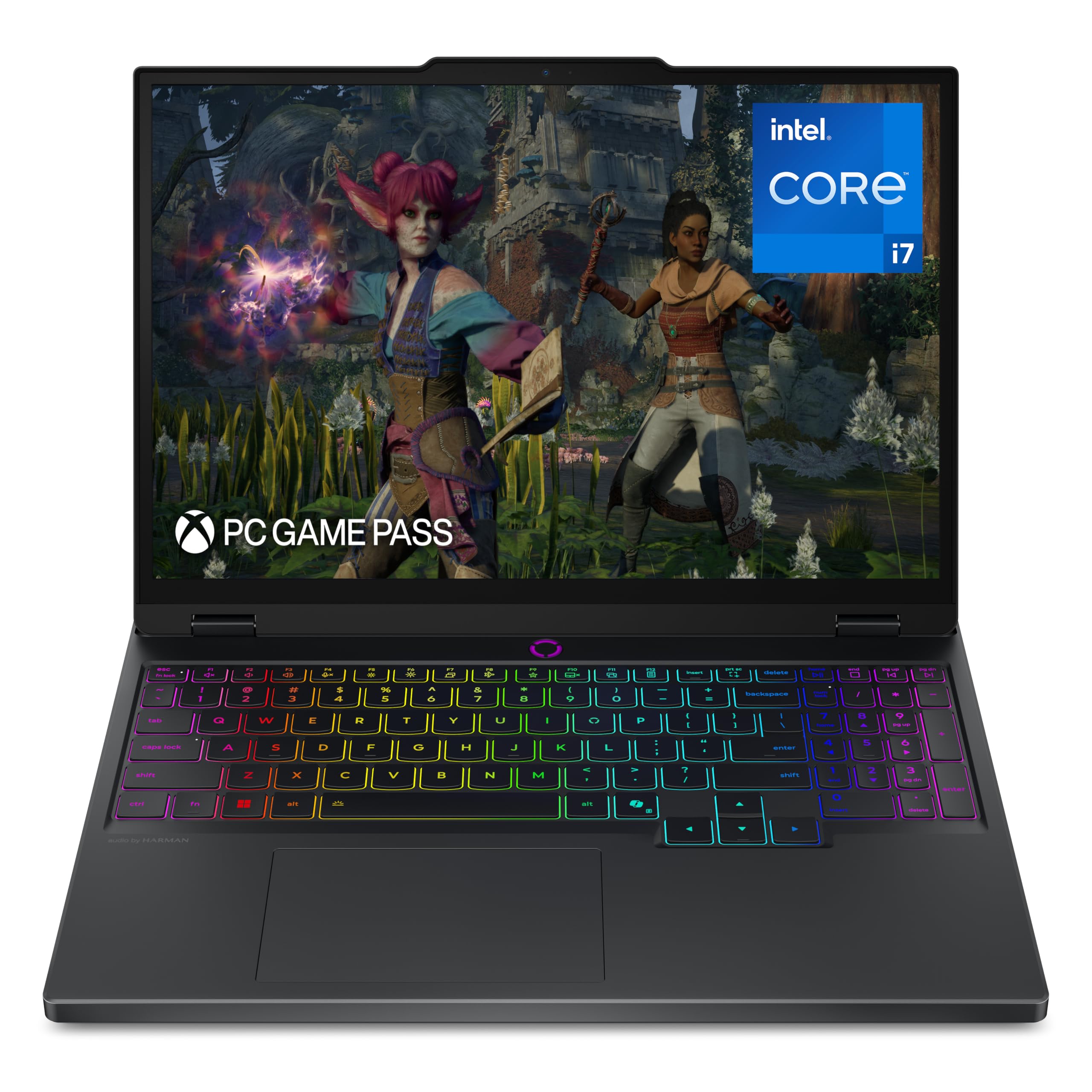
Lenovo’s Legion 5i tops this list because it nails the balance nobody else quite matches. The Intel Core i7-14700HX processor (a 14th-generation chip built for heavy gaming and creation work) reaches 5.4 GHz, and that is the highest turbo clock on this entire list. For you, that means a machine that crunches a compile, a stream and a browser full of tabs without the fans screaming for mercy.
The screen is where it pulls ahead of the pack. That 15-inch PureSight OLED at 2560 x 1600 with a 165Hz refresh rate (the screen redraws 165 times a second) gives you deep blacks and punchy color in one panel. Compared with the ASUS V16 below, the Legion’s 2560 x 1600 puts a good deal more pixels on screen than the V16’s 1920×1200, so textures and text just look sharper.
Where the Legion slips is on the finer details. Some buyers found the build a touch plasticky and a handful wished the price tag were gentler, while a few found the fans noticeable once the GPU is working hard. None of that dulls its core appeal: it is a gaming laptop that also does coursework, and it does both well. The 9-hour battery life helps too — enough for a full day of classes before you hunt for the charger.
What earns it first place
- 5.4 GHz Core i7-14700HX — the fastest turbo clock in this lineup
- 165Hz OLED at 2560 x 1600 for deep blacks and crisp detail
- 9-hour battery and USB-C fast charging (0–70% in under 30 minutes)
- Legion Coldfront Hyper cooling with copper heat pipes
Where it asks for patience
- Build quality draws a few mixed notes — you may want a sleeve
- Fans pick up volume once the RTX 5070 is pushed
- The priciest of the mid-range group
Reach for it if: you want one laptop that plays hard, edits video and still fits a student schedule.
Look elsewhere if: you need every last dollar stretched — the same GPU sits in cheaper picks below.
2. ASUS V16 16″ WUXGA 144Hz – Intel Core 7 240H – RTX 5070
The cheapest sensible door into RTX 5070 territory.
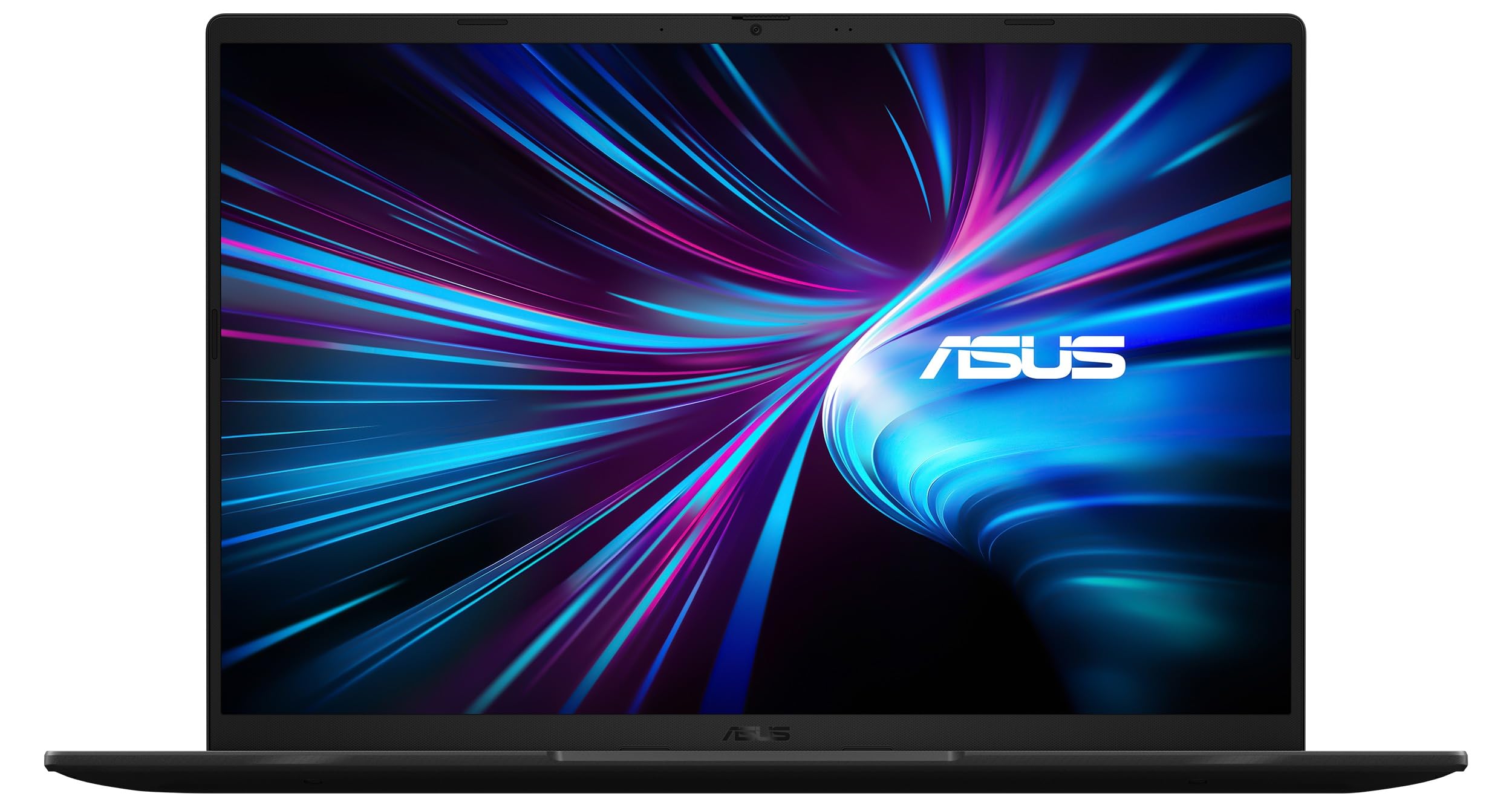
If the Legion’s price makes you wince, the ASUS V16 is the entry-level answer, and it still carries the same RTX 5070 GPU under the lid. The Intel Core 7 240H processor tops out at 5.2 GHz, and 16GB of DDR5 RAM with a 1TB PCIe 4.0 NVMe SSD (fast storage on the PCIe 4.0 bus) means games load in seconds. You get real gaming capability without the premium markup.
ASUS cut the screen to hit the budget: a 16-inch WUXGA panel (1920×1200 pixels) at 144Hz (it refreshes 144 times a second). That’s noticeably lower than the Thunderobot Storm 17’s 165Hz, and 1920×1200 carries fewer pixels than the Storm’s 2560 x 1440 — so detail and motion on the V16 are a step behind the sharper picks. For a first gaming laptop, though, 144Hz still looks smooth in everyday play.
Comfort where it counts: the full-size ErgoSense keyboard with 1.5 mm key travel and Turbo Blue backlight is a genuinely nice touch at this tier — typing on it all evening stays comfortable. ASUS’s IceCool thermal setup with dual fans also keeps the chassis stable during long sessions.
The honest limit: this is a value machine, so expect the panel and build to feel a touch more modest than the premium picks above it. Its 16:10 aspect ratio gives you a little more vertical room for documents, a small win for coursework.
The smart entry buy: the V16 is the pick if this is your first RTX 5070 laptop and you’d rather not overspend.
Only skip it if: you want a high-resolution panel for creative work — step up for that.
3. GIGABYTE Gaming A16 – Intel i7-13620H – RTX 5070 16″ Laptop
A workhorse with a vapor chamber and a hinge that lies flat.
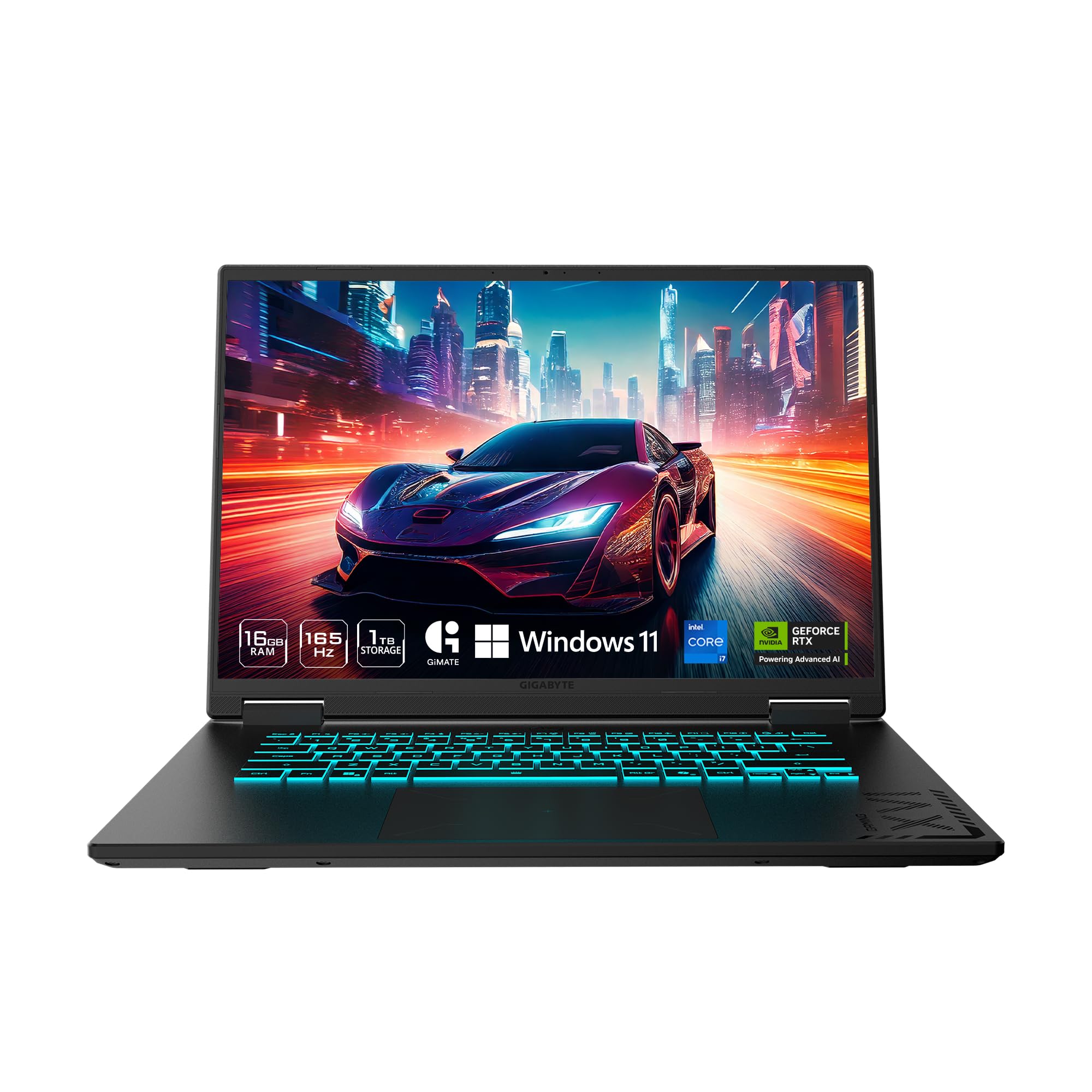
The Gaming A16 hits a balance of price versus performance. Its Intel Core i7-13620H (a laptop processor) tops out at 4.9 GHz — a shade under the Lenovo Legion 5i’s 5.4 GHz, so heavy creative work runs a touch slower here, but for gaming the gap is small. Buyers rave about how it runs their games, and value comes up again and again as the strongest reason to buy it.
The standout hardware feature is the vapor chamber cooling (a sealed metal chamber that spreads heat across a wide area instead of one spot). Buyers report it holding under 85°C, which means less frame-rate dip mid-session. The 180-degree hinge lets the screen fold flat against the desk, handy for sharing a screen or typing at odd angles on a 19.45mm slim chassis.
Two things are worth knowing before you commit. Reliability notes are mixed, so buying with a warranty you trust matters. For the money, though, this is a genuinely capable RTX 5070 machine.
Gamer’s read: the vapor chamber is the quiet hero here — it lets the RTX 5070 hold its speed without the chassis cooking, and the flat-folding hinge keeps it useful for study and streaming too.
Desk-bound, not road-bound: treat it as a portable gaming rig rather than an all-day backpack laptop, and keep a charger in reach.
Best for gamers who stay at a desk: strong frame rates and a cool chassis for the money.
Not for all-day travelers: if battery life drives your day, the AERO X16 is the better-fitting GIGABYTE.
4. Thunderobot Storm 17
A 17-inch desktop replacement with 32GB of memory for the money.
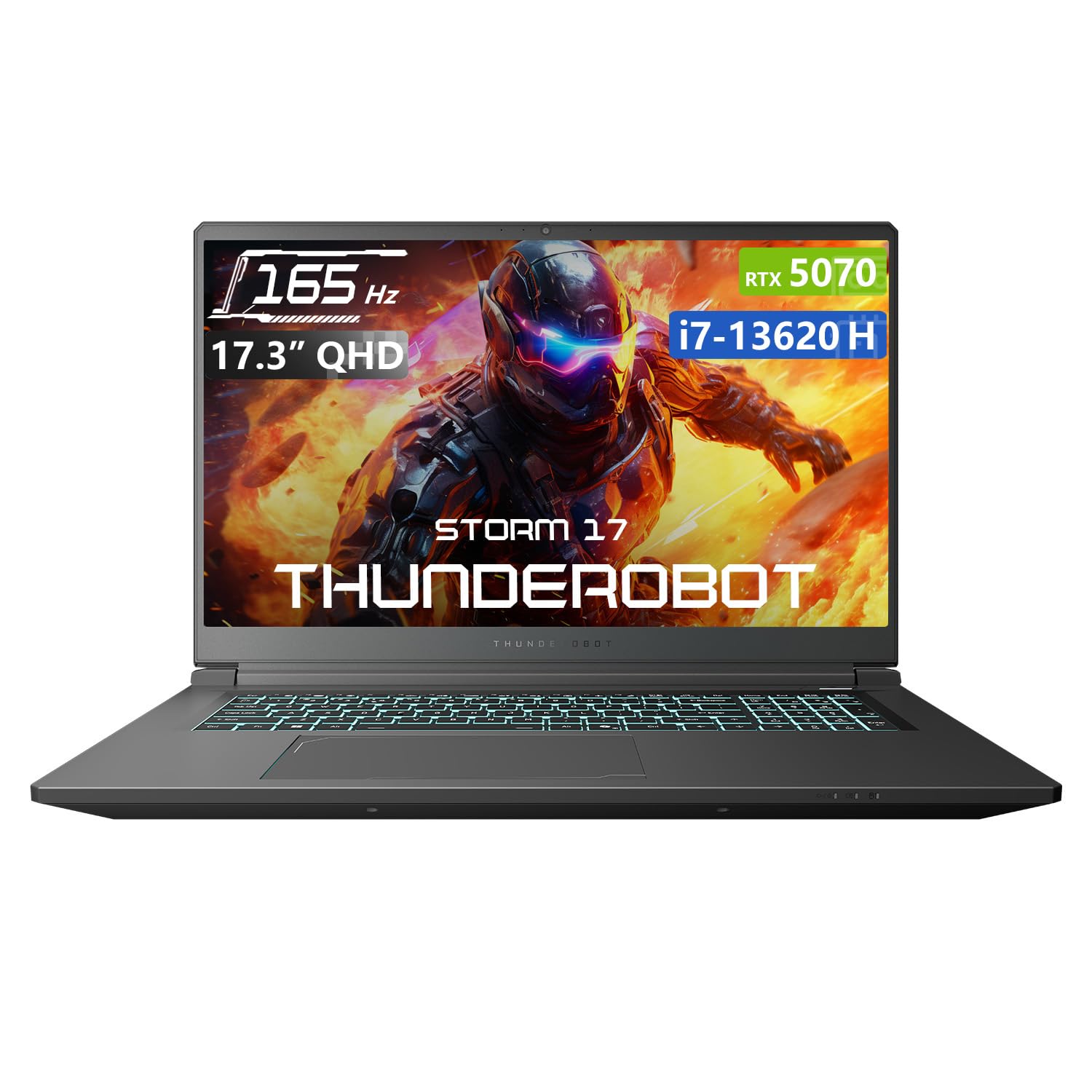
The Storm 17 is the pick if screen real estate is your priority. That 17.3-inch QHD panel at 2560 x 1440 with a 165Hz refresh is bigger than the ASUS V16’s 16-inch 1920×1200 screen, so you get a wider, sharper window into your games. It beats the V16 on pixels and matches it or better on refresh — for a cinematic single-player setup, the extra inches matter.
The rest of the spec sheet is generous: 32GB of DDR5 RAM and a 1TB PCIe M.2 SSD. That’s double the memory of the Legion 5i and the ASUS V16, which means you can edit 4K footage and keep thirty browser tabs open without a stutter. The Core i7-13620H reaches 4.9 GHz, and the cooling array — 245 copper fins, dual 60mm turbofans and a one-click forced-cooling mode — keeps airflow moving when you push it.
The trade-offs are size and travel. This is a 17-inch chassis, so it lives on a desk far better than in a backpack, and the 53Wh battery with 100W PD fast charging is a stopgap between sockets rather than an all-day supply. The 17.3″ LCD is bright and colorful, but a few buyers found the screen quality a little less than perfect. For a stay-at-home gaming rig, those are easy compromises.
The frame-rate case: 32GB of RAM and a 165Hz QHD panel are a lot of laptop for a value-tier price.
Numeric reality check: the 17.3-inch display gives you a larger viewing area than the 16-inch V16, but you’re carrying a bigger, heavier machine to get it.
Built for a desk: the Storm 17 suits a gamer who wants a big screen and lots of memory and rarely moves the machine.
Think twice if: you commute or fly with your laptop — this is not a light carry.
5. msi Katana 15.6″
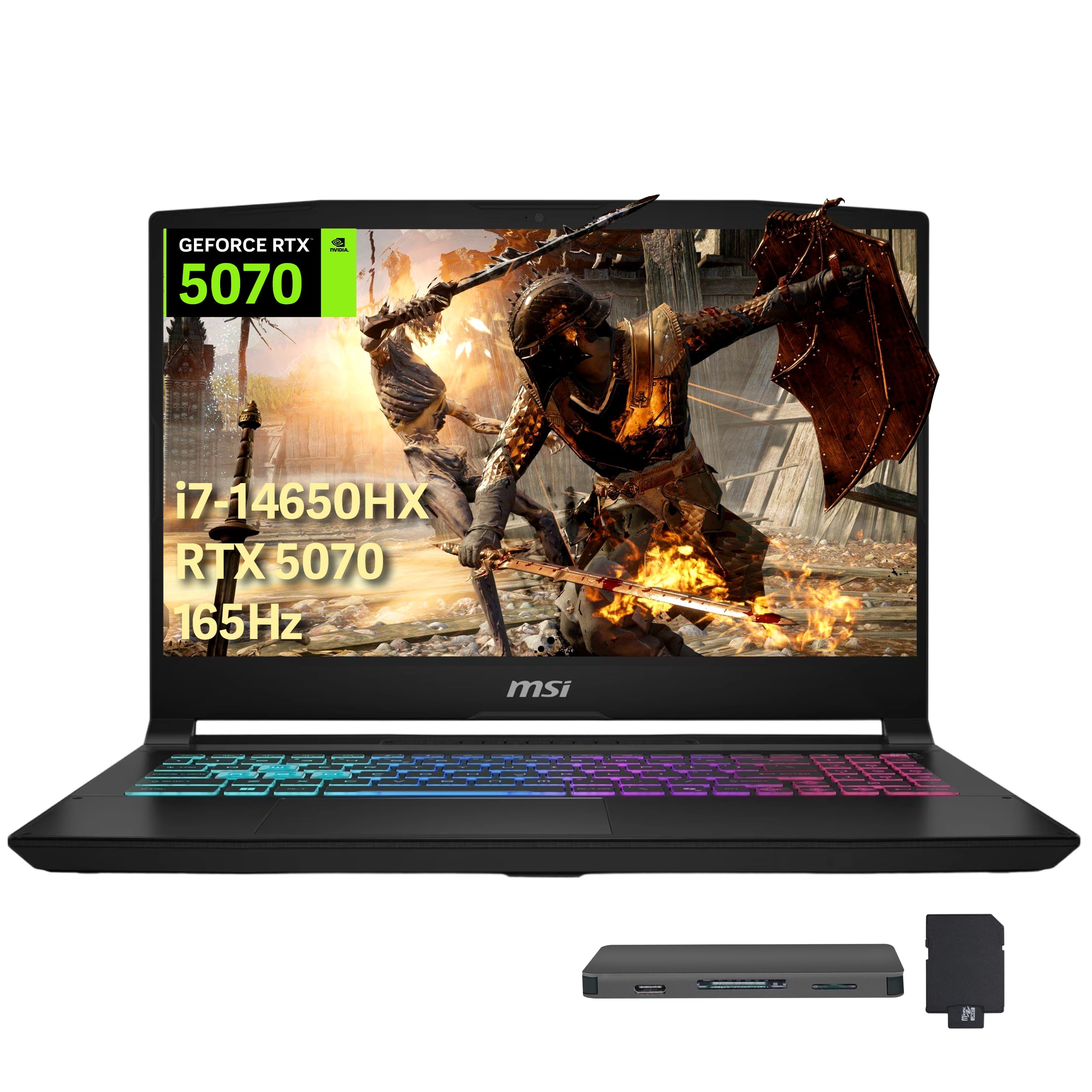
A 16-core machine that arrives with a docking station in the box.
The Katana’s talking point is a 15.6-inch QHD panel at 2560 x 1440 with a 165Hz refresh, paired with an Intel Core i7-14650HX that packs 16 cores. More cores help when you’re rendering, streaming and gaming at once — the work splits across the chip rather than queuing on a few lanes. The RTX 5070 here carries 8GB of GDDR7 memory (the newest, fastest generation of graphics memory), which keeps textures sharp in the latest titles.
What sets the Katana apart is the bundle: a 7-in-1 docking station with 1TB of storage, a 32GB microSD card, a Type-C data cable and a charging cable. That docking station turns it into a genuine desk hub — plug in a monitor, mouse and keyboard through one strip. The 4-zone RGB backlit keyboard and Wi-Fi 6E round things out.
Performance feedback here is split, though. Some buyers find it great for gaming; others describe occasional glitches and slower app loading. The Core i7’s listed max speed of 2.2 GHz in the spec table reads low for a chip of this class, so treat the real-world feel as the guide rather than that number. If you want a rig that doubles as a workstation with a hub included, this is a sensible package.
Why it makes the list
- 16-core i7-14650HX for heavy multitasking
- Comes with a 7-in-1 docking station that adds 1TB of storage
- 165Hz QHD panel and 8GB GDDR7 graphics memory
What to weigh up
- Performance and reliability notes are mixed — some units glitch
- The spec-sheet turbo figure reads low, so judge by feel
Suits the desk-converter: pick it if a bundled dock and extra storage save you buying accessories.
Hold off if: consistency matters most to you — the picks above feel more predictable.
6. GIGABYTE AERO X16 – AMD Ryzen AI 9 HX 370 – RTX 5070 16″
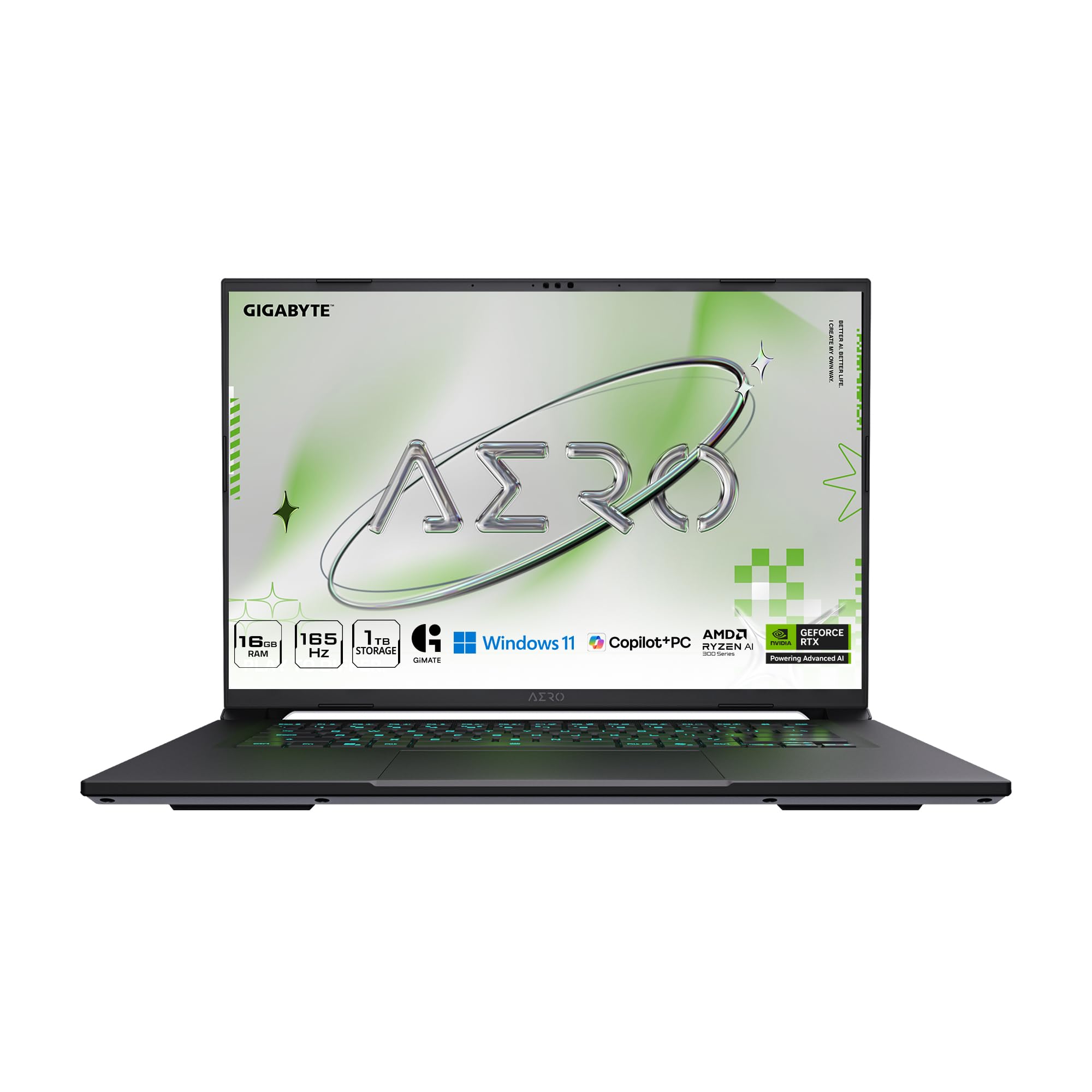
The slimmest way to carry an RTX 5070 all day long.
GIGABYTE’s AERO X16 is the pick for anyone who actually leaves the house with their laptop. It weighs 1.9 kilograms (4.18 lbs) in a chassis just 16.75mm thin, and its 14-hour battery life is the standout number here — well past the 9 hours of the Legion 5i and far beyond the desk-bound rigs. On a full travel day, that’s the difference between working on the plane and hunting for a plug.
The engine is an AMD Ryzen AI 9 HX 370 reaching 5.1 GHz, and reviewers describe it as top-tier. With an RTX 5070 alongside and Windows Copilot+ features built in, it’s as much a creator’s companion as a gaming machine. The 16-inch display, 32GB-capable platform and GiMATE AI interface round it out as a go-anywhere performer.
The one catch is volume. Fan noise draws mixed reactions — some find it very quiet, some find it loud under load — so if you’re editing quietly in a cafe, expect the odd gust. The 2x 2W speakers are modest too. But for a machine that games, edits and travels on one charge, it’s hard to match in this lineup.
The portable pick: 4.18 lbs, a 16.75mm frame and 14 hours of battery make this the traveler’s RTX 5070.
The honest noise: when the fans spin up, they’re audible — the price of packing this much power into a slim shell.
For the commuter and the jetsetter: if your laptop lives in a bag, the AERO X16 earns the carry.
For a silent study, look up: the bigger, quieter rigs suit a fixed desk better.
7. ASUS ROG Strix G18 – Ryzen 9 8940HX – RTX 5070 – 18″ 240Hz
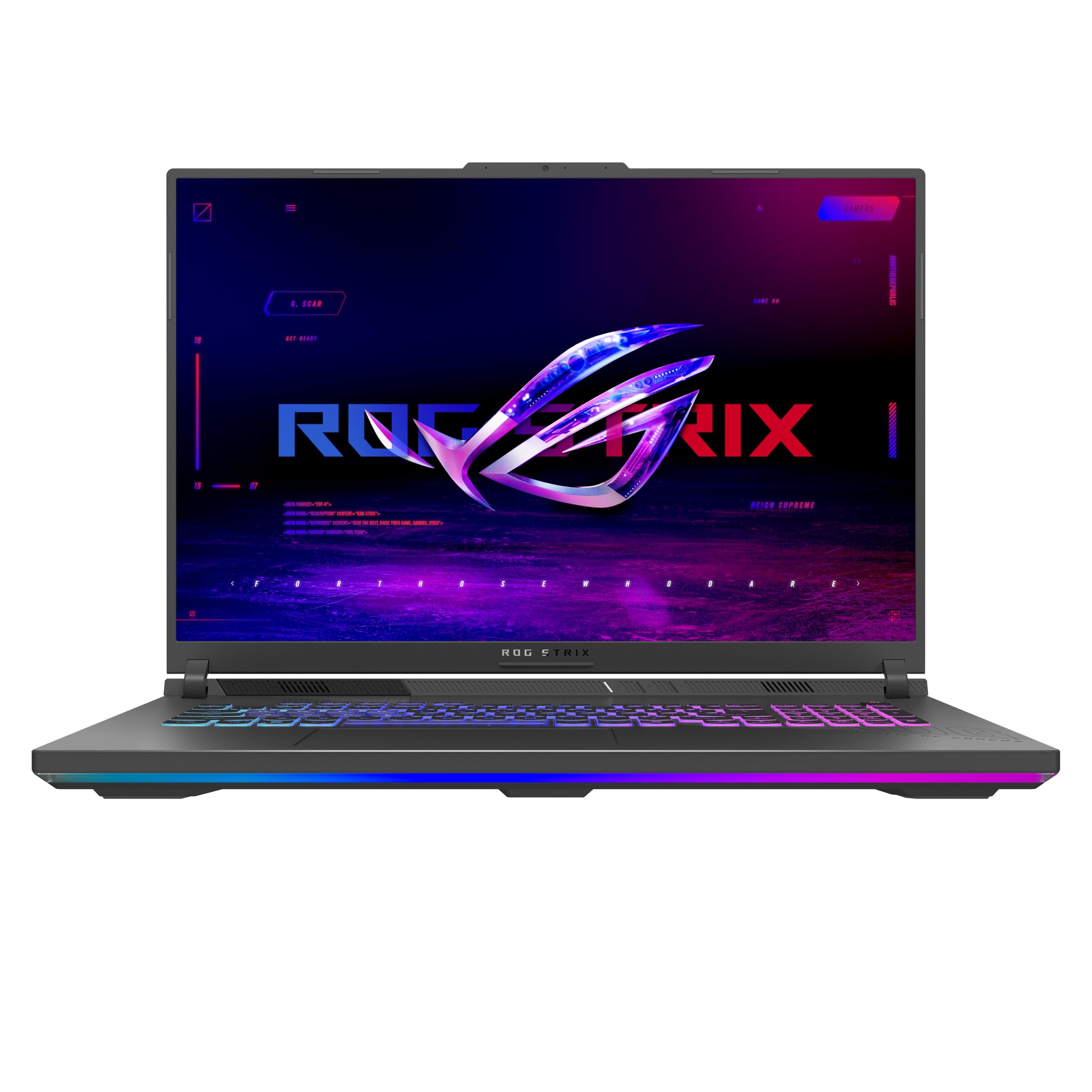
An 18-inch Nebula panel that redraws 240 times a second.
The Strix G18 is for the competitive shooter player who counts frames. Its 18-inch ROG Nebula display runs at 2.5K (2560 x 1600) with a 240Hz refresh rate and a 3ms response time — the fastest combination of size and speed in this lineup. That’s a full 75Hz above the Legion 5i’s 165Hz panel, and for twitch-reaction games it turns a smear into a clean target.
Driving it is an AMD Ryzen 9 8940HX reaching 5.2 GHz with a hefty 80MB L3 cache (a big pool of fast memory that keeps game data close to the processor). With 16GB of DDR5-5200MHz RAM and a 1TB PCIe Gen 4 SSD, it’s built for load-speed as much as frame-rate. ROG’s tri-fan cooling with a full-width heatsink and surround vents keeps the whole thing from cooking.
The frills are real too: an RGB lightbar you can switch off with Stealth Mode, and three months of Xbox PC Game Pass pre-installed. The catch is bulk and the fact that this is a premium-tier 18-inch machine — it’s a desk anchor, not a backpack laptop. For that, it delivers the smoothest picture here.
Motion first: a 240Hz panel (it refreshes 240 times a second) at 3ms response time is the fastest screen in this guide, and 18 inches of it makes fast games feel surgical.
Powered by cache and cooling: the 80MB L3 cache and tri-fan setup keep the Ryzen 9 fed, so the frame rate holds through a match.
Made for competitive play: the G18 is the choice if reaction-time gaming is the goal and the desk is fixed.
Skip if portability leads: an 18-inch chassis is a commitment to one spot.
8. msi Crosshair 18 HX – Intel Core Ultra 9 275HX – RTX 5070
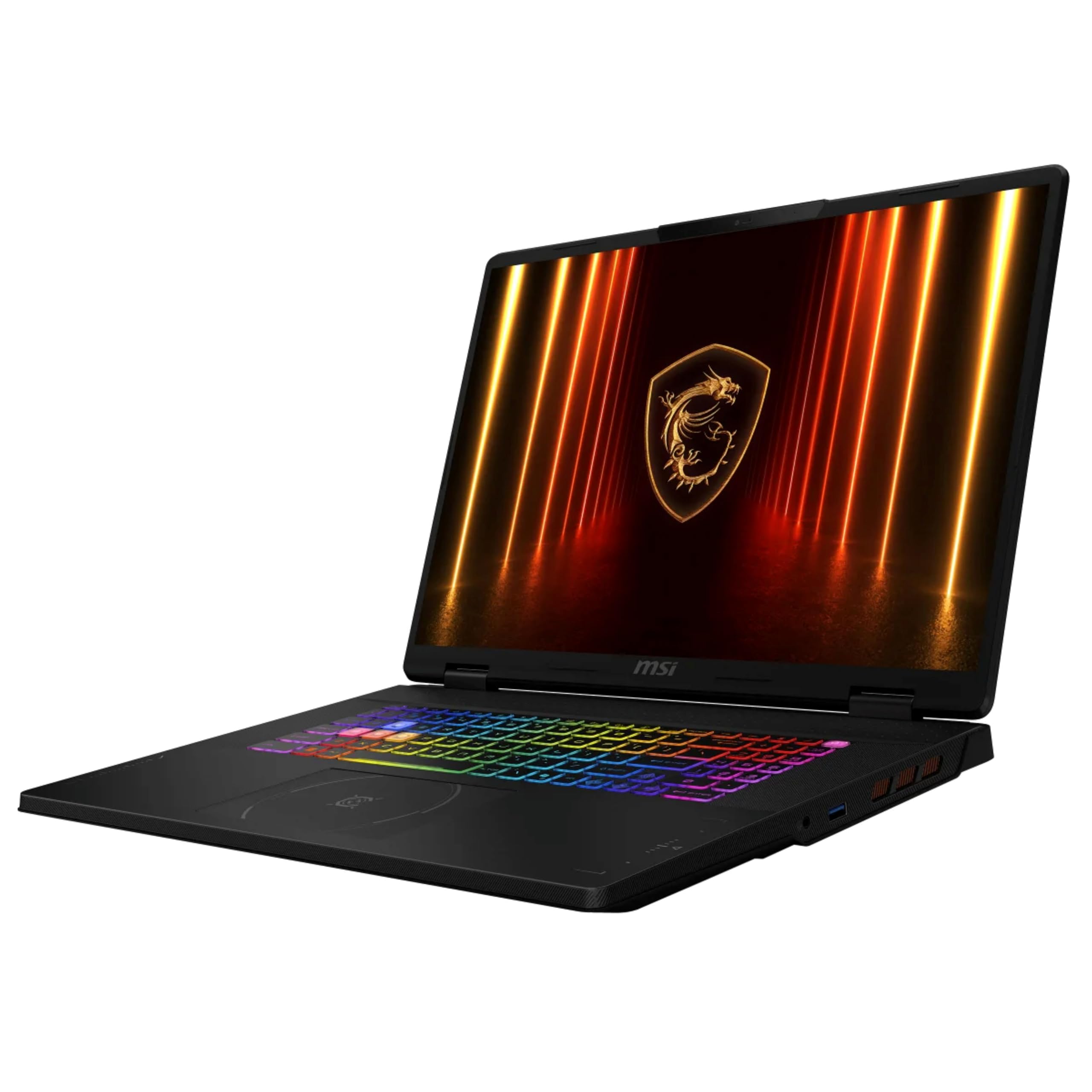
A 24-core slab of power behind an 18-inch 240Hz canvas.
The Crosshair 18 HX is for the creator who games — or the gamer who edits. Its Intel Core Ultra 9 275HX carries 24 cores and boosts from 2.1 GHz up to 5.4 GHz, and it’s matched to 32GB of 16GB-x-2 DDR5-5600MHz RAM. That combination chews through a 4K timeline while a game sits open in the background. The 18-inch QHD+ (2560×1600) IPS panel at 240Hz covers 100% DCI-P3 color, so what you see is genuinely color-accurate for editing.
The RTX 5070 here has 8GB of GDDR7 memory, and the whole package runs cool and steady under load. There’s a SteelSeries 24-zone RGB keyboard with 99 anti-ghost keys, a 720p webcam with a privacy shutter, and Thunderbolt 4 with DP and PD 3.0 for one-cable docking. A 90Whr battery and 240W adapter round out the package in a 6.83 lb chassis.
The trade-off is weight and size — 6.83 lbs is a lot to lug, so this is a desktop-first machine. Owners praise its high game performance and gorgeous screen, and consider it worth what it costs. If you want a big, color-accurate panel and lots of cores for rendering, this delivers.
Why creators will like it
- 24-core Ultra 9 275HX and 32GB DDR5 for heavy multitasking
- 18-inch 240Hz QHD+ panel with 100% DCI-P3 color
- Thunderbolt 4 with power delivery for one-cable docking
The weight to know about
- 6.83 lbs — a desk machine, not a backpack one
- 18 inches makes it awkward on a lap or small table
For the editor-gamer hybrid: color-accurate big panel plus 24 cores suits people who create and play on the same machine.
Best left on a desk: if you need to carry it daily, the AERO X16 fits better.
9. HP OMEN 16 Slim – Intel Ultra 9-285H – RTX 5070 – 240Hz QHD+
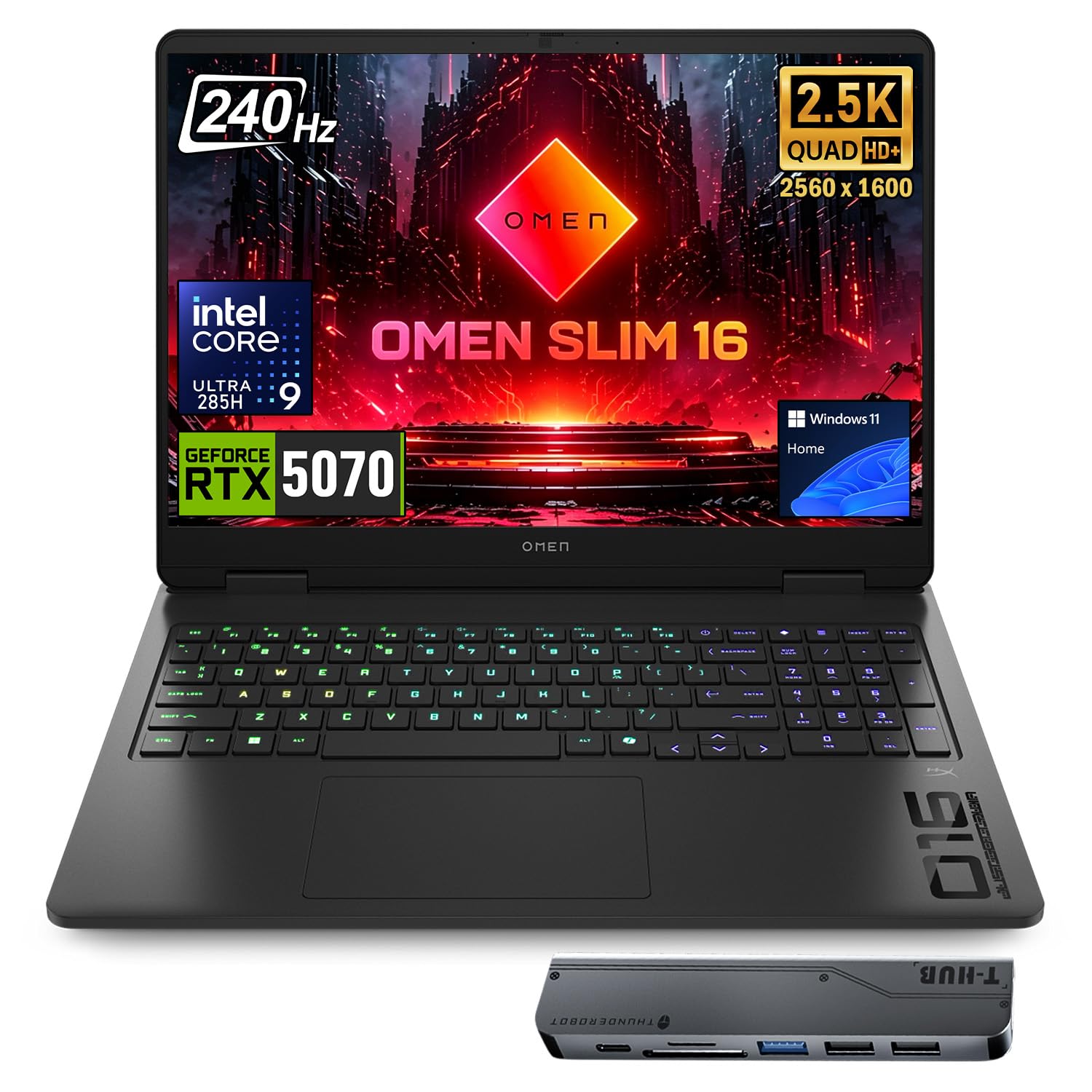
Two terabytes of storage tucked behind a 240Hz QHD+ screen.
Storage is what separates the OMEN 16 Slim from the pack: a 2TB PCIe NVMe M.2 SSD, double the 1TB drives most of these laptops carry. For a game library that tops a terabyte on its own, that’s room to spare without uninstalling anything. The Intel Core Ultra 9 285H brings 16 cores and a 5.4 GHz max turbo — the same peak as the Legion 5i and the Crosshair 18 HX — driving an RTX 5070 with 8GB of GDDR7.
The 16-inch WQXGA panel at 2560 x 1600 runs at 240Hz, so motion is fluid and detail is sharp, and 32GB of DDR5 RAM keeps multitasking smooth. You also get a Thunderobot 7-in-1 USB-C hub bundled in, which adds ports without a separate purchase.
Battery life is the compromise — 5 hours is the shortest here, so plan on staying near a socket. The RGB keyboard and full port set (three USB-A, USB-C, HDMI, RJ-45) make it a solid desk machine. If a huge drive and a fast panel matter more than unplugged hours, this is a smart pick.
Room to spare: a 2TB SSD is the headline — space for the biggest libraries without management chores.
Wall-socket reality: 5 hours of battery asks you to treat it as a plugged-in rig.
For library hoarders: the OMEN 16 Slim is the pick if you refuse to delete games for space.
Not for unplugged days: if you live off battery, look to the AERO X16 instead.
10. Lenovo Legion 5 15IRX10
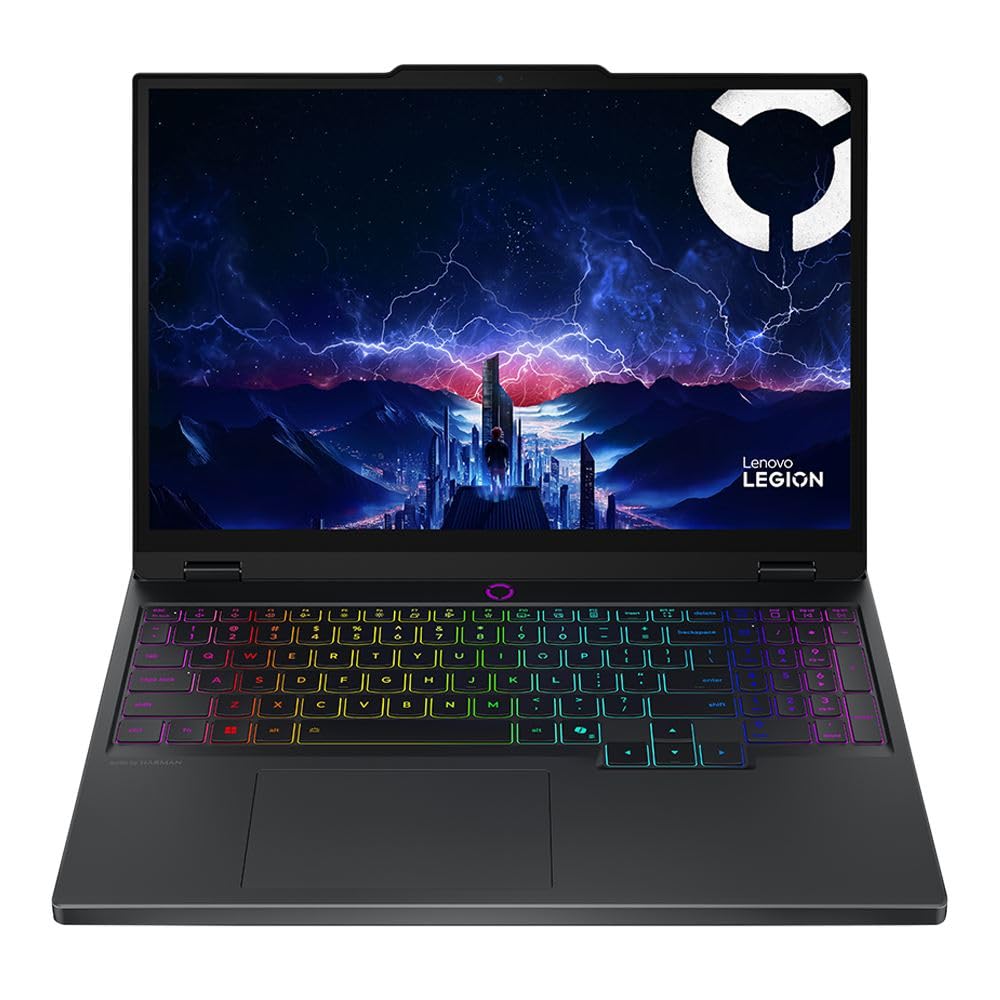
The highest turbo clock here, wrapped in a 15-inch OLED.
If raw processor speed is your measure, the Legion 5 15IRX10 wins outright. Its Intel Core i9-14900HX reaches 5.8 GHz — the fastest clock on this entire list, ahead of the Legion 5i’s 5.4 GHz and the AERO X16’s Ryzen at 5.1 GHz. For you, that’s faster exports on a big video project and snappier handling of heavy creative software.
The 15.1-inch WQXGA OLED panel at 2560 x 1600 with a 165Hz refresh gives you deep contrast for editing and gaming alike, and 32GB of DDR5-5600 RAM with a 1TB PCIe Gen4 NVMe SSD keeps load times short. Wi-Fi 7 (the newest wireless standard) and Bluetooth 5.4 future-proof the connection, and Gigabit LAN covers wired setups. All of that in a 4.19 lb (1.90 kg) chassis — surprisingly light for the power inside.
The OLED panel is glossy, so a bright room will throw reflections you’ll want to angle away from. That’s the price of the contrast. Otherwise, this is the fastest-cored laptop in the lineup, and it’s light enough to move between rooms with ease.
Clock-speed leader: 5.8 GHz makes this the quickest CPU here — noticeable in renders and exports.
Glossy trade-off: the OLED reflects light, so placement matters in a sunny room.
For the speed purist: the 15IRX10 rewards anyone who exports video and compiles for a living.
Consider the glare: if your desk faces a window, plan for reflections.
11. Samsung Galaxy Book6 Ultra – Intel Core Ultra 7 – RTX 5070
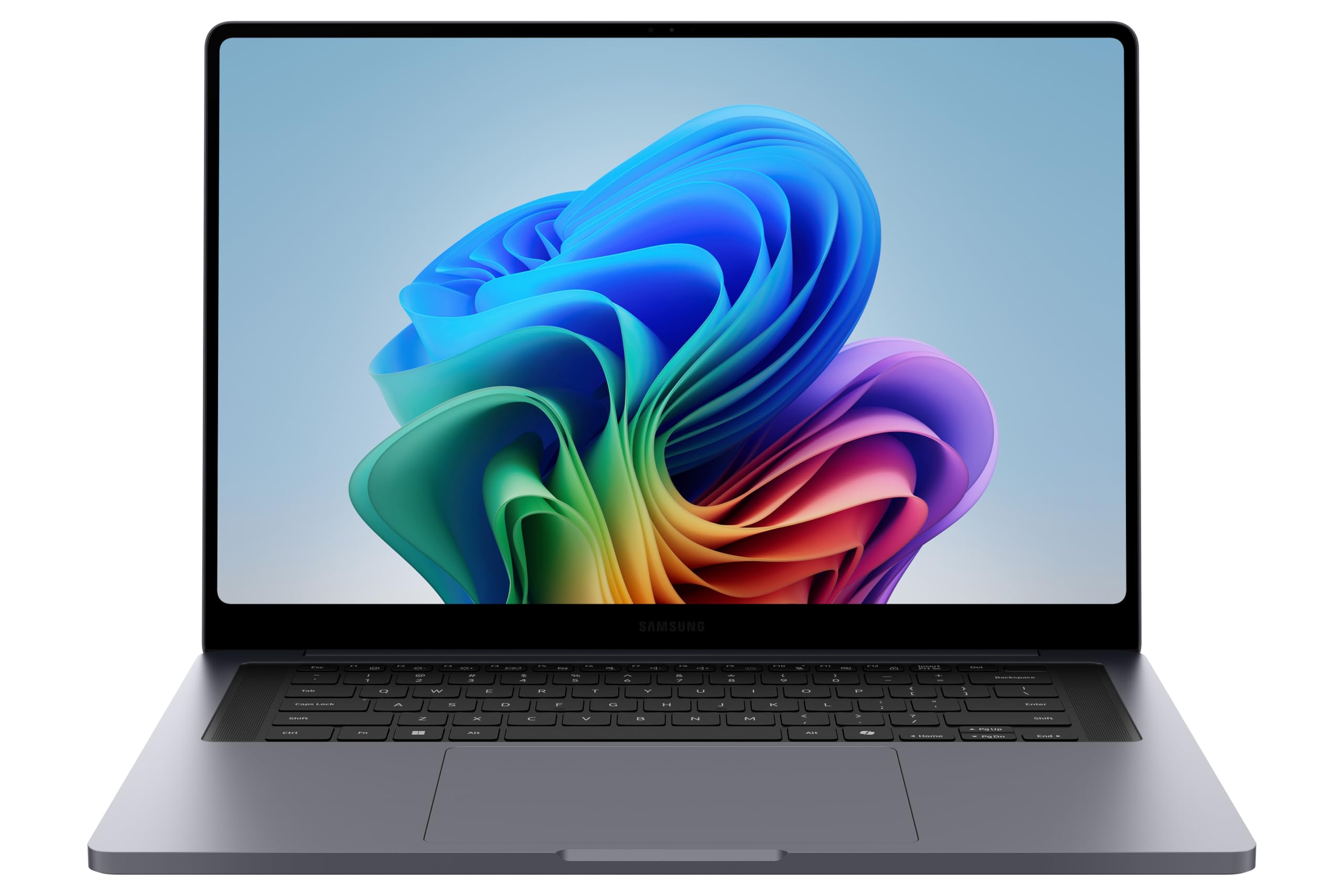
Thirty hours of battery and a phone that answers texts on your screen.
The Galaxy Book6 Ultra is built for the person who works unplugged. Its 30-hour battery life is the longest here — over three times the Legion 5i’s 9 hours and well past the AERO X16’s 14 — so a full workday unplugged is realistic. Behind it sits an Intel Core Ultra 7 356H (a laptop processor) reaching 4.7 GHz with an RTX 5070 for GPU-heavy tasks like 3D work and AI video generation.
The 16-inch Dynamic AMOLED 2X display hits 2880 x 1800 at up to 120Hz, the sharpest resolution in this lineup, so text and photos look exceptionally fine. A six-speaker system tuned with Dolby Atmos handles audio, and the laptop ties into your Galaxy phone: you can answer calls and texts, drag files across devices, and reach photos stored on the phone without a cable.
If you’re outside the Samsung ecosystem, those phone-integration perks fade into the background — you’re paying for features you may not use. And 120Hz is the lowest refresh here, so competitive gamers should look to the 240Hz panels. For a creator or professional on the move, though, the battery and sharp AMOLED make a compelling case.
Where it shines
- 30-hour battery — the longest in this lineup
- 2880 x 1800 Dynamic AMOLED 2X at 120Hz, the sharpest panel in this guide
- Six speakers with Dolby Atmos tuning
What to consider
- Phone features pay off only with a Galaxy phone
- 120Hz is the slowest refresh in this lineup
For the all-day creator: the longest battery and the sharpest screen reward people who work untethered.
Skip if: you’re a Samsung outsider chasing peak frame rates over battery.
12. Alienware 18 Area-51 – Intel Core Ultra 9-275HX – RTX 5070
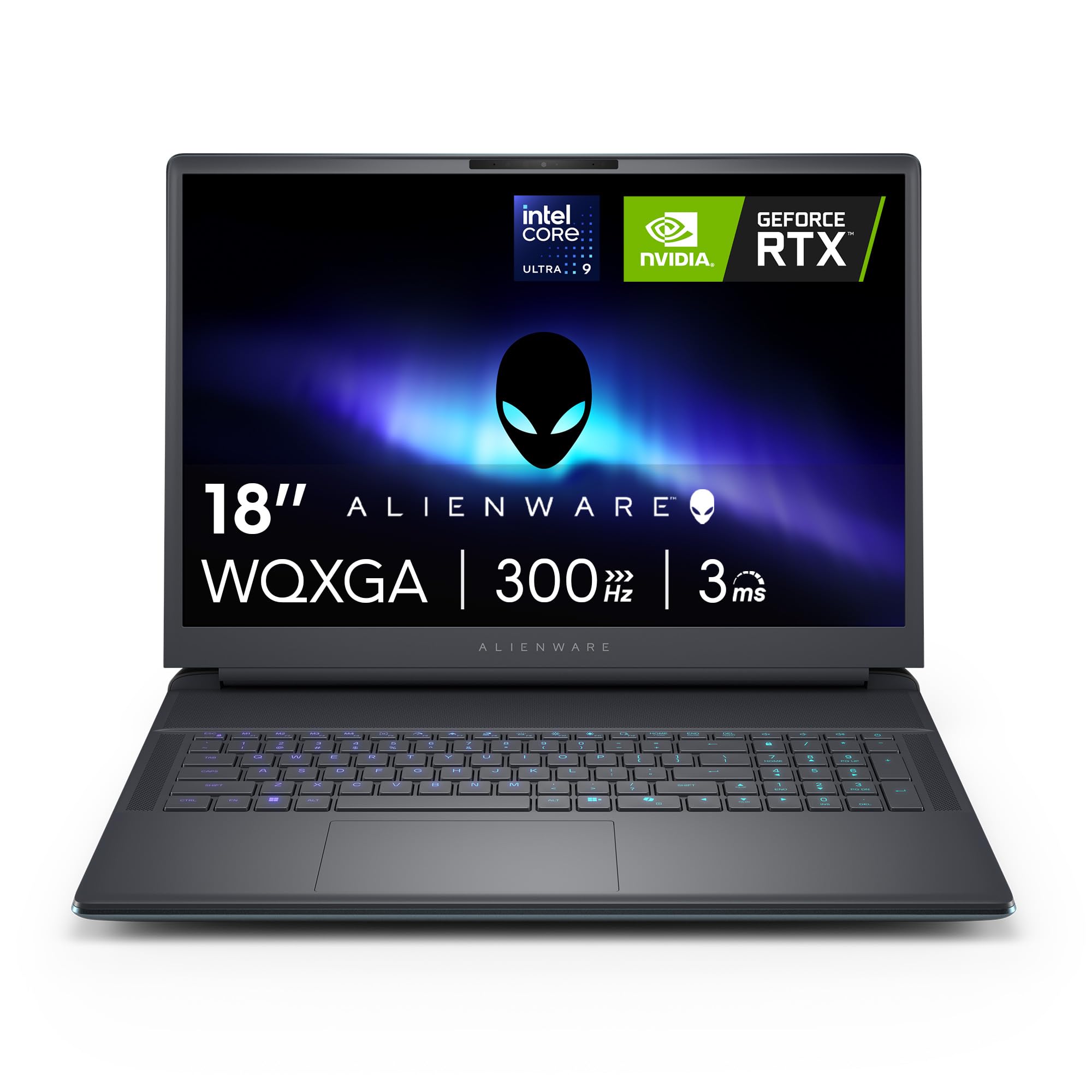
An 18-inch powerhouse built to run its GPU at full tilt.
The Area-51 was designed to push higher graphics and processor power limits than a typical thin gaming laptop would allow. Its Intel Core Ultra 9-275HX, which integrates the CPU, built-in GPU and an NPU (a chip for AI acceleration) into one package, reaches 5.4 GHz. The marquee cooling feature is the Cryo-Chamber, an intake structure on the underside that focuses air straight onto the core components where it matters most.
The RTX 5070 Series GPU takes full advantage of that airflow, and buyers describe the performance as insanely fast. The display earns praise too. A 360-watt small-form-factor adapter feeds it, and Bluetooth 5.4 handles peripherals. Dell adds a year of onsite service, so support comes to you if a covered issue can’t be fixed remotely.
Reliability is the mixed piece of the story: some owners swear by it, a fewhit snags. At 3.5+ stars it’s the lowest-rated pick in this lineup, so buy it for the power and cooling rather than expecting a spotless record. And at 18 inches in a Liquid Teal shell, it’s a statement piece for a desk, not a café companion.
The cooling story: the Cryo-Chamber intake pulls air straight to the GPU and CPU, which is how Alienware lets this machine run at higher power limits than a slimmer shell could manage.
The honest note: this is the most expensive, largest and lowest-scoring pick here — treat it as a specialist’s tool, not a safe all-rounder.
A desk-bound specialist: the Area-51 suits gamers who want maximum power limits and a huge 18-inch frame that never leaves the room.
Pause if: you want a proven record and easy portability — the Legion picks are the safer bet.
Know the Specs
Refresh Rate (Hz)
Refresh rate is how many times per second the screen redraws — 144Hz means 144 redraws. Higher rates make fast motion look cleaner, which is why competitive shooters favor 240Hz panels. For slower, cinematic games, 144Hz or 165Hz is smooth enough, and higher refresh panels usually draw more power, so match the rate to your play style rather than chasing the biggest number.
Cooling: Vapor Chambers and Fans
An RTX 5070 generates real heat, and a laptop only holds its speed if that heat moves away. A vapor chamber spreads heat across a wide metal plate; copper heat pipes and dual or triple fans push cool air over the components. Named systems like Legion Coldfront Hyper, ROG tri-fan cooling and Alienware’s Cryo-Chamber all do this job differently, but the goal is the same: sustained frame rates without the chassis cooking your keyboard.
DDR5 RAM and PCIe SSDs
DDR5 is the current generation of laptop memory, and 16GB is a sensible floor for gaming plus multitasking, while 32GB gives room for video editing. PCIe SSDs are the fast storage drives that load games in seconds; 1TB is common here, and 2TB saves you from deleting titles. The generation matters too — PCIe Gen 4 drives move data faster than older standards, so levels and apps open quicker.
Battery and Charging
Gaming laptops rarely last all day on battery, but the gap is wide in this lineup — from a few hours of untethered work up to long multi-day figures on the most efficient machines. Fast-charge support via USB-C can top you up in the time it takes to drink a coffee. If you carry your laptop often, weigh battery hours and charging speed as heavily as the GPU.
Common Questions
Is the RTX 5070 laptop GPU the same across all these models?
Do I need a 240Hz screen or is 165Hz enough?
Is an OLED gaming laptop screen better than IPS?
How long does the battery last on an RTX 5070 laptop?
Is 16GB of RAM enough or should I get 32GB?
Will these laptops run hot and get loud under load?
Can I upgrade the RAM or storage later?
Do these laptops support an external monitor and high frame rates?
Is an 18-inch RTX 5070 laptop too big to use normally?
What is the difference between the Ryzen, Core i7 and Core Ultra options here?
The Bottom Line
For most buyers, the laptops with rtx 5070 winner is the Lenovo Legion 5i because it pairs the fastest chip in this lineup with a 165Hz OLED panel (a screen type with per-pixel light) and 9 hours of battery — the best all-round balance of speed, screen and staying power. If unplugged time is what you need, the GIGABYTE AERO X16 packs the same GPU into a 4.18 lb frame with 14 hours of battery, and its sibling the GIGABYTE Gaming A16 is the cool-running value pick for a desk. And when the picture is everything, the Lenovo Legion 7a OLED at 240Hz is the showpiece worth the stretch.
One honest nudge: the Legion 5i isn’t the most-reviewed machine here, but it holds the top overall balance and a strong score — a safe first pick when you’re spending this much on a laptop you’ll keep for years.
How we choose
We do not accept paid placement. Every pick is matched to a real buyer and a real use-case; we do not hands-on test units.
Sources
Specifications: manufacturer listings and product documentation. Review insights: verified customer reviews, as of November 2026. Pricing: not shown on this page (it changes often); check the current price via the retailer link.
As an Amazon Associate, Tactical Gear Guy earns from qualifying purchases. This does not affect which products we feature.