Specs are compiled from manufacturer listings and verified buyer reviews and can change over time — please confirm the key details on the product page before buying.
You want a laptop that still feels quick with three tabs, two apps and a video call running — not one that only looks good on a spec sticker. That is what 16GB of RAM and a Core i7 give you: enough memory to keep a browser, a spreadsheet and a photo editor open without the fan spinning up, and enough processing power that a big file doesn’t leave you watching a spinning circle. One honest note first: this list uses flexible, human-like matching, so not every pick is the exact number you typed. Where a model lands on the nearest same-type spec instead, the write-up spells it out, so nothing here is meant to mislead you.
This guide is built by comparing the manufacturers’ published specifications and the patterns across verified customer reviews, so you get each pick’s real strengths and trade-offs instead of marketing spin.
Below you’ll find eleven machines sorted by what they actually do well — quiet desk work, long battery days, heavy gaming, or a big screen you can still carry — so the right one is easy to spot. The best laptops with 16GB RAM and i7 processor fit your desk, your commute and your workload, not the flashiest spec sheet.
Top Picks
How To Choose The Best Laptops with 16GB RAM and I7 Processor
Most buyers walk in looking at the processor name and the RAM number and stop there. The two numbers that decide whether you enjoy the machine six months later are different: how loud the cooling gets under your normal workload, and how many hours it actually runs away from a wall socket. Everything else — screen, ports, storage — you can usually live with. Those two you cannot.
Read the letter after the i7, not just the i7
The letter at the end of the chip name tells you what kind of laptop you’re buying. An i7 ending in H (like the i7-13620H or i7-13650HX) is a high-power chip built to be plugged in and pushed hard — it crunches video exports and games quickly, and it generally wants a bigger cooling system that makes more noise. An i7 ending in U (like the i7-1355U or i7-1255U) is a low-power chip tuned to sip battery, so it runs quieter and cooler but takes longer on heavy jobs. Neither is better; pick the one that matches your day. If you mostly write, browse and take calls, a U-series is the calmer companion.
16GB is the number that keeps you out of trouble
Memory is what lets many things happen at once. With 16GB you can leave a couple of dozen browser tabs open, run a video call and keep a spreadsheet alive without the machine swapping to disk and stuttering. That’s the real reason this spec is the sensible target — not the number on the box, but the fact you stop closing things to make room. A few picks here use DDR5 memory, the newer generation that moves data faster, and others use DDR4 or LPDDR5; all of them hit the 16GB mark, which is what matters for daily smoothness.
Refresh rate changes how the screen feels
Refresh rate, measured in hertz (Hz), is how many times per second the screen redraws. A 60Hz panel is the standard office norm; 120Hz, 144Hz and 165Hz panels redraw more often, so scrolling text and fast motion look smoother and less blurry. If you game or edit video, a higher number is a genuine upgrade. If you write documents all day, 60Hz is perfectly fine and often easier on battery.
Side-by-Side Comparison
| Model | Best For | Processor | Refresh Rate | Battery Rating | Amazon |
|---|---|---|---|---|---|
| Acer Nitro V 15 (ANV15-52-76NK)★ Best Overall | Gaming and streaming on a budget | Intel Core i7-13620H | 165Hz | 5 hours | Amazon |
| ASUS Vivobook 16Best for Travel | Light everyday carry | Intel Core i7-1355U | 60Hz | — | Amazon |
| Dell 15 (DC15250)Smooth Scroller | Everyday desk work | Intel Core i7-1355U | 120Hz | — | Amazon |
| Lenovo V15 | Office and study workhorse | Intel Core i7-13620H | 60Hz | — | Amazon |
| HP 15.6″ Touchscreen | Long battery, touch input | Intel Core i7-1255U | — | 10 hours | Amazon |
| Dell Inspiron 16 Plus 7640 | Big-screen productivity | Intel Core i7-13620H | 120Hz | 16 hours | Amazon |
| MSI Thin 15 (B13VE-2678US) | Portable 1080p gaming | Intel Core i7-13620H | 144Hz | 4 hours | Amazon |
| Lenovo LOQ 15 | First serious gaming rig | Intel Core i7-13650HX | 144Hz | 7 hours | Amazon |
| MSI Katana 15 HX (B14WFK-810US) | Sharp QHD gaming | Intel Core i7-14650HX | 165Hz | — | Amazon |
| ASUS ROG Strix G16 (G615JMR-AS74) | High-refresh gaming and creation | Intel Core i7-14650HX | 165Hz | 2 hours | Amazon |
| LG gram 17Z95P | Big screen, light bag | Intel Core i7-1195G7 | — | — | Amazon |
Detailed Reviews
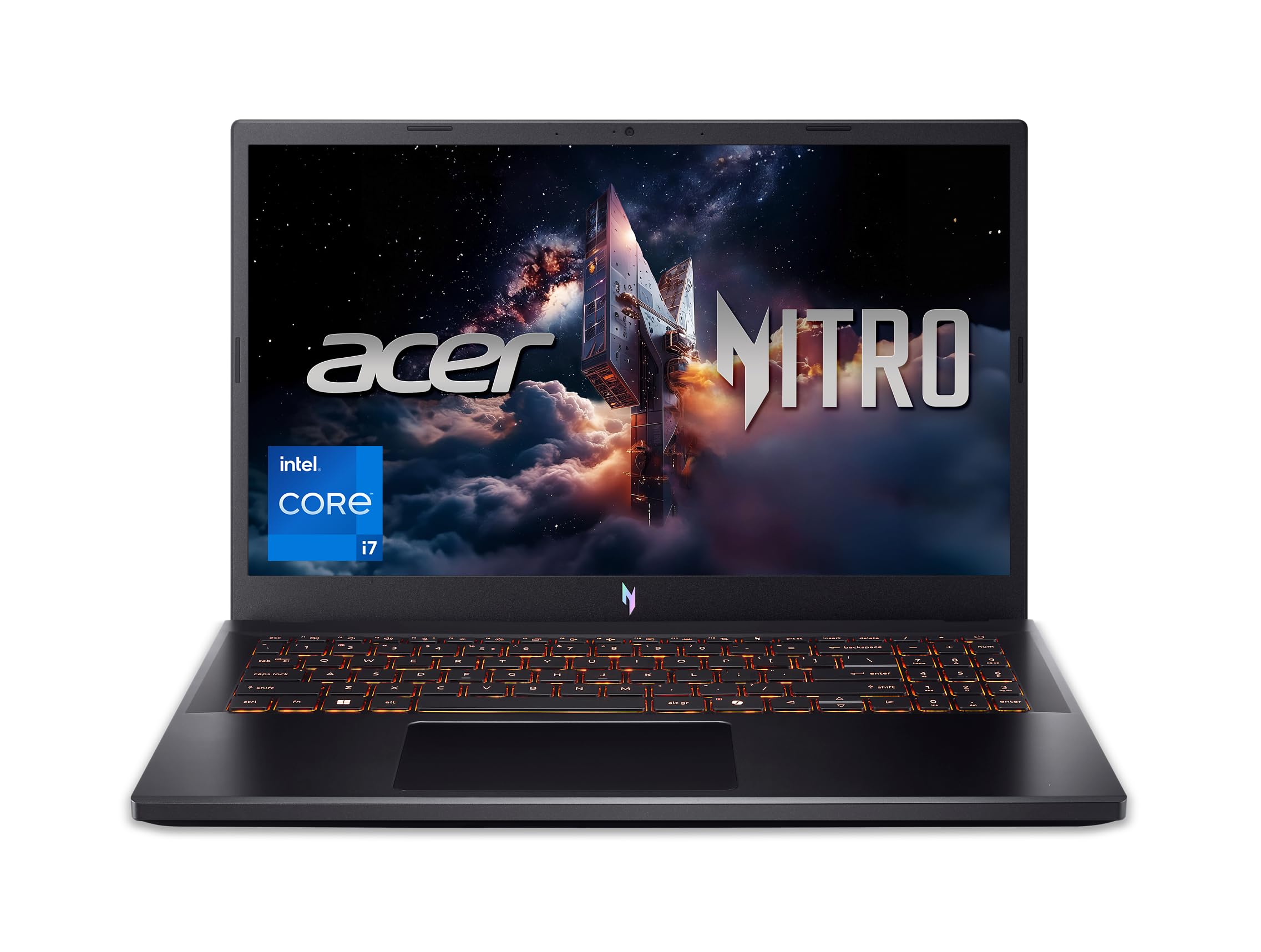
1. Acer Nitro V 15 Gaming Laptop (ANV15-52-76NK)
Our pick — 4.5+★ from 350+ verified ratings; the strongest balance of quality and price.
The one that does the heavy lifting without asking you to plug in a second mortgage.
The reason this sits at the top is simple: it does the most demanding work of any machine here while staying the most affordable way to get there. Its 165Hz screen — a panel that redraws 165 times a second, so fast motion stays sharp instead of smearing — is nearly three times the refresh of the ASUS Vivobook 16 at 60Hz. In a shooter or a fast driving game, that gap is the difference between tracking a target cleanly and guessing where it went.
This one is built to be plugged in and pushed: the i7-13620H is a high-power chip, paired with 16GB of DDR5 memory — the newer, faster generation — in two slots with room to grow to 32GB. That means you can keep heavy apps open now and add more memory later instead of replacing the laptop. There’s also a 1TB PCIe Gen 4 SSD for storage and an RTX 4050 graphics chip that handles modern titles. The 15.6″ Full HD screen sits at 1920 x 1080, so text and video stay crisp, and the whole thing comes in a black chassis with a backlit keyboard for late sessions.
The catch is heat and noise. Owners describe it as a capable gaming machine, and what wins people over is raw performance — it runs games smoothly without stutter. But the accounts of the fan are consistent: it can get loud under load, and battery life is genuinely mixed, draining quickly during heavy use. If you mostly play at a desk near a socket, neither bothers you. If you expect a full day unplugged, look further down this list.
RTX graphics on budget
- 165Hz refresh makes fast gameplay and scrolling feel fluid
- i7-13620H plus RTX 4050 handles gaming and video editing
- 16GB DDR5 with two slots and a 32GB ceiling for later upgrades
- 1TB Gen 4 SSD keeps big game libraries and project files close
short battery life
- Fans get loud when the chip works hard
- Battery drains fast under gaming load; rated at 5 hours
- Heavier and bulkier than an ultraportable
buy for gaming: you want real gaming and editing power and mostly work near a power outlet.
skip for travel: you need all-day unplugged runtime or a near-silent machine on a shared desk.
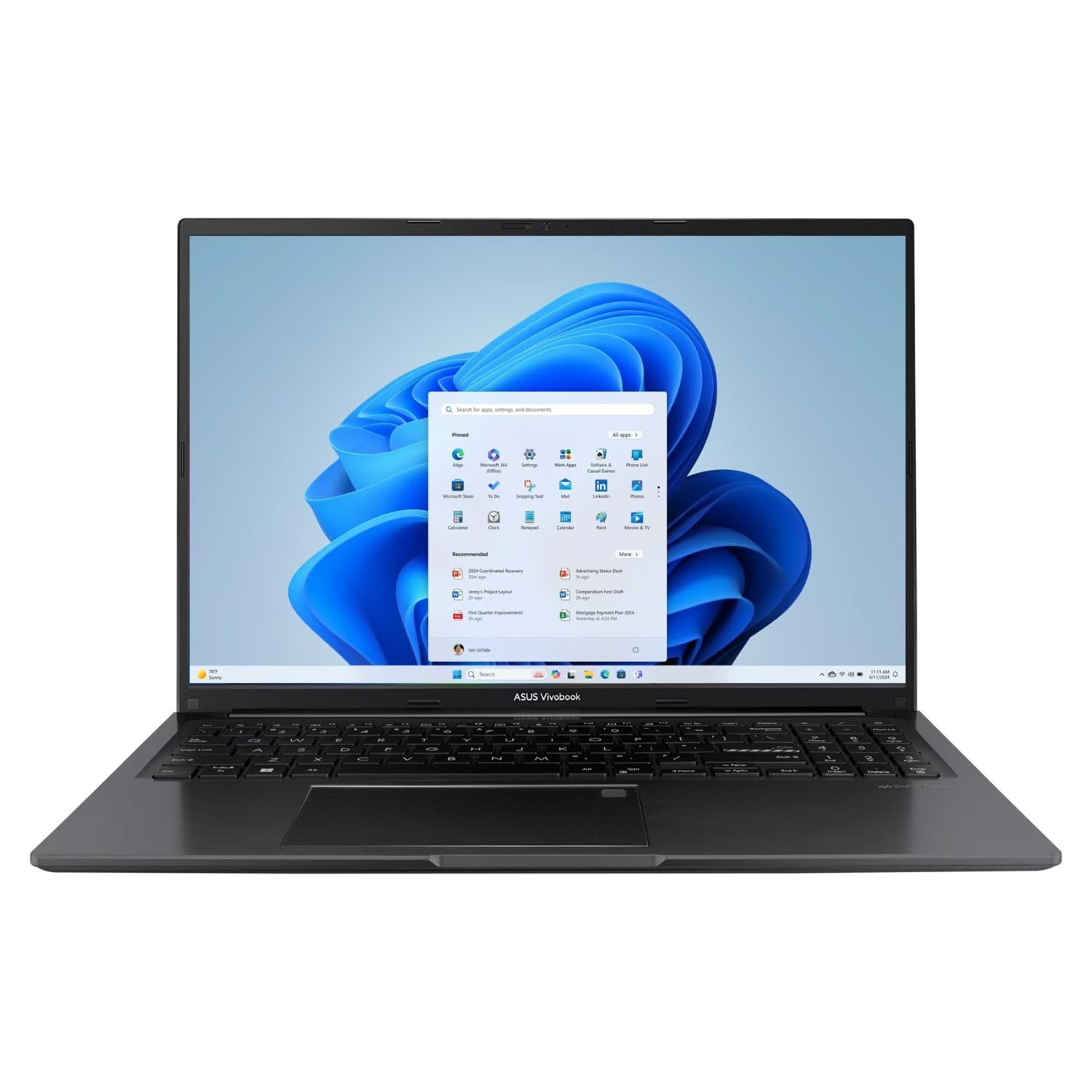
2. ASUS Vivobook 16″ WUXGA Laptop
A big screen for people who actually carry their laptop from place to place.
What you notice first is the size versus the portability: a 16-inch WUXGA panel — that’s a 1920 x 1080 resolution on a wider 16-inch screen — in a lightweight black clamshell you can slip into a bag. The i7-1355U here is the low-power variety, tuned to sip battery rather than sprint, which is exactly why it runs quieter and stays cool through a workday. That’s a deliberate trade: the H-series chips elsewhere in this list are faster on heavy exports, but they also spin up fans. For writing, browsing and video calls, you won’t notice the difference.
Where it fits: 16GB of RAM keeps your tabs and apps open, 512GB of SSD storage holds a solid library of files and photos, and Intel Iris Xe integrated graphics handle everyday visuals without a separate graphics chip. Connectivity covers Wi-Fi 6 (the faster, less crowded wireless standard) and Bluetooth 5.1, plus USB-C, USB-A, HDMI, a microSD reader and a 3.5mm jack — enough for a monitor, a card dump and a headset at once. Windows 11 comes installed.
The one honest limitation is the panel’s refresh. At 60Hz it redraws sixty times a second, which is perfectly smooth for documents and video but a clear step below the 165Hz of the Acer Nitro V above. If you game seriously, that’s a reason to look at the gaming picks. If your work lives in a browser and a document window, 60Hz is the sensible, battery-friendly choice.
large quiet screen: a low-power i7, 16GB of RAM and a 16-inch screen add up to a machine that handles office work, light creative apps and long stretches away from a socket without drama. The light chassis is what makes it packable.
modest processing power: a 512GB drive fills faster than the 1TB options on this list if you keep large video or game libraries.
pick for office: commuters, students and writers who want a big screen and quiet running over raw speed.
pass for gaming: serious gamers will feel the 60Hz ceiling immediately.
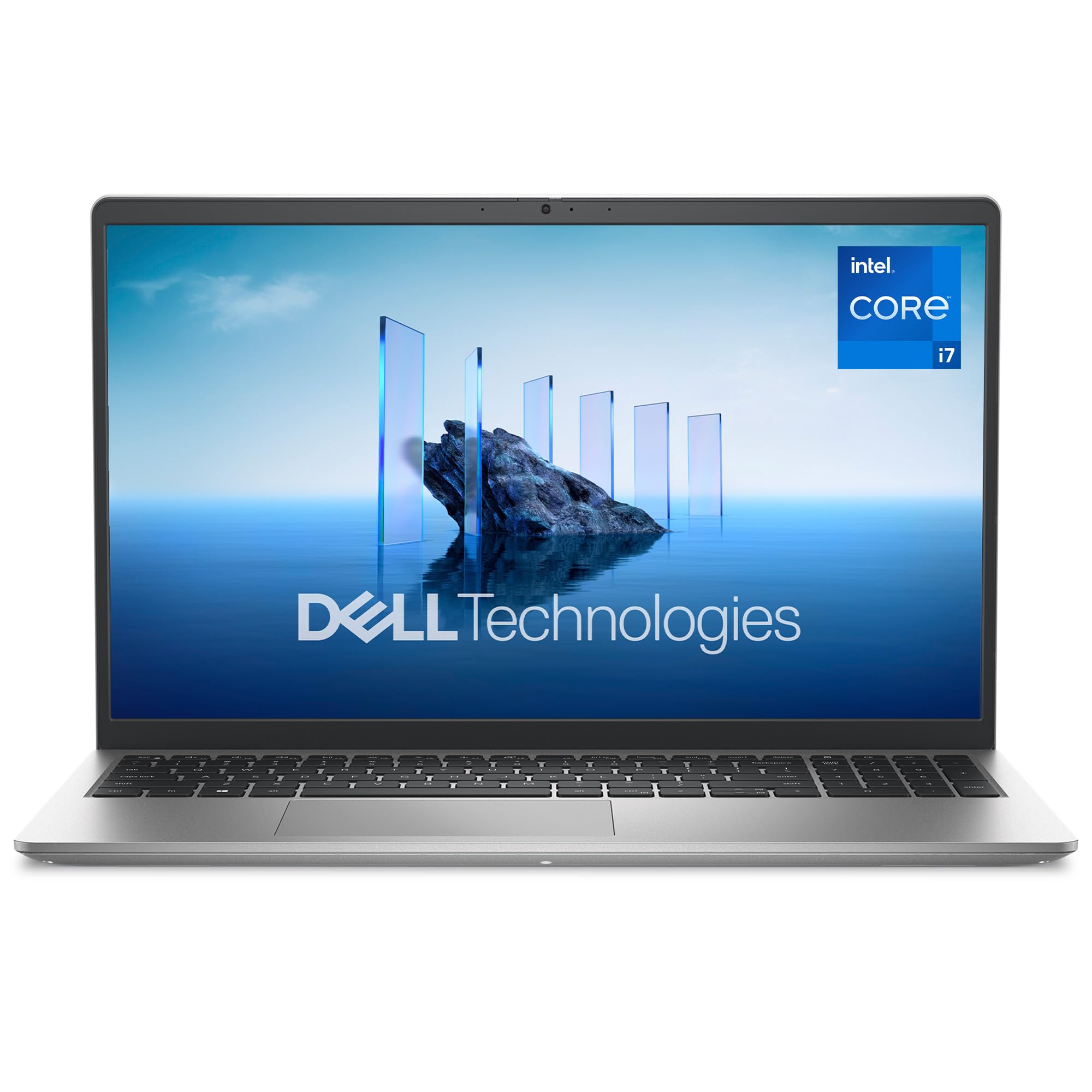
3. Dell 15 Laptop (DC15250)
A 120Hz office machine that makes scrolling through long documents feel less like work.
Most everyday machines settle for 60Hz; this one runs a 120Hz panel on a 15.6-inch Full HD screen, so web pages and spreadsheets glide rather than step. The chip inside is the i7-1355U with a maximum speed of 5 GHz — a low-power part that keeps heat and fan noise down while you cross items off a to-do list. Two other desk-friendly touches stand out: a full numeric keypad with a calculator hotkey, and hinges that lift the back of the machine for a slightly angled, more comfortable typing position.
Memory and storage are the 16GB DDR4 and 512GB SSD combo, which is plenty for many tabs, office apps and photo work at once. It ships with Windows 11 Home and comes with a 65W AC adapter. There’s Bluetooth 5.3 for wireless accessories, and Dell includes ComfortView software that cuts blue light emissions — handy if you stare at the screen deep into the evening.
The trade you should weigh: this is a work-first laptop, not a gaming one. Its integrated Intel UHD graphics are built for documents and video, not for pushing frames in modern games. There’s also no fingerprint reader, so you’ll type a PIN or password to sign in. If those don’t matter, the practical package here is strong for the kind of buyer who lives in a browser and a keyboard.
choose for documents: the 120Hz screen, numeric keypad and lifted hinges make this a comfortable long-hours companion.
avoid for editing: you need graphics muscle for gaming or creative rendering.
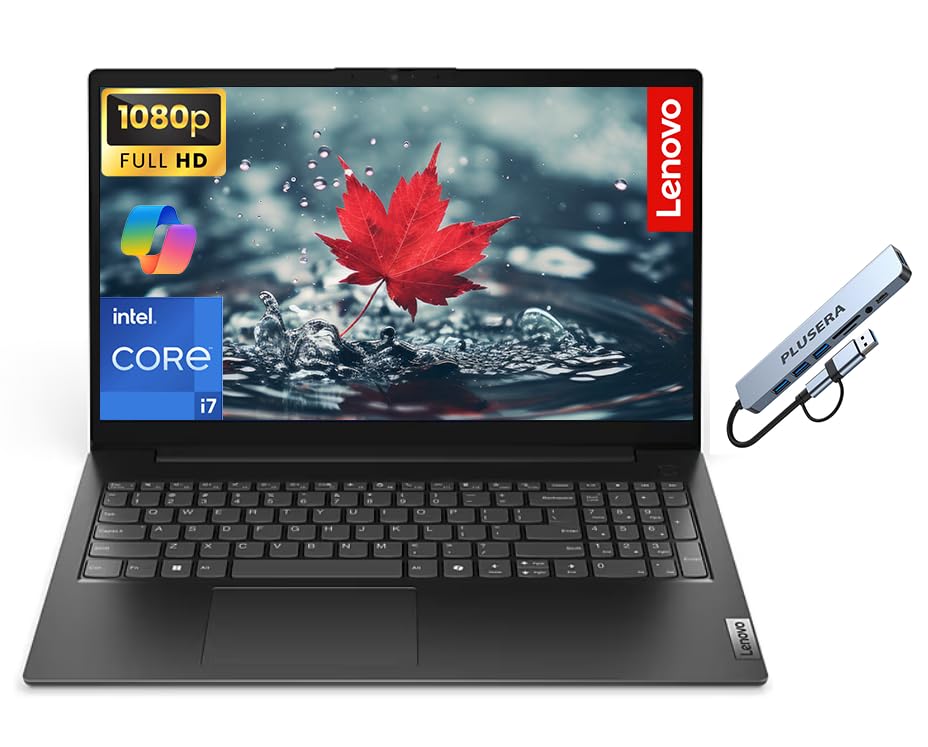
4. Lenovo V15 Laptop
A no-frills desk machine with a big drive and a shutter over the webcam.
Storage is the headline here: a 1TB PCIe solid-state drive, the fast kind of storage that boots the machine and opens big files in seconds. Pair that with the i7-13620H — a ten-core, sixteen-thread high-power chip with a maximum boost of 4.9 GHz and 24MB of cache — and you get a laptop that chews through coursework, spreadsheets and light photo or video edits without complaint. The 16GB of DDR5 memory is the newer, quicker generation, and it lets you juggle many programs and browser tabs at once.
The 15.6-inch screen is a 1920 x 1080 LED panel with an anti-glare finish at 250 nits and 45% NTSC color, which means it’s bright and legible in ordinary indoor light but not built for colour-critical photo work. Ports are generous for a budget-tier machine: one USB-C, two USB-A 3.2, an Ethernet jack, HDMI and a headphone/mic combo, plus Wi-Fi and Bluetooth. There’s a numeric keypad and a camera privacy shutter — a small physical cover for the webcam that’s a genuinely useful touch for dorm rooms and shared desks.
What to expect honestly: this is an office and study laptop. It runs quiet tasks well but isn’t built for gaming. The 60Hz panel keeps scrolling conventional, and the display isn’t colour-tuned for editing. Its battery is the real wildcard — some find it lasts, others don’t. Treat it as a machine that’s happiest near an outlet.
reliable everyday workhorse: 1TB of fast storage and a ten-core i7 at a student-friendly tier is the whole pitch. You get the big files, the multiple tabs and the speed without paying for gaming hardware you’ll never use.
dim display panel: the display’s colour coverage is modest, so don’t plan to proof photos on it.
grab for admin: you need room to store everything and a capable chip for coursework, with a webcam shutter for privacy.
leave for creators: you game or need an accurately calibrated screen for editing.
5. HP 15.6″ Full HD Touchscreen Laptop

The all-day unplugged option, if you’d rather tap the screen than reach for a mouse.
If battery is your make-or-break, this is the one. Rated at 10 hours, it doubles the 5 hours of the Acer Nitro V gaming laptop above — a full workday the gaming machines here can’t match. The 15.6-inch Full HD touchscreen lets you tap and swipe directly, so you can work without a mouse on a train or a sofa. Add 16GB of RAM and a generous 1TB of SSD storage, and it covers the everyday needs of most people without asking much.
The chip is the i7-1255U, a 12th-generation low-power part capped at 4.7 GHz with 12MB of cache — the kind built to save battery rather than sprint. That’s also why it stays quiet. Dell’s sibling above tops out at 5 GHz, so this one gives up a little peak speed in exchange for endurance. For writing, browsing, streaming and video calls, you won’t miss it.
The honest picture is mixed on performance, though. Some find it performs well; others have found it sluggish for their needs. That tells you this machine is a fit for everyday workloads, not demanding creative work or gaming. With 90+ owners weighing in and a 4.0+ score, it’s a solid choice rather than a standout one. Buy it for the battery and touchscreen, not the speed.
pick for browsing: all-day unplugged use and touch input, where 10 hours of rated battery does the heavy lifting.
pass for gaming: heavy gaming, video rendering or anything that needs peak processing speed.
6. Dell Inspiron 16 Plus 7640

A tall, sharp screen for people who juggle spreadsheets by day and forget about the charger.
Two specs set this one apart. The screen is a 16-inch panel in a taller 16:10 shape — more vertical room, so you see more lines of a document or more rows of a sheet before scrolling — and a 120Hz refresh rate keeps motion smooth. It’s rated for a 2.5K resolution, so fine text and images look extra sharp. Second, battery: it’s rated at 16 hours standby, the longest of any machine here by a wide margin. Plug in overnight and you can leave the adapter at home.
The i7-13620H brings the high-power, ten-core-style muscle, and the 16GB of LPDDR5 memory — the fast, power-efficient generation — keeps multitasking fluid. There’s a 1TB SSD for storage. Buyers report the speed is excellent and praise the screen size and light weight. Dell also leans into the work angle: it’s built for a business-ready setup with a Trusted Platform Module (a security chip that protects your data), plus ComfortView Plus that together with a TÜV Rheinland certified treatment is designed to cut blue light while keeping color true.
Graphics are Intel UHD — fine for documents, video and everyday visuals, but not for serious gaming. The tall 2.5K screen is a real upgrade for multitasking, though power users pushing video edits may want more GPU. For a desk job where battery and screen real estate matter most, this is the strong, honest pick.
sharp 16-inch display
- 16:10 tall panel shows more before you scroll
- 16-hour standby battery outlasts every other pick
- i7-13620H and 16GB LPDDR5 keep heavy tabs moving
- 1TB SSD plus 120Hz screen in a light chassis
runs warm under load
- Integrated Intel UHD graphics, not built for gaming
- Darker panels on this class won’t suit color-critical work
made for multitasking: the workday buyer who wants the longest battery and the most screen height in this list.
not for budget buyers: gamers or anyone who needs dedicated graphics for rendering.
7. MSI Thin 15 Gaming Laptop (B13VE-2678US)

Slim enough to toss in a backpack, fast enough to keep up in a firefight.
This gaming laptop takes the word “thin” seriously. It’s a slim chassis meant to slip into a backpack and sit on a shared desk, yet it packs the i7-13620H and an RTX 4050 graphics chip — the same pairing that makes the Acer Nitro V above so capable, but in a lighter body. The 15.6″ Full HD screen runs at 144Hz, so games and fast scrolling look smooth, and 16GB of DDR4 memory with a 512GB NVMe SSD keeps loads quick and switching between apps snappy. Wi-Fi 6E adds the newer, wider wireless band for steadier online matches.
MSI points to a thermal design called Cooler Boost to hold performance steady through long sessions, and there’s a full load of ports for external monitors, mice and accessories. The battery is rated at 4 hours — the shortest here — which is normal for a gaming rig: you play plugged in.
Owners single out the build quality as the thing that wins them over, describing it as high quality for the price point, with performance close behind. The honest caveats are heat and the short battery — and some report the machine runs hot under load. That’s the trade for gaming power in a slim frame.
light gaming chassis: it’s a balanced gaming and multitasking machine in a backpack-friendly shape. The 144Hz screen and RTX 4050 handle popular titles and creative apps, while the slim body is the daily carry advantage.
limited upgrade room: 512GB of storage is the tighter option among the gaming picks — big libraries fill it fast.
reach for casual play: you want gaming muscle in a light, packable shell and mostly play plugged in.
pass for heavy titles: you need long unplugged runtime or a large game library without an external drive.
8. Lenovo LOQ 15 Gaming Laptop
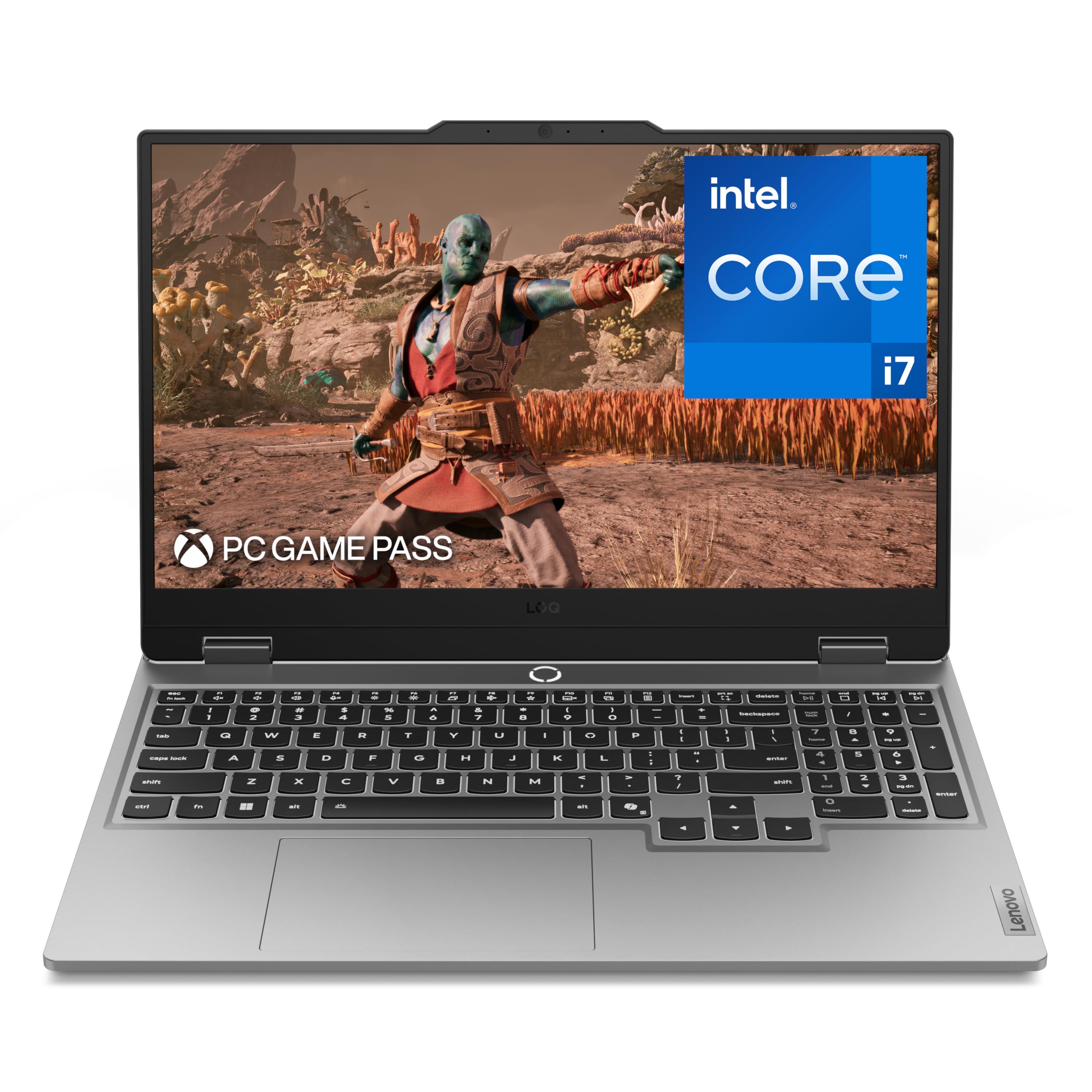
A first proper gaming laptop that doesn’t punish you for wanting a head start.
The chip is the story: the i7-13650HX, a high-power part with a maximum speed of 5.1 GHz — a notch above the 4.9 GHz i7-13620H that powers several machines here. Paired with an RTX 5050 graphics card and 16GB of memory, it’s built to run demanding games and creative apps at once. The 15.6-inch Full HD IPS panel runs at 144Hz, and G-Sync — a feature that syncs the screen to the graphics card — keeps frame rates smooth without tearing or stutter.
Lenovo promises serious cooling too, with a Hyperchamber setup of turbo fans and copper heat pipes, plus AI Engine+ that tunes the CPU and GPU on the fly. The keyboard has a white backlight for late sessions, and the chassis is an aerospace-grade build with a durable aluminum cover. Battery comes in at 7 hours, and Rapid Charge Pro tops it up fast. A 1TB SSD holds a big library.
The heat is real, though. Owners love the performance and consider it a great buy, but heat management is a known sticking point — some find it manageable, others report it running hot — and battery life draws genuine complaints. Treat it as a gaming workhorse that likes being plugged in, and you’ll be happy.
right for students: someone moving into serious gaming who wants a fast, well-cooled-spec machine with a strong processor.
consider lighter options: you need all-day battery or a genuinely quiet machine.
9. MSI Katana 15 HX Gaming Laptop (B14WFK-810US)
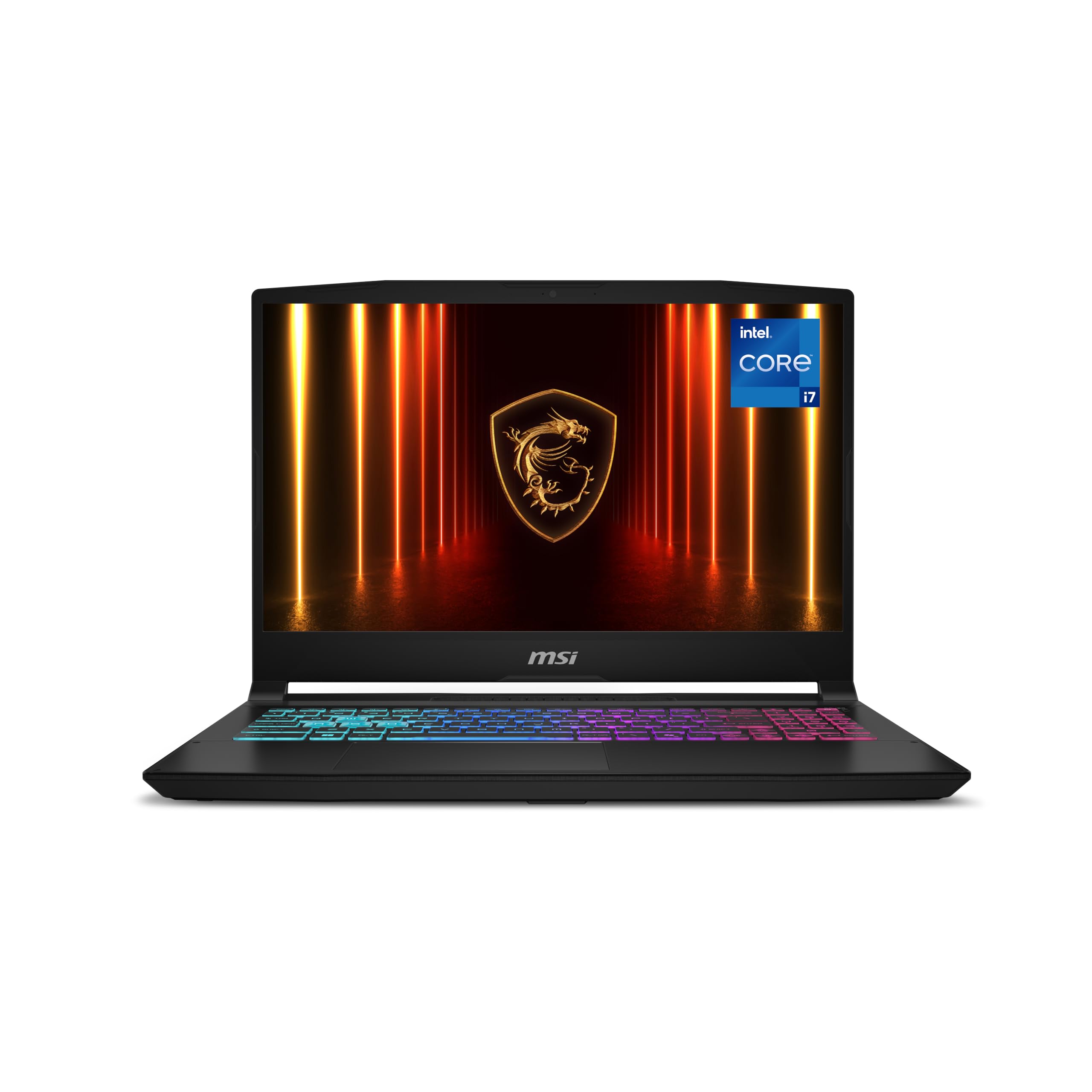
A QHD panel at 165Hz that makes every other screen here look a little softer.
If you care most about how the picture looks, this is the one to study. It runs a 15.6-inch QHD panel — 1440p resolution, meaning more pixels packed into the same screen for sharper detail — at 165Hz, with 100% DCI-P3 color that shows a wider, richer range of shades. MSI spells out the difference plainly: sharper detail and smoother motion than typical 1080p 144Hz panels. For gaming and colour-sensitive creative work, that’s a visible step up.
Under the glass the i7-14650HX is a 14th-generation high-power chip with a maximum speed of 5.2 GHz, paired with an RTX 5060 graphics card. Memory is 16GB of DDR5 — the fast newer generation — and storage is a 1TB NVMe SSD. For cooling, MSI uses a shared-pipe Cooler Boost 5 system with dual fans and multi-heat-pipe design. The 4-Zone RGB keyboard has highlighted WASD keys and a numpad for shortcuts and chat, and there’s Wi-Fi 6E plus HDMI that runs up to 8K and USB-C with DisplayPort and Power Delivery.
The one thing buyers should know going in: this is a performance-first machine, and that’s how the owners describe it — strong performance and good value. It’s not aimed at long battery days. For the buyer who wants the crispest panel on the list and the fastest chip here, the picture quality alone justifies the look.
for fast shooters: QHD at 165Hz with wide-gamut color is the display quality argument in one sentence.
keep moving for silence: screen sharpness matters less to you than a low price or long runtime.
10. ASUS ROG Strix G16 Gaming Laptop (G615JMR-AS74)
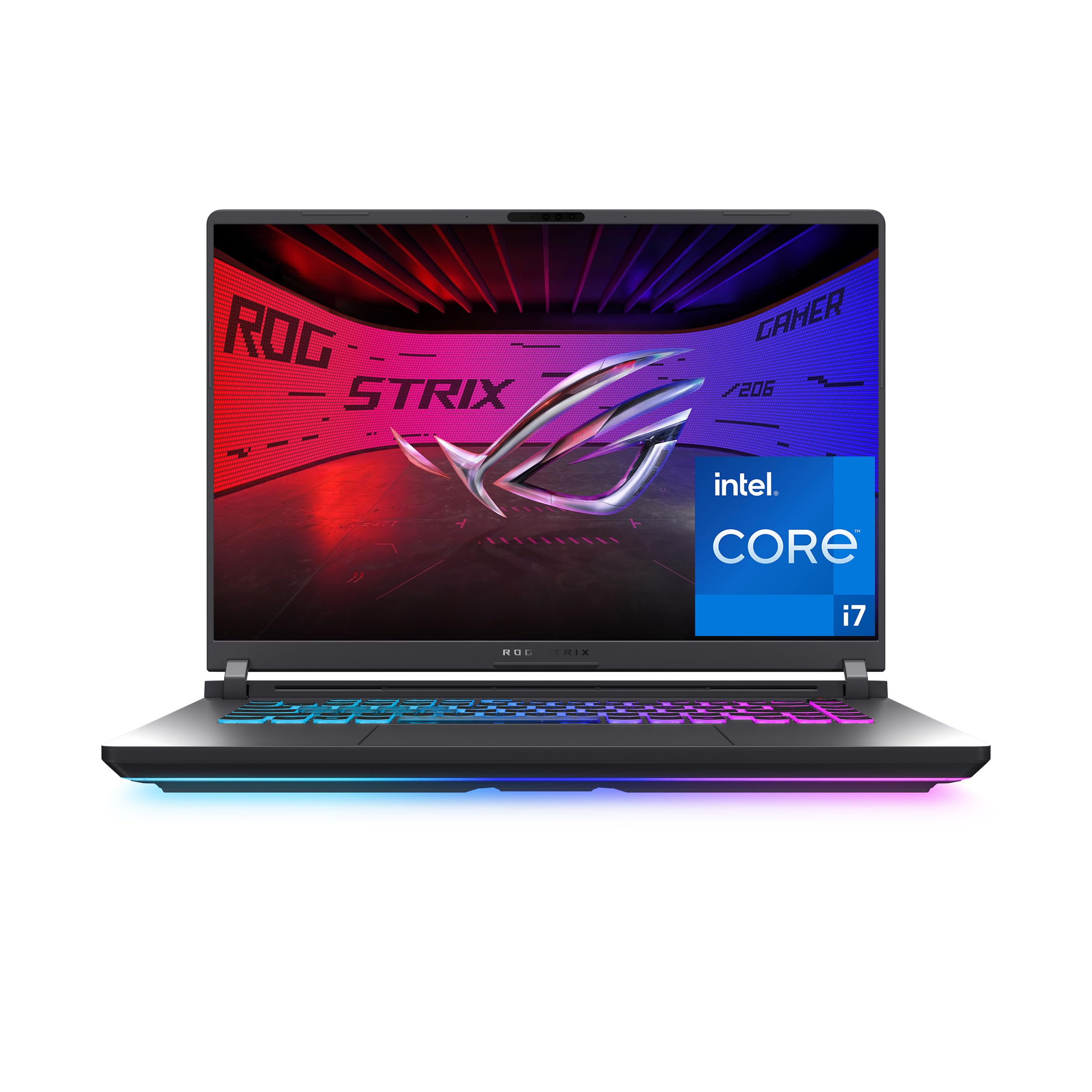
The one that brings the newest wireless standard and a serious cooling system to the party.
The standout connection here is Wi-Fi 7 — the latest wireless standard, built for faster, more stable connections than the Wi-Fi 6 and 6E on the rest of the list. Add an Intel Core i7 14650HX with a 5.2 GHz maximum speed, an RTX 5060 graphics card, and 16GB of DDR5-5600MHz memory with a 1TB PCIe Gen 4 SSD, and it’s a genuinely fast all-rounder for gaming and creation. The 16-inch FHD+ screen runs at 165Hz with a taller 16:10 aspect that shows more content, plus an ACR film (an anti-glare coating) that boosts contrast and cuts glare.
ROG’s cooling is a selling point in its own right: an end-to-end vapor chamber, a three-fan design and Conductonaut Extreme liquid metal applied to the chipset. The 360° RGB light bar has a Stealth Mode that kills all lighting for a sleeker look in a professional setting. Battery is rated at just 2 hours — this is a machine that lives near a wall socket — and with that short a life, the wall socket is really the plan.
What that depends on for a buyer: it’s fast, current, and built to game and create with modern wireless and cooling. But the 2-hour battery rating makes it the wrong pick for someone who needs to work on the move all day.
premium gaming power: Wi-Fi 7, a 165Hz 16:10 screen and premium liquid-metal cooling give this the freshest tech on the list. It’s the most forward-looking machine here.
premium price tag: at 2 hours, unplugged time is short — carry the adapter and design your day that way.
suits serious gamers: you want the newest wireless standard and a high-refresh 16:10 screen for gaming, and you’re happy at a desk.
skip for light use: your day is untethered and long, because 2 hours of rated battery won’t be enough.
11. LG gram 17Z95P Laptop

The only 17-inch here that you’d actually want to carry all day.
Here’s the unusual thing about this machine: it gives you a 17-inch WQXGA screen — 2560 x 1600, a sharp, detailed panel with DCI-P3 99% color — while still being the ultra-lightweight option on this list. That’s the real-life win: a big canvas for spreadsheets and documents that fits in a normal bag without you planning your day around your shoulders. The chip is the 11th-generation i7-1195G7 on Intel’s Evo platform, a low-power part with a 5 GHz maximum, paired with 16GB of LPDDR4X memory at 4266MHz.
Battery is rated at 80Wh, which drives the kind of runtime that keeps you productive away from a socket. Storage is a 1TB PCIe M.2 NVMe SSD. Ports are generous: two USB-C with Thunderbolt 4 support, two USB-A 3.2, a full-size HDMI, a microSD reader and a 3.5mm audio jack. There’s face recognition sign-in and Alexa built in. The big, sharp screen and the light body together are the whole reason to look here.
The honest trade is the processor generation. This is an 11th-gen chip, so it’s older than the 13th- and 14th-generation parts on most of this list. For everyday work, video and browsing it’s plenty. For the heaviest creative work, it won’t keep pace with the H-series gamers. And because the screen is on the older side, some find the picture quality mixed — so judge it on strength of the screen and weight, not raw speed.
choose for portability: you want a big, sharp 17-inch display and a genuinely light body for travel and desk work.
don’t choose for gaming: you need the newest processor generation for the heaviest loads.
Know the Specs
16GB of RAM
RAM is short-term workspace — the memory your computer uses while it’s running programs. 16GB is the level where you can keep dozens of browser tabs, a couple of office apps and a video call open at once without the machine slowing to a crawl. A few picks here use DDR5, the newer, faster memory generation; others use DDR4 or LPDDR5. All of them hit 16GB, and that amount is what keeps your machine from stuttering when you push it. It also helps futureproof: 16GB is the point where you stop closing apps just to free up room.
Intel Core i7: H vs U
The letter at the end of the processor name tells you how it’s been tuned. An H-series i7 (like the i7-13620H at 4.9 GHz, or the i7-13650HX at 5.1 GHz) is built with more power headroom for gaming and heavy editing — it’s faster but burns more power and needs more cooling. A U-series i7 (like the i7-1355U or i7-1255U) is tuned to save battery, so it tends to run quieter and cooler while still handling office and everyday tasks with ease. Neither is automatically better; the H is the choice for performance, the U for a calmer, longer-running machine.
Refresh Rate in Hz
Refresh rate is how many times per second the screen redraws the image. A 60Hz display updates sixty times a second, which is standard and perfectly readable for documents and video. Panels at 120Hz, 144Hz and 165Hz update more often, so scrolling, cursor movement and fast gameplay look smoother and sharper. The higher the number, the more fluid the motion — but a higher rate can use more power, which is why the longest-battery picks tend to stay at 60Hz. If you game or edit video, the higher number earns its keep; if you write and read, 60Hz is fine.
Storage: SSD and PCIe Gen 4
An SSD is solid-state storage — memory chips rather than spinning disks — which is why modern laptops boot in seconds and open big files quickly. The Gen 4 label refers to the generation of the connection to the drive: a PCIe Gen 4 SSD moves data faster than older generations. In practice, more storage space (512GB or 1TB) decides how many games, photos and project files you can keep on board, while the Gen 4 speed decides how fast those files open. For creative work with large files, both the speed and the room matter.
Common Questions
Is 16GB of RAM enough for everyday multitasking and light gaming?
What does the “H” or “U” in the i7 processor name actually mean for me?
Will a higher refresh rate like 144Hz or 165Hz drain the battery faster?
Can I upgrade the RAM or storage on these laptops later?
How long does the battery actually last on a gaming laptop?
Do I need a separate graphics card, or is integrated graphics enough?
Is a 512GB SSD enough, or should I hold out for 1TB?
What is Wi-Fi 7, and do I need it over Wi-Fi 6 or 6E?
Can these laptops handle video editing and photo work?
Do these laptops come with Windows 11 already installed?
The Bottom Line
For most buyers, the winner among these laptops with 16gb ram and i7 processor is the Acer Nitro V 15 because it does the most demanding work here while staying the most attainable — a 165Hz screen, a real RTX 4050 graphics card and 16GB of DDR5 memory that you can grow to 32GB. If battery life and a big, tall screen matter more than gaming muscle, grab the Dell Inspiron 16 Plus with its 16-hour rating. And for the buyer who needs a genuine 17-inch display without a heavy bag, the LG gram 17 is the one to reach for.
One last nudge worth saying plainly: every pick here clears the same bar — a real Core i7 and enough RAM to keep your day moving — so the decision really depends on how you work. Buy for the workload you actually have, not the one you might have someday, and you’ll enjoy the machine far longer.
How we choose
We do not accept paid placement. Every pick is matched to a real buyer and a real use-case; we do not hands-on test units.
Sources
Specifications: manufacturer listings and product documentation. Review insights: verified customer reviews, as of November 2026. Pricing: not shown on this page (it changes often); check the current price via the retailer link.
As an Amazon Associate, Tactical Gear Guy earns from qualifying purchases. This does not affect which products we feature.