Specs are compiled from manufacturer listings and verified buyer reviews and can change over time — please confirm the key details on the product page before buying.
If you want one machine that replaces a tower, a monitor and a tangle of cables on your desk, buy the one with the biggest, sharpest screen and enough ports to plug everything in without an adapter. That is the whole job of a desktop replacement. This guide walks through eleven laptops that can genuinely sit at a desk all day, and tells you plainly which one suits your work and which one will annoy you.
This guide is built by comparing the manufacturers’ published specifications and the patterns across verified customer reviews, so you get each pick’s real strengths and trade-offs instead of marketing spin.
You will see where a bright panel and a roomy 17.3-inch chassis beat raw speed, and where a cheap processor quietly becomes the bottleneck in your day. The picks below sort out which machine earns the desk under your roof as a genuine laptop for desktop replacement.
Top Picks
How To Choose The Best Laptop for Desktop
A desktop replacement lives a strange double life. It sits on a desk for eight hours and then, some days, goes into a bag. Every buying decision comes back to that split. Get the screen and ports right for the desk half, and the weight and battery right for the bag half.
Screen size and resolution decide your real workspace
A 17.3-inch panel gives you room for two windows side by side without squinting. Resolution matters just as much. A 1920 x 1200 screen is taller than a 1920 x 1080 one, which means fewer trips to the scroll bar when you read documents or spreadsheets. A 1600 x 900 panel on a 17-inch chassis stretches fewer pixels across more glass, so text looks softer than on a smaller, denser screen.
Ports: the quiet reason people buy a desktop replacement
Count what you plug in. A monitor wants HDMI or DisplayPort, a wired mouse wants USB-A, and an office network wants Ethernet. HDMI 2.1 and USB4 give you headroom for a high-refresh monitor later. A machine with only two USB-C ports and no Ethernet turns your tidy desk into a dongle pile, so check the port list before anything else if you hate adapters.
Processor, memory and SSD in plain terms
The processor (CPU) is the engine that runs your apps. More cores and threads mean more work happening at once, which shows up as fewer frozen moments when you have forty browser tabs open. DDR5 memory at 5600MHz moves data faster than DDR4, and a PCIe 4.0 SSD loads large files quicker than an older drive. None of this matters if your work is email and video calls — but it matters a lot if you edit video or run virtual machines.
Weight, battery and heat: the honest taxes
A big screen and a powerful graphics chip both add weight and drain the battery. A 4.6 lb 17-inch model is light for its class, while gaming-class machines run hotter and need their fans. Decide whether the machine stays on the desk or travels. If it travels weekly, weight and battery hours belong near the top of your list.
Side-by-Side Comparison
| Model | Best For | Screen | Memory / Storage | Processor | Amazon |
|---|---|---|---|---|---|
| Lenovo ThinkPad E16 Gen 3★ Best Overall | Full desk dock setup | 16″ 1920 x 1200 anti-glare | 16GB DDR5 / 512GB PCIe SSD | Intel Core Ultra 5 225H, 4.8 GHz | Amazon |
| Dell XPS 14Best Display | Creative work on a premium screen | 14.5″ 3.2K OLED touch, 48-120Hz | 32GB / 1TB SSD | Intel Core Ultra 7 255H, 5.1 GHz | Amazon |
| Dell 16 FHD+ TouchTop Performer | Data-heavy professional work | 16″ FHD+ 1920 x 1200 touch | 32GB DDR5 / 1TB SSD | AMD Ryzen AI 7 350, 5.0 GHz | Amazon |
| HP OmniBook 3 Touch 17.3″ | Touch work and streaming | 17.3″ FHD touch, 300 nits | 16GB DDR5 / 512GB NVMe SSD | Intel Core 7 350, 4.8 GHz | Amazon |
| NIMO 17.3″ FHD AI Laptop | Gaming and creative multitasking | 17.3″ FHD, 16:9 | 16GB DDR5 5600MHz / 512GB SSD | AMD Ryzen 7 8745HS, up to 4.9 GHz | Amazon |
| NIMO 15.6″ AI Ready | Memory-hungry business work | 15.6″ FHD 1080p | 32GB DDR5 / 1TB PCIe 4.0 SSD | AMD Ryzen 7 7735HS, up to 4.75 GHz | Amazon |
| HP 17.3″ Touchscreen w/ Microsoft 365 | Everyday home desk use | 17.3″ HD+ 1600 x 900 touch | 16GB DDR4 / 1TB SSD + 128GB UFS | Intel N100, 3.4 GHz | Amazon |
| Lenovo V15 | Budget office and school desk | 15.6″ FHD 1920 x 1080 | 16GB DDR5-4800 / 512GB PCIe 4.0 SSD | Intel N100, 3.4 GHz | Amazon |
| Acer Nitro V 16S AI | Gaming on a fast panel | 16″ WUXGA 1920 x 1200, 180Hz | 32GB DDR5 5600MHz / 1TB Gen 4 SSD | AMD Ryzen 7 260, 5.1 GHz | Amazon |
| Samsung Galaxy Book6 Ultra | GPU-heavy creative projects | 16″ AMOLED 2X, 2880 x 1800, 120Hz | 32GB / 1TB | Intel Core Ultra 7 356H, 4.7 GHz | Amazon |
| ASUS ROG Strix G18 | Replacing a gaming tower | 18″ 2.5K, 240Hz | 32GB DDR5 / 2TB PCIe SSD | Intel Core Ultra 9 275HX, 5.4 GHz | Amazon |
Detailed Reviews
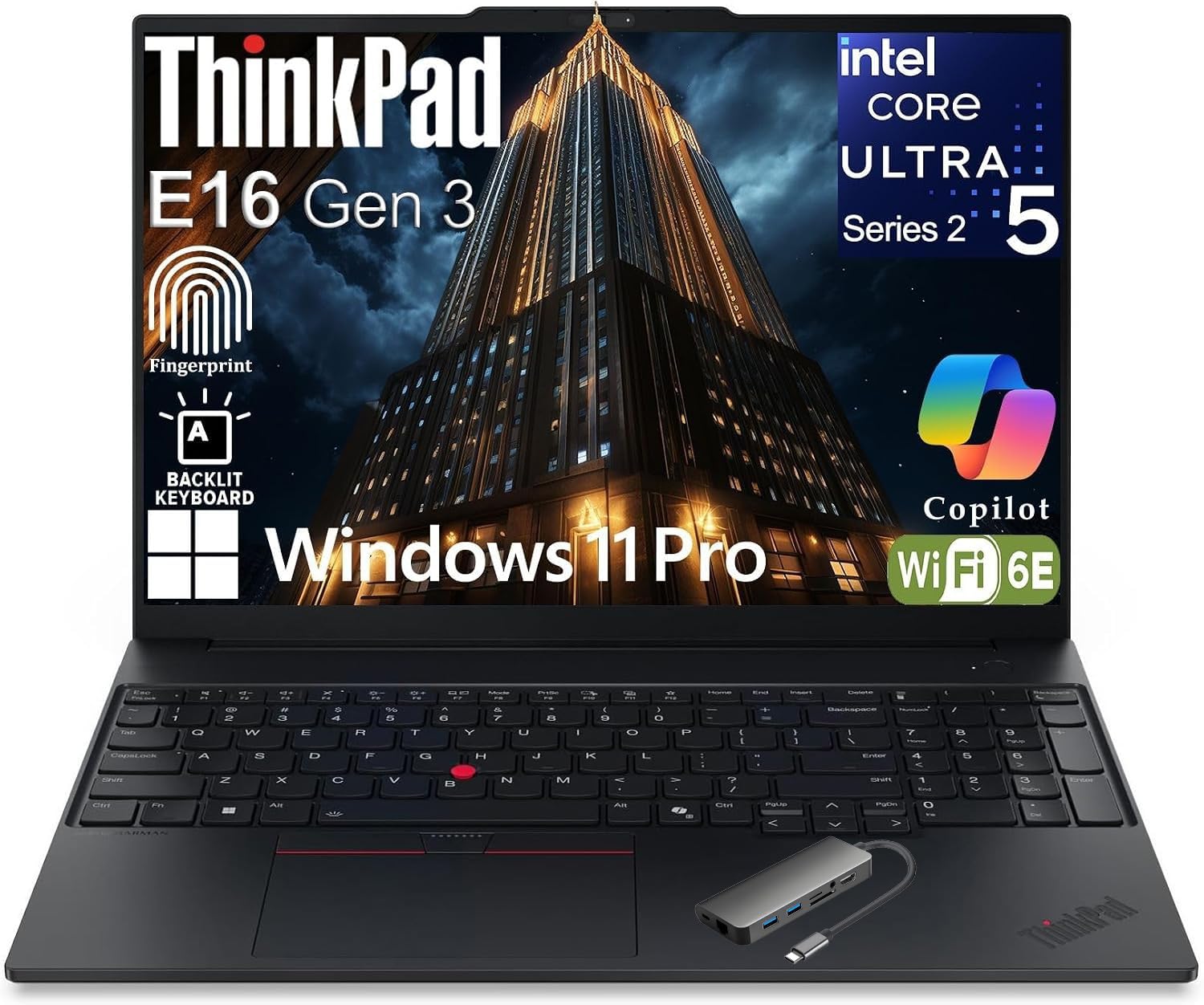
1. Lenovo ThinkPad E16 Gen 3
Our pick — 4.5+★ from 300+ verified ratings; the strongest balance of quality and price.
One cable to the dock and the ThinkPad E16 becomes a full desk machine.
The port list is the reason this takes the top spot for a desk-based setup. You get Thunderbolt 4, USB-A, HDMI and Ethernet on the chassis itself, so your monitor, wired mouse and network cable all plug in directly. No hub, no adapter chain, no lost connection mid-meeting. The 16-inch anti-glare screen runs at 1920 x 1200, giving you the taller working area that keeps spreadsheets and documents visible side by side without scrolling.
Inside sits an Intel Core Ultra 5 225H processor (a chip with a dedicated AI Boost NPU — a small extra processor built for background tasks like noise suppression) that reaches 4.8 GHz. In plain terms, your video calls sound cleaner and your tabs keep up. The 16GB of DDR5 memory and 512GB PCIe SSD hold a normal working day of apps without stalling, and the fingerprint power button plus a physical camera shutter handle login and privacy in one motion.
The honesty note: this is a work machine, not a gaming rig. Graphics are integrated and shared with system memory, so a heavy 3D render will crawl compared with the gaming pick lower down. Two more things worth knowing — the included 65W adapter supports fast charging over USB-C, and the whole package ships with Windows 11 Pro and its encryption tools already in place. For a desk that needs to be productive the moment you sit down, it is the cleanest answer here.
What earns its place on your desk
- Thunderbolt 4, HDMI and Ethernet built in, so monitors and wired accessories need no adapters
- 1920 x 1200 anti-glare 16-inch panel gives a taller working area than a standard 1080p screen
- Core Ultra 5 225H at 4.8 GHz with a dedicated AI Boost NPU for cleaner video calls
- Fingerprint power button and a physical camera shutter for fast, private sign-in
Where it stops short
- Integrated shared graphics make heavy 3D work slow
- Memory is fixed at 16GB, so video editors will want more
Reach for this if: you want one cable into a dock and a full desk of peripherals to just work.
Look elsewhere if: your day includes rendering or gaming — the integrated graphics are the ceiling.
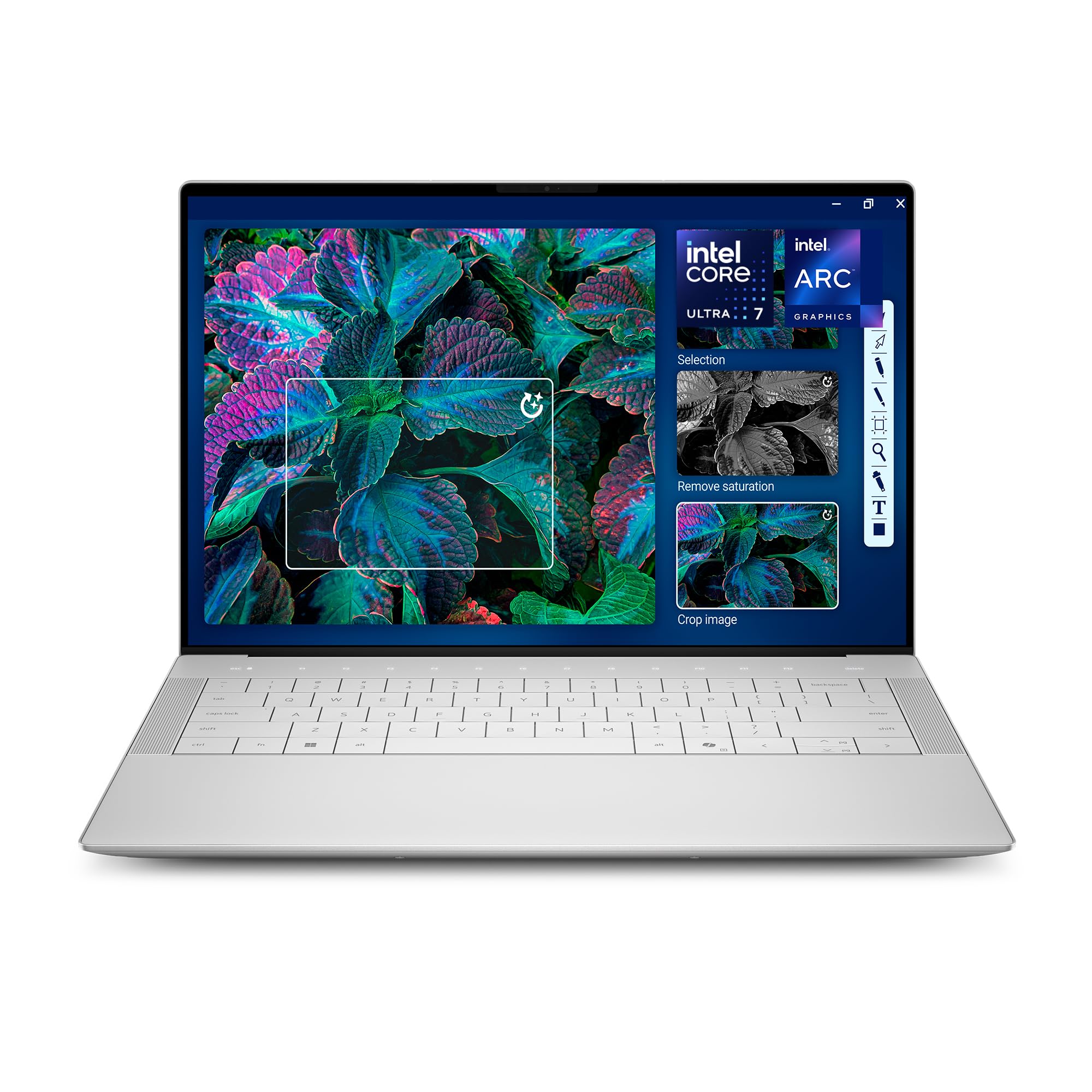
2. Dell XPS 14 Premium Laptop DA14250 3.2K OLED
The screen here is the whole argument: 3.2K OLED that shifts between 48Hz and 120Hz.
Colour work lives or dies on the panel, and this 14.5-inch 3.2K OLED touch display is the sharpest view in this group. The variable refresh rate moves between 48Hz and 120Hz, which means scrolling looks fluid when you need it and the panel sips power when the page is still. An Intel Core Ultra 7 255H running up to 5.1 GHz pairs with 32GB of memory and a 1TB SSD, so Lightroom, Premiere and heavy browser sessions all stay responsive.
Build is machined aluminium with Gorilla Glass 3 over the display — the kind of chassis that survives a bag. Bluetooth 5.4 and a fingerprint reader round out the connectivity and login story. What wins people over on this one is simply how it performs under a creative workload, and the value read holds up when you stack the 32GB and 1TB against what the panel alone would cost elsewhere.
This is a laptop first and a desk machine second, though. At 14.5 inches it gives you less side-by-side room than the 17-inch picks, and you will be driving an external monitor for spreadsheet days. The 60W USB-C adapter charges it, but a heavy render will warm the aluminium noticeably. If your work is visual and you want a screen that makes editing a pleasure, the trade in desk real estate is worth it.
The screen is what sells it: you get a 3.2K OLED (a sharper, higher-contrast panel than a standard LCD) at 120Hz (it refreshes 120 times a second, so scrolling and motion look smooth). That is the single biggest upgrade in this list. The 32GB of memory and 1TB drive mean the fast screen is not paired with slow hardware.
Who it fits: photographers, editors and anyone whose day is colour-accurate work. Pair it with an external monitor for the deep spreadsheet sessions.
Pick this one if: the screen is the reason you are buying, and you want creative apps to feel instant.
Consider the bigger picks if: you mostly read documents and want maximum glass for the money.
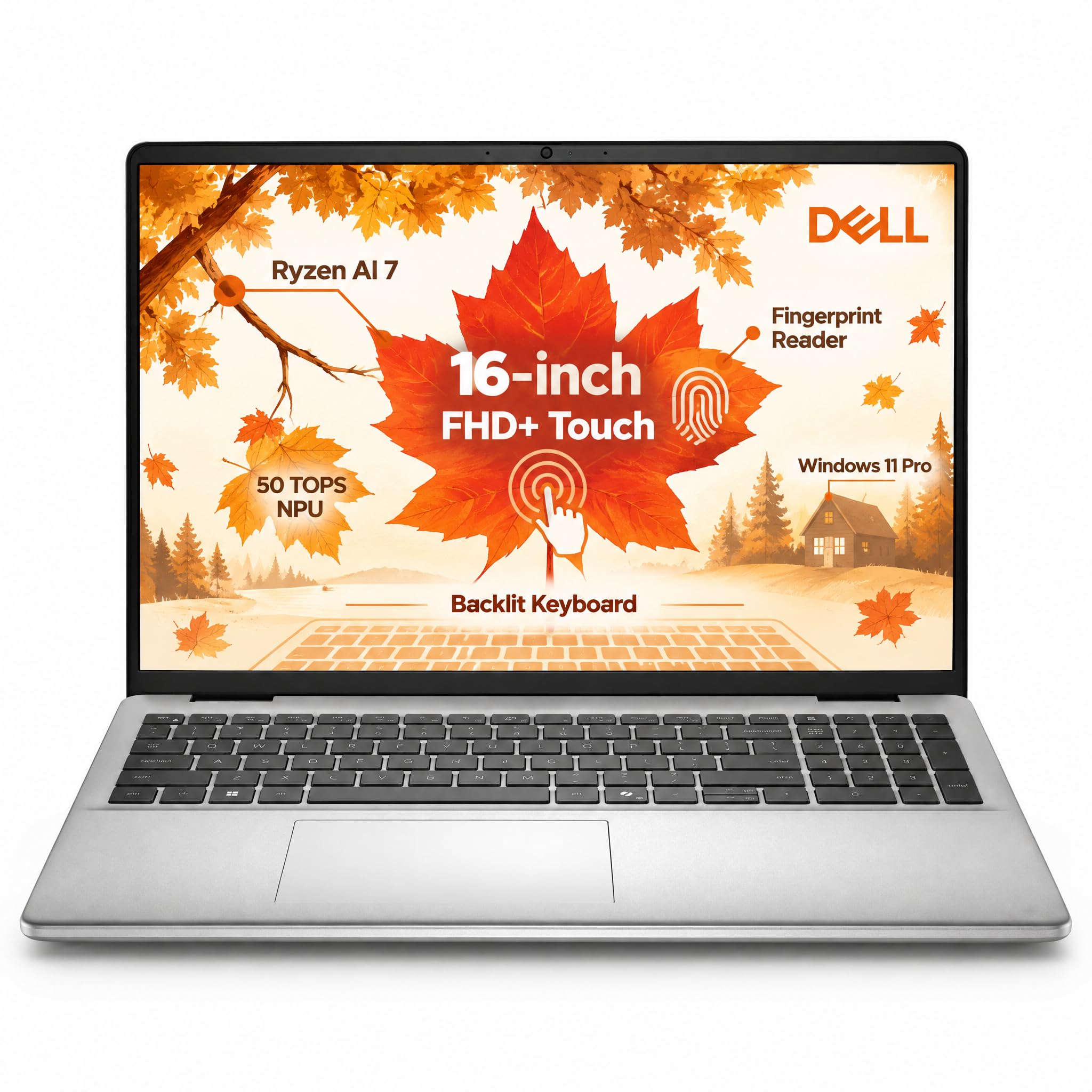
3. Dell 16 FHD+ Touch Laptop
Eight cores at 5.0 GHz and 32GB of memory — this is the spreadsheet-and-virtual-machine workhorse.
If your day involves enormous Excel models, virtual machines or a dozen business apps open at once, start here. The AMD Ryzen AI 7 350 processor brings 8 cores and speeds up to 5.0 GHz, backed by 32GB of DDR5 memory and a 1TB SSD. That combination is what stops the stutter when you switch between a data model, a video call and forty tabs. The 16-inch 16:10 panel at 1920 x 1200 adds the extra vertical space that makes long documents readable, and the touch layer means you can scroll a report with a finger.
Desk practicality is strong. You get two USB-A 3.2 Gen 1 ports, one USB-C 3.2 Gen 2 at 10Gbps with DisplayPort and Power Delivery, an HDMI 1.4 port, an SD card reader and a headset jack. A carbon-black backlit keyboard with a numeric keypad speeds up data entry, and the fingerprint reader on the power button skips the password prompt. ComfortView technology dials back blue light for long evening sessions.
The honest catch: the display is the modest part of the package. At 1920 x 1200 with 300 nits it is perfectly usable, but it will not match the OLED panel on the pick above for colour punch. The 65W adapter is also unremarkable for a machine this capable. Neither is a dealbreaker for office work — they just tell you where the money went: into the processor and the memory, not the glass.
Why professionals gravitate here
- AMD Ryzen AI 7 350 with 8 cores and 5.0 GHz gives real headroom for heavy multitasking
- 32GB DDR5 means no memory wall during virtual machine or big-sheet work
- SD card reader, HDMI and USB-C with DisplayPort make a tidy docking setup
- Numeric keypad and fingerprint power button suit financial and data work
The fine print
- 1920 x 1200 at 300 nits is fine, not dazzling, for colour-critical tasks
- Weighs 4.36 lbs, so it is a desk-first machine rather than a commuter
Built for: anyone whose bottleneck is memory and cores, not screen colour.
Think twice if: you want a premium panel to go with that horsepower.
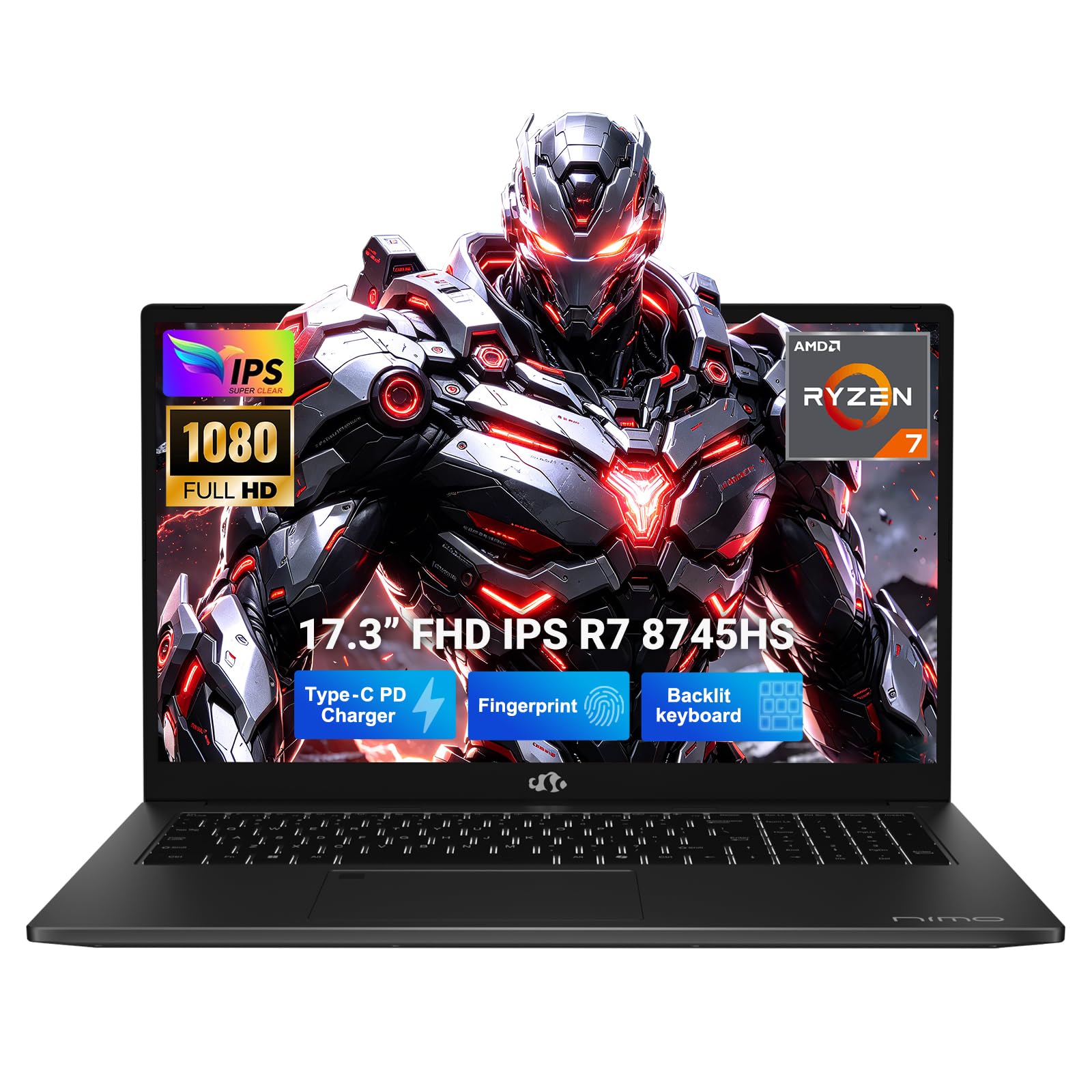
4. NIMO 17.3″ FHD AI Laptop AMD Ryzen 7 8745HS 16GB 512GB
Eight cores, sixteen threads, and a 17.3-inch screen for work that sprawls.
The processor is the headline, and it earns it. The AMD Ryzen 7 8745HS runs 8 cores and 16 threads (more lanes for work at once) with boost up to 4.9 GHz (its top speed). That 4.9 GHz ceiling sits well above the Lenovo V15’s 3.4 GHz — the kind of gap you feel when a video export finishes early. The 16GB of DDR5 memory runs at 5600MHz, which is fast for this tier, so big files open without a lag. The 512GB PCIe SSD (a fast solid-state drive) keeps large files moving too.
Then there is the screen: 17.3 inches at 1920 x 1080 in a 16:9 layout, big enough to compare a draft against source material or follow a lesson while taking notes. Around it sits an unusually complete port set — USB4, USB-C 3.2 Gen 2 with PD and DP, HDMI 2.1 TMDS, three USB-A ports and an SD card reader. USB4 and HDMI 2.1 mean a high-refresh external monitor will not need a workaround. The 58Wh battery and included 100W PD adapter let you carry power and video out over the same USB-C cable.
Here is the trade a buyer should weigh. This is a large laptop — under 2.1kg and 18.8mm thick — so it does desk duty beautifully and travel duty less so. It also has only a small pool of owner reports behind it, so the long-term picture is thinner than on the big-box models. What does come through is a strong value read and fast, responsive performance. If a big screen and a fast chip at mid-range money is your goal, this is hard to argue with.
Where it wins the comparison: 8 cores and 16 threads at a 4.9 GHz ceiling is a real step up from the Lenovo V15’s 4-core, 3.4 GHz N100. If you export video or run coding tools, you feel that gap in your day, not just on a spec sheet.
The honest limit: the 17.3-inch chassis at under 2.1kg is a desk machine first. Backlit keyboard and fingerprint sign-in make the evening sessions pleasant.
Go with this if: you want a bright 17.3-inch workspace and a genuinely fast Ryzen chip without premium-tier money.
Pass if: you need a heavy travel schedule — the size and weight argue against daily carry.
5. HP OmniBook 3 Touchscreen 17.3-inch
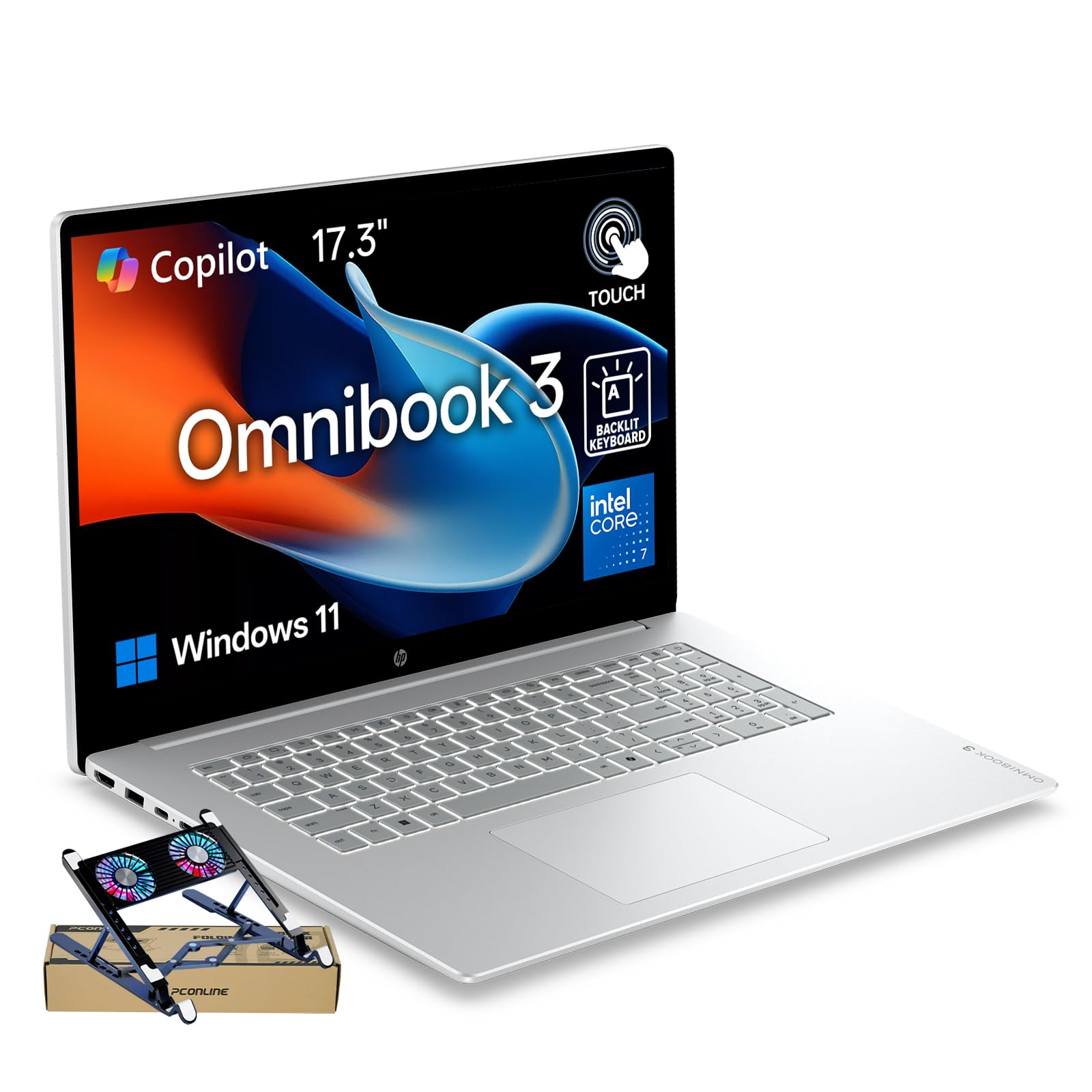
A 17.3-inch FHD touchscreen that makes the whole desk feel bigger.
Reach across and tap — that is the appeal here. The 17.3-inch panel runs 1920 x 1080 at 60Hz with 300 nits and 62.5% sRGB, and the touch layer changes how you use a desk machine: pinch a photo, flick through slides, sign a document with a finger. An Intel Core 7 350 processor with a dedicated AI Boost NPU at 17 NPU TOPS handles Windows Studio Effects and Copilot without stealing the main chip’s attention.
Storage is where this one stands out. The chassis accepts up to 48GB of DDR5 SO-DIMM memory and up to a 2TB PCIe NVMe SSD in its two slots, so it grows with you. Both slots are upgrade-ready. The keyboard is full-size backlit with a numeric keypad and a Copilot key, and the gesture clickpad lets you swipe to change brightness and volume. Connectivity covers two 10Gbps USB-C ports with Power Delivery and DisplayPort, two USB-A 5Gbps ports, HDMI and an audio jack.
What wins people over is the combination: a big touch screen, a real processor, and a battery HP quotes up to 19 hours of battery. USB-C fast charging refills about 50% in around 45 minutes, so a coffee break gets you back to work. The catch is honest. This is a new model with a small review base. And the PCO Cooler in the bundle is a pad that sits under the laptop, not a built-in fix — its cooling tech is real, but expect the chassis to warm during long streaming sessions.
The spec that carries it: two memory slots and two SSD slots accepting up to 48GB and 2TB respectively mean this laptop ages far better than most — you can double the storage without buying a new machine.
Real-world cost: HP quotes up to 19 hours of battery, and Fast Charge refills 50% in about 45 minutes when you forget to plug in.
Worth it for: big-screen touch use, and anyone who wants upgrade room in the future.
Not the pick if: you want a proven long-term track record — the review base here is still young.
6. NIMO 15.6″ AI Ready Gaming Laptop, 32GB DDR5 1TB SSD
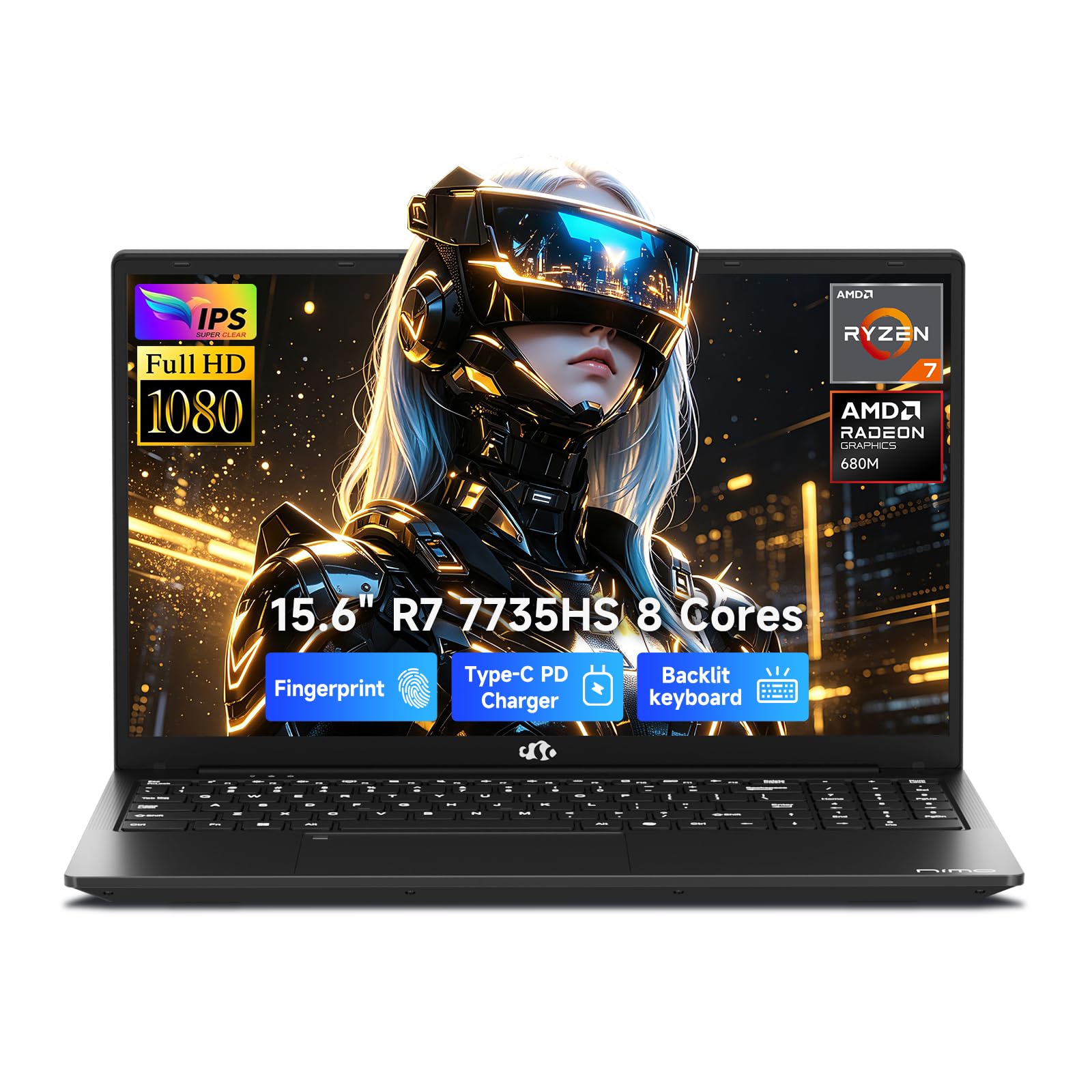
Nothing stalls this one: 32GB of memory and a terabyte of fast storage.
For the buyer who never wants to see a loading bar, this is the machine to look at. The AMD Ryzen 7 7735HS with 8 cores at up to 4.75 GHz handles data analysis, code compilation and HD media editing, and dual-channel DDR5 SO-DIMM memory feeds it without a bottleneck. Pair that with a 1TB M.2 2280 PCIe 4.0×4 SSD and the boot and app-load times are the kind you notice in the first hour.
The 15.6-inch 1080p panel in a 16:9 layout is a sensible fit for a compact desk, and the Radeon 680M graphics based on RDNA 2 architecture make light gaming and photo editing feel smooth. Build quality is what impresses most here — owners describe it as exceeding expectations — and that impression holds when you pick it up. The chassis weighs under 1.7kg and measures 19.2mm thick, with a 180-degree hinge that lays flat for sharing a screen across a table.
The trade-off worth flagging is power drawn for performance. The 53.58Wh battery is honest but the machine eats it during heavier tasks, and the included 100W PD adapter with a 2-meter cable is what keeps you going. Audio is a noted weak point — the dual 2W speakers are fine for calls, not for a media session at the desk. Full Windows 11 Home and a fingerprint sensor on the touchpad round out a package with a 2-year warranty and 90-day returns.
What makes it feel fast: 32GB of dual-channel DDR5 plus a 1TB PCIe 4.0 SSD is a combination that keeps a whole workday’s worth of apps open without the wheel spinning.
The trade: a 53.58Wh battery drains quickly under load, so plan on the 100W adapter staying plugged in for anything demanding.
Take this one if: memory and storage matter more to you than raw GPU power.
Keep looking if: you want a proper sound system at the desk for entertainment.
7. Samsung Galaxy Book6 Ultra 16″
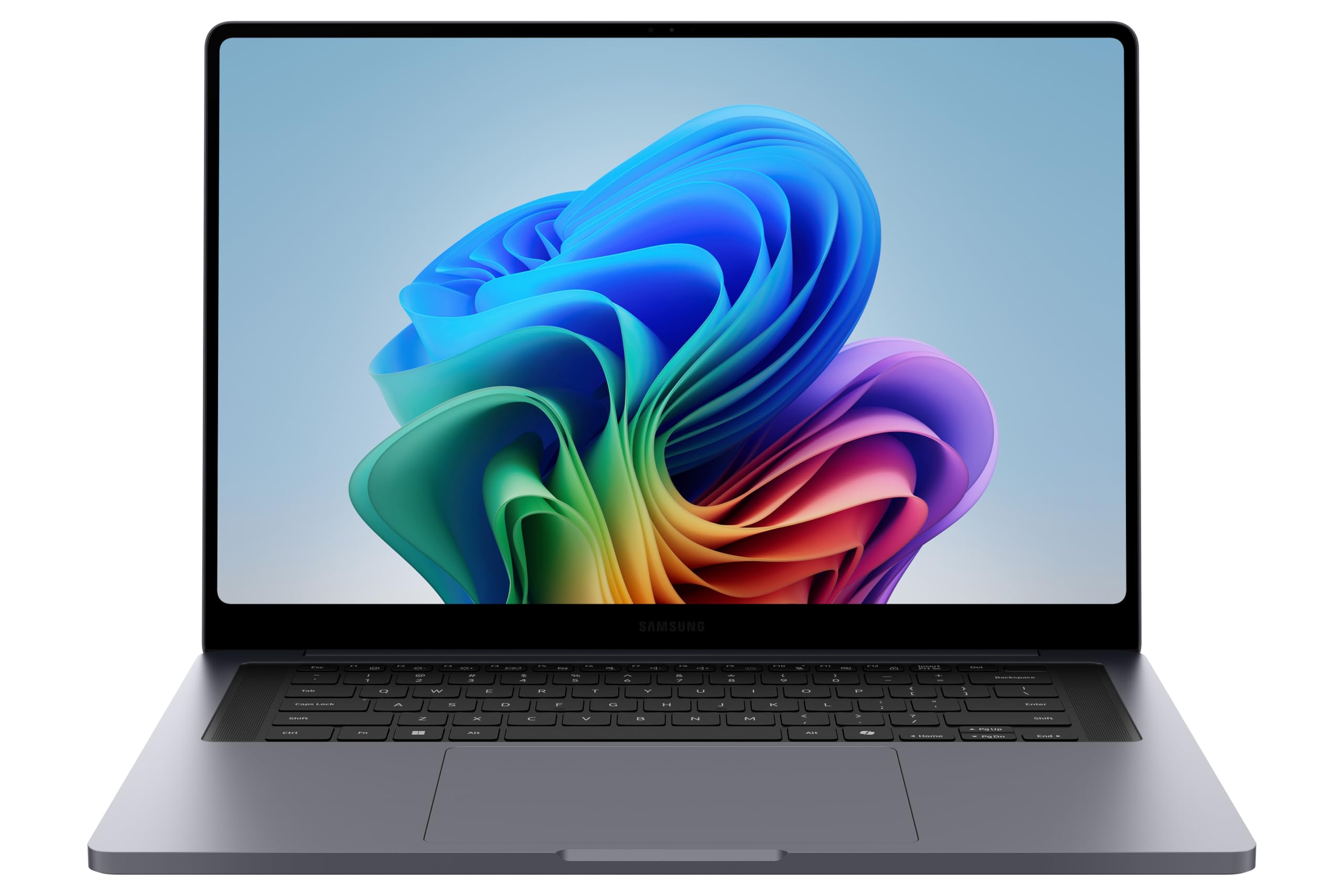
A dedicated RTX 5070 drives this AMOLED display, and 30 hours of standby backs it up.
When your work is 3D animation, video or AI-generated assets, you need a dedicated graphics card — a separate chip with its own memory, driven separately from the processor. The NVIDIA GeForce RTX 5070 carried by the Galaxy Book6 Ultra is exactly that, and it is the reason a render that would take minutes on an integrated-graphics laptop finishes fast here. An Intel Core Ultra 7 356H at up to 4.7 GHz with 32GB of memory and a 1TB drive keeps the rest of the workflow light.
The screen is a Dynamic AMOLED 2X at 2880 x 1800 with a refresh rate up to 120Hz — the sharpest Samsung panel in this list, and the one that makes colour work feel easy. Six speakers tuned with Dolby Atmos is a first for a Galaxy PC laptop, and the vapour chamber with redesigned fans and vents keeps the internals cooler under sustained load. Samsung quotes 30 hours of battery, a standby-style figure that shrinks fast under GPU load.
Now the catch. This is the second most expensive machine on this page. Its phone-to-PC handoff — taking calls and dragging files from a Galaxy phone — only works if you already own a Samsung Galaxy phone. Outside that ecosystem, you pay premium prices for a machine whose GPU (graphics chip) lead is real, but whose connected extras do nothing. Two years of warranty soften that. Buy it for the graphics card and the AMOLED screen, not for the phone tricks.
What you pay for: a dedicated RTX 5070, a 2880 x 1800 AMOLED panel at 120Hz and six Dolby Atmos speakers — this is the most visually complete machine in the list.
The trade-off: the phone-reading and file-dragging features only work with a nearby Samsung Galaxy device, so the extras are worth less to anyone outside that ecosystem.
Reach for it if: your day includes GPU renders and colour-accurate work, and you want a premium screen to match.
skip it if: you live outside the Samsung ecosystem — the connected extras simply will not do anything for you.
8. ASUS ROG Strix G18 2.5K 240Hz RTX 5080 64GB DDR5 4TB
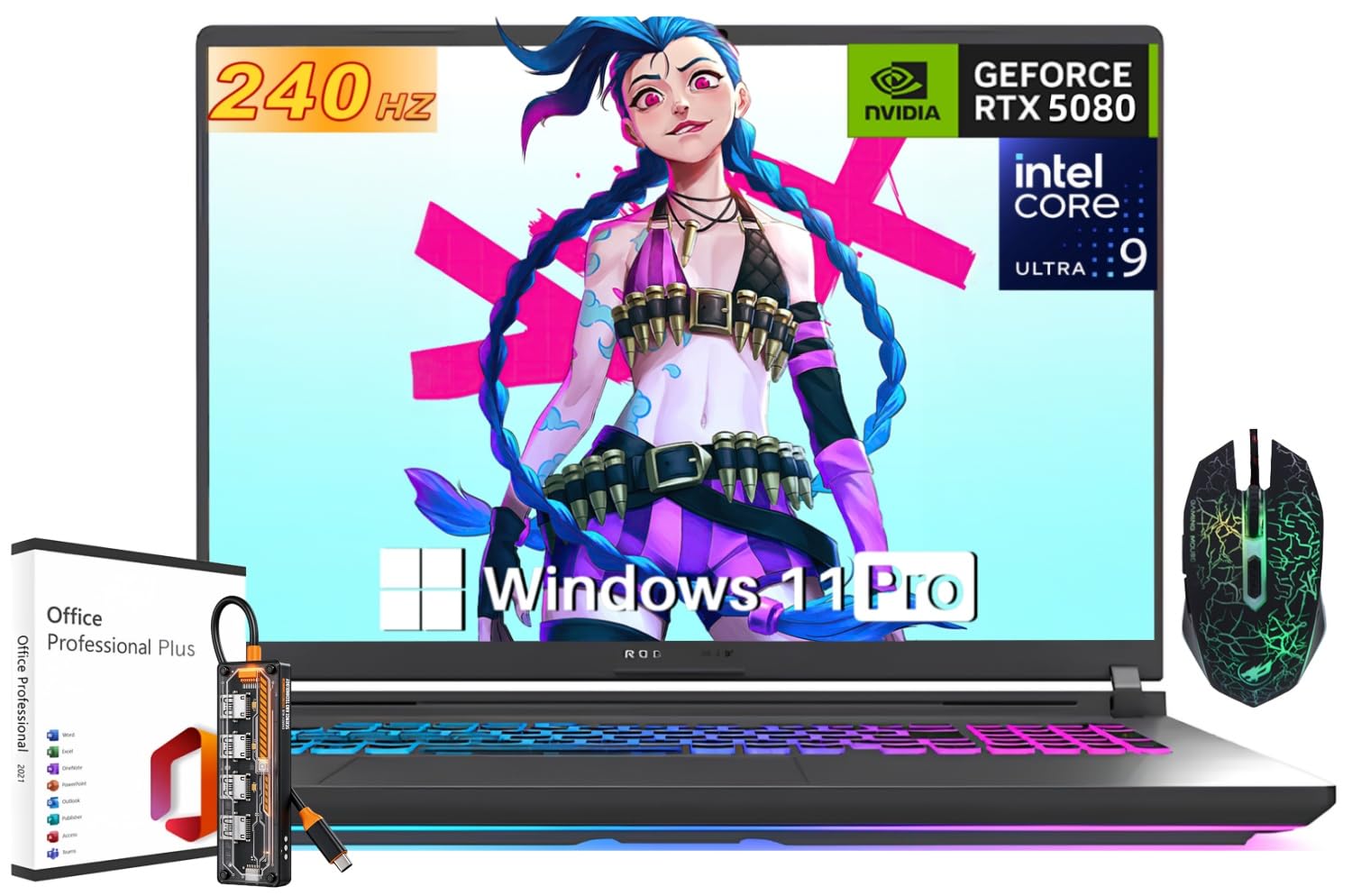
An 18-inch 240Hz screen and an RTX 5080 — a tower replaced in one piece of kit.
This is the machine you buy when the tower is going in the bin. The NVIDIA GeForce RTX 5080 Laptop GPU carries 16GB of GDDR7 dedicated graphics memory and up to 175W TGP, and the 18-inch 2.5K display runs at 240Hz. For fast-paced games and open-world titles, that panel-to-GPU pairing is the whole point. Under the hood sits an Intel Core Ultra 9 275HX processor reaching 5.4 GHz, backed by 64GB of DDR5 memory and a 4TB PCIe SSD.
Cooling is handled by ROG Intelligent Cooling with an end-to-end vapour chamber and Tri-Fan Technology, which matters when the hardware runs this hot for hours. Connectivity covers USB, HDMI, Bluetooth and Wi-Fi, and the Eclipse Gray chassis with its RGB gaming keyboard completes the desk setup. ASUS quotes 10 hours of battery — enough for a working day away from the wall, not for a gaming session unplugged.
The obvious catch is weight and price: this is the heaviest and most expensive pick here, and it is a desk-first machine in every sense. The 240Hz screen and the 175W GPU draw down the 10-hour battery quickly when you push them. But if the goal is genuinely replacing a gaming desktop — an 18-inch 2.5K display at 240Hz and an RTX 5080 with 16GB of GDDR7 — nothing else here comes close to the same picture.
The spec mic-drop: 16GB of GDDR7 dedicated graphics memory and 175W TGP is the largest graphics allocation in this list by a wide margin — it is the machine that makes 240Hz at 2.5K worth owning.
The honest cost: heaviest and priciest pick here, and the 10-hour battery figure falls fast under gaming load.
Designed for: gamers and creators replacing a full tower with one portable slab.
Not for: anyone who needs to carry a laptop daily — this one lives on a desk.
9. Acer Nitro V 16S AI Gaming Laptop, RTX 5060, 180Hz
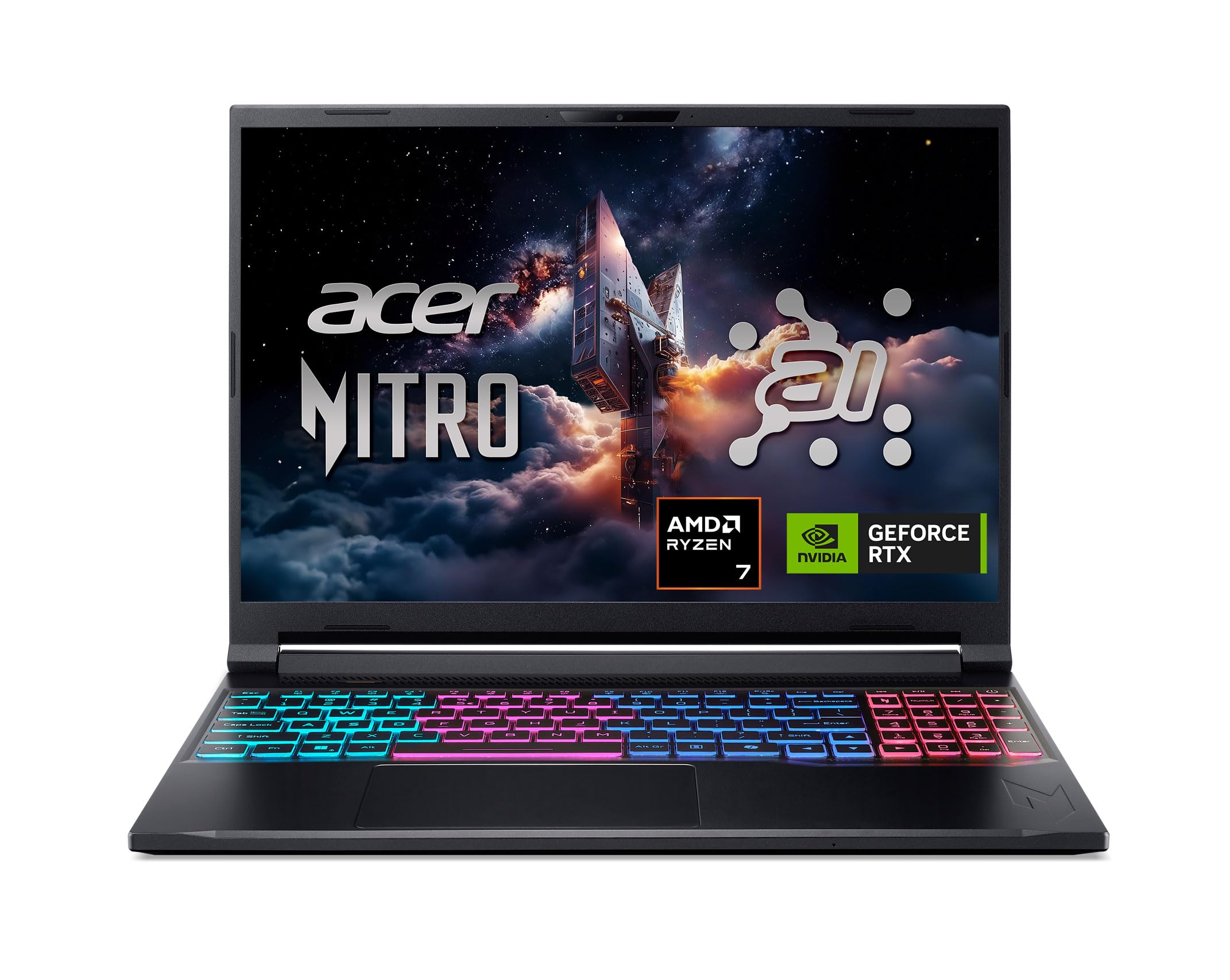
180Hz at 1920 x 1200 with 100% sRGB — smooth, and the colours are honest too.
Gaming laptops often pick one strength and sacrifice the rest. This one keeps the screen: a 16-inch WUXGA panel (1920 x 1200) with a 180Hz refresh rate (it redraws 180 times a second) and 100% sRGB colour coverage (the full standard colour range). Fast motion stays smooth during a firefight, and the colours you edit for a thumbnail are the colours that actually ship. Inside, the NVIDIA GeForce RTX 5060 Laptop GPU (graphics chip) sits on Blackwell architecture with 572 AI TOPS (a measure of AI processing speed). The AMD Ryzen 7 260 processor runs up to 5.1 GHz, paired with 32GB of DDR5 5600MHz memory and a 1TB Gen 4 SSD.
Performance is what owners talk about most, and for good reason — games run the way they expect, and the build feels stable. There are two PCIe M.2 slots, with one free for extra storage later, and DLSS 4 with Multi Frame Generation handles frame rates in newer titles. The 16-inch form factor keeps desk duty practical.
The honest caveat is heat and battery, two things that come with a dedicated GPU in this class. Battery life is the biggest split in the owner reports: some see over 6-7 hours, others find it drains quickly under load. Heat becomes noticeable in long sessions, and the fans make themselves heard. If you want a fast panel for gaming and you keep it plugged in at a desk, these are normal costs, not faults.
The reasons gamers pick it
- 180Hz refresh rate at 1920 x 1200 keeps fast games fluid
- 100% sRGB coverage means what you edit is what you see
- 32GB DDR5 5600MHz and a 1TB Gen 4 SSD give plenty of room
- A second M.2 slot means storage upgrades are easy later
What to expect honestly
- Battery drains fast under gaming load
- Chassis runs warm and the fans get loud in long sessions
Matches you if: you game at a desk and want a fast, colour-accurate screen with a dedicated RTX 5060 behind it.
Less ideal if: you need long unplugged endurance — the GPU tax is real.
10. HP 17.3″ Touchscreen Laptop
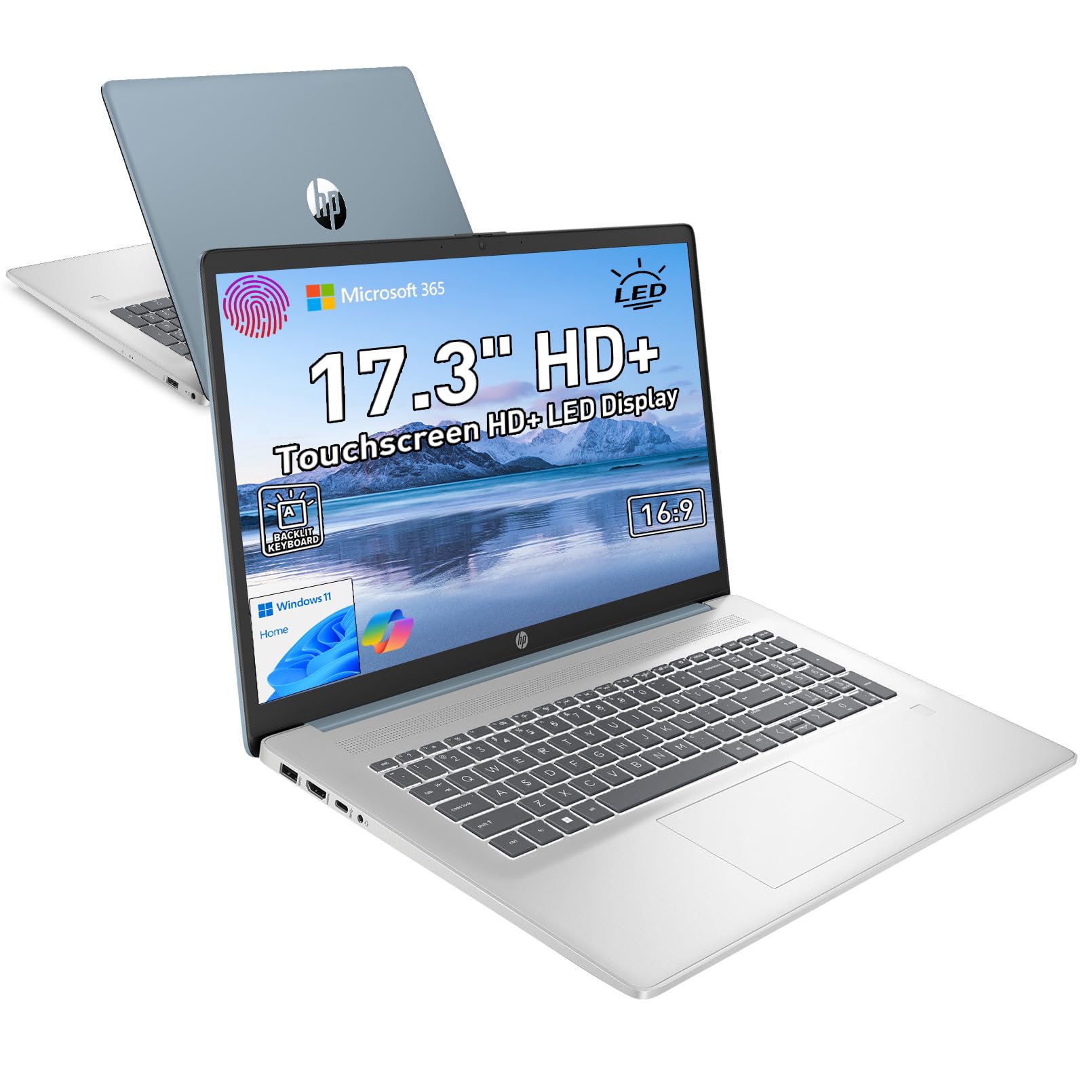
A 17.3-inch touch panel and 1TB of storage for the household desk.
For a family machine or a home-office desk, this is the everyday-use answer. The 17.3-inch HD+ touch panel runs 1600 x 900 at 60Hz with 250 nits (brightness) and 60% NTSC (a colour-range measure), so text is easy to read and a finger tap does the rest. Inside, an Intel N-series N100 quad-core processor at up to 3.4 GHz pairs with 16GB of DDR4 memory, a 1TB SSD and 128GB of UFS storage (fast built-in storage). That is enough to keep schoolwork, video calls and streaming all working at once.
Useful extras are generous for the tier. A full-size backlit keyboard with a numeric keypad and a fingerprint reader, a privacy camera shutter, dual array microphones, Wi-Fi 6 and Bluetooth 5.4, plus a USB-C port, two USB-A ports and HDMI 1.4b. Microsoft 365 Personal premium apps are included, with subscription activation required. HP Fast Charge takes the battery from 0 to 50% in about 45 minutes, and the chassis starts at 4.6 lbs — light for a 17-inch laptop.
The honest limitation is the panel. At 1600 x 900 the Lenovo V15’s 1920 x 1080 screen is the sharper of the two, and the N100 processor is not built for video editing or gaming. For browsing, email, video calls and a large readable screen, though, the combination works. Performance lands as advertised, setup is quick and the big touch screen is genuinely likeable. It is also note the unit has been opened for a RAM/SSD upgrade, with a 1-year coverage on the upgraded parts from PCOnline US alongside the manufacturer’s 1-year cover on the rest.
Why it fits a home desk: 16GB of memory and 1TB of SSD is roomy for household use, and the 17.3-inch touch screen is the readable kind rather than the dense kind.
Where it tops out: the N100 chip and 1600 x 900 panel keep it firmly in everyday-use territory — do not plan on rendering video here.
Suits you if: you want one big, friendly touchscreen laptop for everyday tasks and family use.
Better ways exist if: you need sharper text or serious processing power.
11. Lenovo V15 15.6″ FHD Laptop

The cheapest way onto a full HD desk setup, with the sharpest pixels per inch here.
Start with the screen, because this is where the V15 surprises. Its 15.6-inch anti-glare panel runs 1920 x 1080 at an 87% screen-to-body ratio (how much of the lid is actual screen). Compare that to the HP 17.3-inch touchscreen’s 1600 x 900 — on paper the Lenovo puts more pixels in front of you. The chassis is light too, starting at 3.33 lbs against the HP 17.3-inch model’s 4.6 lbs, so it is easier to carry between rooms.
Under the lid, an Intel N100 processor with 4 cores and up to 3.4 GHz runs alongside integrated Intel UHD Graphics. That ceiling of 3.4 GHz is the tell — the NIMO 17.3-inch’s Ryzen 7 8745HS reaches 4.9 GHz, and the difference is realwhen you export video or run heavy tools. For everyday work it is plenty. Inside sit 16GB of DDR5-4800 memory and a 512GB PCIe 4.0×4 NVMe SSD, so boot times and app loading stay quick. It measures just 19.9mm thin with a textured PC-ABS chassis.
What owners keep coming back to is the performance for the money, and the value read holds. Ports are more complete than this tier usually offers: two USB-A 5Gbps, two USB-C 5Gbps with USB PD 30-65W and DisplayPort 1.2, HDMI 1.4b for an external monitor, a 100/1000M Ethernet jack and a 3.5mm combo jack. Wi-Fi 6 and Bluetooth 5.2 handle wireless. A firmware TPM 2.0 chip and a Kensington Nano Security Slot cover security, plus a camera shutter and a 720p webcam for calls.
Where the compromise shows: the keyboard is non-backlit, and the reliability reports are mixed — some machines run for months without issue while a few go wrong early. The panel is also anti-glare but modest in brightness. Set against MIL-STD-810H testing, a TUV Rheinland Low Blue Light certification and a 65W USB-C charger, this is the sensible entry point onto a full desk for anyone on a tight budget.
Best value in the bunch: you get 1920 x 1080 on a 15.6-inch anti-glare panel, plus 16GB DDR5 memory and a 512GB PCIe 4.0 SSD (a fast solid-state drive). That is a serious amount of machine for the money. Full Ethernet (wired network) and HDMI ports mean no adapters to buy.
One honest caveat: the keyboard is non-backlit and the N100’s 3.4 GHz ceiling keeps it to everyday work.
Start here if: you need a sharp, light, wired-friendly laptop and you are working to a tight budget.
Not the one if: your work involves heavier processing, or you type in dim rooms often.
Know the Specs
Screen resolution and brightness
Resolution is the number of pixels on the panel — the more you have, the sharper the text and the more you can fit side by side. A 1920 x 1200 screen is a little taller than 1920 x 1080, which shows more rows of a spreadsheet before you scroll. Brightness, quoted in nits, decides how readable the screen stays in a bright room. A panel rated at 300 nits holds up under office lighting better than a dimmer one.
DDR5 memory speed and capacity
Memory (RAM) is where open apps live, so it decides how many things you can have running at once. 16GB handles a normal working day; 32GB is what you want for virtual machines, big video edits or dozens of tabs. The speed figure, such as 5600MHz, describes how quickly memory moves data. Faster memory helps, but capacity matters more when you run out.
PCIe SSD generations
The SSD is your storage, and PCIe 4.0 drives load large files faster than older PCIe 3.0 ones. A 512GB drive holds documents and photos comfortably; a 1TB or larger drive is the safe choice if you keep video projects or a big game library. Two M.2 slots on some models mean you can add a second drive later without replacing the first.
Processor cores and boost clocks
The processor’s cores are its workers — more cores handle more tasks at once. The boost clock, such as 4.9 GHz, is the top speed it can hit briefly under a single heavy task. A dedicated graphics chip (like an RTX 5080 or 5070) is separate hardware with its own memory, which is what makes gaming and 3D rendering fast in a way integrated graphics cannot match.
Common Questions
Can a laptop really replace my desktop tower for everyday work?
Is a 1920 x 1200 screen better than 1920 x 1080 for office work?
Do I need a dedicated graphics card in a desktop replacement?
How much memory should I get if I keep lots of browser tabs open?
Can I plug my desktop monitor and wired keyboard into these laptops?
Will a 17-inch laptop fit in a standard laptop bag?
How long does the battery last on a desktop replacement?
Is 512GB of storage enough for a work laptop?
Can I upgrade the memory or storage after I buy?
Do these laptops run hot if I leave them on all day?
The Bottom Line
For most desk-based buyers, the laptop for desktop winner is the Lenovo ThinkPad E16 Gen 3. It is the only machine here with Thunderbolt 4 (a fast USB-C port), HDMI and Ethernet built into the chassis, so your monitor, mouse and network cable all plug in without a single adapter. The 1920 x 1200 anti-glare screen and the 4.8 GHz Core Ultra 5 handle a full working day cleanly. If creative work is the point, the Dell XPS 14 brings a 3.2K OLED panel that beats every other screen on this page for colour. And for anyone replacing a gaming tower, the ASUS ROG Strix G18 is the one to reach for, with its 18-inch 240Hz display and the RTX 5080’s 16GB of GDDR7 memory (dedicated graphics memory) doing what an integrated chip simply cannot. On a tighter budget, the Lenovo V15 keeps the full HD 1920 x 1080 panel — and full Ethernet — intact.
How we choose
We do not accept paid placement. Every pick is matched to a real buyer and a real use-case; we do not hands-on test units.
Sources
Specifications: manufacturer listings and product documentation. Review insights: verified customer reviews, as of November 2026. Pricing: not shown on this page (it changes often); check the current price via the retailer link.
As an Amazon Associate, Tactical Gear Guy earns from qualifying purchases. This does not affect which products we feature.