Specs are compiled from manufacturer listings and verified buyer reviews and can change over time — please confirm the key details on the product page before buying.
Your Roomba is fine. The dock is the problem. Nine times out of ten, a robot vacuum that stops returning home, charges halfway, or dies mid-clean has a charging base that has quietly worn out its contacts or lost its infrared beacon. This guide covers the eight replacement docks worth your money, sorted by what actually matters: model compatibility, output current, and whether the thing keeps charging past week three.
This guide is built by comparing the manufacturers’ published specifications and the patterns across verified customer reviews, so you get each pick’s real strengths and trade-offs instead of marketing spin.
You will see which docks cover the widest model list, which ones ship with spare brushes and tools, and which output rating actually keeps a robot topped up between runs. Every pick here is a genuine replacement for an irobot roomba charger.
Top Picks


How To Choose The Best iRobot Roomba Charger
A replacement charging dock is a small purchase with an outsized job. It has to physically align with your robot’s charging contacts, send the right current, and broadcast the infrared signal your Roomba follows home. Get any one of those wrong and you are back to manually carrying the vacuum to a wall outlet.
Match the dock to your exact Roomba series first
The single most common mistake is buying a dock that fits the 500 through 900 series but not the newer i or j models. Some bases list dozens of model numbers and still exclude the j-Series, Essential Series, and combo units. Check your robot’s model number against the listing before anything else. A dock that ignores your robot is useless no matter how well it is built.
Look at output current, not just the voltage number
Output current, measured in amps (A), tells you how much power the dock pushes into the robot during a charge cycle. A higher amp rating generally means a shorter wait before your Roomba is back on the floor. The docks here range from 0.68 A all the way to 2.75 A, and that spread is real. If your robot runs long cleaning cycles and needs to recharge mid-day, a stronger output is worth the upgrade.
Check input voltage if you move between countries
Input voltage is what the dock pulls from your wall socket. A dock rated for 100V–240V works on both North American and European outlets without a converter. A dock rated for a single voltage region will only charge in that region. If you travel with your robot or relocate, that range matters more than any other spec on the box.
Side-by-Side Comparison
| Model | Best For | Output Current | Input Voltage | Model Coverage | Amazon |
|---|---|---|---|---|---|
| Jvtlirdfu Roomba Charger Dock★ Best Overall | Widest model compatibility | 1.25 A | 100V–240V | 500–900 series plus e, i series | Amazon |
| SXCXIAOYUER Roomba Charger DockBudget Replacement | Budget replacement | 45 milliamps | 220 volts | 500–900 series plus e, i series | Amazon |
| caSino187 OEM Charging DockHighest Output | Highest output current | 2.75 A | 240 volts | 500–900 series plus e, i series | Amazon |
| Copeeanzy Charger Dock | Year-long support cover | 1.25 A | 110 volts | 500–900 series plus e, i, j series | Amazon |
| CQCEO Replacement Charging Dock | Extras in the box | — | 220 volts | 500–900 series plus e, i series | Amazon |
| SCREENTRONICS Home Base | Infrared homing beacon | 2.5 A | — | 500–900 series plus e, i series | Amazon |
| RDSJK Roomba Charger Dock | j-Series support | 1.25 A | 220 volts | 500–900 series plus e, i, j series | Amazon |
| DGFTB Charging Base | Quick charging | 0.68 A | 220 volts | 500–900 series plus e, i series | Amazon |
Detailed Reviews
1. Jvtlirdfu Roomba Charger Dock
Our pick — 4.5+★ from 100+ verified ratings; the strongest balance of quality and price.
The dock that covers nearly every Roomba ever made, and ships with spares.
If your Roomba is an e5, an i7, or a 560 you found in a closet, this dock almost certainly fits. It lists compatibility across the e, i, and 500-through-900 series, plus j-series model numbers in its compatible devices field. That breadth is the whole reason it takes the top spot — you are not gambling on whether your specific robot appears in a short list.
Power comes in at 1.25 A output with an input range of 100V–240V, which means it works in North America and abroad without a step-down converter. The 20.5V-1.25A output spec is the number that tells you it delivers a full charge cycle, not a trickle. The box includes the charging base and a US-spec power cord, and there is a two-base option if you run a robot on each floor.
The thing buyers talk about most is how cleanly it drops in as a replacement — the dock aligns, the contacts connect, and the robot resumes its schedule. It carries 4.5+ stars, the highest score among the eight docks here. One honest note: the compatible-devices list is enormous and some entries look like duplicated or garbled model numbers, so verify your exact robot against the listing rather than trusting the wall of text.
What works in its favor
- Covers e, i, and 500–900 series Roombas in one box
- 100V–240V input travels between regions
- Two-base bundle option for multi-floor homes
- Highest buyer score of the eight docks reviewed
Where it asks a little care
- Compatibility list is messy — confirm your model yourself
- Output current sits mid-pack, not the strongest here
Reach for this if: you want one dock that fits almost any Roomba and can tag along on an overseas move.
Look elsewhere if: you already know your exact j-series model and want the dock built specifically around it.
2. SXCXIAOYUER Roomba Charger Dock
The cheap dock that mostly works — and mostly is the honest word here.
This is the dock you buy when you want to spend as little as possible and still get a functional replacement. It fits the 500 through 900 series and the e and i models, ships with a US power cord, and supports 110–220V so it handles both regional outlets. Setup is a simple swap: unplug the old base, set this one down, done.
The catch is the charging performance. It is the most-discussed topic in the reviews, and opinions split cleanly: some robots charge instantly on it, others land on the dock and never reach full. That split is worth knowing before you commit. If you have an older Roomba where a dead dock just needs a functioning stand-in, this is fine. If your robot already has charging quirks, a stronger dock is the safer bet.
The replacement angle itself draws solid satisfaction — the dock does what it says when it connects properly. At 45 milliamps the current rating is modest, which is part of why the charge experience is inconsistent. Think of it as a standby dock for a secondary robot rather than the daily driver’s base.
Bottom line on the cheap seat: genuine 500–900 series coverage and a working power cord at entry-level pricing, with a charging inconsistency you should factor in.
The honest limit: the amp rating is the lowest of the group here, and the mixed charging reports track that weak number.
Good match for: a spare or older Roomba that just needs a no-frills landing pad.
Think twice if: your robot already fails to fully charge on its current base — this dock may not fix it.
3. caSino187 Authentic OEM Charging Dock
Feeds your robot the strongest charge of any dock in this lineup.
Here is the number that puts this base ahead of most rivals: a 2.75 A amperage rating. Compare that to the 1.25 A output on the Jvtlirdfu and Copeeanzy docks above — nearly double the current. If your Roomba has to recharge between long cleaning cycles, that difference can mean getting back out on the floor instead of sitting at a half-charged standstill.
The input voltage rating is listed at 240 volts, so if you move countries you will want to check the plug compatibility before relying on it. It uses a proprietary two-pin connector and a Type A North American plug. The base covers the e, i, and 500-through-900 series, and the listing notes it has improved charging contacts over earlier versions — a contact pad that stays firm is exactly what keeps a Roomba from failing to seat.
Build quality feels OEM rather than generic, which is reflected in the four-star-plus score it holds from a solid run of buyers. The catch is that 0.68 A current-rating field reads low against its own 2.75 A amperage spec — a data inconsistency on the listing worth noting. Treat the amperage figure as the headline, but confirm the base behaves the way you need before assuming it solves a deeply charging-reluctant robot.
Why it earns its slot: the largest amperage output here, OEM contacts, and coverage of every major Roomba generation.
The nuance to weigh: regional plug type and a listing whose own current fields disagree — check before you buy.
Top choice for: a high-use Roomba that needs the fastest recharge dock in this group.
Bar is higher if: you need a dock that travels abroad — the 240V input and Type A plug limit you.
4. Copeeanzy Charger Dock
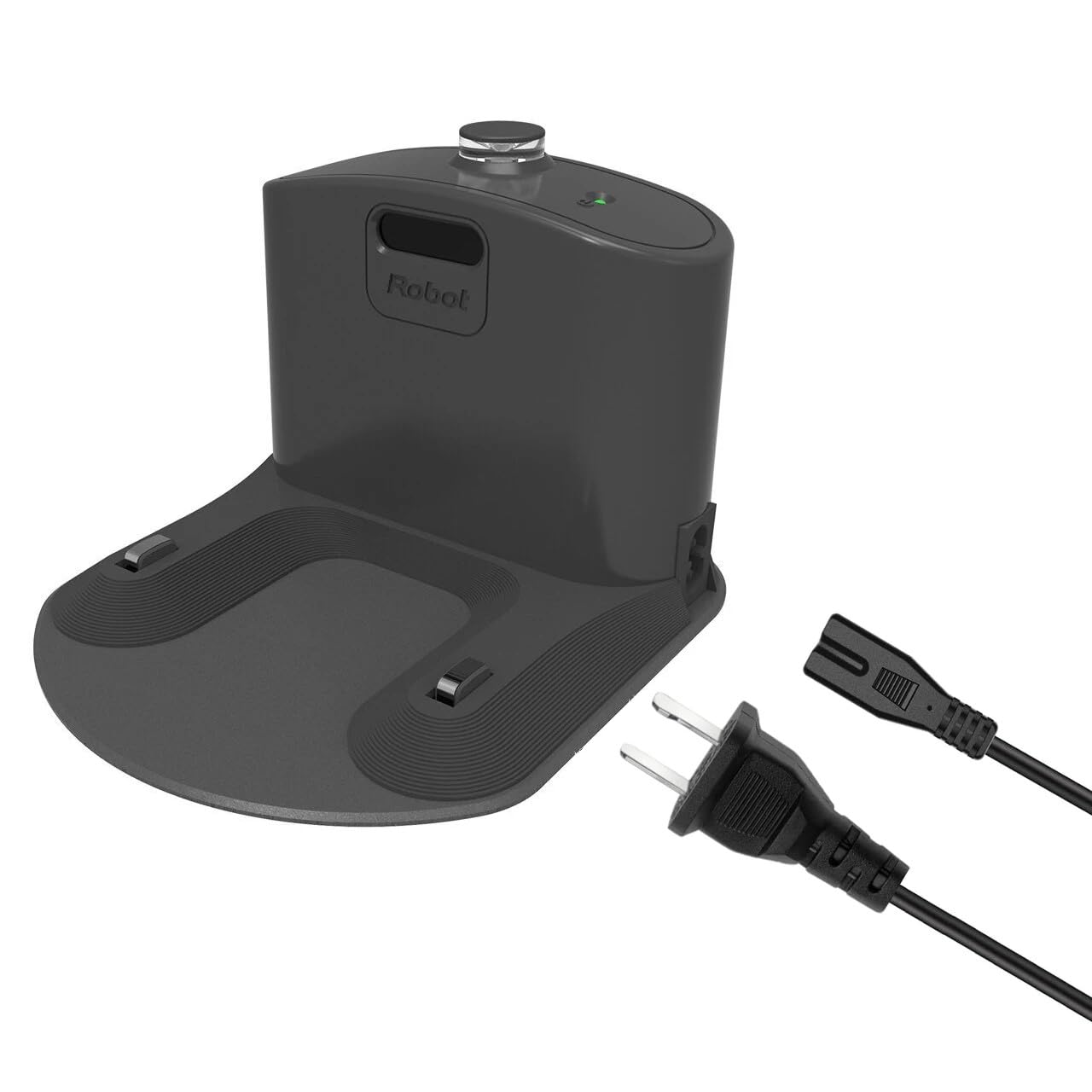
A plug-and-play replacement dock backed by a 12-month support period.
For buyers who want a drop-in replacement and a safety net should something go wrong, this dock is the easy pick. It carries a 12-month support period, which is more breathing room than most replacement bases offer. The integrated base comes with a 4415878 power cord and supports 110–220V, so it plugs into a standard North American outlet or an overseas one.
What buyers care about here is functionality, and it delivers: the dock charges reliably and the robot returns to it as intended. Coverage spans the e, i, and 500–900 series, and it replaces the original ADF-N1 #17070 #17064 4452369 base. The 1.25 A amperage and 110V input keep it in the mid-range power tier — not the strongest, but more than adequate for a standard cleaning schedule.
The 12-month support window covers an early failure. The one thing to verify up front is your robot’s model, since the compatibility line here is long but not exhaustive. The support window means an early hiccup gets handled rather than swallowed.
Trust points
- 12-month support period backs the purchase
- 110–220V input works in both regions
- Charging reliability is its defining strength
- Clean replacement for the OEM ADF-N1 base
Trade-off notes
- 1.25 A output is mid-tier for speed
- Does not list every Roomba model — check yours
Best fit for: the buyer who wants a working base and a year of cover in case it does not.
Consider a stronger dock if: recharge speed is your number-one priority.
5. CQCEO Replacement Roomba Charging Dock
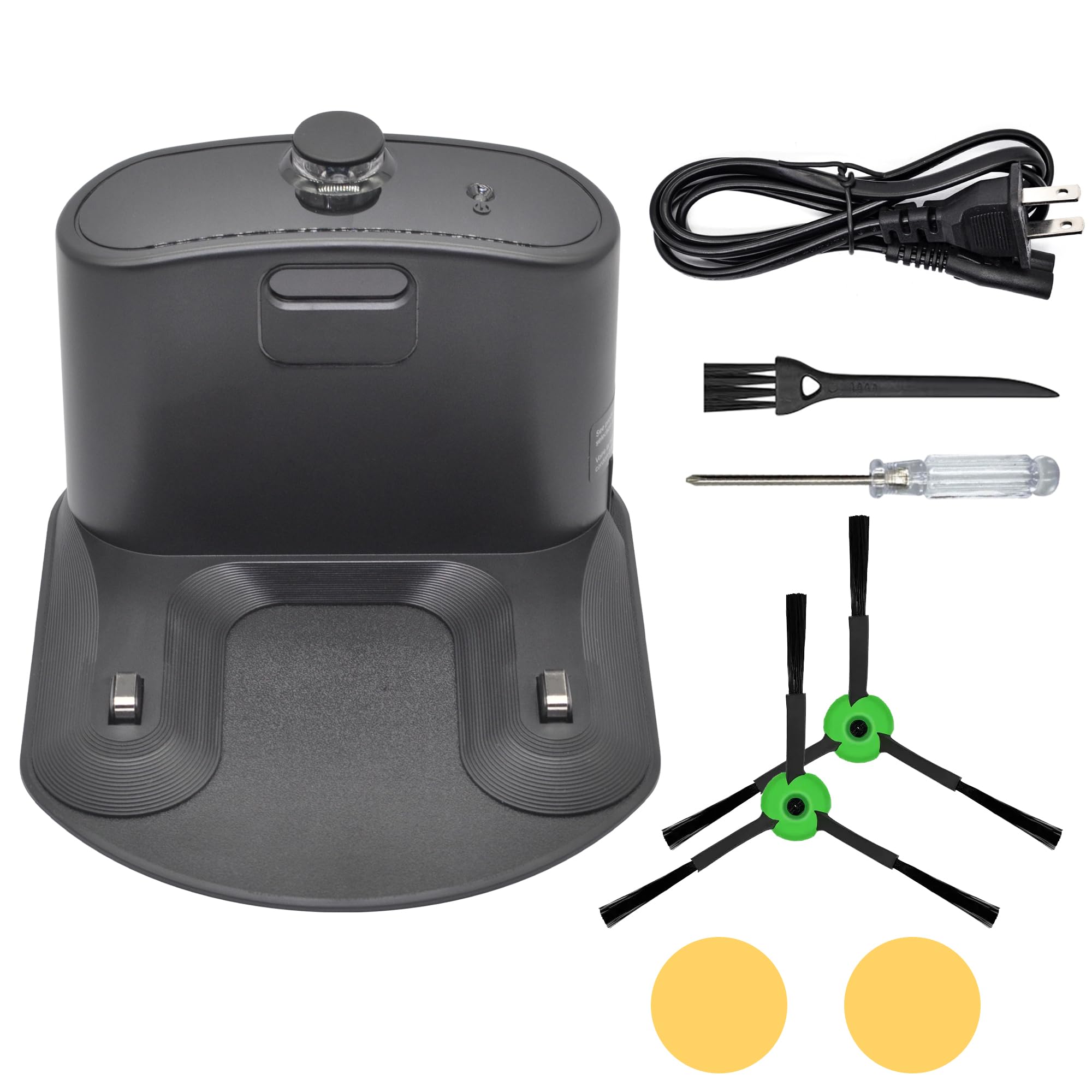
A charging dock that doubles as a small maintenance kit.
Most replacement bases give you a dock and a cord. This one also throws in two side brushes, two double-sided adhesive pads, a screwdriver, and a dust brush. If your Roomba’s side brushes are worn and you have been meaning to order replacements anyway, that bundle turns a one-part fix into a full tune-up.
The dual-hole charging base is designed to keep the robot topped up between daily runs, and it fits the 500 through 900 series plus the e and i models. It replaces the ADF-N1 #17070 #17064 4452369 base and supports 110–220V. It carries a 12-month warranty with a 30-day money-back window and round-the-clock email support. The housing is built from environmental-protection material with a nameplate that promises less wear — treat that as maker language rather than a test result.
Buyers report it charges reliably and drops into a daily cleaning routine without fuss. One thing to weigh: the listing carries no clear output-current or amperage figure, so if you need to know exactly how hard it charges, this dock leaves that blank. It is best understood as a solid, well-supported replacement with handy spares, not a performance standout.
The draw: a working dock plus genuine cleaning spares in one order, with a full year of warranty cover.
Read the fine print: the wear-resistance claim is manufacturer copy, and the amp rating is unlisted.
Pick it when: you want a replacement dock and fresh maintenance parts delivered together.
Hold off if: you need the printed output-current spec to compare against other docks.
6. SCREENTRONICS Home Base Charging Dock
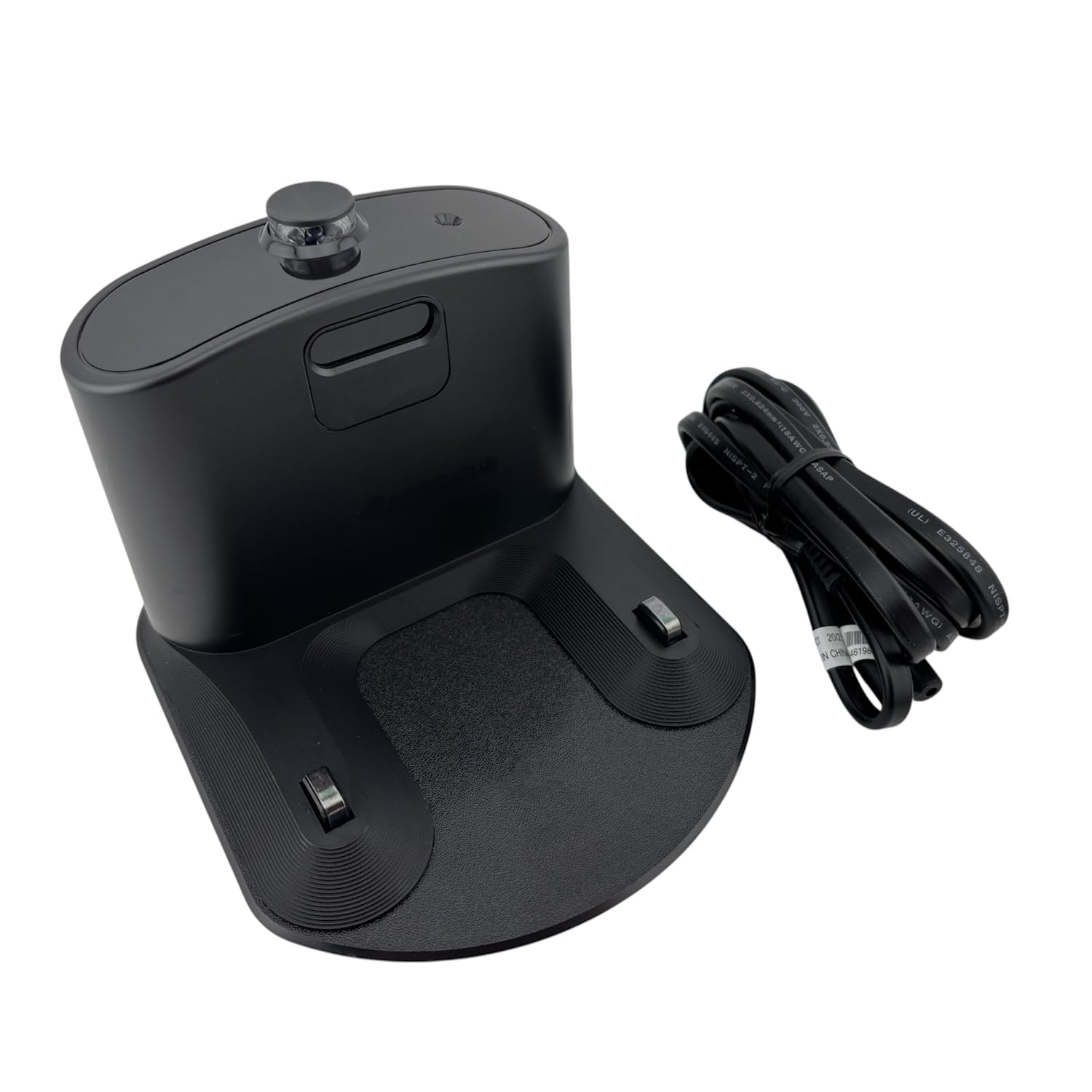
Built around the homing signal that actually gets your Roomba back to the dock.
Plenty of docks charge fine but leave the robot wandering. This one is explicitly designed with an infrared beacon that helps a compatible Roomba find the base and return on its own when a clean is done. If your current dock has a weak or dead beacon — that classic “robot never makes it home” problem — this is the targeted fix.
It also pushes a strong 2.5 A output, putting it near the top of the current ratings here, ahead of the 1.25 A docks in the mid-range tier. That combination of reliable homing and solid power makes it a fit for high-traffic homes where the robot runs daily. The base works with the e, i, and 500-through-900 series, and setup is plug-and-play with no pairing or programming required.
The important warning is printed right on the listing: it does not support the j-Series, Combo j-Series, Essential Series, or the 104, 105, 205, 405, 505, Max 705, and Combo 10 Max models. Check your robot’s model line before ordering. For a classic Roomba it is a well-engineered pick; for a newer j-Series it is simply the wrong dock.
Standout spec: the infrared homing beacon plus a 2.5 A charge output — the two things that solve “it won’t come home” and “it charges too slowly.”
Who this is not for: owners of j-Series, Combo, and the newer Essential models, which this dock excludes.
Made for: older 500–900 or e/i-series owners whose robot keeps missing the dock.
Step away if: your Roomba is a j-Series, Combo, or Max unit — those are off this dock’s list.
7. RDSJK Roomba Charger Dock
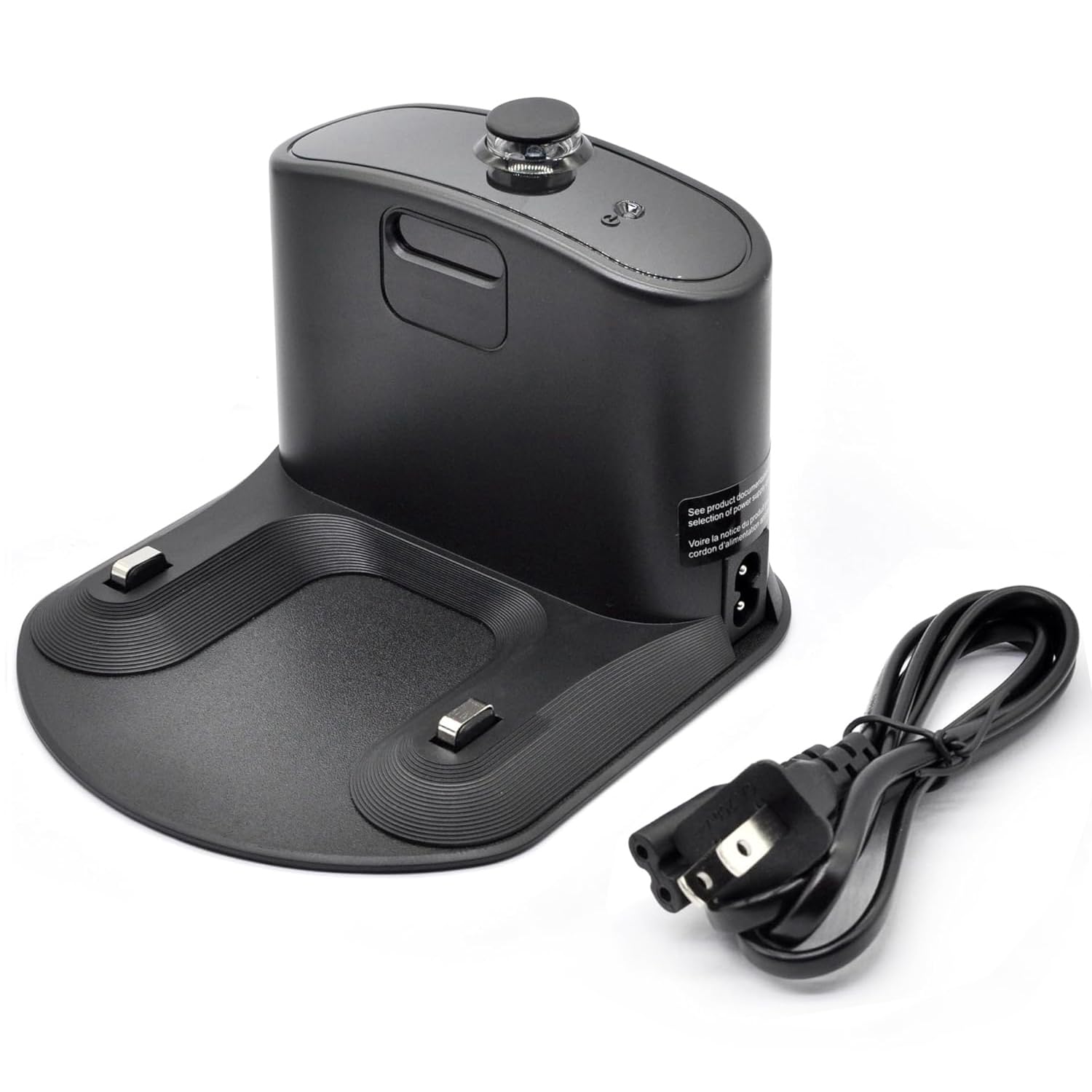
One of the few docks here that actually lists j-Series robots as compatible.
Many replacement bases stop at the i-Series and quietly ignore the j5, j7, and j9. This one names them outright, which makes it the safer bet if you own a newer Roomba. It also covers the e and i models and the full 500-through-900 range, so it is not trading breadth for that j-Series support.
Power runs at 1.25 A output with an input spec of 100–240V and 33W, and it comes with a 4415878 power cord. The box is packed: a charger dock, US cable, screwdriver, brush, two side brushes, and four double-sided adhesive pads. Functionality is what buyers value most, and it delivers a steady, dependable charge on the models it supports. Compatibility as an OEM-style replacement is the next thing owners rate highly.
One honest note: battery life drew mixed feedback, so a handful of buyers saw their robot’s runtime behave inconsistently on this dock. That is not the majority experience, but it is the trade-off to keep in mind. For a j-Series owner, though, the extra supported models tip the choice decisively.
Front of the label
- Rare j5, j7, j9 support in a replacement dock
- Full 500–900 plus e and i series coverage
- Bundled brushes, screwdriver, and adhesive pads
- 100–240V input for international use
Fine print to weigh
- Battery-life results split across buyers
- 1.25 A output is mid-tier, not fastest
Go here when: your Roomba is a j5, j7, or j9 and you need a dock that names it.
Second-guess it if: maximum charge speed is what you are chasing.
8. DGFTB Charging Base

A quick-charging base that arrives with fresh brushes and a screwdriver.
Buyers consistently report this dock charges the Roomba fast. Functionality is the most-praised quality, with speed ranking close behind, and that is the pair most owners care about. It covers the e, i, and 500-through-900 series and replaces the 4452369 ADF-N1 17064 17170 base, with a 4415878 power cord in the box alongside two side brushes, a dust brush, and a screwdriver.
The input range is a generous 110–220V, so it works with both regional outlets. The amperage sits at 0.68 A, which is on the lower side of the field here — but the owner experience is faster charges, so the connection quality is clearly doing the work. The plastic base is sturdy and takes seconds to place.
The after-sale point matters: the maker points you to their Amazon storefront contact if anything goes wrong, so resolution runs through that channel rather than a phone line. That is fine for most buyers but worth knowing. The balanced result has kept the dock’s score solidly above four stars.
The pitch in one line: fast, reliable charging with a maintenance kit and a wide voltage range baked in.
Worth checking: support is handled through the seller’s storefront, and the amp rating is modest for the price tier.
A natural fit for: owners who prize charge speed and want spare brushes in the same box.
Look at a higher-amp dock instead if: you want the biggest current number on paper to back up the speed.
Know the Specs
Output current in amps
Output current, measured in amps (A), is how much power the dock pushes into your Roomba during a charge. A higher figure generally means a shorter wait before the robot is back at work. This lineup runs from 0.68 A up to 2.75 A, so the spread is real — a long-running robot benefits from sitting higher on that scale.
Input voltage range
Input voltage is what the dock draws from the wall. A dock rated 100V–240V handles both North American and European sockets, so it travels with you. A single-region rating ties the dock to one part of the world. If you relocate or travel with the robot, the wider the input range, the more useful the dock becomes.
Model compatibility
The most important spec is the boring one: does the dock list your exact robot? Replacement bases typically cover 500 through 900 series and the e and i models, but some exclude the j-Series, Combo, Essential, and Max units entirely. Always cross-check your model number against the listing before you buy.
Infrared homing beacon
The infrared beacon is the small signal the dock emits so your Roomba can find it and return to charge on its own. A weak or dead beacon is why a robot can clean fine but never make it home. A dock explicitly built around a reliable beacon solves that wandering problem directly.
Common Questions
Will a replacement Roomba charger work with my specific model?
Why does my Roomba circle but never dock?
Does a higher amp rating charge my Roomba faster?
Can I use a 110V replacement dock in Europe?
What is included in a replacement Roomba charging base kit?
How do I know if my old charging contacts are the problem?
Is a cheaper Roomba dock worth it over a pricier one?
Can a replacement dock recharge a Roomba that keeps stopping mid-clean?
Do replacement Roomba docks need any pairing or setup?
The Bottom Line
For most Roomba owners, the irobot roomba charger to buy is the Jvtlirdfu Roomba Charger Dock, because it covers nearly every Roomba generation, handles 100V–240V input, and ships with spare brushes in the box. If raw charging power is what you are after, the caSino187 OEM Charging Dock leads the field at 2.75 A. And if you own a newer j-Series robot, the RDSJK Roomba Charger Dock is the one that names your model outright. All three picks hold buyer scores above four stars, so any of them is a safe buy.
How we choose
We do not accept paid placement. Every pick is matched to a real buyer and a real use-case; we do not hands-on test units.
Sources
Specifications: manufacturer listings and product documentation. Review insights: verified customer reviews, as of November 2026. Pricing: not shown on this page (it changes often); check the current price via the retailer link.
As an Amazon Associate, Tactical Gear Guy earns from qualifying purchases. This does not affect which products we feature.