Specs are compiled from manufacturer listings and verified buyer reviews and can change over time — please confirm the key details on the product page before buying.
Your iPad Pro 12.9-inch 6th Gen deserves a keyboard that holds it at a steady angle instead of flopping shut mid-email. The most useful thing to know first: every pick here is built to fit exactly that tablet. So your real decision depends on three things — typing feel, hinge strength, and how much weight you’ll add to your bag. Below are nine options that fit that tablet, each with its honest trade-offs.
This guide is built by comparing the manufacturers’ published specifications and the patterns across verified customer reviews, so you get each pick’s real strengths and trade-offs instead of marketing spin.
You will see which stands hold steady, which keys feel right under your fingers, and where the magnets quietly let you down. Fitment is the whole game with a generation-locked case, so check your model number first, then let this breakdown of the ipad pro 12.9 6th gen keyboard case do the narrowing.
Top Picks
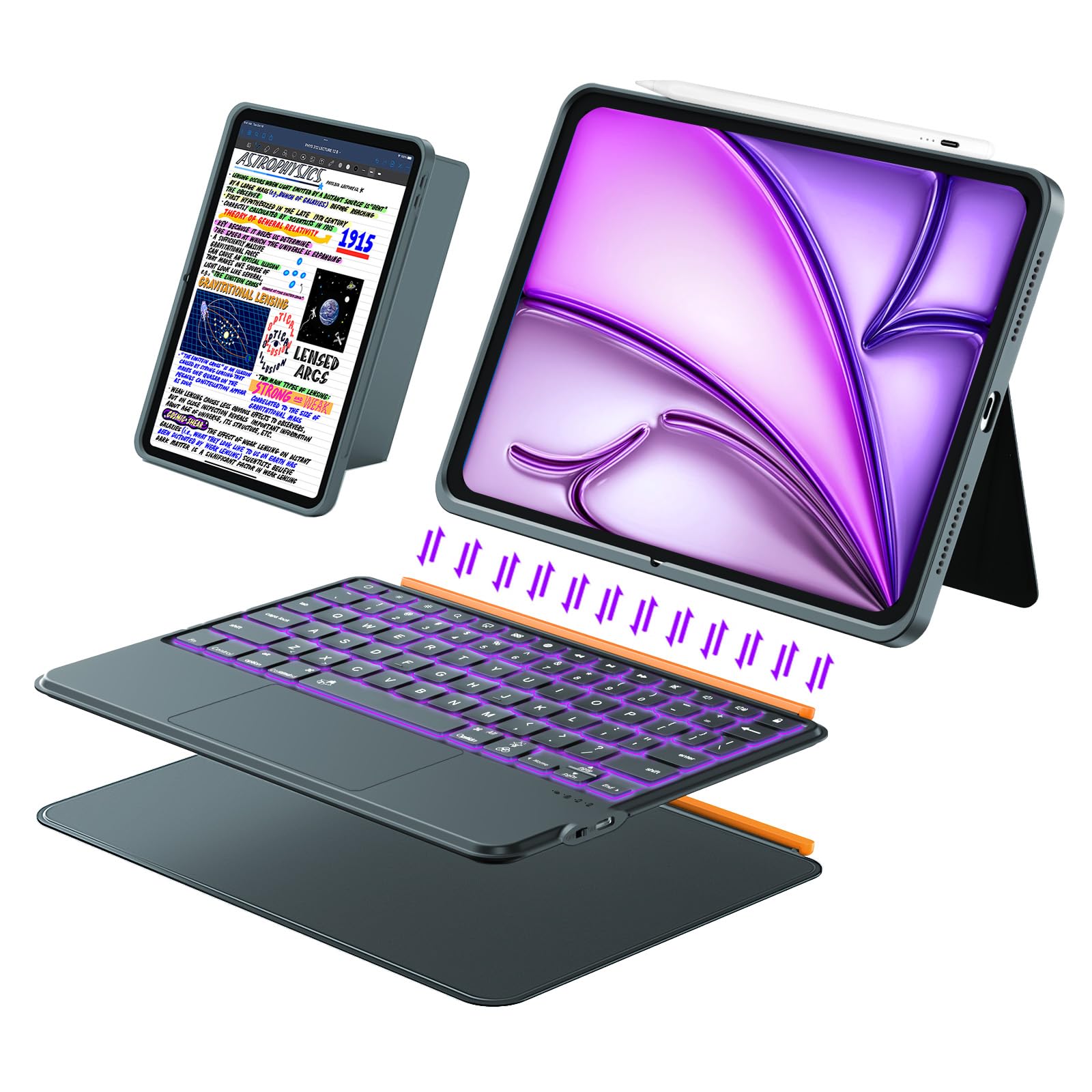
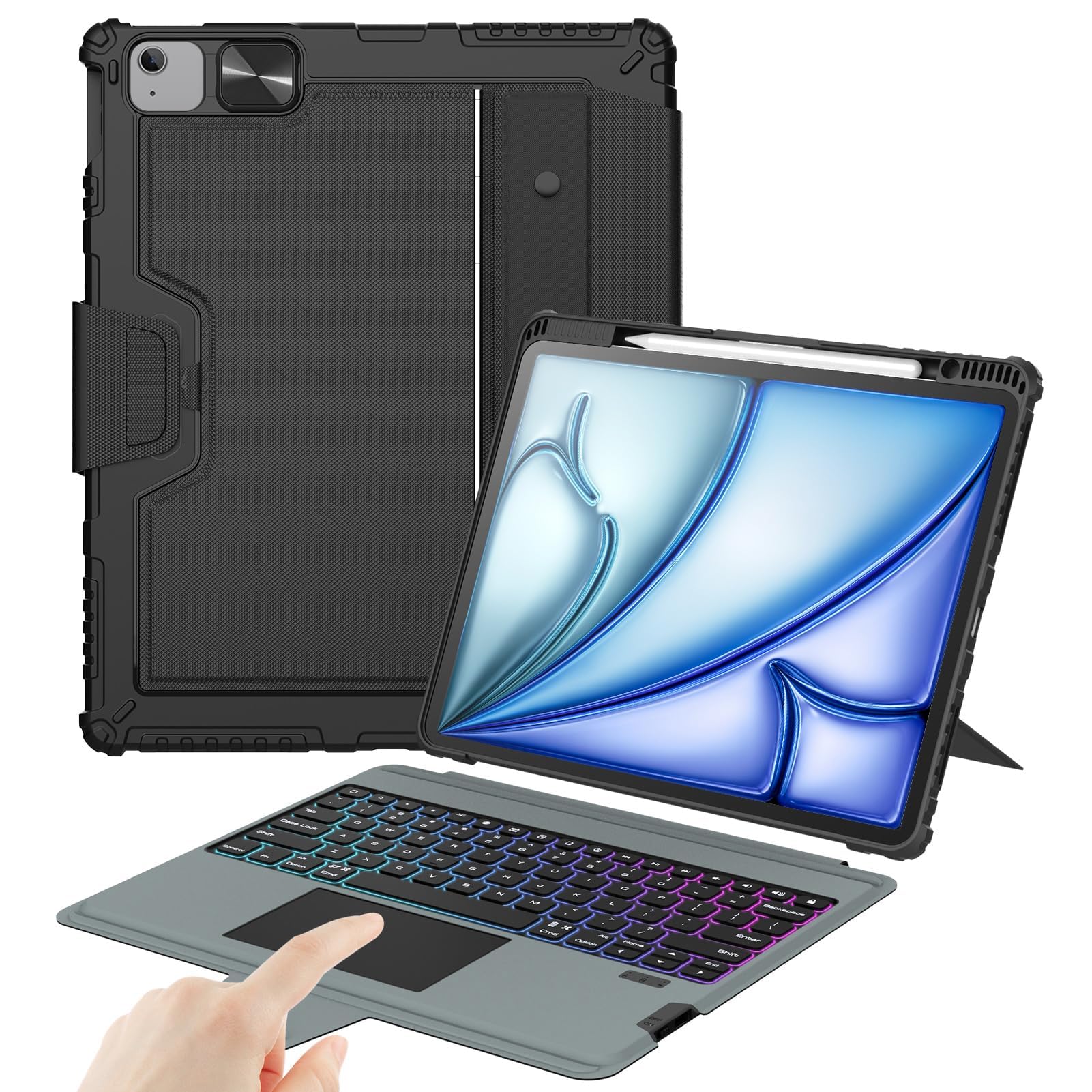

How To Choose The Best iPad Pro 12.9 6th Gen Keyboard Case
A keyboard case for this tablet lives or dies on one question: does it lock onto your exact model and stay there. The 12.9-inch Pro 6th Gen carries the model numbers A2436, A2437, A2764, and A2766, and a case built for a different size will sit crooked, block the camera, or let the magnets slip. Confirm your number in Settings > General > About before you read another word of any listing.
The hinge decides whether it feels like a laptop
A floating cantilever stand is an arm that holds the tablet up off the keyboard, so you can set the screen angle instead of accepting one fixed tilt. Look at the stated range. Some list a 160° adjustable stand, others a 90°–155° kickstand, and the wider the arc the more comfortably you can type at a desk or sketch at a low angle. A carbon-steel hinge rated for a stated cycle count outlasts a plain friction joint that loosens with use.
Trackpad and palm rejection are the productivity pair
A multi-touch trackpad lets you tap, swipe, pinch, and switch apps without lifting your hand to the glass. Palm rejection is the part that keeps the cursor where you left it while both palms rest on the keys. Without it, you’ll highlight random paragraphs mid-sentence. If you plan to edit documents or build slides, treat a precision trackpad as essential rather than a bonus.
Key travel and backlighting under real conditions
Key travel is how far a key sinks before it registers, and it is what separates a satisfying clack from a mushy tap. Scissor-switch keys with stated travel give you real feedback. Backlighting matters if you type on night flights or in dim rooms, and the number of colors and brightness levels tells you how finely you can tune it. A single-color backlight still gets the job done; a 7-color or 11-color setup simply gives you more room to adjust.
Battery capacity and how often you actually charge
An internal battery measured in mAh (milliamp-hours — a rough gauge of how long it runs between charges) is the number to compare. Look for the maker’s stated work hours and standby days rather than guessing. Keyboards that sleep after a stretch of inactivity and wake on the next keypress stretch that runtime further. If you hate hunting for a cable, prioritize the stated weeks-per-charge figure.
Side-by-Side Comparison
| Model | Best For | Stand / Hinge | Battery (mAh) | Key Count | Amazon |
|---|---|---|---|---|---|
| DANCESOUL iPad Air 13 / Pro 12.9 Keyboard Case★ Best Overall | Everyday typing and reading | 160° adjustable stand, portrait and landscape | — | 78 | Amazon |
| Nillkin Rugged Detachable Keyboard CaseRugged Pick | Drop protection and job sites | 90°–155° stepless kickstand | 500mAh | 78 | Amazon |
| runelk Floating Cantilever Keyboard CaseFloating Stand | Laptop-style floating screen | Floating cantilever, magnetic back cover | 750mAh | 64 | Amazon |
| mobee Magic Keyboard Case | Light carry with a clean white look | Magnetic cantilever, 130° viewing angle | — | — | Amazon |
| ESR Multi-Mode Magnetic Stand Case | Strong magnet grip and value | Quick-set magnetic cantilever | — | — | Amazon |
| typecase Edge+ Keyboard Case | Color backlight and slim back shell | Floating cantilever, 130° viewing | — | — | Amazon |
| Auupgo Clear Keyboard Case | Showing off the iPad’s finish | 360° rotating hinge, 180° flip | — | — | Amazon |
| ZAGG Pro Keys Detachable Keyboard Case | Multi-device pairing | Detachable keyboard and case | — | 78 | Amazon |
| Apple Magic Keyboard | The native iPadOS experience | Floating cantilever, adjustable angle | — | — | Amazon |
Detailed Reviews
1. DANCESOUL iPad Air 13 / Pro 12.9 Keyboard Case
Our pick — 4.5+★ from 500+ verified ratings; the strongest balance of quality and price.
The do-everything case that flips between laptop, tablet, and easel without a fight.
The number worth starting with is 78 — a full standard-layout keyboard with dedicated iPadOS shortcut keys, so brightness and volume sit one deliberate tap away instead of buried in a menu. Wireless pairing runs on Bluetooth v5.3, which is the current low-power version of the standard, meaning fast connections that don’t chew through the battery. A larger precision trackpad sits below the keys and handles full multi-touch gestures, so tap, swipe, scroll, and app switching all happen without reaching for the screen.
The modular magnet design is what wins most people over. The keyboard lifts off entirely, so in seconds you go from typing a report to holding a bare tablet for reading or drawing. The rear stand supports 160° of angle adjustment in landscape, and it also flips vertical for portrait. That portrait stance is the underrated part — long documents and scrolling feeds read far better upright than sideways. Around the edges you get full-coverage PU leather that is easy to wipe clean.
At 11.42 inches long and 9.13 inches wide, this is a fitted case rather than a universal sleeve, and that is exactly why the tablet sits securely instead of sliding around. It is also the slimmer shell in this group at 0.78 inches tall — the Nillkin Rugged case beside it measures 1.1 inches, so this one disappears into a bag with less bulk. The honest caveat is weight: at 936 g it is a substantial slab to add to a 12.9-inch Pro, so if you carry it all day you will feel it. Bluetooth pairing also draws a split of feedback rather than uniform praise, so give it a calm minute to latch on the first time instead of tapping the keys impatiently.
Where it earns the top spot
- 78 keys with iPadOS shortcuts keep common controls a single tap away
- 160° stand adjusts in landscape and rotates to portrait for reading
- Keyboard detaches so the tablet works bare in seconds
- Multi-touch trackpad with smart palm rejection
What to weigh first
- 936 g adds real heft to an already large tablet
- First-time Bluetooth pairing is the recurring friction point
- Fitment is model-locked, so a wrong generation sits wrong
Reach for this if: you want one case that types in landscape, reads in portrait, and drops the keyboard on command.
Pack light instead if: a 936 g add-on to your bag is more than you want.
2. Nillkin Rugged Detachable Keyboard Case
Built for the tablet that travels to job sites, backpacks, and concrete floors.
This is the case you pick when the tablet gets treated roughly. A heavy-duty TPU frame (a rubbery, shock-absorbing plastic) and a reinforced polycarbonate back wrap the tablet, with corner air-cushion bumpers that take the impact before the screen does. Nillkin states it survived a 1.2-meter drop test, and a sliding camera cover shields the rear lens on job sites. Faux leather wipes clean after mud, grease, or coffee.
The hinge gives you 90° to 155° of screen-to-keyboard angle, stepless, so you can dial in typing, drawing, or reading without hunting for detents. Nillkin rates the carbon-steel hinge for 10,000+ open-and-close cycles, so the stand angle holds after months of daily folding. The keys measure 1.4mm of travel, which is enough to feel a real press rather than a dead tap, and there are 78 of them with iPadOS shortcuts. Seven backlight colors at three brightness levels cover the dim-cabin and midnight-couch cases.
Battery is the standout figure: a 500mAh cell rated for up to 100 hours of active typing and 180 days of standby, with auto-sleep after 10 minutes idle. Note the contrast with the DANCESOUL’s unstated capacity — here you get a concrete number to plan around. The honest trade is durability feedback that splits both ways: some units hold up beautifully, others report the snap-on keyboard separating or keys detaching. Treat the detachable joint gently and the protective shell is the best crash insurance on this list. At 1.1 inches tall and 9.2 inches wide it is the chunkiest case in the group, so it protects at the cost of a roomier footprint.
The case for the job site: Drop-tested corners, a sliding camera cover, and a wipe-clean surface cover the physical abuse a working tablet takes, while the 100-hour typing rating keeps it alive between charges.
The honest trade: That rugged shell is bulky and the keyboard-to-case joint is the piece to baby — this is the pick for protection, not for minimalism.
Suits you if: your iPad rides in a backpack and you want drop protection with a long battery.
Look elsewhere if: you want the slimmest possible folio.
3. runelk Floating Cantilever Keyboard Case
The floating arm that lifts your screen off the desk like a real laptop display.
A floating cantilever stand is an arm that suspends the tablet above the keyboard, and runelk’s version snaps on magnetically in one motion. The payoff is ergonomic: the screen sits up at eye level instead of low against the keys, which is the difference between craning your neck and typing comfortably for an hour. A multi-touch trackpad handles full iPadOS gestures, plus a row of shortcut keys for brightness, volume, and music.
Battery is where this one pulls ahead of most. The 750mAh cell is rated for three months of daily work or two weeks of nightly use per charge, refilled over USB-C. Compare that to the Nillkin’s 500mAh rating and the longer legs are clear now. Backlighting runs three brightness levels, single color, so it is about visibility rather than mood.
The recurring gripe in the feedback is the magnetic hold: plenty find it strong enough to grip the tablet, but a share describe a weak magnet that lets the tablet shift. Give the back cover a firm seat and it behaves. Durability also splits, with some units holding up and others losing the connection over months, so factor in the 12-month warranty path if something goes wrong.
The ergonomic win: A floating stand that lifts the screen to eye level plus a 750mAh battery rated for three months of daily typing makes this a serious desk companion.
Mind the magnet: The hold on the back cover is the part buyers disagree on most, so seat it firmly and check it before you walk away with the tablet.
Reach for this if: you want your screen raised to eye level and a battery you rarely think about.
Hold off if: you need the widest possible key layout — this deck runs 64 keys.
4. mobee Magic Keyboard Case
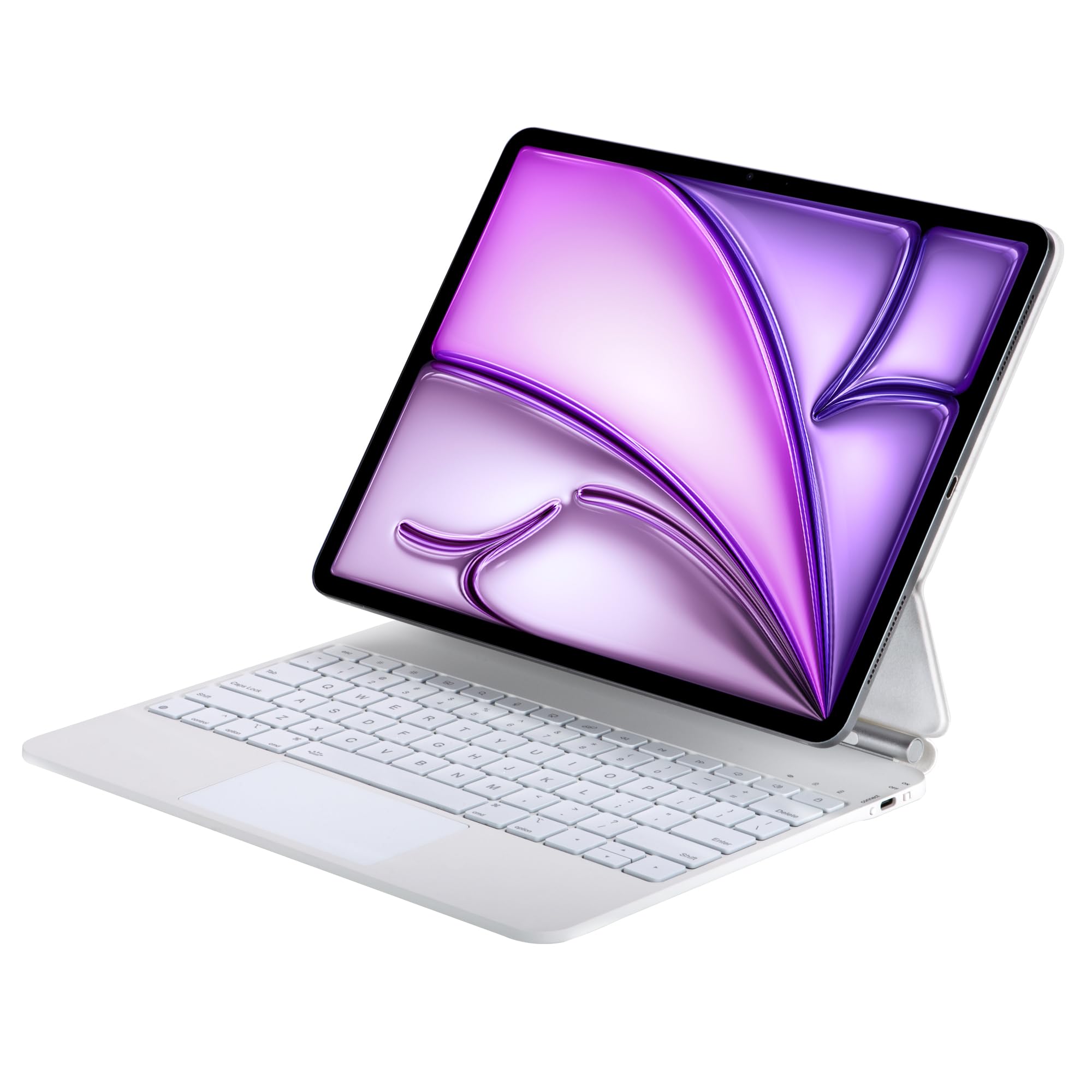
A white folio that slips into the bag and pairs two devices without a fight.
At 1.5 lbs this is the lightest shell in the lineup — the typecase Edge+ is the heavy end at 1100 g, so weight is where this one argues its case. It folds into a protective cover for front and back coverage and uses a magnetic floating cantilever with a 130° viewing angle. A QWERTY multi-functional keyboard with scissor-switch structure under 1mm of travel keeps typing quiet, and a three-level adjustable backlight covers dim rooms. Backlight turns on with the right Option key plus the Space bar.
Battery is stated at 2.5 hours to full charge, good for 100 hours of backlight-off typing and 180 days of standby over USB-C. Auto sleep/wake is on board, so the board rests when you close it. The built-in trackpad supports iPadOS gestures, and shortcut keys handle brightness, volume, and music.
The honest catch here is function feedback that splits: some report it works great, others find it doesn’t connect at all. The pairing routine is Bluetooth, so run the setup once, carefully, and it settles. Also check your model before ordering — the listing warns that an incompatible iPad causes magnetic misalignment and an unstable fit, and it will not work with an iPad Pro 13-inch M5 or M4. If you want a light, clean white folio and your model number checks out, this is the one that travels easiest.
The light carry: 1.5 lbs, front and back coverage, and a 130° cantilever that keeps the screen readable make this the bag-friendly choice.
Worth a second look: Pairing behavior is uneven between buyers, and only the correct model number fits — this is not a universal case.
Pick this when: portability and a clean white look matter more than a rugged shell.
Steer clear if: your iPad is a Pro 13-inch M4 or M5 — the listing is explicit that it won’t align.
5. ESR Multi-Mode Magnetic Stand Case
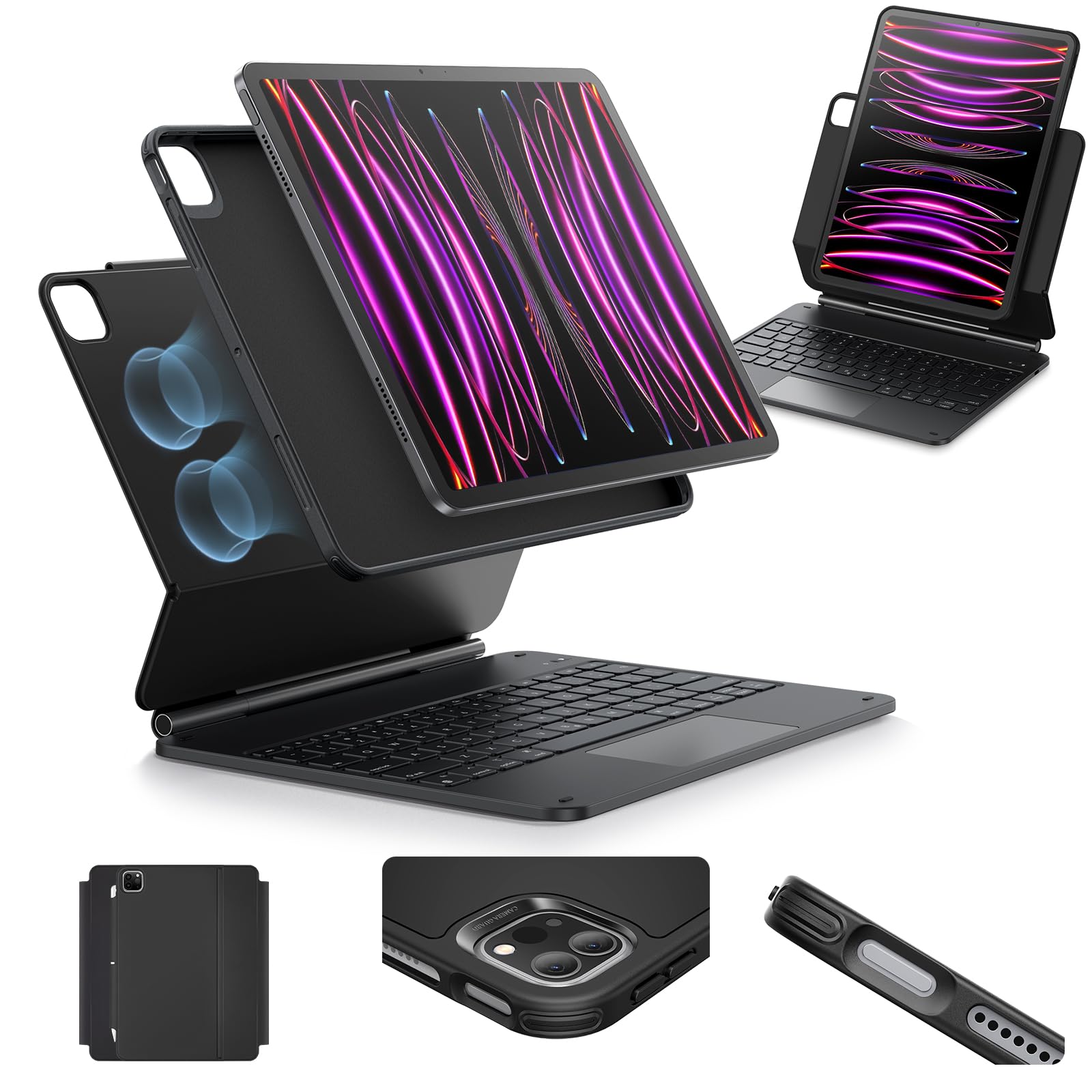
Strong magnets, a detachable case, and a trackpad that gets you through work.
What wins people over here is the magnet grip. Buyers repeatedly describe the magnets as extremely strong, holding the tablet securely in place instead of sliding around. The quick-set magnetic stand combines case and tablet, then opens into a floating cantilever for typing or browsing. The back case detaches for hands-on use with full-body protection, and it sets up in a raised screen view for better posture or in portrait for FaceTime.
The extended multi-touch trackpad covers the full width, so tap, pinch, swipe, and scroll feel precise rather than cramped. Construction mixes aluminum, polycarbonate, PU, and TPU for a solid, stable feel that customers describe as well-built. A 12-month warranty and lifetime support back it up.
Two trade-offs to size honestly. First, weight: buyers widely describe it as doubling the weight of the tablet, which is the cost of the metal-and-magnet build. Second, reliability: the keyboard mostly works beautifully, but a share report it occasionally stops responding mid-session. It’s a strong magnet system with a rugged shell, not the featherweight option. What the ESR does well is give you a secure hold and a proper trackpad at a price that undercuts the premium options.
The value read: Extremely strong magnets, a full-width trackpad, and detachable full-body protection make this the pick that punches above its tier.
The weight trade: It adds real heft to the tablet, so plan for a heavier bag and note that the keyboard connection can occasionally drop.
Best matched to: anyone who values magnet security and a big trackpad over a slim profile.
Think twice if: you carry the tablet on long commutes and weight is the deciding factor.
6. typecase Edge+ Keyboard Case
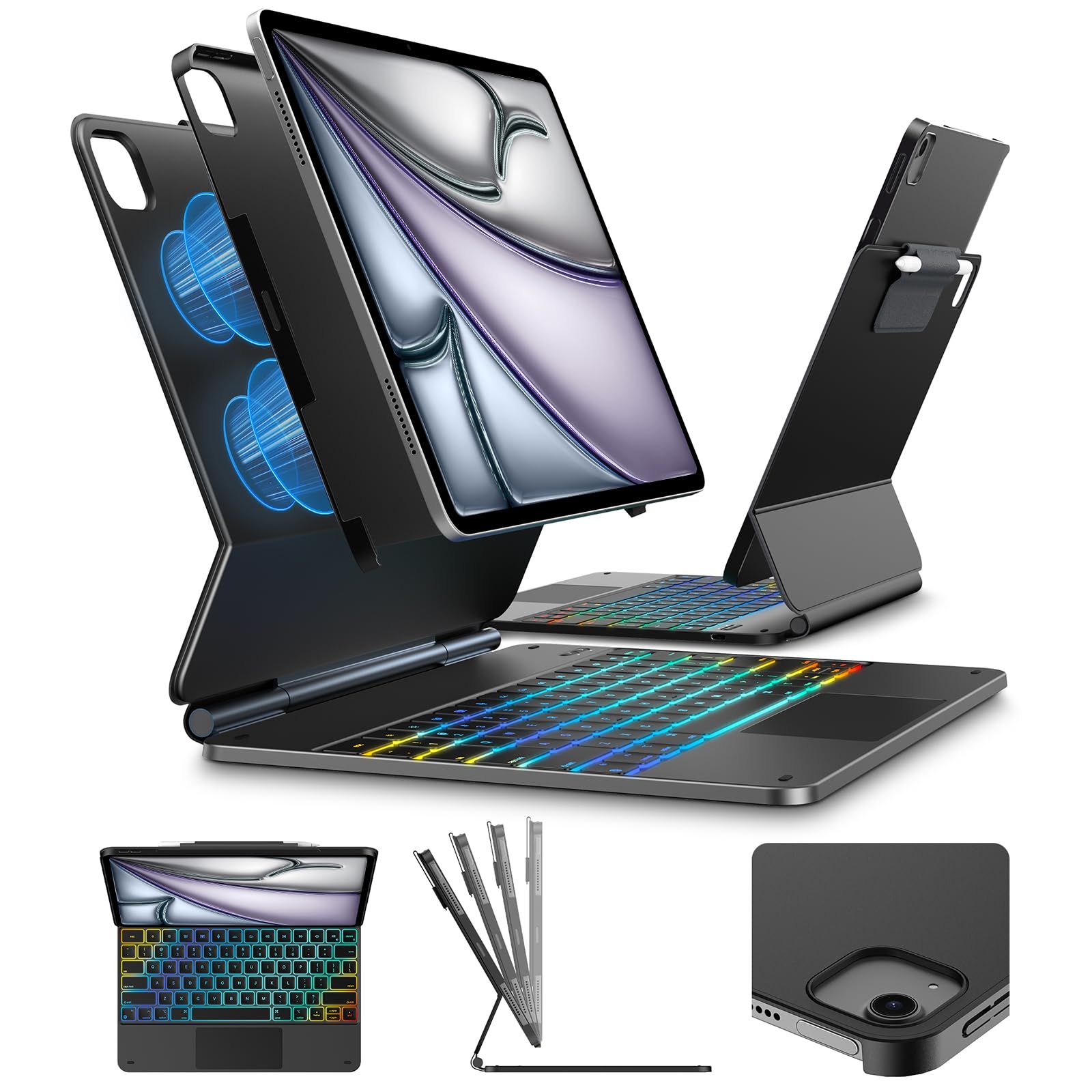
A slim magnetic wing-shell paired with the widest backlight palette on the list.
The backlight is the headline: 11 colors at three brightness levels, so you can set the glow to match the room or leave it off. The detachable wing-shell back case is stated at 130 g, held by N54 magnets rated at 3.0 kgf of pull force. At 1.4 mm thin, it protects against daily scratches and bumps without adding much bulk. Magnetic attachment snaps in seconds, flipping the tablet into a portable workstation for coffee shops, flights, or the couch.
A floating cantilever stand adjusts up to 130° of viewing angle, and the precision trackpad supports all native iPadOS gestures so you scroll, zoom, and switch apps without touching the glass. A 12-month warranty plus 24/7 support rounds out the package.
Here is the part to weigh: at 1100 g this is the heaviest case in the article, and buyers report it. That weight buys the sturdy shell and the 45 quality mentions buyers keep citing, but it is not a light carry. The magnetic hinge is the other honest caveat — feedback splits on whether it holds securely, with some reporting the hinge coming apart. Firm attachment and gentle handling go a long way. For the buyer who wants the color backlight and a slim detachable back shell, the trade is a heavier total package.
what separates it
- 11-color backlight at three brightness levels
- N54 magnets with 3.0 kgf of hold force
- Detachable wing-shell back case rated at 130 g
- 130° floating cantilever with gesture trackpad
Where it costs you
- 1100 g makes it the heaviest pick here
- Magnetic hinge feedback splits between secure and loose
- Premium-tier positioning means you pay for the backlight
Made for: the buyer who wants a colorful backlight and a thin detachable back shell.
Skip if: you already find the tablet heavy enough and don’t want 1100 g added.
7. Auupgo Clear Keyboard Case
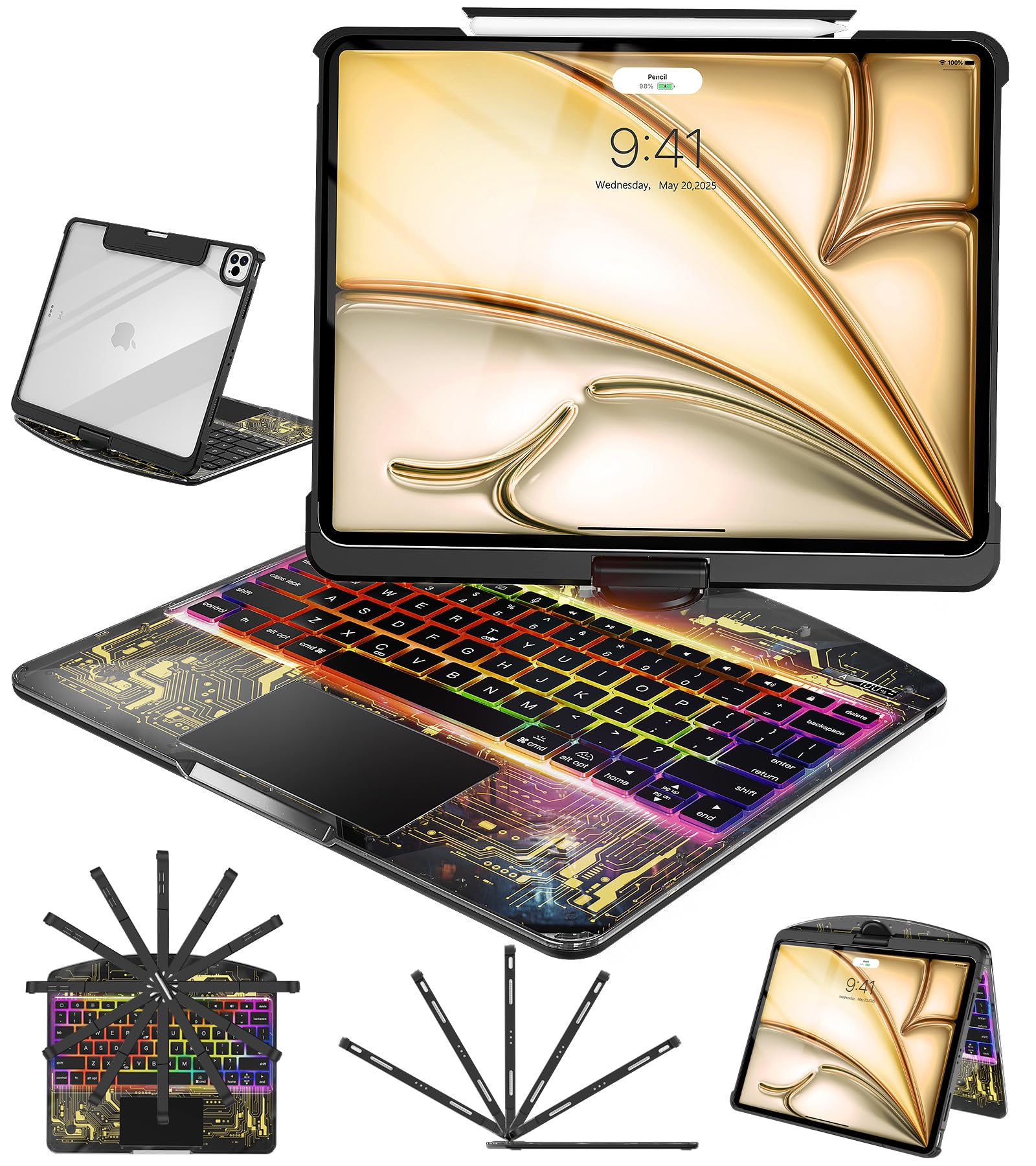
A see-through shell that shows off the iPad while the hinge spins 360°.
Not every buyer wants to hide a tablet this expensive behind a leather wrap. This transparent case showcases the iPad’s original finish while adding a keyboard, and the 360° rotating hinge lets you swing the screen into typing, watching, or video-call angles. A 180° flip adds a flat drawing stance, and a raised bezel guards the screen. A dedicated stylus slot stores and charges a 2nd-generation Apple Pencil, keeping it at hand.
The 7-color backlit keyboard handles dark rooms, and Bluetooth pairing is described as quick and simple rather than fussy. The built-in multi-touch trackpad supports swipe and pinch-to-zoom gestures. The rechargeable battery is rated for weeks of use per charge over the included USB-C cable, with auto sleep/wake to hold the charge.
This one earns its keep on looks and setup ease. Buyers praise the appearance, comfort on the keys, and compatibility with their iPad most. The honest gripe is the rotating hinge — a share report the corners popping out of place, so seat the tablet firmly in the shell before you swivel it. That said, the clear design plus pencil charging makes it a favorite for students and artists who want their device visible.
Why people pick it: A clear back that shows the tablet’s finish, a 360° hinge, and a stylus slot that charges the Apple Pencil make it a hit with design-minded owners.
The catch: The rotating hinge occasionally lets corners pop, so keep the tablet snugly seated before each turn.
Fits you if: you want a clear, good-looking case with a rotating stand and pencil charging.
Reconsider if: you want a hinge that never needs reseating.
8. ZAGG Pro Keys Detachable Keyboard Case

The keyboard that hops between two devices and keeps going for months.
Multi-device pairing is the feature that separates this one. Connect with two devices at once and toggle between them with a tap — your iPad and a phone or second tablet without re-pairing. The Bluetooth-integrated trackpad turns on and off, and turning it off stretches the battery. On battery, the keyboard is rated for up to 3 months on one charge with the trackpad on, longer with it off. Keys are laptop-style with clean, precise keystrokes and 7-color backlighting for low-light typing.
The keyboard and case detach to suit different uses and environments, so you can strip down to a lighter setup for reading or keep the full folio for typing marathons. The key count is 78, matching the widest layout here, and buyers praise the protective coverage — it shields the iPad nicely.
Two honest notes. Stability is the split point: some find the stand sturdy, others report it tipping or detaching easily, so use it on a flat surface rather than your lap on the couch. And the magnet strength is the weakest feedback area, with buyers noting the magnet isn’t always strong enough to hold the case securely to the cover. The keyboard itself mostly works wonderfully with a responsive trackpad, but a share report keys not responding over time. If you juggle two devices and want that three-month battery, it is a compelling specialty pick.
The dual-device draw: Pairing two devices and toggling between them, plus a battery rated for three months with the trackpad on, is the reason to pick this one.
What to watch: Magnet hold and stand stability are the uneven spots — flat surfaces and a firm seat keep it from tipping.
Suits you if: you switch between an iPad and a second device and want battery that lasts months.
Stay clear if: you mostly type on your lap and need a stand that never shifts.
9. Apple Magic Keyboard

No pairing, no charging, no Bluetooth settings — it just attaches and types.
That is the whole pitch, and it is a real one. There is no charging or pairing required: magnetically attach the iPad and start typing. The floating cantilever design adjusts to the viewing angle you want, and the built-in trackpad is built for Multi-Touch gestures and cursor control. Backlit keys on a scissor mechanism deliver quiet, responsive typing, and a USB-C port adds pass-through charging, so you can top up the iPad without hunting for a second outlet.
The case folds to provide front and back protection, and it is available in black or white. This listing is the white Danish-language variant, so confirm the language and color in the listing before you order. At 2.42 pounds it adds real weight, but it also refuses to wobble or flake out mid-sentence, which Bluetooth-reliant cases occasionally do.
Here is the trade nobody mentions: the listing carries only a small handful of ratings, so you are buying largely on the design and the no-pairing promise rather than a deep track record. That makes it the ideal pick for someone who is tired of recharge cycles and pairing menus and wants the plainest-possible setup to just work. You pay the biggest premium on this list for that convenience, so weigh whether the plug-and-play experience is worth the extra heft and outlay.
The native simplicity: Attach and type, with a trackpad, backlit keys, pass-through USB-C charging, and front and back protection — no pairing, no charging ritual.
The weight and price: At 2.42 pounds it is one of the heavier options, and the thin track record means you lean on the design rather than reviews.
Go for it if: you want zero pairing and zero charging fuss and don’t mind the heft.
Weigh it carefully if: you want maximum battery life for the money — the charging-free design still needs pass-through power for the iPad.
Know the Specs
Battery Capacity in mAh
Milliamp-hours is a rough measure of how much charge the keyboard holds, so a bigger number usually means more typing between charges. Two picks here publish the figure: the Nillkin’s 500mAh cell is rated for up to 100 hours of typing and 180 days of standby, while the runelk’s 750mAh is rated for three months of daily work. If you charge on a schedule rather than by feel, look for a stated hours rating, not just the raw number.
Key Travel and Scissor Switches
Key travel is how far a key sinks before it registers. The Nillkin lists 1.4mm of travel; the mobee lists under 1mm. Deeper travel tends to feel more deliberate, so long documents feel steadier. Shallower travel is quieter and quicker, which suits fast, quiet typing. Scissor switches are the mechanism under each keycap that keeps every press level and consistent. Neither figure makes a keyboard “better” on its own — it depends on if you want a softer or firmer press.
Floating Cantilever Stands and Viewing Angles
A floating cantilever is an arm that holds the tablet above the keyboard rather than resting it low. The adjustable angle is what you tune for comfort: the DANCESOUL offers 160° adjustment, the Nillkin 90°–155° stepless, the mobee and typecase 130°. A stepless hinge lets you stop anywhere in the arc, while a range with fixed detents snaps to set positions. Raise the screen for typing and drop it for drawing.
Trackpad Gestures and Palm Rejection
A multi-touch trackpad reads more than one finger at a time, so tap, pinch, swipe, and scroll all work the way a laptop does. Palm rejection ignores your resting palms so you don’t highlight text by accident. If the case lists full iPadOS gesture support, you can switch apps and edit documents without reaching for the glass. That is the feature that turns a tablet into something you can actually work on for hours.
Common Questions
Will this case fit my iPad Pro 12.9 6th Gen if I bought it refurbished?
Can I use the keyboard case with the iPad in portrait mode?
Do these keyboard cases need to be charged separately from the iPad?
How does a floating cantilever stand differ from a kickstand?
Will the trackpad work with all iPadOS gestures?
Can I keep the Apple Pencil attached while the case is on?
How much weight does a keyboard case add to a 12.9-inch iPad?
Do the backlit keys help in a dim room or on a night flight?
What happens when the Bluetooth drops mid-typing session?
Is a native Apple keyboard worth it over a third-party one?
The Bottom Line
For most people, the best ipad pro 12.9 6th gen keyboard case is the DANCESOUL model. It gives you the most flexibility for its weight: a 78-key layout with iPadOS shortcuts, a 160° stand that works in portrait and landscape, and a detachable keyboard. Need drop protection and a long battery? The Nillkin Rugged adds air-cushion corners and a 500mAh cell rated for up to 100 hours of typing. Want your screen floating at eye level? The runelk does that and carries a 750mAh battery. If you want the lightest carry and a clean white look, grab the mobee. And if you just want a keyboard that attaches and types with no pairing, the Apple Magic Keyboard is your leanest bet — just check the language and model in the listing first.
How we choose
We do not accept paid placement. Every pick is matched to a real buyer and a real use-case; we do not hands-on test units.
Sources
Specifications: manufacturer listings and product documentation. Review insights: verified customer reviews, as of November 2026. Pricing: not shown on this page (it changes often); check the current price via the retailer link.
As an Amazon Associate, Tactical Gear Guy earns from qualifying purchases. This does not affect which products we feature.