Specs are compiled from manufacturer listings and verified buyer reviews and can change over time — please confirm the key details on the product page before buying.
If you want the newest AMD mobile chip in a box you can hide behind a monitor, the short answer is this: buy the MINISFORUM X1-370 barebone if you already own DDR5 memory and an SSD, and buy the GEEKOM A9 Max if you want the drive and RAM already inside and a longer warranty on paper. Everything else on this list is a variation on those two decisions — how many drives you can fit, how many screens you can drive, and how loud the fan gets when the processor is pinned at full load.
This guide is built by comparing the manufacturers’ published specifications and the patterns across verified customer reviews, so you get each pick’s real strengths and trade-offs instead of marketing spin.
The AMD Ryzen AI 9 HX 370 is a twelve-core laptop-class chip, and these six machines wrap it in different chassis, ports and cooling. The trick is matching your own workload to the right wrapper — a barebone build, a dual-network router box, or a preloaded desktop that boots the day it lands. That framing is the whole point of this hx 370 mini pc roundup.
Top Picks

How To Choose The Best HX 370 Mini PC
The processor is identical across most of this list, so the chip is not where you make your decision. What separates these machines is what surrounds it: memory and storage already installed (or not), how many M.2 slots sit inside, how many monitors you can plug in, and how the cooling handles a sustained load. Pick the wrapper that matches your desk, not the spec sheet headline.
Barebone or fully loaded
A barebone ships with no RAM and no SSD, which means you supply both yourself. That suits you if you already have spare DDR5 SO-DIMM memory and an NVMe drive sitting in a drawer. A preloaded machine costs more but boots into an operating system the day it arrives, and you have one company to call if something fails.
Count your monitors before anything else
These machines can drive multiple screens, but the exact number depends on the port mix on the back panel. HDMI, DisplayPort and USB4 each carry a video signal, so a box with one HDMI, one DP and two USB4 ports can feed four displays at once. If you run a trading desk or an editing bay, work out your cable count first and match it to the port list.
How you will cool it, and how loud it gets
A mini PC packs a laptop chip into a small metal shell, so heat is the real engineering problem. Look for phase-change material, copper heat pipes and independent fans for the processor and drive. Then check the published noise figure — some of these list full-load noise in decibels, and that number is what decides whether the box sits on your desk or under it.
Side-by-Side Comparison
| Model | Best For | Memory & Storage | Max Storage | Display Output | Amazon |
|---|---|---|---|---|---|
| MINISFORUM X1-370 Barebone★ Best Overall | Builders with parts on hand | Barebone — no RAM or SSD | 128 GB DDR5 / 8 TB across two M.2 | Up to four 4K | Amazon |
| MINISFORUM AI X1 Pro BareboneAI Copilot Pick | Copilot and Recall users | Barebone — 3 PCIe 4.0 SSD slots | 12 TB / 128 GB DDR5 | 8K quad output | Amazon |
| GMKtec EVO-X1 | External GPU gaming | 32 GB + 1 TB installed | Quad-channel LPDDR5X at 8000MT/s | Triple 8K | Amazon |
| GEEKOM A9 Max | Local AI and dev work | 32 GB DDR5 + 2 TB SSD | 8 TB across dual PCIe Gen4 | Four 8K via 2x USB4, 2x HDMI 2.1 | Amazon |
Detailed Reviews
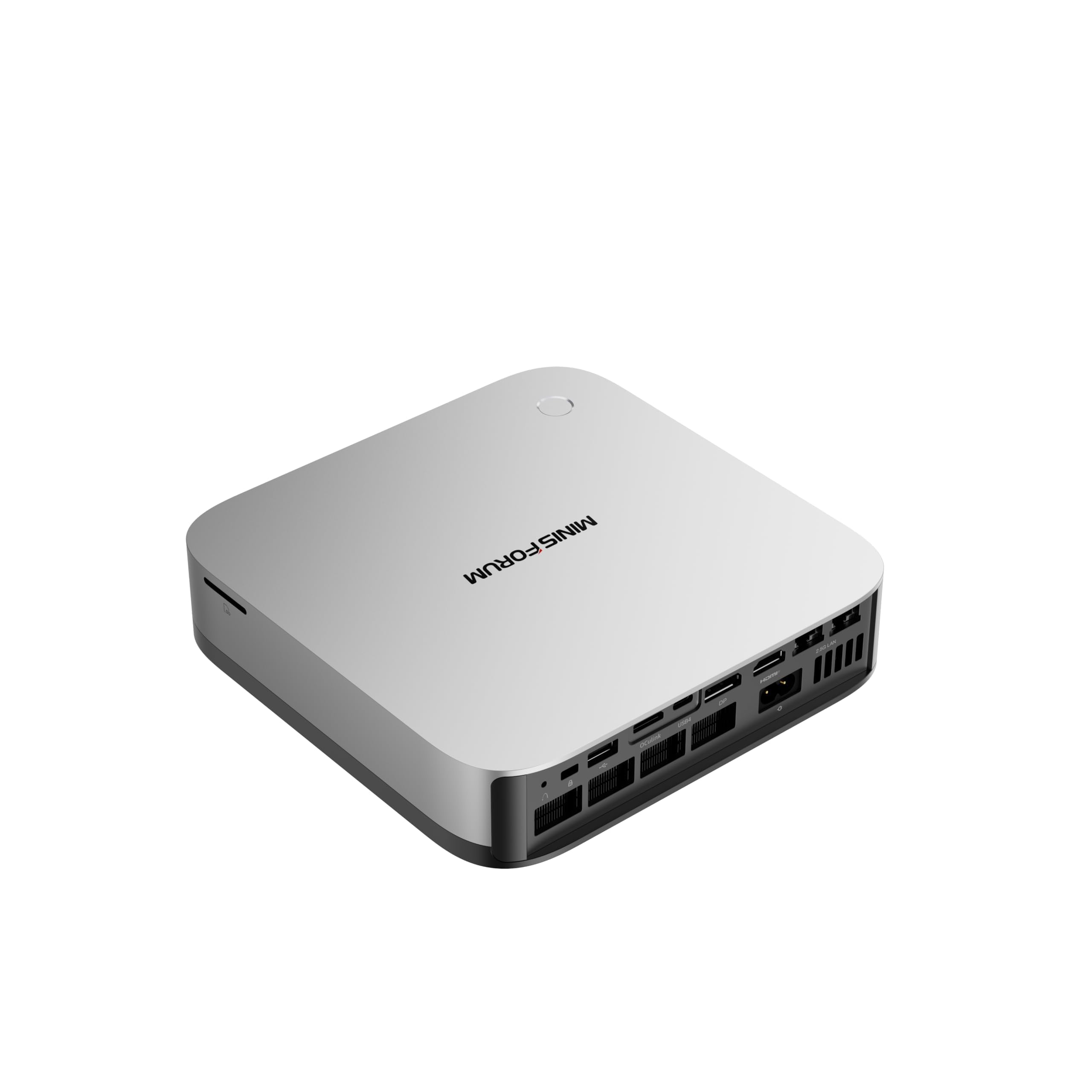
1. MINISFORUM X1-370 Mini PC
Our pick — 4.0+★ from 90+ verified ratings; the strongest balance of quality and price.
Keeps its composure under full load — and lets you bolt on a desktop graphics card later.
If you keep spare memory and a drive in a drawer, this is the cheapest route into the Ryzen AI 9 HX 370 you will find on this page. The processor itself is the full part — 12 cores, 24 threads, a 5.1GHz boost clock and up to 80 TOPS of AI throughput — so nothing is detuned to hit the lower barebone tier. You supply the DDR5 SO-DIMMs and the M.2 NVMe drive, and it accepts up to 128 GB of memory and two drives for up to 8 TB.
The quiet operation is what wins people over. Phase-change material and twin copper heat pipes do the heavy lifting, and the fan stays composed enough that owners describe it as super quiet even while the chip is working. There is real audio hardware here too — built-in noise-cancelling microphones and speakers — so a video call does not need a headset attached.
The port count is where it earns its place on a desk. USB4, HDMI, DisplayPort, Wi-Fi 7 and 2.5GbE LAN all sit on the back panel, and it can drive up to four 4K screens at once. That matters if you run charts, a browser and a reference document side by side. The tension to weigh: some owners find the raw speed short of a custom liquid-cooled tower — true of any laptop-class chip in a small shell — so treat it as a fast everyday machine, not a rendering farm.
One honest note on the buying decision. The GEEKOM A9 Max further down has far more ratings behind it, but this barebone scores higher at 4.0+ stars and costs far less up front.
What earns the top slot
- Full 12-core, 24-thread HX 370 with 5.1GHz boost and up to 80 TOPS
- Barebone pricing lets you reuse memory and an SSD you already own
- OCuLink via M.2 adapter opens the door to an external desktop GPU
- Four 4K displays from one box, plus Wi-Fi 7 and 2.5GbE
Where it asks you to compromise
- No RAM, no SSD, no operating system in the box
- Sustained speed trails a big liquid-cooled desktop build
Reach for this if: you already own DDR5 SO-DIMM memory and an NVMe drive, and you want the HX 370 at the lowest entry cost with a path to an external GPU.
Look elsewhere if: you want to unbox, plug in and boot the same afternoon — the preloaded units below do that job.
2. MINISFORUM X1 Pro Mini PC
Three drive slots and a physical Copilot key — this one is built around the AI workflow, not just the chip.
A dedicated Copilot button on the front is the tell here. Press it and Windows 11’s AI assistant comes up, and the machine also supports Recall, which lets you describe something you looked at recently and pull it back up. There is a fingerprint sensor for open up and live subtitle translation during video calls. If your working day already leans on an AI assistant, that hardware button changes how often you actually use it.
Storage headroom is the other headline. Three PCIe 4.0 SSD slots can carry a total of 12TB, with quoted load speeds up to 7000MB/s, and memory goes to 64GB of 5600MHz DDR5 with support up to 128GB. Set that against the X1-370 above: that machine tops out at 8TB across two M.2 slots, so this one holds meaningfully more once you fill it. Independent fans for the CPU and the SSD keep both cool, and full-load noise is quoted as low as 45dB, drawing 65W peak from a built-in 135W adapter.
Here is the honest part. Owners genuinely love how quiet it runs and how small it sits, and the port selection earns steady praise. But reliability is the recurring theme in the critical reviews — crashes, unexpected shutdowns and a RAM slot failure all show up in the written feedback. That does not make it a bad machine, and the bulk of buyers are clearly running it happily. It does mean you should buy from a seller with a clear return window and keep your own backups current from day one.
What actually separates it: three M.2 slots, 12TB ceiling, a Copilot key and a fingerprint reader — a genuinely different machine from the two-slot units around it.
The trade-off worth knowing: reliability complaints sit in the review history, so a clean return policy matters more here than on any other pick.
Suits you when: you want maximum drive expansion and hands-on AI shortcuts in one small chassis.
Think twice when: you need a machine you can leave running unattended for months — the reliability pattern argues for a backup plan.
3. MINISFORUM X1 Pro 370 Mini PC with AMD Ryzen AI 9 HX370

Soldered memory running at 8000MT/s — the fastest memory on this list, and it arrives fully loaded.
This ships as a finished computer: 32GB of memory and a 1TB drive already inside, with a one-year limited warranty attached. The memory is the interesting part. It is quad-channel LPDDR5X soldered on board and runs at up to 8000MT/s, which the maker says beats DDR5 SODIMMs by 1.3x, with 76% better video conferencing and photo editing and 15% better productivity performance. Owners back the feel of it up — conversion times drop noticeably and the box outperforms a Steam Machine in their hands.
Gaming is clearly the design target. The OCuLink port runs at PCIe x4, which the maker contrasts with Thunderbolt’s x3, giving an external graphics card more bandwidth and lower lag. The Radeon 890M is quoted as up to 57% faster than the Radeon 780M in some games, and OCuLink compatibility with external GPUs — Intel cards included — comes up positively in owner feedback. You also get three performance modes at 35W, 54W and 65W, selectable in the BIOS.
Cooling uses the maker’s Hyper Ice Chamber 2.0 layout with larger top and bottom fans and a quoted 35dB in Quiet mode. The catch is the soldered memory: what you buy is what you keep, with no SO-DIMM slots to upgrade later. For a machine meant to live behind a monitor and drive an external GPU, that is a fair swap. For anyone who likes to upgrade in stages, it is a locked door.
The case for it
- Quad-channel LPDDR5X at 8000MT/s — no other pick here runs memory that fast
- Ships with 32GB and 1TB installed, plus a year of warranty coverage
- OCuLink at PCIe x4 with a documented 35dB Quiet mode
- Three selectable power modes from 35W to 65W
What you trade away
- Memory is soldered — no upgrade path after purchase
- Wi-Fi 6 and Bluetooth 5.2, behind the Wi-Fi 7 units here
Pick this one if: your plan includes an external graphics card and you would rather not shop for memory and a drive yourself.
Pass if: you expect to add RAM in two years — that door is closed on this chassis.
4. GEEKOM A9Max Mini PC
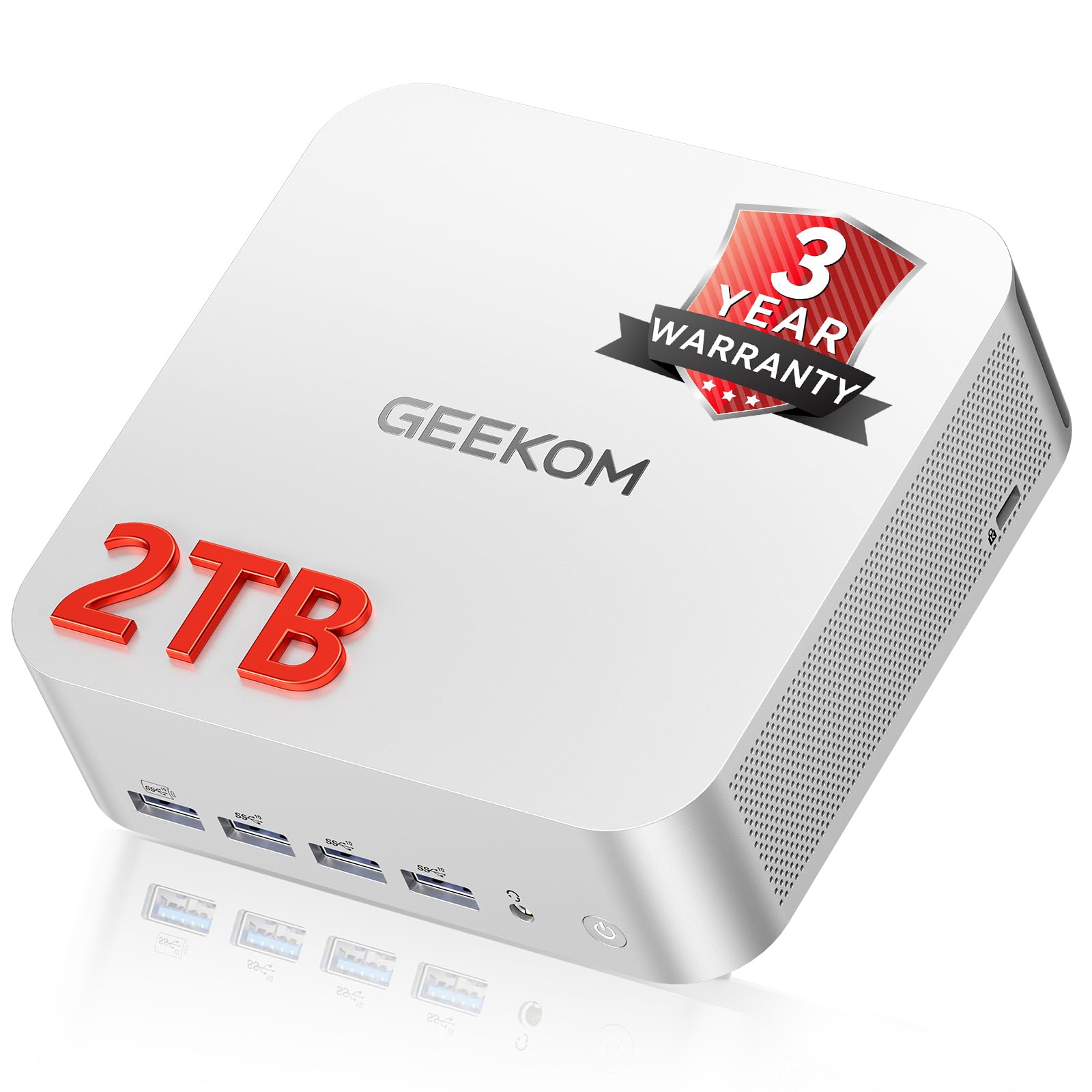
Twice the storage of the 1TB builds, a three-year warranty, and it boots the day it lands.
Two terabytes of SSD and 32GB of DDR5 arrive preinstalled, expandable to 128GB of memory, with dual PCIe Gen4 slots carrying up to 8TB of total storage. That doubles the 1TB configuration the brand also sells, which matters if you keep virtual machine images, development tools or research datasets on the machine rather than an external drive. The all-metal chassis uses a cooling setup with copper heat sinks and dual heat pipes to hold steady through long workloads.
The AI side is well specified. A 50 TOPS XDNA 2 NPU plus the 16 RDNA 3.5 compute units in the Radeon 890M support local model work — the maker lists Copilot+, ChatGPT, Claude, Gemini, Ollama, Stable Diffusion and ComfyUI as compatible tools. The 12-core, 24-thread Zen 5 processor handles 4K editing in Premiere Pro and DaVinci Resolve as well as rendering in Blender. Four 8K displays run off dual USB4 and dual HDMI 2.1, with Wi-Fi 7, Bluetooth 5.4 and dual 2.5GbE on board.
The warranty is the quiet differentiator: three years of limited coverage where the other machines on this list commonly offer one. Office work, compact size, quiet running and easy setup all come up as strengths, and the value read is positive. The honest friction sits in wireless — Bluetooth disconnection is a recurring gripe, so plan to keep a wired keyboard and mouse nearby. Port selection is also mixed, with some wishing for more connectivity options beyond the included USB ports.
Where it wins: 2TB of storage in the box and a three-year limited warranty — longer coverage than any other pick here.
The recurring gripe: Bluetooth drops show up often enough in feedback that a wired peripheral is a sensible fallback.
Best matched to: developers and AI tinkerers who want big local storage and the longest warranty on the page.
Not for you if: you rely on Bluetooth headphones all day — the wireless reliability reputation here is not its strongest suit.
Know the Specs
TOPS and the NPU
TOPS stands for tera operations per second, a rough measure of how much AI arithmetic a chip can do. The Ryzen AI 9 HX 370 is quoted at up to 80 TOPS overall, with 50 TOPS coming from the NPU — a dedicated neural processing unit built for AI tasks. In everyday terms, a higher NPU figure means local AI features run on the machine rather than in the cloud. That is why the GEEKOM and Minisforum X1 Pro listings name specific tools like Copilot and Stable Diffusion.
Barebone versus preloaded
A barebone arrives without memory, storage or an operating system, so you supply all three. That keeps the up-front cost lower but adds a shopping list and an install session. A preloaded unit ships with RAM, an SSD and usually Windows already set up. Neither is better — it depends on whether you already own compatible DDR5 SO-DIMM memory and an NVMe drive, or would rather pay once and boot immediately.
OCuLink versus USB4 for external graphics
Both ports let you attach an external desktop graphics card, but they differ. OCuLink runs at PCIe 4.0 x4 speeds, and one maker here describes it as faster than Thunderbolt 4 and USB4. The catch is that some OCuLink implementations consume an M.2 2280 slot and are not hot-swappable, while a hot-swappable design leaves every drive slot free. Check which version you are buying before planning an eGPU build.
Full-load noise in decibels
A decibel is a unit of sound level, and it is not linear — a small rise in the number is a noticeable jump in loudness. One pick here quotes full-load noise as low as 45dB, another quotes 35dB in its Quiet mode. If the box sits beside your monitor during calls, that figure matters as much as the clock speed. If it lives under a desk or in a cabinet, you can weight raw performance more heavily.
Common Questions
Will a barebone HX 370 mini PC work if I only add one stick of memory?
Can I connect an external graphics card to an HX 370 mini PC?
Is the Ryzen AI 9 HX 370 good enough for gaming without a graphics card?
How many monitors can one of these mini PCs drive at once?
Do I need to buy Windows separately for a barebone unit?
Will these mini PCs stay quiet when the processor is working hard?
Can I use one of these as a router or firewall?
How much storage can I add to these mini PCs over time?
What does the 5.1GHz boost clock actually mean day to day?
Is a triple 8K output mini PC overkill for a home office?
The Bottom Line
For most people building around the hx 370 mini pc, the MINISFORUM X1-370 barebone is the smart buy — full 12 cores, a path to an external graphics card through OCuLink, and the lowest entry cost if you already have memory and a drive on hand. Want the machine working the moment it lands? The MINISFORUM AI X1 Pro-370 brings 32GB and 1TB preinstalled with three spare drive slots. And if you plan to run a firewall or soft router, the X1 Pro 370 with its dual 5G RJ45 ports is the one to reach for.
One last nudge worth acting on: the barebone winner holds 4.0+ stars across 90+ ratings, earned on cooling and port count rather than a big installed drive. Buy it only if your parts drawer is already stocked — otherwise pay for convenience elsewhere.
How we choose
We do not accept paid placement. Every pick is matched to a real buyer and a real use-case; we do not hands-on test units.
Sources
Specifications: manufacturer listings and product documentation. Review insights: verified customer reviews, as of November 2026. Pricing: not shown on this page (it changes often); check the current price via the retailer link.
As an Amazon Associate, Tactical Gear Guy earns from qualifying purchases. This does not affect which products we feature.