Specs are compiled from manufacturer listings and verified buyer reviews and can change over time — please confirm the key details on the product page before buying.
If you ship parcels for a living or run a small shop, your biggest printing cost is the labels themselves — not ink. A direct thermal printer prints on heat-sensitive label paper with no ink cartridge and no toner, so the only running cost you manage is the labels. With no cartridges to replace, the only recurring cost is label stock. The picks below cover the whole spread: desktop workhorses you plug into a laptop by USB, wireless models that pair with your phone, and heavier commercial units built for volume.
This guide is built by comparing the manufacturers’ published specifications and the patterns across verified customer reviews, so you get each pick’s real strengths and trade-offs instead of marketing spin.
Below you’ll find the printing speed, label width range and connection type for every pick, so you can match one to your packing bench. The clear crowd favorite here is the Rollo, and it sets the benchmark for this direct thermal printer roundup.
Top Picks


How To Choose The Best Direct Thermal Printer
Start with the label, not the printer. A 4×6 inch shipping label is the standard size for USPS, UPS and FedEx parcels, so any machine you buy needs a maximum media width of at least 4.6 inches to handle it with room to spare. Narrower models still print barcodes and price tags, but they will not run a full shipping label.
Connection type decides your whole workflow
A USB-only printer tethers you to one computer, which suits a single packing station. Ethernet lets several people on the same network send jobs to one machine. Bluetooth frees you to print from a phone or tablet, but it is the connection buyers report the most trouble with across brands, so treat wireless as a convenience rather than a guarantee.
Speed and resolution: what the numbers actually mean
Print speed is quoted in millimetres per second or labels per minute, and most desktop units here run at 150mm/s — roughly one 4×6 label per second. Resolution is quoted in DPI (dots per inch, the number of ink-free heat dots the print head fires across each inch). 203 DPI is the working standard for shipping labels; 300 DPI gives finer detail for small barcodes and tiny text.
Paper handling and desk space
Some printers hold the label roll inside the body, which keeps your bench clear. Others need an external roll holder that eats desk space and slides around. If your packing area is tight, a built-in bin is worth paying for. If you print in bursts of a few dozen labels, a simpler external holder does the job.
Side-by-Side Comparison
| Model | Best For | Print Speed | Max Label Width | Connection | Amazon |
|---|---|---|---|---|---|
| Rollo USB Shipping Label Printer★ Best Overall | All-round shipping desk | 150mm/s | 4.1″ | USB | Amazon |
| Phomemo D530 Pro EthernetSharpest Output | Highest detail output | 150mm/s | 4.6″ | Ethernet, USB | Amazon |
| Phomemo D420D Touch ScreenTidiest Desk | Smallest desk footprint | 72 labels/min | 4.6″ | USB, Bluetooth | Amazon |
| Westinghouse WHTP203e | Heavy daily volume | 6 in/sec | 4.6″ | Ethernet, USB | Amazon |
| Arkscan 2054A-LAN | Mixed Windows and Mac offices | 5 in/sec | 4.25″ | Ethernet, USB | Amazon |
| Zebra GK420d | Legacy system compatibility | 10 pages/min | 4″ | USB, Serial, Parallel | Amazon |
| Zebra ZD421 | Growing warehouse operations | 6 ips | 4″ | Ethernet, USB | Amazon |
| MUNBYN RealWriter 130B | Phone-first sellers | 72 labels/min | 4.3″ | USB, Bluetooth | Amazon |
| Omezizy D520BT | Budget fanfold setups | 150mm/s | 4.6″ | Bluetooth, USB | Amazon |
Detailed Reviews
1. Rollo USB Shipping Label Printer
Our pick — 4.5+★ from 16,000+ verified ratings; the strongest balance of quality and price.
One 4×6 label every second, and it has been the default shipping bench printer for years.
You get labels out fast: plug it into your laptop with the USB cable, install the Rollo driver, and it prints at 150mm/s — about one 4×6 label per second, faster than you can stick and stack them. The 203 DPI print head (dots per inch — how many heat dots it fires per inch) prints a barcode dark and crisp enough to scan on the first pass. It runs on thermal paper with no ribbon and no ink cartridge at all.
Plenty of shipping desks already run it: 4.5+ stars across 16,000+ ratings makes this the crowd favorite of the whole list, and owners mention the praise lands on build quality and setup more than anything else. You connect over USB, pull up Rollo drivers, and it talks to FedEx, UPS, USPS, ShipStation, Shippo, Etsy, Shopify, eBay and Amazon without fighting you. The label width range runs 1.57″ to 4.1″, so the standard 4×6 shipping label fits comfortably. It prints on thermal paper only — no ribbon tray, no toner, no cartridge to swap mid-run.
The catch is carrier and driver compatibility at the edges. It does not work with UPS WorldShip, and some buyers on Windows 11 hit driver trouble that needed a workaround. A fair number of owners also report print quality that is good rather than flawless on fine text. None of that touches the core job: bulk 4×6 shipping labels at a steady clip. If you are printing stickers and small product tags all day, the narrow 4.1″ maximum width is a limit worth knowing before you buy.
Where it earns its keep
- 150mm/s output — roughly one 4×6 label per second, so a big batch clears fast
- 203 DPI head keeps barcodes dark enough to scan first try
- Driver support for Windows XP and newer plus Mac 10.9 and newer
- Works with FedEx, UPS, USPS, ShipStation, Etsy, Shopify and eBay from the start
What to plan around
- Not compatible with UPS WorldShip
- Windows 11 users report driver setup friction
- Label width tops out at 4.1″, so oversized formats are out
Go for this if: you run one packing station on a laptop and need hundreds of shipping labels a week without buying ink again.
Think twice if: your carrier software is UPS WorldShip, which this model does not support.
2. Phomemo 300DPI Ethernet Thermal Label Printer
Twice the dot count of most rivals per inch, for barcodes and tiny print that must stay legible.
Sharper small print is the reason to look here. The D530 Pro prints at 300 DPI (dots per inch — the density of heat dots the print head fires), against the 203 DPI of the Rollo, so fine serif text and small QR codes come out noticeably tighter. Its label width range runs 1″ to 4.6″, against the MUNBYN 130B’s 1.57″ to 4.3″, which gives you room on both ends for narrow tags and full 4×6 parcel labels.
Speed holds up too: 150mm/s, which works out to about 72 4×6 labels a minute. The built-in paper slot swallows a roll of up to 500 4×6 sheets, so no separate holder slides around your bench. You can drive it over Ethernet, USB, or Bluetooth from a phone within 10 metres. Owners praise the output most — many compare it to professional print shop quality. Setup is described as straightforward, and the companion app gets good marks for being understandable on first use.
The trade-off sits in reliability and connection quirks. Some units stop working, and wireless printing from Mac apps caused trouble for others. The body is the largest in this group at 8.62″D x 6.89″W x 6.18″H against the MUNBYN’s 8″D x 6.88″W x 4.72″H, so measure your shelf before it arrives. It still wins on detail, and the Ethernet port is the fix for anyone who does not trust Bluetooth.
The resolution case: 300 DPI is the headline, and it is the single biggest reason to pick this over the value-tier printers on this list. If your labels carry small SKUs, serial numbers or dense barcodes, the extra dot density is visible.
Set it up wired: Ethernet plus a 500-sheet internal bin makes it the tidiest shared-desk option here — one cable in, one roll inside, no holder to lose.
Worth it for: sellers whose labels are read by scanners and human eyes at close range, where 300 DPI pays off.
Look elsewhere if: you need a printer that never hesitates — reliability reports here are genuinely split.
3. Phomemo Shipping Label Printer Touchable Screen
A touchscreen and a retracting roll bin, for the seller whose bench has no spare centimetre.
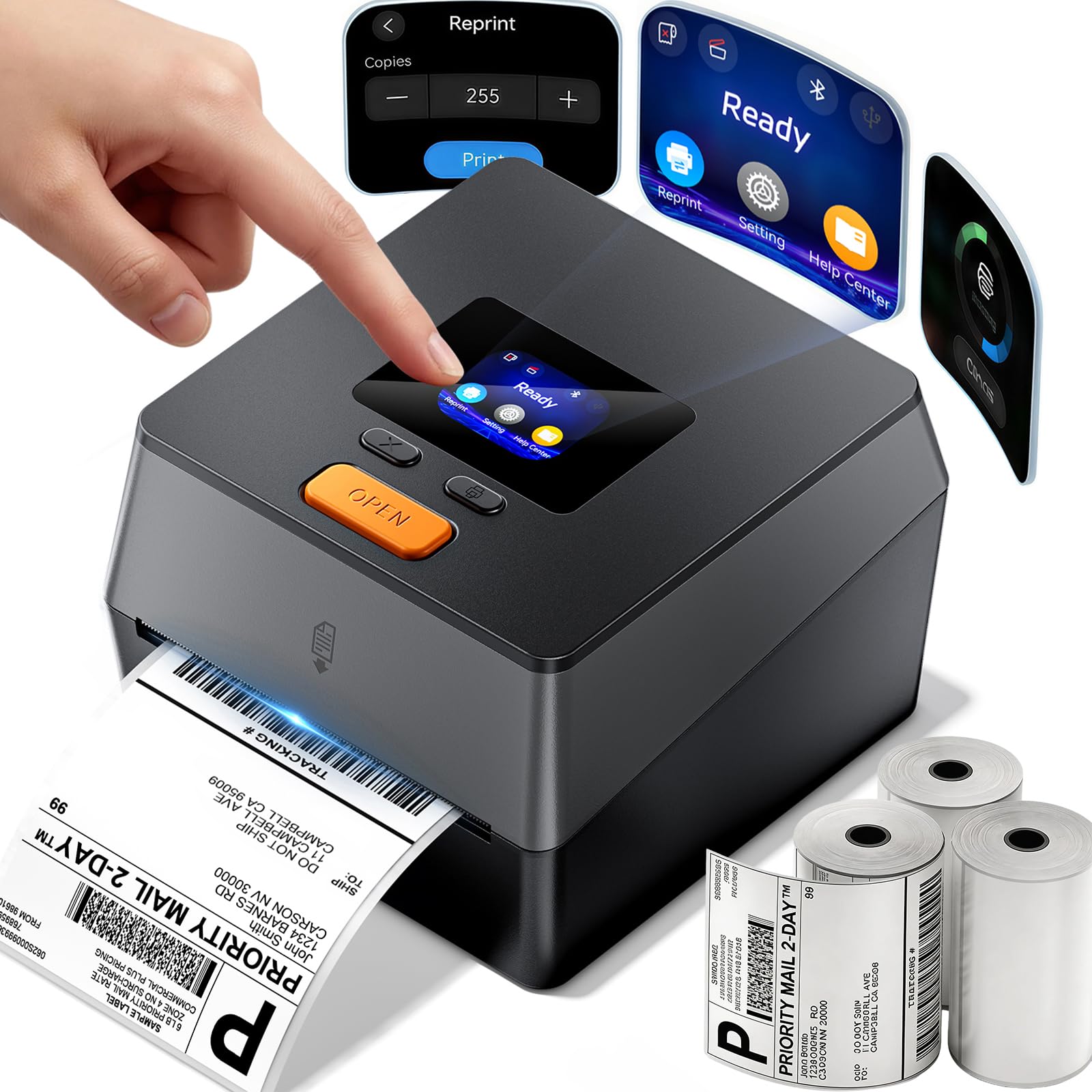
At 7.3″D x 6.3″W x 5.35″H, this is the smallest body on the list, and the D420D makes the most of it. The telescopic built-in bin holds a roll of up to 250 4×6 labels inside the shell — no external holder, nothing sliding across your desk. The touchscreen shows live printing status, and one tap reprints the last label, which is the move you want when a label peels off crooked halfway to the box.
Output runs at 72 labels per minute from a 203 DPI print head, with automatic label size detection and auto-calibration handling alignment for you. Connection is Bluetooth 5.0 to Windows, macOS, iOS and Android, plus USB if you want a cable. It supports label widths from 1 to 4.6 inches and arrives with 750 labels in the box, so you print on day one without ordering a roll. Buyers describe it as working flawlessly and easy to connect over Bluetooth.
The limit is print clarity: 203 DPI handles shipping labels, but fine text and tiny barcodes stay sharper on the 300 DPI Phomemo above. The touchscreen also adds controls you will rarely touch once your workflow settles.
The space argument: 250 labels inside the shell plus 750 in the box means the smallest footprint here also arrives ready to run.
The honest limit: 203 DPI is fine for shipping labels but will not beat the 300 DPI pick above on tiny barcode detail.
Pick this one if: your packing table is also your kitchen counter and every inch counts.
Pass if: you need the sharpest possible small-text output, where a higher-DPI head wins.
4. Westinghouse Thermal Shipping Label Printer USB

Built for a bench that never stops, with the widest media handling in this roundup.
Speed and media flexibility are the two reasons this one earns a slot. It pushes labels at up to 6 inches per second from a 203 x 203 DPI print head, and it accepts media widths from 0.78″ to 4.6″ with a maximum print width of 4.25″. Thickness handling runs 0.06mm to 0.25mm, and it takes a roll with an outer diameter of 4.75″ on a core of 1″ to 3″. Both fanfold stacks and rolls work, so you can buy whichever label format is cheaper that month.
Windows, macOS and Linux are all supported, and it will run with ZPL software — a big deal if your warehouse already uses Zebra-style label templates. from the start you get the printer, starter labels, a label holder, a USB flash drive, cables and a power adapter. Owners rate quality and ease of setup highest by a wide margin, and the recurring theme in the feedback is that it prints crisp, clear labels and keeps doing it.
Two things to know before you commit. It is not Bluetooth-capable, so plan on a cable or your network. Network connectivity splits opinion — some units connect to any computer without fuss, while Linux networking gave others real trouble. The body is also the second-largest here at 9.45″D x 8.36″W x 6.88″H, so give it a proper shelf rather than a corner.
Why volume shippers like it
- 6 in/sec print speed with 203 x 203 DPI output
- Accepts fanfold stacks and rolls, media widths 0.78″ to 4.6″
- Runs with ZPL software, so warehouse templates carry over
- Windows, macOS and Linux support built in
Before you plug it in
- No Bluetooth — wired Ethernet or USB only
- Linux networking reports are genuinely mixed
- Largest footprint of the mid-range picks
Best matched to: a warehouse bench printing fanfold stacks all day on a wired network.
Reach past it if: you want to print from a phone over Bluetooth — this model has no radio.
5. Arkscan 2054A-LAN Ethernet Network Shipping Label Printer

The one pick with real human tech support, and unusual label-length freedom.
The Arkscan prints at 5 inches per second and handles labels from 0.75″ to 4.25″ wide. The interesting number is length: it takes labels up to 90 inches long, which is far beyond the 4×6 shipping standard and opens up packing slips, inventory tags and long barcode strips. Roll paper goes inside the body; fanfold stacks load from the back. You can drive it over USB or Ethernet from Windows, Mac, Chromebook, Android or iOS devices.
What separates it from the ZD421 below is support. Arkscan runs US-based phone, live chat and remote-access help with extended hours across both coasts, and the feedback on that support is consistently strong. It ships with a free copy of BarTender UltraLite label design software for Windows, which covers text, graphics, barcodes and serialising. Quality and reliability are the two things buyers praise most, and several describe the machine as worth the money.
Setup is where opinions split. Some find it very easy; others call it a bit of a pain, and network connectivity has its own mixed reports. Budget an hour for the first install rather than ten minutes. Label printing is also mixed, with a few blank-label issues reported. When it is running, though, the combination of wired networking, odd label lengths and genuine tech support is hard to find in one box.
what separates it: long labels and a wired network option — a 90-inch maximum label length plus Ethernet and USB input, backed by US phone and remote support when the driver fights back.
What to expect on day one: setup is not always a ten-minute job, so plan a proper install session before your first busy shipping day.
Choose it when: you print non-standard label lengths or want a support line staffed by people in your time zone.
Think again if: you expect plug-and-play with zero configuration — setup experiences here vary widely.
6. ZEBRA GK420d Direct Thermal Desktop Monochrome Printer
Old-school ports and a print width of 4 inches, for the system that will not be replaced.
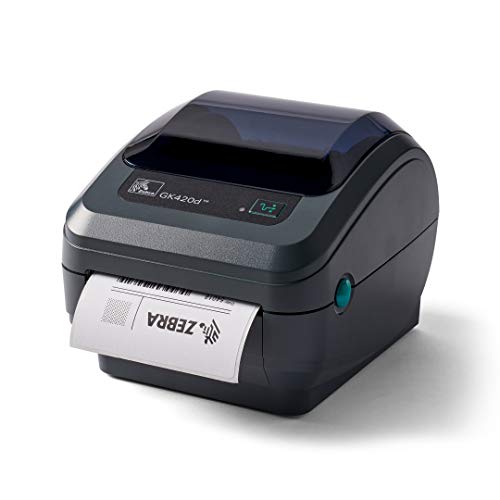
This is the printer you buy when your software was written years ago and expects a serial or parallel connection. The GK420d offers USB, serial and parallel ports, prints at 4 inches wide, and fires its first label in 6 seconds. Windows, Mac and the odd legacy system all connect, and the feedback on compatibility names ShipStation, Mac, PC, a CVENT system and UPS as working setups.
Owners describe the print quality as excellent, and the recurring theme is that the build feels like it was made to last. Speed is rated good and the price-to-performance read is consistently strong. It is a single-purpose monochrome machine and makes no claim to be anything else.
The real caveat is label printing itself. A meaningful share of customers note the printer only printing on the top 1″ of a label, or not printing every label correctly. That is a calibration and media-setting issue in most cases, not a paper problem, so budget time to dial in the label size in the driver. There is also a cosmetic risk: a few units arrived with scratches on three sides. Neither complaint is universal, but both are worth knowing.
Why it still sells
- USB, serial and parallel ports cover older business software
- First label out in 6 seconds
- 4-inch print width suits standard parcel labels
- Compatibility confirmed across ShipStation, Mac, PC and UPS setups
Where it asks for patience
- Reports of labels printing only on the top 1″ until settings are corrected
- A few units arrive with visible scratches
- No wireless connection at all
Built for: the shop running an older system that expects a parallel or serial cable.
Not for: anyone who wants Bluetooth or a phone in the loop.
7. Zebra ZD421 Thermal Shipping Label Printer
The one that grows with the operation: field-upgradeable kits, NFC pairing, energy rated.
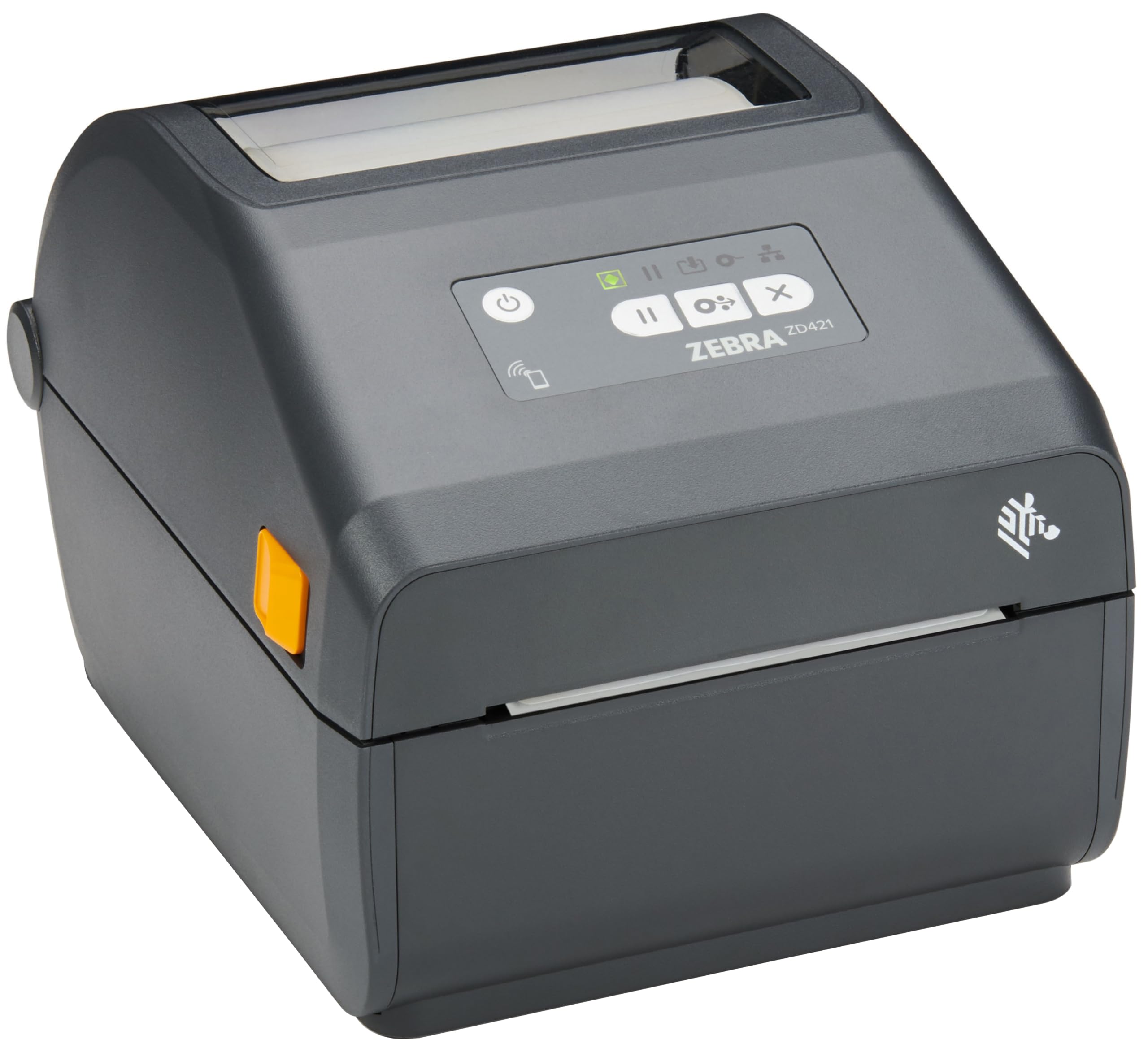
The ZD421 prints at 203 DPI and 6 inches per second on thermal media with no ink or toner, and it opens with a feature the cheaper machines cannot match: field-upgradeable media handling and wireless kits. Buy it now, add wireless later. It is ENERGY STAR qualified, uses 3 buttons and 5 LED icons to show exactly what is going on, and supports both EPL and ZPL printer languages so your label formats carry over from another Zebra.
Connection is genuinely wide. You can wire it into a network or connect directly to any PC, and it prints from Windows, Android or iOS devices. The included Print Touch tag lets you tap a phone to pair and print. A single cable runs to Ethernet or USB, and the body stands 8.69″D x 2.98″W x 5.93″H at 1600 g.
Reliability is the number that matters most here, and it is genuinely mixed. Some units run without a hitch; others stop printing in small segments within the first few years. Print quality draws equally split reactions, from people calling it the best printer they have owned to those reporting poor results. That is a real risk at this price, but the hardware is capable and you are paying for upgradeable kits and EPL/ZPL support as much as for the print head.
The platform argument: field-upgradeable wireless and media kits plus EPL/ZPL language support mean this printer can follow your business rather than being replaced by it.
The patience required: reliability reports are split down the middle, so a unit that misbehaves from the start is a real possibility.
Makes sense if: you are building a warehouse infrastructure and want a printer you can upgrade instead of replacing.
Weigh it carefully if: you need proven day-one reliability above all else.
8. MUNBYN Bluetooth Thermal Label Printer

The 130B pairs with your phone in three steps and weighs 2.3 pounds, so it travels well.
Phone-first printing is what sells it. Download the MUNBYN Print app to your phone or tablet, connect over Bluetooth, and print. On a laptop or desktop, open the Munbyn Editor in Google Chrome with nothing to install, or just plug in a USB cable. Setup really is three steps: connect, design, print. The print head runs at 203 DPI and 72 labels per minute.
The design library is the detail you will not find on the Rollo. Inside the app you get 3,500+ elements, 2,000+ templates and 80+ fonts, with PDF and TXT import plus OCR for reading text off a photo. Label sizes run from 1.57″ to 4.3″ wide, covering standard 4×6 shipping labels and smaller circles and rectangles. The body is compact at 8″D x 6.88″W x 4.72″H and weighs 2.3 pounds.
Bluetooth is the sticking point. Plenty of buyers connect a phone without trouble and find it convenient; others cannot get it to pair with a computer or laptop. It also may not work with UPS thermal paper, so MUNBYN labels are the safe choice. Some units stop working entirely. If your plan is USB to a desktop, none of that touches you. If your plan is phone-only, order with the expectation that you may need the cable.
What makes it different: 3,500+ elements, 2,000+ templates and 80+ fonts built into the app, plus OCR import, so product labels and thanks stickers come out designed rather than assembled elsewhere.
The honest snag: Bluetooth pairing is genuinely hit and miss across devices, so treat the USB cable as your fallback, not your last resort.
Suits you if: you want to design and print a branded label from your phone at a market stall.
Step back if: you cannot tolerate Bluetooth setup that sometimes refuses to pair.
9. Bluetooth Shipping Label Printer with Built-in Label Bin

A 500-label bin and back-fed fanfold support at the lowest outlay on this list.
This Omezizy D520BT leads with its paper handling. The internal bin takes a roll of up to 500 4×6 labels, and it also accepts fanfold stacks loaded through the back, so you do not need a separate support holder for either format. It prints at 150mm/s, averaging up to 72 4×6 labels per minute, and the body measures 8.6″D x 7″W x 7″H.
Connection covers both bases: Bluetooth for Android and iOS, and USB for Windows, Mac, ChromeOS and Linux. One note worth repeating: all Bluetooth connections go through the app, not your phone’s system settings. It handles label widths of 1″ to 4.6″, reaches USPS, UPS, TikTok, eBay, Etsy, Shopify, Amazon and PayPal from the same workflow, and includes setup videos plus phone, email and remote-desktop support.
This is the budget entry on the list, and it is fair to set expectations accordingly. It has far fewer owner reviews behind it than the Rollo, so there is less of a track record to lean on. If you need a long track record, the Rollo above has 16,000+ ratings behind it. If you want a compact bin-fed machine that takes rolls and fanfold and can live with a thin review trail, it covers the core job at the lowest price here.
What you get for the outlay
- Internal bin for 500 4×6 labels plus back-fed fanfold support
- 150mm/s speed, about 72 labels per minute
- Bluetooth to Android and iOS plus USB to Windows, Mac, ChromeOS and Linux
- Setup videos and remote-desktop support included
Be realistic about
- Bluetooth only connects through the app, not system settings
- A much shorter review trail than the established brands here
- No Ethernet option for a shared office network
Fits best when: you ship from a tablet or a phone and want a roll hidden inside the machine.
Spend more if: you want years of proven track record and a wired network option.
Know the Specs
DPI (Dots Per Inch)
DPI is the number of heat dots the print head fires across each inch of label. It decides how sharp a barcode’s edges look and how legible small SKU text becomes. 203 DPI is the working standard for 4×6 shipping labels and scans fine. 300 DPI adds more dots per inch for small barcodes, dense serial numbers and tiny print. Higher DPI does not change label size — it changes detail inside the same label.
Print Speed in mm/s vs Labels Per Minute
Two different units describe the same thing, so compare with care. Some specs quote millimetres per second (how fast paper feeds through the head), and others quote labels per minute. At 150mm/s a machine prints roughly one 4×6 label per second, which works out to about 72 labels a minute. A spec quoted as 6 ips means 6 inches per second. Both numbers measure throughput, not quality.
Common Questions
Do direct thermal printers need ink or toner?
Will a direct thermal printer print on plain paper?
Can I print 4×6 shipping labels on all of these?
Does Bluetooth printing work with both iPhone and Android?
Why do some reviewers point out blank labels or half-printed labels?
Is a wired Ethernet printer better than Bluetooth for a shared office?
Do these printers work with UPS WorldShip or ShipStation?
Can I load fanfold labels instead of rolls?
How long do printed thermal labels stay readable?
What label sizes can I print on a 4×6 thermal printer?
The Bottom Line
For most shipping desks, the direct thermal printer winner is the Rollo USB Shipping Label Printer, because 150mm/s output, 203 DPI barcodes and driver support across every major carrier and marketplace cover the daily job without an ink bill. If fine detail matters more than raw output, the Phomemo D530 Pro doubles the dot density at 300 DPI and adds an Ethernet port for a shared bench. And for a packing table with almost no spare room, the Phomemo D420D hides a 250-label roll inside a 7.3″ deep body and hands you 750 labels to start.
How we choose
We do not accept paid placement. Every pick is matched to a real buyer and a real use-case; we do not hands-on test units.
Sources
Specifications: manufacturer listings and product documentation. Review insights: verified customer reviews, as of November 2026. Pricing: not shown on this page (it changes often); check the current price via the retailer link.
As an Amazon Associate, Tactical Gear Guy earns from qualifying purchases. This does not affect which products we feature.