Specs are compiled from manufacturer listings and verified buyer reviews and can change over time — please confirm the key details on the product page before buying.
Buying a curved monitor is really a decision about two things: how wide you want your view to be, and how fast you need the pixels to change. Get those wrong and you end up with a screen that makes your neck ache or a gaming display that smears every fast turn. This guide covers the curved panels worth your desk space, from a 27-inch 280Hz speed unit to a 49-inch dual-QHD monster, and explains in plain words what each spec does for you.
This guide is built by comparing the manufacturers’ published specifications and the patterns across verified customer reviews, so you get each pick’s real strengths and trade-offs instead of marketing spin.
A curve only helps if the panel inside it is honest about refresh rate, resolution, and color. Below you’ll find eleven curved screens sorted by what they genuinely do well, with the numbers spelled out so you can match one to your own desk and your own eyes. This breakdown of the best curved PC monitor sticks to published specs and owner experience.
Top Picks


How To Choose The Best Curved PC Monitor
Start with the width your desk and your graphics card can actually feed. A 34-inch ultrawide or a 49-inch dual-QHD panel gives you two or three full windows side by side, but it also asks more of your GPU than a standard 27-inch screen. Pick the size first, then let refresh rate and resolution decide the rest.
Match the curve to how close you sit
A 1000R curve (a tighter bend) pulls the edges of the screen toward your eyes, which suits a single person sitting close. A 1500R or 1800R curve is more gentle and works better if you sit further back or share the screen. Too shallow a curve on a very wide panel means you turn your head to read the corners.
Refresh rate and response time for games
Refresh rate is how many times per second the screen redraws, measured in hertz — a higher number means smoother motion in fast scenes. Response time (in milliseconds) is how fast a pixel changes color; a lower number means less ghosting behind moving objects. For shooters, both matter more than a small bump in resolution.
Resolution and the graphics card behind it
A 3440 x 1440 panel is wide QHD and a 5120 x 1440 panel is dual QHD — twice the horizontal workspace of a normal QHD screen. The higher the resolution, the harder your graphics card has to work to keep frame rates up. Check that your card can drive the resolution you want before you buy the widest panel in the room.
Side-by-Side Comparison
| Model | Best For | Resolution | Refresh Rate | Curvature | Amazon |
|---|---|---|---|---|---|
| Alienware AW3425DWM★ Best Overall | All-round 34-inch ultrawide | 3440 x 1440 | 180Hz | 1500R | Amazon |
| Acer Nitro XZ270Fastest Refresh | High refresh on a budget | 1920 x 1080 | 280Hz | 1500R | Amazon |
| LG 32G600A-BTightest Curve | 32-inch QHD immersion | 2560 x 1440 | 180Hz | 1000R | Amazon |
| ASUS TUF VG32WQ3B | Fast response and warranty | 2560 x 1440 | 180Hz | 1500R | Amazon |
| LG 34G600A-B | Ultrawide with speakers | 3440 x 1440 | 160Hz | 1800R | Amazon |
| LG 34SR60QC-W | Smart streaming hub | 3440 x 1440 | 100Hz | 1800R | Amazon |
| Z-Edge 49″ DQHD | Wide multitasking value | 5120 x 1440 | 165Hz | 1500R | Amazon |
| Z-Edge 49″ 240Hz | Big screen, fast panel | 5120 x 1440 | 240Hz | 1800R | Amazon |
| Alienware AW3425DW | OLED contrast and speed | 3440 x 1440 | 240Hz | 1800R | Amazon |
| Samsung 49″ LS49C954 | Work dock and hub | 5120 x 1440 | 120Hz | 1000R | Amazon |
| Samsung 57″ Odyssey Neo G9 | Dual 4K flagship | 7680 x 2160 | 240Hz | 1000R | Amazon |
Detailed Reviews
1. Alienware 34 Curved Gaming Monitor AW3425DWM
Our pick — 4.5+★ from 750+ verified ratings; the strongest balance of quality and price.
The ultrawide that does a full workday and a full firefight without flinching.
The 34-inch panel gives you a 3440 x 1440 WQHD picture (wide quad high-definition, roughly two standard windows abreast) on a 21:9 frame. Its 1500R curve is a gentle bend that brings the far edges into comfortable view, so your eyes don’t have to travel as far to read a document that sits in the corner. The panel runs at 180Hz with a 1ms gray-to-gray response — the time a pixel takes to shift shade — and AMD FreeSync Premium plus VESA AdaptiveSync keep the frames in step with your graphics card.
Color is where this one quietly overachieves. It covers 95% of the DCI-P3 color space (a wide color gamut used in film and games) and carries VESA DisplayHDR 400 certification, so bright highlights have room to breathe rather than clipping to white. The 3,000:1 contrast ratio is the deepest among the ultrawides here except the OLED pick — the Acer Nitro’s 100,000,000:1 figure is a dynamic contrast number measured a different way. For productivity, the 21:9 ratio earns its keep; owners describe parking Teams in one window and email in another, or a document beside a browser. A dedicated console mode and a hardware low-blue-light filter round it out for longer sessions.
The trade-off is small and specific: both side USB ports are Type-A, so a USB-C peripheral needs an adapter. The stand is height- and tilt-adjustable, and a VESA cover is in the box for arm mounting. Where the 34-inch size comes up, some buyers report it takes a week to retrain your eyes if you came from a 27-inch flat panel — a getting-used-to curve, not a fault.
What earns its keep
- 3440 x 1440 WQHD across 34 inches, wide enough for two apps side by side
- 180Hz refresh and 1ms gray-to-gray keep action clean
- 95% DCI-P3 coverage and DisplayHDR 400 for color-heavy work
- 1500R bend eases the corners into view without a tight wrap
- Height and tilt adjustment plus VESA mounting support
Bits to weigh first
- Both side USB ports are Type-A, no USB-C pass-through
- An ultrawide asks more of your graphics card than a 27-inch FHD panel
- Switching from a smaller flat screen takes a few days to feel natural
Reach for this if: you want one screen to cover spreadsheets, editing, and 180Hz gaming without a second monitor on the desk.
Look elsewhere if: your peripherals are USB-C only, or your desk cannot take an ultrawide footprint.
2. Acer Nitro XZ270 Zbmiiphx Curved Gaming Monitor
The 280Hz bargain — the fastest redraw here without the widest footprint.
At 280Hz this is the quickest panel in the roundup — the Alienware AW3425DWM tops out at 180Hz, and this one keeps pushing the frames. If you play shooters where a flick of the mouse decides the round, that extra speed shows up as less smear behind a strafing enemy. The 1ms VRB response (visual response boost, a backlight-strobing trick to sharpen motion) backs it up, and AMD FreeSync Premium stops the tearing that shows as a ripple across a fast pan.
You get a 27-inch screen at 1920 x 1080 Full HD (1080p, the everyday sharpness tier), wrapped in a 1500R curve (a gentle bend that wraps toward your eyes) in a 16:9 shape. The VA panel (a screen type with strong contrast) gives deeper blacks than a basic IPS panel, so dark scenes stay dark instead of grey. sRGB 99% color (near-full coverage of the standard color range) keeps a game’s palette looking natural rather than washed out. ZeroFrame’s thin bezels help if you run two side by side. The ErgoStand tilts -5° to 20°, swivels +/- 15°, and travels 3.93 inches in height, with a quick-release so it drops onto a 100 x 100mm VESA arm (the standard mounting bolt pattern). Ports are one DisplayPort 1.4 and two HDMI 2.0, and both cables come in the box.
Be clear-eyed about the resolution: 1920 x 1080 is where this panel keeps its cost low, and the picture-quality side of the ledger is where expectations need managing. On a very bright desktop, some panels show backlight bleed in dark scenes — the setting that matters is turning brightness down to the room. Build quality and the value are the loudest wins in owner feedback, and the built-in speakers make it a complete standalone setup if you don’t want a separate set.
The speed argument: 280Hz is the fastest refresh in this list, so if your graphics card already pushes high frame rates, this panel cashes that in as real smoothness rather than a number on a box.
The resolution counterpoint: Full HD on 27 inches is the trade for that refresh rate — text looks a touch softer than on the 1440p panels here.
Suits: competitive gamers on a tighter budget who want the highest Hz figure on the page and a complete monitor with speakers.
Less suited to: editing work or reading heavy text all day, where the 1920 x 1080 resolution will feel coarse next to a 1440p display.
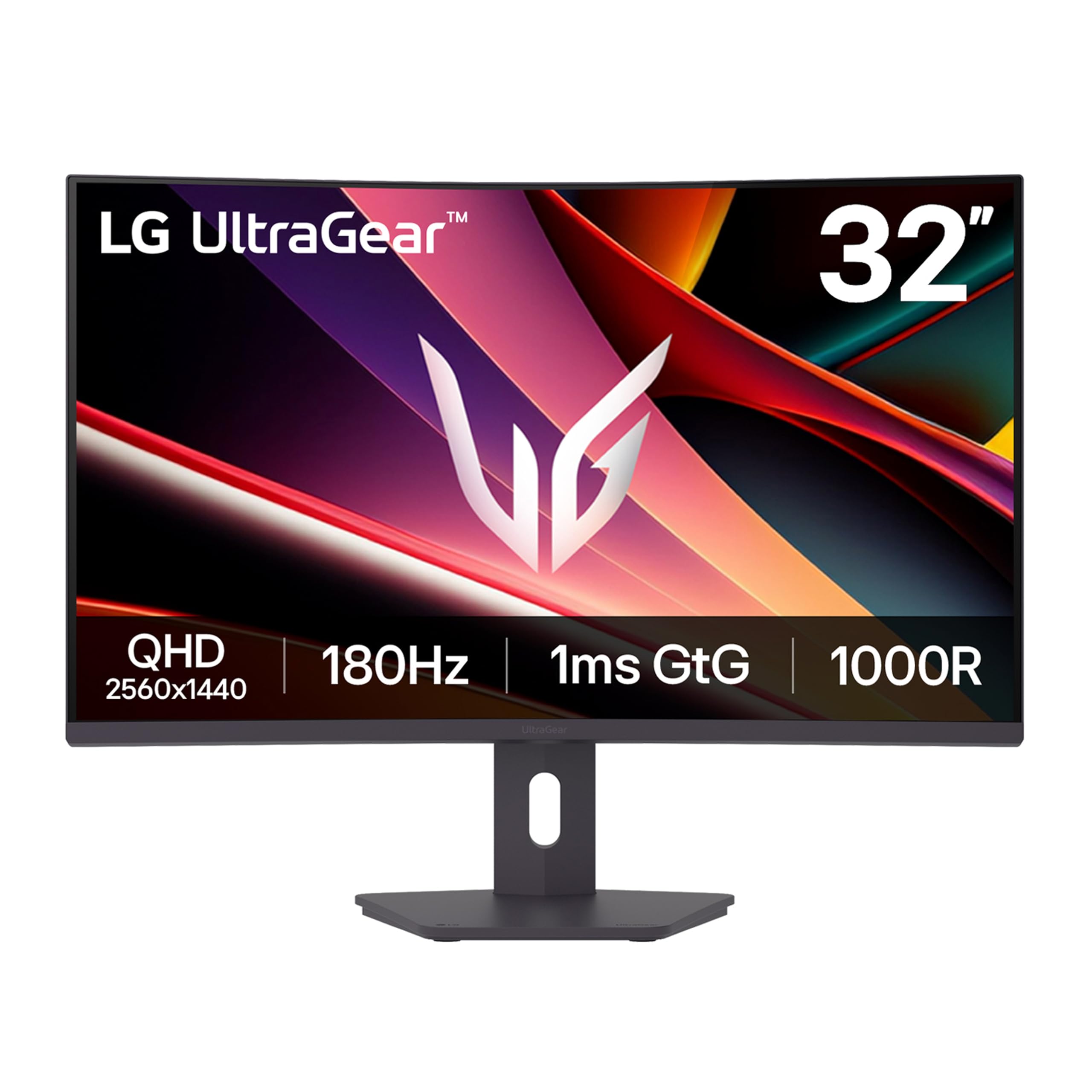
3. LG 32G600A-B 32-inch Ultragear QHD Curved Gaming Monitor
The 1000R bend that pulls the edges in until the desk disappears behind the picture.
This is the tightest curve in the roundup. A 1000R rating means a tight radius that wraps the 32-inch panel around your sightline, and the ASUS TUF below runs a gentler 1500R. If you sit close and single-screen game, that deeper wrap is the point — the sides of the screen feel closer to your peripheral vision. It’s a 2560 x 1440 QHD VA panel at 180Hz with a 1ms GtG response (gray-to-gray, the pixel color-change speed), plus HDR10 and up to 99% sRGB coverage.
LG’s gamer toolkit is all here: Dynamic Action Sync trims input lag, Black Stabilizer lifts the shadows in dark corners so a camper doesn’t vanish, and a Crosshair overlay plants a center aim point in first-person games. The stand handles height, tilt, and swivel, and the narrow three-side borderless design keeps the panel looking like it’s floating. AMD FreeSync handles the frame sync.
Set your expectations on two points. The 300-nit brightness (a measure of screen light output) is fine for a normal room but won’t fight a sunlit window. And the size label draws some debate — a few owners measure it shy of a full 32 inches. If you’re not gaming, the fast response is wasted on you, but the adjustable stand and color accuracy still earn their place. For a 1440p desktop at 180Hz (1440p is the sharper-than-1080p tier; 180Hz means the screen redraws 180 times a second), this is the tighter-curve choice.
One-line verdict: buy it if the wrap-around feel of a 1000R curve on a QHD 180Hz panel is what you’re chasing.
Also consider: a brighter panel or a full 32-inch measurement if your desk faces a window or you need the exact diagonal.
4. ASUS TUF Gaming VG32WQ3B Curved Gaming Monitor

Half a millisecond of response time on a 32-inch 1440p curve, with a three-year warranty behind it.
The headline here is the 0.5ms GTG response — twice as fast as the LG 32G600A-B’s 1ms, and the quickest pixel reaction in this group. That’s the spec that decides whether a fast pan leaves a blur trail or stays sharp, and ASUS pairs it with Extreme Low Motion Blur (ELMB) to further cut ghosting. The 31.5-inch panel runs 2560 x 1440 on a 1500R curve at 180Hz, with FreeSync variable refresh smoothing the frame delivery.
Color leans vivid — 90% of the DCI-P3 space and a listed 120% figure in its gamut spec, so games look saturated rather than flat. Shadow Boost brightens the dark corners without burning out the brights, useful in gloomy shooters. The box includes a DisplayPort cable, an L-shaped screwdriver, the power cord, and a warranty card, and ASUS backs it with a three-year manufacturer warranty. There’s also a free three-month Adobe Creative Cloud subscription bundled in.
The honest caveat is the stand: it doesn’t adjust vertically, so if glare hits your desk you’ll be moving the desk rather than the screen — a VESA arm is the fix. Long-term reliability shows up as a mixed note in owner feedback, with the warranty worth keeping in mind if you buy. At 0.5ms GTG, it has the fastest pixel response of any 1440p panel in this roundup.
Why gamers pick it: the 0.5ms GTG figure is the fastest in this roundup, and the 180Hz refresh means fast games read clean and responsive.
The stand caveat: no height adjustment means you solve glare with a VESA arm or a shim, not the built-in stand.
Best fit: gamers who want the fastest response time here and value the three-year warranty.
Skip if: you need an out-of-the-box height-adjustable stand or a guaranteed long service life.
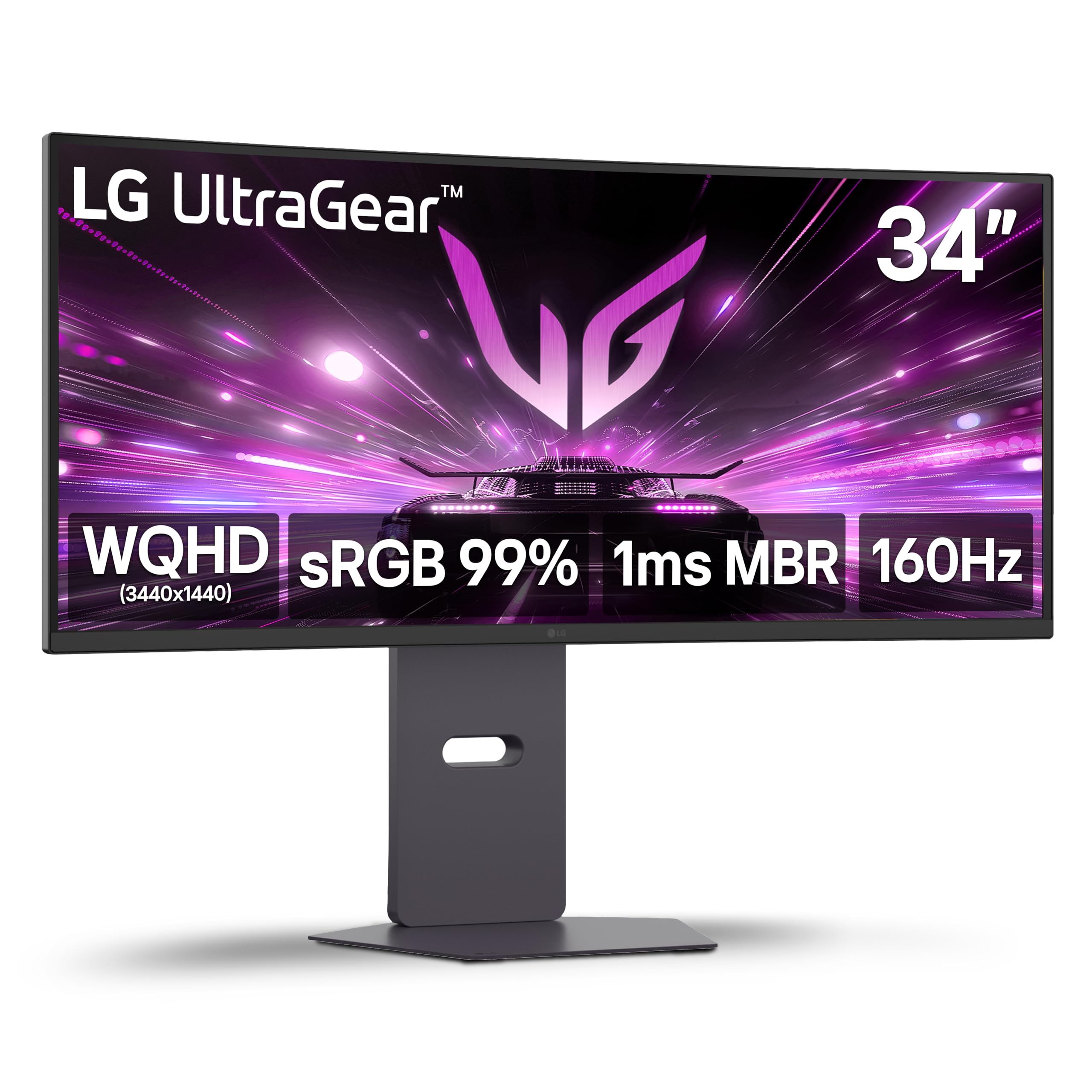
5. LG 34G600A-B 34-inch Ultragear WQHD Curved Gaming Monitor
A 34-inch ultrawide that ships with real speakers, so the desk stays uncluttered.
If you want the wide 21:9 workspace without adding a separate speaker bar, this LG is built for it. The 34-inch 3440 x 1440 WQHD panel sits on an 1800R curve — more gentle than the 1000R LG above — and hits 160Hz with 1ms Motion Blur Reduction (MBR, a strobing trick to sharpen fast motion). AMD FreeSync Premium handles the sync, HDR10 and up to 99% sRGB keep color lively, and a pair of built-in stereo speakers with Waves MaxxAudio give games and video real sound.
The 4000:1 contrast ratio is the deepest of the non-OLED ultrawides here, which shows as fuller blacks in a dark movie scene. It uses VA panel tech, so the front-on picture is rich and the contrast is the strength. A 1800R curve is a relaxed wrap; buyers describe it as a subtle bend that hugs the field of view without distorting the edges. The stand does tilt, height, and swivel, and the inputs include HDMI 2.1 and DisplayPort.
Where it falls short: at 300 nits it’s not a bright-room performer, and the built-in audio, while useful, won’t replace a dedicated soundbar for serious listening. Some buyers also prefer a 32-inch 16:9 to a 34-inch ultrawide for vertical height — the 34-inch is wider but gives up some top-to-bottom space. At this price, it’s the cheapest 34-inch 3440 x 1440 ultrawide here with built-in speakers.
Why it stands out
- 3440 x 1440 ultrawide at 160Hz with FreeSync Premium
- Built-in Waves MaxxAudio stereo speakers save desk space
- 4000:1 contrast for deep blacks in movies and games
- HDMI 2.1 and DisplayPort inputs, height/tilt/swivel stand
Reasons to think twice
- 300-nit brightness is modest for a bright room
- Onboard audio is a convenience, not a soundbar replacement
- Wider than a 32-inch but shorter, if vertical height matters to you
Pick this for: a value ultrawide that does multimonitor duty and ships with usable speakers.
Look past it if: you need high brightness in daylight or want a high-end speaker setup built in.
6. LG 34SR60QC-W Curved Smart Monitor

A monitor that streams Netflix, runs cloud apps, and takes an AirPlay cast — no separate PC required.
This is the one curved panel here that’s a smart display first and a monitor second. Behind the 34-inch 3440 x 1440 panel is LG’s webOS, so you get built-in Netflix, Prime Video, Apple TV, Disney+, and HBO Max without connecting a computer. The 21:9 1800R curve wraps your view, and 99% sRGB with HDR10 keeps color rich. AirPlay 2 and HomeKit let you mirror from an iPhone or Mac wirelessly — the LG Magic Remote (sold separately) adds voice navigation.
The 100Hz refresh is the lowest among the ultrawides here, so this is a productivity-and-streaming screen, not a competitive-gaming one. But the workspace value is real: multiple HDMI and USB ports, plus you can access cloud PC services like Microsoft 365 straight from webOS, so you can work off a laptop and stream on the same panel. In white, it also looks less like office gear and more like living-room furniture.
Things to know: with only tilt adjustment on the stand, it isn’t as ergonomic as the height-adjustable options here, and the pixel clarity — while crisp for documents and video — won’t out-resolve a QHD gaming panel. You’ll also want the remote to control it, which is a small learning curve. For a home office that doubles as a TV, this is a smart blend.
The appeal: webOS plus AirPlay 2 and HomeKit turn one curved screen into your work monitor and your living-room streamer, all with a built-in speaker.
The catch: tilt-only stand and a 100Hz ceiling mean it’s built for comfort and content, not pro gaming.
Made for: a hybrid home office where the same screen runs spreadsheets by day and streaming apps at night.
Not the one for: competitive gamers or anyone who wants height adjustment from the stand.
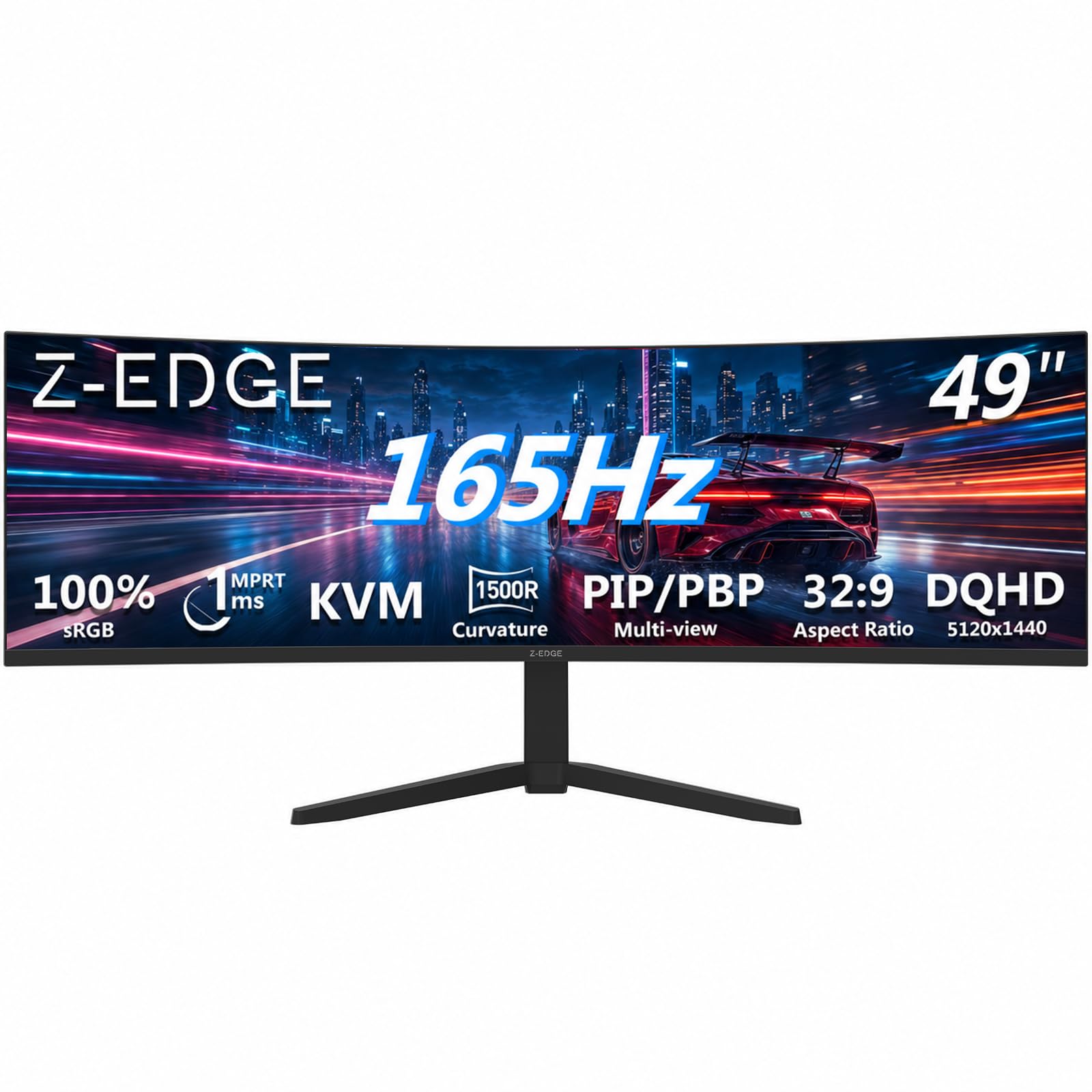
7. Z-Edge 49 inch Ultrawide Curved Computer Monitor DQHD
Two QHD panels fused into one unbroken 49-inch curve — with a KVM switch to drive them.
The 5120 x 1440 Dual QHD resolution is the equivalent of two QHD monitors side by side, minus the bezels down the middle. On a 32:9 frame at 1500R, that’s a panoramic desk that holds a spreadsheet, a browser, and a chat window at once. It runs at 165Hz over HDMI 2.1 or DisplayPort 1.4 with a 1ms MPRT response (moving picture response time), and FreeSync keeps fast scenes from tearing. For a wide monitor that’s also fast, this is a strong value.
The productivity extras are what push it above a plain wide panel. Picture-in-Picture floats a second source in a window, Picture-by-Picture splits the screen into two independent full-resolution feeds for a laptop and a desktop at once, and the built-in KVM lets one keyboard and mouse drive both machines. Gaming tools include a Crosshair, Shadow Balance for dark scenes, and an on-screen Timer. The stand tilts and adjusts height, and dual speakers are built in.
The trade-off here is long-term reliability and color consistency. Owner feedback flags a mixed record on units that keep working over time and a nitpick about color quality, and there’s a note or two of a line appearing on the right side of the screen. Not every unit, but enough that a buyer should register the warranty. If you want the widest desk for the dollar, it’s a compelling pick.
The case for the wide desk
- 5120 x 1440 dual QHD replaces two monitors with no center bezel
- 165Hz and 1ms MPRT for smooth fast-motion gaming
- KVM switch plus PIP/PBP for two machines on one screen
- Height and tilt adjustable, dual speakers included
The honest trade
- Long-term reliability is the recurring concern in feedback
- Some mention a line appearing on the right edge over time
- Color consistency gets an occasional knock
The buyer for this: anyone who wants the desk real estate of two monitors in one curved frame, without paying flagship prices.
The one who should pause: buyers who need proven long-term durability over the widest value screen.
8. Z-Edge 49 Inch Curved Gaming Monitor, DQHD 240Hz Ultrawide

A 49-inch dual-QHD screen that redraws 240 times a second — the biggest fast panel here.
Take the 5120 x 1440 Dual QHD width of the Z-Edge above and push the refresh to 240Hz, and you have this one. That’s the highest refresh among the ultrawide panels in this list, and on a 49-inch 32:9 1800R curve it means you get the panoramic workspace and genuinely fast motion from the same screen. FreeSync smooths the frame delivery, a 1ms response keeps fast objects crisp, and the 3000:1 contrast with 99% sRGB gives deep blacks and natural color. Delta E under 2 keeps color close to true for editing work.
Connectivity is generous: one HDMI 2.1, two DisplayPort 1.4, one USB-C for single-cable video, and an audio out. PIP floats a second window over the main one, and PBP splits it into two independent full-resolution screens for a laptop and a console. The built-in speakers mean video and games have sound without an add-on. Height adjustment on the stand and a frameless look round out the package.
The thing to weigh is reliability and pixel quality — some units arrive with dead pixels, and a few owners mention a screen stopping well inside the first year. It’s the minority, but on a screen this expensive it matters, so the panel check on arrival is worth doing. If the panel survives its first year, you get 5120 x 1440 at 240Hz across 49 inches for less than the flagship 57-inch.
The size-and-speed play: 5120 x 1440 at 240Hz on a 49-inch curve is the most screen and the most refresh on one frame in this roundup’s ultrawide ranks.
The risk to price in: a mixed durability record means you should verify the panel and pixels the day it lands.
For the buyer who: wants a 49-inch dual-QHD desk with 240Hz speed and USB-C single-cable convenience.
Who might hesitate: anyone unwilling to gamble on a panel with a spotty longevity record.
9. Alienware 34 240Hz QD-OLED Curved Gaming Monitor AW3425DW

The panel type that turns blacks truly black, with a response time no LCD here can touch.
QD-OLED (quantum-dot organic light-emitting diode) is the leap that separates this pick from every LCD here. Each pixel lights itself, so blacks are genuinely off rather than backlit grey — its 1,500,000:1 contrast and VESA DisplayHDR TrueBlack 400 rating are the reason dark scenes look like real darkness. The 0.03ms response is far quicker than the 1ms LCDs around it, and the 1800R 34-inch panel runs 3440 x 1440 at 240Hz with G-SYNC Compatible, FreeSync Premium Pro, and AdaptiveSync.
Color is the other spotlight: 99.3% DCI-P3 coverage and Delta E under 2 accuracy, plus 1000-nit peak HDR brightness, make this a screen that shows film and game color the way it was graded. It has height, swivel, and tilt adjustment, and the box includes DisplayPort and HDMI cables plus a microfiber cloth. Among the ultrawides here, its 1,500,000:1 contrast is the deepest.
OLED demands different care than LCD. Static elements left in place for hours can leave burn-in over time — a mixed point in owner feedback and the reason you use screensavers and auto-dim. Brightness for everyday desktop work sits near 250 nits on the spec sheet, so full-screen HDR bursts aren’t the same as sustained bright work. Buy it for the contrast and the speed, and manage the panel with a little discipline.
Where OLED wins outright
- 1,500,000:1 contrast with true blacks from self-lit pixels
- 0.03ms response, far below the 1ms LCDs here
- 99.3% DCI-P3 and Delta E under 2 for accurate color
- 240Hz with G-SYNC Compatible, FreeSync Premium Pro, and AdaptiveSync
Why it needs care
- Burn-in risk from static elements over long sessions
- Everyday brightness near 250 nits suits a controlled room
- Panel durability is a live topic in owner feedback
The standout: the deepest blacks and the fastest response in this list, for buyers who want the best picture more than the widest desk.
The care note: OLED wants screensavers and varied content, so it rewards owners who manage static images.
10. Samsung LS49C954UANXZA Curved Ultrawide Monitor

A 49-inch desk that doubles as a docking station, charging your laptop with the same cable that carries the picture.
This Samsung is built for the desk, not the arena. Its 49-inch 5120 x 1440 Dual QHD panel on a 1000R curve — the tightest bend among the wide options here — pulls the edges in so the whole 32:9 span stays in view. It runs at 120Hz, which smooths scrolling and casual play while keeping the focus on work. VESA DisplayHDR 400 adds richer shading, and built-in speakers clear the desk of a separate set.
The docking is the real story: DisplayPort, two HDMI inputs, USB, and a USB Type-C input that supports 90W charging, so a laptop connects and powers over one cable. Cloud PC services and multiple windows turn it into a work hub. Text and images display crisply, and buyers describe a big jump in productivity from having everything on one screen. The height-adjustable stand and 1000R wrap make long desktop shifts easier on the neck and eyes.
The limits: only one USB-C port, which undercuts its claim as a full docking hub if you have several USB-C devices. The 120Hz ceiling makes it a work-first panel, not a competitive one, and the sheer width — about four feet across — means a deep desk is a must. With 90W USB-C charging and 5120 x 1440 of desk space, it suits a laptop-based spreadsheet and code workflow.
What it gives you: dual QHD at 5120 x 1440 with 90W USB-C charging, so one cable carries video and power to your laptop.
The one-port gripe: a single USB-C input means it can’t hub together all your USB-C gear at once.
Tailored to: home-office and business users who want a massive dual-QHD desk with laptop charging built in.
Not ideal for: competitive gamers or desks that can’t take a four-foot-wide panel.
11. Samsung Odyssey Neo G9 G95NC Curved Gaming Monitor

Two 4K UHD screens fused into one 57-inch 1000R curve — the widest, highest-resolution display here.
This is the top of the pyramid: a 57-inch 7680 x 2160 Dual UHD panel, which is a display as wide as two 4K UHD monitors on a single continuous 1000R curve. It runs 240Hz with a 1ms GTG response, and DisplayPort 2.1 carries that full resolution at high frame rates. Quantum Matrix Technology with Quantum Mini LEDs and 2,392 local dimming zones steers brightness precisely, and VESA DisplayHDR 1000 with a 1,000,000:1 contrast ratio is the brightest, most contrast-rich LCD here.
AMD FreeSync Premium Pro smooths the fast scenes, and the input set includes DisplayPort 2.1, HDMI 2.1, and a USB hub. CoreSync projects on-screen color into the room, Core Lighting adds ambient color, and Picture-by-Picture shows two sources at native resolution. The ergonomic stand swivels, tilts, and adjusts height, and it’s VESA-compatible for an arm. If you’ve ever wanted a wall of pixels, this is that wall.
Two things temper the pitch. It runs warm, so airflow around the screen is worth planning for, and reliability is a mixed theme in owner feedback — a few units stop working early enough that the warranty matters. It’s also a lot of screen for the price, so the buyer who wants the absolute widest, sharpest view pays for it. At 7680 x 2160 across 57 inches, it is the widest and highest-resolution panel in this roundup.
Why it tops out the list
- 7680 x 2160 dual UHD on a single unbroken 1000R curve
- 240Hz with 1ms GTG over DisplayPort 2.1
- 2,392 local dimming zones with VESA DisplayHDR 1000
- PBP, USB hub, swivel/tilt/height stand, VESA-compatible
What the scale costs you
- Runs warm, so give the panel breathing room
- Reliability is a mixed theme in feedback
- The widest, highest-resolution option comes at the top tier
The final word: the most screen this list offers — two 4K UHD panels in one 1000R curve with 240Hz and 2,392 dimming zones.
The honest caveat: a big investment that deserves the warranty and a cool-room plan.
Know the Specs
Curvature (the R rating)
The R number tells you the radius of the imaginary circle the screen wraps around. A 1000R curve is a tighter, deeper bend that pulls the edges toward your eyes, which suits one person sitting close. A 1500R or 1800R bend is more gentle and works better on a very wide panel or when you share the screen. If the curve is too shallow on a 49-inch display, you end up turning your head to read the far corners.
Refresh Rate and Response Time
Refresh rate in hertz is how many times per second the screen redraws — 180Hz means 180 redraws, which keeps fast motion smooth. Response time in milliseconds is how quickly a pixel changes shade; 0.5ms and 1ms panels show less ghosting behind a moving object than slower ones. For shooters and racing games, both numbers matter more than a small jump in resolution, while for spreadsheets and reading either is plenty.
Resolution and Aspect Ratio
A standard 16:9 panel is the familiar shape. Ultrawides stretch to 21:9 (3440 x 1440) or 32:9 (5120 x 1440 and 7680 x 2160), which buys you extra windows across the width. The higher the resolution, the harder your graphics card works to feed it, so match the screen to the card you own. A dual-QHD 49-inch is essentially two QHD monitors side by side with no gap in the middle.
Panel Type and Contrast
VA panels give deep blacks and high contrast, which makes dark scenes look full rather than washed. OLED panels switch each pixel off entirely, so blacks are as close to true black as a screen gets, and they respond faster — but they ask for care with static images over long sessions. IPS-style panels trade some contrast for wide viewing angles. The contrast ratio figure tells you the depth; higher means darker blacks beside bright whites.
Common Questions
Will a 49-inch curved monitor fit on a normal desk?
Measure first. A 49-inch 32:9 panel like the Samsung LS49C954UANXZA is roughly four feet wide, so it needs a deep, wide desk and some room to breathe on each side. A 34-inch ultrawide is a much easier fit for a standard home desk, and a 27-inch or 32-inch curve is smaller still.
Is a 1000R curve too tight for a big screen?
A 1000R bend is the tightest curvature covered here, and it works best when one person sits close and centered. On a 49-inch or 57-inch panel the deep wrap is designed to keep the far edges within your field of view. If you sit further back or share the screen, a gentler 1500R or 1800R curve usually feels more comfortable.
Does a curved monitor need a special graphics card?
No, the curve itself changes nothing for your graphics card. What matters is the resolution you drive. A 3440 x 1440 ultrawide asks more of the card than a standard 1920 x 1080 panel, and a 5120 x 1440 or 7680 x 2160 screen asks more again. Check that your card can hold the frame rate you want at that resolution.
What is the difference between 180Hz and 280Hz in real use?
Both are high enough for smooth gaming, but the faster panel redraws more often, so fast pans look cleaner if your graphics card already pushes high frame rates. The Acer Nitro XZ270 reaches 280Hz; most of the ultrawides here run 160Hz to 180Hz. If your card tops out well below the panel’s refresh, the extra speed goes unused.
Is ultrawide better than two separate monitors for productivity?
An ultrawide like the Samsung or Z-Edge panels removes the bezel gap between two screens and lets Picture-by-Picture show two independent full-resolution inputs. Two separate monitors can be cheaper and easier to reposition, but a single ultrawide gives one unbroken canvas. If your work lives in side-by-side windows, a 32:9 dual-QHD is the closest match.
Will an OLED curved monitor get burn-in?
OLED panels like the Alienware AW3425DW can retain static images over very long sessions, which is why burn-in is a real consideration with this panel type. Using a screensaver, varying content, and letting the screen dim when idle reduce the risk. If your desktop has a fixed toolbar frozen in the same place all day, an LCD panel is the lower-maintenance route.
Do I need DisplayPort or is HDMI enough for a curved monitor?
HDMI works, but DisplayPort often carries higher refresh rates and higher resolutions. Several picks here list DisplayPort 1.4 or 2.1 alongside HDMI 2.0 or 2.1, and the Samsung Odyssey Neo G9 uses DisplayPort 2.1 to run 7680 x 2160 at 240Hz. Check the port version on both your card and the monitor before assuming the top refresh is available.
Does the curve distort the picture or text?
A well-made curve is designed so the image stays even, and the LG 34SR60QC-W is described by owners as a subtle bend that hugs your view without distorting the picture. Very shallow curves on some panels draw comments that the bend looks slight, but the image itself should read normally. Text clarity depends on resolution and pixel size, not the curve.
Can I mount a curved monitor on a wall or arm?
Many picks here are VESA-compatible, which means they fit a standard monitor arm or wall bracket. The Acer Nitro XZ270 uses a 100 x 100mm VESA pattern and has a quick-release stand, and the ASUS TUF VG32WQ3B’s missing height adjustment is best solved with a VESA arm. Check the VESA pattern and the panel weight before you buy a mount.
Is a bigger curved screen harder on the eyes?
Size alone isn’t the issue — brightness, flicker, and viewing distance matter more. Several models here include flicker-free backlights and low-blue-light filters, and a tight curve keeps the far edges closer to your eyes so they don’t have to refocus as much. Sitting at the right distance for the panel size is the biggest factor.
The Bottom Line
For most desks, the curved pc monitor worth buying first is the Alienware AW3425DWM. Its 3440 x 1440 ultrawide (a wider-than-16:9 screen) at 180Hz, 95% DCI-P3 color (a wider color range for richer hues), and 1500R curve cover work and play in one screen. If you want the fastest pixels and a built-in speaker set at a lower tier, grab the Acer Nitro XZ270 and its 280Hz panel (280 screen refreshes a second). And for a desk that needs the absolute widest, sharpest view, the Samsung 57″ Odyssey Neo G9 with its 7680 x 2160 Dual UHD (two 4K panels side by side) and 240Hz is the flagship to reach for.
One honest nudge: the picks with the deepest owner satisfaction here are the ultrawides that balance resolution and refresh rather than chase one number. That is exactly why the Alienware takes the top spot over the higher-Hz budget panel.
Know the Specs
Curvature (the R rating)
The R number tells you the radius of the imaginary circle the screen wraps around. A 1000R curve is a tighter, deeper bend that pulls the edges toward your eyes, which suits one person sitting close. A 1500R or 1800R bend is more gentle and works better on a very wide panel or when you share the screen. If the curve is too shallow on a 49-inch display, you end up turning your head to read the far corners.
Refresh Rate and Response Time
Refresh rate in hertz is how many times per second the screen redraws — 180Hz means 180 redraws, which keeps fast motion smooth. Response time in milliseconds is how quickly a pixel changes shade; 0.5ms and 1ms panels show less ghosting behind a moving object than slower ones. For shooters and racing games, both numbers matter more than a small jump in resolution, while for spreadsheets and reading either is plenty.
Resolution and Aspect Ratio
A standard 16:9 panel is the familiar shape. Ultrawides stretch to 21:9 (3440 x 1440) or 32:9 (5120 x 1440 and 7680 x 2160), which buys you extra windows across the width. The higher the resolution, the harder your graphics card works to feed it, so match the screen to the card you own. A dual-QHD 49-inch is essentially two QHD monitors side by side with no gap in the middle.
Panel Type and Contrast
VA panels give deep blacks and high contrast, which makes dark scenes look full rather than washed. OLED panels switch each pixel off entirely, so blacks are as close to true black as a screen gets, and they respond faster — but they ask for care with static images over long sessions. IPS-style panels trade some contrast for wide viewing angles. The contrast ratio figure tells you the depth; higher means darker blacks beside bright whites.
Common Questions
Will a 49-inch curved monitor fit on a normal desk?
Is a 1000R curve too tight for a big screen?
Does a curved monitor need a special graphics card?
What is the difference between 180Hz and 280Hz in real use?
Is ultrawide better than two separate monitors for productivity?
Will an OLED curved monitor get burn-in?
Do I need DisplayPort or is HDMI enough for a curved monitor?
Does the curve distort the picture or text?
Can I mount a curved monitor on a wall or arm?
Is a bigger curved screen harder on the eyes?
The Bottom Line
For most desks, the curved pc monitor worth buying first is the Alienware AW3425DWM. Its 3440 x 1440 ultrawide (a wider-than-16:9 screen) at 180Hz, 95% DCI-P3 color (a wider color range for richer hues), and 1500R curve cover work and play in one screen. If you want the fastest pixels and a built-in speaker set at a lower tier, grab the Acer Nitro XZ270 and its 280Hz panel (280 screen refreshes a second). And for a desk that needs the absolute widest, sharpest view, the Samsung 57″ Odyssey Neo G9 with its 7680 x 2160 Dual UHD (two 4K panels side by side) and 240Hz is the flagship to reach for.
One honest nudge: the picks with the deepest owner satisfaction here are the ultrawides that balance resolution and refresh rather than chase one number. That is exactly why the Alienware takes the top spot over the higher-Hz budget panel.
How we choose
We do not accept paid placement. Every pick is matched to a real buyer and a real use-case; we do not hands-on test units.
Sources
Specifications: manufacturer listings and product documentation. Review insights: verified customer reviews, as of November 2026. Pricing: not shown on this page (it changes often); check the current price via the retailer link.
As an Amazon Associate, Tactical Gear Guy earns from qualifying purchases. This does not affect which products we feature.