Specs are compiled from manufacturer listings and verified buyer reviews and can change over time — please confirm the key details on the product page before buying.
You can get a wireless gaming mouse that tracks cleanly and lasts a full week between charges without spending big. Every pick below connects wirelessly and stays under the premium tier. Several weigh less than half what a chunky office mouse does. The deciding factors are hand size and game genre. Short answer: the Redragon M690 PRO is the most balanced cheap wireless gaming mouse here. The Logitech G305 is the safest bet if you want a proven name with a battery that runs for hundreds of hours.
This guide is built by comparing the manufacturers’ published specifications and the patterns across verified customer reviews, so you get each pick’s real strengths and trade-offs instead of marketing spin.
Below you will find nine wireless gaming mice ranked by what actually matters — weight, sensor ceiling, battery life, and button count — with the honest catch on each one spelled out. Read on for the cheap wireless gaming mouse that fits your grip, your games, and your desk.
Top Picks


How To Choose The Best Cheap Wireless Gaming Mouse
The trap most first-time buyers fall into is buying the mouse with the biggest DPI number on the box. DPI (dots per inch — how far your cursor travels for every inch you move the mouse) stops helping once it clears your screen resolution. A 12,000 DPI mouse and a 22,000 DPI mouse feel nearly identical in a real match; what you actually feel is weight, shape, and how often the mouse reports its position.
Weight decides how fast you can flick
A light mouse turns your wrist into the aiming tool. The ATTACK SHARK X3 comes in at 49g, and the ATK R1 SE+ at 55g — both are easy to snap across the pad in a fast flick. Heavy shells like the 150g Redragon M690 PRO suit palm-grip players who want a planted, steady feel instead. Neither is wrong; they just reward different hands.
Polling rate and sensor, in plain terms
Polling rate is how many times per second the mouse tells your PC where it is, measured in Hz. Most of these run at 1000Hz — one report every millisecond — which is smooth enough that you will not notice a gap. The sensor is the eye underneath. A PAW3395 or HERO sensor tracks more accurately at high speed than a budget sensor, which matters most when you swing the mouse quickly and need the crosshair to land exactly where you let go.
Battery life and charging style
Two designs dominate here: a built-in rechargeable battery you top up with a cable, or a single AA battery you swap out. Rechargeable models like the AULA SC580 quote 288 hours, while AA-powered designs like the Logitech G305 quote 250 hours on one battery. An AA model means swapping a battery instead of hunting for a charging cable mid-session.
Side-by-Side Comparison
| Model | Best For | Max DPI | Weight | Battery | Amazon |
|---|---|---|---|---|---|
| Redragon M690 PRO★ Best Overall | Palm-grip players who want a planted feel | 8000 DPI | 150 g | 87 hours | Amazon |
| AULA SC580Best Value | Multi-device switching between PC, laptop and tablet | 12,000 DPI | 82 g | 288 hours | Amazon |
| ATK R1 SE+Top Performer | Flick-heavy FPS play on a light shell | 18000 DPI | 55 g | — | Amazon |
| Logitech G305 LIGHTSPEED | Set-and-forget AA power with a proven sensor | 12,000 DPI | 3.4 oz | 250 hours | Amazon |
| AOC GM401 | FPS players who want a dedicated fire button | 12,000 DPI | 82 g | 70 hours | Amazon |
| ATTACK SHARK X11 | Desk setup with a charging dock | 22,000 DPI | 62 g | — | Amazon |
| ATTACK SHARK X3 | High-speed tracking on a very light shell | 26,000 DPI | 49 g | 200 hours | Amazon |
| Logitech G309 LIGHTSPEED | Long sessions with dual wireless modes | 25,000 DPI | 86 g | 300 hours | Amazon |
| Razer DeathAdder V3 HyperSpeed | Esports-grade optical switches | 26,000 DPI | 55 g | 100 hours | Amazon |
Detailed Reviews
1. Redragon M690 PRO Wireless Gaming Mouse
Eight programmable buttons and a planted 150g shell for players who want macros, not twitch reflexes.
Redragon M690 PRO gives you a 2.4GHz wireless connection that reaches up to 10 meters — roughly 30 feet — so you can game from the couch with no signal drop. The PAW3104 optical sensor (a tracked-light sensor that reads movement) moves through 5 onboard DPI levels: 500, 1000, 2000, 3000 and 8000. You can remap those levels in software if one of them does not suit your aim.
This mouse earns its spot with the button count. All 8 buttons are programmable, and Redragon adds 1 rapid-fire key plus 2 side macro buttons. MMO and MOBA players can bind abilities and macros to the thumb instead of the keyboard. The 1000Hz polling rate (one position report per millisecond) keeps tracking smooth in dual mode. The battery runs up to 87 hours in eco mode, so one charge covers several long sessions instead of one.
The honest caveat is the weight. At 150 g it is the heaviest mouse on this list, so a fast-flick FPS player will feel the drag compared with the 55g ATK R1 SE+ below. It is also a palm-rest mouse by feel: the 5-inch-long, 2.9-inch-wide body wants a full hand on it. That suits patient, deliberate aiming — not wrist-flick speed runs.
Why it earns the top slot
- 8 programmable buttons with a rapid-fire key and 2 side macros — more shortcuts than any other pick here
- 87-hour battery in eco mode on a rechargeable cell
- 2.4GHz wireless with up to 10 meters of range and 1000Hz polling
- Ambidextrous shell that runs Windows and Mac (side buttons are inactive on Mac)
What to weigh before buying
- 150 g is heavy — the ATK R1 SE+ weighs 55 g for faster flicks
- 8000 DPI is the lowest ceiling here, though it clears any screen resolution
- 5 DPI levels means fewer on-the-fly steps than the 6-level rivals
Made for: MMO, MOBA and work-from-home players who want a pile of remappable buttons and a steady, palm-filling grip.
Look elsewhere if: you want a featherweight for fast competitive FPS aiming.
2. AULA SC580 Wireless Gaming Mouse
Three ways to connect and a battery that outlasts the rest of this list by a wide margin.
The number to remember here is 288 hours — the longest quoted battery life in this roundup. Put next to the 87-hour Redragon M690 PRO above, that is roughly three times the runtime off one charge. A 500mAh rechargeable cell inside drives it, and the low-battery indicator flashes red when you are running low. In everyday use that means a full charge carries you through 10 to 14 days at five hours a day.
Connectivity is the other big draw. You get 2.4GHz wireless, Bluetooth 5.0, and a USB-C wired mode, with a bottom switch to hop between them — up to 4 saved devices. The bottom switch moves between a laptop, a PC and a tablet without re-pairing. Reviewers single out the build quality and the price-to-feature ratio. The 6 DPI levels run from 800 up to 12,000, and the 82g shell is built for right-handed ergonomics with a glossy white finish.
The catch sits in the software. The driver only runs on Windows, and on top of that it only works in 2.4GHz and USB-C wired modes — Bluetooth cannot use it. If you are a Mac or Linux user, you will run the SC580 at its defaults with no macro editing. The other thing buyers report is that responsiveness and functionality draw mixed reactions, so expect a solid daily driver rather than an esports-tuned instrument.
Battery champion: at 288 hours, the SC580 outruns the 87-hour Redragon M690 PRO and the 100-hour Razer DeathAdder V3 for sheer time between charges.
Connections to spare: 2.4GHz, Bluetooth 5.0 and USB-C wired in one body make it the only pick here with a true three-way switch and 4 saved devices.
Reach for this if you bounce between a desktop, a laptop and a tablet and want one mouse to rule all three without recharging every few days.
Heads up: the macro driver is Windows-only and does not work over Bluetooth.
3. ATK R1 SE+ Wireless Gaming Mouse
A 55g shell with a 18000 DPI sensor — fast flicks without the wrist drag.
If you judge a gaming mouse by how it launches across the pad, the ATK R1 SE+ makes the strongest case in this roundup at 55g. The 150g Redragon weighs nearly three times what this one does, and you will feel that difference the moment you flick for a corner. The sensor is a PAW3395SE, which reads movement accurately at speed, with adjustable polling from 125Hz up to 1000Hz. Its Bluetooth side reaches 18000 DPI and you can tune it through a web page instead of installing a driver.
Performance is exactly what people rave about, and the button clicks feel crisp and satisfying. The shell is shaped to suit palm, claw or fingertip grips, and its ambidextrous body handles both small and large hands comfortably. Three ways to connect — USB-C wired, 2.4G wireless, and Bluetooth 5.3 — mean you can game at low latency over the dongle and then switch to Bluetooth for a tablet. A 6-button layout covers the essentials without clutter.
Here is the follow-up question worth asking: how does it fit? Size is the one area where responses split — some hands love it, others find the shell on the small side. And while 18000 DPI is a big headline, your aiming precision will come from the sensor accuracy and the low-friction skates under it, not the number. Budget for the fit check before you commit.
Weight race winner: 55g against the Redragon M690 PRO’s 150g is the difference between a wrist flick and a wrist push.
Sensor headroom: 18000 DPI here nearly doubles the 8000 DPI ceiling on the M690 PRO, and the PAW3395SE holds tracking accuracy through fast swipes.
Best fit for competitive FPS players who want a light, fast shell and rely on a low-friction flick rather than a heavy aim anchor.
Worth checking: the shell runs small for some hands, so confirm the size suits your grip before ordering.
4. Logitech G305 LIGHTSPEED Wireless Gaming Mouse

One AA battery, 250 hours of play, and the reliability of a household gaming name.
LIGHTSPEED is Logitech’s name for its low-latency wireless, and the G305 runs it at a 1 ms report rate — one report every millisecond, the same cadence as a wired mouse. The HERO 12K sensor tracks up to 12,000 DPI with 400 IPS precision (inches per second of tracking speed before the sensor loses accuracy). For most players that headroom is plenty, and the accuracy holds up when you move fast.
Battery life is the practical win. A single AA cell delivers 250 hours of continuous play, and switching to Endurance mode in Logitech’s G HUB software stretches that to 9 months of normal use. There is no charging cable to hunt for — you swap a battery and keep going. Ergonomics and reliability are the two things people praise most about the G305, and it is the most-reviewed mouse here by a wide margin, which speaks to how many households keep one on the desk.
The trade-offs are real but small. The 6-button layout is modest against the 8 on the Redragon, and the mouse carries a 3.4 oz weight that lands toward the middle of this list — heavier than the 55g ATK and Razer picks. The other recurring note is that a small share of units develop double-clicking over time, so treat the click mechanism as the one part to watch. Storage for the nano receiver is built into the body, which keeps it easy to toss in a laptop bag.
Where it shines
- 250 hours on one AA battery, or up to 9 months in Endurance mode
- 1 ms LIGHTSPEED report rate for competition-level responsiveness
- HERO 12K sensor with 400 IPS tracking and 12,000 DPI
- Built-in nano receiver storage for travel
The fine print
- 6 buttons is fewer than the 8 on the Redragon M690 PRO
- 3.4 oz weight sits between the heaviest and lightest picks here
- Occasional double-click reports over long ownership
Go with it if you want a proven sensor and AA-battery simplicity without any charging routine.
Think again if you need a full macro button spread for MMO ability bars.
5. AOC GM401 Wireless Gaming Mouse
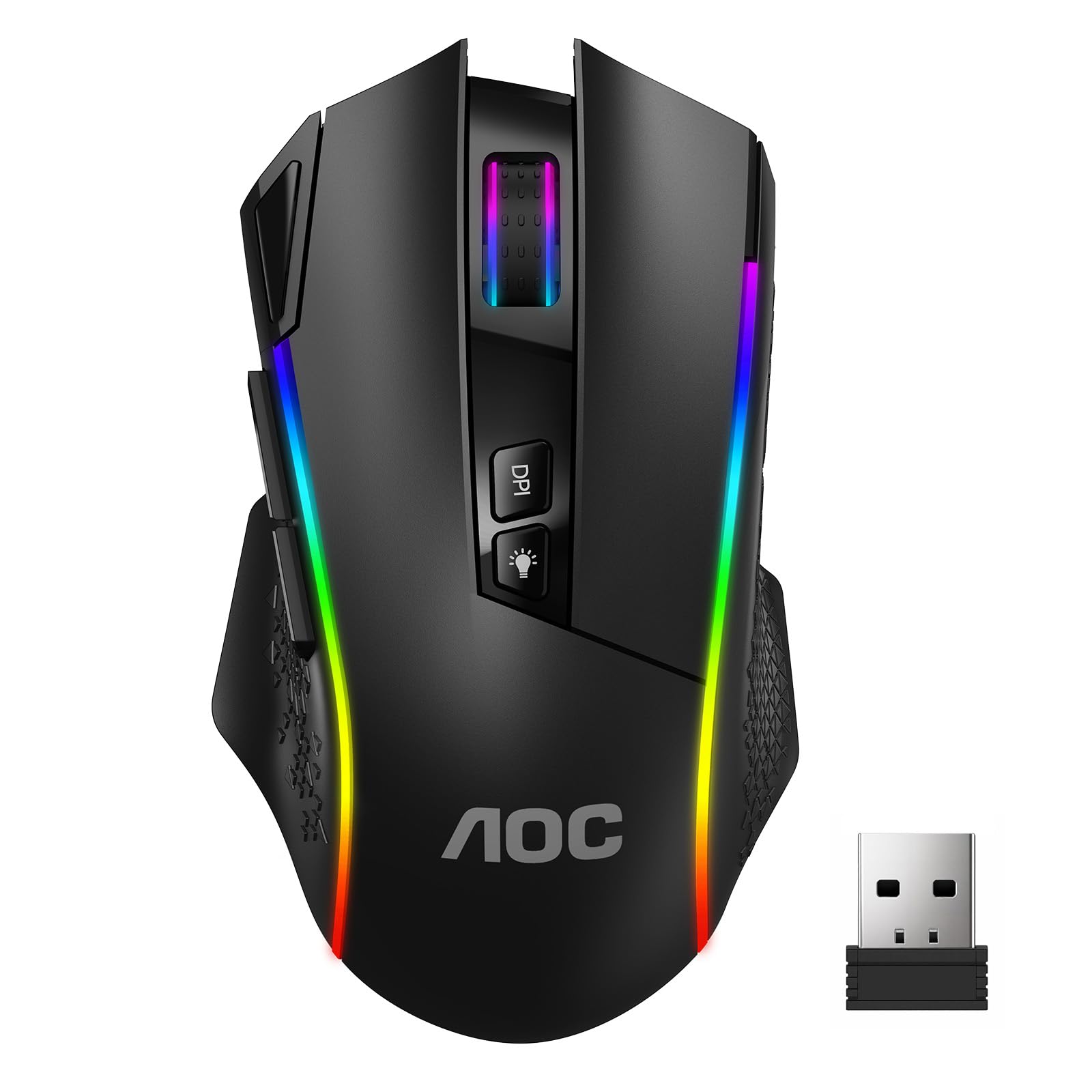
A dedicated Fire button built for follow-up shots in close-range firefights.
The GM401’s standout is a Fire button you press once for rapid follow-up shots instead of mashing the main click in a tight firefight. In tactical FPS and battle-royale duels, one press beats mashing the main click. Around it sits a 6-level DPI range from 800 to 12,000, a 1000Hz polling rate, and 7 programmable buttons that you tune through a web-based driver instead of a download.
At 82g it sits in the comfortable middle for weight, and the ergonomic shell is shaped for a right-hand palm grip. The 700mAh rechargeable cell quotes up to 70 hours of play with RGB off, dropping to 45 hours with the lighting on — so if you keep the 6 RGB effects lit, expect to plug in more often. You can connect three ways: 2.4GHz wireless, Bluetooth 5.0, or USB-C wired. The switches are rated for 50 million clicks.
Think about your game genre before you buy. The Fire button is a genuine asset in shooters and a button you simply remap or ignore in strategy and racing titles. The 70-hour figure also shrinks under RGB, which is worth knowing if you like your desk lit. Beyond that this is a straightforward, feature-rich mouse that trades a little top-end resolution for its unique button and web-driver convenience.
Combat edge: a single dedicated Fire button for rapid follow-up shots is something none of the other eight picks here offer.
Tune it without installing: the web-based driver lets you set DPI, polling rate and macros from a browser, with 6 preset RGB effects to pick from.
Pick this one for shooter-heavy play where a fast follow-up shot wins the fight, plus a mid-weight right-hand grip.
Know before you order: battery life drops to 45 hours with the RGB lighting on.
6. ATTACK SHARK X11 Wireless Gaming Mouse

A mouse that comes with its own charging throne and a sheet of grip tape.
The X11 ships with an RGB backlit charging dock — the USB receiver can sit in the dock for a clean 2.4GHz connection while the mouse charges on top. It also includes anti-slip grip tape, with a sweat-resistant, residue-free adhesive that improves grip stability. The tape adds grip for sweaty palms during long clutch rounds.
Inside, a PAW3311 optical sensor runs 6 adjustable DPI levels up to 22,000 DPI, with 300 IPS tracking speed, 35G acceleration and a 1000Hz polling rate. The shell weighs 62g — light enough to keep hand fatigue down in long sessions. HUYU switches and a TTC encoder drive the clicks and scroll wheel, rated to 20 million clicks. You get three connections again: 2.4GHz wireless, Bluetooth 5.2, and USB-C wired, with quick switching between PC and Mac. Five programmable buttons cover the essentials.
The one thing to plan around is wireless reliability. Connectivity draws mixed reactions, so a wired connection over USB-C or Bluetooth may hold steadier for some setups than the 2.4GHz dongle. The 5-button layout is also leaner than the 7 on the AOC or the 8 on the Redragon. Treat the dock as the star and the wireless as the variable.
Desk-friendly extras
- RGB charging dock doubles as a receiver perch
- Includes anti-slip grip tape with residue-free adhesive
- PAW3311 sensor with 22,000 DPI and 300 IPS tracking
- 62g shell for long-session comfort
Set expectations here
- Wireless connectivity draws mixed reactions — wired and Bluetooth are steadier for some
- 5 programmable buttons is fewer than the 7 on the AOC GM401
- No battery figure given, so plan around the dock
Suits you if you like a tidy desk, want a dock to rest the mouse on, and appreciate included grip tape.
Be ready for: the 2.4GHz link being the least certain part of the package.
7. ATTACK SHARK X3 Wireless Gaming Mouse
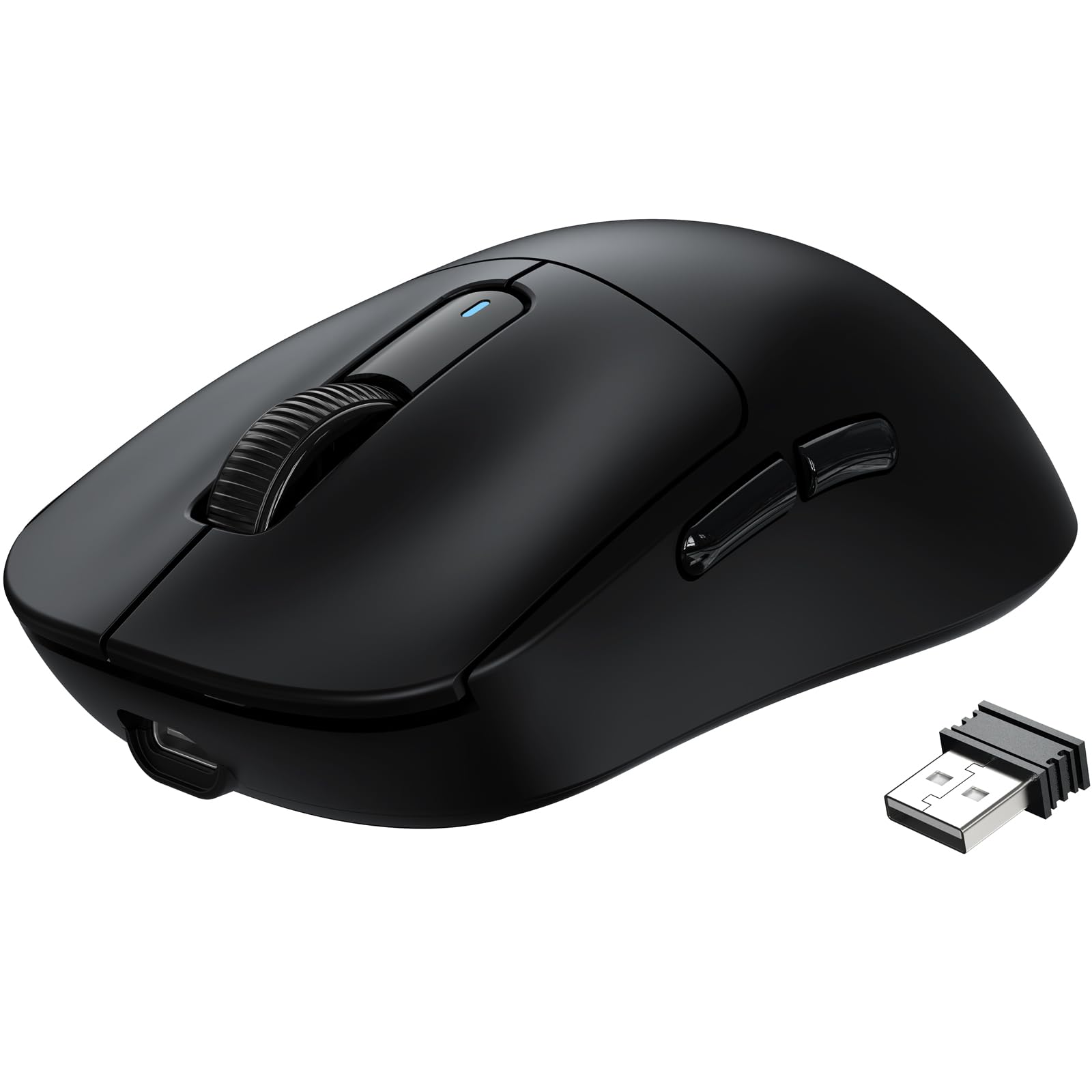
The lightest mouse in this roundup, with a flagship sensor to match its 49g frame.
At 49g the X3 is the lightest mouse here — lighter even than the 55g ATK R1 SE+ and Razer DeathAdder V3. At 49g there is less mass to start moving and less to stop mid-flick. The sensor is a flagship-grade PAW3395 that reads 26,000 programmable DPI with 650 IPS speed and 50g acceleration at a 1000Hz / 1ms polling rate. In plain terms, it tracks hard swipes accurately and reports position every millisecond.
The mechanicals are premium for the tier: Kailh GM 8.0 switches rated for over 80 million cycles with crisp clicks, plus a TTC scroll wheel encoder for precise stepping. The feet are 100% pure PTFE (a low-friction plastic), and the design is bigger, rounder and wider for more stable contact and better stopping power. Battery life reaches 200 hours — well past the 70 hours of the AOC GM401 and the 87 of the Redragon. Three modes cover Bluetooth 5.2, 2.4GHz wireless and wired use.
The honest part: responsiveness, battery life and connectivity all draw mixed reactions, with some players reporting wireless dropouts. That is not a reason to skip it — the build quality and value draw the strongest praise — but it is a reason to have the wired option ready. Also check the footprint: the 4.67-inch by 2.4-inch shell is compact.
Speed at the lowest weight: 49g beats the 55g ATK and Razer picks and leaves the 150g Redragon far behind.
Sensor at the top: 26,000 DPI matches the Razer DeathAdder V3’s ceiling and the PAW3395 tracks 650 IPS through fast swipes.
Best fit for high-sens FPS players chasing the lightest shell who want flagship sensor specs without the premium tier.
Consider instead if you need rock-solid wireless every session — here the wired mode is the safer fallback.
8. Logitech G309 Lightspeed Wireless Gaming Mouse

Two wireless modes, a HERO 25K sensor, and a battery that keeps going for weeks.
Logitech gives you both LIGHTSPEED wireless and Bluetooth in one mouse, so you can game low-latency on the dongle and switch to Bluetooth for a laptop on the go. The HERO 25K sensor tracks to the sub-micron with zero smoothing, which means fast, precise aim without software correction getting in the way. It also quotes 25,000 DPI for the players who want the ceiling.
Battery is the headline at 300 hours on the included AA battery — the longest in this roundup. Add the optional POWERPLAY wireless charging system and it becomes unlimited, with the weight dropping to 68g when the battery is out. With the AA battery in place the mouse weighs 86g. LIGHTFORCE optical-mechanical switches blend optical speed with a mechanical click feel. Six programmable buttons cover the essentials, and grip tape is included in the box.
The caveat starts with the shape. The shell is right-handed and designed for a definite grip, and it carries a heavier feel than the ultralight ATTACK SHARK picks. If you want the lightest flick possible, the 49g X3 gives you that for less.
What you are paying for
- 300 hours on one AA battery — the longest here — and unlimited with POWERPLAY
- LIGHTSPEED plus Bluetooth for two wireless modes
- HERO 25K sensor with sub-micron tracking and zero smoothing
- Drops from 86g to 68g when run battery-free on POWERPLAY
Where it costs you
- Heavier than the 49g ATTACK SHARK X3 and 55g picks
- Right-handed design only
- You pay a premium for the sensor and battery life
Choose it if you want long battery life, dual wireless modes, and a proven sensor from a name you trust.
Skip if minimum weight for fast flicks is your top priority.
9. Razer DeathAdder V3 HyperSpeed Wireless Gaming Mouse

Esports-tuned optical switches and a 55g frame built for tournament-grade aim.
Razer’s DeathAdder V3 HyperSpeed brings a 55g ultralight shell with a mass-centralized design tune for balance — the idea being that the weight sits where your hand pivots, so swipes track cleanly. The FOCUS X 26K optical sensor tracks with 26K DPI and 99.6% resolution accuracy, and you can push the polling rate to a true 8000Hz with the optional HyperPolling Wireless Dongle.
The real esports credential is the switch design. Gen-3 optical mouse switches give a 90-million click lifecycle with zero double-clicking issues and a 0.2 ms actuation with no debounce delay. Put simply: clicks register almost instantly, and the mechanism is designed to avoid the double-click wear that plagues older mechanical designs. Battery runs up to 100 hours over USB-C rechargeable, and the smooth-touch textured shell was shaped for a natural grip. The HyperSpeed wireless is built to stay steady even in crowded tournament environments.
The question worth asking is fit. The size suits medium-small hands well; players with larger hands may want a longer shell. And while the 8000Hz polling upgrade is tempting, it needs the separate dongle, so factor that in. Value draws mixed reactions here, but the sensor, switches and battery make it the most performance-focused mouse on the list.
Switch reliability: Gen-3 optical switches with a 90-million click lifecycle and no debounce delay target the double-click wear other designs fight.
Battery and sensor: 100 hours of rechargeable play pairs with a 26K DPI sensor rated at 99.6% resolution accuracy.
Made for competitive players who want esports-grade switches, a balanced 55g frame and a high-accuracy sensor.
The catch: the shell runs small for some hands, and true 8000Hz polling needs the separate dongle.
Know the Specs
DPI, in plain English
DPI stands for dots per inch — how far the cursor travels across the screen for every inch you move the mouse. A 12,000 DPI setting and a 26,000 DPI setting can both feel identical if you already play at a comfortable sensitivity. More DPI gives you more ceiling to tune, but it is not a measure of accuracy. Sensor quality and weight matter more for a real aiming feel; the ATK R1 SE+ at 18000 DPI and the Razer at 26K DPI both track their own top speeds decently.
Weight and battery trade-offs
Weight is the spec you feel most in your wrist. A 49g mouse like the ATTACK SHARK X3 flicks and stops faster than a 150g Redragon. But lighter often means smaller cells: the X3 quotes 200 hours, the AULA SC580 quotes 288, and the AA-powered Logitech G309 quotes 300. A bigger battery or a removable AA adds mass, so pick the balance that fits how long you play and how hard you flick.
Polling rate and connectivity
Polling rate is how many times per second the mouse sends its position, in Hz. 1000Hz means one update per millisecond, which feels smooth. 2.4GHz dongle mode gives the lowest delay; Bluetooth trades a little speed for convenience with laptops and tablets; USB-C wired mode is the most reliable when a wireless link gets shaky. Tri-mode mice like the X11, SC580, X3 and Razer let you use all three.
Switches and button count
The switches are the click mechanisms under each button. Optical switches like the Razer Gen-3 fire faster and skip the debounce delay that can cause double-clicking, while mechanical switches like the Kailh GM 8.0 on the X3 give a crisp, tactile click. Button count decides how many commands you can bind — 8 on the Redragon for MMO ability bars, 5 on the X11 and Razer for leaner play. Match the count to your genre: shooters rarely need more than 5.
Common Questions
Is a 2.4GHz dongle faster than Bluetooth for gaming?
Will a cheap wireless gaming mouse lag during a fast FPS match?
How much should a lightweight gaming mouse weigh?
Does a high DPI number actually improve my aim?
Can I use these wireless gaming mice with a Mac or tablet?
How long does the battery last on a cheap wireless gaming mouse?
Is wired mode still better than wireless for competitive play?
Do optical switches last longer than mechanical switches?
How many buttons do I need for MMO and MOBA games?
What should I look for in a mouse for palm grip versus claw grip?
For most players, the cheap wireless gaming mouse that hits the sweetest balance is the Redragon M690 PRO. It gives you 8 programmable buttons, a 1000Hz polling rate, and 87 hours of rechargeable play, making it the most feature-complete mouse here for the money. Its 150g shell rewards patient palm-grip aiming. If you want the longest runtime and a mouse that hops between desktop, laptop and tablet, grab the AULA SC580 at 288 hours with tri-mode connectivity. For fast-flick FPS play where every gram counts, reach for the ATK R1 SE+ at 55g with a 18000 DPI PAW3395SE sensor (a high-precision optical sensor). Whichever you pick, think about your grip and your game genre first. Those two choices decide more about your aim than any DPI number ever will.The Bottom Line
How we choose
We do not accept paid placement. Every pick is matched to a real buyer and a real use-case; we do not hands-on test units.
Sources
Specifications: manufacturer listings and product documentation. Review insights: verified customer reviews, as of November 2026. Pricing: not shown on this page (it changes often); check the current price via the retailer link.
As an Amazon Associate, Tactical Gear Guy earns from qualifying purchases. This does not affect which products we feature.