Specs are compiled from manufacturer listings and verified buyer reviews and can change over time — please confirm the key details on the product page before buying.
You are trying to add ports to a home or small-office network, and the hundreds of boxes that look alike make it hard to work out which one actually holds up. The short answer: buy the switch by its port speed and its power budget, not by brand logo. If your devices are ordinary gigabit gear, a plain gigabit unit is enough. If you have moved to a WiFi 6 router, a 2.5G NAS, or a gaming PC with a newer network card, a 2.5-gigabit switch is the one that stops the switch itself from being your bottleneck.
This guide is built by comparing the manufacturers’ published specifications and the patterns across verified customer reviews, so you get each pick’s real strengths and trade-offs instead of marketing spin.
This guide is built by comparing the manufacturers’ published specifications and the patterns across verified customer reviews, so you get each pick’s real strengths and trade-offs instead of marketing spin. Below you will find the best 8-Port Switcher for every kind of home rack, from a silent desktop box to a rack-mounted unit that feeds power and data down one cable.
Top Picks
How To Choose The Best 8-Port Switcher
Eight ports covers a desk, a small office, or a media cabinet without leaving you short. What actually changes your day is port speed and power budget (how much wattage the switch can send to devices over the cable), not how shiny the metal is. Check those two first before you buy.
Start with port speed, not port count
A 1-gigabit port (1 Gbps, about 125 megabytes per second of real file transfer) is fine for internet browsing and most streaming. A 2.5-gigabit port moves roughly two-and-a-half times that, which matters the moment you copy a large file to a NAS drive. If your router, PC, or NAS has a 2.5G port, a gigabit switch will hold that device back.
Decide if you need PoE
Power-over-Ethernet (PoE) sends both data and electrical power down one cable, so a ceiling access point or security camera needs no wall socket nearby. PoE+ is the higher tier that pushes more watts to hungrier devices. Every non-PoE switch on this list is cheaper, but it cannot power anything.
Check what your cables and cards can handle
A 2.5G switch only delivers 2.5G when the cable and the network card on both ends support it. Cat5e can often carry 2.5G, but the maker of one pick here still recommends Cat6 or better pure copper cable to guarantee it. One slow device on the chain drops the whole link to that device’s speed.
Think about noise, heat, and where it sits
A fanless switch runs silent, which matters if it lives in a bedroom or under a desk. Metal housings run cooler than plastic and survive a rack better. Desktop, wall-mount, and rack-mount options are all on this list, so match the mounting to your space.
Side-by-Side Comparison
| Model | Best For | Port Speed | PoE | Case / Mounting | Amazon |
|---|---|---|---|---|---|
| NETGEAR GS108PP★ Best Overall | Powering cameras and access points | 1 Gbps | 8 PoE+ ports, 123W budget | Plastic / desktop, wall, rack | Amazon |
| Zyxel GS-108B v5Budget Champion | Tight budget, plain gigabit | 1000 Mbps | No | Metal / desktop or wall | Amazon |
| Real HD 8 Port 2.5GCheapest 2.5G Entry | Cheapest 2.5G entry | 2.5 Gbps | No | Metal / compact desktop | Amazon |
| Sodola 8-Port 2.5G | Adding a 10G SFP+ uplink | 2.5 Gbps + 10G SFP+ | No | Metal / desktop | Amazon |
| TP-Link TL-SG108-M2 | Long-workday reliability on 2.5G | 2500 Mbps | No | Metal / desktop or wall | Amazon |
| UGREEN 2.5Gb Switch | Highest satisfaction, all 2.5G | 2.5 Gbps | No | Metal / desk or wall | Amazon |
| TRENDnet TEG-S380 | Government and NDAA-sensitive installs | 2.5 Gbps | No | Metal / wall mount | Amazon |
| TP-Link TL-SG108S-M2 | Big, noisy home networks | 2.5 Gbps | No | Plastic / desktop or wall | Amazon |
| NETGEAR MS308 | Small rack, slim metal build | 2.5 Gbps | No | Metal / desktop or wall | Amazon |
Detailed Reviews
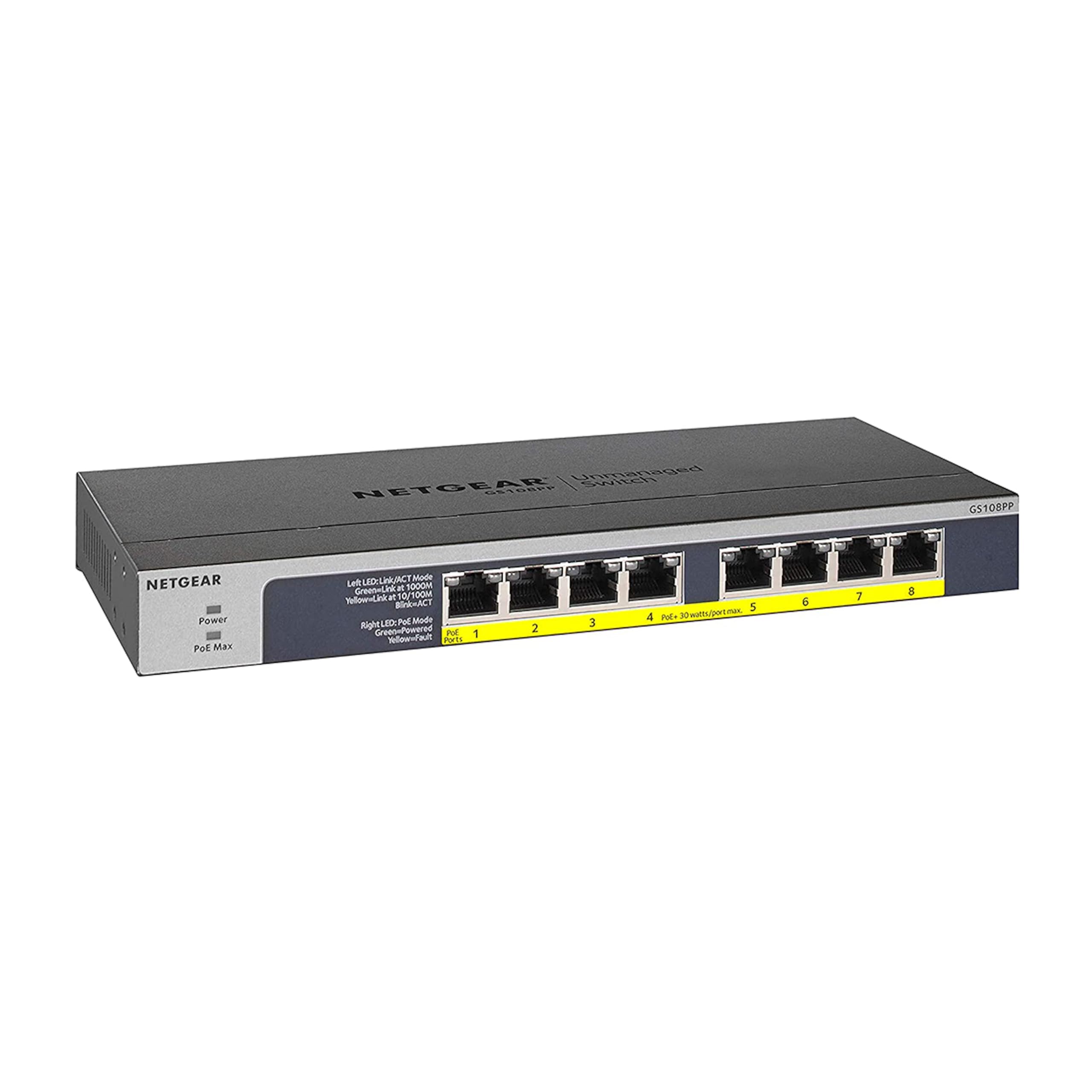
1. NETGEAR GS108PP 8-Port PoE Switch
Our pick — 4.5+★ from 700+ verified ratings; the strongest balance of quality and price.
The one pick here that powers your cameras and access points with no wall socket in sight.
If you are running a security camera on the eaves or a WiFi access point on a ceiling, this is the switch to buy. Its eight PoE+ ports share a 123W total power budget, which is enough to feed several access points and cameras down one cable each — data and electricity travel together. That single trick is why it does not need a power outlet near every device.
The rest is plain gigabit networking done well. Each of the eight ports runs at 1 Gbps and auto-negotiates down to the speed of whatever you plug in, so a slow printer does not drag the others. It works with the Cat5e or Cat6 cable you probably already have in the wall. Setup is genuinely plug-and-play: no software, no config page, just cables in and lights on.
What wins people over is that it simply works — the functionality is what buyers single out more than anything else, and the unit is praised as an inexpensive way into PoE. The fanless design keeps it silent for a media cabinet. The catch is mounting: the case is plastic and the footprint is 9.3″L x 4″W x 1.1″H, so it wants a shelf or the included wall and rack kits rather than being tossed loose. A few users have hit connection hiccups, which on a PoE switch usually traces back to a PoE device negotiating power — worth checking your camera’s wattage before you buy.
Where it earns its keep
- 8 PoE+ ports with a 123W budget — powers cameras and APs over the same cable
- Plug-and-play unmanaged setup, no config needed
- Fanless, so it stays quiet in a living room or cabinet
- Desktop, wall, or rack mounting in the box
Where it asks for planning
- Plastic case, 9.3″L x 4″W x 1.1″H — wants a proper mount, not a loose shelf spot
- Gigabit ceiling, not 2.5G — a 2.5G NAS will feel held back
- PoE power is shared across ports, so add up your devices first
Buy it because: you need to power cameras or access points and want the highest-rated unmanaged PoE switch on this list.
Think twice if: every device in your network already has a 2.5G card — you would be buying power you do not use.
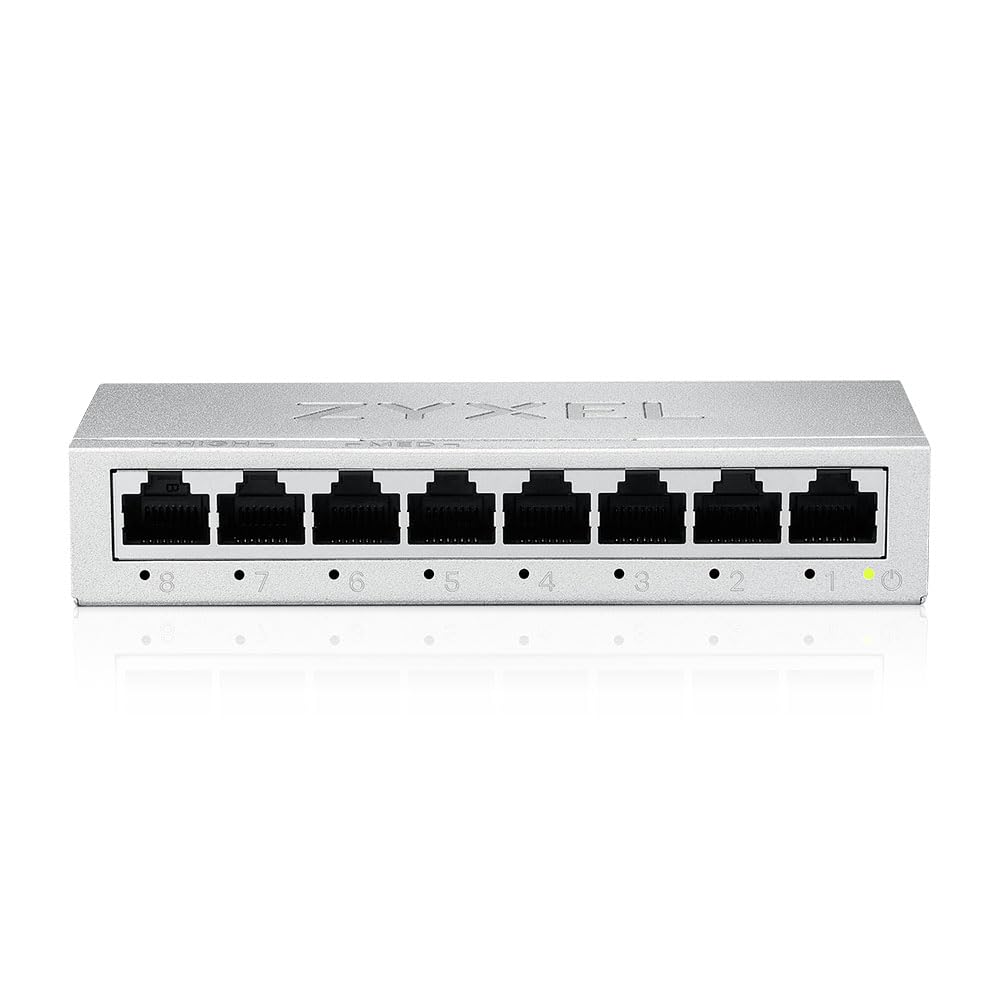
2. Zyxel 8-Port Gigabit Unmanaged Ethernet Switch [GS-108B v5]
An entry-level gigabit box that hides behind a TV stand and never asks a question.
For a plain home network where nothing runs faster than 1 gigabit, this is the clean no-risk pick. It gives you eight RJ45 ports at 1000 Mbps and a durable metal housing for a small, sturdy footprint you can sit on a desk or hang on a wall. You plug in the cables and it is live — no software, no setup screens.
Two specs separate it from a nameless bargain switch. It carries QoS ports, meaning short for Quality of Service — the switch can give priority to a voice or video stream so a call does not stutter while a big download runs. It also pulls 2A of current, a notch above a typical low-power unit, which speaks to a properly rated power supply for a switch that runs all day.
The honest trade-off is speed, not build. It stays at gigabit, so if you later add a 2.5-gigabit NAS, this switch caps that device at 1 Gbps. And at 8.46″L x 3.94″W x 1.18″H it is not the smallest box on the list — measure your shelf nook before ordering. For a first switch or a spare for a back room, though, it is eight gigabit ports in a metal case with QoS for the price of a bargain unit.
Plain value read: a metal-bodied gigabit switch with QoS, made to sit quietly and be forgotten.
The real limit: gigabit only — fine for browsing and streaming, a ceiling the day you buy faster hardware.
Go here if: your router and devices are all gigabit and you want eight ports on a tight budget.
Look elsewhere if: you plan to add a 2.5G NAS or PC, where a faster unit pays off.
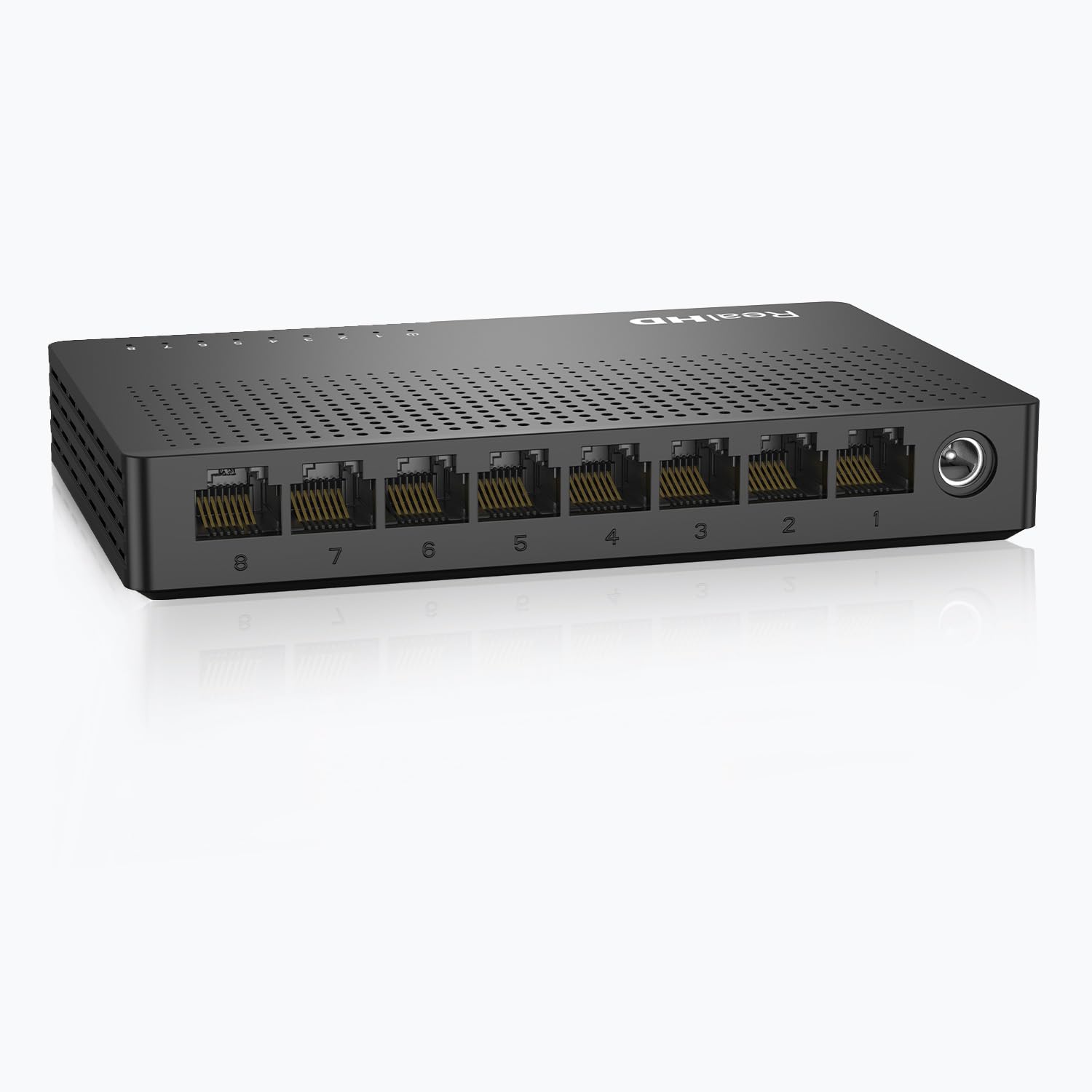
3. 8 Port 2.5G Ethernet Switch Unmanaged (Real HD)
The lowest-cost way to move your whole network up to 2.5G, fanless and compact.
This is the model to reach for when you want 2.5-gigabit speed without the premium badge. All eight RJ45 ports run at 2.5G, and the switch carries a 40G bandwidth figure across them. It is fanless, so it integrates quietly into an office, and it is rated to work in temperatures from -20 to 50℃ — warm cabinet or cold garage, it does not flinch.
The compact footprint of 5.6″L x 3.5″W x 0.95″H and 0.53 kg makes it the easier one to tuck behind a monitor. That is where the head-to-head with the heavier TP-Link TL-SG108-M2 lands: this box weighs 0.53 kg against the TP-Link’s 0.93 kg, so it is the friendlier fit for a shallow shelf. Reliability is what buyers praise most here — it is called out as working from the start and holding full 2.5G bandwidth.
There is one condition you must respect. The maker says a full 2.5G link needs Cat6 or better pure copper cable, and every device on the chain needs a 2.5G network card to get 2.5G end to end. One gigabit card anywhere on the path and the whole connection drops to the slowest device. skip it if your cables are old and you are not ready to replace them — otherwise this is the value play of the 2.5G group.
Why it punches above its tier
- Eight 2.5G ports at an entry-level price point
- 8 Port 2.5G at 0.53 kg — easier to stash in tight spots
- Fanless and rated from -20 to 50℃
- Plug-and-play, no setup
What you must get right
- Needs Cat6 or better copper cable for full 2.5G
- Speed drops to the slowest device on the chain
- No PoE — cannot power cameras or access points
Reach for this if: you want maximum ports-per-speed without spending above entry level.
Hold off if: you need PoE or your cabling is still older than Cat6.
4. Sodola 8-Port 2.5G Switch

Eight 2.5G ports plus a 10G SFP+ uplink for feeding a faster backbone.
The port count here is really nine. Alongside the eight standard RJ45 2.5G ports, Sodola adds one 10G SFP+ slot — a fiber-style uplink you can use to run a much faster trunk to a core switch or NAS. Its data transfer rate is measured at 2.5 gigabits per second across those copper ports, against the NETGEAR GS108PP’s 1 gigabit per second, so this is the faster of the two by a clear span.
Buyers value it for the port capacity, with all eight 2.5Gbe ports and that single 10G SFP port doing the work, and it runs cool thanks to a larger heat sink inside a rugged metal case. The switching capacity is quoted at 100Gbps. It is plug-and-play, unmanaged, and the seller backs it with a replace-without-repair service within one year.
The catch worth planning around is the uplink itself: unless you have a device or switch at the other end that speaks 10G SFP+, that slot sits idle until you do. And like every 2.5G box here, it rewards you only if your downstream gear matches the speed. For a small closet where you plan to grow into a 10G backbone, though, adding that uplink slot now saves swapping the whole switch later.
Standout detail: the single 10G SFP+ slot turns a plain 2.5G hub into one that can feed a faster core.
Worth knowing: the uplink is only as useful as the 10G gear you connect to it — otherwise it waits for its turn.
Pick it when: you want a future-ready uplink without jumping to a full premium switch.
Not necessary if: everything you own is gigabit and you have no plans for a faster trunk.
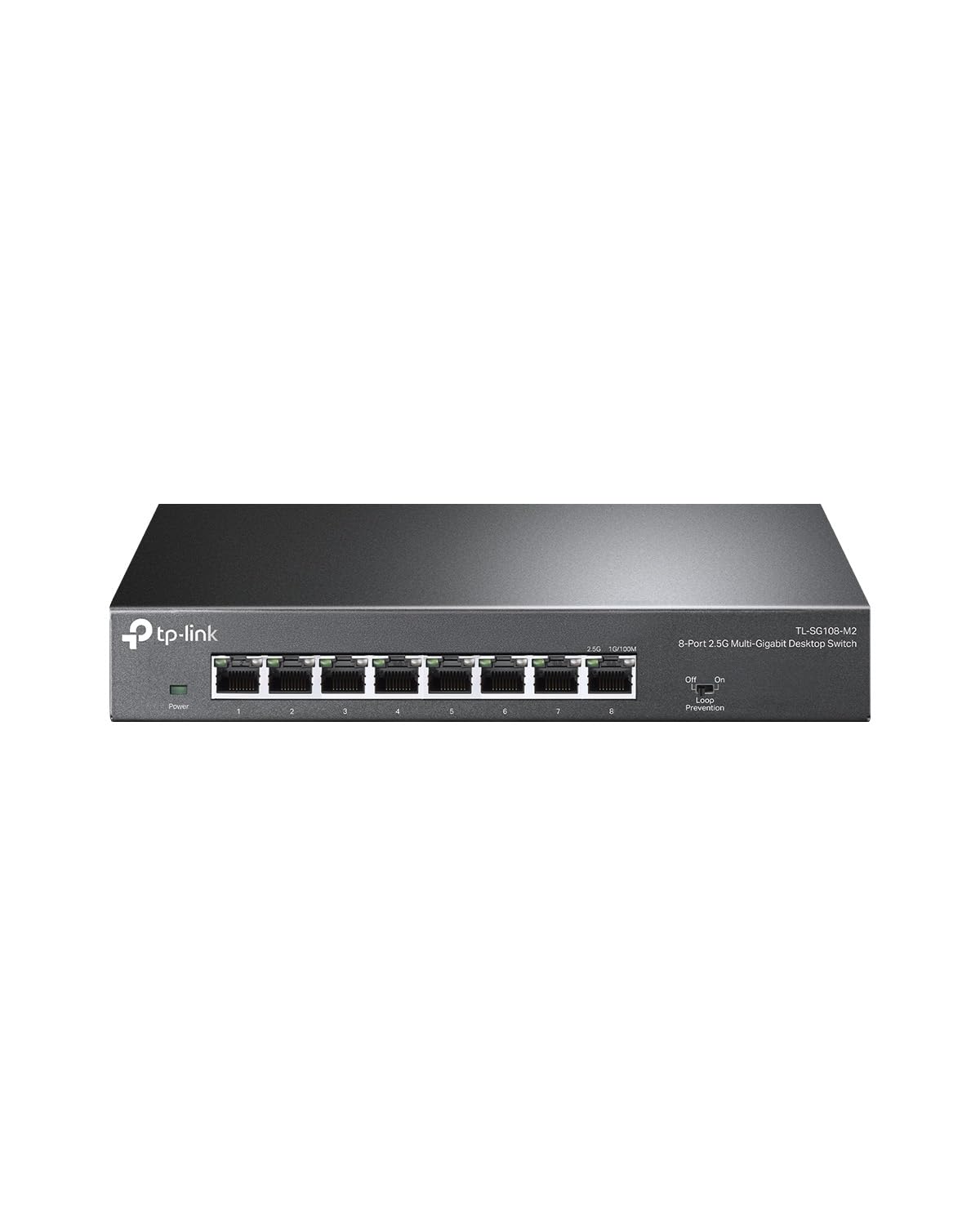
5. TP-Link TL-SG108-M2 8-Port Switch
A steady 2.5G desktop switch with a metal shell and a three-year warranty behind it.
This is the model for a home office that runs all day and needs to keep running. Its eight ports each reach 2.5G with up to 40 Gbps of switching capacity, and auto-negotiation drops to 100Mb or 1G for any older device so nothing gets stranded. Its data transfer rate reads at 2500 megabits per second, against the Zyxel GS-108B’s 1000 megabits per second — a wide step up for anyone moving from gigabit.
Cabling is the quiet win here. TP-Link says you can upgrade to 2.5G without ripping out your existing Cat6 wiring, which saves a weekend on a ladder. The metal case measures 8.9″L x 5.2″W x 1.38″H and mounts on a desk or wall, and it is backed by a 3-year warranty with weekday phone support. Build quality lands well with buyers, who describe it as solid and as advertised.
Set against the Real HD above, this one is the heavier box at 0.93 kg, so measure a shallow shelf. The bigger caveat is longevity: some units have stopped working over time, so this is a switch to register at purchase and keep the warranty paperwork for. Buy it for the metal build and the 3-year warranty, and register it at purchase in case a unit fails.
Strengths worth noting
- 2500 Mbps on all eight ports with 40 Gbps capacity
- Metal case, desktop or wall mount
- 3-year warranty with weekday support
- Works with existing Cat6 wiring
What to keep an eye on
- Some units have failed over time — register the warranty
- Heavier metal shell at 0.93 kg
- No PoE for cameras or access points
Built for: a daytime-heavy office that wants metal, warranty, and 2.5G.
Worth weighing if: you want a metal case, a 3-year warranty, and weekday phone support.
6. UGREEN 2.5Gb Switch, 8-Port Ethernet Switch
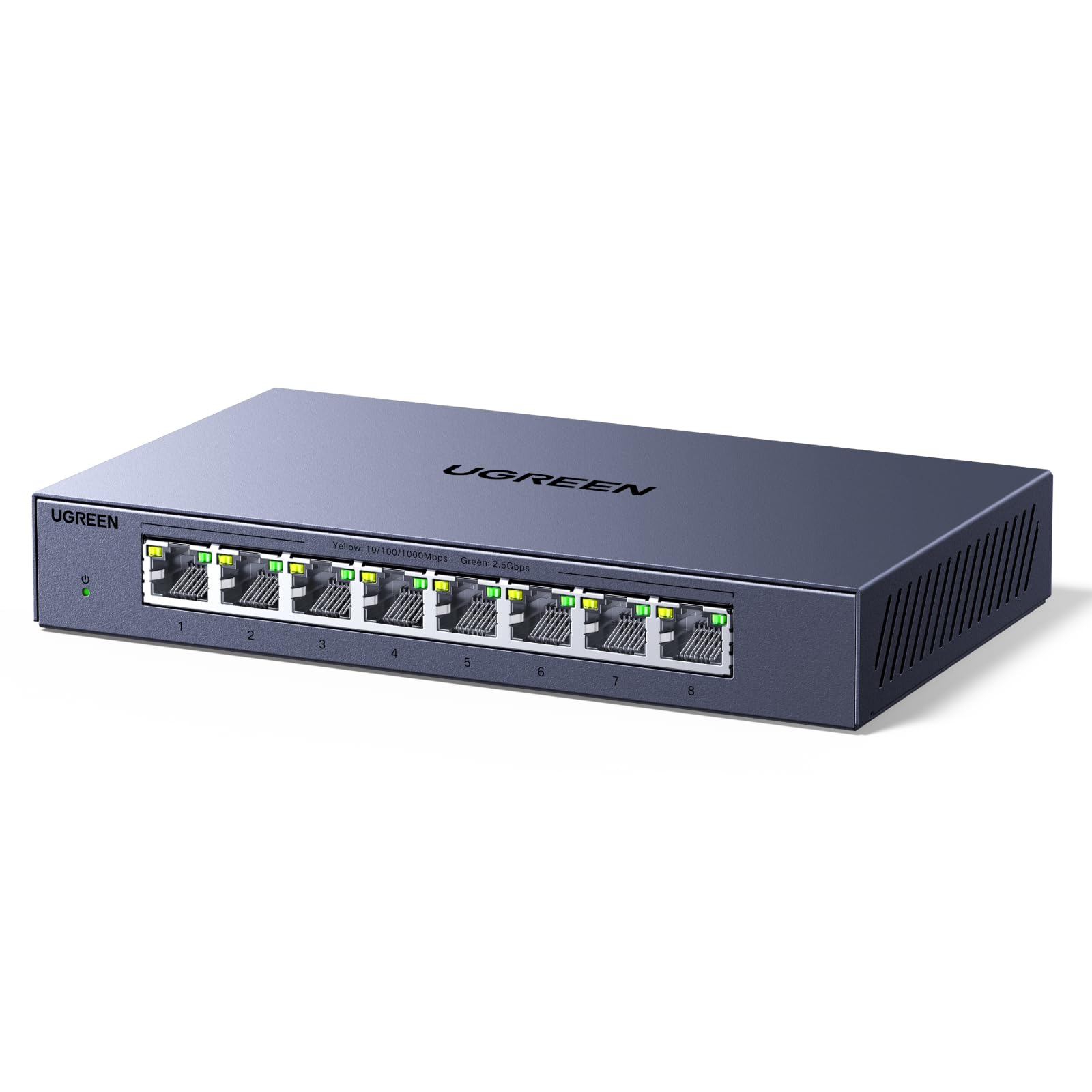
The top-scoring 2.5G switch here, with the cooling build to back it up.
Nothing on this list scores higher than this UGREEN unit. All eight ports run at 2.5G, auto-detecting 100M, 1G, or 2.5G so every device connects at its own best speed. It is plug-and-play with no config, and it is built for NAS drives, gaming PCs, and WiFi 6/6E routers that can actually use the headroom.
The thermal design is the part that earns trust. A metal housing, heatsinks, and thermal pads pull heat off the key components, with ventilation holes for airflow so it holds 2.5G through a long session. It is fanless and silent, sits on a desk or wall, and runs on non-slip feet with indicator lights you can read at a glance. Its functionality is the thing buyers rave about most — it does exactly what the page promises.
The honest note is scale, not quality. This model has the smallest review base of the 2.5G group, so you are trusting a shorter track record than the bigger names carry. That is a reason to weigh it against the NETGEAR MS308 rather than a reason to skip it. If you want all eight ports at 2.5G with a metal case, heatsinks, and thermal pads, this is the one.
What sets it high: metal plus heatsinks plus thermal pads — a cooling stack aimed squarely at steady 2.5G load.
Fair caveat: the youngest product here by review history, so the long-term picture is still forming.
Reach for this if: you want all-2.5G speed, silent cooling, and the best-scoring switch on this list.
Compare first if: you want the largest owner base and long-run history behind your purchase.
7. TRENDnet TEG-S380 8-Port Switch

A wall-mountable 2.5G switch with lifetime protection and government-ready compliance.
For a network that needs paperwork to match its performance, this is the pick. It carries NDAA and TAA compliance (U.S. and Canada only), which is the bar government and contract buyers check, and it is secured with TRENDnet Lifetime Manufacturer Protection in the same regions. That combination is unique on this list.
Under the compliance tags it is a solid 2.5G performer. Eight 2.5GBASE-T ports reach up to 2.5Gbps over existing Cat5e or better cable, backed by a 40Gbps switching capacity, and it is IEEE 802.3bz compliant and backwards compatible with 1000Mbps devices. Buyers report it doubling network speed and speeding up file transfers. It is fanless and wall-mountable in a durable metal housing, and it runs as low as a 32 °F lower temperature rating.
Two things to weigh honestly. This unit gets warm during use — it is the one real heat note among these switches — so give it airflow rather than boxing it in. And some users hit compatibility snags with VLAN tags and mesh setups like Orbi, so if you run a managed VLAN network, confirm your config before committing. For a standard unmanaged install that needs compliance and a lifetime guarantee, it holds up well.
What makes it unique
- NDAA and TAA compliant for government and contract work
- Lifetime Manufacturer Protection (U.S. and Canada)
- 8 x 2.5GBASE-T ports, 40Gbps switching capacity
- Fanless, wall-mountable metal housing
Honest fit notes
- Runs warm — leave it room to breathe
- Some VLAN and mesh-compatibility reports
- No PoE
Choose it for: compliance-driven installs and anyone who values a lifetime guarantee.
Check first if: you run tagged VLANs or a mesh system that needs to be sure of itself.
8. TP-Link TL-SG108S-M2 8-Port Switch
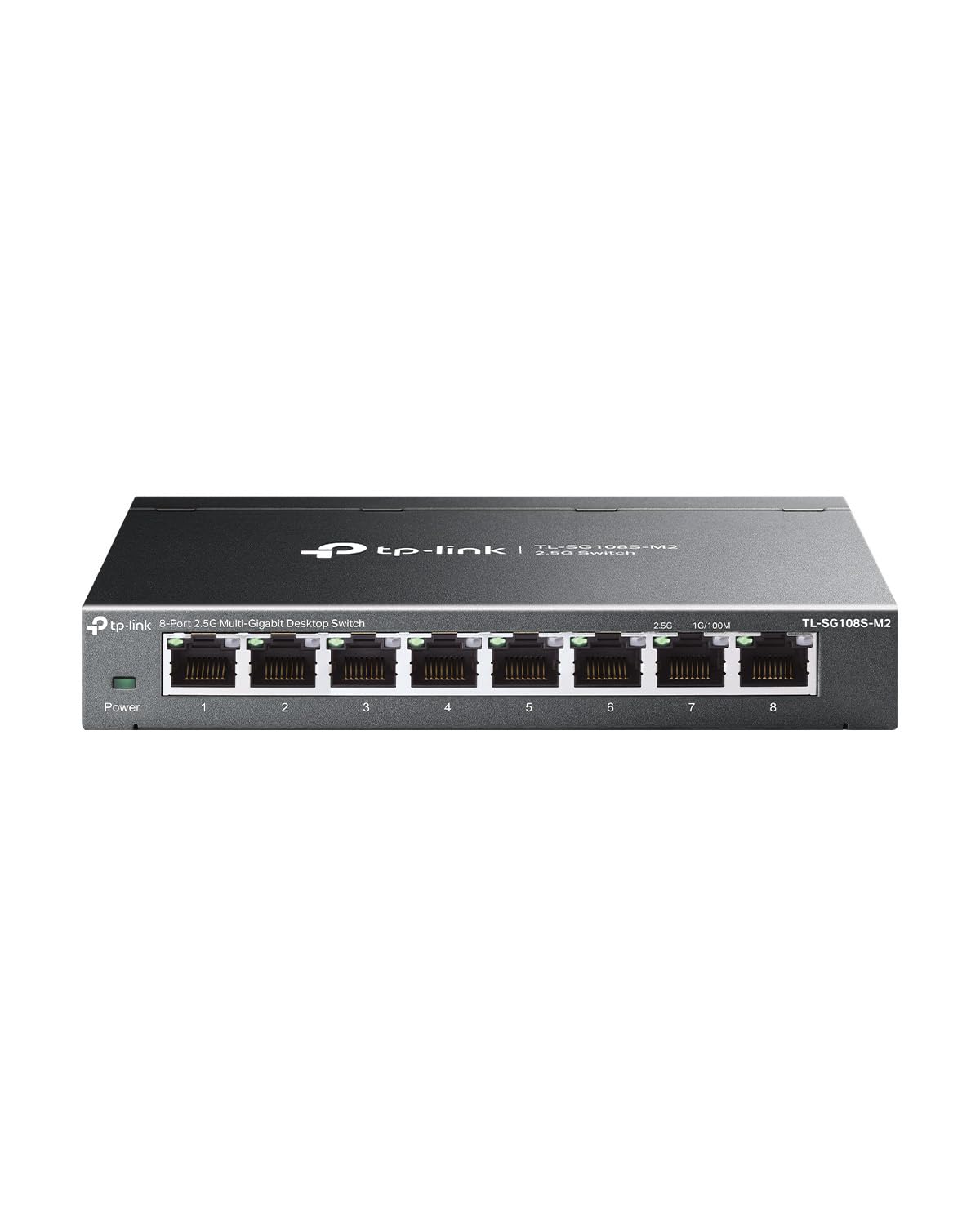
The 2.5G switch for a busy household where every port is already full.
When the family has fiber coming in and devices everywhere, this model keeps pace. Eight 2.5-gigabit ports deliver up to 40 Gbps of switching capacity and auto-negotiate across 100Mb, 1G, and 2.5G, so a mix of old and new gear all connect at their own best rate. TP-Link suggests it is built for LAN parties, home entertainment, and small offices — the crowded cases, in other words.
Its performance is what owners praise most — it is described as working the moment you plug it in. Easy setup is called out as a bright spot too, and the fanless design keeps the room silent. The metal-look case in white measures 6.2″L x 4″W x 1″H, so it slips onto a shelf or a wall bracket. Like the TC-Link TL-SG108-M2 above, it upgrades to 2.5G without needing fresh Cat6 wiring.
Be aware of the one recurring issue: a share of owners mention intermittent disconnects, so this is the pick to buy when you can test it early and return it if your run misbehaves. It is otherwise a strong, well-liked switch for a large, busy home network. Register it and run a stress test in the first week.
Where it shines: performance plus easy setup plus a silent fanless build, on a compact white case.
The catch: intermittent disconnects surface for some buyers — test early and keep the return window open.
Good for: a packed home network that wants 2.5G on all eight ports and a quiet box.
Look at the UGREEN if: rock-steady connectivity matters more to you than port count.
9. NETGEAR 8-Port 2.5Gb Network Switch, Unmanaged (MS308)
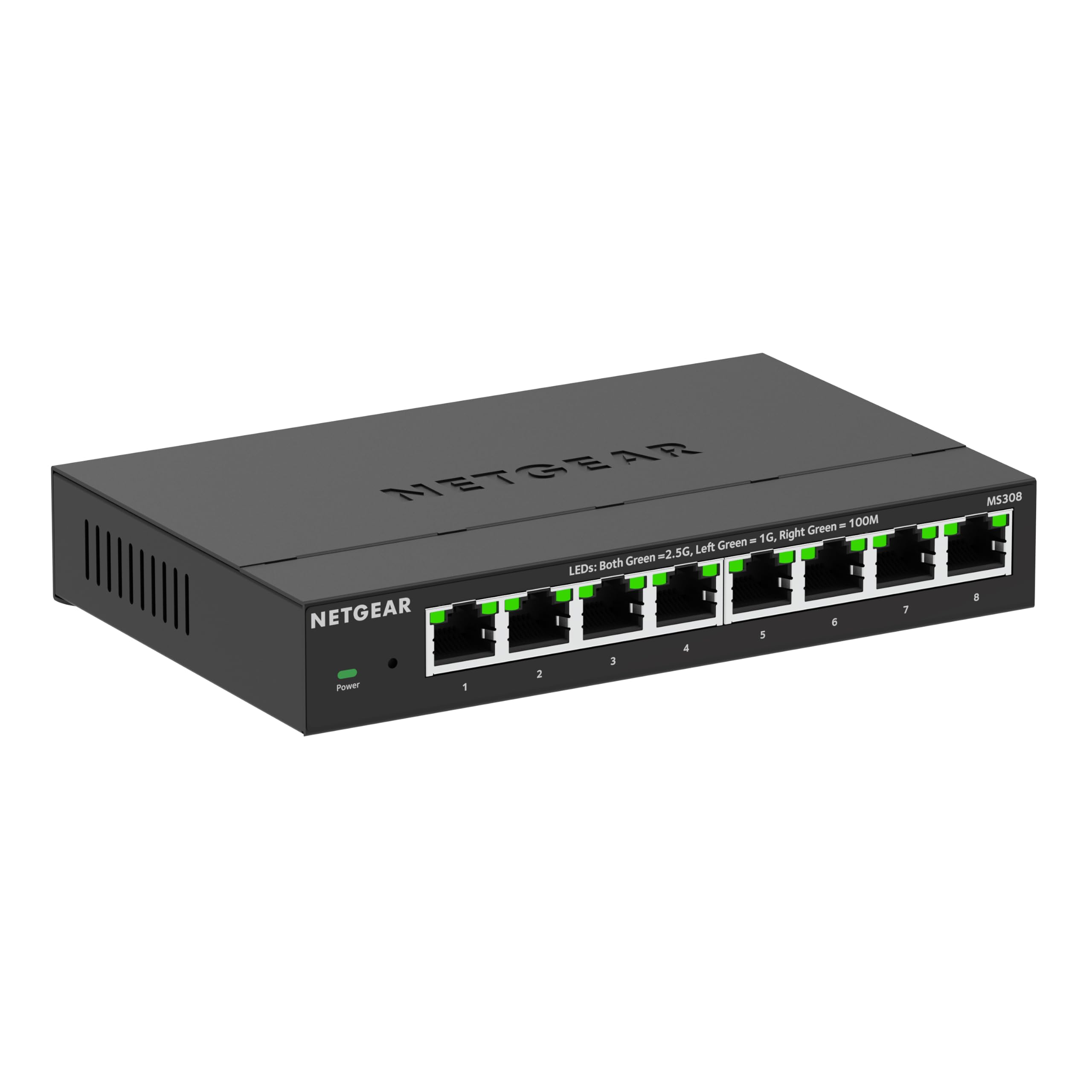
A slim metal 2.5G switch from the brand that built the switch you probably already own.
If your old NETGEAR has served for years and you want the same dependability at faster speed, this is the natural step up. Its eight ports run 2.5Gbps and auto-negotiate to whatever you plug in, working with existing Cat5e or Cat6 cable. The metal case mounts on a desk or wall, and it is fanless, so silent operation is a given.
The functionality is what wins buyers over — described as flawless with no performance complaints — and setup is praised as true plug-and-play. Its build quality is well noted too, and the compact size earns its own praise. At 1.7 pounds it is the heaviest switch here, which is what you get from the metal shell; that weight also makes it feel planted on a shelf or in a small rack. It is made for use in the U.S. and Canada only.
The genuine caveat is value. Some buyers find it priced high next to the other 2.5G options here, and that is a fair read given identical port speeds elsewhere on this list. You are paying for the brand, the metal, and the slim finish. If a slim metal case and a familiar brand matter, buy with confidence; if you just want 2.5G for the least spend, the entry picks above cover you.
Why buyers stay loyal
- 8 x 2.5Gbps ports, plug-and-play
- Flawless day-to-day functionality
- Slim metal case, fanless and silent
- Well-built and compact
What you trade off
- Premium positioning against cheaper 2.5G units
- Heaviest box here at 1.7 pounds
- Regional: U.S. and Canada only
Pick it if: brand trust, a slim metal build, and rock-solid daily use matter most.
Look to the entry 2.5G picks if: you want the same speed for less spend.
Know the Specs
Port speed (1G vs 2.5G)
Port speed is how fast data moves through one cable. Gigabit (1 Gbps) handles streaming and browsing with ease. A 2.5G port moves roughly two-and-a-half times the data of a 1G port, which matters when you copy a big file to a NAS drive. The switch is only as fast as the slowest link, so a 2.5G switch needs a 2.5G network card and cable on both ends to deliver.
PoE and the power budget
Power-over-Ethernet sends electricity and data down one cable, so a camera or access point needs no wall socket. PoE+ is the higher tier that pushes more power. The 123W budget on the NETGEAR GS108PP is the total shared across its eight ports, so add up your devices’ wattage before you assume every port can run at full power.
Switching capacity
Switching capacity is the total data the switch’s internal chip can move at once across all ports. A 40Gbps figure means the chip has plenty of headroom to run all eight ports at their full speed together. Managed switches can do more, but for a home or small office, that number simply confirms the switch will not become the bottleneck.
Fanless and heat
A fanless switch has no moving parts, so it is silent. It sheds heat through a metal case or an internal heat sink instead. That is why location matters: a warm switch needs airflow and open space around it. The TRENDnet here is the one unit that runs warm, so give it room rather than a sealed cabinet.
Common Questions
Will a 2.5G switch speed up my regular gigabit devices?
Do I need Cat6 cable for a 2.5G switch?
What is the difference between PoE and PoE+?
Can I plug a switch into my router to add more ports?
Why does my switch feel warm to the touch?
Will an unmanaged switch handle VLANs?
How many devices can an 8-port switch really run?
Is a fanless switch quieter than a fan model?
Should I buy a 10G switch instead of 2.5G?
Does the switch slow down my internet speed?
The Bottom Line
For most homes and small offices, the best 8-Port Switcher is the 8-port switcher from NETGEAR (GS108PP). Its 123W PoE budget (the power it can push to devices over the network cable) feeds cameras and access points without a wall socket near each one. And its fanless build (no cooling fan, so no hum) disappears into a cabinet. If raw 2.5G speed (2.5 gigabits per second, about 2.5 times a standard gigabit port) is the goal, the UGREEN is the top-scoring all-2.5G box here. The Real HD gets you to 2.5G for the least spend. When compliance and a lifetime guarantee are part of the job, reach for the TRENDnet TEG-S380 — it is the only pick that ticks both boxes. Whichever you choose, match the port speed to your fastest device and the power budget to your PoE gear.
How we choose
We do not accept paid placement. Every pick is matched to a real buyer and a real use-case; we do not hands-on test units.
Sources
Specifications: manufacturer listings and product documentation. Review insights: verified customer reviews, as of November 2026. Pricing: not shown on this page (it changes often); check the current price via the retailer link.
As an Amazon Associate, Tactical Gear Guy earns from qualifying purchases. This does not affect which products we feature.