Specs are compiled from manufacturer listings and verified buyer reviews and can change over time — please confirm the key details on the product page before buying.
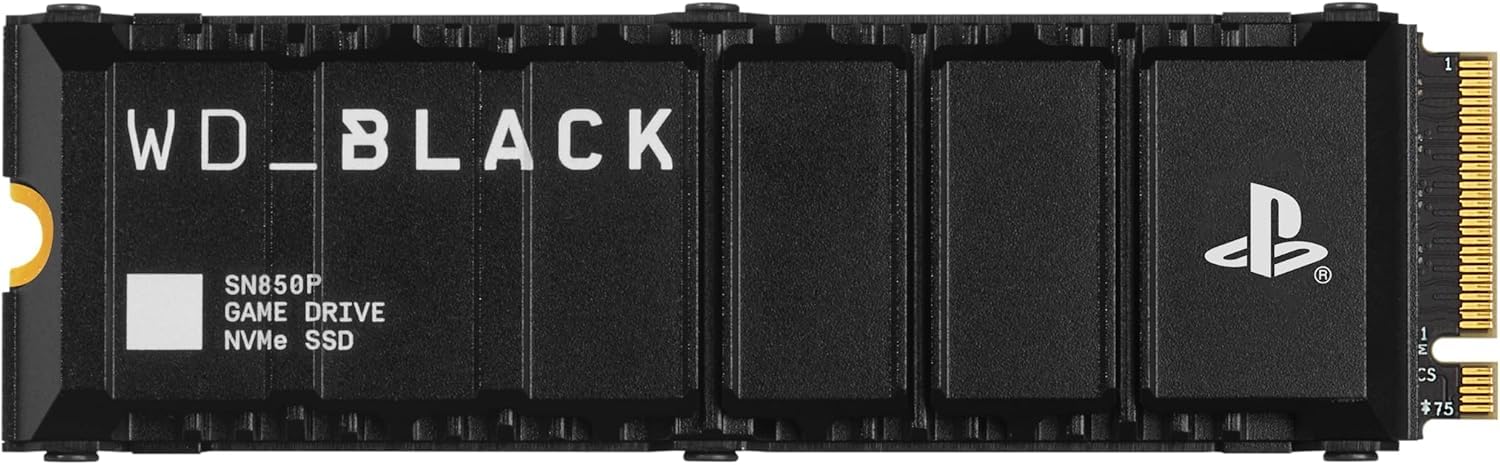
Your PS5 shipped with a small drive and no obvious way to grow it, so every new release forces a delete. The fix is a second M.2 stick (a small stick-shaped drive) that slides into the console’s empty expansion slot and behaves exactly like the storage already inside. This guide separates the sticks that genuinely hit PlayStation’s speed requirement from the ones that only claim to, and the winner here is the WD_BLACK 2TB SN850P — 4.5+ stars across 11,000+ owners, officially licensed for the PS5, and it brings its own heatsink (a metal cooler that keeps the drive from overheating) so you never shop for one separately.
This guide is built by comparing the manufacturers’ published specifications and the patterns across verified customer reviews, so you get each pick’s real strengths and trade-offs instead of marketing spin.
Not every stick that claims PS5 support will mount cleanly in the slot or hold its speed once it warms up. Below, nine sticks are matched to the console version and the budget you actually have, so you can pick one and stop managing a library by deletion. Every pick here is a 2TB M.2 SSD for PS5 buyers can install at home.
Top Picks
How To Choose The Best 2TB SSD for PS5
The console has one free slot and it is not forgiving. Put the wrong stick in and it either refuses to format or runs hot enough to slow down mid-game. Three specs decide whether an upgrade works, and none of them is the biggest number on the box.
Speed: Gen4 or nothing
The PS5 reads from an internal drive over a PCIe Gen4 connection, which is a data lane rated for far more traffic than the older Gen3 standard. Sony’s own guidance sets a minimum sequential read speed for expansion drives, and every pick here clears it. A stick rated around 7,300MB/s — that is 7,300 megabytes moved every second — leaves headroom, so a game installed on it loads at the same pace as one on the console’s own storage. A slower Gen3 stick in the same slot will usually be rejected at format.
The heatsink question
A bare M.2 stick gets hot under sustained reads, and when it overheats it throttles — meaning it deliberately slows itself down to cool off. The PS5’s expansion bay has limited airflow, so a heatsink (a metal or graphene pad that pulls heat off the chips) matters more here than in a desktop tower. Several picks ship with one already attached; one or two expect you to fit it yourself. Buying a stick that includes the heatsink removes a whole step and a whole compatibility risk.
Capacity and the real usable number
A 2TB drive never shows 2TB in the console’s menu once it is formatted, because the system reserves space for itself. That is normal and not a fault. What matters is the room it leaves for games: a large open-world title can run tens of gigabytes, so 2TB is the point where a library stops being a rotation of three titles. If you routinely keep a dozen large games installed at once, this is the size to buy.
Side-by-Side Comparison
| Model | Best For | Read Speed | Capacity | Form Factor | Amazon |
|---|---|---|---|---|---|
| WD_BLACK SN850P★ Best Overall | Plug-in-and-forget PS5 upgrades | Up to 7,300MB/s | 2TB | M.2 2280 | Amazon |
| KLEVV CRAS C925GFastest Rated | Fastest rated read in the group | Up to 7,400MB/s | 2TB | M.2 2280 | Amazon |
| Crucial P310Most Reliable | Console plus PC crossover builds | Up to 7,100MB/s | 2TB | M.2 2280 | Amazon |
| MOVE SPEED HB7450 | High read speed without premium spend | Up to 7,450MB/s | 2TB | M.2 2280 | Amazon |
| Addlink A93 | PS5 Slim owners wanting front-mounted cooling | Up to 7,400MB/s | 2TB | M.2 2280 | Amazon |
| FIKWOT FX910 | Preinstalled heatsink, no assembly | Up to 7,100MB/s | 2TB | M.2 2280 | Amazon |
| fanxiang S880ER | Heavy gaming sessions on a covered heatsink | Up to 7,100MB/s | 2TB | M.2 2280 | Amazon |
| Samsung 990 PRO | Top-tier speed for console and PC work | Up to 7,450MB/s | 2TB | M.2 2280 | Amazon |
| Seagate Game Drive PS5 | Officially licensed brand-name reliability | Up to 7,300MB/s | 2TB | M.2 2280 | Amazon |
Detailed Reviews
1. WD_BLACK 2TB SN850P NVMe M.2 SSD
Our pick — 4.5+★ from 11,000+ verified ratings; the strongest balance of quality and price.
The one that slots in like it was always there, heatsink and licensing included.
If you want the console to recognise the drive on the first boot with no shopping for extra parts, this is the safest buy in the list. It runs at up to 7,300MB/s read (megabytes per second, a measure of how fast data loads) — fast enough to match what the PS5’s internal storage delivers, so a game installed here opens in the same breath as one already on the console. The heatsink is a custom shape built around the PS5’s expansion bay rather than a generic slab, so it clears the space without you measuring anything.
What wins people over is how little there is to get wrong. The install is the most-discussed thing about this drive by a wide margin, and the experience reads the same again and again: open the plate, drop the stick in, format, done. Owners play straight from it instead of shuffling files back to the console, and one long-running theme is library relief — games stop getting pushed out every time something new lands. As buyers put it: “with 2TB holding roughly 100 PS5 games,” the delete-for-space routine simply stops.
The honest limit is price. This is the most expensive of the mid-tier sticks by a clear margin, and a cheaper drive in this list will match its 7,300MB/s read figure on paper. Keep expectations calibrated on the extras, too: the bundled 14-day PS Plus trial gets flagged as not always activating, which is a small annoyance rather than anything wrong with the drive itself.
What earns the crown
- Official PlayStation licensing takes the guesswork out of compatibility
- Custom heatsink made for the PS5 bay, no separate part to buy
- Up to 7,300MB/s read holds console-level load times
- Installation is the thing buyers rave about most — it just works
Where it stings
- Pricier than the KLEVV or MOVE SPEED sticks with similar read claims
- The advertised PS Plus trial can fail to activate
- Heatsink adds bulk, so it will not suit every slim enclosure
Buy this if: you want the upgrade to be a non-event — licensed firmware, heatsink fitted, one install and you are playing.
Think twice if: you are chasing the lowest spend, since the KLEVV below claims a higher read speed for less.
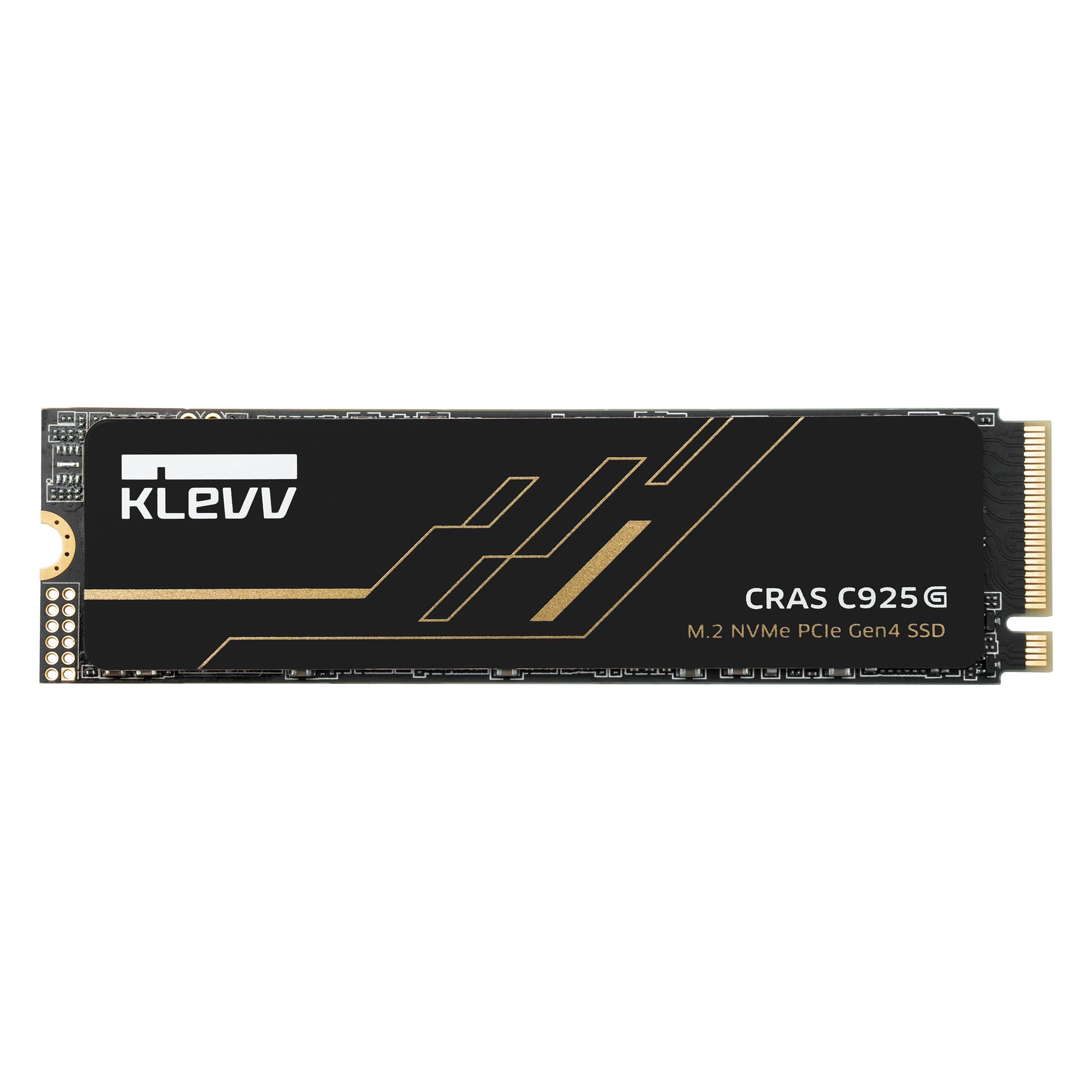
2. KLEVV CRAS C925G 2TB NVMe PCIe Gen4x4
The speed king by the numbers — 7,400MB/s read, ahead of the WD_BLACK’s 7,300MB/s.
Here is the head-to-head that matters: this stick is rated at 7,400MB/s read against the WD_BLACK’s 7,300MB/s, so on paper it edges out the top pick. The write side is rated at 6,500MB/s, which keeps big game installs moving briskly. Its cooling is a graphene-copper composite pad — copper for pulling heat away and graphene for spreading it evenly, which the maker says avoids the hot spots that trigger slowdown on sustained sessions. It is also built single-sided, meaning all the memory chips sit on one face, which helps it sit flush in thin devices.
Buyers describe it as fast with no drama — the studio crowd pushing FL Studio, Machine and Rekordbox report it keeps up, and the PS5 extra-storage crowd reports clean installs and games saving without complaint. The speed is what earns the most enthusiasm, and with this one being a relative newcomer the track record is thin compared to the big brands. A free Acronis True Image licence lands in the box for backing up or migrating your old drive.
Nothing here suggests it is unreliable — the verdict is positive across the board — but you are buying on a shorter history than the WD_BLACK or Crucial offers. If you would rather not be an early adopter on a console upgrade, that is a fair reason to look elsewhere.
The value read: you get the highest rated read speed in the group, a real heatsink and migration software without paying top-pick money.
The record to weigh: a small review base. The drive reviews well, but it has not been fielded by tens of thousands of PS5 owners yet.
Fits the buyer who: wants outright speed honours and is comfortable buying a newer name with a clean early record.
Hold off if: a long, heavily reviewed history is what makes you pull the trigger on console hardware.
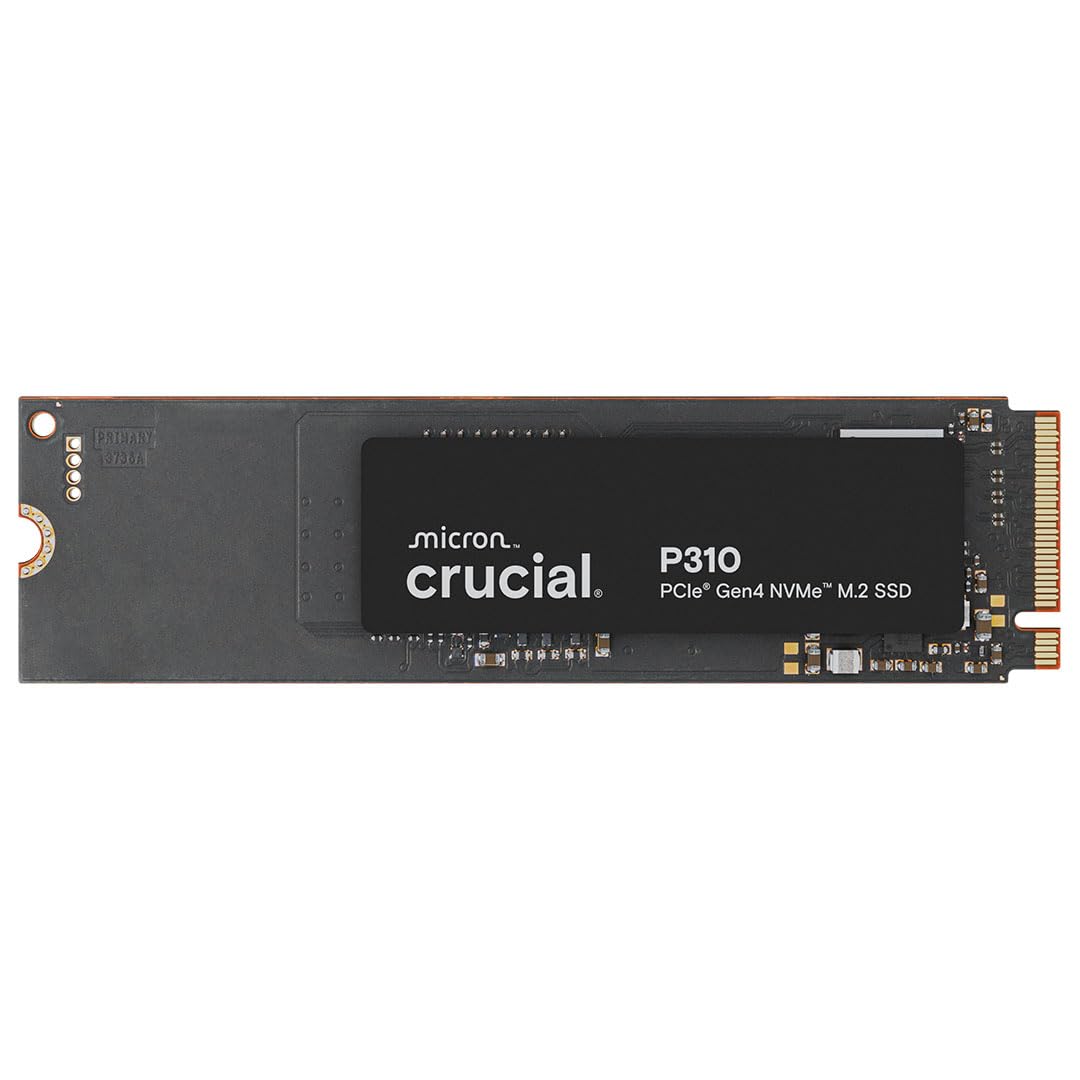
3. Crucial P310 2TB PCIe Gen4 NVMe M.2 2280
Built by the chip maker itself, for the buyer who values a quiet, boring upgrade.
Two things stand out before you even consider speed. First, this drive comes from Micron, the company that makes the memory chips it is built on, and it uses advanced G8 NAND with thermal control to keep Gen4 speeds steady. Second, it is the most consistently praised drive in the whole group when owners talk about reliability — working right the first time is the running theme, and it is backed by US-based Micron support. Rated at up to 7,100MB/s read and 6,000MB/s write, it sits just under the 7,300MB/s class but comfortably above what the console demands.
On PS5 duties it behaves well, and the trick to running it in the console is simply fitting a heatsink, which plenty of buyers handle themselves with a cheap one. It also straddles both worlds nicely — laptops, desktops and handheld consoles like the ROG Ally X and Legion Go are named as compatible, and it drops back to PCIe Gen3 machines without complaint. The maker claims up to twice the speed of older Gen3 drives; take that as a maker figure rather than a tested one.
The one snag worth knowing is the software bundle. The Acronis data recovery software is not the full True Image licence — you get a discount code toward buying it instead. That only matters if you planned to migrate an existing drive with it. Otherwise, you are left with the lowest headline read speed of the picks that have a big review base.
Why it holds a top slot: reliability is the trait owners bring up most, and a drive that just works from boot is exactly the personality you want in console storage.
Budget a heatsink: unlike the WD_BLACK, it does not ship with one attached — the data says one buyer fitted a sink, so plan for that step or pick a rival with cooling built in.
Take this route if: you want a rock-solid stick from the memory maker itself and will happily fit a heatsink yourself.
Not the one if: you refuse to assemble anything — a pre-fitted heatsink saves you the fiddly bit.
4. MOVE SPEED HB7450 2TB SSD for PS5

A 7,450MB/s headline that sits above the WD_BLACK, with the heatsink in the box.
On paper this is the quickest stick in the round-up at up to 7,450MB/s read and 6,500MB/s write, and the maker’s comparison is blunt — the maker states its PCIe 4.0 lane (the connection standard the drive uses) is twice as fast as PCIe 3.0 and 13.5 times faster than an older SATA drive. Inside sits a Maxio MAP1602 controller (the chip that manages data flow) with 3D NAND flash (the memory chips that store your games), and the maker says it survived about 80 hours of stress testing, including temperature cycling and continuous transfers, before shipping. The M.2 2280 (80mm) size is the same slot-fitting shape as every pick here.
There is genuinely useful cooling hardware in the box: a 1mm graphene composite heat spreader and a separate heatsink, plus screws and a screwdriver. The maker claims the combined cooling drops chip temperature by 10 degrees versus running bare. Owners installing in the PS5 describe it working exactly as described and having room for more games straight away. Performance leads the positive talk, and a lot of that is the sense of getting real speed for a sensible spend.
The catch is real and worth flagging plainly. A couple of buyers report the cooling not behaving as the marketing suggests — one says it overheated the console until it shut down, and another says it refused to work in a PS5 Slim. Both look like the cooling pad needing careful fitting rather than a bad drive; if you do not want to seat a heatsink yourself, that is a fair reason to skip it. Installation directions have also been called basic.
Standout points
- Up to 7,450MB/s read — the highest in this list alongside the Samsung
- Heatsink, screws and screwdriver all included in the box
- Graphene heat spreader for chip-level cooling
- Genuine speed without the premium badge
Fitting caveats
- Heat spreader has to be seated correctly — some installs cool poorly
- One PS5 Slim owner found it would not work at all
- Instructions are thin, so watch the maker’s install video first
Worth it when: you want top-shelf read speed and the loose heatsink parts do not faze you.
Look elsewhere if: you are on a PS5 Slim or want a cooling setup that arrives already fitted.
5. Addlink A93 2TB Storage Expansion for PS5

A cross-cut aluminum cooler aimed squarely at the console’s expansion bay.
This one is built around cooling first. The heatsink is a pure aluminum crosscutting grid design paired with a heat-conducting gel pad, and the goal is airflow through the fins rather than a solid block that traps heat. Read speed runs up to 7,400MB/s and write up to 6,500MB/s, with TLC 3D NAND (a type of memory chip that stores three bits per cell) underneath and both SLC caching and Host Memory Buffer support — caching layers that let a DRAM-less drive (a drive without its own dedicated memory chip) keep its speed up in bursts. Addlink lists the PS5, PS5 Slim and the ROG Ally X as supported, and backs it with a 5-year limited warranty.
The dimensions are the practical win here: 8.75mm is the stated maximum height, which matters in a bay this shallow, and the gel pad plus grid should keep it stable under a long session. Owners mention games and large file transfers moving along without a hitch, and the fact the heatsink arrives already mounted draws steady praise from people upgrading their kids’ consoles. Installation is consistently described as a quick job.
What to watch is recognition. PS5 compatibility ratings on this listing land in mixed territory — most drives register fine and transfer data without trouble, but at least one owner had the console refuse to recognise it, and another had to return it. Those are the minority against the positives, worth knowing so you format-check the moment it goes in and keep the box till you have played a session.
The cooling story: aluminum grid fins plus a gel pad are a more serious attempt at sustained heat control than a generic plate, and it is why this suits long sessions on a Slim.
The compatibility footnote: unofficial on the console means occasional recognition quirks — test it right after install so a return is easy.
Made for: PS5 Slim or ROG Ally X owners, and anyone who wants proper airflow cooling from the start.
Skip if: you want the licensing certainty of the WD_BLACK with zero chance of a recognition fight.
6. FIKWOT FX910 2TB M.2 NVMe SSD

Ships with the heatsink already bolted on, so there is nothing to assemble.
Where the MOVE SPEED hands you loose parts, this one arrives ready to slide in. The aluminum heatsink is preinstalled on the drive, and the maker states it is designed for the PS5’s M.2 slot with no separate assembly needed. Built on PCIe 4.0 x4 NVMe, it is rated at up to 7,100MB/s read for gaming, and the maker is upfront that the PS5’s own benchmark may read lower than that peak. 2TB of internal storage goes in, with the usual note that usable capacity drops after formatting.
If you are the type who would rather not open a console twice, the preinstalled cooler is the whole appeal. Owners find it easy, and the install guidance in the listing is plain — update the system software, power off, fit the stick, format from the on-screen steps. Compatibility is what people praise most about this drive, and the running experience is games loading fast without a hitch and no overheating complaints. It is a plain, unfussy drive that does the job.
The trade-offs are honest but limited. It is not the fastest here — 7,100MB/s sits under the 7,300 and 7,400MB/s sticks — and the PS5 benchmark caveat means you should not expect the headline number in console use. The plastic enclosure note on the spec sheet is a reminder that this is a budget-minded build, not a premium one; the cooling comes from the aluminum fin, not the housing.
Straight to the point
- Heatsink already mounted — fit and go
- Clear install steps for the console
- 7,100MB/s read keeps load times console-fast
- 5-year after-sales service per the maker
Where it gives ground
- Under the 7,300 and 7,400MB/s class on paper
- PS5 benchmark will read below the peak figure
- Plastic housing, so the cooler does the real work
Right for: the buyer who wants zero assembly and a plain, reliable upgrade.
Not ideal if: you want the biggest read numbers in the list — the Samsung and MOVE SPEED go further.
7. fanxiang S880ER 2TB NVMe Gaming SSD

Built for the long grind — a heatsink designed to hold peak speed session after session.
This drive’s pitch is durability under load rather than a record-breaking number. It runs PCIe Gen4 x4 with NVMe 2.0, rated at 7,100/5,300MB/s read and write, and the maker leans hard on the heatsink design being there to keep the temperature down during extended play or heavy data work. 3D NAND flash and a 5-year service promise (plus lifetime technical support) round it out, and fanxiang points to more than 20 years of manufacturing behind the badge. It also names DirectStorage as supported on compatible systems.
Performance is the thing owners talk about most. The format and speed hold up, games load sharply, and the heatsink keeps temperatures in check — one owner specifically calls out that games load fast with no overheating issues after sitting in a PS5 for a stretch. Compatibility charts list PS5 along with Xbox Series X and Series S, plus desktops and laptops, so it flexes across platforms if a console is not its only home.
A small caveat: the listing names one capacity in a couple of reviews that does not match the 2TB spec here — worth confirming your variant before buying. And the 5,300MB/s write figure is a step below the 6,500MB/s writes on the KLEVV and Addlink, so heavy creative exports will feel a touch slower than on those. For gaming, that gap rarely shows.
Why gamers pick it: the heatsink is there for one reason — keeping peak speed alive over a long session — and that is exactly the PS5’s weak point.
One to confirm: double-check the storage size on the page you buy from, since review mentions of capacity vary.
Reach for this if: you play long stretches and want cooling to carry the load, and you may share the drive across console and PC.
Pass if: you need the fastest writes for video exports — the KLEVV and Addlink both claim 6,500MB/s there.
8. SAMSUNG 990 PRO w/ Heatsink SSD 2TB

The big-brand flagship, rated at 7,450/6,900MB/s with an ultra-slim integrated heatsink.
This is the fastest write speed in the group at up to 6,900MB/s, paired with a 7,450MB/s read — the same headline read as the MOVE SPEED, but with the backing of Samsung’s own V-NAND flash and a build the maker claims over 55% better random performance than its 980 PRO. Random performance is the measure that affects how snappy small tasks feel, and a big jump there is why this drive feels quick opening apps as well as games. It is made with PS5 in mind: the ultra-slim integrated heatsink is designed to pull heat from the device and hold temperatures steady.
Owners on consoles report read speeds reading in the thousands of megabytes, smooth game loads and plenty of room to spare, and the integrated cooler earns genuine affection — one owner reports temperatures holding around 37 degrees Celsius. The red indicator light is a small touch buyers like. If a drive ever needed to justify its premium badge, spreading data and staying cool while it does is the right way to do it.
The honest catch: the PS5 compatibility column is marked mixed on this listing, which is a step back from the clean consensus the cheaper licensed sticks hold. The 890 PRO’s premium positioning also comes with the biggest share of reviewers flagging a drive failure in a short window — a small slice of a five-figure base, but worth knowing before you spend top-tier money. It is the most capable stick here, not the most bulletproof PS5-specific one.
The speed case: 7,450MB/s read and 6,900MB/s write make it the top of the class on paper, and the integrated sink keeps it there.
The compatibility asterisk: PS5 fit is less of a sure thing than on the licensed drives — check the slot and firmware before committing.
Best for: buyers who want flagship speed for both console and creative work and will pay the premium for it.
Think carefully if: your only goal is a low-maintenance PS5 expansion — a licensed drive removes the compatibility question entirely.
9. Seagate Game Drive PS5 NVMe SSD 2TB

Officially licensed by PlayStation, with matching firmware built in from day one.
Like the WD_BLACK, this one is built with matching firmware to work with all PS5 models, so the console does not have to think hard about it. Read speed runs up to 7,300MB/s and write up to 6,000MB/s, and a custom heatsink is designed to keep thermal throttling — the self-imposed slowdown that heat triggers — at bay for longer sessions. A 5-year warranty covers it, and the maker calls its thermal design industry-leading.
The experience owners describe is reassuringly dull: the console recognises it on boot, formats the drive, and asks the setup questions. Games play directly from the M.2 without shuttling them back and forth, and installing is a job measured in minutes. The official licensing is the core reassurance — you are not the one gambling on compatibility here.
What you need to accept is that you are paying for that badge and the warranty, not raw speed. It is the most expensive stick in the article, yet its 7,300MB/s read sits at the lower end of the speeds here. The review base is also smaller than the flagship rivals, so the record is shorter — though what is there is uniformly positive on function and fit.
The reassurance: official licensing and a 5-year warranty mean the hardest part is opening the console.
The spend: you are paying for the badge and confidence, not benchmark numbers — several cheaper sticks claim more.
Worth it if: brand-name licensing and a long warranty matter more to you than squeezing the last megabyte of speed.
Look at the WD_BLACK instead if: you want the same licensing with a bigger owner base and a lower spend.
Know the Specs
Read Speed (MB/s)
The number on the box — how many megabytes the drive can pull per second in an ideal test. It translates directly to how fast a game level loads and how quickly menus fill. The PS5 needs a certain minimum to accept a drive, and everything here clears it; the practical difference between 7,100 and 7,450MB/s usually shows up in large sequential transfers more than in gameplay.
Heatsink & Thermal Control
A heatsink pulls heat away from the memory chips so the drive does not slow itself down under sustained load. The PS5’s expansion bay has limited airflow, which is why a fitted heatsink matters — it is often the difference between steady speed and a game that stutters when the drive warms up.
M.2 2280 Form Factor
The physical size of the stick — 22mm wide and 80mm long, the standard shape that slides into the console’s one expansion slot. Any other size, such as the shorter 2242, will not seat properly without an adapter.
PCIe Gen4 vs Gen3
PCIe Gen4 is the generation of data lane the PS5 uses. Gen3 drives are rated for less throughput and usually get rejected during setup. If you are weighing a used Gen3 stick to save money, it is not a fit for this slot.
Common Questions
Will any of these SSDs work in the PS5 Slim?
Do I need to buy a separate heatsink for the Crucial P310?
How many games actually fit on a 2TB PS5 SSD?
Does the SSD make my PS5 load games faster than the built-in drive?
What is thermal throttling, and which sticks handle it best?
Can I use the same 2TB stick in a PC as well as my PS5?
Do I need to update the PS5 system software before installing?
What happens if a new drive is not recognised by my console?
Will a 2TB drive slow down my PS5 once it is half full?
The Bottom Line
The safest way to stop deleting games is the WD_BLACK SN850P 2TB. It is officially licensed, ships with its own PS5-shaped heatsink, and has the biggest stack of happy owners in the whole group. If you want the most speed for the money, the KLEVV CRAS C925G edges it at 7,400MB/s, and for a cooling-first upgrade on a PS5 Slim, the Addlink A93 is the one to reach for.
How we choose
We do not accept paid placement. Every pick is matched to a real buyer and a real use-case; we do not hands-on test units.
Sources
Specifications: manufacturer listings and product documentation. Review insights: verified customer reviews, as of November 2026. Pricing: not shown on this page (it changes often); check the current price via the retailer link.
As an Amazon Associate, Tactical Gear Guy earns from qualifying purchases. This does not affect which products we feature.