Specs are compiled from manufacturer listings and verified buyer reviews and can change over time — please confirm the key details on the product page before buying.
Buying a 1TB flash drive is riskier than it looks. A stick that claims a terabyte can behave like a terabyte for a week, then corrupt the files you trusted it with. The drives worth your money are the ones that publish a speed in megabytes per second and come from a maker with a warranty desk that answers the phone. Below, nine drives that actually hold a terabyte, each rated by what it does well rather than what the box promises.
This guide is built by comparing the manufacturers’ published specifications and the patterns across verified customer reviews, so you get each pick’s real strengths and trade-offs instead of marketing spin.
Capacity is the easy part to print on a box and the hardest part to verify after the fact. What separates the drives below is how they behave on your third large transfer, not your first — so every pick here is judged on sustained speed, connector type, and whether the body survives a pocket. This is the shortlist for a 1tb usb 3.0 flash drive that keeps its promises.
Top Picks
How To Choose The Best 1TB USB 3.0 Flash Drive
Start with the connector, not the capacity. Every drive on this list holds a terabyte; what changes is whether it plugs into a USB-A slot, a USB-C port, or both. A Type-A only stick is fine for a laptop or desktop. A dual-plug model means you can move a wedding video off a phone without hunting for an adapter cable at midnight.
Read speed and write speed are two different promises
Read speed tells you how fast the drive hands a file back to your computer, measured in megabytes per second (MB/s — one million bytes moving every second). Write speed is how fast it swallows a file you drag onto it. Most listings shout the read number because it is bigger. If your day is copying footage off the drive, read speed rules. If you are dumping a camera card onto it, write speed is the one that will make you late.
The 1TB label is never exactly 1TB in your file manager
Drives reserve part of their memory for housekeeping, and operating systems count a gigabyte slightly differently than the marketing department does. So a terabyte drive shows up a little under 1TB on your screen. TEAMGROUP says this outright on its own listing. It is normal, not a defect, and no drive escapes it.
USB 3.0, 3.1, 3.2 Gen 1 and Gen 2 — what the numbers change
USB 3.0, 3.1 and 3.2 Gen 1 are the same underlying connection with different names, and they are fast enough for everyday photo and document work. USB 3.2 Gen 2 is the quicker lane, and it only helps if the port on your computer speaks it too. Plug a Gen 2 drive into a Gen 1 slot and it drops back to the slower speed without complaint.
What a 1TB stick is actually for
A terabyte holds roughly 40 hours of 4K footage or hundreds of hours of 1080p video. These drives suit folks who shuttle footage between a camera, a laptop and a phone, or who want a shelf of movies and photo archives in a pocket. If you only ever move a few Word files, you are paying for space you will not use.
Side-by-Side Comparison
| Model | Best For | Max Read Speed | Connector | Stated Weight | Amazon |
|---|---|---|---|---|---|
| SANDISK 1TB Ultra Flair★ Best Overall | Everyday carry and quick file shuttling | Up to 150MB/s | USB Type-A | 4.54 g | Amazon |
| SANKESU 1TB USB C Flash Drive 3.1Best for Phones | Phone-to-laptop transfers | Up to 120MB/s | USB Type-A & Type-C | — | Amazon |
| TEAMGROUP C175 1TBNo Lost Cap | Cap that never goes missing | Up to 100MB/s | USB Type-A | 9 g | Amazon |
| Centon DataStick Pro 1TB | Rough handling in a tool bag | USB 3.2 (not stated) | USB Type-A | 22.68 g | Amazon |
| SANKESU 1TB Dual USB 3.2 Solid State | Large video files between devices | Up to 400MB/s | USB Type-A & Type-C | 8.5 g | Amazon |
| PNY 1TB Duo Link V3 | Fast dual-plug on a budget | Up to 1000MB/s | USB Type-A & Type-C | — | Amazon |
| SANDISK 1TB Ultra | Long-term archives and family media | Up to 130MB/s | USB Type-A | 9.07 g | Amazon |
| PNY 1TB PRO Elite V3 | Professional-grade large file work | Up to 1000MB/s | USB Type-A | — | Amazon |
Detailed Reviews
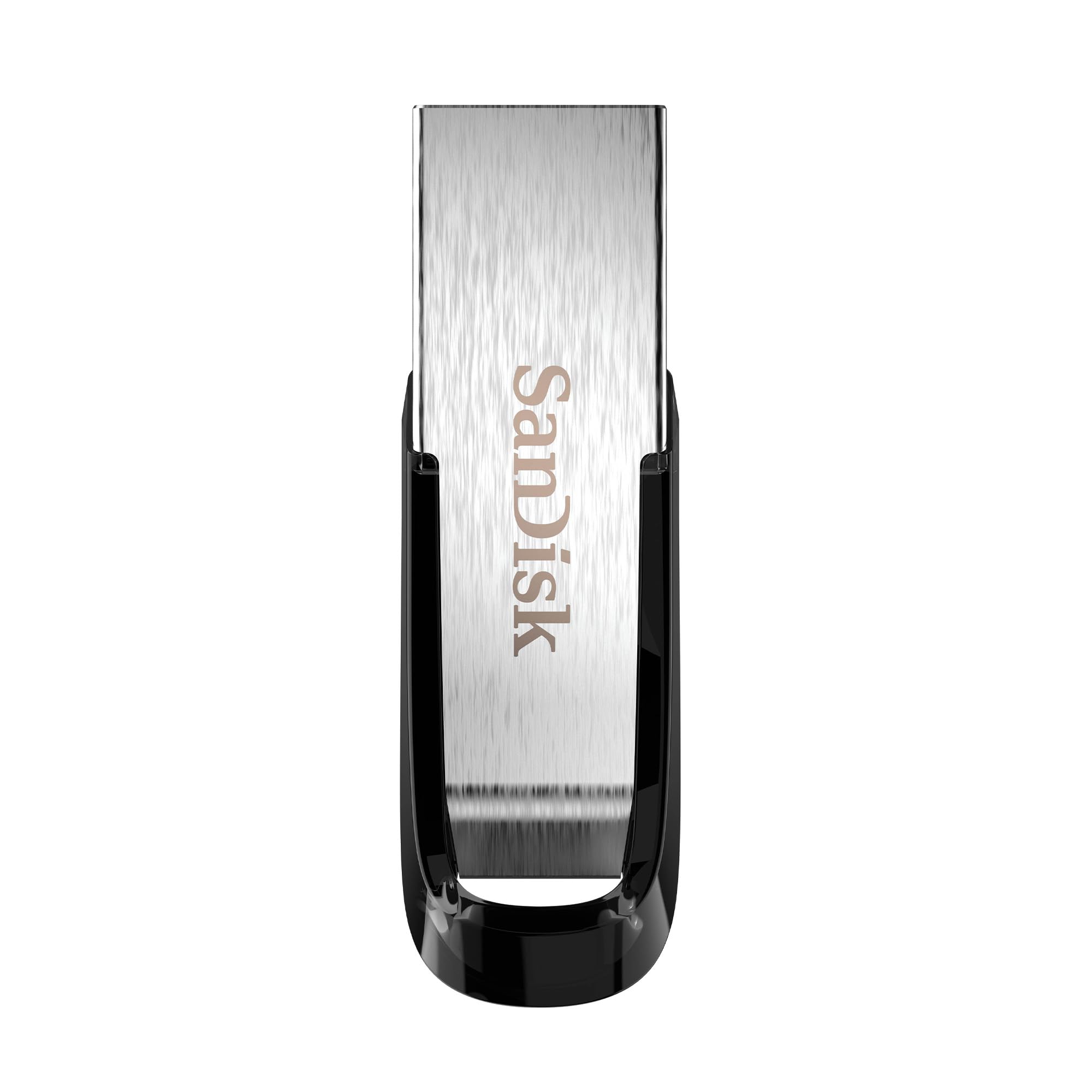
1. SANDISK 1TB Ultra Flair, USB-A Flash Drive
Our pick — 4.5+★ from 212,000+ verified ratings; the strongest balance of quality and price.
A terabyte you can lose behind a credit card, and the safest bet on this list.
The Ultra Flair earns the top spot mostly by being the drive most people should stop looking after. It moves files at up to 150MB/s over a USB Type-A plug, which handles photo dumps and document archives without drama. That number is read speed — how quickly it hands footage and photos back to your laptop. Sandisk rates it as up to 15 times faster than a standard USB 2.0 drive, so a folder drag finishes almost before you let go of the mouse.
At 4.54 g it is the lightest drive here by a wide margin. For scale, the Centon DataStick Pro on this list weighs 22.68 g — the Ultra Flair disappears against it. That matters if the stick lives on a keyring or in a wallet slot. The casing is metal rather than plastic, and Sandisk says it is built to handle knocks, which is the difference between a drive that survives a backpack and one that ends its life under a chair leg.
The password feature is the quiet standout for anyone carrying client work. You can lock selected files behind a password using the Sandisk Memory Zone app, so handing the stick to a colleague does not mean handing over everything on it. The honest trade-off is speed on the longest jobs: this is a 150MB/s drive, and if you routinely move 50GB video projects you will feel the ceiling. It is also the cheapest of the three SanDisk drives here — the Ultra Luxe above it costs more — so the Flair is the value pick within its own family.
What earns it the crown
- At 4.54 g it is the lightest drive here — you will not notice it in a pocket
- Up to 150MB/s read speed, rated 15x faster than a USB 2.0 stick
- Password protection keeps private files private when you lend the drive
- Metal casing takes knocks a plastic body would not
Where it stops short
- 150MB/s is the slowest read figure among the dual-plug and premium drives here
- Single Type-A plug means a dongle for USB-C-only laptops and phones
- Some buyers report units that stopped working — the drive is reliable, but no flash memory is forever
Grab this one: if you want a terabyte that vanishes into a pocket and moves everyday files in seconds without fiddling with adapters.
Keep looking: if you regularly push 50GB+ video files — the PNY PRO Elite V3 reads five times faster on paper and will not make you wait.
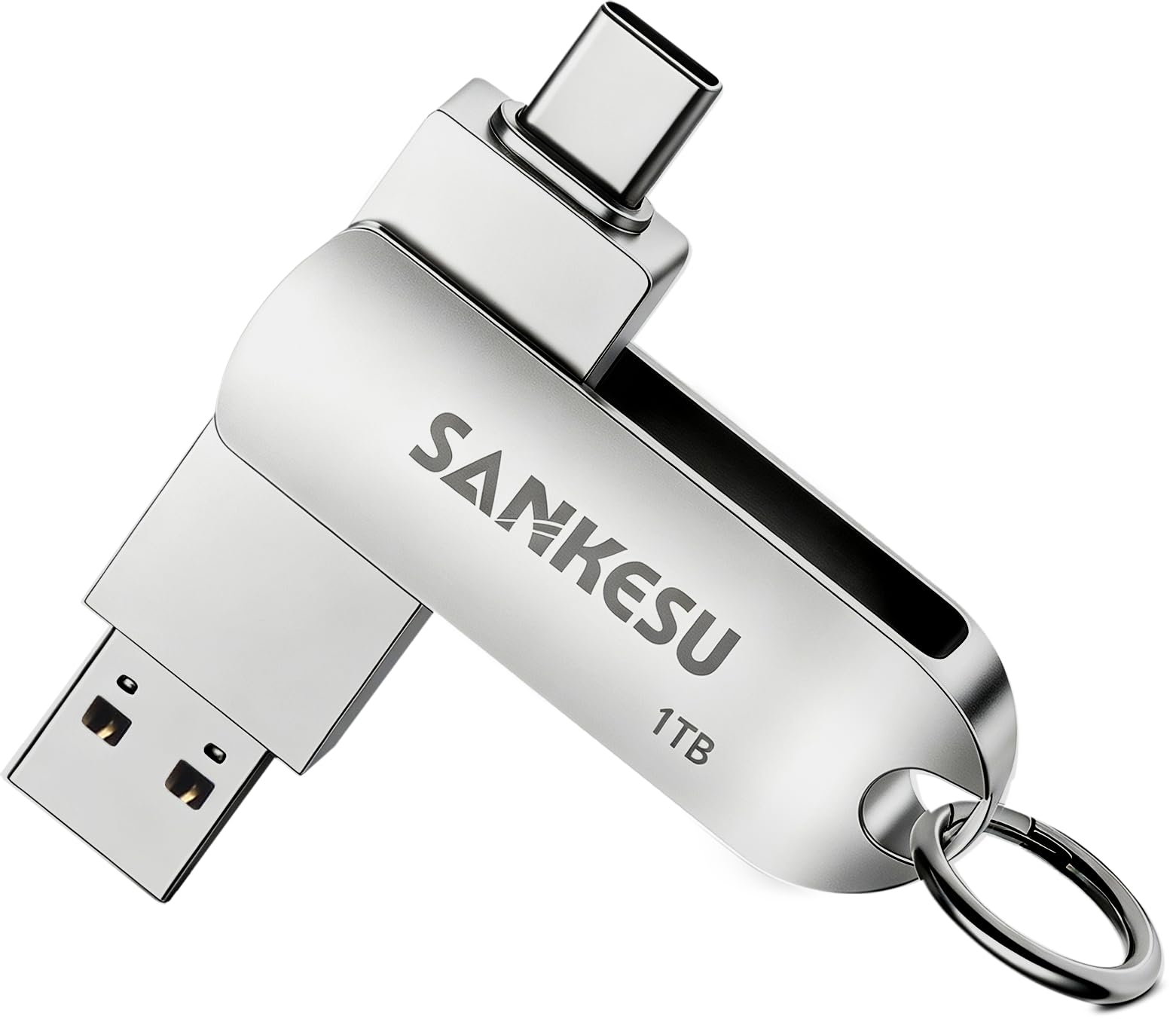
2. SANKESU 1TB USB C Flash Drive 3.1
The stick that moves a phone’s camera roll to a laptop without a single cable.
Here is the drive to buy if the terabyte you need is trapped on a phone. It carries both a USB Type-A plug for computers and a USB Type-C plug for newer phones and iPads, so the same stick reads on your iPhone 15 and writes on your work laptop. The SANKESU reads at up to 120MB/s, and it steps down quietly to USB 3.0 and 2.0 ports without needing drivers or software — plug it in and the file manager opens.
The compatibility list is genuinely broad for a single stick: Windows, macOS, Linux and Android all treat it as a normal drive. That is what makes it useful for a student bouncing between a dorm desktop and a phone full of lecture recordings. It plays 4K and 8K video straight from the drive, so a smart TV or speaker can read files without you converting anything first.
The catch is reliability, and it is worth saying plainly. Some owners mention a drive that stops working, while others get years of steady use — the flash inside is a mixed bag, not a guarantee. Treat the 1TB as a working drive rather than your only copy of anything precious. At 120MB/s it also sits near the bottom of the speed ladder here; the SANKESU solid-state model beside it reads at up to 400MB/s, more than triple, if raw transfer speed is your priority over convenience.
The connector win: Two plugs in one body mean no adapter, no cable, and no “where did I put that dongle” at the airport. For a photographer moving images from phone to laptop, that alone justifies the pick.
What to expect from the speeds: 120MB/s moves a full photo album in seconds but will not chew through a 50GB video dump quickly — the dual-plug solid-state SANKESU above trades this convenience up for speed.
Reach for this if: your files are split between a phone and a computer and you want one small stick that bridges both without accessories.
Look elsewhere if: you need the drive to be a permanent vault — plan a backup alongside it, because reliability here is a coin flip.
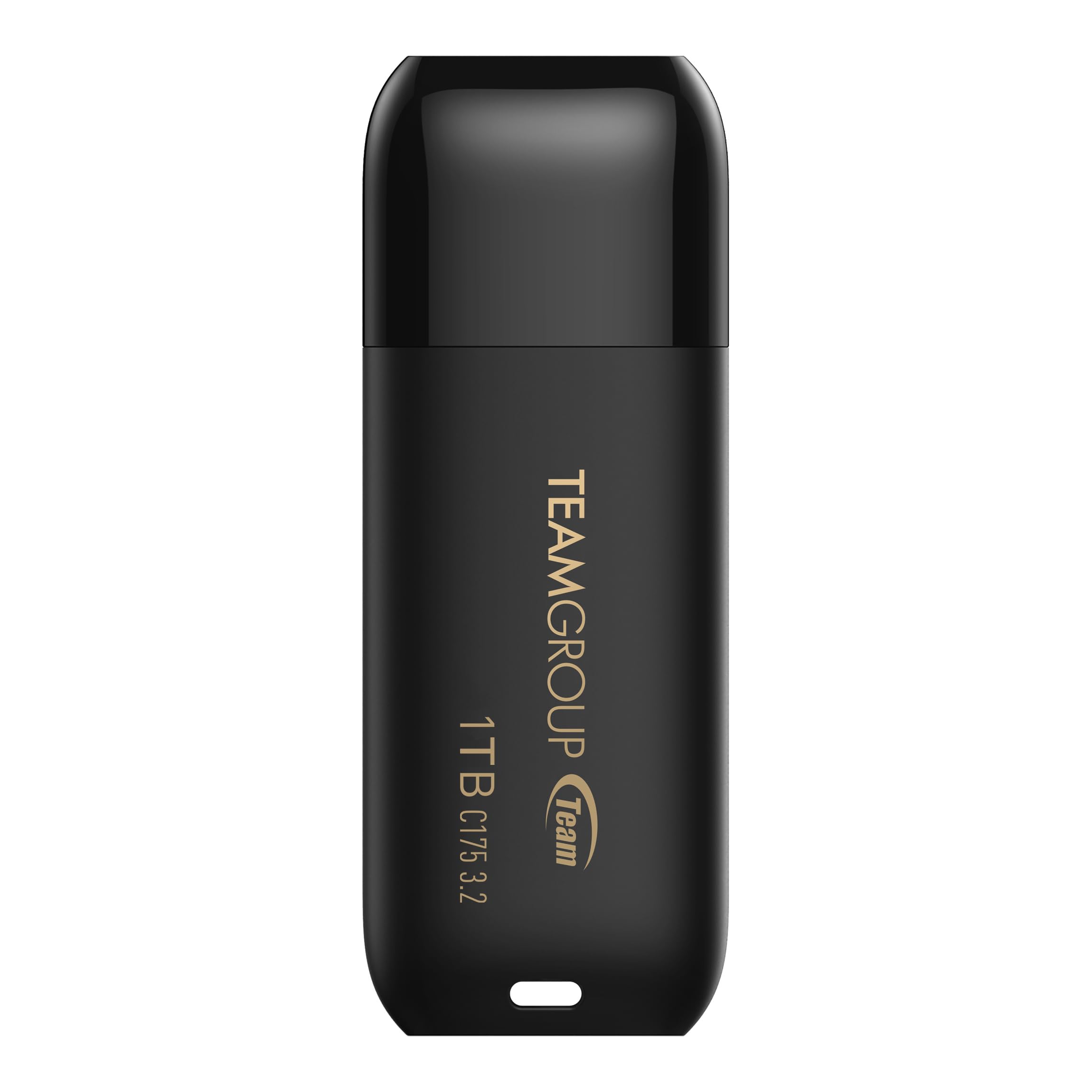
3. TEAMGROUP C175 1TB USB 3.2 Gen 1
A capped drive without a cap — the small detail that outlasts every other feature.
The C175’s best feature is one you will only notice when it saves you: the cap is built into the body, so you cannot lose it. TEAMGROUP uses a smooth, rounded housing that keeps the connector protected whether the drive sits in a bag or a drawer.
Speed is the honest limit. The C175 reads at up to 100MB/s over USB 3.2 Gen 1, which is the slowest figure among the fast drives on this list. For context, the SANKESU solid-state dual-plug reads at up to 400MB/s — four times the C175’s rate — so this is the drive for patience, not deadlines. It plugs and plays, supports hot-swap (pulling it out while the computer is on without shutting down first), and carries a power-saving mode that lets it idle quietly.
The reason to still pick it: the lifetime warranty. TEAMGROUP backs this drive for as long as you own it, with free technical support, which is a stronger stated commitment than most competitors offer on a pocket drive. At 9 g it is light enough to forget, and the black matte finish does not fingerprint like glossy plastic. Treat the 1TB as slightly under a terabyte in your file manager — TEAMGROUP says outright that formatting and unit conversion shave a little off, and that is true of every drive here.
Why it earns a place
- Cap-free design eliminates the single most-lost part of a flash drive
- Lifetime warranty with free technical support
- 9 g body slips into a keyring or coin pocket
The speed reality
- Up to 100MB/s is the slowest read rate on this list
- No dual connector — Type-A only, so phones need an adapter
The fitting buyer: someone who wants a terabyte to sit in a bag for years and never lose its lid, with a warranty that outlasts the drive.
Not your pick: if you move large video regularly and 100MB/s would turn a one-minute job into a coffee break.
4. Centon DataStick Pro 1TB USB 3.2

A metal-bodied drive that weighs like a tool and takes a tool bag’s abuse.
At 22.68 g the DataStick Pro is the heaviest drive here, and that heft is the point. Compare it to the SanDisk Ultra Flair’s 4.54 g and you feel the difference in the hand: this is an aluminum housing with a metal cap that snaps onto the back so it never goes missing. For a bag that also holds wrenches, cables and a laptop, that extra mass is reassurance rather than a drawback.
Centon keeps the software side simple. It runs USB 3.2 Gen 1 over a Type-A connector, works in USB 2.0 ports, and needs no drivers on Windows, macOS, Linux or Chrome OS — plug it in and files move. A keychain loop on the body means you can clip it to a lanyard instead of losing it in a drawer. The 5-year limited warranty and U.S.-based technical support are the sort of backup that matters when the drive holds work you cannot recreate.
The listing does not give a speed number in megabytes per second (MB/s, a measure of how fast data moves), and that is the honest gap. Centon says only that USB 3.2 moves large files several times faster than USB 2.0, with no read or write figure attached. If you need a guaranteed speed you can plan around, the SanDisk Ultra Flair states up to 150MB/s and the PNY PRO Elite V3 states up to 1000MB/s — this one asks you to trust the interface instead of a number. Finish quality is also mixed: the housing feels rugged, but a few owners describe the drive as cheaply made, so inspect it on arrival.
The case for the heft: The metal cap that snaps to the back and the aluminum shell make this the drive to throw in a toolbox or a glovebox without a case. It is built to survive, not to disappear.
The missing number: No published MB/s figure is the real trade-off — you are buying durability and a warranty, not a stated speed.
Suited to: field kits, tool bags and anyone who values a metal cap that stays attached over the slimmest possible profile.
Pass if: you need a published speed rating to size up transfer times before you buy.
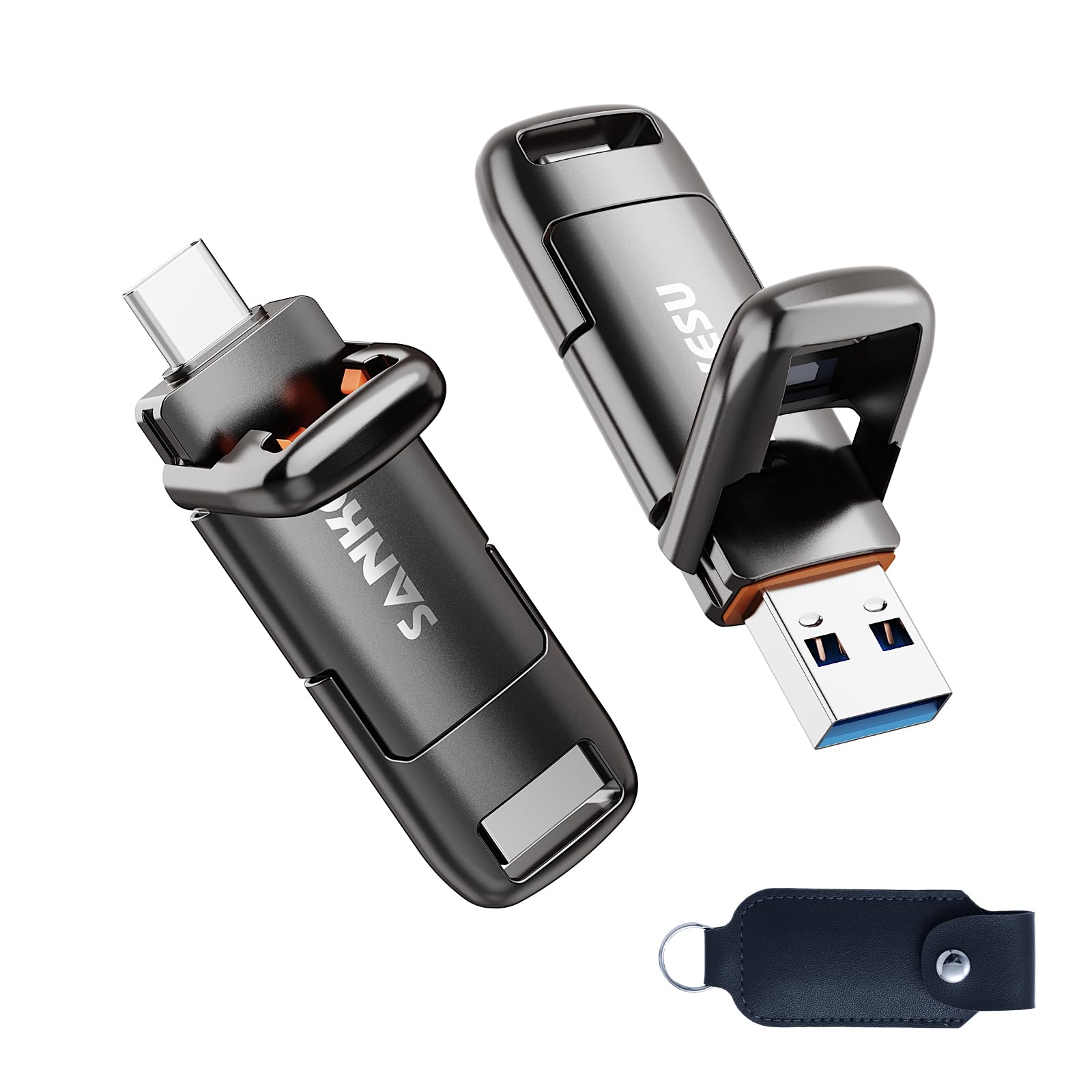
5. SANKESU 1TB Dual USB 3.2 Solid State Thumb Drive
Four hundred megabytes a second with a plug for your laptop and one for your phone.
If the driver for your purchase is speed plus a phone connection, this is the model that puts both in one body. It reads and writes at up to 400MB/s over USB 3.2, which is four times the 100MB/s the TEAMGROUP C175 manages — noticeable when you are moving a folder of 4K clips rather than a PDF. The dual USB-A and USB-C plugs mean the same stick moves data from a laptop to an Android phone or an iPhone 15 without a cable or an app.
SANKESU also thought about the cap. The protective covers are integrated, so you flip between connectors without a loose lid to lose, and a PU leather case comes in the box for storage. At 8.5 g it rides in a pocket or a bag without adding weight. The connector works with iPads, PS4, laptops, desktops, Macs and smart TVs, and there is no app to install — insert and move files.
The reliability question needs a clear answer, because it is this drive’s weak point. Some owners find it works great and keeps working; others report a unit that stopped functioning. That makes it the right drive for work you can copy elsewhere, and the wrong drive to be your only home for a wedding video. Value is where it shines — a terabyte with top-end read speed and a dual connector is a lot of storage for the money, and buyers in this price band tend to notice.
Where the speed shows up: At 400MB/s this is the quickest dual-plug model on the list, and it leads the 120MB/s SANKESU beside it by a wide margin on large transfers. If you dump camera cards at the end of a shoot, the difference is real.
The honest caveat: Reliability varies unit to unit, so treat it as a fast working drive and keep a backup of anything irreplaceable.
Fits: shooters and students who need to fling big files between a phone and a computer and want the fast dual-plug option without paying premium-drive money.
Think twice: if this will be the sole home of 1TB of irreplaceable footage — mixed reliability makes that a risky bet.
6. PNY 1TB Duo Link V3 USB 3.2 Gen 2

A swivel body hiding a 1000MB/s drive with a plug for every device you own.
The Duo Link V3 is the first drive here to jump into USB 3.2 Gen 2 territory, and the number is the story: up to 1000MB/s read and up to 800MB/s write. That read figure is ten times the TEAMGROUP C175’s 100MB/s, and it changes how a 20GB dump feels — the long progress bar becomes a short one. For anyone whose day is moving large files between a phone, an iPad and a desktop, that speed is the reason to pick this model over the cheaper dual-plug options.
The swivel metal body holds both a Type-A and a Type-C connector, so it bridges an iPhone 15 or an Android tablet to a laptop or desktop with no cable. PNY notes it is backwards compatible with USB 3.2 Gen 1, USB 3.0 and USB 2.0 hosts, which means it will not be stranded on an older machine. The housing is metal, and the swivel keeps the connector covered when the drive is not in use. A 2-year limited warranty backs it.
The one thing to plan for is phone compatibility. Some owners hit trouble with certain iPhones and Samsung handsets, typically when a thick case covers the Type-C port — PNY says as much, advising that the device case allow clear access. The metal housing is also on the substantial side rather than featherweight, so it is not the smallest stick on a keyring. Neither is a deal-breaker, but check your phone case before you rely on the Type-C side.
The draw
- Up to 1000MB/s read and 800MB/s write — Gen 2 speed at a mid-range price tier
- Dual Type-A and Type-C connectors in one metal swivel body
- Backwards compatible with USB 3.2 Gen 1, 3.0 and 2.0 hosts
The catches
- Some phone cases block the Type-C connection — check yours first
- Not the smallest or lightest body on this list
- 2-year warranty is shorter than the Centon’s 5-year cover
Buy this one for: the speed-to-convenience balance — Gen 2 read speeds and a dual connector without stepping up to premium prices.
skip it if: you rely on a thick phone case and need the Type-C plug to seat every time.
7. SANDISK 1TB Ultra, USB-A Flash Drive
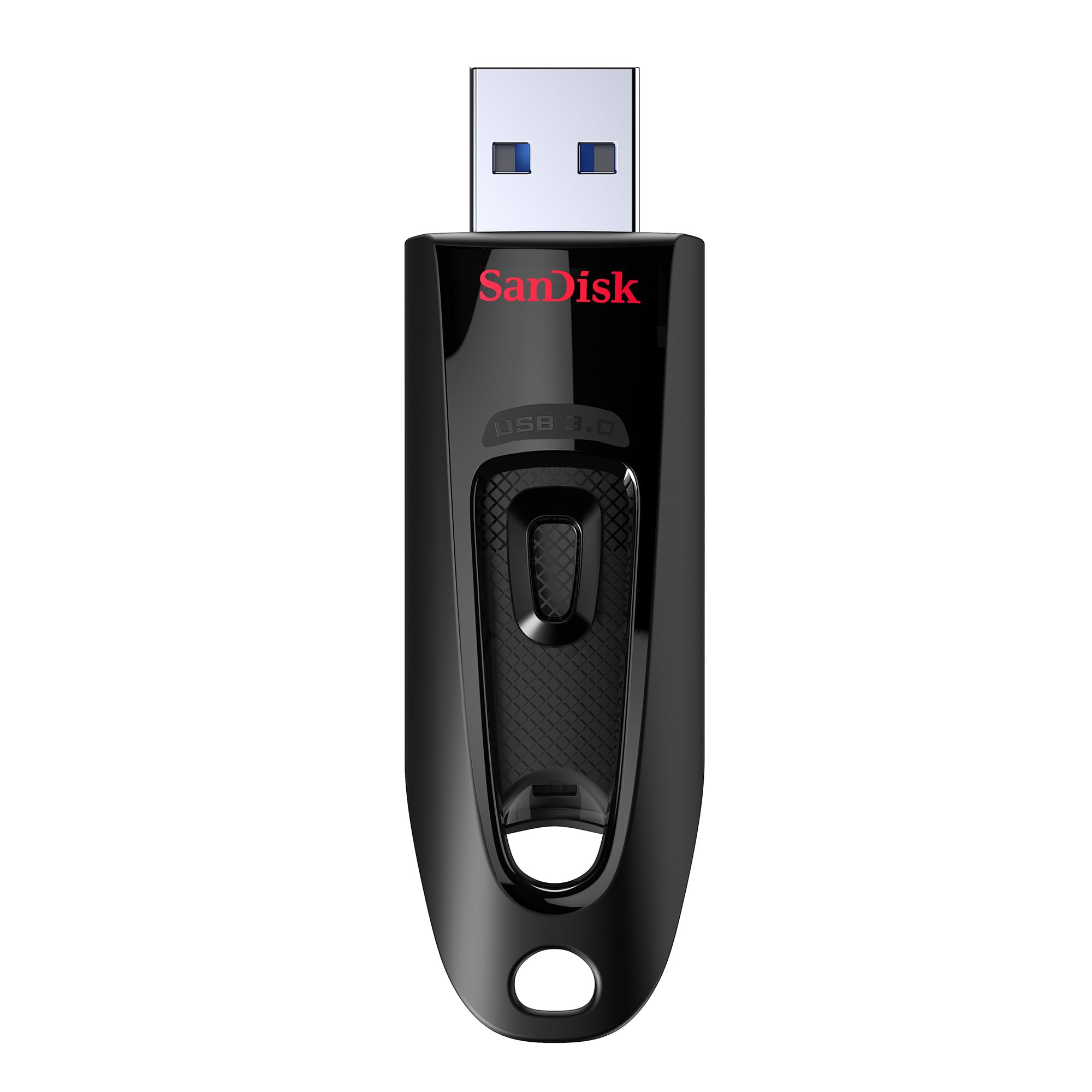
The drive families hand down — a terabyte for a decade of photos and video.
The Ultra is the drive to buy when the job is keeping things, not zipping them around. It holds 1TB (1000 gigabytes, enough for hundreds of hours of video), reads at up to 130MB/s over USB 3.0, and Sandisk rates it up to 10 times faster than a standard USB 2.0 stick. At that rate a full-length video lands in under 40 seconds, which matters when you are backing up a camera card at the end of a trip rather than swapping a single file.
The retractable design is the built-in advantage: the plug slides into the body, so there is no cap to lose and no connector exposed in a pocket. Sandisk puts a number on it: the terabyte holds roughly ten years of family movies, which is the archive job this drive is built for. It also runs the Sandisk Memory Zone app, which lets you browse, organize, back up and restore files from your phone or computer.
The trade-off to know about is physical, not electronic. Some owners find the retractable plastic body less rugged than a metal shell, so this is a drive for a laptop bag, not a toolbox. Speed is also steady rather than thrilling: the SANKESU solid-state dual-plug reads at up to 400MB/s, more than triple this 130MB/s, so video editors should look there. For the family archivist who wants one reliable terabyte for photos and old films, the Ultra fits.
Where it wins hearts: Reliability and straightforward plug-and-play behavior make this the drive people buy again for the next family member — it just works when you plug it in, every time.
The one caution: Plastic retractable body means it belongs in a bag, not a pocket rattling against keys.
Right for: the person building a photo and video archive who wants a terabyte that behaves predictably and needs no software.
Wrong for: rough handling in a tool bag — the retractable plastic shell is happier cushioned.
8. PNY 1TB PRO Elite V3 USB 3.2 Gen 2
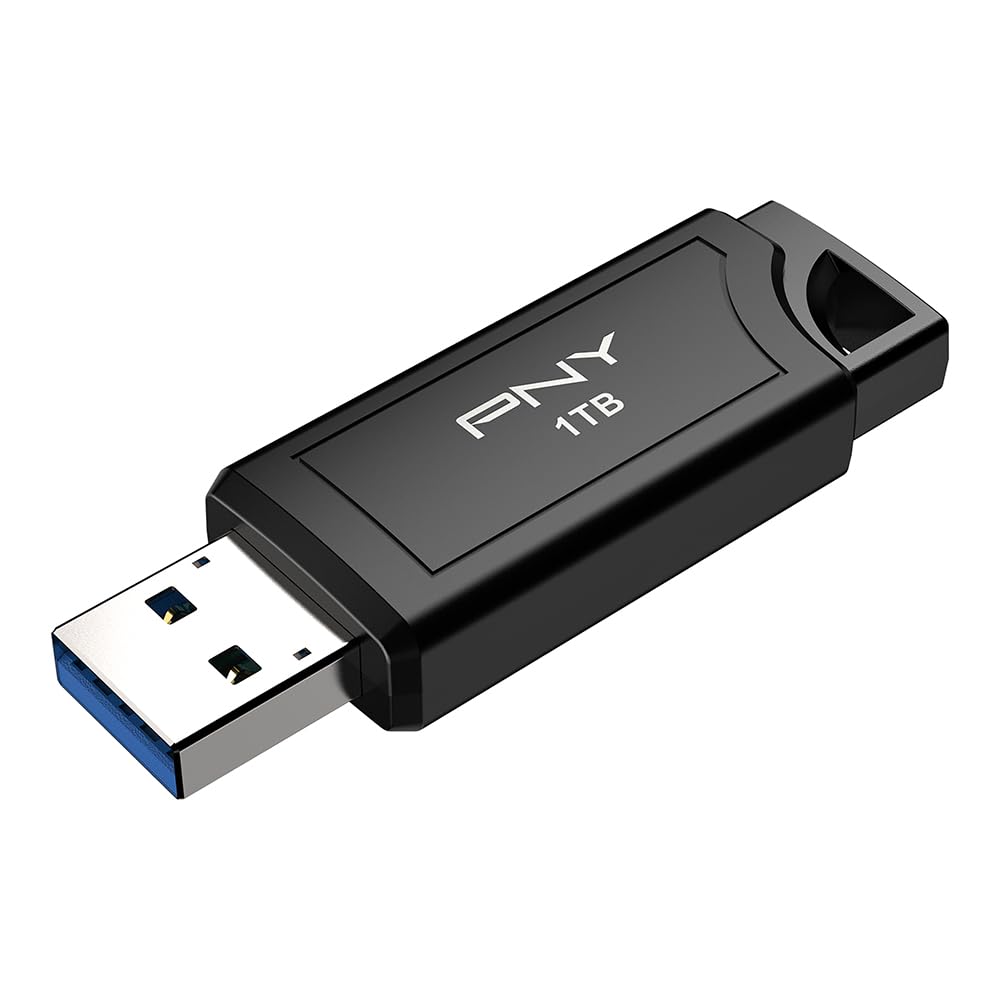
The drive built for people whose time is worth more than a slower stick.
If your work is 4K video, high-resolution photos or big game installs, the PRO Elite V3 is the top of this list on raw speed: up to 1000MB/s read and up to 800MB/s write over USB 3.2 Gen 2 (a faster USB standard). Put that beside the SANKESU dual-plug’s 400MB/s and the gap is clear — this is the drive for the person who moves the biggest files most often. PNY points it at content creators, graphic designers, gamers and field professionals, and the spec sheet backs that aim.
The metal body is built for daily punishment, and the drive is backwards compatible with USB 3.2 Gen 1, USB 3.0 and USB 2.0, so it will not be stranded on an older laptop. That flexibility matters for a freelancer moving between a home desktop and a client’s machine. Speed is the attribute owners talk about most, and the comments echo what the numbers promise — this thing handles large media files without making you wait.
The trade-off is heat and reliability, and both are worth knowing. USB 3.2 Gen 2 drives at 1000MB/s run warmer than slower sticks under sustained load, and a few customers note a unit that did not last long. That is the shape of high-speed flash: faster silicon generates more heat and lives a harder life. Copy your work off it, keep a backup, and this drive will serve the professional who needs the speed.
The pro argument
- Up to 1000MB/s read and 800MB/s write — the fastest figures on this list
- Premium metal design built for a working life
- Backwards compatible with USB 3.2 Gen 1, 3.0 and 2.0
The honest limits
- Runs warm under sustained large transfers
- Some units fail early — the price of top-end speed
- Single Type-A plug, so phones need an adapter
The pro choice: for creators and editors who move 4K footage and massive photo libraries and cannot afford to wait on a slow stick.
Pass if: your files are small — a cheaper, cooler-running drive will serve you just as well.
Know the Specs
Read Speed vs Write Speed (MB/s)
Read speed is how fast the drive hands files back to you, measured in megabytes per second (MB/s). Write speed is how fast it takes a file you drop onto it. Most listings lead with the bigger read number because it looks better, but a drive rated up to 1000MB/s read may not write at that pace. When you are backing up a camera card, write speed is the one you feel.
USB 3.0, 3.2 Gen 1 and Gen 2
USB 3.0, USB 3.1 and USB 3.2 Gen 1 are different names for the same everyday connection speed, and they are fast enough for photos and documents. USB 3.2 Gen 2 is the quicker lane, and a Gen 2 drive only hits its top speed if your computer’s port supports it. Plug a Gen 2 drive into a Gen 1 port and it slows to the port’s pace, quietly.
Type-A vs Type-C connectors
A USB Type-A plug is the classic rectangular connector on laptops and desktops. USB Type-C is the smaller, reversible oval used on modern phones, tablets and many new laptops. A dual-connector drive carries both in one body, which saves you from carrying an adapter. Single-plug Type-A drives need a dongle to reach a USB-C-only phone or laptop.
Why “1TB” shows up a little under 1TB
Flash drives reserve part of their memory for formatting and housekeeping, and operating systems count a gigabyte slightly differently from the marketing department. The result is a drive that reports a bit less than its label in your file manager. This is normal across every brand and not a fault — no drive on this list escapes it.
Weight and portability
Flash drive weight ranges from featherweight to chunky in the hand. A lighter drive disappears into a pocket and is easier to forget — and easier to lose. A heavier, metal-bodied drive is more likely to survive a bag full of tools but is bulkier on a keyring. Pick based on where the drive will live, not just how it looks.
Password protection and encryption
Some drives can lock selected files behind a password, often with AES encryption — a scrambling standard that makes the file unreadable without the key. That matters when you hand a drive to a colleague or carry work through an airport. Check the supported operating systems, because encryption software may not run on older versions of Windows or macOS.
Common Questions
Will a 1TB USB 3.0 flash drive work with my USB-C laptop?
Why does my 1TB drive show less than 1TB on my computer?
Can I plug a USB 3.2 Gen 2 drive into an older USB 3.0 port?
Is read speed or write speed more important for backing up video?
Do these drives work with an iPhone 15?
Can I run an operating system or games from a 1TB flash drive?
How durable is a metal-cased flash drive compared to a plastic one?
What does the lifetime warranty on the TEAMGROUP C175 actually cover?
<
Can I password-protect files on a flash drive without special software?
Should I buy a dual-plug drive or a single Type-A drive?
How do I safely eject a 1TB flash drive before unplugging it?
The Bottom Line
The 1tb usb 3.0 flash drive most people should buy is the SANDISK 1TB Ultra Flair. It is the lightest drive on the list, it reads at up to 150MB/s, it takes a knock thanks to a metal casing, and password protection keeps private files private when you lend it. For everyday file shuttling it does everything without fuss.
If you want speed over everything, grab the PNY 1TB PRO Elite V3 — up to 1000MB/s read and 800MB/s write make it the fastest drive here, and its metal body is built for working life. And if your files live on a phone, the SANKESU 1TB Dual USB 3.2 Solid State Thumb Drive is the one to reach for, pairing a Type-A and Type-C plug (standard USB and phone-style USB) with up to 400MB/s speed in a single stick.
How we choose
We do not accept paid placement. Every pick is matched to a real buyer and a real use-case; we do not hands-on test units.
Sources
Specifications: manufacturer listings and product documentation. Review insights: verified customer reviews, as of November 2026. Pricing: not shown on this page (it changes often); check the current price via the retailer link.
As an Amazon Associate, Tactical Gear Guy earns from qualifying purchases. This does not affect which products we feature.