Specs are compiled from manufacturer listings and verified buyer reviews and can change over time — please confirm the key details on the product page before buying.
If your laptop still takes a minute to wake up, the fix is almost never a new machine — it is the drive inside it. Swapping a spinning hard disk for a 1TB solid state hard drive turns a sluggish desktop into a responsive one, and the whole job usually takes one screwdriver and a single evening. The tricky part is that 1TB drives come in three shapes and wildly different speeds, and the wrong one simply will not fit or plug in. This guide sorts that out for you.
This guide is built by comparing the manufacturers’ published specifications and the patterns across verified customer reviews, so you get each pick’s real strengths and trade-offs instead of marketing spin.
Some drives here run on the old SATA cable and some need a newer M.2 slot, so the first job is checking which one your machine actually accepts before you spend anything.
Top Picks


How To Choose The Best 1TB Solid State Hard Drive
The single most common mistake is buying on speed alone. A 7,000 MB/s drive is useless in a laptop that only has a SATA port, and a 2.5-inch brick will not slide into an M.2 slot no matter how hard you try. Open the machine first, photograph the slot, then come back and match it.
Check the connector before anything else
SATA is the old standard — a wide ribbon-style cable and a flat 2.5-inch drive that fits desktops and laptops going back well over a decade. NVMe is the newer one, a bare stick that plugs flat into an M.2 slot on the board. Whichever your machine has is the only kind you can buy, so this is step one, not step five.
Read the MB/s number honestly
Megabytes per second (MB/s) is simply how much data the drive shoves through per second — think of it as a pipe width. A SATA drive tops out around 500 to 560 MB/s because the SATA interface itself caps it there. An NVMe Gen4 drive skips that ceiling entirely and climbs past 7,000 MB/s. Neither number tells you the whole story, but the gap between them is felt every time you load a game or open a large project file.
Plan how your data gets across
A fresh drive is empty. You either reinstall the operating system from scratch or clone the old drive onto the new one. Cloning software bundled in the box saves a genuine headache, and a few picks here include it. Budget the time either way — the drive is the fast part, the migration is the slow part.
Side-by-Side Comparison
| Model | Best For | Capacity | Form Factor | Rated Transfer Speed | Amazon |
|---|---|---|---|---|---|
| Crucial BX500 1TB★ Best Overall | Reviving an older laptop or desktop | 1 TB | 2.5-inch | Up to 540 MB/s | Amazon |
| BIWIN M100 1TBBest for Office Upgrades | Straightforward office and school upgrades | 1 TB | 2.5-inch | Up to 550 MB/s | Amazon |
| PNY CS900 1TBBudget Champion | Budget-conscious laptop refreshes | 1 TB | 2.5-inch | Up to 535 MB/s | Amazon |
| Silicon Power A55 1TB | Thin ultrabooks and slim notebooks | 1 TB | 2.5-inch (7mm) | Up to 500 MB/s | Amazon |
| Kingston NV3 1TB | Big speed on an M.2 budget | 1 TB | M.2 2280 | Up to 6,000 MB/s | Amazon |
| TEAMGROUP T-Force Vulcan Z 1TB | Gaming-styled SATA storage | 1 TB | 2.5-inch | Up to 550 MB/s | Amazon |
| Crucial P310 1TB | Handheld consoles and Gen4 laptops | 1 TB | M.2 2280 | Up to 7,100 MB/s | Amazon |
| Samsung 990 1TB | High-end creative and gaming builds | 1 TB | M.2 (PCIe x4) | Up to 7,150 MB/s | Amazon |
| Acer Predator GM7 1TB | PS5 and enthusiast desktop builds | 1 TB | M.2 2280 | Up to 7,400 MB/s | Amazon |
Detailed Reviews
1. Crucial BX500 1TB 3D NAND SATA 2.5-Inch Internal SSD
Our pick — 4.5+★ from 33,500+ verified ratings; the strongest balance of quality and price.
The drop-in swap that wakes up a decade-old machine without a single adapter.
The number that earns this the top spot is 540 MB/s — the rated sequential transfer speed of a drive that slots into the standard 2.5-inch bay almost every laptop and desktop built in the last fifteen years already has. No adapter, no M.2 slot required, no compatibility gamble. If you are upgrading a computer rather than building one, that alone removes most of the risk.
Where it wins people over is sheer dependability. This is the drive people buy to rescue an aging workhorse, and it keeps delivering — the pattern across the review pages is old machines suddenly booting in around half a minute and staying stable afterward. Installation is about as gentle as hardware gets, and the drive arrives in frustration-free packaging with nothing to assemble. Crucial backs it with a 3-year limited warranty.
The honest catch is the ceiling. SATA itself caps out here, so at 540 MB/s this sits nowhere near the 6,000 MB/s of the Kingston NV3 — but that comparison is meaningless unless your machine actually has an M.2 slot. The crowd favorite here is loud and clear at 4.5+ stars across 33,000+ ratings.
proven SATA workhorse
- 540 MB/s rated transfer speed over the standard SATA connector most older machines already have
- Fits any desktop or laptop that accepts a 2.5-inch 7mm SATA drive — no adapter shopping
- Micron 3D NAND flash from a maker with 40 years of memory production
- 3-year limited warranty and honest frustration-free packaging
caps at SATA speeds
- SATA tops out here — this will never approach NVMe speeds, so skip it if your board has a free M.2 slot
- You still need to clone or reinstall the operating system yourself
budget desktop builds: anyone reviving an older laptop or desktop who wants a proven, boring, reliable 1TB drive.
chasing NVMe speed: your machine has an open M.2 slot — you would be leaving real speed on the table.
2. BIWIN M100 SATA SSD 1TB, 2.5″ Internal SSD
A workhorse drive with a management app most budget SSDs leave out.
For a spreadsheet-and-email machine, this is the quietly sensible pick. It moves data at up to 550 MB/s read and 500 MB/s write over the SATA 3.0 interface at 6 Gb/s, and BIWIN rates it at four times the speed of a traditional spinning hard drive, which is the jump you feel on every boot.
What makes it stand out from the other SATA drives here is Biwin Intelligence, the bundled management software. It handles performance testing, data migration, and firmware updates in one place, so you are not hunting around for a cloning tool before you can even start. The drive is also built without moving parts and rated shock resistant, which matters in a laptop that travels.
plain 2.5-inch fit: at 4.0+ stars the satisfaction level is solid, and the specs are honest — no inflated claims, just a clean SATA drive with genuine extras.
modest sequential reads: at 550 MB/s this is the same SATA ceiling every flat 2.5-inch drive here bumps into. It is a comfort upgrade, not a speed revolution.
older laptop swaps: you want a plug-in SATA drive that arrives with management software already sorted.
heavy write loads: you are chasing raw throughput — the NVMe picks further down run in a different league.
3. PNY CS900 1TB 2.5″ SATA III Internal SSD
The old-machine rescue drive that people keep buying again and again.
Here is the value proposition in one line: up to 535 MB/s sequential read and 515 MB/s sequential write, in a 2.5-inch SATA body, with ultra-low power consumption and backward compatibility with SATA II 3GB/sec.
The experience people describe is uniformly undramatic in the best way. Windows 10 lands in less than five minutes, boot times fall noticeably, and programs open faster than the old disk ever managed. The quality read across the review pages is the strongest signal here.
One honest fit note: reliability draws a genuinely split response, with a share of buyers reporting failures. That is worth knowing and worth keeping backups, but it is far from the whole picture — the drive still sits at 4.5+ stars and has been a staple laptop upgrade for years. For a secondary machine or a low-stakes daily driver, the trade is reasonable.
game library drive: a cheap, capable refresh of a laptop you use for browsing, documents, and streaming.
sustained transfers: the drive will hold the only copy of something irreplaceable.
4. Silicon Power 1TB SSD 3D NAND A55 SATA III 2.5″ 7mm
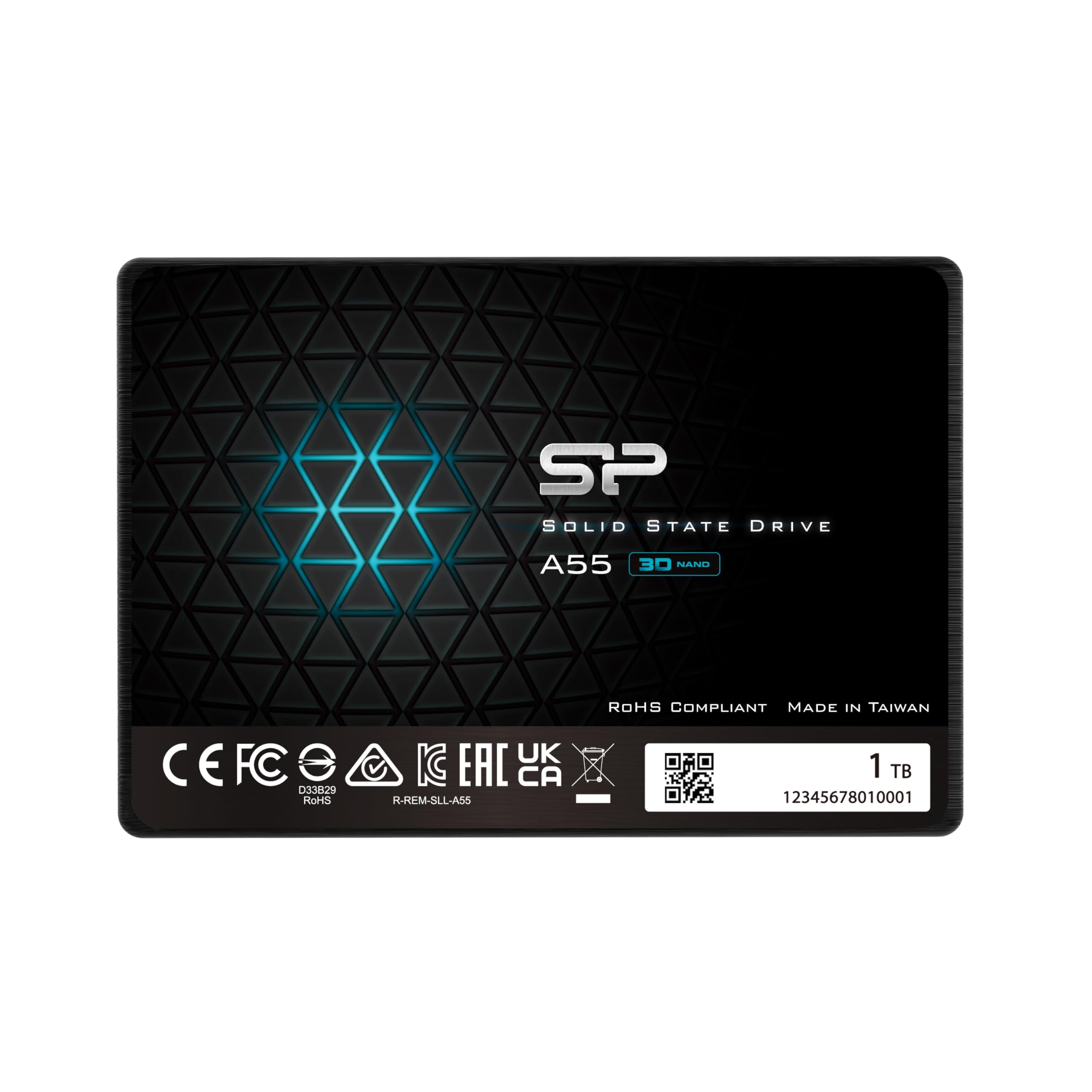
Built for the ultrabook bay where a millimetre of thickness decides the fit.
The spec to start with is the 7mm (0.28-inch) slim body. Ultrabooks and ultra-slim notebooks have shallow drive bays, and a thicker 2.5-inch drive can physically refuse to seat. This one slides in, which makes it the safe choice for a thin laptop that has a SATA slot rather than an M.2 one.
Speed sits at up to 500 MB/s with 3D NAND flash and SLC cache technology — the cache is a small fast staging area that keeps write performance from sagging during big transfers. Silicon Power backs it with a 3-year limited warranty once you register the drive on its site.
Where this picks up quiet credibility is as a system drive. People use it to bring older ultrabooks back to usable, and the read across the review pages is of drives running smoothly for years with quick boot times and easy installation. At 4.5+ stars it is a settled, low-drama option — just know that 500 MB/s is the slowest rated speed on this list, so it is a fit-and-reliability pick rather than a speed one.
thin laptop upgrades: an ultra-slim notebook with a shallow SATA bay that needs a drive thin enough to seat.
workstation duty: speed chasers — the NVMe drives here leave it well behind.
5. Kingston NV3 1TB M.2 2280 NVMe SSD, PCIe 4.0 Gen 4×4

Where the SATA ceiling shatters — a stick of M.2 speed that costs less than you expect.
Put the numbers side by side and the gap is not subtle. This drive is rated up to 6,000 MB/s read and 4,000 MB/s write over PCIe 4.0 Gen 4×4, against the Silicon Power A55’s 500 MB/s — a 12.0x gap in rated transfer rate. If your board has a free M.2 2280 slot, buying a 2.5-inch SATA drive instead is leaving most of your machine’s potential unused.
What seals it is the extras. Acronis cloning software is included, so you can copy your existing system across rather than starting from scratch, and the drive carries a 5-year limited warranty — the longest coverage on this list. Installation is a single screw and a slot.
Kingston pitches it for high-speed, low-power storage rather than sustained heavy-write workloads. It is not a heavily cooled enthusiast drive, so it is happiest in a laptop or a general desktop rather than a build pushing constant heavy writes. What wins people over is plain performance-per-dollar — it delivers Gen4 speed without the premium-tier price tag of the Samsung or the Predator.
fast Gen4 NVMe: 6,000 MB/s read, Acronis cloning software in the box, and a 5-year limited warranty, at the entry end of the NVMe tier.
needs M.2 slot: M.2 2280 — this physically will not go into a 2.5-inch bay, so confirm your board has the slot before ordering.
newer motherboard builds: your laptop or desktop has an M.2 slot and you want the biggest jump in responsiveness for the least outlay.
legacy SATA-only rigs: you are upgrading a machine with only a SATA bay — this will not fit at all.
6. TEAMGROUP T-Force Vulcan Z 1TB SATA III Internal SSD

A gaming badge on a SATA drive — great for capacity, worth reading the fine print on lifespan.
Read/write speed runs up to 550/470 MB/s with SLC cache and 3D NAND QLC flash — QLC is a denser, cheaper flash type that makes the storage affordable, which is why a 1TB drive here lands in SATA territory rather than NVMe. It fits desktops, laptops, and gaming consoles, so it is versatile about where it goes.
What the design does well is give you capacity without ceremony. Storage and installation are the areas reviewers are happiest with — the drive seats easily and holds a lot. TEAMGROUP also bundles intelligent health monitoring, so you can keep an eye on how the drive is aging.
The trade-off here is lifespan, and it is worth being straight with you. Durability draws a genuinely negative read, with a share of reviewers reporting failures after months of light use. The drive lands at 4.0+ stars — still a decent showing overall, but the lowest here. Treat it as a fit question: for a game library where you keep cloud saves, that risk is absorbable. For irreplaceable work files, it is not the pick.
RGB case builds: a spare gaming console or secondary desktop where the drive holds re-downloadable content.
PCIe Gen4 boards: this becomes the only home for irreplaceable work.
7. Crucial P310 1TB SSD, PCIe Gen4 NVMe M.2 2280
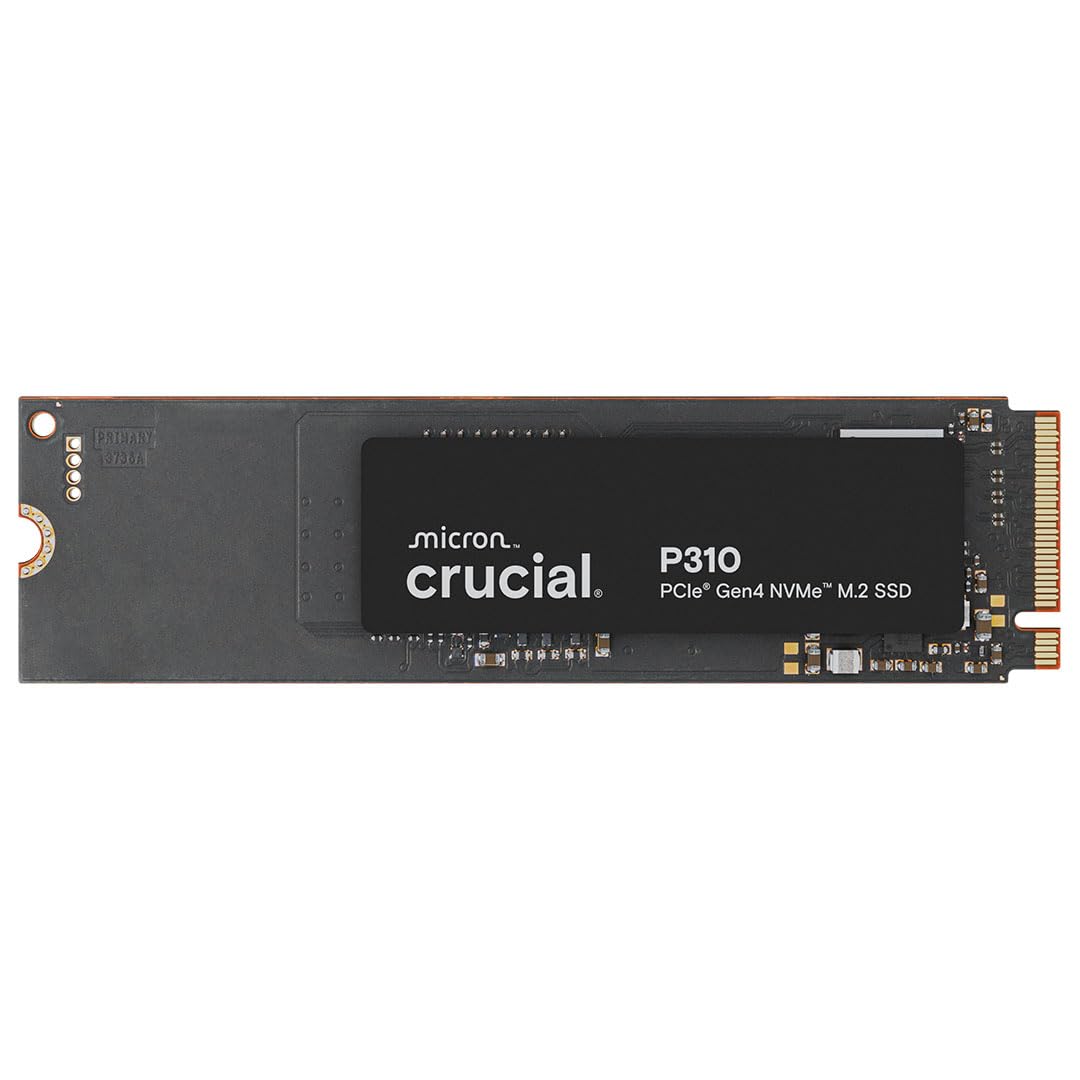
Built for the handhelds and slim M.2 slots where most gaming drives won’t seat.
The 7,100 MB/s read and 6,000 MB/s write speeds are the headline, and they make this a genuine step up from the Kingston NV3’s 6,000 MB/s. But the compatibility list is what makes this the handheld pick — it names the ROG Ally X, Lenovo Legion Go, and AYANEO Kun, plus Valve Steam Deck in the spec sheet. That kind of specificity is rare, and it saves you a return.
Underneath, it uses Micron G8 NAND with thermal control and stays backward compatible with PCIe Gen3 systems, so it also works in an older M.2 laptop that cannot run Gen4 at full speed. Crucial rates it up to twice as fast as the previous Gen3 generation, and the named workloads — booting Windows, Photoshop and Illustrator, Excel and PowerPoint — are the ones you actually feel. Acronis data recovery software is bundled.
The catch is exactly the same as every M.2 stick: it fits an M.2 2280 slot or nothing. It will not rescue a standard 2.5-inch bay. Confirm the slot first, and this is the strongest all-around NVMe pick here.
laptop NVMe slots: handheld gaming console owners and Gen4 laptop upgraders who want top-tier read speed with the fit already confirmed.
massive file dumps: your machine has only a 2.5-inch SATA bay.
8. Samsung Internal SSD 990 1TB
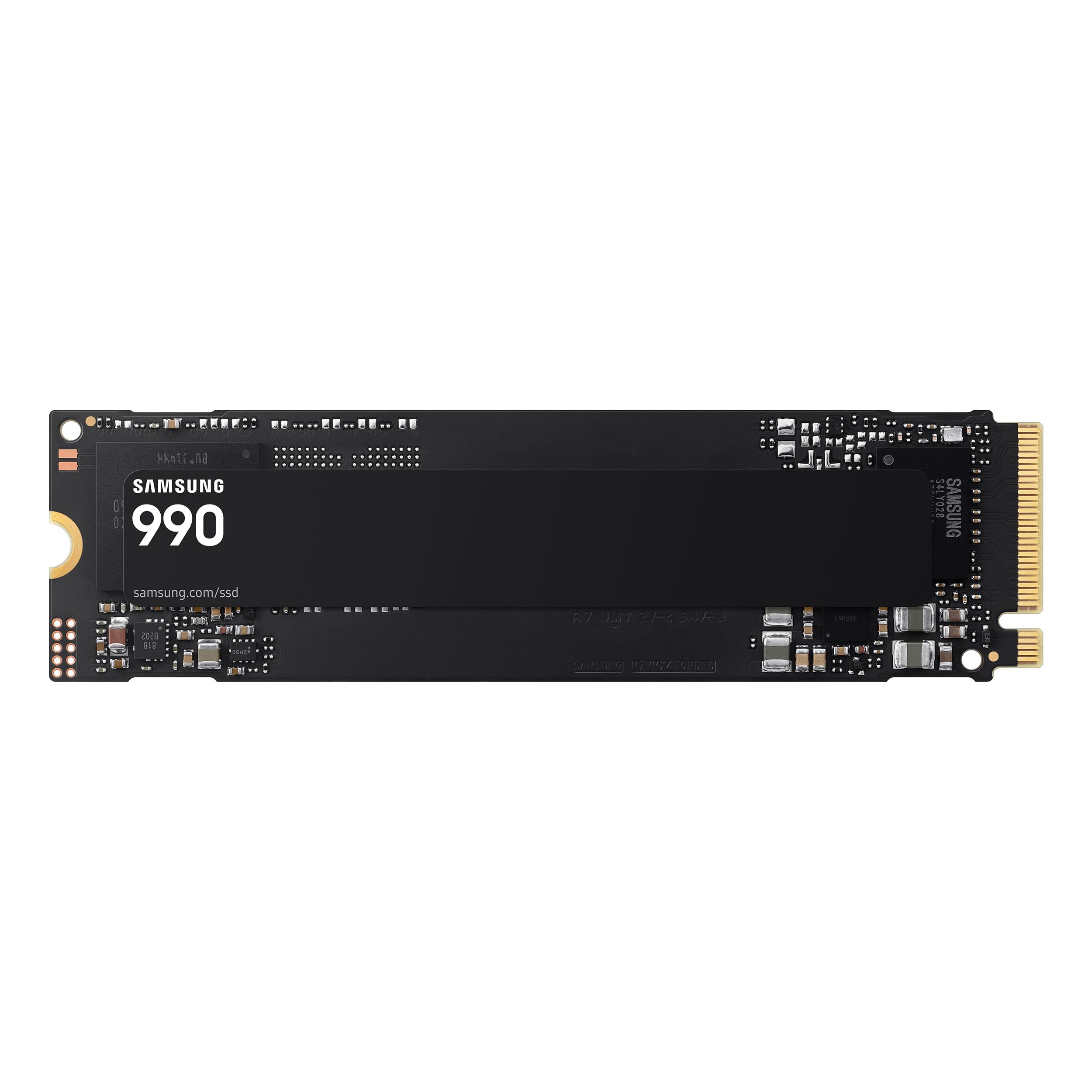
The premium label here means one thing: sustained speed that survives real workloads.
Sequential speeds run to 7,150 MB/s read and 6,450 MB/s write, paired with up to 700K/1,100K IOPS random read/write — IOPS being how many tiny read or write operations the drive can fire per second, which is what dictates whether a game level or a huge project file actually feels instant. Those random figures are the spec most buy-anything lists skip.
The other half of the story is power. Samsung claims up to 38% better performance per watt than the 990 PRO, which matters in a laptop because a cooler-running drive leaves more power budget for the CPU. It also carries hardware encryption and TRIM support — TRIM being the housekeeping instruction that keeps an SSD from slowing down as it fills. Samsung’s management suite handles firmware updates, encryption, and drive-health monitoring.
Performance and storage performance are what the review pages lead with, and the drive is the highest-rated pick in the group. The trade-off is that M.2 form factor again: this is a slot drive, not a 2.5-inch replacement.
high-end editing rigs: a new high-end build or a creator machine where sustained speed and low power draw both count.
casual office PCs: a machine that only browses and streams — the Kingston gets you the responsiveness for far less.
9. Acer Predator GM7 1TB SSD, M.2 2280 PCIe Gen 4 x4 NVMe 2.0
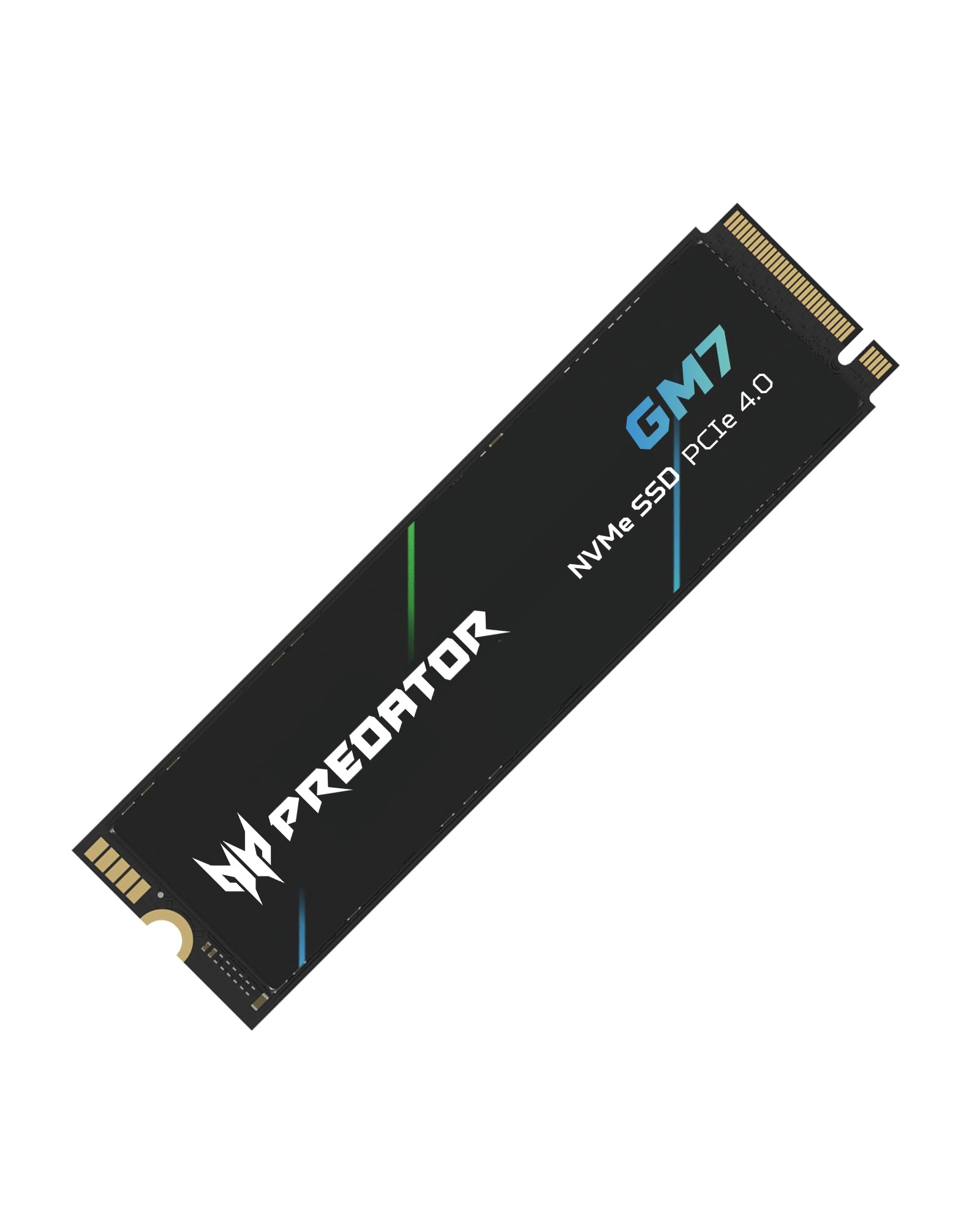
The highest rated read speed in this whole group, aimed squarely at console owners.
Start with the figure that defines it: up to 7,400 MB/s read and 6,500 MB/s write on PCIe 4.0 with NVMe 2.0. That edges past the Samsung 990’s 7,150 MB/s and the Crucial P310’s 7,100 MB/s, making this the fastest-rated drive in the lineup. The spec sheet explicitly names the PlayStation 5 as a compatible model, so console expanders have a confirmed match.
What keeps that speed from sagging is the combination of HMB and SLC cache. HMB — Host Memory Buffer — lets the drive borrow a slice of your system RAM for its mapping table, so it needs no dedicated cache chip of its own, and the SLC cache handles burst writes. Acer also builds in thermal throttling and power management, which pull speed back automatically when the drive heats up, so it stays stable under heavy loads rather than cooking itself. Predator-branded Biwin Intelligence software covers performance testing, data migration, and cloning.
The honest ceiling is that this is still a 1TB drive. Big game libraries fill fast, and a growing collection will eventually want the 2TB version. It also will not go anywhere near a 2.5-inch bay. But what wins people over is exactly what it advertises: functionality and storage performance, with PS5 users specifically confirming it slots in and runs.
gaming PC upgrades: a PS5 owner adding storage, or a desktop builder who wants the fastest sequential read number on this list.
fanless mini PCs: you need a 2.5-inch SATA drive or a smaller outlay — the Acer Predator sits at the top of the price tier.
Know the Specs
Sequential Speed (MB/s)
Megabytes per second is the size of the pipe — how much data moves each second in a straight line. A SATA drive caps at roughly 500 to 560 MB/s because that is all the SATA interface supports. An NVMe Gen4 drive climbs past 7,000 MB/s on the same 1TB capacity. The number matters most for large file copies, game loading, and project files; it matters least for typing documents.
Form Factor: 2.5-inch vs M.2 2280
A 2.5-inch drive is the flat rectangle that drops into a drive bay and connects with a SATA cable. An M.2 2280 is a bare stick about the width of a stick of gum that lies flat on the board. They are not interchangeable. Confirm which one your machine has before buying — this is the single most common upgrade mistake.
What SLC Cache Does
SLC cache is a small burst of fast storage inside the drive that absorbs sudden write spikes. When you copy a big folder, the cache takes the initial hit so the transfer stays quick. Once the cache fills, write speed can drop. It is why a rated write figure is an ideal-case number rather than a constant.
Warranty Length as a Tell
The warranty tells you something about how hard the maker is willing to stand behind the flash inside. The drives here range from a 3-year limited warranty on the SATA models up to 5 years on the Kingston NV3. Longer coverage is not proof of longevity, but it is one of the few honest signals available before you own the drive.
Common Questions
Will a 2.5-inch SSD fit my laptop?
Do I need a SATA cable to install an M.2 SSD?
Can I use a 1TB SSD in a PS5?
How do I move my old files to a new SSD?
Is NVMe faster than SATA in everyday use?
Will a faster SSD drain my laptop battery quicker?
What is TRIM and should I care about it?
Is a 1TB SSD enough for gaming?
Do I have to format a new SSD before using it?
Can I put an M.2 SSD into a desktop built for 2.5-inch drives?
The Bottom Line
For most people upgrading a computer rather than building one, the 1tb solid state hard drive that makes the most sense is the Crucial BX500 — it slots into the standard 2.5-inch bay almost every older machine already has, at a 540 MB/s speed that turns a sluggish boot into a quick one. No adapter shopping, no M.2 slot gamble, and a crowd behind it that has held up over tens of thousands of upgrades.
If you have confirmed an M.2 slot on your board, though, do not settle for SATA. The Kingston NV3 is rated at up to 6,000 MB/s and includes Acronis cloning software, which makes it the biggest jump in responsiveness for the least outlay. And if you are expanding a PS5 or a high-end build, the Acer Predator GM7 carries the fastest rated read speed here at 7,400 MB/s with the console fit already confirmed.
One nudge before you order: confirm your slot first, because the best drive in this article is worth nothing if it will not physically fit the machine in front of you.
How we choose
We do not accept paid placement. Every pick is matched to a real buyer and a real use-case; we do not hands-on test units.
Sources
Specifications: manufacturer listings and product documentation. Review insights: verified customer reviews, as of November 2026. Pricing: not shown on this page (it changes often); check the current price via the retailer link.
As an Amazon Associate, Tactical Gear Guy earns from qualifying purchases. This does not affect which products we feature.