Specs are compiled from manufacturer listings and verified buyer reviews and can change over time — please confirm the key details on the product page before buying.
You want the scratch of a pen without the shoebox of half-filled notebooks. The right pick depends on one thing: do you want a matte e-ink page under your pen, or a full-color Android screen? If you write for a living — meeting notes, PDF markups, journal entries — an e-ink tablet wins. An e-ink screen (a matte display that looks like paper) is glare-free and runs for weeks on a charge, which a bright LCD tablet cannot match. If you sketch, or you want apps and a color screen, a color note-taker is the better tool.
This guide is built by comparing the manufacturers’ published specifications and the patterns across verified customer reviews, so you get each pick’s real strengths and trade-offs instead of marketing spin.
The differences that matter are pen feel, screen size and light, and whether handwriting becomes searchable text — the details that decide whether a digital writing notebook replaces paper or ends up in a drawer.
Top Picks


How To Choose The Best Digital Writing Notebook
Start with the surface, not the storage. An e-ink paper tablet (an electronic-ink screen that reflects light like printed paper) draws almost no power between page turns, so it can run for weeks. An LCD note-taker behaves like a normal Android tablet, and you will charge it far more often. Neither wins outright — e-ink suits long writing sessions, LCD suits color and apps.
E-ink or LCD under your pen
E-ink is the choice for long, quiet writing: no notifications, no bright backlight, and one charge covers a lot of pages. LCD gives you color, video calls, and app downloads, and the trade-off is that a bright screen sitting between you and your notes can pull your attention. A nano-etched glass LCD can get close to paper texture, but it is still a lit screen.
Pen feel and pressure levels
Pressure levels measure how finely the stylus reads how hard you press — a higher number means stroke thickness and color depth shift more smoothly as you write. The 8192 and 16384-level pens here notice light versus firm strokes, so shading and emphasis look natural. A battery-free pen matters just as much: it never needs a charge, so it is ready when you grab it.
Do you need handwriting-to-text conversion?
This feature turns your scrawl into editable, searchable text. It is the difference between a notebook you can search for a name months later and a stack of scans. Some devices also fold in AI tools that summarize or reorganize your notes, which is handy for meeting minutes. Expect to proofread the first pass.
Side-by-Side Comparison
| Model | Best For | Screen | Storage | Weight | Amazon |
|---|---|---|---|---|---|
| Amazon Kindle Scribe 32GB★ Best Overall | Writing and reading in one device | 11″ paper-like display | 32 GB | 400 g | Amazon |
| Like-New Amazon Kindle Scribe (32GB)Smart Budget Buy | Budget-friendly entry into paper writing | 10.2″, 300 ppi front-lit | 32 GB | — | Amazon |
| XPPen 3 in 1 Color Digital NotebookBest Color Screen | Color notes plus Android apps | 10.95″ 1920×1200, 90Hz | 128 GB | 495 g | Amazon |
| XPPen Standalone Drawing Tablet 10.95″ | Sketching as much as note-taking | 10.95″ X-Paper, 90Hz | — | 495 g | Amazon |
| Huion Ink EB1011 | Long battery life and budget e-ink | 10.3″, 1404×1872 (227 PPI) | 64 GB | 0.99 lb | Amazon |
| reMarkable Paper Pure | Distraction-free pure writing | 10.3″ e-ink | — | 360 g | Amazon |
| Penstar eNote 2 | AI tools and a file bundle | 10.3″, 300 ppi e-ink | 128 GB | 0.97 kg | Amazon |
| reMarkable 2 with Marker Plus | Thin, focused long-form note-taking | 10.3″ black and white | — | 684 g | Amazon |
Detailed Reviews
1. Amazon Kindle Scribe 32GB (newest model)
Our pick — 4.0+★ from 500+ verified ratings; the strongest balance of quality and price.
The one device that holds books and notebooks without the apps pulling at you.
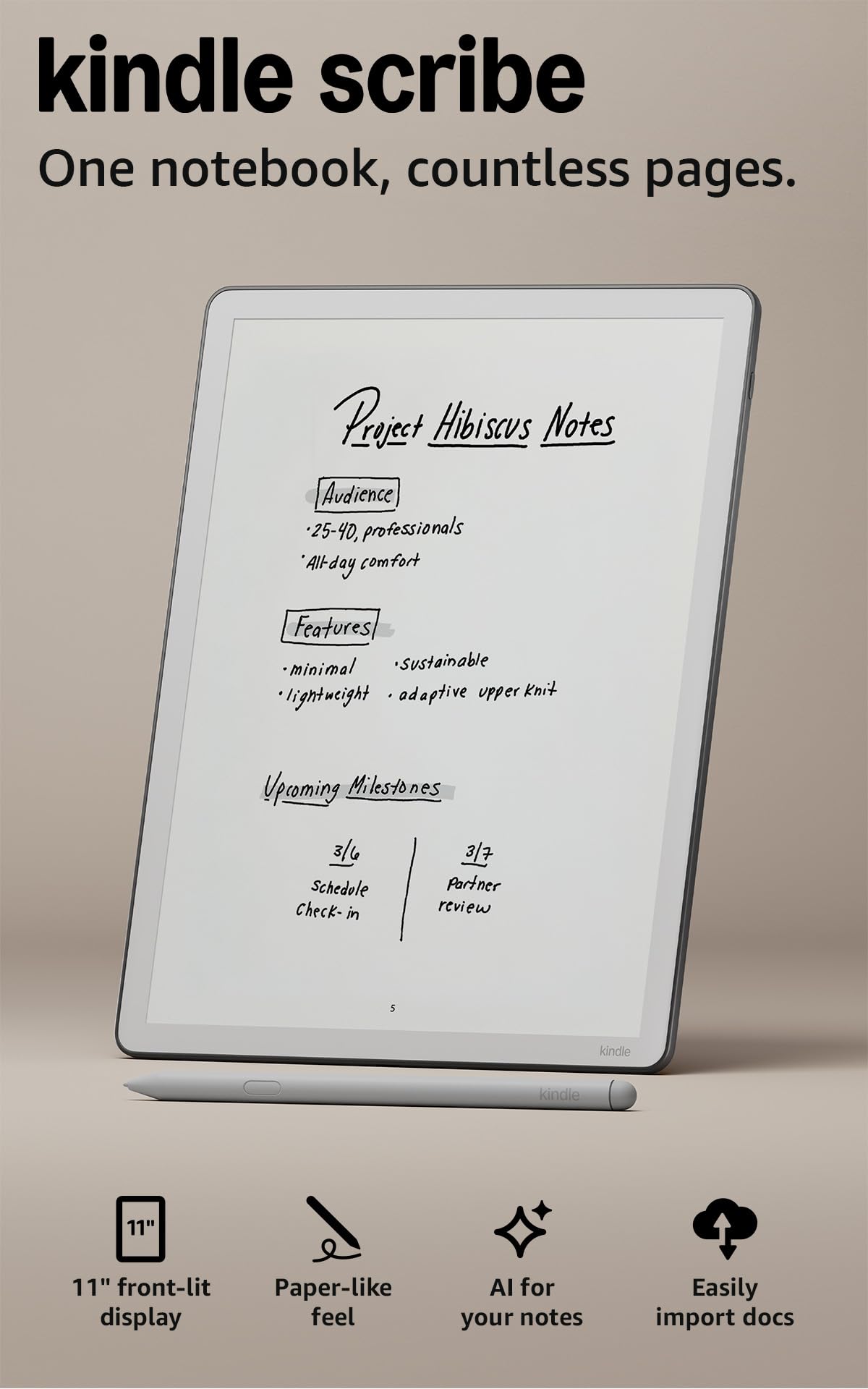
The standout number is 5.4 mm thick at 400 g — thin enough that an 11″ screen disappears into a bag, and light enough to hold in one hand through a long meeting. That size is what lets the Scribe pull double duty: it reads like the best Kindle and writes like a notebook, on a glare-free display a front light keeps readable in dim rooms. Unlike the smaller refurbished Scribe further down this list, the 10.2″ version there, this one gives you an 11″ surface, which means a PDF page fits with less squinting.
The pen-on-paper feel is the part that wins people over. The surface is textured and the included pen never needs charging, and it carries a built-in eraser plus a shortcut button for tools like the highlighter — so you can correct a line without hunting through menus. Handwriting gets cleaned up or converted to text, and the built-in AI can dig through your notes, answer questions about what you wrote, and produce summaries. The thing the crowd honestly loves is the device as a whole rather than any single feature — it feels like a finished product, not a beta.
Where it holds you back: the value and performance side gets mixed reactions, and that tracks with the honest picture. You are paying a premium for a locked-down, distraction-free machine, and the AI and speed may feel modest if you expect a full tablet. Documents import from Google Drive or Microsoft OneDrive, get handwritten markups, and export as PDFs — that is the workflow this was built for. It is the strongest all-rounder here, holding 4.0+ stars across 500+ owner reviews.
What it gets right
- 11″ glare-free display with auto-adapting front light and adjustable warmth for night reading
- Pen never needs charging and includes an eraser and shortcut button
- Weeks of battery life on a single charge, so the charger stays home
- Write directly on book pages, then convert handwriting to text and generate summaries
Where it asks you to compromise
- Priced as a premium device, and the value side is the most debated point
- Speed and interface draw mixed feedback — treat it as a writer’s tool, not a fast tablet
- Storage sits at 32 GB, well below the 128 GB a color note-taker on this list carries
Best for: Anyone who wants one device for books, meeting notes, and PDF markups without an app store calling.
Think twice if: You sketch in color or need fast app switching — the color Android options below serve that better.
2. Like-New Amazon Kindle Scribe (32GB)
Same paper feel and the same Premium Pen, in a refurbished shell that costs less.
Here is the honest value read: a certified refurbished Scribe that is tested to look and work like new and comes with the same limited warranty as a new device. The box may be generic Amazon-branded, but the writing does not change. You get a 10.2″ glare-free, 300 ppi front-lit display — 300 pixels per inch is the density that keeps small text crisp, so a scanned PDF or a dense page of notes stays sharp indoors or out.
The Premium Pen needs no setup or charge and lands with that pen-on-paper feel, and Active Canvas lets you start writing right on a book’s page while the margins expand or collapse around your notes. Built-in AI converts messy handwriting to readable font and summarizes your notes at a chosen length and tone. Functionality is what the owner base talks about most fondly — it is a do-everything tool for the desk. If the larger 11″ screen of the top pick matters more to you than the savings, that is the one real fork in the road here.
One warning worth knowing: responsiveness draws more criticism than anything else on this model, so a few people find the page turns and taps slower than they hoped. For a writer working in bursts rather than a power user flipping between apps, that rarely bites. Reading runs for months and writing for weeks per charge, which suits a notebook that lives on a desk. If the goal is paper feel on a tighter budget, this is the cleverest entry into the Kindle Scribe line.
The value math: A 10.2″ 300 ppi screen, an included Premium Pen, and the same limited warranty as a new unit — this is the sensible way into e-ink writing without paying full freight.
What to expect: Occasional lag between taps and page changes, and a generic box. Neither touches the writing itself.
Reach for this if: You want the Scribe experience and would rather put the savings elsewhere.
Look elsewhere if: You need the biggest screen — the 11″ model up top is the one for that.
3. XPPen 3 in 1 Color Digital Notebook 10.95”
A full Android tablet in disguise, with a color screen that flips between paper-white and vivid.
Let us kill the myth first: this is not an e-ink tablet, and XPPen says so plainly. It is a normal Android 14 tablet with an AG nano-etched LCD that cuts up to 95% of ambient light interference, which is how it fakes a paper texture on a lit screen. The X-key flips between Monochrome LCD, Light Color, and Nature Color modes in one press, so the same slab can read like newsprint or glow in 16.7 million colors.
Your strokes change thickness and color depth as you press, because the X3 Pro Pencil 2 stylus runs on the X3 Pro smart chip with 16384 pressure levels (how finely it reads how hard you press) and a soft nib. Page turns and scrolling stay free of ghosting (the smear that trails moving text) thanks to a 90Hz refresh rate (the screen redraws 90 times a second). You get 128 GB of storage versus the 32 GB on the Kindle Scribe, so you can keep far more notes and PDFs on board. The 8000mAh battery refills with a 20W charger. The built-in XPPen Notes app (permanent membership included) converts handwriting to text, records sound, imports PDFs, and can summarize uploaded PDFs and turn key points into flashcards.
The catch is the screen itself. The etched glass achieves its paper look with a narrow viewing angle, so you want to look at it straight on rather than from an angle. It also weighs 495 g and measures 7 mm thick, versus 400 g and 5.4 mm for the Kindle Scribe — a real difference if you cradle it in one hand for an hour. Running several apps at once can also bog it down, so keep it to one job at a time.
Why it earns a slot: 90Hz motion, 16.7 million colors, and a 13-megapixel front camera with two speakers and two mics mean this doubles as a remote-meeting screen, not just a notepad.
The honest limit: The etched glass (a lightly textured surface that mimics paper) gives you a narrow balance for viewing — angle the screen and the paper illusion fades.
Best for: Note-takers who want color, apps, and video calls from the same screen and can live with a lit LCD.
Skip if: You want true ink-on-paper calm with no notifications — the e-ink picks serve that mood better.
4. XPPen 10.95″ Standalone Drawing Tablet
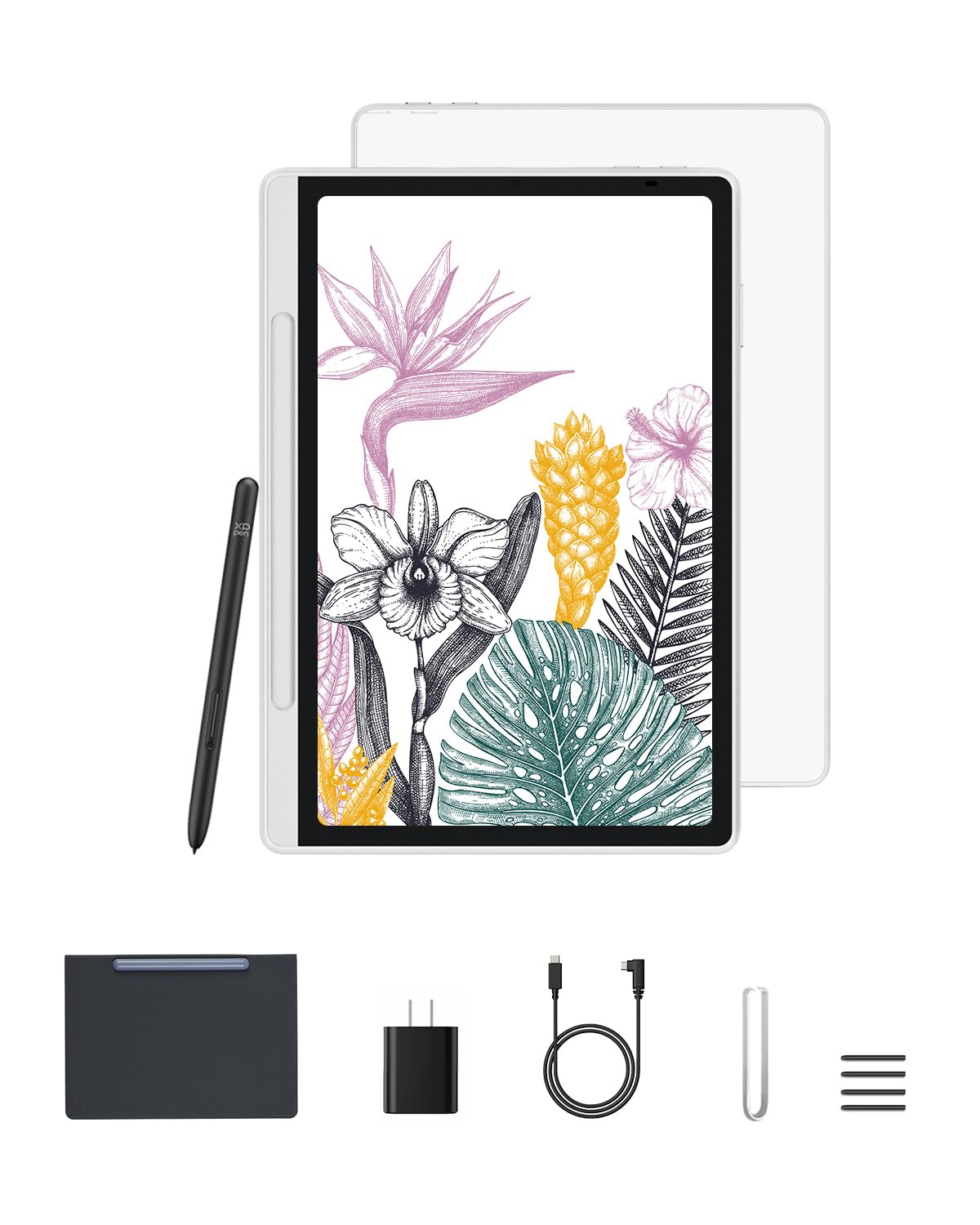
Built so a pen stroke feels like graphite dragging on tooth, not glass.
Start with the number that decides this one: 16384 pressure levels on the X3 Pro battery-free Pencil 2. That compares with 8192 levels on the Huion Ink EB1011 below, and it shows up where shading and feather-light sketch lines live. The 90Hz refresh rate keeps fast strokes smooth, and the AG nano-etched X-Paper display adds the friction that stops a stylus from sliding like ice. Design is what wins people over here — owners treat it as a handsome object, not a plastic slab.
The three color modes are the practical trick. Nature mode suits annotating notes in full 16.7 million colors, Light Color mode suits sketching, and black-and-white mode settles it into a reading surface. TÜV-certified low blue light and anti-glare treatment ease the eye over long sessions. Android 14 with Google Play means you can pull in advanced sketching apps, and the XPPen Notes app comes with a lifetime free membership.
At 7 mm thick and 495 g it travels well, and the stylus never needs charging, so it is ready whenever an idea lands. Responsiveness is the mixed note — a portion of feedback finds it less instant than expected, so treat this as a creative tool rather than a snappy tablet. If you mostly write in longhand, the paper-first e-ink machines are the calmer fit; if you split your time between notes and sketches, this is the more versatile canvas.
Strengths worth naming
- 16384 pressure levels with tilt support for natural shading
- Three color modes: notes, sketches, and distraction-free reading
- Lifetime free XPPen Notes app and full Google Play access
The trade-offs
- A lit LCD, not e-ink, so expect to charge it more often than a paper tablet
- Responsiveness draws mixed reactions — fine for sketching, not instant for everything
Pick this one if: You draw and take notes on the same device and want color plus app freedom.
Consider the alternative if: You want weeks of battery — the e-ink Huion below runs far longer between charges.
5. Huion Ink EB1011 E Ink Tablet 10.3″
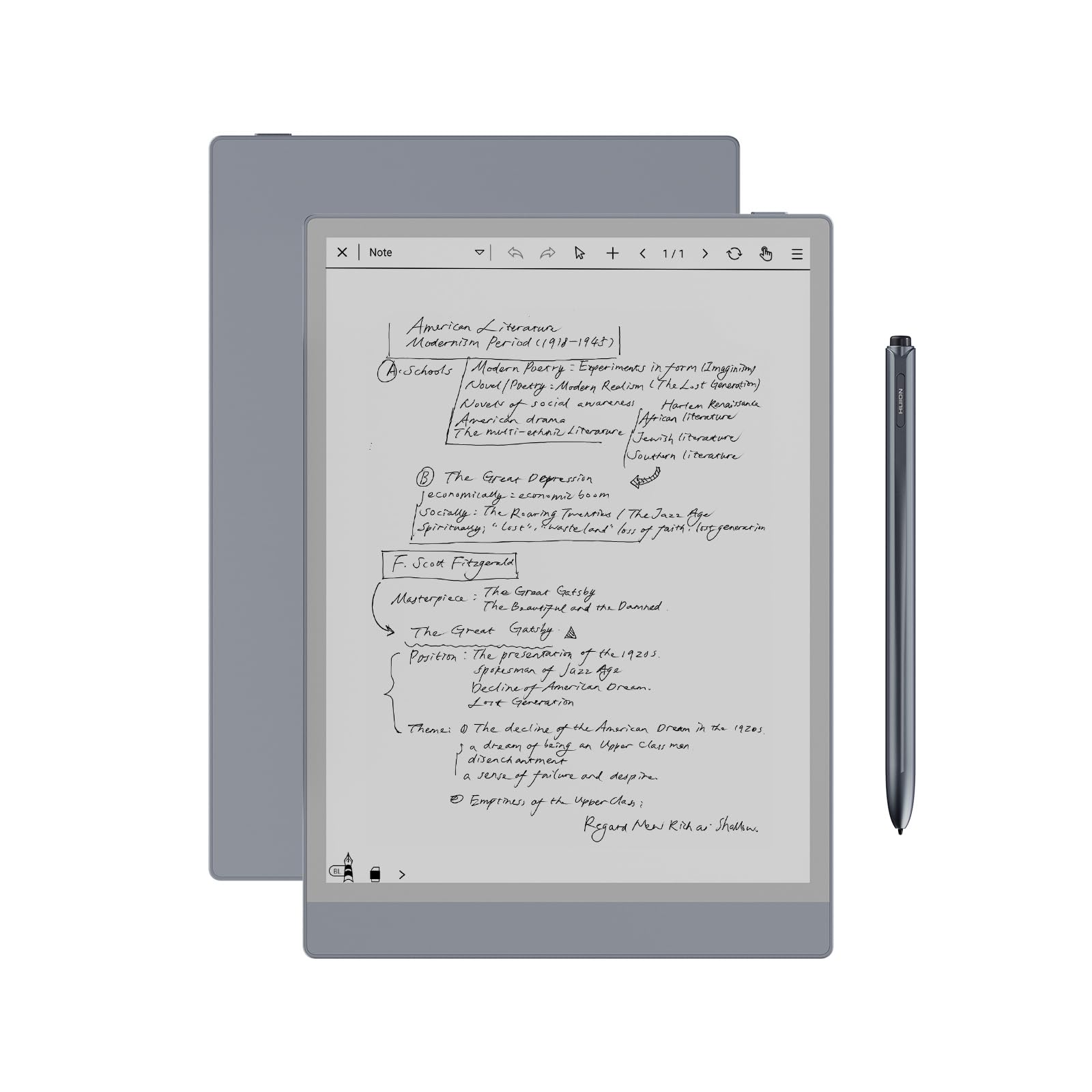
The 12-day battery that lets you leave the charger in a drawer for a fortnight.
Twelve days is the headline, and it comes from a 4650mAh battery behind a 10.3″ e-ink panel at 1404×1872 resolution — 227 PPI, dense enough that documents and books read cleanly. The fully laminated anti-glare glass keeps reflections off, and the dual-color front light lets you pick a Day, Night, or Bed preset or dial in your own color temperature. It is a genuinely comfortable surface for reading in bed.
The pen never needs charging and reads 8192 levels of pressure with a felt tip for authentic friction and a tail eraser for quick corrections. Notes convert to editable text, and sharing is done by QR code or cloud in a tap, with wireless projection to a bigger screen for meetings. Storage is 64 GB and expands up to 2TB, and the whole thing runs Android 11 with app store access — so it is a paper tablet and a small computer in one.
The most caution-worthy part is drawing: writing performance gets mixed reviews, and the general read is that this is not the machine for serious artwork. Bluetooth connectivity also drew some complaints, so if wireless pairing is central to your workflow, test it early. Beyond that, 0.99 pounds and 0.25 inches thin travel easily, and the included PU leather case folds into a stand with a dedicated stylus slot. For students and document reviewers chasing battery life, it is a strong fit.
Where it shines: Text-to-speech, split-screen reading and writing, and support for PDF, EPUB, MOBI, and DOCX make it a study companion, not just a pad.
Use it within its lane: For handwriting and reading it is solid; for illustration, look to the XPPen sketch tablet above.
Best for: Students and professionals who want e-ink reading plus note-taking with the longest gap between charges here.
Pass if: Serious drawing is your goal — mixed writing-performance feedback points elsewhere.
6. reMarkable Paper Pure Digital Notebook

Ink that lands in 21 milliseconds, so the page keeps up with your thoughts.
That 21 ms figure is the reason this exists — digital ink appears faster than the blink of an eye, per reMarkable’s own wording, so there is no visible lag between your pen moving and the stroke appearing. The third-generation 10.3″ display is whiter and carries more contrast than earlier versions, which makes black text pop on a page that mimics print. If you write fast and hate watching ink catch up, that is the spec to weigh.
This is the most stripped-back device on the list by design. Dozens of note-taking templates, an uncluttered screen, and simple navigation keep you in the writing instead of in menus. Handwritten notes convert to text, and tags and folders keep everything findable. You can pull in web articles, documents, and PDFs from Google Drive, Dropbox, and Microsoft Word, then send finished notes by email straight from the tablet.
At 360 g, it is the lightest of the 10.3″ e-ink crop here — versus 684 g for the reMarkable 2 further down. The honest trade is that the owner base is smaller and the feedback thinner, so you are buying on the strength of the writing experience and reMarkable’s reputation for build quality rather than a large crowd of reviewers. It is a niche tool for people who want one thing: a quiet page that thinks as fast as they do.
The case: Build quality is what owners single out, and the faster ink response plus a whiter, higher-contrast page is a genuine step over older paper tablets.
Keep in mind: It is a focused writer with Wi-Fi only — no app store, no color, and a small review base to lean on.
Reach for this if: Pure, distraction-free writing with instant ink response is the whole goal.
Look elsewhere if: You want color, apps, or a big established owner community to check against.
7. Penstar eNote 2 E-Ink Digital Notebook
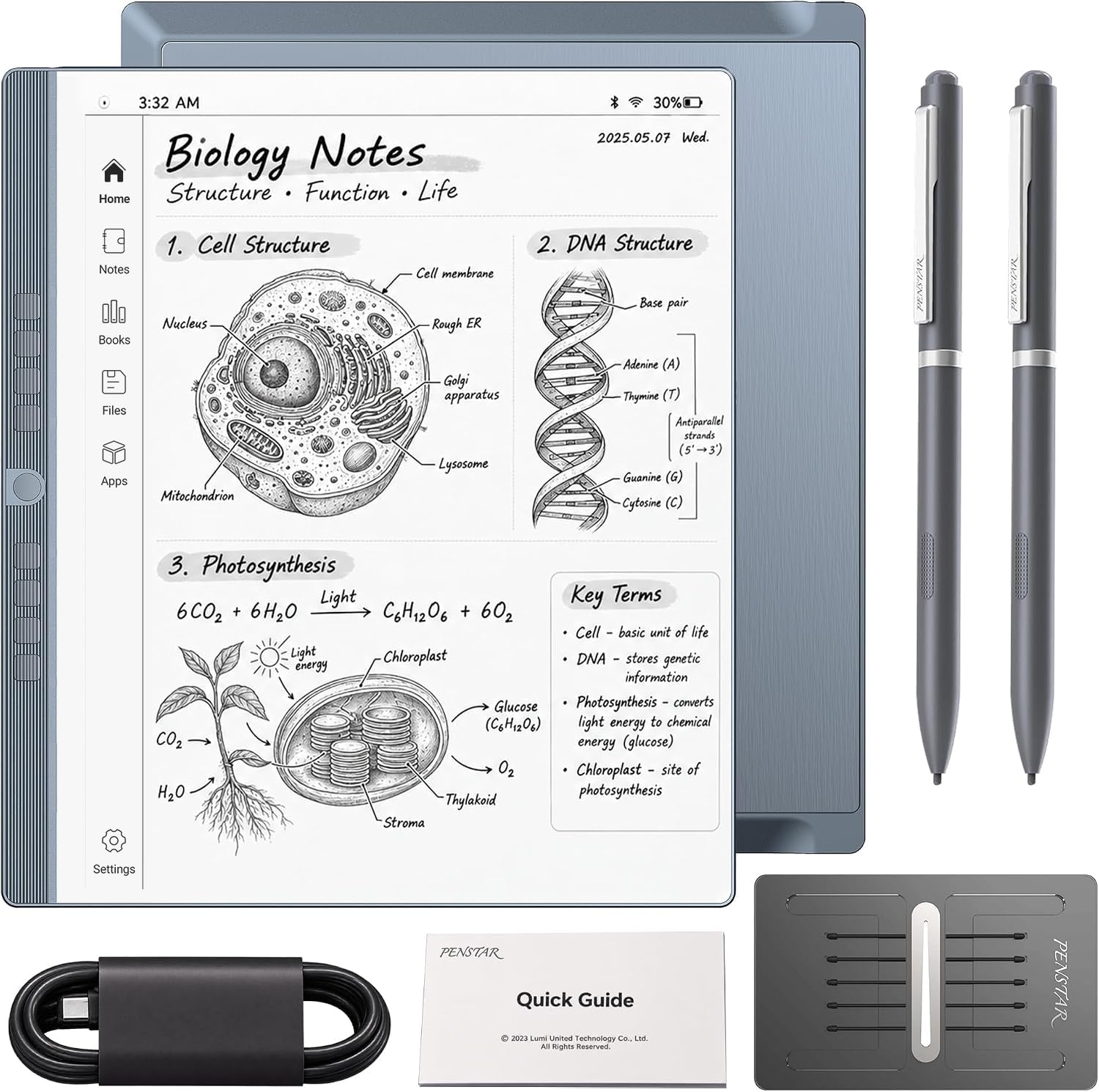
A bundle-first package: 128 GB of space, two pens, and a leather folio in the box.
The number that jumps out is 128 GB versus the 32 GB you get on the Kindle Scribe, so you can hoard PDFs, EPUBs, and years of notebooks without managing space. The 10.3″ display runs at 300 PPI with a design that strips layers to cut haze and refraction, aiming for whiter whites and punchier blacks that hold up even in sunlight. Reading looks closer to a printed page than a lit screen.
The writing side pairs 8192 pressure levels with reduced lag, and the pen aligns closely with your strokes for control. Real-time AI voice to text converts speech as you talk, and handwriting converts to typed text. AI tools summarize your notes, and folders plus tags keep documents sorted. Split-screen lets you read a book on one side and take notes on the other, which is the feature students will lean on most.
The honest caveat is that the pen and responsiveness draw mixed reports — some pens not working from the start and laggy stretches are the recurring themes, so test the pen immediately. It also weighs in at 0.97 kg, making it the heaviest pick here by a wide margin; on a desk that is fine, in a bag you will feel it. The bundle softens it: two B5 pens, ten spare nibs, a leather folio, and a charging cable are all included, so you start writing the day it arrives.
What sets it up well
- 128 GB storage, the most on this list, plus a 6500mAh battery
- AI voice-to-text and meeting summaries built in
- Complete bundle: two pens, ten spare nibs, leather folio, and cable
What to plan around
- At 0.97 kg it is a desk companion, not a pocket notebook
- Pen and responsiveness get mixed reports — check yours early
Best for: Students and meeting-heavy workers who want AI summaries and room to store everything.
Consider the lighter path if: You carry it all day — the reMarkable 2 or Paper Pure travel far easier.
8. reMarkable 2 with Marker Plus and Folio

At 4.7 mm it is thinner than most magazines, and it does exactly one job.
That 4.7 mm profile is what makes this the most portable of the e-ink machines — it slides into a bag beside a laptop without a bulge. The 10.3″ black-and-white display pairs with Marker Plus, which carries a built-in eraser, and nine spare tips are in the box. With no app store, no pop-ups, no notifications, and no social media, the entire point is staying inside the page. Up to two weeks of battery backs that up.
The workflow is tidy: sort notes and documents with folders and tags, write directly on PDFs, and convert handwriting to typed text. You can pull in Microsoft Word and PowerPoint files to keep drafting by hand, then send finished work by email or sync with Google Drive, Dropbox, and Microsoft OneDrive. A protective black leather folio and a one-year free Connect subscription come in the box, so syncing starts the day it arrives.
Two things to weigh. First, at 684 g it is heavier than the Paper Pure above, so the thinness comes with some heft in the hand. Second, reliability gets mixed feedback — it works well initially, but a portion of reports describe it stopping at the worst moment, so keep backups flowing through the cloud sync. For a writer who wants a single-purpose page and a leather folio from the start, it remains a compelling, focused tool.
The pitch: No app store is the feature. Two weeks of battery, a built-in eraser on Marker Plus, and native Word and PowerPoint handling keep the work on the page.
The reality check: 684 g and occasional reliability complaints mean cloud sync is your safety net, not an afterthought.
Pick it if: You want the thinnest focused writer here, with Markup, a folio, and sync all included.
Go lighter if: Hand fatigue on long sessions matters — the Paper Pure sheds weight and adds speed.
Know the Specs
E-ink versus LCD under the pen
E-ink (electronic ink) reflects light like paper, so it needs almost no power between page turns and reads comfortably in sunlight — that is why the Kindle Scribe and reMarkable machines run for weeks. An LCD note-taker like the XPPen is a lit, color screen that behaves like a small Android tablet; it does more, and you charge it more often. Choose by how long you write: e-ink for hour-long sessions, LCD for short bursts and color work.
Pressure levels explained
Pressure levels count how finely the stylus senses how hard you press. The Huion, Penstar, and both XPPen pens read 8192 or 16384 levels, so a light stroke stays hairline-thin and a firm one thickens. More levels means smoother shading and better emphasis. A battery-free pen matters just as much — it never needs charging, so it is ready the second you pick it up.
Screen resolution and PPI
PPI (pixels per inch) is text density. The Huion’s 227 PPI and the Kindle Scribe’s 300 ppi both keep small print and scanned pages legible, so you are not zooming to read a document. Higher numbers mean crisper notes and reading, which matters most if your work is dense PDFs rather than quick lists.
Handwriting-to-text and AI tools
Conversion turns your scrawl into editable, searchable text — the feature that makes a digital notebook better than paper you cannot search. Several picks go further: the Kindle Scribe generates summaries and answers questions about your notes, and the Penstar adds real-time voice-to-text. Expect to proofread the first pass, and treat AI as a helper, not a replacement for your own review.
Common Questions
Will a Kindle Scribe let me write on the pages of books I am reading?
Do I need to charge the stylus on these paper tablets?
What is the difference between e-ink and the XPPen color note-taker?
Can these devices convert my handwriting into typed text?
How long does the battery last on an e-ink notebook?
Can I import PDFs and mark them up by hand?
Is the reMarkable 2 the same as the reMarkable Paper Pure?
Do these note-takers need Wi-Fi to work?
Which pick is best if I mostly sketch rather than write?
How much storage do I need for notes and books?
The Bottom Line
For most people, the Amazon Kindle Scribe is the strongest pick. It folds a bookshelf and a notebook into one 11″ glare-free screen, and its pen never needs charging. Buyers have backed it too: it holds 4.0+ stars with 500+ owners behind it. Want the Scribe experience for less? The Like-New Amazon Kindle Scribe gives you the same paper feel and Premium Pen with a refurbished discount. For sketching and color, reach for the XPPen Standalone Drawing Tablet. If battery life rules your decision, the Huion Ink EB1011 is the quiet workhorse, with a 12-day battery and expandable storage. Whichever you choose, the pen-on-screen texture decides how much you will actually use it.
How we choose
We do not accept paid placement. Every pick is matched to a real buyer and a real use-case; we do not hands-on test units.
Sources
Specifications: manufacturer listings and product documentation. Review insights: verified customer reviews, as of November 2026. Pricing: not shown on this page (it changes often); check the current price via the retailer link.
As an Amazon Associate, Tactical Gear Guy earns from qualifying purchases. This does not affect which products we feature.