Specs are compiled from manufacturer listings and verified buyer reviews and can change over time — please confirm the key details on the product page before buying.
An Xbox media remote exists for one reason: so you stop fumbling for a gamepad every time you want to pause a show. Buy the right one and one small handheld covers volume, playback, apps and TV power. Buy the wrong one and you will be pressing buttons twice and swapping AAA cells every few weeks. This guide covers what actually matters, and which remotes hold up.
This guide is built by comparing the manufacturers’ published specifications and the patterns across verified customer reviews, so you get each pick’s real strengths and trade-offs instead of marketing spin.
Some remotes here run on infrared, some light up the moment you lift them, and a couple bring their own charging. Here is the honest shortlist of the best Xbox media remote options for your setup.
Top Picks

How To Choose The Best Xbox Media Remote
The single biggest decision is not brand — it is how the remote talks to your console. Almost every remote here uses infrared (IR), an invisible light beam that needs a clear line of sight to the console. That means no couch cushions blocking the front of the Xbox, and it means the remote must point roughly toward the box. If your console sits in a cabinet with a closed door, an IR remote will frustrate you no matter how many buttons it has.
Line of sight beats button count
Range figures on these remotes hover around 9 to 10 meters, which is plenty across a normal living room. What matters more is placement: an IR beam bounces off walls a little, but it will not pass through wood or glass doors. Put the console where you can see it and almost any remote on this list will reach it.
Count the buttons you actually press
A media remote lives or dies on whether your thumb finds Pause, volume and the D-pad without looking down. More buttons can mean more to hunt for if the layout is crowded. A tidy 10-button pad with a responsive D-pad often beats a 20-button slab where the playback keys are buried. Look for dedicated Play, Pause and volume keys rather than a single multi-function button.
Backlighting and battery life trade blows
Motion-activated backlighting lights every button the moment you pick the remote up — genuinely useful for a dark-room movie night. The catch is that lit buttons and IR both draw power, and AAA cells drain at different rates across these models. A rechargeable remote sidesteps the battery question entirely, but you trade that for remembering to charge it.
Side-by-Side Comparison
| Model | Best For | Buttons | Weight | Range | Amazon |
|---|---|---|---|---|---|
| Nyko Media Remote – Xbox One★ Best Overall | Everyday streaming control | — | 1.6 oz | 9 meters | Amazon |
| Dpofirs Console RemoteCompact Pick | One-hand compact navigation | 10 | — | 10 meters | Amazon |
| PDP Solis Gaming Media Remote | Never buying batteries again | 15 | 3.52 oz | 10 feet | Amazon |
| 8Bitdo Media Remote (Short Edition) | Best overall balance | 20 | 0.1 kg | 10 meters | Amazon |
| Tyadas Media Remote (Black) | Simple plug-and-play setup | 16 | 0.05 kg | 10 meters | Amazon |
| Plauduct OG Green Glow Remote | Late-night style and glow | — | 1.6 oz | — | Amazon |
Detailed Reviews
1. Nyko Media Remote – Xbox One
Our pick — 4.0+★ from 450+ verified ratings; the strongest balance of quality and price.
The 1.6-ounce remote that wakes your Xbox without a single setup step.
If you mostly want one thing — press a button, your Xbox does it, no programming — this is the pick to beat. The Nyko runs on infrared at a 9-meter range, which covers a normal living room from couch to console with room spare. At 1.6 ounces it is the lightest thing on this list, and that lightness is why it disappears in your hand instead of weighing it down through a two-hour film.
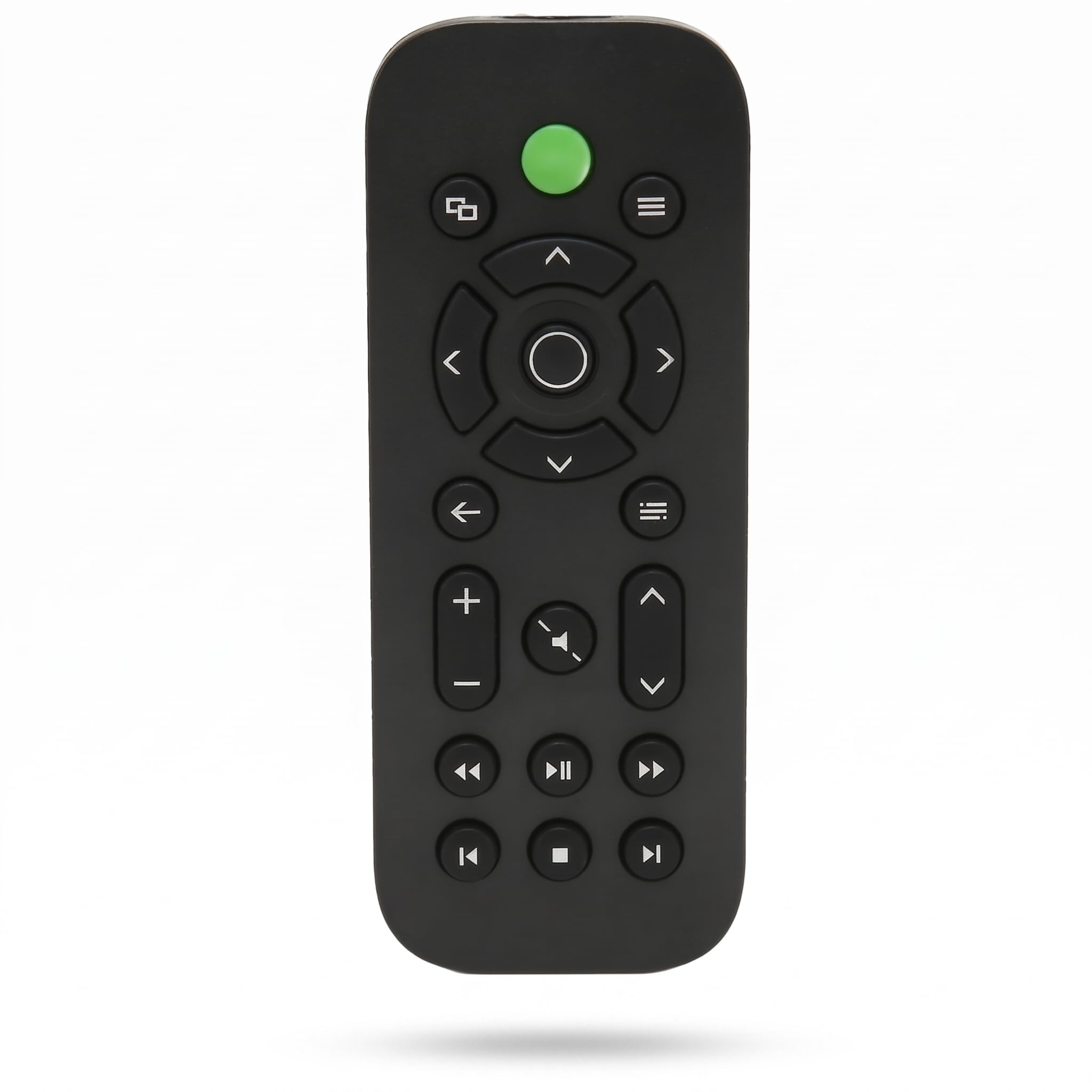
What wins people over is plain build quality and reliability — the two things this remote gets praised for most. It powers the Xbox on and off, handles One Guide, Netflix, Hulu Plus, Amazon Instant and more, and it includes dedicated Play, Pause and Fast Forward keys rather than burying them. It can also control volume, channels and power on the TV itself, so one handheld covers the whole setup.
Weigh it against the Plauduct glow remote and the trade is obvious: the Nyko gives you a bigger household name at a lighter 1.6 ounces, while the glow model leans on a 25th-anniversary look. Where the Nyko asks for patience is button feel. Responsiveness is the mixed-note in its record — a few people find the keys need a deliberate press. And as with every IR model here, keep the console in view; this is not a remote that will punch through a closed cabinet.
Where This Remote Wins
- No setup or programming — batteries in, it just works
- Dedicated Play, Pause and Fast Forward keys for streaming and discs
- Controls Xbox power plus TV volume, channels and power
- 1.6 ounces — barely there in the hand
- Rated the most reliable of the budget and mid-tier group
Where It Asks a Little Patience
- Button presses can feel soft — press firmly for playback keys
- Infrared needs line of sight, so a closed cabinet blocks it
- Two AAA batteries not included
Go for this if: you want a simple, featherweight remote that handles streaming, discs and TV power with zero setup.
Think twice if: you keep the Xbox behind a closed door — the IR beam needs to see it.
2. Dpofirs Console Remote
Ten buttons, one hand, nothing extra to trip your thumb.
The Dpofirs runs on half the button count of the 8Bitdo — 10 to its 20 — and that is the entire pitch. Fewer keys means the ones you need sit where your thumb expects them, and the compact ABS (a tough plastic) shell is shaped to sit in one hand through a long streaming session. If crowded remotes make you hunt for the D-pad, this is the calmer layout.
It matches several models here at a 10-meter infrared range, so distance across a room is a non-issue. Inside those 10 buttons it packs a responsive D-pad, dedicated playback controls and dedicated media keys for menus, streaming apps and your library. Power comes from two AAA batteries, and the listing describes energy-saving behaviour to stretch them. One console per remote, so this is a personal clicker rather than a household multi-device unit.
Compared with the 8Bitdo above, you give up ten buttons and the larger review history that comes with the bigger name. What you keep is a tidier, one-hand form. The trade a buyer should weigh: a small review base means less validated history, so lean on the spec — the compact body and simple layout are the reasons to choose it, not a crowd of opinions.
The layout logic: 10 buttons and a responsive D-pad keep your thumb on target — the opposite of a 20-button slab where playback keys get lost.
Worth knowing: it handles one console at a time, and it lives behind the same line-of-sight rule as the other IR remotes here.
Best fit: someone who wants a small, uncluttered remote that fits comfortably in one hand for long viewing sessions.
Pass if: you want dedicated TV power and channel keys crowded onto the same pad.
3. PDP Solis Gaming Media Remote
The only remote here you charge instead of feed AAA cells.
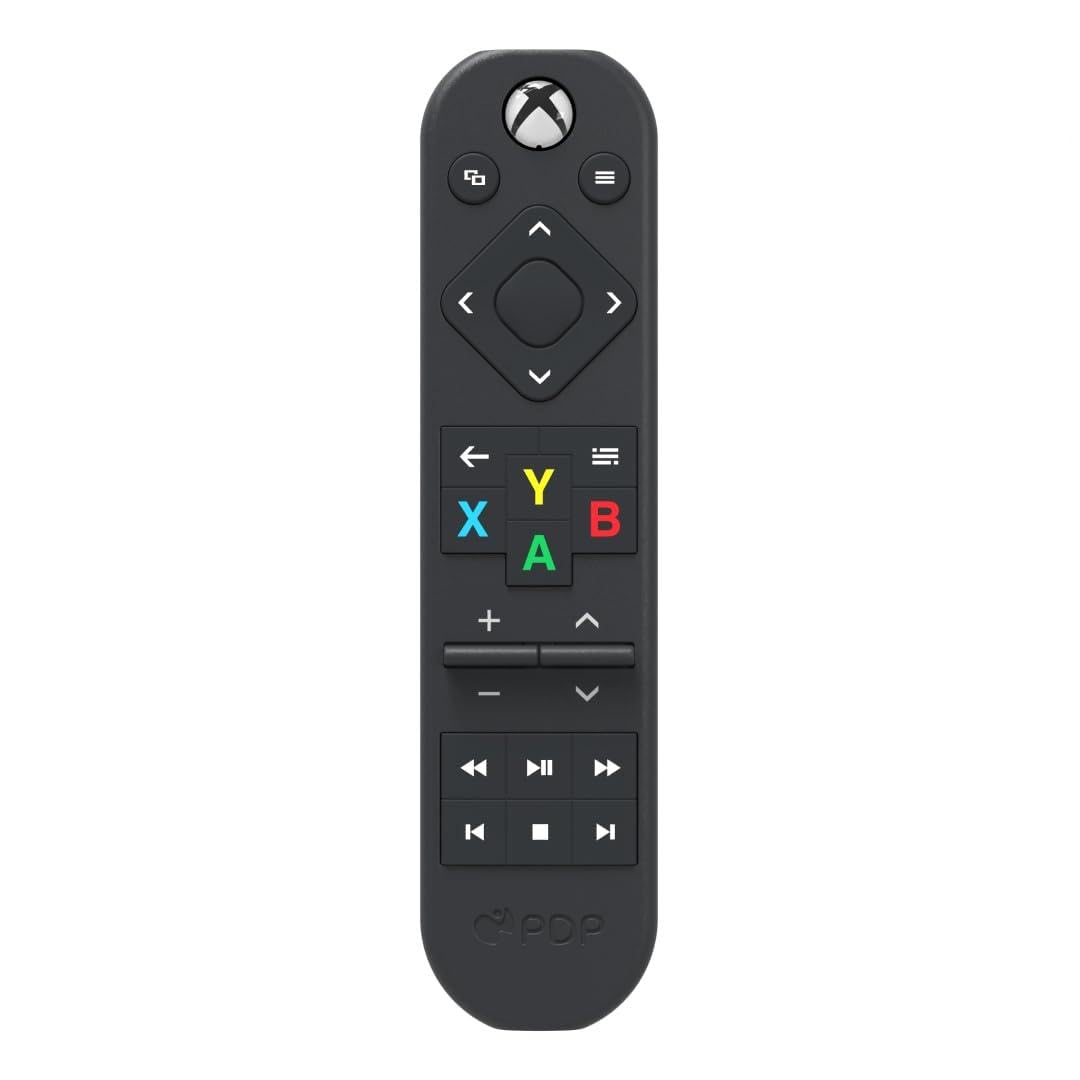
Solar and USB-C charging are the headline, and they mean you never buy batteries again — a real running-cost win if you are tired of watching a clicker die mid-episode. It is officially licensed by Xbox, which is why soft rubberized-feel controls and the common A, B, X, Y keys all sit where an Xbox owner expects them. At 3.52 ounces it is the heaviest remote in this group; the Nyko tips the scales at 1.6 ounces, so the Solis carries noticeably more weight in hand.
That extra heft buys 15 buttons, motion-activated backlighting so the keys light up in a dark room, and support for up to three devices. Reach is a short 10 feet — well under the 9 to 10 meters several others here manage, so it wants a tighter seating setup. The 50% recycled plastics are a nice touch if you care where the shell comes from.
The recurring gripe, fair and square, is responsiveness — the volume and channel keys take deliberate presses, and some units occasionally miss an Xbox command entirely. That is the trade for going rechargeable with this remote: you free yourself from batteries, but you accept a button feel that is less crisp than the Nyko. If crisp one-tap feedback tops your list, look at the Nyko instead. If you would rather never hunt for AAA cells again, the Solis is worth the adjustment.
Why the Solis Earns Its Place
- Solar plus USB-C charging — no more buying AAA batteries
- Officially licensed by Xbox with familiar A, B, X, Y controls
- Motion-activated backlit buttons for dark rooms
- Supports up to three devices
- Shell made from 50% recycled plastics
The Trade You Accept
- Heaviest on the list at 3.52 ounces
- Shortest reach at 10 feet versus the meters-tier rivals
- Volume and channel keys can need a firm, deliberate press
Pick this one if: never buying batteries again outweighs everything else, and your console sits within 10 feet.
Steer clear if: you want the longest reach or feather-light handling — the Nyko suits both better.
4. 8Bitdo Media Remote (Short Edition)

Twenty buttons and the deepest review history on the entire list.
The 8Bitdo is the remote most Xbox owners reach for, and that shows in the sheer weight of feedback behind it — the largest review base of anything here. It brings 20 buttons, twice the 10 on the Dpofirs, laid out with dedicated Xbox keys so you can jump straight to menus and apps. A Home button wakes the console instantly, which is the single touch that makes it feel native.
At 0.1 kg it is heavier than the Tyadas at 0.05 kg, but the short-edition body stays compact enough for one-hand use, and the motion-activated backlight fires up when you lift it. It is compatible with Xbox Series X, Xbox Series S and Xbox One, reaches 10 meters, and carries a familiar A, B, X, Y set plus a responsive D-pad.
The parts that deserve honesty: battery life is the weak spot — this remote tends to go through cells faster than the Tyadas or Nyko, so buy AAA cells in bulk. Button responsiveness is also a live debate; some presses need a second go, especially on the media keys. And whether it connects smoothly to your specific Xbox varies. Weigh that against the fact that the overwhelmingly common experience is that it works better than the remote it replaced. For most people the reliability maths still lands in its favour.
Why It Leads the Pack
- 20 buttons with dedicated Xbox keys — no menu hunting
- Dedicated Home button wakes the console instantly
- Motion-activated backlighting for dark rooms
- Works with Series X, Series S and Xbox One
- Largest, most established reviewer base in this group
What to Set Expectations For
- Battery life runs short — restock AAA cells
- Some buttons need a second press to register
- Heavier than the Tyadas at 0.1 kg
The safe bet: you want the remote with the most real-world track record and a dedicated Home button that wakes the console in one press.
Acaution: you are fussy about battery longevity — the 8Bitdo drinks AAA cells faster than the Tyadas.
5. Tyadas Media Remote (Black)

A plug-and-play clicker with the lightest body here and a lid that stays shut.
You can hold the Tyadas all evening without noticing it, because at 0.05 kg it is the lightest remote in the entire group — half the weight of the 8Bitdo at 0.1 kg. It navigates games, TV, Blu-ray and apps through a traditional, compact layout with a soft rubberized texture, so your thumb grips rather than slides.
Two practical touches stand out. The battery cover uses an improved hook design to keep the lid firmly attached, so no more chasing a sliding cover across the sofa. And the motion-activated backlighting finds the buttons for you in a dark room. Setup is truly plug and play — batteries in, it functions with no configuration. The one caveat the listing itself flags is that TV control depends on setup and on the TV itself, so check the manual if you want one remote running the whole entertainment stack.
Compared with the heavier 8Bitdo, the Tyadas trades a cluster of extra buttons for a leaner 16-button pad and a lighter feel. It matches several rivals at a 10-meter reach, so distance is not the question. Reach for it if simplicity and a secure battery lid are what you prize; if you want maximum buttons and the biggest review history, the 8Bitdo is the call.
The featherweight angle: 0.05 kg — the lightest shoe leather here, so long sessions never feel like you are holding a brick.
The fine print: TV power and channel control can depend on your particular TV and setup, so expect to check the manual once.
This suits you: you want a light, plug-and-play remote with 16 usable buttons and a battery lid that will not wander off.
Not for you: you insist on controlling TV volume and channels from the Xbox remote without any setup at all.
6. Plauduct OG Green Glow Remote

The OG green shell that turns your whole remote into a glowing light.
This is the one you buy because it looks the part. The OG green translucent shell amplifies the built-in LED, so the entire remote — buttons included — lights up green at once. For a late-night console session in a dark room, that is genuinely a sight. It carries full media and game control with A, B, X, Y, D-pad, playback and volume keys, and it plays nicely with the Xbox Series X|S and Xbox One.
Motion activation handles the practical side — pick it up and it lights instantly, so you are not hunting buttons in the dark. The improved hook design keeps the battery back cover firmly shut, avoiding the sliding-off issue that plagues some remotes. For a personal touch, it even ships with two logo decals (black-on-white and white-on-black) so you can finish the look to taste.
The honest read: this remote has the smallest review base here, so you are choosing it largely on the glow and the design story rather than on thousands of owner verdicts. The information provided also does not confirm whether software updates are supported. At 1.6 ounces it sits among the lightest in the group, matching the Nyko, so the glow does not cost you weight. If the green glow is what sold you, this is the one.
The showpiece: a full-body green glow from the translucent shell lights every button and the whole remote together — a console-matching centrepiece for late-night viewing.
The realism check: a small review base and no confirmed software-support path mean you take this one on its looks.
Go for this if: the glow and the anniversary green are what won you over, and you want a light 1.6-ounce body to match.
skip it if: you want a large track record of owner experience before you buy.
Know the Specs
Infrared vs Wireless Connection
Most Xbox media remotes here use infrared — an invisible light beam, so the remote must be able to see the console. That means keeping the Xbox where the beam can reach it, not behind a closed cabinet door. A few models specify wireless connectivity, which removes the line-of-sight rule. If your setup hides the console, lean toward the wireless option and test that the remote pairs without fuss.
Maximum Range
Range is the distance the remote can reliably reach the console. The models here split into meters-tier units (9 to 10 meters) and one that lists 10 feet. If your couch sits far from the console, the meters-tier remotes give more slack; a tight, short-reach remote is best for close seating. Range rules only apply to IR, since light needs an unobstructed path.
Button Count and Layout
Button count is a shortcut for complexity. A 10-button remote like the Dpofirs keeps the essentials under your thumb; a 20-button remote like the 8Bitdo adds more dedicated keys. More buttons help if every function has its own key, but a crowded face can make you hunt for Pause. Dedicated playback keys and a responsive D-pad matter more than raw count.
Power Source and Backlighting
Backlighting lights the buttons when you pick the remote up — great in a dark room, but lit keys and infrared both draw power. Most remotes here run on two AAA batteries you supply. The PDP Solis charges by solar and USB-C, so it skips batteries entirely. Weigh battery drain against the convenience of a lit face when you choose.
Common Questions
Will an IR media remote work if my Xbox is in a cabinet?
Do I need to program or pair these remotes to my Xbox?
Why do some remotes need batteries more often than others?
Which remote works with all three Xbox consoles?
Can one media remote control my TV as well as the Xbox?
Is a 10-button remote worse than a 20-button one?
How far away can I use these remotes from the couch?
Do these remotes include batteries in the box?
Will the backlight drain my batteries faster in a dark room?
The Bottom Line
The best Xbox media remote for most people is the Nyko Media Remote — it pairs a feather-light 1.6-ounce body with a 9-meter reach, dedicated playback keys and TV control, and it needs no programming at all. For a remote you charge instead of feed, grab the PDP Solis with its solar and USB-C charging. And if you want the deep track record with a dedicated Home button, the 8Bitdo Media Remote is the one to reach for — just keep spare AAA cells nearby.
How we choose
We do not accept paid placement. Every pick is matched to a real buyer and a real use-case; we do not hands-on test units.
Sources
Specifications: manufacturer listings and product documentation. Review insights: verified customer reviews, as of November 2026. Pricing: not shown on this page (it changes often); check the current price via the retailer link.
As an Amazon Associate, Tactical Gear Guy earns from qualifying purchases. This does not affect which products we feature.