Specs are compiled from manufacturer listings and verified buyer reviews and can change over time — please confirm the key details on the product page before buying.
Buying speakers for an Xbox Series X is mostly about one decision: do you want a separate subwoofer box that pushes real low-end punch, or a compact soundbar that sits under your monitor and keeps your desk clear? The console itself has no speaker output of its own, so you will be running audio from your TV, your monitor, or a controller-free setup through a wired or Bluetooth connection. Pick right and explosions and engine rumble land with real weight; pick wrong and you get thin audio and a tangle of cables.
This guide is built by comparing the manufacturers’ published specifications and the patterns across verified customer reviews, so you get each pick’s real strengths and trade-offs instead of marketing spin.
Below you will find the subwoofer systems, compact RGB bars, and surround-capable gaming sets that owners actually rate highest, with the honest caveats written in plain English, so you can match a set to your desk and your room before you buy the best Xbox Series X speakers for your setup.
Top Picks


How To Choose The Best Xbox Series X Speakers
The Series X sends its audio out through your screen, so the speakers themselves never talk to the console directly. That single fact reshapes everything: what matters is which inputs the speakers offer, how much space they occupy, and whether they can deliver the low end that makes a shooter feel physical. Here is how to sort the field.
Decide between a 2.1 system and a soundbar first
A 2.1 setup means two small satellite speakers plus a separate subwoofer box — the box handles bass you can feel in your chest. A soundbar is one long bar that sits under or beside your monitor, so it saves floor and desk space but usually gives you less depth. If you play cinematic single-player games and have floor space for a sub, the 2.1 route wins. If your desk is tight or you share a wall with a neighbor, the soundbar is the kinder choice.
Check the connection type before anything else
Most TVs and monitors output audio over a 3.5mm headphone jack or RCA, and nearly every set here accepts at least a 3.5mm cable. Bluetooth is convenient for music from your phone but can add a slight delay against on-screen action, so treat it as a bonus rather than your main gaming link. USB audio is the tightest low-latency option on sets that offer it, though it usually means a PC rather than a console.
Match wattage to your room, not your ego
Peak power ratings describe short bursts, while RMS describes sustained output — and the two numbers are rarely the same. A set rated at 400 watts peak is built to fill a large living room, whereas a 32-watt pair is honest for a bedroom desk. Overshooting your room’s size mostly buys headroom you will never use past halfway on the dial.
Side-by-Side Comparison
| Model | Best For | Peak Power | Connection Options | Form Factor | Amazon |
|---|---|---|---|---|---|
| Logitech Z623 400 Watt Home 2.1 Speaker System★ Best Overall | Filling a big room with bass | 400W peak / 200W RMS | RCA and 3.5mm | 2 satellites + subwoofer | Amazon |
| Klipsch ProMedia 2.1 THX CertifiedTHX Certified Pick | THX-certified clarity | 200W peak | 3.5mm | 2 satellites + 6.5″ subwoofer | Amazon |
| Logitech G560 with 7.1 DTS:XBest Lighting Sync | Game-reactive RGB and surround | 240W peak | USB and Bluetooth | 2 satellites + subwoofer | Amazon |
| Edifier G2000 Pro 2.0 RGB | Virtual 7.1 on a small desk | 64W peak / 32W RMS | Bluetooth 5.4, USB-C, 3.5mm AUX | Compact 2.0 pair | Amazon |
| SteelSeries Arena 3 2.0 | PC tuning with Sonar software | — | PC wired, Aux, Bluetooth | 2.0 pair with 4″ drivers | Amazon |
| Edifier Hecate RGB Gaming | Space-saving gaming pair | 32W peak (16W+16W) | Bluetooth 5.1, USB, 3.5mm AUX | Compact 2.0 pair | Amazon |
| Bluedee 2.1 with Subwoofer | Balanced sound on a budget | 80W peak | Bluetooth 5.4, USB-A, USB-C, 3.5mm | 2 satellites + subwoofer | Amazon |
| Deeyaple 40W Wireless Soundbar | Screen-synced lighting | 40W | Bluetooth 5.3, USB audio | Single soundbar | Amazon |
| Nylavee PC Sound Bar | Tidy office and bedroom desks | — | Bluetooth, 3.5mm AUX | Single soundbar | Amazon |
Detailed Reviews
1. Logitech Z623 400 Watt Home 2.1 Speaker System – Black
Our pick — 4.5+★ from 11,500+ verified ratings; the strongest balance of quality and price.
A THX-certified 2.1 rig that turns a living-room console setup into a small cinema.
If your Series X lives under a big TV rather than on a bedroom desk, this is the set to beat. The headline number is 400 watts peak with 200 watts RMS — peak is short-burst punch, RMS is what it can hold continuously, and here the gap is honest rather than inflated. The satellites are rated 2 x 35 Watt, and the subwoofer carries 130 W of that output, which is exactly the split you want: small speakers for voices, a dedicated box for the rumble.
Connections are the practical win for console owners. You get RCA and a 3.5mm input, and Logitech says it can take up to three audio devices at once, so your TV, your phone, and a tablet can all stay plugged in. The brand lists Xbox among compatible devices, which tells you the 3.5mm path from your screen works as intended. The subwoofer measures 11.2 x 12.0 x 10.5 inches, so plan floor space beside the TV stand rather than assuming it tucks away.
What wins people over is the sheer amount of sound for the outlay — owners overwhelmingly talk about sound quality and how far their money stretches. The honest catch is longevity: the volume of praise about sets still going strong sits alongside a smaller stream of reports about units failing early, so treat it as a genuinely loud, genuinely good-value system rather than a buy-it-for-life box. The other thing to know is that it does not appear to ship with a remote in the listed bundle, so expect to reach for the control on the speaker itself.
Why It Tops The List
- 400 watts peak with 200 watts RMS gives real sustained headroom for movies and shooters.
- THX certification is a recognised baseline for cinema-style playback.
- RCA plus 3.5mm lets you keep several devices wired in at once.
- A 130 W subwoofer does the low-end work so the satellites stay clear.
Where It Asks For Patience
- Durability chatter is mixed — some units run for years, a few stop early.
- The subwoofer is a sizable box at 11.2 x 12.0 x 10.5 inches, so it needs floor room.
Buy it for: a TV-based console setup where you want volume, bass, and a couple of spare inputs without climbing the premium tier.
Think twice if: your desk is shallow and a separate subwoofer box simply has nowhere to go.
2. Klipsch ProMedia 2.1 Computer Speaker System
Horn-loaded satellites and a 6.5-inch side-firing sub for players who prize clarity over raw wattage.
This is the set for someone who cares more about hearing a pin drop than about the biggest number on the box. Klipsch fits its MicroTractrix horn technology to the satellites — a horn is a shaped waveguide that pushes sound outward more efficiently, so you get more audible output from each watt. The satellites use 3″ midrange drivers, and they hand off to a 6.5″ side-firing ported subwoofer, which is the largest bass driver on this list.
Peak power is 200 watts, and Klipsch rates in-room output at 110dB — for context, the brand points out live rock music averages 108 to 114 dB, so this can genuinely fill a room. That is a smaller peak figure than the Logitech Z623’s 400 watts, and it matters if you want the loudest possible ceiling rather than the cleanest mid-range. The trade you make is tonal: horns are crisp and forward, which suits gunfire and dialogue, but some ears find them bright on long sessions.
Setup is plug and play over a single 3.5mm input, and a corded control pod handles main volume plus subwoofer gain — the separate bass dial is a quiet luxury when you want rumble at night without waking the house. The recurring gripe is a missing on-off switch, so you will be leaving it powered or reaching for a strip. Reliability chatter exists too, with some sets arriving with a dead satellite; that is a shipping or unit-lot issue rather than a design flaw, but buy from a source with an easy return window.
What It Does Best: Reproduces detail in the 3″ midrange drivers and 6.5″ sub, so footsteps, reloads, and dialogue all stay distinct even during chaotic firefights.
The Honest Trade: No power switch on the unit itself, and 200 watts peak sits below the loudest systems here.
Pick this one if: you want THX-certified clarity and a bass dial you can feather down for late-night sessions.
Look elsewhere if: you want the maximum peak wattage figure or a simple off button on the box.
3. Logitech G560 PC Gaming Speaker System
The one that paints your wall in game-driven colour while rendering audio from every angle.
Two things define this pick, and neither is a pure wattage number. First, DTS:X Ultra surround sound — a processing mode that simulates height and direction so you can place a sound behind and above you. Second, LIGHTSYNC RGB, which Logitech says reacts to in-game audio across four lighting zones, in a palette of 16.8 million colours. If the look of your setup matters as much as the sound, this is the set built for you.
Output is 240 watts peak, and the sound pressure level is listed at 97 decibel at 426B, which is plenty to fill a bedroom or study without strain. Connectivity is USB for the PC link and Bluetooth for phones and tablets — note that Logitech states DTS:X is not supported on Mac OS X, so this surround trick is a Windows affair. For a Series X setup routed through a TV or monitor, Bluetooth is your practical path, though the surround processing expects a PC to open up it fully.
The company behind it has a mixed reputation on this model for reliability and value. People rave about the sound and the reactive glow, but some subwoofers arrive dead and some find the price hard to justify against the competition. That is a real consideration, but it should not put you off the whole product: the core audio and lighting are widely liked, and a return window covers the odd faulty unit. The follow-up question a buyer usually has is whether the RGB is a gimmick — the honest answer is that the lighting zones are a genuine part of the appeal here, not a bolt-on.
Why Gamers Gravitate To It: DTS:X Ultra places sound directionally, and four LIGHTSYNC zones throw colour that matches the action on screen.
The Catch To Weigh Up: DTS:X needs Windows, so a Mac or console-only setup gets the speakers but not the full surround treatment.
Best matched to: a Windows gaming desk where the RGB glow and positional audio are both part of the attraction.
Skip if: you need surround processing on a Mac or expect a simpler plug-and-play console experience.
4. Bluedee Computer Speakers with Subwoofer
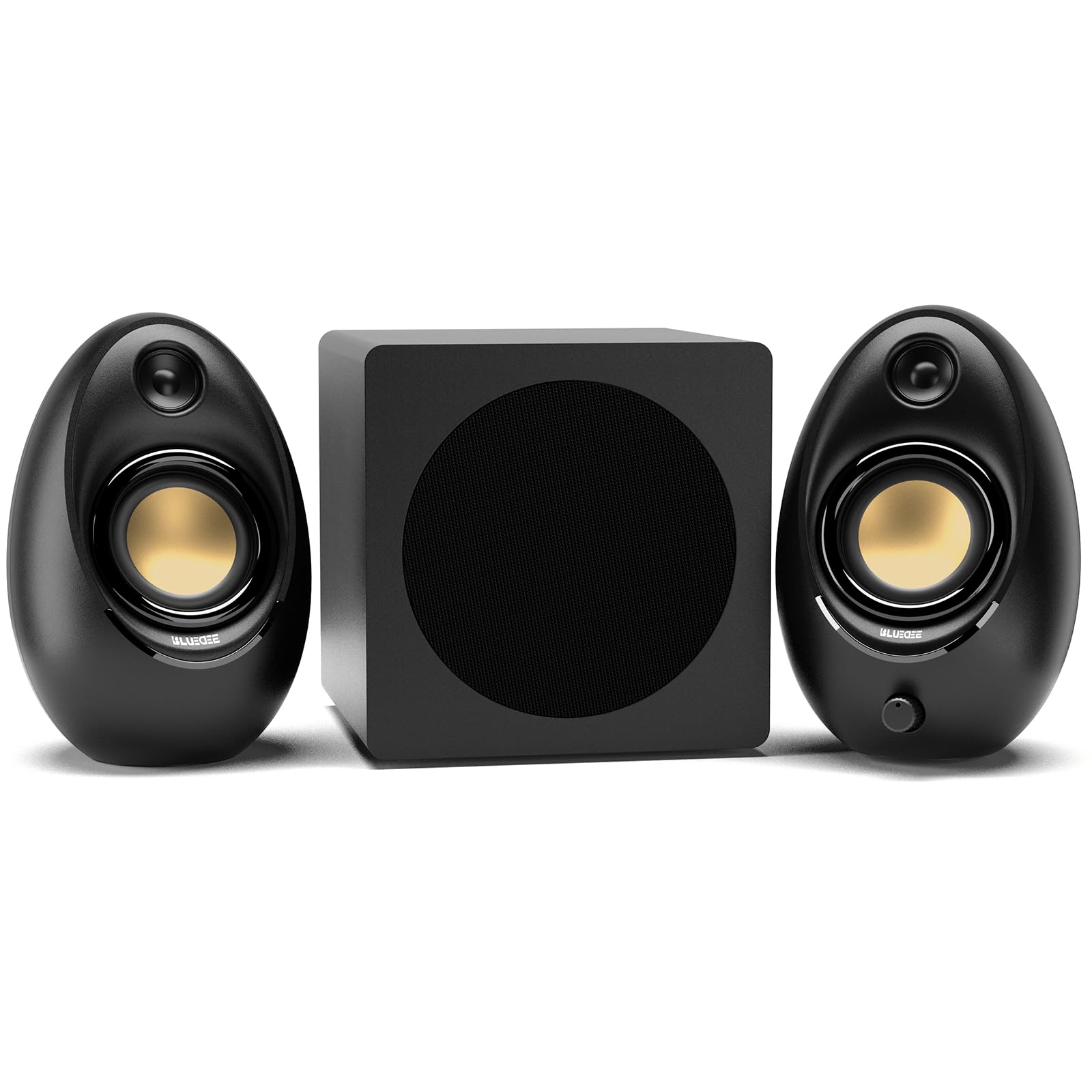
A real subwoofer box and four input types at a price that undercuts the big-name 2.1 systems.
Where the Bluedee earns its place is the range of ways it can connect. You get Bluetooth 5.4, plus USB-A, USB-C, and 3.5mm AUX, and the adapter-powered design means there is no battery to charge — plug it in and it is on. That 80W peak figure is a smaller peak number than the Edifier Hecate’s 32W, but if you stack it against the 200W Klipsch or 400W Logitech, it is aiming squarely at the middle rather than the top of the output table.
What the built-in DSP tuning does is flatten the harshness in the highs so long work sessions stay comfortable — DSP means digital signal processing, and here it is doing the job of keeping vocals clean and distortion down. The independent bass unit handles low frequencies separately so the satellites do not muddy when the explosions hit. A single control knob runs the whole show: volume, play/pause, lighting effects, and mode switching, which keeps the desk tidy.
The connectivity gets mixed notes. Most people find everything connects straight from the start, but Bluetooth mode can take some fiddling to pair for the first time. That is a one-time inconvenience rather than an ongoing problem, and the wired options give you a reliable fallback. The verdict here is simple: a solid mid-tier 2.1 system for someone who wants a subwoofer without the premium-tier outlay.
What Earns It A Spot
- Bluetooth 5.4, USB-A, USB-C, and 3.5mm all on one set — the widest connection spread here.
- A dedicated subwoofer unit keeps the bass separate from the satellites.
- One control knob handles volume, playback, and lighting.
Worth Knowing Before You Click
- Bluetooth pairing can take a few tries the first time.
- 80W peak sits below the bigger 2.1 systems on this list.
Reach for this if: you want a subwoofer and modern USB-C input without paying premium-tier money.
Otherwise consider: the louder Logitech Z623 if raw output matters more to you than input variety.
5. Edifier Hecate RGB Gaming Speakers
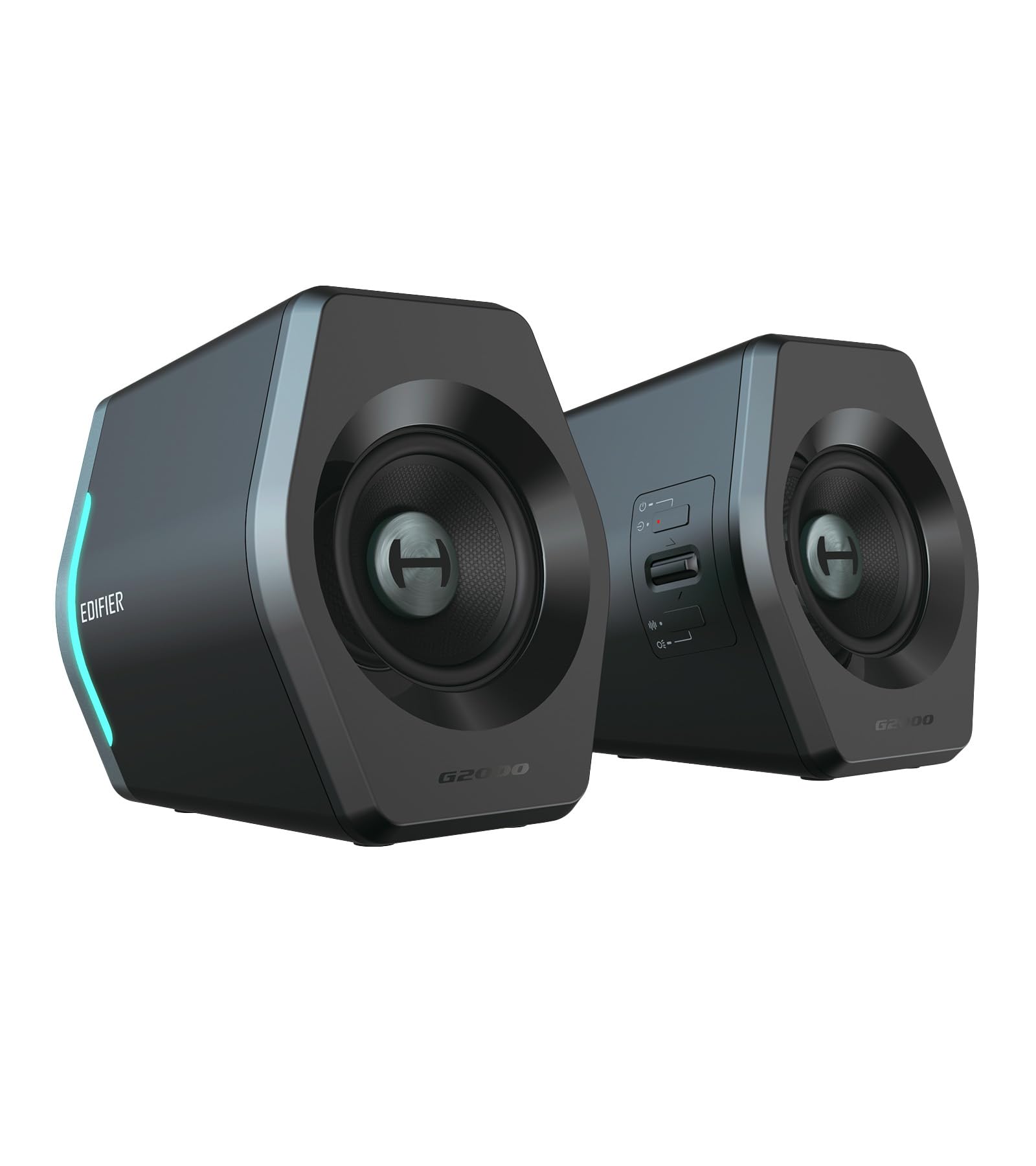
Footholds, wind, and reloads come through clean from two little boxes that barely nudge your desk.
For a close-monitor setup, the Hecate pair does the job of a much larger set within its own scale. It runs 16W+16W for 32W peak total, driving 2.75″ full-range drivers — full-range means one driver handles both highs and lows, which is why the pair stays compact. Gamers routinely report hearing footsteps and environmental detail that the big systems often blur, and the one-click EQ switching (Gaming, Movie, Music) tailors the response to whatever you are doing.
The footprint is the real story: 4.1″ x 4.1″ x 5.1″ per speaker, with a 10° tilt and anti-slip pads that angle the sound toward your ears. That is the kind of detail that matters when your monitors sit low and you are leaning in during a match. Twelve RGB effects cycle through the control knob, and the knob also handles volume and input switching between Bluetooth 5.1, USB, and 3.5mm AUX — no drivers needed on any platform.
What you give up for the size is real bass depth. There is no subwoofer here, and 32W peak is firmly a near-field figure, so expect clean and punchy rather than wall-shaking. The build is solid — matte panels, laser-engraved metal knobs, scratch-resistant surfaces — so this is a set you can bump against without wincing. It is the best pick here for a cramped desk where full-depth sound would be wasted.
The Standout Detail: A 10° tilt angles the drivers straight at your ears, so the detail survives even at low volume.
The Honest Limit: No subwoofer means low-end ends at the driver — expect impact, not room-shaking rumble.
Best for: a small desk where you need accurate positioning audio without giving up surface area.
Pass if: you want to feel the bass in your chest rather than hear it.
6. SteelSeries Arena 3 2.0 Desktop Gaming Speakers

Big 4-inch cones you can tune, but the surround magic lives on your PC — not your console.
What sets the Arena 3 apart is how much of its performance you control yourself. SteelSeries Sonar software gives you a 10-band parametric EQ — ten sliders that let you reshape frequency ranges — along with Spatial Audio, which simulates surround from just two speakers. On a PC that is a powerful toolkit. On a Series X setup running through a TV, you get the speakers but not the software, so much of the tuning ability stays locked behind the desktop.
The hardware justifies the tuning. It uses an organic fiber cone in a 4″ driver with a front-firing bass port, which is a larger driver than the Edifier G2000 Pro’s 3″. That size translates to a fuller mid and low range from a 2.0 pair without a subwoofer box. A volume dial and multi-function button handle muting, headset toggling, and Bluetooth pairing, and the adjustable stand tilts so you can aim the sound.
Sound is the divider. One camp finds the output impressive; another finds the tone flat, and money opinions split the same way. That divergence usually points to the software — tuned properly the pair sounds rich, and left on defaults it can feel thin. If you are willing to open Sonar and adjust, this is a rewarding set. If you want plug-in-and-forget, the EQ work will feel like homework.
Why It Stands Out
- A 10-band parametric EQ and Spatial Audio via Sonar give you deep control.
- 4″ organic fiber drivers with a front-firing bass port.
- Adjustable stand tilts the pair toward your ears.
Where It Asks More Of You
- Software features are PC-only, so console setups skip much of the tuning.
- Default tuning can sound flat until you shape it yourself.
Made for: a Windows gamer who enjoys dialling in an EQ and wants a 2.0 pair with real driver size.
Less suited to: a living-room console player who wants immediate sound with no software step.
7. Edifier G2000 Pro 2.0 RGB Gaming Speakers
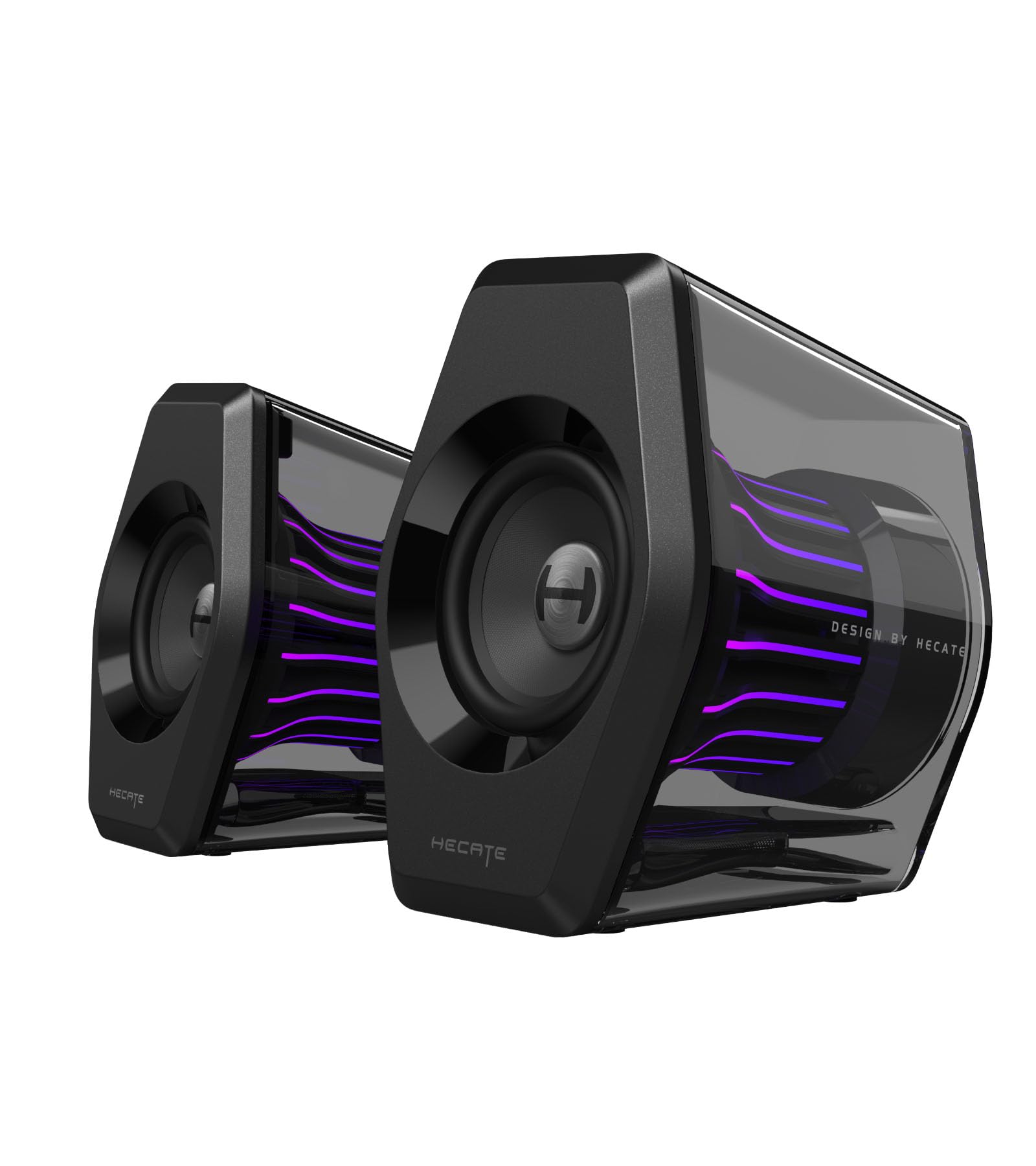
A transparent shell, 270 degrees of glow, and virtual surround that leans toward console play.
This is the most console-friendly premium pair in the list. It delivers 64W peak and 32W RMS, and Edifier specifies a 3.5mm AUX input for Xbox — which is exactly the cable a TV or monitor outputs. Virtual 7.1 surround runs through USB and the HECATE software on PC, with a Movie Mode devoted to it. The Game Mode sharpens footsteps, while Music Mode lifts vocals, and you can save EQ presets to the buttons for instant switching.
The lighting is the visual centrepiece: 20 LED strips and 100 RGB beads across seven modes, wrapped in a transparent enclosure that throws colour in a 270° sweep. The spec list also includes a DSP chip to cut distortion — DSP being the processing that cleans the signal — plus anti-slip feet to keep vibration off your desk and aluminum caps to resist scratches.
Reliability and connectivity are the pieces to weigh carefully. Some pairs work well over long use, but a stream of reports describes sets stopping after about a month, and multiple users hit audio dropouts. The cable choice matters here — USB-C offers the lowest latency for PC and PS5, but the 3.5mm AUX is the right pick for Xbox. Note that Bluetooth 5.4 gives a 33ft range if you want wireless music, and the low-end impression is positive when the connection holds.
The Biggest Draw: A 270° transparent RGB display, and an explicit 3.5mm path for Xbox that matches a TV or monitor output.
What To Keep An Eye On: The 3.5mm connection beats Bluetooth for console latency, but dropouts on USB are a recurring theme in owner reports.
Worth grabbing if: you want console-friendly inputs and the boldest lighting display in the lineup.
Hold off if: rock-solid reliability ranks above the visual spectacle.
8. Deeyaple Computer Speakers 40W Soundbar
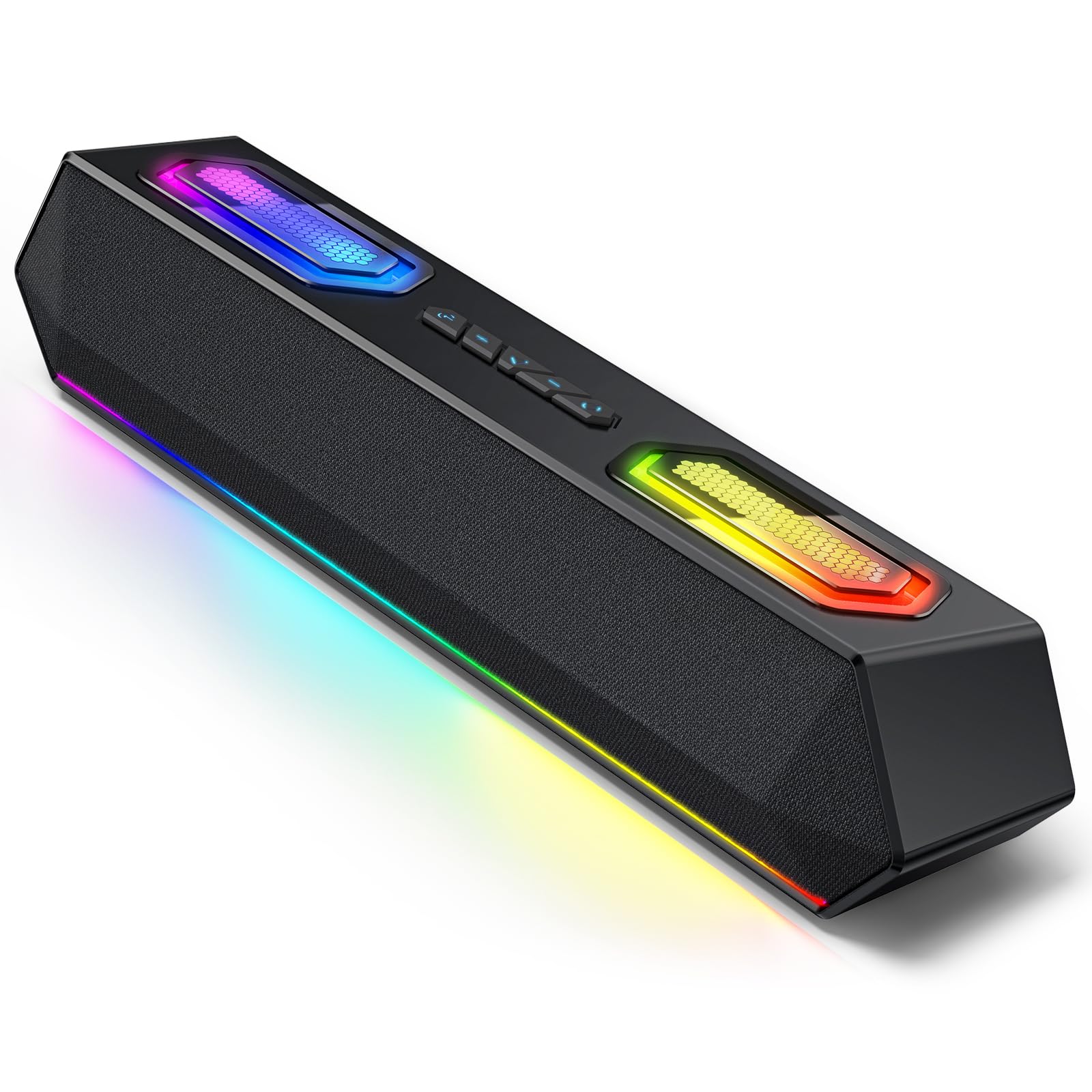
A soundbar that copies the colours on your screen and pulses them back at your desk.
If your reason for buying speakers is partly to make the room look like a battlestation, this bar speaks your language. It captures on-screen colours and syncs them in real time, then pulses the lights to your music — a feature the bigger stereo pairs here simply do not offer. You also get 12 RGB effects controllable in software, plus a built-in EQ where you can shape bass, treble, and midrange yourself.
Output is 40W from dual full-range speakers and dual bass diaphragms, which is enough to cover a desk rather than a living room. Connectivity is Bluetooth 5.3 for wireless streaming or USB audio input for a direct wired link — Bluetooth 5.3 being a recent version with steadier connection than older standards. A single bar takes far less desk width than two speakers and a subwoofer, which is the entire point of the soundbar shape.
There is no subwoofer and no reported Bluetooth latency figure to reassure you, so for fast-paced console shooters the USB audio path would be the safer link. The 20Hz frequency response floor at least signals the bar will reach low enough to feel engine rumble. For a small room where visual flair counts and shelf space is short, it does a neat job; if you want chest-thumping bass, look at the 2.1 systems.
The Appeal: Screen colour sync and music-reactive lighting are features no other set here matches, and the single bar saves desk width.
The Honest Caveat: No subwoofer means less bass extension, and USB audio is the more reliable path for console gaming.
Choose this for: a compact desk where lighting spectacle matters and a full 2.1 stack would crowd you.
Look past it if: deep bass is the whole reason you are buying speakers.
9. Nylavee Computer Speakers PC Sound Bar

The tidy first upgrade: one bar, two magnets, and a knob that runs everything.
For a bedroom or office desk where you just want better sound than a laptop or monitor can muster, this bar is the least fussy way in. It uses two double-layer neodymium magnet full-range drivers with two independent bass diaphragms — neodymium is the magnet material, and it is the reason a bar this small can push any low end at all. Pairing is Bluetooth or a 3.5mm AUX cable, and it works with Xbox alongside laptops, desktops, and phones.
The operation is about as simple as it gets. All functions run off a single side knob: power, volume, and mode changes, with no app and no software to install. Four dynamic lighting modes — rainbow, breathing, flowing, and rhythm — cycle through the bar. A 33-foot Bluetooth range means you can leave your phone across the room and keep streaming without dropouts.
The trade is that it runs from a USB power plug rather than a wall adapter, so it draws modest output and it has no built-in battery — you plug it in and it turns on automatically. Volume is the one area where owners are split: some find it plenty loud for an office, others wanted more headroom. Expect clear sound for meetings, music, and casual play rather than movie-theatre impact, and it is a friendly entry point that will not overwhelm a small space.
Who It Suits: Anyone stepping up from monitor audio with a shallow desk and a preference for zero setup — one knob does everything.
The Catch: USB-powered and no battery, so output is modest and there is no volume ceiling to grow into.
An easy yes for: a first sound upgrade in a small office or bedroom.
Probably not for: a home theatre where you want loud, thumping audio.
Know the Specs
Peak Power vs RMS Power
Peak power is the loudest short burst a set can manage, while RMS is what it sustains continuously — so a 400W peak / 200W RMS system like the Logitech Z623 is honest about the gap. Chasing a big peak number without an RMS figure beside it can mislead you. Match the wattage to your room: a 32W pair is sensible on a desk, and 200W+ is for filling a living room.
THX and DTS:X Surround
THX is a certification that a system can play cinema-style audio to a set standard. DTS:X Ultra is a processing mode that places sound above and around you from a small number of speakers. Both are worth having, but check which platform open up them — Logitech’s G560 notes DTS:X is not supported on Mac OS X, so a Windows PC is where that feature earns its keep.
Connection Types and Latency
3.5mm AUX and RCA are the console-friendly wired paths, and both carry audio with no wireless delay. USB audio is the tightest link on a PC. Bluetooth is convenient for music from a phone, but it can drift out of sync with fast on-screen action, so it is best kept for casual listening rather than competitive play.
Desk Footprint and Subwoofer Space
A 2.1 rig needs two satellite spots plus floor or shelf space for a subwoofer — the Z623 sub measures 11.2 x 12.0 x 10.5 inches, which is not a shelf ornament. Compact bars and small pairs sidestep that entirely. Measure your desk and the gap beside your TV stand before you commit, because the subwoofer box is often the space you forget to plan for.
Common Questions
Will these speakers connect directly to an Xbox Series X?
Do I need a subwoofer for gaming, or are two speakers enough?
Is Bluetooth good enough for competitive console gaming?
What is the difference between THX and DTS:X Ultra?
How much desk space does a 2.1 speaker system really take?
Can I use these speakers with a PS5 as well as an Xbox?
Why does the Klipsch ProMedia have no power switch?
Do RGB lights affect sound quality at all?
Should I buy a soundbar or a pair of speakers for a small bedroom?
Do I need to install software to get the best sound?
The Bottom Line
For most console setups, the best of these xbox series x speakers is the Logitech Z623 — 400 watts peak and 200 watts RMS through a THX-certified 2.1 harness gives you bass and volume to spare, and the RCA plus 3.5mm inputs make it easy to keep several devices wired in. The crowd backs it too: a 4.5+ star average from 11,000+ ratings backs that up. If clarity matters more to you than raw wattage, the Klipsch ProMedia 2.1 uses its horn-loaded satellites and 6.5″ sub to keep detail clean. And for a cramped desk where a separate subwoofer box has nowhere to sit, the Edifier Hecate delivers the positional detail at a footprint that fits in one hand.
How we choose
We do not accept paid placement. Every pick is matched to a real buyer and a real use-case; we do not hands-on test units.
Sources
Specifications: manufacturer listings and product documentation. Review insights: verified customer reviews, as of November 2026. Pricing: not shown on this page (it changes often); check the current price via the retailer link.
As an Amazon Associate, Tactical Gear Guy earns from qualifying purchases. This does not affect which products we feature.