Specs are compiled from manufacturer listings and verified buyer reviews and can change over time — please confirm the key details on the product page before buying.
Your Xbox One shipped with a small internal drive, and every new title you install eats into the same shrinking space. An external USB drive fixes that in minutes — you plug it in, the console formats it, and your library stops forcing you to delete games you still play. The picks below are all real external drives that work with the Xbox One family, ranked so you can pick the right one without reading nine spec sheets yourself.
This guide is built by comparing the manufacturers’ published specifications and the patterns across verified customer reviews, so you get each pick’s real strengths and trade-offs instead of marketing spin.
Three things decide how well your storage expansion works: how much it holds, how fast it copies, and whether it arrives ready for Xbox. This guide to the best xbox one storage expansion breaks down the specs that matter in plain English.
Top Picks

How To Choose The Best Xbox One Storage Expansion
The Xbox One family — the original console, the One S, and the One X — all accept external USB storage. You do not open the console or void anything. You plug a drive into a USB port, the console walks you through formatting it, and from then on you can install games straight to it. That is the whole job. What changes between drives is how much room you get, how fast files move, and how much fiddling the setup costs you.
Capacity: how many games will actually fit
Modern games run large, so capacity is the number you will feel every month. A 1 TB drive gives you room for a modest library alongside your internal drive. A 2 TB drive roughly doubles that headroom. A 4 TB or 5 TB unit turns your console into a near-complete archive of everything you own. Buy for the library you expect in a year, not the three games you have today.
Pre-formatted versus format-it-yourself
Some drives arrive already formatted for the Xbox file system. That means you plug in and the console recognizes it right away. Others ship formatted for Windows or Mac and need a quick reformat before the Xbox will use them. Neither is better hardware — one just saves you a menu step. If you want zero setup friction, look for “pre-formatted” in the product name.
Mechanical hard drive or solid state
A mechanical hard drive (HDD) stores data on spinning platters. It costs less per gigabyte and comes in much larger capacities. A solid state drive (SSD) has no moving parts, so it moves files faster and survives drops better. On an Xbox One, the console’s own hardware limits how much of an SSD’s speed you can use. So the honest reason to pick an SSD here is faster transfers and a tougher shell — not a transformed frame rate.
The one rule that surprises buyers
Games tune for the newer Xbox Series X|S consoles generally cannot be played from an external USB drive — they have to run from internal storage or a proprietary expansion card. Xbox One games, however, play fine from an external drive on any Xbox One console. Know which generation your library is before you buy, and read the compatibility line on each listing.
Side-by-Side Comparison
| Model | Best For | Capacity | Transfer Rate | Drive Type | Amazon |
|---|---|---|---|---|---|
| Seagate Portable 1TB★ Best Overall | Everyday extra space | 1 TB | 5 Gbps | Mechanical HDD | Amazon |
| Avolusion 1TB Xbox OneZero Fuss Setup | Plug-and-play setup | 1 TB | 5 Gbps | Mechanical HDD | Amazon |
| Seagate 2TB Game Drive for XboxBuilt For Xbox | Big game vault | 2000 GB | 600 MB/s | Mechanical HDD | Amazon |
| Toshiba Canvio Gaming 2TB | Console and PC crossover | 2 TB | 5 Gbps | Mechanical HDD | Amazon |
| Avolusion HDDGear Pro X 4TB | Massive storage on a budget | 4000 GB | 5 Gbps | Mechanical HDD (renewed) | Amazon |
| WD_Black 2TB P10 | Portable gaming look | 2 TB | 130 MB/s | Mechanical HDD | Amazon |
| WD_BLACK 5TB P10 | Archive everything | 5 TB | 130 MB/s | Mechanical HDD | Amazon |
| Samsung T7 Shield 1TB | Rugged and fast | 1 TB | 1050 MB/s | Solid State SSD | Amazon |
Detailed Reviews
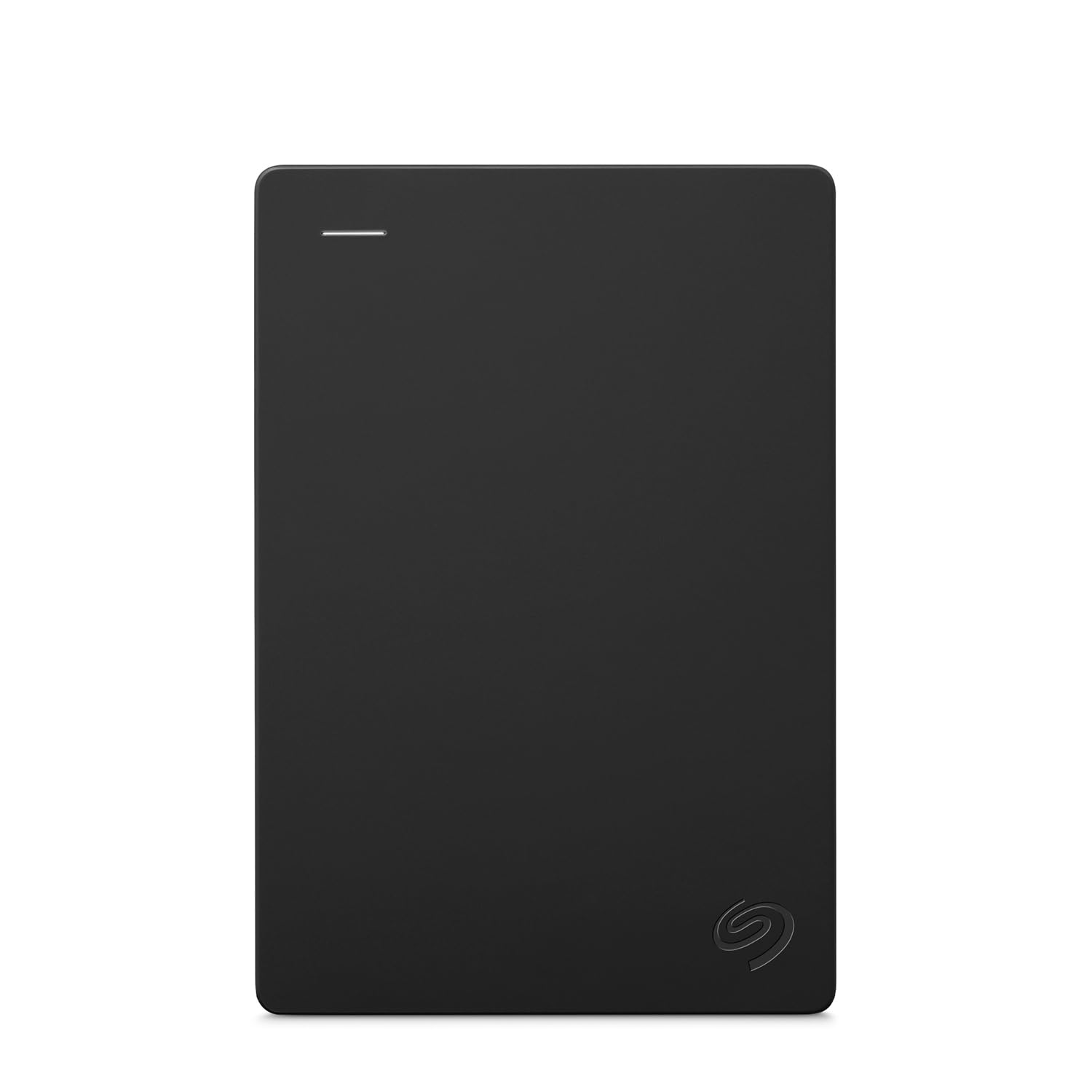
1. Seagate Portable 1TB External Hard Drive HDD (STGX1000400)
Our pick — 4.5+★ from 59,000+ verified ratings; the strongest balance of quality and price.
The crowd favorite for Xbox One storage — 4.5+ stars across 59,000+ owners.
If you want the drive that makes the Xbox storage squeeze vanish with the smallest amount of thought, this is the one. It offers 1 TB of room — enough to hold a serious game library alongside your internal drive — and it uses a plain USB connection the console recognizes instantly. The included 18-inch USB 3.0 cable is short enough to sit next to the console without trailing across the floor.
Setup is genuinely plug and play. You connect it and the drive is recognized with no software to install. That makes it the easiest first external drive to hand to someone who has never expanded a console. Seagate publishes a 5 Gbps (gigabits per second) transfer rate for it — the raw USB 3.0 link ceiling, not real-world copy speed. That headline number tells you the connection will not be the bottleneck for copy jobs.
The honest catch is that this drive leaves the factory formatted for Windows, so the Xbox may ask you to reformat it before use — a one-time menu step, not a defect. Mac owners hit a similar reformat wall. The speed reports are also mixed; some buyers find it quick, others find it slow, so it is a steady mover rather than a speed demon.
What earns the top spot
- 1 TB of room for a full game library
- Recognized instantly with no software to install
- Compact enough to sit beside the console
- 18-inch USB 3.0 cable included
What to plan around
- Ships formatted for Windows, so the Xbox reformats it once
- Speed feedback is split between impressed and unimpressed
- No Mac support from the start without reformatting
Reach for this if: you want extra Xbox room with the least setup hassle and the broadest safety net of buyer experience behind it.
Look elsewhere if: you plan to shuttle the drive between Mac and console regularly — the reformat dance gets old.
2. Avolusion 1TB USB 3.0 Portable External Gaming Hard Drive
Arrives already speaking Xbox, so there is no reformat screen between you and more storage.
Here is the detail that saves you a menu: this drive comes pre-formatted for the Xbox file system, so you plug it in and the console picks it up immediately. It holds 1 TB, which is a sensible bump for a console struggling with its internal space. It is also built in the slim 2.5-inch shape — small and light enough to tuck behind the console or pack with the rest of your gaming kit.
The transfer rate is listed at 5 Gbps, which is the standard USB 3.0 link. That does the job for installing games and moving files, though it is a modest mover next to, say, the Seagate 2TB Game Drive’s 600 MB/s figure — a fine working speed rather than a record breaker. Compatibility is stated for the full Xbox One family, including the One X, One S, and the original first-generation console.
Reliability is the trade-off to weigh. The pattern of feedback is split: plenty of buyers find it works great, and a portion run into a drive that stops working. A two-year warranty backs it, which is a real cushion. For a 1 TB drive you intend to fill and leave mostly attached, it is a reasonable bet; for anything critical, keep your saves backed up to the cloud.
Where it wins: the pre-formatting is the star here — no reformat screen, no guessing, just recognition on the console.
What to know going in: durability reports are genuinely mixed, so treat the two-year warranty as the safety net rather than a guarantee and keep cloud saves running.
Pick this one: if plug-and-play simplicity on the Xbox One matters more to you than speed bragging rights.
Think twice: if you push heavy file transfers often — the 5 Gbps link is honest but not fast.
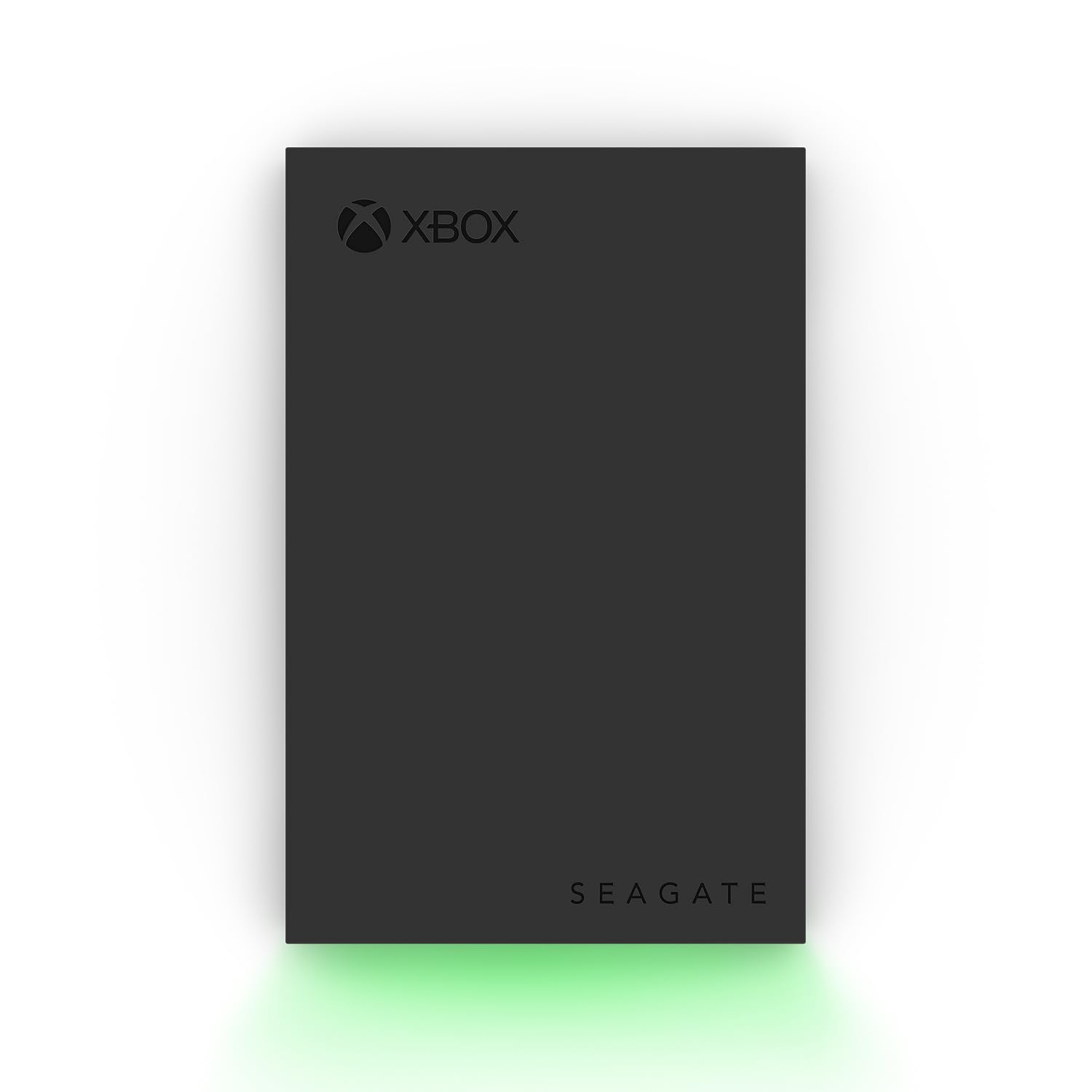
3. Seagate 2TB Game Drive for Xbox (STKX2000400)
Two terabytes wearing official Xbox colors, LED bar and all, for the gamer who wants the drive to look like part of the setup.
This is the drive that stops the delete-or-buy cycle. 2000 GB of capacity gives you a proper game vault — enough to keep your favorites installed and still have room for new releases. It is Xbox-certified for the Series X, Series S, and every generation of Xbox One, so you are not guessing about compatibility. There is one important asterisk, though: games cannot be played directly off the external drive. You store there, then move games to internal storage to play them.
On transfer speed, Seagate lists 600 MB/s for this drive. Compare that with the WD_Black 2TB P10, which is rated at 130 MB/s: here the Seagate carries a much higher figure on paper. That matters most when you are shuffling large titles back and forth, where file moves go quicker. A built-in LED bar lights your gaming center in Xbox green, which sounds cosmetic until you see how well it ties a setup together.
The trade-off is speed consistency. Reported transfer performance is mixed — some find it pretty fast, others find it not fast enough for their liking. On a spinning mechanical drive that variance tends to show up in big file copies, so do not expect the drive to beat an SSD in a straight race. Still, for a 2 TB vault that looks the part, it is a strong all-rounder.
Worth holding out for
- 2000 GB of storage for a full game vault
- Certified for Series X, Series S, and all Xbox One models
- 600 MB/s transfer rate — the fastest figure among the mechanical drives here
- Green LED bar that matches the console
- 3-year Rescue Data Recovery Services included
Set expectations for
- Games cannot be played directly off the external drive
- Transfer speed reports split between fast and not fast enough
The one to grab: if you want capacity, official Xbox certification, and a drive that looks like it belongs, all in one box.
Pass if: you expect to play games directly from the external drive — they have to be moved to internal first.
4. Toshiba Canvio Gaming 2TB Portable External Hard Drive

A 2 TB gaming drive with an Always-On mode, built to sit ready rather than spin down and make you wait.
Toshiba built this one specifically for consoles and PCs. The headline feature is a firmware mode the company calls “Always-On” — the drive stays responsive instead of dropping into idle, so game access does not stall while it wakes. It packs 2 TB (terabytes), which Toshiba estimates holds up to 50 games at 36 GB each, with actual counts varying by file size.
Performance is what wins people over here, and the review pages reflect that plainly — it is the most-praised part of the drive, with the small, take-anywhere form factor a close second. The enclosure pairs aluminum with glass in a sleek 2.5-inch body, so it looks less like a brick on your shelf. Transfer rate is 5 Gbps, standard USB 3.0 territory, and reported lag when opening games is minimal.
The catch to understand is compatibility, which buyers rate as mixed. On Xbox the drive handles Xbox One and Xbox Series games, but it will not run PS5 games on a PlayStation console — Sony locks those to internal storage. Backed by a two-year manufacturer’s limited warranty, it is a solid fit for a mixed-console household, less so if PS5 titles are your focus.
The clincher: Always-On mode is a real difference for a spinning drive, keeping access snappy so you are not staring at a loading spinner.
The caveat: compatibility is hit-or-miss depending on your console — read the listing carefully before buying, especially if you own a PS5.
Best for: the gamer who splits time between Xbox and PC and wants one responsive 2 TB drive that works across both.
Look past it if: your library centers on PS5 games — those cannot run from an external drive.
5. Avolusion HDDGear Pro X 4TB USB 3.0 External Gaming Hard Drive

Four terabytes for a small-library price, courtesy of a refurbished enterprise drive inside a fresh case.
This is the storage volume play. At 4000 GB versus the 2000 GB Seagate 2TB Game Drive in the same class, it gives you enough room to hold a sprawling collection without deleting a thing. It also arrives pre-formatted for the Xbox file system, so the console recognizes it and expands storage right away. No opening the console, no reformatting screen — plug in and it is there.
The insides are the interesting part: a brand-new premium case wrapped around a refurbished, top-tier 7200RPM enterprise hard drive from a leading manufacturer. Avolusion states the refurbished drive passed factory quality tests with zero bad sectors and 100% health. The 7200RPM spin is the faster class of mechanical drive, and the 5 Gbps USB 3.0 interface keeps it moving.
Value is what buyers praise most, and the ease of use ranks second. What to keep in mind: compatibility reviews are mixed — plenty of buyers find it runs well with the Series X, while some report a drive that no longer functions properly. It is a renewed unit, which is the reason the capacity comes cheap, and a power adapter is included. If you are comfortable with refurbished hardware, the storage headroom is hard to argue with.
The sell: 4 TB of room for the price of a much smaller new drive, with the Xbox file system already in place.
Be clear-eyed about: it is a renewed drive, and long-term reliability feedback is genuinely split — a backup plan for important saves is wise.
Go here: when raw storage volume at a modest spend is your goal and you accept a refurbished unit in exchange.
Skip: if you want new-from-factory hardware with a long track record of staying alive.
6. WD_Black 2TB P10 Game Drive (WDBA2W0020BBK-WES1)

A gamer-branded 2 TB drive with a metal top and a build quality that buyers keep coming back to talk about.
WD positions this drive squarely at gamers, and it shows. The 2 TB of capacity gives you room for a growing library, and the sleek metal top cover separates it from the plastic crowd. It is rated for up to 130 MB/s (megabytes per second) transfer speeds, which is the published figure for this model. That number sits well below the Seagate 2TB Game Drive’s listed 600 MB/s — so if pure copy speed tops your list, the Seagate leads there.
What wins people over is build quality — it draws by far the most praise in the reviews, with performance close behind. Buyers report it runs smoothly without lag or glitches, and the capacity holds plenty with room to spare. It works across PlayStation, Xbox, and PC, so a mixed setup is no problem. A 3-year limited warranty adds confidence.
The honest limit is durability and speed, both of which land as mixed feedback. A metal-covered portable drive is still a mechanical hard drive inside, so it prefers a stable resting spot over getting knocked around. Small and light, it travels well — just do not treat it as a rugged drive.
Why it earns a spot: the metal build and the smooth, glitch-free running are the two things buyers bring up most, and 2 TB is a comfortable size.
The trade-off: transfer speed trails the Seagate, and it is not a ruggedized drive — a dry, steady home is best.
The pick for you: if you like the gamer look and want a metal-clad drive that runs smoothly for the long haul.
Choose differently: if maximum transfer speed is your priority — another drive here posts a far higher number.
7. WD_BLACK 5TB P10 Game Drive (WDBA3A0050BBK-WESN)
The one that ends the deleting for good — 5 TB of room to keep every game you have ever bought.
When you never want to see an uninstall prompt again, this is the drive. At 5 TB it is the largest-capacity unit on this list, and it is rated for up to 130 MB/s transfer speeds. It works with Xbox, PlayStation, and PC, and carries a 3-year limited warranty. The metal top cover and slim 2.5-inch body make it easy to park next to a console.
What you feel day to day is not one massive file move but the end of storage anxiety. With 5 TB in tow, an entire collection of Xbox One games fits in archive with room to spare, so you install once and stop thinking about it. Performance reviews are strong and the drive is easy to set up, and it works well with consoles without fuss.
The thing to be honest about is this: it is still a mechanical hard drive at 130 MB/s, so it is a volume play rather than a speed play. Games on it are moved to internal storage to run, and archive copies are not for play. For somebody with a huge library who wants everything in one place, it is the obvious choice.
Why it tops the capacity list
- 5 TB — the most room of any drive here
- Works across Xbox, PlayStation, and PC
- Easy setup and strong performance in use
- 3-year limited warranty with a metal top cover
Where it falls short
- 130 MB/s — good volume, not speed
- It is an HDD, so games must move to internal to play
Right for: the collector with a library too big to prune who wants all of it in one place.
Wrong for: anyone chasing quick file copies — an SSD pick exists for exactly that.
8. Samsung T7 Shield Portable SSD 1TB (USB 3.2 Gen 2)

The drive for gamers who also move big files for a living — rugged shell, palm-sized, and fast.
Samsung’s T7 Shield is the speed champion here. It is rated up to 1,050 MB/s read speed, and the USB 3.2 Gen 2 connection keeps transfers moving in seconds rather than minutes. The palm-sized body slips into a pocket or a bag, so you can carry your library and your work files between home and anywhere else without much bulk.
What wins people over is performance — it is the most-praised aspect by a wide margin, with the small size a close follow-up. The durability is real in the hardware: it carries an IP65 rating for water and dust resistance, and Samsung rates it for falls up to 9.8 feet. That drop rating is a real edge over a mechanical HDD, which can fail from a single hard knock. The 1 TB capacity gives you a solid working library, and a full range up to 4 TB exists in the line if you need more.
The catch here is fit. It is a premium drive with a premium-shaped job — gamers who mostly want raw vault capacity will find their needs better met by a higher-capacity HDD. On an Xbox One specifically, the console caps how much of that read speed you feel, so the biggest T7 payoff lands in file moves and on PC use. It is also compatible with iPhone 15/16 for ProRes video, which tells you this drive is aimed at creators as much as players.
The draw
- Up to 1,050 MB/s read speed — the fastest here
- IP65 water and dust rating
- Drop protection stated up to 9.8 feet
- Palm-sized and pocketable
- Works across console, PC, Mac, and recent iPhones
The honest limits
- 1 TB gives less library room than a high-capacity hard drive
- Xbox One hardware caps how much of the drive’s speed you feel
Worth the splurge if: you shuttle big files, travel with your drive, and want a shell that survives a knock.
Spend elsewhere if: your only goal is a mountain of Xbox game storage — a large HDD fits that better.
Know the Specs
Transfer rate — MB/s versus Gbps
You will see speed expressed two ways: megabytes per second (MB/s) and gigabits per second (Gbps). They describe the same connection but measure differently, so a “5 Gbps” drive and a “600 MB/s” drive are not as far apart as the numbers look. What a buyer actually feels is copy time — how long it takes to move a big game from one location to another. Higher is faster, and the fastest drives here are the SSDs.
Mechanical HDD versus solid state
A mechanical hard drive uses spinning platters; it is cheaper per gigabyte and comes in larger capacities. A solid state drive has no moving parts, so it moves files faster and handles knocks better. On an Xbox One, the console’s own hardware limits how much of an SSD’s speed you can use. The real gain an SSD brings to a console is load times and transfer speed, not a higher frame rate.
Pre-formatted for Xbox
When a drive is pre-formatted, it arrives set up for the Xbox file system. That means the console reads it on first plug-in with no reformat step. A drive formatted for Windows may need the console to reformat it once before use. It is a convenience difference, not a hardware one — but it decides how much setup you do.
USB interface — 3.0, 3.2 Gen 2, and what works
USB 3.0 is the standard link on most of these drives; it is fast enough for installing and moving games. USB 3.2 Gen 2, used by the Samsung T7 Shield, offers a higher ceiling. The Xbox One’s own USB ports set the practical limit, so a faster drive’s top speed is only fully realized on a PC. Match the drive’s interface to where you will use it most.
Common Questions
Will an external hard drive work with the original Xbox One as well as the One S and One X?
Can I play games directly off an external drive on the Xbox One?
Do I need to reformat a new drive before the Xbox will use it?
Is an SSD worth it on an Xbox One, or should I stick with a hard drive?
How much storage do I actually need for an Xbox One library?
What does the transfer rate number actually mean for copying games?
Is a refurbished external drive like the Avolusion HDDGear Pro X safe to buy?
Will an external SSD survive being carried around in a bag?
Does the Samsung T7 Shield work with my Xbox One and my other devices?
The Bottom Line
The clear buy for most Xbox One owners is the Seagate Portable 1TB — it holds 1 TB, plugs in with no software to install, and carries the broadest buyer track record of any drive here. You get enough room to stop deleting games and the least setup friction in the group. If you want official Xbox certification and a 2 TB vault, the Seagate 2TB Game Drive is the next step up. And for a gamer who also shuttles big files around, the Samsung T7 Shield brings rugged speed across every device you own. Whichever you pick, keep cloud saves on — an external drive is storage, not a backup.
How we choose
We do not accept paid placement. Every pick is matched to a real buyer and a real use-case; we do not hands-on test units.
Sources
Specifications: manufacturer listings and product documentation. Review insights: verified customer reviews, as of November 2026. Pricing: not shown on this page (it changes often); check the current price via the retailer link.
As an Amazon Associate, Tactical Gear Guy earns from qualifying purchases. This does not affect which products we feature.