Specs are compiled from manufacturer listings and verified buyer reviews and can change over time — please confirm the key details on the product page before buying.
A pocket mouse earns its place only if you can actually work on it. The real question is not which mouse is smallest, but which tiny mouse you can still aim, click and type with for an hour without your hand cramping. Nine genuinely tiny mice are sorted here by how well each balances a pocketable body against everyday usability, so you pick the one that fits your hand and your bag, not just the smallest number on a spec sheet.
This guide is built by comparing the manufacturers’ published specifications and the patterns across verified customer reviews, so you get each pick’s real strengths and trade-offs instead of marketing spin.
You will see exactly which tiny mouse suits travel, small hands, kids or a second screen — and where the honest limits of a miniature shell show up. Below is a plain-English rundown of the world smallest mouse options worth your attention.
Top Picks

How To Choose The Best World Smallest Mouse
A mouse this small is a deliberate trade-off. You give up palm support for a shape that disappears into a jacket pocket, so the decision depends on which trade-offs you can live with daily.
Start with weight and body length, not DPI
Weight in grams and length in inches decide whether the mouse truly vanishes in a bag. A 26g body slips into a shirt pocket; a 72g one is still small but you will notice it. DPI (dots per inch — how far the cursor travels per inch of hand movement) matters less here, because 800 to 1600 DPI covers normal office work fine.
Decide how you will connect it
A 2.4GHz receiver is a small USB dongle that plugs in and just works, with no pairing screen. Bluetooth skips the dongle entirely, which is what you want on a tablet or phone with no spare USB port. Dual-mode models let you jump between both, which is handy if you split time between a work laptop and a personal tablet.
Check the battery style before you commit
Rechargeable models list a capacity in mAh (milliamp-hours — roughly how much charge the battery holds), and a bigger number usually means fewer trips to the cable. A USB-C port means one cable for your phone and your mouse; a Micro USB port means digging out an older cable.
Side-by-Side Comparison
| Model | Best For | Weight | Connection | Battery / Power | Amazon |
|---|---|---|---|---|---|
| elec Space Wireless Mini Finger Mouse★ Best Overall | Smallest all-rounder | 40 g | Bluetooth 5.1 + 2.4GHz | Rechargeable lithium-ion | Amazon |
| Uiosmuph Mini Wireless Bluetooth MouseBest For Small Hands | Small hands and travel | 1.08 oz | Bluetooth (BT1 + BT2) + 2.4GHz | USB-C rechargeable | Amazon |
| Logitech Wireless Mini Mouse M187Simple Pick | No-fuss basics | 51 g | Wireless | — | Amazon |
| Mini Bluetooth Mouse with TF Card Reader | Kids and dual-purpose use | 26 g | Bluetooth | 120mAh rechargeable | Amazon |
| elec Space 2-Pack Mini Travel Optical Mouse | Two laptops, wired | 36.8 g | USB (retractable cable) | Wired | Amazon |
| FMOUSE Ultra-Mini 2-in-1 Mouse & Card Reader | Long-range Bluetooth | 30 g | Bluetooth | 120mAh rechargeable | Amazon |
| DELUX Wireless Bluetooth Pocket Mouse (MF20) | Sliding pocket design | 50 g | 2.4GHz + Bluetooth 5.2 | 300mAh rechargeable | Amazon |
| Mini 3-Mode Noiseless Travel Mouse | Three-device switching | 72 g | 2.4GHz + BT4.0 + BT5.0 | Rechargeable | Amazon |
| Ultra Small Dual Mode Bluetooth Mouse | Two computers, one mouse | 40 g | 2.4GHz + Bluetooth | 1 month average life | Amazon |
Detailed Reviews
1. elec Space Wireless Mini Finger Mouse
Our pick — 4.0+★ from 100+ verified ratings; the strongest balance of quality and price.
The tiny mouse that also brings a case, two connection modes and a magnet that keeps the dongle safe.
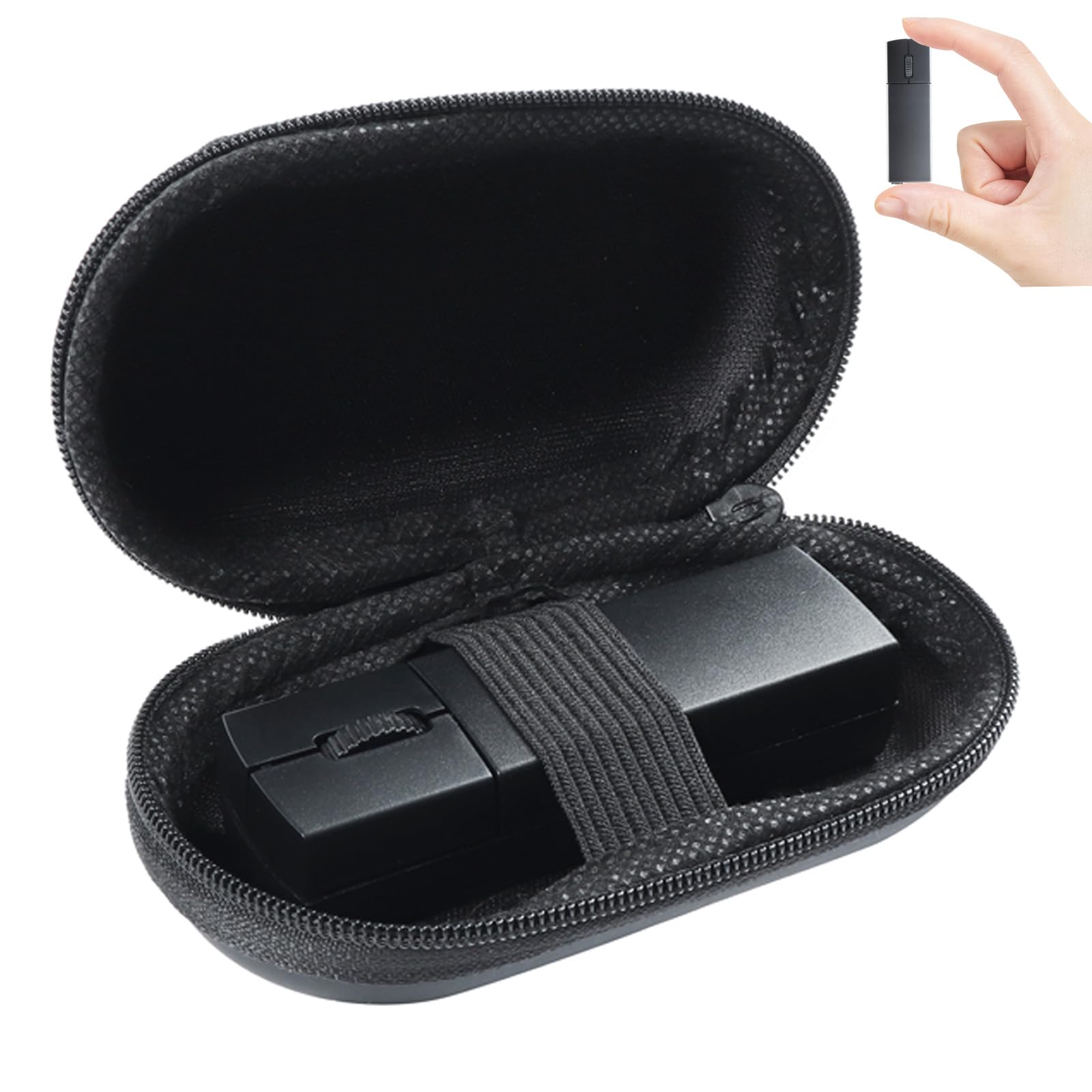
What makes this the pick to start with is the combination: a 3.2-inch body that still ships with a carry case, so the mouse travels protected instead of loose in your bag.
You get two ways to connect. Bluetooth 5.1 pairs straight to a MacBook, Chromebook or iPad with no dongle, while the 2.4GHz receiver plugs into anything with a USB port. Flip between them and one mouse handles your work laptop and your tablet. The receiver itself stows magnetically in the bottom of the mouse, so it stays put instead of rattling around a bag pocket.
The practical trade-off is in the grip. Customers describe it as a wonderful mini device that connects easily and is great for travel, and it does recharge in about two hours. But several buyers also find it difficult to use, which lines up with the physics: a 3.2 x 1.02-inch shell gives your palm almost nothing to rest on. It suits small hands and short sessions far better than a full workday of drafting.
Where it pulls ahead
- Bluetooth 5.1 and 2.4GHz in one mouse, with a magnetic dock that keeps the receiver with the body.
- 800 / 1200 / 1600 DPI, switchable, so you can slow the cursor for detail work or speed it up across a large screen.
- Silent-click buttons that trim click noise, which helps in an office or a shared room.
- Ships with a case for genuinely protected transport.
The honest asterisks
- Narrow shell gives little palm support; long sessions will feel it.
- A 40 g body is light, but there are lighter picks here for the smallest possible carry.
Go for it if: you want one tiny mouse that pairs over Bluetooth and jumps to a USB dongle, and you like the idea of a case in the box.
Pass if: your main use is hours of spreadsheet work where palm support decides comfort.
2. Uiosmuph Mini Wireless Bluetooth Mouse
Three-device switching in a body small enough for a child’s hand, with USB-C on board.
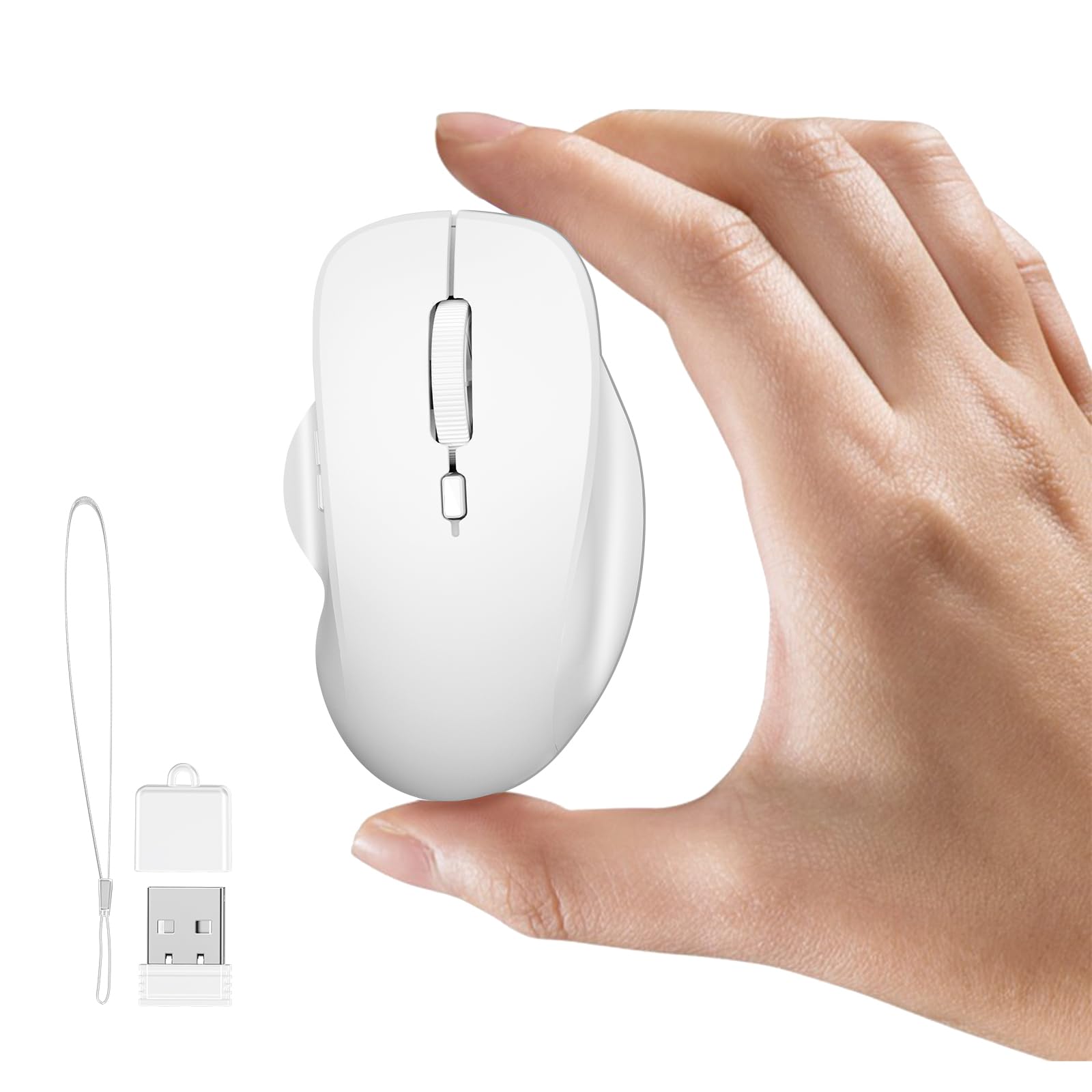
Most tiny mice stop at two connections. This one gives you three: two separate Bluetooth channels plus the 2.4GHz dongle, switched by a button underneath. That means a laptop, a tablet and a desktop can all live in one small mouse, and you move between them without digging out a second device.
It is built for portability and small hands first. The body measures 3.07 x 1.06 inches and weighs 1.08 ounces, which is comfortable in a child’s grip or an adult’s smaller hand. You get 800 / 1200 / 1600 DPI settings, USB-C charging with no batteries to swap, and a Type-C adapter included so the same dongle works on USB-A or USB-C laptops.
Sizing the honest note: customers call it compact and convenient for travel, and it will run about a week per charge. Responsiveness and ergonomics split opinion — fine for casual use, less settled for precision. If you plan to game on it or trace detailed design work all day, this is a fit mismatch rather than a defect.
The measurable edge: battery life around a week per charge and Bluetooth to multiple computers, which makes it the easiest of these for hopping between devices without a dongle.
Trade-off to weigh: the ergonomics are the weak spot, so use it as a travel and secondary machine rather than your only driver.
Right mouse when: you want the simplest three-device switcher for small hands and USB-C charging.
Look elsewhere when: your priority is a grip that supports extended precision work.
3. Wireless Mini Mouse M187 Black
The no-nonsense option: a known brand, three buttons and nothing extra to fiddle with.
Some buyers just want a tiny mouse that pairs and works, and this is that mouse. It has three buttons, an ambidextrous shell that works in either hand, and wireless connection, with no rechargeable battery management or extra modes to think about. For a second machine or a spare in the bag, the simplicity is the point.
Weighing 51 g, it is noticeably heavier than the 26 g card-reader mouse in this list, so it will not disappear into a chest pocket the same way. What you get in exchange is a brand you already know, which matters if you would rather not learn a new pairing routine. It is also one of the few picks here with no compatible-device gymnastics — it just works with a standard computer.
The catch for a mouse this small is battery and shape. The listing gives no battery detail, so plan on it being a simple disposable-battery or receiver-based mouse rather than a USB-C rechargeable. And the ambidextrous 51 g body still asks small hands to do the aiming, so it is best thought of as a travel spare rather than a full workstation mouse.
Choose this if: you want a familiar brand’s miniature mouse with zero setup and no charging routine.
Consider another if: you specifically want a rechargeable battery or a featherweight body under 40 g.
4. Mini Bluetooth Mouse Rechargeable
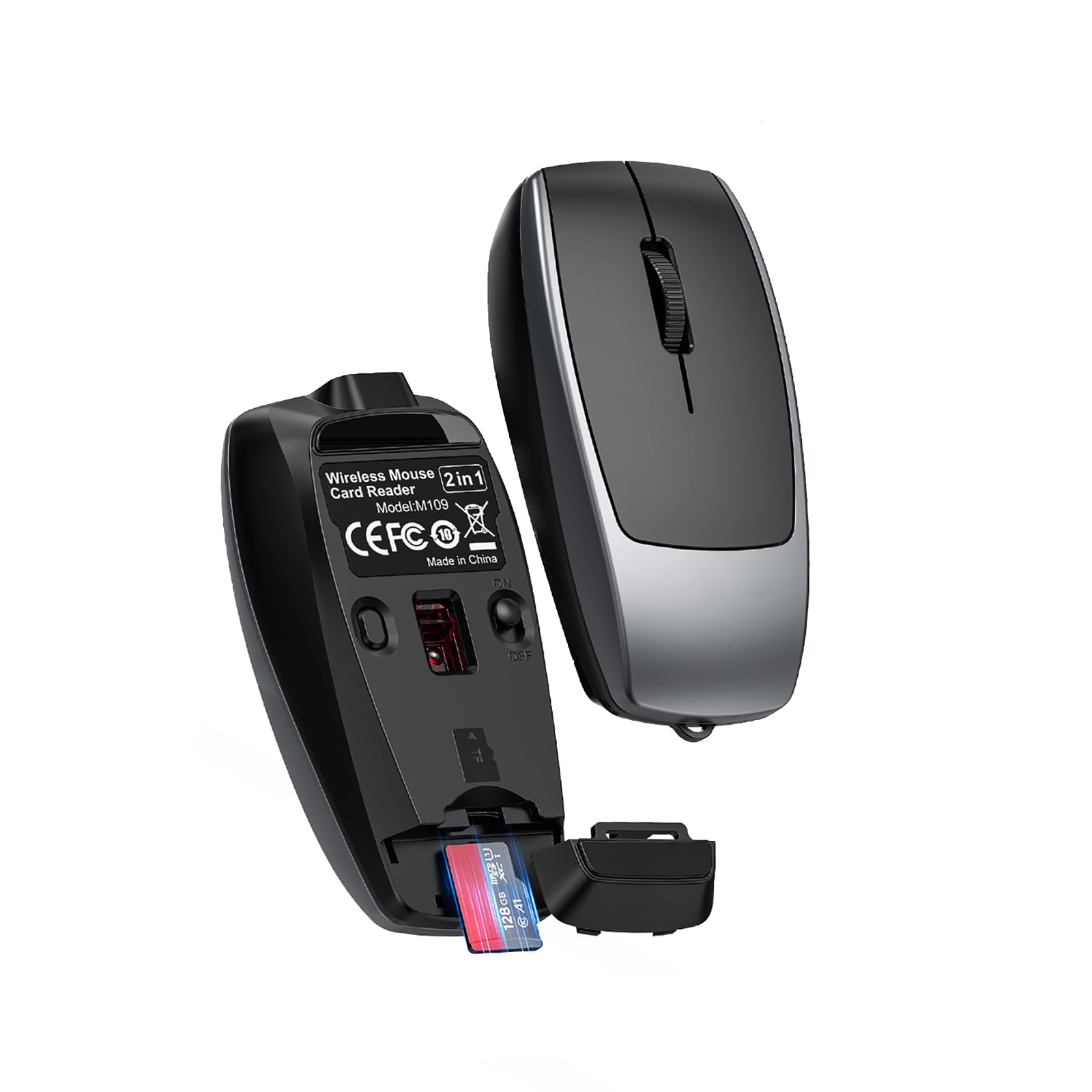
At 26 g, this one hides in a shirt pocket — and doubles as a card reader for your tablet.
This is the lightest mouse on the list, and at roughly 7.8 cm long it is genuinely tiny even by this category’s standards. That makes it the one you can forget you are carrying until you need it. The shell is a matte gray with four buttons and a right-handed shape, and it ships with a lanyard that doubles as the charge cable, so there is nothing extra to remember.
The second job is the interesting part. A slot takes a TF card (a microSD-style memory card) up to 2TB and lets you move files to your computer, tablet or phone, so a tiny mouse also becomes a card reader for a camera, dashcam or a kid’s tablet. Bluetooth pairing is a two-to-three-second press, and the same button toggles 800 / 1200 / 1600 DPI (dots per inch, the measure of how far the cursor moves per inch of hand travel).
The build tells the truth about the trade-off. A 120mAh lithium-ion battery lasts for days rather than weeks, so plan on regular charging. The flat-topped shell — 3.07 x 1.5 inches — suits children and travel, and less so grown-up sustained use. What wins people over is the dual function: a mouse and a card reader in one 26 g body.
Standout spec: 26 g with a built-in 120mAh battery and a card slot that handles cards up to 2TB.
Caveat: the compact shell is the point but also the limit — fine for kids and travel, tight for a full day of adult use.
Good fit for: parents, travelers and anyone who wants a tiny mouse that doubles as a memory-card reader.
Not the tool for: all-day driver use where a larger palm rest is non-negotiable.
5. elec Space 2-Pack Mini Travel Optical Mouse

No battery, no pairing, no charging cable — just plug in and go, twice over.
The appeal here is dead simple: a retractable USB cable means the cord spools back into the mouse, so there is no tangle and nothing to charge. It is 28 inches of cable when fully extended, which gives you enough reach to sit back from a laptop. Weighing 36.8 g and measuring 3 x 1.6 inches, it is compact without being the absolute smallest here.
You get two mice, one black and one red, which makes this a natural pick for a family with two laptops, a classroom, or a kid getting a first mouse. Both hands can use it, and the plug-and-play setup needs no driver. It is also a clean option for a machine with no Bluetooth, where a dongle or a cord is the only guaranteed connection.
Where it is honest: the finish is basic, and value for money splits opinion — some see a nice deal, others call it cheap-feeling. That is the trade you accept for a two-mouse wired set with an 18-month warranty. If you want a palm-filling work mouse, this is not it; if you want a dependable little spare for a school or travel bag, it fits.
Pick it for: the corded simplicity of retractable USB and two mice for a family or classroom.
Skip it for: a wireless, rechargeable setup — this one is deliberately old-school.
6. FMOUSE Ultra-Mini 2-in-1 Wireless Bluetooth Mouse

A stable 33-foot Bluetooth link and a mouse that keeps charging while you work.
This is a thumb-sized mouse with a 3.07 x 1.49-inch shell and a 30 g body, but its real talking point is the connection. A stable 33 ft (10 m) Bluetooth range means you can leave it on a couch arm or control a projector screen from across a small room. The 120mAh battery also charges while you use it, so a low-battery warning is a pause rather than a stop.
Like the card-reader mouse above, it does two jobs: a mouse plus a TF card reader that handles cards up to 2TB, and this version ships with an 8GB card already included. Beyond that, you get three DPI levels at 800 / 1200 / 1600, a long press on the bottom button to re-pair quickly, and a USB-C cable that doubles as a lanyard with a USB-A adapter for older laptops. A two-year manufacturer warranty is a genuine plus at this size.
The size itself is the honest catch. Customers describe the quality as good, though several note it is very small — and small here means 78 x 38 x 22mm in the hand. It is built for a bag and a tablet, not a palm. Pair that with the card-reader slot and you have a genuinely useful travel tool rather than a desk workhorse.
Most useful detail: a 10 m Bluetooth range and charge-while-in-use, both rare on a mouse this small.
Know before you buy: the 30 g body is tiny in hand, so it is a travel and tablet tool rather than a long-session mouse.
Best match if: you need reach — presenters, couch users, travelers moving files on the go.
Keep looking if: you want a mouse with real palm support for a full workday.
7. DELUX Wireless Bluetooth Pocket Mouse MF20-Black
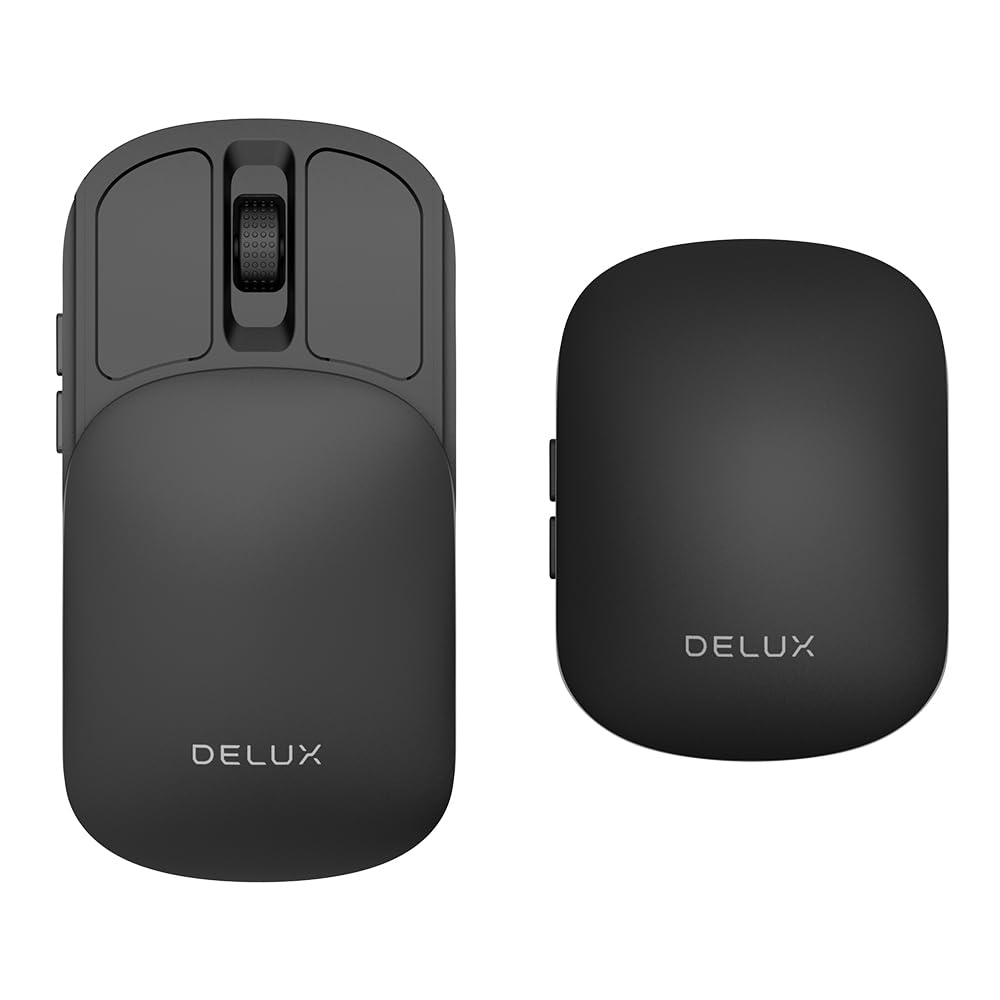
It shrinks into a slim slab for your jeans — then opens into a real mouse when you need one.
This is the most interesting shape in the list. A sliding structure collapses the mouse into a slim, pocket-friendly form that also shields the sensor when it is closed, so it travels without a case and without scratching.
The specs back up the premium placement. A 300mAh battery gives up to seven hours of continuous work from a one-hour charge, with a three-month standby, and USB-C charging works while you use it. Connectivity is dual-mode 2.4GHz plus Bluetooth 5.2 (the current Bluetooth version, which pairs faster and holds a steadier link), and five DPI levels run from 800 up to 4000 — the widest range here by a clear margin, which is useful if you jump between precise photo editing and fast casual gaming.
The honest limit is the battery window. Seven consecutive hours per charge is the shortest working stretch on this list, so a full day may need a top-up, and the battery is the one spec customers note as mixed. Against that stands the design: it connects immediately, the sliding mechanism feels solid, and it is genuinely comfortable on a plane or train tray table.
What works well
- Sliding body shrinks into a slim slab and protects the sensor when closed.
- Five DPI levels up to 4000, the widest range here, from fine detail work to fast play.
- Bluetooth 5.2 plus 2.4GHz, plus compatibility across Windows, macOS, Android and iOS.
- USB-C charging while in use, a 50 g body, a velvet storage bag and a one-year warranty.
Worth knowing
- Seven continuous hours per charge is the shortest work window here.
- No programmable buttons, so it is not a macro-heavy gaming pick.
The mouse to reach for: if you want something that truly disappears into a pocket but still opens into a fuller body.
On the other hand: a long unplugged workday will have you reaching for the charge cable sooner than any other pick here.
8. Mini 3-Mode Wireless Bluetooth Mouse

Three separate wireless channels — two Bluetooth plus a dongle — for anyone juggling screens.
The reason to pick this over the three-device Uiosmuph is the connection spread. It offers 2.4GHz wireless plus Bluetooth 4.0 and Bluetooth 5.0, and you move between them with long presses on the middle button, each channel showing its own light color. That is three devices on one small mouse, and it ships with a case so the shell is protected between trips.
In the hand it is 3.03 x 0.79 inches and 72 g, so it is small but the heaviest of the tiny set here. The 1200 DPI optical sensor keeps tracking steady for everyday office work, the silent buttons cut click noise in a quiet room, and the receiver docks magnetically into the bottom so it is hard to lose. Charging uses the included Micro USB cable, with a light that shows red while charging and green when full.
The size is the real limitation. At this weight and length it suits a laptop bag rather than a shirt pocket, and the tiny shell feels tight for larger hands. It is also worth knowing that the connection only works if your computer supports the mode you choose — a desktop with Windows 7 or a machine with no USB port will not have every option available.
What it’s good at: three wireless channels with easy switching, silent clicks and a case in the box.
What to expect: the heaviest tiny mouse here, with a pocket-sized shell better suited to a bag than a shirt.
Built for: people with two or three devices who want one silent mouse to rule them all.
Less suited to: large hands or a true pocket-carry need.
9. Ultra Small Bluetooth Wireless Mouse

One mouse, two computers — 2.4GHz on one and Bluetooth on the other, flipped between them.
If you sit between a work desktop and a personal laptop, this is built for exactly that. One computer connects through the 2.4GHz receiver and the other through Bluetooth, and you switch between them without swapping hardware. At 3.03 x 0.79 inches and 40 g, it stays genuinely small, and it ships with a case and a Micro USB charging cable.
You get a 1200 DPI sensor, silent buttons for shared spaces, and a receiver that docks magnetically in the bottom so it stays with the mouse. Charging uses a red-and-green indicator light, and the mouse drops into a power-saving sleep state after sitting idle, waking with any button press. That combo makes it a comfortable secondary device for a desk with two machines.
Sizing the catch: the average battery life is listed at one month, and the battery is the spec that draws the mixed feedback, so a workday keeps you close to a cable. The tiny body also means this is a travel mouse in a bag, not a palm-filling office one. If your machines lack Bluetooth or a free USB port, though, remember the dual-mode switch needs one of each to work.
Suits you if: you need to run two computers off one small mouse without a hardware switcher.
Think twice if: a month between charges is tighter than you want, or your desk has no Bluetooth.
Know the Specs
DPI: What The Number Actually Means
DPI (dots per inch) describes how far the cursor moves across the screen for every inch you slide the mouse. A tiny mouse at 800 DPI moves slowly and feels controlled; at 1600 DPI it covers more screen with less hand movement. The 1200 DPI setting is a middle ground and fine for normal office work. Higher ceilings like 4000 DPI on the DELUX MF20 help on a large monitor or fast-paced play, but for a pocket mouse 800 to 1600 covers most daily tasks.
Battery Capacity In mAh
mAh (milliamp-hours) measures how much charge a rechargeable battery holds. A 120mAh pack in a small mouse lasts days of casual use; a 300mAh pack in the DELUX MF20 gives up to seven continuous hours per one-hour charge. A bigger number usually means fewer plug-ins, but it can also add a little weight. If you travel without a cable handy, favor the larger capacity; if you are always near a USB-C port, the smaller pack is fine.
Bluetooth Versus 2.4GHz Receiver
A 2.4GHz receiver is a small USB dongle that pairs instantly with no setup screen. Bluetooth skips the dongle and connects directly, which is essential on a tablet or phone with no spare USB port. Dual-mode mice do both and let you switch: Bluetooth for a tablet on the couch, the dongle for a desktop that has no wireless card. Check that your computer supports Bluetooth before relying on that mode alone.
Silent Click And Weight
Silent-click buttons cut the audible click so you can work in a shared room, on a train or next to a sleeping child. Weight in grams decides how the mouse feels in the hand and how much you notice it in a bag. A 26 g mouse vanishes in a pocket; a 72 g one stays small but has more heft. There is no single right weight: lighter suits travel, heavier suits grip stability.
Common Questions
Will a tiny mouse work with my iPad or Chromebook?
How long does a rechargeable mini mouse run between charges?
Is a mini mouse too small for larger hands?
Can one tiny mouse control two computers at once?
What is a TF card reader doing inside a mouse?
Do silent-click buttons actually stay quiet?
Will a wireless mini mouse work with an older Windows 7 computer?
How much difference does weight make in a pocket mouse?
Do these tiny mice need drivers or software to install?
The Bottom Line
The tiny mouse that balances it all is the elec Space Wireless Mini Finger Mouse, because it pairs over Bluetooth 5.1 or a 2.4GHz receiver, ships with a case, and gives you silent clicks and switchable DPI in a body that still fits a pocket. If you want the simplest three-device switcher for small hands, the Uiosmuph Mini is the one to reach for. And if a mouse that also moves memory cards matters, the 26 g TF card-reader mouse covers both jobs.
Whichever you pick, the math behind a world smallest mouse is a trade you make on purpose: a shell this small buys you a pocket-sized carry, and asks in return for short sessions and small hands. Pick the trade-off that matches how you actually use a mouse, and the tiny size stops being a gimmick and becomes a genuinely useful tool.
How we choose
We do not accept paid placement. Every pick is matched to a real buyer and a real use-case; we do not hands-on test units.
Sources
Specifications: manufacturer listings and product documentation. Review insights: verified customer reviews, as of November 2026. Pricing: not shown on this page (it changes often); check the current price via the retailer link.
As an Amazon Associate, Tactical Gear Guy earns from qualifying purchases. This does not affect which products we feature.