Specs are compiled from manufacturer listings and verified buyer reviews and can change over time — please confirm the key details on the product page before buying.
If you want to stop buying notebooks, an electronic writing tablet replaces the paper stack with a screen you press a button to clear. The trick is picking the right kind. Two very different machines get sold under this name: an inexpensive pressure-sensitive LCD board that erases in one tap, and a premium e-ink notebook that feels like a real pen on paper and stores your notes. Here is which type fits your day, and the models that hold up best.
This guide is built by comparing the manufacturers’ published specifications and the patterns across verified customer reviews, so you get each pick’s real strengths and trade-offs instead of marketing spin.
Screen size decides what a tablet is good for: a small pad fits a kid’s backpack, a big one holds a full page of office notes. Pressure sensitivity (how hard you press changes the line thickness) and erase behavior (how you wipe a mistake) matter more than raw specs. The best electronic writing tablet for you depends on if you want a cheap doodle pad or a serious digital notebook.
Top Picks

How To Choose The Best Electronic Writing Tablet
The first decision is not a spec at all — it is what you want the tablet to do. A writing tablet either wipes clean and forgets everything, or it saves your pages for later. Get that wrong and no amount of screen resolution will rescue the purchase.
Decide between a wipe-clean board and a storing notebook
A wipe-clean board uses a pressure-sensitive LCD (a screen that darkens wherever you press, with no backlight). You write with a stylus, then press one button and the whole page vanishes. Nothing is saved. That is ideal for kids, quick lists, car trips, and math practice.
A digital notebook uses e-ink (a paper-like display that only uses power when the image changes) and keeps your notes in memory you can search, convert to text, and sync. These cost far more and are built for people who take real notes they need to keep.
Match the writing surface to your hand
Pressure sensitivity is how many levels of pressure a pen can detect — more levels mean a lighter touch registers cleanly. On e-ink models the stylus often reports levels in the thousands and needs no charging, so a fine line and a heavy press look genuinely different on the page.
Check size against where you will use it
A small board slips into a bag and sits on a desk; a large pad opens up for classroom demonstrations or broad sketches. Measure the space you actually write in before you fall for a big screen.
Know how erase and battery behave over months
One-button erase is fast and satisfying, but on budget LCD boards the screen can stop clearing fully over time. E-ink notebooks erase per stroke and keep the rest, which is a different habit entirely. Either way, read how the battery and stylus are handled before you commit.
Side-by-Side Comparison
| Model | Best For | Screen / Surface | Stylus | Saves Notes? | Amazon |
|---|---|---|---|---|---|
| TEKFUN 20inch LCD Writing Tablet★ Best Overall | Kids, classroom demos, car trips | 20-inch pressure-sensitive LCD | Included stylus | No — one-button erase | Amazon |
| Boogie Board Jot 8.5Best Value | Quick lists and note-taking on the go | 8.5-inch pressure-sensitive LCD | Included stylus | No — instant erase | Amazon |
| BOOX Tablet Go Color 7 Gen IIMost Compact | Reading and light note-taking in color | 7-inch Kaleido 3 color e-ink | Active Stylus InkSense (sold separately) | Yes — 64GB storage | Amazon |
| Like-New Kindle Scribe (32GB) | Refurbished pen-on-paper note-taking | 10.2-inch glare-free 300 ppi | Premium Pen included | Yes — 32GB | Amazon |
| Huion Ink EB1011 | Students and professionals who annotate | 10.3-inch e-ink, 227 PPI | Battery-free, 8192 pressure levels | Yes — 64GB, expandable | Amazon |
| reMarkable Paper Pure | Distraction-free focused writing | 10.3-inch black-and-white e-ink | Marker included | Yes | Amazon |
| Kindle Scribe 32GB (newest model) | Reading plus writing in one device | 11-inch glare-free front-lit | Pen included | Yes — 32GB | Amazon |
| reMarkable 2 with Marker Plus | Paper feel with a leather folio bundle | 10.3-inch black-and-white e-ink | Marker Plus with built-in eraser | Yes | Amazon |
Detailed Reviews
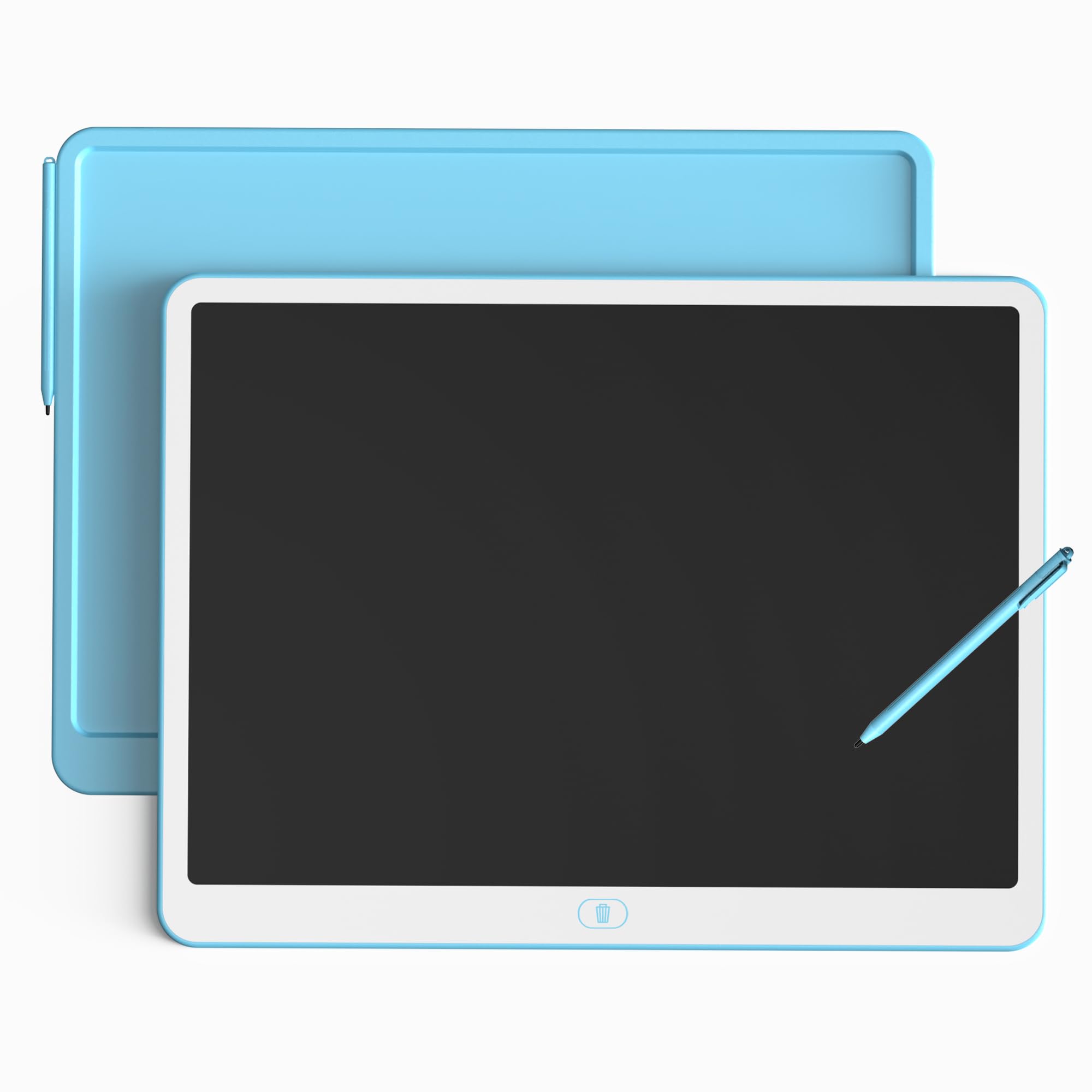
1. TEKFUN 20inch LCD Writing Tablet with Stylus
Our pick — 4.5+★ from 30,000+ verified ratings; the strongest balance of quality and price.
A 20-inch canvas that wipes clean with one press and costs less than a stack of notebooks.
The number worth knowing first is the size: a 20-inch pressure-sensitive LCD screen, which is the biggest surface on this list. That is roughly the difference between doodling on a phone and working across a sheet of poster board. Teachers can face a class and sketch a diagram that everyone sees. Kids can spread a whole drawing across it. And when the page is full, the large erase button clears everything in one press.
The screen is non-illuminated and glare-free, so writing makes no light and no sound. That turns it into the quiet option for a car ride, a waiting room, or a desk beside a sleeping sibling. It uses no ink and no paper, and the included long-life battery handles the erase function. Families tend to save on notebook refills because the same pad covers daily doodles and endless math practice.
What earns its top spot
- 20-inch pressure-sensitive screen — the largest writing area in this lineup
- One large erase button clears the whole page instantly
- Glare-free and silent, so it works in cars, classrooms, and quiet rooms
- No ink, paper, or refills; the included battery runs the erase
Where it asks a little patience
- A light touch produces a faint line — it needs steady pressure
- Nothing is stored; the page is gone the moment you erase
- Color is fixed to the screen, not something you pick
Reach for it if: you want the biggest writing surface going for kids, classroom demos, or rough sketches, at a budget-friendly entry point.
Look elsewhere if: you need your notes saved and searchable — this one is strictly write-and-wipe.
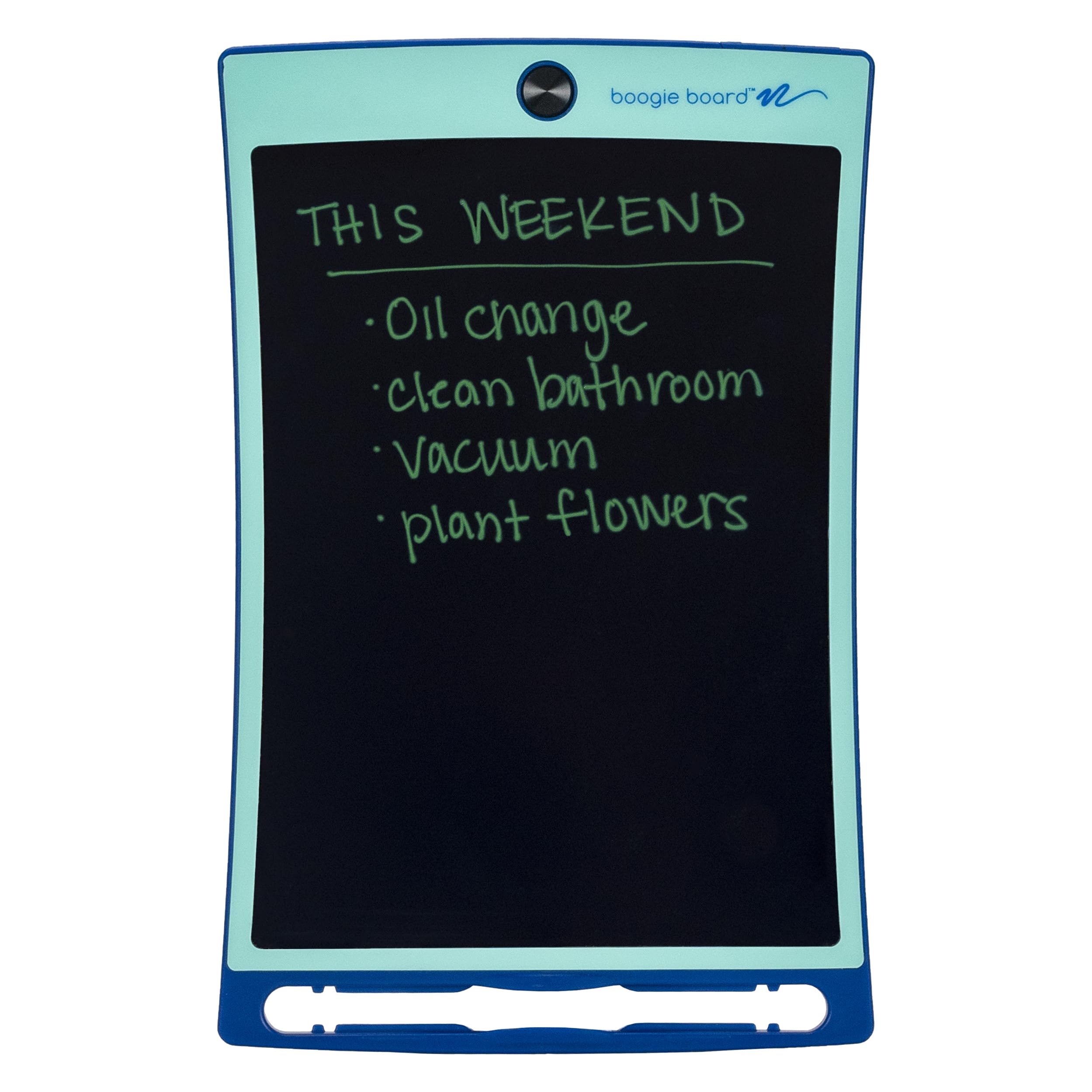
2. Boogie Board Jot Reusable Writing Tablet, 8.5″
The desk-side notepad that hangs on the fridge and clears in one touch.
Where the giant TEKFUN pad is built for a crowd, this 8.5-inch Jot is built for one person at a desk. The surface is glass-and-plastic, pressure-sensitive, and writes with the included stylus or even a fingernail — no software, no setup. Press the button and the whole board erases fresh. A CR2 battery is included to run that erase function.
The clever part is mounting. Built-in magnets on the back let it hang on any magnetic surface, so it becomes a fridge list or a shop-board note. The included stylus doubles as a kickstand that props the tablet up while you work. It is rated for children ages 4 and up, which suits it to car rides and classroom notes too.
The writing quality holds up: it does not bleed or turn illegible, so what you wrote reads back clearly. Owners single out its looks, and the magnetic back means it can hang on the fridge instead of cluttering the counter. The honest catch is long-term erase reliability: press the button gently, and expect a well-loved board to need replacing eventually rather than lasting forever.
Built for the countertop: magnets and a kickstand mean it lives wherever you need a running list, and the glass-plastic surface keeps your handwriting legible.
The trade to weigh: it is a compact single-user board with fixed colors and nothing saved. If your page is gone once you erase it, that is the design, not a fault.
Suits you well if: you want one tidy board for fridge lists, quick notes, or kids ages 4+, and you like the do-it-in-one-tap simplicity.
Pass on it if: you need a large sketch surface or stored notes — a bigger board or an e-ink notebook fits that better.
3. BOOX Tablet Go Color 7 Gen II E Ink Tablet
A pocketable color e-ink reader with Android apps and a stylus-ready screen.
If portability matters most, this is the smallest serious contender here: a 7-inch screen that slides into a coat pocket. That is a dramatic downshift from the 20-inch TEKFUN board — the big pad has the acreage, this one has the ability to read and store. The display is Kaleido 3 color e-ink (a color paper-like panel) at 1680 x 1264 resolution, with 300 ppi in black and white and 150 ppi in color.
Underneath sits an octa-core processor, 4GB of RAM, 64GB of storage, and Android 13, so third-party reading apps install and run. Connectivity is Wi-Fi plus Bluetooth 5.1, and it has page-turn buttons, a microSD slot, a USB-C port, and both a speaker and microphone. A G-sensor handles auto rotation. For reading in the dark there is a front light with warm and cold tones you can blend.
Buyers split sharply on the screen. Color e-ink is inherently darker and grayer than an LCD, and the manufacturer is upfront that this is the technology, not a defect — their fix is turning up the cold or warm front light. If you go in expecting a glowing tablet look, you will be disappointed; if you expect a reader in color, you will not. Storage is 64GB, plenty for a library of books.
What it does well: a genuinely pocket-size 7-inch color e-ink reader with full Android app support and 64GB storage for a whole reading library.
The honest limit: color e-ink looks duller and grainier than an LCD by its own nature, so treat the front light as a necessity in dim rooms.
Best for: readers who want color e-ink and Android apps in the smallest possible body, and who can live without the stylus, which is not in the box.
Otherwise consider: a larger e-ink notebook if pen-on-paper writing is your goal.
4. Like-New Amazon Kindle Scribe (32GB) with Premium Pen

A refurbished pen-and-page notebook that reads your handwriting back in clean text.
This is the entry to serious e-ink writing without paying the newest-model premium, because it arrives refurbished, tested, and certified to look and work like new, with the same limited warranty as a new device. The display is a 10.2-inch glare-free, front-lit panel at 300 ppi — sharp enough that handwriting and fine print both stay clean. It packs 32GB for your notebooks, documents, and books.
The Premium Pen writes and needs no setting up or charging — you just start writing, and it feels like pen meeting paper. Built-in AI tools convert messy handwriting into readable text, summarize your notes, and shift their length and tone. Import PDFs with Send to Kindle and mark them up in place. Active Canvas also lets you write in a book’s margin and have the page make room for your notes.
It has no notifications or social media pulling at you. Two things to keep in mind: the refurbished unit ships in generic Amazon-branded packaging, and the pen is not the newest model’s pen, so do not expect that exact spec. For the money, it is the most cost-effective way into a working e-ink notebook.
Why buyers gravitate here
- 10.2-inch, 300 ppi glare-free display with a front light for reading in any light
- Premium Pen needs no charging — write on arrival
- AI tools clean up handwriting and summarize notes
- 32GB of storage and PDF marking for work or study
Fine print worth reading
- It is a refurbished unit, so the packaging is generic rather than retail
- No notifications means no apps — this is a writing and reading device only
- The pen is not the newest model’s pen, so do not expect that exact spec
A smart entry point if: you want a certified, warrantied e-ink notebook with AI note tools and cannot justify the newest-model price.
Think twice if: a sealed retail box matters to you, or you expect the very latest pen hardware.
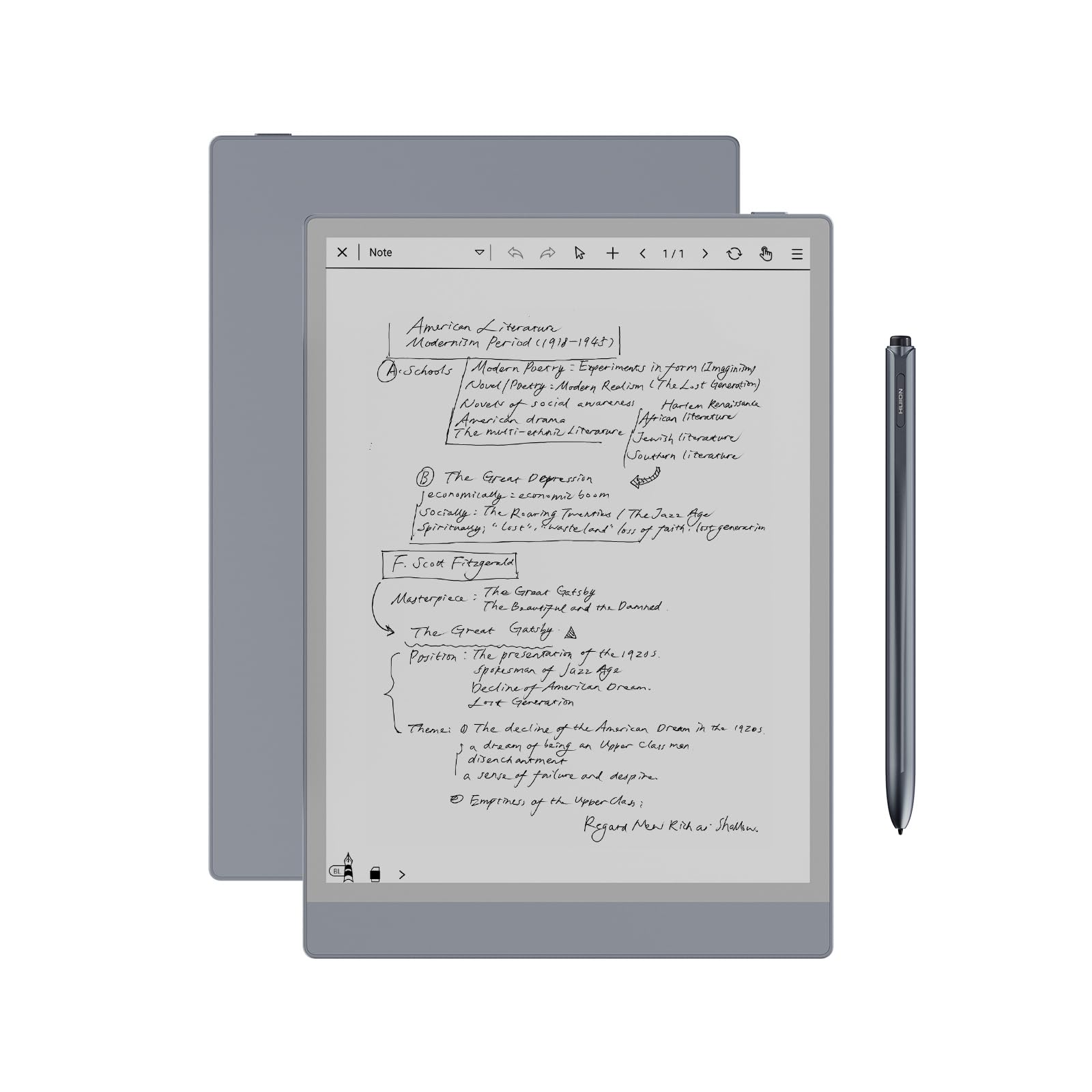
5. Huion Ink EB1011 E Ink Tablet 10.3″
A do-everything e-ink notebook that also plugs into your computer as a drawing tablet.
The standout here is pen sensitivity: 8192 levels of pressure from a battery-free stylus, with no lag and a felt tip for real friction. That is the most pressure levels in this lineup, and it is why the pen feels like a proper drawing tool, not a basic stylus. The 10.3-inch display runs 1404 x 1872 resolution at 227 PPI under fully laminated anti-glare glass, so text reads like an A5 notebook page.
Its flexibility is unusual. Running Android 11 with 64GB expandable up to 2TB, it installs apps from a store. Handwriting converts to editable text and shares by QR code or the cloud in a tap, or projects wirelessly to a bigger screen for meetings. You get five brush types, ten colors, and twenty line thicknesses, plus split-screen, text-to-speech, and support for PDF, EPUB, MOBI, and DOCX. There is a 4650mAh battery rated up to 12 days, and it weighs 0.99 pounds at 0.25 inches thin. A leather case gives 360° protection and a stylus slot.
Where it gets mixed is drawing. Buyers praise the 8192 pressure levels and the laminated anti-glare screen, but a chunk find it is not the machine for serious illustration, and some hit Bluetooth pairing snags. It connects to computers and phones for the pen-tablet mode, so it covers reading, writing, drawing, and listening in one device. The lesson is to buy it for note-taking and annotation first.
What it wins on: 8192 pressure levels and a fully laminated anti-glare screen make it the most pen-sensitive notebook here, with 64GB expandable to 2TB and up to 12 days of battery.
Set the expectation: it is superb for notes, text conversion, and PDF reading — treat illustration as a bonus, and a few units need patience pairing over Bluetooth.
A fit for: students and professionals who annotate documents and want notes converted to text, plus a pen that doubles as a computer drawing tool.
Better to skip if: your main goal is pro illustration — the panel draws, but that is not where it excels.
6. reMarkable Paper Pure Digital Notebook with Marker

A note-taking tablet designed to leave you alone and let the thoughts arrive.
The figure that tells the story is 21 ms — the time digital ink takes to appear under the pen. That is faster than the blink of an eye, and it is what makes handwriting feel instant rather than laggy. The 10.3-inch third-generation black-and-white display is the whitest and highest-contrast in the Paper Pure line, which matters most when you are staring at a page for an hour.
It is deliberately spare. There is no app store, no pop-up ads, no notifications, and no social media to pull you away. Dozens of note-taking templates, an uncluttered screen, and simple navigation keep you on the page. You can toggle tags and folders, convert handwriting to text, and quickly send in a PDF from Google Drive, Dropbox, or Word.
At 360 g it stays light enough to hold for long sessions. Owners praise the paper-like handwriting feel and the solid build, and they judge it on focused writing rather than the apps it skips. The catch is that it does very little beyond focused writing. If you want apps, color, or a glowing screen, this is the wrong tool on purpose.
Where it shines
- 21 ms ink response makes writing feel immediate
- Third-gen 10.3-inch display is whiter and higher contrast
- No apps, ads, or notifications by design — built for focus
- 360 g body and dozens of templates for daily notes
What you give up
- No app store at all, so it cannot double as a general tablet
- Black-and-white only, no color screen
- Focused purpose means it is the wrong pick for mixed entertainment use
Pick it if: distraction-free writing is the whole point and you want fast, high-contrast ink under your pen.
Look away if: you want apps, color, or media on the same device.
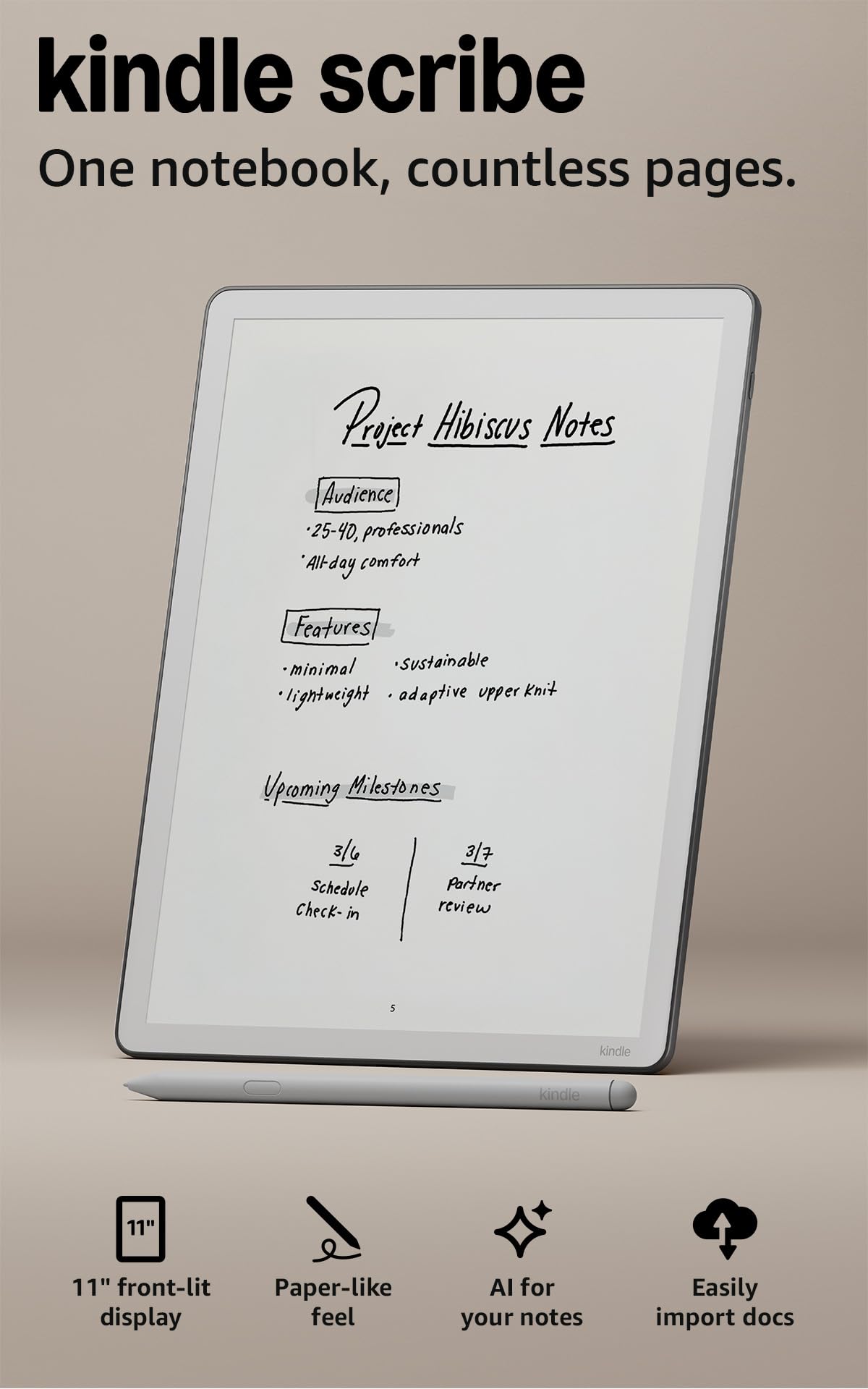
7. Amazon Kindle Scribe 32GB (newest model)
The newest Scribe adds an 11-inch page and a pen that never needs a charger.
This is the larger of the two Kindle Scribes here — an 11-inch glare-free display against the refurbished model’s 10.2 inches. The bump gives you more room to read, write, and think, and the writing is 40% faster than the previous generation for both pen strokes and page turns. The Premium Pen is included and never needs charging, with a built-in eraser and a shortcut button for tools like the highlighter.
Comfort was clearly on the minds of the designers: it is just 5.4mm thin and 400g light. The front light adapts brightness to your room automatically, and you can shift the warmth at night. Built-in AI helps you find information in your notes, ask questions about what you wrote, and generate summaries, plus clean up handwriting or convert it to text. Import from Google Drive or OneDrive, mark up files, and export them as PDFs — or send notebooks to Microsoft OneNote.
Reviewers praise the 11-inch glare-free screen and the 40% faster pen response, and at 400g it stays light enough to hold one-handed. The honest trade: it is a focused reading-and-writing device, not an open app tablet, so extra apps are simply not on the menu. And the newest-model premium is real — the refurbished version above delivers the same core job for less.
Why it earns the step up: the 11-inch display, 40% faster writing, chargeless pen, and auto-adjusting front light make it the most comfortable Scribe to use daily.
Keeping it honest: it does notes and books, not apps, and you pay a premium over the refurbished model for the newest hardware.
Best if you want the flagship: the largest Scribe screen, faster strokes, and the newest pen convenience in one device.
Consider the refurbished Scribe instead: if the newest hardware does not matter and the same note-taking job at a lower tier suits you.
8. reMarkable 2 with Marker Plus and Black Leather Folio

The paper-feel classic, bundled with a leather folio and a pen that has an eraser built in.
At 4.7mm thick, this is the slimmest tablet here, and the whole point is the paper-like writing feel that reMarkable built its name on. The 10.3-inch black-and-white display covers note-taking, reading, and document review. Battery life runs up to 2 weeks, so the charger stays in a drawer through a full work stretch.
The box is the real story: reMarkable 2, Marker Plus with a built-in eraser, 9 spare Marker tips, a black leather protective cover, and a USB-A to C cable. No app store, no ads, no notifications — just focus. Folders and tags organize notes, you write directly on PDFs, and handwriting converts to typed text. Microsoft Word and PowerPoint files transfer over so you can draft and review by hand, and you can share by email or sync to Google Drive, Dropbox, or OneDrive.
Owners praise the solid build and the slim 4.7mm aluminum body. The thing to know before you buy is that this is the previous-generation reMarkable at a premium bundle tier, so you pay for the paper feel and the leather, not the newest display. Some units have been reported to stop working at bad moments, so treat the warranty as part of the deal.
The bundle case: 4.7mm thin, up to 2 weeks of battery, Marker Plus with eraser, and a leather folio in the box — a complete paper-notebook replacement set.
Weigh the premium: it is the older-generation display in a premium package, so buy it for the feel and the folio, not for the newest screen tech.
Choose it if: you want the original paper-feel writing experience with a leather cover and eraser pen in one ready-to-go bundle.
Step elsewhere if: you want the newest display or color, which the Paper Pure and Scribe offer instead.
Know the Specs
Screen size and surface
Size sets what you can do. A 7-inch reader like the BOOX fits a pocket; a 20-inch LCD like the TEKFUN spreads out for a classroom or a broad sketch. E-ink panels tend to run 10.3 to 11 inches because that is the size of a real notebook page. Bigger is easier to write on but less portable.
Pressure sensitivity and stylus
Pressure levels say how finely a pen reads your touch — the higher the number, the more a light line and a heavy press differ. E-ink styluses often need no charging and use thousands of levels, while budget LCD boards respond to pressure alone. A stylus that never needs a battery means one less thing to charge.
Erase behavior and note storage
A one-button erase clears the whole LCD board, and nothing is saved — great for quick lists and kids. An e-ink notebook erases per stroke and stores your pages in memory, so you can search, convert, and sync later. Decide which behavior matches your day before you shop.
Battery life and front light
E-ink uses power mainly when the image changes, so notebooks can list weeks of reading and writing between charges, while an LCD board runs on a small long-life battery for the erase only. A front light with warm and cold tones lets you write and read in a dark room without a bright, glaring screen.
Common Questions
Can an electronic writing tablet save my notes instead of erasing them?
Do I need to charge the stylus?
Will an e-ink screen look dull compared with a normal tablet?
Is a large 20-inch board too big to use on a lap?
Can kids use these tablets safely?
What is the difference between pressure sensitivity numbers?
Can I write directly on PDFs and documents?
How long does the battery last between charges?
Are these tablets good for drawing as well as writing?
Is a refurbished Kindle Scribe a good deal versus a new one?
The Bottom Line
For most people, the electronic writing tablet that wins is the TEKFUN 20inch LCD Writing Tablet, because its 20-inch screen and one-button erase cover kids, classrooms, and quick sketches at a budget-friendly tier. If you want your notes saved and searchable, step up to the Kindle Scribe 32GB — the 11-inch display and chargeless pen make it the most comfortable notebook here. And for distraction-free paper feel with a leather folio in the box, the reMarkable 2 bundle is the one to reach for. The crowd favorite is the TEKFUN pad, at 4.5+ stars across 30,000+ ratings, because one button clears the whole 20-inch page.
How we choose
We do not accept paid placement. Every pick is matched to a real buyer and a real use-case; we do not hands-on test units.
Sources
Specifications: manufacturer listings and product documentation. Review insights: verified customer reviews, as of November 2026. Pricing: not shown on this page (it changes often); check the current price via the retailer link.
As an Amazon Associate, Tactical Gear Guy earns from qualifying purchases. This does not affect which products we feature.