Specs are compiled from manufacturer listings and verified buyer reviews and can change over time — please confirm the key details on the product page before buying.
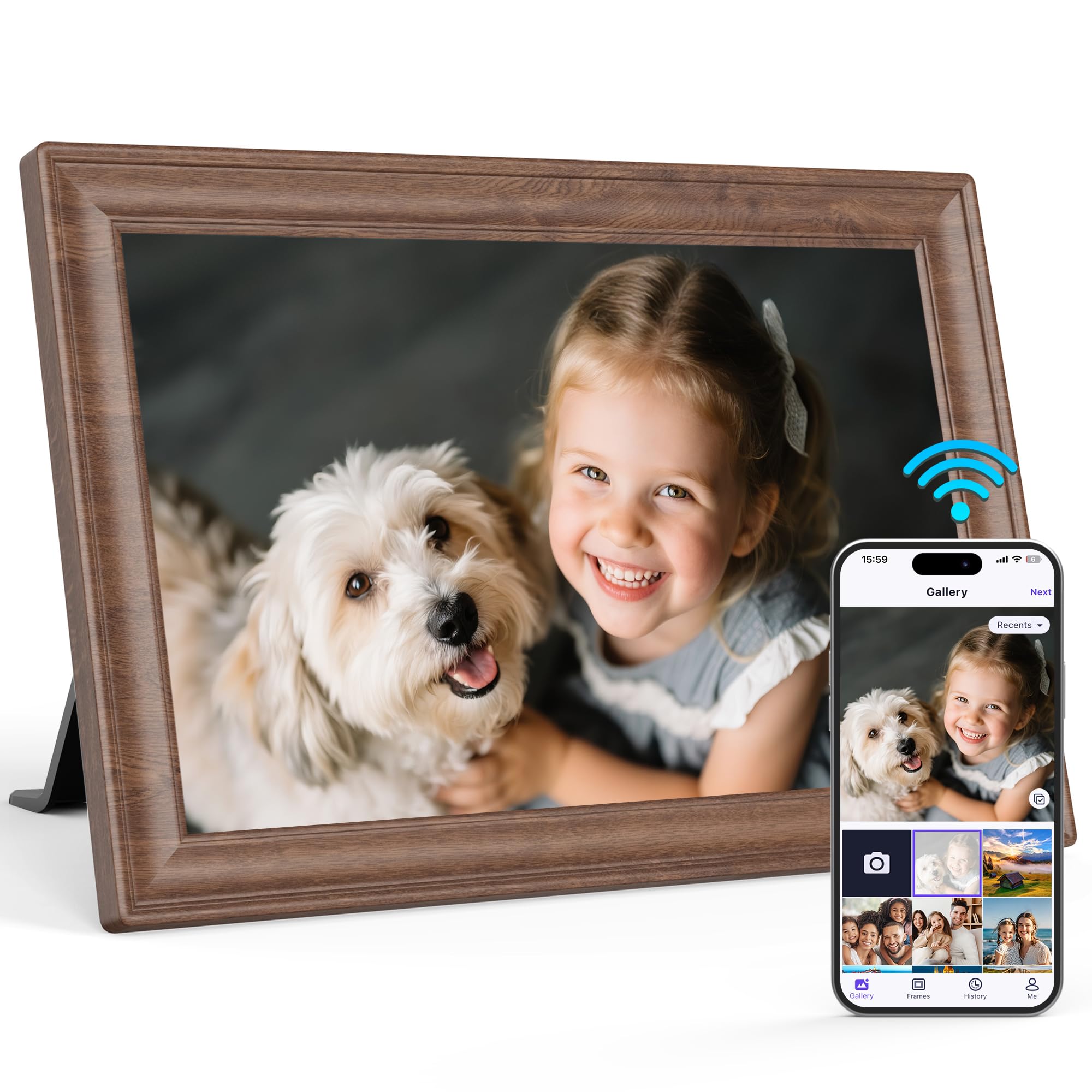
Most frames sold as “wood” are plastic with a printed grain, and you can feel the difference the moment you pick one up. A genuine wood digital photo frame gives you a real timber border around the screen, so the frame looks like furniture in your living room instead of a gadget on the side table. That single detail separates a frame you keep on the mantel for years from one you tuck behind a lamp, and every pick below had to clear it.
This guide is built by comparing the manufacturers’ published specifications and the patterns across verified customer reviews, so you get each pick’s real strengths and trade-offs instead of marketing spin.
You will see which screen sizes suit a shelf versus a whole wall, how each brand handles phone-to-frame sharing, and where a non-WiFi option makes more sense for an older parent. Every pick here is a real wood or wood-finish frame, and the details that actually change your day are pulled out below in wood digital photo frame picks for every room.
Top Picks


How To Choose The Best Wood Digital Photo Frame
The first question is not which brand — it is where the frame will sit. A frame on a bedside table needs to be small and look good up close, while a frame anchoring a living room wall needs a big, bright panel that reads from the couch. Settle the placement first and the screen size, resolution, and sharing method all fall into line.
Match the screen size to the room
A 8-inch panel works on a shelf or desk where you are sitting within arm’s reach. A 10.1-inch panel suits a side table or a kitchen counter you pass by. A 15.6-inch or 21.5-inch panel is the one that holds its own across a living room. Measure the wall or table space before you buy, and remember the frame border adds to the screen size, so check the listed exterior dimensions too.
Look past “wood” in the title
Two frames can both say “wood” and still feel completely different in your hands. Some use a real solid wood border. Others use a wood-finish wrap over a plastic body. Neither is a defect, but only one feels like furniture in your hands. But if you want the frame to feel like a piece of furniture, check the frame material line in the spec sheet — that is where a listing has to say whether it is wood or plastic.
Decide between app sharing and card-only
A WiFi frame with an app lets family send new photos from their phones long after the gift is opened, which is the whole reason these frames stay interesting for years. A non-WiFi frame plays whatever you load onto an SD card or USB drive, and it never needs a password or an account. For a parent who finds apps confusing, the card-only route is often the calmer choice.
Side-by-Side Comparison
| Model | Best For | Screen Size | Resolution | Stored Memory | Amazon |
|---|---|---|---|---|---|
| Frameo 15.6” by Pastigio★ Best Overall | Big-room viewing | 15.6 inches | 1920 x 1080 | 32 GB | Amazon |
| Uhale 10.1″ by MaxAngelBest Wood Look | Shelf-size wood gift | 10.1 inches | 1280 x 800 | 32 GB | Amazon |
| Frameo 10.1″ by BIGASUOReal Wood Pick | Real wood on a desk | 10.1 inches | 1280 x 800 | 32 GB | Amazon |
| Aluratek Distressed Wood 10″ | No-app simplicity | 10 inches | 1024 x 600 | — | Amazon |
| Canupdog 10.1″ WiFi | Budget cloud sharing | 10.1 inches | 1280 x 800 | 16 GB | Amazon |
| Connected Seasons 8″ | Tiny real pine frame | 8 inches | 1280 x 800 | 16 GB | Amazon |
| Heart Frame 10.1″ | Premium gifting | 10.1 inches | 1280 x 800 | 32 GB | Amazon |
| BIGASUO 21.5″ Frameo | Wall-scale showpiece | 21.5 inches | 1920 x 1080 | 64 GB | Amazon |
Detailed Reviews
1. Frameo 15.6” Digital Picture Frame by Pastigio
Our pick — 4.5+★ from 3,500+ verified ratings; the strongest balance of quality and price.
A 15.6-inch panel that turns a whole wall into a family album.
The number that decides this one is 15.6 inches — the screen measurement across the diagonal. That is the biggest panel in this group short of the 21.5-inch model, and it means faces stay readable from a couch on the far side of the room. Resolution is 1920 x 1080, the same pixel count as a full HD television, so fine details like freckles and pet fur come through instead of smearing.
What wins people over is the build quality, and the setup is close behind. You connect it to WiFi once, then anyone with the free Frameo app can send photos and videos straight to it, with no cap on how many people join. Owners describe it as the frame they hand to a parent who does not do technology, because the first photos are usually already loaded before the box is opened. The 32GB of built-in memory holds a large library, and if WiFi feels like too much, an SD card or USB drive works as a no-app route.
The catch is the border itself. The specs list the frame material as plastic, so this is a black-and-white surround rather than a timber one — the big screen is the draw here, not the wood. It is also the widest body in the group at 15.75 inches across, so clear a real shelf or mount it on the wall with the included hardware. For a shared living-room display where several family members send pictures, the size and the app make it the strongest all-rounder here.
Where it earns its keep
- 15.6-inch 1920 x 1080 panel reads clearly from across a room
- Unlimited app users can send photos without member limits
- 32GB internal plus SD and USB options for offline loading
- Sleep mode cuts the panel off automatically to save power
What to plan around
- Frame material is plastic, not timber
- Video shared through the app is capped at 15 seconds
- The wide body needs a generous shelf or a wall mount
Go for this if: you want one shared frame the whole family feeds from their phones, and the screen size matters more than a timber border.
Think twice if: a real wood surround is the whole reason you are shopping.
2. Uhale 10.1″ Digital Picture Frame 32GB by MaxAngel
The brown wood finish that blends into a bookshelf instead of shouting gadget.
This is the frame you point at when someone says a digital frame can never look like real furniture. The brown wood finish wraps a 10.1-inch IPS panel, and IPS means the picture stays readable when you look at it from an angle rather than straight on. Resolution is 1280 x 800, which is crisp for a panel this size at arm’s length. Set beside the 15.6-inch Pastigio above, it is the smaller, quieter piece — 10.1 inches against 15.6 — and that is exactly the point for a side table.
Sharing runs through the free Uhale app on iOS or Android, and there is no ceiling on how many family members can connect. Photos and videos land on the frame within seconds of being sent. Videos loaded straight from an SD card or USB drive play without a time limit, while anything sent through the app tops out at 120 seconds. The 32GB of storage is generous, and the package includes a detachable stand and a screw for wall hanging.
One thing to know before you buy a memory card: the frame wants a 32GB card or drive in FAT32 format for reliable playback. Larger cards can misbehave, so the stated 32GB is the safe size. It also runs on mains power rather than a battery, so plan for a cord reaching the shelf. The appearance is what people bring up first in the reviews, and that is a fair read — this is the one that looks like décor first and screen second.
Looks-first pick: if the frame sits in a room guests actually see, the brown wood finish and the angled IPS view do more for you than a bigger screen would.
Card note: stick to a 32GB SD card or USB drive so playback works without a fight.
Reach for this if: you want a wood-toned frame that holds its own on a shelf and lets relatives send pictures from their phones.
Pass if: you need a wall-filling panel, because 10.1 inches is a sit-close size.
3. Frameo Digital Picture Frame 10.1″ Wood by BIGASUO
A timber frame priced like a plastic one, with a white mat around the screen.
Here is the detail that earns this one its spot: the frame material line reads wood. Not wood-look, not a printed wrap — you get a brown wood border with a white mat between the timber and the 10.1-inch screen, so it reads like a framed print on a desk. The panel underneath is 1280 x 800 IPS with touch control, which means you tap the screen to move between photos rather than hunting for a remote or a button.
Sharing runs on the Frameo app, the same iOS and Android system the 15.6-inch Pastigio uses, so a family already set up there can add this frame without a second download. You can bind several frames to one app and send the same photo to a few of them at once, which is handy when grandparents live in different houses. The 32GB of built-in memory holds a large photo library, and a micro SD card up to 32GB expands it for backup and import.
The honest limits: app videos are capped at 15 seconds, though SD card videos play with no limit. And there is a small caveat on stability — the unit sits on a detachable stand or hangs from a screw, so give it a flat, firm surface rather than a wobbling shelf. Volume of reviews is lighter here than on the biggest-selling frames in this group, so think of this as the pick for someone who genuinely wants the timber border and the mat.
Why the wood matters
- Wood frame material with a white mat around the screen
- Touch control on a 1280 x 800 IPS panel
- 32GB memory plus micro SD expansion to 32GB
- Runs on the widely used Frameo app
Where it asks for care
- App video is capped at 15 seconds
- Needs a firm, flat shelf or a proper wall fixing
The fit: a buyer who wants a ten-inch frame with a genuine wood border and a mat, and does not mind leaning on the app for new photos.
Not the fit: anyone set on loading video at full length from their phone rather than a card.
4. Aluratek 10” Distressed Wood Digital Photo Frame

No WiFi, no account, no app — just load a card and let it loop.
Sometimes the right frame is the one that never asks for a password. This Aluratek runs no WiFi and no app at all. You copy photos onto a USB flash drive or SD card, plug it in, and the frame plays a continuous automatic slideshow. That card-only simplicity sidesteps the most common tech headache: a parent who cannot remember a login. The screen is 10 inches at 1024 x 600, and the body wears a distressed wood frame that is meant to sit alongside your existing décor.
In the reviews, what people call out is how the distressed wood finish matches their room, and how quickly it is running once the card is in. Grandparents show up as the common recipient, and this frame suits being set up once by an adult child and then simply left to run. There is a remote for navigating, so you are not reaching for the screen every time you want a setting changed.
Set expectations on two fronts. The 1024 x 600 panel is the lowest resolution in this group, so it is fine for close viewing but will not match the full HD frames on detail. And it has no built-in memory listed, so the SD card or USB drive is your whole library — buy a card with the frame. For the buyer who wants a wood frame with zero setup friction, this is the calmest route in the list.
Friction-free choice: a card-based frame that suits a grandparent and never needs WiFi to keep working.
Detail trade-off: 1024 x 600 is the softest panel here, and you supply the memory card.
Suits you if: you want to hand over a frame, load the photos yourself, and never troubleshoot an app again.
Look elsewhere if: you want relatives sending fresh photos from their phones weeks later.
5. Canupdog WiFi Digital Picture Frame 10.1 Inch

A distressed wood frame that brings the app price down without giving up the touchscreen.
This Canupdog is the frame to look at if you want app sharing and a wood-toned finish without stretching the budget. The 10.1-inch IPS touchscreen runs at 1280 x 800, so faces and landscapes stay sharp at arm’s length, and the touch layer makes setup easier for older users who do not want a remote. Auto-rotation keeps photos the right way up whether the frame sits in portrait or landscape, and it can hang on the wall.
Setup and ease of use carry the strongest weight in the reviews, and a clear display runs close behind. Owners also mention how well the distressed wood finish fits a room, which is the whole reason you are shopping wood instead of plain black plastic. Storage is 16GB built in, and a micro SD card expands it up to 128GB — bigger expansion than most of the frames here, which matters if you keep a deep archive rather than a highlight reel.
Two honest notes. The app lets you upload without paying any fees, so there is no subscription trap. But this frame has the most mixed record of the WiFi group on long-term reliability, so buy it knowing you want the app features and are willing to lean on the two-year warranty the maker states. If you want app sharing at the lowest price here, it earns a look — just place it within range of your router’s 2.4GHz band and register the warranty on arrival.
The value breakdown
- 1280 x 800 IPS touch panel with auto-rotate
- micro SD expansion all the way to 128GB
- App uploads carry no fee
- Two-year warranty stated by the maker
The sharper edge
- Reliability is the most mixed theme in its reviews
- 16GB built in — a card is worth adding
Worth a close look if: you want app-driven photo sharing and expansion room, and you value the stated two-year warranty.
Better to wait if: a rock-solid long service history matters more to you than the app and the price position.
6. Connected Seasons 8″ Digital Picture Frame
An eight-inch pine frame small enough for a nightstand or a bookshelf gap.
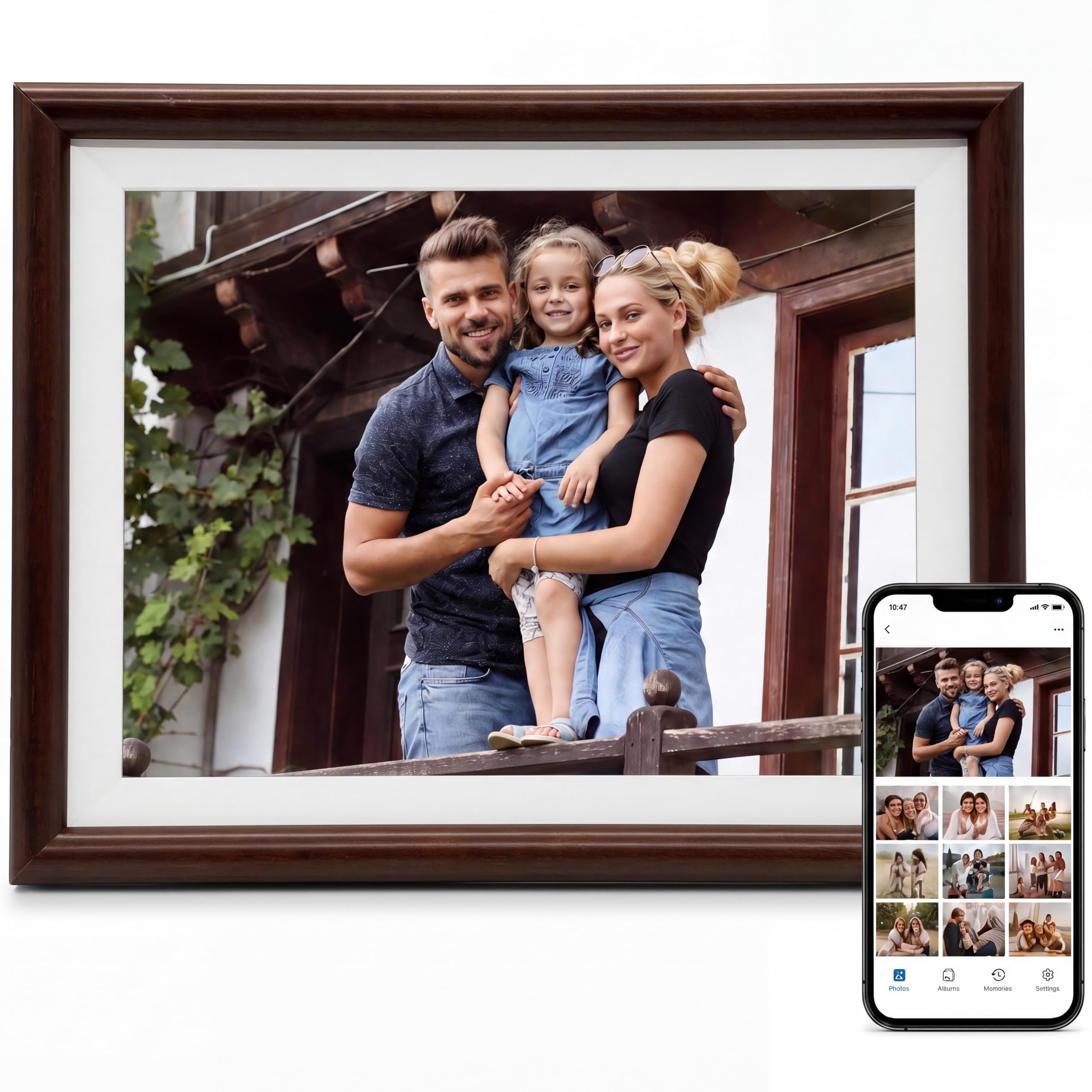
This frame earns its spot by fitting where bigger ones cannot: its 8-inch screen at 1280 x 800 (the pixel count) packs those pixels into a smaller panel than the 10.1-inch frames here, so faces stay crisp when you sit close. The body is made from what the specs describe as 100% real premium pine — a compact, light-colored wood frame for a desk, a side table, or a narrow shelf. That dense 1280 x 800 on a small panel means sharp faces when you are talking with someone right beside it.
Setup runs on the Uhale app over a 2.4GHz WiFi network, and it also plays photos locally without WiFi if someone prefers. That dual option matters: you can send pictures remotely for the gift moment, then let the frame run offline for daily use. The 16GB of storage holds plenty for a highlight reel, and a micro SD card in FAT32 format or a USB-C cable from a PC can bring in more.
The honest trade-off is size and the review base. Eight inches will not read from across a living room — this is the frame you meet face to face. And because the frame is a newer arrival with a much smaller review history than the bigger names here, there is not the same track record to lean on. It does come with a stated one-year warranty that extends to three if you register within 30 days, which softens that concern. For a grandparent’s nightstand, it is the neatest little wood frame in the group.
Right-sized for a nightstand: 100% real pine wood and an 8-inch 1280 x 800 touchscreen that suits close viewing.
Trade-off to weigh: smaller review history than the big sellers, so the extended warranty registration is worth doing.
The match for you: a small, real-wood frame for a desk or bedside table where you want a genuine timber look.
Keep looking if: you want a frame for a large wall, where 8 inches will feel miniature.
7. Heart Frame 10.1-Inch WiFi Digital Picture Frame
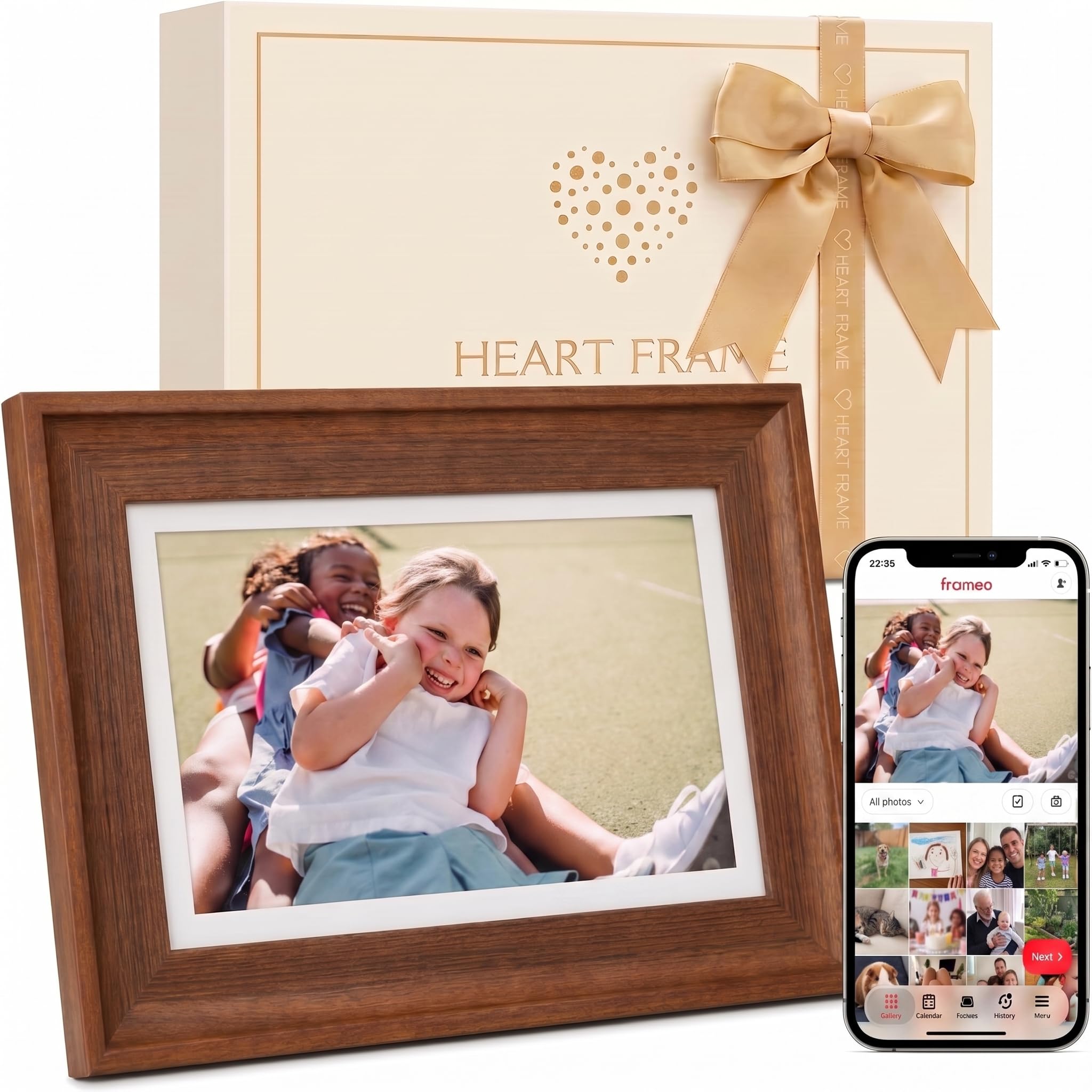
A walnut-brown frame dressed up in gift packaging you can hand over as is.
This frame is built to be handed over, not just hung up: it ships in premium gift packaging, and the walnut brown finish makes it feel considered rather than like a box of electronics. Its 10.1-inch IPS touch panel (a screen you tap directly, with wide viewing angles) runs at 1280 x 800 — the same resolution as the Uhale and the BIGASUO wood frames here — so photos stay sharp at the size a mantel or bedroom shelf asks for.
Sharing runs through Frameo, the same app the 15.6-inch Pastigio uses, so a family already sending photos to one Frameo frame can add this one and keep the same routine. The 32GB of built-in storage is the larger end for a ten-inch frame, which suits a growing collection of birthdays and holidays rather than a handful of favorites. You can invite children and grandchildren to add photos, so new memories keep appearing after the wrap is torn off.
The honest note: the listing says “wood-look,” and the color reads as walnut brown, so the finish is decorative rather than described as solid timber. If a real-wood border is what you want, the BIGASUO above is the better fit. What you are paying for here is the gift experience and the frame’s warmth on a mantel. You are paying for the gift packaging and the walnut-brown finish on a mantel, and both deliver.
What a gift buyer gets
- Premium gift packaging ready to hand over
- Walnut brown decorative wood-look finish
- 10.1-inch IPS touch panel at 1280 x 800
- 32GB storage with Frameo sharing
Set your expectations
- Wood-look finish, not described as solid timber
- Newer listing with a shorter review record
Pick this for: a gift where the unboxing and the mantel presence matter as much as the screen.
Bypass it for: a strictly real-wood border, which another pick here does better.
8. BIGASUO 64GB Frameo 21.5″ Digital Picture Frame
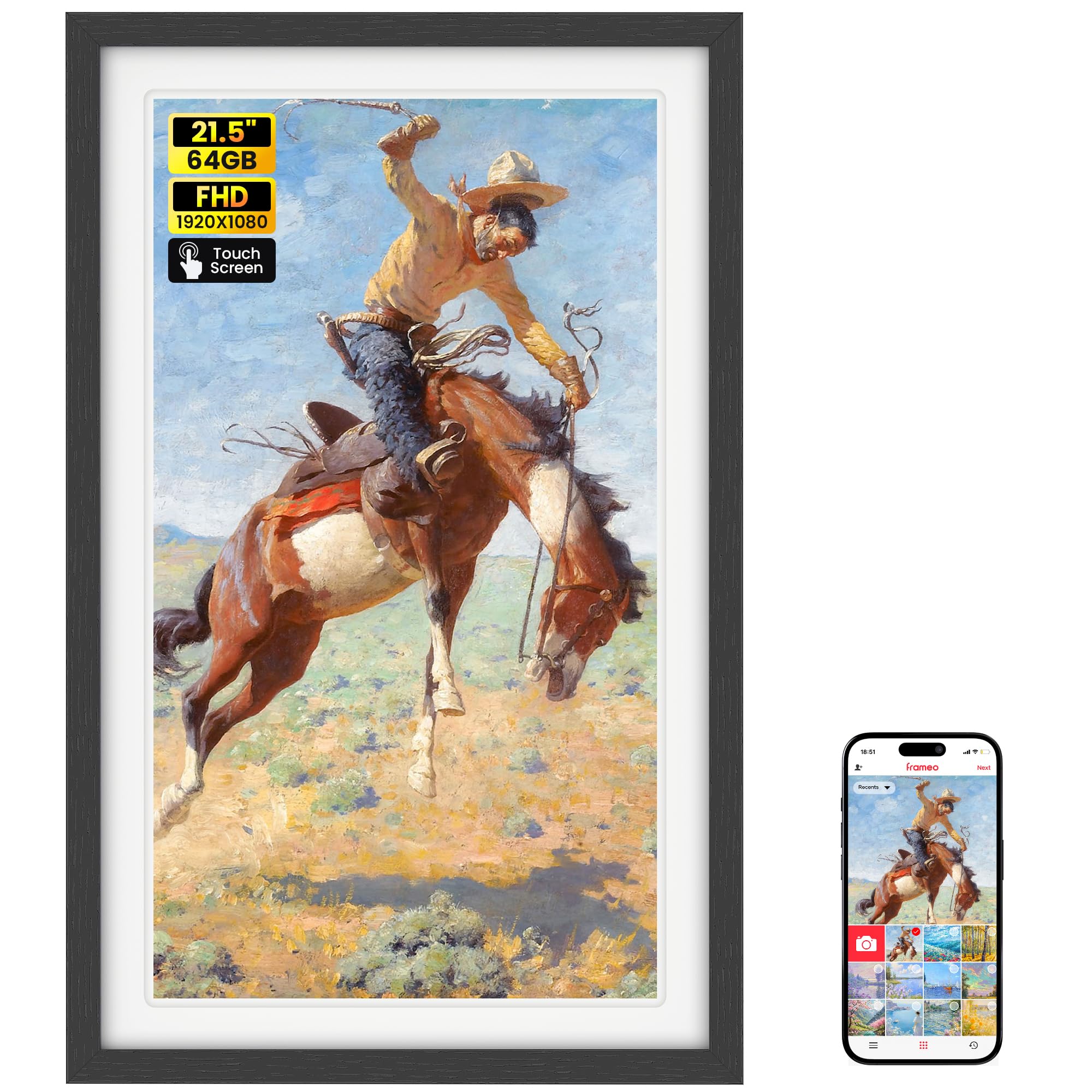
A wall-scale 21.5-inch frame that makes every other pick here look small.
This frame turns a photo display into a wall fixture, and the 21.5-inch diagonal screen (measured corner to corner) is why. Its 1920 x 1080 IPS touch panel matches the resolution of the 15.6-inch Pastigio but spreads it over a much larger canvas. Stored memory sits at 64GB, the largest in this group, which the listing says holds about 100,000 photos. If you want one frame to anchor a living-room wall, its 21.5-inch 1920 x 1080 panel is built for exactly that.
Sharing is unusual here in a good way: it connects to both 2.4GHz and 5GHz WiFi, where most frames in this list run on the 2.4GHz band alone. That means faster uploads on a modern router. It also adds a collage mode that shows 2 to 6 photos at once, which suits a big panel far better than slideshowing one image at a time. The Frameo app handles sharing, and the frame plays video with sound through SD card or USB drive with no time limit, while app video is capped at 15 seconds.
Two things to plan for. First, the physical size is substantial — roughly 22.28 x 14.09 inches for the product — so measure the wall and check you have power where it will hang. Second, the reviews carry mixed notes on size, with some buyers finding it smaller in person than they pictured, so trust the measurements over the impression. There is also a reliability theme worth knowing about in the reviews, so register the frame and test it early. For a wall display fed by several family phones, nothing else here reaches 21.5 inches with 64GB and dual-band WiFi.
The statement piece: 21.5 inches at 1920 x 1080 with 64GB of storage and dual-band WiFi — a frame sized for a wall, not a shelf.
The catch: measure before you commit, and test it early given the size and reliability notes.
This is your frame if: you want one big shared display a whole family feeds from their phones, and you have wall space plus power to spare.
Scale it down if: a 10-inch frame on a side table would serve your room just as well.
Know the Specs
Screen size and resolution
Screen size is the diagonal measurement (corner to corner) and sets how far back you can sit — an 8-inch panel suits a nightstand, a 10.1-inch a side table or counter, and a 15.6-inch or 21.5-inch panel a wall or far couch. Resolution is the pixel count, like 1280 x 800 or 1920 x 1080, and higher numbers mean sharper detail. A high resolution on a small panel packs the pixels densely, so a face looks crisp up close. Match both to how far you sit from the frame.
Storage and expansion
Built-in storage is measured in gigabytes and holds the photos and videos on the frame itself. Frames here range from 16GB up to 64GB, and the listing often quotes an approximate photo count for that figure. Many frames also take a micro SD card or USB drive to expand, import, and back up. Most want the card formatted as FAT32, and several recommend a 32GB card for reliable playback — larger cards can fail to read, so check that note before buying a big one.
WiFi and the app
A WiFi frame connects to your home network so family can send photos from their phones through an app like Frameo or Uhale. Photos usually land within seconds, and some apps let unlimited members join. Two limits are worth knowing: app-uploaded video is often capped at a short length, while video loaded from a card plays longer. A non-WiFi frame skips all this and simply plays what you load onto a card or drive, with no account or password to manage.
Frame material and the motion sensor
“Wood” in a title can mean several things — a solid wood border, a wood-finish wrap over plastic, or a distressed wood look. Check the frame material line in the specs to see what you are actually buying. Many frames also include auto-rotate, which flips a photo between portrait and landscape to match how the frame sits, and a sleep mode that turns the panel off on a schedule. Both are worth having; neither is universal.
Common Questions
Will a wood digital photo frame connect to my home WiFi?
How many photos can a 32GB digital photo frame hold?
Can I send photos to a wood frame from my phone without an app?
What FAT32 format means and why my SD card needs it?
How long can the videos play on a wood digital frame?
Is a real wood frame better than a wood-look finish?
Can a wood digital frame hang on the wall or only sit on a table?
Do these wood frames need a subscription for photo sharing?
How do I keep a wood digital frame safe for an older parent?
The Bottom Line
For most rooms, the wood digital photo frame winner is the Frameo 15.6” by Pastigio, because its 15.6-inch 1920 x 1080 panel reads from across a living room and the Frameo app lets the whole family keep sending photos for years. If a genuine timber border is the priority, reach for the BIGASUO 10.1″ Wood frame, which is the pick here with wood listed as its actual frame material. And for a small, real pine frame with no fuss on a nightstand, the Connected Seasons 8″ is the neat little one to grab — just register it within 30 days of arrival to stretch the stated support from one year to three.
How we choose
We do not accept paid placement. Every pick is matched to a real buyer and a real use-case; we do not hands-on test units.
Sources
Specifications: manufacturer listings and product documentation. Review insights: verified customer reviews, as of November 2026. Pricing: not shown on this page (it changes often); check the current price via the retailer link.
As an Amazon Associate, Tactical Gear Guy earns from qualifying purchases. This does not affect which products we feature.