Specs are compiled from manufacturer listings and verified buyer reviews and can change over time — please confirm the key details on the product page before buying.
Your Xbox One is starving for space, and the game you want to play tonight is a 60GB download away. A USB thumb drive fixes that in one move: you plug it into a side port, format it once, and your console treats it as extra room for games, clips, and captures. The trick is picking a USB 3.0 drive the console will format and that reads fast enough to keep loading screens short. This guide covers exactly that.
This guide is built by comparing the manufacturers’ published specifications and the patterns across verified customer reviews, so you get each pick’s real strengths and trade-offs instead of marketing spin.
Not every stick in the drawer will work — the console wants a drive that meets its speed and size requirements. Below you’ll find the drives worth plugging in, plus the read speed, capacity, and interface specs that decide the rest.
Top Picks

How To Choose An Xbox One USB Thumb Drive
An Xbox One USB thumb drive is a small flash storage stick that plugs into a USB port on the console. Two things decide whether you’re happy: whether the console accepts the drive at all, and whether its read speed is quick enough to move a big file without a crawling progress bar.
Start With USB 3.0 Or Newer
The console’s own requirements lean on USB 3.0 and up — what the spec sheets now call USB 3.2 Gen 1. A USB 3.0 Type-A port is the blue-lined rectangle on your console or PC, and a drive built for it transfers far faster than an old USB 2.0 stick. Every pick below lists its interface; check that number before anything else, because a USB 2.0-only drive in an Xbox One will hold you back on every large file.
Read Speed Versus Write Speed
Read speed is how fast the drive hands data back to your device, measured in MB/s (megabytes per second). Write speed is how fast it takes data in. Most spec sheets brag about the read number and stay quiet about the write side, so a drive can look fast on paper and still feel slow when you’re copying a 40GB install onto it. Look for a stated read speed and treat the write figure as the honest one.
Capacity Is Not What’s Printed
A “128GB” drive never gives you all 128GB — formatting and system files eat some of it, and one drive here openly states you get more than 115GB usable out of 128GB total. For game storage, plan on the usable number, not the sticker number, and leave headroom so the console doesn’t choke on a full drive.
The Connector You Actually Need
A standard Type-A plug fits the console and most PCs. If you also want to pull clips off a USB-C phone or tablet, a dual-connector drive with both USB-C and USB-A saves you a dongle. Pick the connector based on where the files go after they leave the console.
Side-by-Side Comparison
| Model | Best For | Capacity | Read Speed | Interface | Amazon |
|---|---|---|---|---|---|
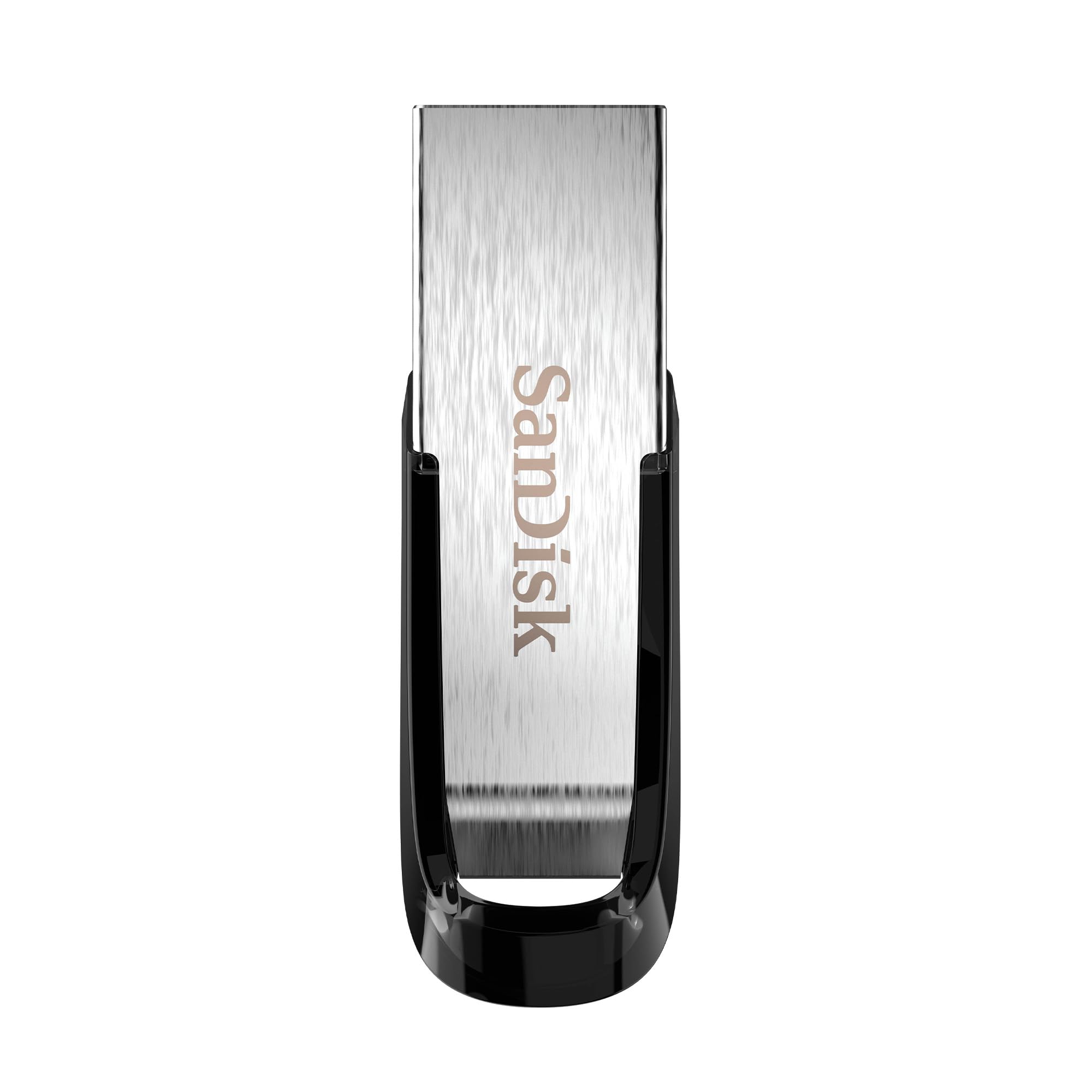
| SANDISK 64GB Ultra Flair★ Best Overall | Everyday console use | 64 GB | Up to 150MB/s | USB 3.0 | Amazon |
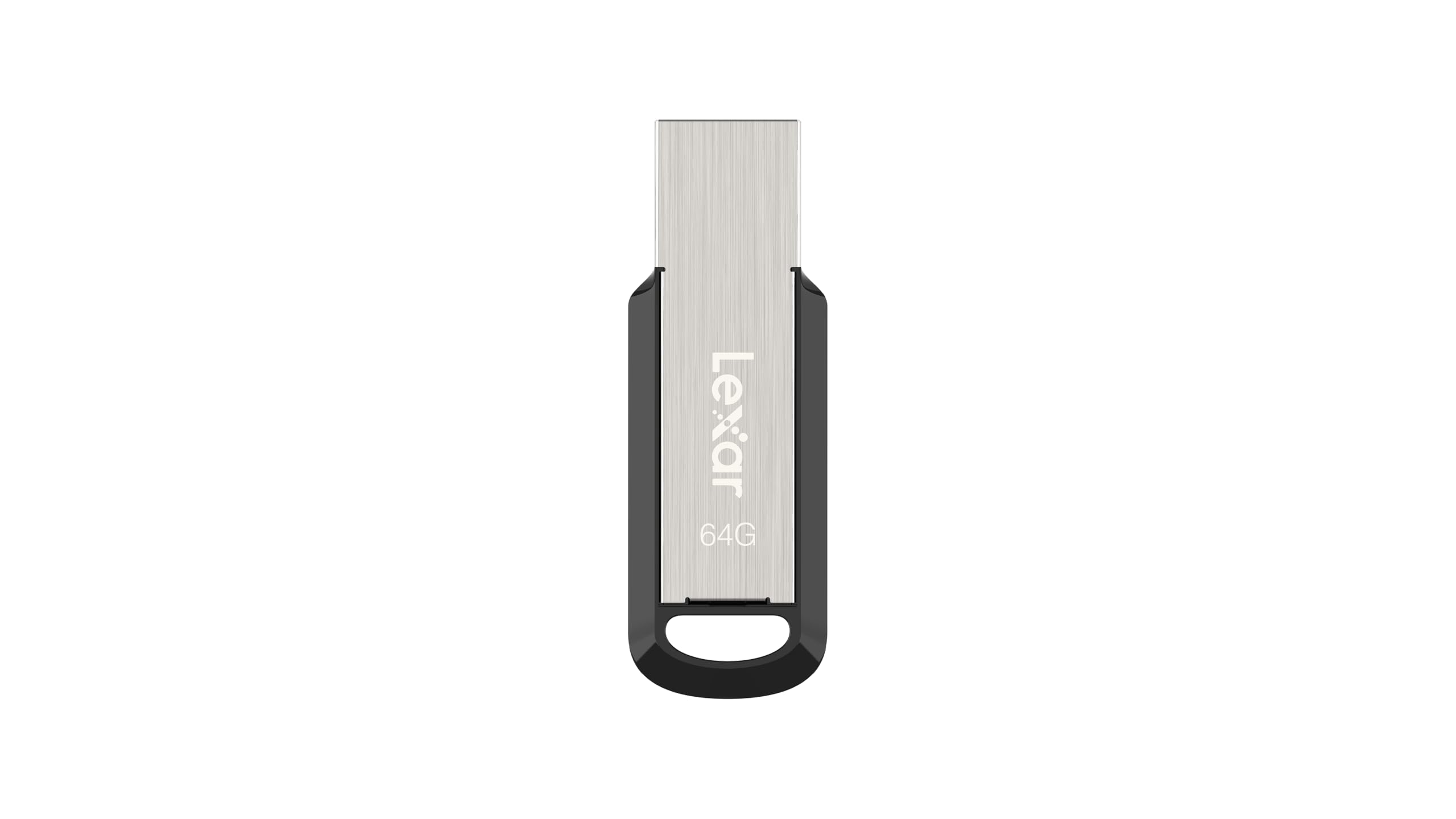
| Lexar 64GB JumpDrive M400Fastest Writer | Fast big-file writes | 64 GB | 150 MB/s | USB 3.2 Gen 1 | Amazon |
| Lexar E31 64GBEveryday Carry | Keyring carry | 64 GB | Up to 100MB/s | USB 3.2 Gen 1 | Amazon |
| Amazon Basics 128 GB Retractable | Room for more games | 128 GB | Up to 130MB/s | USB 3.1 | Amazon |
| PNY 128GB Turbo Attaché 3 (2-Pack) | Two drives, one buy | 128 GB each | Up to 100MB/s | USB 3.0 | Amazon |
| PNY 256GB Attaché X | Big installs | 256 GB | Up to 130MB/s | USB 3.2 Gen 1 | Amazon |
| SANDISK 256GB Ultra | Heavy file hoarding | 256 GB | Up to 130MB/s | USB 3.2 Gen 1 | Amazon |
Detailed Reviews
1. SANDISK 64GB Ultra Flair
Our pick — 4.5+★ from 211,500+ verified ratings; the strongest balance of quality and price.
The metal-bodied workhorse that treats a big file transfer like a quick errand.
If you want one drive to live in your console and just work, this 64GB Ultra Flair is the safest bet on the list. The Ultra Flair is rated for up to 150MB/s read speed over USB 3.0, which is why a full-length movie lands in a fraction of the time an old USB 2.0 stick takes. That same pace is what keeps loading screens from feeling like a punishment when a game pulls data off the drive.
The build is the other reason it earns the top slot. It’s a sleek, durable metal casing that shrugs off being tossed in a drawer with cables, and it weighs just 4.5 g — light enough that you forget it’s hanging off the console. SanDisk also bundles easy-to-use password protection for private files, which uses 128-bit AES encryption (a standard lock that scrambles your data behind a password) and works on Windows and Mac after a quick software download.
You get a handy pocket of room for clips and a couple of smaller titles at 64GB, but it won’t hold a shelf of big installs. Some buyers report reliability issues on a small number of units — a drive that quits early — which is worth knowing but hasn’t stopped the crowd from loving it: it’s the crowd favorite here at 4.5+ stars from 211,000+ owners. What wins people over is the 150MB/s read speed paired with a metal shell that feels sturdier than the price suggests.
slim metal body
- Up to 150MB/s read speed over USB 3.0 keeps a full movie transfer under a fast errand
- Durable metal casing survives drawer life and console-side knocks
- 128-bit AES password protection for private files on Windows and Mac
- Just 4.5 g, so it dangles from the port without strain
no keyring hole
- 64GB fills up quickly if you hoard large game installs
- An occasional unit fails early — not the norm, but noted
grab this one if: you want a metal-shelled, genuinely fast stick for console side-storage and you’re fine with 64GB of room.
look elsewhere if: you need to park a stack of big games on the drive — jump to the 256GB picks instead.
2. Lexar 64GB JumpDrive M400
Same 150MB/s headline as the top pick, but the buyer stories are about getting files moved, not waiting.
Where the Ultra Flair leans on its metal shell, the M400 leans on raw throughput. Its 150MB/s read speed matches the SanDisk’s figure while riding the newer USB 3.2 Gen 1 interface, which also steps back to work in USB 3.1, 3.0, and 2.0 ports. Owners mention the speed in the most useful possible terms — one notes it can write 40GB in 8 minutes, which is the difference between a transfer you forget about and one you babysit.
Reliability is the theme the reviews keep circling back to. Lexar calls it rugged and metal with a key-ring design, and it’s compatible with both PC and Mac systems. Files also get Lexar DataShield protection, and there’s no software installation to get started — you plug it in and it’s live, which matters when you’re shuttling a game file over in a hurry.
One thing to keep an eye on: heat and durability both come up in the mixed column, so treat the metal body as sturdy rather than indestructible. It’s rated 4.5+ out of 5 from 350+ ratings — a smaller sample than the giants on this list, but a consistent one. If write speed is the number you care about, this M400 is the sharper tool than the 100MB/s E31 below it.
swivel cap design: USB 3.2 Gen 1 back across 3.1, 3.0, and 2.0 means it works in the console and in an old laptop without fuss, and DataShield keeps private files locked down.
bulky plastic shell: it runs warm during heavy writing, so let a big transfer finish before you yank it out.
pick it when: you move large files often and want the 150MB/s read speed with proven write muscle.
skip it when: you want the biggest rating cushion — the sample here is much smaller than the SanDisk choices.
3. Lexar E31 64GB
A puck-sized slab of metal that hooks onto your keys and gets out of the way.
The E31 trades a little speed for portability, and that’s a fair swap. Where the M400 above hits 150MB/s, this one is rated up to 100MB/s read over USB 3.2 Gen 1 — enough to move photos, documents, and a game file without drama. Lexar builds it as an all-metal body with an integrated key-ring loop, so it rides on a keychain or lanyard instead of getting lost in a pocket.
Size is the thing you’ll notice first. It measures 1.59″D x 0.18″W x 0.48″H — genuinely slim, and it weighs 5.3 g, so it disappears on a keyring. That’s noticeably thinner than the 0.26″D x 1.67″W x 0.52″H body of the Ultra Flair, so it slips into tight spots the SanDisk can’t. Lexar also pads this with a 2-year limited warranty and says it tests across over 1,100 digital devices to confirm compatibility.
It’s rated 4.5+ out of 5 from a few thousand ratings, which puts it right alongside the top pick on score. Treat it as a pocket-friendly carrier for moving files between the console and a PC — not a high-capacity vault. If you want to chain it to your keys and forget it, this is the one.
the fit: keyring-carry folks who shuffle files between console and PC and don’t need a 150MB/s headline.
the misstep: ditching it for heavy game installs — at 64GB and 100MB/s, the bigger drives below do that job better.
4. Amazon Basics 128 GB Retractable

Doubles the room of the 64GB picks and holds roughly 32,000 photos of breathing space.
This is the resized version if 64GB feels like a shoebox. Amazon Basics rates it for up to 130MB/s read (how fast it pulls data out) and up to 30MB/s write (how fast it saves data) over USB 3.1 — it needs a USB 3.1 Gen 1 or USB 3.0 port for full speed. That 128GB capacity stores the equivalent of 32,000 12-megapixel photos or 488 minutes of 1080P video, so you can hold console captures and a couple of games — a real upgrade over a 64GB stick.
The retractable telescopic design means no lost cap — the plug slides in and out — and there’s a key hole for carrying. It weighs 8.53 g, so it’s noticeably heftier than the 4.5 g Ultra Flair, but that’s the going trade for more capacity. One honest fine-print note: you get more than 115GB usable out of the 128GB total, and you’ll need to reformat to exFAT or NTFS to move files bigger than 4GB.
What wins people over here is the memory’s reliability — drive quality is the loudest praise, and it’s rated 4.5+ out of 5 from 34,000+ ratings. The recurring gripe is capacity and speed: some find the usable space smaller than the label implies and the write side slower than they’d like, so set your expectations to “generous but not endless.”
retractable plug: 128GB of retractable, cap-free storage backed by high-quality NAND flash memory chips, and it’s a straight double of the 64GB picks on room.
loose slider feel: is the 30MB/s write speed enough? For moving a big game file it’s slower going — budget a little patience for the biggest transfers.
reach for it if: you want twice the console room of a 64GB drive and don’t mind a slightly heavier stick.
pass on it if: you need every byte printed on the label and fast write speeds above all.
5. PNY 128GB Turbo Attaché 3 (2-Pack)

Two 128GB drives in one buy — one for the console, one for everything else.
If you’ve ever wished you had a second stick so the console didn’t hog your only one, this is the answer. You get two 128GB Turbo Attaché 3 drives here, each rated up to 100MB/s read over USB 3.0 — up to 10 times faster than standard USB 2.0 sticks. Park one on the console for game files and keep the second in a bag for moving movies, photos, and documents.
The cap-less sliding collar is the design win. There’s no lid to lose, and the collar slides over the plug to protect the connector when it’s not in use. It’s backwards compatible with USB 2.0 host devices at USB 2.0 speeds, so it won’t complain about an older machine. PNY calls the build durable and light-weight, and it’s rated 4.5+ out of 5 from 58,000+ ratings.
The catch is the same one that runs through the 100MB/s class: speed lands in the mixed column. Some owners find the USB 3.0 performance brisk, others find it slow going, and compatibility is similarly split — a drive that some computers won’t recognize. It’s not a defect so much as a “check your port first” note. As a two-pack that covers two devices at once, it’s a sensible, unglamorous buy.
right answer for: households juggling more than one device who want a spare 128GB drive without a second purchase.
not the answer for: speed chasers — if you want the fastest write, the Lexar M400 above wins.
6. PNY 256GB Attaché X

Four times the room of a 64GB stick, with a slide-out collar that keeps the plug safe.
This is the jump from “a few files” to “a proper library.” At 256GB versus the 64GB SanDisk Ultra Flair, you get four times the capacity — enough to stage a batch of large installs and still have room for clips. PNY rates the read side (how fast it pulls data out) at up to 130MB/s over USB 3.2 Gen 1, which the brand claims is up to 10x faster than standard USB 2.0 drives.
The design is deliberately simple: a sturdy, light-weight body with a sliding collar that covers the connector when idle, and no cap to lose. It plugs into Type-A USB 3.2 Gen 1 or USB 3.0 laptops and desktops and still works in a USB 2.0 port at slower speed. What wins people over here is the plug-and-play ease and compact size for backing up files.
The honest trade-off, though, is speed. It’s the most-discussed aspect of this drive and it’s a mixed bag — some find it quick, others find the transfer pace flat. Durability and capacity also get debated. It’s rated 4.0+ out of 5 from 2,000+ ratings, which is solid rather than spectacular. Use it as a big, roomy archive drive and it’ll serve you well.
roomy 256GB: 256GB of Type-A storage in a cap-free sliding-collar body, and it steps back to USB 2.0 without complaint.
plastic build quality: don’t buy it expecting the fastest write — it’s built for capacity and simplicity, not speed records.
buy it because: you want a quarter-terabyte of no-fuss archive space on a Type-A stick.
don’t buy it because: you want the fastest transfer on the list — spend for a high-read drive instead.
7. SANDISK 256GB Ultra

A retractable 256GB stick with a lock on the door for anything you’d rather keep private.
This one earns its keep on two fronts: room and privacy. It carries 256GB of storage — matching the PNY Attaché X above — with a read speed (how fast it pulls data out) up to 130MB/s over USB 3.2 Gen 1, and it’s backward compatible with USB 2.0 so it drops back gracefully in older ports. The retractable design tucks the plug away when it’s not in use.
The standout is secure file encryption and password protection (a lock that scrambles your files until you enter a password), which is the reason to pick this over a plain drive of the same size. If you’re carrying saved clips, documents, or anything sensitive between the console and a laptop, that lock adds real confidence. It’s rated 4.5+ out of 5 from 53,000+ ratings, and owners consistently value the storage capacity and the jump USB 3 speeds deliver over USB 2.
The honest wrinkle is recognition. There are notes of the drive not being picked up by a computer, so if that happens, try a different port before assuming it’s dead. Size and capacity are the draw here, and it delivers both. For a big, private archive that plugs into the console and a PC, this is a strong choice.
choose this if: you want 256GB with password protection for files you’d rather not leave open.
think twice if: your machine has grumpy USB ports — recognition across devices isn’t this one’s strongest note.
Know the Specs
Read Speed In MB/s
Read speed is how fast the drive hands files back to your device, measured in megabytes per second. A drive rated up to 150MB/s pulls data faster than one rated up to 100MB/s, which can shorten the wait on loading screens and big transfers. The number printed is usually the best-case read figure, so treat it as a ceiling rather than a guarantee.
Capacity And Usable Space
Capacity is the total storage the drive advertises, but formatting and system files skim some off the top. One drive here openly says you get more than 115GB usable out of 128GB total. For console game installs, plan around the usable number and leave headroom so the drive doesn’t fill to the brim.
USB 3.0 Versus USB 2.0
USB 3.0 — now branded USB 3.2 Gen 1 — is the faster interface, and it’s the one to look for. A drive built for USB 3.0 moves data far quicker than an old USB 2.0 stick. Most drives here step back to USB 2.0 at slower speeds, so they still work in an older machine, just not as fast.
Connector Type: Type-A And Type-C
The Type-A plug is the familiar rectangle and fits the console and most PCs. The Type-C plug is the smaller reversible one on modern phones and laptops. A dual drive with both connectors means you can move files from a phone to the console without a separate adapter.
Common Questions
Will an Xbox One accept any USB thumb drive?
What size flash drive should I get for an Xbox One?
Do I need to format the drive before using it with the console?
Is a USB 3.0 drive really faster than USB 2.0 for game loading?
Can I use a USB-C drive on an Xbox One?
Why does my flash drive show less capacity than it says on the box?
Will a flash drive make gameplay stutter if it’s too slow?
Can I password-protect files on a flash drive?
Should I buy one big drive or the two-pack?
Are flash drives durable enough to carry around?
The Bottom Line
For most people, the smart buy for an xbox one usb thumb drive is the SANDISK 64GB Ultra Flair, because its up-to-150MB/s read speed and durable metal shell make everyday console storage genuinely quick. If fast writes are what you’re after, the Lexar JumpDrive M400 matches that 150MB/s headline with proven write speed. And for the biggest room on the list, the SanDisk 1TB Ultra Dual Drive Go gives you a terabyte and a USB-C connector for shuffling files off a phone.
How we choose
We do not accept paid placement. Every pick is matched to a real buyer and a real use-case; we do not hands-on test units.
Sources
Specifications: manufacturer listings and product documentation. Review insights: verified customer reviews, as of November 2026. Pricing: not shown on this page (it changes often); check the current price via the retailer link.
As an Amazon Associate, Tactical Gear Guy earns from qualifying purchases. This does not affect which products we feature.