Specs are compiled from manufacturer listings and verified buyer reviews and can change over time — please confirm the key details on the product page before buying.
The short answer: buy a hub that talks Z-Wave Plus or Z-Wave 800 Series locally, and check its device limit before you fall in love with the app. The wrong pick here means your smart locks and sensors stop answering the moment your internet blinks. The right one runs your hallway-light routines on the hub itself, so they fire with no cloud server in the middle.
This guide is built by comparing the manufacturers’ published specifications and the patterns across verified customer reviews, so you get each pick’s real strengths and trade-offs instead of marketing spin.
A hub is the translator your locks, sensors and switches all shout through, and the eight options below split cleanly by protocol count, local processing and subscription habits. Here is how to sort them into a shortlist, with a full breakdown of the z-wave smart hub field below.
Top Picks


How To Choose The Best Z-Wave Smart Hub
The first trap most buyers fall into is assuming every hub speaks every protocol. Z-Wave is its own radio language, and a Wi-Fi-only or Zigbee-only box cannot hear your Z-Wave door sensor no matter how good its app looks. Start by listing the devices you already own, then match the radios on the box to that list.
Protocol count beats brand loyalty
A hub carrying Z-Wave Plus alongside Zigbee, Matter, Thread or Infrared covers more of your shelf without buying a second bridge. Homey Pro, for example, runs Wi-Fi, Zigbee, Z-Wave Plus, Infrared, BLE, Matter and Thread in one box. That single-box approach saves you a stack of separate protocol bridges and the power outlets to feed them.
Local processing versus cloud dependence
Local processing means the hub runs your automations on the box itself, not on a distant server. When the internet drops, your motion-triggered lights still fire. A cloud-reliant hub tends to go quiet until the connection returns, which is exactly when you want the hallway light to fire.
Device limits, subscriptions and mesh range
Some hubs cap you at a handful of devices until you pay monthly, and that ceiling arrives faster than you expect once you add sensors room by room. Others hold hundreds of Z-Wave devices natively. Ask two questions before buying: how many devices can the hub hold, and does anything stop working if the subscription lapses? On range, Z-Wave devices repeat the signal for each other, so a mesh grows stronger as you add mains-powered devices between the hub and the far corner.
Side-by-Side Comparison
| Model | Best For | Protocols | Local or Cloud | Subscription | Amazon |
|---|---|---|---|---|---|
| Aeotec Z-Stick Gen5 Plus★ Best Overall | Building your own gateway from a PC | Z-Wave Plus, S2, SmartStart | Depends on your host software | None | Amazon |
| Homey BridgeBest Multi-Brand Bridge | Mixing brands on one app | Z-Wave Plus, Zigbee, Wi-Fi, BLE, Infrared | Cloud-based | Homey Premium required above five devices | Amazon |
| Nexia Z-Wave Bridge BR100High-Capacity Mesh | Large Z-Wave-only installations | Z-Wave | Cloud-based | Monthly Nexia subscription required | Amazon |
| EzloPlus | Mixing Z-Wave, Zigbee and Wi-Fi gear | Z-Wave, Zigbee, RF, Wi-Fi via assistants | Cloud-based | None stated | Amazon |
| Abode 4 Piece Security System | Security first, smart home second | Z-Wave, Zigbee | Ethernet to router | Optional professional monitoring | Amazon |
| Hubitat Elevation C-8 Pro | Automations that survive an outage | Z-Wave 800 Series, Zigbee 3.0, Matter, Bluetooth | Local processing | None | Amazon |
| Homey Pro | One box for every radio in the house | Z-Wave Plus, Zigbee, Wi-Fi, BLE, Infrared, Matter, Thread | Local-first | None stated | Amazon |
| Fibaro Home Center 3 | Scripted, scene-heavy setups | Z-Wave Series 500, Wi-Fi | Box-hosted scenes | None stated | Amazon |
Detailed Reviews
1. AEOTEC Z-Stick Gen5 Plus (ZW090-C)
Our pick — 4.5+★ from 90+ verified ratings; the strongest balance of quality and price.
A USB stick that turns a spare computer into a proper Z-Wave gateway.
This is the pick for the tinkerer who already has a small always-on PC, a NAS or a Raspberry Pi humming in a cupboard. The Aeotec Z-Stick Gen5 Plus is a Z-Wave Plus USB stick (a plug-in radio dongle) that creates a Z-Wave gateway rather than shipping as a finished box. It is the crowd favorite here at 4.5+ stars across 90+ ratings.
You scan a QR code to connect SmartStart devices, which means pairing a new sensor takes a scan instead of a mashing-the-button ritual. It carries the S2 security layer (the encryption standard for Z-Wave traffic) so locks and alarms talk to it over a protected link. And it plays with SmartThings and HomeSeer, so you are not locked into one vendor’s app.
What wins people over is the pure flexibility — an open radio that any compatible host software can drive. The catch is honest and physical: it is a stick, not a brain. You supply the computer, the software and the always-on power, so this is not a plug-in-and-done hub for a non-technical household.
What earns its place
- Z-Wave Plus with S2 security for encrypted device links
- QR-code SmartStart pairing keeps setup quick
- Works with SmartThings and HomeSeer instead of one closed app
- No subscription and no cloud account tied to the stick itself
Where it asks more of you
- You need a host computer or NAS running the software
- Not a standalone box for a non-technical household
- Setup lives in software you configure yourself
Reach for this if: you want an open Z-Wave radio to build a gateway on hardware you already own.
Look elsewhere if: you want a finished appliance you plug in and control from a phone with zero software to run.
2. Homey Bridge
Five radios in a small puck, but the free tier runs out fast.
Homey Bridge packs Z-Wave Plus, Zigbee, Wi-Fi, BLE and Infrared into one unit, which is a lot of radio for a compact builder box. Its whole pitch is making a mixed-brand house cooperate — Sonos, Philips Hue, Nest, Kwikset, IKEA, Yale and Aqara all sit on the compatibility list. It measures 5 x 5 x 3 inches, which reads as a small puck you can tuck on a shelf near the router.
The thing everyone raves about is the app-driven setup — smart home management without an installer. Where it gets prickly is connectivity and reliability, which draw mixed reactions in the review pages: some connections go smoothly, others fight back.
Weigh the bundle carefully. It ships with three months of Homey Premium, and after that an active subscription is required to connect more than five devices and to reach Homey Insights. Five devices is two sensors and a lock — so budget for the ongoing charge before you commit a whole house to it.
Local versus cloud, honestly: this is a cloud-leaning bridge, not a local-first box, so a dropped connection can ripple through your routines. That is the fit question, not a fault.
The math to do first: count your devices. If you are already past five, add the subscription into your decision before checkout.
Worth it when: you want one app pulling several brands together and your device count stays modest.
Skip the hassle factor if: you run a large install and hate recurring fees.
3. Nexia Z-Wave Bridge BR100
Built to hold a big Z-Wave install — if you accept the monthly fee.
Nexia’s bridge is a dedicated Z-Wave-only hub that can hold and control more than 200 Z-Wave products at once. That capacity is the headline for anyone with a large house already wired with Z-Wave switches and outlets. It measures 1.4 x 4 x 4.8 inches, notably more compact than the 5 x 5 x 3-inch Homey Bridge above.
You get a wired link to your router over a securely encrypted broadband connection, so the hub stays online without relying on Wi-Fi. In the box: a 110-volt power adapter and a 10/100 ethernet cable (a standard network cable that carries data at up to 100 megabits per second). Z-Wave devices pass the signal along for each other, and this hub lists 60 to 100 feet between each repeating device in the mesh (the web of devices that relay signals). So adding mains-powered switches along a long hallway thickens the signal to the far room.
The honest trade-off is the subscription model and its age. Managing your home requires a monthly Nexia subscription, so this is a long-term commitment rather than a one-time purchase. The mixed notes in its review pages center on setup and lock compatibility, which is exactly the friction a locked ecosystem can create.
The capacity case: 200+ Z-Wave devices is real headroom for a whole-home build. Start small and grow, as Nexia frames it, and the box keeps up.
The commitment: a monthly subscription plus a Z-Wave-only radio set. If you also own Zigbee or Matter gear, this box cannot hear them.
Pick it if: your install is pure Z-Wave and you want a tested capacity ceiling north of 200 devices.
Think twice if: a recurring subscription is a dealbreaker or your shelf mixes protocols.
4. EzloPlus Smart Home Hub
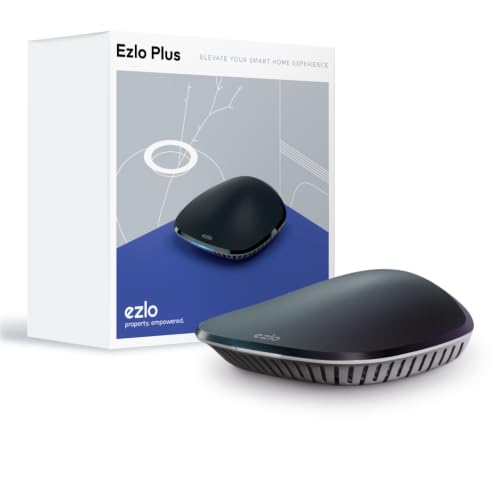
A black box running MiOS, aiming to speak to everything at once.
EzloPlus runs MiOS by Ezlo, a platform built to mix and match Z-Wave, Zigbee and RF devices, with thousands of Wi-Fi devices reachable through Alexa or Google Assistant. It controls locks, lights, switches, cameras and video doorbells from one app or the web. Setup is the strong suit — the in-app guide and included Ethernet cable get you connected without professional help.
That easy start is where the consensus praise lands. The honest counterweight is in the review pages: connectivity draws the sharpest criticism, with devices not connecting and Alexa integration dropping. Reliability and quality read as mixed, and reset times come up on the negative side too.
One routine to love: it coordinates a wide array of smart devices across most manufacturers, so a household mixing brands keeps one control point. Just plan for troubleshooting time if your gear leans obscure, because the box does not erase compatibility gaps — it exposes them.
The setup win: an in-app guide and a supplied Ethernet cable make first connection genuinely quick.
The fit note: frequent connectivity drops put this in the “willing to tinker” camp rather than the “install once and forget” camp.
Good match for: a mix of Z-Wave, Zigbee and Wi-Fi gear when you want one app and accept hands-on troubleshooting.
Less ideal for: a hands-off household that wants zero dropped integrations.
5. Abode 4 Piece Wireless Smart Security System

A security kit that doubles as a Z-Wave and Zigbee hub.
Abode starts from the alarm and grows into the smart home. The 4-piece kit ships a central hub with a built-in 93dB siren, a backup battery and ethernet connectivity, plus a motion sensor, a key fob and a mini door/window sensor. That siren is loud enough to pull the neighbours off the sofa, and the supplied pieces mean you are protected the day it arrives.
What it does uniquely among this group is tie into Apple HomeKit — monitored and controlled from the iOS Home app — while still acting as a Z-Wave and Zigbee hub for locks, lights and sensors. It weighs 3 pounds versus the 1.19-pound Homey Bridge above, so it clearly holds more hardware inside the shell.
Buyers report that functionality and easy setup draw the strongest praise in its review pages. The ethernet link plus a backup battery make it a steadier anchor than a bare Wi-Fi box. Reliability is the honest split: some installs run smoothly, others do not. An optional professional monitoring plan can auto-dispatch help, so weigh if you want that layer or prefer fully self-managed alerts.
Security that earns its keep: a 93dB siren, backup battery and hardwired ethernet make this a real alarm brain, not an add-on.
Best when: your priority is guarding doors and windows while still adding Z-Wave and Zigbee sensors over time.
Choose this for: a HomeKit household that wants a siren-led security core plus a Z-Wave and Zigbee hub in one purchase.
Not for you if: you only need a bare automation bridge and already own a working alarm system.
6. Hubitat Elevation C-8 Pro
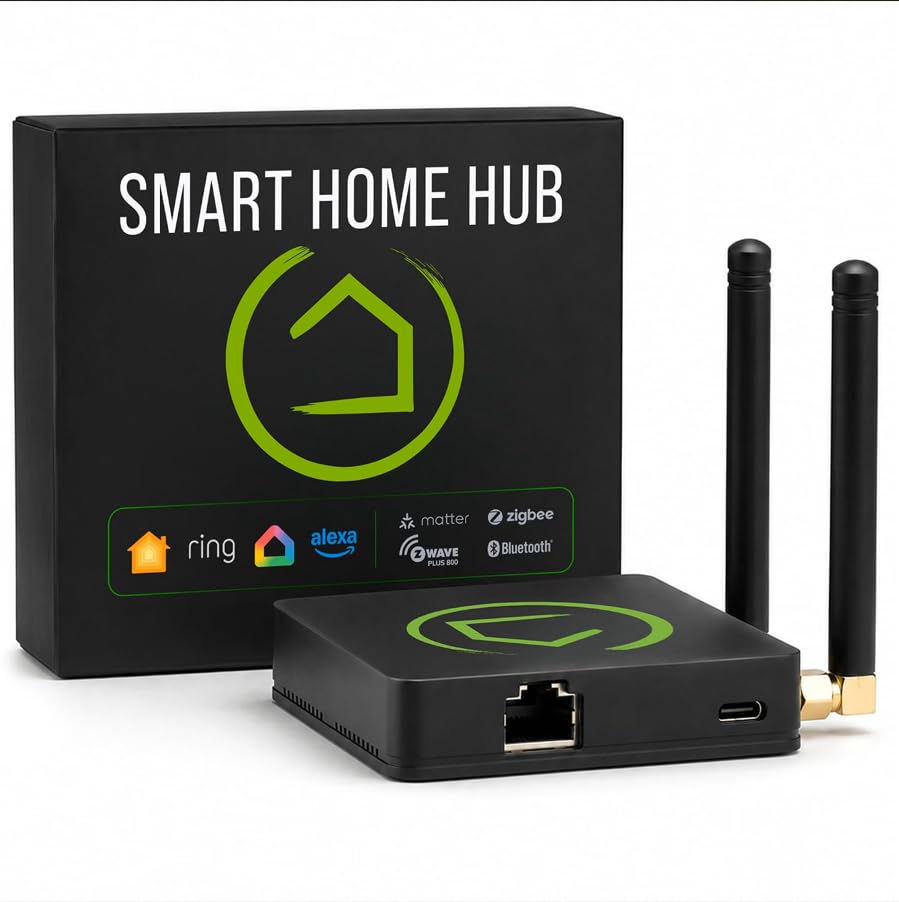
The hub that keeps your routines alive when the internet dies.
This is the local-first choice, and the nameplate spells it out: Z-Wave 800 Series with Long Range, Zigbee 3.0, Matter 1.5 and Bluetooth in one unit. Everything from lights to locks to thermostats runs on the hub itself, so a Wi-Fi outage leaves your automations untouched. It measures 2.95 x 3.23 x 0.67 inches and roughly a quarter of a pound, so it can hide beside the router.
Two dedicated external antennas — one for Z-Wave, one for Zigbee — stretch the reach for a big house, and Z-Wave 800 Series with Long Range plus Zigbee 3.0 target mesh stability. It works with Alexa, Google Home and Apple HomeKit, so your existing ecosystem keeps talking. A Rule Machine engine handles multi-condition logic, and the AI-assisted routine builder can draft automations for you.
The honest catch: this is a builder’s hub. It rewards patience and a willingness to learn the rule engine, and there is no subscription gating the features.
Why it holds up
- Z-Wave 800 Series Long Range, Zigbee 3.0, Matter and Bluetooth in one box
- Runs automations locally, so routines survive an internet outage
- No subscription — advanced features open up from setup
- Two dedicated antennas for stronger range in larger homes
What to expect going in
- Rule Machine has a learning curve for a first-time automator
- Less polish than a phone-first app ecosystem
- You will lean on documentation and community forums
The best fit is: a hands-on owner who wants routines that never touch a cloud server.
Hold off if: you want guided setup and no rule-building at all.
7. Homey Pro

Seven radios in one local box for the household with every brand going.
Homey Pro runs Wi-Fi, Zigbee, Z-Wave Plus, Infrared, BLE, Matter and Thread — more protocols than any single-hub rival in this list. Everything processes locally: your data sits on the box itself rather than a vendor server, and cloud dependence is kept to a minimum. It measures 5.04 x 5.04 x 1.57 inches and 1.43 pounds, so it is a proper puck, not a dongle.
The reach is the real draw: it names over 50,000 devices from more than 1,000 brands, spanning Sonos, Philips Hue, Kwikset, Govee, Aqara, TP-Link, iRobot, Ecobee, IKEA, Yale and Dyson. That matters for the buyer whose shelf already mixes Zigbee, Z-Wave and Matter gear and who is tired of buying a bridge for each protocol. Flows, its automation builder, handles everything from a single button to advanced scripts.
Where it frustrates is setup polish. This is a powerful box that asks you to learn its model before the magic appears, and the price tier lands it firmly in premium territory. If you want one local box covering Wi-Fi, Zigbee, Z-Wave Plus, Infrared, BLE, Matter and Thread, this is the shortest path — at the longest learning curve.
The hardware case: seven technologies under one local-first roof means no extra bridges and no cloud crossing for basic routines.
The buyer it suits: someone with a mix of Zigbee, Z-Wave and Matter gear who values privacy and one control point.
Best for the multi-brand home: one local hub covering every radio and 50,000+ devices.
Only if you are patient: the setup and premium tier reward someone who will learn the platform.
8. Fibaro Home Center 3 (FGHC3)
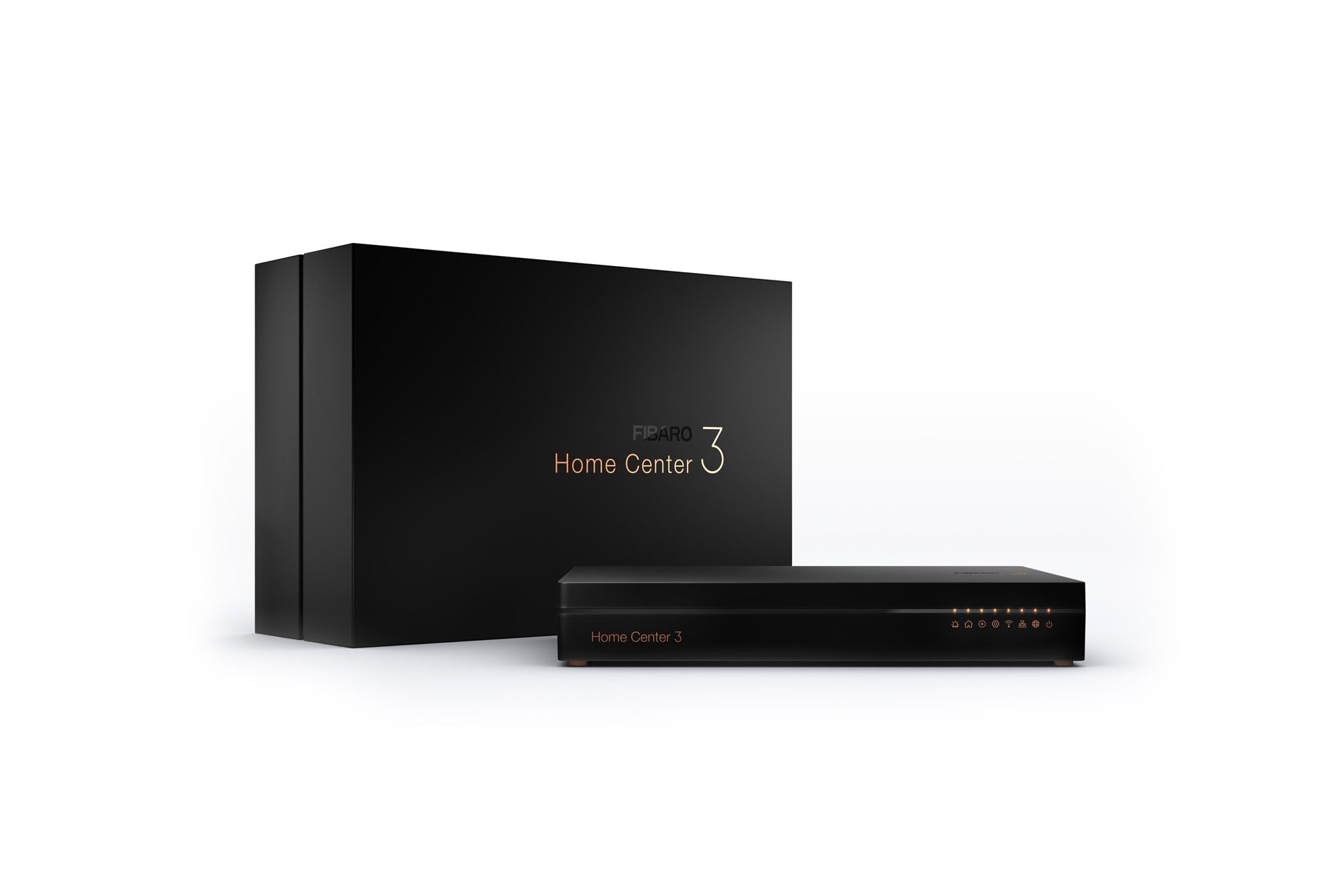
A quad-core automation box for buyers who want to script every scene.
Fibaro’s Home Center 3 is the spec-heavy end of the line: a Quad Core Cortex A53 processor at 1.2 GHz, 2 GB LPDDR3 RAM and 8 GB eMMC storage. It runs block scenes and LUA scripting for applications and plugins, which is a real step up for anyone who wants to write their own logic. The 5th-generation Z-Wave chip lists a range of up to 75 m, and built-in antennas plus a Wi-Fi 5 module keep it connected.
Voice control covers Google Assistant, Alexa and Siri, and remote access works from a browser or the Fibaro home centre app on Android and iOS. Climate control panels, alarm and garden scenes and configurable start profiles round out the feature set. The acrylic body houses a display, and it is the largest box here — premium in both capability and footprint.
The honest limit is protocol: it speaks Z-Wave Series 500 and Wi-Fi, so Zigbee-only or Thread gear cannot join without another bridge. And LUA scripting is not for everyone — this is a box you grow into, not one that charms you on day one. For the buyer who plans scenes and writes LUA scripts, that depth is exactly the point.
The scripting draw: LUA plus block scenes plus an A53 quad-core is a genuine home-automation lab in a box.
The scope check: Z-Wave and Wi-Fi only — if your shelf leans Zigbee or Thread, plan a second bridge.
Suits the tinkerer: someone who wants LUA scripting, block scenes and a quad-core engine under their own control.
Wrong pick if: you want an app that does the logic for you on autopilot.
Know the Specs
Z-Wave Plus, Series 500 and 800 Series
Z-Wave is the low-power radio language your locks, sensors and switches speak, and the generation of the chipset decides how far and how reliably it talks. Z-Wave Plus, Series 500 and 800 Series are successive generations — each generally improves range and mesh reliability over the last. When you compare hubs, match the chipset to your existing devices so everything stays on the same generation where possible.
Local processing versus cloud dependence
Local processing means the hub runs your automations on its own hardware, so routines still fire when the internet drops. Cloud dependence pushes each command through a remote server, so a connection hiccup can stall the trigger. For a house that relies on motion-triggered lights and locks, local processing is the safer default, and it also keeps device data at home rather than on a vendor server.
Device limits and subscriptions
A hub may cap how many devices you can connect until you pay monthly, and that ceiling tends to arrive faster than buyers expect once sensors spread room by room. Check the device count before you buy, and check whether anything stops working if the subscription lapses. Some hubs hold hundreds of Z-Wave devices natively, while others require a plan past a small free tier.
Mesh range and repeating devices
Z-Wave devices repeat the signal for one another, so the mesh grows stronger as you add mains-powered devices between the hub and the far corner. The per-device distance matters — the Nexia bridge names 60 to 100 feet between repeating devices. Plan a few powered switches along a long hallway and the signal reaches further than a single hub placement ever could.
Common Questions
Will a Z-Wave hub work with my Zigbee door sensor?
Do I need a subscription for a Z-Wave smart hub to keep working?
What happens to my lights and locks if the internet goes down?
How many Z-Wave devices can one hub control?
Is a USB Z-Wave stick like the Aeotec Z-Stick a real hub?
How far does Z-Wave reach through a house?
Can a Z-Wave hub control my Apple HomeKit devices?
What is the difference between Z-Wave Series 500 and 800 Series?
Do I need professional monitoring with a smart security hub?
Will a Fibaro Home Center 3 run Zigbee or Thread devices?
The Bottom Line
The winner for most homes is the Aeotec Z-Stick Gen5 Plus, because it puts an open Z-Wave Plus radio with S2 security and SmartStart pairing into an existing computer you already trust. If your goal is routines that never touch a cloud, the Hubitat Elevation C-8 Pro is the one to reach for. And for a household mixing every brand and radio, the Homey Pro covers seven technologies in one local-first box.
One nudge worth making: the Aeotec stick holds the best score of the whole field at 4.5+ stars, with no subscription attached. So if you have a spare always-on computer and a little patience for software setup, that is where the value sits.
How we choose
We do not accept paid placement. Every pick is matched to a real buyer and a real use-case; we do not hands-on test units.
Sources
Specifications: manufacturer listings and product documentation. Review insights: verified customer reviews, as of November 2026. Pricing: not shown on this page (it changes often); check the current price via the retailer link.
As an Amazon Associate, Tactical Gear Guy earns from qualifying purchases. This does not affect which products we feature.