Specs are compiled from manufacturer listings and verified buyer reviews and can change over time — please confirm the key details on the product page before buying.
Your handwriting should land on a page that feels like paper, and it should still be there months later — searchable, organized, and not smudged. That is the whole job of a writing tablet for notes. Most of them handle it well enough, so the real decision depends on pen feel, note organization, and if you want a color screen or a strictly distraction-free black-and-white one. Below are ten tablets with a real active stylus (a pen that writes on the screen itself), ranked so the strongest all-rounder sits first and the specialist tools sit further down.
This guide is built by comparing the manufacturers’ published specifications and the patterns across verified customer reviews, so you get each pick’s real strengths and trade-offs instead of marketing spin.
Some of these are pure note machines with no app store at all, and others run Android with a full app library. The trick is matching the device to your note-taking setting — a lecture hall wants a big page, a client meeting wants PDF markup, a kitchen counter wants something compact. Here is the honest breakdown of every writing tablet for notes worth considering, with the pen feel and note-management details that actually change your day.
Top Picks


How To Choose The Best Writing Tablet for Notes
Buying one of these is not like buying a normal tablet. A note tablet lives or dies on the pen, and the screen is there to disappear behind your handwriting. Start with how you write, then work outward to screen size and file handling.
Pen feel and pressure levels
The stylus is the part your hand touches every day, so it deserves the most scrutiny. On the E Ink side, the felt tip that creates friction against the display is what gives that scratchy, real-paper drag. Look for a stated pressure-sensitivity rating in levels, because higher numbers mean the device can tell a light underline from a heavy signature. The best of these tablets list 8,192 levels, which means fine line-width changes as you press harder. A battery-free pen also means you never stop mid-meeting to charge a stylus, so check that the pen never needs charging before you commit.
What the notes do after you write them
A tablet that only stores flat images of pages gets messy fast. Folders and tags make the difference between a usable notebook and a digital junk drawer. Handwriting conversion — turning your scrawl into typed, searchable text — saves you when you need to find a name from six weeks ago. Several of these picks convert on the device or through the maker’s cloud, and some add AI summarization that condenses a page of meeting notes. Decide up front if you need searchable text, because that requirement narrows the field quickly.
Distraction-free or full app store
This is the real fork in the road. Some of these tablets have no app store at all, which is the entire point — no notifications pulling you out of a page. Others run Android with an app store, which can help if you want a specific calendar or cloud service. The trade-off is focus versus flexibility: a no-app-store tablet keeps you on the page, an Android one runs your calendar and cloud apps.
Size, thickness, and front light
A 10.3-inch screen fits a full page of notes without feeling cramped in a bag — that size is the balance. Thin bodies make the tablet easier to keep on a desk or slip into a folio. Check for a front light (a built-in light behind the screen) if you write in bed or in dim rooms; a pure-paper tablet without one needs decent room lighting to read comfortably.
Side-by-Side Comparison
| Model | Best For | Screen Size | Storage | Battery Rating | Amazon |
|---|---|---|---|---|---|
| reMarkable 2★ Best Overall | Distraction-free writing | 10.3″ | — | Up to 2 weeks | Amazon |
| Like-New Kindle ScribeBudget Champion | Budget note + reading | 10.2″ | 32 GB | Weeks of writing | Amazon |
| Kloudnote SlimSlimmest Carry | Ultra-thin carry | 10.3″ | 64 GB | Up to 40 hours | Amazon |
| Huion Ink EB1011 | Creative note-taking | 10.3″ | 64 GB | Up to 12 days | Amazon |
| Kindle Scribe 16GB | Reading plus notes | 10.2″ | 16 GB | Weeks of writing | Amazon |
| Penstar eNote 2 | Spec-heavy power use | 10.3″ | 128 GB | Up to 4 weeks | Amazon |
| Kindle Scribe 32GB (11″) | Big-screen writing | 11″ | 32 GB | Weeks of writing | Amazon |
| iflytek AINOTE 2 | Meeting transcription | 10.65″ | — | Up to 14 days | Amazon |
| reMarkable Paper Pro | Full-size color notes | 11.8″ | — | Up to 2 weeks | Amazon |
Detailed Reviews
1. reMarkable 2 with Marker Plus and Basalt Book Folio
Our pick — 4.5+★ from 750+ verified ratings; the strongest balance of quality and price.
The digital notebook that makes pens feel like pens again, and refuses to distract you.
Here is the tablet that built its reputation on one thing: writing that feels like a real notepad. At just 4.7 mm thick, it slides into a folio and disappears into a bag, so carrying a full-size 10.3″ screen never feels like hauling a laptop. That thinness is the number to notice, because it is the physical reason this device rides in a work bag without a second thought.
The deliberate omission is the app store — there is none, and no pop-up ads, notifications, or social media either. For a lecture hall or a client meeting, that means a page of notes and nothing else competing for your eyes. Battery life stretches up to 2 weeks, so you can leave the charger at home for a full stretch of work.
Note organization is where this earns its spot at the top. You sort notes and documents into folders and tags, write directly on PDFs, and convert handwriting to typed text so a page from six weeks ago becomes searchable. What wins people over most is straightforward functionality — the device simply does the job you bought it for, and it does it consistently. An honest caveat: full cloud sync and some of the richer features sit behind a Connect subscription, so decide whether that recurring cost fits your budget before you buy.
Where it wins
- 4.7 mm thin, so a 10.3″ display still disappears into a bag
- No app store, no notifications — a genuinely distraction-free page
- Up to 2 weeks of battery means real stretches away from a charger
- Marker Plus has a built-in eraser for fast corrections
What to weigh first
- Cloud-sync features lean on a Connect subscription
- No front light, so dim-room writing needs decent ambient light
- No app store at all means no third-party note apps
Reach for this if: you want a pure writing surface and want every other app out of the way.
Look elsewhere if: cloud sync without a subscription or an app ecosystem is non-negotiable for you.
2. Like-New Amazon Kindle Scribe (32GB) with Premium Pen
A certified refurb that doubles your storage and still writes like a notebook.
You get Amazon’s writing Kindle for less by buying refurbished: it is tested and certified to look and work like new, and it ships with the same limited warranty as a fresh device. Storage is the headline for a note device, and this one carries 32 GB — the Huion Ink EB1011 in this list carries 64 GB, so you get half the capacity here. Still, 32 GB holds years of handwritten pages alongside a full library of books.
Its 10.2″ glare-free, 300 ppi front-lit display is a finer resolution than the Kloudnote Slim, which sits at 227 ppi. In practice, that means small handwriting and fine book text stay crisp instead of fuzzy, so you can write in the margins of a dense page and still read it back. The Premium Pen needs no setup and no charging, so you open the box and start writing. The built-in AI notebook tools convert messy handwriting into readable font and can summarize your notes, change their length, and shift their tone.
What owners keep coming back to is the writing itself — it feels like pen on paper, which is the whole point of a note tablet. It handles work notes and reading alike, and the Active Canvas feature lets you start writing on a book’s page and watch it make room for your notes. The setup is purpose-built for writing and reading with no notifications or social media, so a page stays a page. Reading happens at any light level thanks to the front light, and one charge lasts weeks of writing or months of reading. The catch worth knowing: the AI and note-conversion tools work within Amazon’s ecosystem, so heavy Google Drive or OneDrive users may find the document workflow narrower than they want.
Storage math: 32 GB here against 64 GB on the Huion Ink — half the capacity, though plenty for notes and books combined.
Resolution edge: the 300 ppi screen beats the Kloudnote Slim’s 227 ppi, so fine handwriting stays legible at small sizes.
Who this suits: a buyer who wants scribe-quality writing and a serious reading library in one certified-refurb package.
The limitation: no third-party app store, so document workflows stay inside Amazon’s tools.
3. Kloudnote Slim 10.3″ Digital Notebook
Thin enough to forget it is in the bag, with a battery that outlasts a work week.
The Kloudnote Slim is built around one physical advantage: a 5.3 mm body. That is thicker than the reMarkable 2’s 4.7 mm, so it is not the thinnest here, but it keeps a full 10.3″ screen surprisingly easy to carry. A 3,000 mAh lithium-ion battery drives up to 40 hours of work time, and that number is the one to hold onto — it means a long stretch of daily note sessions before you think about a charger.
Under the hood sits a 1.8 GHz A55 quad-core processor with 2 GB of RAM and 64 GB of memory, which is the same storage figure as the Huion Ink EB1011 when you are comparing like for like. The 1404×1872 resolution works out to 227 ppi, which is coarser than the Kindle Scribe’s 300 ppi, so fine print in a PDF will look a touch softer. You get 39 note templates, which is deep enough for everything from blank pages to structured meeting layouts. OCR and ASR handle text extraction and speech, and the device supports document encryption if you handle sensitive material.
Sharing and storage lean on Geniatech’s own cloud with 500 MB of free space, plus support for Microsoft OneDrive, Dropbox, and Baidu Network Disk, so you can keep notes where your team already works. The maker ships regular software updates with new features layered in over time. One honest note for a cautious buyer: the review base on this model is far smaller than the big names here, so you are adopting an early device from a smaller team. It does the core job well — read and write on a paper-feel screen — as long as you are comfortable being a little ahead of the crowd.
Thin-body trade: 5.3 mm keeps it packable, though the reMarkable 2 trims to 4.7 mm if millimetres matter most.
Where it shines: 40 hours of work time from a 3,000 mAh cell, so a busy week of notes does not drain it.
Best fit: someone who wants a paper-feel notepad that stays out of the way in a bag and sips battery.
Think twice if: you want a large track record of owner feedback behind your purchase.
4. Huion Ink EB1011 E Ink Tablet 10.3″
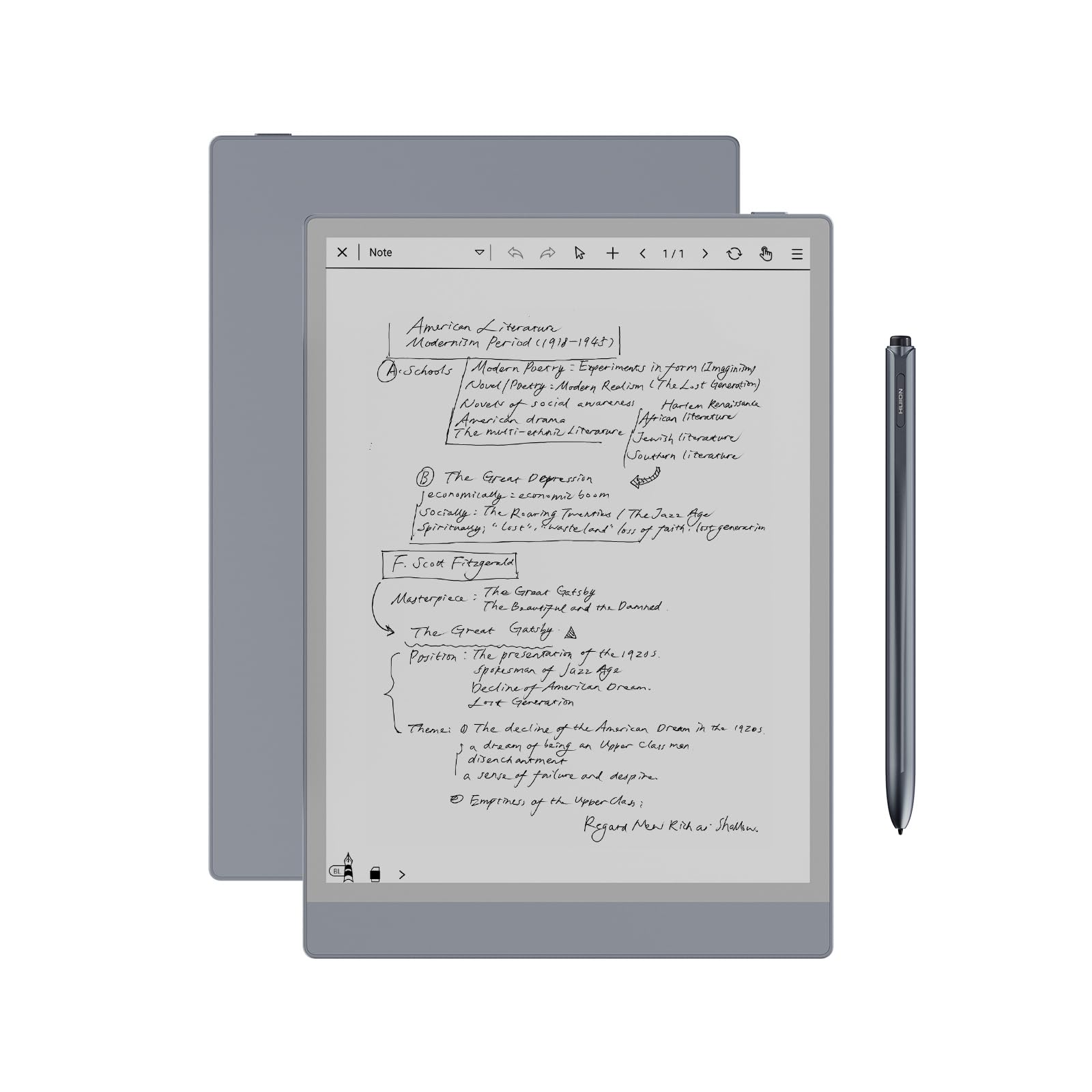
A notepad for people who sketch their thinking, not just type it out later.
Huion comes from the drawing-tablet world, and that shows in the stylus: a battery-free pen with 8,192 levels of pressure sensitivity, so a light underline and a heavy signature register as clearly different strokes. The felt tip gives genuine friction against the fully laminated, anti-glare glass, which is the detail that makes a digital page feel like it has tooth. You also get a tail eraser for instant corrections, so a wrong line disappears without a menu dive.
That 4,650 mAh battery is a bigger cell than the Kloudnote Slim’s 3,000 mAh, and Huion rates it at up to 12 days of use. Storage matches the Kloudnote at 64 GB, but here it expands up to 2 TB, which is the difference between a notebook and a document archive. It runs Android 11 with access to an app store, so you are not locked into one vendor’s tools. On the display side, the 1404×1872 resolution lands at 227 PPI, matching the Kloudnote but trailing the Kindle Scribe’s 300 ppi.
A dual-color front light with preset Day, Night, and Bed modes lets you write at night without a desk lamp, and the color temperature is adjustable. Handwriting converts to editable text, and sharing happens through a QR code or cloud with one tap. Creative tools go deep: 5 brush types, 10 colors, and 20 line thicknesses, plus zoom, move, and rotate on individual strokes. What owners praise most is the build quality — this feels like a substantial device rather than a toy. Two honest caveats: some buyers report Bluetooth connectivity hiccups, and handwriting feel gets mixed reactions because this is not a drawing pad despite the lineage. If you want a professional drawing tablet that also takes notes, this is a different tool than a note tablet that also sketches.
Reasons it earns a spot
- 8,192 pressure levels with a battery-free pen and felt tip for real friction
- 64 GB expandable to 2 TB for an archive of notes and PDFs
- Android 11 with app-store access, so no locked ecosystem
- Dual-color front light with Day, Night, and Bed presets
Keep in mind
- Some owners mention Bluetooth connectivity issues
- Handwriting feel splits opinion, and it is not a dedicated drawing pad
- 227 PPI trails the 300 ppi Kindle Scribe for fine text
Pick this for: note-takers who want to annotate PDFs and sketch ideas with a pressure-sensitive pen.
Be aware: Bluetooth pairing can be finicky, so have a USB or Wi-Fi fallback in mind.
5. Amazon Kindle Scribe (16GB) with Premium Pen
The best-known name in reading, now a serious place to write your own notes.
The Kindle Scribe is built for writing and reading, and its 16 GB of storage is the entry point of the line — the Like-New 32 GB version above doubles that if you plan to carry a large library. The 10.2″ glare-free, 300 ppi (pixels per inch, a measure of sharpness) front-lit display is fine enough that small handwriting stays readable, and it lets you read in bed or outside without hunting for light. No notifications or social media means a page is just a page.
The Premium Pen needs no charging and no setup. You open the box, pick up the pen, and write. The built-in AI notebook tools convert messy handwriting into readable font and summarize or reshape your notes, which is genuinely useful when a lecture page needs condensing before a deadline. You also import PDFs and other documents with Send to Kindle and mark them up directly on the page. Active Canvas is the sleeper feature: start writing on a book’s page and the text shifts to make room, so your margin note never covers the words you were reading.
Owners consistently point to the writing experience as the reason it stays on their desks — it genuinely feels like pen on paper. Reading and note-taking in books are what most people buy it for, and it handles both. A fair caveat: some owners find the screen and general reliability inconsistent, and a few report a unit that does not operate properly, so keep the return window open and test it early.
Why it sticks around: a pen that never needs charging plus AI that turns a messy page into clean, readable text.
The honest wrinkle: reliability stories vary across units, so run it through a full week before you file the warranty card away.
Choose this if: you read a lot and want to write in the margins without reaching for a separate notebook.
skip it if: you need a large photo or media library on the device, since 16 GB is the tightest storage here.
6. Penstar eNote 2 E-Ink Digital Notebook
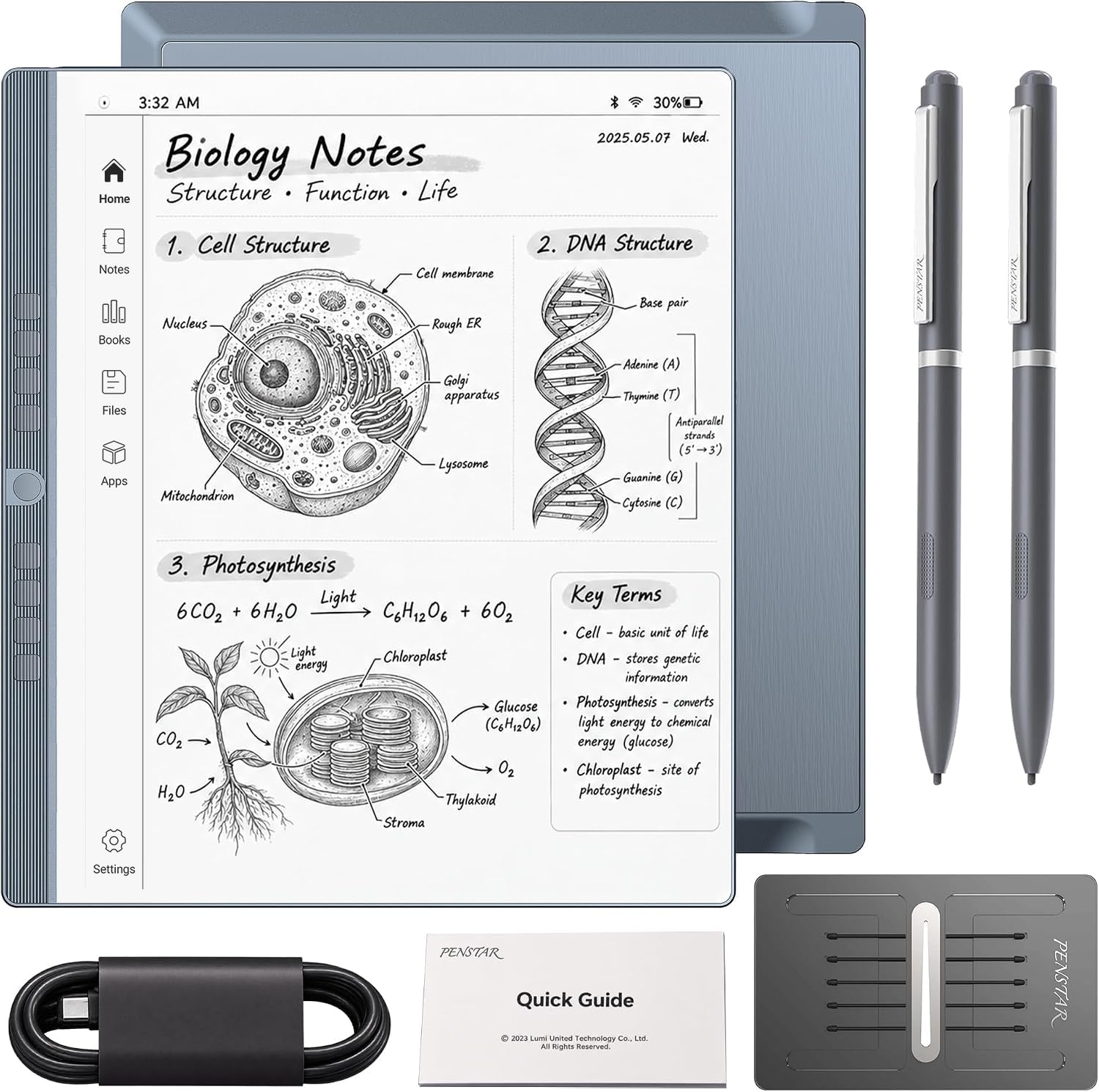
The spec sheet here reads like a flagship phone borrowed a paper screen.
Penstar stacks this one high: 128 GB of storage, 4 GB of RAM, an octa-core CPU, and a 6,500 mAh battery rated for up to 4 weeks. That storage is double the 64 GB on the Huion Ink and the Kloudnote Slim, and the battery is the largest in this group. If you keep every lecture, meeting, and PDF on one device instead of offloading to the cloud, those numbers matter.
The 10.3″ HD paper-like screen is 2480×1860 at 300 ppi, matching the same fine-resolution class as the Kindle Scribe. The screen has fewer layers than rivals, which the maker says sharpens the contrast and cuts haze, so blacks look deeper and whites look cleaner. The pen delivers 8,192 levels of pressure and never needs charging, and the maker reports reduced lag so your strokes land where you aim. The bundle includes two B5 pens with spare nibs, a magnetic folio cover, and a charging cable.
Software leans on Android 14 with support for third-party apps and more than 35 file formats, from PDF and EPUB through CAJ, DJVU, and PPTX. A built-in microphone and 4 speakers support the real-time voice-to-text and AI meeting summary features, and split-screen lets you read a book while writing notes beside it. A genuine caveat: performance and responsiveness divide opinion, with some reporting pens that stop working and laggy behavior, so it is a device to buy with an eye on the return policy. An included 9 customizable buttons is useful for anyone who writes long sessions and wants shortcuts without menus.
What the numbers buy you
- 128 GB storage and 4 GB RAM, the biggest storage figure in this group
- 6,500 mAh battery rated for up to 4 weeks away from a charger
- 300 ppi display with fewer layers for cleaner contrast
- 35+ file formats and Android 14 app support
Read this before you buy
- Responsiveness divides opinion, with some lag complaints
- Some customers note pens failing to work
- At 0.97 kg, it is the heaviest pick here
Suits you when: you want maximum storage and battery and do not mind a heavier device.
Weigh this up: performance reviews are mixed, so test the pen and lag in your first week.
7. Amazon Kindle Scribe 32GB (11″)
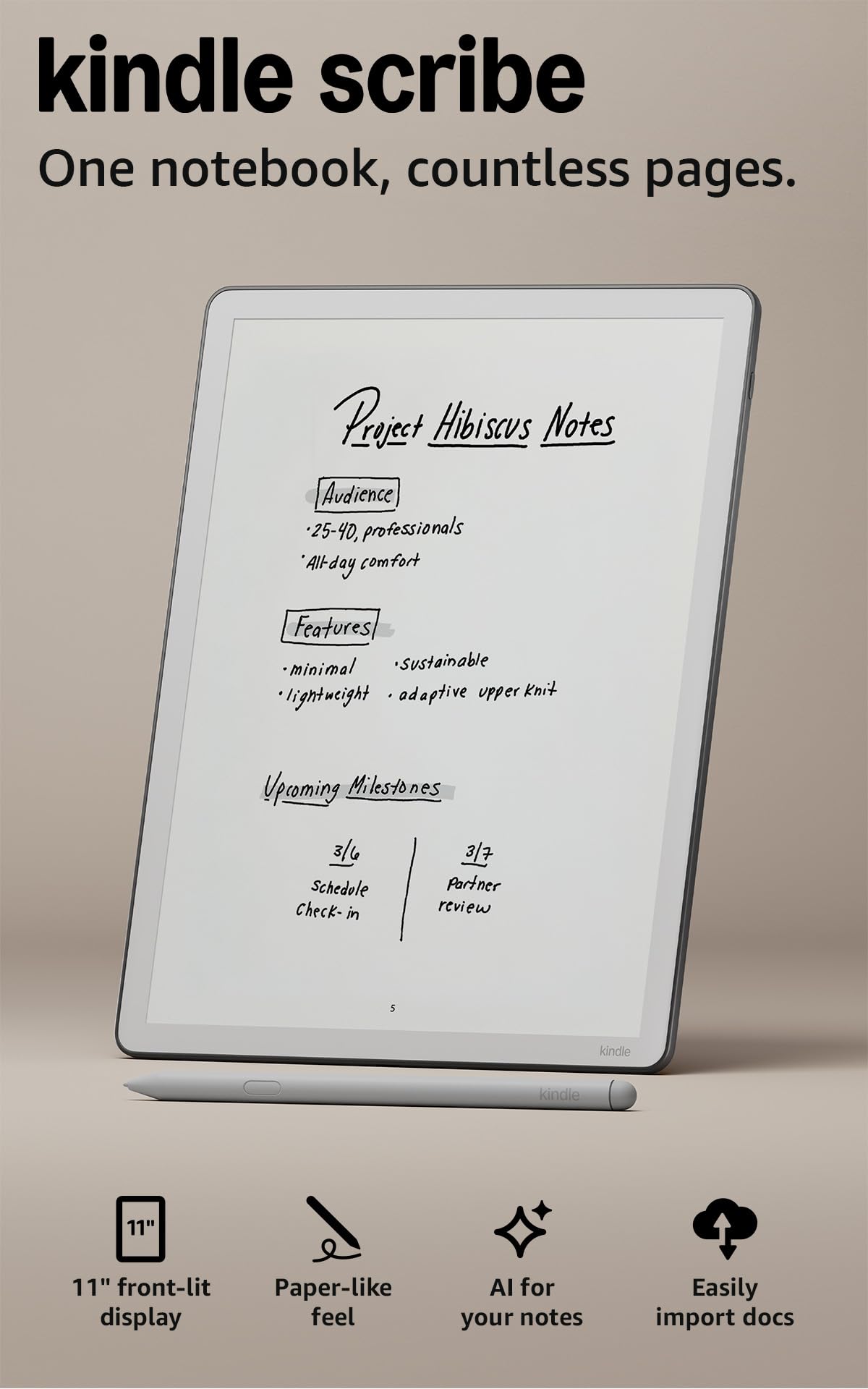
An 11-inch page that finally fits a full sheet of notes without shrinking.
The newest Scribe trades the 10.2″ screen of its siblings for an 11″ glare-free display with a front light, and that extra room is the reason to look here. A bigger writing surface means a full page of meeting notes fits without zooming, and long PDFs read with fewer page flips. At 5.4 mm thin and 400 g, it stays light enough for a commute despite the larger panel.
Amazon rates the writing and page turns at 40% faster than before, which is the difference you notice when flipping through a downloaded file. The included pen never needs charging and has a built-in eraser plus a shortcut button for tools like the highlighter. Brightness adapts automatically to your room, and you can warm the display for night work. The 32 GB of storage doubles the entry-level Scribe and matches the certified-refurb version up the list.
Note-taking lives in the built-in notebook, where AI can find information, answer questions about what you wrote, and generate summaries — plus clean up your handwriting or convert it to text. Import files from Google Drive or Microsoft OneDrive, mark them up, and export as PDFs, or push notebooks to Microsoft OneNote to edit elsewhere. Device quality and the writing experience are what people praise most. The trade-off is that the AI tooling is tied to Amazon’s cloud services, so teams deeply invested in Google or Microsoft workflows may find the native notebook layer thinner than they hoped.
The big-page payoff: 11″ of writing room means a full sheet of notes in one view instead of a scroll.
What to plan for: Amazon’s AI features run through Amazon’s cloud, so cross-ecosystem workflows need export steps.
Right for: heavy note-takers who want the largest Kindle Scribe canvas and 40% faster writing and page turns.
Not for: buyers who need unrestricted third-party note apps.
8. iflytek AINOTE 2, 10.65″ E Ink Tablet

A note tablet built to catch what people say, not just what you write.
Most of these tablets stop at handwriting. The AINOTE 2 goes further with 18-language transcription aimed at meetings, lectures, and interviews, turning spoken content into text you can review and organize. You get 8 brush styles and low-latency handwriting, so the writing side does not feel like an afterthought, and AI assistance lets you interact with selected text for study, summarization, and organization.
The E Ink display is deliberately frontlight-free, which means it relies on room light and ambient daylight, so it is not for a dark room without a lamp. At approximately 4.2 mm thick, it is built for portability, and a 4,000 mAh battery lasts up to 14 days on about 30 minutes of daily use, with up to 113 days of standby. Notes can be starred, marked with triangles or circles to track tasks, and synced across the AINOTE mobile and PC apps, with Google Calendar supported for schedules.
This device suits professionals who handle sensitive material, and the build quality and practicality draw positive notes. Two honest limits: the AI and transcription features need an active internet connection, so fully offline and confidential meetings are a poor fit, and the maker notes that accuracy depends on audio quality, speaker accent, and environment. Functionality draws mixed reactions, so treat transcription as an assistant for note review rather than a word-for-word professional record.
Where it stands out
- 18-language transcription plus AI meeting summaries
- 8 brush styles and low-latency handwriting in a 4.2 mm body
- 4,000 mAh battery for up to 14 days of use
- Task markers and cross-device sync through mobile and PC apps
Honest limits
- Needs internet for AI and transcription features
- No front light, so a dark room needs external lighting
- Transcription accuracy varies with audio and accents
Choose this for: meetings and lectures where capturing speech matters as much as your notes.
Skip it when: you write mostly offline or in dim rooms without a lamp.
9. reMarkable Paper Pro with Marker Plus and Basalt Book Folio
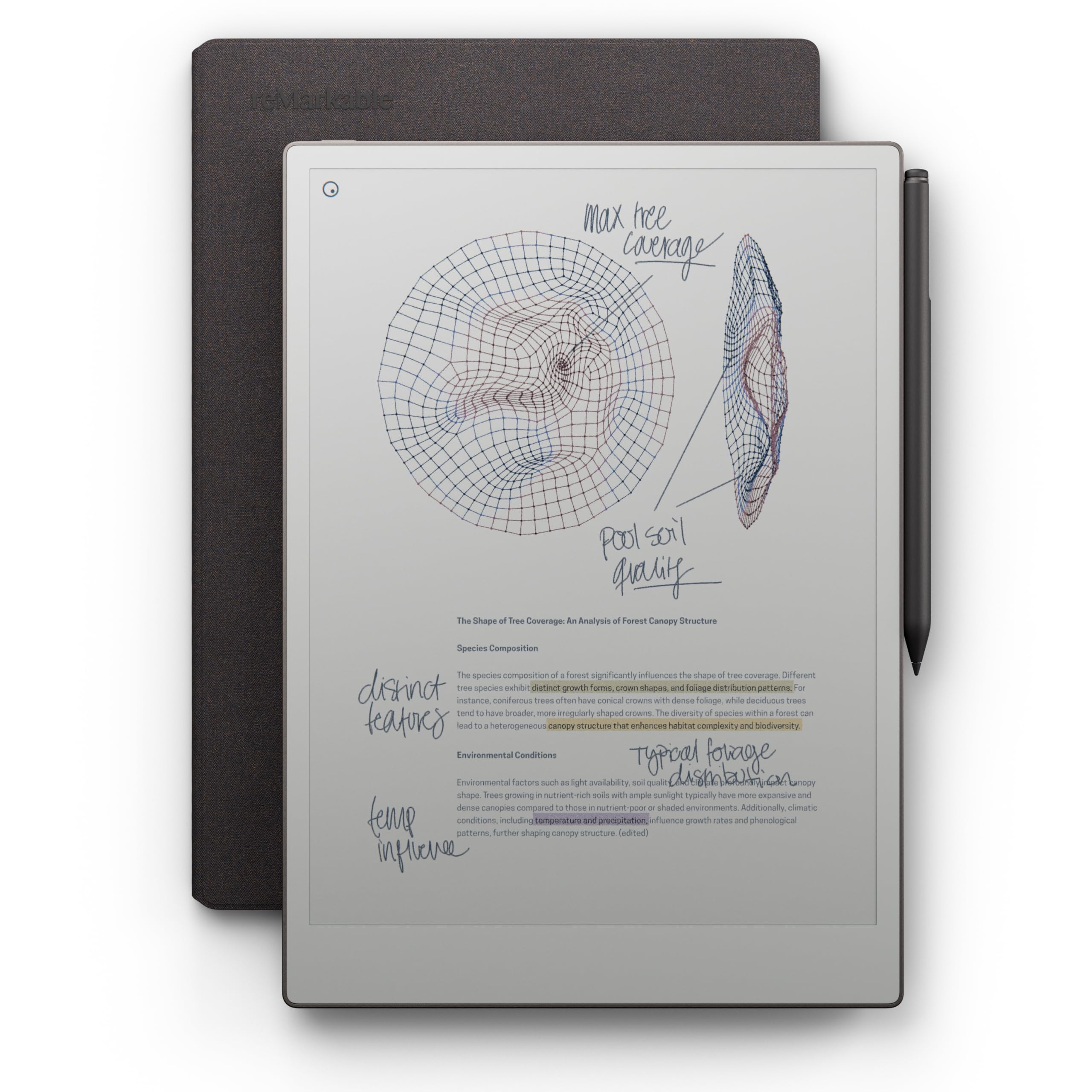
The biggest color paper tablet here, for people who want a full canvas.
At 11.8″ diagonally, this carries the largest display in the group, and it is color. That combination makes it the pick for anyone sketching, diagramming, or color-coding notes on a genuinely roomy page. The Canvas Color panel is low-glare and reflects natural light, so you can read outdoors without the washout you get from a phone. An adjustable reading light means you can keep working after the room goes dark.
The included Marker Plus pairs with the color display to deliver realistic friction, precise control, and all-day comfort, and it has a built-in eraser. Notes sort into folders and tags, you write straight on PDFs, and handwriting converts to typed text so older pages become searchable. Battery life runs up to 15 days based on an hour of daily use, and a 0 to 90% recharge takes less than 45 minutes. The 1,872×1,404 resolution comes in below the Penstar’s 2480×1860 and matches the Huion’s figure, which is the number to weigh if razor-sharp fine print is your priority.
Buyers praise the build quality most, with note-taking close behind. Sharing to Slack and Miro with background handwriting conversion needs a Connect subscription, so plan for that recurring cost. Two points to weigh honestly: colors render duller than some buyers expect for a color screen, and screen durability draws real criticism — so treat this as a desk-to-bag device, not something to toss in a rucksack with keys.
The roomy canvas: 11.8″ of color makes this the largest writing surface here, with an adjustable reading light built in.
What to protect: screen durability complaints mean a folio and careful handling are part of ownership.
For you if: you want a full-size color page for notes, diagrams, and sketches, with a light for night work.
Reconsider if: maximum sharpness or rugged handling matters more than screen size and color.
Know the Specs
Pressure Levels and Pen Feel
Pressure sensitivity tells the tablet how hard you press, so it can thicken or thin a line as you go. The higher the number of levels, the finer the grading — a signature presses heavy and an underline stays light. Both the Huion Ink and the Penstar eNote 2 list 8,192 levels, which means they can read the full range of your press. A battery-free pen is the companion spec to look for, since a pen that never needs charging means no interruption in the middle of a meeting.
PPI and Screen Resolution
PPI stands for pixels per inch, a measure of how tightly the pixels pack on the screen. Higher numbers keep small handwriting and fine book text readable. A 300 ppi panel renders crisp text, while 227 ppi looks a little softer on dense PDFs. Resolution matters most when you write small or read heavily formatted documents, so match the panel to your use case rather than chasing the biggest number.
Front Light vs Frontlight-Free
A front light adds a glow so you can write in a dark room without a lamp, and some devices offer adjustable warmth for night use. A frontlight-free E Ink screen depends on ambient light instead, which keeps the display looking more like paper but means you need decent room lighting. Choose a front-lit tablet if you write in bed, and a frontlight-free one if you always work in daylight.
Battery Life and Storage
E Ink panels draw very little power, so battery life on these tablets runs in days to weeks, not hours. A 4,650 mAh cell is larger than a 3,000 mAh cell, and bigger cells tend to stretch further between charges. Storage decides how many PDFs and note notebooks you keep on the device before offloading to the cloud. A 64 GB model holds twice what a 32 GB model does, so if you archive everything on-device, go larger.
Common Questions
Will a writing tablet read my handwriting well enough to search it later?
Do I need to charge the stylus on these tablets?
Can I write in a dark room with these tablets?
Is a writing tablet better than a paper notebook for taking notes?
Can a writing tablet run apps like Google Drive or OneNote?
How many days can I leave a note tablet without charging it?
What is the difference between an E Ink writing tablet and a normal tablet?
Does a smaller note tablet work for full-page meeting notes?
Do I need a subscription to get the most out of these tablets?
Can I import and mark up PDFs on a writing tablet for notes?
The Bottom Line
For most people, the writing tablet for notes winner is the reMarkable 2 because it gets the one thing that matters most right — a page that feels like paper, with no app store and no notifications pulling you out of your notes. The thin 4.7 mm body and up-to-2-week battery make it a device you simply pick up and write on. It carries 4.5+ stars across 700+ ratings, a higher score than the budget Kindle Scribe’s 3,800+ reviews, and owners rate its writing feel above the Scribe’s.
If you read as much as you write and want the bigger canvas, grab the 11″ Kindle Scribe for its full sheet of writing room and 40% faster writing and page turns. And for meetings where you need speech captured alongside your notes, the iflytek AINOTE 2 is the one to reach for, with 18-language transcription and AI summaries built in. The small color reMarkable Paper Pro Move is worth serious consideration if you want a desk-side companion that handles daily lists — and if that description matches how you work, it is the honest nudge to start there.
How we choose
We do not accept paid placement. Every pick is matched to a real buyer and a real use-case; we do not hands-on test units.
Sources
Specifications: manufacturer listings and product documentation. Review insights: verified customer reviews, as of November 2026. Pricing: not shown on this page (it changes often); check the current price via the retailer link.
As an Amazon Associate, Tactical Gear Guy earns from qualifying purchases. This does not affect which products we feature.