Specs are compiled from manufacturer listings and verified buyer reviews and can change over time — please confirm the key details on the product page before buying.
The machine that earns its desk space is the one whose toner or ink costs stay predictable month after month. With printers, the purchase price is the cheap part; the toner or ink behind it decides your real cost per page. This guide separates the laser workhorses that hammer out duplex pages from the ink-tank models that trade speed for cheap refills, so you can match a machine to your monthly page count instead of the biggest spec sheet.
This guide is built by comparing the manufacturers’ published specifications and the patterns across verified customer reviews, so you get each pick’s real strengths and trade-offs instead of marketing spin.
You will see exactly which models handle heavy monthly volume, which ones keep refills cheap, and where each machine stumbles on Wi-Fi. Below is the full breakdown of the best machines for printing for a home office or small team that needs pages out the door.
Top Picks

How To Choose The Best Machines for Printing
Start with your monthly page count, not the spec sheet. A machine that prints 35 pages per minute (ppm — pages per minute, how fast sheets come out after the first one) is wasted on someone who prints a boarding pass twice a month. Match the machine to your monthly page count and you avoid both overspending and constant refills.
Laser or ink tank: pick your cost model
A laser printer fuses toner powder onto the page with heat, which keeps text sharp and dry the second it lands. An ink-tank model (sometimes called a supertank) holds liquid ink in refillable reservoirs instead of sealed cartridges, so you top it up from a bottle. Lasers tend to win on speed and crisp black text; tanks tend to win on cheap color pages and photo-quality output. Pick a laser for mostly black-and-white documents and an ink tank for mostly color images.
The specs that actually change your day
Check three things first: print speed in ppm, paper tray capacity in sheets, and whether duplex (two-sided printing) is automatic. A 250-sheet tray means fewer refill interruptions than a 150-sheet one. An automatic document feeder (ADF — a tray that pulls pages through for scanning or copying) saves you standing over the glass one sheet at a time.
Connectivity is the real reliability story
Almost every complaint about a modern printer traces back to Wi-Fi, not the print engine. Dual-band Wi-Fi (2.4GHz and 5GHz) gives the machine a less crowded lane than 2.4GHz alone. An Ethernet port is the most dependable connection of all if the printer sits near your router. If the printer sits near your router, run an Ethernet cable and skip Wi-Fi entirely.
Side-by-Side Comparison
| Model | Best For | Print Speed | Duplex | Functions | Amazon |
|---|---|---|---|---|---|
| HP LaserJet Pro 3101sdw★ Best Overall | Busy small teams | 35 ppm black | Automatic | Print, scan, copy | Amazon |
| HP LaserJet M234sdwBest Value | Compact black-and-white | 30 ppm black | Automatic | Print, scan, copy | Amazon |
| Epson Workforce Pro WF-7310Widest Pages | Wide-format color | 25 ppm black / 12 color | Automatic | Print, scan, copy | Amazon |
| Canon Megatank G3290 | Low-cost color volume | 11 ppm black / 6 color | Automatic | Print, copy, scan | Amazon |
| Epson EcoTank ET-4950 | High-volume ink tank | 18 ppm black / 9 color | Automatic | Print, scan, copy | Amazon |
| Xerox C245 | Compact color laser | 26 ppm black / 26 color | Automatic | Print, scan, copy | Amazon |
| Brother HL-L3300CDW | Compact color laser | 19 ppm black / 19 color | Automatic | Print, copy, scan | Amazon |
| Canon Color imageCLASS MF753Cdw II | Color-heavy office | 35 ppm black / 35 color | Automatic | Print, scan, copy, fax | Amazon |
| Brother MFC-L8930CDW | Security-focused business | 33 ppm black | Automatic | Print, scan, copy | Amazon |
Detailed Reviews
1. HP LaserJet Pro 3101sdw
Our pick — 4.5+★ from 650+ verified ratings; the strongest balance of quality and price.
The office workhorse that spits out 35 black-and-white pages a minute without breaking stride.
If your day is contracts, invoices, and reports, this is the machine the whole list orbits around. It prints at up to 35 pages per minute (ppm — pages per minute, how fast sheets emerge once printing starts), which is more than double the 16 ppm of the Brother INKvestment 1365 below. A first page lands in about 7 seconds, so short print jobs never turn into a coffee break.
What wins people over is sheer output consistency — the performance side of this machine is where the strongest owner satisfaction sits, followed closely by long-term reliability. It also does automatic two-sided printing (duplex — printing on both sides of a sheet without you flipping it), plus scanning and copying through a 50-sheet automatic document feeder (ADF — a tray that pulls pages through for hands-free scanning and copying). The 250-sheet input tray means you are not topping paper up every other day.
The catch is the closed cartridge ecosystem. HP states this printer is built to work only with cartridges carrying HP chips or circuitry, and firmware updates keep those checks active. That rules out cheap third-party toner — budget for genuine HP refills over the machine’s life. Wi-Fi is the other wobble: setup and connection is the one mixed area, with some buyers on the network in seconds and others fighting the handshake. An Ethernet port is there if you want to sidestep it entirely.
Where it earns its keep
- 35 ppm black output — roughly double the Brother INKvestment 1365’s 16 ppm
- About 7 seconds to the first page, so quick jobs stay quick
- 50-sheet ADF and automatic duplex cut the manual handling
- 250-sheet tray keeps refills infrequent
What to weigh first
- Locked to HP-chipped cartridges — no bargain third-party toner
- Wi-Fi connection is the one split area in owner experience
- Black-and-white only; no color printing at all
Reach for this if: you run a small team on document volume and want fast, sharp black-and-white pages with minimal babysitting.
Look elsewhere if: your work needs color, or you refuse to pay genuine-cartridge prices.
2. Brother INKvestment 1365
A desk-side laser that fits where a wide-format monster simply will not.
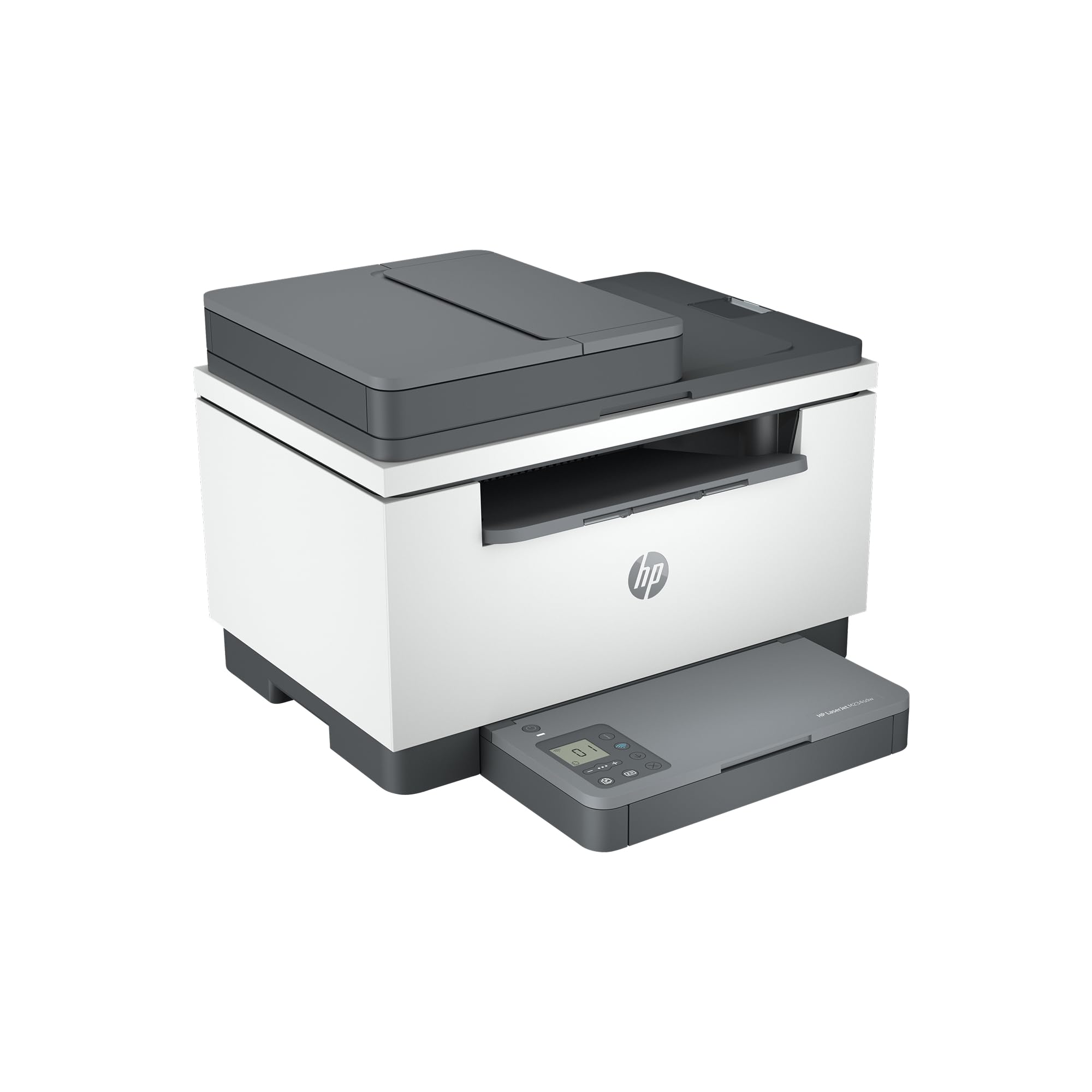
Floor space is a real spec. This HP measures 12.13 inches deep, 16.46 inches wide, and 11.59 inches tall, which makes it a fraction of the Epson Workforce Pro WF-7310 below at 20.3 inches deep by 28.6 inches wide by 17.6 inches tall. If your “office” is a corner of a bedroom, that difference decides whether the machine lives on the desk or the floor.
It still prints at up to 30 ppm black with automatic duplex, and HP rates two-sided output at up to 19 black-and-white images per minute. Dual-band Wi-Fi with a self-reset feature is meant to detect and reconnect automatically when the network hiccups. Mobile printing spans AirPrint, Android, Chromebook, and the HP Smart app, and there is an Ethernet port for a wired setup.
Reliability and wireless connectivity are the two mixed areas in the owner record — some machines run for years without a blink, others need reconnecting. The paper feeder gets the occasional mention as a friction point. Quality and easy setup, by contrast, are the standouts: it is the machine people describe as a tidy little unit that just prints.
Tidy footprint, real output: 30 ppm and automatic duplex in a body small enough to tuck beside a monitor.
One honest limit: black-and-white only — no color scanning of photographs into color output.
The smart fit: a one-to-five person office short on desk space that lives on documents, not color.
Not your machine if: you need color prints or a feeder that never needs a nudge.
3. Epson Workforce Pro WF-7310
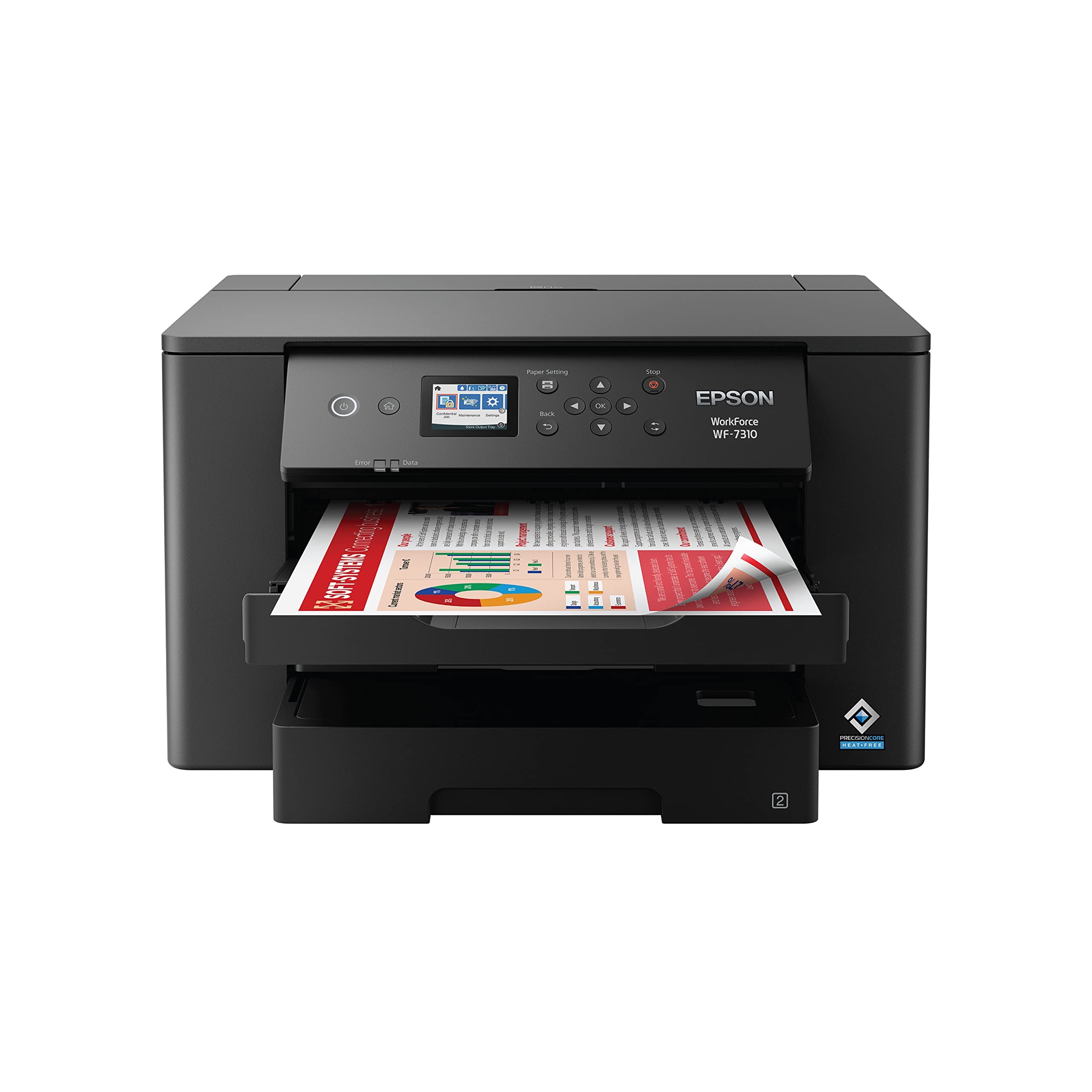
When letter-size is not big enough, this one prints up to 13 by 19 inches.
This is the only wide-format machine on the list, and that single capability defines it. It handles sheets up to 13″ x 19″ — posters, proofs, spreadsheets that would otherwise print as a postage stamp, and full-bleed marketing pieces. It runs at 25 ppm black and 12 ppm color, and beats the Brother INKvestment 1365 on color speed: 12 ppm versus 9 ppm.
Paper handling is built for volume. Two 250-sheet trays plus a rear feed give 500 sheets of capacity, so a big job does not mean standing over the tray. PrecisionCore Heat-Free technology (Epson’s print-head design that needs no warmup cycle) means no waiting for the machine to heat before the first page. DURABrite Ultra pigment inks are formulated to dry on contact, which matters when you are stacking output.
Here is the honest part: this is the lowest-rated pick on the list at 3.5+ out of 5, and the wide format is the reason it is still here. Owners split hard on print quality and reliability, some calling it excellent and others frustrated by failures. Error messages with no specific error code, and fast ink consumption, are the recurring sore points. The 28.6-inch width also eats desk space.
Why it stays on the list
- Prints up to 13″ x 19″ — the only wide-format unit here
- 500 sheets across two trays plus a rear feed
- 12 ppm color outpaces the Brother INKvestment 1365’s 9 ppm
- No warmup wait with PrecisionCore Heat-Free technology
The honest friction
- Print quality and reliability both split owner opinion
- Error messages often lack a specific code to troubleshoot
- Ink consumption draws steady criticism
- Epson states non-genuine ink can void the limited warranty
Buy it for the format: poster-size output and heavy trays, when nothing smaller will do the job.
skip it if: standard letter pages are all you need, where smaller and more reliable machines win.
4. Canon Megatank G3290
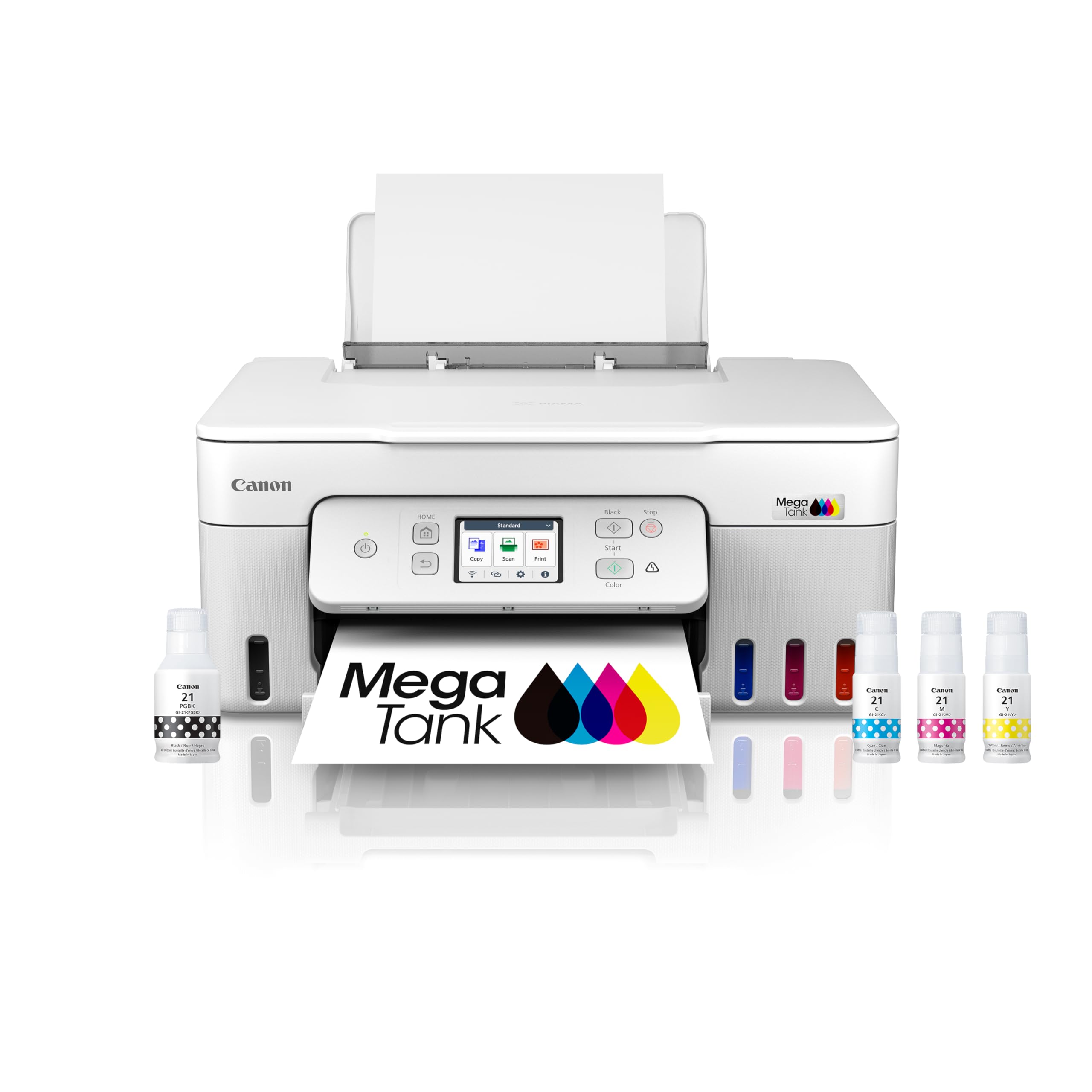
One set of ink bottles is rated for 6,000 black and 7,700 color pages.
If your printer feeds a busy household or a color-heavy work day, the refill cadence is the cost that matters most. This tank model is rated for up to 6,000 black-and-white pages and 7,700 color pages from a single set of inks, and Canon states up to two years of ink is included. Refills come as bottles rather than cartridges, so you top up the reservoirs instead of binning plastic.
The trade is speed. It prints at 11 ppm black and 6 ppm color — the slowest on this list, and noticeably slower than the 35 ppm of the HP LaserJet Pro 3101sdw up top. Print quality for photos and documents is the standout strength, and setup is rated cleanly positive. The 2.7-inch color touchscreen and automatic duplex round out the daily experience.
Owners are honest about the slow side: a single sheet can feel like a long wait. Wireless connectivity and color accuracy both split opinion — some report a green cast developing over time. Reliability is the one to watch, with some machines running happily and others stopping entirely. Budget for a wired setup if your Wi-Fi is patchy.
The ink-math winner: pages per ink set is where this model crushes cartridge printers — 6,000 black and 7,700 color from one fill.
Patience required: 6 ppm color means a photo printout is a considered decision, not a reflex.
Best matched to: households and small offices that print color often and hate cartridge shopping.
Wrong call if: you need fast turnaround on every job or expect spotless reliability records.
5. Epson EcoTank ET-4950
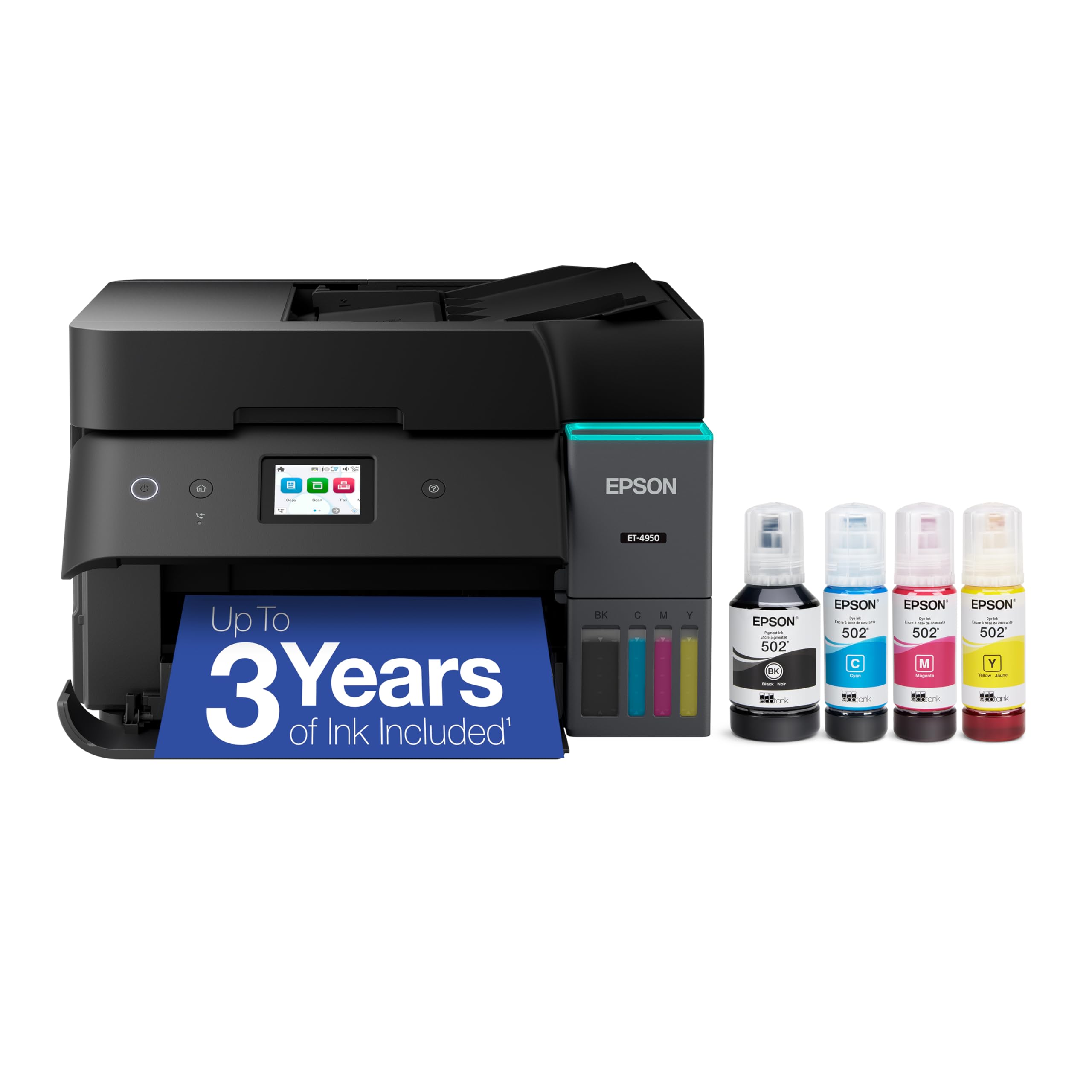
A cartridge-free tank machine that wants to print 6,600 black pages before you think about ink.
This is a cartridge-free design, which means the ink lives in refillable tanks rather than sealed plastic. Epson ships enough ink for up to 6,600 black pages or 5,500 color pages, and each replacement bottle set is equivalent to about 80 cartridges. For anyone who has watched a cheap printer eat money in cartridges, that reframe is the reason this pick exists.
It prints at 18 ppm black and 9 ppm color with zero warmup time, and packs an auto document feeder, fax, a 250-sheet paper tray, auto duplex, and a 2.4-inch color display. The EcoFit bottles are keyed so only the right color fits each tank — no getting magenta into the black reservoir. It has Ethernet and USB ports alongside Wi-Fi.
Owner feeling splits on connectivity: some get a clean Wi-Fi bond and easy setup, others lose the connection and have to coax it back. Reliability shows the same pattern — most machines work flawlessly, a share do not print consistently. Print quality, color output, and ease of use are the clear strengths. Note the physical footprint: 13.7 inches deep by 14.8 wide by 9.4 tall, small enough for a shelf.
The tank advantage
- Rated for 6,600 black / 5,500 color pages from included ink
- EcoFit keyed bottles prevent color mix-ups on refill
- Automatic duplex, ADF, and fax in one compact body
- Zero warmup time with an Ethernet port for stable connection
The realistic snags
- Connectivity draws a split verdict from owners
- Reliability is mixed — some units stop printing without warning
- Print speed is modest next to laser rivals
Worth it if: you print a steady volume of color documents and want ink cost out of your monthly math.
Consider skipping: if you need guaranteed uptime and cannot tolerate a network reconnect now and then.
6. Xerox C245
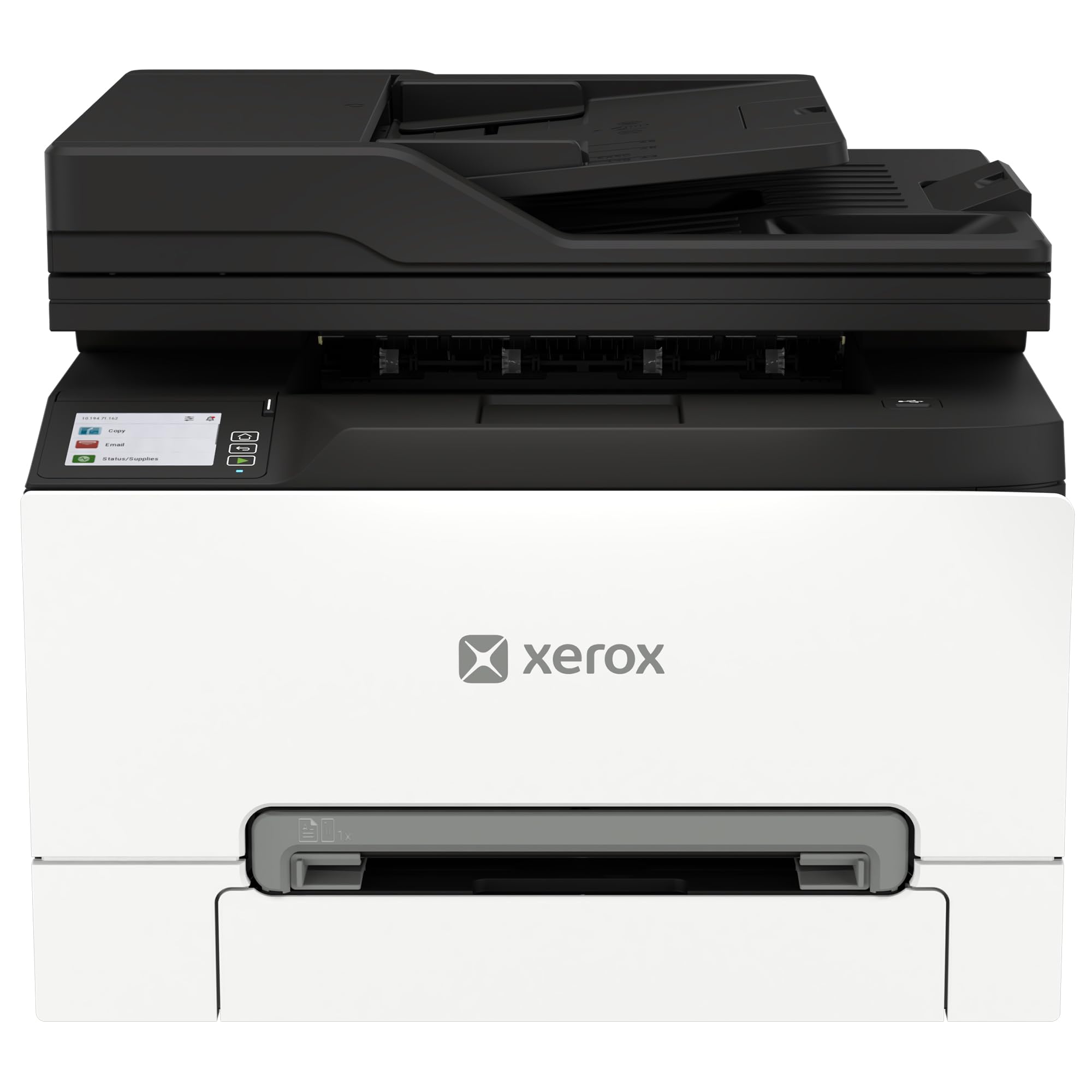
A color laser that squeezes print, scan, and copy into a small-desk footprint.
Most color lasers demand serious real estate. This one is built to sit on a modest desk while handling print, scan, and copy at 26 ppm in both black and color. It carries a 50-sheet document feeder for stacking multi-page jobs, and Xerox rates it for printing up to 1,500 pages per month — a realistic ceiling for a busy home office or a consultant’s front room.
Setup leans on the Xerox Easy Assist app, which walks you through installation instead of the old driver-hunting routine. Dual-band Wi-Fi, Apple AirPrint, and Mopria cover the wireless side, with Ethernet and USB as fallbacks. The 42.8-pound body signals it is a genuine laser, not a lightweight inkjet in disguise, though it stays compact at 15.7 inches deep by 16.2 wide by 13.6 tall.
This is the highest-rated machine in the group at 4.0+ out of 5, but with the smallest sampling — Amazon’s new-exclusive status means fewer voices to draw on, so treat the record as early rather than proven. Standard-yield toner suits lighter use, and high-yield options are there to bring down cost over time. The honest caution: toner cost over years, not the machine, is your real expense.
Compact color laser: 26 ppm both ways, a 50-sheet feeder, and a desk-friendly body make it a quiet overachiever.
Early days: the review base is small, so the long-term reliability picture is still forming.
Best for: a small-desk office that wants real color laser output without a machine that swallows the room.
Caveat: buy only if you can plan toner costs over the long haul.
7. Brother HL-L3300CDW

A compact color laser whose prints owners describe as almost photo quality.
This three-in-one — print, copy, scan — runs at 19 ppm in both black and color and uses a flatbed scan glass instead of only a feeder, which helps when you need to scan a bound document or a single page. It is a compact digital color machine aimed at small offices and work-from-home setups that want laser-quality output without a huge box.
Output quality is the reason it earns a place. Owners call it a fine laser device, with print quality described as superb and almost photo-like, and setup draws a solidly positive read. Dual-band wireless (2.4GHz and 5GHz) plus Wi-Fi Direct and a USB 2.0 port give you several ways to connect. Speed earns a positive nod, too.
The honest trade is cost of running it. Value for money and reliability both split owner opinion — some find it well worth the outlay, others flag the toner as expensive to run, and the black cartridge in particular gets noted as running dry fast. Connectivity works cleanly for many and stumbles for some. Treat it as a quality-first color machine, then verify toner prices for your volume.
Print quality is the hook: when the pages are the product, near-photo color at 19 ppm both ways is the argument.
Count the toner: the running cost, not the box, is the decision point here.
Choose this when: color quality matters more than squeezing every cent out of toner.
Think again if: you print high color volume and cheap refills top your priority list.
8. Canon Color imageCLASS MF753Cdw II

Full speed in color and black — 35 ppm both ways with print, scan, copy, and fax.
Color lasers often slow down when you switch from black to color. This one holds 35 ppm in both, matching its black-and-white speed exactly. For a design studio or a marketing team that prints color presentations as often as memos, that consistency is the whole point. It is a full four-in-one with fax, automatic duplex, and a 7-second first page.
Output quality is what owners come back for — quality and fast print times lead the praise, with print and color quality both landing positively. Toner ships as Canon Genuine 069: a starter cyan, magenta, and yellow set at 1,100 pages plus a standard black at 2,100 yield, so you get real color capacity from the start.
The friction sits in two places. Setup splits owner opinion — the installation software is dead easy for some and cumbersome for others. Network connectivity is the other mixed spot, with Ethernet setups going smoothly and Wi-Fi dropping for some. Value for money draws a lukewarm read, so factor toner into your budget. Scan, copy, and fax all run from the same chassis, which keeps the desk to one machine.
Speed symmetry: 35 ppm black and color means no slowdown penalty for striking color pages.
Setup lottery: installation software is the wildcard — set aside an unhurried half hour for it.
Ideal for: teams that print color at volume and need one machine for documents, artwork, and faxes.
Not the one if: you want painless out-of-box installation or rock-solid Wi-Fi without wires.
9. Brother MFC-L8930CDW
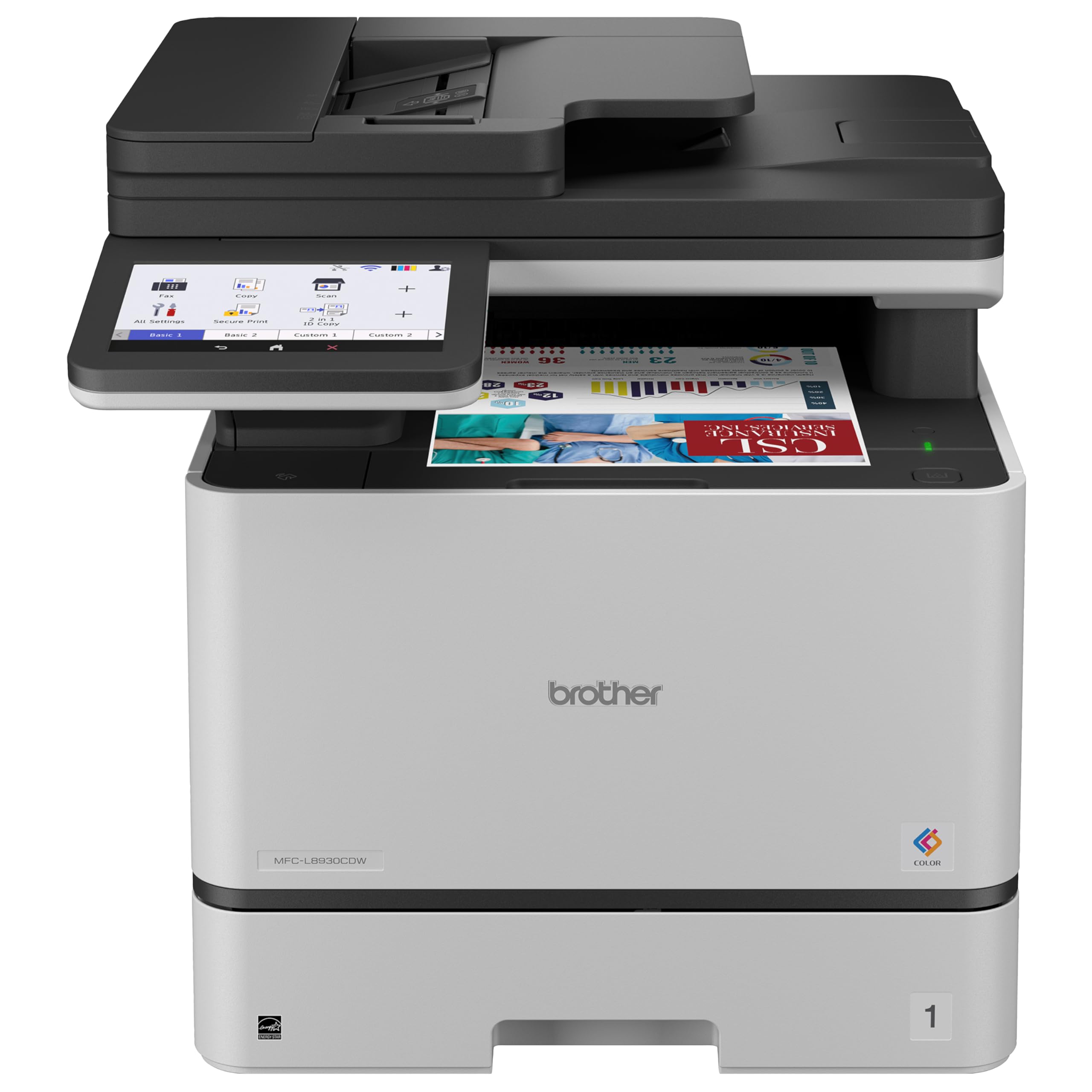
A business laser built around scanning speed and layered document security.
Two-sided scanning runs up to 104 images per minute (ipm — images per minute, how fast pages are captured entering the machine), through an 80-page auto document feeder with a legal-size glass. Print and copy speed hits 33 ppm, so a quick document run does not stall behind a scanning job.
Security is the differentiator: layered protections cover the device, documents in transit, and the network, with a built-in NFC card reader for badge authentication. The 7-inch color touchscreen supports a scan preview and up to 64 customized shortcuts for tasks you repeat. Dual-band wireless and Gigabit Ethernet keep connections quick, and it is rated EPEAT Gold and ENERGY STAR certified.
Toner starts generous — included cartridges carry a 3,000-page black and 1,800-page color yield — and super high-yield replacements step up to 7,500 black and 6,500 color pages. That high yield is how you tame the running cost over time. It is also the heaviest machine on the list at 71.2 pounds and 20.7 inches deep, so confirm the desk depth before it ships. Mixed reports on reliability and value exist, and network connectivity is a varying note.
Scanning as the headline: 104 ipm two-sided capture through an 80-page feeder is a serious document pipeline.
Weight and depth: at 71.2 pounds it is a permanent fixture, not something you shift for a tidy-up.
Ready for: a business that scans stacks, cares about document security, and moves to high-yield toner.
Steer clear if: you have a light desk, light volume, or no need for badge-secured printing.
Know the Specs
Pages Per Minute (ppm)
PPM measures how many sheets the machine prints in a minute once it is warmed up. Higher is faster, but first-page-out time often matters more for one and two-page jobs. A machine rated at 35 ppm will just as happily print three pages quickly, while an 11 ppm machine makes you wait. Compare like for like — black-and-white speeds against black-and-white, color against color — because many color machines slow down on color pages.
Toner vs Ink Tank
Toner is a powder fused onto the page with heat; it is dry, sharp on text, and rarely smudges. Ink tanks hold liquid ink you refill from bottles, which makes the cost per page far lower for color and photos. The trade: tank models tend to be slower. A laser at 35 ppm outpaces a tank at 11 ppm, so pick laser for document speed and a tank for cheap color volume.
Duplex and the ADF
Automatic duplex prints on both sides without you flipping pages, which halves paper use and tray refills. An automatic document feeder pulls sheets through for scanning and copying hands-free; look at the sheet count to see how big a stack it takes. A 50-sheet feeder handles most office stacks. A single-sided feeder and a duplex feeder are different — duplex feeders scan both sides in one pass.
Connectivity Options
Dual-band Wi-Fi runs on 2.4GHz and 5GHz, giving the machine a less congested lane than 2.4GHz alone. Wi-Fi Direct lets a phone print with no network at all. Ethernet is the most stable connection if the printer sits near a router. When owner feedback flags connection issues, the fix is often a wired setup or a dual-band network.
Common Questions
How fast can these machines print a single black page?
Will a laser printer work with cheap third-party toner?
How many pages can an ink tank print before refilling?
Do I need a wide-format printer for larger documents?
What is the difference between simplex and duplex printing?
How much desk space do these machines take up?
Can these printers print from a phone or tablet?
Why do so many printers lose their Wi-Fi connection?
Is a color laser worth it over a color inkjet?
How much does toner or ink cost to run these machines?
The Bottom Line
For most small teams, the machines for printing winner is the HP LaserJet Pro 3101sdw because it pairs 35 ppm black output with a 50-sheet ADF, a 250-sheet tray, and automatic duplex, and it holds the strongest owner record in this group. If cheap color volume is your goal, grab the Canon Megatank G3290 and its 6,000 black / 7,700 color page ink set. And for a fast, secure office that scans stacks all day, the Brother MFC-L8930CDW is the one to reach for with its 104 ipm two-sided scanning and NFC badge reader.
Before you decide, match the machine to your monthly page count and your color needs. Print speed and reliability are the two things worth paying for, and every pick here earns its place on one of those two. Choose the machine that fits your monthly page count, wire it in if you can, and it will quietly do its work for years.
How we choose
We do not accept paid placement. Every pick is matched to a real buyer and a real use-case; we do not hands-on test units.
Sources
Specifications: manufacturer listings and product documentation. Review insights: verified customer reviews, as of November 2026. Pricing: not shown on this page (it changes often); check the current price via the retailer link.
As an Amazon Associate, Tactical Gear Guy earns from qualifying purchases. This does not affect which products we feature.