Specs are compiled from manufacturer listings and verified buyer reviews and can change over time — please confirm the key details on the product page before buying.
You want a mic that plugs straight into your laptop, phone, or camera through a USB receiver and just works — no audio interface, no XLR cables, no driver settings to fight. The DJI Mic Mini suits the widest range of people. The Hollyland Lark M2 is the one to pick if you record mostly on a USB-C phone and want the smallest possible clip-on. Below are six wireless mics that genuinely run over USB, what each one is good at, and where each one makes you work a little harder.
This guide is built by comparing the manufacturers’ published specifications and the patterns across verified customer reviews, so you get each pick’s real strengths and trade-offs instead of marketing spin.
Three things decide which of these you buy: how the mic reaches your computer, how long it runs on a charge, and how much room noise it can push down. Each number below is translated into everyday terms, so you can match a system to your desk, your pocket, or your camera bag. This is the practical shortlist of the best wireless mic with USB connectivity for most recording setups.
Top Picks
How To Choose The Best Wireless Mic with USB
The first decision is not brand or budget — it is the connector on the receiver. A USB-C dongle drops into a modern Android phone, an iPhone 15 or later, an iPad, or most laptops. A USB-A plug suits older desktops and Windows machines. Some systems ship with a two-in-one adapter that covers both, and that flexibility saves you from buying a second receiver later. Check that before anything else, because a mic that will not connect is a paperweight.
Lavalier clip-on or desktop stand?
A clip-on transmitter rides on your collar and keeps your mouth at a fixed distance from the capsule, which is why it suits vlogging, interviews, and walking-around shooting. A desktop mic on a stand sits on your desk and points at you — better for podcasting, streaming, and long calls where you are not moving. The MAONO PD100W and PD200W are desktop units; the DJI and Hollyland sets are clip-on transmitters. Pick the shape that matches how you actually record, not the one that looks more professional in photos.
How much battery do you really need?
Look at the runtime of the transmitter and the receiver separately, then check whether a charging case adds extra cycles. A 10-hour transmitter covers a full shoot day. A case that adds recharges turns that into a multi-day kit without a wall outlet. If your sessions are two-hour podcast blocks, almost anything here clears the bar. If you film all-day events, the case number matters more than the headline figure.
What noise cancellation can and cannot do
Noise cancellation lowers steady room noise — a fan, a fridge hum, traffic behind a window. It cannot remove a barking dog mid-sentence or a echoey room with hard walls. Several systems here offer selectable levels, so you can dial it back when a strong setting starts clipping the edges of your voice. Treat it as a helper, not a soundproof booth.
Side-by-Side Comparison
| Model | Best For | Battery Life | Transmission Range | Connector | Amazon |
|---|---|---|---|---|---|
| DJI Mic Mini (1 TX + 1 RX)★ Best Overall | All-round pick for camera, laptop and phone | 10 h | 400 m max | USB Type-C | Amazon |
| MAONO PD100WDesktop Workhorse | Clean desktop gaming and streaming setup | 40 h | 50 m (160 ft) | USB Type-A / USB Type-C | Amazon |
| Hollyland Lark M2 | Phone-first creators who want a tiny clip-on | 10 h (30 h with case) | 1,000 ft line-of-sight | USB Type-C | Amazon |
| MAONO PD200W | Two-person podcasts with XLR in reserve | 60 h (RGB off) | 60 m | USB Type-C & XLR | Amazon |
| Alvoxcon USB Wireless Microphone | Handheld vocals for karaoke and PA | 7 h | 60 ft | USB | Amazon |
| Behringer ULTRALINK ULM202USB | Two handhelds into one USB receiver | — | — | USB | Amazon |
Detailed Reviews
1. DJI Mic Mini (1 TX + 1 RX), Ultralight, Detail-Rich Audio
Our pick — 4.5+★ from 27,500+ verified ratings; the strongest balance of quality and price.
A clip-on that weighs less than a pen cap and still reaches across a street.
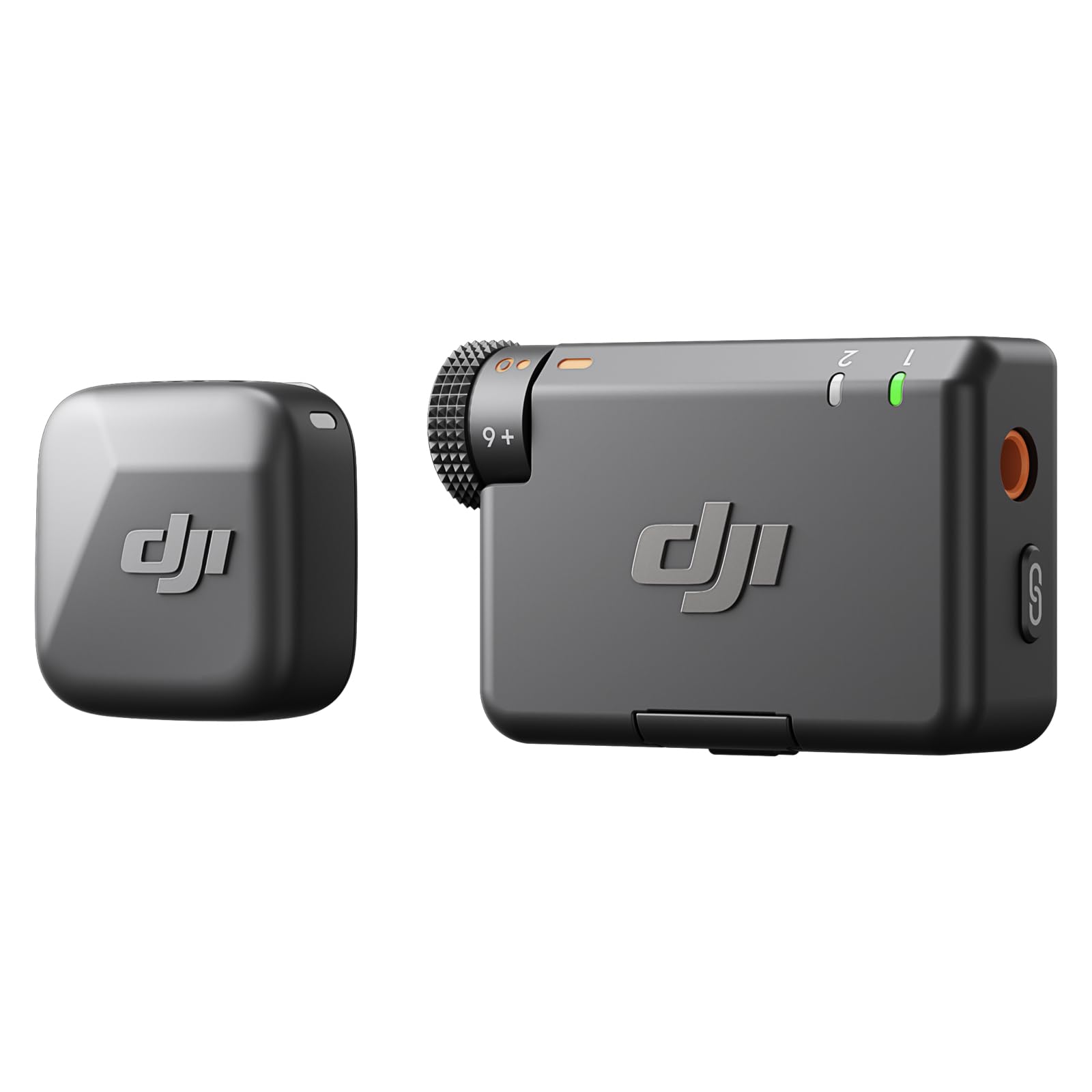
Clip this transmitter to a collar and it disappears, because it weighs 10 g — nobody on camera looks like they have a gadget hanging off their shirt. That 10 g is the lightest in this group, though the Hollyland Lark M2 below sits at 9 g, so both are in the same featherweight class and the gap is a single gram. On a talking-head shoot, either one stays on for an hour without you noticing it is there.
Where the DJI pulls ahead is the reach. It quotes a 400 m maximum transmission range — outdoors, on a clear line, you can set the camera down and walk a long way before the signal cares. Inside a building the walls shorten that considerably, as they do for every 2.4 GHz system here, but for a street interview or a wide outdoor shot the headroom is genuine. The audio side is 48kHz sampling with a 120 dB SPL rating, which for you means loud sources stay clean; a shout or a band behind you will not turn into a crackly mess. It also ships with automatic limiting, a circuit that pulls the level down when your input gets too hot, so a sudden laugh does not clip the recording.
A full day of interviews is realistic without a charger, because the transmitter and receiver each run about 10 hours. Battery is where this kit separates from the desktop picks. The MAONO PD100W further down claims 40 hours — four times the DJI’s runtime — so if you stream six hours a day and hate charging, that one wins on pure endurance. For everyone else, 10 hours covers the work. DJI owners describe setup as a two-minute job that connects to phones, laptops, and DSLRs without fuss, and the review pages sum it up: The device is easy to use, taking just two minutes to set up, and connects easily to various devices including phones, laptops, and DSLRs.
What earns its place at the top
- A 10 g transmitter you can clip on and forget about for a whole shoot.
- 48kHz sampling and 120 dB SPL keep loud, close audio from distorting.
- Automatic limiting protects a take when your voice suddenly gets loud.
- Two noise-cancellation levels, so a quiet room and a busy street each get the right setting.
- Direct connection to DJI Osmo cameras and gimbals without a receiver at all.
Where it makes you work
- Phone compatibility is the split point — the Type-C receiver covers many devices, but some iPhone buyers report it does not work with their handset.
- 10 hours is fine for a day, but a heavy daily streamer will be charging more often than a 40-hour desktop mic demands.
Reach for this if: you shoot on a mix of camera, laptop, and phone and want one small transmitter that handles all three.
Check your handset first: confirm your iPhone model and port match the included Type-C receiver before you commit.
2. MAONO PD100W Wireless Dynamic Gaming Microphone
Forty hours off one charge, and a stand tall enough to stop you hunching.
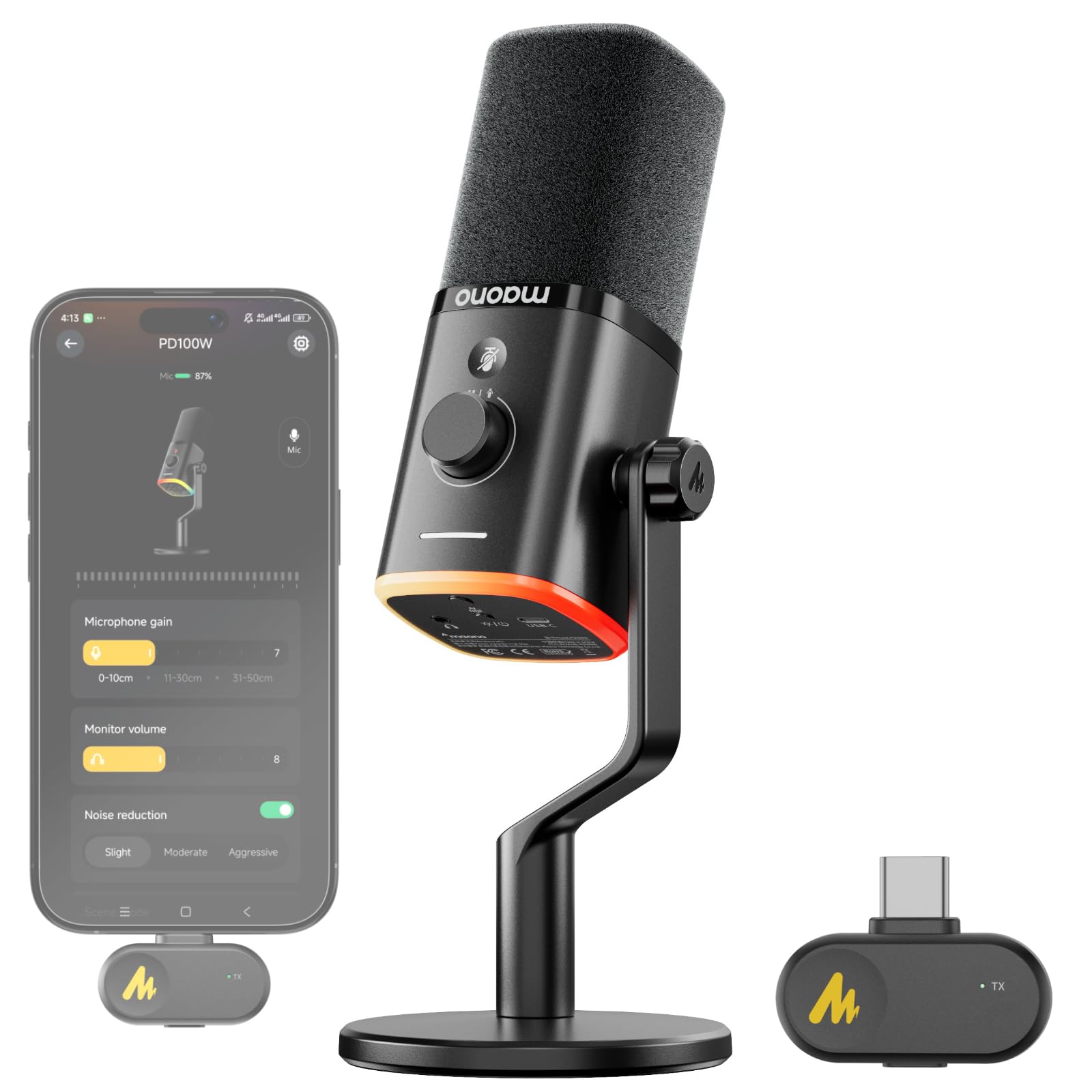
If your recording happens at a desk, a cable-free microphone changes the room more than any spec on the box. The PD100W runs for up to 40 hours on its built-in 1500 mAh battery, so you can leave it on standby all week and still have headroom. It also runs on two paths — a 2.4G wireless link when you want to pick it up and move, and a straight USB wired mode when you want zero doubt about dropouts. On a laptop, phone, PC, or PS5, it is plug and play; Xbox consoles are not supported, and iPhone needs a separate Lightning receiver from MAONO.
The capsule is a 30mm dynamic with a cardioid pickup pattern, meaning it listens mostly to what is in front of it and mostly ignores the room behind. The 8 mm windscreen and pop filter are rated to block up to 95% of plosives — the bursts of air on a “p” or “b” that thump a cheap mic. Its 82 dB audible noise floor and 16 kHz frequency response are the honest limits here: this is a voice mic for speech and streaming, not a music-recording tool. The Maono Link software gets you EQ, RGB control, and three noise-cancellation levels, so you can pick how hard it clamps down on a noisy room.
Two practical touches stand out. The stand is taller than a typical low desk mic, which lifts the capsule toward your mouth and keeps you from leaning in during a long session. The touch mute silences the mic and kills the RGB in one tap, a genuinely useful thing on a call. The catch is consistency: the wireless link and the battery are the two areas where feedback splits, with some units reported to stop holding a charge inside a month. Treat those charge failures as a small rate rather than the norm, but keep the USB cable in a drawer as your backup.
The 40-hour argument: four times the runtime of the DJI Mic Mini’s 10 hours, and that is the entire pitch for a permanent desk setup. You stop thinking about charging.
Buy the right receiver: the iPhone Lightning receiver is a separate purchase, so if your phone is the recording device, factor that in before you order.
Suits: the streamer or podcaster who wants a mic that lives on the desk and never needs a cable snaking across it.
Not for: anyone who needs to clip a mic to a collar and walk — this one stays put on its base.
3. Hollyland Lark M2 Wireless Microphone

Nine grams on your collar, thirty hours in the case that rides in your pocket.
Phone-first creators have a specific problem: the built-in mic sounds thin the moment you step away from the handset. The Lark M2 solves it with a 9 g transmitter that clips to a shirt and a USB-C receiver that plugs straight into the phone — no cable between them. At 9 g it is one gram lighter than the DJI Mic Mini’s 10 g transmitter, which is not a number you will feel on a collar, but it does make this the lightest clip-on in this group. Its 115 dB SPL rating sits just below the DJI’s 120 dB, so both handle loud close audio; the DJI has the slightly higher ceiling.
Your voice stays clean in a quiet room, because the audio spec is 48kHz/24bit with a 70 dB signal-to-noise ratio (how much hiss sits under your voice — a higher figure means a cleaner silence). Combined with the 115 dB ceiling (the loudest sound it can take before distorting), this is a serious recording chain for something this small. You adjust noise cancellation between Strong and Low in the HollyAudio app. The transmitter also works as a remote shutter: double-press the noise button to start or stop video on your phone, as long as your handset allows volume-button capture.
Battery is the part people get wrong when they read a spec sheet. The transmitter and receiver run up to 10 hours with noise cancellation off, and the compact charging case adds two full recharges at under 1.5 hours per cycle, taking the total to 30 hours. That case is what makes this a travel kit rather than a one-session tool — you top it up between shoots without hunting for an outlet. Owners consistently praise the instant pairing, the stable link out to 100 meters, and above all the easy setup.
Why the case matters: 10 hours of transmitter runtime becomes 30 hours of total recording because the case recharges twice. That is the number to quote when someone asks if it lasts a trip.
The honest limit: the USB-C receiver targets Android, iPhone 15 and later, action cameras, and computers — an older Lightning iPhone needs the separate Lightning version instead.
Pick this if: your phone is your camera and you want the smallest possible clip-on with a case that keeps it fed.
Look elsewhere if: you record on an older Lightning iPhone or need a desktop mic for long stationary streams.
4. MAONO PD200W Hybrid Wireless Podcast Microphone
Three ways to connect, two voices per receiver, and sixty hours between charges.
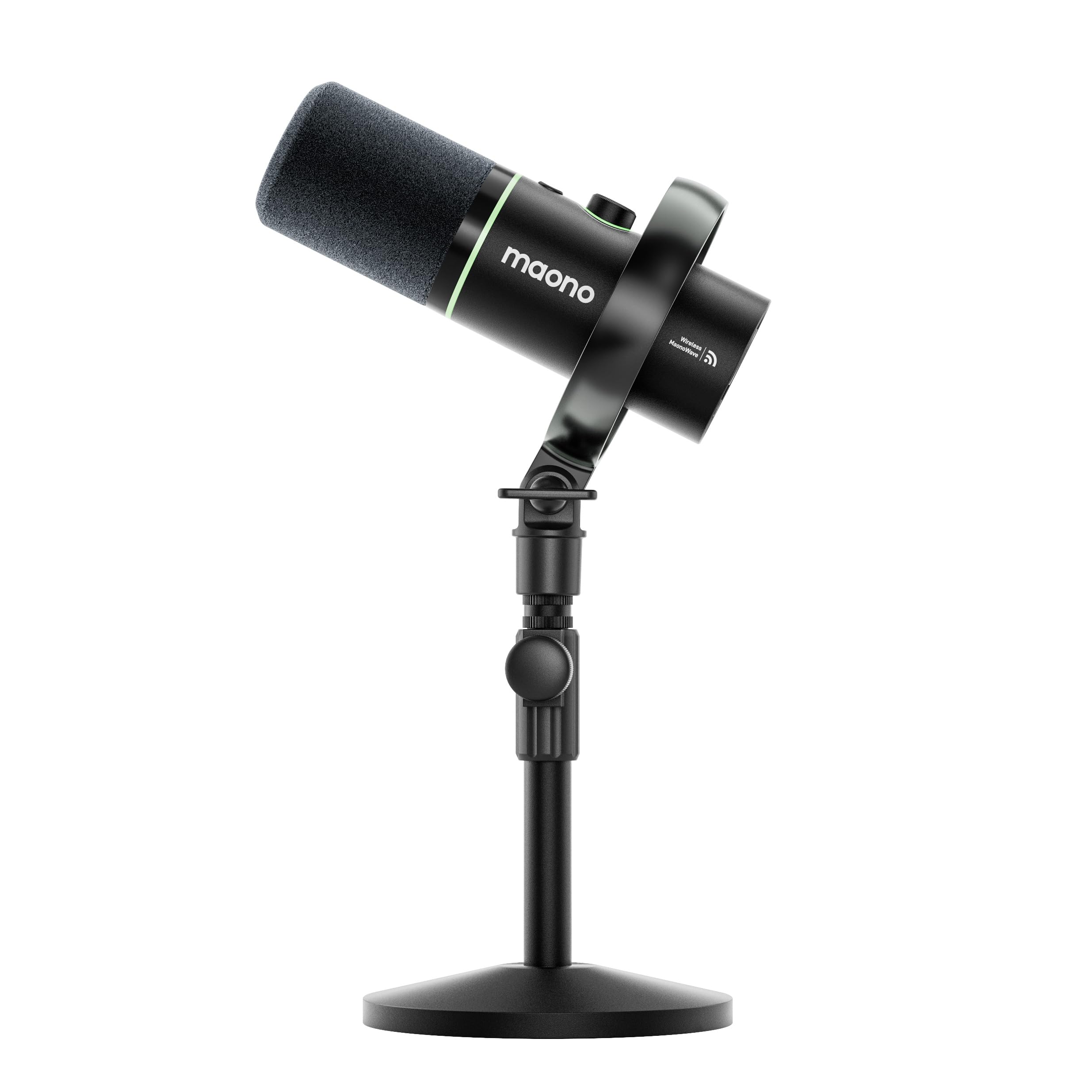
Most mics in this list give you one connection path. This one gives you three: wireless for freedom, USB for a straight drop into a computer or tablet, and XLR for a mixer or audio interface. That third option is the reason a home studio should consider it — if you ever move to a proper interface, the mic comes with you instead of going in a drawer. The 30mm dynamic capsule and cardioid pattern target voice specifically, with an 82 dB signal-to-noise ratio and a 128 dB SPL ceiling, so a close, loud podcast voice stays clean.
The feature that separates it from the DJI and Hollyland clip-ons is the two-mic support. One receiver pairs with two of these desktop mics, and each mic records to its own track, so you can edit a two-person conversation without unpicking a mixed file. It also captures audio and video in sync straight to a camera, which removes a post-production alignment step. Camera and Lightning accessories are sold separately, so a phone-based two-person setup needs extra shopping.
Runtime is the headline: up to 60 hours with the RGB lighting off, paired with a 60 m wireless range. Compare that to the Lark M2’s 10 hours per transmitter and the difference is dramatic for anyone running long sessions. The RGB can be switched off entirely for a plain look, and the MaonoLink app gives you four master-tuned preset modes plus EQ and reverb adjustments on PC or phone. Setup is quick and intuitive, and owners describe the voice tone as warm. The compatibility picture is mixed though — several owners hit trouble connecting an iPhone, so check the adapter path for your handset before buying.
The reasons to spend more here
- XLR output means the mic keeps working when you graduate to an audio interface.
- One receiver can host two desktop mics, each on its own recordable track.
- Up to 60 hours of battery with the RGB off clears even marathon recording days.
- Four preset modes plus EQ and reverb in the MaonoLink app.
- A metal body that feels built to sit on a desk permanently.
The friction points
- iPhone connectivity is the weak link — the mixed compatibility feedback centers on Apple handsets.
- Camera and Lightning bits are extra purchases on top of the mic.
- It is a desk mic, so it is not the tool for a walking street interview.
Built for: the podcaster or co-hosted show that wants two voices captured cleanly on separate tracks with a wired XLR fallback.
Think twice if: your whole workflow is an iPhone — the wireless path to Apple devices is where owners mention the most trouble.
5. USB Wireless Microphone UHF Condenser

A rechargeable handheld that swaps batteries for a USB cable and picks its own channel.
Not every job wants a clip-on or a desk stand. If you are singing, hosting a quiz, or running a small PA, you want something you can hold in your hand — and this Alvoxcon system is that shape. Both the mic and the receiver carry a built-in rechargeable lithium battery rated for 7 hours of working time, charged over USB. That removes the AA-battery treadmill that plagues cheap handheld systems, and 7 hours covers a party or a class session without a swap.
The wireless side runs on UHF, a band that tends to hold up better than Bluetooth or Wi-Fi against interference. The working range is quoted at up to 60 ft, and there are 20 selectable frequencies between 902 and 928 MHz with automatic frequency pairing. What that means practically is that if one channel sounds fuzzy, you press a button and move to a clear one instead of fighting the noise. The dynamic moving-coil capsule is built for clarity, and the receiver is dual-mode digital and analog with a sound card inside, so it is plug and play on Windows, Mac, iPhone, and Android without extra drivers.
This is the oldest and least predictable pick of the six in real-world use. Buyers consistently call the sound clear and professional-style, and the setup simple. The trouble shows up in consistency: some units shut themselves off unexpectedly, and the receiver is reported not to work with certain handsets such as the Galaxy S10 Plus. On a MacBook with QuickTime, the connection is reported to work well. Buy it for the handheld form and the rechargeable convenience, and test it against your exact device on day one.
The case for the handheld: 20 selectable UHF frequencies and a 60 ft range make it a genuinely flexible stage or classroom tool, and the rechargeable mic ends the battery hunt.
The real risk: random shut-offs and handset incompatibility are the recurring themes, so confirm it works with your phone or laptop before you rely on it live.
Choose it for: singing, karaoke, or classroom hosting where a mic in your hand beats one clipped to a shirt.
Skip the gamble if: you cannot test it against your specific phone or computer before the event.
6. Behringer ULTRALINK ULM202USB Digital Wireless System

Two handhelds, one USB receiver, and a stainless-steel body on each mic.
Two vocalists, one laptop — that is the niche this Behringer set fills, and nothing else on this list does it the same way. Two handheld transmitters feed a single dual-mode USB receiver, so a duet or a two-speaker panel goes into one computer without a mixer. The mics have stainless-steel enclosures, and the whole package runs on 2.4 GHz digital wireless (a short-range radio band) rather than the UHF band (a longer-range TV-style band) used by the Alvoxcon handheld above. That band choice is generally friendlier to crowded rooms but can butt heads with busy Wi-Fi.
Where it asks for patience is consistency. Owner feedback splits close to even on quality, and reliability and connectivity are mixed — some sets pair instantly, others refuse to connect. On sound quality, reviews lean slightly positive — good and clear to some, thin to others. Range and volume are the two areas where the negatives come up more than once. This is the sort of product where buying from a seller with a clear return window is part of the decision.
What you cannot argue with is the value proposition on paper: two stainless-steel handhelds and the receiver in one box for a price that undercuts most single-mic wireless sets. If your plan is karaoke night, a small party, or a two-person panel where you can test the mics before the audience arrives, the math works. If you need a mic that must work without a rehearsal, this is the riskiest pick of the six and the one to test hardest.
What it gets right: two handhelds on one USB receiver is a genuinely rare combination, and the stainless-steel bodies outclass the plastic shells on cheaper handhelds.
What to plan for: the mixed reliability and connectivity feedback means an unboxing test and a clear return path are essential before you rely on it in front of an audience.
Best fit: karaoke nights, small parties, and two-speaker talks where two handhelds into one computer is the whole requirement.
Hold off if: you need a single critical mic that works first time, every time, with no test run.
Know the Specs
Sampling rate and bit depth
Sampling measures how many times per second the mic captures your voice — 48kHz means 48,000 snapshots a second, which is the standard for clean speech and video audio. Bit depth (24-bit) sets how much detail is kept in each snapshot, and more depth means more headroom before a loud moment clips. When a mic lists 48kHz/24bit, that is the full combination; both need to be there for the cleanest result.
Signal-to-noise ratio (SNR)
This number, given in dB, compares your voice against the mic’s own background hiss. Higher is better: a mic with a strong ratio gives you a quieter silence between words. The Lark M2 quotes 70 dB, the two MAONO desktop mics quote 82 dB. Those figures describe the circuit noise, not room noise — a fan or a fridge still gets through unless you switch noise cancellation on.
SPL (sound pressure level)
SPL is the loudest sound the capsule can take before it distorts, quoted in dB. The DJI Mic Mini handles 120 dB and the Lark M2 handles 115 dB, which for you covers shouting and close singing. The MAONO PD200W tops the group at 128 dB. If your recordings involve anything loud and near the mic — a band, a lively crowd — the higher the ceiling, the safer your take.
Transmission range and frequency band
Range is quoted in meters or feet and always assumes a clear line of sight — walls and bodies eat into it fast. The 2.4 GHz band used by most of these mics is shared with Wi-Fi, and UHF (used by the handheld systems) generally dodges that interference but varies by room. Treat a quoted range as a best case outdoors, not an indoor guarantee.
Common Questions
Will a USB wireless mic work with my iPhone?
Do I need an audio interface to use these mics?
How long does a wireless mic battery actually last?
Can noise cancellation remove a noisy room completely?
Will a 2.4 GHz mic interfere with my Wi-Fi?
Is a clip-on lavalier better than a desktop mic?
Can two people record at once with one receiver?
What does the 48kHz figure on the box actually mean?
Do I need to install software to use these mics?
Which mic is best for recording to a camera instead of a computer?
The Bottom Line
The wireless mic with USB that fits the most setups is the DJI Mic Mini — a 10 g transmitter, a 400 m range, and 48kHz audio with automatic limiting, all on a 10-hour charge. For phone-first creators who want the smallest clip-on and a case that keeps it topped up, the Hollyland Lark M2 is the sharper fit with its 9 g mic and 30-hour total runtime. If your work happens at a desk and two guests need clean separate tracks, the MAONO PD200W earns its premium price with XLR, USB, wireless, and 60 hours of battery. The DJI Mic Mini is the crowd favorite here, with 4.5+ stars across 27,000+ owners, and its one-mic, one-receiver kit covers camera, laptop, and phone.
How we choose
We do not accept paid placement. Every pick is matched to a real buyer and a real use-case; we do not hands-on test units.
Sources
Specifications: manufacturer listings and product documentation. Review insights: verified customer reviews, as of November 2026. Pricing: not shown on this page (it changes often); check the current price via the retailer link.
As an Amazon Associate, Tactical Gear Guy earns from qualifying purchases. This does not affect which products we feature.