Specs are compiled from manufacturer listings and verified buyer reviews and can change over time — please confirm the key details on the product page before buying.
You pull into the driveway, the garage is shut, and your remote is dead or sitting on the kitchen counter again. A smart garage keypad fixes that one everyday moment — a pressed PIN opens the door, and on some models you can look at your phone and see the driveway before you tap a number. The catch is that keypads are not interchangeable: some need a wire run to the opener, some only talk to certain brands, and some put a camera above the buttons. This guide picks the four worth your attention and explains which one fits your opener and your habits.
This guide is built by comparing the manufacturers’ published specifications and the patterns across verified customer reviews, so you get each pick’s real strengths and trade-offs instead of marketing spin.
Some keypads need a live power wire, some run on batteries, and some only speak to certain opener brands — so the right pick usually follows from your opener, not the button layout. This guide to the smart garage keypad keeps that match-up front and centre so you buy once.
Top Picks

How To Choose The Best Smart Garage Keypad
Start with the opener bolted to your ceiling, not with the keypad on the shelf. A keypad is only useful if it can send an open command your opener understands. Chase brand compatibility first, then decide how you want the pad powered and entered.
Check your opener brand and age first
Chamberlain, LiftMaster and Craftsman openers built after 1997 with safety sensors are the common pairing target for the myQ-family keypads here. If your opener is a different brand or much older, read the fine print before ordering. One wired unit in this group states plainly that Wi-Fi models, learn buttons, safety sensors and rolling code are not supported — it wants a two-wire connection to the opener’s push button terminals.
Wired power or battery power
A battery-powered keypad installs without running a wire and can live almost anywhere near the door. A wired keypad needs a 12V DC power supply (often not included) plus the lock wiring, which is more work up front but never asks for a battery change. Match this to whether you are comfortable drilling and running cable.
How many people and how many fobs
How many people need access matters more than how the buttons feel. Some pads give each person a unique PIN and let you create temporary codes for guests, dog walkers and deliveries. Others use ID cards or key fobs instead of, or alongside, a typed code — one model here ships with 5 fobs and supports up to 2000 users, which suits a shop or shared building more than a two-car home.
Plain PIN pad or camera above the buttons
If you want to see who is at the door, a video keypad adds a wide-angle view from driveway to doorway, motion alerts and two-way audio. Those extras often pull harder on your Wi-Fi and can sit behind an optional subscription for recorded history and smart detection, so decide if you want a camera at all before paying for one.
Side-by-Side Comparison
| Model | Best For | Power / Entry | User Capacity | Camera | Amazon |
|---|---|---|---|---|---|
| AMOCAM Wireless WiFi Access Control Keypad★ Best Overall | Shops and shared doors with fobs | 12V DC wired, TUYA app | 2000 users | — | Amazon |
| Chamberlain myQ Garage Door Keypad (CH348) | Simple keyless entry on a myQ brand opener | Battery, wireless | Personal + temporary PINs | — | Amazon |
| myQ Video Keypad + Rechargeable Battery | Watching the driveway without a wire run | 6100 battery, Bluetooth + Wi-Fi | Customizable PINs | Wide-angle, two-way audio | Amazon |
| myQ Smart Garage Starter Kit | A full door view inside and out | Wired adapter + plug-in camera | Customizable PINs | 2K camera with night vision | Amazon |
Detailed Reviews
1. AMOCAM Wireless WiFi Access Control Keypad
Our pick — 4.5+★ from 70+ verified ratings; the strongest balance of quality and price.
Zinc alloy body, 2000 users, and a phone app that opens the door from anywhere.
This is the pick for a door more people use than your family — a garage shared with staff, a workshop, a rental, or a gate that needs a doorbell. The number that defines it is 2000 users: you can hand out a code or a fob to a large group and still delete one person’s access without changing everyone else’s. A swipe card, a typed PIN, or the TUYA app all open the door, which means a contractor without the app can still get in on a fob.
The build is what wins the most confidence. It’s zinc alloy with an electroplated finish that is fully encapsulated in epoxy, held by anti-prying hex screws, and rated weatherproof for indoor or outdoor mounting. A backlight that stays on means you can read the numbers in the dark without fumbling for a phone torch. The app side covers the admin you’d normally do standing at the door: share or delete passes, view the access log, and set temporary or permanent access from your phone.
The honest catch is the wiring and the network. It needs a 12V DC power supply that isn’t in the box, and it lives on a 2.4 GHz Wi-Fi network that has to match your phone’s. It also talks to the opener through a two-wire connection to the push button terminals — the maker states plainly that Wi-Fi models, learn buttons, safety sensors and rolling code are not supported, so a modern smart opener of the myQ type is the wrong pairing here.
Where it pays off: A household with a big guest and service list gets the most from it. Fobs for the people who never install apps, PINs for everyone else, and one app that shows who came through and when. A doorbell button on the pad rounds it out for deliveries.
Set-up reality: Budget an afternoon if there’s no wire at the door yet. You are running power, wiring the lock, entering a master code sequence, then pairing the pad to the TUYA app on a 2.4 GHz network.
What holds up outdoors
- Zinc alloy with epoxy encapsulation resists prying and weather
- Backlight stays lit so the keys read in the dark
- Doorbell button built into the pad
What it asks of you first
- 12V DC power supply not included
- 2.4 GHz Wi-Fi only, and it must match your phone’s network
- No support for Wi-Fi openers, learn buttons, safety sensors or rolling code
Reach for this if: your garage, workshop or gate needs fob and PIN access for a crowd, and you want the access log on your phone.
Look elsewhere if: you own a newer myQ-style smart opener, because this pad wants an old two-wire push button hookup.
2. Chamberlain Genuine myQ Garage Door Keypad
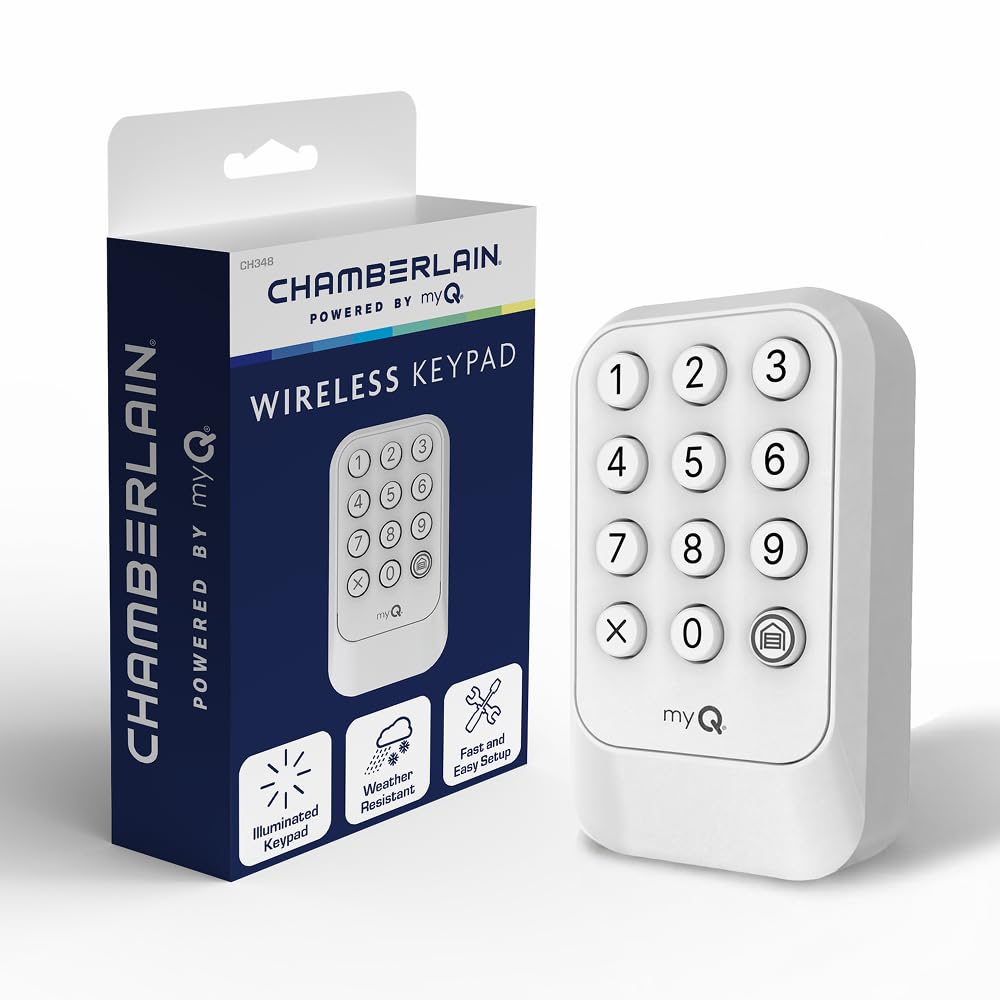
A battery keypad with no wiring and a guest PIN for the dog walker.
If you want keyless entry without drilling a hole or running cable, this is the one. It runs on a battery, mounts to the outside of the door, and programs wirelessly — no wire ties to the opener’s terminals at all. You press a personal PIN and the door lifts, which is the whole point: nobody digs for a remote in the dark again.
The feature that earns it a place on a shortlist is the temporary PIN. You can set a unique code that expires for a delivery driver, a cleaner, a painter, or the dog walker, and not leave your own code lying around. The redesigned body drops the old protective cover while still holding up in tough weather. It’s built for Chamberlain, LiftMaster and Craftsman openers made after 1997 with safety sensors, and that pairing also brings one-touch close for the door.
Compatibility is where this one needs care. It pairs well with the myQ family — LiftMaster openers and the 2220L model come up as good matches — but older Chamberlain openers are a common miss. Buy it for a compatible opener and it’s a quick win; buy it blind and you may be the one person whose door won’t pair. It holds 4.0+ stars across 360+ ratings.
Reasons it earns the spot
- Battery powered, no wiring run needed
- Temporary and guest PINs for service visitors
- One-touch close on supported Chamberlain, LiftMaster and Craftsman openers
Where it can frustrate
- Older Chamberlain openers may not pair
- Programming steps trip up more than one buyer
Best fit: a myQ-brand opener made after 1997, where you want the fastest possible install and a code you can hand out for a day.
Pass on it if: your opener is an older Chamberlain unit or a non-listed brand, where pairing is a coin toss.
3. myQ Smart Garage Door Video Keypad + Rechargeable Battery
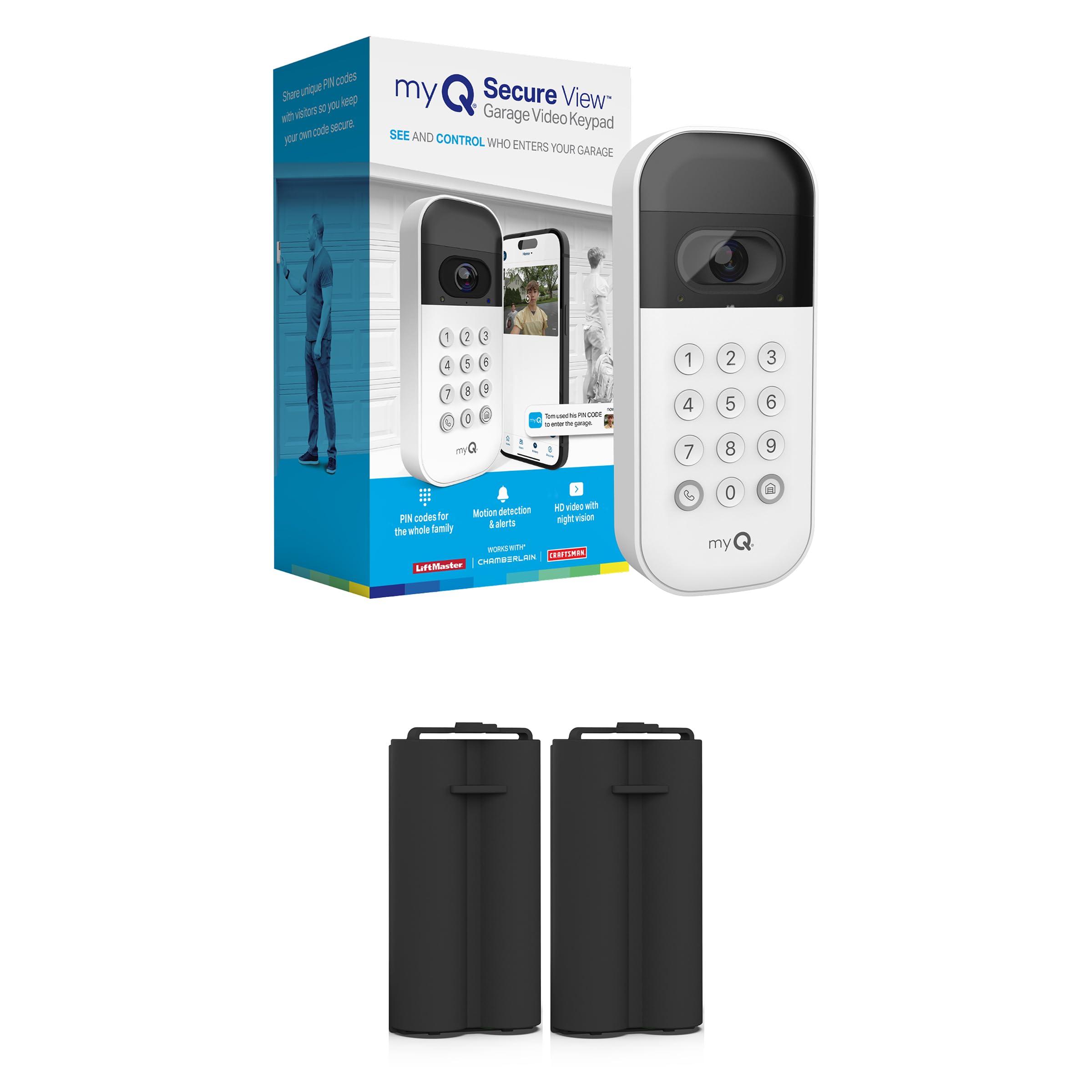
A keypad with a camera on top — see the driveway before you open the door.
Some buyers want the pad to do more than take a code, and this is that pick. A wide-angle camera above the buttons covers the garage area from the driveway to the doorway, so when motion trips you get a phone alert and can look before you open anything. Two-way audio lets you speak to whoever is standing there, which is handy for leaving instructions to a courier without walking out. Setup is wireless DIY, and a 6100 battery pack means no wire run to the opener’s power, paired over Bluetooth and Wi-Fi.
The camera side is where it earns its place: buyers who talk about video quality call the picture clear, and installing the pad is close to simple to use. Where it separates from the wired starter kit above is the power and the camera spec — this is the wire-free version with a wide-angle lens, while the starter kit adds a separate 2K plug-in camera for night vision inside. If your garage power is nowhere near the door, this is the one to pick.
The trade-offs are real but sized. The 6100 battery gives some people good life and leaves others wanting more, so plan on recharging it on a schedule rather than treating it as permanent. Pairing to the app can take a few tries before it sticks. And this pad manages one door — if you have two, this won’t run both. Those caveats sit against an otherwise well-liked package that scores 4.0+ stars across 240+ ratings.
The value read: You get a camera, motion alerts, two-way audio and app control in one box you can mount without wiring. That bundle is why buyers call it a good buy for the money.
Where it stops: One door only, and recorded history plus smart detection sit behind a myQ subscription after the free trial.
Go with this: when you want to watch the driveway from your phone and can’t get power to the door.
Think twice if: you need one pad to cover two garage doors, or you’d rather never recharge a battery.
4. myQ Smart Garage Starter Kit
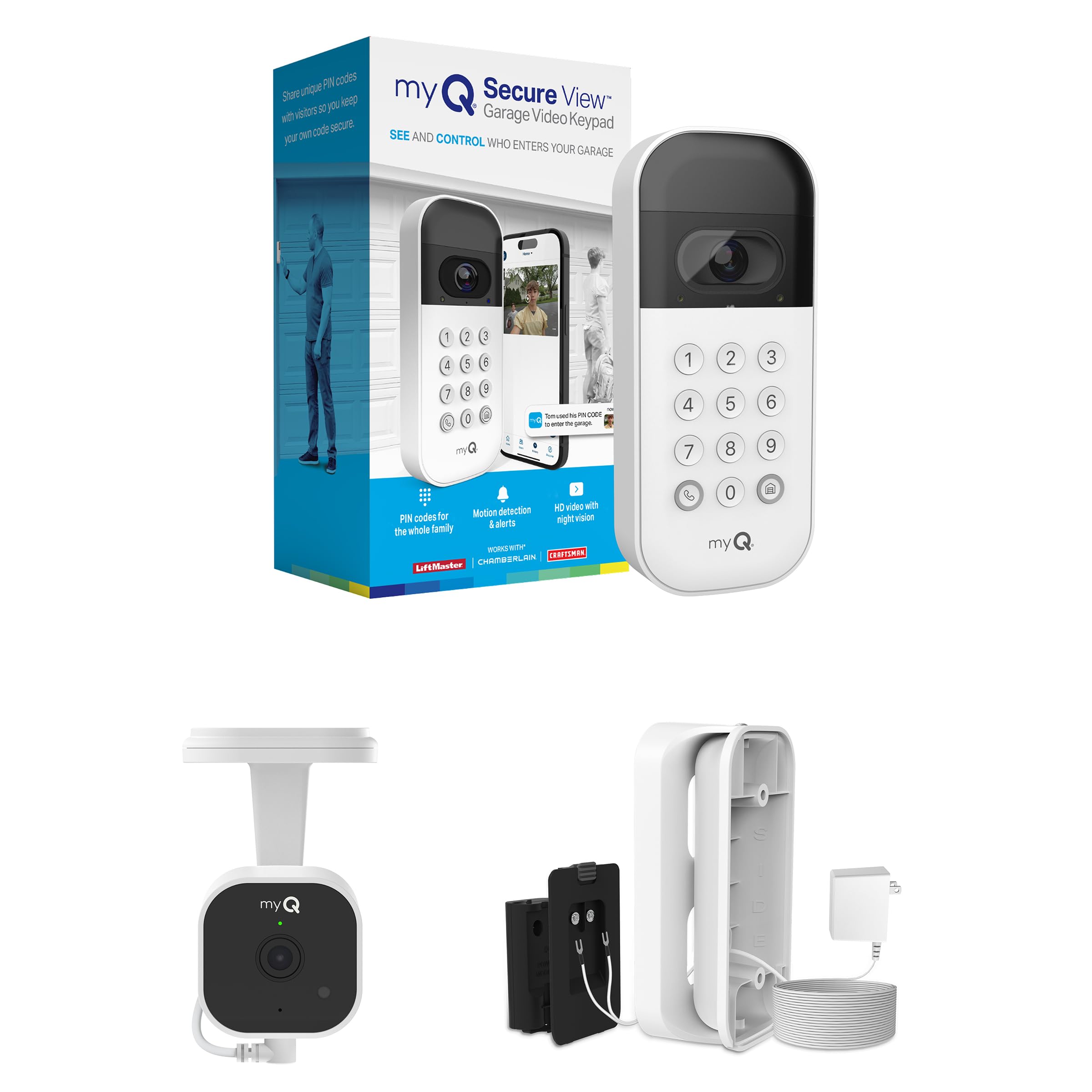
Two cameras, one app — the keypad and a 2K camera watching inside the garage.
This is the pick for someone who wants the whole picture: PIN entry plus eyes both outside and inside the door. Three things come in the box — the myQ video keypad, a wired power adapter kit, and a separate 2K Wi-Fi camera with night vision. The keypad camera shows the driveway to doorway; the 2K camera covers the garage interior when the lights are off. That combination is what makes it the most complete door setup here, and it’s reflected in the larger footprint: at 6.3 in tall, 1.36 in wide and 2.71 in long, it’s bigger than the rechargeable video keypad (4.6 in tall, 0.7 in wide, 2.2 in long).
Because it runs off the wired adapter rather than a battery, it’s a set-once fit for the door frame, and the camera never blinks out to a recharge. Setup connects like a normal garage door clicker, and the video quality draws steady praise. Each person gets their own PIN, and you can set time-specific passes for family, guests or service providers. The motion alerts and two-way audio carry over from the video keypad, so you can talk to a courier while watching the driveway.
The honest catch is two-fold. The wired adapter means you need a power path to the door frame, so a garage with no nearby outlet is a snag. And while the outside camera and the app work as expected, the internal camera has its off days per some feedback — a real reason to test both views on install day rather than a week later. Connectivity, notably, is not an issue the way it is on some keypads; this one is aimed squarely at a myQ-connected opener. It carries 4.0+ stars across 70+ ratings.
Why the bundle works: One app shows the garage door, the keypad camera, and the internal 2K camera with night vision. You get 24/7 live streaming, motion notifications and remote open/close at no extra cost with a compatible opener.
Keep in mind: The premium extras — video history, smart detection, preview notifications — sit behind a paid myQ plan with a 30-day trial.
The right call for: a garage with power near the door and a myQ opener, where you want to watch the inside and outside from one app.
Skip this one if: running power to the door frame isn’t feasible, or you’d rather not pay for video history.
Know the Specs
User capacity and fobs
Capacity is how many people or credentials a pad can hold. A 2000-user pad with 5 shipped fobs suits a shared building or shop, where you hand out cards and delete them one by one. A home pad with unique personal PINs and temporary guest codes is simpler and the fit for a household.
Power: 12V DC vs battery
A 12V DC wired pad (often sold without the supply) never needs a recharge but asks for a wire run and lock cabling. A battery pad — like a 6100 battery video keypad — mounts anywhere but needs periodic recharging. Match it to where power sits relative to your door.
Camera and subscription
A video keypad adds a wide-angle or 2K camera with motion alerts and two-way audio. Live view, notifications and remote open/close can be free, while recorded history and smart detection (people, cars, packages) often need an optional myQ subscription after a free trial.
Compatibility and weatherproofing
Check the opener first: myQ-family pads target Chamberlain, LiftMaster and Craftsman openers made after 1997 with safety sensors. A standalone wired pad may instead want a two-wire connection to the push button terminals and won’t support Wi-Fi openers or rolling code. Look for a weatherproof, encapsulated body if the pad lives outdoors.
Common Questions
Will a smart garage keypad work with my existing opener?
Do I need to run a wire to install a keypad?
How many PIN codes can I set for family and guests?
Can I open the garage from my phone without a subscription?
Is a video keypad better than a plain PIN keypad?
How is a wired keypad different from a battery keypad?
Will the keypad survive rain and cold outdoors?
Can one keypad control two garage doors?
What Wi-Fi network does the AMOCAM keypad need?
Do I have to change the battery or recharge often?
The Bottom Line
For most garages the smartest buy is the AMOCAM Wireless WiFi Access Control Keypad, because its 2000-user capacity and fob-plus-PIN-plus-app entry handle a busy, shared door better than a plain home pad. If your opener is a myQ brand and you want the fastest install with a guest code, the Chamberlain myQ Garage Door Keypad gets you there without wiring. And if seeing the driveway matters, the myQ Video Keypad adds a camera without a wire run, while the myQ Starter Kit gives you the fullest view inside and out. Start with the opener you own, then let the features follow.
How we choose
We do not accept paid placement. Every pick is matched to a real buyer and a real use-case; we do not hands-on test units.
Sources
Specifications: manufacturer listings and product documentation. Review insights: verified customer reviews, as of November 2026. Pricing: not shown on this page (it changes often); check the current price via the retailer link.
As an Amazon Associate, Tactical Gear Guy earns from qualifying purchases. This does not affect which products we feature.