Specs are compiled from manufacturer listings and verified buyer reviews and can change over time — please confirm the key details on the product page before buying.
At this price, the difference between a good buy and a paperweight depends on a handful of specs most listings bury. At this price the machines are almost all renewed business Chromebooks or budget Windows models, and the difference between a good buy and a paperweight is a handful of specs most listings bury. This guide ranks nine models and names the one to buy for each job.
This guide is built by comparing the manufacturers’ published specifications and the patterns across verified customer reviews, so you get each pick’s real strengths and trade-offs instead of marketing spin.
Some of these run Chrome OS and boot in seconds, some run Windows and need a real processor, and one is a kids’ tablet in laptop clothing. Below you get the honest read on each, plus the specs that actually matter: battery hours, RAM in gigabytes, storage type, and processor speed. Here is how to pick the right laptop under $200 on the first try.
Top Picks


How To Choose The Best Laptop Under $200
The first decision is not brand or screen size — it is which operating system you can actually live inside. Chrome OS runs web apps in a browser and boots in seconds, which is why so many refurbished school machines land in this tier. Windows gives you desktop programs and file management, but a budget Windows laptop with 4GB of RAM and a Celeron processor will feel slower doing the same browser work. Decide your software first, then shop.
Chrome OS Versus Windows At This Tier
A Chromebook leans on Google’s browser for nearly everything, so it needs less processor muscle to feel responsive. That is why a Celeron chip inside Chrome OS can feel fine for email, Docs, and YouTube. Windows carries more background weight, so a Celeron N4020 paired with 4GB of RAM in a Windows laptop tends to feel slower at the same tasks. If your school or workplace hands you Google accounts, Chrome OS is the smoother road here.
Battery Hours Are The Real Daily Cost
Look hard at the hours printed in the specs. A laptop rated for 14 hours of battery life covers a full school day plus the bus ride home without hunting for an outlet. One rated for 5 hours needs a charger in your bag by lunch. Browse any second-hand listing carefully here, because battery health is the single thing a refurbisher cannot always restore on a used unit.
Renewed Units And What The Grade Actually Means
Nearly every machine in this tier is a renewed or refurbished unit — a laptop someone else used, cleaned, tested, and repackaged. A certified refurbished listing usually ships with all accessories and a warranty window. The upside is real: you get a business-grade chassis, reinforced hinges, and ports that were built for daily abuse in a classroom. The trade-off is that cosmetic scratches and worn batteries happen, so buy from a seller with a clear return policy.
Side-by-Side Comparison
| Model | Best For | RAM | Storage | Battery Life | Amazon |
|---|---|---|---|---|---|
| Dell Chromebook 11 3100 2-in-1★ Best Overall | All-day school and touch use | 4 GB | 32 GB Flash | 14 hours | Amazon |
| Acer Chromebook 15.6″Biggest Screen | Big-screen desk work | 4 GB | 64 GB eMMC | — | Amazon |
| Samsung Chromebook 4Crowd Favorite | Simple everyday browsing | 4 GB | 32 GB eMMC | 12 hours | Amazon |
| Lenovo IdeaPad 1 14 | Windows on a budget | 4 GB | 64 GB SSD | 12 hours | Amazon |
| Microsoft Surface Laptop Go | Lightest premium feel | 4 GB | 64 GB eMMC | — | Amazon |
| HP Chromebook 14 14a-ne1013dx | Fast-charging student laptop | 4 GB | 64 GB eMMC | — | Amazon |
| HP Chromebook x360 11 G3 EE | Rugged convertible mode | 4 GB | 32 GB Flash | — | Amazon |
| Dell Chromebook 3100 | Port selection on a budget | 4 GB | 16 GB SSD | — | Amazon |
| 10.1 Inch Mini Laptop for Kids | First computer for a child | 2 GB | 64 GB eMMC | 5 hours | Amazon |
Detailed Reviews
1. Dell Chromebook 11 3100
Fourteen hours of battery in a flip-screen chassis that handles a full day away from the wall.
The number that makes this the pick is 14 hours of battery life. That is the longest figure in this entire list, and it is a genuinely different laptop from the Dell 3100 11.6″ touchscreen 2-in-1, which sits on 14 hours too but ships with 32 GB of flash memory against this model’s own 32 GB. For a student who leaves the house at seven and gets home after practice, that battery rating means the charger can stay in the bag untouched. It also flips into tablet and tent modes on the 1366 x 768 HD touchscreen, so you can read a textbook flat on a desk or prop it up for a video call.
The Intel Celeron N4020 dual-core processor tops out at 2.8 GHz, which is enough for Chrome tabs, Docs, and streaming in a browser, but it is not a machine for heavy video editing. Buyers praise the build feel and everyday function above all else, by a wide margin. The Celeron N4020’s 64 KB L1 cache and 4 MB L2 cache are small numbers by any measure, so expect the touchscreen experience to run smoother than a laptop that tries to do more. Bluetooth 5 and a USB Type-C port round out the daily-use list, so pairing earbuds and charging from the same cable both work without fuss.
The honest catch is the battery and durability feedback, which is genuinely split. Some units hold full charge through the day while others fade toward two hours, and that is the reality of a renewed unit that carries a refurbisher’s inspect-and-test stamp rather than a fresh factory cell. Loading times can stretch past ten seconds on heavier pages. If you want a laptop with a faultless battery guarantee, a renewed unit is not that purchase — but for the function-per-dollar crowd, this is the strongest overall balance here.
What Earns Its Spot
- 14 hours of battery life, the longest figure on this list
- 2-in-1 hinge flips to tablet, tent, and stand modes
- 1366 x 768 HD touchscreen with sensitive touch response
- USB Type-C and Bluetooth 5 for modern connections
Where It Asks Patience
- Battery health varies unit to unit on renewed stock
- Heavy pages can take over ten seconds to load
- 32 GB of flash memory fills fast with local files
Strongest fit for: the student or commuter who wants a full day of battery and a screen that folds flat for reading.
Think twice if: you need a guaranteed fresh battery cell or plan to store large files locally instead of in the cloud.
2. Acer Chromebook 15.6″
A 15.6-inch IPS panel on a budget budget laptop — that alone puts it ahead for desk work.
Most laptops in this tier squeeze you onto an 11.6-inch screen, and that gets cramped the moment you open two windows side by side. This Acer breaks the pattern with a 15.6-inch HD IPS ComfyView display at 1366 x 768, which means you get a full-width keyboard deck and a panel wide enough to split a browser and a document without scrolling sideways constantly. The Celeron N processor climbs to 2.70 GHz, and 4GB of LPDDR4 memory paired with 64GB of eMMC storage keeps the daily routine — Chrome tabs, Google Docs, streaming — running without stutter for most people.
Buyers consistently praise how little fuss this machine requires day to day. Setup takes minutes, the machine arrives looking like new, and the value per dollar holds up clearly against the alternative. Ports are generous for this tier: two USB Type-A, two USB Type-C, and a headphone/microphone combo jack, so a mouse, a flash drive, and a charger all plug in at once without a hub. The 6th Gen WiFi and Bluetooth keep the connection stable for video calls and cloud uploads.
Performance and speed do split opinion honestly. Some units run fast and take everything in stride; others freeze up or quit after a few weeks of use, which is the risk you accept on renewed stock. The 1366 x 768 screen is also the ceiling on sharpness here — text is readable but not crisp, and the panel draws a few complaints for brightness. If you want the most screen real estate in the tier and can handle a plain display, the trade works.
The 15.6-inch advantage: you get the widest working surface here, two USB-A and two USB-C ports, and 64GB of eMMC storage — enough for offline files and a few downloaded shows.
The honest trade: the Celeron N chip and 1366 x 768 resolution are the ceiling, so expect a workhorse for browsing and documents, not a machine for demanding software.
Go here for: a bigger screen on a desk or kitchen table where portability matters less than usable space.
Reconsider if: you need something pocketable for a commute — this is the largest laptop on the list.
3. Samsung Chromebook 4 Chrome OS 11.6-inch (Renewed)
The most-reviewed laptop in this tier, with 12 hours of battery and a preinstalled Google Play store.
The 11.6-inch display at 1366 x 768 and the Intel Celeron N4000 processor running at up to 2.6 GHz form the backbone here. There is a real case to be made for this machine over the Dell 3100 above — it is a Chromebook 4 with a preinstalled Google Play store, which opens up a large library of apps, games, music, movies, and books beyond the browser. The 12 hours of battery life also beats the mini Android laptop further down this page, which lists 5 hours — more than double the endurance from the same power brick.
Value is the headline. The price-per-useful-task math is the best on this page, and the machine suits the student who needs Google Docs, a browser, and a video call app and nothing more. Chrome OS powers up in seconds, so there is no waiting around for a boot screen. Gigabit Wi-Fi and Bluetooth keep the connection tidy for a classroom or a kitchen table. Owners consistently report that it does exactly the job they bought it for.
The mixed side is worth saying plainly. Performance and reliability split opinion — plenty of machines hum along fine, and some stop turning on entirely, which is the risk of any renewed unit. Battery health drifts between units, and some arrive with visible scratches on the housing. Screen quality draws criticism for looking flat. None of that is unusual for a refurbished Chromebook, but if you want a pristine case and a guaranteed fresh battery, look at a new unit instead.
Why It Wins People Over
- 12 hours of battery life covers a school day on one charge
- Google Play store preinstalled for apps, games, and books
- Chrome OS boots in seconds from sleep
- Gigabit Wi-Fi and Bluetooth for stable connections
Where Renewed Stock Bites
- Some units arrive with visible scratches
- Battery health and long-term reliability vary
- Panel looks flat compared with a sharper display
Made for: the buyer who wants a familiar brand, Google Play apps, and a battery that lasts the school day.
Know before you buy: cosmetic condition and battery health are the wild cards on renewed units, so keep the return window handy.
4. Lenovo IdeaPad 1 14 Laptop

The one Windows machine on the list that also happens to carry the largest review base.
This is the laptop for the buyer who needs an actual Windows desktop — file management, a real desktop app, printing from work software — and refuses to live inside a browser. The 14-inch HD display with narrow bezels gives you a comfortable working area, and the Intel Celeron N4020 processor with 4GB of DDR4 RAM and 64GB of M.2 PCIe SSD storage is the spec stack. That SSD is the standout: it is far faster than the eMMC flash used across the Chromebooks here, so Windows 10 in S mode feels quicker off the mark than you would expect from a Celeron.
Dolby Audio through built-in dual stereo speakers makes video calls and streamed music sound warmer than the tinny panel speakers on a budget Chromebook. It weighs just over 3 lbs and is less than 1 inch thick, so it drops into a backpack without a struggle. WiFi 802.11ac and Bluetooth 4.1 handle the connection, and the port lineup covers two USB 3.1 Gen 12 Type-A ports, a microSD card reader, HDMI, and a microphone/earphone combo jack — that HDMI port alone makes it the better pick for hooking up to a TV or projector.
There is an honest trade here, and it is the performance. Customers note that the Celeron N4020 paired with 4GB of RAM feels slow on anything beyond basic tasks, and the 1366 x 768 HD panel gets called flat on sharpness by some. Task-manager use, big browser sessions, and heavier Word documents will show the ceiling. Get it for the Windows software and the SSD, and it will serve you well — expect no miracles from the processor.
For the Windows-only crowd: Windows 10 in S mode, a 64GB M.2 PCIe SSD for faster app loads, and HDMI output for a TV or projector — none of the Chromebooks offer those three together.
The processor honesty: the Celeron N4020 is a basic-task chip, so keep the workload light and it hums along fine.
Pick it when: you need real Windows software, an HDMI out, and the SSD’s faster app loading.
Walk past it if: you expect smooth multitasking with several heavy apps open — a Chrome-based machine will feel faster there.
5. Microsoft Surface Laptop Go 12.4″ Touch (Renewed)
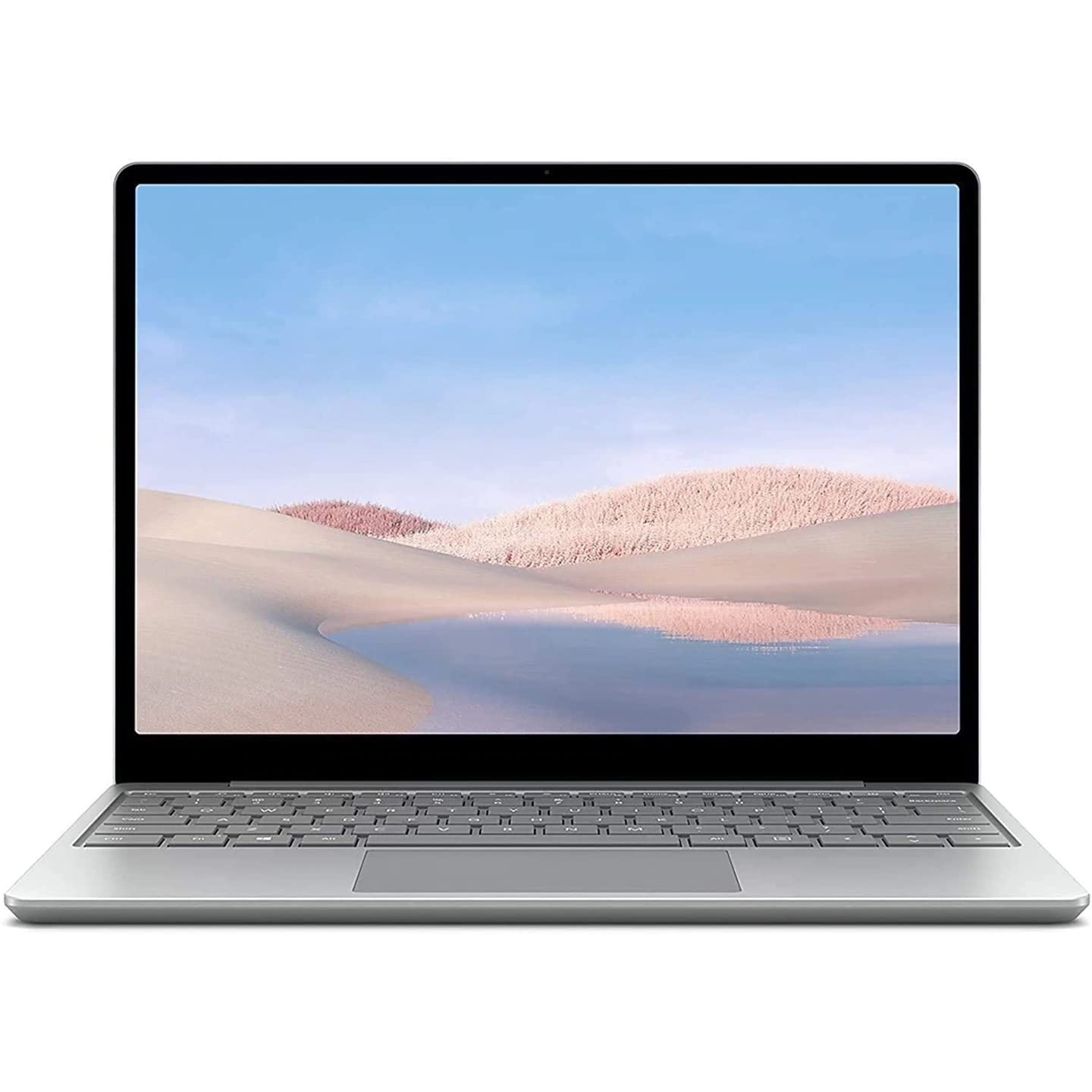
A 10th-gen Core i5 and a 12.4-inch touchscreen in the most premium chassis on this list.
On processor pedigree alone, this is in a different league from the Celeron machines. The Intel Core i5-1035G1 is a quad-core 10th-gen chip with a 6MB cache, and it ramps up to 3.6 GHz. Against the HP Chromebook x360 below, which lists a 3.2 GHz maximum, this Surface carries the higher top-end clock. You get 64GB of eMMC storage, 4GB of DDR4 memory, and a 12.4-inch LCD touchscreen that makes tapping through Windows feel natural. One USB 3.0 port, one USB-C port, and Bluetooth 5.0 keep a mouse and a phone connection simple.
Where this one earns a case over every other Windows machine here is the ultra-portable form factor and the display. A 12.4-inch touchscreen on a laptop that makes a backpack feel empty is the whole reason it exists, and the integrated Intel UHD Graphics and standard keyboard keep it usable for real productivity — Excel, Word, PowerPoint, and browser tabs all day. Windows 11 Home comes preinstalled. For a student who wants a small, light, real Windows laptop that also reads like a tablet, this is the pick.
The catch is the small review footprint on this specific listing and the 4GB RAM cap. There is almost no owner feedback here to lean on for long-term durability, and if 4GB of RAM is the ceiling, that caps how many browser tabs and Windows apps you can juggle comfortably. Updated drivers and updates — Windows 11 Home will want a few GB of headroom. If you want the premium feel and the processor strength, this is it; if you want a massive track record, look at the Samsung or the IdeaPad above.
Best match for: a traveller or student who wants a real Windows laptop with a Core i5 and a tiny footprint.
Worth knowing first: 4GB of RAM is the hard ceiling, so keep the tab count modest and lean on the cloud for files.
6. HP Chromebook 14″ 14a-ne1013dx (Renewed)
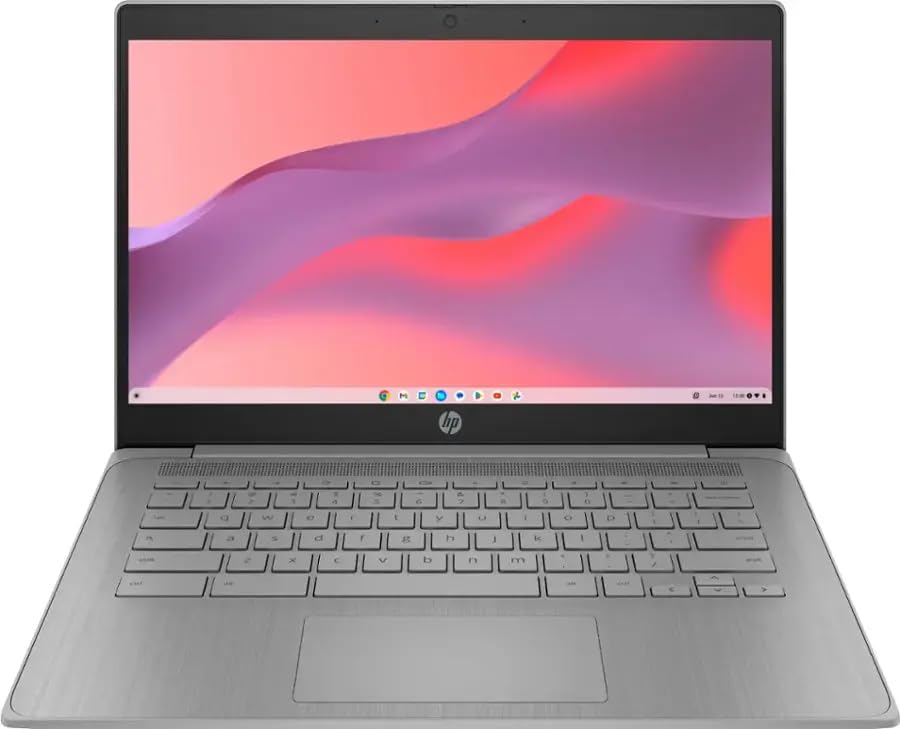
The least-known laptop here, and the one that pushes hardest on fast charging and a 14-inch screen.
What sets this one apart is the combination of a 14-inch HD LCD screen at 1366 x 768 and fast-charge support on the Intel Celeron N4500, which runs at 1.1 GHz and climbs to 2.8 GHz. A 14-inch panel is a real working surface for a student, and the clamshell form factor with a standard keyboard is the layout most people already know. 4GB of RAM and 64GB of eMMC storage match the rest of the mid-tier here, and Bluetooth and Wi-Fi are on board for accessories and cloud work.
Where this is likely to feel different is charging. The fast-charge capability means shorter top-ups on a lunch break, which matters in a classroom where outlets are contested. The gray chassis is clean and understated. Ports and a built-in webcam cover Zoom calls and a mouse, and the Chrome OS on board keeps startup near-instant. For someone who carries a laptop from class to class and charges between blocks, the fast-charge angle is the draw.
The challenge is thin review data on this exact model, so the honest answer is that this is a leap of faith compared with the Samsung or Acer, both of which have far longer track records. Fast charge is a genuine convenience, but if it is a decision-breaker, ask how much of the day you will actually be near an outlet. For a 14-inch screen with fast charging in a renewed business chassis, it is a solid entry in the tier.
The headline trade: a 14-inch screen and fast charge, which is exactly what a busy student wants — shorter charging breaks between classes.
The honest unknown: almost no owner feedback to lean on, so the long-term picture is unproven in a way the Samsung and Acer picks are not.
Good fit if: a 14-inch screen and fast charging rank higher for you than a long review history.
Hold off if: you want a proven durability record — the higher-review machines above have stronger evidence.
7. HP Chromebook x360 11 G3 EE 2-in-1 (Renewed)

An Education Edition flip that turns one 11.6-inch touchscreen into four working positions.
The 3.2 GHz maximum clock on this Intel Celeron N4020 is the highest speed figure of any entry-level Chromebook on this page, and the durable hinge flips the 11.6-inch touchscreen through laptop, tent, stand, and tablet modes. The Education Edition label means a reinforced body, reinforced ports, and spill resistance, so a coffee-bump in a school bag is less likely to be a disaster. The 1366 x 768 display handles reading and presenting in equal measure, and the convertible design is the standout daily-use feature. This is one of the machines where the strength of the body is as important as the chip.
Owners single out the touchscreen for clean, glitch-free response and say they enjoy using it. Battery life earns solid marks, with enough power to carry through long flights. It arrives in like-new condition from the renewed process, so the first impression is a laptop that looks straight out of a box rather than a hand-me-down. For a student who reads a lot and takes notes in tablet mode, the flip does real work every day.
Reliability is the honest gray zone. Many units hum along for months; some arrive that will not turn on at all, which is the wild card of refurbished stock. There are also reports of the wrong or a damaged charging cord in the box, so open the packaging and test the charger during the return window. If you want the classroom-rugged build and the tablet mode, the trade-off is worth it; if not, a fixed-screen model above is a steadier bet.
The Classroom Build Pays Off
- Reinforced ports and spill resistance on the Education Edition body
- Hinge flips to laptop, tent, stand, and tablet modes
- 3.2 GHz maximum clock, the highest here in its class
- Smooth, non-glitchy touchscreen for note-taking
Where It Needs A Careful Unboxing
- Some units arrive that will not power on
- Wrong or damaged charging cable has shown up in the box
- 32 GB of flash memory fills up quickly
Well matched to: a student who flips between reading in tablet mode and typing in laptop mode.
Test before you trust: open the box, plug in the charger, and boot it up the same day it arrives.
8. Dell Chromebook 3100 11.6″ HD (Renewed)
Two USB-C ports, two USB-A ports, and Bluetooth 5.3 — the port lineup carries this one.
The connectivity stack here is the strongest on the page. Two USB 3.1 Gen 1 Type-A ports and two USB Type-C ports with power delivery let you charge, plug in a mouse, use a flash drive, and connect a second display without a single adapter. Bluetooth 5.3 is the newest version listed anywhere in this lineup, ahead of the Dell Chromebook 11 3100 2-in-1 above, which lists Bluetooth 5. The Celeron N4000 at 1.1 GHz, 4GB of RAM, and a 16GB solid state drive cover the basics — that is the smallest storage figure here, so plan on saving files in Google Drive rather than locally.
Owners talk about performance most, and the clean renewed shell makes a good first impression. The 90-day warranty and the certified refurbished process mean the seller tested it before shipping. For a freshman who needs one machine for Google Classroom and a video call, the ports do the heavy lifting. The 11.6-inch HD screen at 1366 x 768 is standard for the size, and the front-facing camera covers the webcam angle.
Reliability and durability split here more than on some other models, and the 16GB of storage is the thinnest allocation on the list — a handful of downloaded movies and you will be juggling space. Battery health is a variable on renewed units. The verdict is that the connectivity is genuinely better than most, but if you need a lot of local storage or a proven long-life battery, look elsewhere in the tier.
Connection flexibility first: two USB-A and two USB-C ports plus Bluetooth 5.3 — that is more built-in connection than nearly anything else here.
The storage squeeze: 16GB is the smallest local storage on the roster, so treat Google Drive as the real hard drive.
Right for: a buyer with a mouse, a monitor, and a phone who wants to plug everything in without adapters.
Not the one for: anyone who needs a lot of offline storage — look up the list to the larger-storage picks.
9. 10.1 Inch Mini Laptop for Kids, Android 12

A 10.1-inch Android netbook built for homework and first-computer use, not desktop work.
Set expectations first: this is a lightweight Android netbook on an Allwinner A133 quad-core processor clocked up to 1.8GHz, with 2GB of RAM and 64GB of eMMC storage. It runs Android 12 and is meant for homework, web browsing, video, and online classes. The 1280×800 16:10 IPS display is decent for a screen of this size, and the package arrives with a mouse and a carrying bag. The 5 hours of battery life is the shortest figure in this lineup — the Dell 11 3100 2-in-1 above lists 14 hours — so plan on charging it overnight and possibly at lunch if it is in daily in-school use.
For a first computer for a 6-year-old, the size works. Kids can carry it in a backpack and the Android app ecosystem covers educational apps and reading practice. The 16:10 aspect ratio makes it feel taller than a widescreen, which is fine for reading and browsing. It weighs 0.75kg, substantially lighter than a 14-inch laptop, and the physical package includes the mouse and bag so nothing extra needs buying.
The reality check is quality and performance. The device gets described as cute and suitable for school use, but there are real concerns from owners about the experience degrading and the machine freezing up over time. It is not a replacement for a full Windows or Chrome OS computer, and it should not be handed to an older student who needs real word processing. Buy it as a first tech toy with real apps, not as a daily driver.
Why Parents Reach For It
- 10.1-inch 1280×800 IPS screen at 16:10 for reading
- Mouse and carry bag included in the box
- 0.75kg body fits easily in a child’s backpack
- Android 12 opens the Google app library for learning apps
Where Parents Hesitate
- 5 hours of battery — the shortest run time in this lineup
- 2GB of RAM limits how many apps run at once
- Buyers report reliability concerns over time
Good gift for: a child around age six or up who needs a first computer for simple homework and online classes.
Wrong call for: a middle or high school student who needs a full computer for essays and real work.
Know the Specs
Battery Hours — The Number That Decides Your Day
Battery life is listed in hours and measures how long the laptop runs without the charger plugged in. It is the spec that changes your daily routine the most. A laptop rated at 14 hours typically covers a full school day and commute. A laptop rated at 5 hours usually needs a mid-day top-up. On renewed units, the listed figure is the manufacturer’s rating for a fresh cell, and a refurbisher cannot always restore a battery to its original health. Treat the hours as a ceiling and plan around reality. Then, if you can, test the actual run time in your first week.
RAM And Storage — Why 4GB And 64GB Are The Common Baseline
RAM is the workspace where open apps live. GB measures it, and 4GB is the current floor for a usable budget laptop. 2GB is the lowest listed on any machine here and it limits how many apps run smoothly at once. Storage is the permanent shelf for your files, and the type matters more than the size. eMMC storage is a slower, cheaper flash, common on Chromebooks, and fine for web apps. An SSD like the one in the Lenovo IdeaPad 1 boots faster and loads apps faster. Either way, save big files to the cloud so your storage does not fill up.
Common Questions
Will a Chromebook run the programs my school requires?
Is a renewed Chromebook safe to buy?
How much battery life do I really need for a school day?
What is eMMC storage and does it matter?
Can a laptop in this tier be upgraded?
Is a 1366 x 768 screen good enough for schoolwork?
Is Chrome OS or Windows better for a first laptop?
Can the mini Android laptop run full Windows software?
Do these laptops have webcams for online classes?
The Bottom Line
The best laptop under $200 for most people is the Dell Chromebook 11 3100 2-in-1, because 14 hours of battery and a flip-to-tablet screen cover a full school day without a charger. If you want a big 15.6-inch screen for desk work, grab the
One honest nudge before you commit: the Dell 11 3100 2-in-1 that takes top spot carries fewer ratings than the Samsung Chromebook 4, which is the most-reviewed machine on this page — but the Dell holds the higher value read once you weigh battery hours and the 2-in-1 hinge together. Buy the Dell if a full day of battery and a folding screen is the priority, the Acer if screen size wins, and the IdeaPad if Windows software is non-negotiable.
How we choose
We do not accept paid placement. Every pick is matched to a real buyer and a real use-case; we do not hands-on test units.
Sources
Specifications: manufacturer listings and product documentation. Review insights: verified customer reviews, as of November 2026. Pricing: not shown on this page (it changes often); check the current price via the retailer link.
As an Amazon Associate, Tactical Gear Guy earns from qualifying purchases. This does not affect which products we feature.