Specs are compiled from manufacturer listings and verified buyer reviews and can change over time — please confirm the key details on the product page before buying.
You want a photo frame that shows real pictures without turning into a weekend IT project. Every frame on this list loads photos straight from a USB stick or SD card, so you can skip the app, skip the router, and skip the account setup. Some also add Wi-Fi sharing on top, which matters if family lives far away. The real decision is if you want a plug-and-play frame for your own shelf or a connected frame that relatives can send photos to from their phones.
This guide is built by comparing the manufacturers’ published specifications and the patterns across verified customer reviews, so you get each pick’s real strengths and trade-offs instead of marketing spin.
The plug-and-play models are the simplest to live with, but a connected frame lets a grandparent receive a new photo the same second you take it. Below you’ll find the strongest Photo Frame with USB options, sorted so you can match one to how you actually plan to load pictures.
Top Picks

How To Choose The Best Photo Frame with USB
Start with one question: who is going to load the pictures, and with what? If it is you, at a desk, with a thumb drive, a plug-and-play frame saves you every bit of setup pain. If it is a parent three states away, a frame that also connects to Wi-Fi and a phone app earns its keep. Most frames here do both, which is why the USB slot is the safer backbone to shop around.
Check that the USB type matches your drive
A standard USB-A thumb drive drops into most of these frames, but a couple of models specify a USB-C drive or a USB-C cable instead. Read that line carefully before you buy — a frame that wants USB-C will not read the old stick rattling in your desk drawer. Several listings also name a 32GB ceiling on the external drive, so a huge card can be wasted on a frame that will not see past that size.
The FAT32 file format rule
FAT32 is the naming system a drive uses so the frame can read its files, and it is the format these frames ask for. A brand-new large drive often ships in a different format, so you may need to reformat it before the frame will load anything. Do that once on a computer and the frame will read JPG, JPEG, BMP, PNG and MP4 files without complaint.
Screen size against the room
A 7-inch frame belongs on a desk or nightstand where you sit close. A 10.1-inch frame holds its own on a shelf or kitchen counter. The 12.7-inch and 15.6-inch frames are wall or big-shelf pieces, and they show group shots and landscapes far better than a small frame can. Decide where it hangs first, then pick the diagonal.
Resolution and panel type
Resolution is the count of pixels on the screen, and a higher number means finer detail in faces and text. An IPS panel keeps colors and brightness steady when you look from the side, which matters for a frame you walk past at an angle. A 1280×800 panel is the common standard on 10.1-inch frames, while the larger and premium models step up to 1080P.
Side-by-Side Comparison
| Model | Best For | Display | Built-In Storage | Loading Method | Amazon |
|---|---|---|---|---|---|
| Frameo 10.1″ (Flyruit)★ Best Overall | Best Overall | 10.1 in, 1280×800 IPS | 32 GB | USB-C drive, Micro SD, Wi-Fi | Amazon |
| RCA 10.1″ WiFiEasy App Setup | Easy App Setup | 10.1 in, 1280×800 IPS | 32 GB | USB, SD card, Uhale App | Amazon |
| Uhale Smart WiFi 10″Simple Gift Frame | Simple Gift Frame | 10.1 in IPS | 16 GB | USB, Wi-Fi | Amazon |
| Akimart Frameo 10.1″ | Most Reviewed | 10.1 in, 1280×800 IPS | 32 GB | USB drive, SD card, Wi-Fi | Amazon |
| KECAG 10.1″ No-WiFi | Plug & Play | 10.1 in, 1080P IPS | 32 GB (USB included) | SD card, USB drive | Amazon |
| KODAK 10″ Dark Wood | Best Looking | 10.1 in, 1280×800 IPS | 32 GB + 16 GB cloud | USB, SD card, Mini USB, App | Amazon |
| BIGASUO 15.6″ Frameo | Largest Screen | 15.6 in, 1920×1080 IPS | 64 GB | USB drive, SD card, Frameo App | Amazon |
| Sungale 7″ USB Frame | Budget Pick | 7 in, HD | — | USB, SD card | Amazon |
Detailed Reviews
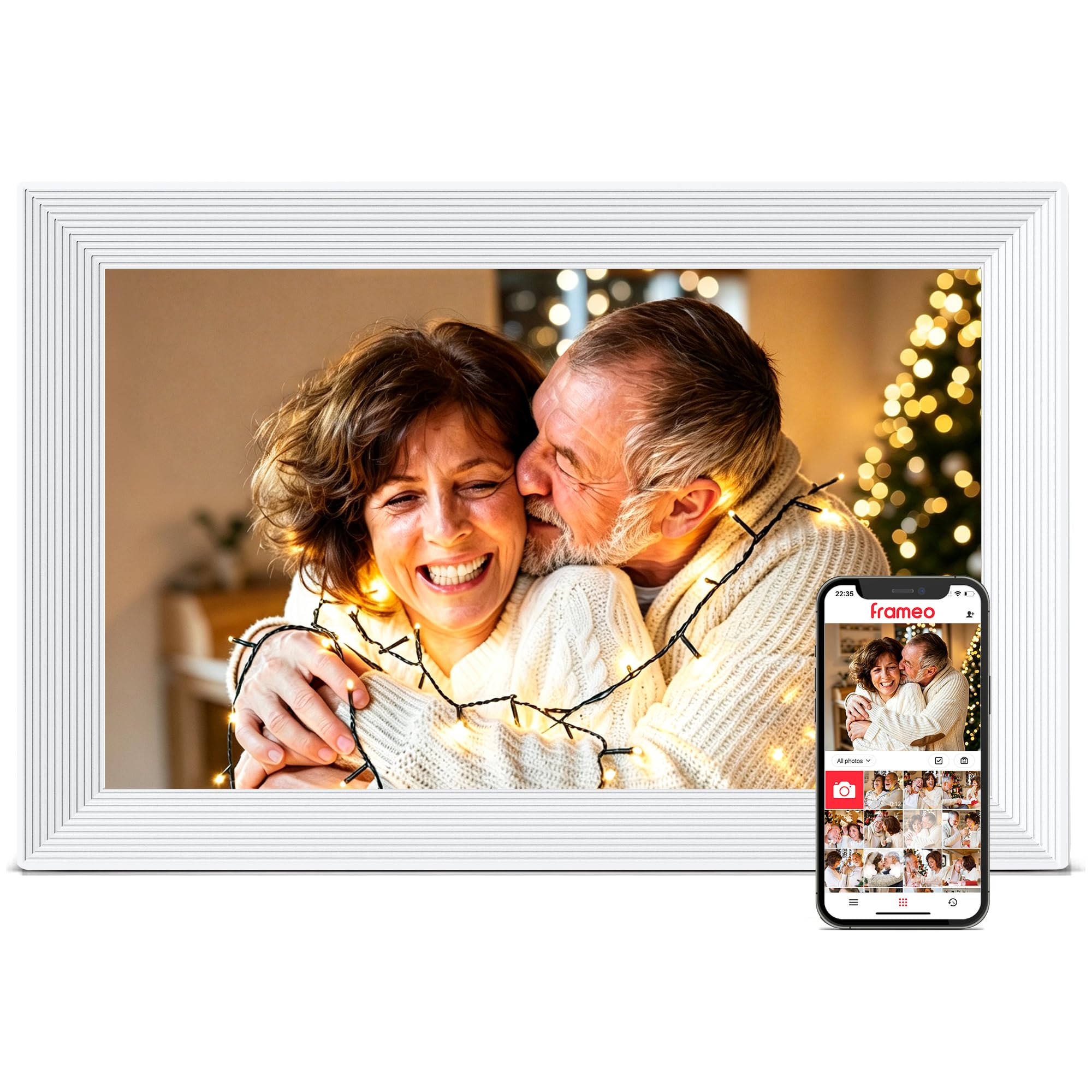
1. Frameo 10.1″ Digital Picture Frame WiFi (Flyruit)
Our pick — 4.5+★ from 800+ verified ratings; the strongest balance of quality and price.
Load it from a thumb drive today, or let family beam photos to it tonight.
The pitch here is freedom of method. You get a 10.1-inch screen at 1280×800, which on a 16:10 panel puts a lot of pixels into faces and text on a kitchen counter. The 32GB of built-in memory is the headline number: by the listing’s own math that is room for 10,000+ photos at 3MB each. And when you would rather not touch a phone app, a USB-C drive or a Micro SD card loads pictures directly, so the frame works with zero Wi-Fi at all.
The panel is IPS, which is the screen type that keeps color and brightness steady when you look from the side, and it is the reason this frame stays readable from a couch rather than only dead-on. The software side runs on Frameo, a free app for iOS and Android. That app has no limit on how many people you add, so a whole family can push pictures to the frame. The catch worth knowing is that Wi-Fi here is 2.4GHz only, so a router pushing 5GHz alone will not see the frame.
What genuinely wins people over is the build and the display quality together. The frame draws far more praise for overall quality than for any other single trait, and setup is the next thing buyers keep bringing up — which is why the plug-in-a-drive route matters so much. The design also earns attention for looks, with owners describing it as beautifully done on a shelf. Fitting detail: it measures 7″L x 10″W on the stand and weighs 1.7 pounds, so it sits still on a side table. Compare that to the 7-inch Sungale at 5.2″L x 7.87″W, and the Flyruit takes up noticeably more shelf real estate for a much larger picture.
What earns its place up top
- 10.1-inch 1280×800 IPS screen in a 16:10 shape, so faces hold detail
- 32GB built in, enough for 10,000+ photos at 3MB each by the listing’s count
- USB-C drive, Micro SD card or a direct USB-C cable load all work without Wi-Fi
- Frameo app adds unlimited members, so relatives can send from anywhere
- Auto-rotates between portrait and landscape, plus a sleep mode for nighttime
Where it asks patience
- Wi-Fi is 2.4GHz only, so a 5GHz-only network will not connect
- It must stay plugged into power at all times, and the maker asks for the original adapter
- Connectivity is the one mixed spot in the feedback: a share of buyers hit trouble getting it online
Reach for this if: you want one frame that loads from a USB-C drive for yourself and accepts phone photos from family later.
Look elsewhere if: your home network runs 5GHz only — the 2.4GHz radio here simply will not join it.
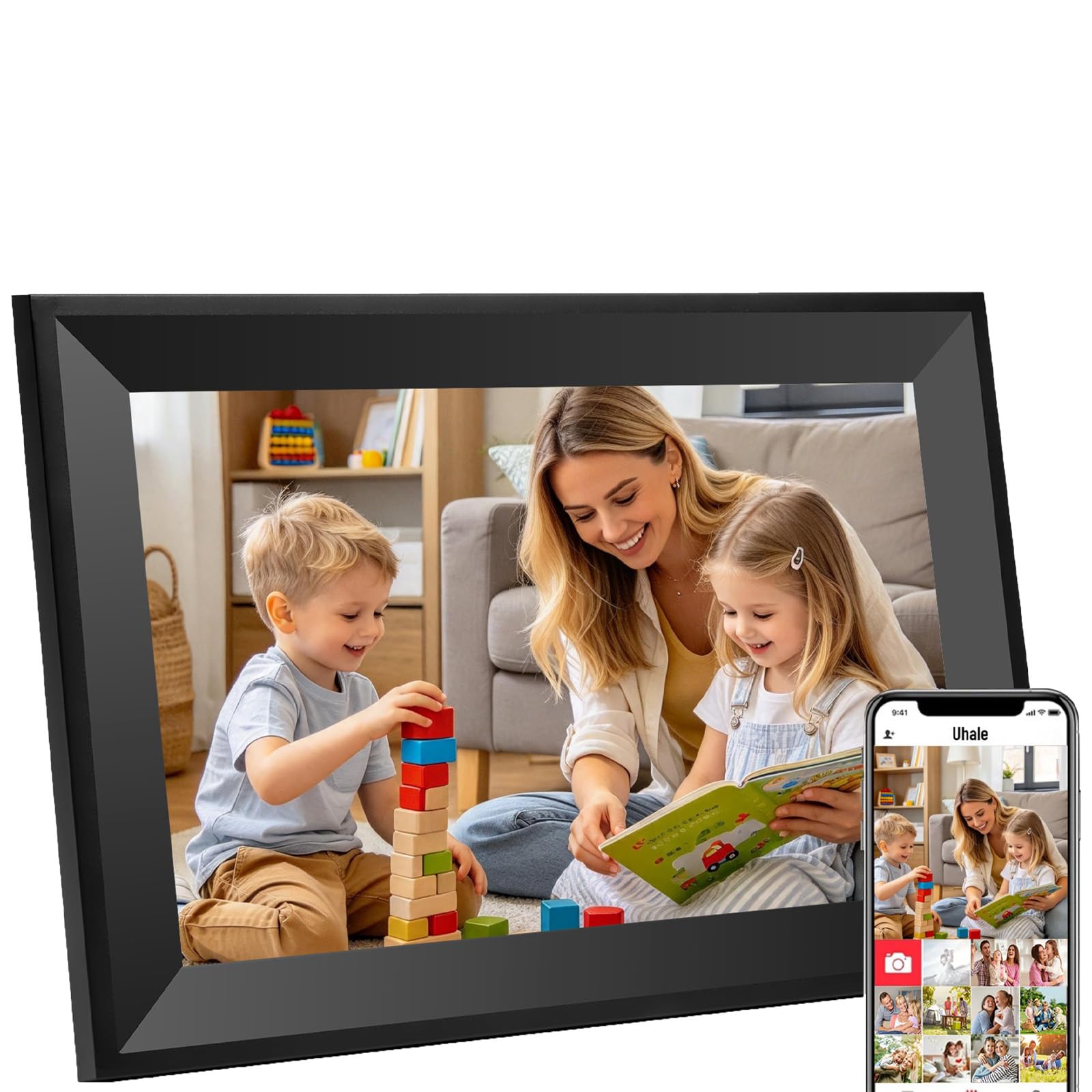
2. RCA 10.1″ WiFi Digital Picture Frame, 32GB
The 10.1-inch frame that uploads photos from a computer through the Uhale website, no cable needed.
RCA’s take on the connected frame puts its weight on storage and the screen. That 32GB of built-in memory is the figure to notice — the listing says it stores over 60,000 photos, which is twice what the Uhale frame below holds at 16GB. You can push that further with a USB or SD card up to 64GB. The screen is a 10.1-inch IPS touch panel running at 1280×800, so you tap through menus rather than hunt for buttons.
The unusual trick here is the web route. You connect the frame to Wi-Fi, download the Uhale app on Android or iOS for free, and add as many people as you like. But you can also upload photos straight from a computer through the Uhale website, which the other app-only frames do not offer. For anyone with a folder of scanned family photos sitting on a desktop, that path beats copying to a stick and walking it over.
The consensus that comes through is that setup is friendly and the picture is vivid enough to read across a room. Ease of use lands among the strongest parts of the feedback, with the app singled out as particularly clear. Owners also flag that it looks good in a living room rather than like a piece of cheap gear. Reliability is the honest weak spot, with a mixed split — a share of people find it works flawlessly while others hit a unit that stops powering on. Sized at 10″L x 6.85″W and 0.52 kg, it sits easily on a desk or hangs on a wall with the detachable stand removed.
The value read: You get 32GB of storage, a website upload path, and a 1280×800 touch display (sharp enough for clear photos) for a mid-market price. A one-time memory card purchase removes any storage ceiling.
Mind the fit: this is a Wi-Fi-first frame, so if you want nothing to do with routers, the KECAG below is the cleaner answer.
Best suited to: the buyer who has photos on a computer and wants to push them to a frame without hunting for a cable.
Think twice if: a device that occasionally fails to power on would frustrate you more than a slightly smaller feature set would.
3. Uhale Smart WiFi Digital Picture Frame 10″
A 10.1-inch Wi-Fi frame built to push a photo to Grandma’s shelf in seconds.
Start with the size, because this one is the widest of the 10.1-inch group. It measures 11.8″L x 7.1″W, which against the 7-inch Sungale at 5.2″L x 7.87″W is a much more substantial piece for a mantel or a wide shelf. The touchscreen is a 10.1-inch IPS panel in a 16:10 shape, and it carries a direction sensor so the picture flips itself between landscape and portrait as you turn the frame.
Sharing runs through the Uhale app, which lets you send photos and videos up to 30 seconds long with no cap on how many people connect. Storage is where the honest conversation starts. The frame has 16GB built in, and the listing says that holds over 30,000 photos — but many buyers report the system uses most of that space, leaving far less for pictures than the number suggests. A USB drive or SD card is the practical fix, and that matters because a non-technical relative is likely to own this frame.
Setup is the part that lands well — it is the second most-praised trait after overall quality, and the general read is that it takes minutes rather than an afternoon. The gift angle is strong too, especially for grandparents who want a window into grandchildren’s lives. Reliability is genuinely split, with a meaningful group reporting flawless use and others watching one die without warning. Weigh that against the price and the frame still earns its spot for a first connected frame.
Where the money goes: the 10.1-inch IPS touch panel and the 30-second video sharing, not the onboard storage — which is why a memory card belongs in the same order.
The honest limit: 16GB with system files eating most of it means you will lean on USB or SD sooner than the photo count suggests.
Pick this one if: the frame is a gift for a parent or grandparent and you want the video-sharing app to do the work.
Step up instead if: a big photo library living on the frame itself matters to you — the RCA’s 32GB handles that better.
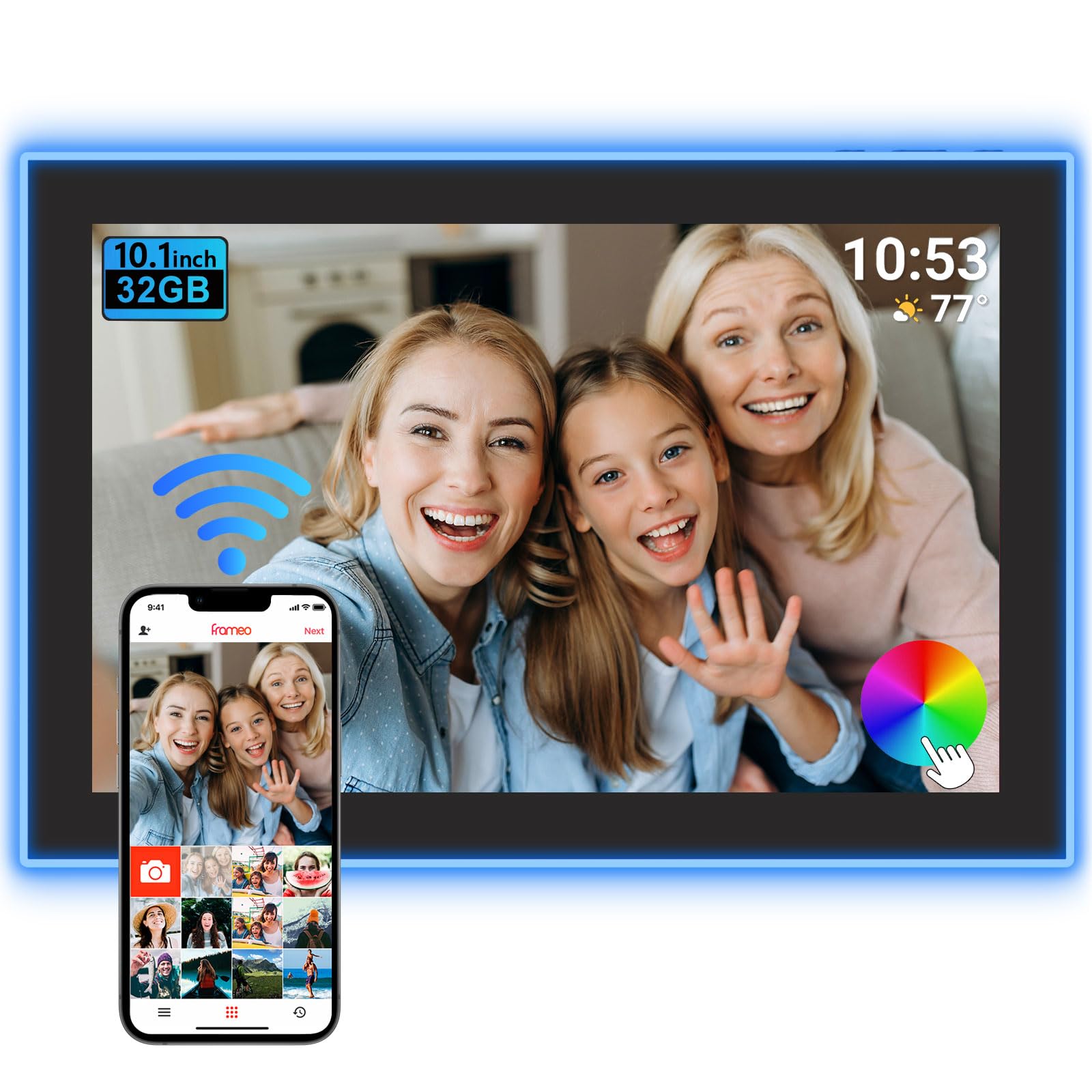
4. Akimart Frameo 10.1″ WiFi Frame with NEON Light
Ten thousand photos, a neon glow mode, and more buyers behind it than anything else here.
There is a reason this frame carries the crowd. The 1280×800 IPS touchscreen at 10.1 inches does the core job well, and 32GB built in gives you serious room before you touch the USB or SD slot. The USB drive and card slot both extend storage and let you import and export photos, which is where a frame with a lot of pictures to move earns trust. It reads JPG, JPEG, BMP and PNG images and MP4 video.
A neon light sets this frame apart from other 10.1-inch frames. You can pick the color, dim it, switch it off, or let it cycle automatically to set a mood in a dark room. That is a genuinely different look from the plain black frames around it, and it changes how the frame looks on a shelf at night.
The feature list goes well past photos. The calendar syncs with iCloud, Google, Outlook and Yahoo so your daily schedule sits beside your pictures, and collage mode shows up to 6 photos on screen at once. Recipients can react to shared pictures with emoji right on the frame. Ease of use is the second strongest theme in what owners mention — loading pictures from a phone is the specific thing people keep noting. Durability is the mixed spot, with a portion of owners reporting a frame that quit after some weeks or would not power on.
The standout: calendar sync with iCloud, Google, Outlook and Yahoo plus 6-photo collage mode turns a photo frame into a desk companion.
The plain truth: the neon light will delight some people and feel gimmicky to others, and durability is the one place feedback splits.
Right for you when: you want a frame that holds thousands of pictures and adds a bit of light and a calendar to the room.
Better to skip if: you want a plain black frame that disappears into the decor — the neon accent is the whole personality here.
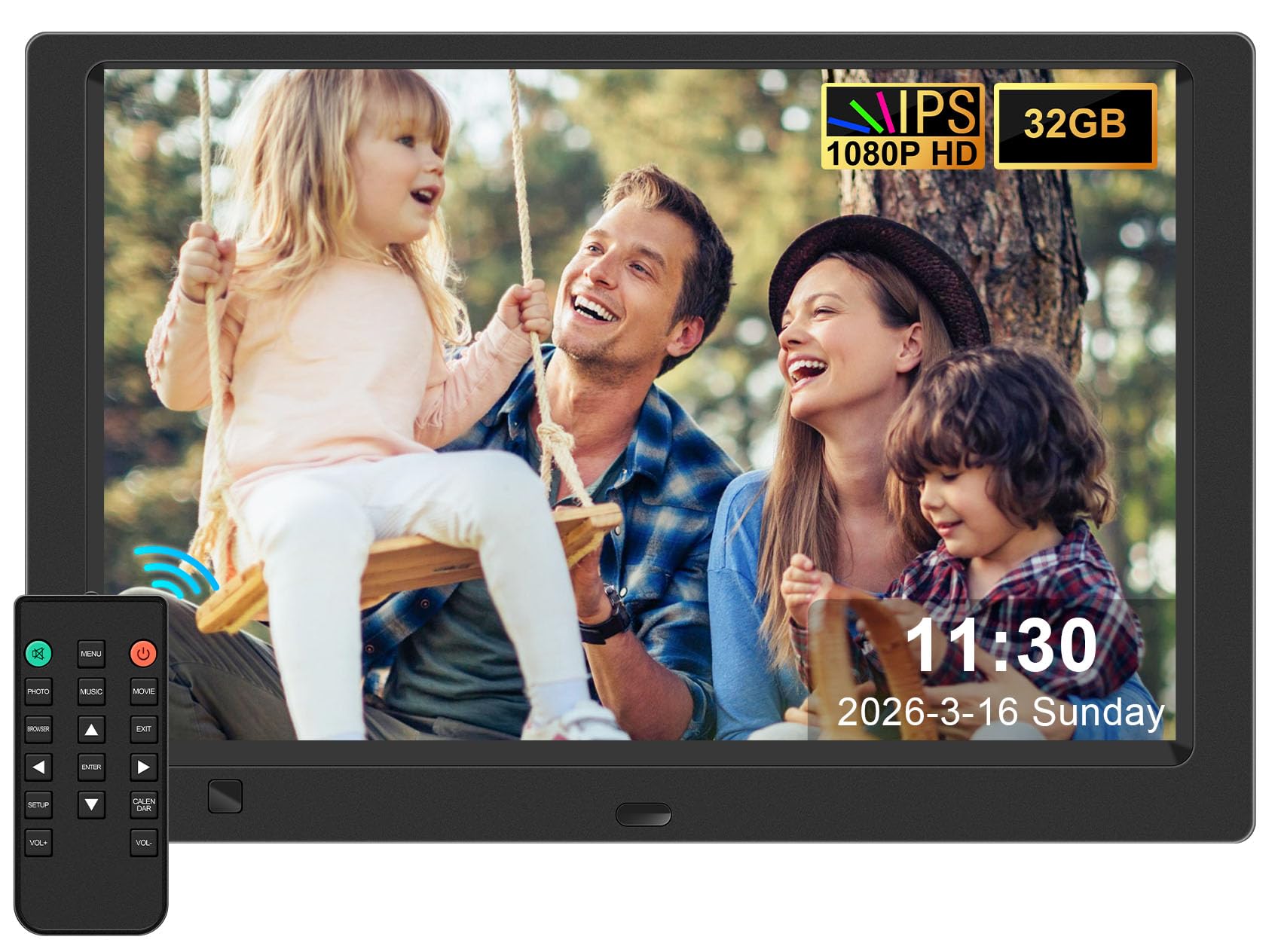
5. KECAG 10.1″ 1080P IPS Digital Picture Frame, No WiFi
The 10.1-inch frame for anyone who refuses to download another app.
The reason to pick this one is simple: it does not want your Wi-Fi. Slide in a USB drive or SD card and it plays — no account, no phone, no router. A 32GB thumb drive comes in the box, so it works the moment it is unplugged from the packaging. It supports cards and drives up to 32GB. The panel is a 10.1-inch 1080P IPS display, which is a step up in resolution on the 1280×800 frames around it.
There is one smart extra. A motion sensor switches the frame on when you walk into the room and off when you leave, with detection across a 90° window out to 1–3 meters, which saves power and saves the screen on a nightstand. A remote is included for flipping through slideshows and adjusting the screen without leaning over the frame. It also plays music and video alongside photos, and rounds that off with a calendar, clock, alarm and auto on/off timer.
What people report most is straightforward reliability of operation — the plug-and-a-drive setup is exactly as advertised, and the remote gets specific praise for how easy it makes swapping photos. The screen itself draws warm words for how it renders pictures, and the black matte finish looks at home rather than out of place. Two honest notes: reliability feedback is split, with some buyers watching one fail within days, and a portion of owners have had photos refuse to appear at all. Weigh that against the no-Wi-Fi simplicity and it still suits someone who keeps photos on a stick.
Why it earns the shelf
- No Wi-Fi and no app — a 32GB USB drive comes included and it plays from there
- 10.1-inch 1080P IPS panel, a sharper spec than the 1280×800 frames nearby
- Motion sensor turns the screen on as you enter and off as you leave
- Remote included for flipping photos and adjusting the image without getting up
What to accept going in
- SD cards and USB drives must be 32GB or under, and the remote wants to be aimed at the sensor
- Reliability feedback splits, and some owners have had photos fail to display
Take this route when: a senior parent or a kid needs a frame that just plays a thumb drive with zero setup.
Skip the app entirely with this one — but if you need family to send photos remotely, the RCA has the sharing side this lacks.
6. KODAK 10″ Digital Picture Frame, Dark Wood
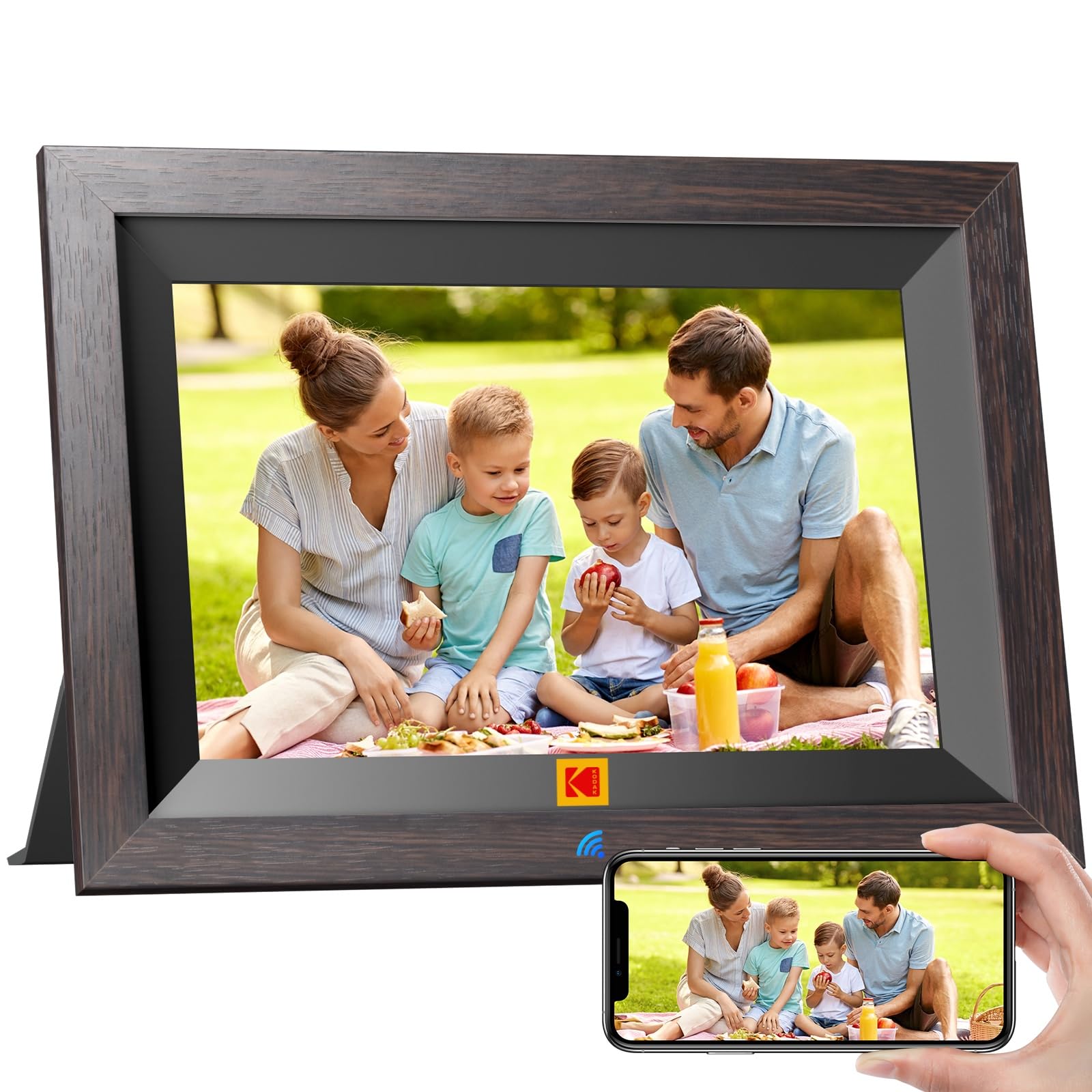
The only frame here with a real dark-wood surround you would leave on a bookshelf for the look alone.
Texture is the point. This frame wraps a 10.1-inch 1280×800 IPS touchscreen (a screen with wide viewing angles and clear colors) in a real wood frame, so it fits on a shelf, desk, or bedside table without looking like a piece of gear dropped into a room. Storage splits two ways: 32GB built in, plus 16GB of cloud space included, so you keep favorites on the frame while the cloud handles the overflow.
The loading options are the widest on this list. You can move photos by USB drive, SD card, a Mini USB cable from a computer, the KODAK Smart Frame app, email, or Google Photos. If one relative only knows email and another only knows a memory card, both can still contribute to the same frame without a lesson in either. The app also transfers up to 100 images at once and takes individual videos up to 5 minutes, which is longer than the 15-second cap on the Frameo-based frames.
The app adds AI photo repair, style filters and image generation, plus a Gift Mode with voice and video. Sleep mode, an alarm, a calendar and a weather forecast round out the daily-use functions. Two caveats are worth holding in mind: the listing marks resolution as 720p in one place even as it names a 1280×800 IPS touchscreen, so check which figure matters for your setup. And the frame must stay on corded power. At 8.24″L x 11.5″W it is a wide piece, so measure the shelf before it arrives.
Standout spec: six different ways to load photos — USB, SD, Mini USB, app, email and Google Photos — is more routes than any other frame here.
The honest catch: the wood looks great but wants a real shelf, and the listing shows a 720p resolution figure alongside the 1280×800 panel spec.
This one suits: the buyer who cares how the frame looks when it is off as much as how the photos look when it is on.
Look elsewhere if: you want a simple USB-only frame — this one does Wi-Fi, apps and AI tools whether you use them or not.
7. BIGASUO 15.6″ Frameo Digital Picture Frame WiFi, 64GB
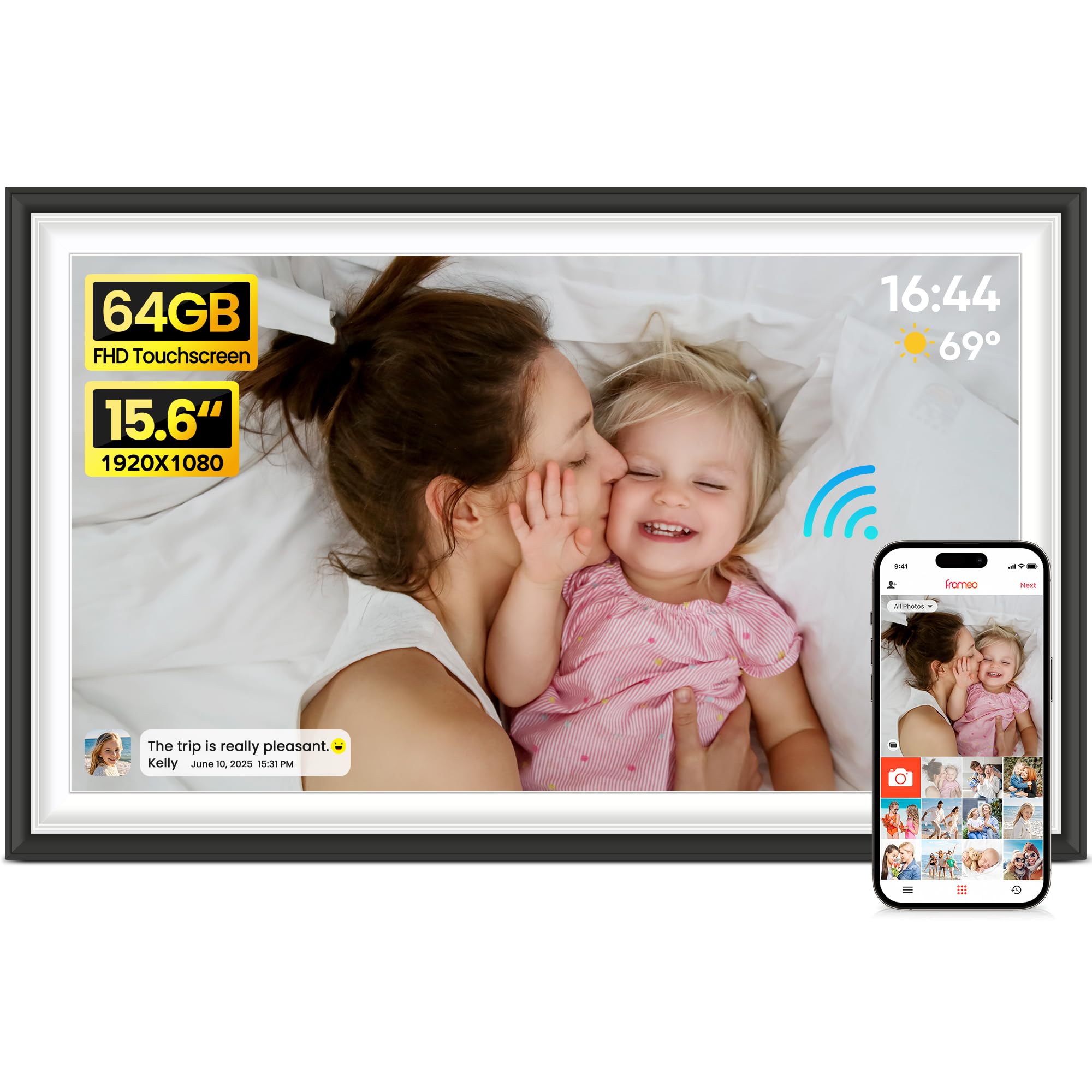
A 15.6-inch Full HD frame for your wall, with 64GB for the whole family album.
If a photo frame should feel like a small television showing your life, this is the one. The 15.6-inch 1920×1080 IPS touchscreen is the biggest and sharpest display on this list, and at 9.6″L x 15.4″W it is built for a wall or a large console. Full HD here means every smile and sunset renders in fine detail, and the wide viewing angle keeps colors steady from the side of the room.
The storage number is the real story. With 64GB built in, the listing says it holds up to 100,000 photos — far beyond the 10,000-photo ceiling on the 32GB frames. You can also slide in an SD card or USB drive, but the maker advises formatting to FAT32 first and sticking to a 32GB card, since larger drives may not read reliably. That is a specific quirk to note: a huge drive is not automatically the better drive on this frame.
Sharing goes through the Frameo app on iOS and Android, with captions you can add to each picture, so a photo of a grandchild arrives with a note attached. Setup is quick and the screen is easy to read from across the room. The mixed spots are the honest ones — reliability feedback splits, with some frames carrying on for months and others going quiet, and Wi-Fi connectivity is where a portion of owners run into trouble holding a signal. The trade-off is real but the frame still earns its keep for a big-wall display.
The case for the big screen
- 15.6-inch 1920×1080 IPS touchscreen, the largest and highest-resolution display here
- 64GB built in, rated for up to 100,000 photos before you touch a card
- Frameo app on iOS and Android for sharing photos and videos with captions
- Wall mountable, so it can replace a framed print on a large wall
What you are signing up for
- Likes a 32GB SD card or USB drive — larger sizes may not read reliably
- Wi-Fi connectivity is mixed, so plan for a steady signal before wall-mounting it
- Reliability splits, with a share of frames quitting after a couple of months
Right for: a big wall that deserves a big picture, with enough storage to skip housekeeping for years.
Choose smaller if: your spot is a desk or counter — 15.6 inches wants a real wall behind it.
8. Sungale 7″ Digital Picture Frame with USB and SD

A 7-inch desk frame that plays a memory card and asks nothing more.
Not everyone needs a wall-mounted screen, and this is the frame for the desk, the counter or the bedside table. The 7-inch HD screen in a 16:9 shape shows images in good color, and the plastic body stays slim enough to sit without dominating a surface. At 5.2″L x 7.87″W it is the smallest pick here, which is exactly why it earns a place next to the Uhale’s 11.8″L x 7.1″W footprint.
The operation is as simple as it gets. Plug a USB drive or an SD card into the frame and it starts showing your photos. It handles slideshows and stepshows automatically, and a remote is included for the settings, which keeps it manageable for older users. There is no app, no Wi-Fi and no account — the frame never phones home, and it just works from the media you hand it.
The praise that comes through centers on overall quality and the sharp image, with a few buyers noting they can customize it to their liking. The honest side is reliability, which comes through mixed through the feedback — a share of owners find it behaves exactly as expected, while others report trouble reading an SD card or a frame that crashes. Value splits too, with some finding it good for the money and others wanting more for it. Weigh that against the tiny footprint and it is a fair entry point for a bedside slideshow.
The case for it: a 7-inch HD screen and USB/SD playback with no app, no Wi-Fi and a remote in the box — the simplest setup here.
The honest limit: reliability is the split note, so if you need a frame that never hiccups, a step up in size and rating is the safer buy.
Best entry point if: you want a small slideshow frame for a desk or bedside and honestly do not need Wi-Fi or an app.
Worth the step up if: you expect the frame to last years — reliability is the one thing this one cannot promise.
Know the Specs
Built-in storage in GB
A frame’s onboard memory is measured in gigabytes, and the listing converts that into a photo count based on an average file size. A 32GB frame rated for 10,000+ photos at 3MB each shows that math openly. When the system itself uses some of that space, the number looks generous on the page but shrinks in practice — which is why a USB drive or SD card is the reliable fallback on frames like the Uhale 16GB model.
IPS versus standard LCD
IPS is a panel design that keeps colors and brightness steady when you view from an angle, so a frame on a side table still reads properly from the couch. A standard LCD will wash out or darken as you move off-center. On a frame you walk past, IPS is worth looking for — nearly every pick here uses it, including the 1280×800 panels and the 1080P ones.
USB and SD card loading
This is the feature that makes the category work for non-technical buyers. A USB drive or SD card lets you move photos without any network at all, and several frames also accept a direct USB-C or USB cable from a computer. The one rule to remember is the FAT32 format most of these frames ask for, plus the storage ceiling each model names — a 32GB cap is common even where the built-in storage is larger.
Aspect ratio and rotation
Aspect ratio is the shape of the screen: 16:10 is slightly taller and suits portrait-style photos and calendars, while 16:9 is wider and better for video. A frame with a direction sensor flips the picture automatically when you turn the frame, which matters for the ones you mount vertically. Frames without that sensor may need a manual setting when you change orientation.
Common Questions
Will a photo frame with USB read a thumb drive without any Wi-Fi?
Do I need to format my USB drive to FAT32 before inserting it?
Can a photo frame connect to a 5GHz network?
How many photos will 32GB actually hold?
Is a 7-inch photo frame too small for a living room?
Can family send photos to a frame from a different country?
What video formats and lengths do these frames support?
Does the frame have to stay plugged in all the time?
Can I hang a photo frame on the wall rather than stand it up?
Is a frame with a 1280×800 screen sharp enough for family photos?
Which frame loads photos from a USB-C drive instead of a standard USB stick?
The Bottom Line
For most buyers, the photo frame with usb winner is the Frameo 10.1″ by Flyruit because it covers both loading paths — a USB-C drive or Micro SD card for your own photos, and the Frameo app for family sending pictures from anywhere. If a relative only knows a thumb drive and you want zero setup, choose the KECAG 10.1″, which ships with a 32GB USB drive and never asks for Wi-Fi. For a photo wall that fills the room, reach for the BIGASUO 15.6″, with its 1920×1080 panel (Full HD resolution) and 64GB of storage.
One last note for anyone still deciding: the crowd has already done the sorting for you. The Akimart Frameo carries 4.5+ stars across 10,000+ ratings, the deepest review base here — the pick if you want a proven track record.
How we choose
We do not accept paid placement. Every pick is matched to a real buyer and a real use-case; we do not hands-on test units.
Sources
Specifications: manufacturer listings and product documentation. Review insights: verified customer reviews, as of November 2026. Pricing: not shown on this page (it changes often); check the current price via the retailer link.
As an Amazon Associate, Tactical Gear Guy earns from qualifying purchases. This does not affect which products we feature.