Specs are compiled from manufacturer listings and verified buyer reviews and can change over time — please confirm the key details on the product page before buying.
Your replacement pen can write perfectly and still leave the Air Command gestures dead, and the word battery is why. Want a pen that behaves like the one in the box? Buy the official Samsung pen for your exact Tab series. Want the feel of a real pencil instead? A third-party EMR pen (a pen that draws power from the screen, not a battery) is the pick. Some S Pens run on Bluetooth and need charging for their remote tricks. Others are passive EMR pens that never need power at all. Pick the wrong type and the writing works but the gestures do not.
This guide is built by comparing the manufacturers’ published specifications and the patterns across verified customer reviews, so you get each pick’s real strengths and trade-offs instead of marketing spin.
Here you’ll find nine pens matched to specific Galaxy Tab models, sorted by what each one actually does on screen rather than by brand name. Every pick below is a confirmed EMR or Samsung S Pen, and the plain-English notes explain which Tab each fits. This is how you land on the right pen for Samsung Tablet without a return label.
Top Picks
How To Choose The Best Pen for Samsung Tablet
Start with your Tab’s model number, not with the pen. A pen built for the Tab S8 line will not wake up Air Command on a Tab S9, and a pen built for the S9 line will not charge on an S8’s magnetic strip. Model fit is the whole ball game here.
Match the pen to the Tab generation first
Each Samsung S Pen replacement in this list names the Tab series it is built for in its own listing. A Tab S8 pen is not a Tab S7 pen even though both look like thin black sticks. Before you order, find your exact Tab model — S8, S8+, S8 Ultra, S9, S9 FE, S7, S10 — and confirm the pen listing names that model.
Decide if you need Bluetooth or not
Bluetooth S Pens pair with the tablet and let you trigger Air Command, take photos remotely, and use Air Gestures. Passive EMR pens like the STAEDTLER and LAMY models skip Bluetooth entirely — no battery, no pairing, no charging. If you only write, draw, and erase, a passive EMR pen is the simpler tool. If you use Air Command daily, stick with a Bluetooth S Pen built for your Tab.
Check the tip and pressure level count
Pressure levels decide how much your line width changes when you press harder. Nearly every pen here lists 4,096 pressure levels, which is the standard for a smooth handwriting feel. Tip material matters too: a soft tip is quiet and protects the screen, while a hard tip gives a sharper, more pencil-like feel but can wear faster.
Plan for tips wearing out
A stylus tip is a wear part, not a permanent piece. Most pens here ship with five replacement tips and a tweezer so you can swap one out in seconds. Budget for that swap every few months if you write daily, and check the listing actually includes spares before you buy.
Side-by-Side Comparison
| Model | Best For | Pressure Levels | Battery Type | Tab Fit | Amazon |
|---|---|---|---|---|---|
| STAEDTLER Lumograph Jumbo★ Best Overall | Long note-taking sessions | 4,096 | None — no charging | EMR Galaxy Tabs, Kindle Scribe | Amazon |
| SLQ Tab S10 Plus S PenNewest Fit | Tab S10 owners | 4,096 | Bluetooth, rechargeable | Tab S10 / S10+ / S10 Ultra | Amazon |
| COCOPARTS Tab S8 Stylus (Black)Budget Pick | Budget Tab S8 replacement | 4,096 | Bluetooth, rechargeable | Tab S8 / S8+ / S8 Ultra | Amazon |
| SLQ Tab S7 S Pen (Mystic Black) | Tab S7 and S7+ owners | 4,096 | Bluetooth, rechargeable | Tab S7 / S7+ | Amazon |
| Samsung Official S Pen (S10 FE / S9 FE) | Original manufacturer fit | 4,096 | Rechargeable | Tab S10 FE / S10 FE+ / S9 FE / S9 FE+ | Amazon |
| Samsung Tab S9 Series S Pen | IP68 water resistance | Not listed | Rechargeable | Tab S9 / S9+ / S9 Ultra | Amazon |
| LAMY AL-Star EMR | Real-pen feel and weight | Over 4,000 | None — no battery | Wacom EMR Android devices | Amazon |
| STAEDTLER Noris Digital Jumbo | Pencil-style writing and erasing | 4,096 | None — no battery | EMR Galaxy Tabs, Windows 10 | Amazon |
Detailed Reviews
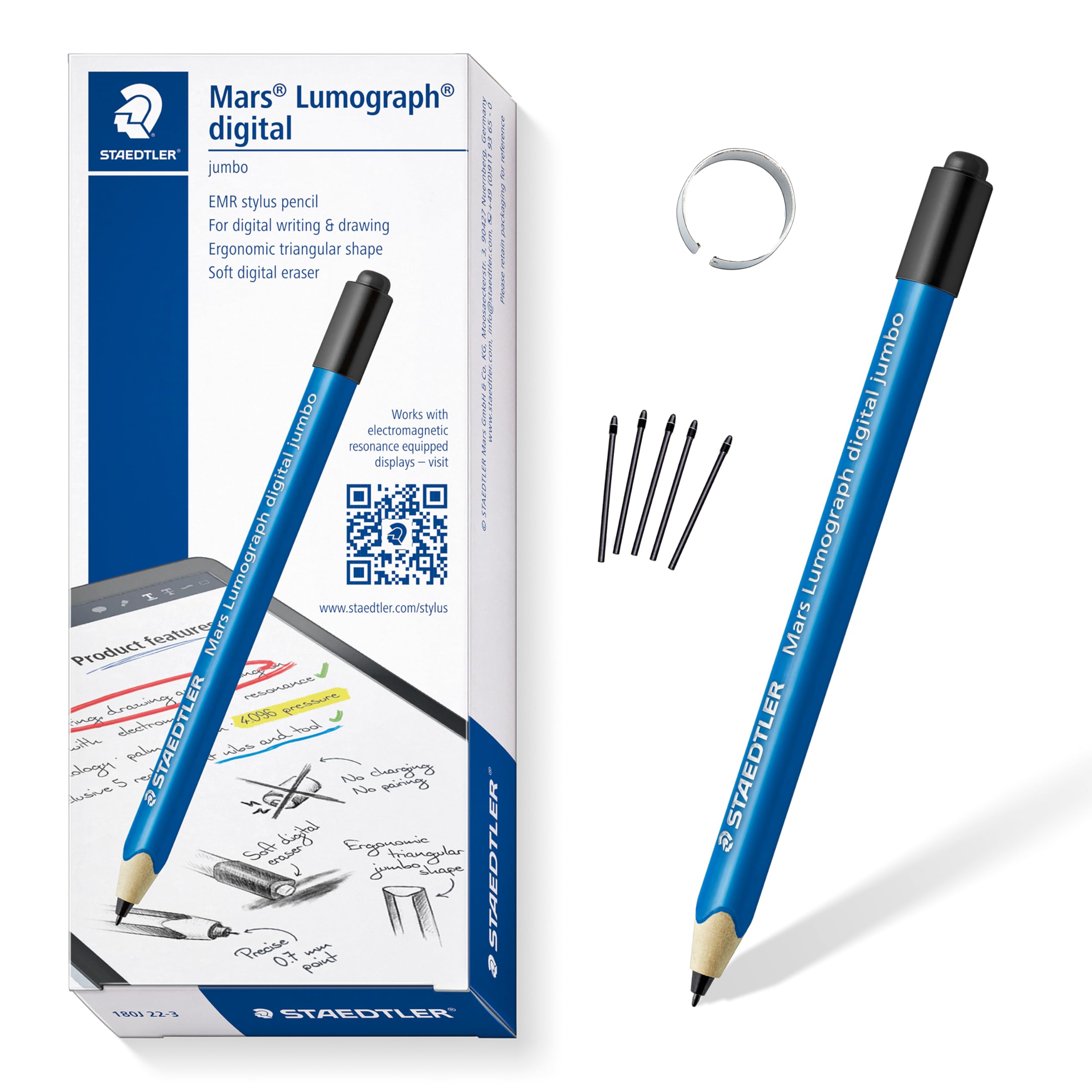
1. STAEDTLER Lumograph Jumbo Digital Stylus Pen with Eraser
Our pick — 4.5+★ from 6,500+ verified ratings; the strongest balance of quality and price.
The pen that writes like a pencil and never once asks for a charger.
Here is a pen built on an idea most styluses ignore: make it stop looking and feeling like a stylus. The body is a thick triangular barrel styled after the classic Lumograph pencil, so it rolls into the same three-finger grip you already use on paper. That shape is doing real work — a triangular barrel stops your fingers from creeping down toward the tip during a long page of notes. It weighs just 10 g, light enough that your hand does not fatigue holding it through a lecture or a client call.
You never charge it, because it is a passive EMR pen (a pen that draws power from the tablet’s screen rather than from a battery). No charging, no Bluetooth pairing, no driver to install — pick it up and write. It carries 4,096 pressure levels, so a light touch gives you a hairline and a firmer press gives you a bold stroke. Palm rejection means the screen reads the tip and ignores the heel of your hand, so you can rest your hand on the glass while you write. It works with EMR devices including Galaxy Tabs, the Kindle Scribe, reMarkable 2, BOOX, and Supernote. It does not work with an iPad or an iPhone, so this is a Samsung-side and e-ink-side tool only.
What wins people over is the writing feel itself. The 4,096 pressure levels and the soft tip combine to make handwriting look like actual handwriting, and the triangular grip earns more praise than any other feature. The integrated digital eraser flips the whole experience into a traditional pencil routine: tilt the pen, erase, keep going. Owner sentiment on durability is genuinely split, though — the nibs can snap if you press hard or drop the pen, so treat the tip as a wear part and keep the spares nearby. The box includes five replacement points and the tool to swap them. At 4.5+ stars across 6,000+ ratings, it is the highest-rated pen here.
Where the Lumograph shines
- Triangular barrel rolls into a natural pencil grip — one of the top-praised traits here
- Zero charging, zero pairing, zero drivers — pick it up and write
- 4,096 pressure levels plus a soft digital eraser that flips over like a real pencil
- Five replacement nibs and a swap tool in the box
- 10 g body stays light through long note sessions
The honest trade-offs
- No Bluetooth — you lose Air Command and remote shutter gestures
- Not compatible with iPad or iPhone
- Tip durability is a genuine split: some owners get long life, others snap a nib
Reach for this if: you take pages of notes or sketch daily and want the paper-pencil feel with no charging ritual.
Look elsewhere if: Air Command gestures and remote camera control are part of your workflow — this pen skips Bluetooth entirely.
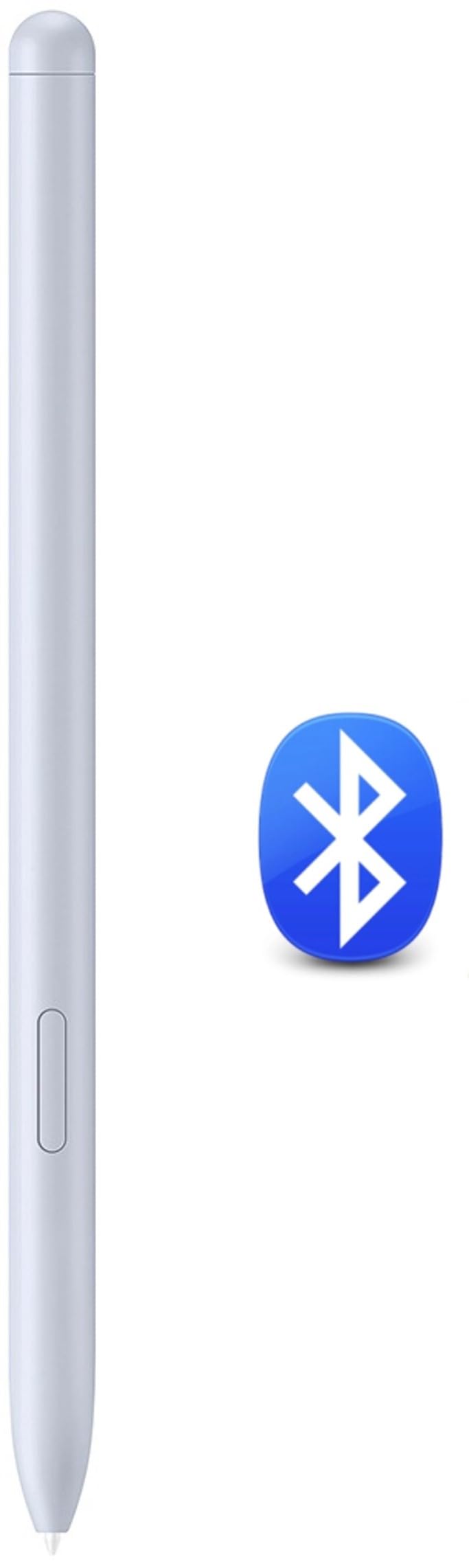
2. SLQ Tab S10 Plus S Pen
Built specifically for the Tab S10 family, with a fine tip and the full pressure range.
If you own a Tab S10, S10+, or S10 Ultra, this pen was engineered for exactly that tablet — not adapted from an older generation. It packs 4,096 pressure levels for line-width control and a 0.7 mm fine tip for detail work, so numbering with a light hand and shading with a heavier one both behave the way Samsung’s own pen does. Air Command touch-free control is supported, which means the hover-and-click menu for quick actions is available once you pair it over Bluetooth.
The build is the thing owners keep coming back to — the house that made this pen clearly checks each unit before it ships. Functionality gets high marks for behaving like the original, and the fit sits comfortably in hand with a thin profile that matches the tablet’s magnetic strip. You get one Bluetooth pen, five tips, and a tweezer in the box. A 180-day warranty and 60-day quality assurance back the pen if it arrives faulty.
The one area to go in with eyes open is wireless pairing. Most owners connect easily, but Bluetooth gripes do surface, and a stale connection is the classic cause. Unpair any old pen, then re-pair fresh and the issue usually resolves. If you want a straight swap for the pen that came with your S10 without paying official-brand rates, this is the sensible one to grab.
Fit that matches: the pen’s 0.7 mm tip and 4,096 pressure levels pair with the S10 line’s own Air Command set, so you keep the same workflow you had before.
What to clear up first: Bluetooth pairing is the recurring friction point — unpair old hardware before you set up this one.
Suits you if: your Tab is an S10, S10+, or S10 Ultra and you want a like-for-like replacement.
Skip it for: older S8 or S9 models — this pen is tied to the S10 family only.
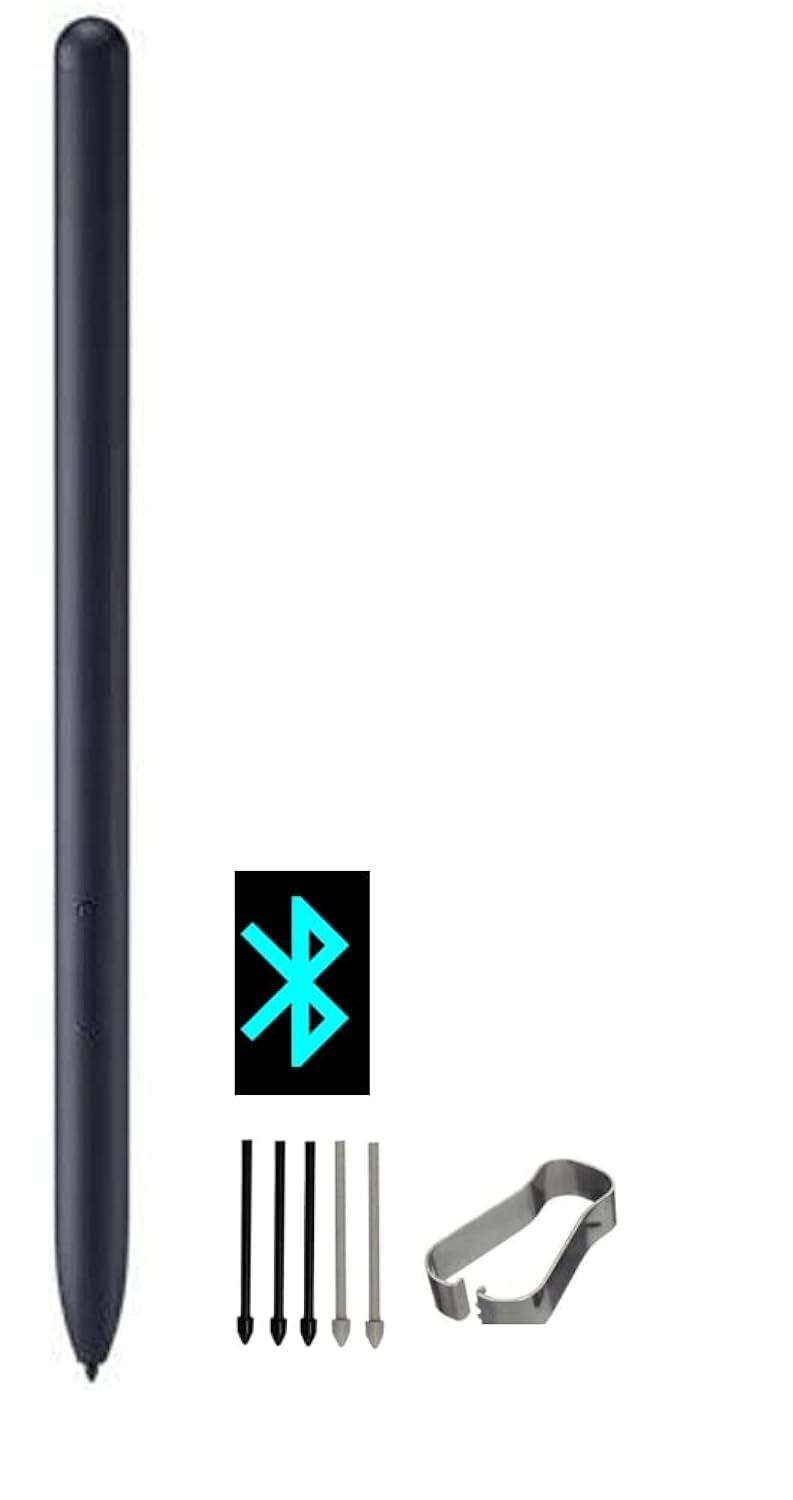
3. Stylus Pen for Galaxy Tab S8/S8+/S8 Ultra, Black
The cheap spare that clips on a Tab S8 and gets the writing job done.
A soft pen tip is the small detail this one leans on. It writes quietly, does not scratch the glass, and delivers the fluid feel you want when you scribble a quick list rather than a full page. At 5 g it is close to the lightest pen in this article, so it disappears on the magnetic strip of your Tab S8, S8+, or S8 Ultra rather than adding bulk to the edge.
The pen pairs over BLE Bluetooth, which open up Air Gestures — wiggle the pen in the air and you can navigate without touching the screen. The pressure range is 4,096 levels, palm rejection keeps your resting hand from leaving stray marks, and the box includes one pen, five replacement tips, and a tweezer. Every unit is checked individually before it ships.
Compatibility is the real talk here. The pen works as a straight replacement and offers good value, but a few S8 owners hit connection trouble where it does not pair to their particular tablet. That is the same Bluetooth lottery as any third-party S Pen. The fix is usually to remove a leftover pairing from a previous pen, restart the tablet, then pair again. Go into it knowing that and you have a sensible spare for the drawer.
Cheap insurance: five spare tips plus a tweezer and 4,096 pressure levels make this an easy pen to keep as a backup, not your only one.
The honest blip: some S8 units do not pair on the first attempt — clear old Bluetooth pairings before you judge it.
Works best as: a second pen to leave in your bag so a dead pen day never stops you.
Not the pick for: anyone who wants guaranteed pairing on the first try — Bluetooth reliability is the one gamble.
4. SLQ Tab S7 S Pen (WithBluetooth) Replacement, Mystic Black

The heaviest pen here, built for the older Tab S7 and S7+ with a full pressure range.
At 32 g this is the heftiest pen in this lineup, six times the weight of the lightest S8 pens, and for some hands that weight is the point. A heavier barrel sits more stably in the grip during sketching or long notes, and the 4,096 pressure levels respond smoothly across handwriting and painting. It is built for the Tab S7 (SM-T870, SM-T875, SM-T876B) and the Tab S7+ (SM-T970, SM-T976B, SM-T975) across all versions, and pairs over Bluetooth for the S Pen suite.
The pen does what the original does — that is its brief. Functionality is the feature owners return to most often and they consistently note it behaves like the factory pen. The Mystic Black finish matches the S7-era tablet color well, and the box includes one Bluetooth pen, five tips, and a tweezer, all backed by a 180-day warranty.
Two caveats to know before you commit. The magnet that holds the pen to the S7 can be weak for some units, so if you rely on the pen staying put on a moving tablet, keep it clipped to a case instead. And the tips are the fragile part — several owners mention nibs that snap or fall out faster than they should. Treat spare tips as consumables and you will get along fine with this pen.
Generation match: this is one of the few pens made specifically for the Tab S7 and S7+, so you are not forcing an older tablet to adopt an S8 or S9 pen.
The weight question: 32 g is comfortable for sketching but feels substantial if you prefer a featherlight pen.
For owners of: Tab S7 or S7+ who want a Bluetooth pen with a bit more body in hand.
Look past it if: your tablet is an S8 or newer — this pen will not charge or pair on those models.
5. Samsung Galaxy Official S Pen for Tab S10 FE/FE+, S9 FE/FE+

The factory pen for the FE line, tuned by Samsung for the tablet it was built to sit on.
An official S Pen is not a fancy upgrade — it is an insurance policy. This one is made by Samsung for the Tab S10 FE, S10 FE+, S9 FE, and S9 FE+, and carries 4,096 pressure levels with fast response times so the pen chases your hand with almost no lag. The polycarbonate body weighs 9 g, light enough to sit on the magnetic strip without weighing down the tablet edge, and it attaches magnetically so it is never lost under a couch cushion.
Writing feel is the pitch here. Samsung tunes the input delay so the pen trails your stroke just barely, and owners say it behaves perfectly with the S10 FE and feels well made. That factory fit is what you pay for: no pairing lottery, no model-number guessing, just the pen the tablet was designed around. A screen protector is included in the box as well.
The one honest question is value. Some owners feel the official pen justifies its position, others wish it cost less given a third-party pen writes much the same. If you want zero risk of an incompatible pen, this is the safest pairing for an FE-series tablet. If the budget is tight and you only write, a passive EMR pen gets you most of the way for less.
Zero-guesswork buying: made by Samsung for the FE line, so model fit is settled before you open the box.
Price conversation: owners are split on whether the official-brand tag is worth the premium over a third-party EMR pen.
Best for: FE-series owners who want the exact pen their tablet shipped with, with no compatibility questions.
Worth weighing: if you only need writing and sketching, a cheaper EMR pen covers that ground.
6. Samsung Galaxy Tab S9 Series S Pen, IP68, Air Command

The only pen here rated IP68, so a spilled coffee does not end the session.
Water resistance is what sets this official S Pen apart from every third-party pen in this list. Its IP68 rating seals it against dust and submersion, so a sink splash or a rainy commute will not kill it. It snaps onto the S9’s magnetic holder and charges there whether you clip it face up or face down, and it pairs over Bluetooth for Air Command.
Air Command is the feature to know: hover the pen over the screen and click the button to pull up Smart Select, Screen Write, Live Messages, and other quick tools. The pen is pressure-sensitive so line width responds to your touch, and it weighs 1.44 ounces so it sits comfortably in hand over a long drawing session. It fits the Tab S9, S9+, and S9 Ultra across the series.
The friction point is Bluetooth pairing. Most customers note it pairs instantly with the S9+ and behaves like the original, but a smaller share find it will not connect at all. That is the recurring headache with any Bluetooth S Pen. Buying official builds in a better odds of a clean pairing, not a guarantee. If your priority is the pen reliably lasting in a messy environment, IP68 is worth the trade.
Why the S9 pen earns its spot
- IP68 dust-and-water rating — the only pen here with it
- Magnetic charge, face up or face down
- Air Command for Smart Select, Screen Write, and Live Messages
- Pressure sensitivity and a 1.44 oz body built for long sketching
Before you spend
- Bluetooth pairing is inconsistent for a minority of units
- S9 family only — not for the FE, S8, or S10 lines
Best for: Tab S9 owners who want the original pen and value the water-resistance rating above all else.
Think again if: your Tab is an FE model or an S8 — this pen will not fit that tablet.
7. LAMY AL-Star EMR Black Stylus Pen

A metal-barreled EMR pen that feels like writing with a real fountain pen.
A LAMY pen is a LAMY pen before it is ever a stylus. This one brings the AL-star’s familiar ergonomic shape and metal enclosure into the stylus world, weighing 24 g so the barrel has real presence in the hand. Owners describe it as well-balanced and the exact opposite of a cheap plastic wand — it feels weighted like a pen that costs real money, which it does.
Under the hood it carries Wacom’s patented EMR technology, meaning the screen powers the pen and there is no battery to ever charge or replace. You get over 4,000 pressure levels and an interchangeable PC/EL pointing tip, with two 0.35 mm replacement tips and a tweezer in the box. A function button on the barrel adds a programmable action, and it works on most Android tablets, smartphones, and notebooks that support Wacom EMR — including the Samsung S7+ in owner testing.
The trade-off is the button. Some owners find it easy to trigger for an erase function, others report it is hard to find by feel in the dark. That is a personal-grip issue, not a defect. The bigger conversation is value: the LAMY is the premium-looking pick here and some owners feel you pay for the brand. What you do get is a metal-bodied pen that writes like a real one and outlasts a plastic stylus.
The feel advantage: metal enclosure, 24 g of weight, and a Wacom EMR engine that never needs a battery — this is a pen you buy for the hand.
The button caveat: the side button sits where some grips cannot find it easily — try it in person if that matters.
Choose it if: you want a metal, professionally weighted EMR pen and you never want to think about charging again.
Pass if: you need the pen to trigger Air Command on a newer Tab — this is an EMR third-party pen, not a Samsung Bluetooth pen.
8. STAEDTLER Noris Digital Jumbo 180J 22 EMR Stylus Set

The Noris pencil shape, turned into an EMR pen with a soft digital eraser.
The triangular body here is a carry-over from the real Noris pencil, and it does what a triangular barrel always does — guides your fingers into a settled grip without pinching. It is a passive EMR pen, so no battery, no charger, no pairing; pick it up and it writes. 4,096 pressure levels let line width shift with pressure, and palm rejection lets you rest your hand on the display while you write.
The soft digital eraser at the top is the defining feature. Flip the pen over and erase like a pencil, no need to find a toolbar button. The set ships with the stylus and two packs of five EMR replacement tips plus a replacement tool, so nib swaps are covered for a long stretch. It works on EMR touchscreens — not on Apple devices, so check the compatibility PDF before you buy if you have anything besides a Galaxy Tab.
The honest question with this pen is whether the Staedtler feel beats the cheaper passive options. It has a softer-touch grip and a very authentic pencil look, and the triangular shape is easier to hold for children or anyone whose hand aches after long pages. If you write a lot and want the tactile familiarity of a pencil, the Noris delivers it. If you want Air Command, this is not that pen.
Made for: writers and sketchers who want a triangle body, a soft eraser, and pencil-like feel with no charging.
Not your pen if: you depend on Bluetooth Air Command — this one is a passive EMR tool only.
Know the Specs
Pressure Levels
Pressure levels tell the tablet how finely it can read how hard you press, and 4,096 is the number most pens here list. That translates into a smooth line that gets thicker as you press harder — a light touch draws a hairline, and a firm stroke fills in as a bold line. With fewer levels, the transition between thin and thick lines jumps in steps, and handwriting can look blocky instead of natural.
EMR vs Bluetooth
EMR stands for electromagnetic resonance, a system where the tablet’s screen powers the pen through a magnetic field, so the pen needs no battery and no charging. A Bluetooth S Pen is a different animal: it pairs wirelessly to open up Air Command and air gestures, but it needs charging through the tablet’s magnetic strip. Passive EMR pens write and erase without any of that; Bluetooth pens add remote actions but bring pairing quirks.
Palm Rejection
Palm rejection is what keeps your handwriting clean when your hand rests on the glass. Without it, the tablet reads your palm as a touch and leaves stray dots and lines across the page. A pen that supports palm rejection tells the tablet to track only the pen tip, so you can rest your hand and write naturally.
Tip Material and Wear
The tip is the part that touches the screen and the part that wears out first. A soft tip is quiet and gentle on glass, while a hard tip gives a crisper pencil feel but can snap if you press hard or drop the pen. A replacement tip job takes seconds with a tweezer, which is why most pens in this list ship with five spares.
Common Questions
Will a Tab S8 pen work on my Tab S9 or Tab S10?
Do I need a Bluetooth S Pen or can I use a passive EMR pen?
Why does my new S Pen not pair with my tablet?
How long does an S Pen tip last before it needs replacing?
Does the STAEDTLER Lumograph work on a Samsung Galaxy Tab?
Can I use a Wacom EMR pen like the LAMY on my Galaxy Tab?
Is the official Samsung S Pen better than a cheaper third-party pen?
What does IP68 mean on the Tab S9 S Pen?
Why does Air Command stop working after I swap to a new pen?
The Bottom Line
The STAEDTLER Lumograph Jumbo earns its spot by never asking anything of you but writing: no battery, no pairing, 4,096 pressure levels, an eraser on the flip side, and a triangular grip that keeps your hand comfortable for pages. That no-charging, no-pairing formula is why it holds 4.5+ stars across 6,000+ ratings. Want the exact pen your Tab S9 shipped with, plus IP68 water resistance (a rating that means it survives a dunk in water)? Grab the Samsung Tab S9 Series S Pen. Own a Tab S10 and want a Bluetooth replacement with Air Command? The SLQ Tab S10 Plus S Pen is built for exactly that tablet. And if the feel of a metal pen in your hand is what you have been missing, the LAMY AL-Star EMR is the one to reach for.
How we choose
We do not accept paid placement. Every pick is matched to a real buyer and a real use-case; we do not hands-on test units.
Sources
Specifications: manufacturer listings and product documentation. Review insights: verified customer reviews, as of November 2026. Pricing: not shown on this page (it changes often); check the current price via the retailer link.
As an Amazon Associate, Tactical Gear Guy earns from qualifying purchases. This does not affect which products we feature.