Specs are compiled from manufacturer listings and verified buyer reviews and can change over time — please confirm the key details on the product page before buying.
If your CPU runs hot and your fans are maxed out, the fix is usually more radiator surface — and the right pick depends on how much clearance your case gives you. This guide breaks down seven radiators by thickness, port count and fan mounts, so you can match thickness, ports and fan mounts to your case instead of guessing.
This guide is built by comparing the manufacturers’ published specifications and the patterns across verified customer reviews, so you get each pick’s real strengths and trade-offs instead of marketing spin.
You will see where copper pays off, where thin aluminum cuts corners, and which sizes actually fit a mid-tower. Every pick below earns its place as a serious liquid cooling radiator for a custom loop.
Top Picks
How To Choose The Best Liquid Cooling Radiator
Start with the space you actually have, not the biggest radiator you can find. A radiator only works if it fits your case, clears your graphics card and still leaves room for air to reach the fans.
Match thickness to your case clearance
A 30 mm radiator is the easy fit for most mid-tower builds. A 60 mm radiator gives you far more copper surface, but it eats into the room above your motherboard and can foul on a top-mounted fan bracket.
Count the ports before you plan the loop
Two G1/4 ports (the standard threaded holes that fittings screw into) are enough for a simple in-and-out loop. More ports give you a place to add a drain valve or a temperature sensor without extra adapters.
Decide copper or aluminum, and stay consistent
Copper fins and tubes carry heat away faster than aluminum. Just keep your whole loop in one metal family so you are not mixing materials inside the same coolant path.
Side-by-Side Comparison
| Model | Best For | Thickness | Fan Mounts | Ports | Amazon |
|---|---|---|---|---|---|
| Alphacool NexXxos ST30 360mm★ Best Overall | Slim triple-fan builds | 30 mm | 3 x 120 mm | 2x G1/4 | Amazon |
| Dracaena.io 240mm CopperBest for a First Loop | First custom loop | 29 mm | 2 x 120 mm | 2x G1/4 | Amazon |
| Clyxgs 360mm Aluminum | Budget CPU cooling | 58 mm | 120 mm fans | — | Amazon |
| DIYhz 360mm Copper | Multi-purpose heat exchange | 30 mm | 3 x 120 mm | G1/4 | Amazon |
| Corsair Hydro X XR5 240mm V2 | iCUE Link builds | 30 mm | 2x120mm | G1/4 | Amazon |
| Alphacool NexXxoS UT60 360mm | Maximum surface area | 60 mm | 3 x 120 mm | 7x G1/4 | Amazon |
| EKWB EK-Quantum Surface S360 | Space-constrained cases | 30 mm | 3 x 120 mm | 2X G1/4 | Amazon |
Detailed Reviews
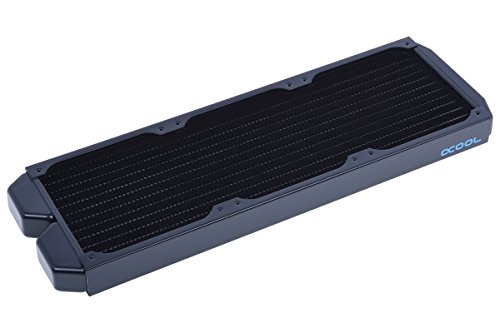
1. Alphacool NexXxos ST30 360mm Radiator
Our pick — 4.5+★ from 450+ verified ratings; the strongest balance of quality and price.
The slim full-copper triple that fits where a thick radiator simply will not.
Here is the one most builders should start with. At 30 mm thick and 400 x 124 x 30 mm overall, this Alphacool slides into a top or front mount that would choke on a fatter core. It holds three 120 mm fans, and the M3 fan threads mean standard M3 screws thread straight in without a fight.
What you get for that slim profile is real copper: fins, channels and chambers are all copper, not just a copper-lined tube. That matters because heat leaves the coolant faster through copper walls, so the same fan speed pulls more heat out of your loop. Two G1/4 fittings feed it, which is all a basic CPU-and-GPU loop needs.
What wins people over is the build — the copper construction and the clean semi-gloss black finish are the two things that keep coming up. It carries a 4.5+ rating from 450+ buyers, one of the larger customer bases here, and the value holds up against full-copper radiators that cost far more. The recurring gripe is paint inconsistency — a few units arrive with uneven or dirty-looking finish, so give it a quick look before it goes in the case.
What earns its keep
- Full copper fins, channels and chambers at a 30 mm thickness that clears tight top mounts.
- Three 120 mm M3 fan threads and 400 x 124 x 30 mm body — a straightforward triple-fan fit.
- Two G1/4 ports cover a simple in-and-out loop without adapters.
- Twelve M3x30mm and twelve M3x35mm screws included, so push/pull mounting is covered.
Where it asks for patience
- Paint quality is the mixed spot — check the finish on arrival.
- Just two ports, so adding a drain valve takes a splitter or a T-fitting.
- The thicker fitting positions Alphacool puts on its bigger cores are not on this ST30.
Reach for this if: you want full copper and a triple-fan footprint without giving up case clearance.
Hold off if: you plan a drain port or extra sensor tap — the two-port layout makes that fiddly.
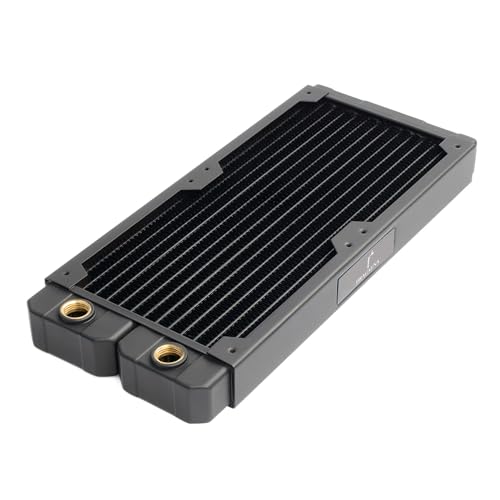
2. Dracaena.io 240mm Radiator
The 240 mm starter core that treats a first custom loop gently.
If this is your first loop, 240 mm is the friendlier place to begin. It runs two 120 mm fans across a 29 mm body, so it drops into most mid-towers without shoving the graphics card or the top bracket. A CPU-only loop handles it comfortably, and fewer mounting headaches means you actually finish the loop.
The materials are picked for their job rather than looks alone. Copper fins and tubes carry heat well, brass headers at both ends resist corrosion and seal the G1/4 ports, and a stainless side panel keeps the frame rigid. Those dual G1/4 BSP threads are the reason it threads into EK, Alphacool, Barrow, XSPC and Bitspower fittings without an adapter.
Build quality is what earns the most praise here, followed closely by the value — the frame feels solid in hand and the price sits well below the premium full-copper cores. Honest notes worth knowing: the paint draws mixed views (some report chipping), a handful of users found the mounting holes needed coaxing to line up, and a few found the fins easy to bend while fitting fans. This radiator is 29 mm thick against the 60 mm of the Alphacool UT60, so it trades raw surface area for fit.
Good match for: a first custom loop or a small-form-factor build that needs a thin 240 mm core.
Think twice if: you want big surface area or a finish that stays pristine through repeated teardowns.
3. Clyxgs 360mm Radiator
A big aluminum slab for tight budgets — as long as you read the fine print.
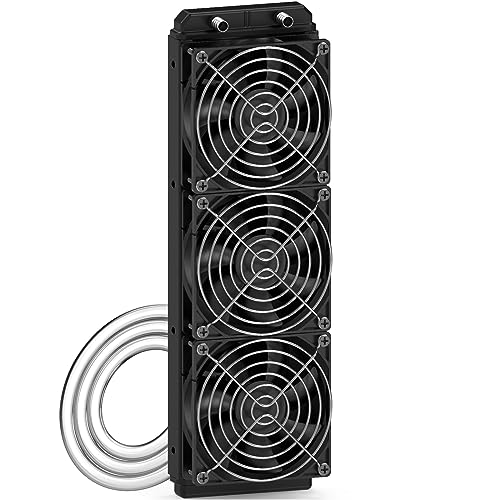
At 397 x 120 x 58 mm, this Clyxgs gives you a genuinely large heat exchanger for the money. Twelve aluminum tube runs and a fan in the box make it a self-contained starting point for a budget CPU loop. Pure aluminum fins and a black oxidation finish keep the basics covered, and the 12V fan setup is a straightforward hookup.
It is not just a PC part. The listing puts it to work on industrial variable frequency drives, VGA water blocks, laser head cooling and air conditioning evaporators — useful if you are cooling something other than a desktop CPU.
The honest read is a split one. A lot of buyers get solid cooling for the price, while others hit fans that quit early, weak airflow, or a unit that leaks. Size draws mixed notes too, with several pointing out it lands smaller than expected. If you go this route, budget for fans you trust and leak-test before it goes anywhere near a motherboard. At 58 mm deep against the 30 mm Dracaena, it needs real clearance.
Our take: a large aluminum core at entry-level money — the raw surface is there, but reliability is the wildcard, so leak-test carefully.
The catch: included fans and the aluminum build are the weak links, and the cooling verdict is genuinely mixed.
Pick it for: a cheap bench build, a non-critical cooling rig, or a project where a big core matters more than polish.
Pass it over if: long-term reliability and a copper loop are non-negotiables for you.
4. DIYhz 360mm Radiator
A triple-fan copper core that reads like a parts-bin heat exchanger.
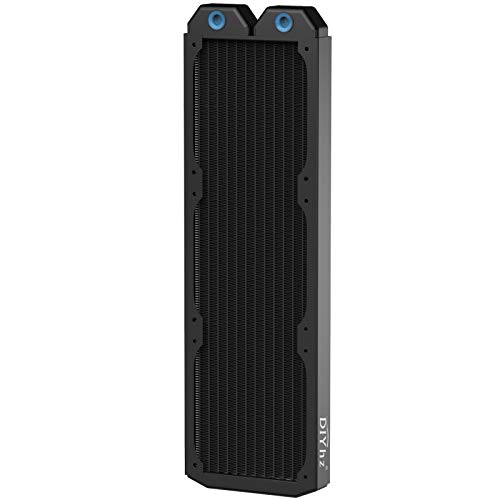
This one is aimed at builders who want a coil of copper in the loop more than they want a polished product. At 395 x 120 x 30 mm and 910 g, it is a triple 120 mm mount with pure copper fins and twelve tube runs. The G1/4 fitting thread makes it compatible with standard loop fittings.
Its 30 mm profile is the same class as the thinner Alphacool and EKWB cores, so it clears tight top mounts. The black oxidation finish is there to help the fins shed heat, and the low-and-high airflow claim is that it pulls heat off circulating coolant across both ends of the fan curve.
Same multi-purpose list as the aluminum model above — CPU, VFDs, VGA blocks, laser heads and AC evaporators. This is a smaller, lower-profile community than the big-name radiators, so treat the listing specs as your main guide. Check the 3-pin power connector and your fan wiring match before you buy, and plan your mount hand-tight.
The draw: real copper fins and a standard G1/4 thread in a slim, triple-fan 30 mm body — the copper heart is the reason to look.
What to plan around: it is a low-feedback niche part, so confirm your fan wiring and mount against the listing specs rather than glowing write-ups.
Built for: a project build or a non-CPU heat exchange job where a 30 mm copper triple fits the space.
Look elsewhere if: you want a large, well-documented customer base backing your loop.
5. CORSAIR XR5 240mm V2 Radiator
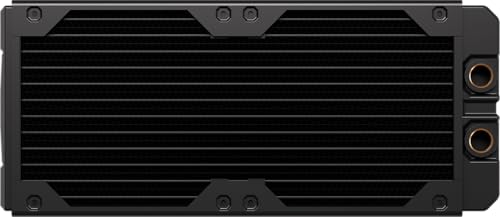
The Corsair-native 240 mm that makes cable routing the easy part.
If your loop already lives inside Corsair’s world, this is the radiator that fits the plan. Two 120 mm fan mounts sit on either side for a push/pull or single-side setup, and the ports were repositioned so you can reach your fan cables — iCUE Link fans included — without squeezing fingers into the frame.
The 30 mm core is built for easy installation and pairs with both low-noise and high-airflow fans, which suits a quiet 240 mm loop. Underneath is a copper core with 25-micron thin cooling fins for a high thermal transfer rate, matched to Corsair’s own copper water blocks. A high-quality polyurethane coating finishes it, and it carries a 3-year manufacturer warranty.
At 1.2 pounds it is the lightest core in this comparison — the Alphacool ST30 comes in at 1.8 pounds — so a top mount puts less strain on your bracket. Screw protection plates stop long screws from punching into the fins, a small detail that saves a repaint. The trade-off is feedback volume: this is a newer entry with a smaller base of long-term reports, so the 3-year warranty is the real assurance here.
Right choice for: a Corsair Hydro X build using iCUE Link fans that wants simple cable access and a 3-year warranty.
Less ideal if: you are mixing other brands and want a long track record of owner reviews behind your core.
6. Alphacool NexXxoS UT60 Full Copper 360mm Radiator (14174)
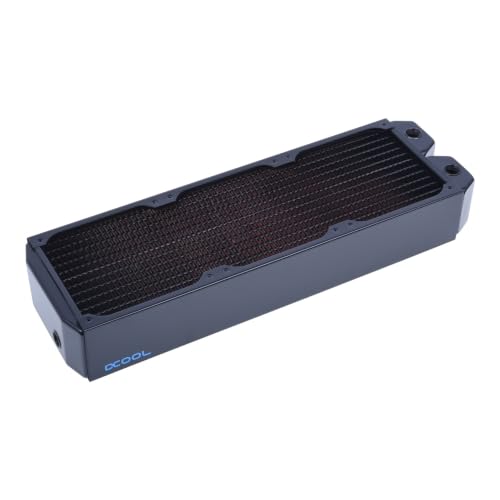
Two inches of copper and seven ports — the radiator that builds the loop for you.
Thickness is the headline: this UT60 runs 60 mm deep against the 29 mm Dracaena, so it holds far more copper where the coolant travels. That is a 2.1x thickness gap, and it shows up as extra cooling headroom at low fan speed. If your case has the clearance, this is the big-surface answer.
The seven G1/4 connections are where it separates from the pack. Three fitting positions on both inlet and outlet mean you reach for fewer angled fittings, which keeps flow rates higher and opens up more routing options. A drain plug at the bottom is the kind of thing owners actually mention, because draining a loop becomes a simple job. Noise is listed at 25 db, and the fins, channels and chambers are all copper.
Quality is the phrase that dominates here — build is the standout, with performance and the extra ports right behind. The honest notes: sealing draws a mixed report, with a few stop plugs leaking, so check them snug at assembly. Paint is the other mixed spot. If you want lower coolant temperatures under sustained load, the extra copper surface is the strongest argument for going 60 mm thick.
Why it stands out: 60 mm of full copper plus seven G1/4 ports and a bottom drain — the most capable loop-plumbing core on this list.
Before you commit: 60 mm needs serious clearance, and the stop plugs want a careful tighten to avoid a leak at first fill.
Made for: a large case with room for a thick core, and a builder who wants easy draining and plenty of fitting angles.
Skip the fit if: your case is short on depth or your bracket sits close to the board.
7. EKWB EK-Quantum Surface S360 Radiator
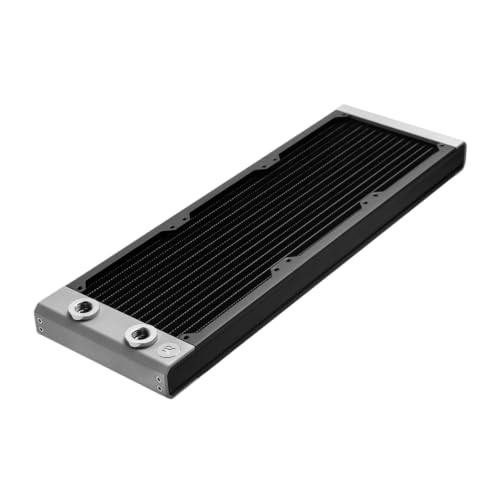
The thin EK core that keeps its cool at low fan speed.
Small cases and quiet fan curves are where the S360 makes its case. It is only 30 mm thick, so it slips into a space-constrained chassis, yet EK claims strong performance at low and medium fan speeds — the range where most people actually run their fans.
Inside, sixteen copper 2 mm wide tubes run the full length, keeping coolant flow even and easy on your pump. The fins are high-grade non-louvered copper at 20 FPI density, a balance between moving heat and not choking air. Where this beats the EK design approach is modularity: the Quantum Surface line is made to be easily disassembled, so cleaning and servicing are part of the plan.
It carries the highest rating on this list, and that is the honest reason it sits at the top of the value-for-cooling question. The caveat is the thinner report base — you are leaning more on EK’s stated specs and its one-year warranty than on years of owner data.
What it does well
- 30 mm slim body that fits space-constrained cases.
- Sixteen copper 2 mm tubes keep coolant flowing evenly through the loop.
- 20 FPI non-louvered copper fins balance heat transfer and air resistance.
- Modular Quantum Surface design that can be disassembled for cleaning.
What to weigh
- Smaller pool of owner reports than the big Alphacool cores.
- One-year manufacturer warranty is shorter than Corsair’s 3 years.
Choose this when: a slim 30 mm triple has to perform quietly in a cramped case.
Go bigger if: you want the surface area of a 60 mm core and a longer warranty cushion.
Know the Specs
Thickness and fin density
Thickness sets how much copper and how many fin rows sit in the air path — a 30 mm core is a slim fit, a 60 mm core adds surface but needs clearance. Fin density, given as FPI (fins per inch), trades cooling surface for air resistance: denser fins can absorb more heat, while sparser fins let slow fans push air through quietly. Match the two to your fan speed.
G1/4 ports and materials
A G1/4 port is the threaded hole that accepts a standard loop fitting, so the count tells you how many inlets, outlets, sensors or drains you can run without splitters. Copper fins, tubes and chambers move heat faster than aluminum and resist corrosion. Keep your blocks, radiator and fittings in one metal family so the coolant loop stays clean.
Common Questions
Do I need a 360mm radiator or a 240mm for a CPU and GPU loop?
Will a 60mm thick radiator fit in a mid-tower case?
What does a G1/4 port mean and do I need more than two?
Is a copper radiator worth it over an aluminum one?
How do I stop a radiator from leaking at the stop plugs?
Will iCUE Link fans work with other radiators?
What is FPI and does fin density affect noise?
Do 120mm fans come with these radiators?
Can I use a PC radiator for laser or VFD cooling?
Does radiator weight matter for a top mount?
The Bottom Line
The safest start for most custom loops is the Alphacool NexXxos ST30 360mm, because it pairs full copper fins, channels and chambers with a 30 mm body that actually fits a mid-tower. It is the crowd favorite too, holding a 4.5+ rating across 450+ buyers — more owner data than the higher-rated EKWB has behind it, which counts for a lot. If you are building a first loop, the Dracaena.io 240mm starts you on a smaller, easier footprint. And when you have a big case and want the most cooling capability and the easiest draining, the seven-port Alphacool UT60 is the one to reach for.
How we choose
We do not accept paid placement. Every pick is matched to a real buyer and a real use-case; we do not hands-on test units.
Sources
Specifications: manufacturer listings and product documentation. Review insights: verified customer reviews, as of November 2026. Pricing: not shown on this page (it changes often); check the current price via the retailer link.
As an Amazon Associate, Tactical Gear Guy earns from qualifying purchases. This does not affect which products we feature.