Specs are compiled from manufacturer listings and verified buyer reviews and can change over time — please confirm the key details on the product page before buying.
The short answer: the Samsung Galaxy Tab S7 Keyboard Cover is the one to buy if you want the official fit, and the HENGHUI round-key case is the one to buy if you want a detachable keyboard and a splash of colour without spending much. Everything else sits between those two, and the differences that actually matter are hinge strength, whether the keyboard pops off on its own, and how the S Pen (Samsung’s stylus) stays charged. This guide breaks all six down so you pick right the first time.
This guide is built by comparing the manufacturers’ published specifications and the patterns across verified customer reviews, so you get each pick’s real strengths and trade-offs instead of marketing spin.
You will see which cases are built for the 2020 Galaxy Tab S7 specifically, which ones stretch a single shell across five tablet generations, and where the magnets quietly give up. Read on for a straight comparison of every samsung galaxy tab s7 keyboard case here so your tablet turns into a typing machine.
Top Picks

How To Choose The Best Samsung Galaxy Tab S7 Keyboard Case
The Galaxy Tab S7 is an 11-inch tablet from 2020, and its exact model number (SM-T870, SM-T875 or SM-T878) is the first thing to check. A case built for the Tab S7 FE or the S7+ will not fit, because those are different sizes. Several cases in this list cover the S7 alongside newer models, which is convenient but means the fit is a compromise rather than a mould.
Check the model number before anything else
Open Settings on your tablet and find the SM-T number. Match it against the case’s compatibility list. A case that names SM-T870, SM-T875 and SM-T878 is made for your tablet. A case that lists only SM-X700 or SM-X706 is built for the Tab S8 and may line up poorly with your camera and speaker cutouts.
Decide between a pogo-pin keyboard and a Bluetooth keyboard
The official Samsung cover connects through the tablet’s pogo pins (the small metal contacts on the side), so it draws power from the tablet and never needs charging or pairing. Third-party cases almost all use Bluetooth, which means a separate battery and a pairing step. Bluetooth has one real advantage: the keyboard detaches and works with your phone or laptop too.
Weigh the stand against the keyboard
A keyboard case lives or dies by its stand. Some use a folding flap, some use a magnetic kickstand, and the better ones use an aluminium hinge that holds a set angle. If you type on a bed or a sofa, a hinge-style stand is far more stable than a flap. If you mostly type at a desk, a simpler folding cover is lighter in your bag.
Side-by-Side Comparison
All six rows below list the same three specs so you can scan them side by side: connection type, whether the keyboard detaches, and whether there is a trackpad.
| Model | Best For | Connection | Detachable Keyboard | Trackpad |
|---|---|---|---|---|
| Samsung Galaxy Tab S7 Keyboard Cover | Official fit and zero charging | Pogo pin | No | No |
| HENGHUI Round Key Case (SkyBlue) | Colour and detachable typing | Bluetooth | Yes | No |
| kaidisen Keyboard Case with Mouse (Purple) | Mouse included in the box | Bluetooth | Yes | No |
| JUQITECH Magnetic Trackpad Case | Trackpad on a tighter budget | Bluetooth | Yes | Yes |
| Eisuiyi Backlit Touchpad Case | Backlit keys and a touchpad | Bluetooth | Yes | Yes |
| JUQITECH Magic Style Case | Laptop-style floating stand | Bluetooth | Yes | Yes |
Detailed Reviews
1. Samsung Galaxy Tab S7 Keyboard Cover, Black
Our pick — 4.5+★ from 400+ verified ratings; the strongest balance of quality and price.
The only case here that draws power from the tablet’s pogo pins, so the keyboard has no battery to charge and no pairing step.
If you want the case that simply works, this is it. It is Samsung’s own keyboard cover, built for the 11-inch Galaxy Tab S7 and nothing else, and it connects through the tablet’s pogo pins instead of Bluetooth. That means no battery inside the keyboard, no pairing screen, and no dead keys in the middle of a lecture. You snap the tablet on and type.
The rest of the design is just as plain and useful. The cover wakes the tablet when you open it and puts it to sleep when you close it, which is the small thing you notice every single day. There is a cut-out for the camera lens, full access to the ports, and a built-in stand that folds into a typing position. The whole thing is listed as lightweight, and the plastic shell is there to take scratches and bumps so the tablet does not.
The trade-off is simple and worth saying out loud: there is no trackpad and no backlight, so late-night typing happens by feel. The keyboard also does not detach, so you cannot carry it away and use it with your phone. You are buying fit, reliability and zero fuss, not extras — and for a lot of people that is exactly the right trade.
What works in its favour
- Pogo-pin connection means the keyboard never needs charging or pairing.
- Built for the SM-T870, SM-T875 and SM-T878 models only, so cutouts line up properly.
- Open-to-wake and close-to-sleep saves you reaching for the power button.
- Camera lens cut-out, full port access and a folding stand in one piece.
Where it stops short
- No trackpad, so you still reach for the screen or a separate mouse.
- No backlight on the keys for typing in a dark room.
- The keyboard is fixed to the cover and will not pair with other devices.
The right call for: anyone who wants the case to disappear and let the tablet do the work — students, commuters, and people who hate charging accessories.
Go another way if: a trackpad or backlit keys are on your list, because this one has neither.
2. HENGHUI Keyboard Case Galaxy Tab S10 Lite
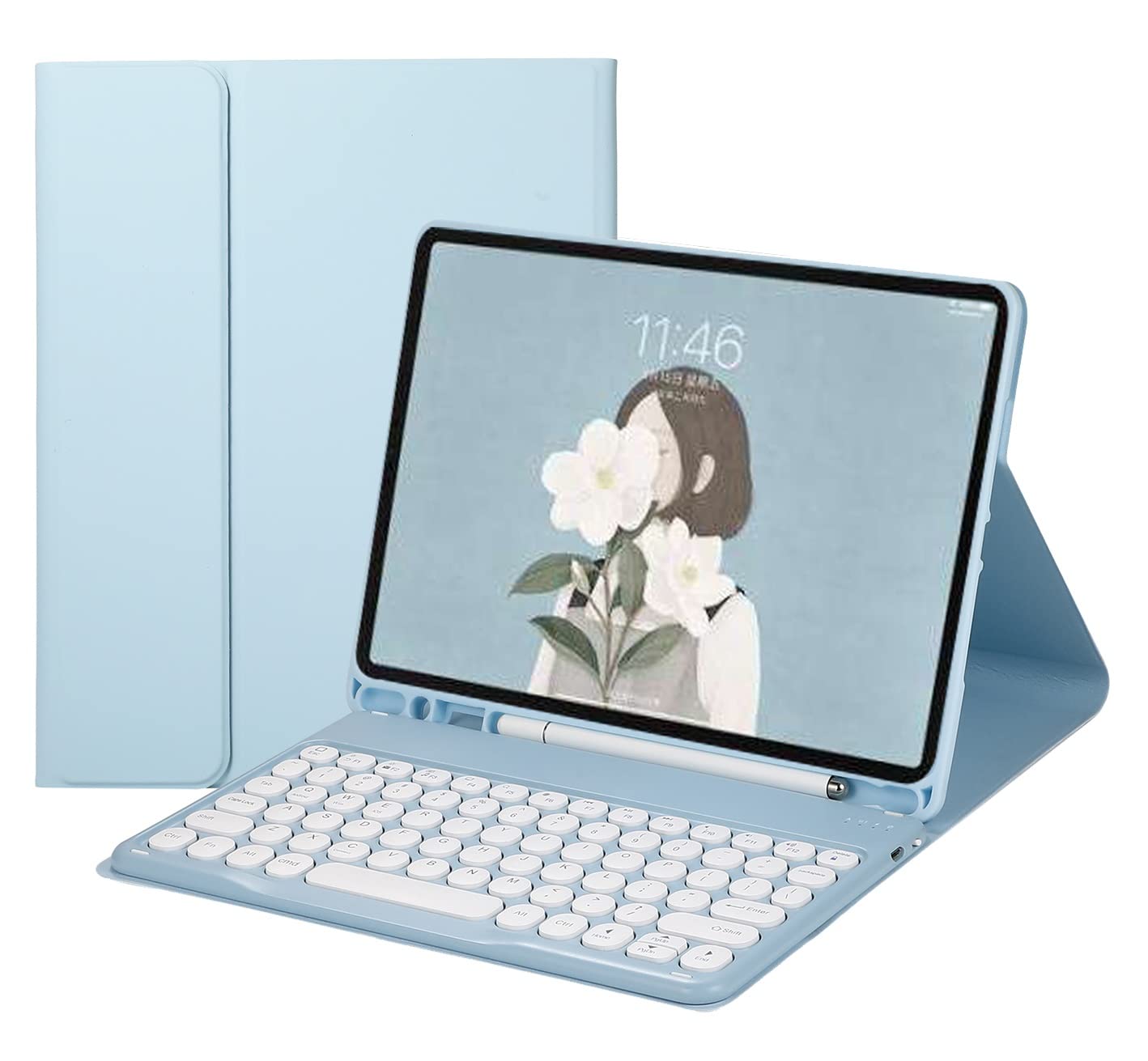
A round-key, sky-blue case that pulls off the neatest trick here: the keyboard lifts right off.
For a tablet case that lands in the entry-level tier, this one gives you a surprising amount of flexibility. The keyboard is magnetically detachable, so you can leave it on the desk and carry the tablet as a plain protective cover for reading or watching. It also works across three systems — Windows, Android and iOS — so it doubles as a keyboard for your phone when you need one.
The soft TPU back cover is the part that makes it genuinely useful day to day. TPU is a flexible rubbery plastic, and here it is shaped to be non-slip, easy to fit and able to prop the tablet at multiple angles. There is also a built-in S Pen holder, which on a case this cheap is a real inclusion — you stop losing the stylus in a bag pocket.
The part to think about carefully is the magnet setup. Some owners find it holds the tablet firmly and others find the magnets do not grip well, so it is a case you set up and check before you trust it in a bag. There are also mixed reports on how reliably the keyboard connects. The case itself and the colour are the strongest points — buyers consistently call it cute and praise the quality — and it takes the model list straight through to the SM-T870, SM-T875 and SM-T878.
What buyers keep circling back to: the look and the build. It is the kind of case that gets comments in a lecture hall, and the round colour keycaps are the reason.
The bit to examine first: test the keyboard pairing and the magnet hold in your first week, because those are the two spots where opinions split.
The pick for you if: you want a colourful detachable keyboard that also props the tablet and keeps your S Pen safe.
Worth a second thought if: you need the keyboard to stay paired without fuss every single morning.
3. kaidisen Keyboard Case Mouse Galaxy Tab S10 Lite
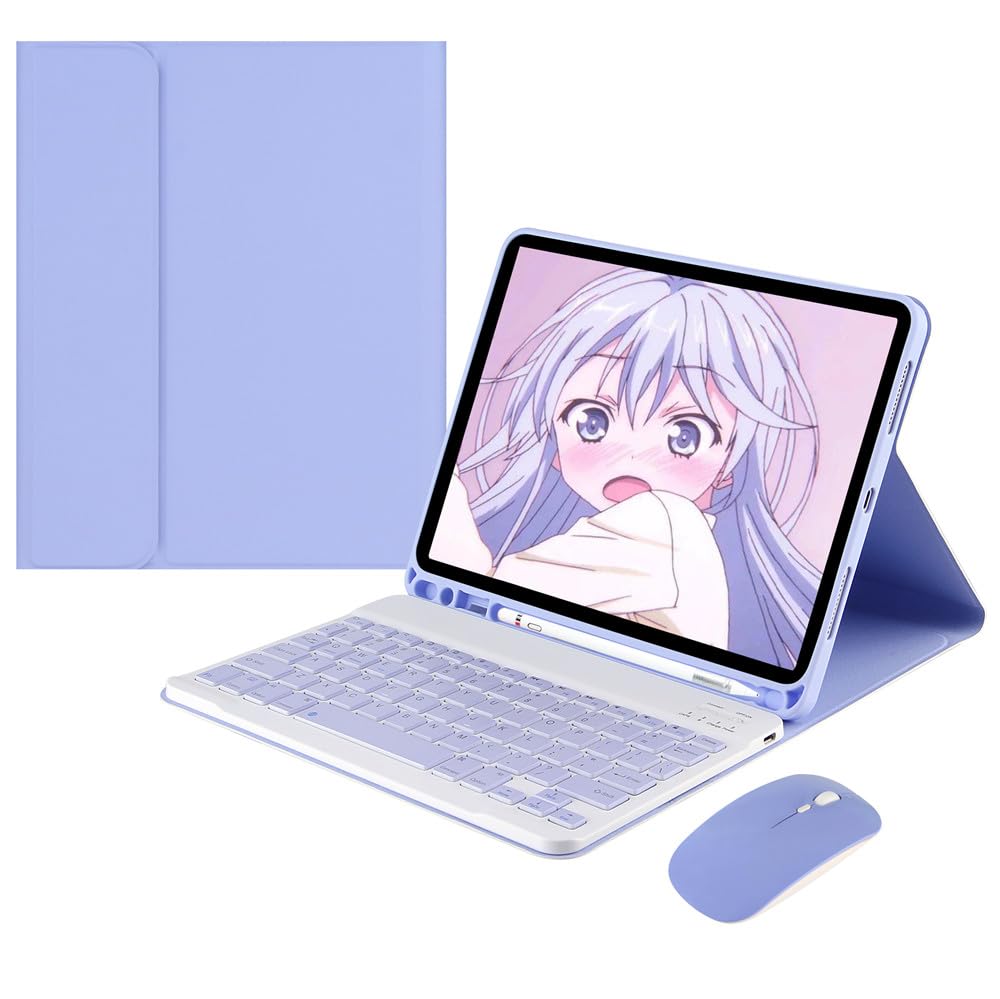
The only set here that hands you a mouse in the box alongside the keyboard.
Forty-two keys separate this one from the JUQITECH trackpad case — the kaidisen has a full 78-button layout against that model’s single button — and the difference shows up the moment you spread your hands out. You get a proper QWERTY deck with multi-function shortcut keys, so screenshots, screen lock and volume all happen from the keyboard instead of the screen.
What is actually in the box is what makes it different. Both the detachable magnetic keyboard and the mouse are rechargeable, so no hunting for AA batteries. The mouse connects over Bluetooth or a 2.4GHz wireless dongle, which means it also drives a laptop or desktop. The protective case has a pen slot that stores the S Pen, and it keeps the keyboard and tablet wrapped together for carrying.
The honest catch is connectivity, which is the most-discussed topic around this case and splits down the middle. Some owners find it pairs quickly with their tablet and works great, while others hit a keyboard that will not connect at all. Build quality draws steady praise, and the candy-coloured purple shell is clearly the reason a lot of people click. Install it, pair it in the first hour, and you will know which side of that split you landed on.
The reasons to pick this one
- 78-key layout with shortcut keys for screenshots, lock and volume.
- Rechargeable mouse included, with Bluetooth and 2.4GHz wireless options.
- Rechargeable detachable keyboard that lifts off when you want a lighter tablet.
- Built-in pen slot keeps the S Pen with the tablet.
What you give up
- Connectivity is the weak spot — pairing reliability is genuinely hit and miss.
- No trackpad, so the mouse is doing that job instead.
Best matched to: students and desk workers who want one box with a keyboard, a mouse and a protective case and do not want to buy three things.
Assume this: the mouse is the differentiator, so if you already own a Bluetooth mouse, the extra cost buys you less.
4. Magnetic Trackpad Keyboard Case Galaxy Tab S8 S7 11″
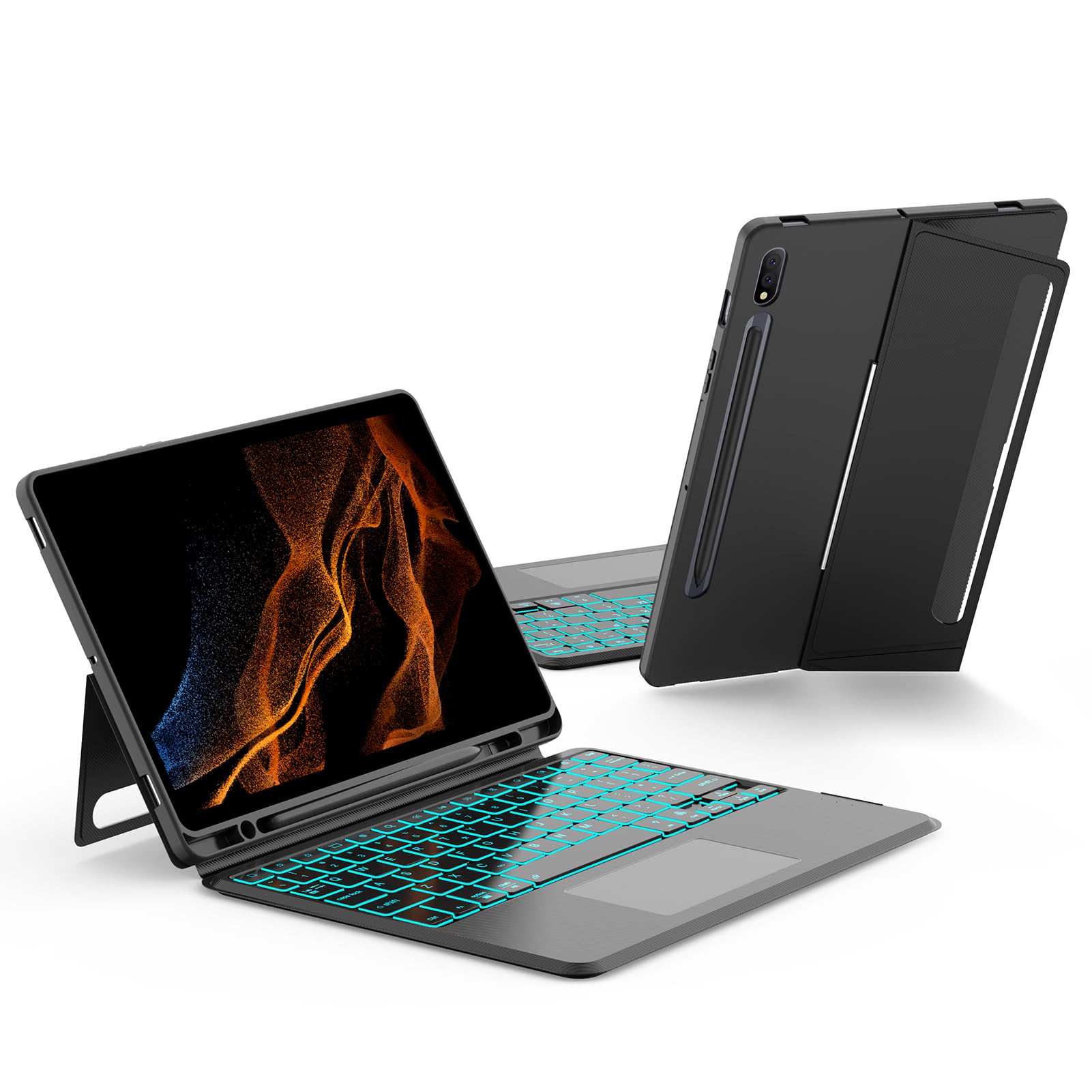
Kickstand that locks anywhere from 30° to 160°, plus a trackpad for cursor work.
The angle range is the headline here. The built-in kickstand glides and holds firm at any point between 30° and 160°, so you can lay it almost flat for drawing or stand it upright for a film. It also flips to portrait for scrolling through long documents, which is the sort of thing you miss once you have had it.
Under your fingers you get tactile scissor-switch keys. Scissor switches are the laptop-style mechanism that gives each key a short, crisp press, and JUQITECH describes them as quieter than mechanical keys and more responsive than membrane. There is a 7-colour RGB backlight with 3 brightness levels and a breathing mode for dim rooms. The precision trackpad handles swipe, pinch and scroll, and Fn plus Spacebar locks it so you do not brush it by accident.
The protection side is solid: a flexible TPU shell with a soft PU exterior, plus cutouts for the camera, ports, speakers and buttons so nothing needs removing. Build quality and value are what the case gets praised for most, and it holds its position in the premium tier on that strength. Two things to know before you buy: the kickstand is the most-discussed topic and opinion splits on it, with some finding the magnetic attachment strong and others finding the back detaches. The trackpad also draws mixed feedback, with some finding it responsive and others noticing a delay.
Reach for this one when: you want laptop-style cursor control and a stand that will hold a precise angle on a desk.
Look elsewhere if: you mostly type on soft surfaces and need the back of the case to grip hard, because that is where the split reports sit.
5. Eisuiyi Keyboard Case Galaxy Tab S7 Touchpad
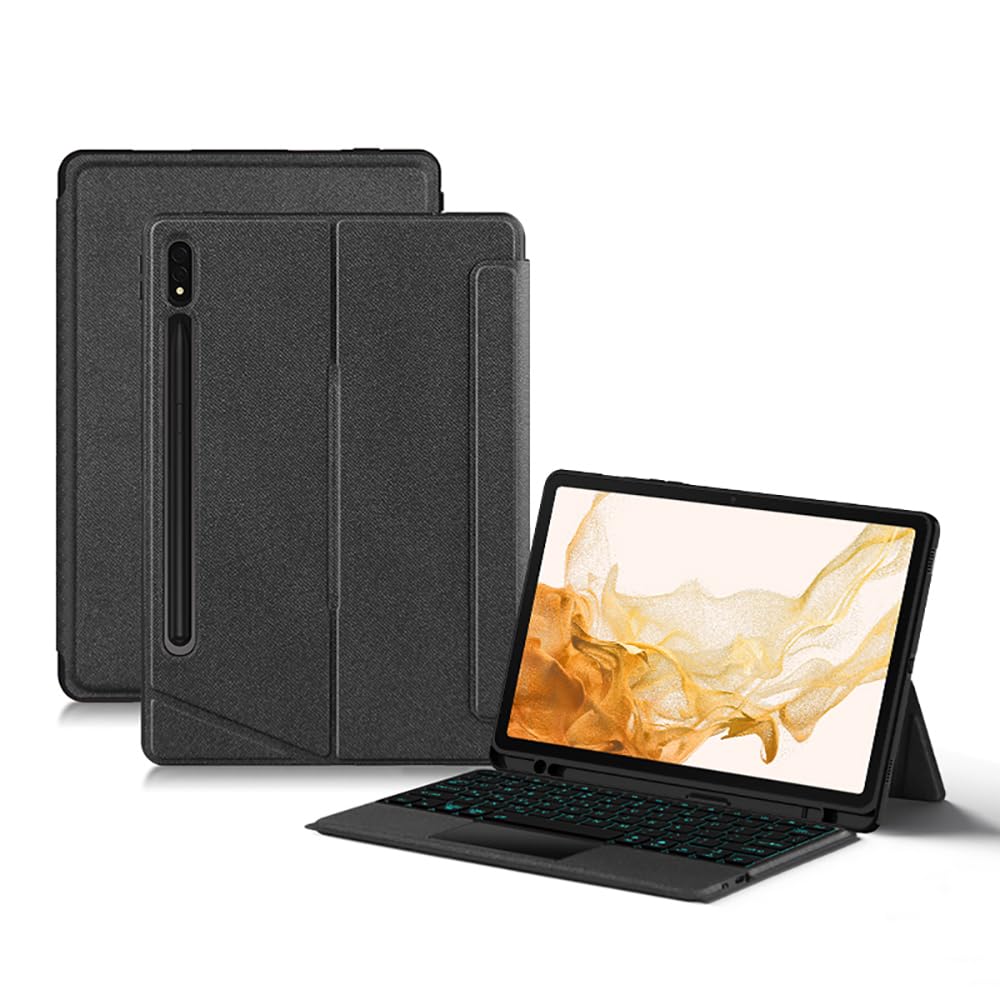
Seven backlight colours, three brightness levels, and a touchpad — built for typing after dark.
This is the pick for someone who works late. The keyboard carries seven backlight colours and three brightness levels, so you can drop it right down in a dark room or a dim café and still read the full-size keycaps. Eisuiyi packs in function keys too, aiming for the feel of typing on a PC rather than tapping a tablet.
The wireless keyboard has a built-in touchpad for scrolling, and it supports multi-finger gestures, so you get cursor control without plugging in a mouse. The case itself is a soft PU exterior over a flexible TPU inner shell with precise cutouts, and it has a built-in S Pen holder. It is also listed as drop-proof and scratch resistant, with a finish that is not slippery in your hands.
Now the part you need to hear before ordering. The compatibility reports are the weakest on this list — the most common complaint is that the case does not stay securely attached to the tablet, and this is a case listed only for the SM-T870, SM-T875, SM-T876, SM-X700 and SM-X706 models. Quality itself draws solid marks, and the colour range covers blue, green, red, light blue, purple, yellow and white. Check your model number twice, and check that the back cover seats firmly the day it arrives.
The honest picture: the lighting and the touchpad are genuinely useful, and the price tier is reasonable for both. The weakness is how firmly the case stays put.
Buy it because: a lit keyboard at night matters more to you than a rock-solid back panel.
Think twice if: you commute with the tablet loose in a bag and need the case to grip without checking it.
6. JUQITECH Magic Style Keyboard Case Galaxy Tab S11
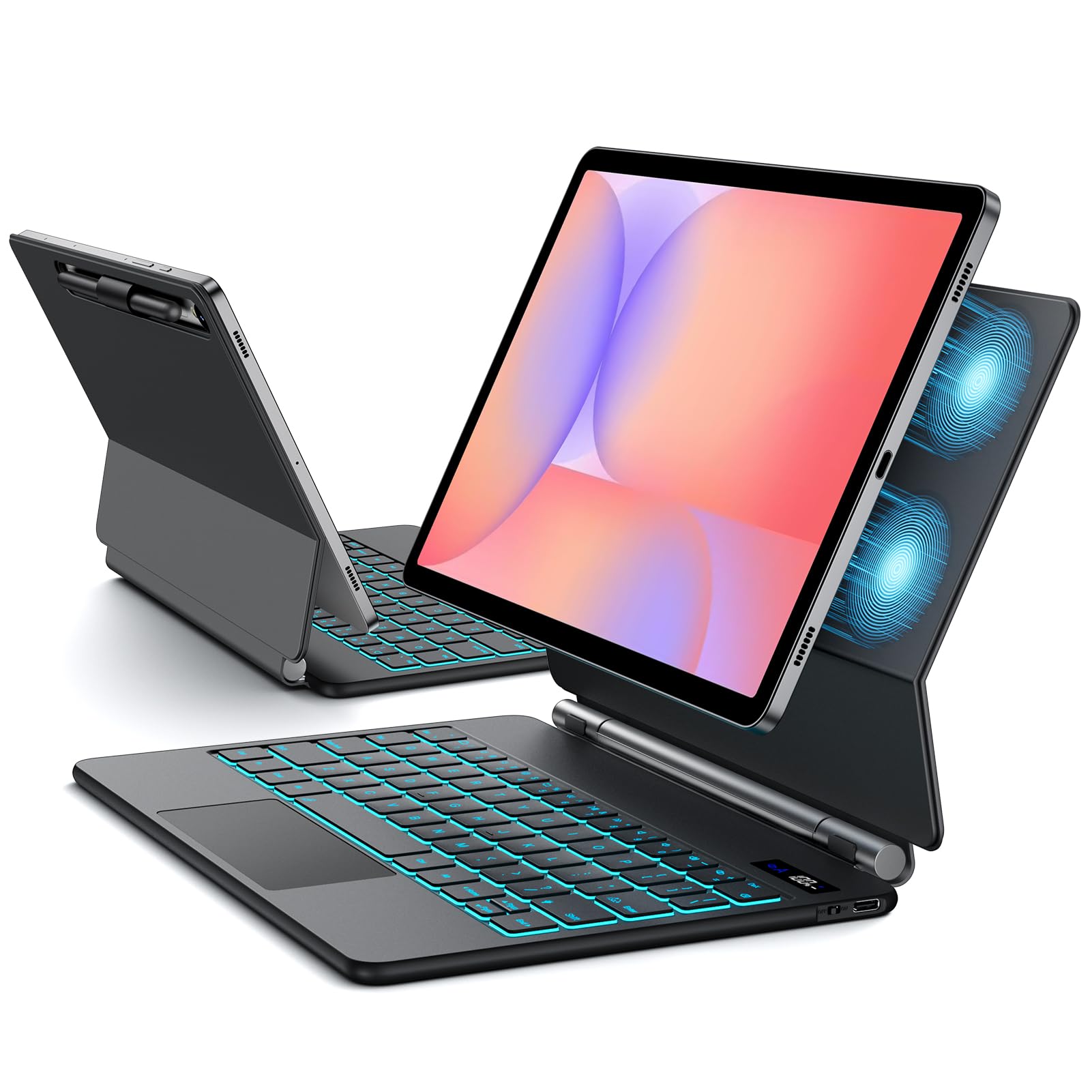
A floating cantilever stand with an aluminium hinge, and an LED readout for battery.
This is the premium-tier pick, and the hardware shows it. The aluminium alloy hinge holds the tablet out on a floating cantilever stand, which is the arrangement you see on a laptop — the screen sits up and forward rather than leaning back on a flap. A small LED screen shows battery percentage, Caps Lock, Bluetooth and charging status, so you are never guessing whether the keyboard is about to quit.
The internal numbers back that up. Bluetooth 5.2 does the pairing, and a 500mAh battery is rated for 80+ hours of typing and 130 days on standby, recharging over USB-C. Keys are larger scissor-switch with tight spacing, and there is a 7-colour RGB backlight with 3 brightness levels and a breathing mode. The large multi-touch trackpad handles swipe, pinch and scroll, with Fn plus Spacebar to lock it.
The S Pen setup is the most thoughtful on this list: a dedicated slot on the back plus side access, so the stylus stores securely, charges wirelessly and stays within reach. Quality is what wins people over most here — it gets described as the best tablet case and keyboard they have owned, and sturdiness comes up repeatedly. The trade-offs are physical: it weighs 1.5 pounds and the magnets draw mixed feedback, with some owners wishing they held harder. The adjustability also splits, so test your preferred viewing angle early.
Why it earns the top tier
- Aluminium hinge on a floating cantilever stand for a true laptop posture.
- 500mAh battery rated at 80+ hours and 130 days standby, charged by USB-C.
- LED display for battery percentage, Caps Lock, Bluetooth and charging.
- Dual S Pen storage — back slot plus unobstructed side charging.
The counters to weigh
- 1.5 pounds adds real weight to your bag.
- Magnet strength draws mixed feedback, so check the hold on arrival.
- Adjustability opinions split, particularly on stability at some angles.
This is your case if: you want the tablet to behave like a small laptop, complete with a hinge stand and a battery readout.
Skip the premium tier if: portability wins for you — the 1.5-pound build is the heaviest on this page.
Know the Specs
Pogo Pins vs Bluetooth
Pogo pins are the metal contacts on the tablet’s edge. A case that uses them pulls power from the tablet, so the keyboard has no battery to charge and no pairing step. The official Samsung cover works this way. Bluetooth keyboards carry their own battery and need pairing, but they can detach and drive your phone or laptop as well. If you want zero maintenance, choose pogo pins. If you want a keyboard that detaches and pairs with your phone or laptop, choose Bluetooth.
Scissor Switches and Key Travel
Scissor switches are the laptop-style mechanism under each key. They give a short, crisp press with a quick return, which is why laptop keys feel different from a stiff membrane keyboard. Key travel is how far the key sinks; more travel usually means a more satisfying press but a slightly taller case. For a tablet keyboard, a scissor switch is what separates comfortable typing from tapping at glass.
Trackpads and Gesture Support
A trackpad replaces a mouse for cursor work. Multi-touch support is what lets you swipe between apps, pinch to zoom and scroll with two fingers. Many cases include an Fn plus Spacebar shortcut to lock the trackpad, which stops accidental brushes while you type. If you edit documents or build slides on the tablet, a multi-touch trackpad is a bigger upgrade than a backlight.
Backlights and Brightness Levels
A backlit keyboard lights the key legends from underneath. Colour options are cosmetic; brightness levels are the practical part, because a dim setting in a dark room and a brighter one in a lit room both matter. Look for three brightness levels rather than one, and treat a breathing or pulse mode as a nice extra rather than a buying reason.
Kickstand Range and Hinge Type
Angle range tells you how far the stand will tilt. A folding flap offers two or three fixed angles. A magnetic or aluminium hinge holds a set position anywhere in its range. Wider range means more comfort for drawing flat or standing the screen tall. Hinge material decides stability on a soft surface, so an aluminium hinge beats a flap on a bed or sofa.
S Pen Storage and Charging
The S Pen is Samsung’s stylus, and it charges wirelessly when it sits against the right spot on the tablet. A case with a dedicated slot keeps it from rolling out of a bag, and side access lets it charge without removing the case. On a keyboard case this matters more than on a plain cover, because the keyboard adds bulk and can block the charging spot.
Common Questions
Will a keyboard case for the Tab S8 fit my Tab S7?
How do I find my Galaxy Tab S7 model number?
Does the official Samsung keyboard cover need charging?
Is a trackpad worth having on a tablet keyboard case?
How long does a Bluetooth keyboard case battery last?
Why do some keyboard cases lose their Bluetooth connection?
Can I use the detachable keyboard with my phone or laptop?
Will a keyboard case block wireless S Pen charging?
How much weight does a keyboard case add to the tablet?
Do these cases put the tablet to sleep when closed?
The Bottom Line
For most people, the samsung galaxy tab s7 keyboard case to buy is the Samsung Galaxy Tab S7 Keyboard Cover, because it is the only one here built solely for your tablet and the only one that never needs charging or pairing. If colour and a keyboard that lifts off matter more than the official fit, the HENGHUI round-key case is the value pick. And if you want the tablet to sit up like a laptop, with a hinge stand and a battery readout, reach for the JUQITECH Magic Style case — the heaviest and most capable option on the page.
One last nudge: match your SM-T model number to the listing before you click, because no shortcut key fixes a case cut for a different tablet.
How we choose
We do not accept paid placement. Every pick is matched to a real buyer and a real use-case; we do not hands-on test units.
Sources
Specifications: manufacturer listings and product documentation. Review insights: verified customer reviews, as of November 2026. Pricing: not shown on this page (it changes often); check the current price via the retailer link.
As an Amazon Associate, Tactical Gear Guy earns from qualifying purchases. This does not affect which products we feature.