Specs are compiled from manufacturer listings and verified buyer reviews and can change over time — please confirm the key details on the product page before buying.
If you are shopping for a metal PC mouse, the real question is simple: does the alloy shell actually make the mouse better, or does it just make it heavier and colder to the touch? A magnesium alloy or aluminium frame resists flex under your palm, and the ultralight models here weigh 45–49 grams. The trade-off is that metal shells cost more to machine, so you want the one whose sensor, switch life, and battery match the price.
This guide is built by comparing the manufacturers’ published specifications and the patterns across verified customer reviews, so you get each pick’s real strengths and trade-offs instead of marketing spin.
Below you get eight magnesium and alloy-bodied mice lined up by sensor, weight, and switch life, so you can match one to your grip and your games. Every hero pick here is a genuine metal-shell build, which is what makes this shortlist of the metal pc mouse options worth your time.
Top Picks


How To Choose The Best Metal PC Mouse
Metal-shell mice are sold on three numbers: weight in grams, sensor model, and polling rate in Hz. Get those wrong for your grip and hand size and the metal body will not save the experience. Get them right and the shell stays rigid instead of creaking under hard clicks.
Start with weight, not DPI
Ultralight metal mice here run from 45 g to 64 g, and the difference matters more than any DPI figure. A 45 g or 46 g shell flicks faster for fingertip and claw grippers. A 64 g solid-shell mouse feels steadier for palm grippers who track with long, slow arcs. The magnesium builds hit that weight by CNC-machining the metal thin and hollow, while keeping a flagship sensor.
Sensor model and tracking speed
The sensor is the eye underneath the mouse. The PAW3395 and PAW3950 optical sensors are the two flagship engines on this list, and they track at high speed (measured in IPS, or inches per second of hand movement) with high acceleration tolerance. For most players the gap between them is small; both track cleaner than the budget sensors in plastic-shell mice. What you should check instead is the switch type and the lift-off distance, because those decide how the mouse feels day to day.
Polling rate, latency, and your setup
Polling rate is how many times per second the mouse reports its position to your PC. 1000Hz means 1ms between reports; 8000Hz drops that to 0.125ms. On paper 8K is eight times more responsive, but two catches apply. First, the 8000Hz mode depends on your CPU spec — a weak machine will not sustain it. Second, you need a high-refresh monitor to notice the gain. At 1000Hz a metal mouse still reports every 1ms, which is fast enough for most players.
Grip style and shell shape
Fingertip and claw grippers want a short, low, hollowed frame with a defined hump. Palm grippers want a longer solid shell with a fuller back. Check hand orientation too, because several picks here are ambidextrous while others are right-handed only, and a right-handed sculpt will not suit a left-handed player no matter how good the sensor is.
Side-by-Side Comparison
| Model | Best For | Weight | Sensor | Buttons | Amazon |
|---|---|---|---|---|---|
| 8Bitdo R8★ Best Overall | Retro-desk daily driver | 0.24 kg | PAW 3395 | 8 | Amazon |
| ATTACK SHARK R3Featherweight Pick | Fast-paced competitive play | 46 g | PAW3395 | 5 | Amazon |
| ATTACK SHARK R2Highest DPI | High-DPI shooter tracking | 45 g | PAW3950 | 5 | Amazon |
| Mad Catz R.A.T. 8+ ADV | Adjustable ergonomics | 0.22 kg | 20000 DPI optical | 11 | Amazon |
| HyperX Pulsefire Haste 2 S | Battery-free-feeling wireless | 64 g | 26K sensor | 6 | Amazon |
| CORSAIR SABRE v2 PRO WIRELESS MG | Tactical FPS precision | Not listed | MARKSMAN S (33,000 DPI) | 6 | Amazon |
| GravaStar Mercury X Pro | Display-piece desk setup | 49 g | PAW3950 (32,000 DPI) | 5 | Amazon |
| Angry miao AM Infinity | Tournament hot-swap charging | 49 g | PAW3950 (30K DPI) | 7 | Amazon |
Detailed Reviews
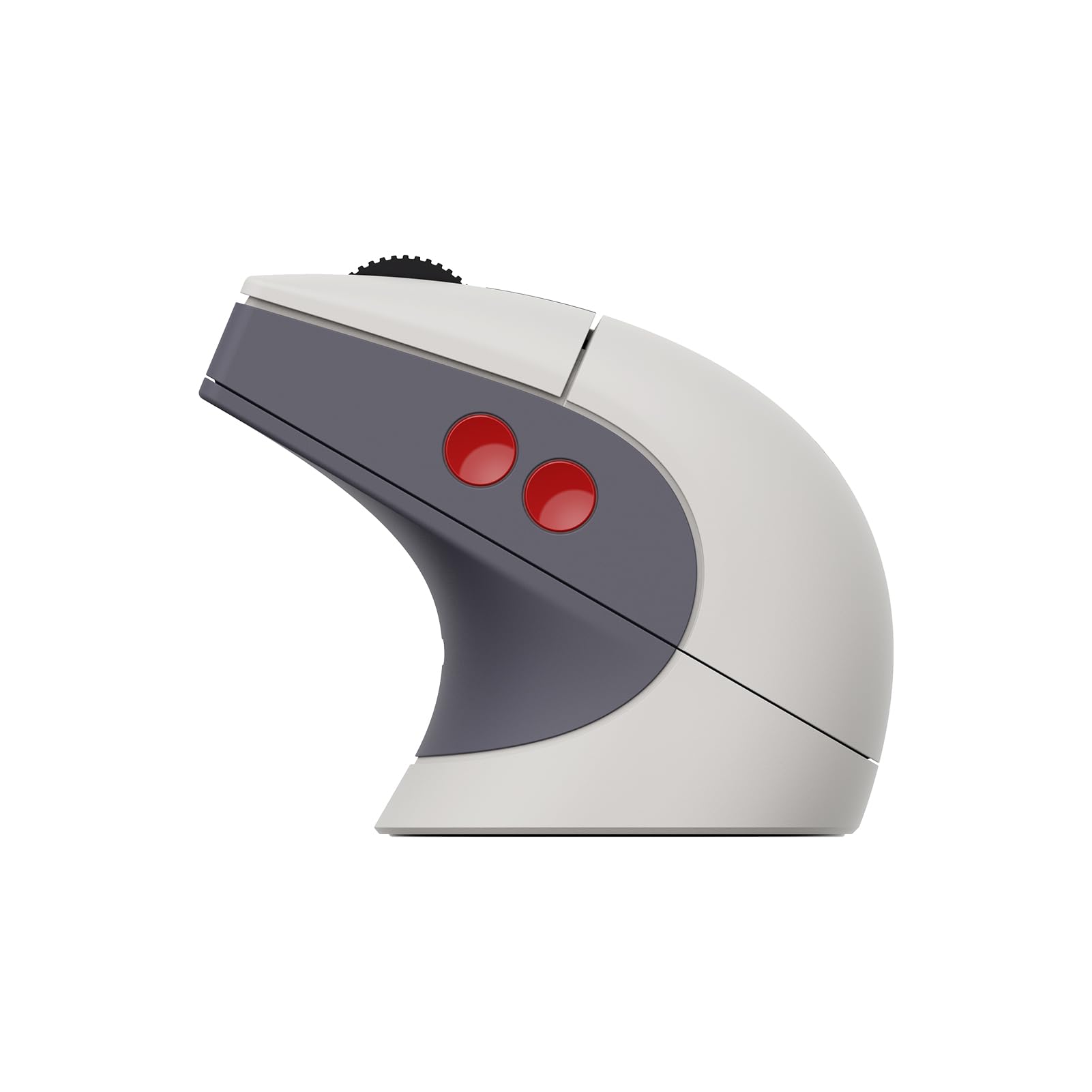
1. 8Bitdo R8 Mouse with Charging Dock
Our pick — 4.5+★ from 850+ verified ratings; the strongest balance of quality and price.
A retro-styled metal mouse that charges on its own dock instead of hunting for a cable.
The R8 earns its spot as the crowd favorite with 4.5+ stars across 800+ owners, and the reason is practical. It has a metal shell (the listing names the enclosure material simply as Metal) and a charging dock that doubles as a signal extender. You drop the mouse onto the base to top up, and your receiver stays clear of USB-port clutter.
Under the hood you get the PAW 3395 optical sensor, the flagship-tier engine also used by the ATTACK SHARK R3 on this list. The switches are Kailh Sword GM X micro switches, engineered for up to 100 million clicks, which is the kind of number that matters when your last mouse died from a double-clicking left button. Eight programmable buttons, six DPI levels, left/right-hand mode switching, and polling-rate adjustment all run through 8BitDo’s Ultimate Software V2. Connectivity covers 2.4G, Bluetooth, and USB, and the shell is ambidextrous, so a left-handed player is not locked out.
What wins people over is the build feel and the look. The quality of the shell draws the most praise by far, and the retro-inspired grey finish gets a near-universal nod as the reason buyers picked it over a plain black gaming mouse. The honest catch sits in the control layout. The side buttons divide opinion — some find them exactly where a thumb wants them, others find them inconveniently placed and easy to bump by accident, and a few report double-click and accidental side-button presses over time. The weight divides opinion too, with some wanting heft. If you grip hard and click fast in shooters, try one before you commit; as a metal work-and-play mouse for a retro desk, it is the pick to beat.
Where the R8 pulls ahead
- Charging dock also acts as a signal extension, so the receiver is not buried behind your tower
- Kailh Sword GM X micro switches rated to 100 million clicks
- PAW 3395 sensor with 2.4G, Bluetooth and USB connections
- Ambidextrous shell with left/right-hand mode switching
- Eight programmable buttons and six DPI levels via Ultimate Software V2
What to weigh before buying
- Side-button placement splits opinion — easy to bump for some hands
- Shell weight feels too light for players who like a heavy mouse
- Occasional double-click and side-button mis-trigger reports over time
Fits you if: you want a metal-shell daily mouse that lives on a dock and doubles as a good-looking desk piece.
Test the side buttons first: if your thumb rests low and forward, the button cluster may sit under it rather than behind it.
2. ATTACK SHARK R3 Magnesium Alloy Wireless Gaming Mouse
Forty-six grams of CNC-machined magnesium with an 8K wireless receiver and a fifth of the buttons.
Start with the gap that defines the R3: five buttons versus eleven on the Mad Catz R.A.T. 8+ ADV — a 2.2x difference. This is not a macro-heavy MMO mouse; it is a stripped-down competitive shooter tool. The 46 g shell comes from a low-density magnesium frame hollowed out and formed in a one-piece CNC metal molding process, which keeps the shell thin without turning it flimsy under your palm.
The wireless story is the reason to care. A self-developed HYPERSPEED wireless system runs at 8000Hz off a standard nano receiver, and the listing puts the response time at 0.125ms versus 1ms at 1000Hz. You get tri-mode connectivity (2.4G, Bluetooth, and wired), with connection switching handled by a button on the back of the mouse, plus a claimed 200-hour battery life. The sensor is the PixArt PAW3395 at 26,000 programmable DPI, 650 IPS tracking, and 50 g acceleration. Kailh GM 8.0 switches are rated over 80 million cycles, and zero-additive PTFE feet give the glide.
Two things a buyer should know going in. First, customisation runs through a cloud driver webpage rather than installed software — genuinely convenient, but it means you need a browser open to tweak DPI, polling rate, macros, or button mapping. Second, the shell mixes metal and plastic, so do not expect an all-metal exterior. For a fast-paced FPS player who wants magnesium rigidity at the lightest end of the list, the R3 is the obvious starting point.
Quick read: the 8000Hz polling rate and 46 g shell are the two numbers that matter, and both sit at the top of the ultralight class.
Small catch: the cloud driver webpage approach trades installed software for a browser tab, which suits some desks and irritates others.
Reach for this if: you play fast-paced shooters, want the lightest magnesium shell you can get, and have a beefy CPU for 8K polling.
Look elsewhere if: you need a pile of side buttons for macros or you prefer a solid-shell feel.
3. ATTACK SHARK R2 Gaming Mouse
The lightest shell here at 45 grams, wrapped around a 42,000 DPI flagship sensor.
Put the R2 next to the HyperX Pulsefire Haste 2 S and the weight story is immediate: 45 g versus 64 g. That is 42% more weight in the HyperX shell, and for a fingertip gripper flicking between targets, the R2 feels like less mouse between your hand and the pad. The shell is low-density magnesium alloy run through a CNC integrated hollow frame, and the listing claims it weighs 60% lighter than traditional plastic and metal mice.
The sensor is PixArt’s PAW3950 optical engine at 42,000 DPI, 750 IPS tracking, and 8KHz HyperSpeed wireless polling, which the listing puts at 0.125ms latency against a standard 1ms. Optical micro switches replace mechanical ones, rated to 100 million clicks with 0.2ms actuation, and the marketing explicitly targets double-click failures — the exact failure mode that retires most gaming mice early. The F-Switch dust-resistant encoder handles scrolling. Tri-mode connectivity covers wired, Bluetooth, and 2.4GHz, and the Type-C port lets you charge and play at once.
Owner feedback on the R2 is slim compared with the flagships, but what is there is warm: buyers call it good quality, with several describing it as the best they have owned, and the lightweight feel earns uniform praise. The genuine limitation is the software driver — a couple of buyers hit snags installing it. Budget a few minutes for setup, and the R2 rewards you with the highest DPI and lightest shell in this lineup.
The spec that earns its place: a PAW3950 sensor at 42,000 DPI and 750 IPS inside a 45 g shell — the top tracking figures on this list.
Honest caveat: driver installation is the weak link, so plan your setup time accordingly.
Best for: claw and palm gamers who want the lightest alloy shell plus the highest DPI number and can live with a driver install.
Step back if: you want the simplest plug-and-play route — the cloud-free software story belongs to the pick above.
4. Mad Catz R.A.T. 8+ ADV Fully Adjustable Wired Gaming Mouse
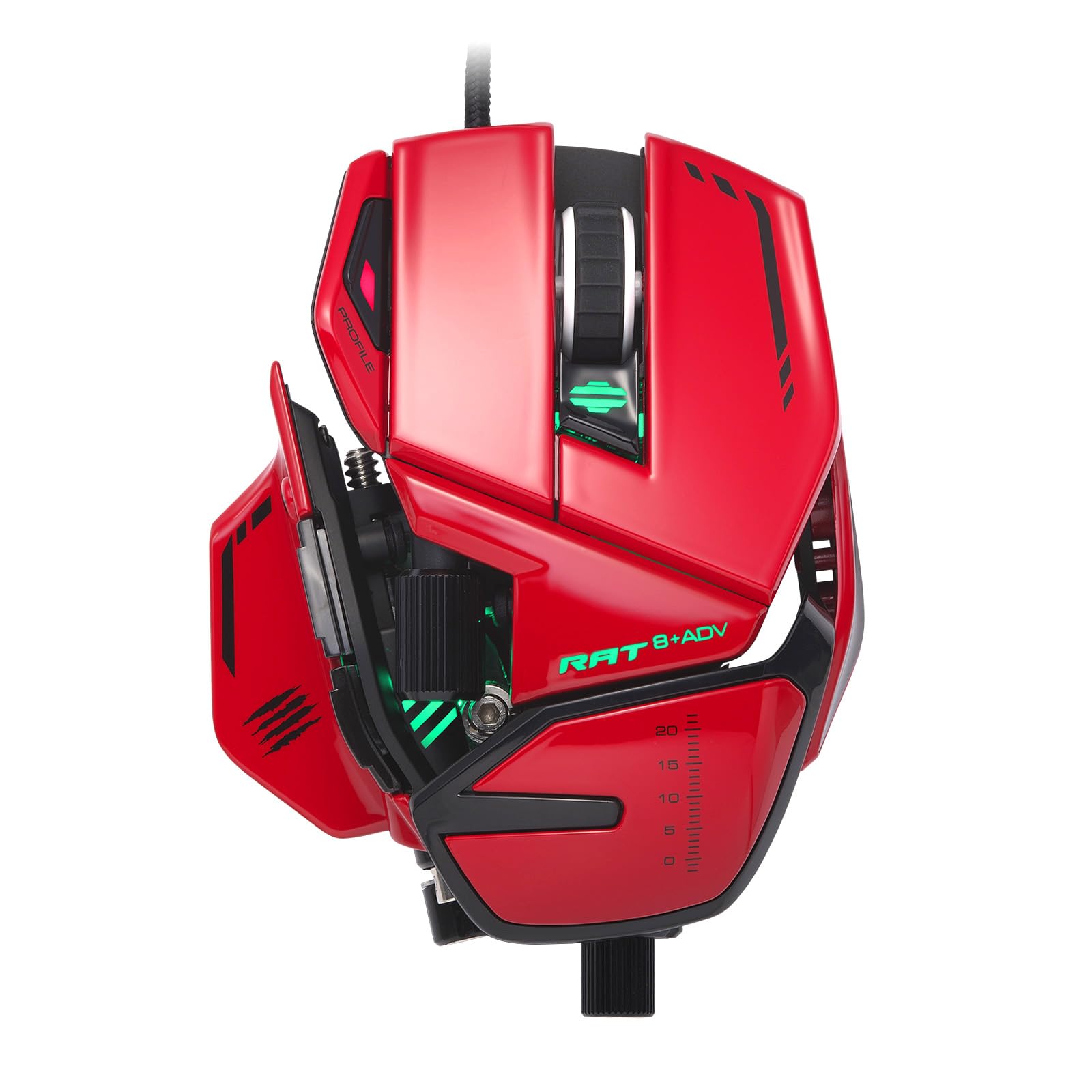
A metal-based Transformer of a mouse with more dials, buttons and adjustments than anything else here.
Where the ATTACK SHARK R3 gives you five buttons and 46 g, this R.A.T. gives you eleven programmable buttons, four on-board user profiles, a tunable weight system, and adjustable, interchangeable key components. The base is metal and the frame plastic. Set against the 8Bitdo R8 it carries more than double the button count. For a player who binds everything — weapon swaps, push-to-talk, abilities, DPI shifts — that quantity is the whole point.
The optical sensor runs at 20,000 DPI, and the premium switches are rated for 60 million clicks. The dynamic ergonomics are the real hook: you physically adjust the shape of the mouse toward your playing style rather than adapting your hand to a fixed shell. Four profiles stored directly on the mouse mean your layout travels with the hardware rather than living in software on one machine.
The honest trade is weight and profile. At 0.22 kg it is the second-heaviest in the group — the 8BitDo R8 measures 0.24 kg — and this is a wired USB mouse, no wireless option. The adjustable parts also mean more surfaces to nudge out of place, so set your shape and leave it. What keeps buyers loyal is the lineage; the appearance and the old-school R.A.T. reputation are what people talk about when they recommend it. Pick this if you want a metal-based mouse you can literally reshape, not if you want the lightest possible flick.
The argument for it: eleven programmable buttons and a tunable weight system make it the most configurable mouse in this guide.
The argument against: 0.22 kg of metal-and-plastic frame on a wire is a palm-grip proposition, not a featherweight flick.
It suits: macro-heavy MMO and RTS players who want to mold the shell to their hand and store four profiles on-board.
skip it if: you are chasing sub-50 g weight or you want the cleaner desk of a wireless setup.
5. HyperX Pulsefire Haste 2 S Wireless Gaming Mouse
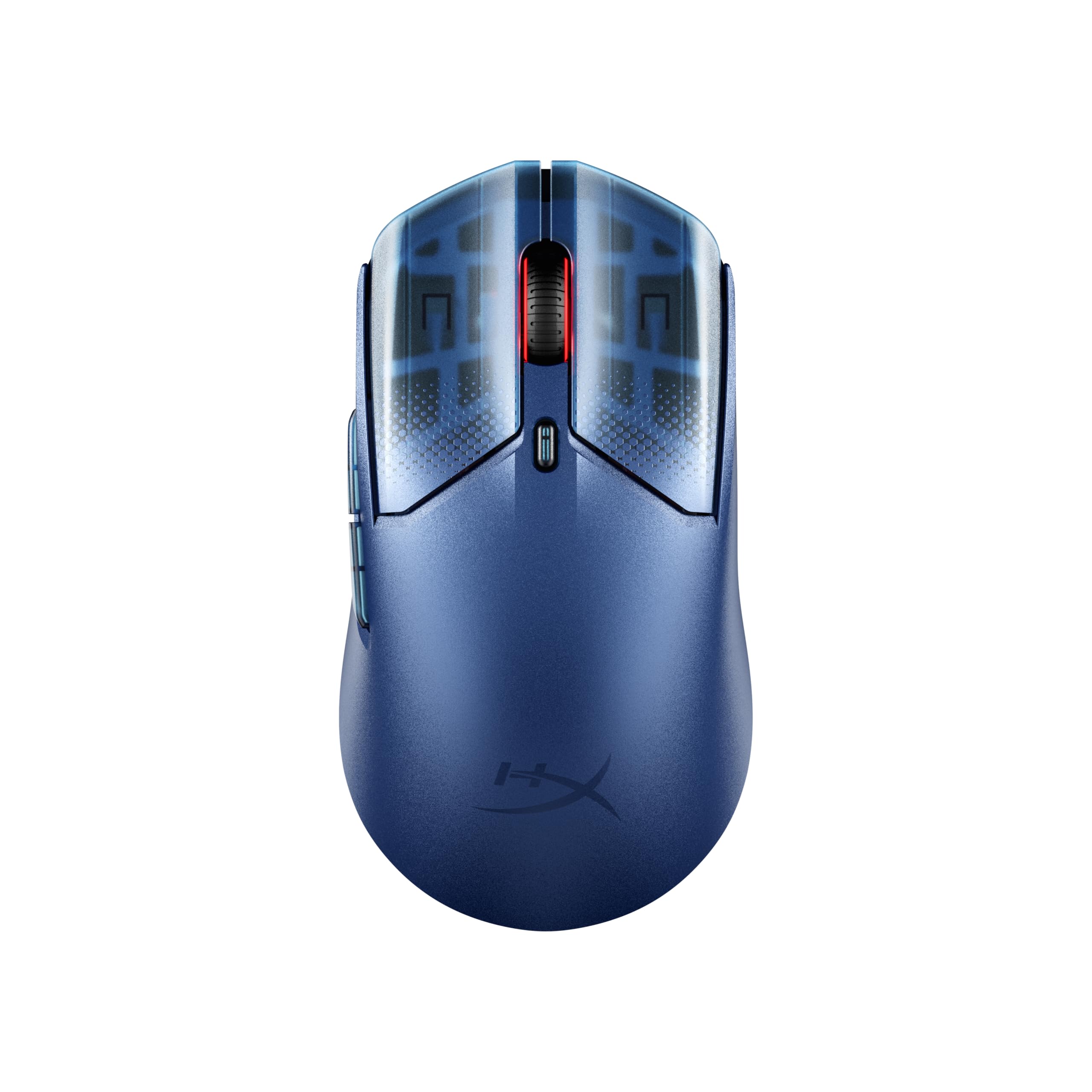
A 64-gram magnesium shell with a 120-hour battery and tempered-glass skates under it.
If charging anxiety is your reason for reading a metal mouse guide, the Haste 2 S is the answer. A full charge runs for up to 120 hours, and a 10-minute top-up gives you a day’s worth of play — the kind of number that means you leave the cable in a drawer. The 64 g solid-shell magnesium structure stays rigid without excess weight, and against the 45 g ATTACK SHARK R2 it is the heavier, steadier-feeling build.
Two details are genuinely different from the rest of this list. The HyperX Glass Skates are made from premium tempered glass and give a near-frictionless glide across a mouse pad; an extra set of standard adhesive-backed skates ships in the box, so you can swap feel without buying anything. And the mouse is NVIDIA Reflex Validated, meaning it works with G-SYNC displays to give precise system latency stats. The sensor reaches 26K DPI, connectivity is dual-mode 2.4GHz or Bluetooth, and up to five buttons remap in HyperX NGENUITY software.
Reality check: this is the lowest-scored pick in the guide and the review pool is thinner than the flagships. The spec sheet is strong, the battery claim is the longest here, and the glass-skate idea genuinely changes how the mouse glides. But if you want a proven track record in the hundreds of owners, the 8BitDo or the GravaStar have deeper pools behind them. Buy the Haste 2 S for battery endurance and the glass glide, and accept a feature set that some will find less battle-tested.
Why it stands out: up to 120 hours of battery life and tempered-glass skates are a combination found nowhere else on this list.
The trade-off: it carries a thin review pool and a 64 g shell that is the heavy end of the magnesium class.
Pick it when: battery anxiety is your main problem and you want glass-smooth glide with a solid, non-hollow shell.
Choose a lighter shell if: flick speed is your priority — 64 g is a different game from 45 g.
6. CORSAIR SABRE v2 PRO WIRELESS MG FPS Gaming Mouse
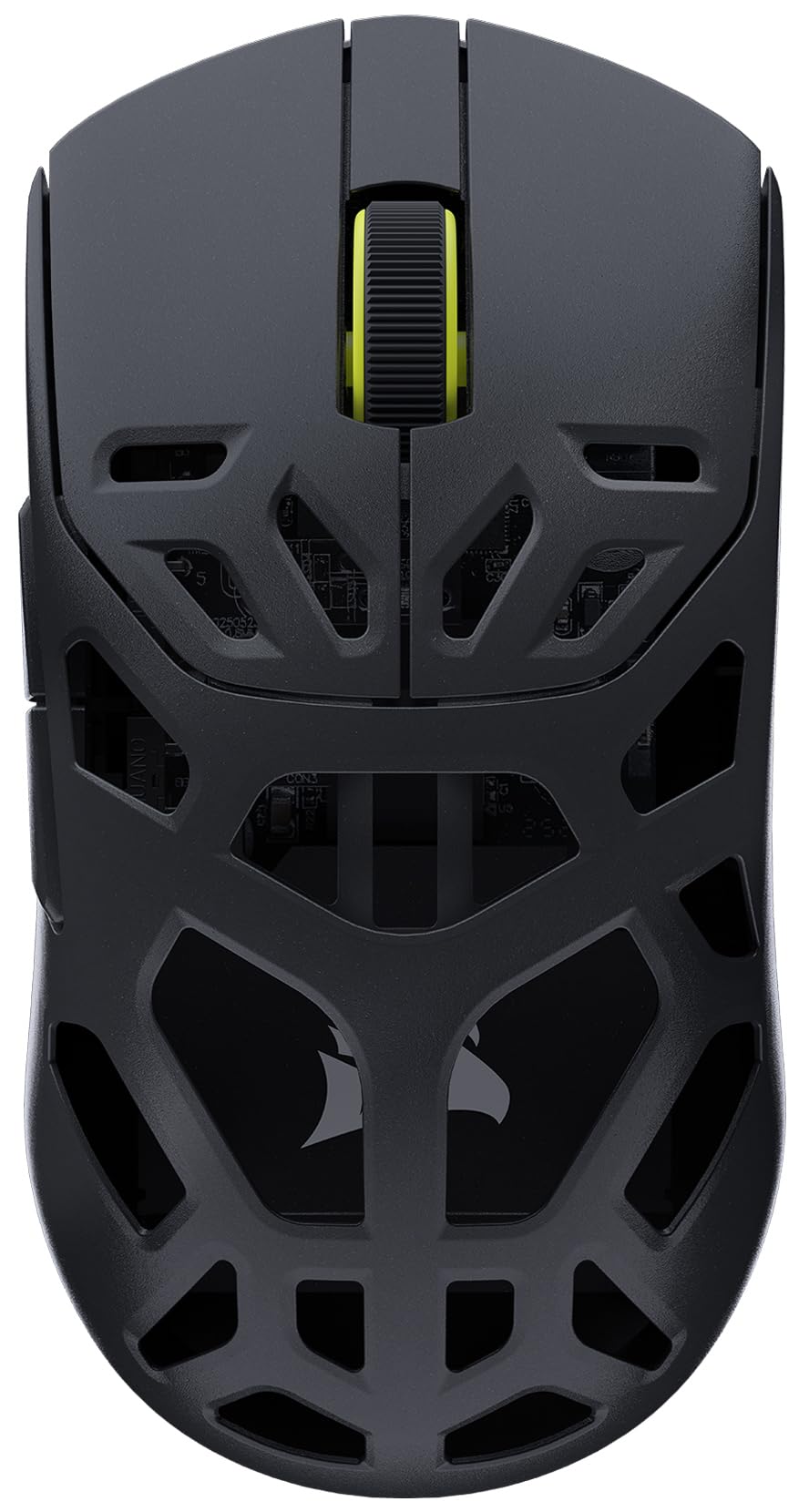
A right-handed magnesium FPS shell built around latency, not modifiers.
The thing that keeps this mouse in competitive discussions is the 8,000Hz hyper-polling on both wired and SLIPSTREAM WIRELESS connections — up to eight times faster than standard polling, per the listing. The asterisk matters: reaching 8,000Hz depends on your CPU specification. If your machine cannot sustain it, you fall back to a lower rate and the headline advantage fades. Six buttons and a right-handed sculpt mean it is built for aim, not macros.
The sensor is CORSAIR’s MARKSMAN S engine at a true 33,000 DPI, 750 IPS, and 50G acceleration, so tracking stays locked during fast strafes. The magnesium alloy shell is the feel story — the listing pitches it as premium and adds a cooling benefit over plastic, which is note if your palms run warm during long sessions. Battery life is quoted at up to 120 hours using 2.4GHz at 1kHz polling, and the spec sheet shows a 170-hour average-life figure, so heavy polling shortens the gap. Tri-mode connectivity covers 2.4GHz, Bluetooth, and USB-C wired; the box includes an 8KHz receiver, grip tape, and skates.
What buyers report is strong performance and a light feel from the solid shell, with good battery life drawing praise too. The mixed note is reliability — most say it functions very well, while a few describe click and sensor problems — and value-for-money splits along the usual lines. The trade-off to accept is right-handed only: if you are a left-handed player this mouse is not for you, no matter how good the sensor. For an FPS player on a capable PC who wants a magnesium shell and 8K polling, this is the serious desk-side choice.
Editor’s take: the combination of a 33,000 DPI MARKSMAN S sensor and 8,000Hz hyper-polling is the most latency-focused package on this list.
Watch the fine print: the 8,000Hz mode is CPU-dependent, and the 120-hour rating assumes a 1kHz polling rate.
Suits: right-handed FPS players with a strong CPU who want the lowest input latency and a metal-shell feel.
Not for you if: you play left-handed or want a high button count — this is a five-plus-one-button aim tool.
7. GravaStar Mercury X Pro Wireless Gaming Mouse

An open-frame metal skeleton with the biggest owner base among the premium picks.
You notice the look first: a futuristic hollow skeleton in magnesium alloy that weighs 49 g. The open, ventilated structure is the kind of design you either love on sight or dismiss — and buyers clearly love it, since the build quality is the thing this mouse is most praised for, followed by the lightweight feel. The 8K wireless dongle ships in the box, so you do not buy a separate receiver to reach 8000Hz (8000 reports per second), and the polling interval is quoted at 0.125ms (the gap between updates).
The PAW3950 optical sensor reaches 32,000 DPI, which is enough headroom for fast FPS aim and precise micro-adjustments. GLOWSYNC RGB lights the frame, five programmable buttons and on-board memory profiles cover your binds, and configuration runs in a browser without installed software. Tri-mode connectivity gives you 2.4GHz, Bluetooth 5.1, and USB-C wired, and the battery is quoted up to 110 hours depending on lighting and polling settings.
The dual-edged detail is durability and battery consistency. Most buyers call the shell solid in hand, while a smaller group report it breaking after a couple of months and mention charging problems. Treat the number with care: this is a large owner base where the majority are happy, so read those reports as an occasional unit rather than the norm. The open frame also demands sensible handling — it is a showpiece, so store it where it will not get crushed in a bag. As a desk-centerpiece metal mouse with real competitive hardware inside, few things look like it.
What buyers keep mentioning
- Build quality is the strongest praise point on this mouse
- 49 g magnesium alloy frame keeps the shell light without flex
- 8K wireless dongle included, quoted at a 0.125ms polling interval
- PAW3950 sensor with up to 32,000 DPI
- Browser configuration and on-board memory profiles — no installed software needed
What to keep in mind
- Durability reports are mixed, with a few failing units noted
- Battery experience varies, with occasional charging complaints
- Value-for-money opinions are split — some find it overpriced
Best fit: anyone who wants a metal mouse that is also a talking point, with flagship tracking and 8K included.
Be aware: the hollow skeleton needs care in transit, and durability feedback is not unanimous.
8. Angry miao AM Infinity Wireless Gaming Mouse

Swap the battery in 1.2 seconds and you never wait for a charge again.
This is the answer to every wireless mouse’s biggest weakness: charging downtime. A patented magnetic hot-swap battery system lets you pull one cell and drop in another in 1.2 seconds without a cable, and the 2.4G 8K receiver doubles as a charging hub. For a tournament player whose match is about to start, that is the whole pitch. The shell is 49 g CNC-machined magnesium-aluminium, engineered for rigidity and heat dissipation, and the hollow design targets fingertip and claw grippers during long sessions.
On paper the sensor is the PAW3950 at 30K DPI with true 8K polling in both wired and wireless modes, quoted at 0.125ms. The switches are TTC Optical-Micro Switches V2 rated to 100 million clicks, and the listing is explicit about eliminating double-clicking — the failure that quietly ends most gaming mice. Seven programmable buttons cover macros and shortcuts, and the Web Configurator tunes DPI, lift-off distance, and debounce time from any browser. PTFE skates handle the glide.
Note the spec-sheet wrinkle: the average battery-life figure reads 43 hours, so the hot-swap system matters as much as the raw capacity. Reliability is the mixed note — some owners mention it works flawlessly while others describe hardware trouble, and grip feedback splits too. Buy this for the swappable-battery concept and the optical switches, and treat the magnet system as the core of your setup rather than an add-on.
The standout: a 1.2-second magnetic hot-swap battery with the receiver doubling as a charging hub changes how you live with a wireless mouse.
What to know: the average battery-life figure reads 43 hours, and reliability feedback is split — a good match for a player who plans around the swap system.
Choose it if: you compete, hate charging downtime, and want optical switches that kill double-click risk.
Look at a simpler pick if: you want one-and-done wireless and dislike managing a spare cell.
Know the Specs
Polling Rate (in Hz)
Polling rate is how many times per second the mouse talks to your PC. At 1000Hz that is one report every 1ms. At 8000Hz it drops to a 0.125ms interval, and several picks here run that — the ATTACK SHARK R3, the R2, the GravaStar, the Angry miao, and the CORSAIR at its hyper-polling setting. Two catches apply. The 8000Hz mode is CPU-dependent, so a weak machine may not sustain it, and you need a high-refresh display to see the gain. Running at 8K also drains the battery faster, which is why quoted battery hours usually assume a lower rate.
Weight and the Metal Shell
Weight in grams decides how the mouse feels in fast flicks. Magnesium alloy gets ultralight because the shell is CNC-machined thin and often hollowed, which is how models here land at 45 g, 46 g, and 49 g while keeping rigidity. A heavier solid shell — 64 g on the HyperX, 0.22–0.24 kg on the Mad Catz and 8BitDo — gives slower, steadier tracking. The metal surface also handles sweat differently from plastic, and several listings cite a cooler, more secure-feeling grip over long sessions.
Sensor: DPI and IPS
DPI is the count of dots per inch of hand movement, or sensitivity; IPS is how fast, in inches per second, the sensor can track without losing the surface. The PAW3395 and PAW3950 engines here reach from 26,000 up to 42,000 DPI, and tracking speed runs 650 to 750 IPS. Treat 42,000 DPI as headroom, not a target — most players sit far below it. What matters is that the sensor tracks cleanly at your sensitivity and does not jitter, and these flagship engines handle that well across paced and fast play.
Switch Type and Click Life
Mechanical micro switches eventually develop a double-click, the failure that retires most mice. Optical-micro switches replace the physical contact with a light beam, so they cannot double-click in the same way, and the models using them here are rated to 100 million clicks (the R2, the Angry miao). Mechanical switches on this list run 60 million to 100 million cycles. A higher click rating means a longer life before replacement, and optical switches add a crisp, consistent press.
Common Questions
Is a metal PC mouse actually better than a plastic one?
Do I need an 8000Hz mouse to play competitively?
Why do mice fail with a double-click and how do optical switches help?
How long does the battery last on these wireless metal mice?
Can I use a hot-swap battery mouse to avoid charging entirely?
Does a metal mouse work on any mouse pad?
Is the highest DPI number the most accurate mouse?
Are these metal mice safe to use on Mac and Linux?
What is the lightest metal mouse in this group?
Do the higher-priced metal mice last longer?
The Bottom Line
The metal PC mouse that makes the most sense for most buyers is the 8BitDo R8 — a magnesium-class metal shell, the PAW 3395 sensor, 100-million-click Kailh switches, and a charging dock that keeps the receiver clear. It is the crowd favorite for a reason, and it is the easy first stop. If you want the lightest alloy shell with the highest DPI, reach for the ATTACK SHARK R2 at 45 g and 42,000 DPI. And if battery downtime is your enemy, the 1.2-second hot-swap system on the Angry miao AM Infinity is the one that erases the wait.
How we choose
We do not accept paid placement. Every pick is matched to a real buyer and a real use-case; we do not hands-on test units.
Sources
Specifications: manufacturer listings and product documentation. Review insights: verified customer reviews, as of November 2026. Pricing: not shown on this page (it changes often); check the current price via the retailer link.
As an Amazon Associate, Tactical Gear Guy earns from qualifying purchases. This does not affect which products we feature.