Specs are compiled from manufacturer listings and verified buyer reviews and can change over time — please confirm the key details on the product page before buying.
You are building a compact NAS, and the case choice really depends on three things: how many 3.5-inch drives it holds, how tall a CPU cooler fits inside, and whether it sits on a shelf without sounding like a leaf blower. Get any one of those wrong and you are returning the chassis. This guide sorts nine Mini-ITX NAS enclosures by what they actually hold, how they cool it, and where owners keep running into walls.
This guide is built by comparing the manufacturers’ published specifications and the patterns across verified customer reviews, so you get each pick’s real strengths and trade-offs instead of marketing spin.
You will see bay counts, cooler clearances, and airflow layouts side by side so you can match a case to the motherboard, power supply, and drives you already own. Every option here holds multiple 3.5-inch drives and takes a Mini-ITX board, which is the floor for a real home server. The trick is picking the one whose compromises you can live with — the full breakdown of each mini itx nas case below makes that call a lot easier.
Top Picks


How To Choose The Best Mini ITX NAS Case
A NAS case is a box that has to do two jobs at once: hold a small computer and hold a stack of spinning hard drives that run day and night. Those two jobs fight for the same cubic space. The case that wins for you is the one whose compromise lands on the side you can tolerate.
Count your drive bays before anything else
The bay count is the hard ceiling on your storage. An 8-bay chassis like the JONSBO N3 holds 8 HDDs plus 1 SSD, while a 4-bay box caps you at four 3.5-inch drives. If you plan to add drives over time, buy the bay count you will need in two years, not the one that fits today. Every bay you cannot access without shutting the system down is a bay you will avoid using.
Check the CPU cooler height against your board
This is where most first builds stall. A low-profile case may cap your cooler at 65mm of height, which rules out tall tower coolers and pushes you toward a stock or low-profile unit. A roomier chassis like the JONSBO N3 allows up to 130mm. Measure your cooler before you buy the case — the board will fit, but the cooler often will not.
Match the power supply format
Small NAS cases take small power supplies. You will see SFX, Flex, and 1U units named in the specs, and each has its own footprint. The JONSBO N2 takes an SFX unit up to 150mm, while the K3 works with a Flex supply. Buy the case and the PSU as a pair so you are not stuck with a power supply that will not bolt in.
Look at how air reaches the drives
Spinning disks that run hot tend to fail early, so airflow across the drive cage matters more than fan count. A rear 12cm fan pulls air through the case, but a dedicated drive-cage fan blows directly across the disks. Cases with a separated top-and-bottom air channel keep drive heat away from the motherboard. When you compare two cases with the same bay count, the one with a fan pointed at the drives is the safer long-term pick.
Side-by-Side Comparison
| Model | Best For | Drive Bays | CPU Cooler Max | Motherboard | Amazon |
|---|---|---|---|---|---|
| JONSBO N2 Black★ Best Overall | Small-footprint home server | 5x 3.5″ + 1x 2.5″ | 65mm | Mini-ITX | Amazon |
| JONSBO N3Best 8-Bay Balance | Big storage in a small box | 8x 3.5″ + 1x 2.5″ | 130mm | Mini-ITX | Amazon |
| JONSBO N6Roomiest Build | Room to grow with full ATX parts | 9 hot-swap | 65-160mm | ITX / M-ATX | Amazon |
| KCMconmey 8+2 Bay | Dense bay count on a Flex PSU | 8x 2.5″/3.5″ + 2x 2.5″ | — | Mini-ITX | Amazon |
| AUDHEID 8-Bay White | Mixed-size build flexibility | 8x 3.5″ + 2x 2.5″ | — | MATX / uATX / ITX | Amazon |
| SilverStone CS381B | SAS drives and rack-adjacent builds | 8 hot-swap | — | Micro-ATX / Mini-DTX / Mini-ITX | Amazon |
| SilverStone SST-DS380 | Maximum drives with a locked door | 8 hot-swap + 4 fixed 2.5″ | — | Mini-ITX | Amazon |
| AUDHEID K3 4 Bay | First private cloud on a budget | 4 hot-swap | — | Mini-ITX | Amazon |
Detailed Reviews
1. JONSBO N2 Black NAS ITX Case
Our pick — 4.5+★ from 100+ verified ratings; the strongest balance of quality and price.
Five drives and a whole server inside a box that fits beside a router.
If your NAS has to live on a desk, a shelf, or the top of a bookcase, this is the enclosure to beat. It measures 8.76 inches deep by 8.82 wide by 8.76 tall, which makes it one of the smallest chassis here — for comparison, the K3 runs 26.5 inches deep, 19 wide and 18 tall. That smaller footprint comes from an aluminum body with an integrated upper cover you lift off as one piece. It takes a Mini-ITX board, an SFX power supply up to 150mm, and a CPU cooler up to 65mm tall.
The storage layout is 5x 3.5-inch HDD plus 1x 2.5-inch SSD, six internal bays in total, cooled by a built-in 12cm fan. A single low-profile graphics card up to 197mm long is also on the menu, which is more than most media-server builds ever need. The front panel gives you one USB 3.2 Gen2 Type-C, one USB 3.0, and a combined audio/mic jack — the kind of I/O you actually reach for on a box sitting on your desk.
What wins people over is the size. Owners describe a well-thought-out little chassis that looks good enough to leave out in the living room, and the aluminum build reads solid rather than flimsy. The honest catch is airflow and cable room: the tight interior leaves little clearance for power supply cabling, and the included fan draws mixed feelings on noise. Plan your cable routing before you mount the drives and budget for a quieter fan if the machine lives in a bedroom.
What Earns Its Keep
- Six drive bays (5x 3.5″ plus 1x 2.5″) in an 8.76-inch footprint
- Aluminum chassis that owners call solid and well designed
- USB 3.2 Gen2 Type-C on the front panel
- Single low-profile GPU support up to 197mm
Where It Pushes Back
- 65mm CPU cooler ceiling rules out tall coolers
- Little clearance for power supply cabling
- Stock 12cm fan divides opinion on noise
Reach for this if: you want a compact, good-looking 5-bay server that disappears onto a shelf.
Think twice if: you need a big CPU cooler or plan to cable a large SFX unit without pre-planning the routing.
2. JONSBO N3 Mini-ITX NAS PC Chassis
Eight spinning drives and a full-height cooler in a box you can still carry under one arm.
This is the case that solves the classic 8-bay squeeze. It holds 8x 3.5-inch HDD plus 1x 2.5-inch SSD, and unlike the N2’s 65mm ceiling, it clears a CPU cooler up to 130mm — roughly double the headroom, at 130mm versus 65mm. That opens the door to real tower coolers and keeps a small NAS build quiet on the CPU side. It also takes a low-profile SFX power supply up to 105mm and a graphics card up to 280mm long, which is generous for a chassis of this type.
The drive compartment has its own pair of built-in 10cm fans, so air moves directly over the disks rather than relying on case-wide flow. For reference, the K3’s rear fan measures 12cm versus these 10cm units — a smaller fan that sits right where the drives are. The split top-and-bottom design and standard hot-swap backplane with dual D-type plus SATA power plugs make a TrueNAS or OMV build feel like proper server gear rather than a mod project. The chassis comes in at 3.9 kg, versus the N2’s 3.65 kg.
Build quality is what buyers rave about here — this chassis reads as high quality inside and out, and the compact size gets plenty of love given it still swallows eight drives. The mixed notes land on noise and cooling. The stock fans are not quiet to everyone’s ear, and cooling opinions split between adequate and needing improvement. Swap the drive fans for quieter units and check your drive temps once the array is loaded before you call it finished.
The arithmetic that matters: 8 bays plus 130mm of cooler clearance in one small chassis is the combination most ITX NAS builds are chasing. The front panel also gives you USB 3.0 plus USB 3.2 Gen2 Type-C and a combined audio/mic jack.
Top of the shortlist when: eight bays is your real requirement and you refuse to give up a decent CPU cooler.
Fair warning: budget for replacement drive fans if the server sleeps in the same room as you.
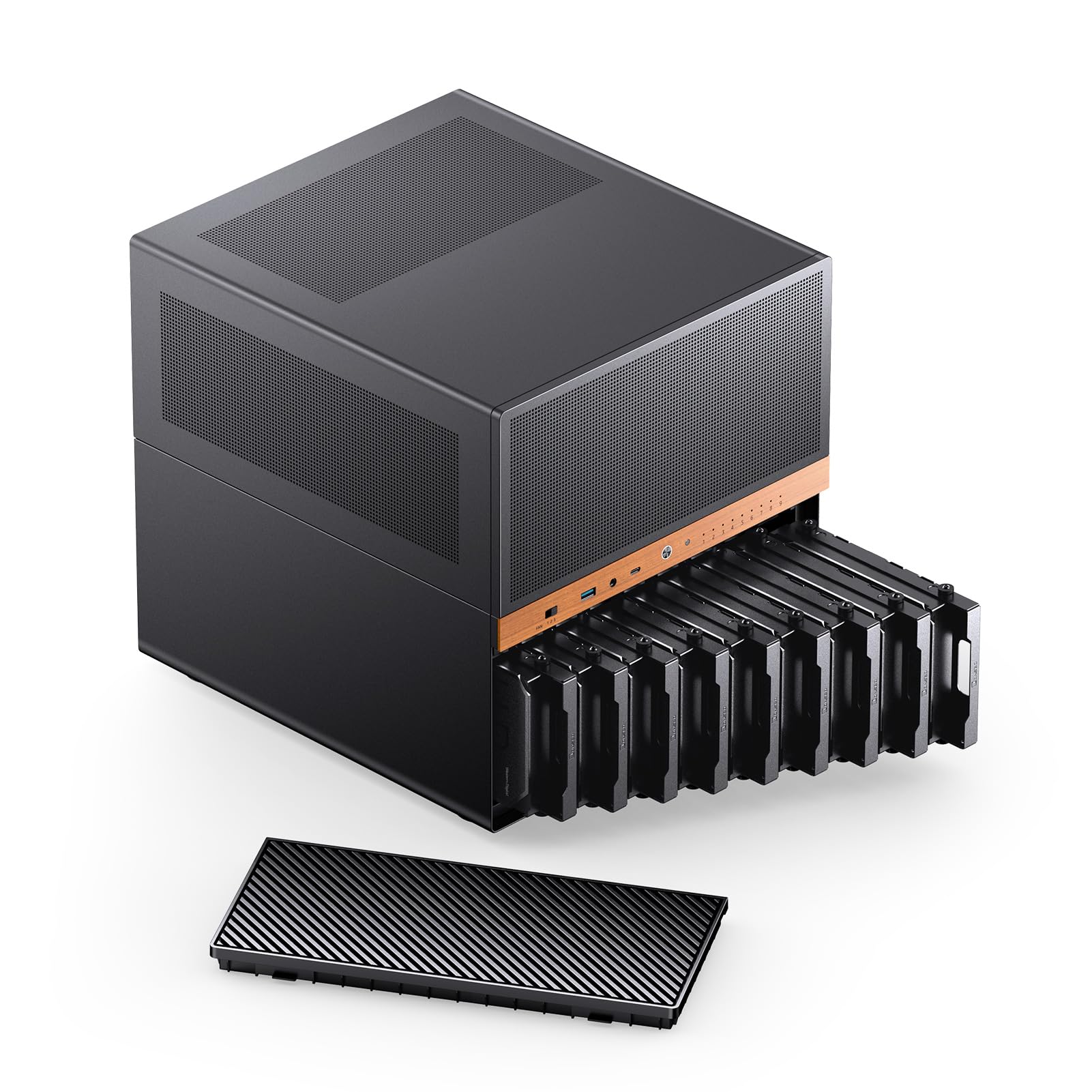
3. JONSBO N6 NAS Case
Nine hot-swap bays and full ATX power in a chassis that finally stops squeezing you.
Here is the step up from a pure Mini-ITX box. The N6 holds 9 hot-swap drive bays and takes ITX or Micro-ATX boards, so you are no longer limited to the smallest motherboards on the shelf. It also accepts ATX power supplies up to 220mm or SFX units up to 100mm, with three separate mounting positions. That flexibility alone separates it from the K3 — nine bays versus four, and a full-size ATX supply instead of a Flex-only layout.
Cooling is the other half of the story. You get two pre-installed fans, room for 120mm or 140mm pairs up front, plus rear, side, and drive-cage fan positions, and support for a 240mm AIO. A CPU cooler up to 65-160mm tall fits depending on the power supply configuration, and a graphics card up to 275-320mm gets the nod. There is even a solid North American black walnut veneer accent on the front, which is a nice bit of warmth for a box that may sit in a living room.
The design is what gets praised most, with the appearance and solid construction drawing regular kind words. The recurring gripes are noise and cable routing. The case can be fairly loud at high fan speed, and the interior asks for patience when you route cables. The third power supply location is also awkward to reach. If you want a roomy, flexible build and can tame the fan curve, this is a strong candidate.
Why It Earns Its Slot
- 9 hot-swap bays with removable drive cage
- ATX or SFX power supply, three mounting positions
- Accepts ITX or Micro-ATX boards
- 240mm AIO support and multiple fan positions
The Trade-Offs
- Noisy at top fan speed
- Cable routing demands planning
- Third power supply location is fiddly to install
Best match: builders who want 9 bays and the freedom to use a full ATX power supply.
Less suited to: anyone who needs silent operation with no fan-curve tuning.
4. AUDHEID 8 Bay Mini ITX / Micro ATX NAS Case
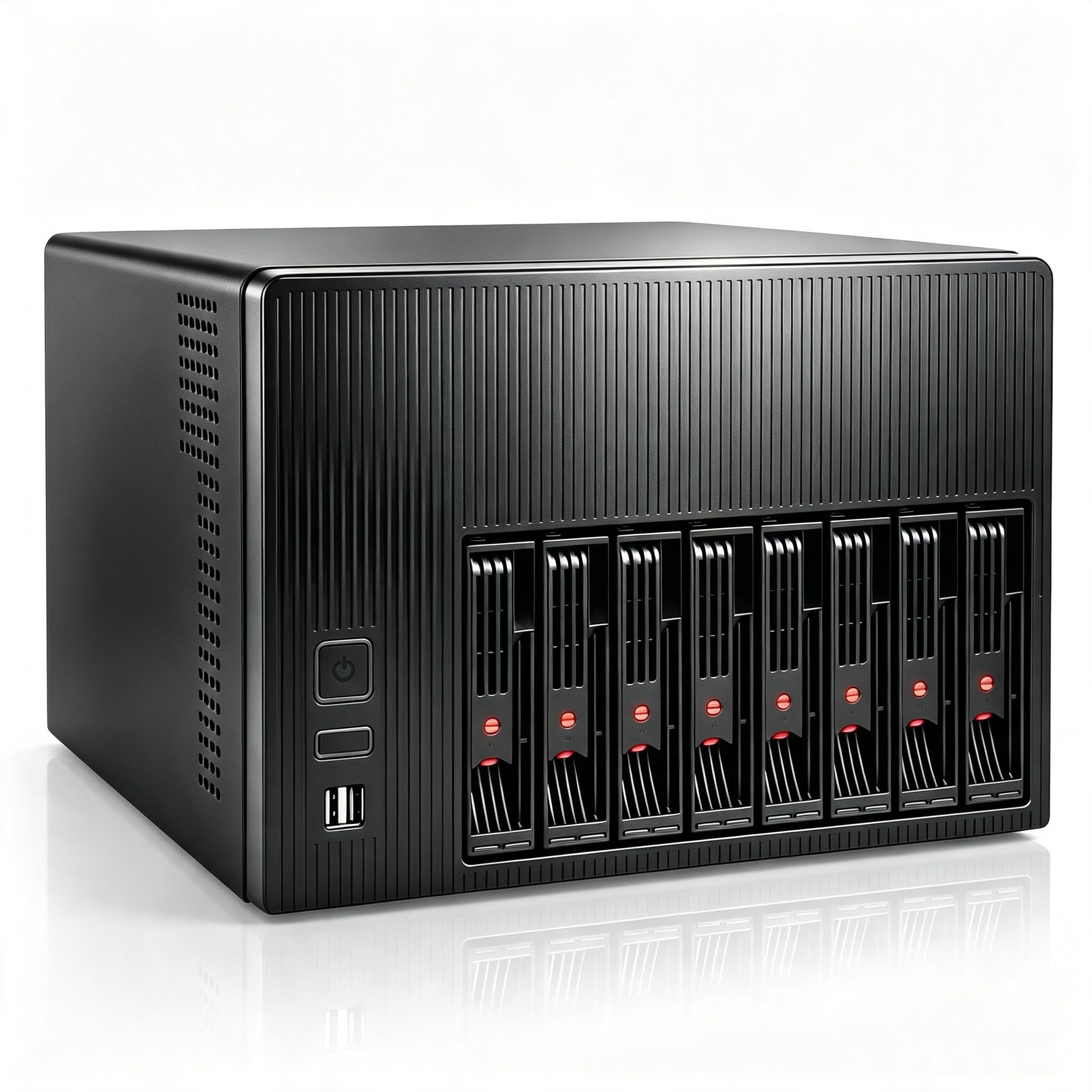
Two separate air paths keep spinning disks away from the heat of the board.
This chassis splits drive heat and board heat into separate upper and lower air ducts. The upper and lower sections run independent air ducts, so drive heat and motherboard heat leave without crossing paths. Three temperature-controlled silent fans handle the work. The result is steady drive temperatures instead of one warm chamber cooking every disk.
It holds 8 hot-swap bays for 3.5-inch HDDs or 2.5-inch SSDs, so you can add or replace a drive without shutting the system down. The chassis takes Mini-ITX or Micro-ATX boards, Flex or 1U small power supplies, and CPU coolers up to 58mm tall. That 58mm figure is the number to watch — it is the tightest cooler ceiling in this group and rules out anything taller than a low-profile unit. The thick steel body is built to resist shock, and each bay has its own power and read/write indicator light.
Value and function are the headline strengths. This one comes in cheaper than typical rackmount alternatives and gets a nod for simply working. The honest caveat is finish and fit — the material quality earns mixed notes, some interiors arrive with sharp edges, and the fit is tight. Budget for a careful pass over the interior before you mount a board, and run your drives with the three included silent fans dialed to a curve that suits your room.
Why it deserves attention: a dedicated dual air-duct layout plus 8 hot-swap bays is a practical design for a 24/7 home server. The trade-off is a 58mm cooler limit, so pick your CPU cooler before anything else.
Fits you if: you want 8 swappable drives and clean separated cooling in a sub-Micro-ATX footprint.
Look elsewhere if: your cooler is taller than 58mm or you expect a refined finish straight from the start.
5. KCMconmey 8+2 Bay DIY NAS Case

Ten drives’ worth of bays in a steel box you can stand on a shelf.
Sheer bay count is the argument here. You get 8 trays for 2.5-inch or 3.5-inch drives plus 2 internal 2.5-inch bays, for 10 total drive slots. That is more total bays than the K3, N2, and N3 before you pull out a screwdriver. The case takes a Mini-ITX board, a Flex or 1U power supply, and a single full-height expansion card so you can add a GPU, a network card, or a dedicated HBA for the array.
It ships with two pre-installed 80x80x25mm chassis fans facing the front, plus two USB 3.0 ports for quicker transfers. The hot-swap backplane and steel body round out the spec sheet. The catch is the interior volume: ten bays and a fan in a small steel box leaves little room for a CPU cooler or for routing cables. The Intel stock cooler will not fit, and there is not much clearance for power-supply wiring. Expect to pick a low-profile cooler and lay your SATA cables out before you close the panels.
What keeps this case in contention is case quality — the steel frame gets knocked for tightness but the overall build reads as good quality. Owners note that airflow through the interior can feel weak. Once the drive cage is packed, watch your disk temperatures and think about whether the two 8cm fans can push enough air over your specific drive stack.
Counts in Its Favor
- 10 total bays (8 tray plus 2 internal 2.5″)
- Two 8cm front fans pre-installed
- Flex or 1U power supply compatibility
- Dual USB 3.0 on the front
Where It Bites Back
- Intel stock CPU cooler will not fit
- Very little room for cable management
- Airflow can feel weak once the bays are full
Worth a look when: maximum drive slots in a small box matter more than generous interior space.
Skip the temptation if: you need an off-the-shelf cooler to drop straight into place.
6. AUDHEID 8-Bay NAS Chassis (White)

One chassis that reshapes around your power supply instead of the other way around.
Most NAS cases lock you into a single power supply size. This one gives you three installation combinations: 8 HDD with a Flex power supply, 6 HDD with an SFX-L or SFX unit, or 4 HDD with a full ATX supply. You pick the balance between drive count and PSU size, which is genuinely useful when you already own a power supply from a prior build. It holds 8x 3.5-inch HDD plus 2x 2.5-inch SSD trays and takes MATX, ITX, or uATX boards.
The top-and-bottom layout puts the CPU and PCIe gear on the upper layer and the hard drive power supply on the lower layer, so each gets its own airflow path. There is support for a monoblock water cooling radiator with an 80mm height limit, and a half-height PCIe card up to 285mm. The backplane runs four large 4-pin power connectors plus eight independent Serial ATA plugs. The front panel fixes magnetically, and there are three screw positions to lock the SFX and ATX power supply bracket so it does not wobble.
Function gets the nod here — this one works exactly as advertised once assembled. The catch is refinement. Sharp edges and a tight fit are common notes, and the interior is awkward to work inside. Finish your assembly with a pair of gloves and a patient approach, and you will get a functional, flexible chassis out of it.
The clever part: the three power-supply combinations let you rebalance HDD count against PSU size. That is rare in an ITX-friendly NAS case and it makes the white finish the least interesting thing about this box.
The one for you if: you already own an ATX or SFX power supply and want a chassis that bends to fit it.
Hold off if: you want a smooth, edge-free interior to work inside without gloves.
7. SilverStone Technology CS381B

A proper hot-swap array that speaks SAS, for builds that outgrow consumer SATA.
This is the chassis for anyone whose drives are not simple consumer SATA. It carries 8 hot-swap bays for 2.5-inch or 3.5-inch drives and runs a SAS-12G/SAS-6G backplane, which opens the door to enterprise disks and a proper HBA. The board support is broader than most here: Micro-ATX, Mini-DTX, and Mini-ITX all fit. Two 120mm dual ball-bearing fans move air across the drive wall, and the chassis measures 12.44 inches deep, 8.86 wide and 15.75 tall at 15.4 pounds.
Compact size and storage capacity are the bright spots. It packs 8 bays into a footprint that sits comfortably on a shelf, and owners appreciate the room for storage. The honest catch here is thermal. Airflow over the drives is the recurring weak point, and reported drive temperatures have climbed as high as 65°C. That is well above the comfortable operating range for spinning disks. Plan your airflow deliberately, and consider a fan upgrade if your array runs hot.
The build carries mixed notes too. Some find the case smooth to work with, while the front door and front plastics draw complaints about feeling flimsy. For a SAS-capable 8-bay enclosure at this compact size, it remains a real option if you monitor drive temps and are willing to tune the cooling.
Standout Strengths
- SAS-12G / SAS-6G hot-swap backplane
- Micro-ATX, Mini-DTX, and Mini-ITX board support
- 8 hot-swap bays for 2.5″ or 3.5″ drives
- Two 120mm dual ball-bearing fans
Points to Weigh
- Airflow across the drive wall is a known weak point
- Drive temperatures have run as high as 65°C
- Front door and plastics feel less solid than the chassis
Right for you when: you need SAS drive support and a Micro-ATX board in one compact chassis.
Not for you if: you want to ignore drive temperatures and never touch the fan configuration.
8. SilverStone SST-DS380

Eight hot-swap bays, four more fixed SSDs, and a door that locks.
If total storage is the whole point, this is the enclosure that goes furthest. It supports 12 drives in all: 8 hot-swappable 3.5-inch or 2.5-inch SAS/SATA bays plus 4 fixed 2.5-inch drives. That 12-drive total beats the 8-bay JONSBO N3 and the 9-bay N6, and it does it in a Mini-ITX chassis measuring 14.17 inches deep, 8.31 wide and 11.22 tall at 6 kg. A brushed aluminum front door with a lock adds a layer of physical security a home server often lacks.
The SECC body takes standard expansion cards and a range of 3.5-inch and 2.5-inch drives. The 4 fixed 2.5-inch mounts are the smart bit — use them for SSDs and cache drives so your hot-swap bays stay free for the big spinning disks. A lockable door also keeps curious hands and accidental bumps away from a live array.
The trade-off is age and complexity. A 12-drive layout in this footprint is dense, and dense means airflow and cable routing demand attention. The four fixed SSDs are not swappable, so plan their role as cache or boot drives rather than data disks you rotate. For sheer capacity per cubic foot, this one stands alone in this group, and the aluminum front helps it look tidy in a rack or on a shelf.
The case for it: You get 12 total drives in a Mini-ITX chassis, which is class-leading here. The lockable brushed aluminum door is a nice touch for shared spaces.
Pick this when: you need maximum drive count and a lockable front in one Mini-ITX box.
The honest limit: four of those drives are fixed, not hot-swap, so plan their role carefully.
9. AUDHEID K3 4 Bay Mini ITX NAS Case
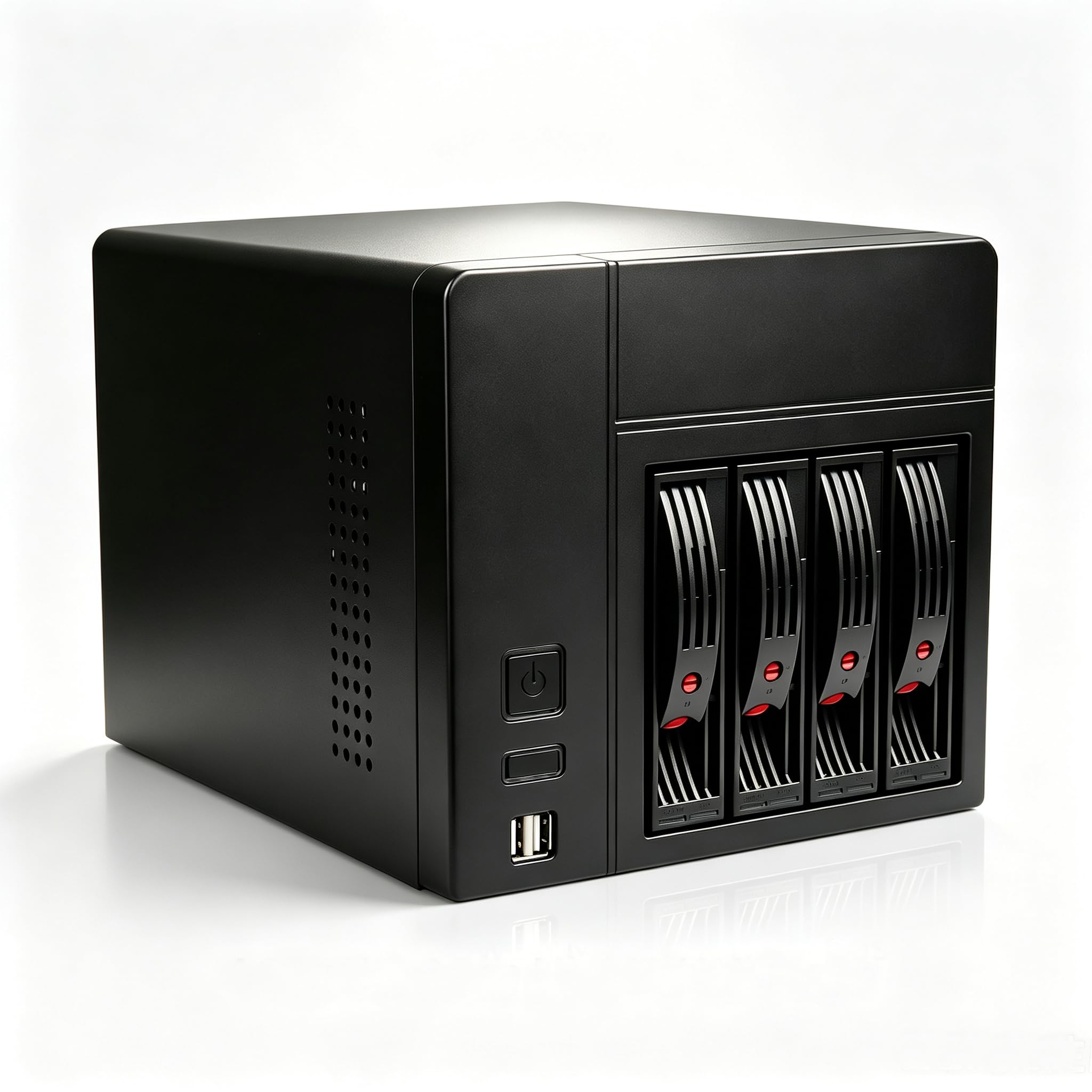
Four tool-less trays, a rear 12cm fan, and a steel shell built to sit still.
Four bays is the honest starting point for a first private cloud or RAID array, and this case makes that entry straightforward. The trays for 2.5-inch or 3.5-inch drives insert and pull without tools, so swapping a disk is a panel-free job. It takes a 6.7×6.7-inch Mini-ITX board and a Flex power supply, and the completed unit measures 26.5 inches deep by 19 wide and 18 tall — far larger than the N2’s 8.76-inch frame, which is the real gap to understand before ordering.
A rear 12cm cooling fan handles 24/7 operation, and the dense side-panel ventilation holes feed it airflow. The front carries a power button and two USB 2.0 ports for quick jump-drive copies, plus a drive-activity light to monitor status. The 1mm-thick SGCC steel plate resists deformation and vibration, and the whole unit comes in at 7 pounds, versus the N2’s 3.65 kg, so it sits stable and wobble-free. The 12cm fan here also out-sizes the 10cm pair on the N3.
Compact dimension is the one thing that keeps getting praised. The recurring honesty is around assembly: mounting the board is the hardest part, SATA cables and the CPU power connector fight for space near the bottom-left post, and the stock fan runs loud to some ears. None of that is fatal — it is a first-build tax. Set aside an unhurried evening, pick a low-profile cooler, and let the finished array do the talking.
Why it earns a spot: four tool-less hot-swap trays and a 12cm rear fan at a budget-friendly entry point is the simplest way into a real NAS. The trade-off is a snug interior that makes the board mount the slowest step.
Choose it if: four drives is your honest starting point and you want tool-less trays.
Pass if: you hate snug interiors or want a fan that stays quiet at full speed.
Know the Specs
Drive Bay Count and Hot-Swap
A bay is one drive slot. Hot-swap means you can pull that drive out and push in a replacement while the system keeps running — the K3’s four trays, for example, slide out without tools. That matters most during a disk failure: no shutdown, no downtime for a family media server. Fixed bays are cheaper but force a power-down for every swap.
CPU Cooler Height Clearance
This is the maximum height of CPU cooler the case can hold. Low-profile chassis sit around 58-65mm of clearance, which rules out tall tower coolers; roomier designs allow up to 130mm or more. Check this before anything else, because a cooler that does not fit means a new cooler or a different case. A taller cooler limit lets you run a bigger, quieter cooler.
Power Supply Format
Small NAS cases take small power supplies. SFX is a compact standard with length limits like 105mm or 150mm depending on the case; Flex and 1U are even smaller server-style units. A full ATX supply only fits in larger, more flexible chassis. Buying a case and PSU as a set avoids the frustration of a power supply that will not fit its slot.
Motherboard Form Factor Support
Mini-ITX is the 6.7×6.7-inch board standard and is the most common base for a NAS. Micro-ATX is a larger board that gives you more RAM slots and PCIe options. A case that accepts ITX and Micro-ATX opens more build paths, while a pure ITX chassis keeps the footprint small and the design tight.
Cooling and Airflow Paths
Spinning disks run hot and need direct airflow. A rear fan moves air through the case, but a dedicated drive-cage fan or a separated air channel blows directly at the disks. Cases like the N2 and N3 put fans right at the drive wall, while others split drive and board heat into separate ducts. That split is often the difference between steady temps and a hot array after years of runtime.
Front I/O and Access
Front panel ports like USB 3.2 Gen2 Type-C and USB 3.0 let you plug in a flash drive or backup disk without reaching behind the case. Drive activity lights let you see which disk is working without opening anything. For a box that lives on a desk or shelf, easy front access and clear indicator lights are everyday conveniences.
Common Questions
Will a Mini-ITX NAS case fit a Micro-ATX motherboard?
Do I need a Flex power supply or can I use a standard ATX unit?
How many drives can a Mini-ITX NAS case hold?
What CPU cooler height can a small NAS case fit?
Is a hot-swap bay better than a fixed drive bay?
Will a graphics card fit in a Mini-ITX NAS case?
How loud is a Mini-ITX NAS case in a bedroom?
Do I need a separate backplane for SAS drives?
What is the real difference between the JONSBO N2 and N3?
How should I cool the drives in a 12-bay NAS case?
The Bottom Line
For most builders the mini itx nas case winner is the JONSBO N2 Black, because it puts six bays and a good-looking aluminum chassis in an 8.76-inch frame that fits anywhere. At 8.76 inches on each side, it is the smallest genuinely capable option here, and the aluminum finish earns it the top spot. The trade-off is a 65mm cooler ceiling and a tight cable interior.
Need more drives and a taller cooler? The JONSBO N3 gives you 8 hot-swap bays plus 1 SSD and a 130mm cooler clearance, which is the combination most 8-bay builds are after. If you want the freedom to use a full ATX power supply and Micro-ATX board, the JONSBO N6 opens up both. And if you need the maximum drive count in one Mini-ITX box, the SilverStone DS380 takes 12 total drives with a lockable door.
The one honest nudge: if you already know you will grow past four bays, start with an 8-bay chassis like the N3 rather than buying the K3 and swapping later. Bay count is the one spec you cannot add after the fact.
How we choose
We do not accept paid placement. Every pick is matched to a real buyer and a real use-case; we do not hands-on test units.
Sources
Specifications: manufacturer listings and product documentation. Review insights: verified customer reviews, as of November 2026. Pricing: not shown on this page (it changes often); check the current price via the retailer link.
As an Amazon Associate, Tactical Gear Guy earns from qualifying purchases. This does not affect which products we feature.