Specs are compiled from manufacturer listings and verified buyer reviews and can change over time — please confirm the key details on the product page before buying.
A metal key can be lost, copied, or handed to the wrong person without your knowledge. A smartphone door lock replaces that metal key with a palm scan, a fingerprint, or a code you can cancel in seconds. The short answer: the Wyze Palm Lock is the one to buy, because it reads the veins under your hand instead of a fingerprint surface, so wet or dirty fingers still get you in.
This guide is built by comparing the manufacturers’ published specifications and the patterns across verified customer reviews, so you get each pick’s real strengths and trade-offs instead of marketing spin.
Below you get nine deadbolts ranked by what actually matters at the door — how you open up, how long the power lasts, and whether the app holds up — so smartphone door lock shopping stops being a guessing game about hubs and batteries.
Top Picks
How To Choose The Best Smartphone Door Lock
Most buyers assume the lock with the most open up methods wins. In practice the one that matters is the method you use every single day with your hands full; the rest are backups.
Start with how you open up, not how many ways
A fingerprint reader is fast when your hands are dry and clean. Palm-vein reading works without touching anything, which helps when you are carrying groceries or wearing gloves you can slip off. A keypad code works when a cold finger or a wet thumb would defeat a biometric reader.
Count the backups too: a physical key cylinder, a USB-C emergency port for a power bank, or both. If a lock has no key cylinder and no USB-C emergency port, a dead battery means a locksmith.
Check whether it needs a hub for remote control
Some deadbolts connect straight to your home Wi-Fi, so the app works from anywhere with no extra box. Others use Bluetooth and need a separate gateway — sold on its own — before you can lock the door from the office. Read the connectivity line carefully, because “app control” over Bluetooth and “remote control” over Wi-Fi are not the same thing.
Match the lock to your door and your weather
Standard US prep holes are 2-1/8 inches and 1-1/2 inches, and most of these picks install on them with a screwdriver and no drilling. If your door is a different thickness, check the stated range before buying. Then look at the weather rating: an IP rating tells you how well the electronics shrug off rain, and a BHMA grade tells you how the bolt and mechanism hold up to repeated use.
Decide how much battery maintenance you accept
Disposable AA cells you swap once or twice a year are the simplest. A rechargeable pack you plug into USB-C is tidier and cheaper over time, but you have to remember to charge it. Either way, confirm the app sends a low-battery alert and the lock has a key cylinder or emergency port for when the power is gone.
Side-by-Side Comparison
| Model | Best For | Primary open up | Power Source | Weather / Grade | Amazon |
|---|---|---|---|---|---|
| WYZE Palm Lock★ Best Overall | Hands-free daily entry | Palm vein | 6-month main + 2-week backup battery, USB-C | IP53 / BHMA3 | Amazon |
| Veise VE06-LBest for Rentals | Rentals and shared doors | App, code, IC card, key | Battery (not specified) | IP54 / BHMA/ANSI Grade 3 | Amazon |
| WYZE Auto-Lock Bolt v2Fastest Finger | Fast one-touch finger entry | Fingerprint | 8 AA batteries, up to 8 months | IP53 / BHMA Grade 2 | Amazon |
| Tapo DL105 | No-hub Wi-Fi on a budget | Fingerprint | Rechargeable, up to 1 year | IP54 / BHMA Certified | Amazon |
| Veise VE017-L | Multi-user household | Fingerprint (0.2s) | 4 AA, up to 12 months | IP55 / ANSI Grade 3 & BHMA | Amazon |
| Philips 4200 Series | Built-in Wi-Fi with handle set | Fingerprint (0.3s) | Battery (not specified) | Not listed | Amazon |
| Tapo DL110 | Long-life rechargeable | Fingerprint (0.42s) | Rechargeable, up to 1 year | BHMA Grade 2 | Amazon |
| Yale Assure Lock 2 | Apple HomeKit households | Keypad + app | Battery (not specified) | BHMA Grade 2 | Amazon |
| eufy FamiLock S3 Max | Seeing who is at the door | Palm vein (0.6s) | Rechargeable up to 4 months + 4 AAA backup | BHMA Grade 1 | Amazon |
Detailed Reviews
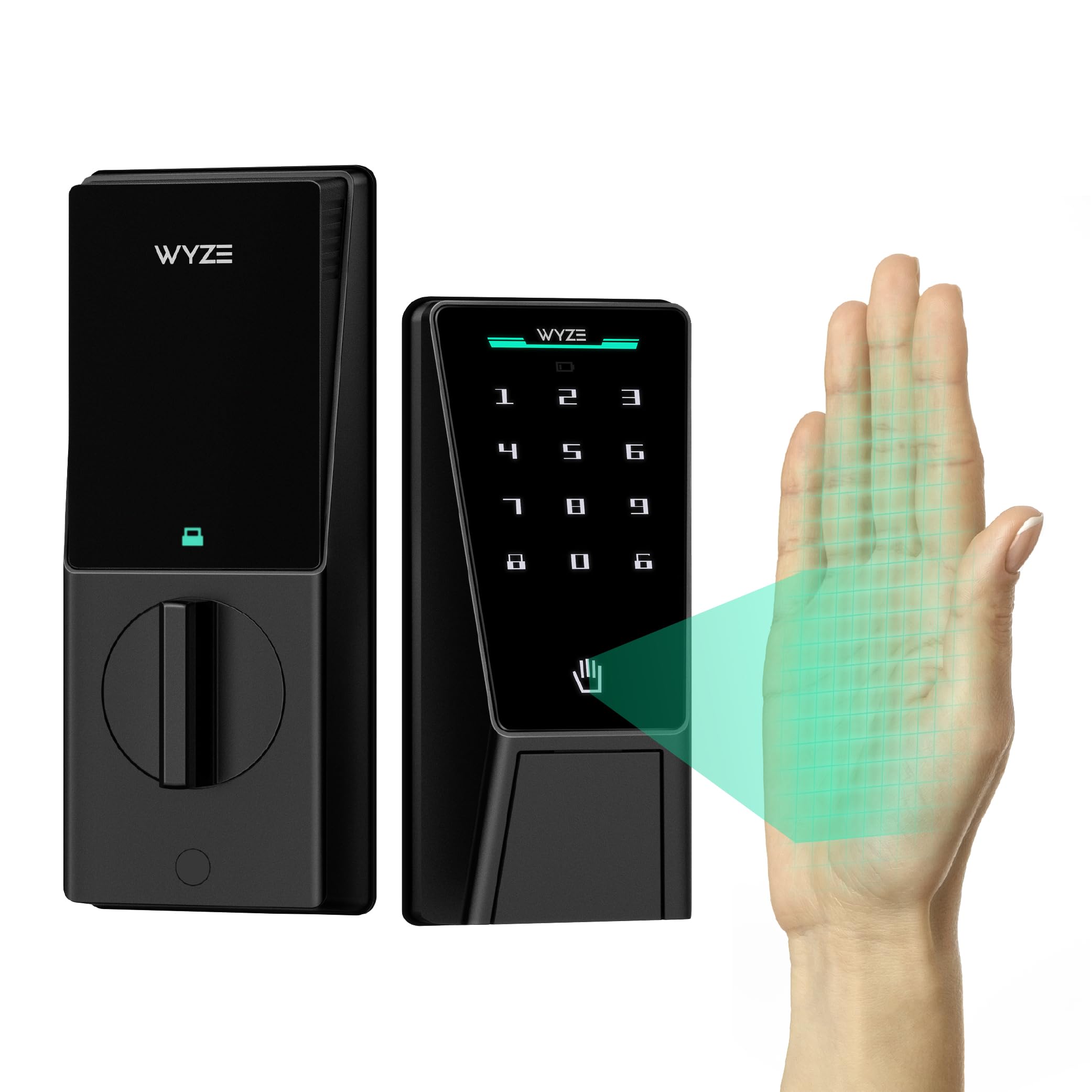
1. WYZE Palm Lock, Smart Door Lock with Palm Vein Recognition
Our pick — 4.5+★ from 850+ verified ratings; the strongest balance of quality and price.
Hover a hand and the door opens — no fingerprint pad to smudge or miss.
This is the lock for the person who gets home with both arms full. Instead of pressing a finger onto a sensor, you hold your palm near the reader and it maps the vein pattern under your skin — a pattern that sits inside the hand, not on the surface, so a dry winter fingertip or a bit of garden dirt does not stop it. Owners describe that palm read as the part that just works, and it is what pushes this pick to the top of the list at 4.5+ stars across 800+ ratings.
The power design is the other reason it earns the crown. A main battery is rated for 6 months, with a 2-week secondary battery behind it. If both run flat, the integrated USB-C port takes a power bank for an emergency charge — the kind of backup that means a dead lock is an inconvenience, not a locksmith bill. A millimeter-wave radar sensor, the same type used in self-driving cars, wakes the lock only when a person is actually there, which is why the battery is not chewing through charge on every passing car.
For size, the housing measures 12.71 x 8 x 3.62 inches and weighs 1.9 pounds — the lighter of the two Wyze locks here, and 0.3 pounds under the Wyze Auto-Lock Bolt v2 at 2.2 pounds. That smaller body fits tighter door edges without a bulky exterior plate. You also get up to 50 guest codes on the illuminated keypad with anti-peep entry (type extra digits around your real PIN so nobody reading over your shoulder learns it), plus a mechanical key under a damping cover when you want the old routine.
What earns it first place
- Palm-vein entry needs no contact, so wet or dirty hands still get you in
- 6-month main battery plus a 2-week backup and USB-C emergency charging
- IP53 weather resistance and BHMA3 certification for rain and daily slams
- Gyroscope auto-lock senses the door has actually closed before it throws the bolt
- Tamper alarm and an open-door chirp you can tune in the Wyze app
Where it asks a little of you
- Palm reading is newer than fingerprint, so some buyers take a few tries to find the sweet hover distance
- You are tied into the Wyze app for the deepest settings and alerts
Reach for this if: you want the door to open on a wave of your hand and you like a real key as a fallback.
Think twice if: you insist on a physical keypad-first routine and never want an app involved.
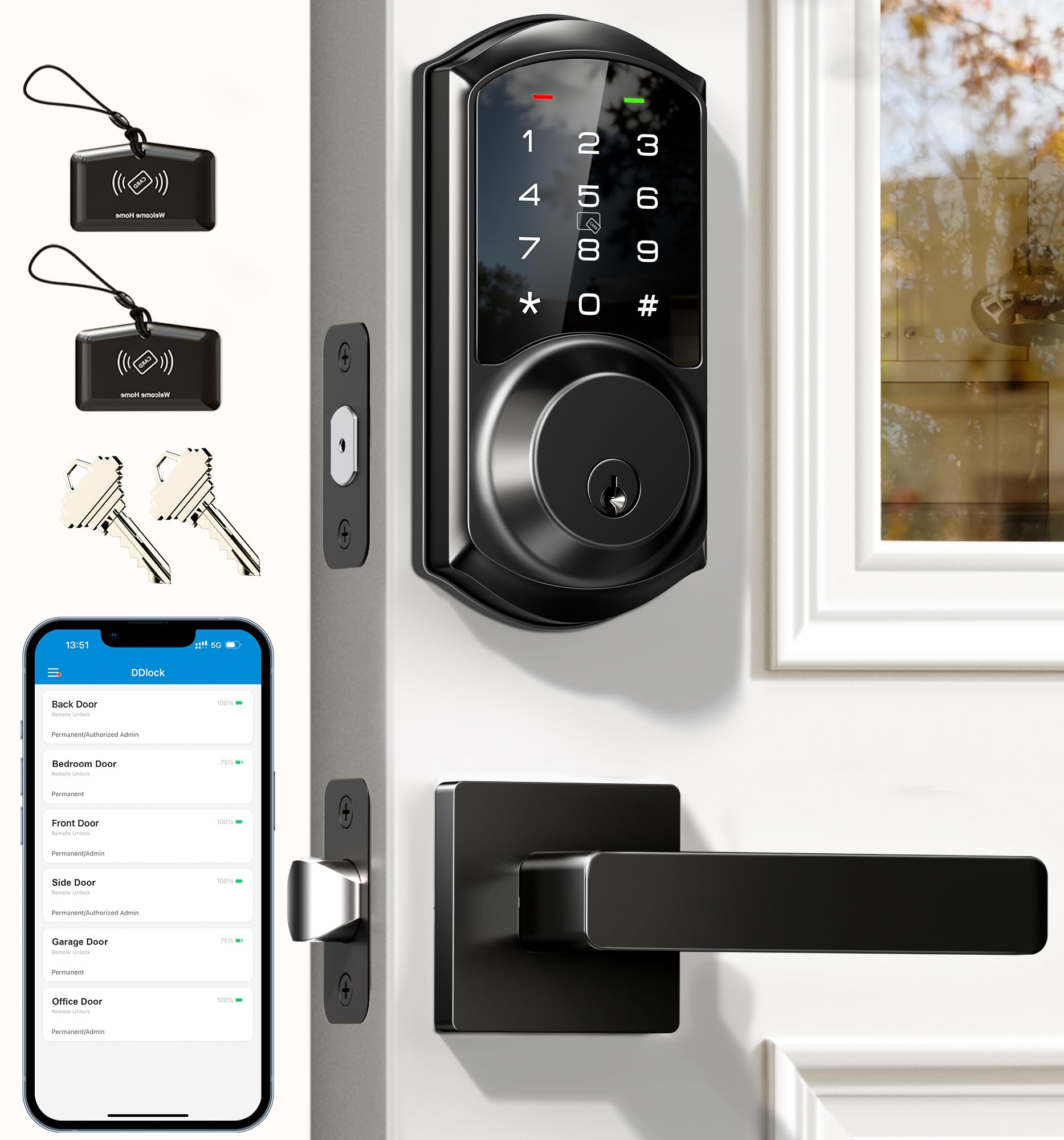
2. Veise VE06-L Smart Deadbolt Lock
A whole building’s worth of codes, cards, and fobs in one matte-black deadbolt.
Picture a short-term rental where the guest list changes every week. This lock stores 250+ codes and accepts IC cards with a 1,000+ capacity, so you can hand out permanent codes to family, scheduled codes to the cleaner, and one-time codes that delete themselves after a single use. That flexibility is why it earns the rental crown, and owners single out build quality above everything else: the zinc alloy body and matching lever handles look like a deliberate front-door upgrade, not a plastic bolt-on.
The hardware story is solid: IP54 weather resistance and BHMA/ANSI Grade 3 certification, with lock data encrypted locally on the chip via AES so access records never leave the door. The auto-lock window is adjustable from 5 to 900 seconds, and a two-second hold on the “#” key locks it on demand. A 5-attempt lockout for 2 minutes after wrong codes is a small touch that matters on a rental door.
The honest catch: remote control and Alexa/Google voice need the Veise G2 gateway, which is sold separately. from the start you get Bluetooth range plus the keypad, cards, and keys — for a landlord on site that is plenty, but a remote host should budget for the hub. A few owners also report the auto-lock acting up over time, so treat the app-side schedule as something to check now and then.
The gateway caveat: the DDlock app and web portal carry no subscription fee, and you can generate and share passcodes remotely even before you add the G2 hub. Full lock/open up from anywhere and voice assistants wait until that hub is in place.
Made for: landlords, property managers, and anyone juggling rotating guests who needs codes and cards galore.
Heads-up: buy the G2 gateway if you want to open the door from another city.
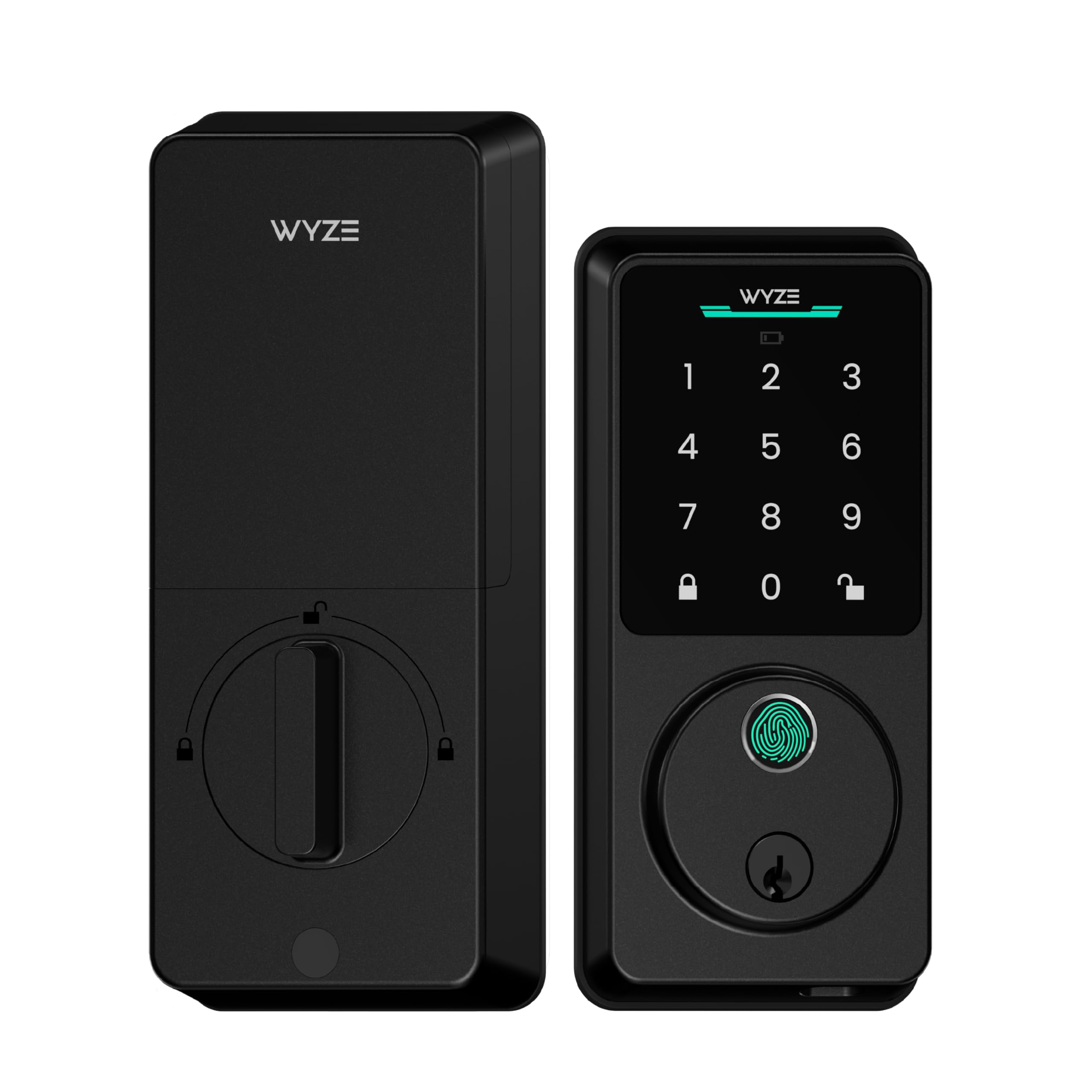
3. WYZE Auto-Lock Bolt v2, Wi-Fi Fingerprint Smart Deadbolt
Half a second from thumb to open door, on a lock that learns your print.
If fingerprints are your preferred open up, this is the speed benchmark of the group. The scanner is rated to open up in 0.5 seconds, and the tempered glass surface resists scratches and smudges so your prints stay readable. The AI layer learns from each touch and tightens its recognition over time — a nice idea, though fingerprint reading is the one area owners rate mixed, so expect the occasional second press.
Installation is where this lock shines. Buyers report the whole thing goes on in about 10 minutes per lock and the app pairing is intuitive, which is a big part of why it holds 4.5+ stars. Power comes from 8 AA batteries rated for up to 8 months, and a USB-C port lets you jump it from a power bank if they die. Rated IP53 and BHMA Grade 2, it takes weather and daily slam traffic in stride.
On size it is the compact one next to the Wyze Palm Lock — 7.09 x 2.93 x 1.41 inches versus 12.71 x 8 x 3.62 inches, a much smaller footprint on the door edge. The 2.2-pound body is 0.3 pounds heavier than the Palm Lock’s 1.9, a trade for the aluminum-and-glass construction. The fingerprint sensor can be hit or miss with very dry or worn fingertips, and Wi-Fi syncing of new prints draws the occasional complaint.
Why it stays near the top
- 0.5-second fingerprint open up with scratch-resistant tempered glass
- About a 10-minute install and a straightforward app, per owners mention
- 8 AA batteries for up to 8 months plus USB-C emergency power
What to weigh before you buy
- Fingerprint reliability is the most-mixed part of the experience
- Some report the lock takes a few attempts to respond at times
Pick this if: a fast thumb scan and a quick screwdriver install are your priorities.
Skip the finger-only plan if: your hands get rough and dry — lean on the keypad or keys as your daily route.
4. Tapo DL105 Smart Wi-Fi Deadbolt Door Lock
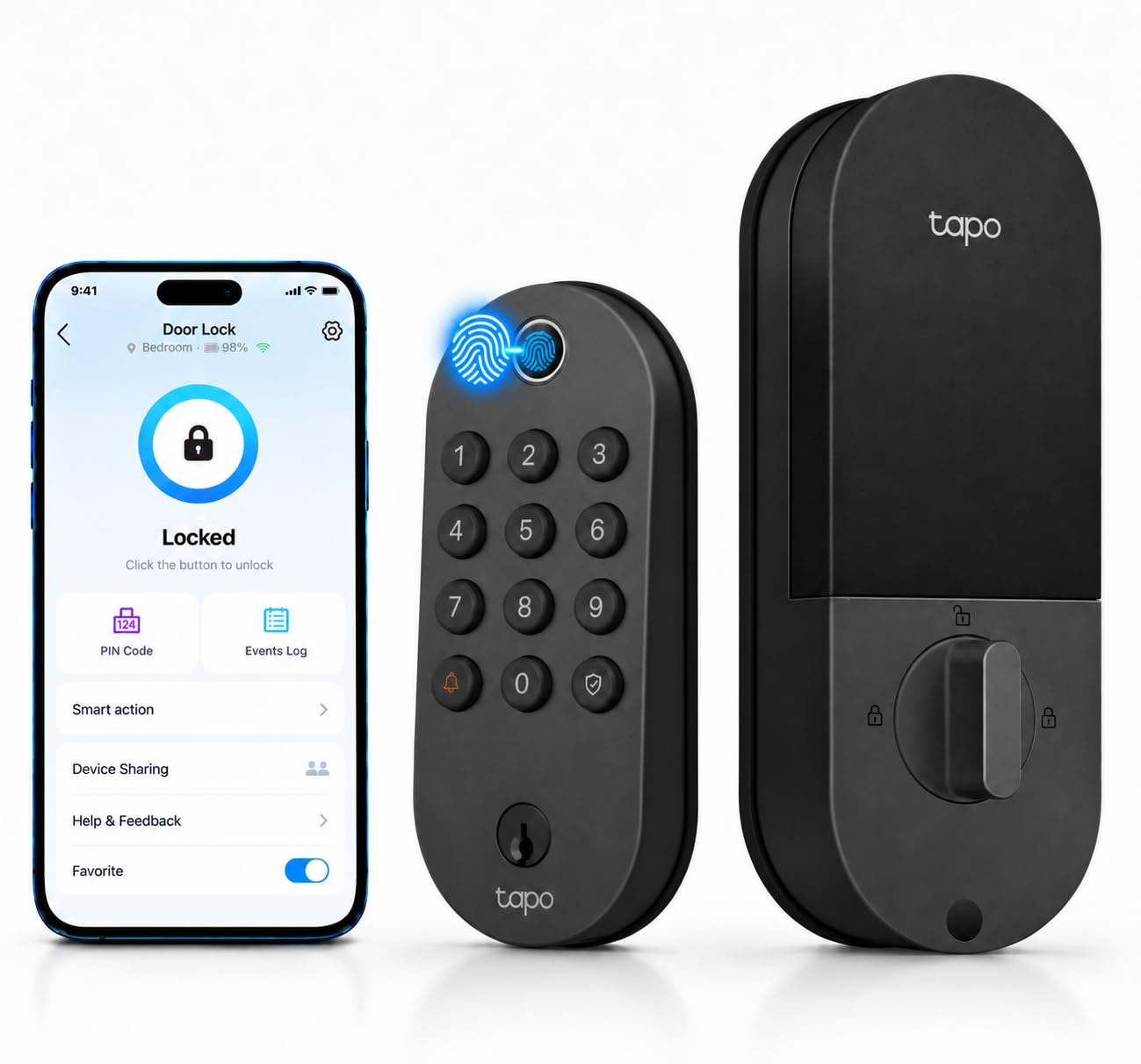
Wi-Fi straight to your router and a battery that lasts about a year between charges.
Six ways in, no gateway box in the box. The Tapo DL105 connects straight to your home Wi-Fi, so the Tapo app reaches the door from anywhere without a bridge — a real advantage over the Veise locks that need a sold-separately hub for remote access. Fingerprint recognition lands in 0.5 seconds and the lock stores up to 100 prints, with a keypad, Bluetooth, voice assistants, and backup keys rounding out the options.
The power choice is smart for low-maintenance homes: a built-in rechargeable pack rated for up to one year, topped up through USB-C, so you stop buying AA cells. It fits standard 2-1/8-inch and 1-1/2-inch prep holes with no drilling, and installation is billed under 15 minutes. Owners find the quality and setup genuinely satisfying, and the in-app activity log with timestamps shows who came and went.
Where it gets honest: reliability is the most-discussed topic and it splits, with some doors failing to open up on the first try or to lock cleanly. The fingerprint reader is also finicky for a slice of buyers. Neither sinks the lock for most people, but if you want zero-tolerance consistency, size it against the palm-vein options up top.
Smart-home bonus: it pairs with other Tapo or Kasa devices, so your door can lock itself when the smart lights go off. Operating range spans -22℉ to 158℉, IP54 rated. TP-Link is also a CISA Secure-by-Design pledge signatory, which speaks to how the device is built and maintained.
Best matched to: a renter or first-time smart-lock buyer with a standard door who wants Wi-Fi without buying a hub.
One thing to know: give the first-try open up a pass on a rare stubborn read and it clears every time.
5. Veise VE017-L Fingerprint Smart Lock
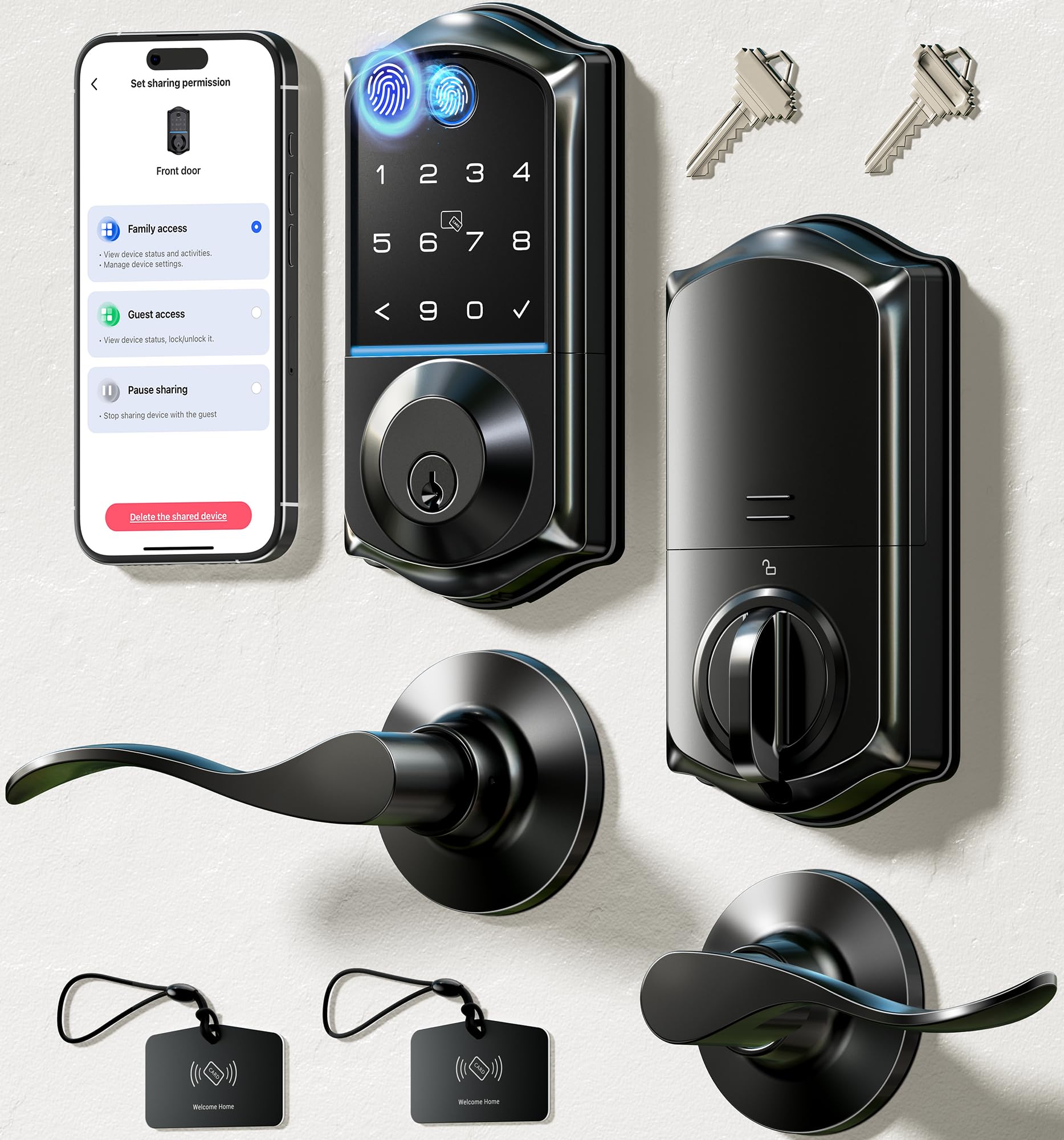
An eight-way open up that reads a finger in 0.2 seconds and never needs a battery swap mid-year.
For a busy household with kids, a dog walker, and a contractor stopping by, this is the multi-user workhorse. Its FPC sensor reads at 500DPI from any angle and recognizes a print in 0.2 seconds, with an AI layer that sharpens with use. You get 8 access routes in all — app, fingerprint, 100+ keypad codes, key fobs, spare key, user authorization, code sharing, and auto-lock tuned from 10 to 180 seconds. Owners praise the sheer ease of daily use, and the zinc-alloy handles give it a solid, finished look that draws its own compliments.
Endurance is where it settles in: four AA batteries (not included) last up to a full year, backed by low-battery alerts and a Type-C emergency port so you are never locked out. It carries IP55 weather resistance and ANSI Grade 3 & BHMA certification, rated to work from -35°F to 160°F, with AES-128 encryption and anti-peep codes guarding your PINs. Installation runs about 10 minutes with a screwdriver and no wiring, and the lock auto-detects the door’s left or right swing.
The trade-off to know: remote control and Alexa/Google voice need the Veise G1 gateway, sold separately, and Bluetooth connectivity is the mixed part of the experience — some report disconnects. A minority also find the value lacking. For local key-fob and keypad use, though, it is a lot of door for the money.
Suits: a full house that wants fingerprints, fobs, and codes for everyone without recharging anything.
Not ideal if: you need to open up from another address — that requires the G1 hub.
6. Philips WiFi Keypad Door Lock
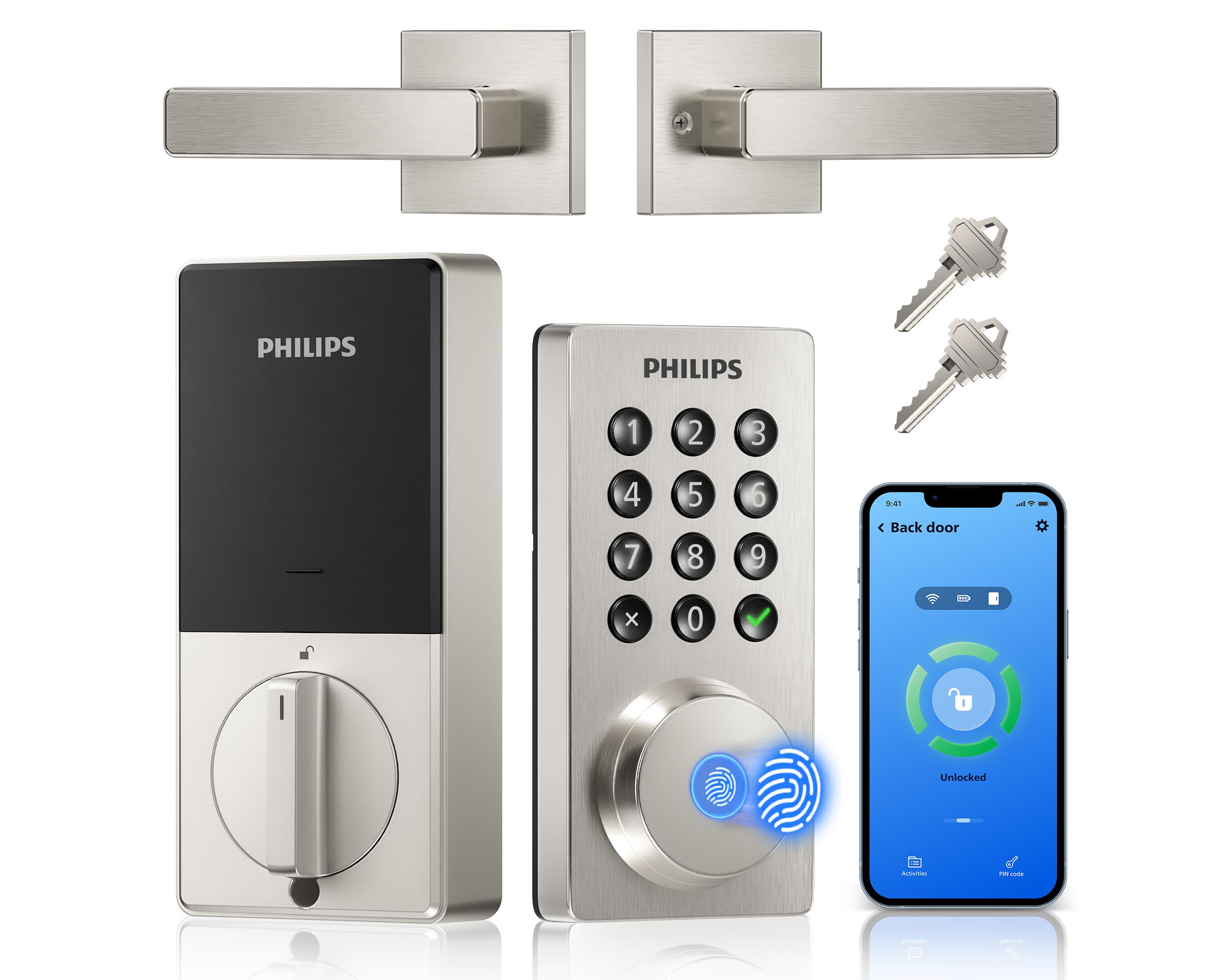
The matched handle-plus-deadbolt set that makes your front door look new.
If your entryway still wears mismatched hardware, this nails the look. It arrives as a complete set — a matching door lever alongside the deadbolt — in a satin nickel aluminum finish, so you swap the whole front-door look instead of bolting a keypad next to an old handle. The fingerprint reader open up in 0.3 seconds and stores multiple prints, with permanent, one-time, periodic, and recurring PIN codes handled through the Philips Home Access app.
On connectivity it goes straight to 2.4GHz Wi-Fi with no hub, so remote lock, open up, status checks, and access history work from the app. Auto-lock is tunable from 0 to 180 seconds, which is the answer to the “did I lock it?” morning spiral. Owners count quality and ease of install as its strengths — a frequent comment is that all the features simply behave — and voice control through Alexa or Google Assistant is there for loaded-up hands.
The one rough patch to know: Wi-Fi connectivity is the most-mixed part of the picture, with some doors failing to stay connected and the occasional Alexa integration hiccup. A few owners also hit initial connection trouble before a firmware update. Once it is online, the door feels like a proper upgrade rather than a gadget add-on.
Looks and hardware: the included lever set is the standout here — buyers call the appearance a genuine front-door upgrade — and the anti-drill, back-lit, anti-peep keypad rounds out a polished package.
Choose this if: you want matching handle and deadbolt in one box and app control without a hub.
Keep it in mind: put it near a decent router, since Wi-Fi stability is where it shows its weak spot.
7. Tapo DL110 Smart Wi-Fi Door Lock
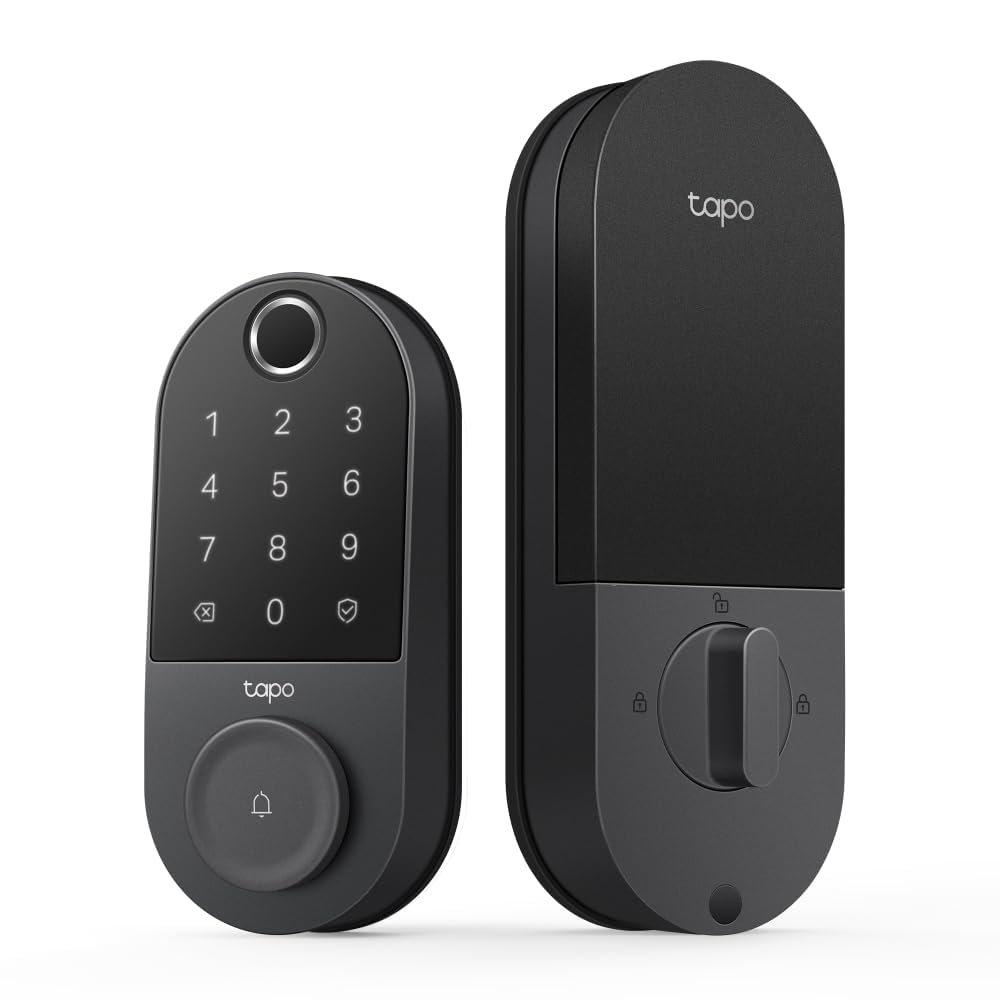
A full year on one removable, rechargeable pack — charge it and forget the batteries.
Owners rate this lock’s overall quality above nearly every other point, and the rechargeable power is a big part of why. A removable, rechargeable lithium-ion pack is rated for a full year of operation, topped up by USB-C — no AA cells on your shopping list. The fingerprint sensor open up in 0.42 seconds and stores up to 100 prints, and you get six access routes including keypad codes, Wi-Fi app control, close-range Bluetooth, voice assistants, and backup keys.
What keeps owners happy is the fingerprint speed relative to the competition — plenty compare it favorably to name-brand readers they have owned, with clean reads and no constant misreads. Setup is straightforward per the wide agreement, and the TAPO app works with Alexa, Google Home, and the rest. Rated BHMA Grade 2, it is built for daily door traffic.
The honest limit: at 2.09 kg it is the heaviest-feeling unit in this lineup, so it is not the lock for a flimsy or lightweight door. The DL110 also asks you to remember to plug the pack in when the app nudges you — the reward is skipping a year of battery swaps.
The draw
- 1-year rechargeable lithium-ion pack refills over USB-C
- 0.42-second fingerprint open up with up to 100 stored prints
- Six ways in, including Wi-Fi app control and Bluetooth
- BHMA Grade 2 durability for a high-traffic front door
The fine print
- Substantial body weight makes it a poor fit for a hollow or lightweight door
- You have to remember the recharge cycle the app asks for
Go for it if: you want to stop buying batteries and keep a fast, reliable finger reader on the door.
Measure first if: your door is on the lighter side — this one has heft.
8. Yale Assure Lock 2 WiFi Deadbolt
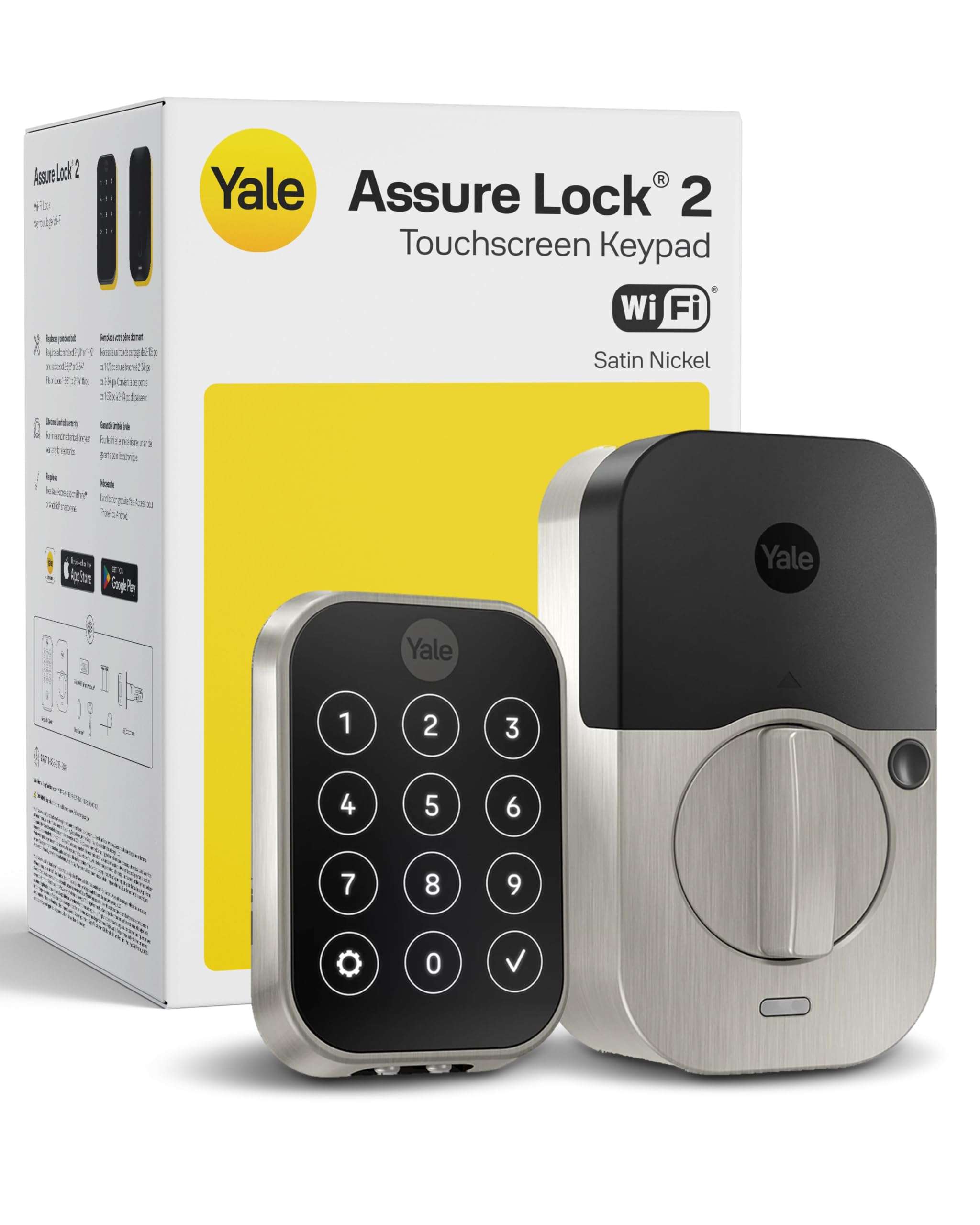
For the Apple household: it knows when you are home and open up as you walk up.
This is the pick if you run an iPhone-first home. It works with Apple HomeKit alongside Alexa and Google Assistant, connects directly to 2.4 or 5 GHz Wi-Fi with no hub, and the auto-open up feature recognizes when you are home so the door opens for you. DoorSense knows whether the door is fully closed, and auto-lock throws the bolt after — bed, errands, chasing kids, it handles it.
Unlimited codes are the practical win: give the dog walker Tuesday access, a permanent code to family, and a guest code that expires at checkout, all shareable and revocable in seconds in the Yale Access app. The touchscreen keypad and Apple Watch control round out entry, and a low-power alert warns before the batteries quit. It carries BHMA Grade 2 certification and is rated from -22°F to 140°F.
Be clear-eyed on the software side. Reliability and quality split in the reviews, with some doors performing well and others stopping altogether; wireless connectivity also divides, and battery drain plus value draw the sharpest criticism. For a HomeKit user who wants the Apple Watch and auto-open up workflow, though, there are few peers — just keep the app and a spare set of batteries close.
The HomeKit hook: native Apple HomeKit support is the reason to forgive its rough edges — most locks here stop at Alexa and Google. If Siri and Apple Watch control are non-negotiable, this is your entry point.
Fits: iPhone and Apple Watch owners who want Siri, HomeKit, and a true auto-open up.
Better elsewhere if: you are not in Apple’s world — the connectivity and battery feedback is where this lock gets inconsistent.
9. eufy FamiLock S3 Max Video Smart Lock
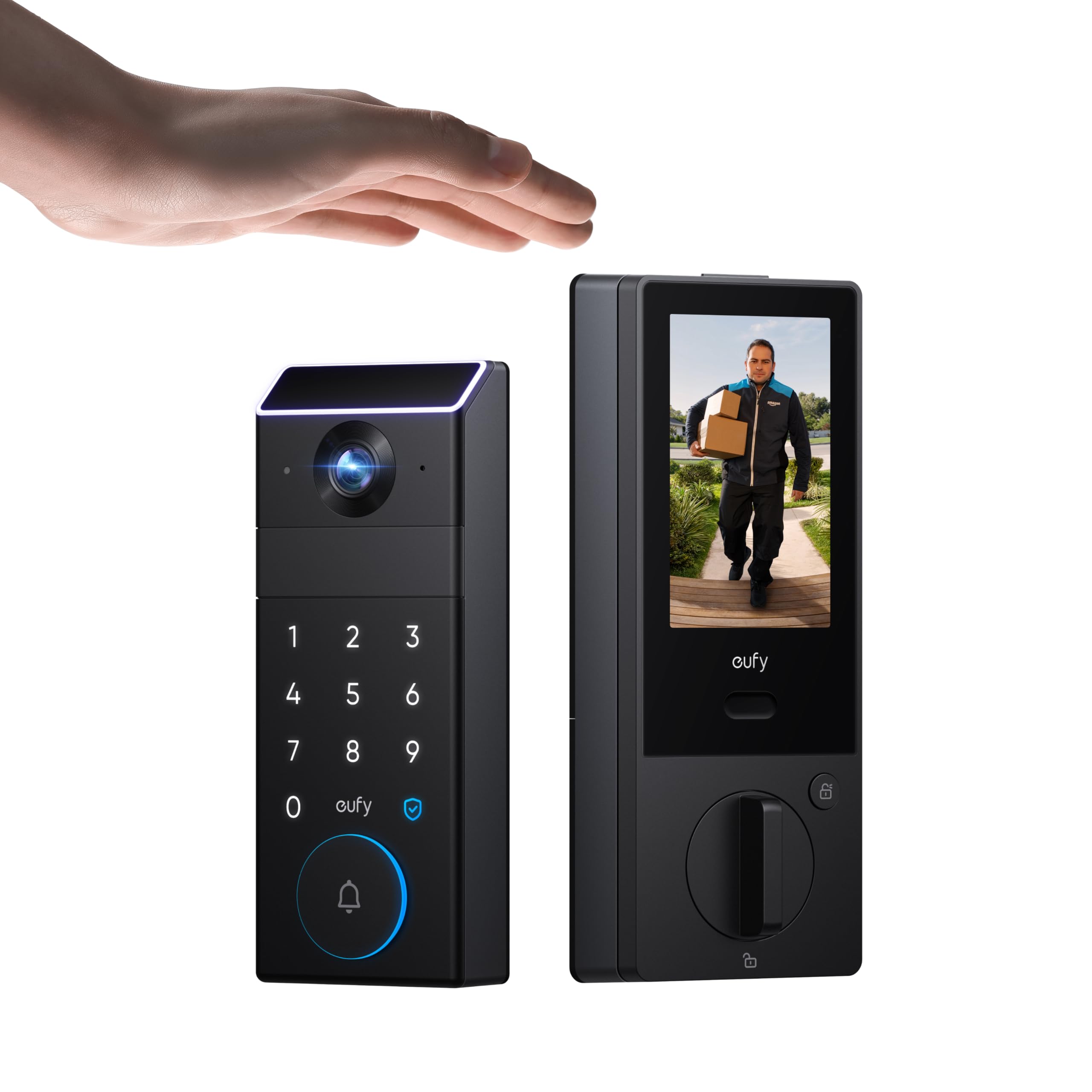
A lock, a 2K doorbell camera, and an indoor screen to see who is at the door — together.
This is the one to buy when you want the door to show you who is there before it opens. The FamiLock S3 Max packs a 2K HD camera with an f/1.8 lens for clear low-light video, a 150° head-to-toe wide-angle view that cuts blind spots for packages, and palm-vein open up in 0.6 seconds. A rear indoor video screen means anyone — grandparents, kids — can check the front door without opening an app. It is the security-first, all-in-one choice in this lineup, and the build quality is what buyers praise most.
Power is a dual system: a rechargeable battery rated for up to 4 months of full functionality, plus 4 AAA batteries for an extra month of essential use in a power cut. It carries BHMA Grade 1 durability, the toughest grade here, and 16GB of built-in storage. Palm data is stored locally on the lock, and Matter support ties it to Apple Home, Google Home, Alexa, and SmartThings. Note that camera streams do not pass over Matter — use the eufy app for full features, and know it is not compatible with HomeBase 2.
The honest trade-offs: reliability, open up, battery life, and palm recognition all split in the reviews, with some finding the palm reader impressive and others calling it inconsistent — and the price is near the top of this group. If you want a doorbell camera and a lock in one footprint and value the indoor screen, the trade is worth it; if you only need an open up, the Wyze Palm Lock costs far less for the same vein tech.
Best for: families who want to see who is at the door and let older relatives check it without a phone.
The catch to accept: it is the priciest and most feature-dense lock here — palm and battery consistency vary, so buy it for the camera-plus-screen combo.
Know the Specs
Palm Vein vs. Fingerprint
A fingerprint reader scans the ridge pattern on your skin’s surface — fast, but sensitive to dry, wet, or dirty fingertips. Palm-vein reading maps the veins beneath the skin, which is why a Wyze Palm Lock opens on a hover with no contact and shrugs off a dry winter hand. Fingerprint is the older, cheaper, more proven path; palm vein is the newer one that suits full hands and rough conditions.
IP Rating (Weather)
The IP number tells you how well a lock resists dust and water. A higher second digit means more rain protection, so a lock rated for outdoor exposure keeps working through wet seasons while a lower one may be more vulnerable over time. Match the rating to how much weather your door actually faces.
BHMA Grade
BHMA grades the durability of the bolt and mechanism against real door traffic. Grade 1 is built for the heaviest use, Grade 2 for busy residential doors, and Grade 3 for standard home doors. A higher grade means the hardware is less likely to wear out or jam over years of use.
Battery Type and Backup
Disposable AA cells are simple to swap; a rechargeable pack you top up over USB-C saves recurring cost but asks for a habit. In all cases, look for two things: an app low-battery alert, and an emergency port or backup cells so a dead lock never strands you at the door.
Wi-Fi, Bluetooth, and Hubs
Direct Wi-Fi lets the app reach the lock from anywhere with no extra hardware. Bluetooth-only locks have app control nearby but need a gateway hub — often sold separately — before they work remotely. Read the connectivity line closely so remote access is not a surprise cost.
Keypad Codes and Anti-Peep
A code is the most reliable open up because it never cares about the weather. Anti-peep lets you add extra digits before or after your real PIN so anyone watching over your shoulder cannot tell the true code. Look at how many codes and how many guest types — one-time, scheduled, recurring — the lock supports.
Common Questions
Will a smartphone door lock fit my existing front door?
Do I need a hub to control the lock from my phone when I am away?
What happens if the batteries die while I am out?
Is palm-vein open up better than a fingerprint reader?
Can I give the dog walker or a guest a code that expires?
Will the lock work with Alexa, Google, or Apple Home?
How long until I have to change or recharge the battery?
Is a keypad lock still safe, or can someone guess the code?
Can I still use a normal key if I want to?
Do I need to drill new holes to install one?
The Bottom Line
For most people, the smartphone door lock to buy is the Wyze Palm Lock, because it opens on a hover with no contact, backs that up with a 6-month battery plus a USB-C emergency charge, and carries IP53 and BHMA3 ratings for weather and daily slams. Want a fingertip that open up in 0.5 seconds on a quick install? The Wyze Auto-Lock Bolt v2 is the finger-first choice. Running an iPhone home and want auto-open up as you walk up? The Yale Assure Lock 2 is the HomeKit route. And if you want to see who is at the door before it opens, the eufy FamiLock S3 Max folds a 2K camera and an indoor screen into the lock itself.
How we choose
We do not accept paid placement. Every pick is matched to a real buyer and a real use-case; we do not hands-on test units.
Sources
Specifications: manufacturer listings and product documentation. Review insights: verified customer reviews, as of November 2026. Pricing: not shown on this page (it changes often); check the current price via the retailer link.
As an Amazon Associate, Tactical Gear Guy earns from qualifying purchases. This does not affect which products we feature.