Specs are compiled from manufacturer listings and verified buyer reviews and can change over time — please confirm the key details on the product page before buying.
If your video call freezes the moment you walk into the kitchen, the problem is almost never your internet provider — it is how your Wi-Fi reaches the far rooms. A smart Wi-Fi system fixes that with two or three small units that share one network name, so your phone hops to the nearest one instead of clinging to a weak signal. This guide covers eleven real systems, from a budget-friendly pair to a quad-band monster, and every pick here is a mesh setup, not a single router pretending to cover a whole house.
This guide is built by comparing the manufacturers’ published specifications and the patterns across verified customer reviews, so you get each pick’s real strengths and trade-offs instead of marketing spin.
Match the system to your floor plan, your device count, and the Wi-Fi generation your gear actually uses — not to the biggest number on the box. These eleven picks differ in how well each handles coverage, device load, and the walls and floors that block signal. You will see them compared side by side in the best smart Wi-Fi systems.
Top Picks


How To Choose The Best Smart Wi-Fi Systems
Start with the number of devices that are awake at the same time in your house. Phones, laptops, tablets, smart speakers, doorbells, thermostats, and a game console all hold a connection at once, and a system that is rated for 35 devices will feel crowded if you own 60. That single number eliminates more bad buys than any other spec.
Match the Wi-Fi generation to your actual devices
Wi-Fi 7 is the newest generation, and it only pays off fully if you own a Wi-Fi 7 phone or laptop to use it. If your devices are older, a Wi-Fi 6 or 6E system can feel identical in daily use and often costs less. Wi-Fi 6E adds a 6 GHz band — a separate lane that most older gadgets cannot join — which helps in apartment buildings where every neighbor’s network is fighting for the same airwaves.
Understand what backhaul means before you buy
Backhaul is the link between your mesh units themselves. If they talk to each other wirelessly, they are sharing the same air as your devices, and speed drops with each hop. A system that supports wired Ethernet backhaul lets you run a cable between units so the link stays clean — worth knowing if you can route a cable through a wall or along a baseboard.
Do not trust the square-foot number alone
Coverage claims assume open space and a certain number of nodes. A 7,000 square foot claim from a 3-pack and a 5,800 square foot claim from a 2-pack are not describing the same thing. Count your floors, count your interior walls, and lean toward a system with more nodes if your home is long or L-shaped.
Side-by-Side Comparison
| Model | Best For | Coverage | Wi-Fi Generation | Rated Devices | Amazon |
|---|---|---|---|---|---|
| Amazon eero 7 (3-pack)★ Best Overall | Future-proofing on a mid-range budget | Up to 6,000 sq. ft. | Wi-Fi 7, dual-band | 120+ | Amazon |
| NETGEAR Nighthawk MK72Budget Champion | Small homes replacing an old router | Up to 3,000 sq. ft. | Wi-Fi 6, dual-band | 35+ | Amazon |
| Tenda Nova MX12 (3-pack)Best Coverage Value | Maximum coverage per dollar | Up to 7,000 sq. ft. | Wi-Fi 6, dual-band | 160+ | Amazon |
| Tenda ME6 Pro (3-pack) | Big homes on Wi-Fi 7 | Up to 6,600 sq. ft. | Wi-Fi 7, dual-band | 160+ | Amazon |
| TP-Link Deco 7 BE23 (3-pack) | Gigabit-plus internet plans | Up to 6,500 sq. ft. | Wi-Fi 7, dual-band | 150 | Amazon |
| Linksys Velop Micro 7 (3-pack) | No-app, no-account setup | Up to 6,600 sq. ft. | Wi-Fi 7, dual-band | — | Amazon |
| TP-Link Deco XE70 Pro (3-pack) | Congested neighborhoods | Up to 2,900 sq. ft. | Wi-Fi 6E, tri-band | 200 | Amazon |
| ASUS ROG Rapture GT6 (2-pack) | Console and PC gamers | Up to 5,800 sq. ft. | Wi-Fi 6, tri-band | — | Amazon |
| ASUS ZenWiFi BQ16 Pro (2-pack) | Huge homes, huge device counts | Up to 8,000 sq. ft. | Wi-Fi 7, quad-band | — | Amazon |
| NETGEAR Orbi 970 Series | Estates and multi-building setups | Up to 10,000 sq. ft. | Wi-Fi 7, quad-band | 200 | Amazon |
Detailed Reviews
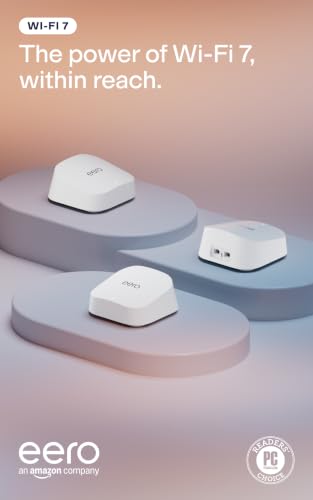
1. Amazon eero 7 dual-band mesh Wi-Fi 7 router (3-pack)
Our pick — 4.0+★ from 2,000+ verified ratings; the strongest balance of quality and price.
Three small white boxes that put Wi-Fi 7 into a whole home without asking you to learn anything.
This pick earns the top spot because three units cover 6,000 square feet and support 120+ devices together. That is the practical middle ground for most two-story homes: enough nodes that the far bedroom gets a real signal, without a price that climbs into premium territory. It also handles internet plans up to 2.5 Gbps through two auto-sensing 2.5 GbE ports (wired sockets that accept either a modem cable or a device cable at 2.5-gigabit speed). So the hardware will not hold you back if your provider upgrades you later.
What wins people over here is plain performance — the reviews are dominated by how well it runs rather than any one flashy feature. Setup is the other standout: the app walks you through it, and NETGEAR’s own customer summary notes one buyer finished configuration in 15 minutes. That same summary puts real-home coverage around 2,000 square feet, so treat the 6,000 square foot figure as a ceiling, not a promise. This is the crowd favorite at 4.0+ stars across 2,300+ ratings, and the three-year warranty is longer than most of the field.
The honest catch is connectivity and speed, which are the two areas where opinions split. Some homes report flawless performance while others hit dropped links and slower-than-expected throughput — that pattern usually points to a thick floor or a placement problem rather than a dead unit. Starting placement high and central, with each node in line of sight of the next where you can manage it, heads off most of that. The other thing to know is that advanced security, ad blocking, parental controls, and the VPN all sit behind an optional eero Plus subscription rather than shipping free.
Where it earns its keep
- Wi-Fi 7 with multi-link operation on a mid-range budget
- 6,000 sq. ft. and 120+ devices across three units
- Two 2.5 GbE ports per unit for gigabit-plus plans
- Three-year warranty and a genuinely quick app setup
What to plan around
- Security and parental features need an eero Plus subscription
- Real coverage trends closer to 2,000 sq. ft. in homes with walls
- Connectivity and speed reports are genuinely split
Reach for this if: you want current-generation Wi-Fi 7 with a straightforward app setup and three nodes to spread around a two-story home.
Look elsewhere if: you expect free parental controls and network security — those are subscription features here.
2. NETGEAR Nighthawk MK72
A router-plus-satellite pair built for the apartment or small house that just needs the dead spot gone.
Two units, one network name, 3,000 square feet of coverage, and room for 35+ devices — that is the whole pitch, and for a one-bedroom, a small two-bedroom, or a single-floor ranch it is enough. This is the smallest system on the list by coverage, and it is honest about it. Compare that 3,000 square feet to the Tenda Nova MX12’s 7,000 square feet and you can see immediately which one is built for a bigger property. The 35+ device ceiling is the number to check against your own home first.
Setup is the thing that goes right most often — the Nighthawk app walks you through connecting to your existing modem, and owners describe the mesh network coming together in about 5 minutes. The customer summary puts average speeds around 120% of contracted speeds, so it keeps pace with the plan you pay for. Coverage extends network range significantly where the old router quit. The AX3000 dual-band spec also means it is backward compatible with Wi-Fi 5 and older gear, so nothing in your house gets left offline.
The trade-off you need to weigh is reliability, which is the most-discussed topic and the one where opinions genuinely divide. Some units run for months without a hiccup; others drop the connection regularly. If your home has a lot of interference or you are pushing 35 devices hard, a bigger system with more headroom is the safer bet. It also works with cable, fiber, DSL, and cellular home internet, though some modem-router combos from your provider need bridge mode first — worth checking before you set it up. This is the entry point into mesh, and for a small space it earns that role.
The size fit: 3,000 square feet and 35+ devices is a real ceiling, so measure your space and count your gadgets before committing.
The speed read: averaging around 120% of contracted speeds means it keeps up with the plan you already pay for, not a multi-gig upgrade you might want later.
Best for: a small home or apartment where one dead spot is the whole problem and the device count stays modest.
Think twice if: your house is long, multi-story, or crowded with 40-plus smart devices — the coverage and device ceiling will find you out.
3. Tenda AX3000 Mesh WiFi 6 System Nova MX12 (3-pack)
Three nodes that claim the widest spread on this list — 7,000 square feet for a mid-range outlay.
If raw coverage per unit is your deciding metric, the MX12 is the conversation starter. Three nodes spread 7,000 square feet and handle 160+ devices, which is more than double what the NETGEAR MK72 offers on the device side and more than double its square footage too. Each node also carries three Gigabit ports, so you can wire a console or a desktop directly into the mesh instead of relying on wireless. A 1.7 GHz quad-core processor does the routing work, and Wi-Fi 6 AX3000 tops out around 2976 Mbps across the two bands.
Range is where this system actually delivers on the page — Owners describe coverage roughly quadrupling what they had before, and the range topic is the second most-praised thing about it. Setup is the most-praised, handled through the Tenda Wi-Fi app or a web interface, and a new node joins an existing Nova network with a push of the Mesh button. That button is genuinely useful if you start with a pack and decide later you need a fourth unit in the garage.
Here is the part that needs your attention: reliability is the single most-discussed topic on this system, and it splits down the middle. Some units run for years; others disconnect every few days. That is a real pattern, not a rare fluke, and it is the main reason this sits below the top two despite the coverage number. If your home is large and your tolerance for occasional reboots is low, pay for a system with a stronger reliability record. If you want the most square footage for the least money and can handle an occasional hiccup, this is the value play on the list.
The strongest argument
- 7,000 sq. ft. of coverage from three nodes
- Handles 160+ devices at once
- Three Gigabit ports per unit for wired gear
- Mesh button makes adding a node simple
The honest caveat
- Reliability is the most-discussed topic and it divides opinion
- Some units disconnect every few days, others run for years
- Wi-Fi 6, so no multi-link operation or Wi-Fi 7 headroom
The value case: you get the widest coverage claim on this list, three nodes, and a strong device ceiling for a mid-range price.
The risk to weigh: reliability is genuinely inconsistent, so buy this only if occasional reboots do not rattle you.
4. Tenda BE5100 WiFi 7 Mesh WiFi System ME6 Pro (3-pack)
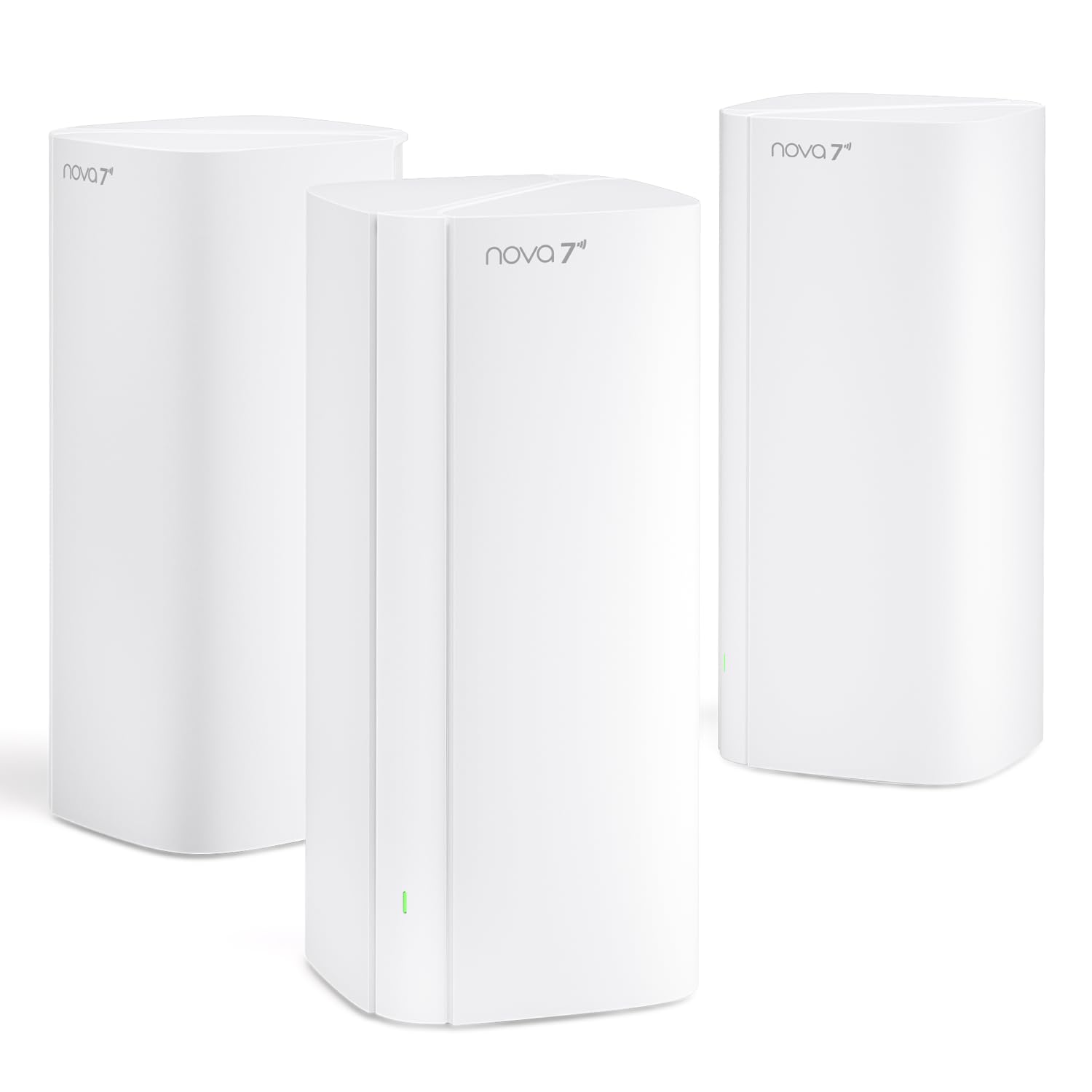
Wi-Fi 7 across 6,600 square feet with five internal antennas and a 2.5G port per unit.
The BE5100 is the mid-range answer for a home that is both large and ready for the newest standard. Six thousand six hundred square feet across three nodes, 160+ devices supported, and dual-band Wi-Fi 7 speeds up to 688 Mbps on 2.4 GHz and 4323 Mbps on 5 GHz. Tenda claims it runs nearly 60% faster than Wi-Fi 6, but that is a manufacturer figure, not a measured one. The one thing that trips people up is that the 6 GHz band is not supported on this model, so if a true three-lane Wi-Fi 7 setup is what you want, look at a tri-band system instead.
What wins people over is performance — owners describe being pleasantly surprised by how well it runs across the house, and coverage lands consistently in the positive column. Setup is the strongest single topic, with the Tenda WiFi app walking you through it and Alexa voice control available afterward. The 2.5G auto-sensing WAN/LAN port handles broadband up to 2000 Mbps, and it supports wired Ethernet backhaul, which eliminates wireless interference between nodes. If you can run a cable between units, you will see steadier performance in a large space than any wireless system can offer.
The catch is functionality and connectivity, which are the two most-discussed areas and both split. Some homes report it works flawlessly; others lose connection and find devices refusing to join the network. VPN support is genuinely broad here — WireGuard, OpenVPN, L2TP, and PPTP clients plus a PPTP server — which is more than most mid-range systems offer. One setup note for Spectrum customers: if the router does not pull an IP during setup, restart the modem, wait two minutes, and try again.
The 6 GHz gap: this system deliberately skips the 6 GHz band, so it is a two-lane Wi-Fi 7 setup rather than the full three-lane version.
The backhaul bonus: wired Ethernet backhaul between nodes is supported, and that is the single biggest upgrade you can make to a large-home mesh.
Pick this if: your home is large, your devices are Wi-Fi 7 ready, and you can run a cable between nodes for the cleanest link.
Pass if: you specifically want the 6 GHz band — this model does not carry it.
5. TP-Link Deco 7 BE23 3-pack

Two 2.5 Gbps ports on every node, built for the gigabit-plus plan you are already paying for.
Most mesh systems give you one fast port on the main router and slower ports on the satellites. Every Deco 7 BE23 unit carries two 2.5 Gbps WAN/LAN ports, which means any node can accept your multi-gig modem or feed a fast desktop. Coverage runs to 6,500 square feet across the three-pack with 150 devices supported, and each node has four high-gain antennas plus four high-power FEMs (front-end modules — the amplifier stage that pushes the signal out). Speeds reach 2882 Mbps on the 5 GHz band and 688 Mbps on 2.4 GHz.
Ease of setup is the topic that shows up most in the positive column, and recommendations follow right behind it — the customer summary flatly calls it the best mesh system buyers have owned. Speed and coverage both land strongly, with coverage holding up even in a two-bedroom apartment where a three-pack is frankly overkill. Reliability is the most-discussed topic overall and it does split, with connectivity dropping once or twice a day in some homes. That is the pattern to watch, not a universal complaint.
Security is where this one goes further than most mid-range picks. TP-Link is a signatory of the U.S. Cybersecurity and Infrastructure Security Agency’s Secure-by-Design pledge, and HomeShield ships basic network security, a private IoT network, and parental controls free. WPA3 encryption is on board. If you have a house full of smart plugs and cameras you want walled off from your laptops, that separate IoT network is a genuinely useful feature at this price.
What makes it stand out
- Two 2.5 Gbps ports on every single node
- 6,500 sq. ft. and 150 devices across three units
- Free private IoT network and parental controls via HomeShield
- WPA3 encryption and a Secure-by-Design pledge
The fine print
- Reliability splits opinion, with some homes seeing a daily drop
- Dual-band, so no 6 GHz lane
- Three nodes is more coverage than a small apartment needs
Worth it for: anyone on a multi-gig internet plan who wants fast wired ports on every node, not just the main unit.
Not for: a small flat where a single strong router would do the job just as well.
6. Linksys Velop Micro 7 3-pack
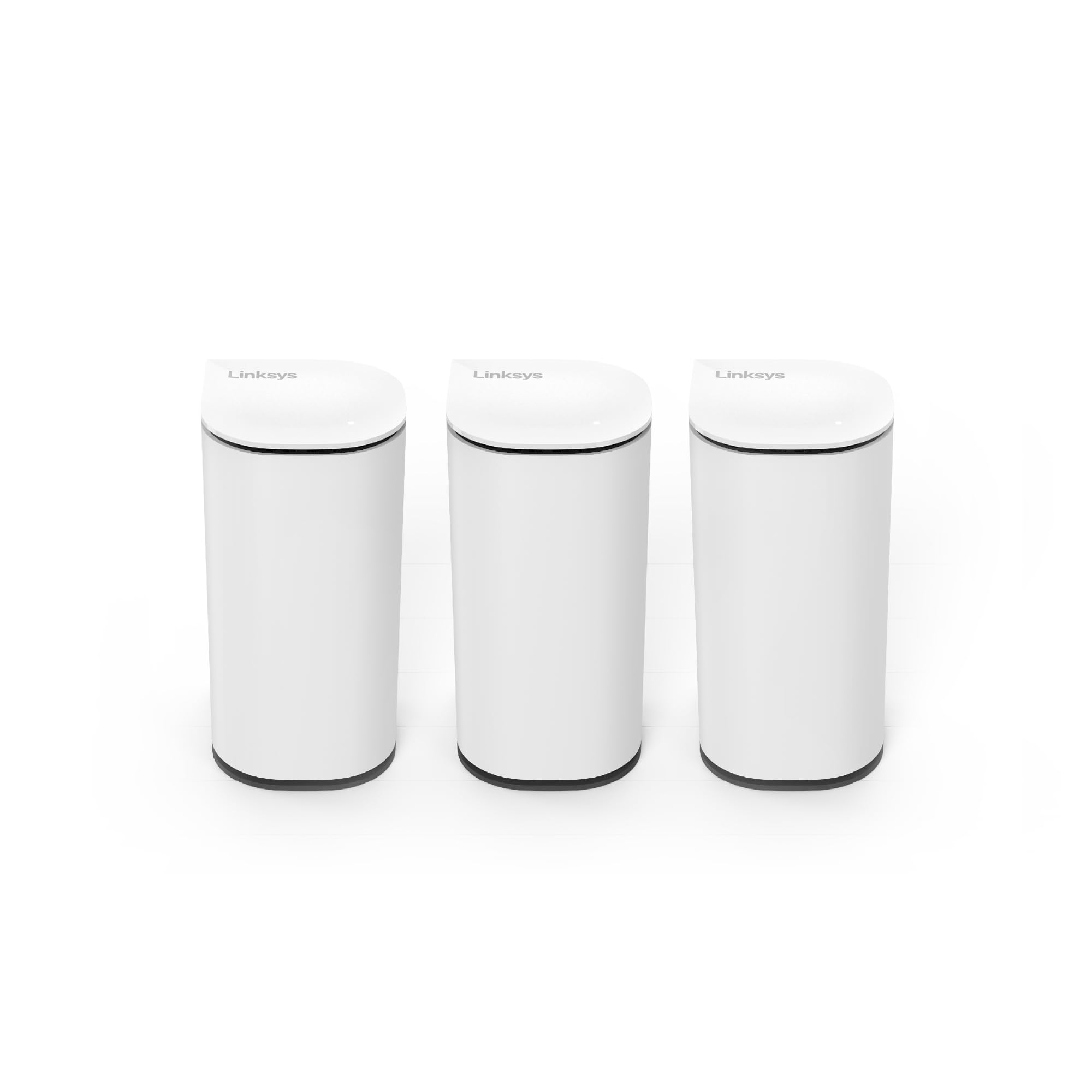
Three compact nodes you can pair with a button — no app, no account, no monthly fee.
The setup method is the whole reason this one is on the list. Linksys uses an Instant-Pair button so you can skip the app entirely and set up without creating an account or handing over personal details. The maker states it will not track browsing data, app usage, or online activity, and the advanced security and network controls come free rather than behind a subscription. Compare that to the eero 7 at position 1, where ad blocking and parental controls sit behind eero Plus, and the difference is clear.
Coverage is 2,200 square feet per node and 6,600 square feet across the three-pack, with a 2.5G auto-sensing Internet/LAN port for multi-gig plans. Wi-Fi 7 speeds reach up to 5 Gbps across four streams, and Linksys claims it is 1.8 times faster than Wi-Fi 6, but that is a manufacturer figure, not a measured one. The nodes are small and designed to sit out in the open, which is where they perform best anyway. Build is unusually sustainable for networking gear: 60%+ post-consumer recycled plastics, 100% recyclable aluminium, foam-free packaging, and a standard USB-C charger.
What to know before you commit: this is the least-reviewed system on the list, so the feedback sample is thin, and the positive topics that do exist cluster around connectivity and setup. No 6 GHz band here either, since it is a dual-band design. And while a button-based setup is liberating, it also means less hand-holding if something goes wrong later — you get fewer in-app troubleshooting layers than the app-first systems give you. For a privacy-minded buyer who would rather not create yet another account, that is a fair trade.
Made for: the buyer who resents handing a router brand their email, their browsing history, and a monthly fee.
The caveat: thin review history and a dual-band design mean you are trusting the spec sheet more than a track record here.
7. TP-Link Deco XE70 Pro 3-pack

Wi-Fi 6E with a clean 6 GHz lane — the antidote to an apartment building full of competing networks.
If you live somewhere dense, the 6 GHz band is the feature that changes your day. Wi-Fi 6E opens that band as a congestion-free lane, so your traffic is not fighting every neighbor’s router on 2.4 and 5 GHz. Speeds reach 4.9 Gbps across six streams, and the system handles up to 200 devices at once. Each Deco unit carries a 2.5 Gbps port plus two Gigabit ports, which is a generous wired setup for three nodes.
Reliability is what the owner feedback keeps coming back to — this is one of the few systems on the list where reliability lands firmly positive rather than split. Recommendations follow closely behind, and setup sits right there too, with the Deco app handling configuration and owners reporting it done inside 15 minutes. Coverage extends to garages, porches, and decks in the customer summary, reaching large properties rather than just the interior. Value also lands positive, which is unusual at this tier. The manufacturer lists coverage up to 2,900 square feet while the spec sheet elsewhere states up to 7,200 square feet — a gap worth confirming against your own home size before you buy.
Connectivity is the one mixed topic, with some devices losing their link and a few homes reporting connection trouble. That is the exception rather than the rule here, but it exists. Since this is Wi-Fi 6E rather than Wi-Fi 7, you also do not get multi-link operation — the feature that lets a device use two bands at once. If you want the newest standard, look at the Deco 7 BE23 above; if you want the cleaner airwaves, this is the pick.
Why it holds up
- 6 GHz band gives you a lane neighbors cannot clutter
- Reliability is a consistent strength rather than a mixed bag
- Handles 200 devices across three nodes
- 2.5 Gbps port plus two Gigabit ports per unit
What to check first
- Coverage figures conflict between 2,900 and 7,200 sq. ft.
- Connectivity splits for a handful of devices
- Wi-Fi 6E, so no multi-link operation
The short version: the 6 GHz band makes this the right call in an apartment block or dense suburb where every channel is crowded.
Check the number: confirm the real coverage against your floor plan, since the listed figures do not agree with each other.
8. ASUS ROG Rapture GT6 2-pack

Nine internal antennas and a dedicated backhaul channel built to keep a game session from stuttering.
Gaming mesh is a specific ask, and the GT6 answers it with hardware rather than branding. Nine internal antennas plus ASUS RangeBoost Plus cover 5,800 square feet across the two nodes, and the tri-band design uses a dedicated high-performance backhaul so your devices are not sharing bandwidth with the link between units. 160 MHz channels push speeds to 10,000 Mbps on paper, and a 1.7 GHz tri-core processor handles the routing load. The 2.5 Gbps WAN port with LAN aggregation keeps wired connections fast for a console or gaming PC.
Triple-level game acceleration is the feature that separates this from a general-purpose mesh. It tune game traffic at every stage between your device and the game server, which is the part you feel when your ping spikes mid-match. Security is unusually generous too — a free lifetime subscription to AiProtection by Trend Micro plus ASUS Instant Guard, rather than a trial that expires. That is a notable contrast with the NETGEAR systems on this list, where Armor is a 30-day trial before a paid subscription.
The honest limit is that this is Wi-Fi 6, not Wi-Fi 7, so it is a step behind on the newest standard even at this tier. Two nodes covering 5,800 square feet is also a tighter spread than the Tenda ME6 Pro’s 6,600 square feet from three nodes. If gaming performance and free lifetime security are your priorities, the trade is worth it. If you have a sprawling house and want the newest generation, look at the ZenWiFi BQ16 Pro below.
The gaming edge: triple-level game acceleration and a dedicated backhaul channel are features aimed squarely at latency, not just bandwidth.
The generational lag: it is Wi-Fi 6, so you are paying premium-tier money for a standard one generation behind Wi-Fi 7.
Built for: the household with a gaming PC or console where latency and connection stability matter more than having the newest Wi-Fi badge.
Consider the cost: free lifetime AiProtection is a real value add, but the Wi-Fi 6 standard is a known limit at this price tier.
9. ASUS ZenWiFi BQ16 Pro WiFi 7 Router (2-pack)

Two nodes, four bands, and enough antennas to blanket 8,000 square feet without repeating yourself.
Two nodes reach 8,000 square feet here, well beyond the four-to-five thousand most two-packs manage, thanks to twelve internal antennas and sixteen high-power front-end modules in each unit. Quad-band Wi-Fi 7 with Multi-Link Operation (a feature that lets a device use several bands at once) and 4096-QAM (a modulation method that packs more data into each signal) pushes speeds up to 30,000 Mbps on paper. The band count is the point: with four bands, the system can dedicate one purely to the link between nodes while the other three serve your devices. sturdy heat dissipation is built in to keep that performance from throttling under load.
Smart Home Master is the feature that stands out for anyone with a house full of gadgets. It lets you establish up to three separate SSIDs — separate network names — for IoT devices, instant VPN connections, and parental controls. That is a cleaner way to isolate smart plugs and cameras than most systems give you. The USB port also supports 4G LTE and 5G mobile tethering, so a cellular modem can serve as your backup internet. Versatile WAN configuration options round out the always-on internet pitch.
What to plan around: two nodes for 8,000 square feet assumes an open layout, and a home with thick walls will need a third unit to match that figure. The system is premium-tier, so the price reflects the band count and the antenna array. And since it holds 3.5+ stars, it is not the safest bet on this list — that distinction belongs to the eero 7 at 4.0+ stars, which sits far lower on the price ladder. Buy the BQ16 Pro for the raw capability, not for a proven reliability record.
Where the money goes
- Quad-band Wi-Fi 7 with MLO and 4096-QAM
- Twelve internal antennas and sixteen FEMs per unit
- Three separate SSIDs via Smart Home Master for IoT isolation
- USB 4G LTE and 5G tethering for backup internet
What you accept
- Two nodes only, so thick walls will need a third
- The lowest rating tier of the group
- Premium-tier cost for capability rather than a track record
Right for: a large modern home where a two-node setup can be placed in relatively open sight lines and raw band count matters.
Think hard if: your walls are thick or your layout is closed — the 8,000 sq. ft. figure will not survive either.
10. NETGEAR Orbi 970 Series RBE973S

One router and two satellites covering 10,000 square feet — the biggest footprint here by a wide margin.
If your property is genuinely large, this is the only system on the list that reaches 10,000 square feet, and the gap is significant. The Tenda MX12 offers 7,000; the ZenWiFi BQ16 Pro 8,000; the Orbi 970 goes to 10,000 with a router plus two satellite extenders. It supports 200 devices and includes a 10 Gig internet port, with speeds up to 27 Gbps on quad-band Wi-Fi 7. Enhanced Dedicated Backhaul keeps the WiFi fast across every device at once without sharing bandwidth with the mesh link itself. A 10 Gig internet port also means the hardware will not bottleneck whatever your provider brings you next.
Setup takes longer than most: Owners describe around 2 hours to get fully configured and reconnect every device, so budget that time. Speed is the standout topic in the feedback, with owners reporting consistent maximum WiFi speeds across the house and no lag even with multiple people streaming and gaming at once. Coverage delivers full interior and exterior range, which is exactly what you are paying for at this tier. For a home with outbuildings or a big yard, that reach is the whole reason to buy the 970.
Weigh this honestly: connectivity is the one topic on this system that lands negative rather than mixed, with disconnections and intermittent port behavior showing up in the feedback. Reliability and value for money both split too. At the top of the price ladder, that inconsistency is harder to excuse than on a budget system. Buy this if your square footage is genuinely enormous and you want a single system to handle it. If your home is under 6,000 square feet, the eero 7 or Deco 7 BE23 cover the same ground for far less.
The scale argument: 10,000 square feet and 200 devices from one router plus two satellites is class-leading here — no other pick comes close on raw footprint.
The consistency question: connectivity is the one topic that lands negative on this system, and that is a real consideration at the top of the price ladder.
The right buyer: an estate, a farmhouse, or a property with outbuildings where only a 10,000 square foot system will cover it in one network.
Wait if: your home is under 6,000 square feet — you are paying for coverage you cannot use, on a system with a divided connection record.
Know the Specs
Wi-Fi generation (6, 6E, 7)
This label tells you which wireless standard the system speaks, and it sets the ceiling on speed and features. Wi-Fi 6 is the workhorse standard and handles most homes fine. Wi-Fi 6E adds a 6 GHz band — a separate lane that older devices cannot join, so it stays uncrowded in dense areas. Wi-Fi 7 adds multi-link operation, which lets a compatible device use more than one band at the same time for lower latency. Only the newest phones and laptops can take full advantage, so match the generation to the gear you actually own.
Coverage in square feet
Every system quotes a coverage figure, and every one of those figures assumes open space. Walls, floors, and appliances all eat signal, so a 7,000 square foot claim from three nodes rarely delivers 7,000 square feet through drywall and a staircase. Treat the number as a ceiling, count your floors, and lean toward more nodes if your home is long or L-shaped. A 2-pack rated for 5,800 square feet and a 3-pack rated for 6,600 are not describing the same thing at all.
Device capacity
Mesh systems are rated for a maximum number of connected devices. Count everything that stays connected — phones, laptops, tablets, smart speakers, thermostats, doorbells, cameras, consoles, TVs — and add a buffer. A system rated for 35 devices will feel crowded if you own 60, while one rated for 200+ has room to grow as you add smart home gear.
Backhaul and ports
Backhaul is the link between your mesh units. Wireless backhaul shares the air with your devices, so speed drops with each hop. Wired Ethernet backhaul runs a cable between nodes and keeps that link clean. Look at the port speed too: a 2.5 Gbps port matters if your internet plan exceeds gigabit, and a 10 Gig port prepares you for multi-gig upgrades down the line. Ports on the satellite nodes, not just the main router, make a real difference in a wired home office.
Common Questions
Do I need a modem to use a mesh Wi-Fi system?
Is Wi-Fi 7 worth it over Wi-Fi 6 right now?
How many mesh nodes does a two-story house actually need?
What does backhaul mean and does it matter for a mesh system?
Will a mesh system work with my current internet provider?
Can I mix mesh nodes from different brands?
Does a mesh system replace my existing router entirely?
Why does my mesh system drop the connection once or twice a day?
Is a wired 2.5 Gbps port worth paying more for?
Do mesh systems need a subscription for security features?
The Bottom Line
For most homes, the smart wi-fi systems winner is the Amazon eero 7 three-pack. It brings current-generation Wi-Fi 7, 6,000 square feet of coverage, and 120+ device capacity together in one setup that takes minutes through the app. If you want the widest spread for the money and can live with an occasional reboot, grab the Tenda Nova MX12 at 7,000 square feet. And for a home where every screen is streaming at once, the TP-Link Deco 7 BE23 puts two 2.5 Gbps ports on every node so a gigabit-plus plan actually lands. The nudge worth taking: the eero 7 holds the highest score on this list at 4.0+ stars with the deepest review history behind it — the safest bet when you are wiring a whole house on one purchase.
How we choose
We do not accept paid placement. Every pick is matched to a real buyer and a real use-case; we do not hands-on test units.
Sources
Specifications: manufacturer listings and product documentation. Review insights: verified customer reviews, as of November 2026. Pricing: not shown on this page (it changes often); check the current price via the retailer link.
As an Amazon Associate, Tactical Gear Guy earns from qualifying purchases. This does not affect which products we feature.