Specs are compiled from manufacturer listings and verified buyer reviews and can change over time — please confirm the key details on the product page before buying.
A no tower computer is simply a full desktop squeezed into either the back of a monitor or a box small enough to sit in your palm. The short answer on what to buy: the Apple 2024 iMac with the M4 chip is the strongest all-in-one here, and the Bmax B3 Pro is the sensible budget route if you already own a screen. Everything below is the same kind of machine — no bulky tower, no cable nest under the desk — just a small computer that does real work.
This guide is built by comparing the manufacturers’ published specifications and the patterns across verified customer reviews, so you get each pick’s real strengths and trade-offs instead of marketing spin.
You will see the difference between an all-in-one, where the screen and computer are one piece, and a mini PC, which needs a monitor you already own. Both live in this list. Read on for the no tower computer picks that actually fit a small desk.
Top Picks


How To Choose The Best No Tower Computer
The first choice is not a spec — it is a shape. An all-in-one hides the computer inside the monitor, so you get one power cable and nothing else on the desk. A mini PC is a separate box the size of a paperback, and it plugs into a monitor you already own. Pick the all-in-one if you are starting from nothing. Pick the mini PC if a good screen is already sitting on your desk.
Decide whether you are buying a screen or not
All-in-ones in this list come with the display built in, and you cannot swap that screen later. Mini PCs give you a free hand: you choose the monitor, and you can upgrade it without replacing the computer. That flexibility is the whole argument for a mini PC. The trade-off is that a mini PC is useless until you connect a keyboard, mouse and display.
Match the processor to what you actually do
For email, spreadsheets, streaming and video calls, an Intel N100 or N95 chip is plenty. Those are four-core processors built for low power and quiet running. If you edit photos, run virtual machines, or want headroom for the next few years, step up to an AMD Ryzen 3 Pro 7330U, a Ryzen 5 PRO 6650H, or an Apple M-series chip. The M4 in the iMac is the fastest chip on this list by a wide margin.
Check the RAM before the storage
8GB of RAM is the working minimum for Windows with a browser open. 16GB is the comfortable number, and several picks here ship with it. Storage is easier: 256GB fills up faster than you think once photos and downloads pile up, so look for a second M.2 slot you can add later. The Bmax B3 Pro and the ACEMAGIC both offer that expansion path.
Side-by-Side Comparison
| Model | Best For | Form Factor | Processor | Memory / Storage | Amazon |
|---|---|---|---|---|---|
| Apple 2024 iMac (M4)★ Best Overall | Best overall all-in-one | 24-inch all-in-one | Apple M4, 8-core CPU | 16GB / 256GB SSD | Amazon |
| Apple Mac mini (M6)Smallest Footprint | Tiny footprint, serious power | 5 x 5 inch mini PC | Apple M6 | Up to 32GB unified / — | Amazon |
| Dell 27″ All-in-OneBig-Screen Workhorse | Big-screen desk work | 27-inch all-in-one | Intel Core 7 150U, up to 5.4 GHz | 16GB / — | Amazon |
| Dell 23.8″ All-in-One | Everyday home and study | 23.8-inch all-in-one | Intel Core 3 100U, up to 4.7 GHz | — / — | Amazon |
| Lenovo 24″ All-in-One | Students and shared desks | 23.8-inch all-in-one | Intel N100, up to 3.4 GHz | 16GB DDR5 / 512GB NVMe | Amazon |
| GMKtec M8 | Dual-network power use | Mini PC | Ryzen 5 PRO 6650H, up to 4.5 GHz | 16GB LPDDR5 / 512GB SSD | Amazon |
| KAMRUI Pinova P1 | Triple-monitor multitasking | Mini PC | Ryzen 3 Pro 7330U, up to 4.3 GHz | 8GB / 256GB SSD | Amazon |
| ACEMAGIC Mini PC | Upgrade-friendly chassis | Mini PC | Ryzen PRO 7330U, up to 4.3 GHz | 8GB / 256GB SSD | Amazon |
| GMKtec G3S | Quiet office and home theatre | Mini PC | Intel N95, up to 3.4 GHz | 8GB DDR4 / 256GB SSD | Amazon |
| Bmax B3 Pro | Lowest-cost entry point | Mini PC | Intel N4500, up to 2.8 GHz | 8GB DDR4 / 256GB SSD | Amazon |
Detailed Reviews
1. Apple 2024 iMac All-in-One Desktop Computer with M4 chip
Our pick — 4.5+★ from 700+ verified ratings; the strongest balance of quality and price.
One cable, one screen, and the fastest chip in this entire lineup.
This is the machine for the person who wants the whole desk sorted in one purchase. The 24-inch 4.5K Retina screen (4.5K means roughly four and a half times the detail of a standard Full HD panel) runs at 500 nits of brightness and shows up to 1 billion colors. In plain terms, photos and video look right the first time, and the screen stays readable in a bright room. Everything lives behind that panel, so your desk gets one power lead and nothing else.
The M4 chip is why this takes the top spot. It is an 8-core CPU and 8-core GPU paired with 16GB of unified memory — memory shared between the processor and graphics rather than split into two pools. That combination gives the iMac double the Bmax B3 Pro’s 8GB, and you feel it the moment you keep a dozen browser tabs open beside a spreadsheet. A 256GB SSD holds the system and your working files, and the storage is fast enough that booting up is not a coffee-break event.
Around the back you get up to four Thunderbolt 4 ports (a connector that carries data, video and power), and the machine can drive up to two external 6K displays. Wi-Fi 6E and Bluetooth 5.3 handle wireless. What buyers praise most is performance, and the praise is not limited to office work — photo editing, presentations and gaming all move without stutter. The honest catch is the screen. Some people expect a bigger panel and find 24 inches smaller than they pictured, and it is a fixed screen you can never swap out. If you want a 27-inch canvas, the Dell 27-inch below is the direct alternative.
Where the iMac earns its keep
- 24-inch 4.5K Retina panel at 500 nits, with support for up to 1 billion colors
- M4 chip with 8-core CPU and 8-core GPU, plus 16GB of unified memory
- Up to four Thunderbolt 4 ports and support for two external 6K displays
- 12MP Center Stage camera, three studio-quality mics and six speakers
What to weigh before buying
- 24 inches reads smaller than some buyers expect from an all-in-one
- The display is fixed — you cannot later swap it for a larger one
- Everyday apps run through macOS, not Windows
Worth it if: you want a complete desk setup in one box and value a colour-accurate screen over expandability.
Think twice if: you already own a monitor you love — a mini PC below gets you the same desk-clearing result for far less.
2. Apple Mac mini Desktop Computer with M6 chip
A five-by-five-inch box that hides under your monitor and barely weighs anything.
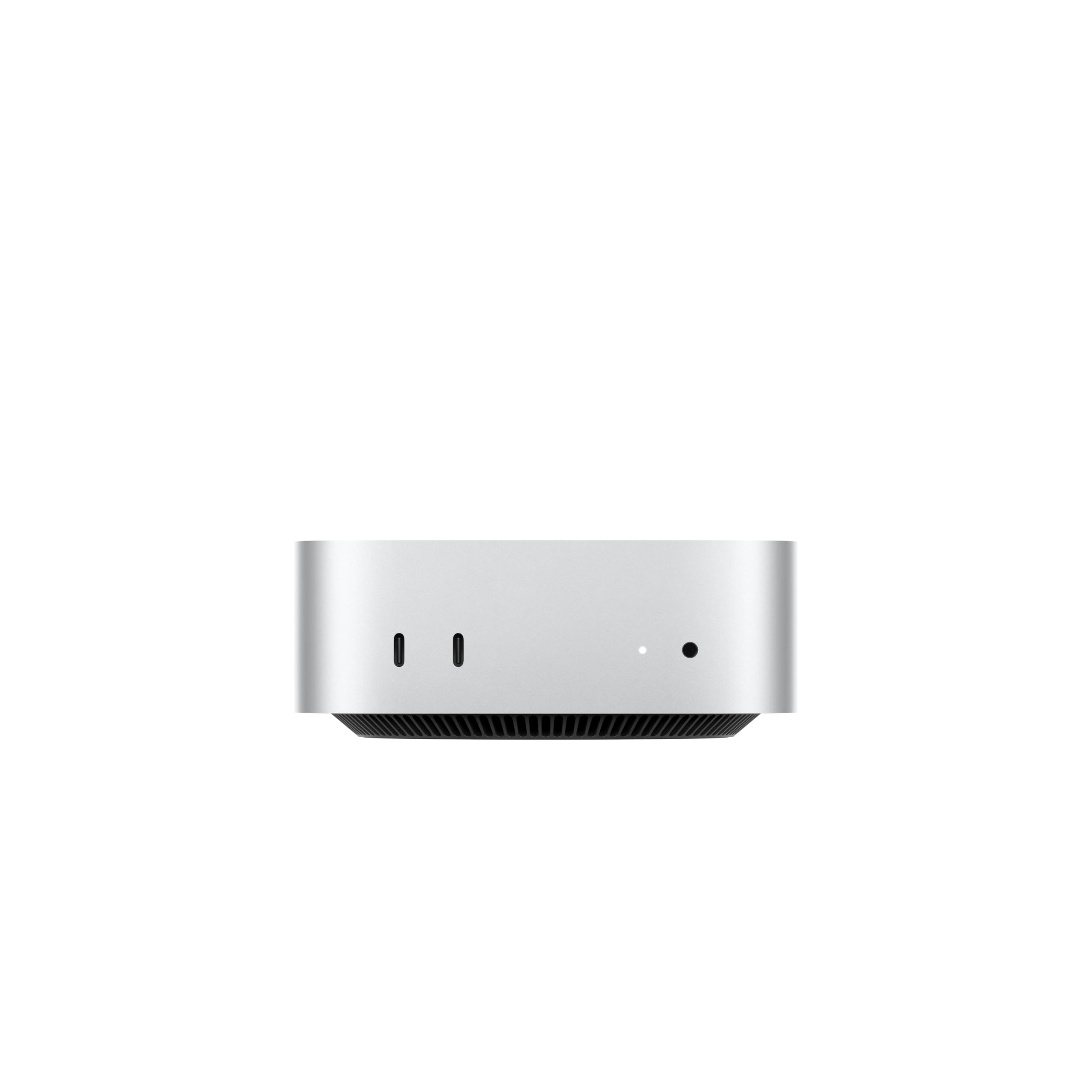
If the iMac’s fixed screen is the sticking point, this is the answer. The Mac mini measures 5 x 5 inches and weighs 1.47 pounds, so it slides under a monitor or behind one without a second thought. It ships without a display, keyboard or mouse, which is exactly why it makes sense for anyone replacing an old tower rather than starting from zero. Keep your existing screen and peripherals and the swap takes minutes.
The M6 chip carries a neural accelerator in every GPU core and a dual 16-core Neural Engine, which is Apple’s way of pushing AI-heavy tasks along faster. Memory tops out at 32GB of unified memory with 170GB/s of bandwidth — bandwidth being how quickly the chip can pull data out of memory. Ports are generous: three Thunderbolt 4 and an HDMI on the back, two USB-C and a headphone jack up front, plus 2.5Gb Ethernet and Wi-Fi 7. It can drive up to three external displays.
Build quality is the thing that wins people over here, and the compact size and quick setup show up again and again in feedback. The recurring gripe is connectivity — Bluetooth mouse pairing and a few non-Mac accessories cause friction. The other honest note is that it is not the cheapest way into Apple’s ecosystem; the iMac above bundles a screen and speakers into one buy. Treat the Mac mini as the pick for someone who already has a good monitor and wants maximum computer in minimum space.
The 32GB ceiling: memory can go up to 32GB of unified memory, which is the headroom you want if you plan to run local AI models or edit large photo libraries years from now.
Wireless caveat: Wi-Fi 7 and 2.5Gb Ethernet are both on board, so slow downloads are rarely the machine’s fault — but Bluetooth accessories are the one area where buyers hit snags.
Pick this one if: your desk already has a monitor you are happy with and you want the smallest possible computer behind it.
Hold off if: you need a screen and speakers included — the all-in-one picks below bundle those in.
3. Dell 27″ All-in-One Desktop, Intel Core 7 150U
The largest panel in this group, with a stand that stores your keyboard underneath.
Three inches of extra screen does not sound like much until you sit in front of it. This Dell runs a 27-inch FHD IPS display (IPS is the panel type that keeps colors steady when you view from an angle), with 99% sRGB coverage — meaning the colors you see are close to the real thing rather than slightly off. Dell also claims 50% higher contrast and a 66% higher refresh rate than the previous generation. ComfortView Plus trims blue light during long sessions, and the tilt adjusts from 0 to 20 degrees.
The Core 7 150U processor boosts up to 5.4 GHz, the highest clock on any all-in-one here, paired with 16GB of RAM. That is the combination for heavy spreadsheet work, dozens of tabs, and video calls running at once. The clever part is the stand: it has a dedicated space underneath the display for your keyboard, which genuinely clears desk space in a way a normal monitor arm does not. The pop-up 5MP+IR camera pushes down to hide when you are not on a call.
The catch with an all-in-one this size is desk depth. A 27-inch panel takes real room, and if your desk is shallow you will notice it. Buyers here consistently call the build excellent and the setup simple, and it is the pick for anyone whose work lives on one large screen all day. If you want the same brand’s approach in a smaller footprint, the 23.8-inch Dell below is the direct step down.
Desk-clearing trick: the stand’s built-in keyboard slot is the standout detail — it turns a large all-in-one into a tidy workstation rather than a clutter magnet.
The space question: a 27-inch display needs a deeper desk than the 23.8-inch models in this list, so measure before you commit.
Best fit for: anyone doing full-day spreadsheet, document or design work who wants one big screen and no tower under the desk.
Look elsewhere if: your desk is narrow — a 23.8-inch all-in-one or a mini PC will be a better physical fit.
4. Dell 23.8″ All-in-One Desktop, Intel Core 3 100U

A no-drama all-in-one that boots, connects and just works for home or study.
Here is the practical middle of the all-in-one range. The 23.8-inch FHD IPS screen carries 99% sRGB coverage and a narrow border, so the picture reads bright and true without a thick frame eating your desk. Dell’s numbers put contrast 50% above the previous generation and the refresh rate 66% higher, which reads as smoother scrolling rather than a dramatic leap. The 5MP+IR camera keeps you framed decently in a dim room, and the tilt goes from 0 to 20 degrees.
The Core 3 100U processor reaches 4.7 GHz, which is well above the Intel N100’s 3.4 GHz in the Lenovo below. For writing, Zoom classes, streaming and email, it is more than enough. What buyers praise most is straightforward performance, followed closely by how easy it is to set up — this is a machine you unbox and are using within the hour. The wireless speakers with Dolby Atmos spatial sound are a nicer touch than most all-in-ones manage.
Reliability draws mixed notes: some owners have a flawless run, others hit an issue. That is normal for any all-in-one line, and Dell’s one-year onsite service means a technician comes to you rather than you shipping the whole machine off. Six months of Dell Migrate handles moving your old files across. It is the sensible pick for a kitchen desk, a teenager’s study corner, or a home office that needs one clean screen.
The easy-setup factor: Setup feedback is overwhelmingly positive — this is a machine you plug in and use, not one you fight for an afternoon.
What you give up: it is an FHD 1920×1080 panel rather than the sharper 4.5K on the iMac, so text is less crisp when you lean in close.
Reach for this if: you want a clean single-screen setup for family use, schoolwork and video calls without overthinking the specs.
skip it if: you want a larger canvas — the 27-inch Dell above is the same idea with more room.
5. Lenovo 24″ All-in-One Desktop, 16GB DDR5, 512GB NVMe SSD
More fast storage than anything else here, and a keyboard and mouse in the box.
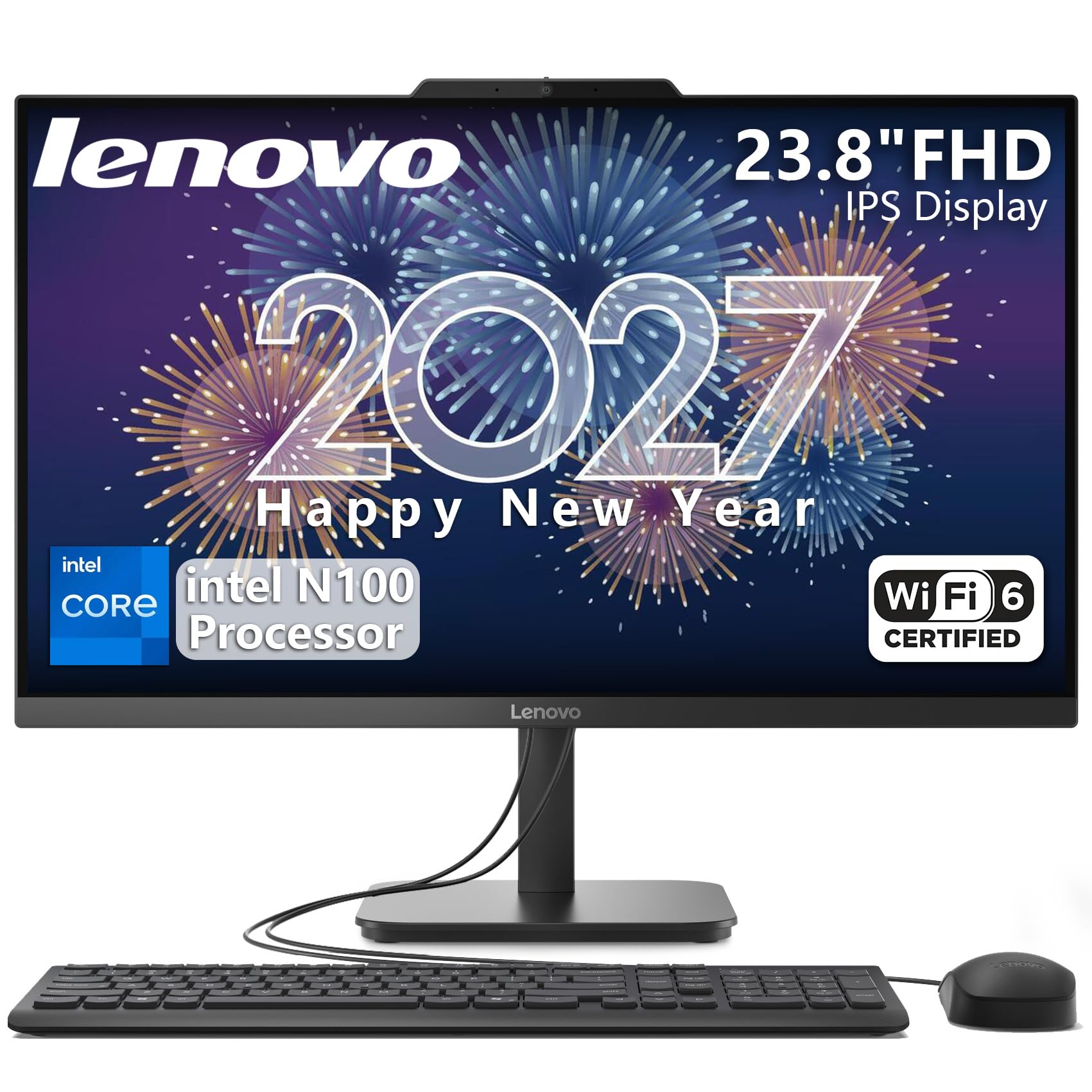
Storage is where this Lenovo separates itself. The 512GB PCIe NVMe SSD doubles the 256GB you get on the iMac and the mini PCs, and NVMe is the faster type of solid-state drive, so booting and opening files happens in a blink. Add 16GB of DDR5 RAM — the current generation of memory, which moves data faster than older DDR4 — and this is the most comfortable everyday spec sheet in the group for the money.
The processor is the modest part: Intel N100 at up to 3.4 GHz. That chip is chosen for efficiency and quiet running, not raw speed. For Zoom classes, papers, Netflix and multi-tab research it holds up fine. For video editing or heavy gaming, it does not. The 23.8-inch FHD IPS panel is anti-glare with 99% sRGB and a built-in HD webcam, and the tilt-free design suits a fixed study desk. You also get Wi-Fi 6, Bluetooth 5.2, Gigabit Ethernet and four USB-A ports, two of them at 10Gbps.
A wired keyboard and mouse come in the box, which removes the battery-hassle problem in a shared house. There is a Kensington Security Slot for a public desk and Firmware TPM 2.0 for basic security. This is the pick for a student or a family buying one dependable machine, not a power user chasing benchmark scores. The trade-off is clear: generous memory and storage, ordinary processing muscle.
Why it makes sense for study
- 16GB DDR5 RAM plus a 512GB NVMe SSD — the largest fast drive in this list
- Wired Lenovo keyboard and mouse included, no batteries to chase
- 23.8-inch FHD IPS anti-glare screen with 99% sRGB
- Kensington Security Slot and Firmware TPM 2.0 for shared desks
The honest limits
- Intel N100 is built for efficiency, not heavy creative work
- No dedicated graphics for gaming or video rendering
- The fixed 23.8-inch panel is smaller than a 27-inch option
Good match for: students and families who want plenty of storage and RAM in a plug-and-play all-in-one.
Not the one for: anyone editing 4K video or expecting gaming-grade speed.
6. GMKtec Mini PC M8, AMD Ryzen PRO 6650H

Two network ports and an external graphics connection in a hand-sized box.
Most mini PCs give you one Ethernet port. This one gives you two 2.5GbE ports, which means you can run a fast home network and a separate link at the same time — useful if the machine doubles as a small server or a firewall box. The Ryzen 5 PRO 6650H runs six cores and twelve threads up to 4.5 GHz, paired with a Radeon 660M graphics chip with 12 cores. That is genuine mid-range gaming and 4K editing territory in a device that fits in your hand.
Memory is 16GB of LPDDR5 at 6400MT/S — low-power memory soldered in, running faster than standard DDR4. Storage is a 512GB NVMe SSD with two M.2 2280 slots, each supporting up to 4TB for a total of 8TB. The Oculink port lets you attach an external graphics enclosure for desktop-level graphics, and USB4 runs at 40Gbps with power delivery and video. Wi-Fi 6E and Bluetooth 5.2 handle wireless, and you can drive three displays through HDMI 2.0, DisplayPort 1.4 and USB4.
Performance is the headline, and owners put it plainly: games hitting 60 FPS without tweaking. The system ships with three power modes — Quiet at 28W, Balance at 35W and Performance at 40W — so you decide how loud you want it. The one genuine warning is long-term durability, where a share of feedback describes units failing within months or USB ports giving out around the year mark. GMKtec backs it with a 3-year limited warranty, but buy this one for the spec sheet and treat the warranty as your safety net.
Three modes, real difference: switching from Quiet 28W to Performance 40W is the difference between a near-silent office box and a small gaming rig — you set the trade-off yourself in the BIOS.
Expansion headroom: two M.2 slots at up to 4TB each means 8TB total, more than any other mini PC here.
Suits you if: you want gaming and 4K editing performance plus two network ports, and you do not mind a compact box rather than a screen.
Consider a safer bet if: you want the simplest possible long-term machine — the all-in-one picks carry fewer moving parts.
7. KAMRUI Pinova P1 Mini PC, AMD Ryzen 3 Pro 7330U
Screws to the back of a monitor and drives three screens from one tiny box.
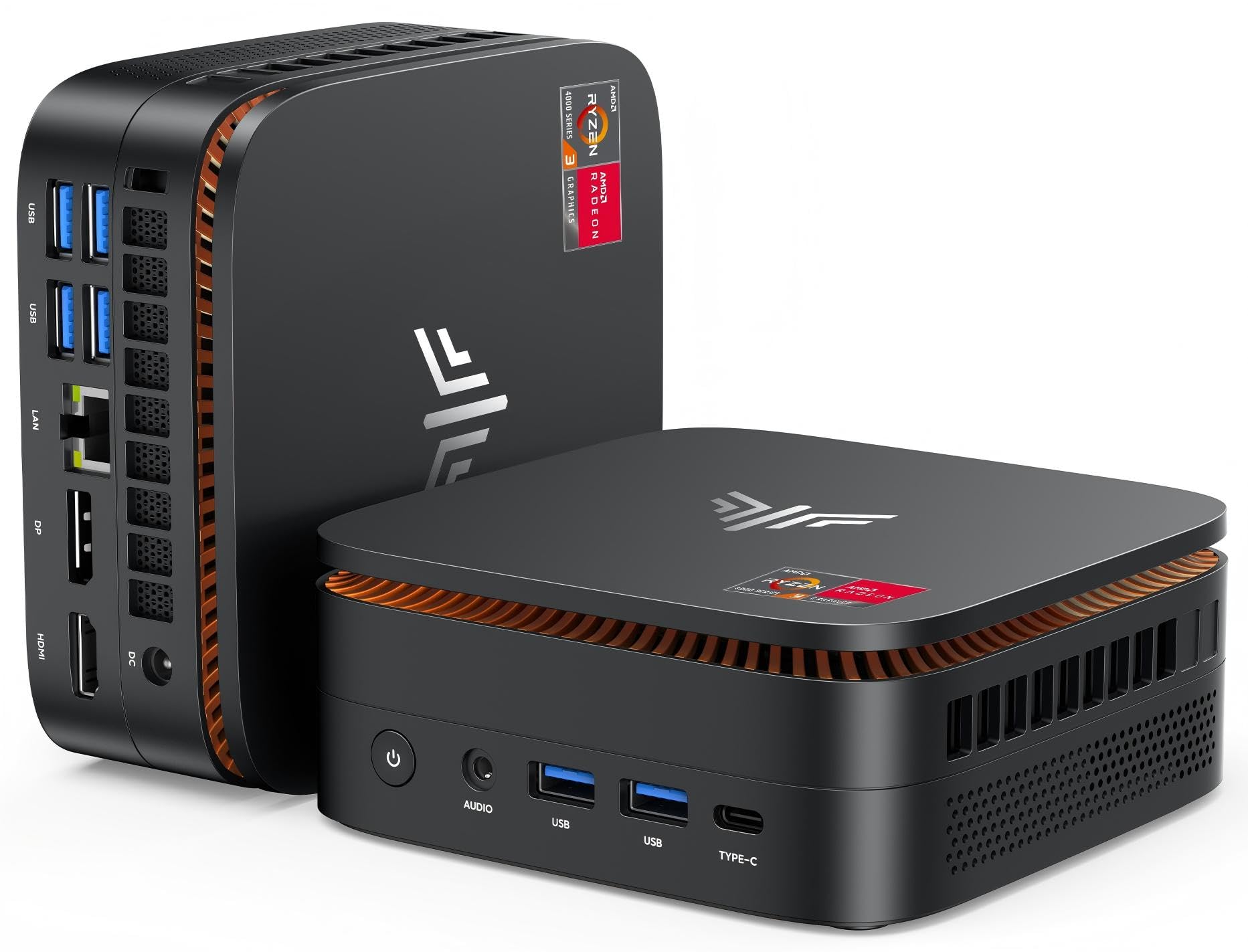
The Ryzen 3 Pro 7330U runs four cores and eight threads up to 4.3 GHz, a big step above the 2.8 GHz ceiling on the Bmax B3 Pro. The graphics side supports 4K output at 4096 x 2160, and the chassis measures 5.06 x 5.06 x 2.01 inches — KAMRUI puts the chassis at 60% smaller than its AK1PLUS line. The VESA bracket lets you bolt it to the rear of a monitor, which is the closest thing to an all-in-one you get from a mini PC.
Connections are unusually generous for the price tier: one HDMI, one DisplayPort and one Type-C output, so you can run a triple-monitor setup. Add four USB 3.2 ports, Gigabit Ethernet, dual-band Wi-Fi 5 and Bluetooth 4.2 and it covers a busy home office. The 8GB of RAM and 256GB M.2 SSD handle standard work, and the case glows blue when powered on.
The honest limit is memory. 8GB is fine for browsing and office apps but tight if you keep a lot of applications open at once, and there is no mention of a second drive bay here. Buyers in this price band generally treat it as a set-and-forget office machine rather than an upgrade project. It is the pick for someone with a monitor already on the desk who wants triple-screen productivity without a tower on the floor.
Space math: the VESA bracket is the real feature here — mount it behind a monitor and the computer disappears from view entirely.
Memory reality: 8GB RAM and a 256GB SSD carry everyday workloads, but power users will feel the ceiling sooner than on a 16GB machine.
Choose it if: you want three monitors on a compact PC and plan to hide the box behind one of them.
Look at the M8 instead if: you need more RAM and storage headroom for heavier work.
8. ACEMAGIC Mini PC, Ryzen PRO 7330U
Built to be opened up later, with two memory slots and two drive bays.
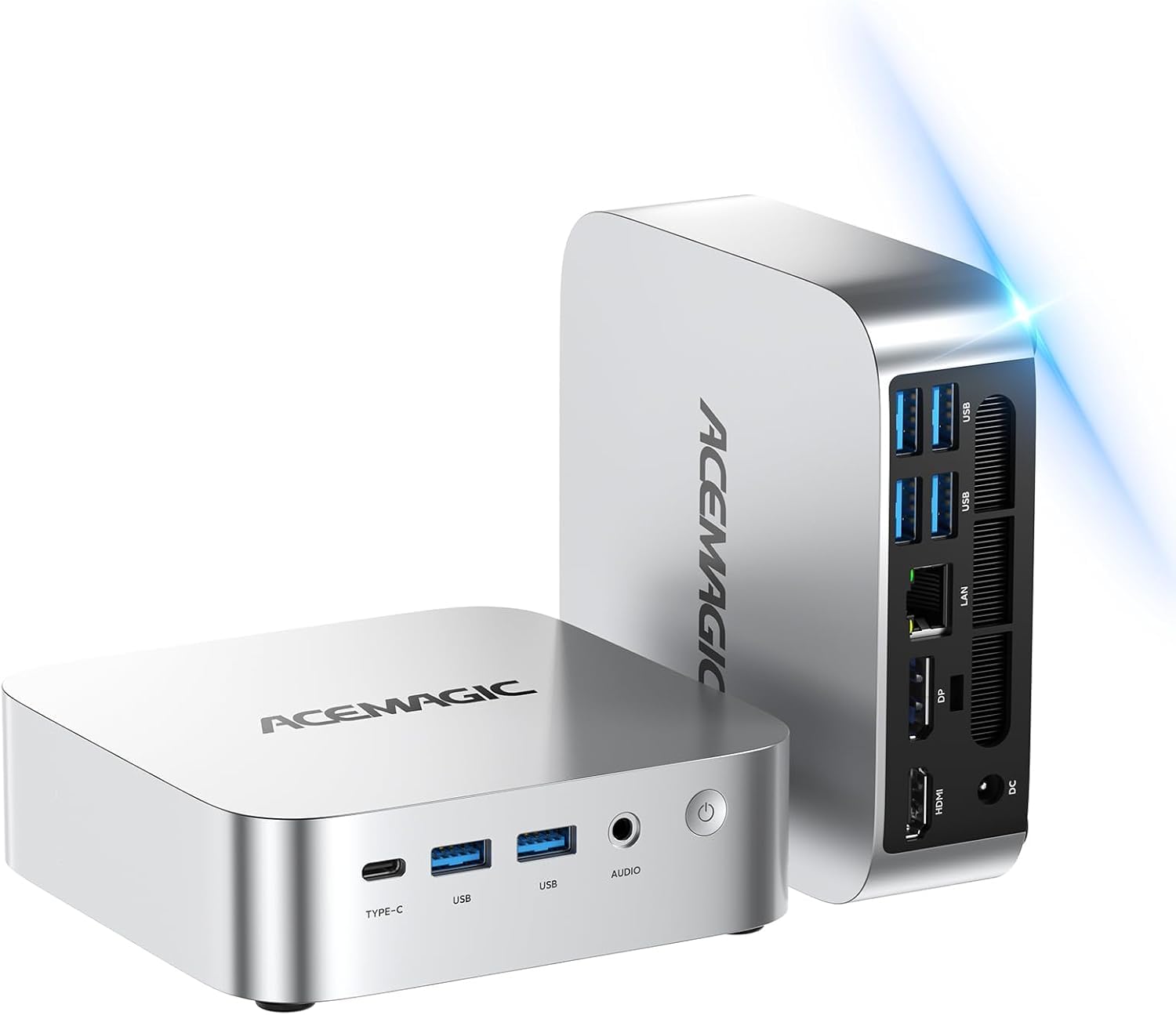
Most mini PCs at this level are sealed once they leave the factory. This ACEMAGIC is the opposite. It has dual memory slots and dual hard drive bays — one M.2 SATA and one NVMe PCIe 3.0 x4 slot — supporting up to 4TB in total. That means you can add storage as your files grow instead of replacing the whole machine. The processor underneath is the same AMD Ryzen PRO 7330U as the KAMRUI, running four cores and eight threads up to 4.3 GHz at 28W.
Cooling is taken seriously here: a 28W cooling system with a high thermal conductivity aluminum chassis, an 80mm fan and a dual exhaust design. The point is steady performance under sustained load, not just short bursts. Measuring 128.2 x 128.2 x 41mm, it fits neatly on a desk or behind a monitor, and the Type-C port supports DisplayPort 1.4 video out plus 5Gbps data. HDMI 2.0 and DisplayPort 1.4 round out a three-screen 4K setup.
What you should know going in: 8GB of RAM and a 256GB SSD are the starting point, and this machine is clearly designed for you to add more yourself. If you never plan to open a case, that upgrade path is wasted. If you do, it saves you buying a whole new computer in two years. Networking is Wi-Fi 5 and Bluetooth 4.2, which is one step behind the Wi-Fi 6E on the GMKtec M8. Windows 11 Pro is preloaded, and the box includes an HDMI cable, wall mount, screws and the power adapter.
The reason to choose it: dual RAM slots and dual drive bays are rare at this tier, and they let the same machine grow with you instead of aging out.
The step down: Wi-Fi 5 and Bluetooth 4.2 are older wireless standards than the M8’s Wi-Fi 6E, so plan to use Ethernet where you can.
Made for: tinkerers and small businesses who want to swap in more RAM or storage later rather than rebuy.
Not for: anyone who wants the fastest wireless available or never plans to open the chassis.
9. GMKtec G3S Mini PC, Intel N95 Processor
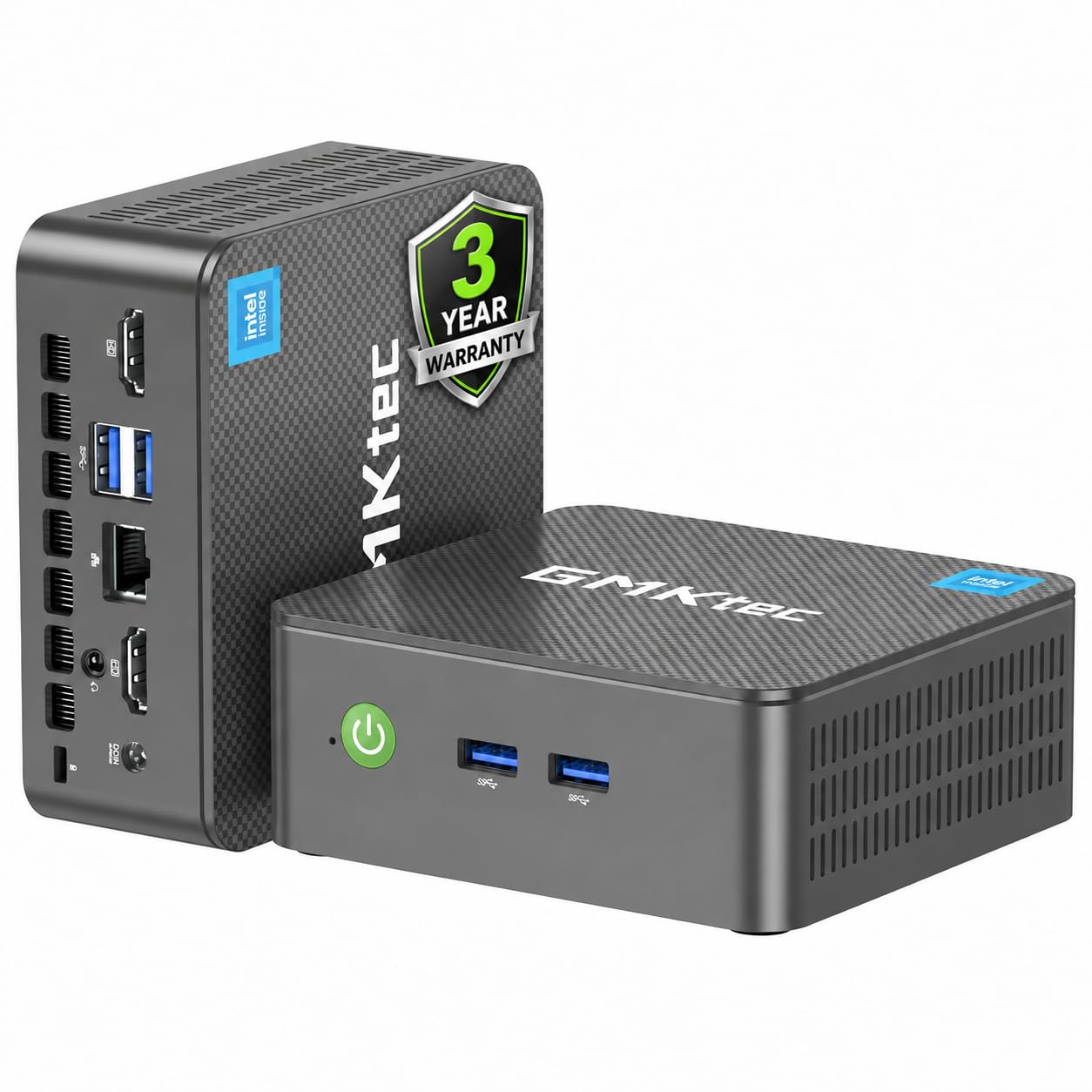
The budget mini that skips the fan noise and boots in seconds.
The 12th-generation Intel N95 runs four cores and four threads with 6MB of cache, boosting to 3.4 GHz. GMKtec claims a 36% overall performance improvement over the N100 and N5095 chips, which shows up in routine office work — spreadsheets, documents and browsing. It ships with 8GB of DDR4 RAM and a 256GB M.2 SSD. The system boots in seconds rather than minutes and handles multiple browser tabs without complaint.
Ports include two HDMI 2.0 outputs at 4K@60Hz, USB 3.2 up to 10Gbps, a 3.5mm audio jack, Wi-Fi 5, Bluetooth 5.0 and Gigabit Ethernet. Two HDMI ports let you run dual displays, which is the useful trick for a home office — email on one screen, calls on the other. It also supports Wake On LAN, PXE Boot and Auto Power On, so it works as a small server or media box that starts itself.
If a 3-year warranty matters to you, this is one of the branded options that includes it, with free returns and replacements in year one and parts replacement in years two and three. The trade-off is the same as every mini PC here: no screen, no keyboard, no mouse. You supply the monitor, which is fine if one is already on your desk. This is the quiet pick for a home theatre shelf or a back-office desk.
Media-box behaviour: Auto Power On and Wake On LAN let the machine wake itself for a scheduled job or a media session, so it works unattended.
Display ceiling: two 4K@60Hz HDMI outputs is generous at this price, but you still need to buy the monitors.
A good fit for: a quiet home office, a media centre, or a second PC that starts itself and stays out of the way.
Look up the range if: you want a stronger processor than an N95 for heavier multitasking.
10. Bmax Mini PC B3 Pro, Intel N4500
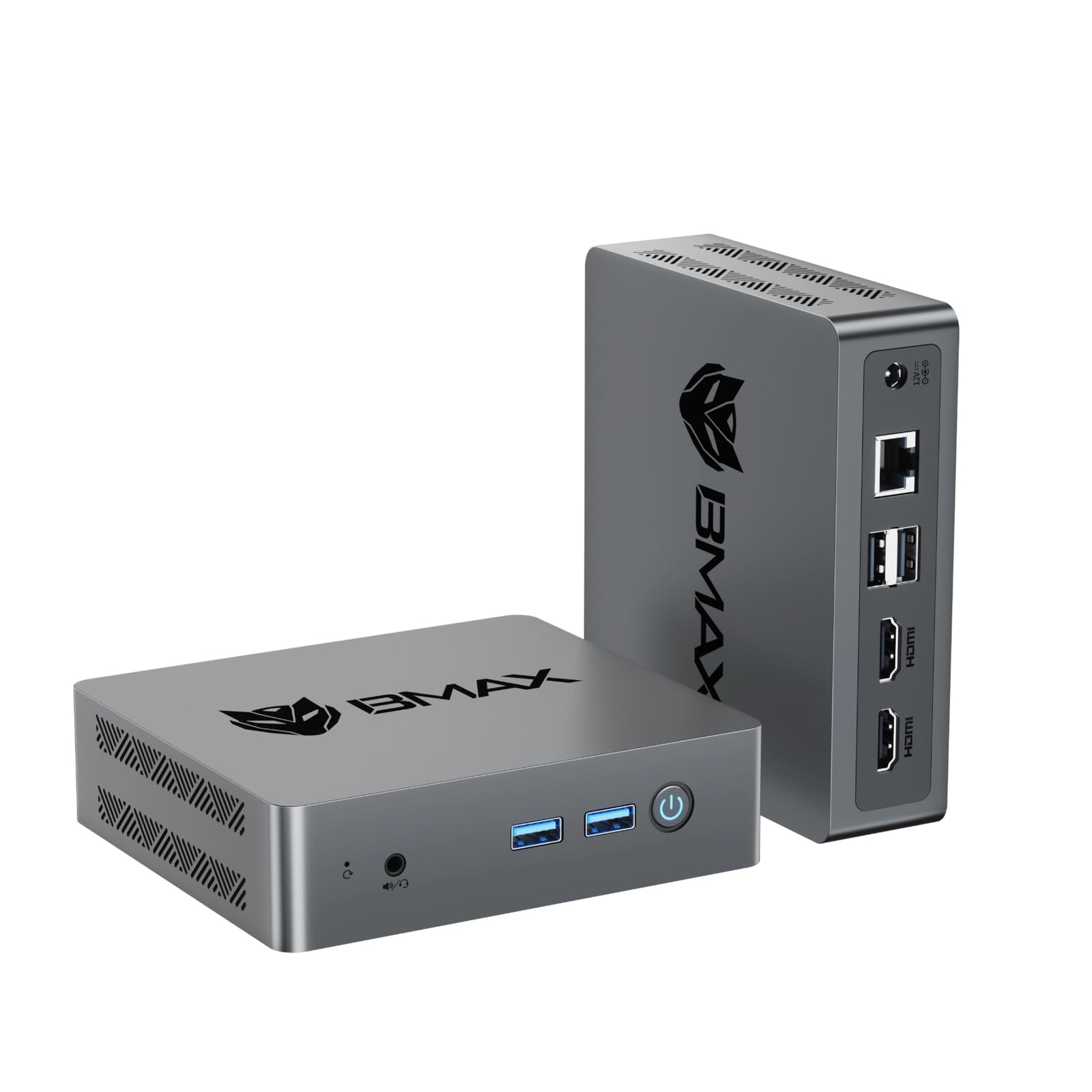
The lowest entry point here, with a VESA mount and room to grow the storage.
This is the cheapest route to a no tower computer, and it makes no claims beyond that. The Intel N4500 runs two cores and two threads with 4MB of cache, boosting to 2.8 GHz — the lowest clock speed in this list, at roughly a third of the KAMRUI’s 4.3 GHz. For office work, home entertainment and email it is fine. For anything heavier, look up the range. Bmax pairs it with 8GB of DDR4 RAM and a 256GB M.2 SSD.
The useful part is the upgrade room. There are dual M.2 SSD slots — one SATA and one NVMe — supporting expansion up to 4TB. So you can add storage without replacing the machine, even at this price. Two HDMI 2.0 outputs support 4K@60Hz, letting you run two screens, and the box supports AV1 decoding for smoother video playback. Wi-Fi 5, Bluetooth 5.0 and Gigabit Ethernet cover networking, and the whole thing comes with a VESA mount and screws for hiding it behind your monitor.
Compact size is what wins people over most with this machine — it is the smallest-footprint reason to buy. The trade-off is processing headroom, because two cores have limits when you ask a lot of them. Treat it as a work-from-home terminal, a kid’s first computer, or a living-room media PC. Bmax backs it with a one-year limited warranty covering defects from design and workmanship.
Where the money goes: dual M.2 slots with expansion to 4TB is a lot of storage flexibility at the entry level.
The core limit: two cores and two threads at 2.8 GHz is an honest ceiling — this is an everyday machine, not a multitasking one.
Best for: a basic home office, a media centre under the TV, or a first computer where the budget matters most.
Worth stepping up if: you keep many apps open — a chip with more cores will feel noticeably smoother.
Know the Specs
Processor and clock speed
The processor is the part that does the thinking. Clock speed in GHz tells you how many cycles it runs per second, but core count matters too. An Intel N4500 with two cores at 2.8 GHz suits email and streaming. An AMD Ryzen 3 Pro 7330U with four cores and eight threads at 4.3 GHz handles far more at once, and an Apple M4 chip sits above both.
RAM and storage type
RAM is the working space your computer keeps open tabs and running apps in. 8GB is the minimum, and 16GB is the comfortable spot. Storage type matters as much as size: an NVMe SSD (the faster connection) boots Windows in seconds, while a SATA SSD is slower. Always check for an empty M.2 slot if you want to add room later.
Common Questions
What is a no tower computer exactly?
Is a mini PC as fast as a tower desktop?
Do I need to buy a monitor, keyboard and mouse with a mini PC?
How long does a mini PC or all-in-one typically last?
Can I mount a mini PC behind my monitor?
Is an all-in-one computer harder to repair than a mini PC?
What does 4K support actually mean fora mini PC?
Can I use a mini PC for video calls and Zoom meetings?
Does a no tower computer use less electricity than a tower?
Is 256GB of storage enough, or should I choose 512GB?
Can I upgrade the RAM in these computers later?
Which is better for a small apartment, a Mac mini or an all-in-one?
The Bottom Line
The no tower computer winner is the Apple 2024 iMac with M4 chip — a 24-inch 4.5K Retina screen, an 8-core CPU and 16GB of unified memory arrive as one piece, so your desk gets one cable and nothing else. If you already own a monitor and want the smallest possible box behind it, the Mac mini gives you the M6 chip in a 5 x 5 inch chassis at 1.47 pounds. And for the student or family buying one dependable all-in-one with room to store everything, the Lenovo 24-inch pairs 16GB of DDR5 RAM with a 512GB NVMe SSD and throws in a wired keyboard and mouse.
One honest nudge: if the iMac’s fixed screen gives you pause, the KAMRUI Pinova P1 hands you the same desk-clearing result through its VESA bracket, and you pick the monitor yourself. Buy the shape that fits your desk first — the specs are easier to sort once you know whether you are shopping for a screen or not.
How we choose
We do not accept paid placement. Every pick is matched to a real buyer and a real use-case; we do not hands-on test units.
Sources
Specifications: manufacturer listings and product documentation. Review insights: verified customer reviews, as of November 2026. Pricing: not shown on this page (it changes often); check the current price via the retailer link.
As an Amazon Associate, Tactical Gear Guy earns from qualifying purchases. This does not affect which products we feature.