Specs are compiled from manufacturer listings and verified buyer reviews and can change over time — please confirm the key details on the product page before buying.
You want a new gaming PC that boots in seconds, holds high frame rates, and does not sound like a jet engine under your desk. Here is the short answer: the HP OMEN 45L is the strongest all-round buy here for 64GB of RAM and a 2TB Gen4 SSD, the ZYNEEX Ryzen 5 / RTX 3050 is the best entry-level pick if you play at 1080p, and the Horizon Autherium Dragon is the one to choose if you want 64GB of RAM and 4TB of storage without opening the case. Everything below explains exactly why, in plain terms.
This guide is built by comparing the manufacturers’ published specifications and the patterns across verified customer reviews, so you get each pick’s real strengths and trade-offs instead of marketing spin.
A gaming PC is really five parts working together: a processor for logic, a graphics card for frames, RAM for multitasking, an SSD for load times, and a power supply for headroom. This guide breaks down best new gaming pc picks so you can match a machine to how you actually play.
Top Picks
How To Choose The Best New Gaming PC
Skip the marketing stickers on the front of the case and look at four numbers: the graphics card model and its VRAM, the processor core count, the RAM capacity, and the SSD type. Those four decide what your games look like and how fast they load. Everything else — the RGB, the glass panel, the included keyboard — is decoration you can stop worrying about.
The graphics card is the frame-rate engine
A dedicated graphics card (often shortened to GPU) draws every frame your monitor shows. Its VRAM is the small pool of memory that holds textures and lighting data — 8GB is common, and 12GB gives you more slack at higher texture settings. If you play at 1080p, an RTX 3050 or RTX 5060 handles AAA titles comfortably. If you want smooth play on a 1440p screen, look for a card with more VRAM and a stronger chip, like an RTX 3060 Ti or RTX 5070.
CPU cores and clock speed, translated
The processor (CPU) feeds the graphics card and runs everything in the background. More cores help when you stream, record, or edit while gaming — a 6-core chip such as the Ryzen 5 5500 is fine for pure play, while an 8-core or 12-core chip keeps multitasking smooth. Clock speed in GHz is how fast each core ticks, so a chip boosting to 5.0GHz finishes single tasks faster than one boosting to 4.2GHz.
RAM: 16GB is the floor, 32GB is comfortable
System RAM (memory that holds everything currently open) is measured in gigabytes. 16GB covers gaming plus a browser. 32GB covers gaming plus a stream and Discord, and 64GB covers heavy video editing or 3D work without hitting a wall. DDR5 is the newer memory generation and runs faster than DDR4 — worth having if you plan to keep the machine for years.
SSD type and capacity decide your patience
A PCIe NVMe SSD is a solid-state drive that plugs directly into the motherboard, and the generation number (Gen3, Gen4) sets its top speed. Modern games can eat 70GB to 150GB each, so 1TB is a practical starting point and 2TB or more lets you keep a full library installed. A spinning hard drive (HDD) is fine for archived files, but keep your games on the SSD.
Side-by-Side Comparison
| Model | Best For | Graphics Card | RAM | Storage | Amazon |
|---|---|---|---|---|---|
| HP OMEN 45L★ Best Overall | All-round gaming and creation | GTX 1660 Super 6GB | 64GB DDR4 | 2TB PCIe NVMe | Amazon |
| ZYNEEX Prebuilt DesktopBest Value | First gaming PC on a budget | RTX 3050 6GB | 16GB DDR4 | 1TB NVMe | Amazon |
| Olialia RTX 3060 Ti1440p Value | 1440p play on a mid budget | RTX 3060 Ti 8GB | 16GB | 512GB SSD | Amazon |
| CyberPowerPC i5-14400F | Plug-in-and-play 4K output | RTX 5060 8GB | 16GB DDR5 | 1TB PCIe 4.0 NVMe | Amazon |
| HP OMEN 40L | Quiet, low-power daily gaming | GTX 1660 Super 6GB | 32GB DDR5 | 1TB PCIe NVMe | Amazon |
| iBUYPOWER Element | Streaming and editing at 1440p | RX 9070 GRE 12GB | 16GB DDR5 | 1TB NVMe | Amazon |
| MSI Codex Z2 | High-refresh 1440p gaming | RTX 5070 12GB | 32GB DDR5 | 2TB SSD | Amazon |
| KOTIN Ryzen 7 Desktop | Upgrade-friendly airflow build | RTX 5060 Ti 8GB | 32GB DDR5 | 1TB Gen4 NVMe | Amazon |
| Alienware Aurora (265F) | Living-room quiet, desk-friendly | RTX 5070 12GB | 16GB DDR5 | 1TB SSD | Amazon |
| Alienware Aurora (265KF) | Long sessions with liquid cooling | RTX 5070 12GB | 32GB DDR5 | 1TB SSD | Amazon |
| Horizon Autherium Dragon | Heavy editing and huge libraries | RTX 5070 OC 12GB | 64GB | 4TB total | Amazon |
Detailed Reviews
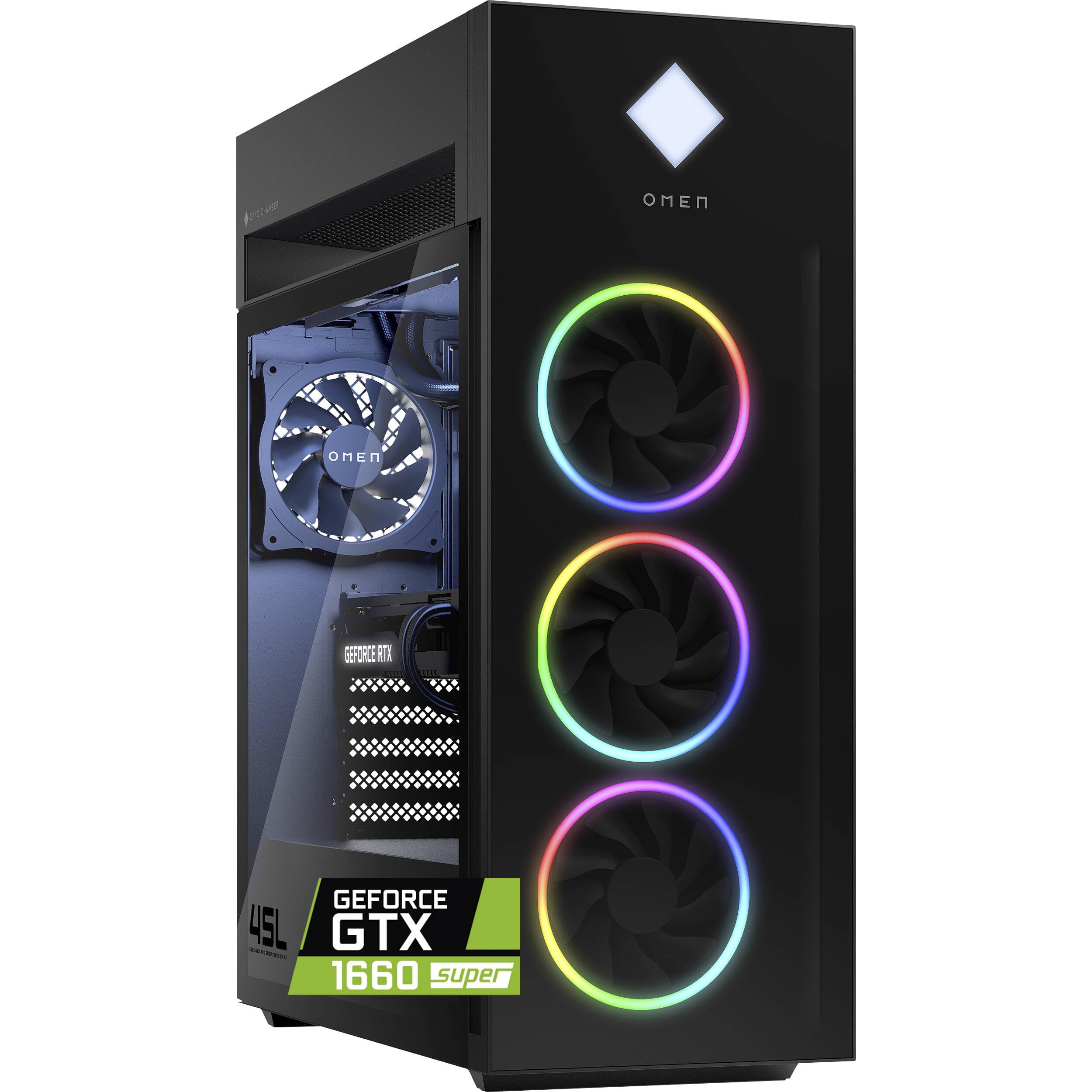
1. HP OMEN 45L Gaming PC
Our pick — 4.0+★ from 750+ verified ratings; the strongest balance of quality and price.
The memory monster that lets you game, stream, and render without ever closing a tab.
Start with the number that decides who this machine is for: 64GB of DDR4 RAM. That is four times the 16GB inside the ZYNEEX entry build on this list, and it means a game, a streaming app, a browser with a dozen tabs, and a video editor can all sit open at once without the system crawling. Pair that with a 12-core, 20-thread Intel i7-12700KF (a processor that splits work across 20 virtual lanes at once) boosting to 4.90GHz, and heavy multitasking stops being a juggling act.
Storage is equally generous — a 2TB PCIe Gen4 NVMe SSD, which is a fast solid-state drive rated at up to twice the speed of the older Gen3 drives. That is twice the capacity of the 1TB in the KOTIN and iBUYPOWER builds below. Boot into Windows 11 takes seconds, and a big game library fits without you deleting anything to make room. The 800W 80 Plus Gold power supply (a unit certified to run at 90% efficiency) is an 800W unit against the 65W TDP of the OMEN 40L’s Ryzen 7 5700X, which leaves genuine headroom if you ever swap in a beefier graphics card.
The honest catch is thermal and acoustic headroom, not raw speed. Under sustained heavy load some buyers report CPU temperatures climbing toward 98 degrees Celsius and fan noise that gets loud, so a marathon session at max settings is the scenario to think about. The GTX 1660 Super with 6GB of VRAM is also an older-generation card — it handles 1080p gaming well and is not the pick for pushing a 1440p monitor at high settings. What wins the crowd over is the value: buyers consistently call it a great buy for the hardware you get, with frame rates in the 120-130 range in Modern Warfare.
Liquid cooled i7
- 64GB of RAM — twice the 32GB in the OMEN 40L and four times the ZYNEEX
- 2TB Gen4 NVMe SSD doubles the storage of most picks here
- 12 cores and 20 threads for gaming plus editing plus streaming at once
- 800W Gold-certified power leaves room for a future graphics upgrade
- 10 USB ports including USB-C and USB 3.2 Gen2 for fast transfers
64GB RAM premium
- 6GB GTX 1660 Super is an older card — built for 1080p, not 1440p high settings
- Sustained heavy loads can push CPU temperatures high and the fans get loud
- Big case and a big power supply take up real desk or floor space
pick for heavy loads: you edit, stream, or render while you game and want the memory and storage to do it all at once without touching the case.
skip if budget tight: your goal is high-refresh 1440p play — the older 6GB graphics card will hold you back.
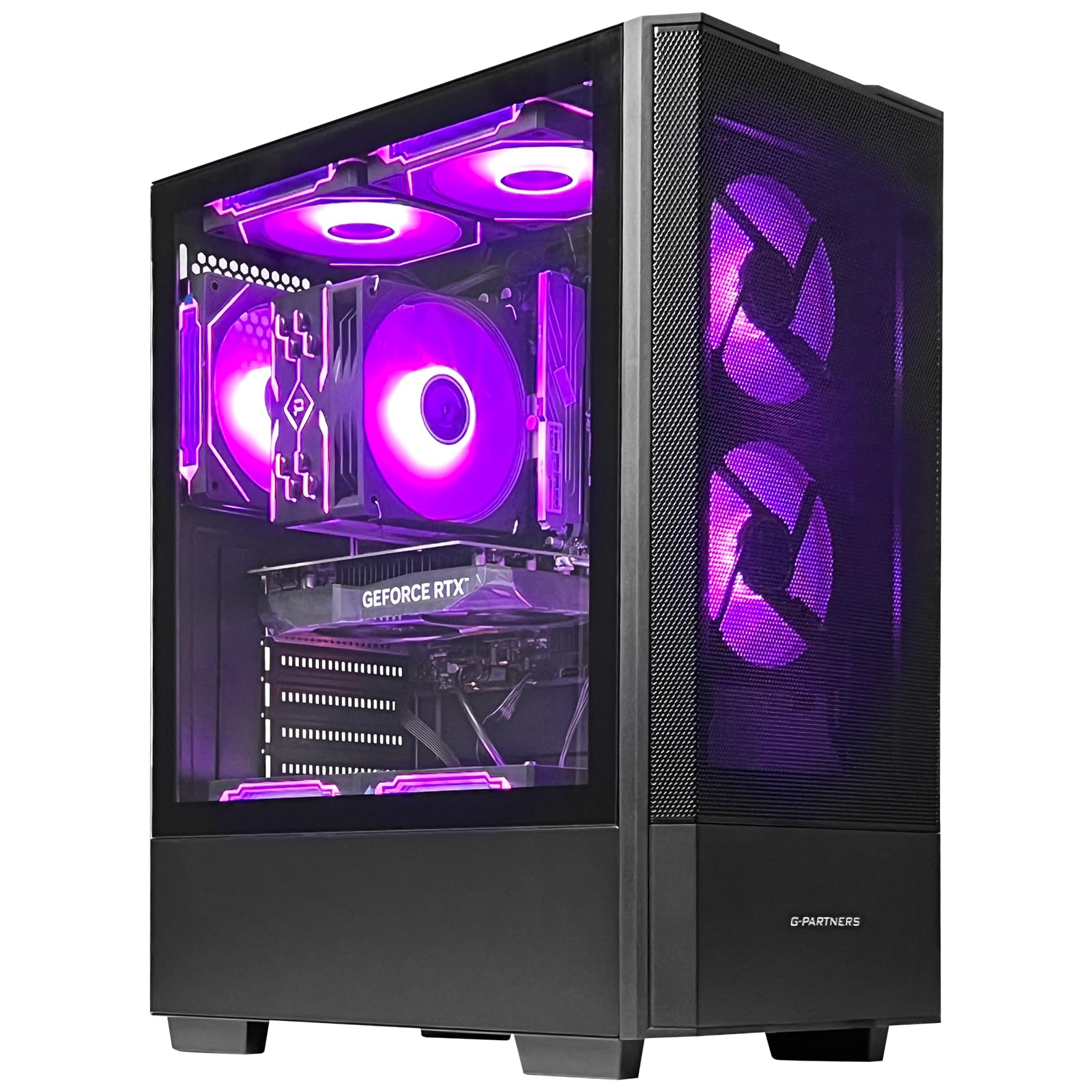
2. Prebuilt Gaming Desktop PC
The entry ticket to 1080p gaming that skips the setup headaches entirely.
Here is the plain case for it: an NVIDIA GeForce RTX 3050 with 6GB of GDDR6 memory handles 1080p gaming with ray tracing on, and the AMD Ryzen 5 5500 behind it runs 6 cores and 12 threads up to 4.2GHz. That is half the core count of the HP OMEN 45L above, but for a machine aimed at one screen and one game at a time, it is plenty. The 16GB of DDR4 3200MHz RAM and 1TB NVMe SSD cover the basics — fast loads, room for a real game library, and no spinner drive to slow you down.
What buyers actually talk about is how little friction there is. The build arrives assembled with built-in Wi-Fi, HDMI and DisplayPort outputs, and a set of USB ports, so you plug in a monitor and play. Reviews call the performance excellent and the setup genuinely simple, which is the right fit for a first desktop or a gift for someone who does not want to fiddle with drivers and cabling.
The trade-off sits in the case cooling and the card itself. Air cooling with multiple ARGB fans (addressable RGB, meaning each fan’s lights can be set individually) keeps it stable in normal play, but this is not a machine built for chasing high settings on a 1440p screen. Think of it as a solid 1080p workhorse — the one to pick when your budget points at entry-level and you want a clean, working setup on day one.
Ryzen 5 value build: new PC gamers, students, and anyone upgrading from a laptop who wants 1080p frames without building anything.
RTX entry tier: 6GB of VRAM on the RTX 3050 is entry-level — keep your monitor at 1080p and this build stays happy.
starter gaming pick: buy this if you want the lowest-stress way into modern PC gaming.
hold off for more VRAM: you already own a 1440p monitor and plan to run it at high settings.
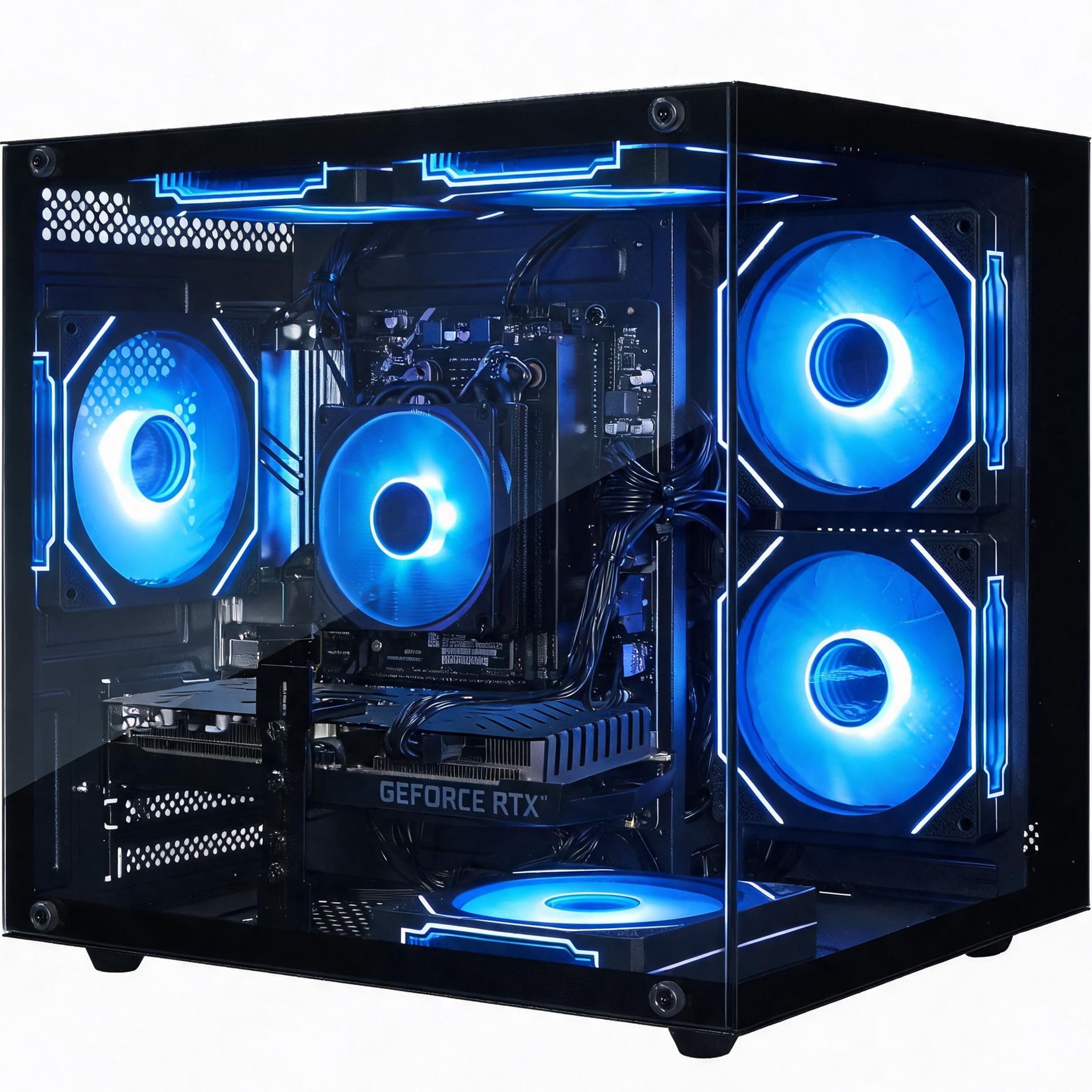
3. Gaming PC Prebuilt, RTX 3060 Ti, AMD Ryzen 5 5500, 16GB RAM
A 1440p-capable card hiding inside a mid-budget tower, if you can live with less storage.
The standout here is the NVIDIA GeForce RTX 3060 Ti with 8GB of GDDR6 memory. That is a step up from the 6GB RTX 3050 in the ZYNEEX above, and it is the part that makes smooth 60+ FPS at 1440p possible in demanding AAA titles like Black Myth: Wukong with DLSS on. DLSS is NVIDIA’s upscaling trick — it renders at a lower internal resolution and sharpens it back up, so you keep frame rates without dropping settings. The display maximum is listed at 2560×1440, which lines up with exactly that use case.
Behind the card sits the same AMD Ryzen 5 5500 you saw above, running 6 cores and 12 threads up to 4.2GHz, paired with 16GB of RAM and a 512GB SSD. The case is worth a mention on its own: a dual-chamber mid-tower with two tempered glass panels, six adjustable RGB fans, and a ventilated top and side for airflow, plus built-in dust filters. It is a machine you will not mind having on display, and it arrives with Windows 11 pre-installed and a 1-year manufacturer’s warranty with US-based repairs.
The number to plan around is 512GB of storage — half the 1TB in several picks here, and enough for a handful of big titles before you are managing space. That is the real reason this one costs less than its graphics card suggests. Owners are happy with the build quality and how it functions, and tempered-glass cases with six fans are the kind of thing that earns that reaction. If you keep your library tight or are happy to add a drive later, this is a smart way to get a stronger GPU for your money.
suits 1080p play: a 1440p monitor is already on your desk and the graphics card matters more to you than storage.
think twice on 1440p: you keep ten big games installed at once — 512GB will fill up fast.
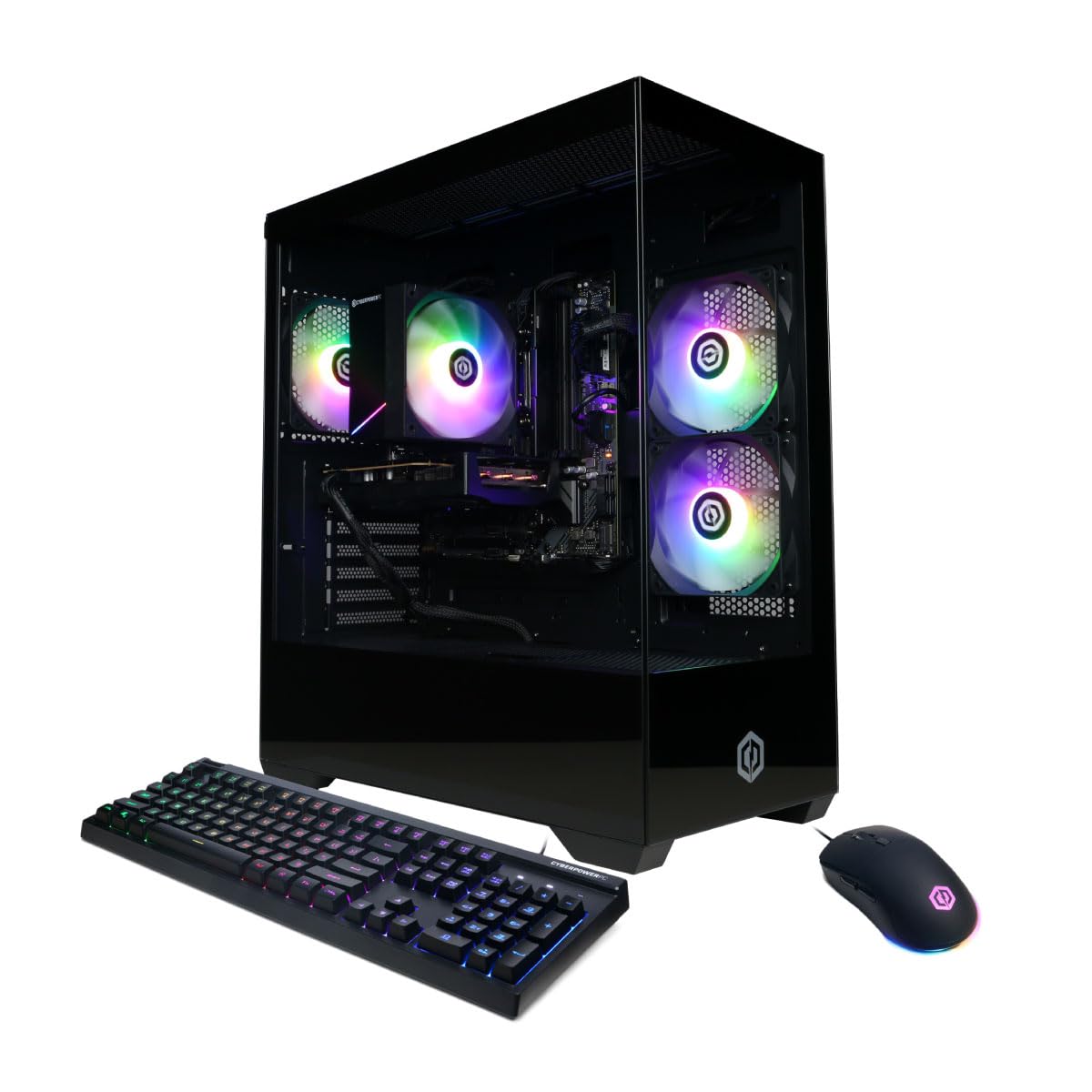
4. CyberPowerPC Gaming PC
A newer-generation card and a keyboard and mouse in the box — genuinely ready to use.
The hardware headline is an NVIDIA GeForce RTX 5060 with 8GB of GDDR7 memory. GDDR7 is a newer, faster type of graphics memory than the GDDR6 in the RTX 3050 and 3060 Ti picks above, and this card is built for current titles rather than yesterday’s. The processor is an Intel Core i5-14400F with 10 cores on the B760 chipset, backed by 16GB of DDR5 RAM (the faster memory generation) and a 1TB PCIe 4.0 NVMe SSD. Windows 11 Home comes installed.
Two things make this easy to live with. First, the box includes a keyboard and mouse, so you are not shopping for peripherals the same week. Second, connectivity is modern throughout: WiFi 6, Bluetooth 5.3, 2 USB-A 3.2 ports and 6 USB-A 2.0 ports, plus 1 HDMI and 2 DisplayPort outputs, with a listed display maximum of 3840×2160 (4K). Reviews describe it as performing well, looking good with its tempered side panel and custom RGB, and setting up without fuss.
The one thing to size up is memory. 16GB of DDR5 is the sensible floor for gaming, and it stays comfortable unless you pile on streaming software and heavy editing at the same time. That is where the 32GB and 64GB builds below pull ahead. This PC is backed by a 1-year parts and labor warranty with free lifetime tech support, which sweetens a machine already pitched at buyers who want a full setup, not a project.
i5-14400F pairing: a current-generation RTX 5060 with faster GDDR7 memory, plus every cable, key, and click you need in the box.
limited upgrade path: 16GB of DDR5 is fine for play — heavy multitaskers will want the 32GB builds further down.
best match for daily play: a first or second gaming rig where you want the newest graphics tech and a complete desktop in one order.
not the pick for tinkerers: video editors and streamers who routinely run four heavy apps at once.
5. HP OMEN 40L Gaming Desktop
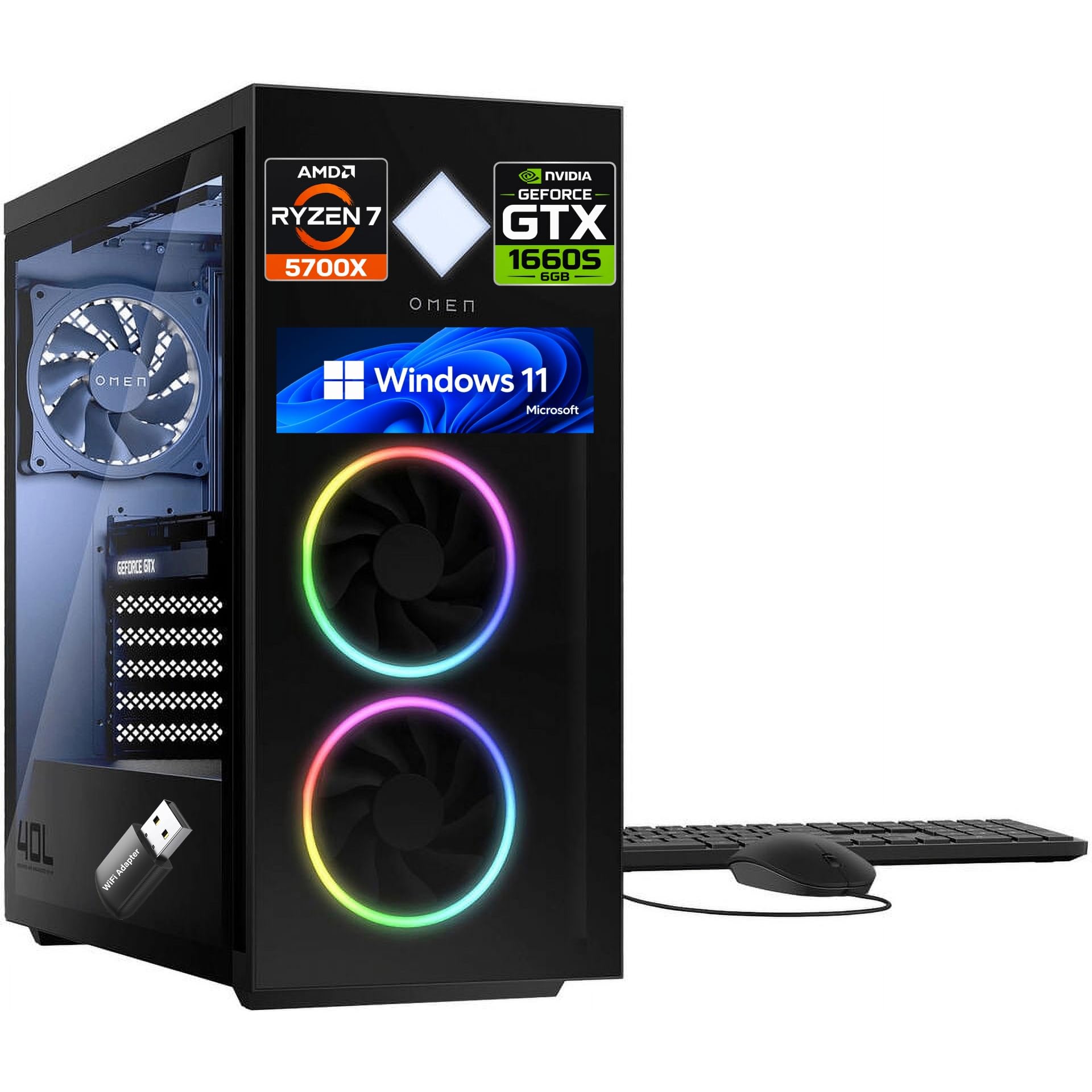
Eight cores, a whisper-quiet fan profile, and a case you can open without a screwdriver.
What sells this one is the processor: an AMD Ryzen 7 5700X running 8 cores and 16 threads with 32MB of cache and boost speeds up to 4.60GHz. That is two more cores and double the cache of the Ryzen 5 5500 in the picks above, which matters when you stream, record, or keep chat and browser windows running alongside a game. A 65W TDP figure — the rated heat output the cooler has to handle — is modest, and that is exactly why it stays quiet.
Memory and storage are the other half of the story: 32GB of DDR4 RAM (double the 16GB in the CyberPowerPC and ZYNEEX) and a 1TB PCIe NVMe M.2 SSD for fast boots and near-instant load screens. Around the back you get 4 USB 3.2 Gen 2 Type-A ports, 2 USB 3.2 Gen 1 Type-C ports, front-panel SuperSpeed ports, and integrated 10/100/1000 GbE LAN for a wired connection. The chassis is a MicroATX tower with a tempered glass front, tool-less access for upgrades, and OMEN Light Studio RGB, and it ships with a wired HP keyboard and mouse.
The trade-off is the graphics card. It is the same GTX 1660 Super with 6GB as the OMEN 45L, which is fine for 1080p and not the card for a high-refresh 1440p push. Owners do single out how quiet it runs and how quickly it sets up, and the tempered-glass, easily-opened case makes the memory and storage upgrades you might want later genuinely simple. If your priority is a calm, capable desktop rather than chasing the highest frame rates, this is the one.
worth it for multitaskers: quiet operation, an eight-core chip, and a tool-less case that makes future upgrades a five-minute job.
skip the upgrade if casual: you want a current-generation graphics card — the 6GB GTX 1660 Super is older hardware.
6. iBUYPOWER Element Gaming PC
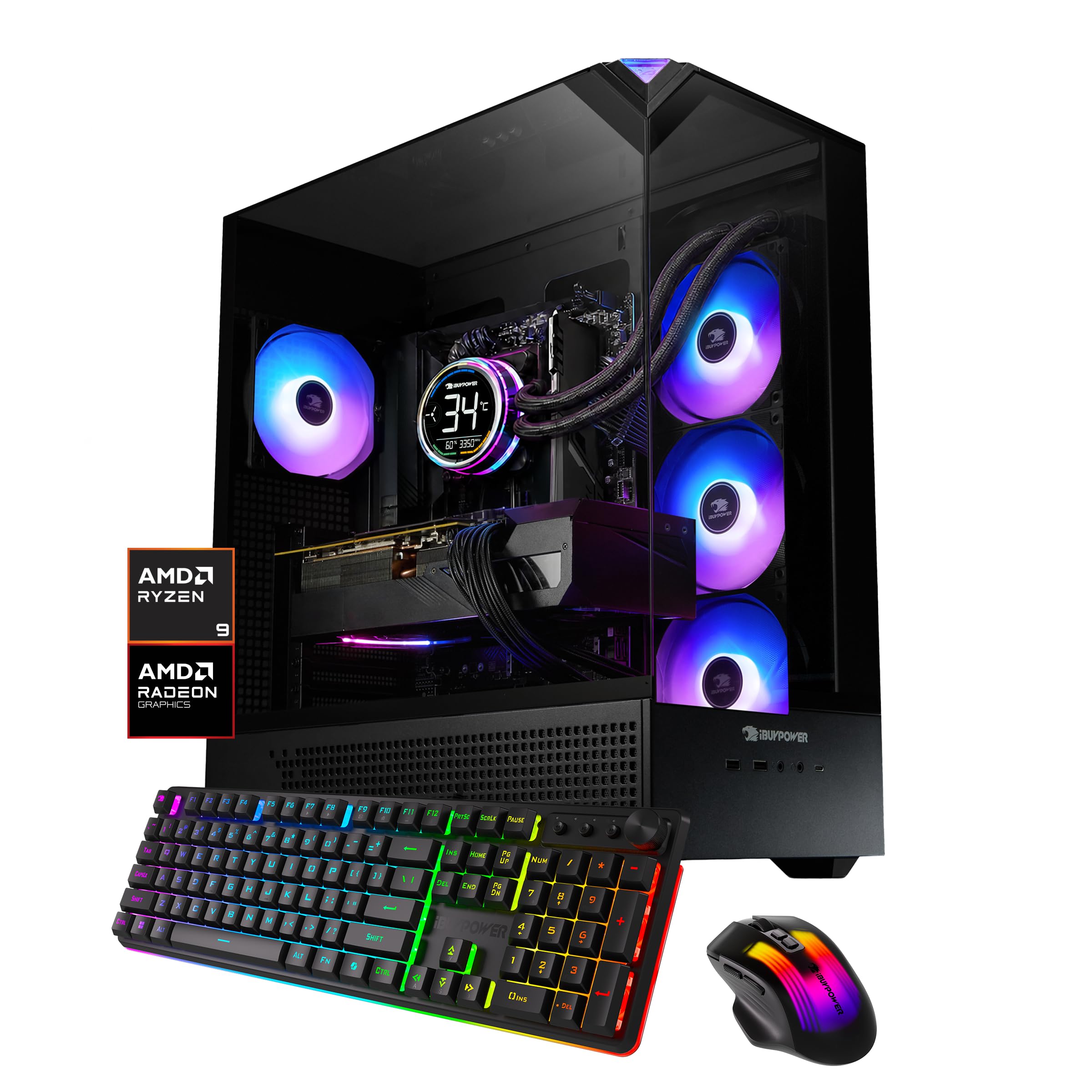
Twelve cores, 12GB of VRAM, and a 360mm radiator built for streaming marathons.
This is the multitasker’s pick. An AMD Ryzen 9 9900X with 12 cores and 24 threads, boosting up to 5.6GHz, is the highest boost clock in this group at 5.6GHz — and it is paired with an AMD Radeon RX 9070 GRE holding 12GB of dedicated VRAM. That VRAM figure matches the RTX 5070 builds below and beats the 8GB cards in the entry picks, which means high graphics settings on most titles at 1440p. AMD FSR Redstone is the card’s upscaling and frame-generation tech, an AI-driven feature that raises frame rates in supported games.
Cooling is the other headline: a 360mm AIO liquid cooler with an LED display on the block that tracks performance, inside a tempered-glass Element case with a built-in ARGB light strip. A 12-core chip can run hot, and a big radiator is the mature way to handle it. Storage is a 1TB NVMe SSD with room to add a second drive later, and connectivity covers WiFi 5, Bluetooth, 6 USB 3.1 ports, and gigabit Ethernet, with an RGB keyboard and mouse in the box.
The recurring notes worth knowing are on reliability and storage room: most systems run beautifully and the case looks great, and the 1TB drive will feel tight to anyone with a large library or a heavy 4K workflow. Size your expectations to that, and this machine covers gaming, streaming, recording, and serious editing on one desk. It is hand-assembled and tested in California with a 1-year parts and labor warranty and US-based support.
Ryzen 9 9900X muscle
- 12 cores and 24 threads running up to 5.6GHz
- 12GB of VRAM for high settings at 1440p and beyond
- 360mm liquid cooling with a performance-tracking LED display
- RGB keyboard and mouse included, ready to use from the start
Radeon driver quirks
- 1TB of storage is modest for large libraries and 4K projects
- WiFi 5 is an older wireless standard than the WiFi 6 in the CyberPowerPC and KOTIN
- Some units arrive with faults that show up after the first few days
made for creators: streamers and editors who need cores and VRAM to run at the same time.
the limit to plan for drivers: 1TB of storage fills quickly at 4K — budget for a second drive.
7. msi Codex Z2 Gaming Desktop

A 12GB RTX 5070 and 2TB of storage — the high-performance balance most gamers want.
Two specs do the heavy lifting here. First, an NVIDIA GeForce RTX 5070 with 12GB of VRAM, built on Blackwell architecture (NVIDIA’s current graphics generation) for a real jump in both standard rendering and ray tracing — the lighting and reflection effects. Second, 2TB of SSD storage, double the 1TB in the iBUYPOWER and CyberPowerPC picks, so a large library fits without a second drive. Add an AMD Ryzen 7 8700F with 8 cores and 16 threads boosting to 5.0GHz and 32GB of DDR5 RAM, and you have a machine sized for AAA titles plus living-room multitasking.
Owners overwhelmingly point to performance and quiet operation. Four system cooling fans — three intake at the front, one exhaust at the rear — plus an ARGB air cooler and an MSI LED button for cycling display lighting keep it composed under load. Reviews describe it running every game flawlessly and being easy to set up, which is the sensible thing to want from a prebuilt at this level.
The catch is graphics headroom at the extreme end. RTX 5070 power is real, but the air cooler means a very long max-settings session will push fan noise up, and a small number of units have shown early faults. The plain read: this is the best balance of a 12GB RTX 5070, 32GB of DDR5, and 2TB of SSD storage in the mid-range, and it is the pick when you want 1440p frames plus room to spare in the drive.
RTX 5070 graphics: the 12GB RTX 5070 shared with the two Alienware picks, but with double their storage at 2TB and 32GB of DDR5 backing it.
R7-8700F tradeoffs: air cooling keeps it quiet in normal play — expect fan noise to step up on long, maxed-out sessions.
choose this when gaming: you want a modern 12GB card, 32GB of DDR5, and a library-sized 2TB drive in one balanced build.
pass if editing heavy: near-silent operation at max settings is your top priority.
8. KOTIN Gaming PC Desktop
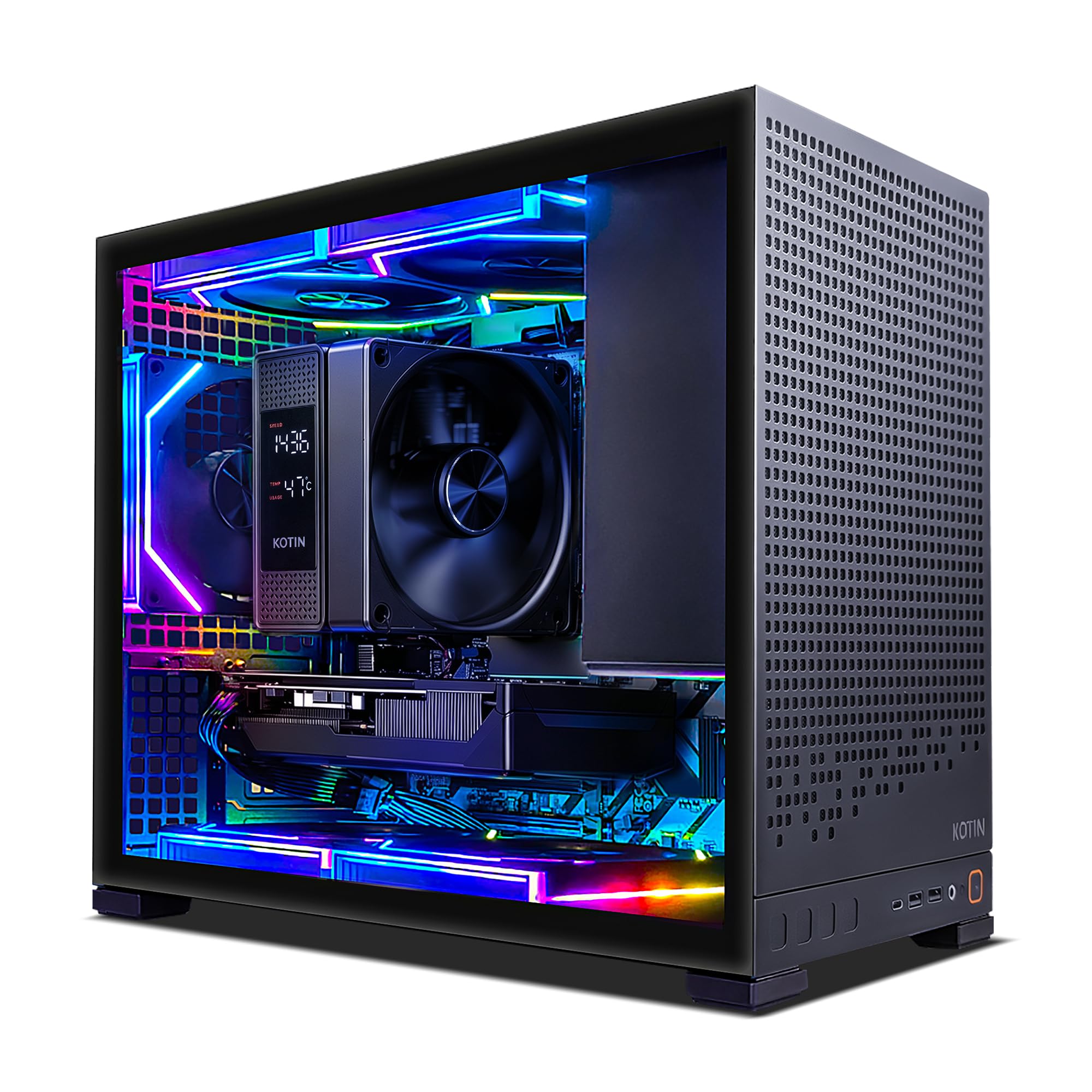
Five ARGB fans, a temperature readout on the cooler, and three SSD slots to grow into.
The airflow story is the differentiator here: five 120mm ARGB fans plus a CPU air cooler with six copper heat pipes and a digital temperature display (a small screen that shows your CPU heat in real time). That is more visible fans than the four in the MSI Codex Z2, and the readout is a genuinely useful thing to have when you are learning how a new machine behaves under load. Inside sits an AMD Ryzen 7 8700F (8 cores, 16 threads up to 5.0GHz) and a GeForce RTX 5060 Ti with 8GB of GDDR7 — a current-generation card with DLSS 4 and ray tracing support for 1080p and 1440p play, plus streaming and creative work.
For future-proofing, the numbers point the right way. It carries 32GB of DDR5 RAM across four DIMM slots, a 1TB PCIe Gen4 NVMe SSD, and three M.2 slots for adding more SSD storage later, backed by a 650W 80 PLUS Gold power supply. WiFi 6 and Bluetooth keep the desk cable-free with low-latency networking. Windows 11 Home is pre-installed, assembly and testing happen in the USA, and it ships with a 1-year limited warranty and free technical support.
One honest note a first-time builder needs: connect your monitor to the graphics card ports on the lower rear of the case, not the motherboard ports above them, or you get a blank screen — and VGA or DVI monitors need an adapter. Otherwise this is a quietly strong pick, sized for buyers who want to add storage and RAM in a year or two without replacing the tower.
right for you if 1080p: you plan to grow the machine over time — the three M.2 slots and four DIMM slots give you somewhere to go.
one setup note on cooling: plug your monitor into the graphics card, not the motherboard, or you will stare at a blank screen.
9. Alienware Aurora Gaming Desktop RTX 5070
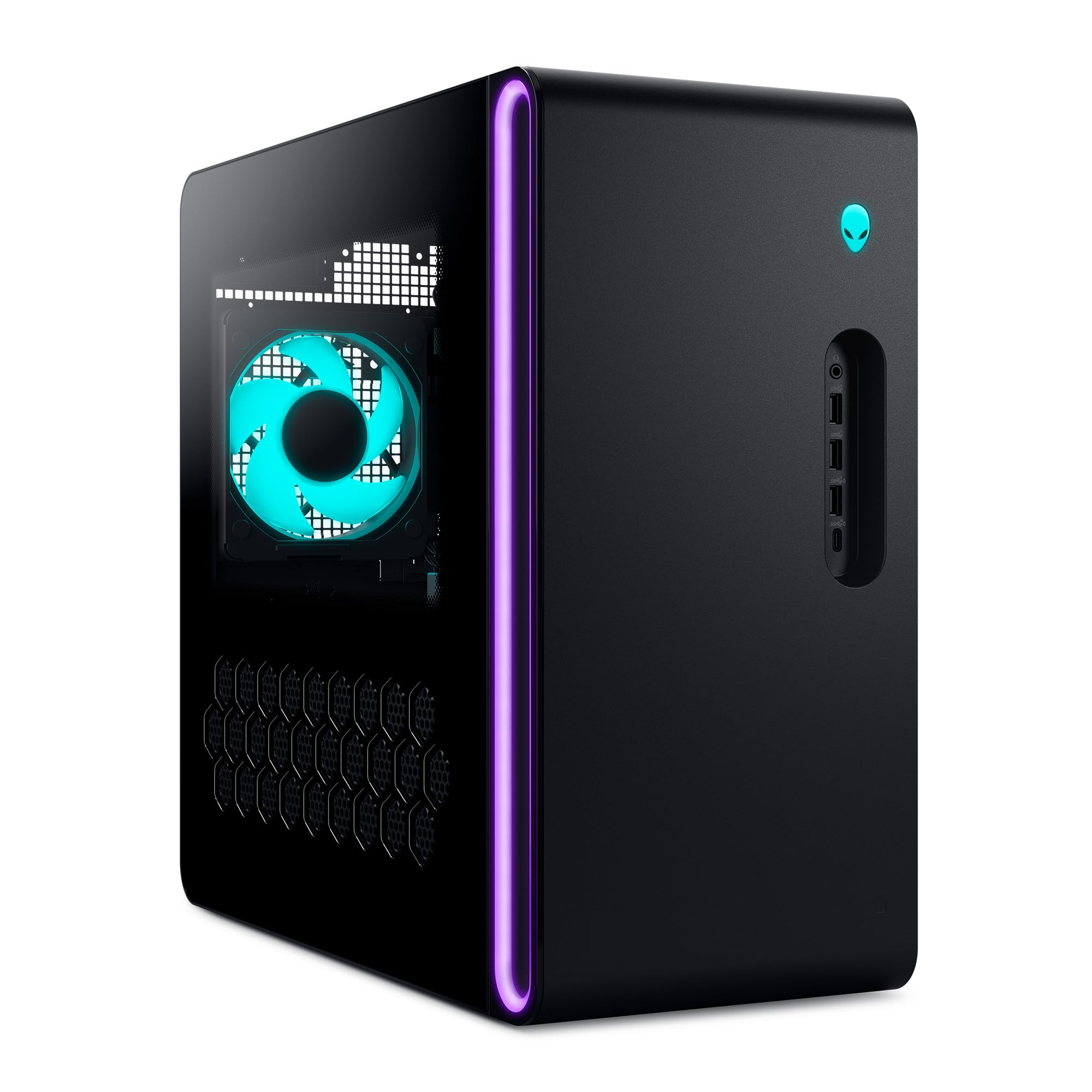
Quiet, cool, and eye-catching — the one that fits in a room, not just under a desk.
Where the Codex Z2 leans on raw storage, this Aurora leans on thermal calm. An NVIDIA GeForce RTX 5070 (12GB, Blackwell architecture) does the graphics work, an Intel Core Ultra 7 265F runs 10 cores with a boost up to 5.3GHz and 66MB of cache, and buyers repeatedly highlight how quiet and how cool it stays during use. The chassis is a matte basalt black finish with customizable AlienFX lighting zones and a stadium light bar, and Alienware Command Center software lets you set lighting, switch performance modes, and save per-game profiles.
Owners describe the performance as flawless and the appearance as a standout, and the machine is deliberately tune for the kind of long session where a loud fan becomes annoying. Dell adds 1 Year Onsite Service — a technician comes to your home, office, or location of choice if a covered hardware fault cannot be fixed remotely. Included in the box are a keyboard, mouse, and power cord, so the desk is ready out of the crate.
The number to check is memory: 16GB inside, against 32GB in the KOTIN and MSI above and 64GB in the Horizon below. That is fine for gaming plus browsing, and you will feel it if you stream and edit at once. A few buyers have also flagged that listed specs did not always match what arrived, so confirm the configuration on your order. Fit it to your desk and your habits, and this is a striking, quiet gaming PC with real current-generation graphics.
fits best for brand fans: a gaming desk in a shared room where low noise and good looks count as much as frame rates.
look at a 32gb build if: you split your time between gaming and heavy multitasking.
10. Alienware Aurora Gaming Desktop 265KF

The same Alienware shell, now with liquid cooling and a faster open up chip.
Two upgrades separate this Aurora from the one above. The processor is an Intel Core Ultra 7 265KF boosting to 5.5GHz (against 5.3GHz on the 265F), with the same 66MB of cache, and the cooling moves from air to a 240mm heat exchanger — a liquid-cooling radiator that pulls heat off the CPU over long sessions. Underneath it all sits the same NVIDIA GeForce RTX 5070 with 12GB of VRAM and Blackwell architecture, so 1440p gaming stays firmly in reach.
What people talk about most is the performance and the calm. Buyers describe it running like a dream and staying quiet, which is the whole point of paying for liquid cooling in a stylish tower. The matte basalt black chassis with AlienFX stadium lighting and Command Center software carries over unchanged, and Dell backs it with 1 Year Onsite Service at your home, office, or chosen location. The box includes an Alienware keyboard and mouse and a power cord.
The limit to weigh is memory again — 16GB, matching the 265F model and short of the 32GB in the MSI and KOTIN. Combined with the liquid-cooled chip, that points this at a specific buyer: someone who plays at length, streams occasionally, and values quiet, stable operation over massive multitasking. If that is you, the cooler and the faster boost clock make this the better of the two Alienwares.
the upgrade worth paying for: liquid cooling and a 5.5GHz chip make this the more comfortable marathon machine.
who should look lower: heavy editors and streamers who need more than 16GB of RAM.
11. Horizon Autherium Dragon RGB I9 RTX Gaming PC
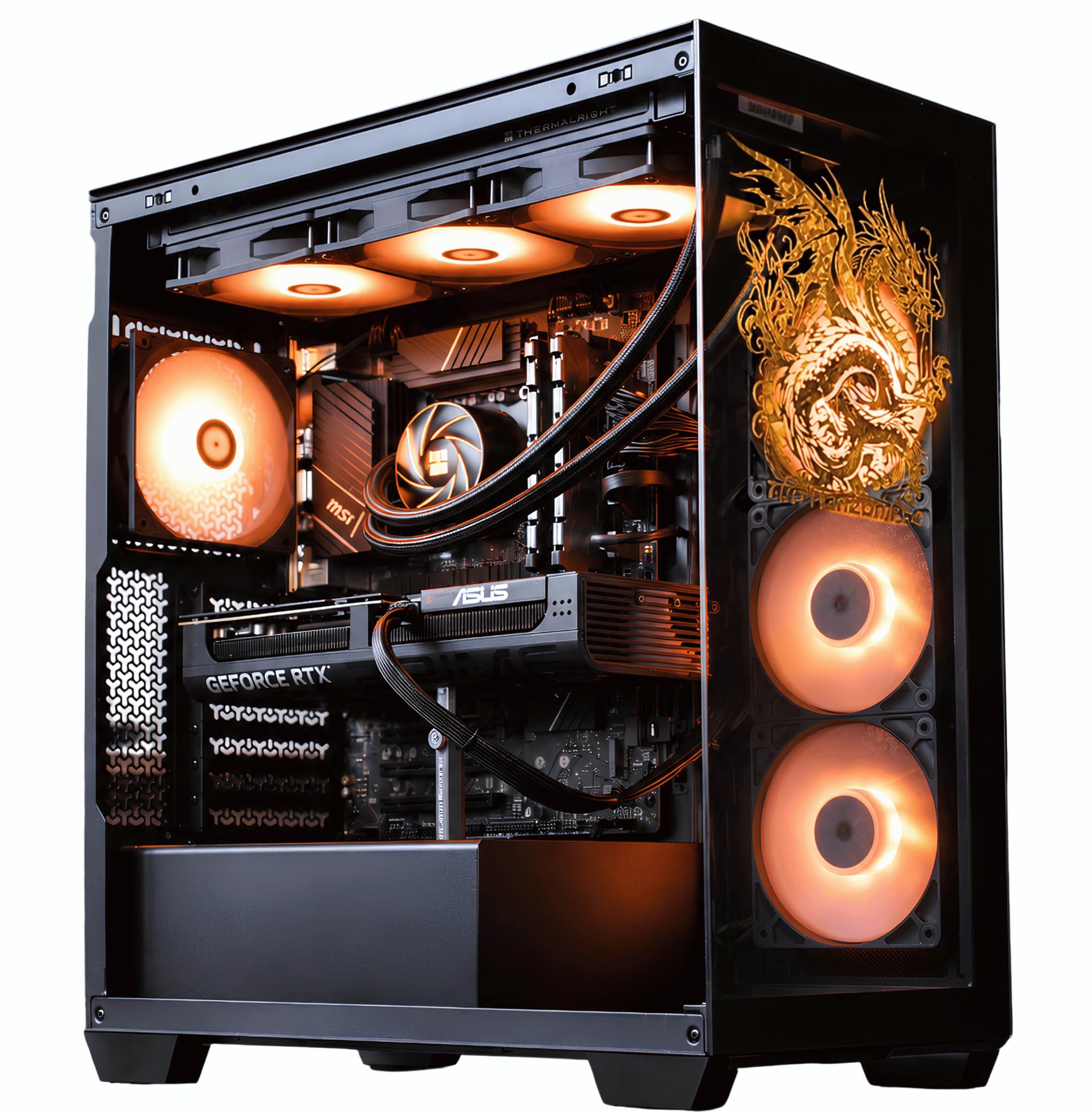
Sixty-four gigabytes of RAM and four terabytes of storage — the machine that stops asking you to delete things.
Only one build here matches this one on memory, and it is the OMEN 45L up top. Both carry 64GB, twice the high-end average of 32GB the maker points out for other systems. The difference is storage: a combined 4TB, split as a 1TB M.2 NVMe SSD rated up to 7000MB/s plus a 3TB 7200RPM hard drive, with an extra M.2 and HDD port free for more. That is double the 2TB in the MSI Codex Z2 and four times the 1TB in most picks. Add a Core i9 KF open up processor boosting to 5.3GHz with 30MB of cache and an RTX 5070 OC with 12GB of VRAM (factory overclocked for higher, steadier frame rates), and it covers 4K output, VR with 1x HDMI and 3x DisplayPort, and AI workloads.
Cooling and connectivity are pitched the same way. A 360mm closed-loop liquid cooler works alongside 11 total fans with smart silent speed control, and the case wears an ARGB dragon front panel with software control. Around the back you get 1 USB-C 3.2 port, 8 USB 3 ports, Ethernet up to 2.5GB/s, WiFi up to 2.4GB/s, and Bluetooth, running on an 850W 80+ GOLD power supply with six extra SATA connectors. Windows 11 PRO comes installed. Support is the thing buyers praise: a 3-year parts and 5-year labor warranty with access to specialists.
The plain trade-off is size and power draw. An 850W supply and 11 fans in one tower mean a big footprint and more electricity than a 65W-TDP machine like the OMEN 40L. For buyers who budget for processing power, this is the highest-capacity build here at 64GB of RAM and 4TB of storage, and its 3-year parts and 5-year labor coverage is the longest here. It is the pick when your work is heavy and you want the machine — and the support behind it — to last.
64GB RGB showpiece: 64GB of RAM, 4TB of mixed storage, an RTX 5070 OC, and a 3-year parts and 5-year labor warranty, the longest coverage here.
large footprint: big tower, 850W supply, and 11 fans mean it takes real desk space and draws more than a low-TDP build.
buy this for spectacle: heavy editing, 4K work, VR, and libraries so large you refuse to uninstall anything.
not for small desks: the 850W supply and 11-fan tower need real room and draw more power than a modest build.
Know the Specs
Graphics card and VRAM
The graphics card draws each frame, and its VRAM holds textures and lighting data. 6GB covers 1080p comfortably, 8GB gives you headroom for 1440p, and 12GB keeps high texture settings fed on a 1440p or 4K screen. A newer card generation such as RTX 5060 or RTX 5070 tends to add more efficient rendering alongside the extra memory, so check both the model number and the VRAM figure.
Processor cores and boost clock
A core is a worker inside the CPU, and a thread is a queue it can process. Six cores handle pure gaming; eight to twelve cores keep streaming and editing smooth while a game runs. Boost clock in GHz is the top speed a core reaches when it needs to, so a chip boosting to 5.0GHz finishes a single task faster than one at 4.2GHz.
RAM capacity and DDR generation
System RAM holds everything open at once. 16GB suits gaming plus a browser, 32GB suits gaming plus a stream, and 64GB suits video editing or 3D rendering. DDR5 is the newer, faster memory generation than DDR4 — worth choosing if you plan to keep the PC for years — and the slot count tells you how easily you can add more later.
SSD generation and power supply headroom
A PCIe Gen4 NVMe SSD moves data faster than a Gen3 drive, which shortens boot and load times. Capacity decides how many big games fit — a modern title can run 70GB or more, so 1TB is a practical start and 2TB or 4TB saves you managing space. The power supply wattage is your upgrade headroom: an 800W or 850W Gold-rated unit leaves room for a stronger graphics card later.
Common Questions
Do I need 32GB of RAM for gaming, or is 16GB enough?
Can a prebuilt gaming PC be upgraded later?
Is an RTX 3050 good enough for 1440p gaming?
How much SSD storage do I need for a game library?
Does liquid cooling make a gaming PC quieter than air cooling?
How many fans should a gaming PC case have?
Can I plug a VGA or DVI monitor into a new gaming PC?
Is a 65W processor powerful enough for gaming compared with a 125W one?
Should I choose DDR4 or DDR5 memory in a prebuilt?
What warranty should a new gaming PC come with?
The Bottom Line
For most players, the strong pick in this lineup of best new gaming pc options is the HP OMEN 45L, because 64GB of RAM and a 2TB Gen4 SSD let you game, stream, and edit without ever clearing space — the rare prebuilt that does not need a first upgrade. If a 1440p screen is already on your desk, the MSI Codex Z2 pairs a 12GB RTX 5070 with 2TB of storage for the best performance-to-space balance here. And if your work is heavy editing, 4K projects, or VR, the Horizon Autherium Dragon is the one to reach for, with 4TB of storage and a 3-year parts and 5-year labor warranty.
How we choose
We do not accept paid placement. Every pick is matched to a real buyer and a real use-case; we do not hands-on test units.
Sources
Specifications: manufacturer listings and product documentation. Review insights: verified customer reviews, as of November 2026. Pricing: not shown on this page (it changes often); check the current price via the retailer link.
As an Amazon Associate, Tactical Gear Guy earns from qualifying purchases. This does not affect which products we feature.