Specs are compiled from manufacturer listings and verified buyer reviews and can change over time — please confirm the key details on the product page before buying.
Your Steam Deck fills up faster than you expect. A handful of AAA installs and your drive is warning you about space, so you start deleting games you still want to play. The fix is a 2TB M.2 2230 SSD, the short card that slots straight into the Deck. This guide covers the drives that actually fit, the ones that boot fast, and the complete upgraded consoles if you would rather buy the whole thing done for you.
This guide is built by comparing the manufacturers’ published specifications and the patterns across verified customer reviews, so you get each pick’s real strengths and trade-offs instead of marketing spin.
Speed numbers on the box rarely match what your Deck actually feeds the drive, so the real question is which 2TB stick installs cleanly and holds its pace. Below you’ll find the drives and bundles that make the most sense for a steam deck 2tb ssd upgrade today.
Top Picks

How To Choose The Best Steam Deck 2TB SSD
Buying the wrong drive for a Steam Deck is an expensive mistake, because the Deck’s slot only takes one size and one interface. Get those two right and almost any Gen4 drive will work. Get them wrong and the drive simply will not go in.
Form factor comes before everything
The Steam Deck takes an M.2 2230 drive, the short card that fits its internal slot. A standard M.2 2280 drive (the long stick most desktop PCs use) is too long to fit inside the shell. Every drive here is 2230, which is the single reason they made this list.
Read speed is the number on the box, but not the whole story
Manufacturers advertise sequential read speed in megabytes per second (MB/s) — the best-case rate for pulling one giant file off the drive. Game loading leans on that figure, so a higher number generally means shorter waits between areas. It does not make the Deck’s processor any faster, though, so a 7,000MB/s drive will not turn a 30fps game into 60fps.
Power draw matters more than you think on a handheld
A handheld runs on a battery, so the drive’s power efficiency (how much electricity it pulls while working) affects how long you can play unplugged. Some drives are specifically built for low power draw, which is worth more to a Deck owner than an extra few hundred MB/s of peak speed.
Capacity and endurance go together
A 2TB drive holds a lot of games, but every install and reinstall writes data to the same NAND chips. Endurance is the total amount of data a drive is rated to write over its life. High-density 3D TLC NAND (the mainstream flash memory type) balances speed and lifespan well for game libraries.
Swap it yourself or buy it pre-upgraded
You have two paths. Buy a bare 2TB drive and clone your existing install onto it, or buy a Steam Deck that already ships with 2TB inside plus a case and screen protection. The bare drive is the cheaper and more flexible route if you are comfortable with a screwdriver. The bundle is the route if you want zero risk and everything in one box.
Side-by-Side Comparison
| Model | Best For | Capacity | Max Read Speed | Form Factor | Amazon |
|---|---|---|---|---|---|
| Crucial P310 2TB★ Best Overall | Most Steam Deck owners | 2 TB | Up to 7,100 MB/s | M.2 2230 | Amazon |
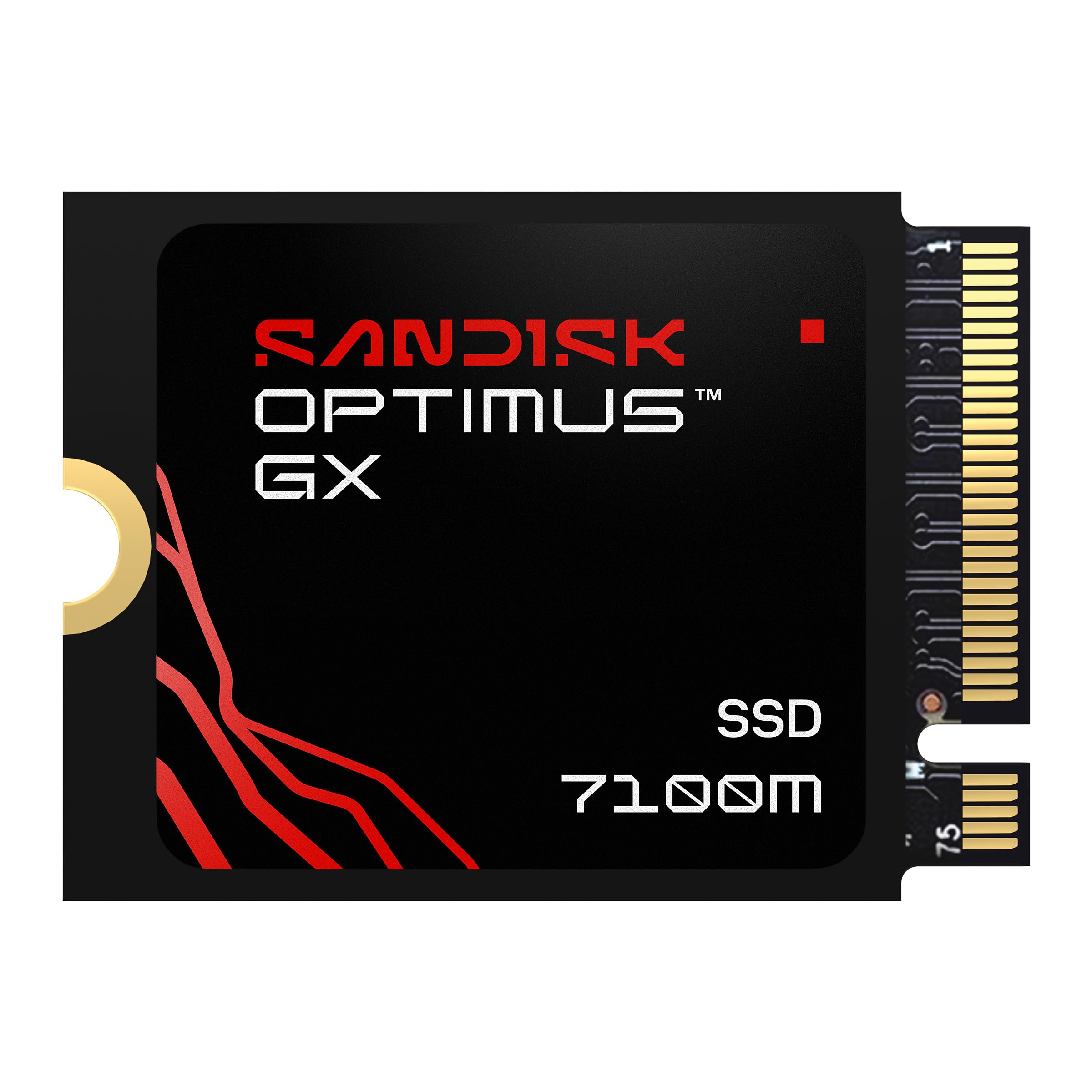
| SANDISK Optimus GX 7100M 2TBSpeed Leader | Fastest read/write figures | 2 TB | Up to 7,250 MB/s | M.2 2230 | Amazon |
| Corsair MP600 MINI 1TB | Smaller-budget start | 1 TB | Up to 7,000 MB/s | M.2 2230 | Amazon |
| Kingston NV3 2TB | SFF PC and handheld builds | 2 TB | Up to 6,000 MB/s | M.2 2230 | Amazon |
| Micron 2400 2TB | Steam Deck and ThinkPad owners | 2 TB | Up to 4,500 MB/s | M.2 2230 | Amazon |
| Valve Steam Deck OLED 1TB Bundle | Buying the console too | 1 TB | — | Handheld console | Amazon |
| Steam Deck 2TB Upgraded Bundle | Zero-install 2TB setup | 2 TB | — | Handheld console | Amazon |
Detailed Reviews
1. Crucial P310 2TB M.2 2230 SSD
Our pick — 4.5+★ from 2,000+ verified ratings; the strongest balance of quality and price.
The 2TB M.2 2230 drive that adds capacity and cuts load times in one swap.
This is the pick that fits almost every Deck owner’s plan: 2TB of storage, an M.2 2230 shape that drops straight into the slot, and a claimed 7,100MB/s sequential read speed that shortens the wait between game areas. That 7,100 figure is the fastest read number on this list, and the 6,000MB/s write speed keeps large installs from dragging on.
The other half of the story is power. Crucial engineered this drive for low power draw, which is a real benefit on a handheld running off a battery — the drive is not the part of your Deck quietly draining a charge while you are mid-quest. Crucial’s G8 NAND and thermal control back up that Gen4 speed with something designed to hold steady rather than spike and throttle.
Compatibility is broad enough that it is not just a Deck drive. It also goes into the ASUS ROG Ally, MSI Claw, Microsoft Surface, and select Dell laptops, so if you upgrade your Deck later you have a home for the old stick. It also does not ship with a cloning tool in the box, so you will need a separate enclosure or a clean SteamOS reinstall if you plan to migrate.
Where it pulls ahead
- Up to 7,100MB/s read — the quickest claimed figure here
- 2TB capacity in the short M.2 2230 the Deck requires
- Low-power design aimed at handheld battery life
- Fits Steam Deck, ROG Ally, MSI Claw and Surface alike
The honest catches
- Charged above the budget 2TB drives
- No cloning software in the box
- Bare drive — you install it yourself
Reach for this if: you want the fastest read figures on this list sitting in a Deck-friendly 2230 stick, with battery-friendly power draw as the bonus.
Look elsewhere if: you are on a tight budget or you would rather not open the Deck at all — the pre-upgraded bundle below does the work for you.
2. SANDISK Optimus GX 7100M 2TB NVMe SSD
The speed-first stick for owners who want every last MB/s out of the slot.
On the numbers this is the quickest drive in the group. SANDISK rates it up to 7,250MB/s sequential read and 6,900MB/s sequential write, and that 7,250 read figure edges out the Crucial P310’s 7,100MB/s. In practice that narrows the gap on the biggest file pulls, so if load screens are your personal enemy, this is the drive built to answer that.
Random read and write speeds up to 1M and 1.3M IOPS (input/output operations per second — a measure of how quickly the drive handles lots of small file requests) matter more for general responsiveness than the headline sequential number. The integrated nCache 4.0 technology is aimed at shaving game lag, and the architecture is described as power-efficient so the drive is not the thing tapping out your battery first.
The drive uses 8th generation SANDISK BiCS TLC 3D CBA NAND, and the list of compatible devices runs to desktop and laptop plus the Xbox Series S and PlayStation 5. It also ships with the SANDISK Dashboard for Windows and an Acronis True Image migration tool, which is the part that makes moving your old data over far less painful than a manual reinstall.
What the extra speed buys you: the 7,250MB/s read figure is the highest on this page — a small but real edge over the Crucial P310 on paper.
Where the value sits: the bundled SANDISK Dashboard and Acronis True Image tools do the migration work for you, and the power-efficient build keeps the drive off your battery’s back.
The case for it: you want the top-end read/write figures and the easiest migration path in one package.
The reservation: the review base is small, so you are trusting the spec sheet more than a track record.
3. Corsair MP600 MINI 1TB M.2 NVMe PCIe Gen4 SSD

Half the capacity of the 2TB drives, but the same short-card fit and a sold install story.
Here is the one candidate that is not a 2TB drive, and that needs saying plainly: this is 1TB. If your goal is specifically a 2TB Steam Deck, the capacity number disqualifies it, but if you are weighing whether you really need 2TB or a generous 1TB will do, this is a strong Gen4 option. It reads up to 7,000MB/s and writes up to 6,200MB/s — figures that sit right alongside the 2TB drives on this list.
What sells this drive to a Deck owner is how consistently it goes in without drama. Installation is the one aspect that comes back completely clean across the reviews — plug it in, boot, done. The compact 2230 shape is the reason, and buyers specifically flag it as fitting the Deck and the ASUS ROG Ally without trouble.
The high-density 3D TLC NAND is Corsair’s answer to endurance over years of game installs, and the PCIe 4.0 x4 NVMe 1.4 interface keeps bandwidth up. Compatibility runs across the Steam Deck, ROG Ally, MSI Claw, and Microsoft Surface. The honest caveat is that at 1TB it holds half what the 2TB Crucial and Micron drives do, so piling on AAA titles means managing space again.
Why owners keep it
- Up to 7,000MB/s read, 6,200MB/s write — near the top of the group
- The install process draws no complaints at all
- Fits Steam Deck, ROG Ally, MSI Claw and Surface
What to weigh
- 1TB, not 2TB — the only drive here under 2TB
- Fewer games fit before you are managing space again
Go here if: you have decided 1TB is genuinely enough and you want the smoothest install on the list.
Skip the capacity trap: if you came for 2TB, this is not the drive — head to the Crucial P310 or Micron above and below.
4. Kingston NV3 2TB M.2 2230 NVMe SSD

Full 2TB capacity for a handheld or a small-form-factor build, without chasing the top speed.
Kingston built this one around a specific brief: high-speed, low-power storage in the stubby 2230 size. It delivers 2TB and up to 6,000MB/s read through a Gen 4×4 NVMe interface, which is below the Crucial’s 7,100MB/s but still plenty to cut load times versus a stock drive. The design target is handheld gaming and small-form-factor PCs, so the Deck’s cramped, heat-sensitive shell is exactly the kind of home this drive was meant for.
The capacity lands at 2000 GB, so you are getting the full 2TB that is the whole point of this list. Kingston positions it as an upgrade solution rather than a flagship, which shows in the 6,000MB/s ceiling — that number is the lowest of the 2TB drives here apart from the Micron.
Where it earns its spot is straightforward: it is a genuine 2TB 2230 drive that installs into compatible handhelds and SFF PCs, and it prioritizes low power over peak numbers. If you are building a compact gaming PC and want a roomy boot drive that sips electricity, this fits that job as neatly as it fits a Deck. The downside to size up is that 6,000MB/s will not win any drag race against the 7,000-plus drives, and the listing names the Nintendo 2DS among compatible consoles, which is not what a Deck owner should read as a benefit — check your device is on the supported list before you buy.
The value read: 2TB of 2230 storage at up to 6,000MB/s for less than the speed-leader drives — a sensible middle ground if you want capacity first.
One spec to sanity-check: the compatible-console list includes the Nintendo 2DS, so confirm your specific device before committing.
Best fit for: a compact gaming PC or handheld owner who wants a full 2TB stick and cares more about capacity and power than top-end speed.
The caveat that matters: the 6,000MB/s ceiling trails the 7,000-plus drives, so if load-time bragging rights are the goal, look up the list.
5. Micron 2TB 2400 M.2 2230 NVMe PCIe 4.0×4 SSD

The steady hand: 2TB, a proven Steam Deck track record, and durability owners vouch for over a year.
Micron takes a different trade than the speed leader. This drive tops out at 4,500MB/s read and 4,000MB/s write through PCIe Gen 4 — the lowest ceiling on this list, and the point where a Deck owner should be honest about how much that matters. For loading games and booting the Deck, 4,500MB/s is still a large step above a stock drive; the gap only shows up in the biggest file transfers.
What earns it the premium slot is the reliability reputation. It slots into a Steam Deck, an ASUS ROG Ally, or any laptop or desktop with an M.2 2230 slot, and the performance feedback comes back completely clean. Owners running the ThinkPad T480 alongside their Deck report it working with no issues at all, and the durability notes describe drives still going strong after a year of use.
The 2TB capacity is the whole reason it is here, and installation lands among the smoother jobs of any drive on this page. Micron also makes the NAND that ends up in a lot of competitor drives, so buying direct from them is a short line to the source. The catch is the speed figures: at 4,500/4,000 MB/s this sits below every other 2TB drive here, so if beating a box number is what makes you feel good, it is not the pick — but if you want a 2TB stick with a track record of staying reliable, it earns its keep.
What buyers rely on
- 2TB in the 2230 size across Steam Deck, ROG Ally and laptops
- Durability feedback describes drives running strong a year on
- Installation is one of the cleanest in the group
What you give up
- 4,500MB/s read — the lowest ceiling of the 2TB drives here
- Its 4,500/4,000 figures trail the 7,000-plus drives
Pick this for: a 2TB Deck upgrade where reliability over years of installs matters more than a peak speed number.
Think twice if: you want the fastest reads on the page — this is the slowest of the 2TB drives, and that gap is real.
6. Valve Steam Deck OLED 1TB Bundle
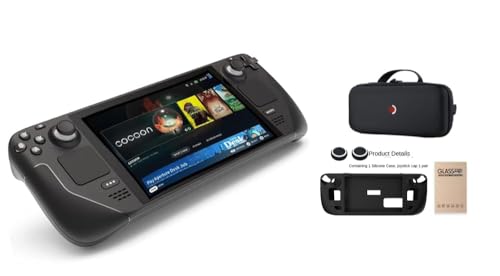
For the buyer who wants the whole console new, not just a drive to put in the old one.
This is not a drive — it is the full Steam Deck OLED handheld with 1TB built in, plus a bundle of extras. That distinction is the whole reason it is here: if you do not own a Deck yet, buying a bare 2TB SSD gives you a part with nothing to install it in. The OLED screen is the headline, running a 1280 x 800 resolution with the deeper contrast an OLED panel gives you over a plain LCD.
The 1TB of storage holds a solid library of AAA titles, though it sits below the 2TB the other drives here offer. The bundle steps in where a bare drive does not: a carrying case, a silicone soft cover protector, joystick caps, and a tempered glass film all ship together, so the console arrives protected on day one. That is the protection bundle every new Deck owner ends up buying piecemeal otherwise.
The portability story is the custom AMD processor and integrated controls with a touchscreen, letting you play your Steam library away from a desk. Connectivity covers Bluetooth and Wi-Fi, and it runs on Linux as the software platform. The honest limit is that 1TB is not 2TB — if you already know you want maximum capacity, you would be pairing this console with a 2TB drive swap down the line, or choosing the pre-upgraded bundle below instead.
The bundle value: case, silicone cover, joystick caps and tempered glass film mean no separate accessory shopping — everything needed to protect a new Deck ships in the box.
The screen angle: a 1280 x 800 OLED panel is the reason to choose this over a plain LCD Deck, and it is the feature that sells the console itself.
Choose this when: you are starting from scratch and want a new OLED Deck with protective accessories included.
Hold off if: you already own a Deck and only need more storage — a bare 2TB drive costs far less than a second console.
7. Valve Steam Deck 2TB Upgraded Handheld Bundle
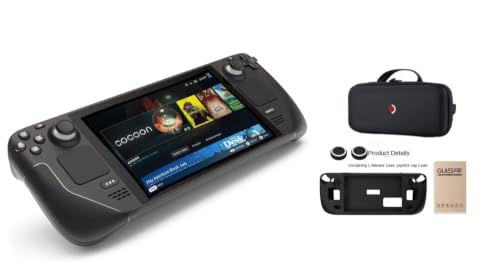
The 2TB you want, already inside the console, with no screwdriver required.
Here is the shortcut for anyone who would rather not open their handheld. This is a full Steam Deck with upgraded 2TB storage already installed, and Valve pairs that with a 1280 x 800 display and a seven-inch touchscreen. Two trackpads sit under the control sticks for games that were never built for a controller, and a micro SD slot adds room on top of the 2TB.
The 2TB inside lines up with the capacity the bare drives here offer, but you skip the cloning step entirely. The bundle rounds it out with a carrying case, a silicone soft cover protector, joystick caps, and a tempered glass film. You can dock it to a monitor or TV and use it as a PC, which turns the same machine into a desktop setup when you are not on the move.
Two honest notes before you commit. Reliability feedback is mixed: most describe a console that works great, while a smaller group report units that stopped working.
Why it is the shortcut
- 2TB already installed — no cloning, no opening the shell
- Seven-inch touchscreen plus dual trackpads for mouse-style games
- micro SD slot adds storage beyond the 2TB
- Docks to a monitor or TV for desktop use
Before you commit
- Screen is not anti-glare, so outdoor reflections show
- Reliability feedback is mixed — most units run fine, a smaller group report failures
Made for: the buyer who wants 2TB from day one and would rather not clone a drive or crack open a console.
Buy with eyes open if: you play outdoors a lot — the non-anti-glare screen makes reflections part of the deal.
Know the Specs
M.2 2230 form factor
This is the physical size of the drive: a short card that fits the Deck’s internal slot. The Steam Deck’s internal slot only accepts this length, so it is the first spec to confirm before buying anything. A longer M.2 2280 drive, the kind most desktop PCs use, will not fit inside the Deck’s shell. Every drive on this list is 2230 for exactly that reason.
Sequential read speed (MB/s)
Measured in megabytes per second, this is the best-case rate for reading one large file straight off the drive. Higher numbers generally mean shorter waits between game areas and faster bootups. It does not speed up the Deck’s processor, so a 7,000MB/s drive will not raise your frame rate. Use it as a rough guide to load times, not a promise of smoother gameplay.
PCIe Gen4 / NVMe interface
PCIe Gen4 is the connection standard (the fourth generation of the PCI Express lane), and NVMe is the protocol the drive speaks over it. Together they set the bandwidth ceiling the drive can use. A Gen4 drive paired with a Gen4 slot runs at full pace; the interface is what keeps the read and write figures above achievable. All the drives here use Gen4 NVMe, which matches what the Deck’s slot supports.
NAND type and endurance
NAND is the flash memory chip that actually stores your games. TLC (triple-level cell) is common in gaming drives because it balances speed, capacity and how many times it can be rewritten. Endurance is the total amount of data a drive is rated to write over its life, so more capacity generally means more total writes before wear. For a game library you reinstall often, a high-density 3D TLC drive holds up well.
Power efficiency
On a battery-powered handheld, the drive’s power draw matters as much as its speed. A power-efficient drive pulls less electricity while it works, which leaves more battery for the screen and processor. That is why the drive marketed as low-power is worth considering even when a faster one exists — the difference shows up in play time, not just benchmark numbers.
Capacity in terabytes
One terabyte of SSD storage is a large game library, and 2TB roughly doubles it. On a Deck, 2TB means you stop deleting games to make room for new ones. The drives and bundles here come in 1TB and 2TB; the 2TB versions are the ones to choose if running out of space is the problem you are solving.
Common Questions
Will a standard M.2 2280 SSD fit in a Steam Deck?
How do I move my games onto a new 2TB SSD?
Does a faster SSD make Steam Deck games run at a higher frame rate?
Is 2TB worth it over 1TB for a Steam Deck?
Will a Gen4 SSD drain the Steam Deck battery faster?
What is the difference between the Crucial P310 and the Micron 2400?
Can I add a micro SD card instead of swapping the SSD?
Is it worth buying a Steam Deck that already has 2TB inside?
Does the SSD brand matter for Steam Deck compatibility?
Can I use a 2TB 2230 drive in a desktop PC instead?
The Bottom Line
For most people hunting a steam deck 2tb ssd, the Crucial P310 is the sensible winner — 2TB in the exact 2230 size, up to 7,100MB/s read, and a low-power build aimed at the battery you are trying to protect. If raw speed plus migration tools are what you want, the SANDISK Optimus GX 7100M leads on both read and write figures. And when opening the console is the last thing you want to do, the pre-upgraded 2TB bundle hands you the capacity already inside, case and screen film included.
Whichever you choose, the deciding factor is the same: a confirmed M.2 2230 fit, a Gen4 NVMe interface, and a capacity that ends the game-deleting cycle. Beyond that, match read speed and power draw to how you actually play.
How we choose
We do not accept paid placement. Every pick is matched to a real buyer and a real use-case; we do not hands-on test units.
Sources
Specifications: manufacturer listings and product documentation. Review insights: verified customer reviews, as of November 2026. Pricing: not shown on this page (it changes often); check the current price via the retailer link.
As an Amazon Associate, Tactical Gear Guy earns from qualifying purchases. This does not affect which products we feature.