Specs are compiled from manufacturer listings and verified buyer reviews and can change over time — please confirm the key details on the product page before buying.
Buying a programmable graphing calculator is mostly a question of one thing: which machine will the exam proctor actually let you carry into the room. Everything else — color screens, CAS engines, Python editors — matters only after you know the device is on the approved list for the SAT, ACT, AP or IB exam you are sitting. This guide walks through the machines that are genuinely programmable, so you can store formulas, write programs and keep your work on the device instead of memorizing keystroke sequences.
This guide is built by comparing the manufacturers’ published specifications and the patterns across verified customer reviews, so you get each pick’s real strengths and trade-offs instead of marketing spin.
Your teacher or proctor decides which calculator you can actually use in the exam room. Screen quality, CAS (computer algebra system, which solves equations symbolically) and program memory all matter, but exam rules usually decide first. Check your course’s allowed list before you buy the best programmable graphing calculator for your math level.
Top Picks

How To Choose The Best Programmable Graphing Calculator
Start with the exam, not the hardware. A programmable graphing calculator can store formulas as programs and keep your data between sessions, but some exams ban the models with a computer algebra system. Before you compare screens or batteries, pull up your exam’s approved-device list and cross off anything that is not named there.
Check exam approval before anything else
Approved status is printed on the listing for some models and missing from others. The Casio fx-CG100 states plainly that it is approved for AP, SAT, PSAT and ACT. The HP Prime G2 lists PSAT/NMSQT, SAT, IB and select AP exams. When a listing does not name your exam, treat approval as unconfirmed until you check the official list.
Decide if you want CAS or not
A computer algebra system rearranges equations symbolically — it will factor, expand and solve for x without you doing the algebra by hand. That is a huge help in college calculus and a liability in an exam room that bans CAS. The Casio fx-CG500 and HP Prime G2 both carry CAS; the NumWorks, TI-84 Plus CE and Casio fx-CG100 do not advertise one.
Weigh storage and program memory
If you plan to load apps and write your own programs, memory matters. The HP Prime G2 advertises 256 MB of flash memory for programs, exam configurations and images. The TI-84 Plus CE-T Python Edition carries 3 MB of flash ROM. A machine with modest storage still holds plenty of small algebra programs, but it limits how much you can archive.
Side-by-Side Comparison
| Model | Best For | Display | Programmable Platform | Power | Amazon |
|---|---|---|---|---|---|
| NumWorks Graphing Calculator★ Best Overall | Students who want an easy learning curve | 320×240 color LCD | User programs, USB-C | Rechargeable lithium ion | Amazon |
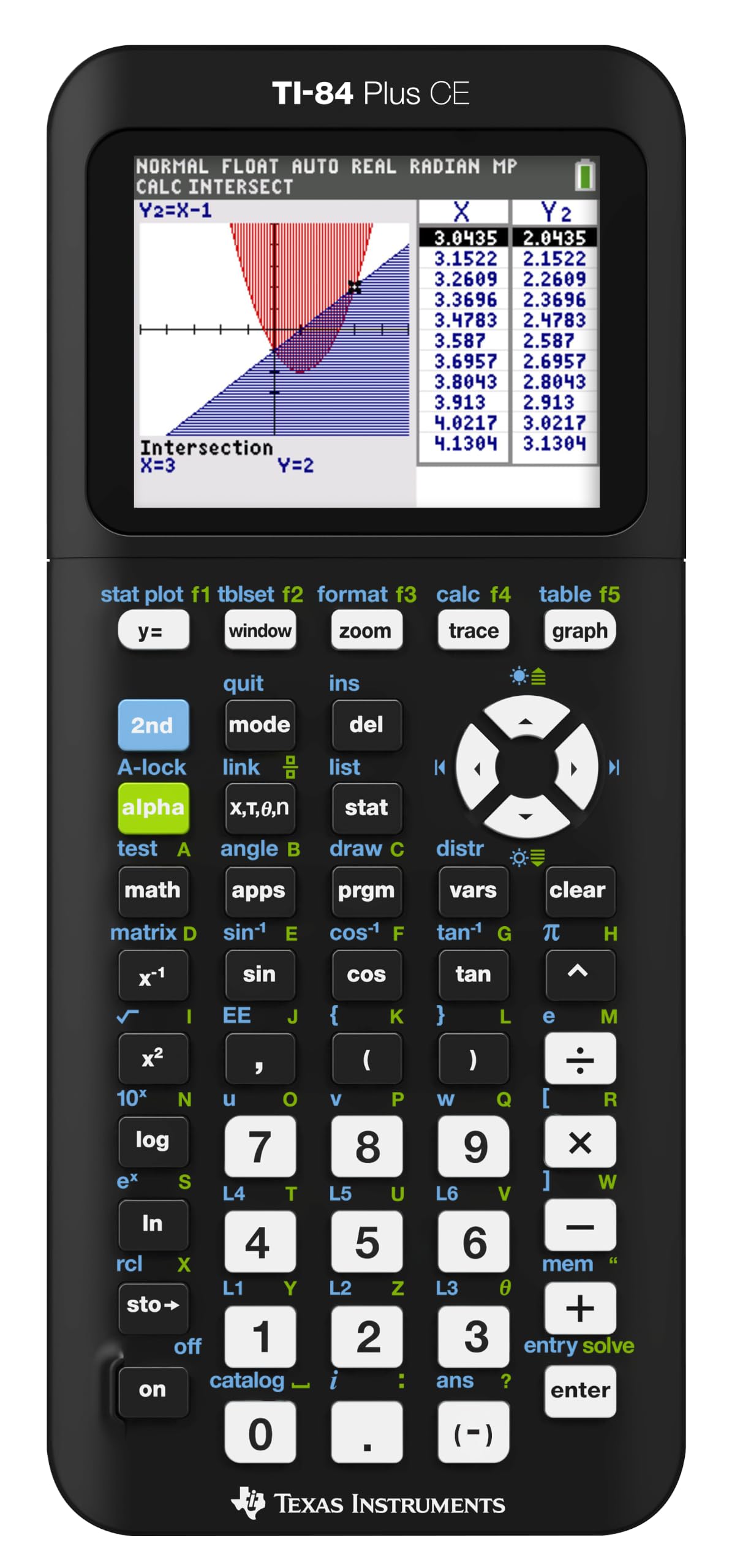
| Texas Instruments TI-84 Plus CE, BlackClassroom Standard | The classroom standard for algebra through college | Full-color backlit LCD | TI-84 apps and programs | TI Rechargeable Battery | Amazon |
| Casio fx-CG100 ClassWiz | Exam day plus 3D graphing and Python | Backlit LCD, 65,000+ colors | MicroPython, USB transfer | 4 AAA batteries | Amazon |
| TI-84 Plus CE, Coral (Metallic) | Buyers who want the TI-84 in a metal shell | 140 DPI, 16-bit color | TI-84 apps and programs | Rechargeable | Amazon |
| TI-84 Plus CE-T Python Edition | Students learning Python on a TI-84 | 320 x 240, 140 DPI, 2.8″ | Python, 3 MB flash ROM | Built-in TI battery | Amazon |
| HP Prime G2 | Calculus and engineering students who want CAS | 3.5″ multi-touch color | 256 MB flash, Python-capable ecosystem | Rechargeable lithium-ion | Amazon |
| Casio fx-CG500 | Touchscreen CAS work for advanced math | 4.8″ color touchscreen | CAS, drag-and-drop, USB | 4 AAA batteries | Amazon |
Detailed Reviews
1. NumWorks Graphing Calculator
Our pick — 4.5+★ from 8,500+ verified ratings; the strongest balance of quality and price.
The one that walks you from middle school math to college calculus without a manual.
The number that decides this pick is 218 g — the whole calculator, battery included. That is light enough that it disappears into a backpack, and it means you are not hauling a brick around campus all day. At 6.3″ long and 3.2″ wide it still sits comfortably on a lecture-hall desk tray.
What wins people over is how little friction there is between opening the box and solving a problem. The layout pairs a 320×240-pixel color LCD — roughly a quarter of a megapixel of screen — with menus that follow the math instead of fighting it. NumWorks built this to grow across grade levels, and the language menu covers English, French, Dutch, Portuguese, Italian, German and Spanish, which matters if your household switches languages at homework time.
Charging is handled by USB-C, the same cable your phone likely uses, so you are not hunting for a proprietary adapter the night before a test. The trade-off is that the 320×240 panel is the most modest resolution on this list, and some buyers question whether the pricing matches the hardware you get. It is the crowd favorite here at 4.5+ stars across 8,000+ ratings, with praise centered on function and interface rather than the screen.
open exam friendly
- 218 g total weight — light enough to carry all day without noticing it
- USB-C charging means one cable covers phone and calculator
- Interface is the easiest learning curve of the group
- Seven-language menu suits bilingual households
no CAS engine
- 320×240 resolution is the lowest here, so fine graph detail is softer
- No computer algebra system advertised
- Pricing draws mixed feelings given the modest panel
classroom basic: a student who wants to start simple and stay on one device through graduation.
need CAS: you need CAS and a high-density screen for engineering coursework.
2. TI-84 Plus CE Color Graphing Calculator
The one your teacher already knows every keystroke for — and that counts for something.
When a calculator is the model a whole algebra class was taught on, half your learning curve vanishes. That is the argument for the TI-84 Plus CE, and it is a strong one. MathPrint — the feature that shows stacked fractions and math symbols the way your textbook prints them — is the detail that makes copying a problem from page to screen feel natural rather than like translation work.
It is also the lighter TI here: 7.04 ounces, which puts it under the 9.6 ounces of the Coral metallic version further down this list. If you are carrying it in a backpack every day, that gap is real in your shoulder by Friday. The TI Rechargeable Battery is quoted at up to one month per charge, and the purchase includes a 4-year subscription to the TI-84 Plus CE online calculator.
Owners split on battery life and durability. The quoted month of runtime is not guaranteed in every unit, and some long-term buyers report a dead cell or a screen failure well before they expected it. Buy from a seller with a clear return window rather than skipping the model. For sheer functionality it remains among the most trusted machines in the category, at 4.5+ stars across 30,000+ ratings.
huge app library: at 7.04 ounces it beats the Coral metallic 84 Plus CE at 9.6 ounces, so this is the one to pick if weight in a backpack matters.
pricey for basics: battery longevity varies unit to unit, so factor a replacement battery into your long-term budget rather than expecting the quoted month every time.
familiar TI feel: your school teaches on TI hardware and you want the safest compatibility bet.
budget tight: you want a metal body or a Python environment built in.
3. Casio fx-CG100 ClassWiz Color Graphing Calculator
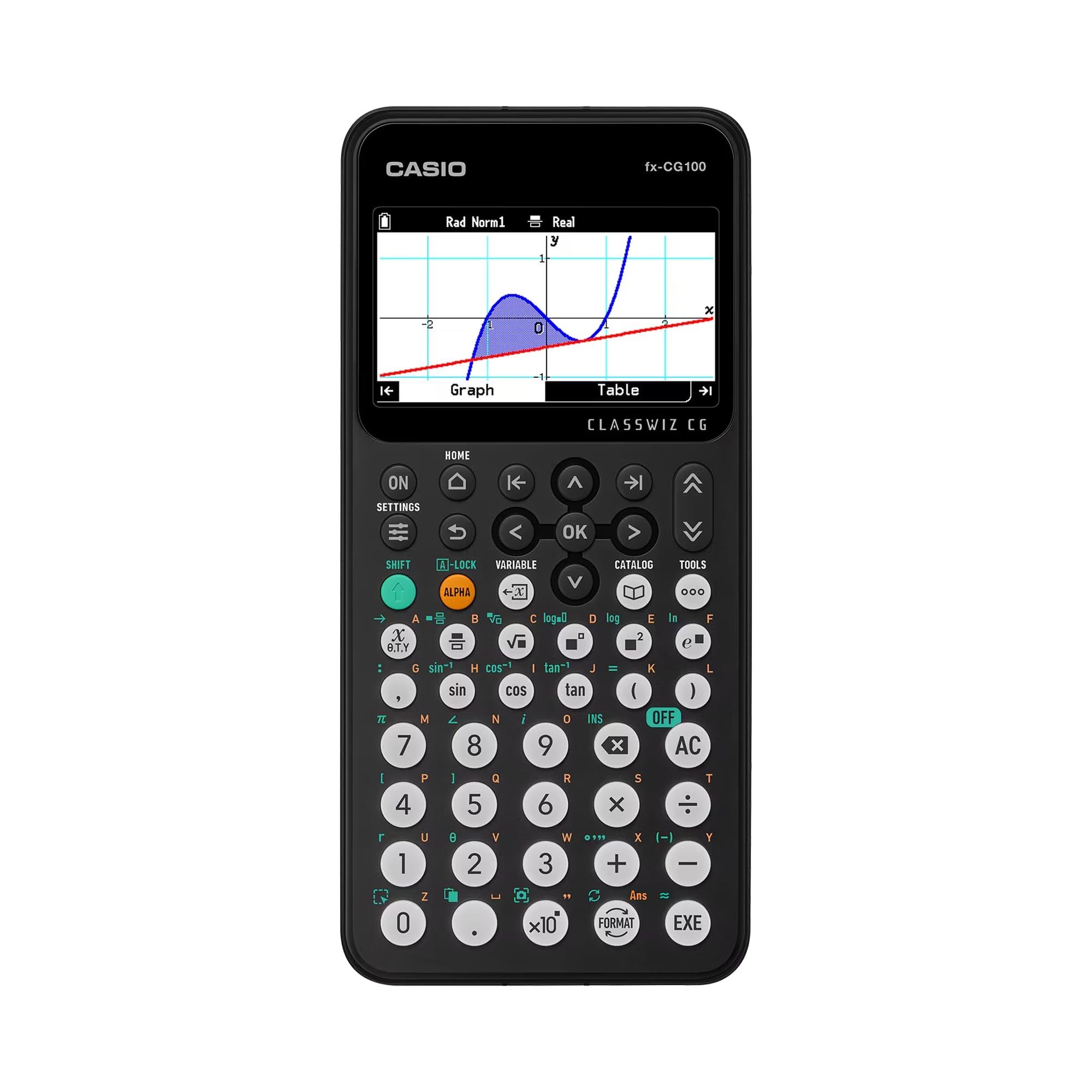
A triple-threat: exam-approved, 3D graphing, and Python on the same keyboard.
Of everything on this list, this is the machine that most clearly tells you in writing that it is approved for AP, SAT, PSAT and ACT exams, with a built-in Exam Mode you reach from the home screen. If your priority is walking into a test room without a doubt in your mind, that line does a lot of work.
The backlit LCD shows over 65,000 colors and can graph up to three functions in three dimensions — spheres, cylinders and planes included. That is a genuinely different tool from a flat 2D plot, and it earns its place in calculus and multivariable work. The flush-gloss panel improves contrast, so transformations and data analysis read clearly instead of washing out under classroom lighting.
MicroPython is baked in, which means programming is a first-class feature rather than an add-on — you write and run code directly on the device. Power comes from 4 AAA batteries that are included, so there is no charging cable to forget. The one thing to know before you commit: this is the newest and least-reviewed machine here, at 4.5+ stars across a small pool of ratings. High score, but a thin history compared with the TI-84, so buy it for the features rather than a deep track record.
visual learners: students who want exam approval in writing plus 3D graphs and a Python editor in one body.
want proven: AAA batteries are easy to swap but need replacing, unlike the rechargeable cells in the TIs and NumWorks.
4. TI-84 Plus CE Color Graphing Calculator Coral
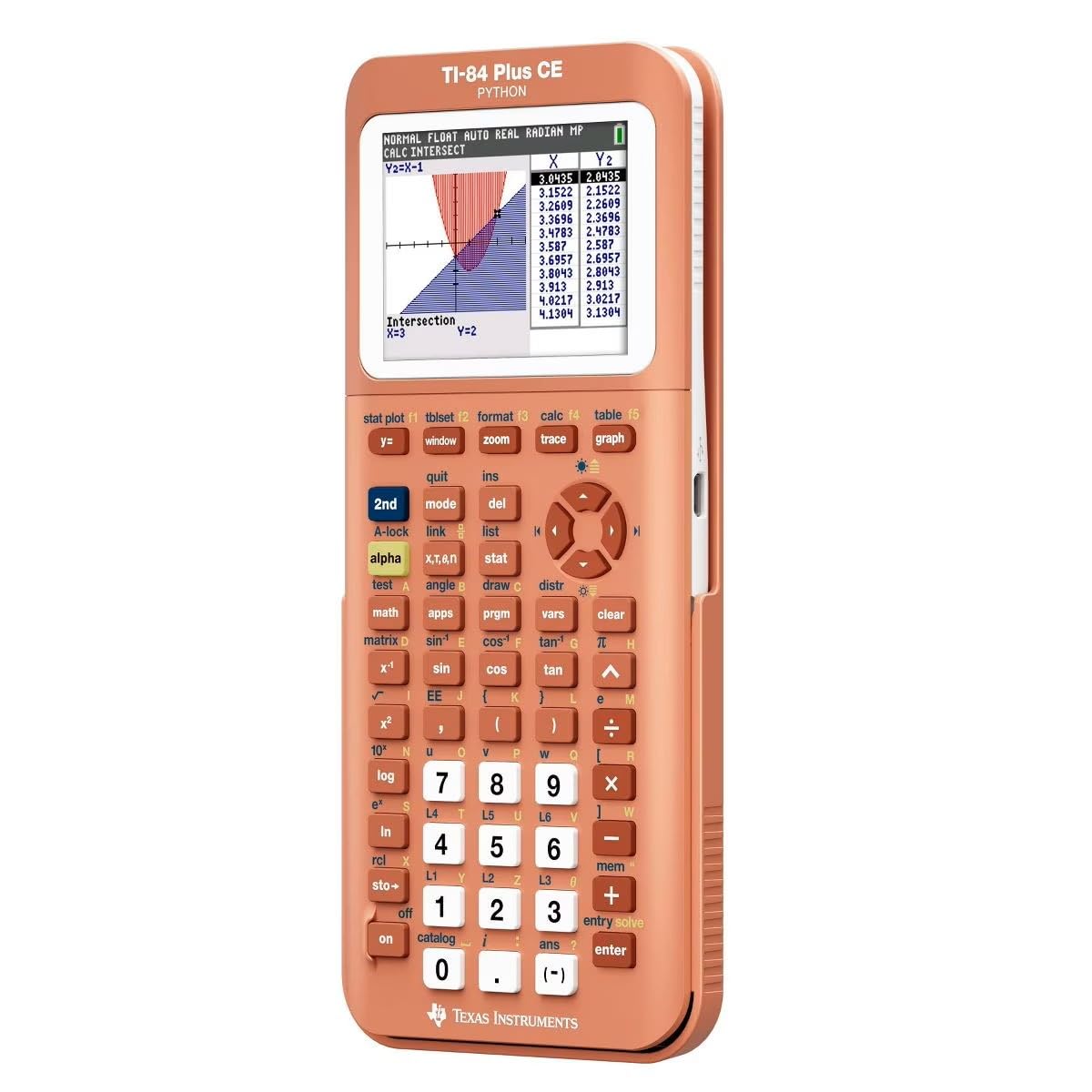
The TI-84 you already know, dressed in metal and finished in coral.
You get the same TI-84 brain in a metal jacket. The full-color 16-bit backlit screen (16-bit means it shows thousands of colors) runs at 140 DPI (dots per inch, a measure of sharpness), so graph lines stay clean when you compare curves side by side. what separates it from the black 84 Plus CE above is the metal enclosure instead of plastic, and that is where its 9.6 ounces comes from. It is the heaviest 84 in this lineup, and some buyers want exactly that heft.
The metallic coral finish is why many people pick this model, and it changes nothing about how the calculator works. It just makes the unit easy to spot in a locker or on a cluttered desk. Owners consistently describe the screen as clear when graphing, and the functionality lands as expected rather than surprising.
The trade-off to size honestly: reliability and battery life come back split, and there is a smaller thread of owners reporting a flashing display. That is not the majority experience, and the 4.0+ star score across 900+ ratings reflects a machine most people are happy with. Just know that a metal shell is not an insurance policy — treat the unit gently and buy where returns are easy, and the coral finish will earn its keep.
same trusted layout: the metal body and coral finish are what separate it from the standard 84 Plus CE, and they justify the pick only if you specifically want them.
pays for color: at 9.6 ounces it is heavier than the black 84 Plus CE at 7.04 ounces, so if weight is your priority the standard model wins.
TI loyalist: you want the standard TI-84 screen and functions but a sturdier, better-looking shell.
mono screen fine: you care about ounces more than aesthetics — the lighter black version does the same math.
5. TI-84 Plus CE-T Python Edition Graphical Calculator

A TI-84 that doubles as a Python workbench for your first real programs.
If your course blends math and coding, the Python Edition earns its place on the strength of one addition: an actual Python programming environment on a calculator your school already recognizes. You get 3 MB of flash ROM for archiving data and storing apps, which is enough room for a semester of small scripts and formula libraries.
You can color-code up to 15 function graphs and adjust the format and color of the axes and grids. The 2.8-inch diagonal screen shows 320 x 240 pixels at 140 DPI with 16-bit color depth (thousands of colors), which gives more plotting flexibility than a monochrome machine and helps when you track several curves at once. Matrix operations are built in, from determinant and transpose through row transformations, plus regression models from linear to cubic and quaternal fits.
Weight is the number to know: 257 g, against the 218 g NumWorks above, which makes it the more substantial device in the hand. It is described by the maker as extremely light and handy for what it is. Battery life is the catch: the built-in TI battery is quoted at up to a week per charge, versus a month on the standard 84 Plus CE. Plan to plug it in weekly and you will be fine. At 4.0+ stars across 500+ ratings, functionality carries the day and pricing draws a split verdict.
coding students: a student who wants the TI-84 familiarity plus Python without buying a second device.
no python need: check whether your exam permits programmable Python environments, since not every room does.
6. HP Prime G2 Graphing Calculator
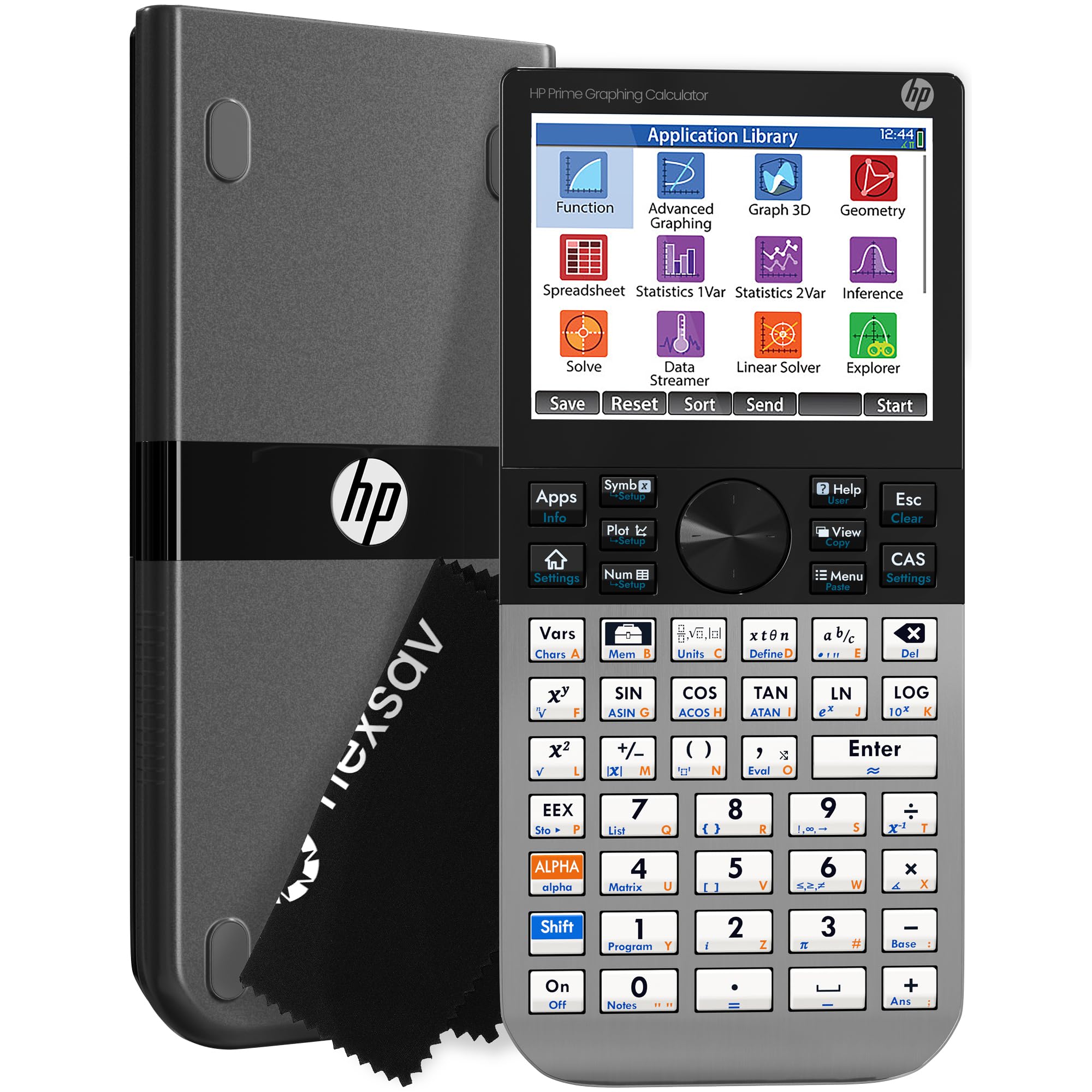
Computer algebra, a 3.5-inch touchscreen and enough memory to hold it all.
For calculus and engineering coursework, the headline is the computer algebra system — it works through symbolic, graphical and numerical views of the same problem, with dedicated keys to jump between them. Pair that with dynamic geometry, spreadsheet applications and RPN mode, and this is the most capable math engine on the list.
The 3.5-inch multi-touch color display supports pinch-to-zoom and interactive graph manipulation, and you can sketch or adjust functions with a finger and drop in background images. Memory sits at 256 MB of flash for programs, exam configurations and images, which is far more storage than the 3 MB on the TI-84 Plus CE-T Python Edition. The brushed metal body includes a slide-on cover and a rechargeable lithium-ion battery.
Approval covers PSAT/NMSQT, SAT, IB and select AP exams, so confirm your exact exam before assuming. Two honest notes: usability draws a split response, with some owners finding it far easier than other calculators and others hitting a steep learning curve, and the RPN-to-algebraic switching confuses a share of buyers. If you already think in RPN, you will feel at home quickly. At 4.5+ stars across 100+ ratings, the functionality is the reason it earns a premium spot.
advanced math: upper-level math where symbolic solving and a large touch screen save real time.
simple classes: you want a pick-up-and-go machine — the learning curve here is the steepest on the list.
7. Casio fx-CG500 Graphing Calculator, Touchscreen with Stylus

The biggest screen here, and a stylus that lets you drag math around like a sketch.
At 4.8 inches, this color touchscreen is the largest in the group — and paired with the included stylus it turns graphing into a hands-on exercise. You drag and drop data between graphs, tables and equations, which makes connections between representations visible in a way a keypad alone cannot match.
The computer algebra system solves algebraic expressions symbolically, so high-level calculus and engineering problems get worked through the way a teacher would write them. Natural Textbook Display shows expressions and symbols exactly as they print in a book. The box includes four AAA batteries, a protective hard case, a quick start guide, the stylus and a USB cable, so you are set up out of the gate.
What buyers keep coming back to is the interface — menus that follow intuition and a drag-and-drop flow that makes the touchscreen feel purposeful. The honest trade-off is touch responsiveness and raw slowness: the display and performance both draw mixed verdicts, with some finding it slower than expected and others noting the physical keys are on the small side. It is a tool for someone who wants to manipulate graphs by hand, not a speed machine. At 4.5+ stars across 500+ ratings, functionality and versatility carry it.
handwriting notes: you learn by touching and dragging, and want CAS plus the biggest screen on the list.
button purists: you need snappy response times or large tactile keys for fast entry.
Know the Specs
Programmability and CAS
A programmable calculator lets you store formulas and write your own programs, so repeated calculations happen with a keystroke instead of a page of algebra. A computer algebra system goes further — it rearranges expressions symbolically, factoring and solving for you. That is a gift in college calculus and a red flag in an exam room that bans CAS, so check your exam’s approved list before you settle on a machine with one.
Display and resolution
Resolution tells you how much detail the screen can show. A 320×240 panel is enough for clean 2D plots but softens when you are tracking several curves at once, while a larger multi-touch display makes graphs easier to manipulate with a finger or stylus. Color depth matters too — a 16-bit color screen separates multiple functions with different hues so you can tell them apart at a glance.
Common Questions
Is the HP Prime G2 allowed on the SAT?
Will a CAS calculator get me kicked out of an exam?
How long does a TI-84 Plus CE battery last?
Do I need to replace batteries on the Casio fx-CG500?
What does 256 MB of flash memory get me on the HP Prime G2?
Can I write Python on a Casio fx-CG100?
Is a multi-touch graph display useful for high school math?
Why do so many classes require a specific graphing calculator?
Should I buy a calculator with a stylus?
The Bottom Line
For most students the winning programmable graphing calculator is the NumWorks Graphing Calculator, because it carries the strongest score on this list at 4.5+ stars and the gentlest learning curve of the group. If exam approval in writing is your first priority, grab the Casio fx-CG100 ClassWiz — it names AP, SAT, PSAT and ACT and adds Python and 3D graphing on top. And for calculus and engineering students who want a computer algebra system with a big touchscreen, the HP Prime G2 is the one to reach for. Whatever you choose, confirm your exam’s approved list first — that one check is worth more than any spec comparison.
How we choose
We do not accept paid placement. Every pick is matched to a real buyer and a real use-case; we do not hands-on test units.
Sources
Specifications: manufacturer listings and product documentation. Review insights: verified customer reviews, as of November 2026. Pricing: not shown on this page (it changes often); check the current price via the retailer link.
As an Amazon Associate, Tactical Gear Guy earns from qualifying purchases. This does not affect which products we feature.