Specs are compiled from manufacturer listings and verified buyer reviews and can change over time — please confirm the key details on the product page before buying.
You want one charger that tops up your laptop and your phone from the same wall plug, and the short answer is that a GaN brick with a spare USB port does exactly that. The tricky part is that “65W” and “100W” labels hide a lot, and a charger that splits power across four ports can leave your laptop crawling. One note before we start: this list uses flexible, human-like matching, so not every pick is the exact number you searched — the nearest same-type wattage serves the same purpose.
This guide is built by comparing the manufacturers’ published specifications and the patterns across verified customer reviews, so you get each pick’s real strengths and trade-offs instead of marketing spin.
Below you will find nine bricks sorted by what they actually deliver at the wall, with plain-English notes on port sharing, heat, and travel size. My breakdown of the best Laptop Charger with USB Port focuses on which brick keeps your laptop fed while your phone rides along.
Top Picks

How To Choose The Best Laptop Charger with USB Port
The mistake most people make is buying on the big wattage number on the box. That number is the total the brick can push out of all its ports combined, not what your laptop gets when your phone is also plugged in. Get this one idea straight and the rest of the shopping gets easy.
Read the port split, not just the headline wattage
A charger sold as 100W might send the full 100W down one USB-C port when it is alone. Add a phone and the brick divides that pool, so your laptop may drop to a lower share. Look for a listing that spells out the split, such as 70W plus 30W across two ports, so you know what the laptop keeps while your phone charges.
Match the brick to your laptop, not to the biggest number
A thin ultrabook with a USB-C charging port is usually happy on a 65W brick. A 16-inch performance laptop wants 100W or more to charge at full speed. Gaming laptops with a round barrel-style DC plug are a different animal — those need a dedicated adapter with the right tip, not just a USB-C block.
Decide if you need swappable tips
Universal adapters ship with a set of interchangeable tips that fit older barrel-plug laptops from Lenovo, HP, Dell, and others. That makes one brick cover a houseful of mixed machines. The trade-off is that you must match the tip to the laptop, and a wrong tip means no charge at all.
Think about heat and outlet grip
A small brick pushing a lot of power gets warm, and some designs sit loosely in a wall socket. A foldable plug that holds tight, and a body that runs cool under load, matter more day to day than a fraction of a watt. GaN chipsets help here by wasting less energy as heat than older silicon designs.
Side-by-Side Comparison
| Model | Best For | Max Output | Ports | Form Factor | Amazon |
|---|---|---|---|---|---|
| UGREEN Nexode 65W★ Best Overall | Everyday desk and travel charging | 65W | 3 USB-C + 1 USB-A | Compact, foldable plug | Amazon |
| wegear 100W USB-C BlockBig Watts, Small Frame | Full-power laptop charging on a budget | 100W | 2 USB-C + 1 USB-A | Foldable plug | Amazon |
| Belker 90W UniversalTip Kit Champ | Replacing a barrel-plug laptop brick | 90W | 1 USB-A tip kit | Universal with 19 tips | Amazon |
| LVSun 90W Slim | Laptop plus two phones at once | 90W | 2 USB-A tip kit | Slim universal | Amazon |
| UNIWEI 140W 4-Port | Big-laptop power in a small body | 140W | 4 USB-C | Compact GaN | Amazon |
| Belkin 112W 3C1A | Charging four devices from one wall plug | 112W | 3 USB-C + 1 USB-A | Foldable pins, recycled casing | Amazon |
| MFish 140W PD 3.1 | High-draw laptops that need PD 3.1 | 140W | 3 USB-C + 1 USB-A | Compact, foldable plug | Amazon |
| SlimQ 150W 3-Port | Gaming laptops plus international travel | 150W | DC + USB-C ports | Compact, 305g main unit | Amazon |
| SlimQ 240W Universal | Desktop-replacement gaming rigs | 240W DC + 100W USB-C | 1 DC + 2 USB-C | Metal multiport station | Amazon |
Detailed Reviews
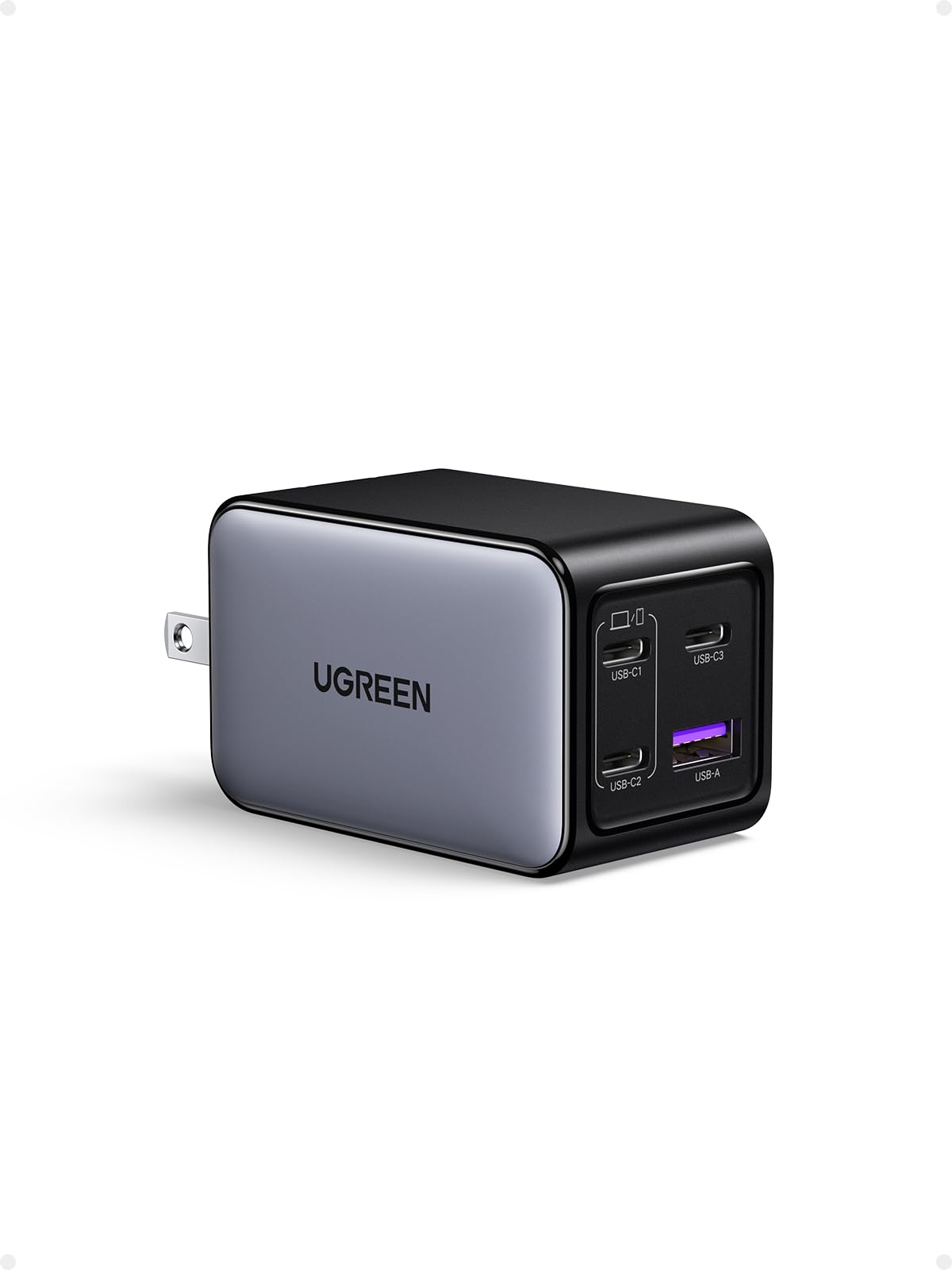
1. UGREEN Nexode 65W Wall Charger
Our pick — 4.5+★ from 3,500+ verified ratings; the strongest balance of quality and price.
Four ports in a body that fits a jacket pocket — the everyday brick most people should buy first.
The thing that wins people over here is build quality, and the numbers back that up: it holds a 4.5+ star score across 3,700+ ratings. Owners describe it as the best charger they have used, and that praise is the most common theme in the reviews by a wide margin. Charging speed is the next refrain — MacBooks and phones both top up noticeably faster than from an old phone brick.
The spec sheet explains why. It pushes 65W total, with three USB-C ports and one USB-A port, so your laptop takes one C port while your phone and earbuds share the rest. It charges a MacBook Air to 51% in 30 minutes, but only with a 5A USB-C cable rated for 65W fast charging — a plain cable charges slower. The body measures 2.64 by 1.65 by 1.5 inches, and the plug folds flat, so it drops into a laptop sleeve without snagging on the fabric.
The recurring gripe is the plug’s grip. A share of buyers find it can work loose from a worn wall outlet, and a few units have stopped working early. Sized against thousands of happy owners, that reads as a small tail rather than a pattern — but it is the reason a tight socket or a surge strip beats a loose hotel outlet for this brick.
What earns its keep
- 65W across three USB-C ports plus one USB-A, so laptop and phone charge together.
- Folds down to 2.64 by 1.65 by 1.5 inches — a true pocket brick.
- GaN internals guard against overcurrent and overheating.
Where it asks patience
- Hits its rated 51%-in-30-minutes figure only with a separate 5A cable.
- Can sit loose in a worn outlet.
- 65W is not enough to fast-charge a large performance laptop.
Buy this if: you carry a thin ultrabook and a phone and want one small brick for both.
Think twice if: your laptop is a 16-inch powerhouse that needs well past 65W to charge at speed.
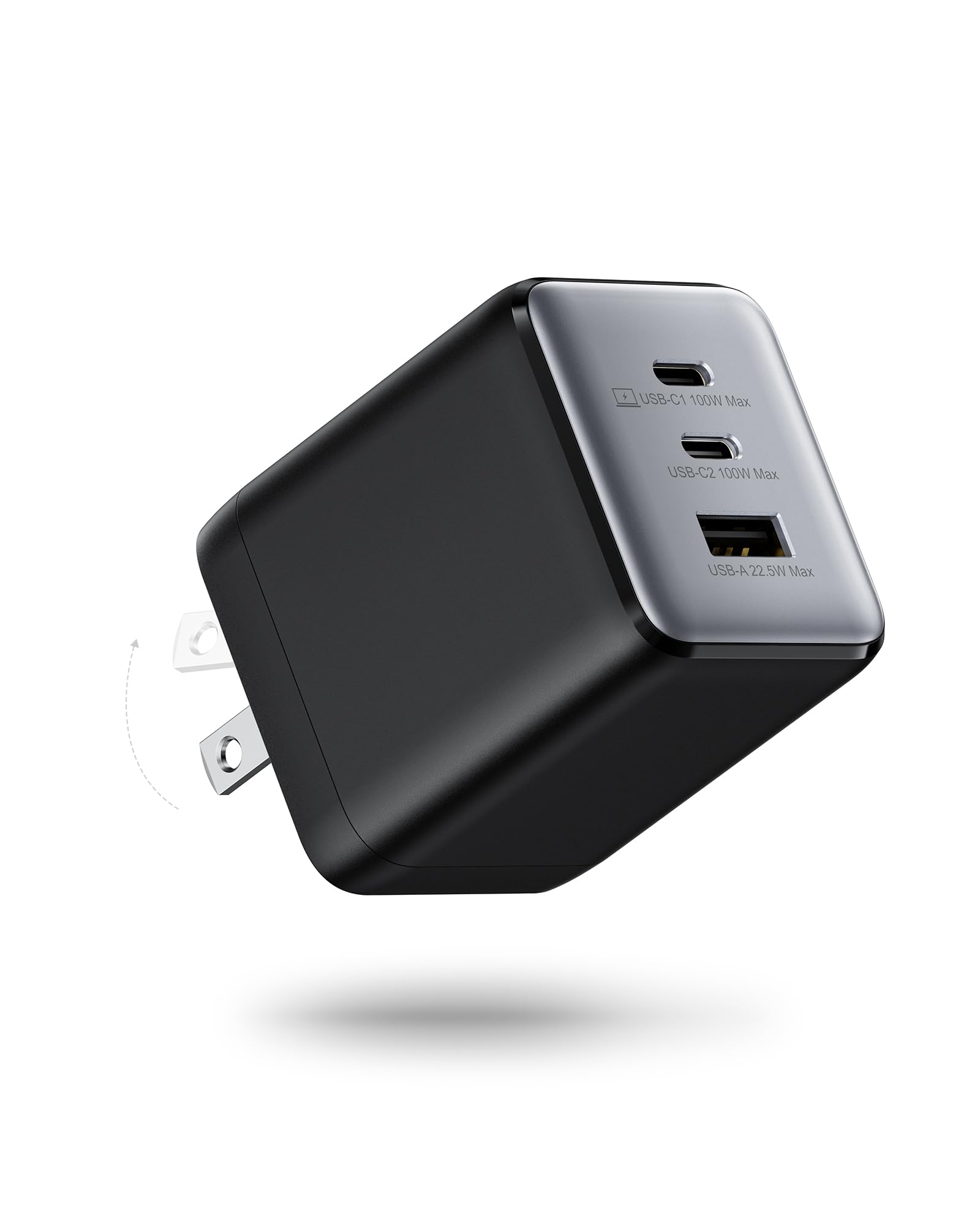
2. 100W USB C Charger Block
A 100W brick that charges a 14-inch MacBook Pro to half in 30 minutes — and still leaves room for your phone.
Compare this to the UGREEN above and the wattage jumps from 65W to 100W, a 54% higher ceiling. That headroom matters if your laptop is power-hungry: One USB-C port alone delivers the full 100W, enough to push a 14-inch MacBook Pro (M3 Pro) to 50% in 30 minutes. The port count runs the other way, though — this one gives you 3 ports against the UGREEN’s 4, a 33% narrower spread.
What you get in that shorter lineup is two USB-C ports at 100W Power Delivery and one USB-A at 22.5W Quick Charge. When all three run, the brick splits that 100W pool intelligently so nothing starves. It is 38% smaller than typical 100W chargers and the plug folds, so it slips into a backpack pocket without snagging.
Its weak spot is honesty about heat and mass. This is a heavier brick than its size suggests, and Its GaN III cooling keeps it at or below 113°F at full output, so it stays safe to grab. Some units have quit early, so treat it as a solid everyday charger rather than a lifelong one. A few buyers also report trouble in tighter wall outlets.
The power case: 100W from one port and 22.5W Quick Charge on the USB-A side cover a laptop, a tablet, and a phone from a single outlet.
The honest catch: it is heavier than a 65W brick, and the reliability record is mixed enough that early failures show up in the reviews.
Reach for this: when your laptop needs real 100W and you want one brick to cover everything else too.
Pass if: you want the smallest possible travel charger — a 65W unit will save you grams.
3. Belker 90W Universal Laptop Charger
One adapter, 19 tips, and a wide output range — the fix for a barrel-plug laptop nobody makes a brick for anymore.
If your laptop charges through a round DC plug instead of USB-C, this is the type of charger you actually need. The output range is the story: DC 18.5V, 19V, 19.5V and 20V up to 90W, and it is compatible with 65W, 45W, 40W and lower laptops too. That breadth is exactly why compatibility is what buyers praise most here, and the 19-tip kit is the reason it fits so many machines.
It also carries a 5V 2.4A USB-A port for your phone at the same time. The kit ships with a 6-foot power cord and a full connector set, so the laptop and phone can both charge from one wall slot. Charging performance is the second-strongest theme in the reviews — the adapter fires up and holds steady.
Speed is the open question. Some buyers report quick charging, others say it is not fast, so treat this as a steady replacement rather than a fast-charger. There is an alarming outlier review that mentions one unit failing badly; weigh that against the bulk of the record, which is trouble-free daily use. Match your tip carefully before you buy, because a wrong tip quietly wastes an evening.
Built for: owners of older or mixed laptops whose charging ports are not USB-C.
Not for: anyone hoping for the fastest possible top-up — USB-C PD bricks beat it on speed.
4. Universal Laptop Charger 90W Slim AC Adapter

Two USB-A ports beside a slim 90W laptop adapter — the family-trip charger that keeps three devices fed.
Where the Belker gives you one spare USB port, this LVSun gives you two: the USB-A count runs 2 to 1, a 2.0x gap. Both run at 5V 2.1A, which is enough to charge a phone and a tablet while the laptop draws through its DC tip. The slim body is a frequent compliment in the review pages — people call it the smallest adapter they have owned.
The output range is broad, DC 5-24V with automatic voltage adjustment, and the box includes 12 tips plus an AC cord and a fabric bag. That makes it a strong candidate for keeping in a travel bag. The catch is that it is not for every notebook, and the listing is blunt about it — match the tip size to your laptop model first.
The dual USB-A ports are the near-unanimous hit: 98% of buyers who mention them speak well of them. Charging performance and fit are more mixed — some Dell owners mention no power reaching the laptop, and a few find the tips do not seat cleanly. Check compatibility with the seller before you commit, and this becomes a workhorse rather than a gamble.
Why it lands: two 5V 2.1A USB-A ports plus a 90W laptop feed from one slim body is a lot of coverage in a bag-friendly shape.
The one caveat: it is not a universal fit — the tip must match your laptop, so confirm it before ordering.
Ideal when: you travel with a barrel-plug laptop and two phones that all need charging overnight.
Look elsewhere if: your laptop charges over USB-C — a PD brick is simpler and faster.
5. UNIWEI Laptop Charger 140W MAX
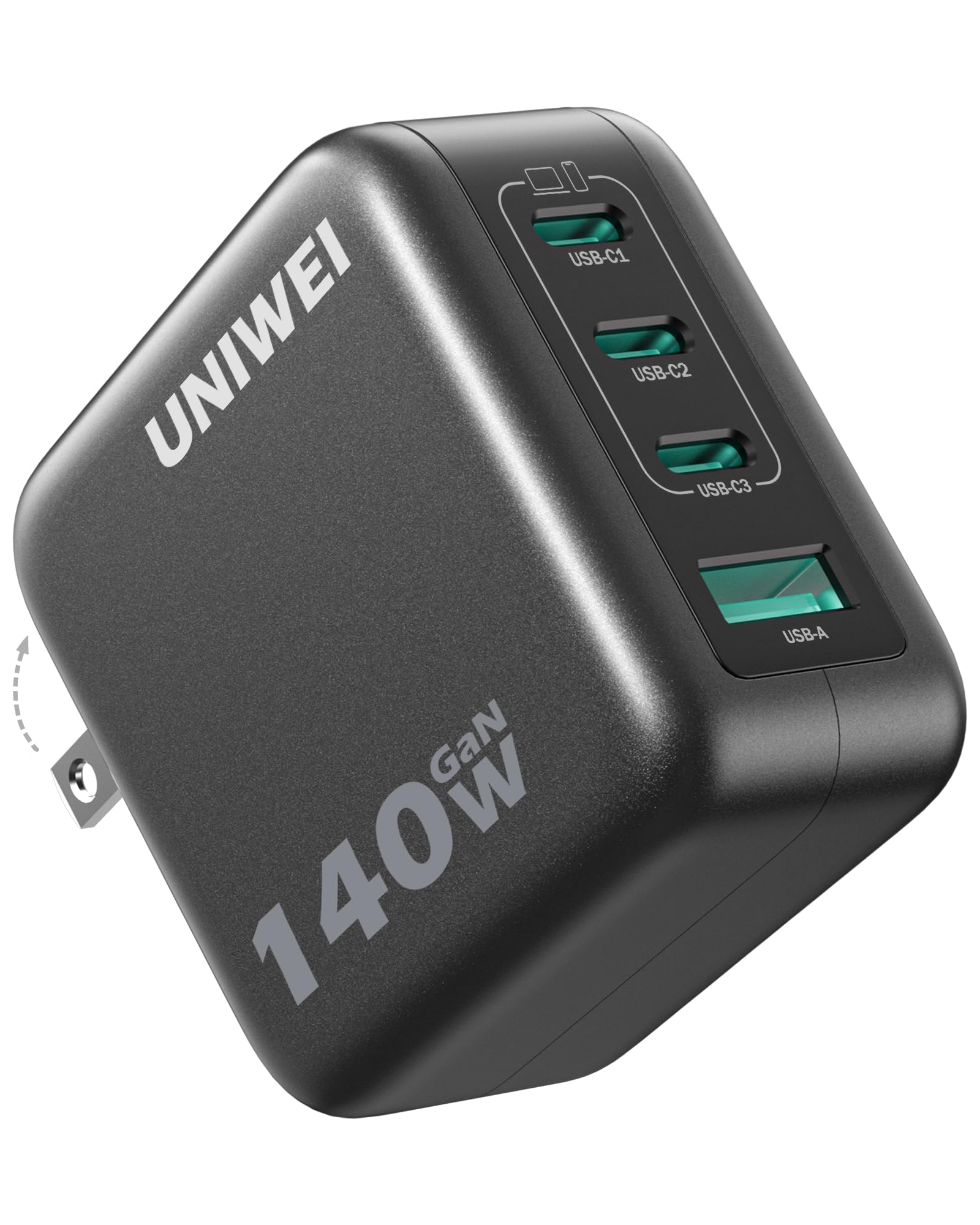
140W with four USB-C ports and no USB-A in sight — a fast, tiny brick for an all-C household.
The number that jumps out is 140W, and three of the four ports are USB-C, each rated up to that 140W ceiling. That is the highest single-port figure on this list: a 15-inch MacBook Air reaches 50% in about 30 minutes from any one of those C ports. It is also 40% smaller than the original 96W MacBook charger, so it fits a laptop sleeve the stock brick barely did.
Moving to all-USB-C is a real decision, not a trivial one. Your phone, tablet, laptop and earbuds all need a C-to-C or C-to-A cable, and there is no legacy USB-A slot for an old cable. ActiveShield temperature monitoring runs around the clock to keep the heat in check, and the whole unit weighs six ounces.
This is a newer listing, so a large track record has yet to build up — the specs and the small owner feedback are what you are going on. If your gear is all USB-C, the spec sheet alone earns it a hard look. If you still charge a device through a USB-A cable, buy one of the mixed-port bricks instead.
Pick it when: every device you own charges over USB-C and you want maximum speed from a tiny brick.
Skip when: you still rely on a USB-A cable — this one has no A slot at all.
6. Belkin 112W 3C1A GaN USB C Charger Block
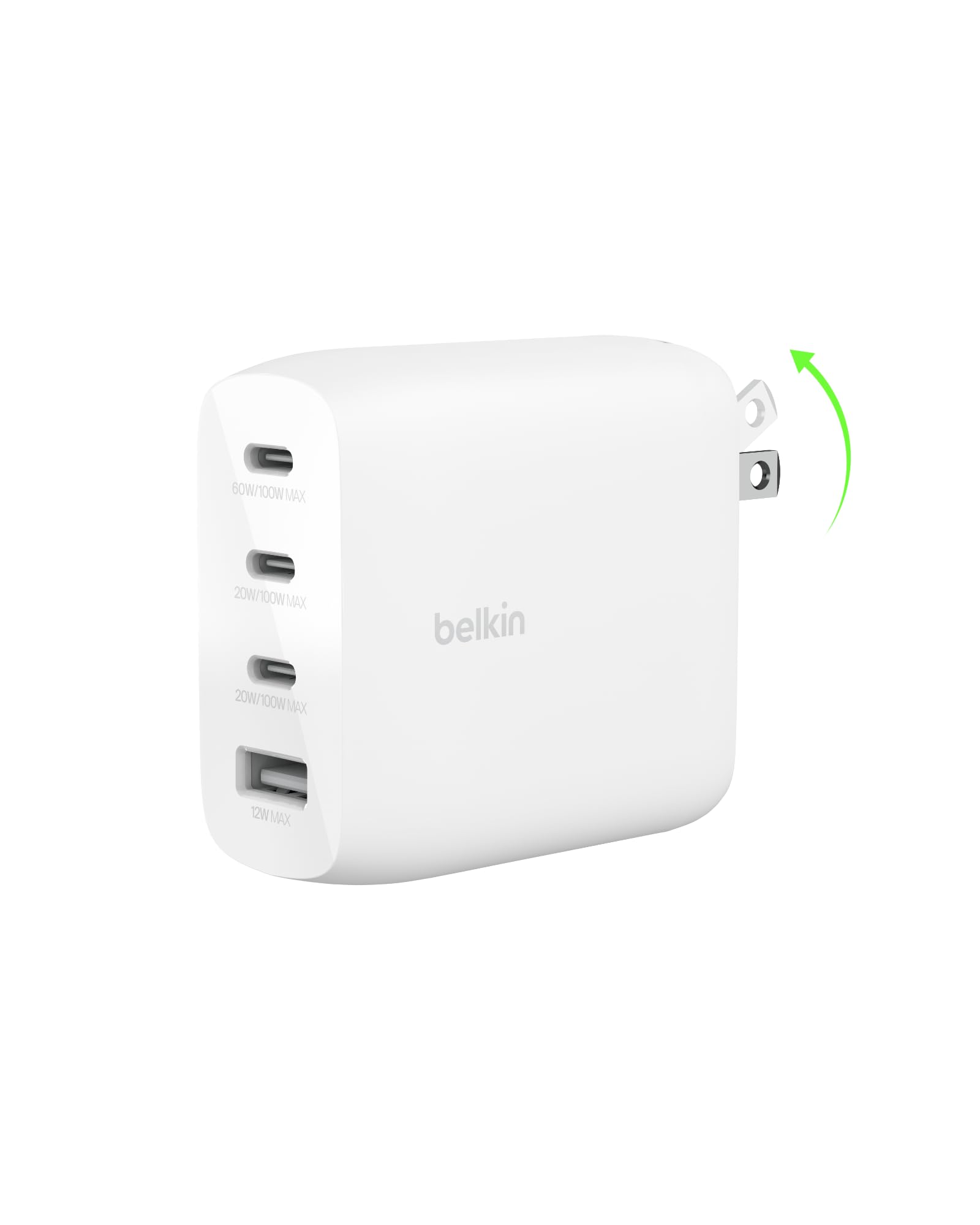
Belkin’s 112W block spreads its power across four ports with a split you can actually plan around.
Belkin publishes the power math, which is rarer than it should be. A single USB-C port gives up to 100W, two ports split to 70W plus 30W, three ports run 60W/20W/20W, and four run 60W/20W/20W/12W. That clarity lets you plan which device should sit on which port. Compare it to the UNIWEI and this brick trades a little top-end speed for one USB-A port and a known split.
Quality is what owners talk up most, with the power output behind it. The GaN chipset with PPS and PD support keeps the charge efficient and fast across phones, tablets and laptops. Foldable pins hold tight in the socket, which is a small thing that stops the “charger dangling out of the wall” routine.
Two things to weigh. It is a heavier, bulkier brick, and some units have stopped working early. Belkin backs it with a 2-year coverage window and recycled materials in the build, which softens the risk. The heavier weight is the trade-off for 112W in one plug.
what separates it: a printed port-by-port power split, so you know exactly what your laptop gets when the other slots are busy — no guessing which port slows down when you plug in a phone.
The trade-off: it is heavier and bulkier than the smaller GaN bricks here, so it lives better on a desk than in a jacket pocket.
Best fit for: a desk or nightstand where a laptop, a phone, a watch and earbuds all share one outlet.
Look on if: you want the lightest possible travel brick — pull weight matters more than port count here.
7. MFish 140W USB C Charger Block
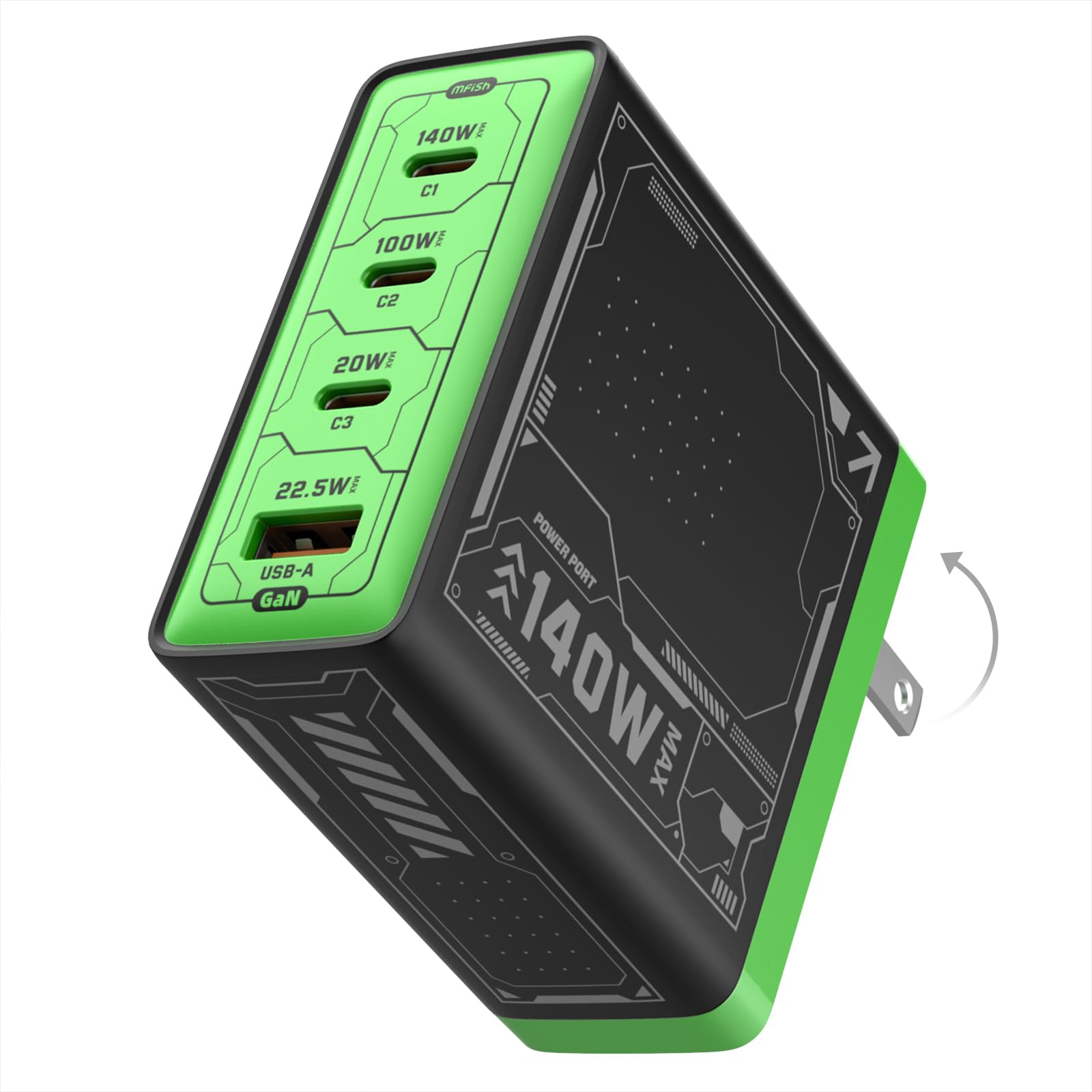
Built with PD 3.1 and a nest of safety cut-offs — the charger for a 16-inch MacBook Pro that refuses to charge slowly.
This is the brick for the 16-inch MacBook Pro class of laptop, the ones that want the newest Power Delivery standard to pull full speed. PD 3.1 here tops out at 140W on a single port. That is a meaningful step past the 65W UGREEN and even the 100W wegear, which is exactly the kind of headroom a large performance laptop needs.
The four ports break down as three USB-C and one USB-A, and the brick adjusts power across whatever is plugged in — laptop, iPhone, iPad or Galaxy all at once, no swapping adapters. Temperature control, over-current, over-voltage and short-circuit protection all sit inside. It measures 2.92 by 2.90 by 1.22 inches and weighs 10.89 oz, so it tucks into a bag or a desk setup without drama.
The reviews lean heavily positive, with quality the top theme, followed by reliability, then charging speed. Customers note it working well for cameras and drones as well as laptops. The one knock is that 10.89 oz is real weight to carry — fine on a desk, noticeable in a slim backpack.
Why it earns its spot: PD 3.1 and a genuine 140W single-port ceiling for laptops that actually need that much.
The lug factor: at 10.89 oz it is a desk or travel-case charger, not a pocket one.
Made for: 16-inch MacBook Pro and other high-draw laptop owners who need PD 3.1 speed.
Overkill if: you run a thin ultrabook that charges fine on 65W.
8. SlimQ 150W Gaming Laptop Charger
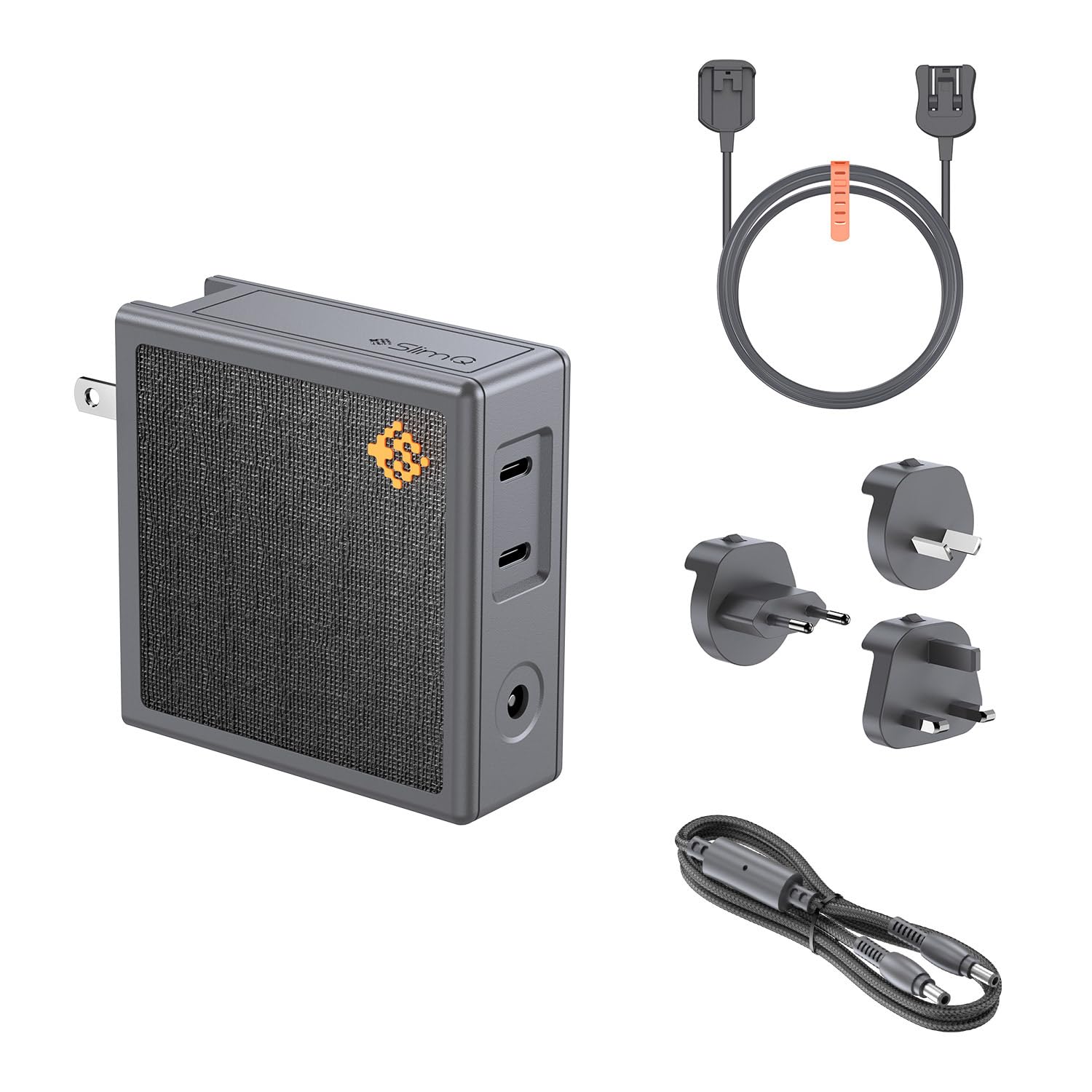
150W for a gaming laptop, a main unit that weighs 305g, and a bag of world plugs — built for the road.
Gaming laptop owners get squeezed twice: the stock brick is huge and it only fits one country. SlimQ answers the size problem first — The main unit weighs 305g (10.8oz), which the maker says is 60% lighter than traditional laptop chargers. The kit includes UK, EU, AU and KR adapters plus a US extension cord, so the same unit works across a trip without a travel converter.
It is compatible with laptops under 150W, and each port holds a stable output without interference from the others. You pick the right interface for your brand from the accessories list, so confirm your laptop model before ordering. Owners rate build quality highest, with compatibility a close second — people report it running ASUS ROG and handheld gaming devices alike, plus multiple monitors.
It is lighter and smaller than the OEM brick it replaces, and reviewers point out it stays cool in use. The catch is the tip dependency: the adapter you need may live in a separate accessory listing, so a rushed purchase can land you with a charger that will not plug into your machine.
Great choice for: gamers and professionals flying with a laptop that needs 150W and a plug that works abroad.
Confirm first: that the correct tip for your laptop brand is available — the DC interface is separate from the brick.
9. SlimQ 240W Universal Compact Gaming Laptop Charger

240W through a DC plug, plus two 100W USB-C ports — a gaming brick that doubles as a phone station.
This sits at the very top of the list for raw output. A built-in DC port handles a max 240W, and two USB-C ports add up to 100W each, so you can run a gaming laptop and charge a phone and a tablet off the same metal body. It measures 5 by 2.48 by 1.29 inches and weighs 400g, which is compact for this much power.
Compatibility is the theme buyers praise most, with portability and the port lineup close behind. It fits Dell, MSI, Lenovo, HP, Razer, Asus and Acer machines. The package includes a 1.5m DC cable, a 1.5m AC cable and a carrying pouch, which keeps everything together in a bag.
Two things to know. The DC adapter itself is not in the box — you pick the right one for your laptop brand from the SlimQ store. And the reviews split on value and on long-term reliability, with some units stopping within a year. It also runs warm under load, which is the nature of a 240W gaming brick.
The draw: 240W DC plus two 100W USB-C ports in a 400g metal body covers a gaming laptop and both phones without a second plug.
The fine print: the DC adapter is sold separately, so find the right one for your laptop brand before you buy.
For you if: you run a powerful gaming laptop and want one brick to cover it plus your USB-C gear.
Not if: you want everything in one box — the laptop tip adapter is a separate purchase.
Know the Specs
Wattage and the port split
Wattage is the total power a brick sends out, measured in watts. A 65W brick is enough for a thin ultrabook; 100W and up suits larger laptops. The figure that actually matters is the per-port split — a 100W charger may give 100W on one USB-C port but drop to a lower share when your phone joins in. Look for a published split, such as 70W plus 30W, to know what the laptop keeps.
GaN vs. older silicon
GaN, short for gallium nitride, is a chip material that wastes less energy as heat than older silicon. That is why a 65W GaN brick can be smaller and lighter than the brick that came with your laptop. It also means less warmth in your bag or against the outlet, which is a comfort and safety plus over long sessions.
USB-C PD vs. USB-A ports
Power Delivery (PD) is the standard that lets a USB-C port negotiate the right wattage with your laptop or phone. USB-A ports on these chargers typically run at a fixed 5V and are for phones and tablets, not laptops. The mix you need depends on your gear — an all-USB-C household can take a pure-C brick, while older cables need an A slot.
DC tips for barrel-plug laptops
Many laptops charge through a round DC barrel plug, and a universal adapter ships with a set of interchangeable tips to match. This is the only route for those machines. The catch is fit — a wrong tip size means no charge, so match the tip to your exact laptop model before you rely on it.
Common Questions
Can one charger power my laptop and phone at the same time?
How many watts does my laptop actually need?
Is a 65W GaN charger enough for a MacBook Air?
What is the difference between a GaN charger and a normal one?
Will a universal adapter with tips charge a USB-C laptop?
Can I charge my laptop and phone together on a 100W brick?
Why does my charger get hot during use?
Do I need to buy a special USB-C cable for fast charging?
Can I take a multi-port charger abroad?
Are USB-A ports on a charger fast enough for a phone?
The Bottom Line
For most people, the best Laptop Charger with USB Port is the UGREEN Nexode 65W. It charges a thin laptop and a phone at the same time from its 65W output across three USB-C and one USB-A port, and it holds a 4.5+ star score across 3,700+ owners. If your laptop needs real 100W or more, the wegear 100W block or the MFish 140W PD 3.1 carry the extra headroom. And if you are replacing a barrel-plug laptop brick (the round plug older laptops use), the Belker 90W Universal with its 19 tips is the one to reach for.
How we choose
We do not accept paid placement. Every pick is matched to a real buyer and a real use-case; we do not hands-on test units.
Sources
Specifications: manufacturer listings and product documentation. Review insights: verified customer reviews, as of November 2026. Pricing: not shown on this page (it changes often); check the current price via the retailer link.
As an Amazon Associate, Tactical Gear Guy earns from qualifying purchases. This does not affect which products we feature.