Specs are compiled from manufacturer listings and verified buyer reviews and can change over time — please confirm the key details on the product page before buying.
Buying a curved ultrawide monitor for gaming is unlike buying any other screen. The width is the whole point — it puts your peripheral vision inside the game instead of outside it — but width also magnifies every weakness: a slow panel smears across the curve, a dim panel loses detail at the edges, and a shallow stand leaves you craning your neck all night. This guide sorts the real contenders from the pretenders: the Samsung 57″ Odyssey Neo G9 earns the top spot on raw capability, while most gamers will be happiest on a 34-inch 21:9 panel that costs a fraction as much and fills their desk perfectly.
This guide is built by comparing the manufacturers’ published specifications and the patterns across verified customer reviews, so you get each pick’s real strengths and trade-offs instead of marketing spin.
From 240Hz OLED monsters to budget 180Hz workhorses, each pick is judged on response time, curve radius, and panel tech — the three things that decide whether a curved ultrawide gaming monitor feels enveloping or overwhelming in your room.
Top Picks


How To Choose The Best Curved Ultrawide Gaming Monitor
The single biggest mistake buyers make is chasing the widest, fastest screen their budget allows without checking whether their desk depth, their graphics card, and their seating distance can actually handle it. A curved ultrawide is a fixed piece of furniture — it sits in one place for years — so getting the aspect ratio and panel type right matters more than squeezing out a few extra frames per second. Start with these four decisions.
Decide between 21:9 and 32:9 before anything else
A 21:9 screen gives you ultrawide width without overwhelming a normal desk; the ASUS TUF at 21:9 is a good example of the classic shape. A 32:9 panel is effectively two monitors fused together, and a 49-inch 32:9 like the Samsung Odyssey G9 wraps that width around your vision. The 32:9 shape is spectacular for sim racing and multitasking, but it demands a deep desk and a strong GPU to push all those pixels at a high refresh rate. If you play mostly shooters at a desk against a wall, 21:9 usually wins.
Pick a curve radius that matches your seating distance
The radius number — 1000R, 1500R, 1800R — describes how tightly the panel bends. A lower number means a tighter, more wraparound curve that puts the far edges closer to your eyes; a higher number is gentler. Tight curves reward close seating, while a gentler 1800R suits buyers who sit a little farther back. On a huge 49-inch panel, a tight bend keeps the corners from drifting out of focus. On a 34-inch, the difference is subtler but still real.
Understand what OLED buys you over VA and QD-OLED
VA panels are the mainstream ultrawide workhorse — bright, affordable, and prone to some motion smear at the edges in fast scenes. OLED panels light each pixel individually, so black scenes go truly black, but they can dim automatically to guard against burn-in. QD-OLED adds a quantum-dot layer to boost color. The trade-off is brightness and price: VA gives you more nits for less money, OLED gives you contrast you can feel in a dark room.
Check refresh rate against your graphics card, not the spec sheet
A 240Hz panel is wasted if your GPU cannot push past 100 frames per second on a 3440 x 1440 screen. Match the refresh rate to what you actually render: 165Hz to 180Hz covers most single-player and mixed use, while 240Hz is for competitive players with high-end cards. Also look for FreeSync or G-Sync support, which syncs the panel to your GPU and removes screen tearing without adding lag.
Side-by-Side Comparison
| Model | Best For | Resolution | Refresh Rate | Panel | Amazon |
|---|---|---|---|---|---|
| Samsung 57″ Odyssey Neo G9★ Best Overall | Maximum immersion | 7680 x 2160 | 240Hz | VA | Amazon |
| ASUS TUF Gaming VG34VQ3BBest Value | Budget 34-inch value | 3440 x 1440 | 180Hz | LCD/LED | Amazon |
| LG 34G630A-B UltraGearFastest 34-Inch | Fast 34-inch all-rounder | 3440 x 1440 | 240Hz | VA | Amazon |
| INNOCN 49C1G | Wide 32:9 on a budget | 3840 x 1080 | 144Hz | VA | Amazon |
| Deco Gear 49″ WDQHD | Creator multitasking | 5120 x 1440 | 165Hz | VA | Amazon |
| Samsung 49″ Odyssey G9 (G91F) | Balanced 32:9 gaming | 5120 x 1440 | 144Hz | VA | Amazon |
| Alienware AW3425DW | Fastest OLED response | 3440 x 1440 | 240Hz | QD-OLED | Amazon |
| Alienware AW3423DWF | Color-accurate OLED | 3440 x 1440 | 165Hz | QD-OLED | Amazon |
| MSI MAG 341CQP | HDR OLED gaming | 3440 x 1440 | 175Hz | QD-OLED | Amazon |
| Deco Gear 49″ QD-OLED | Big OLED speed | 5120 x 1440 | 240Hz | QD-OLED | Amazon |
| LG 45GX900A-B OLED | Steep 800R immersion | 3440 x 1440 | 240Hz | OLED | Amazon |
Detailed Reviews
1. Samsung Odyssey Neo G9 G95NC
Our pick — 4.0+★ from 550+ verified ratings; the strongest balance of quality and price.
Two 4K panels fused into one 57-inch curve, running at 240Hz with almost no blur.
This is the screen you buy when you want to see the entire cockpit, the whole track, and every overlay at once, without looking away from the corner you’re braking into. Its 57-inch 32:9 panel fills a room and pushes a 7680 x 2160 pixel image — a resolution literally as wide as two 4K UHD monitors side by side. Contrast lands at 1,000,000:1, a figure that dwarfs the ASUS TUF’s 4,000:1 by 250.0x, and that gap is why dark scenes here read as deep wells of black rather than gray haze.
The curve sits at 1000R, a tight bend that pulls the far left and right edges into your natural line of sight, so the outer corners stay sharp and legible even at this width. Inside, 2,392 local dimming zones (individual pockets of LED backlight that brighten and darken independently) work under Quantum Matrix technology to give you highlights that pop and shadows that hold detail. VESA DisplayHDR 1000 certification covers a stated 1,000 nit peak, which means a muzzle flash or a streetlamp does not wash the whole scene out. A 1ms GTG response time and 240Hz refresh rate keep fast motion crisp, and DisplayPort 2.1 carries that speed at the full DUHD resolution so you are not trading pixels for smoothness.
What wins people over is the build and panel consistency — the sheer quality of the thing draws the most praise by a wide margin, with the size ranking second. Owners describe it as spectacular and beyond expectations, and the matte finish keeps reflections from turning your game into a mirror. The catch follows the same width: reliability and picture quality both split opinion, with some units failing in a few months and text at this resolution described as barely tolerable by a minority of eyes. It is also a demanding screen — you need serious graphics horsepower to drive 7680 x 2160 at high frames.
Where the money goes
- 7680 x 2160 dual-4K width fills your whole field of view
- 240Hz and 1ms GTG make fast motion read cleanly
- 2,392 dimming zones and 1,000 nit peaks for punchy HDR
- 1000R curve keeps the far edges toward your eyes
What to budget for
- Demands a high-end GPU to drive the resolution
- Long-run reliability is the split in owner reports
- A huge footprint that needs a deep desk
Your pick if: you want the widest, most rich 32:9 experience available and your PC can push the pixels.
Think twice if: you sit close to a shallow desk or run a mid-range graphics card.
2. ASUS TUF Gaming VG34VQ3B
The classic 34-inch entry point — sharp enough for work, fast enough for play.
If you want your first curved ultrawide and you do not want to rearrange your whole room for it, this is the natural landing spot. It is a 34-inch 21:9 panel at 3440 x 1440 pixels with a 1500R curve, a gentle enough bend to feel natural at normal desk distance. Compare the resolution to the Samsung 57-incher and you can see the compromise: 3440 x 1440 versus 7680 x 2160 is a 2.2x gap in raw pixels, but a single mid-range card can drive this screen at high frames, which the giant cannot easily promise.
A 180Hz refresh rate and 1ms MPRT response time (motion picture response, a blur measurement) keep fast pans readable, and FreeSync Premium syncs the panel to your GPU so you lose screen tearing by default. The 90% DCI-P3 color coverage puts realistic color on screen, and HDR support lifts contrast for streaming and games alike. You also get built-in speakers for quick audio and a three-year manufacturer warranty, which is a meaningful cushion when you are spending on your first ultrawide.
The thing that earns the most praise is plain build quality — owners describe it as phenomenal and really good, and the value read is just as strong, with many calling it tough to top for what it does. Picture quality, size, and colors all draw steady approval. The honest split is reliability and the occasional image quirk: some panels show dead pixels, ghosting, or dark edges, so check the return window on arrival. That is the trade-off at this end of the market — you get the shape and the speed, and you accept a little more panel lottery.
Panel and speed: 180Hz and FreeSync Premium make competitive shooters feel fluid without the cost of an OLED panel.
Desk reality: the 1500R curve and 34-inch width fit most standard desks, and the 21:9 shape holds a chat window beside your game without a second screen.
Reach for this if: you want a broad, fast 21:9 panel without stretching your setup or your budget.
Look elsewhere if: you demand OLED-level blacks or exact-perfect color from the start.
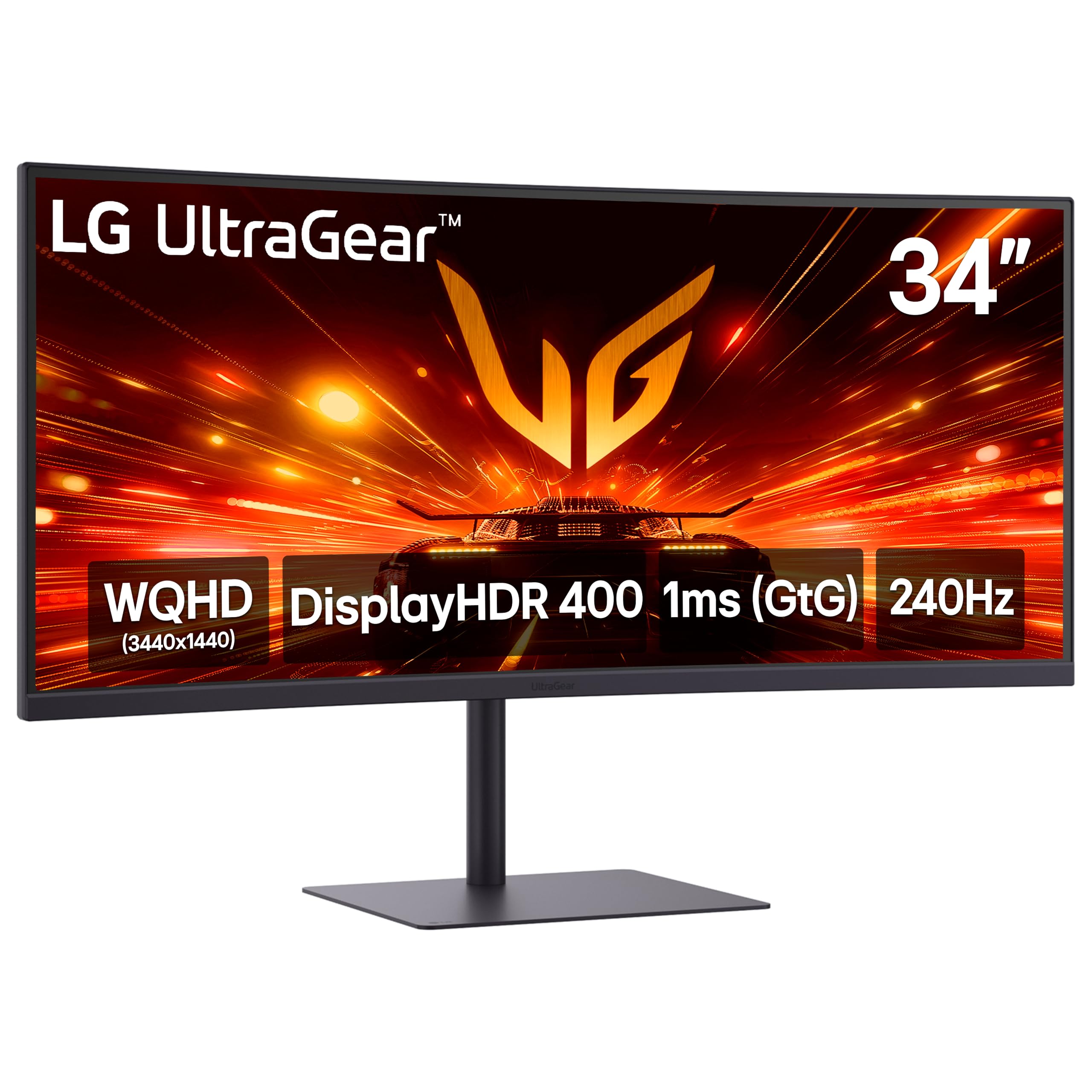
3. LG 34G630A-B UltraGear
A 240Hz 34-incher that treats esports speed as a baseline, not an upgrade.
Competitive players who live in a 21:9 window will feel the difference here the moment a fast strafe crosses the screen. This LG runs at 240Hz with a 1ms GtG response time, which is a full tier above the 180Hz ASUS TUF — the extra frames per second reduce the gap between what you see and what you react to. The 3440 x 1440 panel covers up to 95% DCI-P3 color and carries VESA DisplayHDR 400, so highlights brighten for HDR content without washing out the midtones.
The 21:9 shape has an underrated work benefit: extra horizontal room means your chat, overlays, and guides sit in view without you alt-tabbing out of the match. A slim, narrow-bezel build keeps the frame thin and distractions low, and the compact stand frees desk space. USB Type-C with 15W power delivery lets a compatible laptop pipe video and data over one cable, cutting clutter. FreeSync Premium handles frame sync, and a Dynamic Action Sync mode trims input lag while Black Stabilizer lifts shadow detail so you can spot movement in dark corners.
Screen quality is the headline praise, with owners finding the display impressive and true to expectations, and the value read lands nearly as strong. Colors and the resolution draw steady approval too. The trade-offs sit where this class always sits: the built-in speakers are serviceable but not for serious sound, and the height adjustment is limited enough that some desks need a riser. A minority note the screen occasionally cycling off, so keep the warranty close.
What stands out
- 240Hz at 3440 x 1440 for fast competitive play
- USB-C 15W single-cable laptop hookup
- 95% DCI-P3 with DisplayHDR 400
- Black Stabilizer and Dynamic Action Sync built in
The limits to accept
- Height adjustment is modest
- Built-in audio is basic
The smart call for: esports players who want 240Hz at ultrawide width without an OLED bill.
Pass if: you want deep HDR blacks or a stand that rises high.
4. INNOCN 49″ Curved Gaming Monitor

The widest desktop canvas at the friendliest entry point — with a resolution catch worth knowing.
Getting two full screens of workspace in one bezel-free arc is exactly what this 49-inch 32:9 panel delivers. Its 3840 x 1080 resolution is essentially two 1080p displays side by side, so the vertical detail is on the softer side — the trade-off for the massive width. The upside is a very low price barrier for a 32:9 sweep that wraps across your whole desk. If you mostly multitask, stream, and play titles that do not demand razor text, the price-to-width ratio here is hard to argue with.
The 1800R curvature keeps the far edges within eye reach, which matters most on a screen this wide, and the 99% sRGB color gamut with HDR400 support brings reasonable contrast at a 3000:1 ratio. One standout convenience: USB-C power delivery at 65W means a single cable to a compatible laptop carries video, data, and a charge. You also get DisplayPort 1.4, HDMI 2.1, USB-A ports, an RJ45 network jack, and a 3.5mm audio out, so the monitor can act as a docking station. PIP and PBP split-screen modes let you run two sources at once — a PC and a console, or work and a stream — across the one canvas.
Quality is what buyers cheer most, with value for money a close second and the sheer size rounding out the praise. The honest wrinkles: performance and image quality split opinion, with some finding the picture not as sharp as expected, and a handful report flicker over time. The resolution is the single biggest thing to weigh — at this width, 1080 vertical lines is the compromise you are accepting for the price.
The dock advantage: 65W USB-C and an Ethernet port turn the screen into a one-cable hub for laptop users.
Mind the resolution: 3840 x 1080 is wide but shallow, so crisp small text is not its strong suit.
Best if: you want maximum width and a built-in USB-C dock on a restrained budget.
Skip if: sharp text and fine detail at close range top your list.
5. Deco Gear 49″ Ultrawide Curved Gaming Monitor
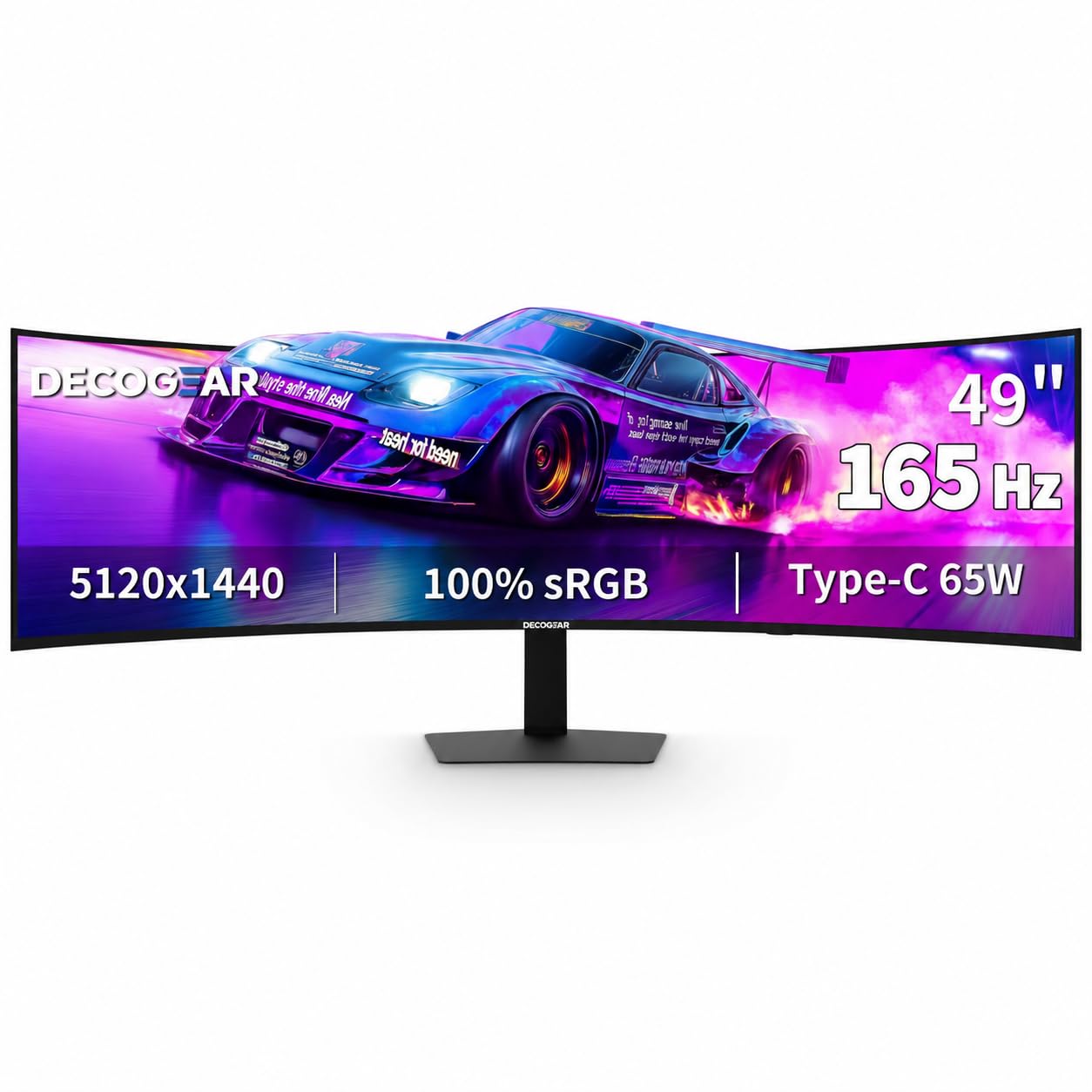
A 49-inch dual-QHD canvas for gamers who also live in spreadsheets and timelines.
This is the pick for the hybrid gamer — the one who races at night and edits video or monitors dashboards by day. Its 5120 x 1440 resolution gives you the workspace of two QHD screens side by side without a center seam, and the 32:9 shape holds a game, a timer, a chat, and a reference doc all in one continuous view. A 165Hz refresh rate and 1ms MPRT response keep fast action and long timeline scrubs fluid, while Adaptive-Sync trims blur and tearing when paired with compatible hardware.
The 1500R curve brings the far edges into a natural viewing arc, and the picture leans on a 3000:1 static contrast ratio with 100% sRGB, 85% NTSC, and 93% DCI-P3 coverage for depth across games, streams, and charts. For desk hygiene, there is KVM support so one keyboard and mouse can drive two connected systems, plus USB-C with up to 65W power delivery to a laptop. Two HDMI 2.1 inputs, DisplayPort 1.4, PIP and PBP modes, and a height-adjustable stand that travels 130mm, tilts from -5° to 15°, and swivels 30° both ways give you real setup flexibility.
Monitor quality draws the loudest approval, with value next and picture quality strong — owners call the size a monster and appreciate it for editing and productivity. Where it wobbles is longevity: reliability and durability both split opinion, with some units quitting early, and color quality draws a few complaints about needing separate adjustments.
A match for: creators and hybrid workers who want one wide screen for both work and play.
Worth weighing: long-term durability is the one area owner reports do not agree on, so lean on the return window.
6. Samsung Odyssey G9 G91F

The 49-inch Samsung that trades a little speed for a tighter 1000R wrap.
On a panel this wide, curvature does real work, and this Odyssey bends at 1000R to fold the edges toward you — a tighter embrace than the 1500R Deco Gear above. Its 5120 x 1440 dual-QHD resolution equals two 16:9 monitors side by side, so the game, your friends’ streams, and your chat can share one view. A 144Hz refresh rate with a 1ms response time keeps fast action clean, though it gives away frames to the 165Hz and 240Hz panels elsewhere on this list.
DisplayHDR 600 pushes more contrast with deeper blacks and brighter whites than a basic HDR panel, and the 1,000,000:1 contrast ratio gives scenes real depth. FreeSync Premium Pro with variable refresh rate syncs the GPU and panel to cut choppiness and image tears. Auto Source Switch+ detects when a connected device powers on and jumps to it without you hunting through inputs, and picture-in-picture lets you drop chats or a video onto the main display. The ergonomic stand tilts to bring all your enemies into a comfortable view over a long session.
Buyers rate the overall monitor quality highest, with screen quality strong for its resolution and clean, dead-pixel-free panels. Value for money is applauded too. The honest notes are brightness that some find inconsistent and connectivity that plays nicely with a Microsoft Surface Pro but, in a few reports, not with a MacBook Pro — worth testing on arrival if you drive a Mac.
Curve and split screen: the 1000R bend plus PBP and Auto Source Switch+ make it a natural multi-source desk.
Speed trade-off: 144Hz is smooth for single-player and simulation, but the faster panels here beat it in twitch shooters.
Suits you if: you want Samsung’s 32:9 wrap for mixed gaming and productivity and value a tight curve.
Look past it if: you need maximum refresh rate or drive a Mac.
7. Alienware AW3425DW

An almost-instant 0.03ms OLED at 240Hz — the closest thing to watching motion without a panel in the way.
For competitive players who want OLED black levels and 240Hz speed together, this Alienware is the sharp end of the market. Its 0.03ms response time (how fast a pixel changes color) essentially erases the smearing you see on slower panels, so a bullet tracer or a strafing enemy reads as a clean streak instead of a ghost. The 3440 x 1440 WQHD resolution on a 1800R curve gives you 21:9 width with a measured bend, and 99.3% DCI-P3 coverage with Delta E<2 accuracy means the colors land where the game intended them.
VESA DisplayHDR TrueBlack 400 with a 1000 nit peak HDR brightness and an effectively infinite contrast ratio gives you pitch-black shadows that make a night raid or a cave level feel genuinely dark. Adaptive sync support spans NVIDIA G-SYNC Compatible, AMD FreeSync Premium Pro, and VESA AdaptiveSync, so it plays well with whatever card you own. QD-OLED adds a quantum-dot layer that widens the color range beyond standard OLED, which is why the reds and greens here look so saturated.
The overall build quality is what draws the most praise, with picture quality and value right behind — owners call the visuals crisp and the blacks pure. The trade-offs are OLED-side realities: brightness and durability split opinion, with some panels arriving scratched or arriving broken, and color-tuned eyes notice a dimmer image than a bright VA panel would give. It is also a screen that rewards good handling — treat it gently and keep the packaging until you are sure it is clean.
Why it earns the premium
- 0.03ms response time for razor-clean motion
- 240Hz with full G-SYNC and FreeSync support
- 99.3% DCI-P3 with Delta E<2 accuracy
- DisplayHDR TrueBlack 400 and 1000 nit peaks
Where you compromise
- Brightness is not as strong as bright VA panels
- A minority report cosmetic or shipping damage
Buy this when: you compete at a high level and want OLED clarity with esports-grade response.
Second-guess it if: you need a bright, glare-proof screen for a sunlit room.
8. Alienware AW3423DWF 34-Inch QD-OLED Curved Gaming Monitor

A color-accurate QD-OLED built for creators who game after the render finishes.
This is the pick for the buyer who edits as much as they play. Its QD-OLED panel converts blue light into red and green through a quantum-dot layer, which lifts color performance above standard white-OLED while keeping the true blacks that make OLED special. A 165Hz refresh rate and low-latency FreeSync Premium Pro with VESA AdaptiveSync certification keep gameplay smooth and tear-free. The 1800R curve and 21:9 aspect ratio put you inside the scene, and the Legend 2.0 design with AlienFX RGB lighting gives the back a look worth showing.
What separates it for creative work is Creator Mode, which lets you switch between the native DCI-P3 and sRGB color spaces from the OSD menu and tweak gamma to match your output. A centralized 5-axis joystick makes those adjustments fast to reach. The stand adjusts in height with markers plus tilt, swivel, and slant so you can dial in a comfortable angle for long sessions. A 3-year premium warranty covers the OLED panel including burn-in coverage, which softens the usual OLED worry.
The screen itself earns high marks for picture quality — HDR content looks nearly pixelation-free with deep blacks that make every frame clean — and setup is reported as straightforward. Value, performance, and the pixel-refresh routine draw a more mixed response, with some units failing to power up after a couple of months and the periodic pixel refresh being a background chore. Those are the hazards of owning an early-generation QD-OLED; the reward is some of the cleanest HDR gaming on a 34-inch curve.
Creative edge: Creator Mode and its sRGB/DCI-P3 switch make it one of the few gaming OLEDs you can color-trust for exports.
OLED ownership: the 3-year burn-in-covered warranty offsets the mixed reliability some units show.
Made for: creator-gamers who need accurate color and are ready for OLED upkeep.
Not for: buyers who want a plug-and-forget panel with zero maintenance routines.
9. MSI MAG 341CQP QD-OLED 34-Inch Curved Gaming Monitor

An OLED panel tuned for true-black HDR, with burn-in protection built into the firmware.
The reason to pick this MSI is the picture: a next-gen QD-OLED panel at 3440 x 1440 with a 0.03ms GtG response time and a 175Hz refresh rate, a step above 165Hz but behind the 240Hz models on this list. Its QD Premium Color holds Delta E≤2 accuracy so the color you see is the color that was intended, and True Black HDR 400 plus a 1,500,000:1 contrast ratio give dark scenes a depth a VA panel simply cannot match. Self-emissive pixels mean each one switches off for true black, so a starfield or a dark corridor looks the way it should.
Sensible extras make it easier to live with. MSI OLED Care 2.0 is designed to reduce the risk of image sticking and burn-in, a real concern with static HUD elements. KVM support lets one keyboard and mouse drive multiple devices, and Console Mode provides HDMI 2.1 with a full 48 Gbps bandwidth for high-frame console play. The Gaming Intelligence App gives you a clean way to set per-game display profiles.
Display and color quality lead the approvals, with image quality, value, and appearance all strong — the ultrawide size draws its share of praise as the balance for a desk. The one recurring gripe is power management: some panels shut the screen off every few hours, which can interrupt a long session. That is the fit-note to weigh if you marathon games. Otherwise this is a strong HDR-first OLED for the money.
Standout strengths
- True Black HDR 400 with 1,500,000:1 contrast
- 0.03ms GtG and 175Hz for near-instant motion
- OLED Care 2.0 burn-in mitigation
- KVM and HDMI 2.1 48 Gbps console support
The catch
- Some units power the screen off periodically
Worth it for: HDR lovers who want deep OLED blacks and burn-in safeguards at a mid-OLED price.
Mind this: if a screen that occasionally powers down mid-session would frustrate you, test it early.
10. Deco Gear 49″ QD-OLED Curved Gaming Monitor 240Hz Dual QHD
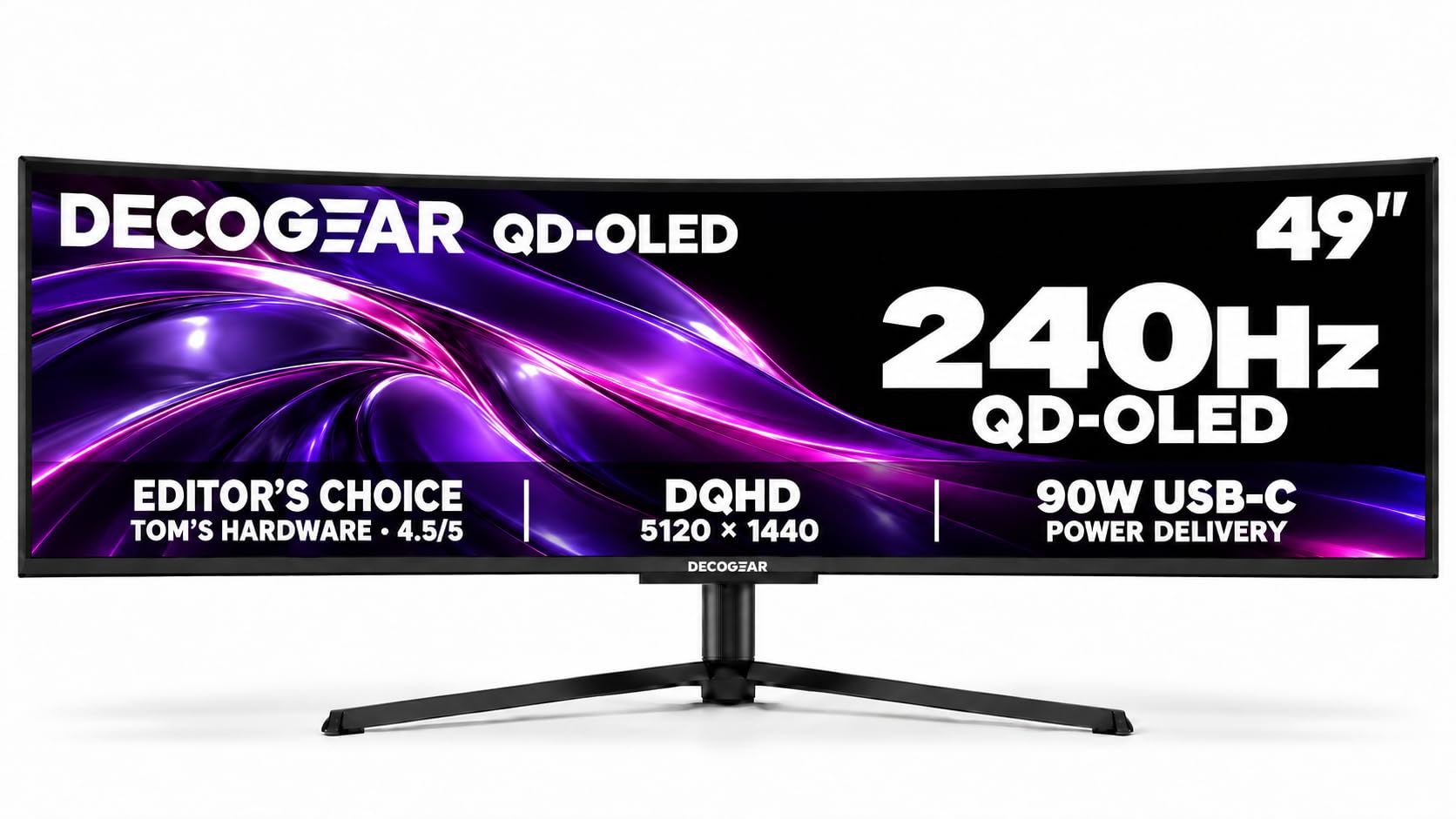
A 49-inch QD-OLED that pairs super-ultrawide width with true-black OLED and 240Hz.
If you want the panoramic width of a 49-inch 32:9 screen and the deep blacks of OLED at the same time, this is the combination to look at. A 240Hz refresh rate with a 0.03ms OD response makes the massive view feel fast rather than sluggish, and the 5120 x 1440 DQHD resolution replaces two 27-inch QHD monitors with one bezel-free canvas. Self-emissive pixels give you deeper blacks and clearer dark scenes, and the color specs are serious: HDR400 True Black, a 1.5M:1 contrast ratio, 10-bit color, 99% DCI-P3, 100% sRGB, and 99% Adobe RGB with Delta E<2.
The R1800 curve suits sim racing and flight setups where you sit slightly back from the panel, and the workspace holds editing timelines, trading dashboards, or code alongside your game. USB-C delivers video, data, and up to 90W of power to a compatible laptop, and KVM lets one keyboard and mouse control your connected computers. One HDMI 2.1, two DisplayPort 1.4, USB-C 3.1, USB-A and USB-B ports, a 100Mbps RJ45 jack, and audio out cover desktops, consoles, and networks. The stand tilts -5° to +20°, swivels ±20°, travels 120mm in height, and mounts on a 100x100mm VESA arm.
Anti-burn-in protection and a non-glare surface help it hold up under long sessions, and low blue light with flicker-free adjustment keep eye strain down. This model is newer to the shelves, so owner feedback is still thin — that means the sensible move is to lean on the return window and test the panel hard in the first weeks.
The appeal: 240Hz plus true-black OLED across a 5120 x 1440 canvas is a rare pairing for one screen.
Worth knowing: with limited long-term owner data, give it a thorough shakedown while the return window is open.
Pick it for: sim rigs and workstation-gaming hybrids that want huge width with OLED contrast.
Hold off if: you want years of owner track record before you commit.
11. LG 45GX900A-B 45-Inch UltraGear OLED Curved Gaming Monitor
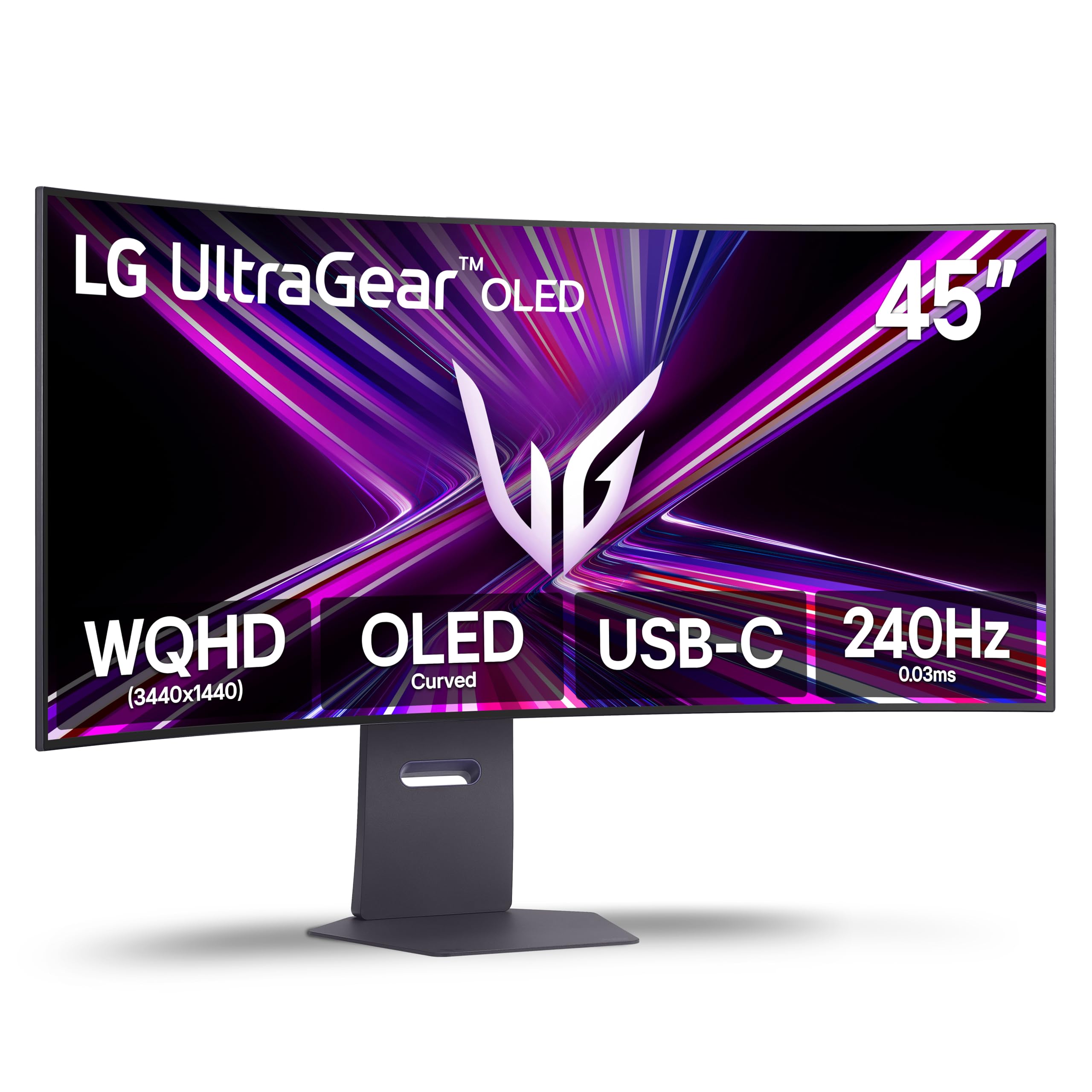
The steepest bend here at 800R — a screen that physically wraps around your view.
Most curves on this list bend gently; this one folds aggressively. An 800R radius on a 45-inch OLED draws the edges of the screen around your head rather than across your desk, so the action fills your peripheral vision and feels less like a window and more like a cockpit. Up to 240Hz and a 0.03ms response time keep that rich field moving fast, and the OLED panel carries up to 98.5% DCI-P3 coverage with a 1.5M:1 contrast ratio for saturated color and deep blacks.
Brightness reaches up to 1300 nits at APL 1.5% (small bright highlights in a mostly dark frame), which gives HDR specular punch while OLED True Black 400 keeps shadows truly black. Frame sync is broad: AMD FreeSync Premium Pro and NVIDIA G-SYNC compatibility both supported, so the panel matches either major card. LG claims more screen area than a 49-inch 32:9 panel from this 45-inch 21:9 shape, and the 800R curve is the practical centerpiece. UL-verified flicker-free, discomfort glare free, and low blue light hardware certification round out the comfort side, and USB-C 65W, HDMI 2.1, and DisplayPort 1.4 cover modern inputs.
Build quality and color earn the strongest approval, with thesize and gaming feel close behind — owners describe it as huge and perfect for a gaming setup. The honest trade-off is the picture-sharpness debate: some find text blurry at this size, and a few say the display stops working or keeps turning off, so a 2-year limited warranty with OLED panel care is worth keeping in mind. Value splits opinion too, which is the reality of OLED-tier pricing.
The draw
- 800R curve wraps the 45-inch panel around your view
- 240Hz and 0.03ms for OLED-fast motion
- Up to 1300 nits peak with True Black 400
- Both G-SYNC and FreeSync Premium Pro supported
The honest wrinkles
- Text sharpness is the recurring debate on this panel
- A minority report the screen turning off
Your screen if: you want the deepest wrap-around immersion OLED can give and you play more than you write.
Think twice if: you read dense text all day — this is a game-and-watch panel first.
Know the Specs
Curve Radius (the R number)
The R figure describes how tightly the panel bends — 800R is a very tight arc, 1000R tighter still than 1500R, and 1800R the gentlest on this list. A lower number means the far edges angle toward your eyes, which matters most on wide 32:9 panels where a flat edge drifts out of focus. The tighter the curve, the more your setup needs to seat you near the screen’s center point. Pick the curve to match your seating distance and desk rather than chasing the smallest number.
Panel Technology: VA versus OLED
VA panels (used across the Samsung and Deco Gear VA models here) are bright and affordable, with strong static contrast figures like 3000:1, but they can smear motion at the edges in fast scenes. OLED panels light each pixel individually for true black and effectively infinite contrast, but they can dim automatically to guard against burn-in and often peak lower in sustained brightness. QD-OLED adds a quantum-dot layer to widen color. Neither is universally better — bright rooms favor VA’s higher sustained brightness, dark rooms and HDR favor OLED’s per-pixel contrast.
Refresh Rate and Response Time
Refresh rate is how many times per second the panel redraws, in Hz — 144Hz, 180Hz, 240Hz. Response time, in milliseconds, is how fast a pixel changes color, and lower is cleaner. A 0.03ms OLED response nearly eliminates ghosting; a 1ms VA response is good but shows some smear on quick pans. A high refresh rate only helps if your GPU can feed it frames at your resolution, so match the two. FreeSync and G-SYNC support let the panel sync to the GPU and drop screen tearing.
Resolution versus Width
Ultrawide resolution pairs a wide horizontal count with a vertical one: 3440 x 1440 is a wide QHD, 3840 x 1080 is a wide but shallow dual-FHD, 5120 x 1440 is dual-QHD, and 7680 x 2160 is dual-4K. More horizontal pixels means more usable workspace and sharper detail, but the vertical count decides how crisp small text looks. A 1080-tall panel is wide but fine detail softens up close, while a 1440-tall panel keeps text clean. Choose based on whether you mostly game or read.
Common Questions
Will a curved ultrawide gaming monitor fit on my desk?
Is a 32:9 ultrawide too wide for gaming?
Is OLED worth it over VA for a curved ultrawide?
Do I need a special graphics card to run a 240Hz ultrawide?
What does the curve radius number like 1000R or 1800R mean?
Will the wide aspect ratio stretch or distort my games?
Is burn-in a real risk on a QD-OLED gaming monitor?
Can I use a curved ultrawide for work as well as gaming?
Why do some OLED monitors dim or power off during use?
Is a bigger ultrawide always more rich than a smaller one?
The Bottom Line
For most gamers, the curved ultrawide gaming monitor that balances capability and realism is the Samsung 57″ Odyssey Neo G9 — its 7680 x 2160 dual-4K width, 240Hz refresh rate, and 2,392 local dimming zones make it the most complete package on this list, provided your desk and your graphics card can keep up. If you want a first ultrawide that will not strain your setup or your budget, the ASUS TUF VG34VQ3B at 3440 x 1440 and 180Hz is the easy starting point. And if you want OLED contrast with esports-grade speed, the Alienware AW3425DW with its 0.03ms response and 240Hz is the one worth the stretch. The head-to-head that settles most debates: the Alienware’s near-instant 0.03ms response beats the 1ms on the VA panels here for motion clarity, but those VA panels stay far brighter for a sunlit room. Match the panel to your room and your frame rate, and the curve will do the rest.
How we choose
We do not accept paid placement. Every pick is matched to a real buyer and a real use-case; we do not hands-on test units.
Sources
Specifications: manufacturer listings and product documentation. Review insights: verified customer reviews, as of November 2026. Pricing: not shown on this page (it changes often); check the current price via the retailer link.
As an Amazon Associate, Tactical Gear Guy earns from qualifying purchases. This does not affect which products we feature.