Specs are compiled from manufacturer listings and verified buyer reviews and can change over time — please confirm the key details on the product page before buying.
Spending more on a tablet buys a brighter OLED panel, a faster chip and more storage — not a flawless device. Every pick below has at least one real compromise, and this guide names them plainly so you can match the tablet to how you actually work. The practical winner for most people is the Samsung Galaxy Tab S9 11″, because it pairs an AMOLED panel (a screen type that lights each pixel for deep blacks) with an included S Pen (a stylus for drawing and notes) and a genuinely durable body — a combination the more expensive models charge extra for or leave out.
This guide is built by comparing the manufacturers’ published specifications and the patterns across verified customer reviews, so you get each pick’s real strengths and trade-offs instead of marketing spin.
Premium tablets split into two camps: the polished all-rounders and the specialist drawing or laptop-replacement machines. The trick is deciding which camp you belong to before you open your wallet, and this breakdown of the most expensive tablet options walks you through exactly that choice.
Top Picks


How To Choose The Best Most Expensive Tablet
At this price, every tablet already has the headline features; the decision is which trade-offs you can live with. A tablet that draws beautifully can be the wrong buy for someone who mostly watches films and answers email. Start by naming the one job — drawing, streaming, or replacing a laptop — the tablet has to nail.
The screen is the first thing you touch every day
An OLED panel lights each pixel on its own, so blacks go truly dark and colours stay rich. That matters most if you watch a lot of video or edit photos. A high refresh rate — measured in hertz, and the number to look for here is 120Hz or above — makes scrolling and pen strokes feel smooth rather than choppy.
Match the pen to the job
Some tablets ship with a stylus in the box; others charge extra. For note-taking, a bundled pen that never needs charging is the easy path. For serious drawing, look at pressure levels — the number of gradations the pen recognises as you press harder, such as 8,192 — because more levels mean finer control over line weight.
Storage and memory decide how long it stays fast
Random-access memory (RAM) keeps apps open in the background, while storage holds your files. A tablet with 12GB of RAM and 512GB of storage can juggle heavy apps and a big photo library. A model with 8GB of RAM is fine for streaming and browsing but shows its limits under heavy multitasking.
Side-by-Side Comparison
| Model | Best For | Display | RAM / Storage | Battery | Amazon |
|---|---|---|---|---|---|
| Samsung Galaxy Tab S9 11″★ Best Overall | Everyday all-rounder | 11″ AMOLED, 120Hz | 12GB / 256GB | 8400 mAh | Amazon |
| 2022 Apple iPad Pro 12.9″Smart Money | Value flagship | 12.9″ Liquid Retina XDR | — / 128GB | — | Amazon |
| Xiaomi Pad 8 ProBest Display | High-refresh entertainment | 11.2″ 3.2K, 144Hz | 12GB / 512GB | 9200 mAh | Amazon |
| HONOR MagicPad4 | Memory-heavy multitasking | 12.3″ OLED | 16GB / 512GB | 10100 mAh | Amazon |
| Wacom MovinkPad Pro 14 | Digital artists | 14″ OLED 3K | 12GB / 256GB | — | Amazon |
| OnePlus Pad 3 | Fast-charging media | 13.2″ IPS, 144Hz | 12GB / 256GB | 12140 mAh | Amazon |
| Samsung Galaxy Tab S12+ | Slim and portable | OLED | — / 512GB | — | Amazon |
| Microsoft Surface Pro 13″ (Snapdragon X Plus) | Laptop replacement | 13″ 3K, 120Hz | 16GB / 2TB | — | Amazon |
| Apple iPad Pro 13″ (M4) | Creative powerhouse | 13″ Ultra Retina XDR | — / 2TB | — | Amazon |
| Microsoft Surface Pro (X Elite) | Windows pro workflows | 13″ OLED touch | 32GB / 1TB | 14 hrs | Amazon |
| Apple iPad Pro 13″ (M5) | The top-shelf choice | 13″ Ultra Retina XDR | 16GB / 2TB | — | Amazon |
Detailed Reviews
1. Samsung Galaxy Tab S9 11″ 256GB WiFi
Our pick — 4.5+★ from 750+ verified ratings; the strongest balance of quality and price.
The all-rounder that ships with its pen and shrugs off a splash.
The build is what wins people over. An Armor Aluminum frame shrugs off knocks, and an IP68 rating (a dust and water protection score from 0 to 8 on each front, where 8 is the top mark) means you can carry it to a poolside table without flinching. That combination is rare in this class, and it is why this tablet takes the top spot.
The 11″ Dynamic AMOLED 2X screen is the other draw. Colours stay intense and blacks go genuinely deep, and Vision Booster adjusts brightness and contrast as the light around you changes. Inside, the Snapdragon 8 Gen 2 chip keeps things moving, and owners describe it as running faster than their work laptops. Storage sits at 256GB, and Wi-Fi 7 handles streaming and downloads without stutter.
The catch is battery life. An 8400 milliamp-hour cell (a measure of battery capacity) is a decent size, and Super Fast Charging refills it quickly, but the rating lands mid-pack here — the Xiaomi Pad 8 Pro runs a 9200 milliamp-hour pack and the Samsung Tab S11 Ultra steps up to 11600. If you stream video all day on a single charge, those two stretch further.
What earns its place
- IP68 dust and water rating on an aluminum frame — one of the few tablets here you can take near water.
- 11″ Dynamic AMOLED 2X panel with Vision Booster for automatic brightness and contrast shifts.
- S Pen included in the box, so sketching and note-taking need no extra purchase.
- Snapdragon 8 Gen 2 processor and Wi-Fi 7 keep streaming and downloads smooth.
Where it gives ground
- 8400 mAh battery trails the larger flagship cells in this group.
- 256GB storage is the smallest here, with no mention of a card slot.
Go for this: if you want one tablet for notes, streaming and travel without buying a pen separately.
Size up instead: if battery runtime per charge is your deciding factor — the Ultra models carry a 11600 mAh cell.
2. 2022 Apple iPad Pro 12.9-inch (Renewed Premium)
Last generation’s flagship, still fast, at the entry point of this list.
Here is the storage contrast that matters: this iPad ships with 128GB, while the HONOR MagicPad4 below carries 512GB. If you keep a large photo or video library on the device itself, the HONOR swallows a lot more of it. If you stream everything and keep files in the cloud, 128GB covers apps and a modest offline library.
The M2 chip with an 8-core processor and 10-core graphics unit is the real reason to consider this one. It still handles editing, drawing and split-screen work without hesitation, and the 12.9-inch Liquid Retina XDR display with ProMotion keeps motion smooth. Wi-Fi 6E plus 5G cellular means you stay connected away from home, and the USB-C port supports Thunderbolt and USB 4 for fast external drives.
Buying renewed is the honest trade-off. These units are pre-owned, and the reports split on screen condition — some buyers receive a clean panel, others find scratches on theirs. Performance and value both land strongly positive, so the hardware side is sound. Treat the screen as the thing to inspect the day it arrives.
Why it holds up: the M2 chip and ProMotion display still feel current, and Cellular keeps it useful on the move.
The renewed caveat: condition varies unit to unit, so check the screen and battery on arrival.
Reach for this if: you want Apple’s large flagship at the lowest entry point on this list and do not mind a pre-owned unit.
Pay more for: a sealed box — go new if scratches on arrival would bother you.
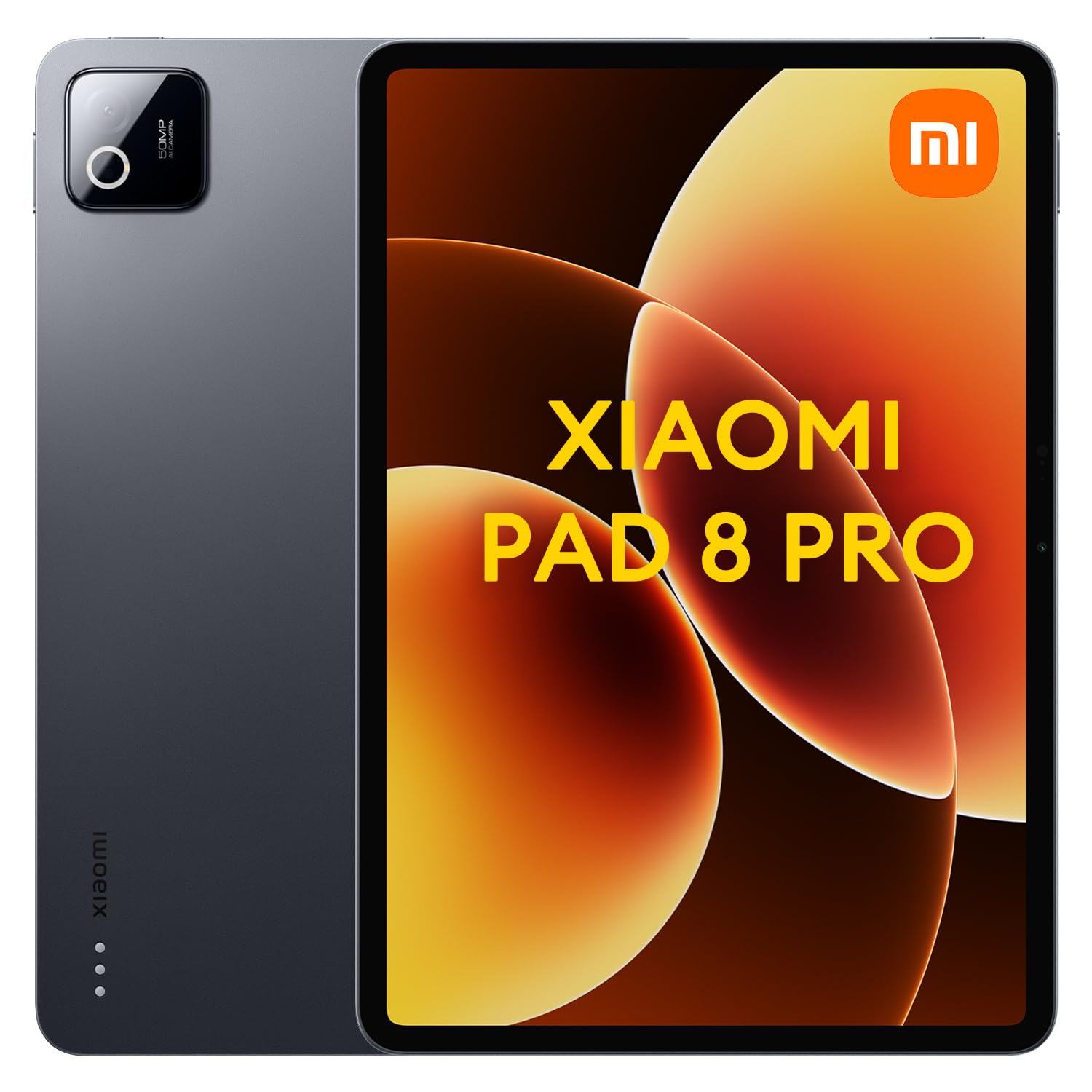
3. Xiaomi Pad 8 Pro
A 144Hz screen and a 9200 mAh cell for people who live in their video apps.
The 11.2-inch panel runs at 3200 x 2136 pixels, which works out to 345 pixels per inch — a density figure that describes how tightly packed the dots are, and higher means sharper text. Add a 144Hz refresh rate and you get glass-smooth scrolling. At 9200 milliamp-hours, the battery also outlasts the Samsung Galaxy Tab S9’s 8400 mAh cell.
Storage and memory land at 512GB and 12GB, which is more space than most people will fill. Power comes from the Snapdragon 8 Elite platform on a 3nm process — a manufacturing measure where a smaller number means a more power-efficient chip. Four speakers and Bluetooth 5.4 round out the media setup.
A few things to know before you order. This is the Wi-Fi version with no SIM card or SD slot, and no power adapter is included — the 45W charger is sold separately, so add that to the budget. The 50MP rear camera is unusually high for a tablet, useful if you scan documents or film presentations.
Screen and stamina first: 345 ppi resolution plus 144Hz makes this the smoothest display in the group, and the 9200 mAh battery is generous.
Add-on to expect: no charger in the box, and no SIM or SD slot.
Made for: film fans and mobile gamers who want the sharpest, fastest panel and the longest runtime per charge.
Look elsewhere if: you need cellular data or a memory-card slot.
4. HONOR MagicPad4
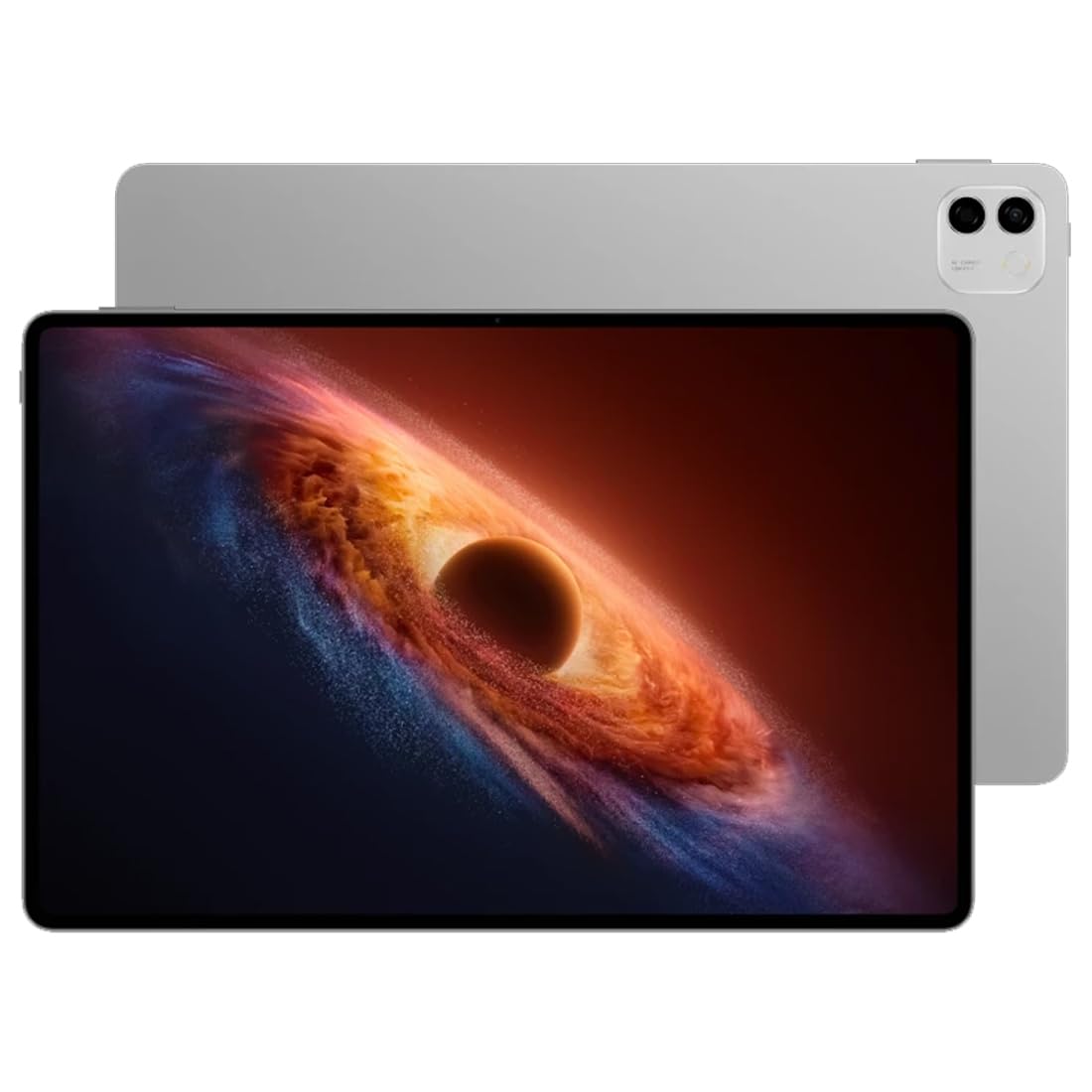
Sixteen gigabytes of RAM in a tablet built for heavy multitaskers.
With 16GB of RAM, a dozen browser tabs, your notes and a streaming window can all stay open without the tablet stuttering.
Storage comes in at 512GB, four times the 128GB on the renewed iPad Pro 12.9-inch. The 12.3-inch OLED panel renders 3000 x 1920 pixels with 1.07 billion colours, so gradients stay smooth and dark scenes keep their detail. A Snapdragon 8 Gen 5 platform handles the heavy lifting, and a 10100 milliamp-hour battery sits comfortably above the Samsung Galaxy Tab S9’s 8400 mAh.
The honest limit is coverage. This is a Wi-Fi-only model with Bluetooth 6.0, so there is no cellular option here. A 13MP rear camera and 9MP front camera cover video calls and quick document shots, nothing more ambitious.
The fit: power users who run several apps at once and want the biggest memory and storage pool here.
Know before buying: Wi-Fi only — there is no cellular version of this model.
5. Wacom MovinkPad Pro 14
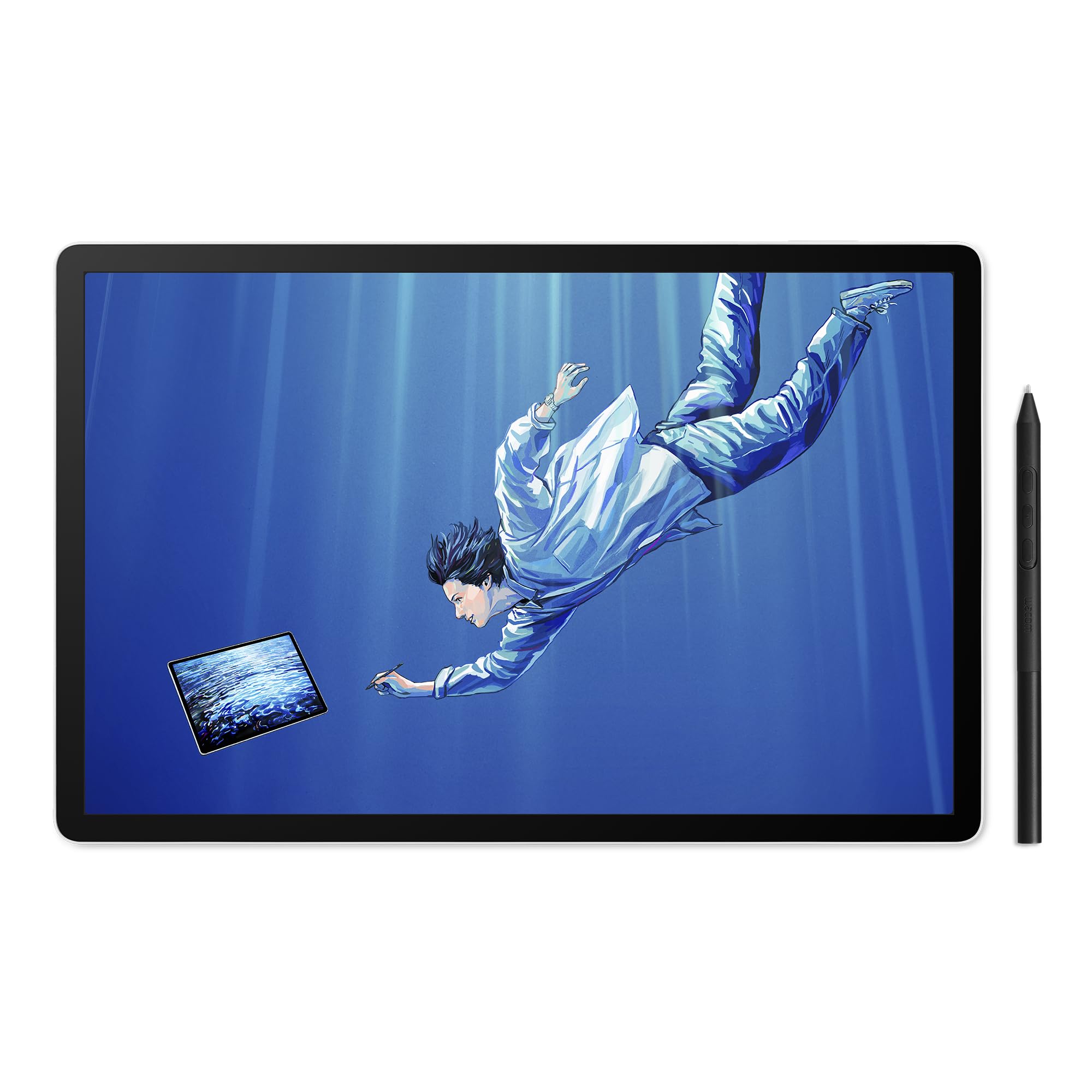
A studio you can carry, with a pen that never needs a charge.
Drawing is what this tablet is for, and the pen is the proof. The included Pro Pen 3 reads 8,192 pressure levels — that is the number of gradations it senses as you press down, and higher means finer control over a line’s thickness. It never needs charging, and spare nibs store in the pen’s back end. The etched glass surface gives the stylus a paper-like traction that artists single out as one of the best parts of the experience.
The 14-inch OLED panel runs at 3K resolution (2880 x 1800 pixels) with 100% sRGB and DCI-P3 coverage, so colour work holds up. That screen is 14 inches against the Samsung Galaxy Tab S9’s 11 inches, a meaningful jump in canvas space for sketching. A Snapdragon 8s Gen 3 chip paired with 12GB of RAM and 256GB of storage (with a microSD slot for more) keeps creative apps running.
Two things to plan around. Responsiveness divides opinion — some users find it runs fabulously, while others say it starts getting laggy over time, so keep your heaviest files organised. And while it can act as a pen display for Windows and Mac, Windows ARM-based systems and Intel Macs are not supported, which rules it out for some desktop setups.
Built for the pen
- 8,192 pressure levels with a battery-free Pro Pen 3 and spare nibs stored in the pen.
- 14″ OLED at 3K resolution with full sRGB and DCI-P3 colour coverage.
- Textured etched glass gives the pen a paper-like feel.
- microSD slot extends the 256GB of built-in storage.
Plan around this
- Some users report lag developing over time with heavy files.
- Windows ARM and Intel Macs are not supported in pen-display mode.
For the studio: illustrators and designers who want a standalone drawing tablet with a real pen and a large OLED canvas.
Not for: anyone who needs it to drive an Intel Mac or Windows ARM machine.
6. Samsung Galaxy Tab S11 Ultra (X930)

The biggest battery on this list, wrapped in a 13.2-inch 144Hz frame.
Runtime is the reason to look here. A 12140 milliamp-hour battery is the largest in this group, clearing the Xiaomi Pad 8 Pro’s 9200 mAh by a wide margin. On a long flight of binge shows or games, the 12140 mAh cell outlasts the Xiaomi Pad 8 Pro’s 9200 mAh by a wide margin.
The 13.2-inch IPS LCD panel runs at 2400 x 3392 pixels with 68 billion colours and a 144Hz refresh rate, so motion stays fluid. Note that this is IPS rather than OLED — blacks are lighter than the OLED panels on the Wacom and HONOR models. A Qualcomm Snapdragon 8 Elite chip on a 3nm process with 12GB of RAM and 256GB of storage keeps apps moving, and the touchscreen supports a stylus.
This is listed as an International Version, so check warranty coverage for your country before ordering. Cameras are modest — a 13MP rear and 8MP front — which is fine for video calls.
The long-haul choice: for anyone who prioritises a 12140 mAh battery and a 144Hz screen above OLED contrast.
Think twice if: deep blacks matter more than runtime, or if you need domestic warranty.
7. Samsung Galaxy Tab S12+ 512GB

Half a centimetre of metal that still takes an S Pen and a splash.
Thickness leads here. At just 5.3mm, this tablet slips into a backpack sleeve without a bulge, and it still carries IP68 water and dust resistance. Storage is 512GB, matching the HONOR MagicPad4, and an S Pen comes in the box with a pencil-inspired shape for note-taking and sketching.
The Dynamic AMOLED 2X display renders 2800 x 1752 pixels, and a MediaTek Dimensity 9500 processor handles gaming, streaming and AI features. Battery life is rated for up to 21 hours of use, with Super Fast Charging 2.0 to refill it. Galaxy AI tools like Note Assist summarise and translate your notes, and Gemini Notebook analyses your source documents.
The price you pay for the slim build is a smaller battery spec on paper than the Ultra models — the runtime claim is a manufacturer figure of up to 21 hours, not a measured result. It is still a full day of mixed use for most people.
The slim argument: 5.3mm thick with IP68 protection and a 512GB storage pool.
Read the fine print: the 21-hour figure is a manufacturer estimate, so real use will vary.
Best for: commuters and students who want a thin, protected tablet with plenty of storage and a bundled pen.
Compare it against: the Tab S11 Ultra if you would rather trade thinness for a 14.6-inch screen.
8. Microsoft Surface Pro 13″ (Snapdragon X Plus)
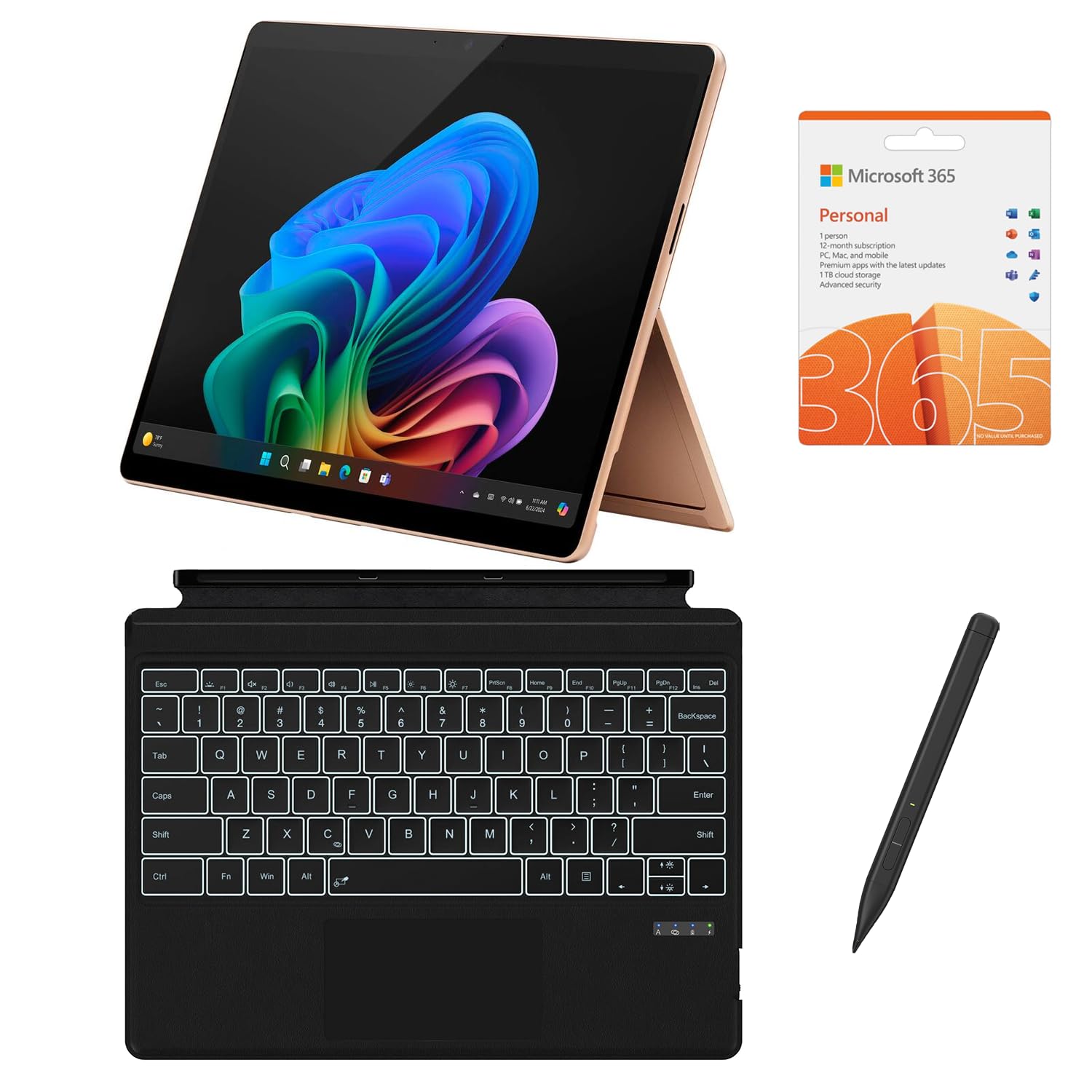
A full Windows PC that folds flat when you want a tablet.
Storage is what sets this apart from every other tablet here. A 2TB solid-state drive matches the Apple iPad Pro 13-inch M4 and M5 models, while 16GB of RAM keeps Windows apps humming. That is desktop-scale capacity in a device you can hold — useful if you edit video or keep a large project library on the machine itself.
The 13-inch PixelSense Flow display runs at 2880 x 1920 with a 1200:1 contrast ratio and a dynamic refresh rate up to 120Hz. A Snapdragon X Plus 10-core processor with an Adreno graphics unit powers Copilot+ features, and battery life is rated up to 14 hours. Windows 11 Pro ships installed, and the bundle includes a backlit keyboard, a stylus and a 12-month Microsoft 365 subscription.
Two things to note. The keyboard and stylus are third-party accessories made to fit Surface Pro, not Microsoft’s own, so expect a slightly different feel. And this is a 2-in-1 built for laptop work, not a pure media tablet — the LCD panel is crisp but it is not the OLED or AMOLED used elsewhere on this list.
Ideal for: anyone replacing a laptop and wanting Windows apps, a 2TB drive and a kickstand-plus-keyboard setup.
Not the pick for: pure media watchers — the LCD screen is good but lacks the OLED contrast of the models above.
9. Apple iPad Pro 13-Inch (M4)

Twelve point nine inches of Ultra Retina XDR and a terabyte-scale drive.
This is where storage becomes a headline. Up to 2TB of space means 4K video, huge photo libraries and big app installs all live on the device. With a 13-inch Ultra Retina XDR display featuring ProMotion, P3 wide colour and True Tone, the screen handles colour-critical work. An M4 chip with up to a 10-core processor and a 10-core graphics unit keeps pro apps fluid.
Cameras are strong for a tablet. A 12MP Ultra Wide front camera with Center Stage follows you in video calls, and a 12MP Wide rear camera shoots 4K with ProRes support. A LiDAR scanner, defined as a sensor that maps depth by bouncing light, means AR apps work with real precision. Four studio-quality microphones and a four-speaker system round out the media side.
Connectivity on this configuration is a selling point: Wi-Fi 6E (a fast, less-crowded Wi-Fi standard) plus 5G cellular (mobile data) means fast transfers at home and a connection away from it, and USB-C with Thunderbolt and USB 4 (high-speed ports) lets you plug in drives and displays. The honest note is that the value conversation is mixed. Apple Pencil Pro and Magic Keyboard are sold separately, and they are essential for the productivity pitch — budget for them if that is your plan.
Where it shines
- Up to 2TB storage and an M4 chip with a 10-core GPU for pro-level apps.
- 13-inch Ultra Retina XDR display with ProMotion and P3 wide colour.
- Wi-Fi 6E and 5G cellular, plus Thunderbolt and USB 4 over USB-C.
- LiDAR scanner and 4K ProRes video on the 12MP rear camera.
Worth weighing
- Pencil Pro and Magic Keyboard are separate purchases.
- Value is debated — the highest capacities cost accordingly.
Made for: photographers, editors and designers who need 2TB of onboard space and Apple’s top display.
Budget extra for: the Pencil Pro and Magic Keyboard, neither of which is included.
10. Microsoft Surface Pro 2-in-1 (Snapdragon X Elite)

Thirty-two gigabytes of RAM and an OLED panel in a Copilot+ hybrid.
Memory is the standout. 32GB of RAM is the most on this entire list — double the 16GB in the HONOR MagicPad4 — and it pairs with a 1TB solid-state drive and a Snapdragon X Elite 12-core processor. For heavy multitasking, virtual machines or large datasets, that headroom is the point.
The 13-inch OLED touchscreen has a 1M:1 contrast ratio, which delivers wide colour range and true blacks. Battery life is rated at 14 hours, with fast charging through a 65W power supply via Surface Connect or USB-C. Bluetooth 5.3 handles wireless accessories, and Windows 11 runs the Copilot+ features.
Compatibility is the thing to verify before you buy. Reports are mixed on running popular software and connecting to work computers, and some units are reported to shut down unexpectedly during restarts. If your workflow depends on specific corporate software or a locked-down network, confirm it runs on this machine first.
The performance case: 32GB RAM, a 1TB drive and a Snapdragon X Elite 12-core chip.
The thing to check: software compatibility and stability reports vary, so confirm your apps run here.
Reach for it if: you need maximum memory and a 1TB drive in a Windows tablet and your core apps are confirmed compatible.
Hold off if: you rely on corporate software with uncertain support on this platform.
11. Apple iPad Pro 13-inch (M5)
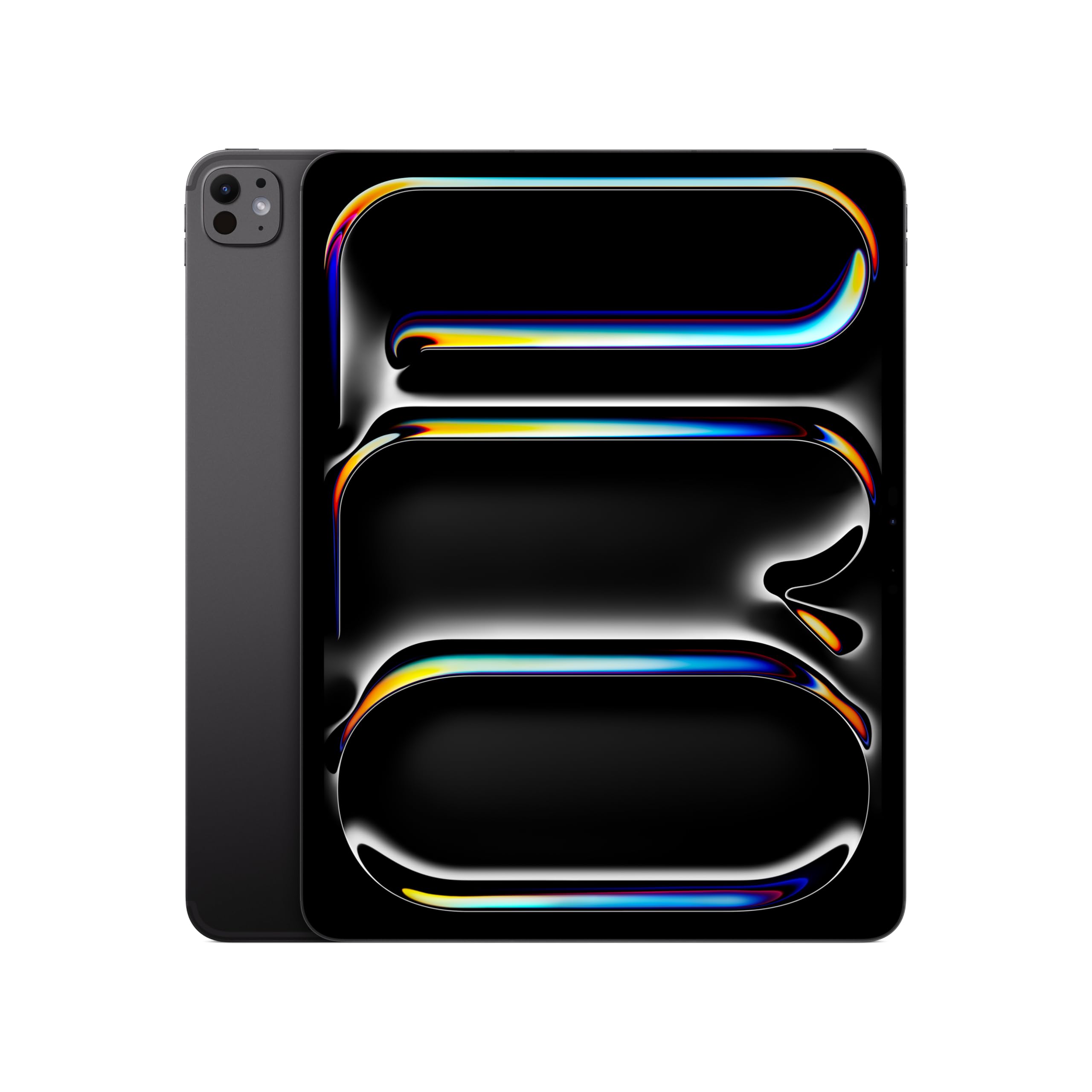
The priciest pick here, and the one with the newest silicon inside.
This is the most expensive tablet on the list, and the specs back the placement. An M5 chip drives the whole machine, paired with up to 2TB of storage and 16GB of memory — the same memory as the Surface Pro 13″ with Snapdragon X Plus. The 13-inch Ultra Retina XDR display features ProMotion, P3 wide colour and True Tone, with a nano-texture glass option in 1TB and 2TB configurations.
Connectivity separates it from the older iPad Pro above. Wi-Fi 7 (the newest fast Wi-Fi standard) with the Apple N1 chip handles wireless transfers, and superfast 5G with the Apple C1X chip keeps you online away from home. A landscape 12MP Center Stage front camera (12 megapixels, which keeps you centered on video calls) and a 12MP Wide rear camera with adaptive True Tone flash cover video calls and photos, with a LiDAR scanner (a sensor that maps depth for AR apps) and four studio-quality microphones for audio capture.
The trade-off is value. This is the highest price on this list, and the M4 version below it in the tier already covers 2TB and an Ultra Retina XDR panel. What you gain for the extra is the newer M5 chip and Wi-Fi 7 with 5G. If those do not change your daily work, the M4 is the smarter buy.
The top pick for: buyers who want the newest Apple silicon, Wi-Fi 7 and 5G cellular in one machine.
Second-guess this if: the M4 model already meets your needs — it also offers 2TB and Ultra Retina XDR.
Know the Specs
Refresh Rate in Hertz
Refresh rate is how many times per second the screen redraws, measured in hertz. A 120Hz panel redraws 120 times a second, and a 144Hz panel faster still. Higher rates make scrolling, gaming and pen strokes feel smoother. At this price level, 120Hz or above is the benchmark to hold.
Pressure Levels
Pressure levels describe how many gradations of pressure a stylus senses. A pen rated at 8,192 levels can distinguish very fine differences, which translates into more precise line weight in drawing apps. A pen that never needs charging is one less thing to remember, and some models store spare nibs inside the pen itself.
Milliamp-Hours (mAh)
Battery capacityis measured in milliamp-hours, written mAh. A bigger number means a larger tank, so a 11600 mAh cell generally runs longer than an 8400 mAh one under the same load. Charging speed matters too — a fast-charging standard refills that tank quicker, so check both the capacity and the charging spec.
RAM and Storage
RAM is the short-term workspace that holds the apps you have open, and storage is the long-term shelf for files. In this tier, 12GB of RAM or more keeps several apps loaded at once, and 512GB of storage or a 2TB drive gives you room for large photo and video libraries. A dedicated microSD slot lets you add more storage later.
Common Questions
Is a more expensive tablet always better for drawing than a cheaper one?
Do premium tablets include the stylus in the box?
What does IP68 mean on a tablet?
Why is a Wi-Fi only tablet sometimes labelled with 5G?
Should I buy a renewed iPad Pro instead of a new one?
Is OLED better than IPS LCD on a tablet?
Can an expensive tablet replace a laptop?
How much RAM do I need in a premium tablet?
Will a tablet with a microSD slot let me add more storage?
Do I need cellular data on a tablet this expensive?
The Bottom Line
For most buyers, the most expensive tablet smartest pick is the Samsung Galaxy Tab S9 11″ because it bundles the S Pen, carries an IP68 rating and pairs an AMOLED panel with a Snapdragon 8 Gen 2 chip (a fast processor) — the full package without the specialist price. If you want the finest canvas for illustration, reach for the Wacom MovinkPad Pro 14 and its 8,192 pressure levels (how hard you press changes the line). And for the largest screen and biggest battery in the group, the Samsung Galaxy Tab S11 Ultra bundle delivers a 14.6-inch AMOLED panel and a 11600 mAh cell with the charger in the box.
One last thing worth knowing: the crowd favorite here is the iPad Pro 13-inch M5 at 4.5+ stars across 130+ owners, but the Galaxy Tab S9 holds its own at 4.5+ stars across 750+ ratings, so you are not giving up much by choosing the all-rounder. Pick the tablet whose strongest spec — pen pressure, battery capacity or screen size — matches your daily work, and the rest of the list fades away.
How we choose
We do not accept paid placement. Every pick is matched to a real buyer and a real use-case; we do not hands-on test units.
Sources
Specifications: manufacturer listings and product documentation. Review insights: verified customer reviews, as of November 2026. Pricing: not shown on this page (it changes often); check the current price via the retailer link.
As an Amazon Associate, Tactical Gear Guy earns from qualifying purchases. This does not affect which products we feature.