Specs are compiled from manufacturer listings and verified buyer reviews and can change over time — please confirm the key details on the product page before buying.
You do not need a gaming PC humming in the corner to run a clean live stream. A small dedicated box can take the HDMI signal straight out of a camera or console and push it to YouTube, Twitch or Facebook on its own. That is what every pick on this list does, and each one stays within the budget ceiling named in the title. The trick is matching the box to your HDMI source, the number of platforms you stream to, and how much setup you will tolerate.
This guide is built by comparing the manufacturers’ published specifications and the patterns across verified customer reviews, so you get each pick’s real strengths and trade-offs instead of marketing spin.
The picks below split into two clear jobs: simple HDMI-to-IP converters that push one feed to your platform, and mixer-style decks that switch several cameras and record locally. Everything here fits the streaming encoder hardware under $800 bracket and every spec is taken straight from the maker’s own sheet.
Top Picks

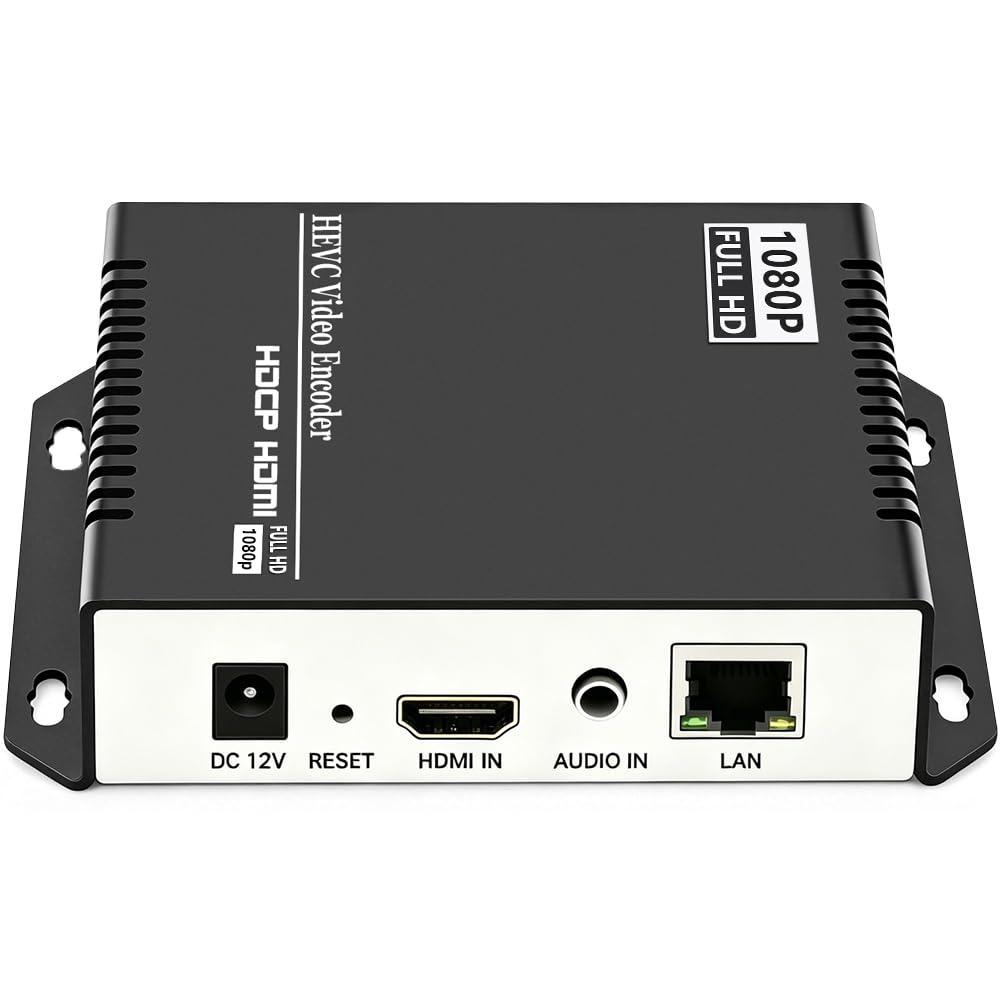
How To Choose The Best Streaming Encoder Hardware Under $800
Start with one question: what is feeding the box? A games console sends 4K, a camcorder may send 1080p, and a laptop sends whatever your slides output. The encoder has to accept that signal and convert it to a network stream without choking. Check the input and output resolution first, since a 4K-in/1080p-out box behaves very differently from a native 4K unit.
Input resolution versus output resolution
These are two separate numbers and sellers blur them. You might feed a 4K signal in but only push 1080p out, which is fine for most platforms. A box that accepts 4K input and outputs 1080p gives you headroom for a sharper downscale. Check both figures before you assume you are buying native 4K streaming.
How many streams you need at once
Restreaming to YouTube and Twitch at the same time needs a box that pushes multiple streams concurrently. Several picks here handle 4 simultaneous outputs, which means you skip a separate restreaming service. A single-stream box keeps you to one destination at a time. Count the platforms you stream to before you buy, because a single-stream box locks you to one destination.
Protocols your software already speaks
RTMP is the common language of YouTube and Facebook. SRT is the newer option for shaky networks and long-haul delivery. NDI lets a device appear as a source inside OBS or vMix over your network. Match the box’s protocol list — RTMP, SRT, NDI, HLS — to the software you already run, so you are not hunting for adapters later.
Side-by-Side Comparison
| Model | Best For | Input / Output | Simultaneous Streams | Power | Amazon |
|---|---|---|---|---|---|
| Zowietek ZowieBox★ Best Overall | Console gaming, NDI workflows | 4K in / 4K pass-through (4K@30 decode) | — | USB-C or PoE | Amazon |
| URayCoder UHE265-1SMulti-Stream Workhorse | Multi-platform push on a budget | 1920×1080 in and out at 60fps | 4 | — | Amazon |
| J-Tech Digital JTECH-ENCH4 | 4K input into a single IP feed | 4K@60Hz in / 1080P@60Hz out | 1 main plus 3 substreams | 12 volts | Amazon |
| URayCoder UHE265-1S-4K | 4K input with high frame rates at lower res | 4K UHD (3840×2160) in and out, 30fps at 4K | 4 | — | Amazon |
| URayCoder UHE265-1L-4K | Multi-destination IPTV and live events | 4K UHD (3840×2160) in and out, 30fps at 4K | 4 | Type A plug | Amazon |
| URayCoder HEVC 4K HDMI Encoder | Long-haul feeds to multiple servers | 4K UHD (3840×2160) in and out, 30fps at 4K | 4 | — | Amazon |
| Osee GoStream Deck Pro | Multi-camera mixing with local recording | 4 HDMI plus 1 USB camera in | Up to 3 platforms | Ethernet streaming, dedicated port | Amazon |
Detailed Reviews
1. Zowietek 4K Video Streaming Encoder/Decoder, ZowieBox
The palm-size box that puts your console on stream with no PC in the chain.
The ZowieBox is the one you want if your source is a console and you refuse to buy a second computer for streaming. It is smaller than a phone, so it sits on a shelf or hides behind a monitor. It converts your HDMI signal into an IP stream (a video feed carried over your network cable) and pushes it to YouTube or another platform straight from the source. Capture runs up to 4K with HDMI passthrough, which means you game on the same screen at the same instant the encoder sees the picture.
Its party piece is native NDI HX3, a network video format that lets the box show up as a camera source inside OBS or vMix. The channels number 3 in the maker’s specs, against 1 on the URayCoder UHE265-1S — a 3.0x gap on paper. PoE (Power over Ethernet) feeds it power down the same network cable that carries video, so you skip a wall adapter. And it decodes too: an IP feed can come back out as a 4K HDMI signal.
The honest catch is reliability: some buyers report settings that will not hold and audio that drifts out of sync over long sessions. Owners hit both ends of the scale: many describe flashing it and having it work, while others run into settings that will not hold or audio that slips out of sync over a long session. Encoder and decoder modes cannot run at the same time, and full NDI is not supported beyond HX3/HX2/HX. Buy it for the compact footprint and NDI convenience, and test your exact chain before a live show.
What earns its place here
- Small enough to vanish on a shelf, with a tally light and LCD screen for streaming status
- Native NDI HX3 lets it appear as a source in OBS or vMix over the network
- PoE power means one cable for both video and electricity
- Zero-lag HDMI passthrough so your own monitor stays instant
What demands care
- Reliability is the split: flawless for some, unusable for others
- Encoder and decoder modes cannot run simultaneously
- Full NDI is not supported, only HX3/HX2/HX
Reach for this if: you stream console gameplay and want NDI into OBS without a PC holding the signal.
Think twice if: you need a guaranteed rock-steady multi-hour feed, since sync drift is the recurring gripe.
2. URayCoder HEVC HDMI to IP Network Video Encoder (UHE265-1S)
Four streams out of one box, so YouTube and Twitch go live on the same click.
If your job is getting one feed onto several platforms at once, this is the value answer. The UHE265-1S takes a 1920×1080 signal in and out at 60fps, then pushes 4 video streams with different protocols simultaneously. That means no extra restreaming subscription to reach YouTube, Facebook, Twitch and Vimeo together. An H.265/H.264 dual encoding chip handles the compression, and H.265 keeps your upload smaller than H.264 for the same picture.
Setup is where owners settle in fast. The interface is plain, a manual walks you through it, and you manage everything from a computer or phone browser. Text overlays, scrolling captions, logos and timestamps are built in, plus crop, rotate and mirror. Audio comes in two ways — through HDMI or a 3.5mm line-in jack — so you can mix a separate mic feed alongside the camera sound. The stream status is viewable from a URL, which makes checking a live feed on your phone simple.
Reliability is what makes this the pick over the ZowieBox for long events: owners describe it running around the clock without drama, and it is the trait they raise most. Picture and audio quality follow close behind. Where you might quibble is feature depth versus the 4K boxes — this one stays at 1080p, so a 4K source gets downscaled on the way in. A lifetime warranty and direct technical support round out the offer.
Where the money goes: you are paying for four-protocol output and a stable 1080p60 pipeline, not for 4K. For a typical 1080p camera or console output that is the right trade.
The 4K question: this model accepts and outputs 1920×1080 only, so a native 4K UHD feed needs the step-up URayCoder UHE265-1S-4K instead.
Built for: streamers pushing a single 1080p feed to several platforms without a restreaming service.
Not for: anyone whose source must stay at 4K end to end.
3. J-Tech Digital HDMI Encoder H.264 H.265
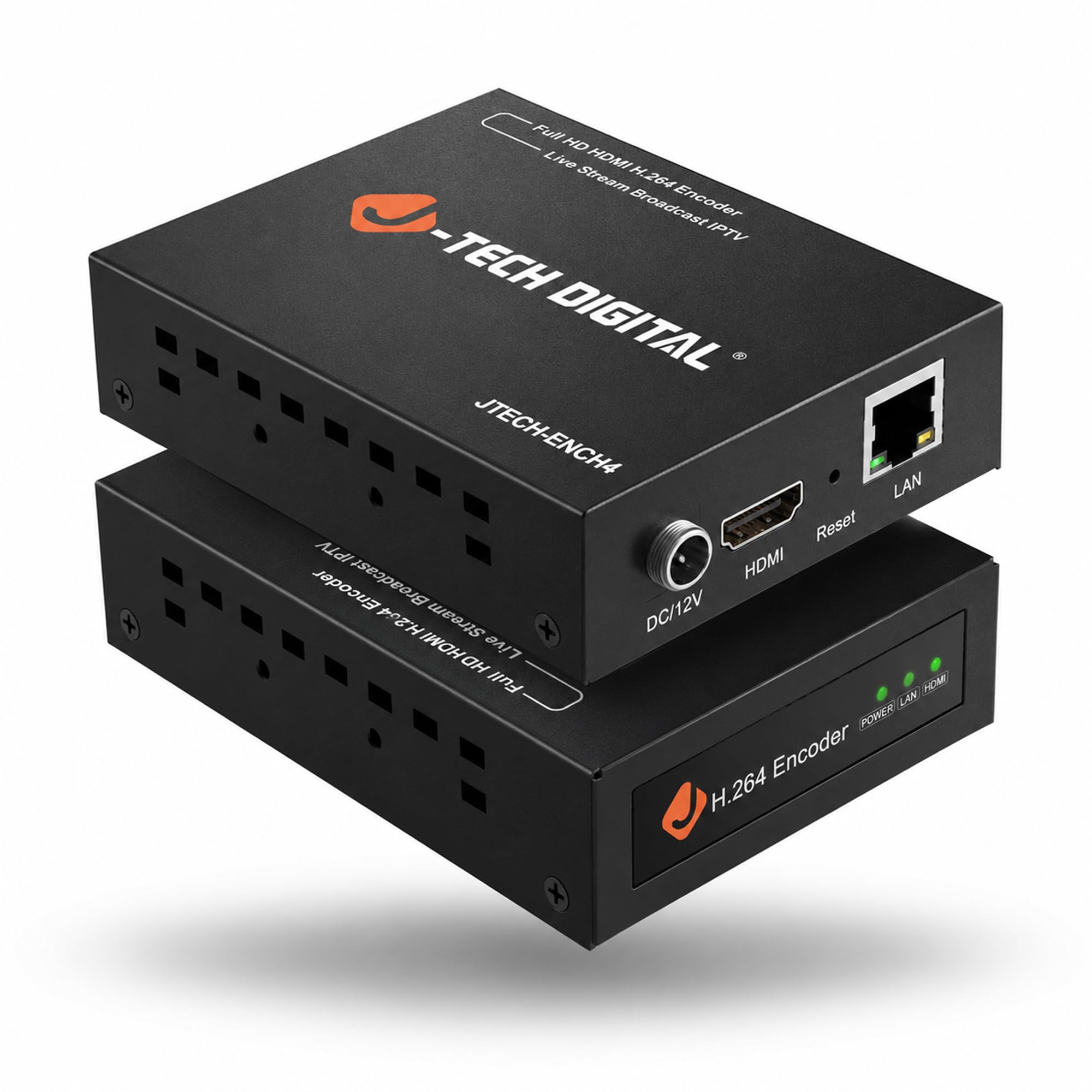
Accepts a full 4K60 signal and hands you four feeds at lower resolutions.
The J-Tech Digital sits in the gap between the 1080p converters and the 4K output models. It takes a 4K@60Hz HDMI input and outputs 1080P@60Hz, which means your 4K camera signal is accepted without a converter box out front. From there it runs 1 main stream plus 3 substreams, and the maker is upfront that the substreams drop to a lower resolution than the main. For an IPTV setup piping one source to a wall of displays at different quality levels, that is exactly the useful arrangement.
Protocol cover is generous for the tier: RTMP/RTMPS, HLS, FLV, TS, MP4, RTSP, UDP, SRT and TRTC all work, and VLC playback is a simple URL entry. The web GUI lets you nudge bitrate, frame rate, IP settings, plus flip, rotate, crop, contrast and brightness. On-screen text and logos are baked in for branding. Bitrate management runs CBR/VBR between 32 Kbps and 32 Mbps, which is a wide enough window for tight DSL lines and fat fibre alike.
The thing owners like most is plain functionality — it does the job it advertises — with build and video quality close behind and setup described as easy. It ships from a US support team with a one-year replacement warranty and free lifetime technical help, which takes the sting out of any first-week fiddling. The trade is the 1080P output ceiling: feed it native 4K and you will stream at 1080P60.
Good match: IPTV and signage setups feeding several displays from one 4K source, plus anyone on a single-network feed.
Look elsewhere: if the platform must receive a true 4K stream downstream.
4. URayCoder 4K HDMI to IP Network Video Encoder (UHE265-1S-4K)
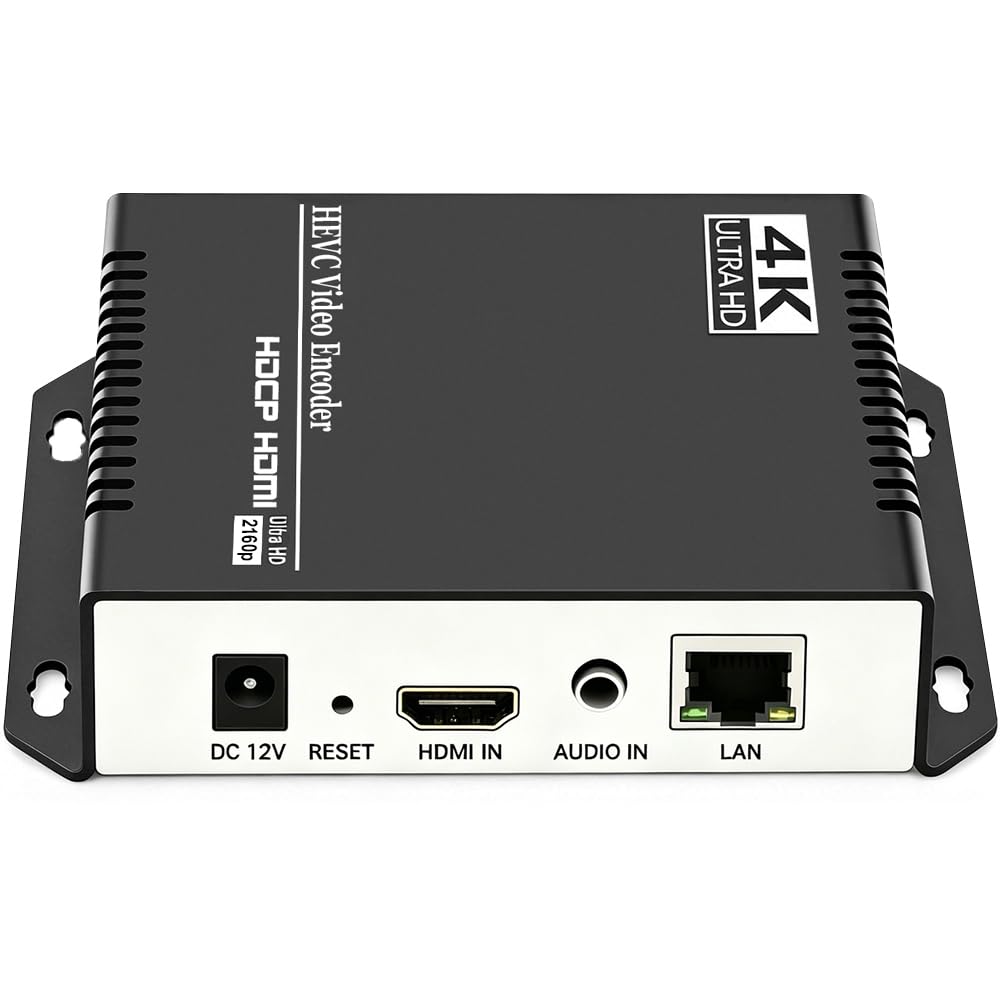
The sweet step up: true 4K UHD in and out with four streams out the back.
Upgrade from the 1080p model and this is what you get: 4K UHD (3840×2160) input and output, capped at 30fps at 4K but climbing to 120fps at 2K and lower resolutions. That frame-rate headroom is the detail that matters if you run a 1080p competition stream and want buttery motion. An H.265/H.264 dual encoding chip keeps the file lean, and 4 simultaneous output streams go to YouTube, Facebook, Twitch and Vimeo with one click across WebRTC, SRT, RTMP(S), HLS and more.
Owners call out functionality most — it works right from the start — and quality next. Setup is friendly, and the customisation list is long: static text, scrolling captions, logos, timestamps, plus crop, rotate, flip and mirror. Audio mixes from HDMI or a line-in jack. Management happens from a browser on a PC or phone, and you can watch the live stream status from a URL.
Picture quality is where owners get specific: they describe a clean image and settings that do what they are told. Compare it to the older 1080p URayCoder and the difference is resolution and frame-rate ceiling, not the interface. The lifetime warranty and technical support carry over. The honest limit is the 4K@30 cap — high-motion 4K stays at 30fps, so competitive 4K gaming is the one place it feels the ceiling.
Why it climbs the list
- Native 4K UHD in and out at 30fps, with up to 120fps at 2K and below
- Four simultaneous streams with one-click platform push
- Deep customisation: overlays, crop, rotate, mirror, dual audio input
- Lifetime warranty and technical support included
Where it checks you
- 4K tops out at 30fps, so fast-motion 4K gaming is not the target
- More settings to learn than a simple one-stream converter
Best for: creators who want real 4K output plus high frame rates at 1080p, all in one box.
Skip if: you only ever push 1080p to a single destination — the cheaper model covers that.
5. URayCoder 4K HDMI to Video Streaming IPTV Encoder (UHE265-1L-4K)
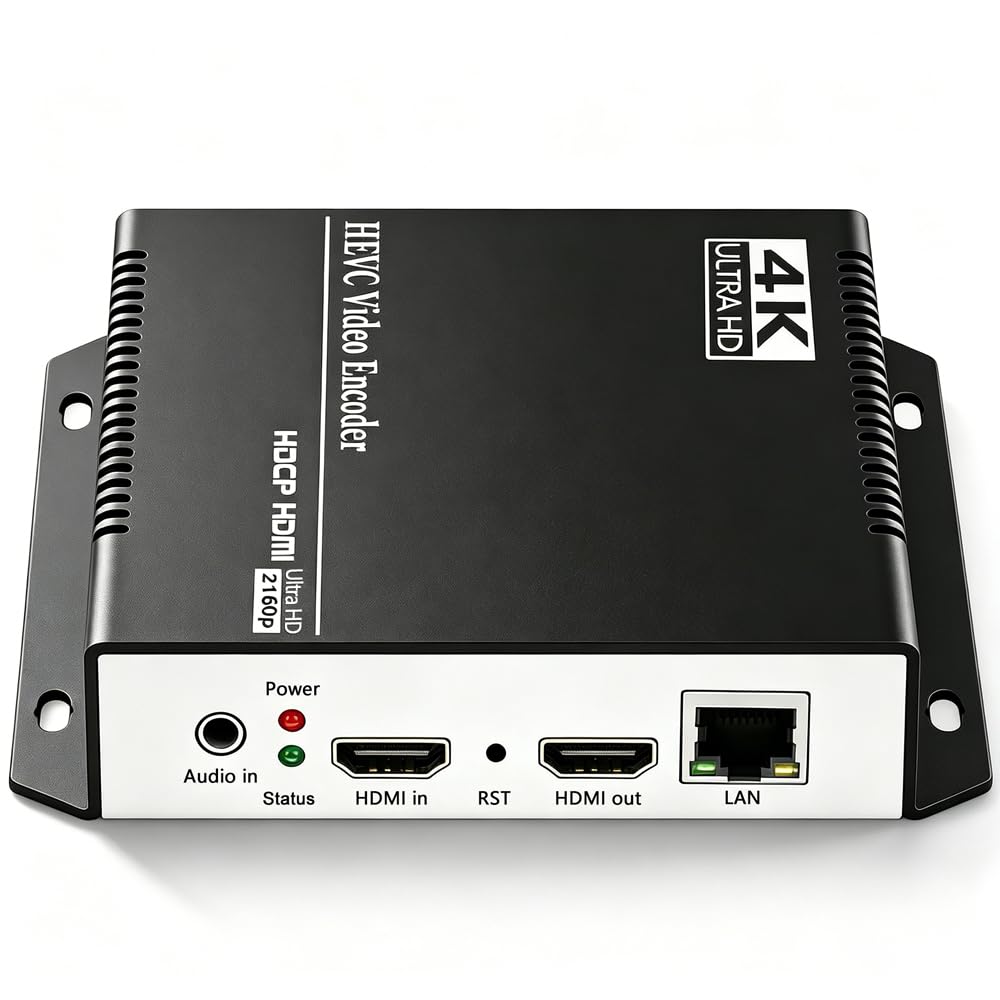
Built for the marathon broadcast that cannot afford a single dropout.
The UHE265-1L-4K targets the person running a feed for hours and dreading a crash. It handles 4K UHD (3840×2160) in and out at 30fps, rising to 120fps at 2K and lower. Under the aluminium shell it is the same H.265/H.264 dual-chip engine and 4-stream output as its sibling — YouTube, Facebook, Twitch and Vimeo at one click across SRT, RTMP(S), HLS, WebRTC and the rest. Silent on paper, but owners talk about stability more than anything else.
Multicast capability is a genuine differentiator here: it lets one stream fan out to many endpoints on the network, which is what an IPTV deployment needs. The setup has a plain interface and a manual, so a first-timer can get it talking to OBS without a networking background. Throw in on-screen text, logos, timestamps, crop and rotate, and you have a fully brandable feed. Tech support is described as great and responsive when something needs a nudge.
The one honest wrinkle is compatibility with SRT servers — some setups connect smoothly to Facebook, YouTube, Twitch and Ustream, while others stumble on an SRT server link. If your workflow leans on SRT to a specific server, test that hop first. Manage from a PC or phone browser, and monitor the live stream from a URL while you are at it.
Owner verdict: it stays up, and owners value the multicast fan-out plus the responsive support when they need a hand.
Pre-flight check: confirm your SRT server connection early, since that is the one compatibility snag that shows up.
Choose this: for long IPTV broadcasts and event feeds where multicasting to many displays is the whole point.
Test first: if your pipeline depends on SRT to an external server rather than plain RTMP.
6. URayCoder HEVC 4K 1080P HDMI to Ethernet IP Video Audio Encoder
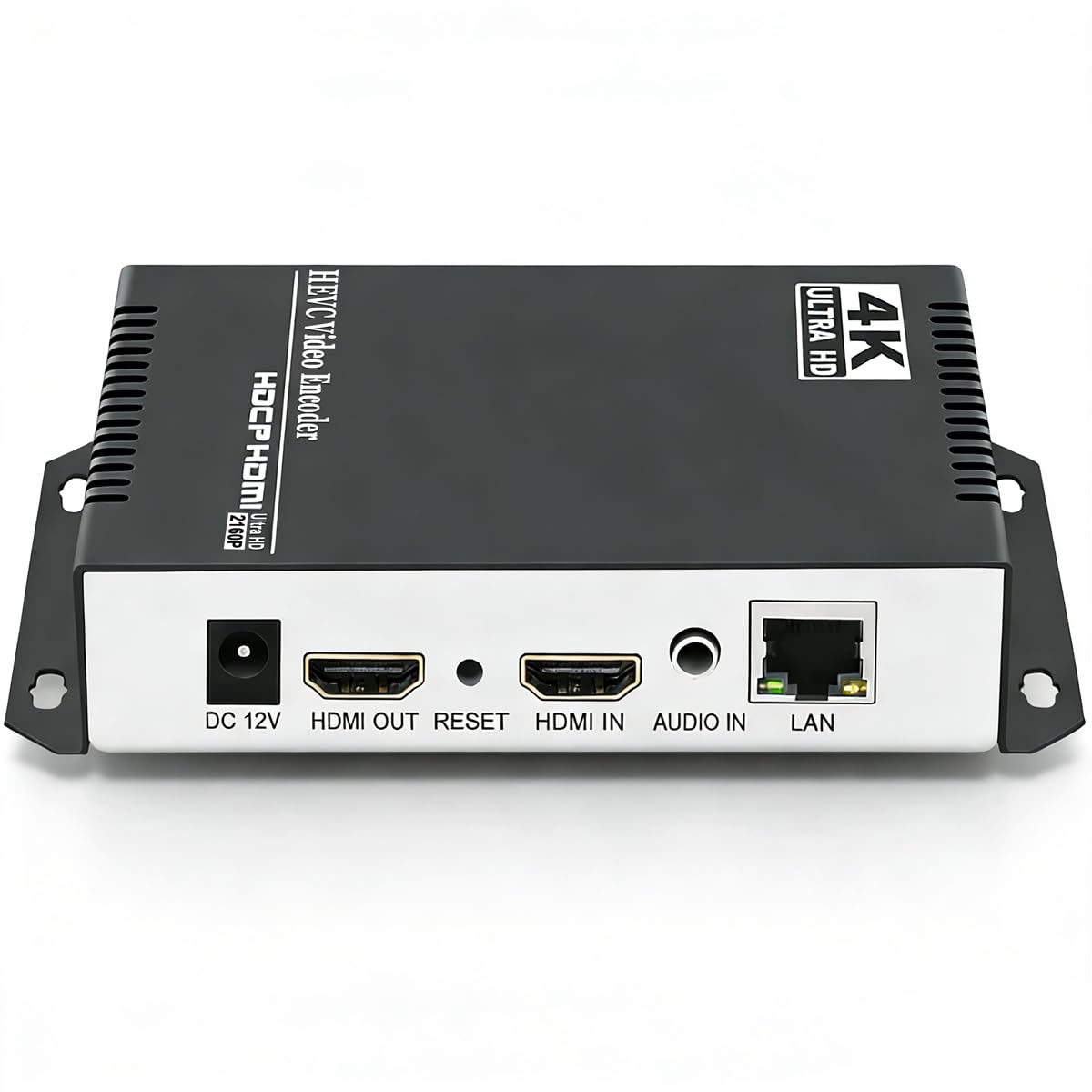
The one owners describe as running flawlessly for the better part of a year.
This is the model for the set-and-leave-it crowd — the person who wants to plug in a feed and forget it for months. It handles 4K UHD (3840×2160) at 30fps, up to 120fps at 2K and below, with the same 4-stream output to YouTube, Facebook, Twitch and Vimeo over SRT, RTMP(S), HLS, WebRTC, ICECAST and more. Owners describe it as reliable and running without issues, which is exactly the trait a permanent install needs.
Performance is what owners rate highest: a great piece of hardware that cleared their expectations. Video quality holds up too, described as clear and top-notch. It plays nicely with VLC on a PC and integrates with most streaming programs, so the HDMI handoff is friendly. A browser dashboard on PC or phone handles setup and lets you check the live feed by URL.
Audio is the honest caveat here. Beyond latency, which is mixed, several owners flag popping sounds and sync drift, so if pristine audio matters — music, interviews — plan to run audio through your capture setup rather than lean on the built-in handling. If clean reliability over time is your priority and audio can be managed elsewhere, this is the workhorse that keeps its promise.
Ideal for: permanent installs and multi-hour broadcasts where steady uptime outranks extras.
Look elsewhere: if baked-in audio quality is the make-or-break detail for your content.
7. Osee GoStream Deck Pro 4-Ch HDMI Live Streaming Video Mixer Switcher

Four cameras, eight tactile buttons and a local recording, all without a PC.
Everything above pushes one signal. This one switches between several. The GoStream Deck Pro takes 4 HDMI sources plus an extra USB camera input, so you can cut between cameras, laptops and webcams live. MultiSource lets you build picture-in-picture and multi-window layouts for a presentation feel. If you run church services, school events or any multi-angle shoot, this is the tier that thinks like a production switcher rather than a plain converter.
Two features separate it from every 4K converter here. First, an SD card slot records high-bitrate MP4 video locally while you stream, so you keep a backup of the show. Second, 8 physical Macro buttons execute scene transitions and graphic overlays by touch rather than by clicking. The built-in hardware encoder pushes live to up to 3 platforms over Ethernet without a computer in the chain. USB streaming to OBS, Zoom or Teams is on the table too.
Its dimensions — 4.2 x 9.9 x 1.9 inches at 1.1 pounds — make it the widest box here, so budget desk space. Its power architecture is different from the SRT-heavy URayCoder boxes: this is a switcher first, with IP remote control and network firmware updates built in. If you need to layer cameras and record locally, this is the only pick built for it.
What it does that the others do not: simultaneous multi-camera mixing, 8 hardware macros and SD card MP4 recording — none of the other six fold all three into one deck.
Space check: the widest pick at 9.9 inches across, so plan the placement before it lands.
Reach for this if: your production switches between multiple cameras and needs a local backup recording.
Not for you: single-camera, single-feed setups, where a converter is simpler and smaller.
Know the Specs
H.265 versus H.264
Both compress video, but H.265 packs more picture into the same bandwidth. For a streamer on a tight upload line, that means a cleaner image where H.264 would block up. H.264 remains the widest-supported option and works on platforms that have not adopted H.265. The better boxes here handle both, letting you choose per platform.
Stream count
A box that emits 4 simultaneous streams lets you hit YouTube, Facebook, Twitch and another destination at once without a restreaming service. A single-stream box sends to one destination only. Match the stream count to the platforms you broadcast to today, not the ones you might add later.
Bitrate ceiling
Bitrate sets how much data the encoder can spend per second on the picture. A wider CBR/VBR window gives you room to match your real upload speed. A box that manages 32 Kbps to 32 Mbps can serve a thin line and a fat fibre connection without breaking sweat.
Protocols
RTMP pushes to YouTube and Facebook. SRT holds up on shaky networks. NDI lets a device show up as a source inside OBS or vMix. A longer protocol list means fewer adapters and workarounds between the box and your software. Pick a box whose protocol list covers the platform and software you already use.
Common Questions
Do I need a computer to use a streaming encoder box?
What is the difference between NDI and RTMP on these encoders?
Can one encoder stream to YouTube and Twitch at the same time?
Will a 4K input stream at 4K on all of these boxes?
How much bandwidth does a 4K H.265 stream need?
Can I record the stream locally as a backup?
Does Power over Ethernet mean I skip the power adapter?
Why do some buyers hit audio sync problems?
What HDMI source types do these encoders accept?
Can I manage these encoders from a phone?
The Bottom Line
The streaming encoder hardware under $800 winner is the Zowietek ZowieBox because its NDI HX3 support and PoE power make it the most flexible PC-free box for console and camera workflows. If multi-platform push at a clean 1080p60 is your job, grab the URayCoder UHE265-1S for its four simultaneous streams. And for multi-camera productions that need a local recording, the Osee GoStream Deck Pro is the one to reach for — a deck with 8 hardware macros that no plain converter on this list matches.
How we choose
We do not accept paid placement. Every pick is matched to a real buyer and a real use-case; we do not hands-on test units.
Sources
Specifications: manufacturer listings and product documentation. Review insights: verified customer reviews, as of November 2026. Pricing: not shown on this page (it changes often); check the current price via the retailer link.
As an Amazon Associate, Tactical Gear Guy earns from qualifying purchases. This does not affect which products we feature.