Specs are compiled from manufacturer listings and verified buyer reviews and can change over time — please confirm the key details on the product page before buying.
If you want the short answer: the Roku Ultra LT is the one to buy for plug-and-play streaming, while the NEUMI Atom 4K Lite is the pick for playing your own video files off a USB stick. Everything else on this list is a specialist — some play 4K files from a hard drive, some bolt Google TV onto an old set, and one is a full Android box with a Gigabit Ethernet port. The trick is matching the box to what you actually watch, because a streamer and a file player are two different jobs.
This guide is built by comparing the manufacturers’ published specifications and the patterns across verified customer reviews, so you get each pick’s real strengths and trade-offs instead of marketing spin.
A media player is a small box that turns whatever screen you own into a smart one, and the format support on the box decides which files actually open. Here is how each one handles the job, so you can pick the top rated media player for your own shelf without guessing.
Top Picks


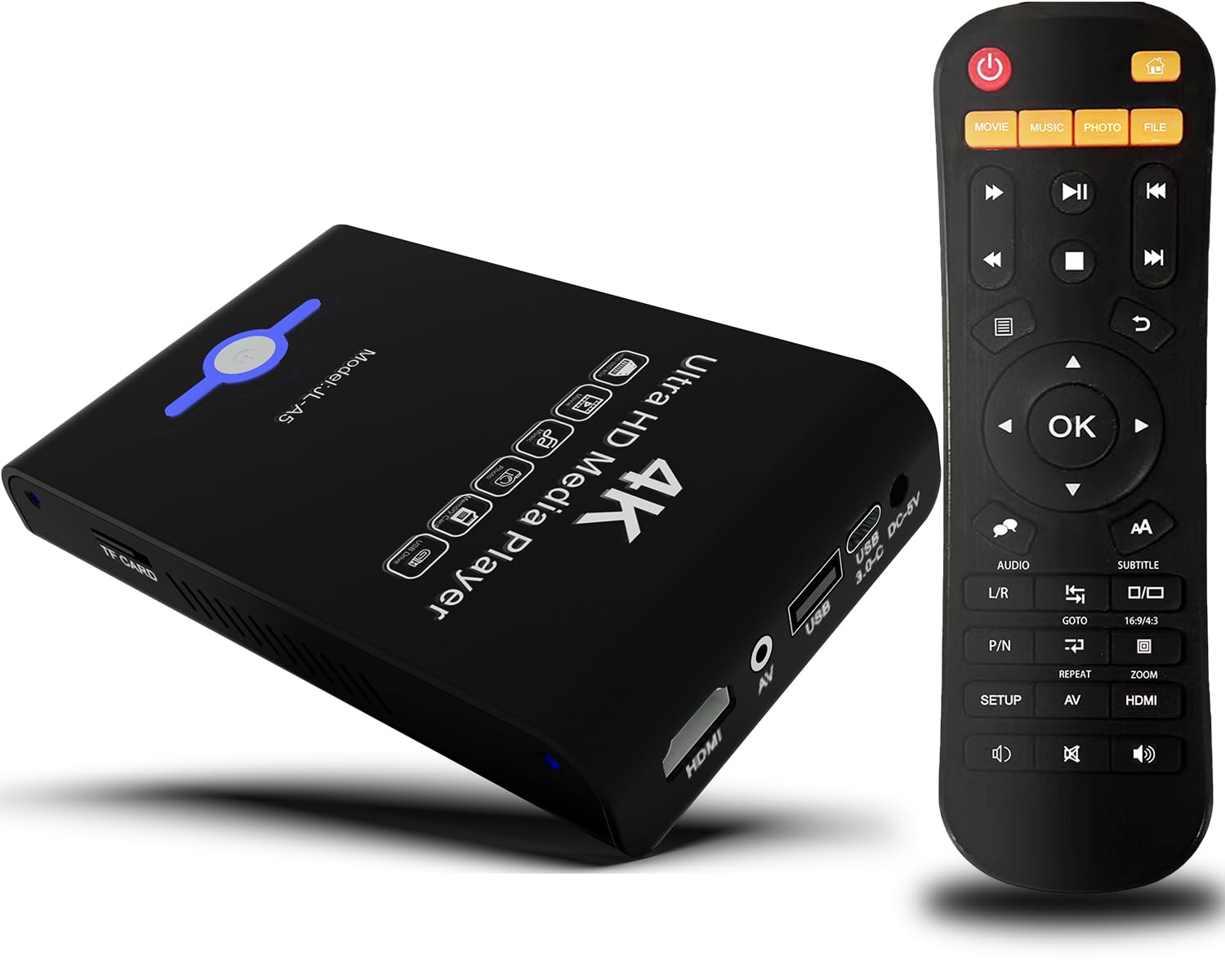
How To Choose The Best Top Rated Media Player
Most people buy the wrong box because they never ask one question first: where does your video actually live? If it lives in apps like Netflix or Hulu, you need a streamer with a fast interface and strong Wi-Fi. If it lives on a hard drive in your desk drawer, you need a file player that reads USB drives and decodes the codec inside your files.
Know which codec your files use
Codec is the compression recipe used to store a video, and H.265 (also called HEVC) is the newer, smaller-file version of H.264. A box that lists H.265/HEVC support will open those newer files. A box that only lists H.264/AVC may refuse them outright. Check your biggest, most-watched file first — its codec tells you more than any spec sheet.
Match the drive to the player
Several players here read USB flash drives and USB hard drives up to 8TB, and microSD cards up to 1TB. That 8TB ceiling is a lot of headroom for a movie library, but the drive itself is usually not included, so budget for one separately. File system support matters too: FAT32, exFAT and NTFS are the three formats these boxes tend to accept, and a drive formatted in something exotic may simply not appear on screen.
Decide if you need 4K or just smooth 1080p
4K output is only useful if your TV and your source files can feed it. A player that outputs up to 4096×2304 at 30fps will look sharp on a 4K panel, but 30fps is a ceiling that some fast-moving sports and action footage will notice. If your library is mostly older 1080p rips, a cheaper 1080p-friendly box does the same job for less fuss.
Think about how you will control it
A remote that drops its pairing turns a great box into a paperweight, and remote quality is the most inconsistent part of this whole category. Look for a voice remote if you want to skip typing out searches with arrow keys. For digital signage setups — a menu board or a lobby loop — you want automatic playback, endless looping, and resume-from-last-stop instead of a remote at all.
Side-by-Side Comparison
| Model | Best For | Max Output | Storage Input | Connectivity | Amazon |
|---|---|---|---|---|---|
| Roku Ultra LT★ Best Overall | Everyday app streaming | 4K UHD (3840 x 2160) | None listed | 802.11ac dual-band Wi-Fi | Amazon |
| NEUMI Atom 4K LiteBest for USB Libraries | USB and SD card playback | 2160p/60Hz | USB up to 8TB, SD up to 1TB | HDMI, analog AV | Amazon |
| JLZNLC 4K Media PlayerBest Signage Pick | Digital signage with drive bay | 4096×2304@30fps | USB up to 8TB, microSD up to 1TB, HDD bay | HDMI, analog AV | Amazon |
| Micca Speck 4K | Tiny secondary-TV player | 4096×2304@30fps | USB up to 8TB, microSD up to 1TB | HDMI, analog AV | Amazon |
| onn. Google TV 4K Box | Google TV on a budget set | 4K | 8GB internal | HDMI | Amazon |
| Xiaomi TV Box S 3rd Gen | Dolby Vision and Atmos streaming | 4K UHD | 32GB internal (2GB + 32GB) | Wi-Fi 6, HDMI 2.1, Bluetooth | Amazon |
| Amazon Fire TV Cube | Hands-free Alexa control | 4K Ultra HD | None listed | Wi-Fi 6E | Amazon |
| Ugoos AM6B Plus | Local 4K library over Ethernet | 4K 60fps H.265 | 32GB ROM | Wi-Fi 6, 1000M Ethernet | Amazon |
| NVIDIA Shield TV Pro | Upscaling and Plex serving | 4K HDR | 16GB internal, 2x USB 3.0 | Gigabit Ethernet, dual-band AC Wi-Fi, Bluetooth 5.0 | Amazon |
Detailed Reviews
1. Roku Ultra LT Streaming Device
Our pick — 4.5+★ from 450+ verified ratings; the strongest balance of quality and price.
The crowd favorite for a reason: apps open in a snap and 4K Dolby Vision looks the part.
The reason to start here is the interface speed. Roku pairs 2 GB of RAM with its own Roku OS, and that combination is what makes channels like Disney+, HBO Max, Apple TV+, Netflix, Sling and Hulu launch in a snap instead of spinning. For a normal evening of app-hopping, that snappiness is the whole experience — you notice slow loading far more than you notice any other spec on this list.
Picture quality is the other half of the pitch. The box outputs a native resolution of 3840 x 2160, which is 4K UHD, and the manufacturer describes that as 4x the resolution of HD. Dolby Vision support means compatible shows carry lifelike clarity and richer color on a Dolby Vision TV. It weighs 5.9 oz, so it sits quietly on a shelf without dragging cables off the back of the set.
Where this pick earns its keep is connection stability in far rooms. The 802.11ac dual-band Wi-Fi (a radio that can use both 2.4GHz and 5GHz bands) lets you hop to the cleaner band when the far bedroom signal gets crowded. The included voice remote also powers the TV on, adjusts volume, and runs the player from one handset — one remote instead of three on the coffee table.
What buyers keep raving about
- Interface speed and app load times are the most-praised part of the experience
- 4K UHD at 3840 x 2160 with Dolby Vision for compatible content
- The voice remote also controls TV power and volume
Where it gets complicated
- Wi-Fi pairing between remote and TV shows up as a recurring gripe
- No USB or SD input listed for playing your own files
Buy this one if: your watching happens inside streaming apps and you want it to feel instant.
Think again if: you have a hard drive of MKV files waiting — this box has no file input on the spec sheet.
2. NEUMI Atom 4K Lite Digital Trigger Media Player
A file player that reads your drives, not your subscriptions — and it fits in a palm.
Plug a USB drive, hard drive or SD card into this box and it plays what is on it, with no account and no app store. The capacity ceiling is the headline: USB flash drives and hard drives up to 8TB, and SD cards up to 1TB, across FAT32, exFAT and NTFS file systems. That covers a very large personal library, and it means the drive you already own almost certainly works.
Video output tops out at 2160p/60Hz over HDMI, with H.265/HEVC support for the newer, smaller-file codec. The format list is long and specific: MP4, MKV, AVI, TS/TP, MOV, VOB and M2TS using H.265/HEVC, H.264/AVC, VC1 or MPEG2/4 codecs, up to 4096x2304p@30fps, 10-bit color and 200mbps. Those are the numbers that decide whether your particular rip opens — the 10-bit color line matters if your files came from a modern camera.
There is an analog AV output for older TVs and for sending audio to a stereo system, which is a small but genuinely useful escape hatch. The oddball feature is the trigger sensor input: loop one video continuously, then play a different video when a push-button or motion sensor fires. That turns a spare screen into an art-gallery piece or a Halloween effect — the sensors themselves sell separately. At 9.9 ounces against the 3.84 ounces of the JLZNLC below, this is the heavier of the two despite its deck-of-cards footprint.
What wins people over: reliability with both USB drives and SD cards is the thing owners trust most, and the simple interface needs almost no learning.
The honest snag: picture quality is a split verdict — some 4K files play clean and others arrive jerky, so a very high-bitrate library can disappoint. The bundled remote is also the weak link for some, and playback can skip when you jump around inside a video.
Reach for this if: you own the files and want them on screen in seconds with no login screen.
Look elsewhere if: you need frame-perfect scrubbing through long 4K footage — the looping and resume tools are better suited to fixed playback.
3. JLZNLC 4K Ultra HD Media Player & HDD Enclosure 2-in-1
A menu board in a box: drop a drive inside, set it to loop, and walk away.
Most players in this category ask you to dangle a USB stick off the back. This one builds the enclosure in, so a bare hard drive lives inside the case and the whole thing stays a single tidy unit for a restaurant menu board, a lobby welcome video, or a museum installation. The drive itself is not included, which is the catch worth knowing before you unbox.
It reads USB flash drives and USB hard drives up to 8TB, plus microSD cards up to 1TB, over FAT/FAT32, exFAT and NTFS. Automatic playback, endless repeat and looping, and resume from the last stopping point are all on board, along with configurable 90/180/270 degree video output rotation for a screen mounted sideways or upside down. In a signage role, that rotate setting is what saves you re-rendering the video.
Video files open across MKV, MP4/M4V, AVI, MOV, MPG, VOB, M2TS and TS using H.265/HEVC, H.264/AVC, MPEG1/2/4 and VC1, up to 4096×2304 at 30fps and 200mbps, with SRT, PGS and IDX+SUB subtitle support. Output is UHD 4K/60Hz HDMI, and composite AV lets it drive an older analog TV. At 7″L x 5.8″W x 2.1″H it is a much bigger footprint than the Micca’s 2.95″L x 2.52″W x 0.59″H, which is the price of that internal drive bay.
Where it stands out
- Integrated hard drive enclosure keeps the setup to one box
- Auto start, auto play and auto resume with no remote needed
- Video rotation in 90/180/270 degrees for odd screen mounts
Where it asks more of you
- USB connectivity is a split verdict, so try your drive early
- You have to supply the hard drive yourself
Made for: shop owners and gallery installers who want a set-and-forget looping display.
Not the fit for: a living-room streamer — there is no app store here, only your files.
4. Micca 4K Ultra-HD USB and microSD Media Player

Tiny enough to hide behind the TV, simple enough for anyone in the house to use.
It weighs 62 g and measures 2.95″L x 2.52″W x 0.59″H, roughly a stack of coasters. That size is the point: this is the box you buy for the second TV in the spare room without wanting another gadget on the shelf. Tuck it out of sight and it still works, because the spec sheet says it is compatible with wireless air mouse remotes for non-line-of-sight control.
Playback covers videos up to 4096×2304 at 30fps over UHD 4K/60Hz HDMI output, with H.265/HEVC, H.264/AVC, MPEG1/2/4 and VC1 codecs across MKV, MP4/M4V, AVI, MOV, MPG, VOB, M2TS and TS files. Subtitles in SRT, PGS and IDX+SUB are supported, and music runs MP3, WAV and FLAC. It reads USB flash drives and USB hard drives up to 8TB plus microSD cards up to 1TB on FAT/FAT32, exFAT and NTFS.
Two details give it a wider reach than its size suggests. The composite AV output drives an analog TV or feeds a stereo system, so an old CRT in the garage stays useful. And the same automatic playback, endless looping and resume-from-last-stop tools as the JLZNLC make it a candidate for a simple signage job. The trade-off is honest: reliability is the most-discussed topic in its feedback and it splits both ways, with some units running for ages and others quitting early. Compatibility with mp4 files is the other recurring sore point.
Why it earns a slot: the ease of use is nearly unanimous — a clear interface and no complicated setup — and it opens a wide spread of formats.
Go in clear-eyed: picture quality splits down the middle, some viewers finding it very good and others seeing a darker image, so check it against your own panel during the return window.
Pick it when: you want a near-invisible file player for a secondary TV or a garage setup.
Pass if: you need the player to be the centerpiece of a main home theater — the mixed reliability record makes a simple backup plan wise.
5. onn. Google TV 4K Streaming Box

A low-cost way to put Google TV on a set that never had it.
This is a streaming box, not a file player, and it runs the Google TV interface with voice control. The storage figure is 8GB, which is modest but enough for a handful of apps at a time. The box uses a voice control controller and connects over HDMI, so setup is a cable and a Wi-Fi password.
It weighs 340 g and measures 6.89″L x 3.78″W x 2.05″H, placing it among the larger boxes here. That size does not make it a better performer — it is simply a bigger shell around a streaming job. As a budget entry into Google TV it makes sense for a spare room or a first smart TV upgrade, and it avoids the app-store sprawl you get on a full Android box.
The thing to weigh before buying is longevity. The performance side reads well, but the reliability feedback is the weakest pattern on this entire list, with box-freeze and endless-loop problems surfacing often enough to be a real risk. That does not make it a bad box; it makes it a box best suited to a role where an occasional hiccup is not a big deal — a guest room, a garage screen, a kids’ TV.
The upside
- Genuinely budget-friendly entry to the Google TV interface
- Voice control built into the controller
- Simple HDMI hookup with no drive formatting involved
The other side
- 8GB of storage is tight once you add a few apps
- Reliability is the recurring weak spot in owner feedback
Suits you if: you want Google TV on a secondary screen without spending much.
Skip the risk if: this is your only TV and you need it to boot reliably every night.
6. Xiaomi Android Google TV Box S 3rd Gen
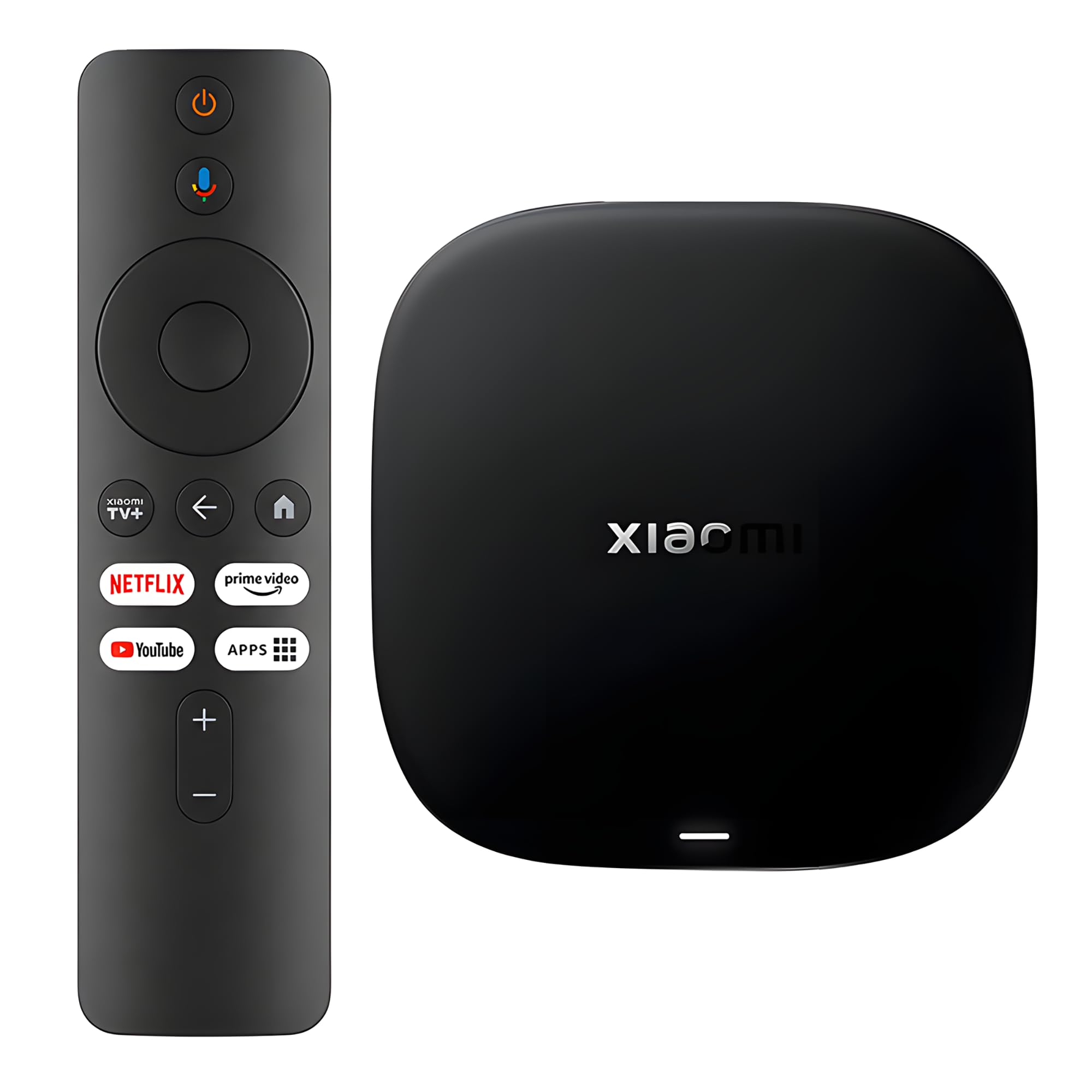
Dolby Vision and Dolby Atmos from a box the size of a biscuit tin.
The audio and video formats carry this one. HDR10+ and Dolby Vision are both supported for compatible content, alongside Dolby Atmos and DTS:X audio — that is the combination a soundbar or receiver owner actually cares about. It outputs 4K UHD via HDMI 2.1, and the 360° Bluetooth remote handles Google Assistant voice search, playback control and smart home duties.
Under the hood sits a 64-bit 6nm platform with a quad-core A55 CPU running up to 2.5 GHz, paired with 2 GB plus 32 GB of memory and storage. In plain terms, that is a modern, power-efficient chip with enough RAM to keep menus fluid and enough storage for apps and downloads. Wi-Fi 6 support (which requires a Wi-Fi 6-enabled router) uses OFDMA and MU-MIMO to share bandwidth better in a busy home — so online content starts faster when several devices are pulling data.
It runs Google TV with cross-app search and personalized recommendations, and Google Cast lets you throw a video from your phone to the TV. At 91.2 g and 3.82″L x 3.82″W x 0.67″H it disappears behind a soundbar. The follow-up question is the remote — its feedback swings hard negative, with freezing called out as the problem. Budget a backup plan for the remote even if the box itself impresses.
The pitch that lands: performance is what owners talk about most, widely rated as better than a Firestick, and picture quality earns praise in its own right.
Worth knowing: value and speed both split down the middle, and standby time is shorter than some expect.
Pairs well with: a Dolby Vision panel and an Atmos soundbar in a Wi-Fi 6 home.
Hold off if: a dependable remote is non-negotiable for you.
7. Amazon Fire TV Cube
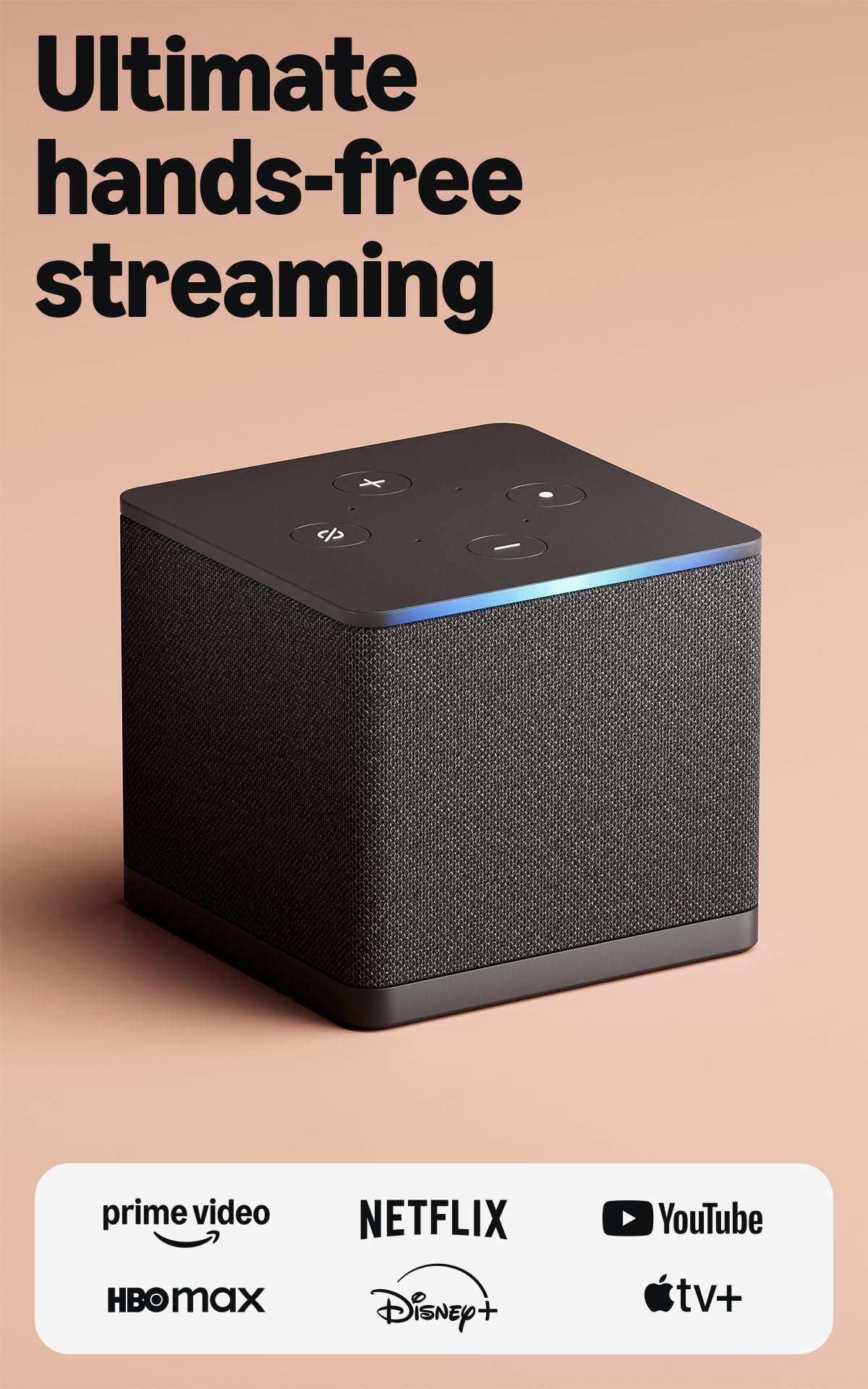
Say it out loud and it happens — no remote required, from across the room.
Built-in microphones and speakers are the whole idea here. You can power the TV, change volume, launch a show or check the weather by talking, and you do not have to find the remote first. An off button electronically disconnects the microphones, which is the privacy answer for anyone uneasy about an always-listening box. It also sits in front of your cable box, game console or webcam, so you can hop between streaming and live sources without swapping inputs.
Speed is the headline spec. An octa-core processor drives lightning-fast app starts, and the maker claims it is 2X as powerful as Fire TV Stick 4K Max — a manufacturer figure, not an independent test. It is also the first streaming media player with Wi-Fi 6E support, a newer Wi-Fi band that uses fresh spectrum. Picture goes up to cinematic 4K with Dolby Vision, HDR and Dolby Atmos audio.
Here is the honest read on a huge installed base. Speed and picture quality are the two things owners talk about most, and the box streams smoothly with no lag when it is behaving. The friction is reliability — crashes and bugs show up often enough that you should expect the occasional forced restart — and compatibility with some cable boxes is a recurring complaint. If you use the Cube as a voice-first remote replacement for a simple app library, it shines.
Standout strengths
- Octa-core processor with app starts the maker calls its fastest-ever
- First streaming media player with Wi-Fi 6E support
- Hands-free Alexa plus a microphone off switch
Honest limits
- Reliability is the biggest source of dissatisfaction in owner feedback
- Cable box support is not guaranteed across providers
Great for: voice-first households that want one box to run the TV and the smart home.
Less suited to: anyone who runs a legacy cable box they cannot live without.
8. Ugoos AM6B Plus TV Box
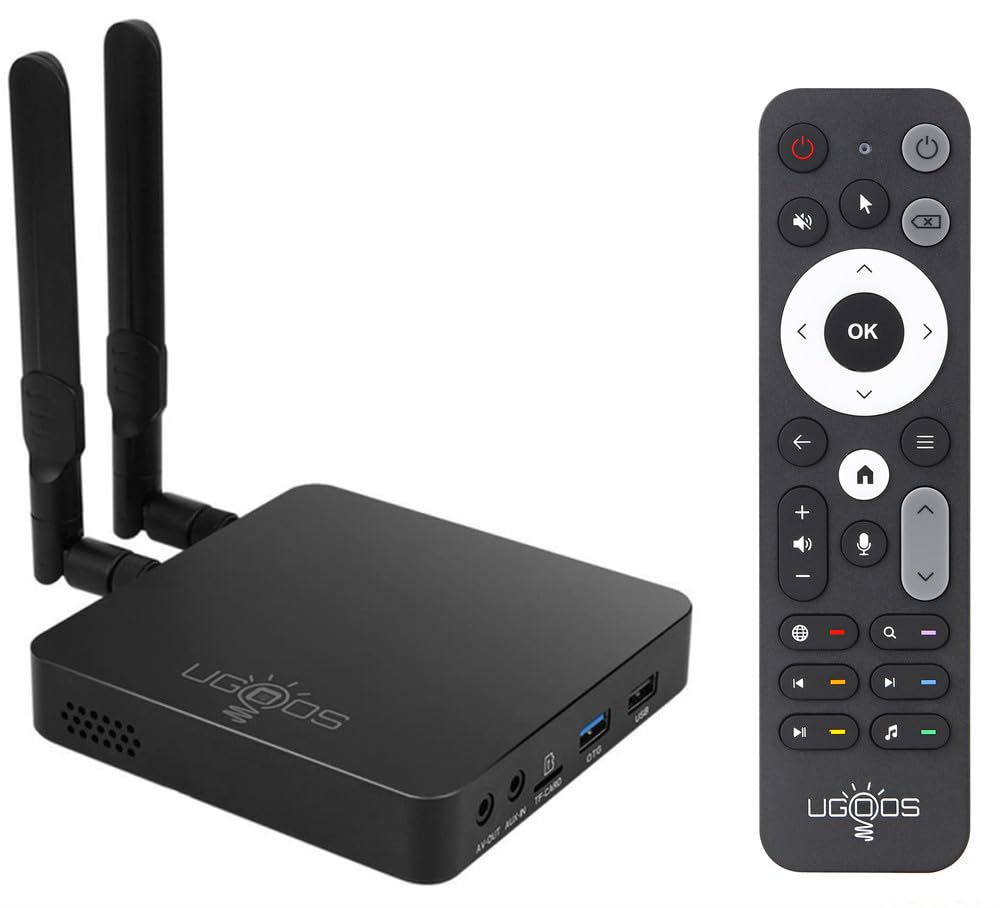
The wired one: a Gigabit port and a fast chip aimed at people with a NAS.
Start with the port. A 1000Mbps LAN connection is the spec that separates this from nearly everything else here — plug in a cable and stream 4K 60fps H.265 video without leaning on Wi-Fi at all. For a home server or a big local library, that wired path is the difference between smooth and stuttering, and dual-band 2.4G/5.0G Wi-Fi 6 with MIMO RSDB is there when you cannot run cable.
The brain is an Amlogic S922X-J: a 12nm hexa-core chip with quad-core ARM Cortex-A73 plus dual-core Cortex-A53, backed by an ARM Mali-G52 MP6 GPU. That hardware is built for heat control as much as speed, so long movie sessions and games should not throttle. Add 4GB of LPDDR4 RAM and 32GB of storage, and you have room for apps and downloads without juggling space.
Extras run to USB 3.0, Bluetooth 5.0, an OTA updater so firmware arrives without manual flashing, and a bundle that includes an IR remote, 2 dual-band antennas and a 12V 2A power adapter. At 294 g and 4.61″L x 4.61″W x 0.79″H it is a substantial metal-feeling box rather than a dongle. Dolby Vision support is the feature owners single out most warmly, and installation is a quick job. The remote, though, draws a split verdict — acceptable to some, not great to others.
What owners value: broad media support and functionality are what the box gets praised for, and the wired connection keeps a local library running clean.
The catch: this is a tinkerer’s device — it runs Android 9.0 rather than a mainstream streaming interface, so expect more setup than a Roku.
Built for: the owner of a NAS or a 4K file library who wants Ethernet and processor headroom.
Wrong tool for: anyone who wants to plug in and be watching Netflix in two minutes.
9. NVIDIA Shield TV Pro

The upscaler that makes old 1080p footage look like it was shot yesterday.
AI upscaling is the reason this box exists. The NVIDIA Tegra X1+ chip enhances HD video in real time to 4K, and that is the feature that turns a library of older 1080p rips into something worth showing on a big panel. Add Dolby Vision HDR and Dolby Atmos with Dolby Digital Plus, and the home-theater credentials are complete. Running a Plex server on the box itself is possible thanks to 3 GB of RAM and 16 GB of storage.
The expandability is unusual for this category. Two USB 3.0 ports take external storage, cameras, keyboards and controllers, and Gigabit Ethernet with dual-band AC Wi-Fi and Bluetooth 5.0 keeps the pipe wide. The remote adds motion-activated backlit buttons, a customizable menu button, IR control for your TV, and a built-in locator for when it vanishes into the couch cushions.
Picture and performance are what the crowd talks about, and the upscaling from 720 to 4K is routinely called excellent. The split is reliability and cost — crash-and-freeze complaints are frequent enough to be the biggest caveat, and value is debated. At 2.1 pounds, it is far heavier than the deck-of-cards players here, which reflects a genuinely larger piece of hardware rather than a toy. If you want the best picture processing and you accept premium-tier pricing, this is that pick.
Why people pay for it: real-time AI upscaling plus Dolby Vision and Atmos make it the strongest picture processor in this group.
The trade-off: stability complaints are the recurring theme, so keep the firmware current and expect the occasional restart.
Worth it if: you have a large 1080p library and a panel that deserves upscaling.
Overkill if: you mostly watch native 4K apps and never touch a local server.
Know the Specs
Container versus codec
A container is the wrapper file — MKV, MP4, AVI, MOV, TS — and a codec is the compression inside it, such as H.265/HEVC or H.264/AVC. A player can accept MKV but still fail on a file whose codec it does not decode. That is why the spec sheets here name both. When you check a box against your library, look for the codec your files use, because that is the blocker, not the file extension.
Output resolution and frame rate
Output is the signal sent down the HDMI cable, and it is capped at 4K UHD on most of these boxes. Frame rate is the second half: several players list 4096×2304@30fps as their file ceiling, while one lists 4K 60fps H.265. For slow, cinematic footage the 30fps ceiling is invisible. For fast sports or games, the higher frame rate helps motion feel clean.
Storage input limits
These boxes read USB flash drives and hard drives up to 8TB and microSD cards up to 1TB. The file system matters too: FAT32, exFAT and NTFS are the usual supported formats. A drive formatted in an exotic scheme may not mount at all, and reformatting erases it. Check the drive before you buy the player, and remember the drive is usually sold separately on this list.
Wi-Fi versus Ethernet
Wireless speed fades with distance and walls, so a far room can struggle even on a fast standard. A 1000Mbps Ethernet port bypasses that problem entirely and is the safest path for high-bitrate local video. Wi-Fi 6 and Wi-Fi 6E add newer spectrum and better device sharing, but they need a matching router to show their advantage. If you can run an Ethernet cable to the box, run one.
Digital signage controls
For a menu board or lobby loop you want auto start, auto play, endless repeat, and resume from the last stopping point. Those settings mean the screen boots straight into your video after a power cut with no human intervention. Video rotation in 90/180/270 degrees lets a portrait screen work without re-encoding the file. Trigger sensor input goes further and swaps videos when a motion sensor fires.
HDR and audio formats
HDR is the wider brightness and color range that makes a bright sky and a dark shadow both readable at once. Dolby Vision, HDR10+ and HDR are the labels to look for, and each needs a compatible TV to do anything. Dolby Atmos and DTS:X are object-based audio formats that need a matching soundbar or receiver. A box can support all of them and still look plain on a TV that does not.
Common Questions
Will a media player box play MKV and MP4 files from a USB drive?
What is the largest hard drive a media player can read?
Do I need a 4K TV to use a 4K media player?
Can a media player run a looping display for a shop or menu board?
Is Wi-Fi 6E better than Wi-Fi 6 for streaming?
Can these boxes send sound to an older stereo or receiver?
How much RAM and storage does a media player actually need?
What are USB 3.0 ports on a TV box useful for?
Is a premium media player box worth it over a basic stick?
Can I hook a media player up to an old TV that only has analog inputs?
The Bottom Line
For most people, the top rated media player is the Roku Ultra LT, because it does the one thing every streamer needs — it opens apps in a snap and holds a steady 4K Dolby Vision picture without asking you to learn anything. It backs that up with 4.5+ stars across 400+ owners, and 54 reviews single out performance. If your entertainment lives on a hard drive instead, reach for the NEUMI Atom 4K Lite and its 8TB USB support. And for a looping shop display, the JLZNLC 4K Media Player with its built-in drive bay is the one that runs itself.
How we choose
We do not accept paid placement. Every pick is matched to a real buyer and a real use-case; we do not hands-on test units.
Sources
Specifications: manufacturer listings and product documentation. Review insights: verified customer reviews, as of November 2026. Pricing: not shown on this page (it changes often); check the current price via the retailer link.
As an Amazon Associate, Tactical Gear Guy earns from qualifying purchases. This does not affect which products we feature.