Specs are compiled from manufacturer listings and verified buyer reviews and can change over time — please confirm the key details on the product page before buying.
Three or four monitors on one desk look great until you check the back of your PC and find one lonely HDMI port. A multi monitor video card solves that by giving you several display outputs on a single card. The picks below range from tiny fanless boards that run four screens in near silence to big gaming cards with plenty of video memory. Pick the one that matches the screens you actually own, not the fastest chip on the shelf.
This guide is built by comparing the manufacturers’ published specifications and the patterns across verified customer reviews, so you get each pick’s real strengths and trade-offs instead of marketing spin.
A multi-monitor card only earns its slot when the right ports and enough video memory line up with your desk. This roundup walks through what each card’s output count and memory actually buy you before you spend anything on a multi monitor video card.
Top Picks

How To Choose The Best Multi Monitor Video Card
The first question you should ask is not “how fast” but “how many outputs, and which type.” A card with four outputs is useless if your monitors only take one kind of cable. The second question is whether the card physically fits your case and your power supply. Everything else is secondary for a desk that mostly runs spreadsheets, chats, and browser tabs.
Count the outputs and match the connector type
Some cards here give you four HDMI ports, others give you a mix of HDMI and DisplayPort. Check what cables your monitors actually use. A card that hands you 4xHDMI (four HDMI sockets) is ideal for ordinary office monitors. A card with HDMI plus DisplayPort pairs well with a mix of older and newer screens.
Know what video memory in GB does for you
Video memory holds the pixel data your screens are drawing right now. A card with 2 GB to 4 GB handles four ordinary desktop displays for browsing, email, and video playback. A card with 8 GB to 16 GB is what you want if you also game, edit video, or run demanding creative apps across those same screens.
Check slot width and power before you buy
A single-slot card leaves room for other expansion cards and tucks into a small case. A 2.5-slot or 3.125-slot card eats more space and needs a bigger power supply with the correct connector. Read the card’s own spec for its slot width, its length, and its required power supply, then measure your case before you commit.
Decide on silence versus raw performance
Fanless cards (cards with no moving fan at all) make no fan noise and are the quiet option for an office or a media room. Cards with three fans push more heat but can spin up audibly under load. Pick based on where the PC sits. A card doing spreadsheet work all day does not need three fans, and a card doing 4K gaming does.
Side-by-Side Comparison
| Model | Best For | Video Memory | Outputs | Notable Spec | Amazon |
|---|---|---|---|---|---|
| ASUS TUF Gaming GeForce RTX 5070 Ti 16GB★ Best Overall | Gaming plus multi-screen | 16 GB GDDR7 | HDMI / DisplayPort 2.1 | 2610 MHz boost clock | Amazon |
| XFX Swift Radeon RX 9060 XT 16GBFastest Boost | Fast gaming on a budget | 16 GB GDDR6 | HDMI + 2x DP | 3320 MHz boost clock | Amazon |
| PNY GeForce RTX 5060 Ti 16GBCompact 16 GB | Compact 16 GB build | 16 GB GDDR7 | HDMI / DisplayPort | 2407 MHz clock, 448 GB/s bandwidth | Amazon |
| ASRock Radeon RX 9070 Challenger 16GB | Quiet high-end desktop | 16 GB GDDR6 | HDMI / DisplayPort | 2520 MHz boost clock | Amazon |
| GIGABYTE Radeon RX 9070 XT Gaming OC 16G | Top-tier 4K gaming | 16 GB GDDR6 | HDMI / DisplayPort | 3060 MHz clock | Amazon |
| MSI GeForce RTX 3050 LP 6G OC | Small-form-factor builds | 6 GB GDDR6 | 1x DP + 2x HDMI 2.1 | 1492 MHz, low profile | Amazon |
| ASUS NVIDIA GeForce GT 730 4xHDMI | Four-screen office PC | 2 GB GDDR5 | 4x HDMI | 927 MHz, single slot | Amazon |
| maxsun AMD Radeon RX 580 8GB | White-theme multi-screen gaming | 8 GB GDDR5 | HDMI + 2x DP | 1168 MHz clock | Amazon |
| maxsun GeForce GT 730 4xHDMI ITX | Four-screen silence on a budget | 4 GB GDDR3 | 4x HDMI | 902 MHz, fanless | Amazon |
Detailed Reviews
1. ASUS TUF Gaming GeForce RTX 5070 Ti 16GB GDDR7 OC Edition
Our pick — 4.5+★ from 500+ verified ratings; the strongest balance of quality and price.
A 3.125-slot gaming card whose 16 GB of GDDR7 memory holds a wall of high-resolution windows.
The headline figure here is 16 GB of GDDR7 memory (the newest, fastest-generation video RAM) sitting under three Axial-tech fans on a 3.125-slot body. For multi-monitor work, that memory means each of your screens can hold its own window stack without the card running short. It renders at up to 7680×4320 pixels, which covers a wall of 4K panels in one combined desktop.
Power is the catch you must plan for. ASUS lists a minimum 850W power supply with a 16-pin 12V-2×6 (12VHPWR) connector, and you should verify that before buying. Boost clock runs at 2610 MHz in OC mode or 2588 MHz in default mode, so the card is happy to trade a little speed for quieter fans. The 13″ x 5.5″ body needs a wide, long case.
The durability touches are real, not decoration. Military-grade components, a protective PCB coating against shorts from moisture and dust, and a phase-change GPU thermal pad that outlasts traditional thermal paste under heavy loads all sit on the spec sheet. GPU Tweak III software lets you watch temperatures and tweak clocks in one place. This is a card you buy when your screens and your gaming share the same machine.
What earns the top spot
- 16 GB of GDDR7 memory holds heavy, high-resolution window stacks for long sessions
- Renders up to 7680×4320 pixels across your combined desktop
- Protective PCB coating and phase-change thermal pad add real longevity
- Three Axial-tech fans and a large fin array keep a 2610 MHz boost clock in check
The real cost of ownership
- Needs an 850W power supply and a 16-pin 12V-2×6 connector, so check your PSU first
- 3.125-slot width plus a 13″ length rules out tight cases
Made for: a build where four monitors and serious gaming live on the same desk, and the case is big enough to breathe.
Look past it: a smaller chassis or an older power supply will make the fit impossible before performance ever matters.
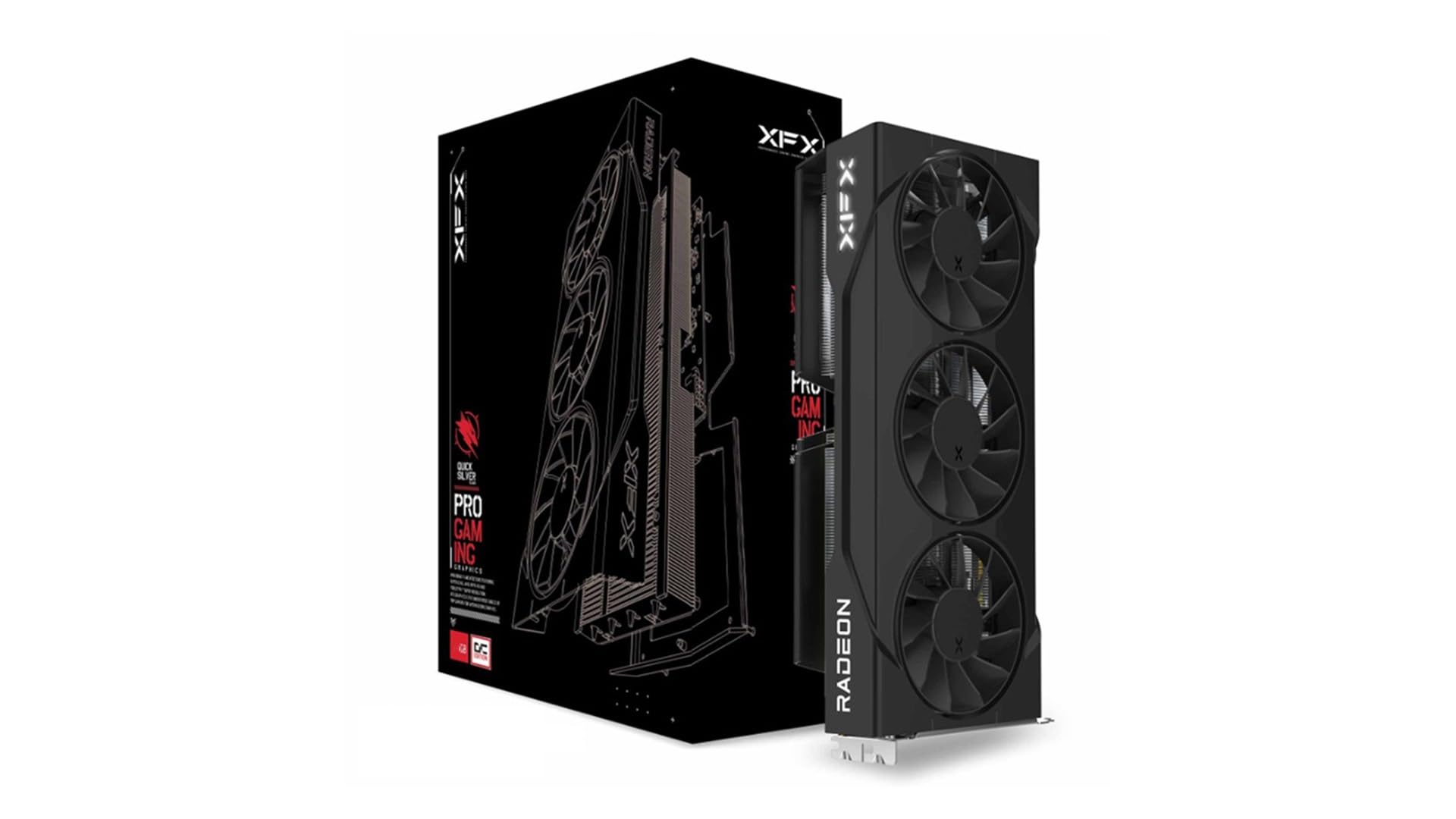
2. XFX Swift AMD Radeon RX 9060 XT 16GB
A 3320 MHz boost clock, the highest on this list, for gaming across two 1440p screens.
Run the clock numbers head to head and the gap is obvious. The XFX Swift boosts up to 3320 MHz, while the maxsun GeForce GT 730 4GB lists 902 MHz — that is a 3.7x difference on the spec sheet. For twin 1440p monitors and a game running across them, that speed keeps frame rates smooth where the little GT 730 would crawl.
You get 16 GB of GDDR6 memory on an 11.42″ x 4.88″ body with three fans on the SWFT cooling solution. AMD’s RDNA 4 architecture powers the RX 9060 XT chip. It connects over PCI-Express x16 and sits in the mid-range on price, which makes it the pick for a buyer who wants one card to handle both screens and serious gaming.
What wins buyers over is how hard it works for the money, and Star Citizen in particular runs well on it. The honest limit is around output ports: the card lists HDMI and 2x DisplayPort, so this is a three-screen card, not a four-screen office tool. Measure the case for the 11.42″ length and confirm your power supply feeds it before ordering. If three screens is your setup, this earns the spot.
Why it earns its rank: a 3320 MHz boost clock next to 16 GB of GDDR6 is the fastest combination here, and it keeps demanding titles stable across two already-high-resolution displays.
The trade to know: three outputs, so a four-monitor desk needs a different card.
Pick this when: two or three screens need real gaming grunt without climbing to the top tier on price.
Step away when: your plan is four monitors, since the HDMI and dual DisplayPort layout tops out at three.
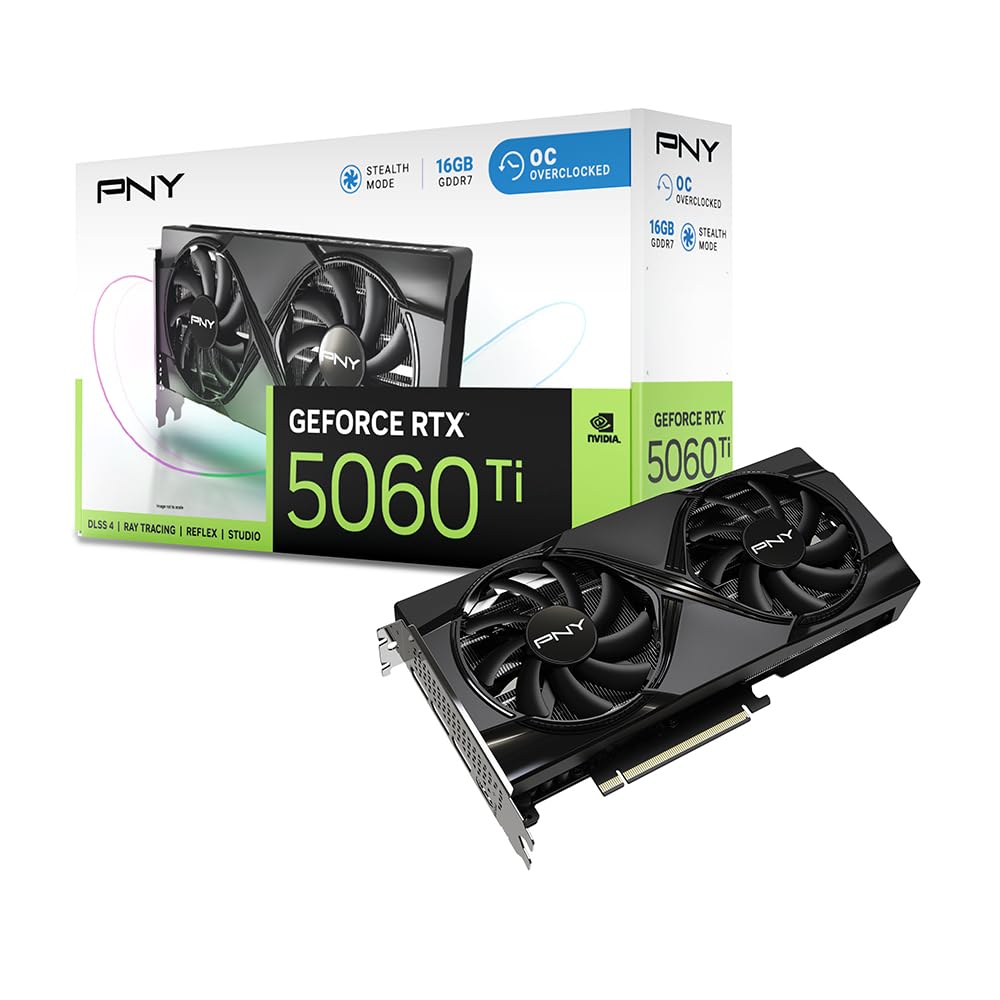
3. PNY NVIDIA GeForce RTX 5060 Ti 16GB
16 GB of GDDR7 on a compact dual-fan board that fits a shorter case.
Two fans and a dense heatsink pull heat off the 16 GB of GDDR7 memory on a compact board. That memory runs at 448 GB/s of bandwidth, which matters when you push maxed-out textures across a 1440p pair. It renders up to 7680 x 4320 pixels, so a multi-monitor stack of high-resolution panels stays crisp. The vented metal backplate also strengthens the card against sagging in a standing case.
Here is the memory comparison that sets the price picture: the PNY packs 16 GB of GDDR7, while the ASUS GT 730 graphics card runs 2 GB — an 8.0x gap. You feel that difference when a screen full of browser tabs, a video, and a game overlap. The RTX 5060 Ti chip is a Blackwell-architecture part with 5th-Gen Tensor Cores for AI work and 4th-Gen Ray Tracing Cores. VelocityX software saves up to five tuning profiles.
What buyers count on is that it simply works in their builds, and it runs quietly while doing it. Weigh that premium against the smaller footprint and the newer architecture, and only pay it if either one genuinely matters for you. The 2407 MHz clock is the lowest boost number among the 16 GB picks here.
Where it pulls ahead
- 16 GB GDDR7 frame buffer at 448 GB/s, enough for maxed-out textures at 1440p
- Compact dual-fan design that will not crowd a smaller case
- Runs quietly, with a backplate that resists sag
What to weigh hard
- Priced above the RX 580 for the same 16 GB headline
- 2407 MHz clock is the low boost figure among the 16 GB picks
- PCIe x8 interface, not the x16 the bigger cards use
Good match for: a space-constrained build that still wants a 16 GB frame buffer and a quiet two-fan cooling setup.
Reconsider if: every dollar matters more than footprint, because the RX 580 sits cheaper for the same memory figure.
4. ASRock Radeon RX 9070 Challenger 16GB OC Graphics Card

A 0dB mode that stops all three fans during light multi-monitor work on a 16 GB card.
The zero-decibel mode is the feature to start with. On light multi-monitor work — documents, spreadsheets, browser tabs — the three fans can stay fully stopped, which keeps an office or studio silent through a full day of screen work. The 16 GB of GDDR6 memory on a 256-bit bus and 20 Gbps speed gives you the bandwidth to push 4K textures and a busy set of displays without strain.
AMD’s RDNA 4 architecture sits underneath, built on 56 CUs and 3584 stream processors, with 3rd-gen RT and 2nd-gen AI accelerators. Boost clock reaches 2520 MHz and game clock sits at 2070 MHz, so it is quick without tipping into the heaviest power draw. Quiet operation is what buyers appreciate, and temperatures stay cool under use, so the fans rarely need to shout.
What matters before you buy is clearance. ASRock lists this as a 2.5-slot card at 290x123x51mm with two 8-pin power connectors and a recommended 700W supply. Measure your case depth precisely, because this is not a card you squeeze in. If the fit is right, it is the pick for quiet 1440p and 4K desktop work over many hours.
Quiet by design: the 0dB silent mode keeps the three fans idle under everyday workloads, and buyers single out the calm and the cool temperatures it holds.
Measure twice: 2.5-slot width, two 8-pin connectors, and a 700W supply requirement are the gates here.
Fits the buyer who: wants a genuinely quiet 16 GB card for high-resolution screen work and gaming across a 2.5-slot footprint.
Not the buyer who: has a narrow case or an underpowered supply, since two 8-pin connectors and a 700W recommendation are firm.
5. GIGABYTE Radeon RX 9070 XT Gaming OC 16G Graphics Card

A 3060 MHz clock and 16 GB of GDDR6 built for 1440p and 4K gaming across multiple screens.
For frames per second across a high-resolution multi-screen setup, this is the top card on the page. The 3060 MHz clock and 16 GB of GDDR6 memory feed 1440p and 4K performance that buyers describe as excellent. The WINDFORCE cooling system, a Hawk Fan, and server-grade Thermal Conductive Gel keep temperatures in check when the card is actually working hard.
What buyers praise most is performance, and it holds cool under sustained load too. The price-for-performance ratio is the second big draw, with buyers calling it well worth the money and a real upgrade. It renders at up to 7680 x 4320 pixels. The 11.34″ x 5.2″ body and the PCIe 5.0 interface suit a modern mid-to-full tower build.
The honest caveat is noise. A vocal set of buyers finds it loud under full load, while others report barely any sound. That split depends on your case airflow and how hard you push it. If the PC sits on the floor or you wear headphones, it is a non-issue; if it sits beside you on a quiet desk, plan for it. RGB lighting rounds out the look.
Buy it if: raw 1440p and 4K frame rates matter most and you want one card to pair with a high-refresh multi-monitor gaming setup.
Think twice if: the card will sit right next to you with no headphones, since noise under load divides buyers.
6. MSI GeForce RTX 3050 LP 6G OC Gaming Graphics Card

A low-profile card for slim cases, with one DisplayPort 1.4a and two HDMI 2.1 outputs.
The low-profile design is the whole point. It saves space so you can build a slim or small-form-factor system and still run a multi-monitor desktop. Two fans and a large heatsink keep it cool and quiet, and 6 GB of GDDR6 memory on a 96-bit interface handles everyday multi-screen work. The three outputs — one DisplayPort 1.4a and two HDMI 2.1 — support 4K, so you can drive a pair of 4K screens plus a third.
The clock runs at 1492 MHz on a PCI Express Gen 4 x8 interface. The custom PCB with hardened circuits and tune trace routing gives it a sturdier feel than its compact size suggests. MSI Center software lets you watch and tune performance in real time. It is the sensible move when a full-size card simply will not close into the case.
What buyers appreciate most is that it performs well in its build. For a home theater or small desk running three ordinary screens, it earns its place. Performance is the part buyers keep pointing to as the win.
The small-case answer: low-profile slimness plus one DisplayPort 1.4a and two HDMI 2.1 outputs, which covers a three-screen home theater or slim desktop.
Know the ceiling: 6 GB of GDDR6 is a step below the high-memory cards, so it is a light-work and home-theater card, not a heavy-texture one.
Reach for this if: your case is slim or small and you need three 4K-capable outputs without extending the build.
Skip the upgrade if: you push heavily textured content across several high-resolution monitors and need a much larger frame buffer.
7. ASUS NVIDIA GeForce GT 730

A single-slot card with four HDMI ports, passive cooling, and no power connector.
Four HDMI ports on a single slot is the reason this card exists. It supports up to four high-definition displays at once, and its one-slot design leaves room for other expansion cards in a small case. It needs no cables from the power supply at all, so install is a genuine plug-and-play job. For a trading desk, a support desk, or any workstation stacked with three or four office monitors, that combination does the job.
The display maximum resolution is 1920 x 1080, with 2 GB of GDDR5 memory on a PCIe interface and a 927 MHz clock. That is plenty for four 1080p monitors full of documents and chat windows. Silent passive cooling — no fan at all — makes it the quiet pick for a home theater PC or a media center. The trade-off is headroom: this card does everyday desktop work, not heavy gaming or high-texture creative software.
Why it makes the list
- 4x HDMI ports drive up to four displays at once
- Single-slot passive design with no fan and no power cable
- Simple plug-and-play install for an office or home theater PC
Where it stops short
- Display maximum of 1920 x 1080 limits high-resolution panels
- 2 GB of GDDR5 is light for gaming or heavy creative work
The right call for: a work PC that runs three or four 1080p office screens and never loads a game.
Look elsewhere when: you want sharp 4K panels or any kind of gaming, since the 2 GB card tops out at 1920 x 1080.
8. maxsun AMD Radeon RX 580 8GB 2048SP GDDR5 Graphics Card
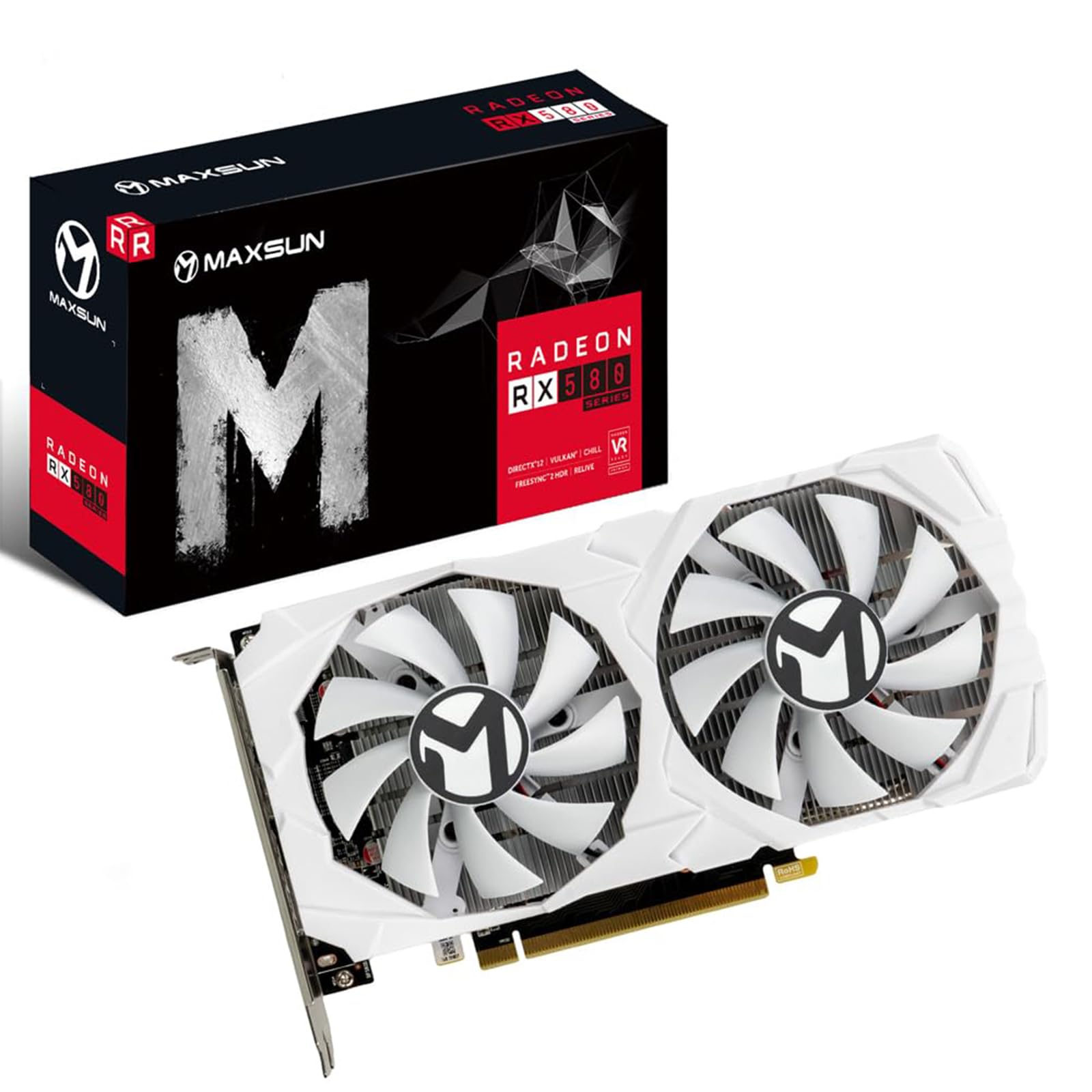
A white 8 GB card with HDMI plus two DisplayPort outputs and a 7680×4320 display ceiling.
Start with the display ceiling, because it is the standout. This card renders at up to 7680×4320 pixels, while the ASUS GT 730 lists 1920 x 1080 — a 4.0x gap on the spec sheet. That means this is the pick when you want your desktop pushed well past ordinary resolution. It uses a 256-bit memory interface with 8 GB of GDDR5 and three full digital outputs, HDMI plus two DisplayPort, for extended monitors. The white finish is made for a white-theme build.
The 1168 MHz clock, PCI-Express x16 interface, and DirectX 12 support cover modern titles at a sensible level. Buyers report mixed experiences with reliability, with some saying it works well while others mention it crashing after a couple of minutes. Treat that as a fit note rather than a blanket knock. Compatibility also draws some negative mentions, with monitors occasionally failing to detect the card and driver-download hiccups. Weigh those against the 8 GB memory and the display ceiling, and buy with a clear idea of what it is.
The white-build draw: 8 GB of GDDR5 on a 256-bit bus with a 7680×4320 display ceiling and three digital outputs, dressed for a white-themed PC.
Read the fine print: reliability and compatibility are the mixed areas in buyer feedback, so verify driver support and a return path before relying on it.
Best suited to: a white-theme build that wants 8 GB of memory and a high display ceiling with three outputs.
Hesitate if: you need the smoothest possible driver history, since compatibility is where owners mention friction.
9. maxsun GeForce GT 730 4GB Video Graphics Card ITX 4xHDMI
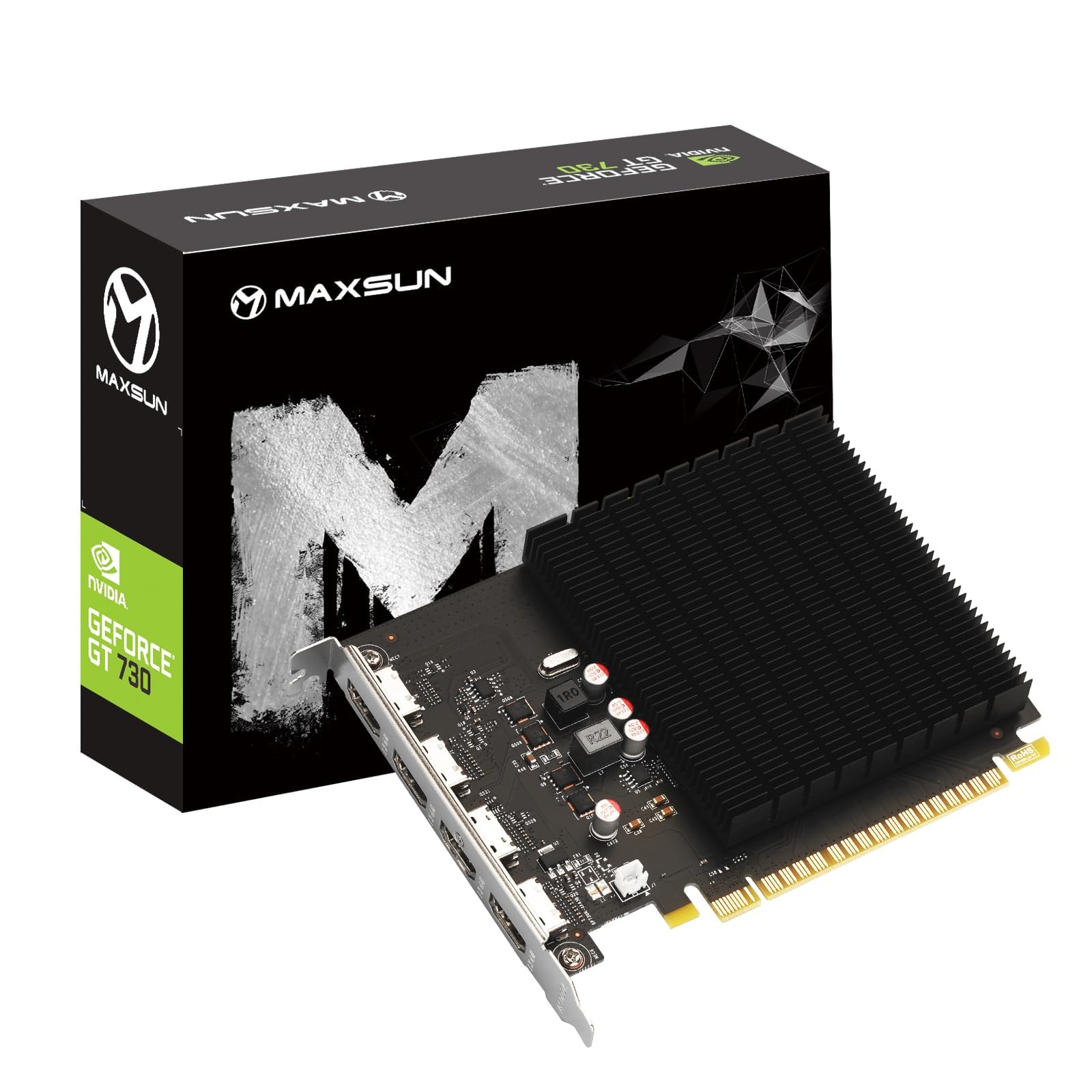
Four screens from a tiny fanless board that slides into almost any ITX case.
The ITX form factor is the hook. This card is built small enough to fit most PC cases while still driving four monitors through 4x HDMI at up to 3840 x 2160 at 30Hz. Fanless passive heat dissipation means no fan noise and lower temperatures in a small build. Silver-plated PCB and all-solid capacitors add stability. All you need is one x16 or x8 lane slot free on the motherboard and a 200W or greater power supply.
The 4 GB of GDDR3 memory on a 64-bit bus, the 384 CUDA cores, and the 902 MHz engine clock tell you the target. This is a four-screen office and multimedia card, not a gaming one. Weigh the numbers directly: the maxsun GT 730 is 214 g, while the maxsun RX 580 8GB comes in at 623 g — this is the lighter, more compact way to add four displays. For a quiet desk running dashboards, CCTV feeds, or four ordinary office screens, that is exactly what you want.
What it does well
- 4x HDMI at up to 3840 x 2160 at 30Hz for four displays
- Fanless passive cooling, so no fan noise at all
- ITX size fits most cases, needs only one x16 or x8 slot and a 200W supply
Set your expectations
- GDDR3 memory on a 64-bit bus is for light work only
- 902 MHz clock is the lowest of the lot, so games are off the table
Worth it for: quiet four-screen setups in compact cases, like a monitoring wall or an office workstation running light tasks.
Not up to: gaming or heavy creative software, where GDDR3 and a 64-bit bus fall well short.
Know the Specs
Output ports and connector type
Output count is the spec that decides whether a card can run your exact desk. Four HDMI ports suit a row of ordinary monitors that all take HDMI. A mix of HDMI and DisplayPort fits a desk with different cable types and lets you push higher refresh rates on compatible screens. Count your monitors first, name the cable each one takes, and only then look at memory and clock speed.
Video memory in GB
Video memory holds the pixel data your screens are drawing right now. A 2 GB to 4 GB card handles four ordinary desktop displays for email, browsers, and video. An 8 GB to 16 GB card is what you want when you also game, edit video, or run creative apps across those screens. More memory helps most when your resolutions climb and your windows get busy.
Slot width and power needs
A single-slot passive card drops into small cases and needs no power cable. A 2.5-slot or 3.125-slot card eats more space and needs a larger power supply with the right connector — two 8-pin connectors on the ASRock, a 16-pin 12V-2×6 on the ASUS TUF. Read the card’s own recommended wattage and slot width, then measure your case and check your supply before you buy.
Clock speed and boost clock
Clock speed, measured in megahertz (MHz), is how many cycles the card’s graphics processor runs each second. Higher numbers tend to mean smoother frame rates. The budget GT 730 sits at 902 MHz, while the XFX Swift reaches 3320 MHz. For plain multi-monitor office work, a low clock is fine. For gaming spread across those screens, the higher clocks are what keep a game responsive.
Common Questions
How many monitors can a single video card run at once?
Do I need a video card to run four monitors, or can the motherboard do it?
Will a four-HDMI card like the ASUS GT 730 work with my DisplayPort monitors?
Is 16 GB of video memory overkill for a multi-monitor office setup?
What power supply do the larger cards need?
Will a small-form-factor case fit a gaming card for multi-monitor use?
Can a fanless card handle four monitors without overheating?
What resolution does each card support across multiple displays?
Is a lower clock speed ever the smarter choice for a multi-monitor build?
Could a card crash or show up with driver trouble when I add several monitors?
The Bottom Line
The winner for a desk that combines many screens with serious gaming is the ASUS TUF Gaming GeForce RTX 5070 Ti 16GB, because 16 GB of GDDR7 memory and a 7680×4320 ceiling keep a wall of high-resolution panels sharp while three Axial-tech fans hold a 2610 MHz boost clock steady. If you want the fastest boost clock here for twin 1440p screens, the XFX Swift RX 9060 XT 16GB reaches 3320 MHz. And for a quiet four-screen office PC that never touches a game, the ASUS GT 730 4xHDMI is the one to reach for — four HDMI ports, one slot, and no fan at all.
How we choose
We do not accept paid placement. Every pick is matched to a real buyer and a real use-case; we do not hands-on test units.
Sources
Specifications: manufacturer listings and product documentation. Review insights: verified customer reviews, as of November 2026. Pricing: not shown on this page (it changes often); check the current price via the retailer link.
As an Amazon Associate, Tactical Gear Guy earns from qualifying purchases. This does not affect which products we feature.